
The scope of local variables Murphys Law The
The scope of local variables
Murphy's Law • The famous Murphy's Law says: • Anything that can possibly go wrong, does. (Wikipedia page on Murphy's Law: http: //en. wikipedia. org/wiki/Murphy%27 s_law)
Limiting the damage caused by Murphy's Law • What can go wrong in a computer program: • We can update the wrong information/variable. . • What can we do to reduce the likelihood that we update a wrong variable: • Limit the accessibility of a variable
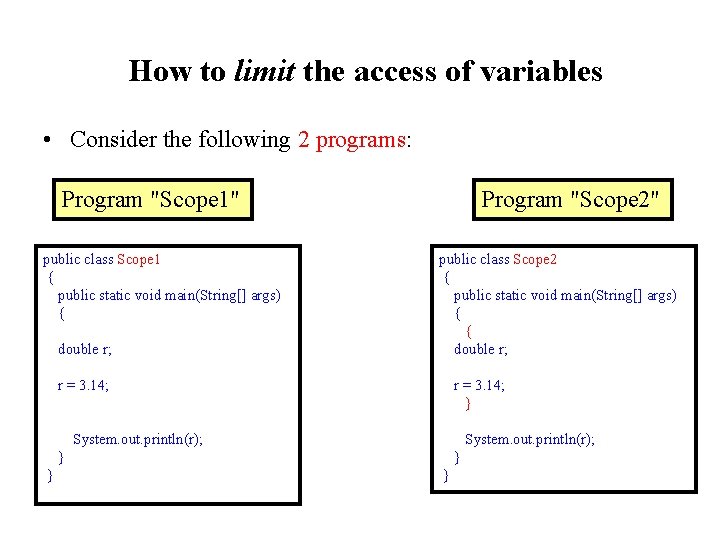
How to limit the access of variables • Consider the following 2 programs: Program "Scope 1" public class Scope 1 { public static void main(String[] args) { double r; r = 3. 14; System. out. println(r); } } Program "Scope 2" public class Scope 2 { public static void main(String[] args) { { double r; r = 3. 14; } System. out. println(r); } }
How to limit the access of variables (cont. ) The only difference is we put the definition of the variable r inside a block in Program "Scope 2"
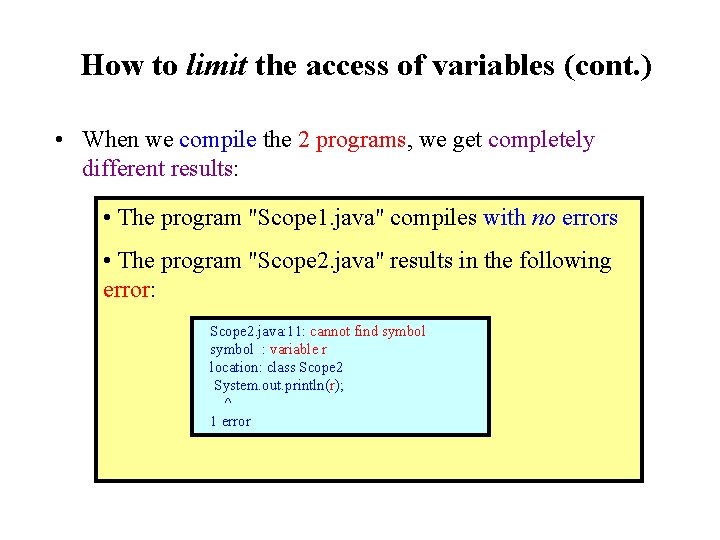
How to limit the access of variables (cont. ) • When we compile the 2 programs, we get completely different results: • The program "Scope 1. java" compiles with no errors • The program "Scope 2. java" results in the following error: Scope 2. java: 11: cannot find symbol : variable r location: class Scope 2 System. out. println(r); ^ 1 error
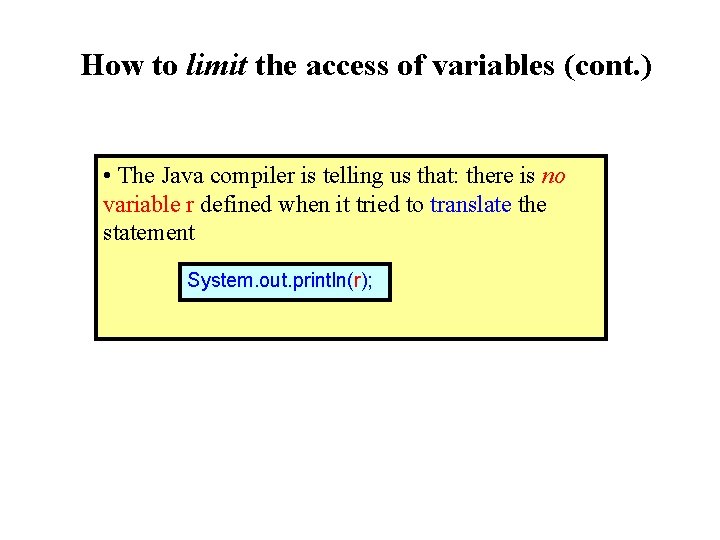
How to limit the access of variables (cont. ) • The Java compiler is telling us that: there is no variable r defined when it tried to translate the statement System. out. println(r);
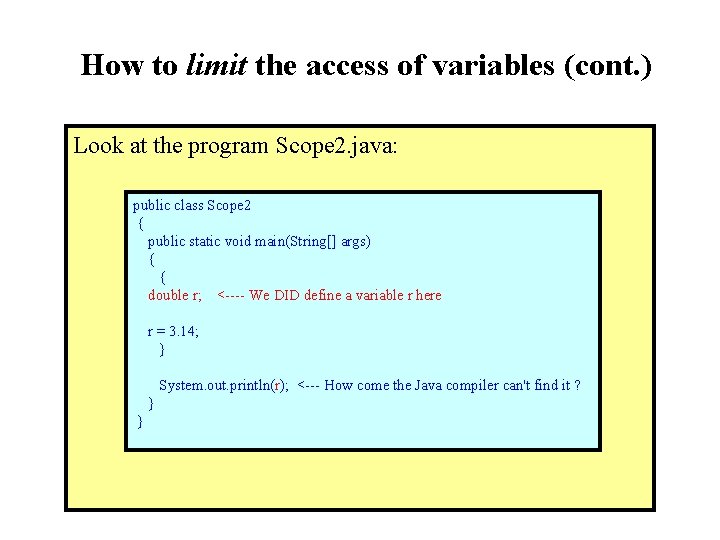
How to limit the access of variables (cont. ) Look at the program Scope 2. java: public class Scope 2 { public static void main(String[] args) { { double r; <---- We DID define a variable r here r = 3. 14; } System. out. println(r); <--- How come the Java compiler can't find it ? } }
How to limit the access of variables (cont. ) • Example Program: (Try it yourself!) – Prog file Scope 1. java: http: //mathcs. emory. edu/~cheung/Courses/170/Syllabus/08/Progs/ Scope/Scope 1. java – Prog file Scope 2. java: http: //mathcs. emory. edu/~cheung/Courses/170/Syllabus/08/Progs/ Scope/Scope 2. java • How to run the program: • Right click on the links and save in a scratch directory • To compile: javac Scope 1. java and javac Scope 2. java (No need to run the programs, just look at the error message)
How to limit the access of variables (cont. ) • Explanation of this behavior: • The access of the variable r was limited to the block in which it was defined !!!
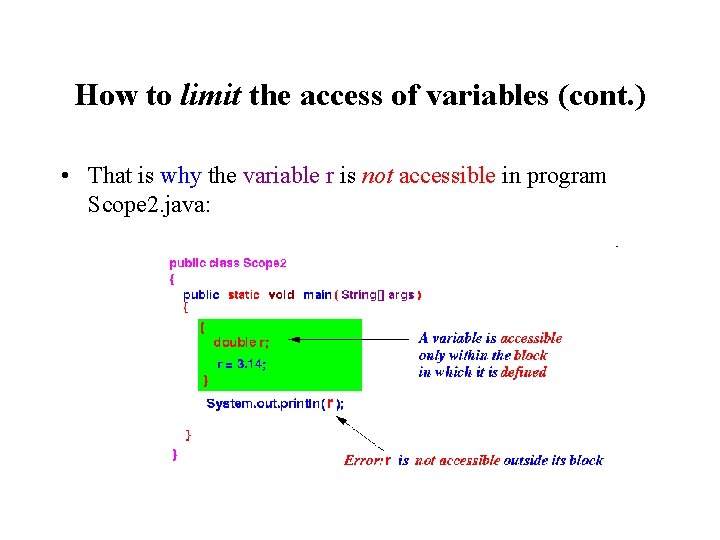
How to limit the access of variables (cont. ) • That is why the variable r is not accessible in program Scope 2. java:
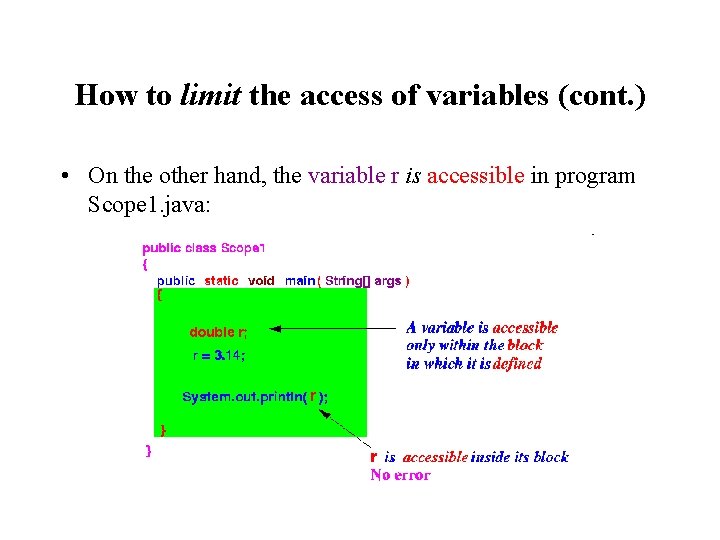
How to limit the access of variables (cont. ) • On the other hand, the variable r is accessible in program Scope 1. java:
Scope of a variable • Scope of a variable = the region in the program where the variable is accessible
Scope of a variable (cont. ) • Factors that determine the scope of a variable: 1. When is the variable created (a variable must exist before it can be accessible) 2. When is the variable destroyed (a variable that has been destroyed is not accessible) 3. Between the 2 location above, the scope of a variable is further limited by the block in which it is defined
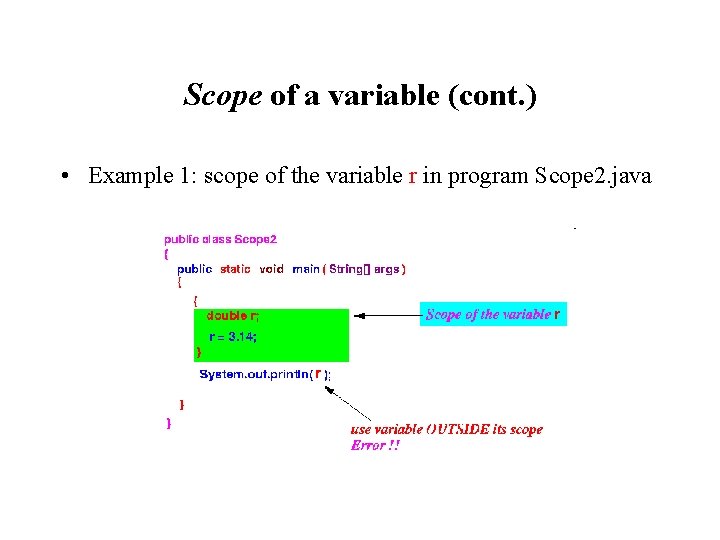
Scope of a variable (cont. ) • Example 1: scope of the variable r in program Scope 2. java
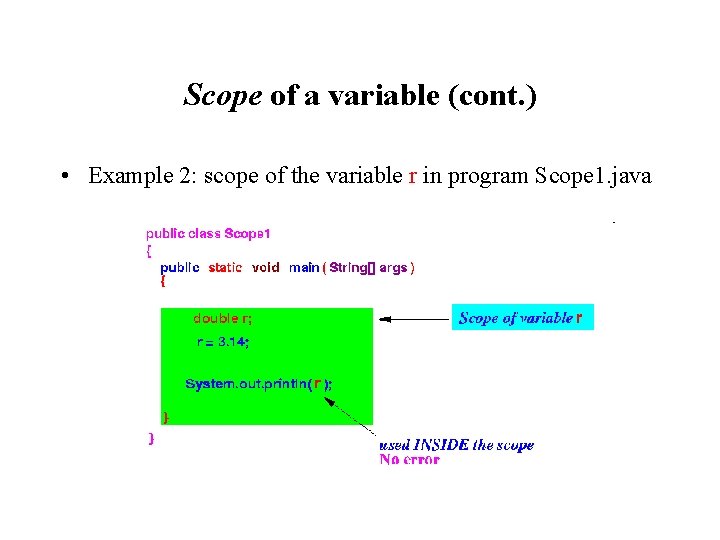
Scope of a variable (cont. ) • Example 2: scope of the variable r in program Scope 1. java
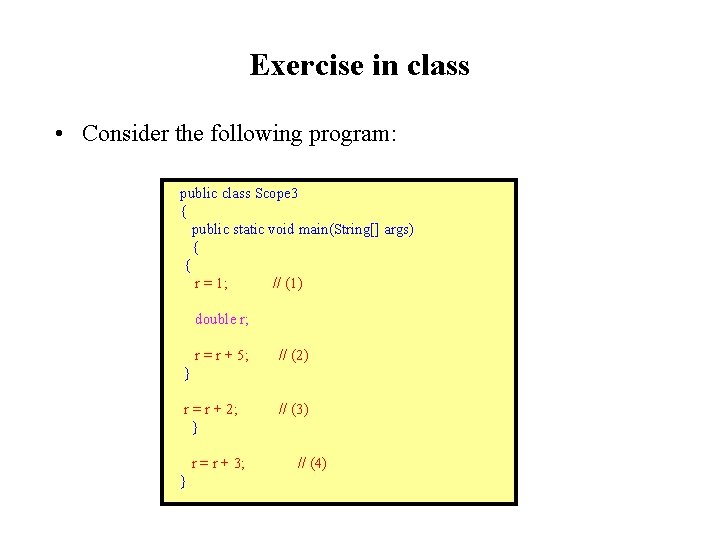
Exercise in class • Consider the following program: public class Scope 3 { public static void main(String[] args) { { r = 1; // (1) double r; r = r + 5; // (2) } r = r + 2; // (3) } r = r + 3; // (4) }
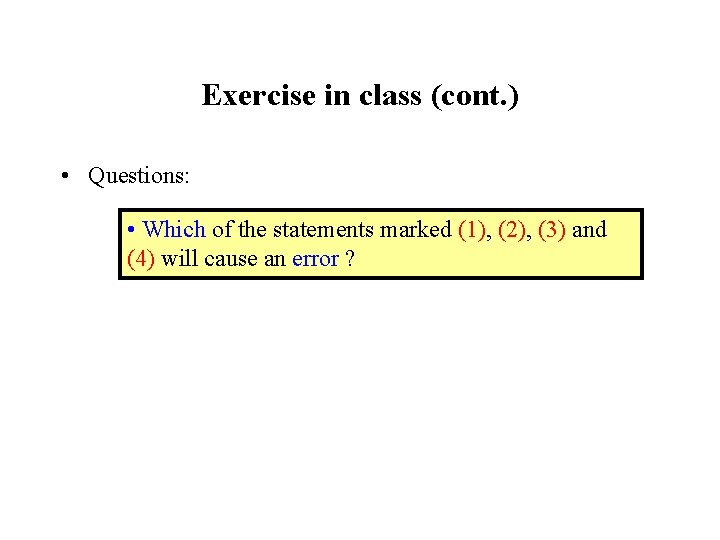
Exercise in class (cont. ) • Questions: • Which of the statements marked (1), (2), (3) and (4) will cause an error ?
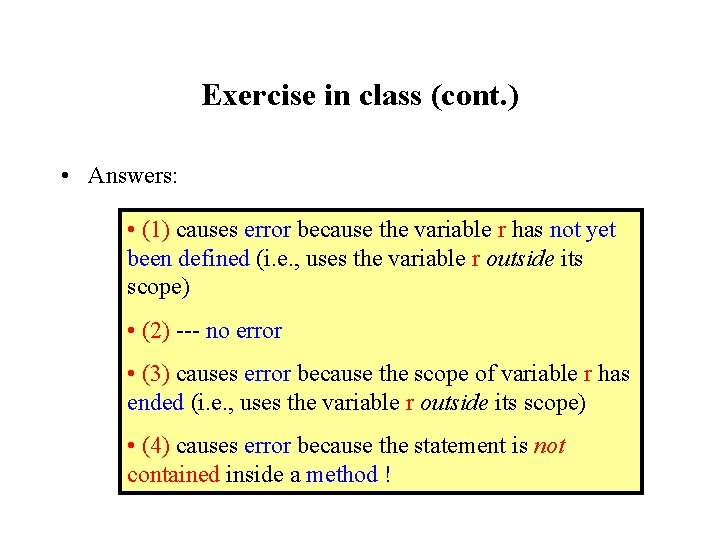
Exercise in class (cont. ) • Answers: • (1) causes error because the variable r has not yet been defined (i. e. , uses the variable r outside its scope) • (2) --- no error • (3) causes error because the scope of variable r has ended (i. e. , uses the variable r outside its scope) • (4) causes error because the statement is not contained inside a method !
Special scope configurations • Fact: • A scope are delimited by a pair of (matching) braces {. . } Multiple pairs of braces can form 2 configurations
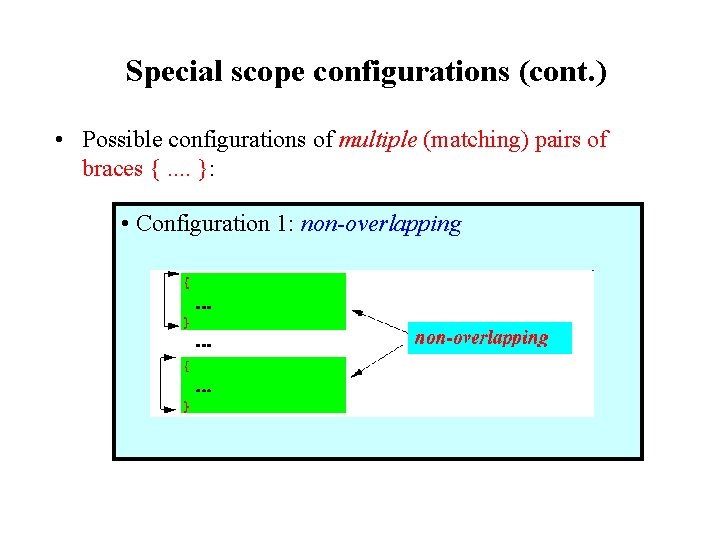
Special scope configurations (cont. ) • Possible configurations of multiple (matching) pairs of braces {. . }: • Configuration 1: non-overlapping
Special scope configurations (cont. ) The order of the braces are: • The sequence must start with an open brace { • The next brace is a closed brace } that matches the first open brace • Then the next brace must be an open brace { • The sequence must end with an closed brace } (matching the second open brace)
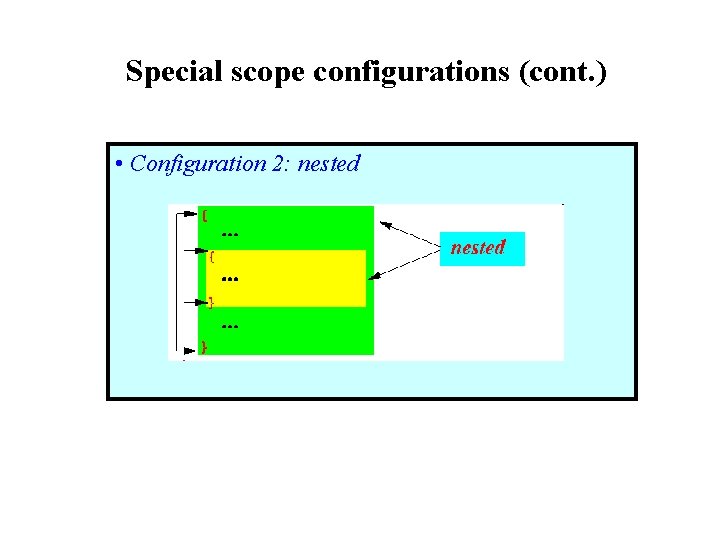
Special scope configurations (cont. ) • Configuration 2: nested
Special scope configurations (cont. ) The order of the braces are: • The sequence must start with an open brace { • The next brace is another open brace { • Then the next brace must be an closed brace } which matches the second open brace • The sequence must end with an closed brace } (which now matches the first open brace)
Special scope configurations (cont. ) There are no other possible configuration
Non-overlapping (or disjoint) scopes • Disjoint scopes = 2 or more scopes that do not overlap with each other
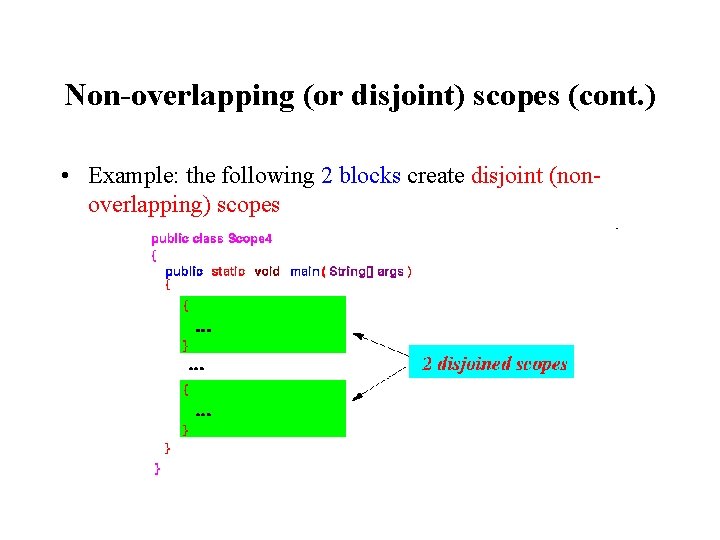
Non-overlapping (or disjoint) scopes (cont. ) • Example: the following 2 blocks create disjoint (nonoverlapping) scopes
Variables with same name in disjoint scopes • Interesting phenomenon in disjoint scopes: • You can define different variables with the same name in disjoint scopes
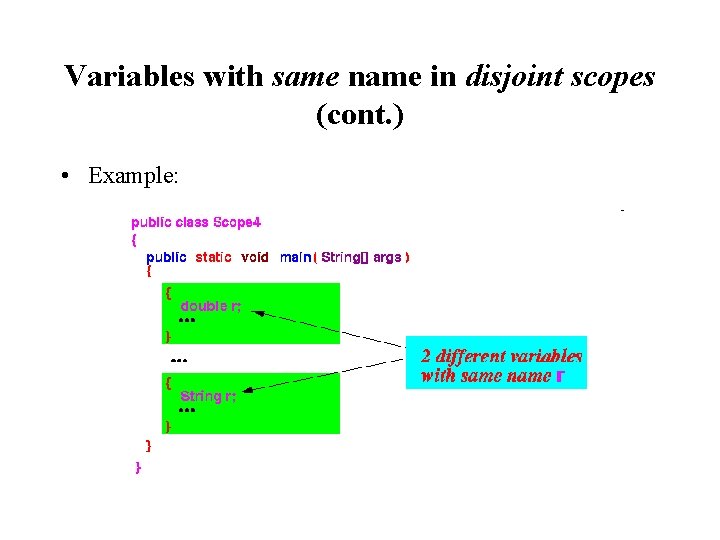
Variables with same name in disjoint scopes (cont. ) • Example:
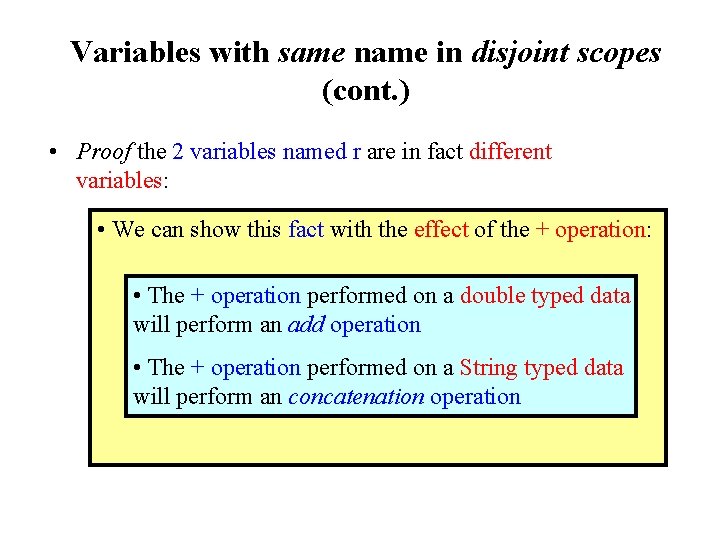
Variables with same name in disjoint scopes (cont. ) • Proof the 2 variables named r are in fact different variables: • We can show this fact with the effect of the + operation: • The + operation performed on a double typed data will perform an add operation • The + operation performed on a String typed data will perform an concatenation operation
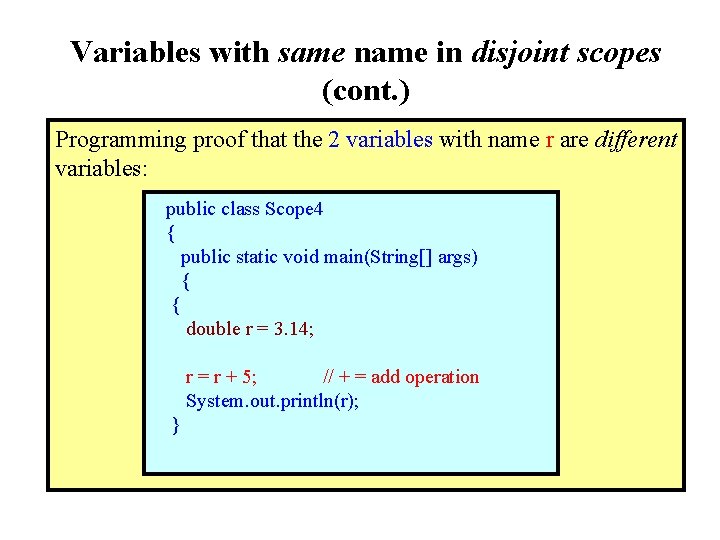
Variables with same name in disjoint scopes (cont. ) Programming proof that the 2 variables with name r are different variables: public class Scope 4 { public static void main(String[] args) { { double r = 3. 14; r = r + 5; // + = add operation System. out. println(r); }
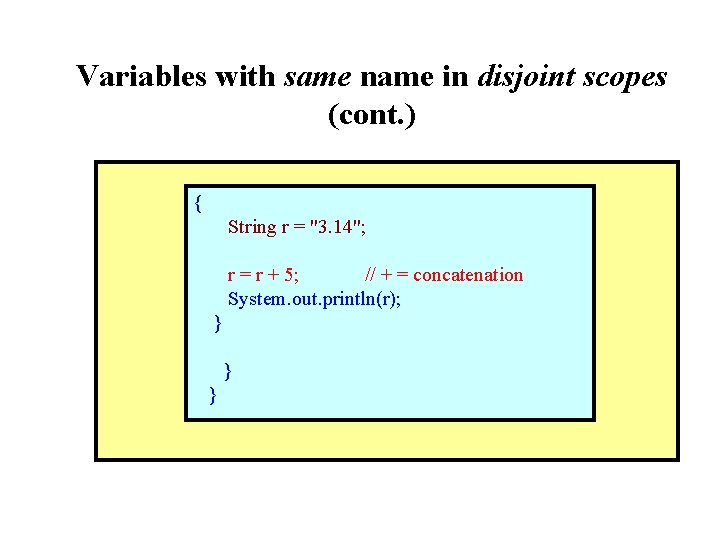
Variables with same name in disjoint scopes (cont. ) { String r = "3. 14"; r = r + 5; // + = concatenation System. out. println(r); } } }
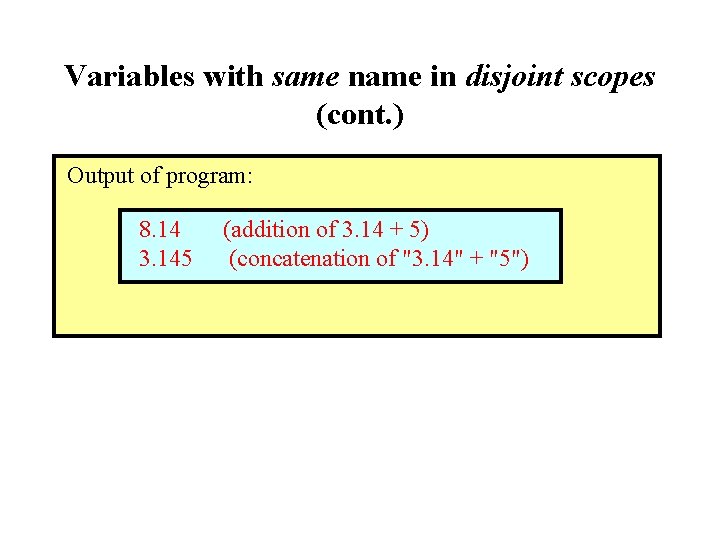
Variables with same name in disjoint scopes (cont. ) Output of program: 8. 14 (addition of 3. 14 + 5) 3. 145 (concatenation of "3. 14" + "5")
Variables with same name in disjoint scopes (cont. ) • Example Program: (Demo above code) – Prog file: http: //mathcs. emory. edu/~cheung/Courses/170/Syllabus/08/Progs/ Scope 4. java • How to run the program: • Right click on link and save in a scratch directory • To compile: javac Scope 4. java • To run: java Scope 4
Nested Scopes • Nested scopes = 2 or more scopes where do one scope is contained in the other
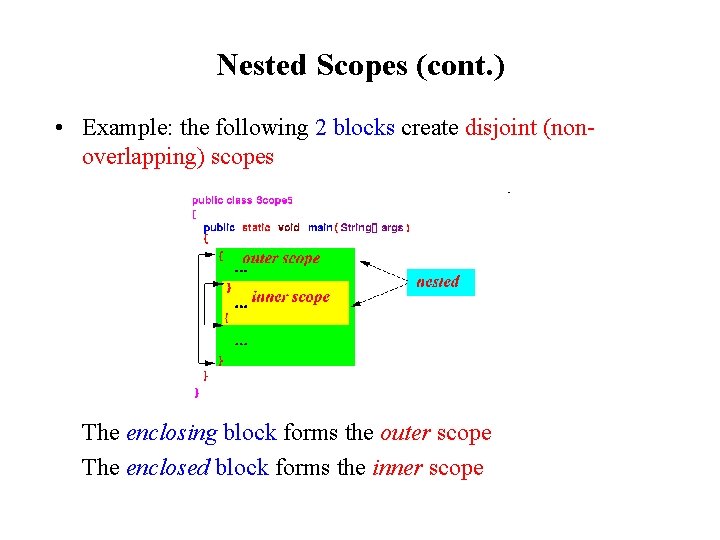
Nested Scopes (cont. ) • Example: the following 2 blocks create disjoint (nonoverlapping) scopes The enclosing block forms the outer scope The enclosed block forms the inner scope
Scoping rule for nested scope • Scoping rule for nested scopes: • A variable that is defined at location x in an outer scope is accessible in all inner scopes following location x
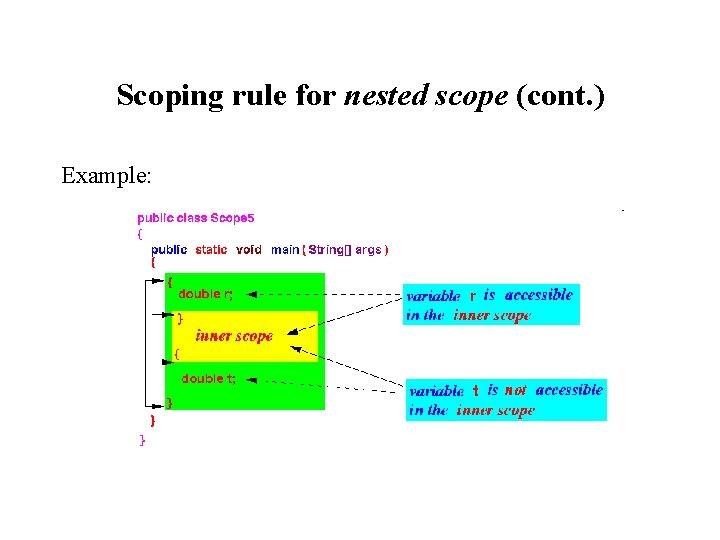
Scoping rule for nested scope (cont. ) Example:
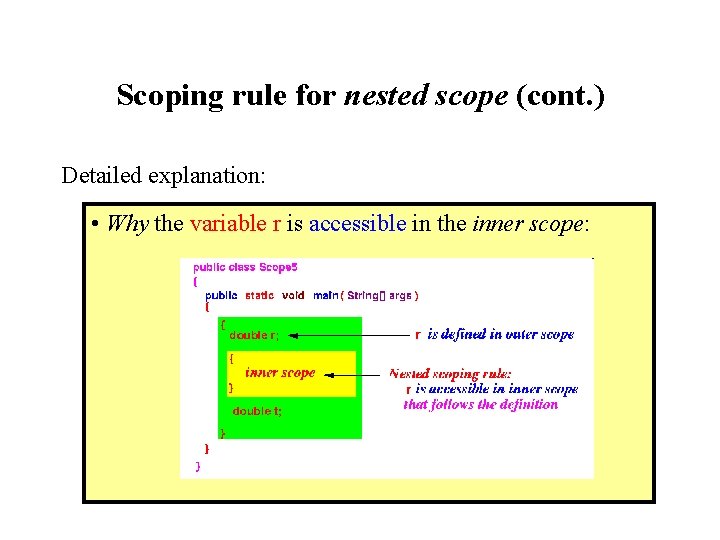
Scoping rule for nested scope (cont. ) Detailed explanation: • Why the variable r is accessible in the inner scope:
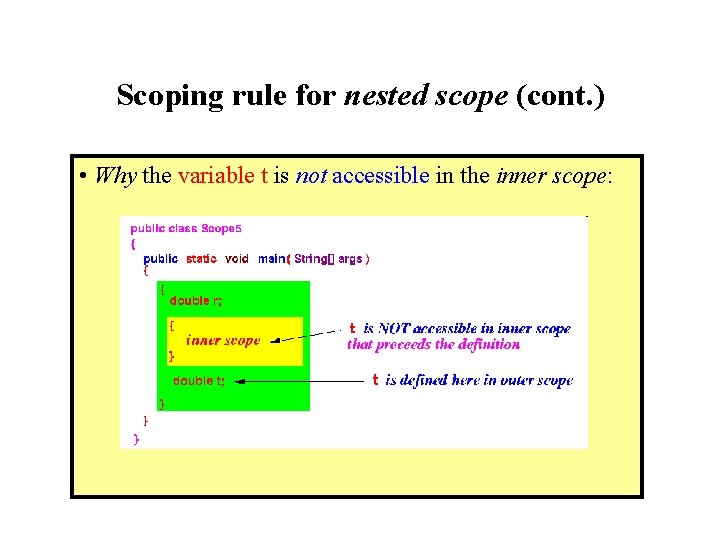
Scoping rule for nested scope (cont. ) • Why the variable t is not accessible in the inner scope:
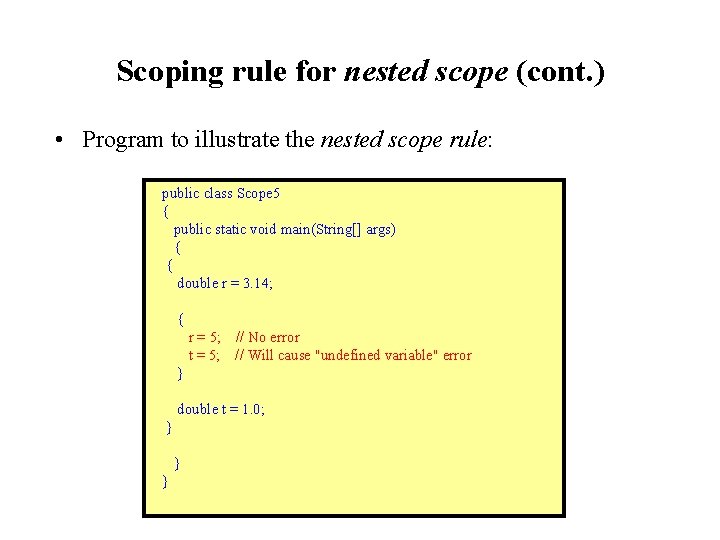
Scoping rule for nested scope (cont. ) • Program to illustrate the nested scope rule: public class Scope 5 { public static void main(String[] args) { { double r = 3. 14; { r = 5; // No error t = 5; // Will cause "undefined variable" error } double t = 1. 0; } } }
Scoping rule for nested scope (cont. ) • Example Program: (Demo above code) – Prog file: http: //mathcs. emory. edu/~cheung/Courses/170/Syllabus/08/Progs/ Scope 5. java • How to run the program: • Right click on link and save in a scratch directory • To compile: javac Scope 5. java (Watch for the error message)
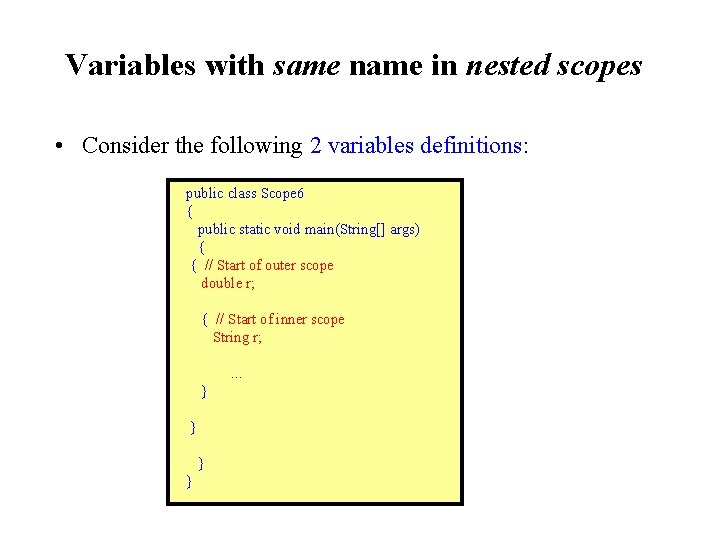
Variables with same name in nested scopes • Consider the following 2 variables definitions: public class Scope 6 { public static void main(String[] args) { { // Start of outer scope double r; { // Start of inner scope String r; . . . } } }
Variables with same name in nested scopes (cont. ) • The first definition of the variable r takes places inside the outer scope • The second definition of the variable with the same name r takes places inside the inner scope • From what we have learned above, the first variable r is also accessible inside the inner scope • Therefore, there are 2 different variables with the same name (r) inside the inner scope • Houston, we have a problem. . .
Variables with same name in nested scopes (cont. ) • $64, 000 question: Is this allowed ?
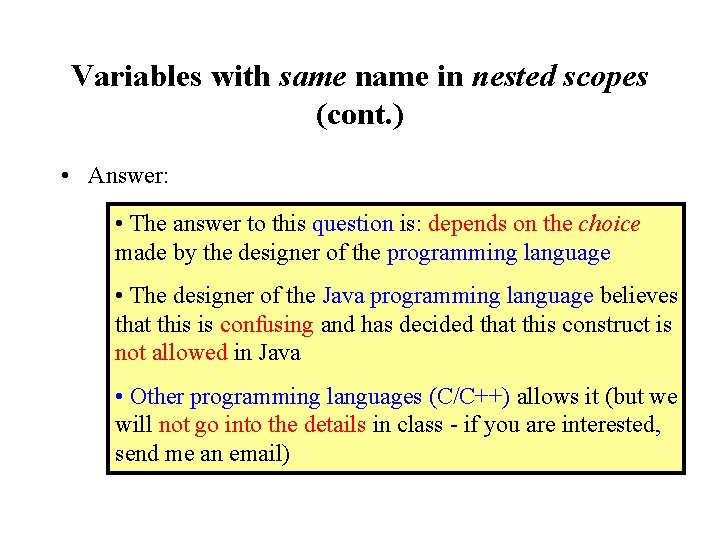
Variables with same name in nested scopes (cont. ) • Answer: • The answer to this question is: depends on the choice made by the designer of the programming language • The designer of the Java programming language believes that this is confusing and has decided that this construct is not allowed in Java • Other programming languages (C/C++) allows it (but we will not go into the details in class - if you are interested, send me an email)
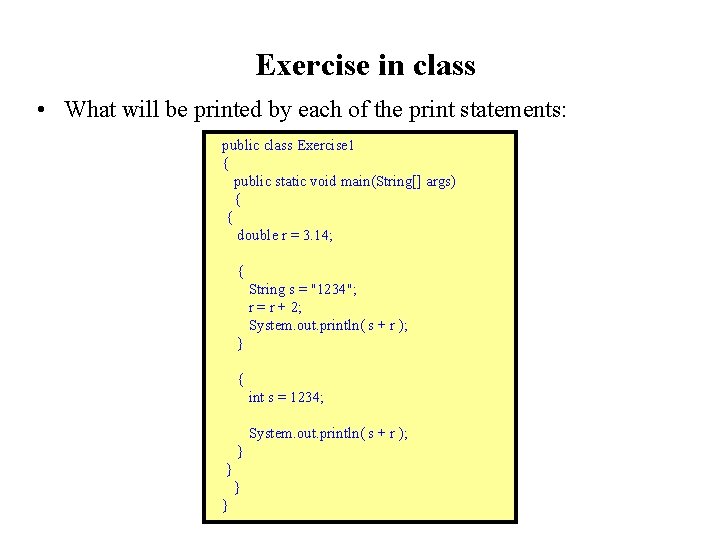
Exercise in class • What will be printed by each of the print statements: public class Exercise 1 { public static void main(String[] args) { { double r = 3. 14; { String s = "1234"; r = r + 2; System. out. println( s + r ); } { int s = 1234; System. out. println( s + r ); } } } }
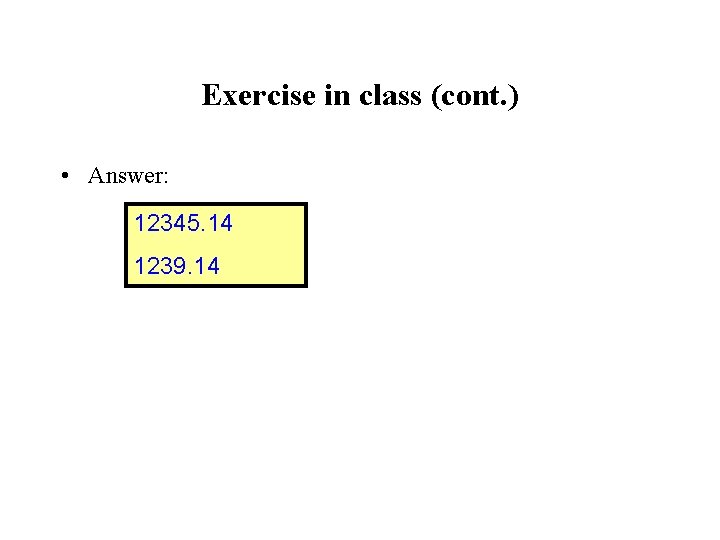
Exercise in class (cont. ) • Answer: 12345. 14 1239. 14
Exercise in class (cont. ) • Example Program: (Demo above code) – Prog file: http: //mathcs. emory. edu/~cheung/Courses/170/Syllabus/08/Progs/ Scope/Exercise 1. java • How to run the program: • Right click on link and save in a scratch directory • To compile: javac Exercise 1. java • To run: java Exercise 1
- Slides: 49