
The SBS QMed Database Quality Management software for
The SBS Q-Med Database Quality Management software for FDA regulated industries Introduction Features and Benefits www. Sunday. Biz. Sys. com Fueling Small Business Efficiency
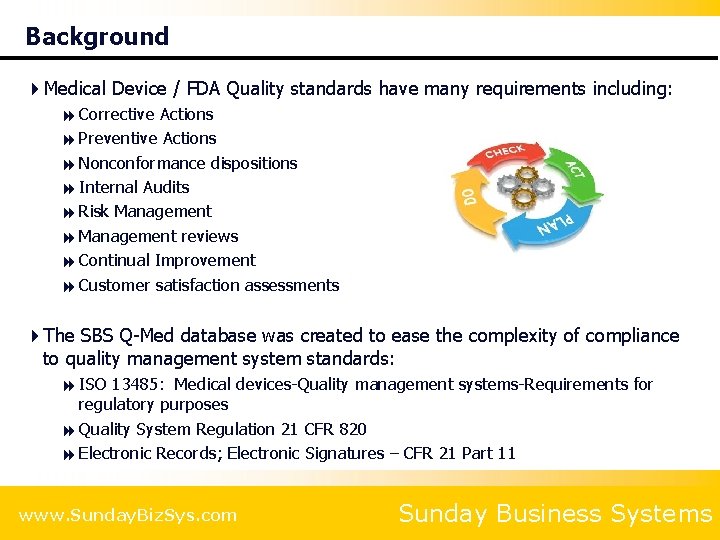
Background 4 Medical Device / FDA Quality standards have many requirements including: 8 Corrective Actions 8 Preventive Actions 8 Nonconformance dispositions 8 Internal Audits 8 Risk Management 8 Management reviews 8 Continual Improvement 8 Customer satisfaction assessments 4 The SBS Q-Med database was created to ease the complexity of compliance to quality management system standards: 8 ISO 13485: Medical devices-Quality management systems-Requirements for regulatory purposes 8 Quality System Regulation 21 CFR 820 8 Electronic Records; Electronic Signatures – CFR 21 Part 11 www. Sunday. Biz. Sys. com Sunday Business Systems
Q-Med Database Key Features 4 Nonconformance Tracking 8 Escalate a Nonconformance to a Corrective Action 4 Corrective Actions (CA) 8 Safety, Supplier, Internal Audit CARs 8 With Validation and Verification 8 Approvals require electronic signatures 4 Preventive Actions (PA) 4 Risk Management with FMEA and SWOT options 4 Audit management 8 Record audit findings 8 Manage Audit Schedules 8 Remedy audit findings with Corrective or Preventive Actions 4 Meeting management 4 Project management 4 Customer satisfaction surveys www. Sunday. Biz. Sys. com Sunday Business Systems
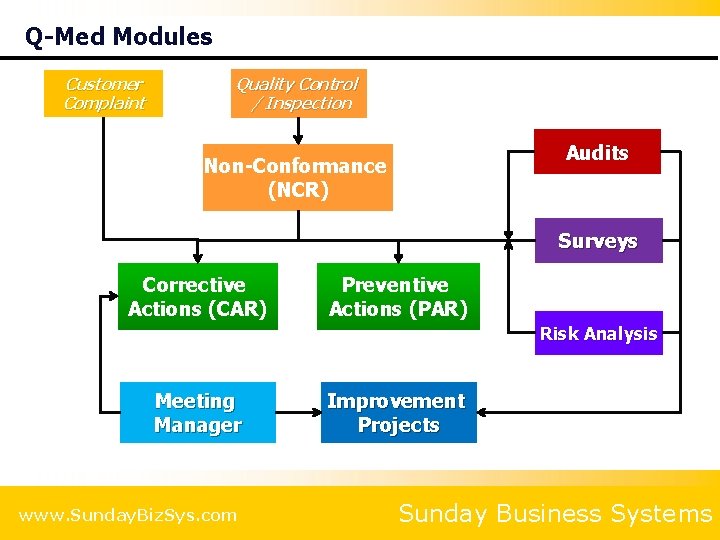
Q-Med Modules Customer Complaint Quality Control / Inspection Audits Non-Conformance (NCR) Surveys Corrective Actions (CAR) Preventive Actions (PAR) Risk Analysis Meeting Manager www. Sunday. Biz. Sys. com Improvement Projects Sunday Business Systems
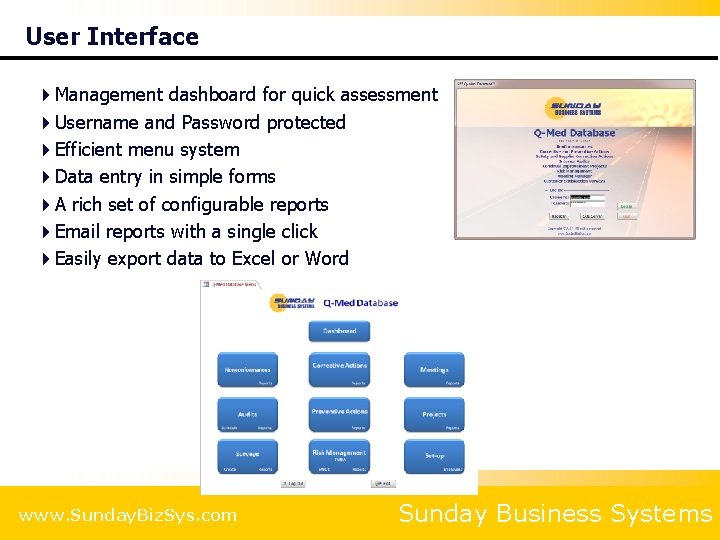
User Interface 4 Management dashboard for quick assessment 4 Username and Password protected 4 Efficient menu system 4 Data entry in simple forms 4 A rich set of configurable reports 4 Email reports with a single click 4 Easily export data to Excel or Word www. Sunday. Biz. Sys. com Sunday Business Systems
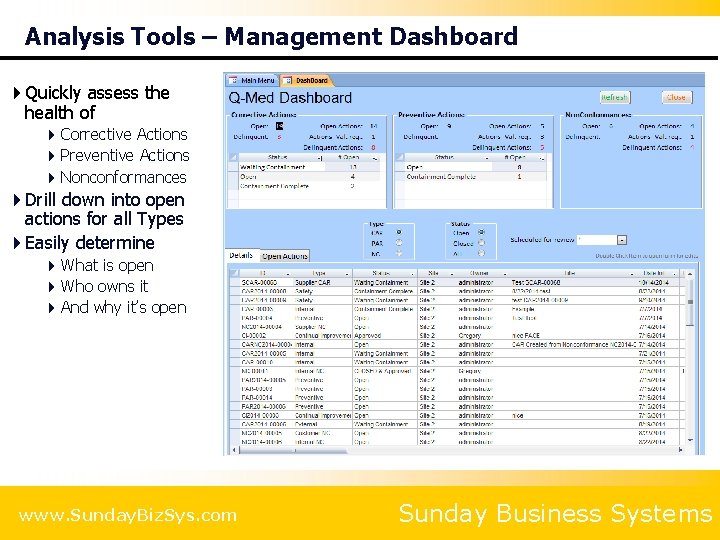
Analysis Tools – Management Dashboard 4 Quickly assess the health of 4 Corrective Actions 4 Preventive Actions 4 Nonconformances 4 Drill down into open actions for all Types 4 Easily determine 4 What is open 4 Who owns it 4 And why it’s open www. Sunday. Biz. Sys. com Sunday Business Systems
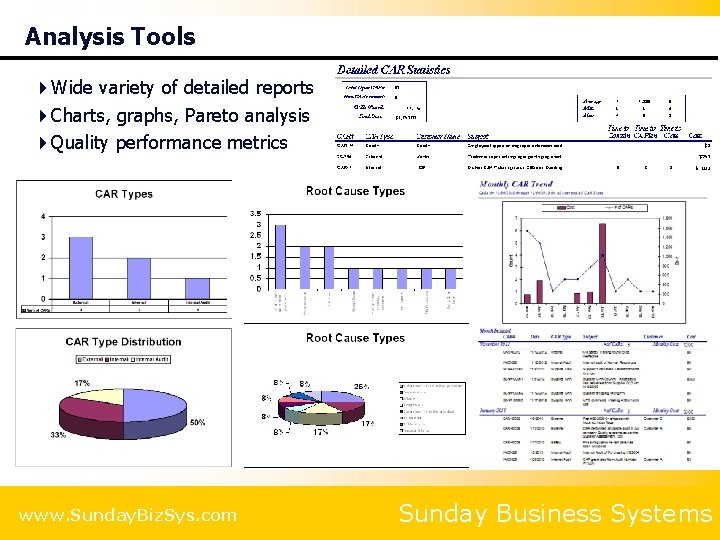
Analysis Tools 4 Wide variety of detailed reports 4 Charts, graphs, Pareto analysis 4 Quality performance metrics www. Sunday. Biz. Sys. com Sunday Business Systems
General Features 4 Security with password access and control of privileges 4 CFR 21 part 11 compliant security, Electronic signatures, audit trails 4 Link electronic documents for a paperless system 4 Supports single and Multi-user network environments 4 Built on Microsoft Access 2007 8 Compatible with Microsoft Access 2007 - 2016 8 No need to purchase Access if you do not have it = A free run-time version of Access is available from the Microsoft website www. Sunday. Biz. Sys. com Sunday Business Systems
Benefits 4 Complies with requirements of 8 21 CFR 820 8 ISO 13485 8 ISO 9001: 2015, API Q 1, AS 9100, TS 16949 8 CFR 21 part 11 4 Provides a concise, electronic record of historical events, actions, and improvement 8 No paper to get lost 4 Efficiently maintains quality records for = = = = Internal audits Corrective Action results Preventive Action results Risk Analysis Management review or MRB meetings Nonconformances Customer satisfaction surveys 4 Improve product reliability and process performance 4 Improve Customer Satisfaction 8 Rapidly report results to Customers 8 Stay on top of key Customer issues 8 Rebuild customer confidence when things go wrong 8 Analyze Customer perceptions over time www. Sunday. Biz. Sys. com Sunday Business Systems
Benefits 4 Efficient and cost effective 8 Simple, low cost solution = = = No additional software to purchase No annual maintenance fees Concurrent user licensing – not CPU based 8 Minimal training is required 8 Saves time and improves efficiency 4 Reports and analysis 8 Managers get immediate answers = = How many CA/PA Requests are open and why? How long are CA/PA Requests open? 8 Email reminders for open actions 4 Develop agendas for meetings 4 Easy to identify and manage open action items 4 Reduce cycle time to implement corrective actions www. Sunday. Biz. Sys. com Sunday Business Systems
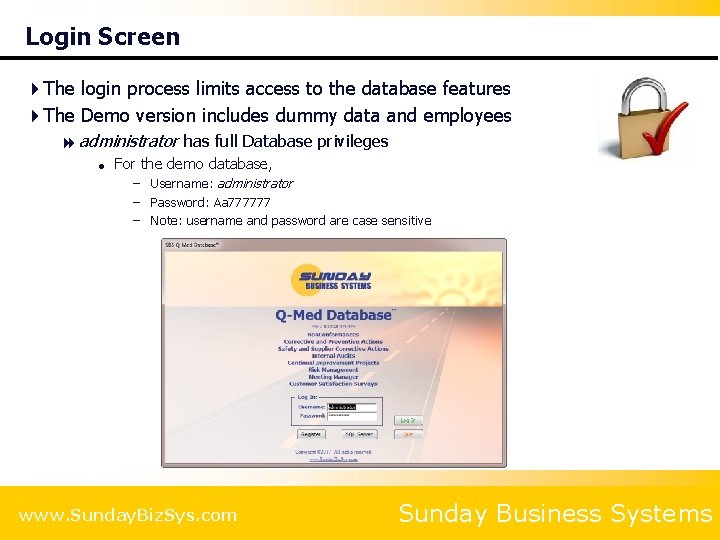
Login Screen 4 The login process limits access to the database features 4 The Demo version includes dummy data and employees 8 administrator has full Database privileges = For the demo database, – Username: administrator – Password: Aa 777777 – Note: username and password are case sensitive www. Sunday. Biz. Sys. com Sunday Business Systems
Corrective Action Requests Background: The 8 D problem solving process CAR Form Reports and analysis Measure effectiveness
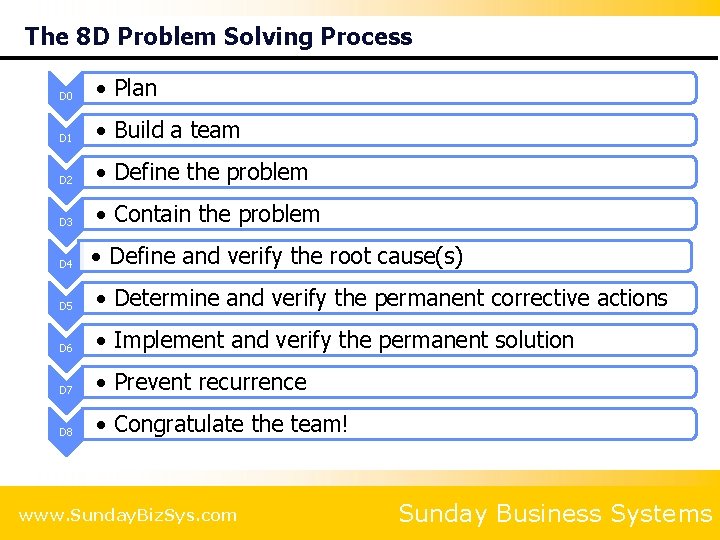
The 8 D Problem Solving Process D 0 • Plan D 1 • Build a team D 2 • Define the problem D 3 • Contain the problem D 4 • Define and verify the root cause(s) D 5 • Determine and verify the permanent corrective actions D 6 • Implement and verify the permanent solution D 7 • Prevent recurrence D 8 • Congratulate the team! www. Sunday. Biz. Sys. com Sunday Business Systems
www. Sunday. Biz. Sys. com Sunday Business Systems
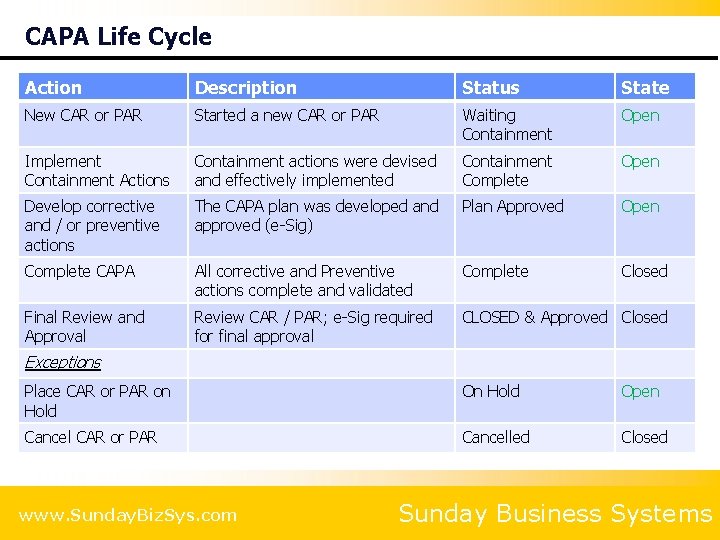
CAPA Life Cycle Action Description Status State New CAR or PAR Started a new CAR or PAR Waiting Containment Open Implement Containment Actions Containment actions were devised and effectively implemented Containment Complete Open Develop corrective and / or preventive actions The CAPA plan was developed and approved (e-Sig) Plan Approved Open Complete CAPA All corrective and Preventive actions complete and validated Complete Closed Final Review and Approval Review CAR / PAR; e-Sig required for final approval CLOSED & Approved Closed Exceptions Place CAR or PAR on Hold Open Cancel CAR or PAR Cancelled Closed www. Sunday. Biz. Sys. com Sunday Business Systems
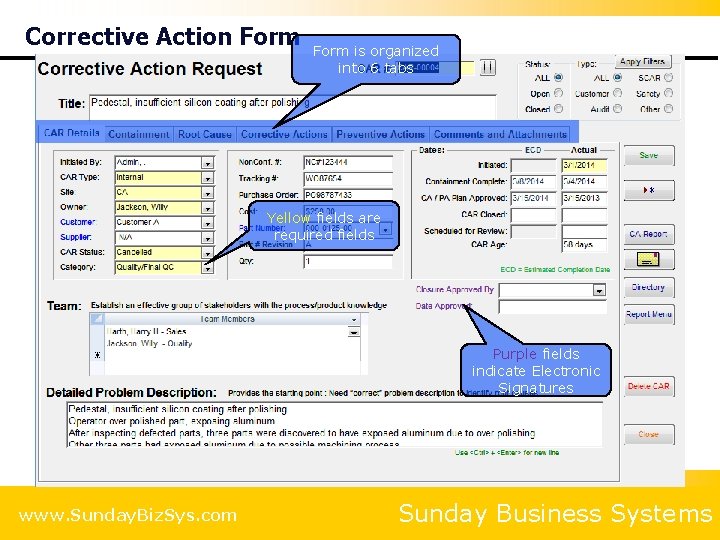
Corrective Action Form is organized into 6 tabs Yellow fields are required fields Purple fields indicate Electronic Signatures www. Sunday. Biz. Sys. com Sunday Business Systems
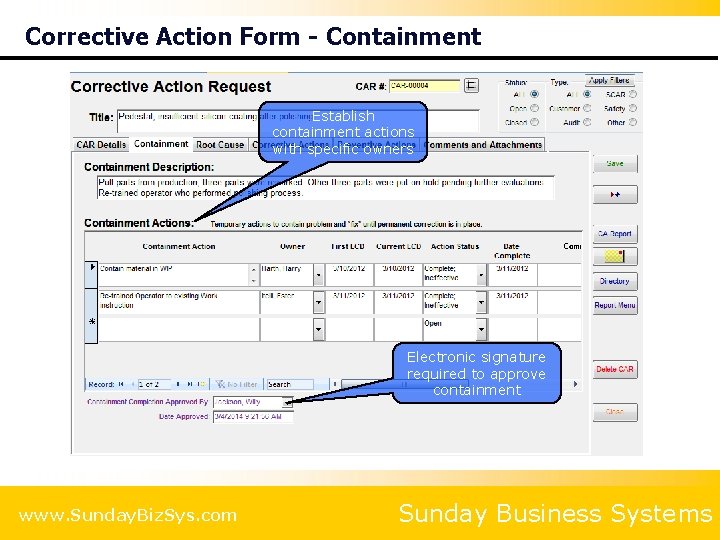
Corrective Action Form - Containment Establish containment actions with specific owners Electronic signature required to approve containment www. Sunday. Biz. Sys. com Sunday Business Systems
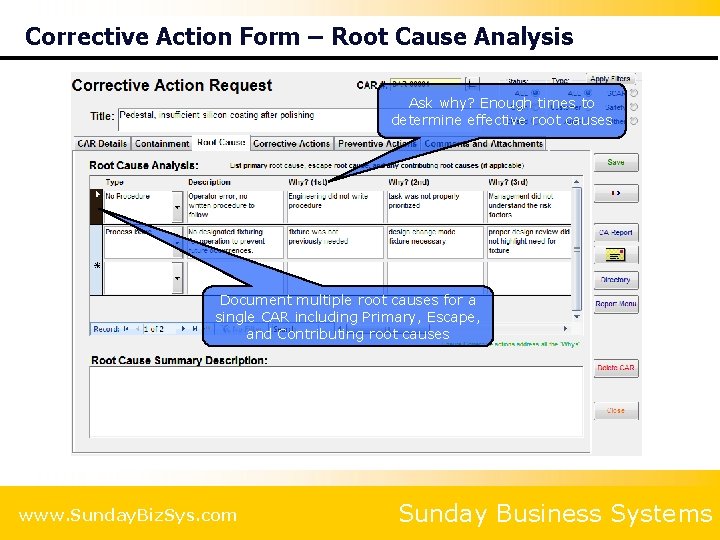
Corrective Action Form – Root Cause Analysis Ask why? Enough times to determine effective root causes Document multiple root causes for a single CAR including Primary, Escape, and Contributing root causes www. Sunday. Biz. Sys. com Sunday Business Systems
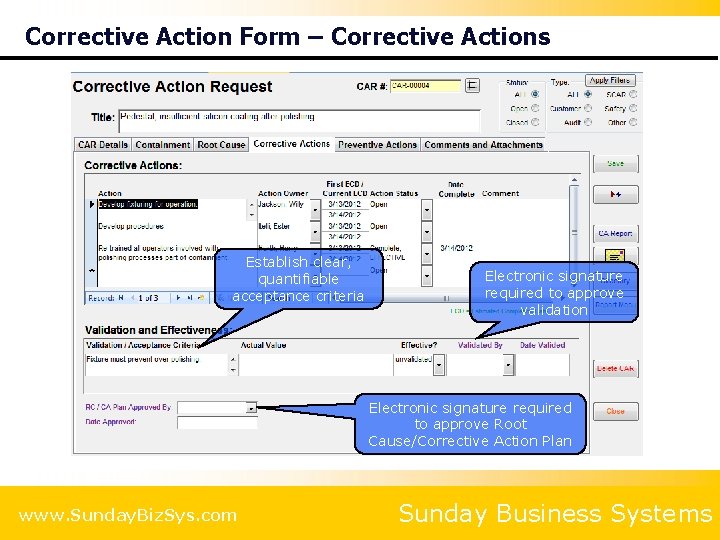
Corrective Action Form – Corrective Actions Establish clear, quantifiable acceptance criteria Electronic signature required to approve validation Electronic signature required to approve Root Cause/Corrective Action Plan www. Sunday. Biz. Sys. com Sunday Business Systems
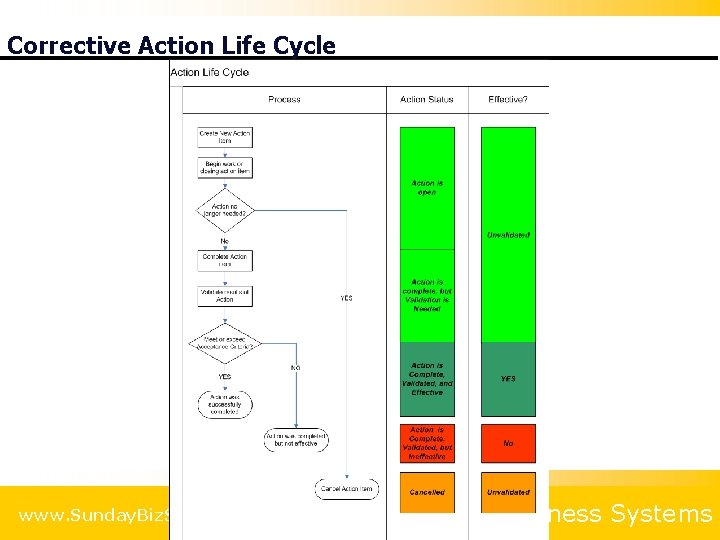
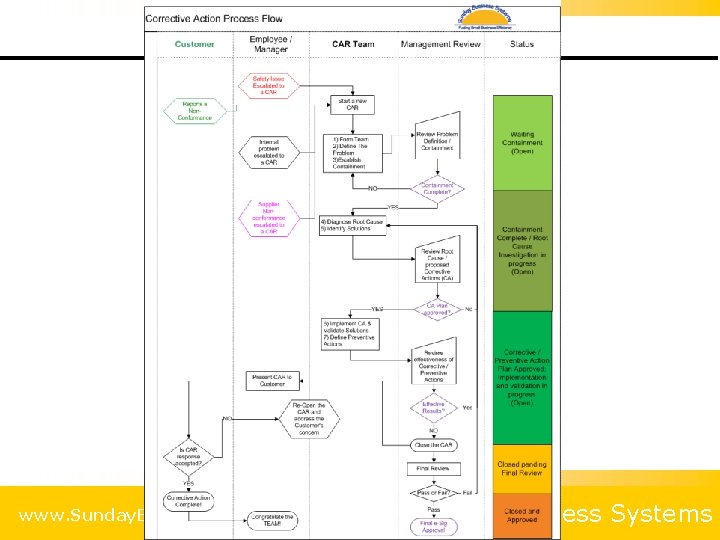
Corrective Action Life Cycle www. Sunday. Biz. Sys. com Sunday Business Systems
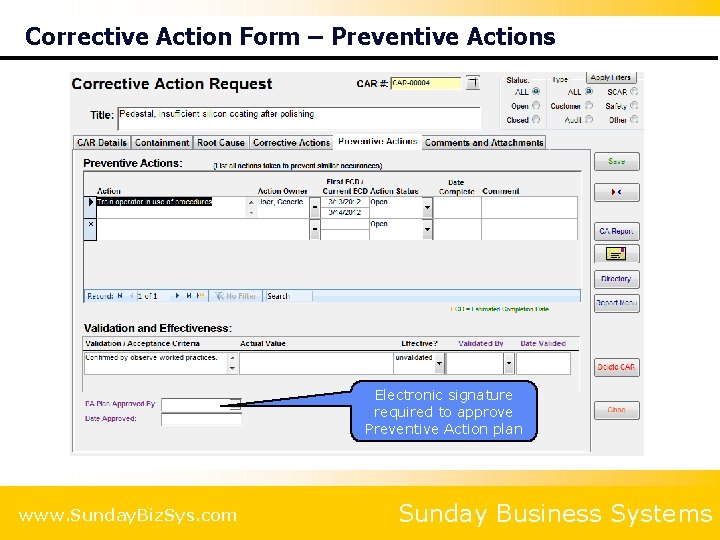
Corrective Action Form – Preventive Actions Electronic signature required to approve Preventive Action plan www. Sunday. Biz. Sys. com Sunday Business Systems
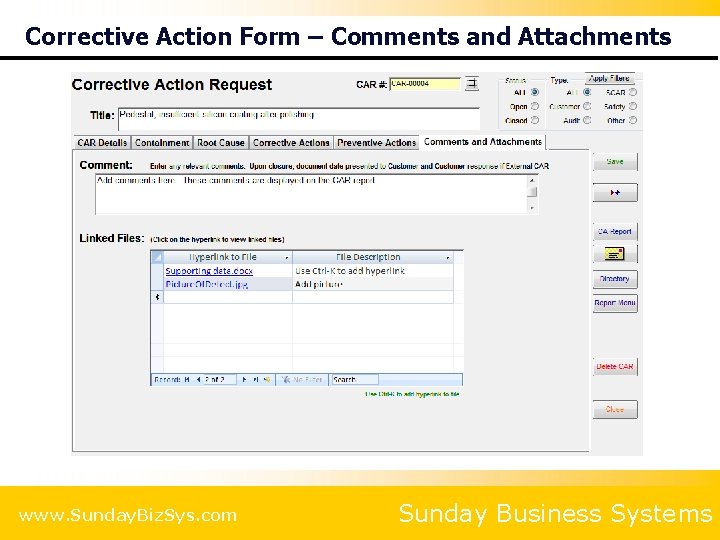
Corrective Action Form – Comments and Attachments www. Sunday. Biz. Sys. com Sunday Business Systems
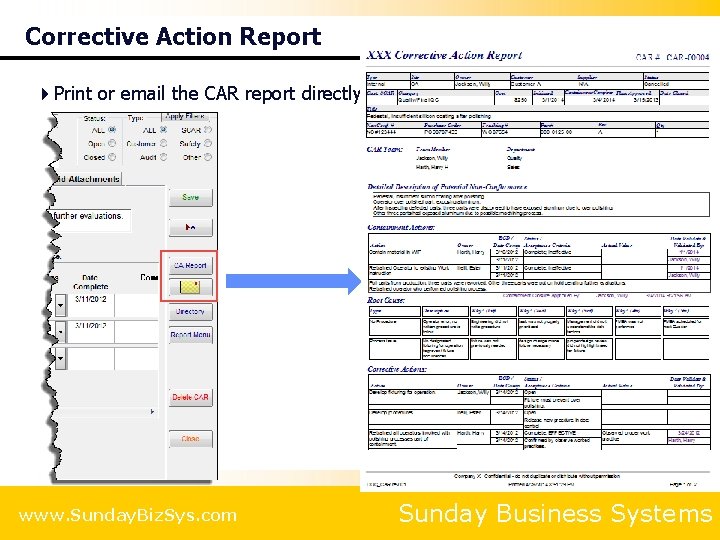
Corrective Action Report 4 Print or email the CAR report directly to the Customer www. Sunday. Biz. Sys. com Sunday Business Systems
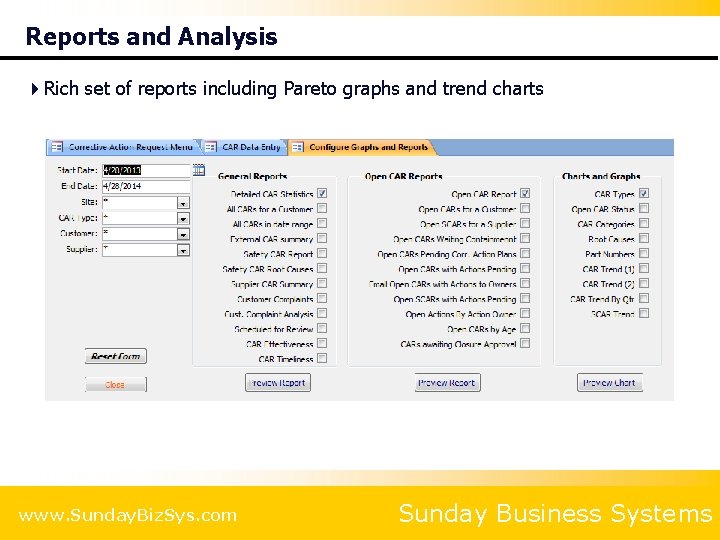
Reports and Analysis 4 Rich set of reports including Pareto graphs and trend charts www. Sunday. Biz. Sys. com Sunday Business Systems
Preventive Actions PAR Form Reports and analysis Measure effectiveness For want of a nail, the shoe was lost, For want of the shoe, the horse was lost, For want of the horse, the rider was lost, For want of the rider, the battle was lost, For want of the battle, the kingdom was lost, And all for the want of a horseshoe nail!
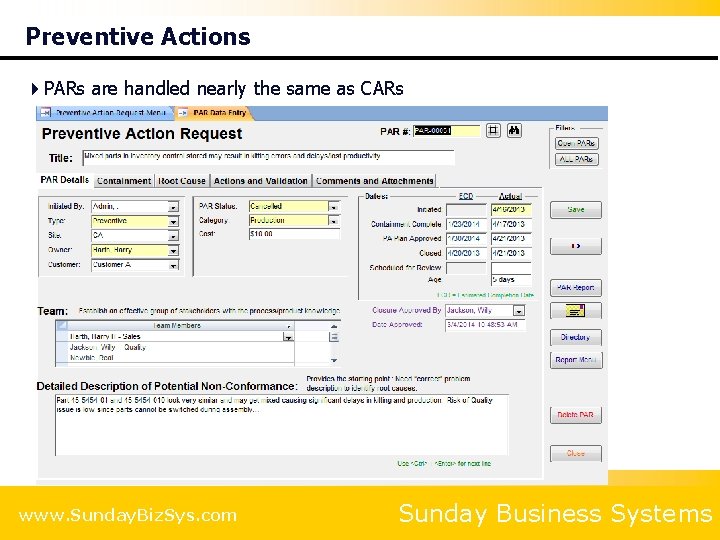
Preventive Actions 4 PARs are handled nearly the same as CARs www. Sunday. Biz. Sys. com Sunday Business Systems
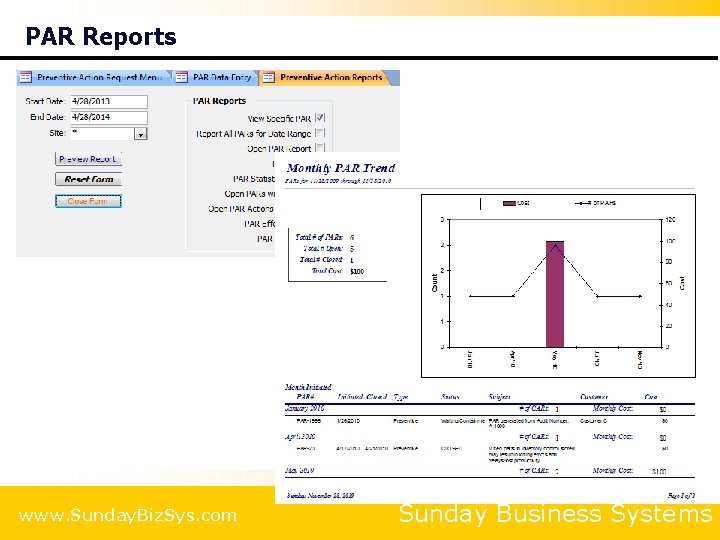
PAR Reports www. Sunday. Biz. Sys. com Sunday Business Systems
Nonconformance Tracking Track non-conformances Failure Analysis Analyze defects for continual improvement Escalate a Nonconformance to a CAR
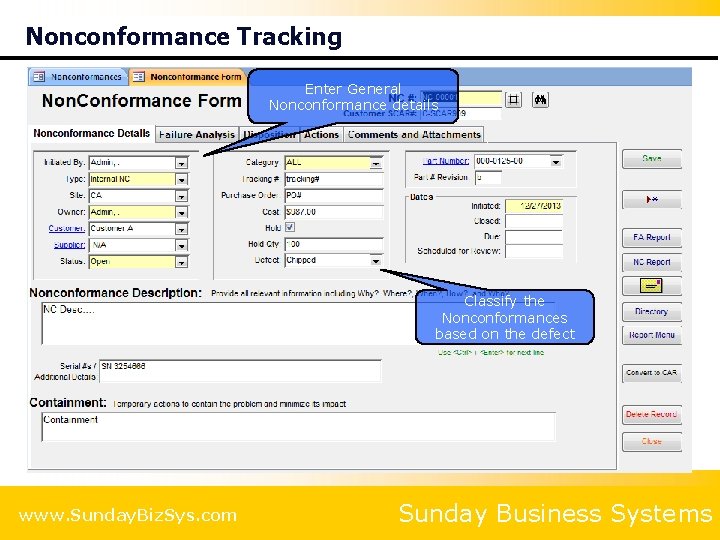
Nonconformance Tracking Enter General Nonconformance details Classify the Nonconformances based on the defect www. Sunday. Biz. Sys. com Sunday Business Systems
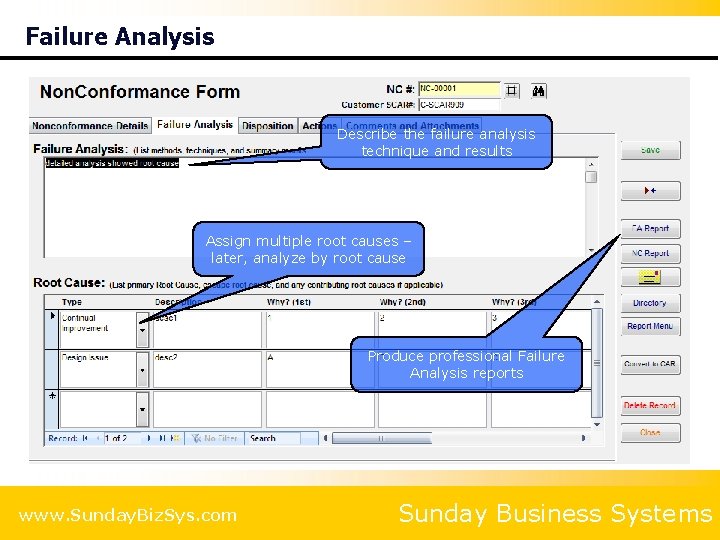
Failure Analysis Describe the failure analysis technique and results Assign multiple root causes – later, analyze by root cause Produce professional Failure Analysis reports www. Sunday. Biz. Sys. com Sunday Business Systems
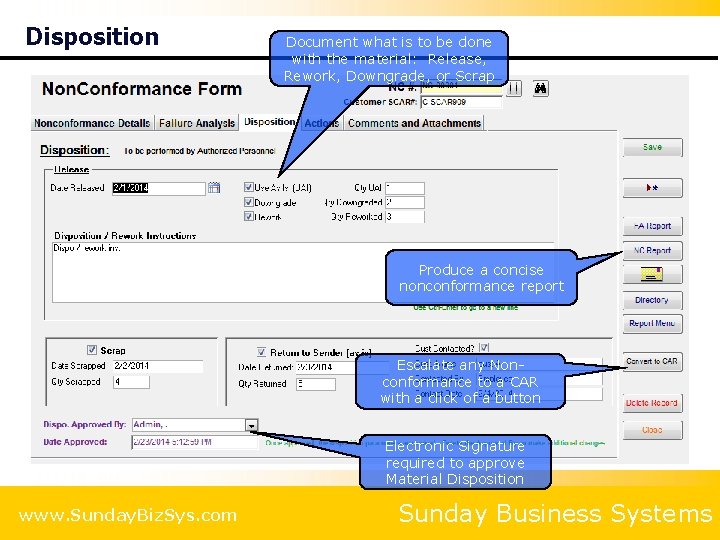
Disposition Document what is to be done with the material: Release, Rework, Downgrade, or Scrap Produce a concise nonconformance report Escalate any Nonconformance to a CAR with a click of a button Electronic Signature required to approve Material Disposition www. Sunday. Biz. Sys. com Sunday Business Systems
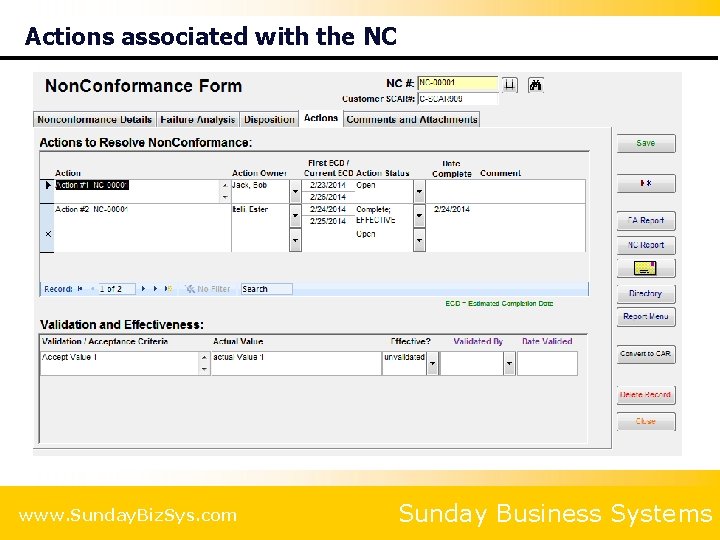
Actions associated with the NC www. Sunday. Biz. Sys. com Sunday Business Systems
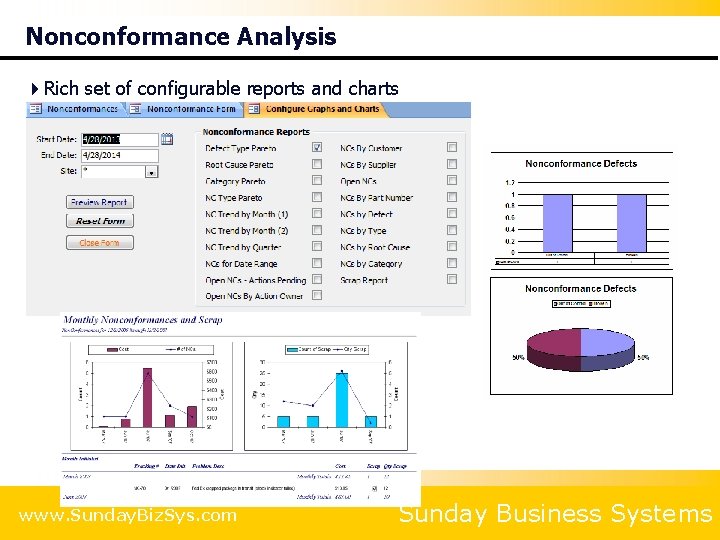
Nonconformance Analysis 4 Rich set of configurable reports and charts www. Sunday. Biz. Sys. com Sunday Business Systems
Audit Management Maintain audit schedules Document audit findings Convert findings into a CAR and / or PAR Report and analyze results
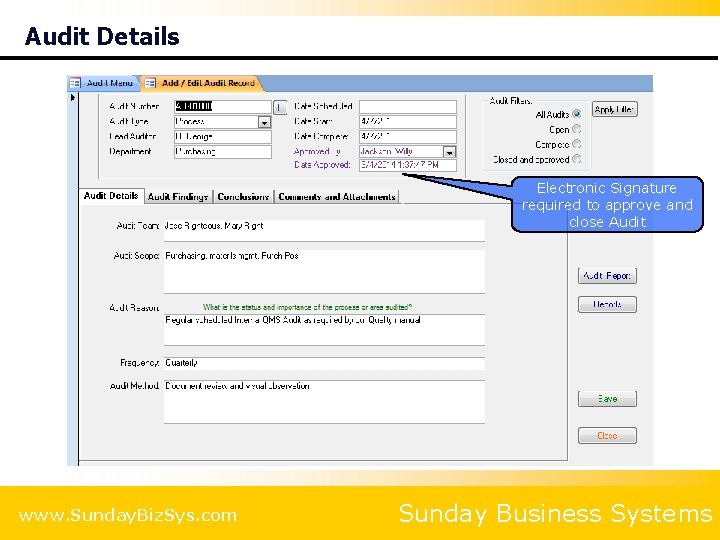
Audit Details Electronic Signature required to approve and close Audit www. Sunday. Biz. Sys. com Sunday Business Systems
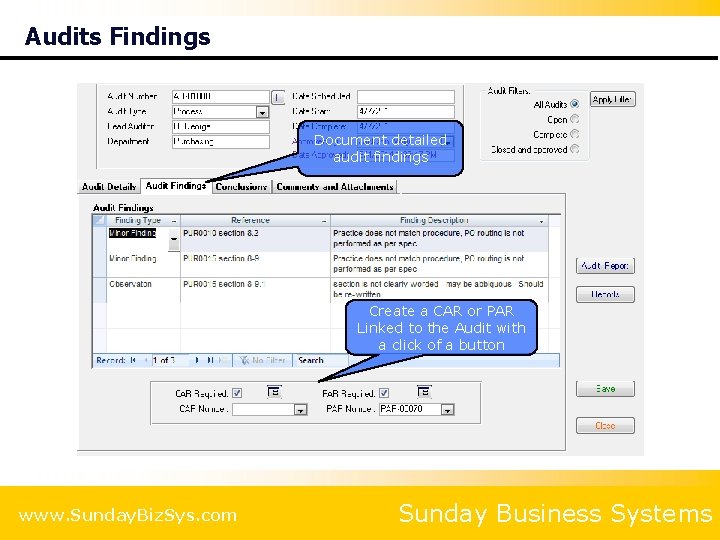
Audits Findings Document detailed audit findings Create a CAR or PAR Linked to the Audit with a click of a button www. Sunday. Biz. Sys. com Sunday Business Systems
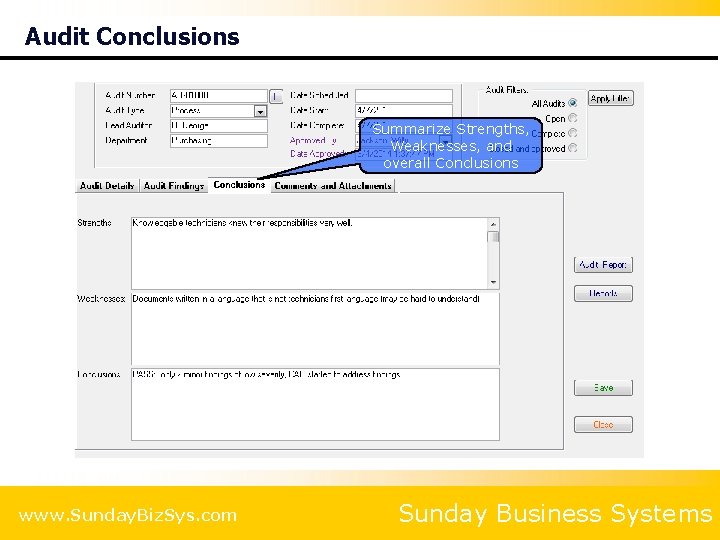
Audit Conclusions Summarize Strengths, Weaknesses, and overall Conclusions www. Sunday. Biz. Sys. com Sunday Business Systems
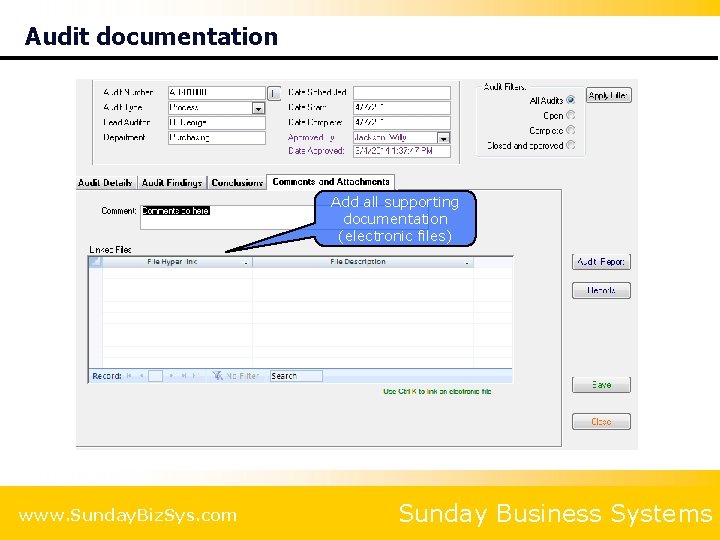
Audit documentation Add all supporting documentation (electronic files) www. Sunday. Biz. Sys. com Sunday Business Systems
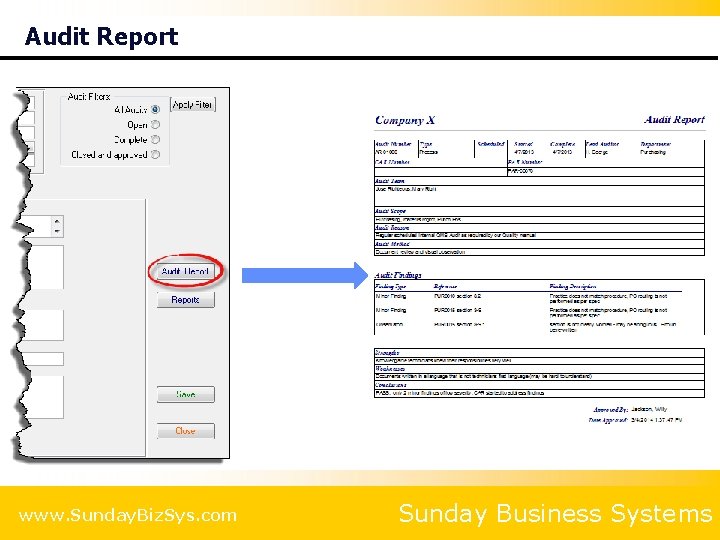
Audit Report www. Sunday. Biz. Sys. com Sunday Business Systems
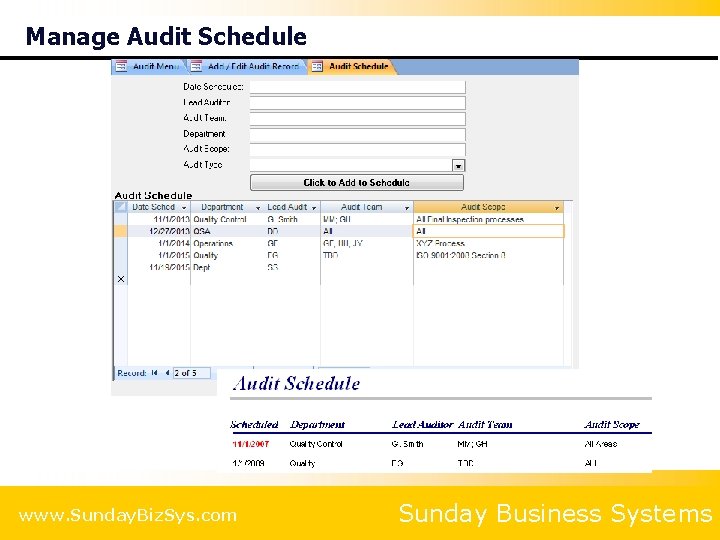
Manage Audit Schedule www. Sunday. Biz. Sys. com Sunday Business Systems
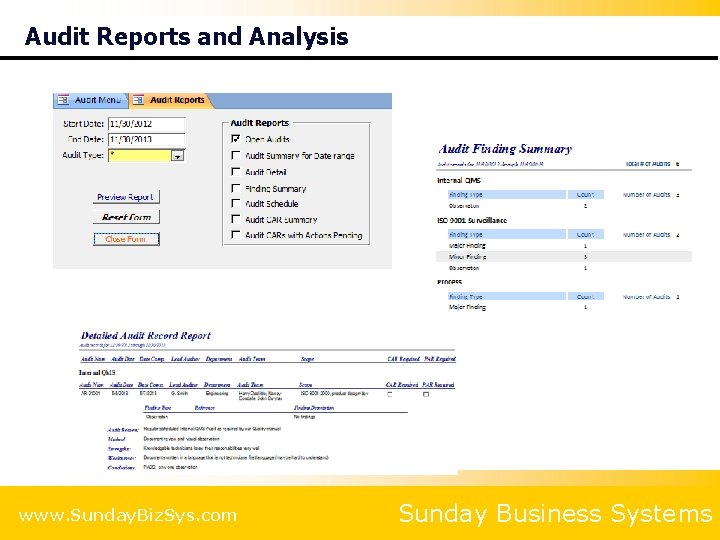
Audit Reports and Analysis www. Sunday. Biz. Sys. com Sunday Business Systems
Meeting Manager Document meeting minutes Track and manage actions Drive Continual Improvement at the management level
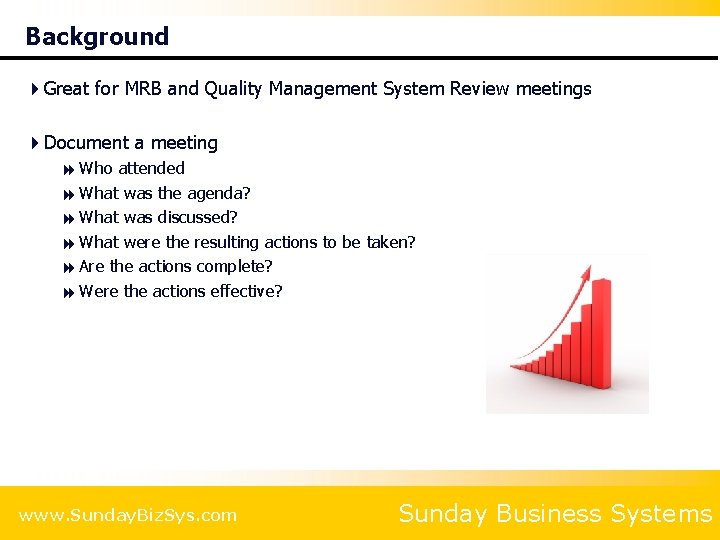
Background 4 Great for MRB and Quality Management System Review meetings 4 Document a meeting 8 Who attended 8 What was the agenda? 8 What was discussed? 8 What were the resulting actions to be taken? 8 Are the actions complete? 8 Were the actions effective? www. Sunday. Biz. Sys. com Sunday Business Systems
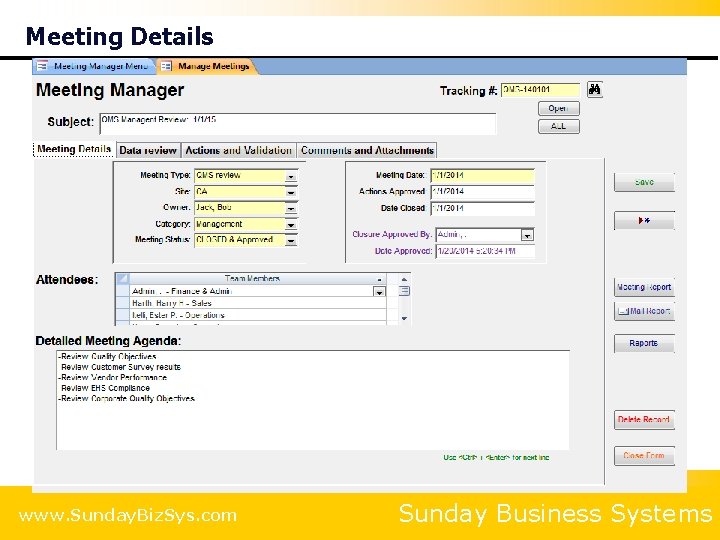
Meeting Details www. Sunday. Biz. Sys. com Sunday Business Systems
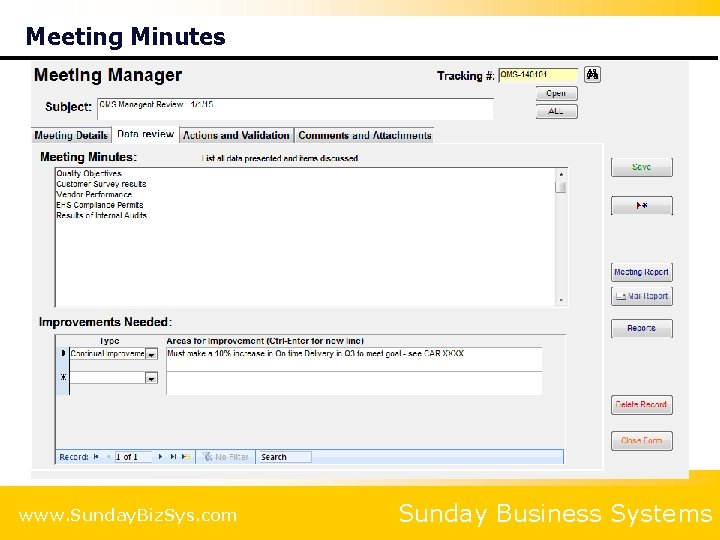
Meeting Minutes www. Sunday. Biz. Sys. com Sunday Business Systems
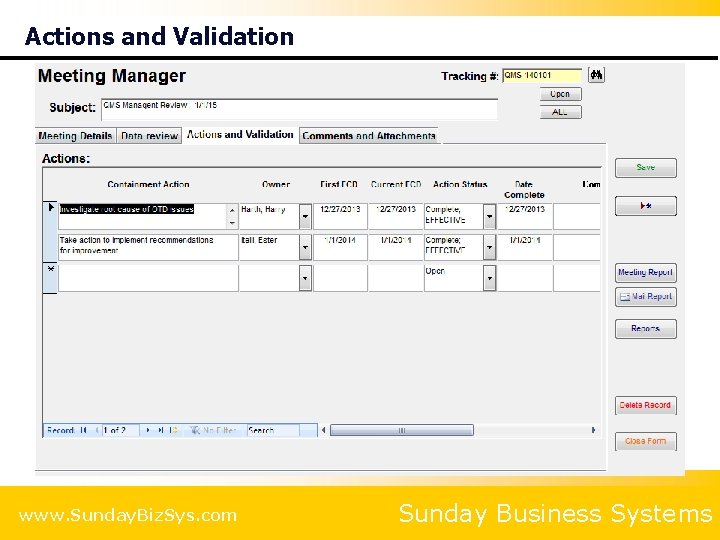
Actions and Validation www. Sunday. Biz. Sys. com Sunday Business Systems
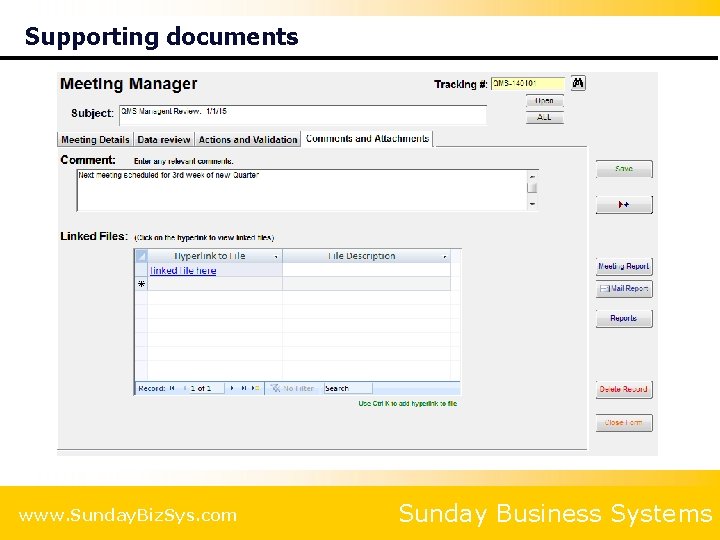
Supporting documents www. Sunday. Biz. Sys. com Sunday Business Systems
Risk Management FMEA (Failure Modes and Effects Analysis) SWOT Analysis (Strengths, Weaknesses, Opportunities and Threats)
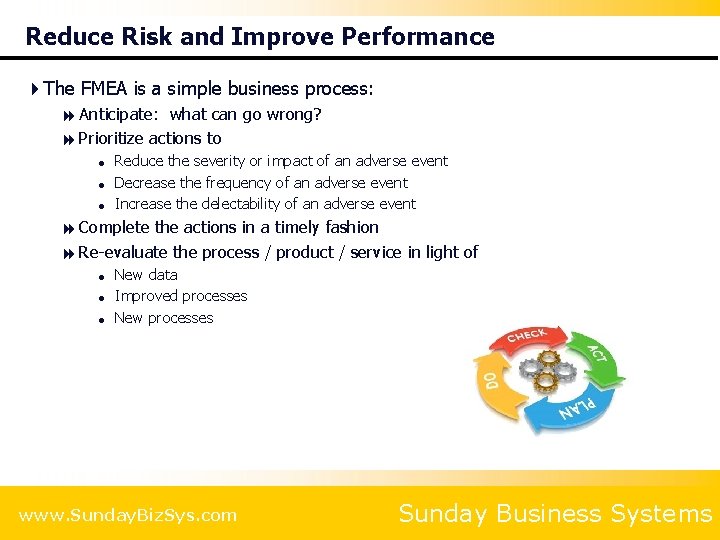
Reduce Risk and Improve Performance 4 The FMEA is a simple business process: 8 Anticipate: what can go wrong? 8 Prioritize actions to = = = Reduce the severity or impact of an adverse event Decrease the frequency of an adverse event Increase the delectability of an adverse event 8 Complete the actions in a timely fashion 8 Re-evaluate the process / product / service in light of = = = New data Improved processes New processes www. Sunday. Biz. Sys. com Sunday Business Systems
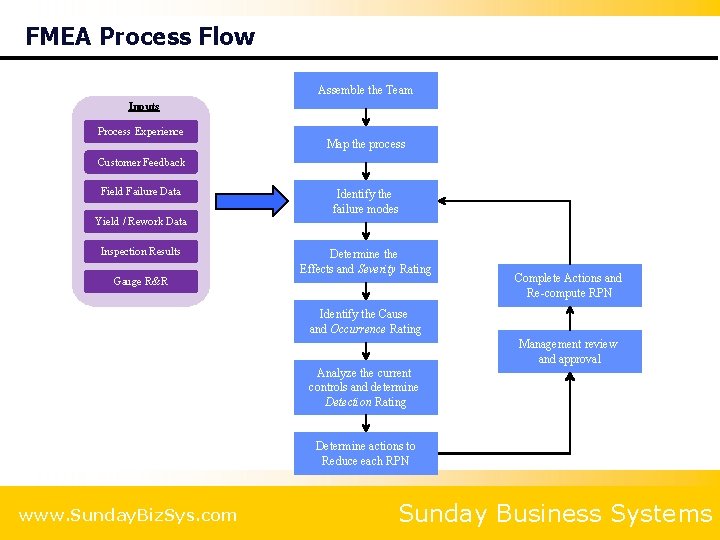
FMEA Process Flow Assemble the Team Inputs Process Experience Map the process Customer Feedback Field Failure Data Identify the failure modes Yield / Rework Data Inspection Results Determine the Effects and Severity Rating Gauge R&R Complete Actions and Re-compute RPN Identify the Cause and Occurrence Rating Management review and approval Analyze the current controls and determine Detection Rating Determine actions to Reduce each RPN www. Sunday. Biz. Sys. com Sunday Business Systems
Key Features 4 List items, process steps, or functions 8 Identify Failure Modes for each = = = Identify effects and severity Identify causes and frequency Identify current controls and detection level 8 Develop multiple actions associated with this failure mode = = Assign owners and due dates Establish verification and validation criteria 4 Electronic signature for management approval 4 Rich set of reports 8 Track open actions and delinquent due dates www. Sunday. Biz. Sys. com Sunday Business Systems
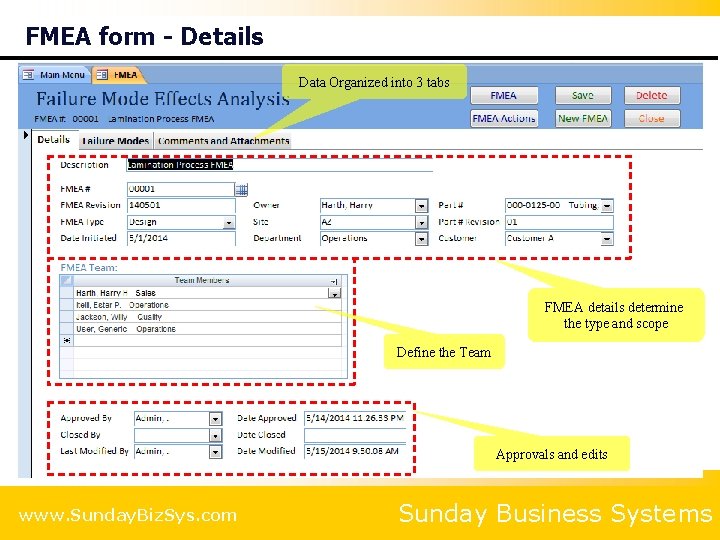
FMEA form - Details Data Organized into 3 tabs FMEA details determine the type and scope Define the Team Approvals and edits www. Sunday. Biz. Sys. com Sunday Business Systems
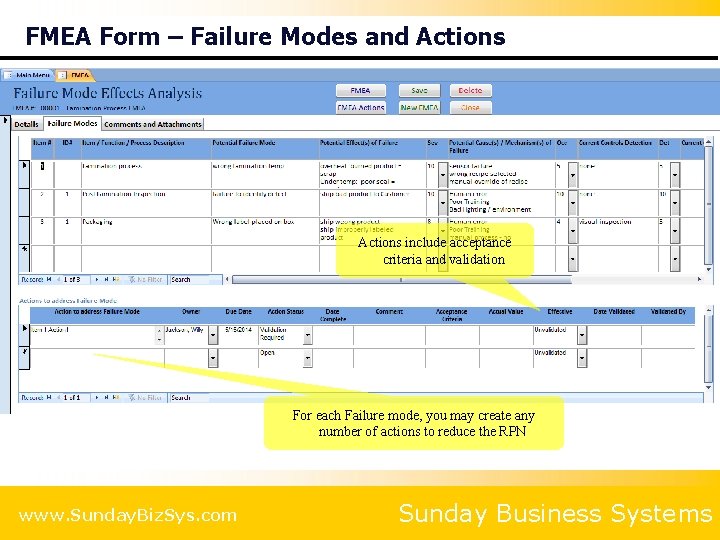
FMEA Form – Failure Modes and Actions include acceptance criteria and validation For each Failure mode, you may create any number of actions to reduce the RPN www. Sunday. Biz. Sys. com Sunday Business Systems
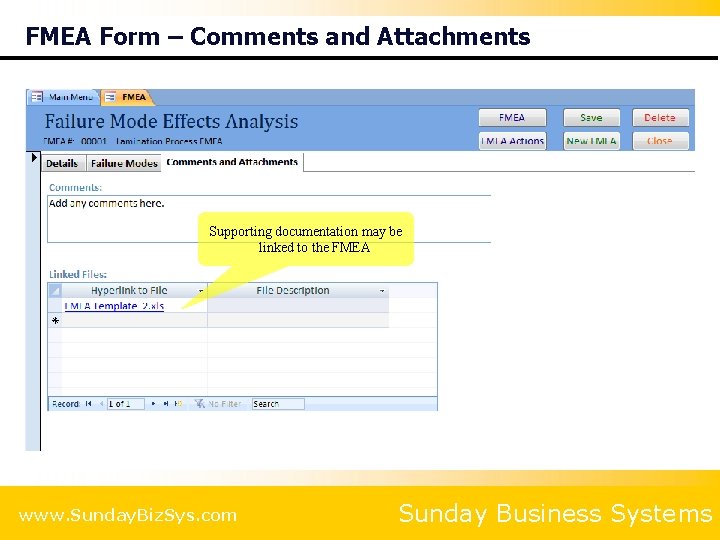
FMEA Form – Comments and Attachments Supporting documentation may be linked to the FMEA www. Sunday. Biz. Sys. com Sunday Business Systems
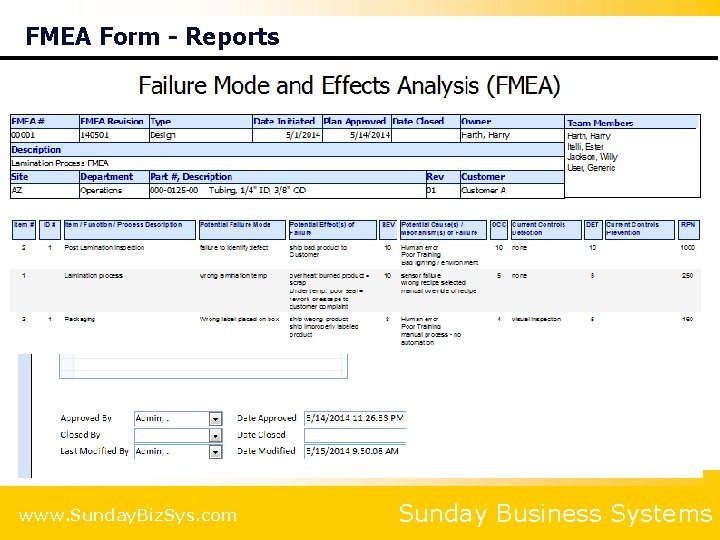
FMEA Form - Reports www. Sunday. Biz. Sys. com Sunday Business Systems
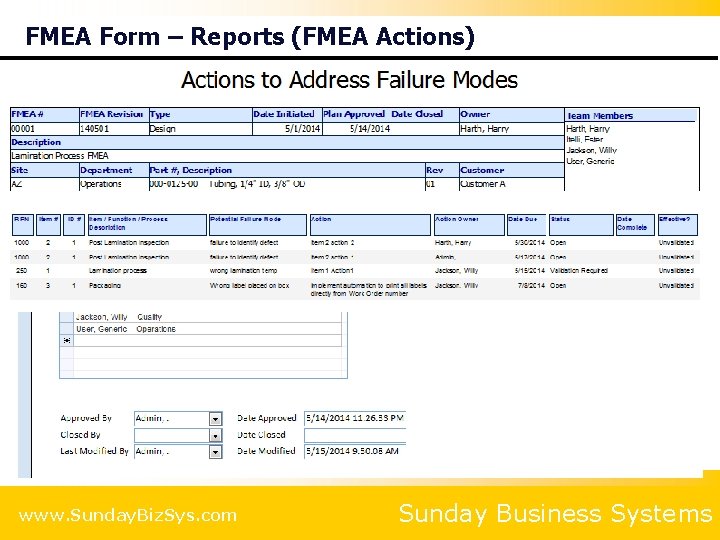
FMEA Form – Reports (FMEA Actions) www. Sunday. Biz. Sys. com Sunday Business Systems
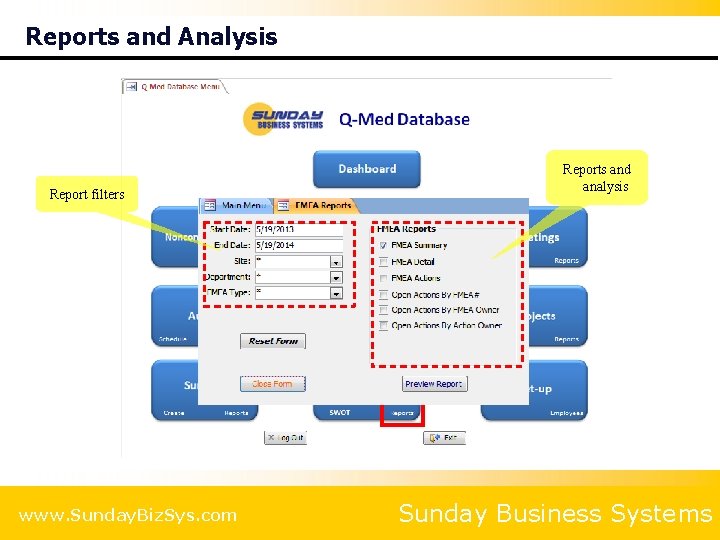
Reports and Analysis Report filters www. Sunday. Biz. Sys. com Reports and analysis Sunday Business Systems
Surveys Create Customer Satisfaction surveys Create Vendor Qualification surveys Manage & analyze survey results
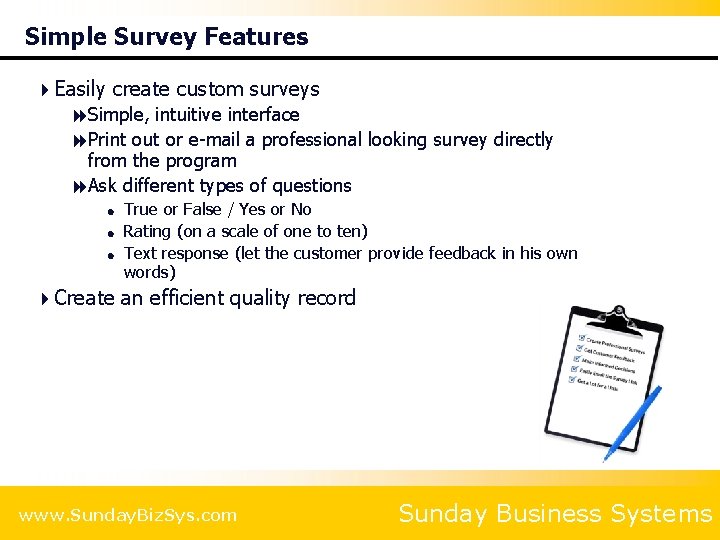
Simple Survey Features 4 Easily create custom surveys 8 Simple, intuitive interface 8 Print out or e-mail a professional looking survey directly from the program 8 Ask different types of questions = = = True or False / Yes or No Rating (on a scale of one to ten) Text response (let the customer provide feedback in his own words) 4 Create an efficient quality record www. Sunday. Biz. Sys. com Sunday Business Systems
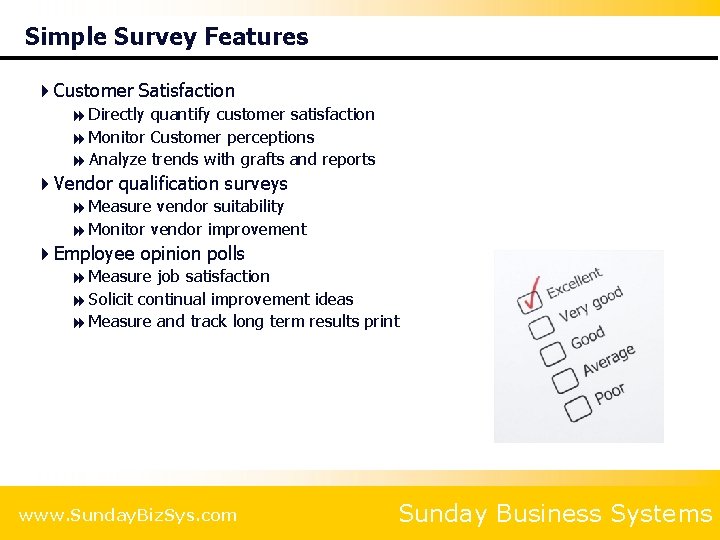
Simple Survey Features 4 Customer Satisfaction 8 Directly quantify customer satisfaction 8 Monitor Customer perceptions 8 Analyze trends with grafts and reports 4 Vendor qualification surveys 8 Measure vendor suitability 8 Monitor vendor improvement 4 Employee opinion polls 8 Measure job satisfaction 8 Solicit continual improvement ideas 8 Measure and track long term results print www. Sunday. Biz. Sys. com Sunday Business Systems
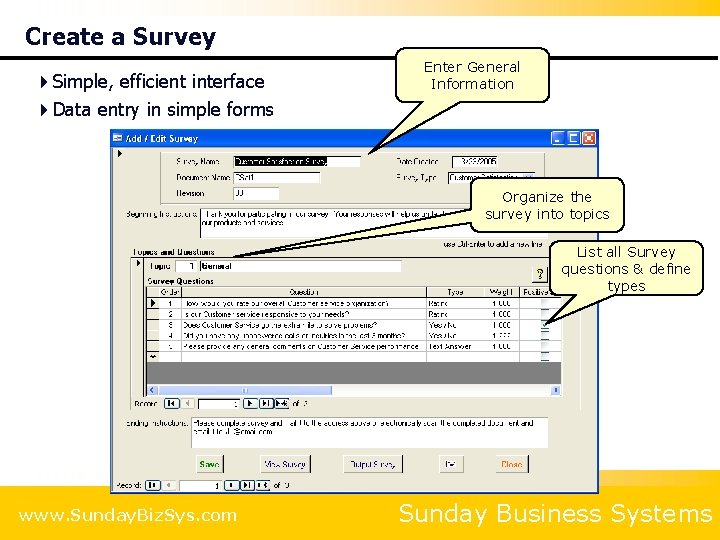
Create a Survey 4 Simple, efficient interface 4 Data entry in simple forms Enter General Information Organize the survey into topics List all Survey questions & define types www. Sunday. Biz. Sys. com Sunday Business Systems
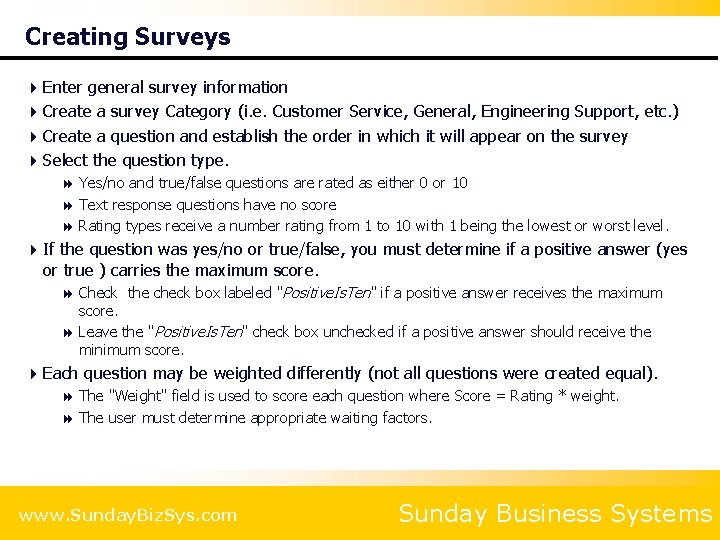
Creating Surveys 4 Enter general survey information 4 Create a survey Category (i. e. Customer Service, General, Engineering Support, etc. ) 4 Create a question and establish the order in which it will appear on the survey 4 Select the question type. 8 Yes/no and true/false questions are rated as either 0 or 10 8 Text response questions have no score 8 Rating types receive a number rating from 1 to 10 with 1 being the lowest or worst level. 4 If the question was yes/no or true/false, you must determine if a positive answer (yes or true ) carries the maximum score. 8 Check the check box labeled "Positive. Is. Ten" if a positive answer receives the maximum score. 8 Leave the "Positive. Is. Ten" check box unchecked if a positive answer should receive the minimum score. 4 Each question may be weighted differently (not all questions were created equal). 8 The "Weight" field is used to score each question where Score = Rating * weight. 8 The user must determine appropriate waiting factors. www. Sunday. Biz. Sys. com Sunday Business Systems
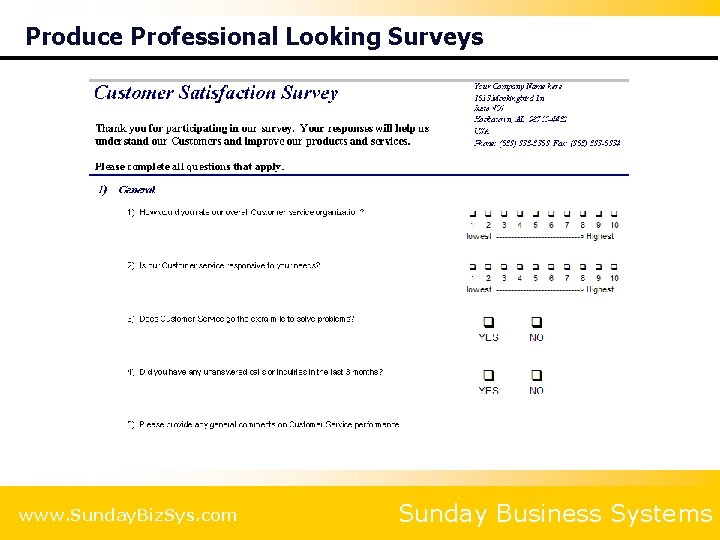
Produce Professional Looking Surveys www. Sunday. Biz. Sys. com Sunday Business Systems
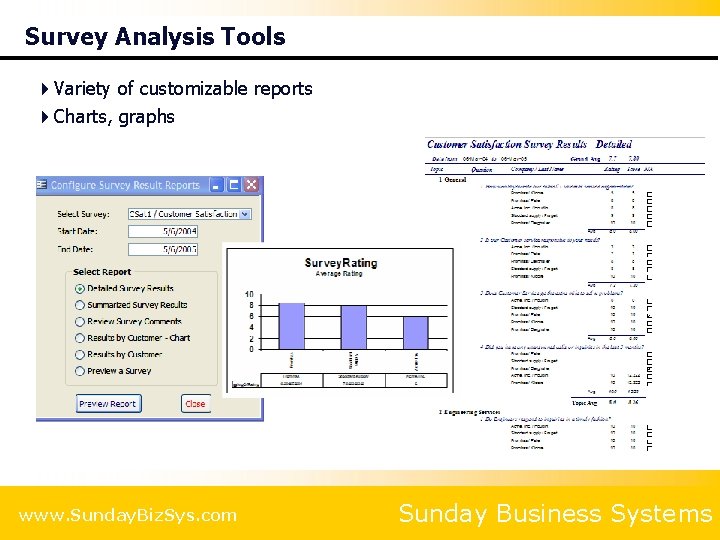
Survey Analysis Tools 4 Variety of customizable reports 4 Charts, graphs www. Sunday. Biz. Sys. com Sunday Business Systems
SBS Q-Med Database Configuration and Installation
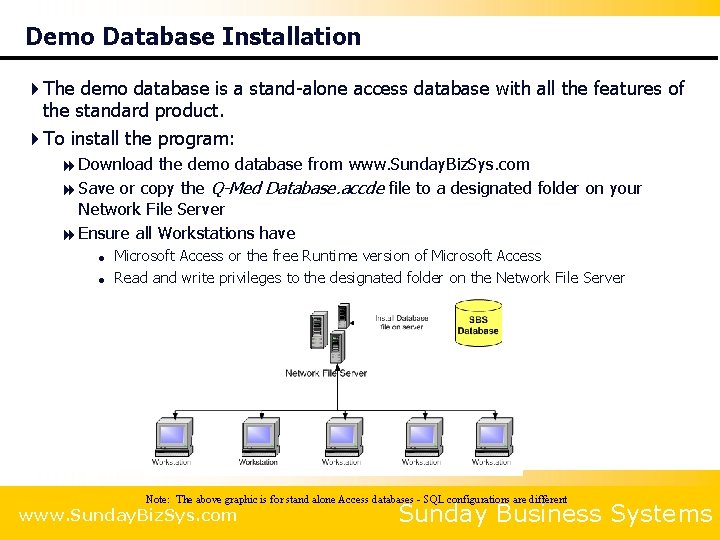
Demo Database Installation 4 The demo database is a stand-alone access database with all the features of the standard product. 4 To install the program: 8 Download the demo database from www. Sunday. Biz. Sys. com 8 Save or copy the Q-Med Database. accde file to a designated folder on your Network File Server 8 Ensure all Workstations have = = Microsoft Access or the free Runtime version of Microsoft Access Read and write privileges to the designated folder on the Network File Server Note: The above graphic is for stand alone Access databases - SQL configurations are different www. Sunday. Biz. Sys. com Sunday Business Systems
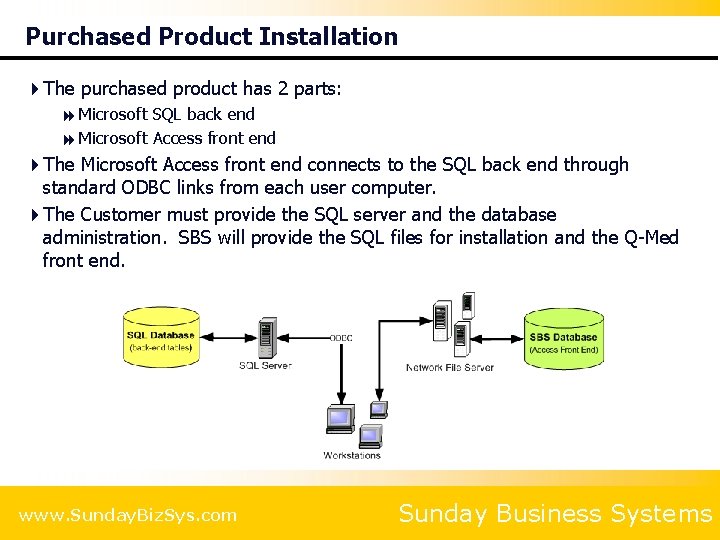
Purchased Product Installation 4 The purchased product has 2 parts: 8 Microsoft SQL back end 8 Microsoft Access front end 4 The Microsoft Access front end connects to the SQL back end through standard ODBC links from each user computer. 4 The Customer must provide the SQL server and the database administration. SBS will provide the SQL files for installation and the Q-Med front end. www. Sunday. Biz. Sys. com Sunday Business Systems
SBS Q-Med Database Best in class software solution
Summary 4 The SBS Q-Med Database is a cost effective tool to 8 Ensure effective compliance with Quality standards = ISO 13485 = 21 CFR 820 - Quality System Regulation = 21 CFR Part 11 = ISO 9001: 2008 8 Manage meetings 8 Monitor Customer perceptions 8 Maintain paperless quality records 8 Analyze performance and develop improvement strategies 8 Save time and effort www. Sunday. Biz. Sys. com Sunday Business Systems
Additional Services 4 Data Import Service 8 Import legacy data from excel spreadsheets into your Database 4 Training Services 8 SBS offers instructor led, Webex based, interactive training sessions 8 We cover the following subjects: = = = Vendor Management Database features and benefits General set-up and configuration Creating Qual plans / requirements Creating Qualifying Vendors Using reports to manage the qualification process Microsoft Access tips and tricks 4 Customization 8 Talk to us about customizing the software to meet your needs! www. Sunday. Biz. Sys. com Sunday Business Systems
About SBS 4 Sunday Business Systems is engaged in software sales and consulting services. 4 Sells affordable and efficient software solutions to implement Quality management systems: 8 Document Control 8 Corrective and Preventive Actions 8 Audit Management 8 Employee Training 8 Control of calibrated equipment 8 Vendor Management 8 SPC 8 Continual improvement 4 Provides custom software solutions 8 Modify and existing program 8 Build a complete custom solution for your specific business processes www. Sunday. Biz. Sys. com Sunday Business Systems
Fueling Small Business Efficiency Visit www. Sunday. Biz. Sys. com for: • Additional information • Free product demos • Pricing • Links to purchase software © 2017 Sunday Business Systems. All rights reserved. This presentation is for informational purposes only. Sunday Business Systems MAKES NO WARRANTIES, EXPRESS OR IMPLIED, IN THIS SUMMARY. Microsoft is a registered trademark of Microsoft Corporation in the United States and/or other countries.
- Slides: 72