
The RFI Wiki Experience The problems at a

The RFI Wiki Experience
The problems at a glance • Each company has a set of problems - they are not so unique. • Document Lock In • PDFs require special software to create, search and edit. • Office products have version issues. • Software companies tend to not like to share format information (no matter what they market). • Employee Skills • Low Computer and Information Skills. • High Turnover on the floor. • Documenting Change • People are too busy to find time • People need to ask for help to make the changes • Not enough licenses or stations for people to get the updates done at when they have the time.
The Problems of Information • Accuracy • Consistency • Timeliness • Availability • Usability • Control Is it a 1/3 inch or. 333 inches? The telephone game When the change was made, not next month. Where did you file that? I am in Brazil – how can I fill the form out in Texas? The buck stops here.
The Problems of Platform Dependency • Help, I can not read my old copy of “______”. • J Doe sent me this document and I cannot open it. • If we want to use our documents we have to pay the license fee. • T Doe edited my document and now its all garbled™ gook
The Problem of Document Sources • Office Products (Microsoft and others) • PDFs • Text and HTML • Ma and Pa Kettle (don’t ask) • Too many others • They are often not compatible or interchangeable.
Possible solutions (on our $0 budget) • Commercial Document Management – Big Bucks, Big returns • Expensive with potentially powerful rules engines. • Requires support and training at an expense. • Open Source Document Management – The learning curve. • Less expensive and free knowledge all over the net. • Requires someone with special knowledge on the product. • Wikis – So simple that almost anyone can add to a wiki if allowed. • Least expensive, very flexible and free help all over the net. • Typically requires little knowledge to get started and use.
What is a wiki? • For those who want an in depth explanation: • https: //en. wikipedia. org/wiki/Wiki • For everyone else: • A wiki is a “. . . website that allows anyone to add, delete, or revise content by using a web browser. ” * • From http: //www. dictionary. com/browse/wiki? s=t * Most wikis allow control of who can edit and or view what pages.
Standard Features for Most Wikis. • In page graphical editor. • Full document text searches. • Easy linking between documents/pages. • Can insert Pictures and videos. • Easy linking to external sites and LAN resources. • Easy tables, lists, and other document structures. • Extensible with plugins to add functionality. • Can create forms to guides user input.
Promises, Promises … • What we intended to implement: • Easy document maintenance • Form based • All content searchable, not just titles. • Intra/Inter Document linking. • All Departments Online • Operator Instructions, Work Instructions, Process Instructions, etc. • Visuals, Charts, Work Flows • Videos, Images, Training. • HR Resources online. • Employee Handbook • Forms and documents. • Links to all service providers.
Promises Kept So Far… Not so many. • What we implemented and maintained • IT how to and FAQ pages. • QAD information.
The Bad, the Ugly and Why. • Its different. • We have to do what? • You want me to learn something? • Look Shiny… • Fiddlers play Fiddles – Tradition!! • Not my idea so I don’t care.
What went right and why. • IT documentation • External links launch pages. • How to pages.
How could we have been better? • Start with IT only. • Get people used to the idea over time. • Stay away from people with look shiny syndrome. • Pick self starters to be part of the project. • Provide better instructions on information management.
Examples • IT wiki entries. • Outside contact examples. • EDI examples.
On the IT Wiki: • QAD • Errors and Fixes • How To Pages • Definitions
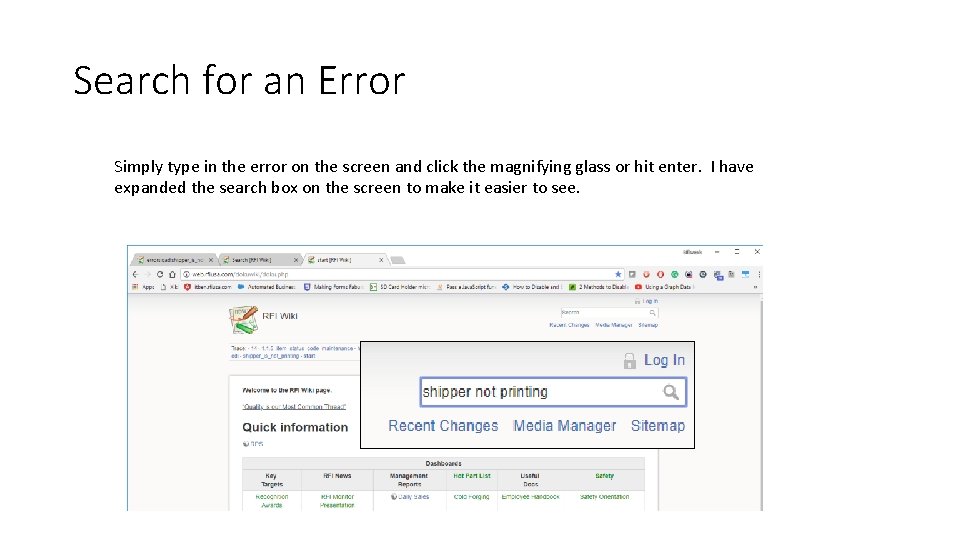
Search for an Error Simply type in the error on the screen and click the magnifying glass or hit enter. I have expanded the search box on the screen to make it easier to see.
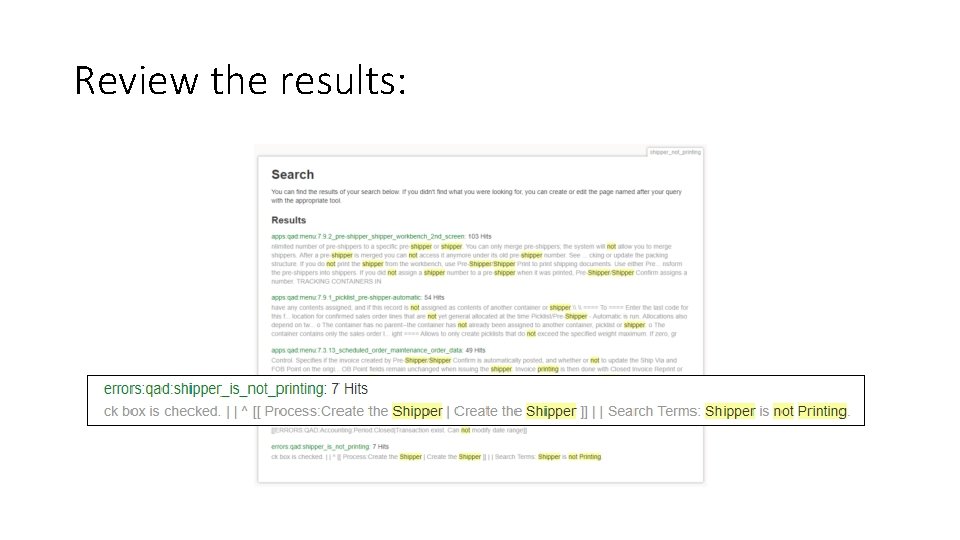
Review the results:
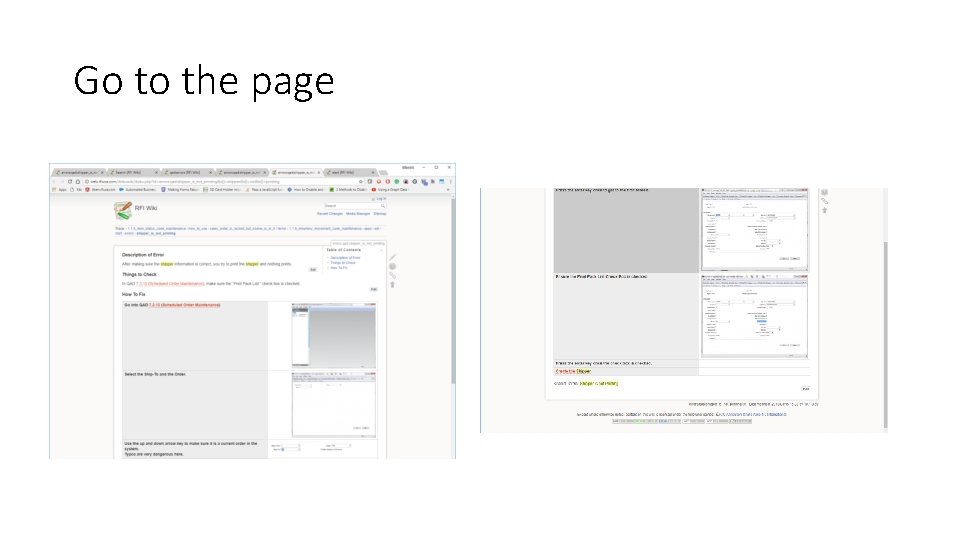
Go to the page
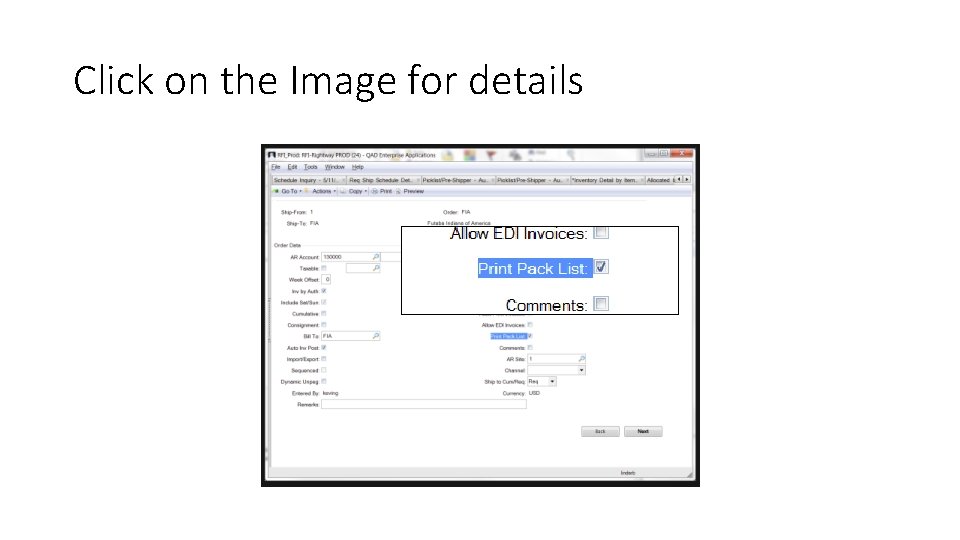
Click on the Image for details
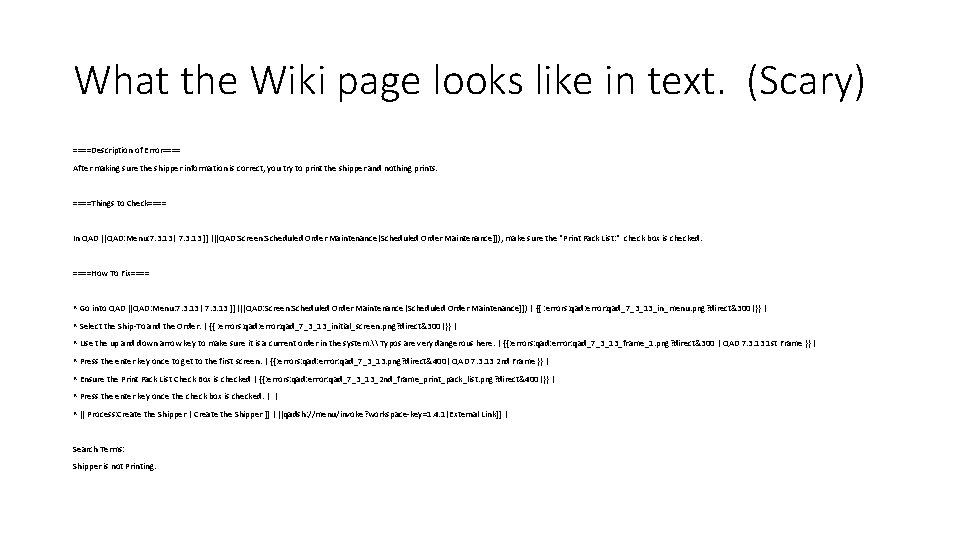
What the Wiki page looks like in text. (Scary) ====Description of Error==== After making sure the shipper information is correct, you try to print the shipper and nothing prints. ====Things to Check==== In QAD [[QAD: Menu: 7. 3. 13| 7. 3. 13 ]] ([[QAD: Screen: Scheduled Order Maintenance|Scheduled Order Maintenance]]), make sure the "Print Pack List: " check box is checked. ====How To Fix==== ^ Go into QAD [[QAD: Menu: 7. 3. 13| 7. 3. 13 ]] ([[QAD: Screen: Scheduled Order Maintenance|Scheduled Order Maintenance]]) | {{ : errors: qad: error: qad_7_3_13_in_menu. png? direct&300|}} | ^ Select the Ship-To and the Order. | {{ : errors: qad: error: qad_7_3_13_initial_screen. png? direct&300|}} | ^ Use the up and down arrow key to make sure it is a current order in the system. \ Typos are very dangerous here. | {{: errors: qad: error: qad_7_3_13_frame_1. png? direct&300 | QAD 7. 3. 13 1 st Frame }} | ^ Press the enter key once to get to the first screen. | {{: errors: qad: error: qad_7_3_13. png? direct&400| QAD 7. 3. 13 2 nd Frame }} | ^ Ensure the Print Pack List Check Box is checked | {{: errors: qad: error: qad_7_3_13_2 nd_frame_print_pack_list. png? direct&400|}} | ^ Press the enter key once the check box is checked. | | ^ [[ Process: Create the Shipper | Create the Shipper ]] | [[qadsh: //menu/invoke? workspace-key=1. 4. 1|External Link]] | Search Terms: Shipper is not Printing.
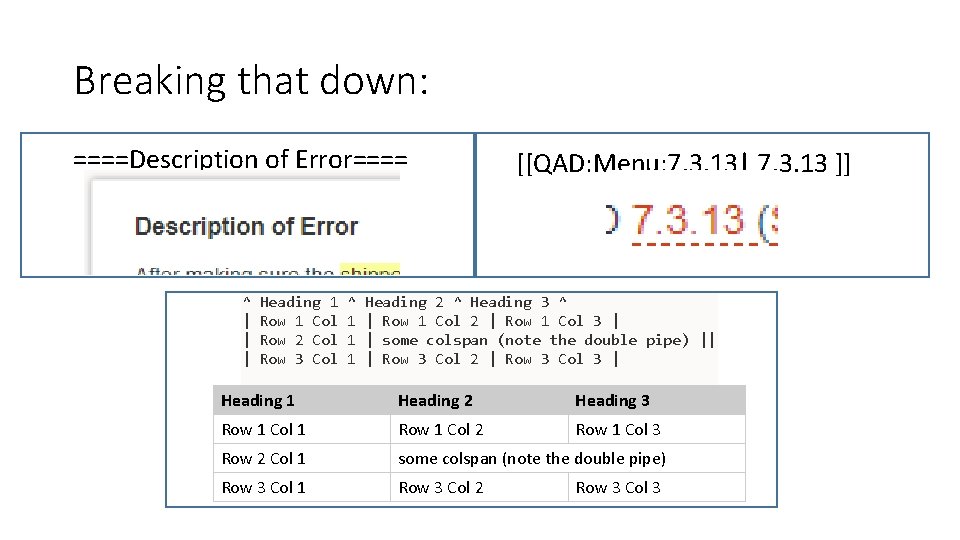
Breaking that down: ====Description of Error==== ^ | | | Heading 1 Row 1 Col Row 2 Col Row 3 Col ^ 1 1 1 [[QAD: Menu: 7. 3. 13| 7. 3. 13 ]] Heading 2 ^ Heading 3 ^ | Row 1 Col 2 | Row 1 Col 3 | | some colspan (note the double pipe) || | Row 3 Col 2 | Row 3 Col 3 | Heading 1 Heading 2 Heading 3 Row 1 Col 1 Row 1 Col 2 Row 1 Col 3 Row 2 Col 1 some colspan (note the double pipe) Row 3 Col 1 Row 3 Col 2 Row 3 Col 3
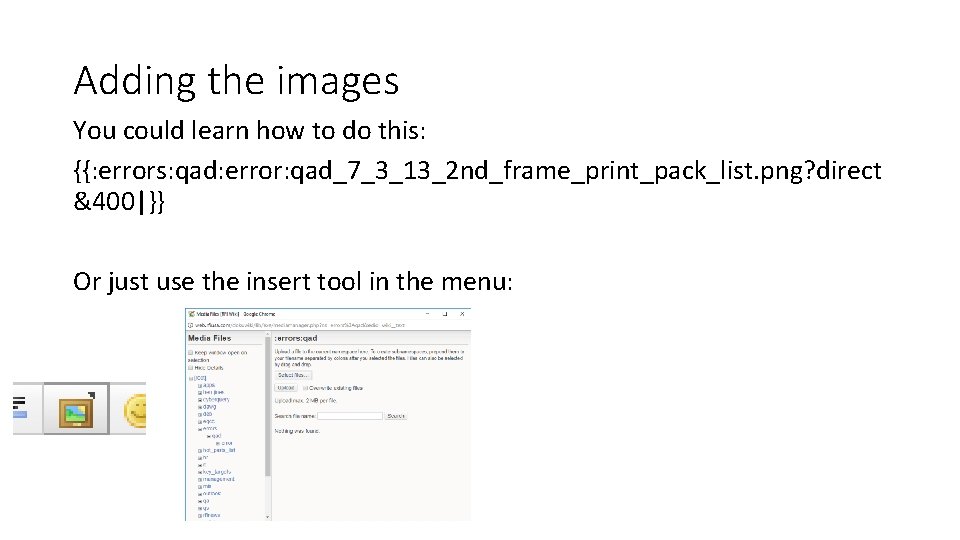
Adding the images You could learn how to do this: {{: errors: qad: error: qad_7_3_13_2 nd_frame_print_pack_list. png? direct &400|}} Or just use the insert tool in the menu:
Image added
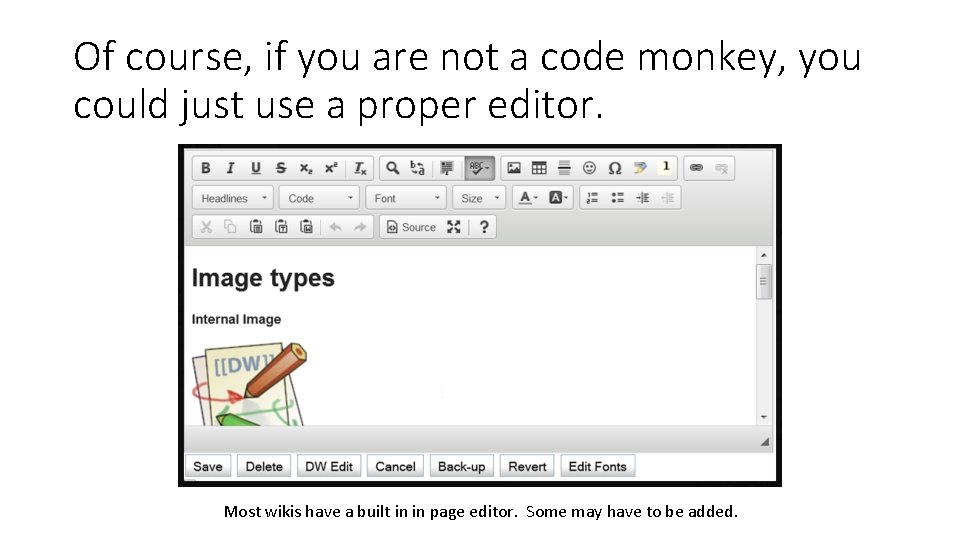
Of course, if you are not a code monkey, you could just use a proper editor. Most wikis have a built in in page editor. Some may have to be added.
Q & A Time. Where I attempt to give pertinent concise answers. ** If you want a talk on how to build a wiki, suggest it for a the next MWUG. I would be happy to pull one together if it is desired.
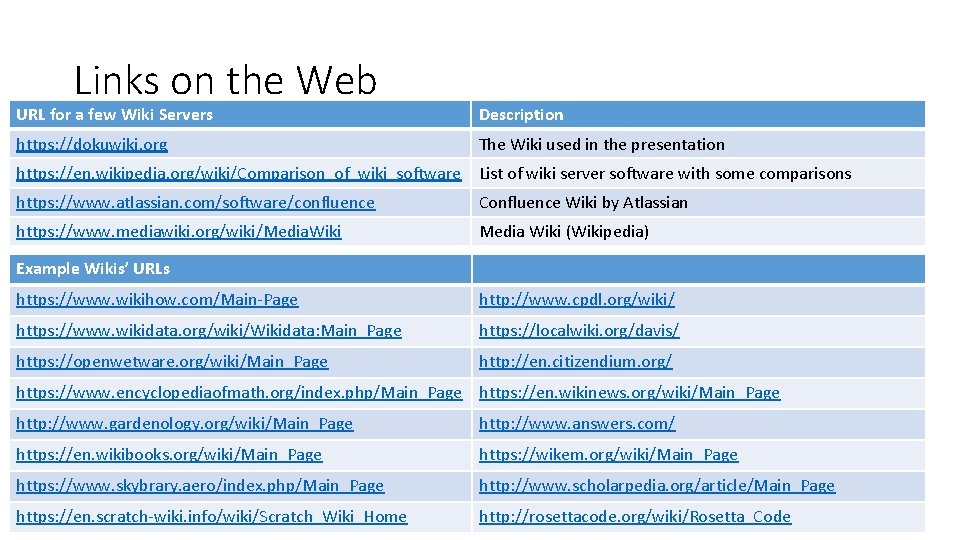
Links on the Web URL for a few Wiki Servers Description https: //dokuwiki. org The Wiki used in the presentation https: //en. wikipedia. org/wiki/Comparison_of_wiki_software List of wiki server software with some comparisons https: //www. atlassian. com/software/confluence Confluence Wiki by Atlassian https: //www. mediawiki. org/wiki/Media. Wiki Media Wiki (Wikipedia) Example Wikis’ URLs https: //www. wikihow. com/Main-Page http: //www. cpdl. org/wiki/ https: //www. wikidata. org/wiki/Wikidata: Main_Page https: //localwiki. org/davis/ https: //openwetware. org/wiki/Main_Page http: //en. citizendium. org/ https: //www. encyclopediaofmath. org/index. php/Main_Page https: //en. wikinews. org/wiki/Main_Page http: //www. gardenology. org/wiki/Main_Page http: //www. answers. com/ https: //en. wikibooks. org/wiki/Main_Page https: //wikem. org/wiki/Main_Page https: //www. skybrary. aero/index. php/Main_Page http: //www. scholarpedia. org/article/Main_Page https: //en. scratch-wiki. info/wiki/Scratch_Wiki_Home http: //rosettacode. org/wiki/Rosetta_Code
- Slides: 26