
The Pressure Law Using ALBA Interfacing D Burrett
The Pressure Law Using ALBA Interfacing D Burrett Physics Department Hermitage Academy Argyll & Bute
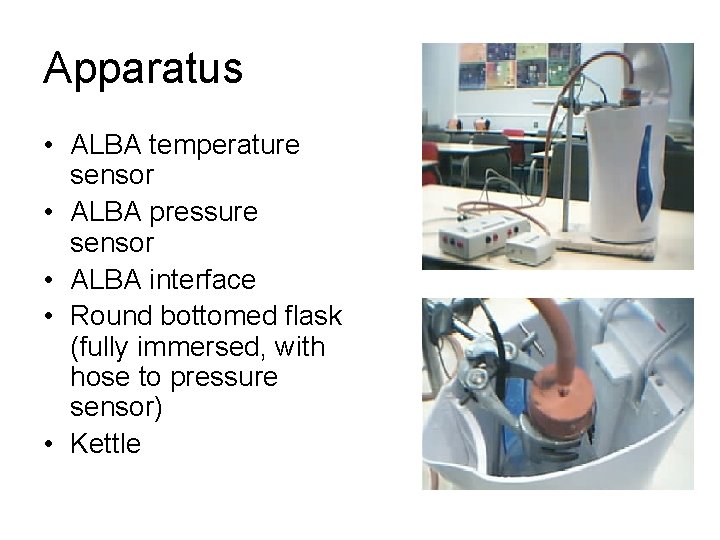
Apparatus • ALBA temperature sensor • ALBA pressure sensor • ALBA interface • Round bottomed flask (fully immersed, with hose to pressure sensor) • Kettle
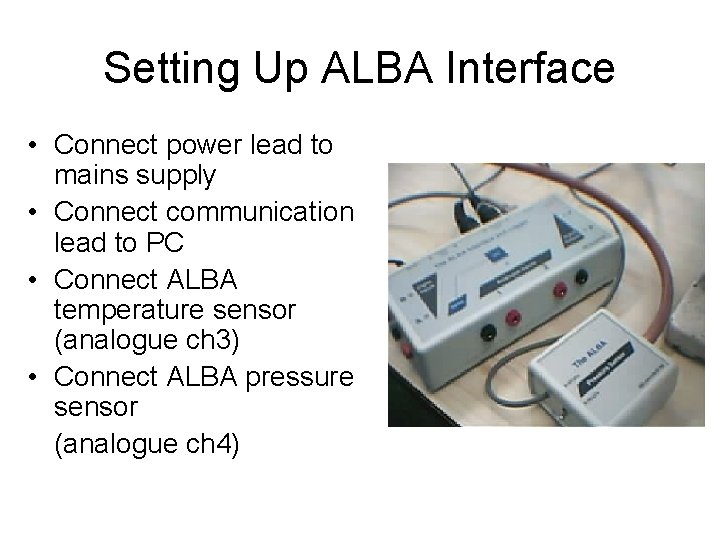
Setting Up ALBA Interface • Connect power lead to mains supply • Connect communication lead to PC • Connect ALBA temperature sensor (analogue ch 3) • Connect ALBA pressure sensor (analogue ch 4)
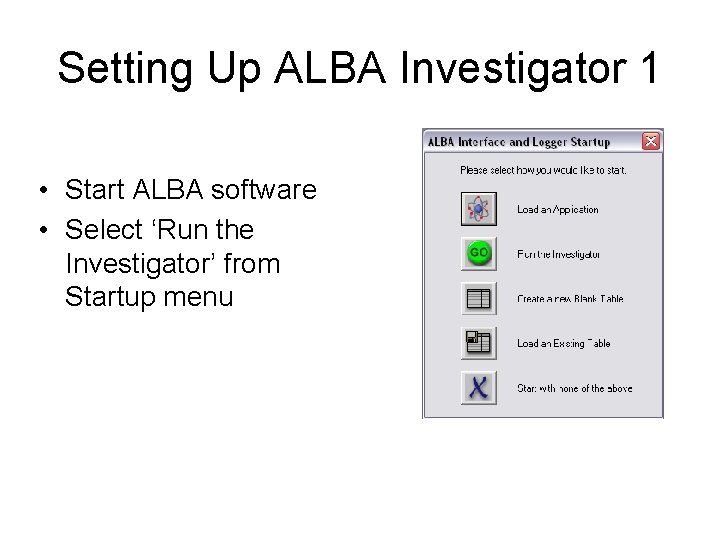
Setting Up ALBA Investigator 1 • Start ALBA software • Select ‘Run the Investigator’ from Startup menu
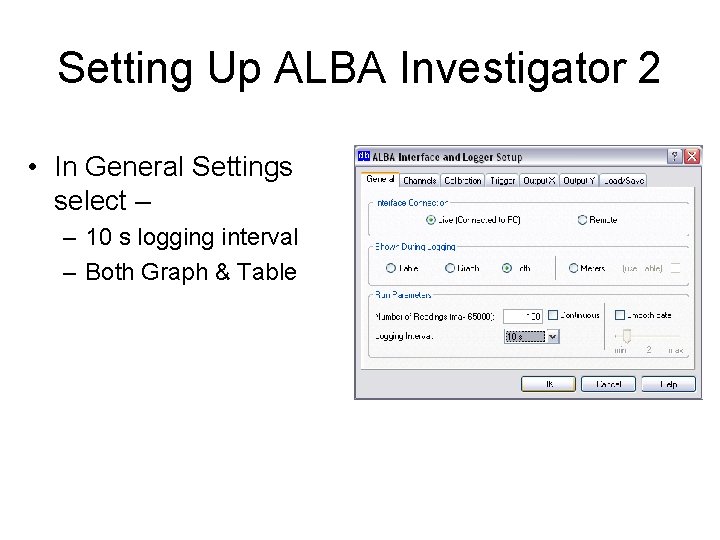
Setting Up ALBA Investigator 2 • In General Settings select – – 10 s logging interval – Both Graph & Table
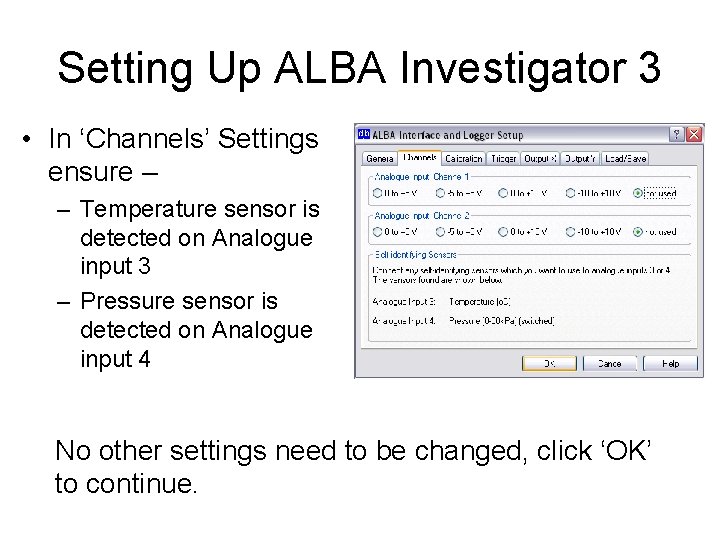
Setting Up ALBA Investigator 3 • In ‘Channels’ Settings ensure – – Temperature sensor is detected on Analogue input 3 – Pressure sensor is detected on Analogue input 4 No other settings need to be changed, click ‘OK’ to continue.
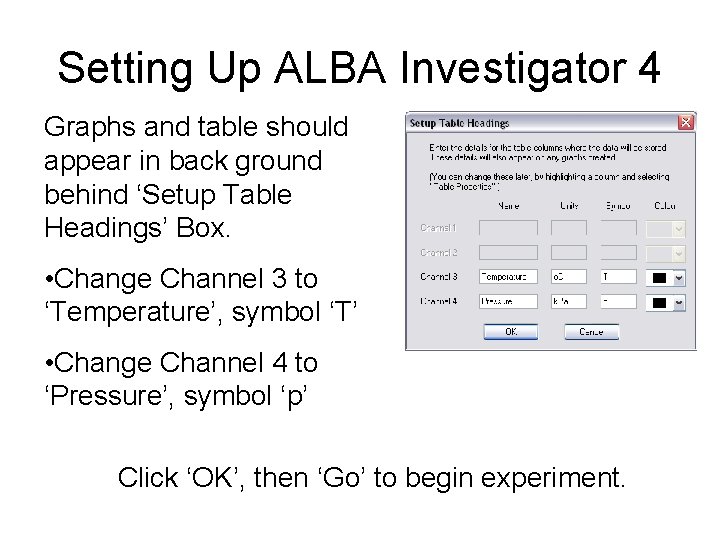
Setting Up ALBA Investigator 4 Graphs and table should appear in back ground behind ‘Setup Table Headings’ Box. • Change Channel 3 to ‘Temperature’, symbol ‘T’ • Change Channel 4 to ‘Pressure’, symbol ‘p’ Click ‘OK’, then ‘Go’ to begin experiment.
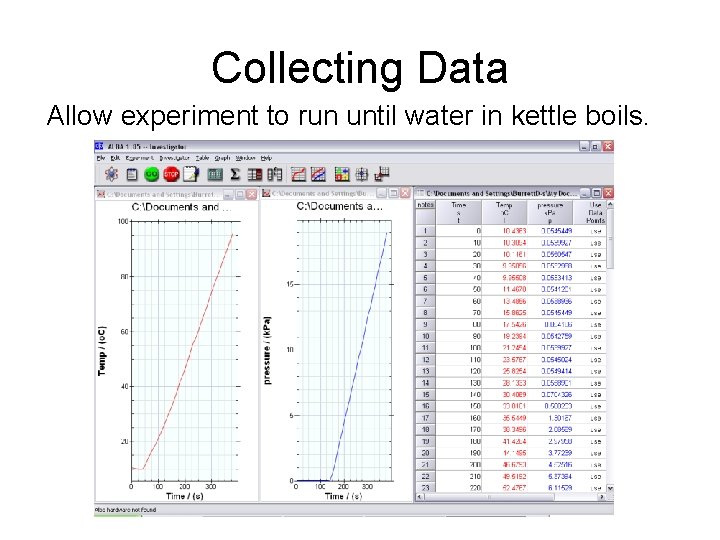
Collecting Data Allow experiment to run until water in kettle boils.
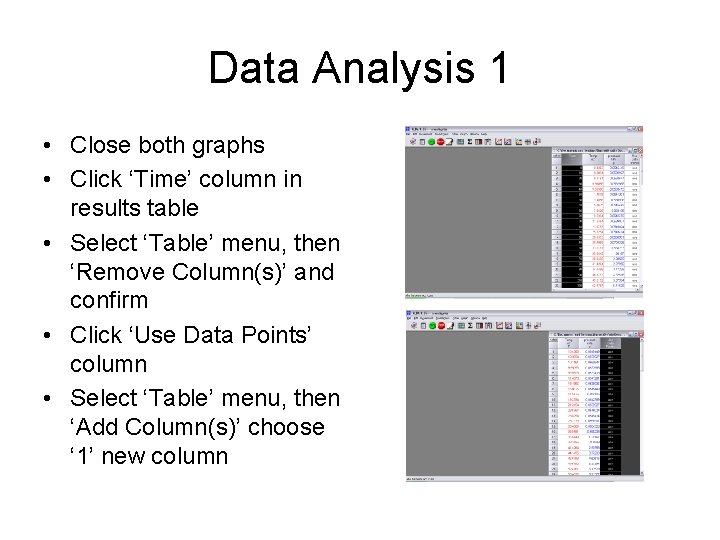
Data Analysis 1 • Close both graphs • Click ‘Time’ column in results table • Select ‘Table’ menu, then ‘Remove Column(s)’ and confirm • Click ‘Use Data Points’ column • Select ‘Table’ menu, then ‘Add Column(s)’ choose ‘ 1’ new column
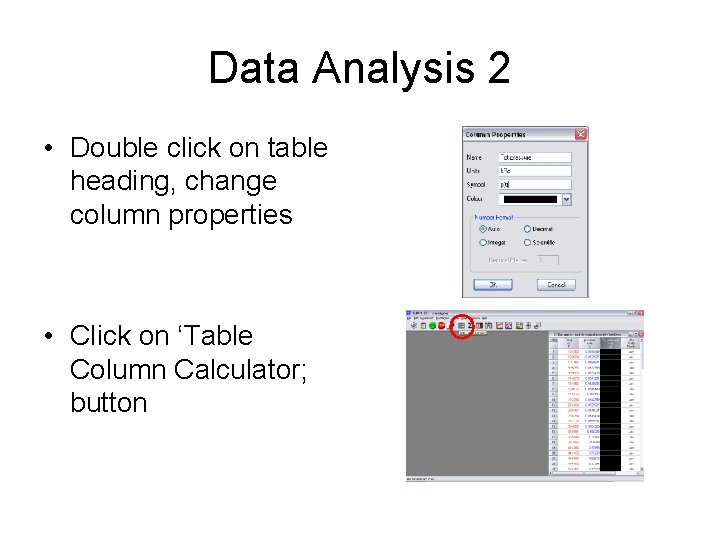
Data Analysis 2 • Double click on table heading, change column properties • Click on ‘Table Column Calculator; button
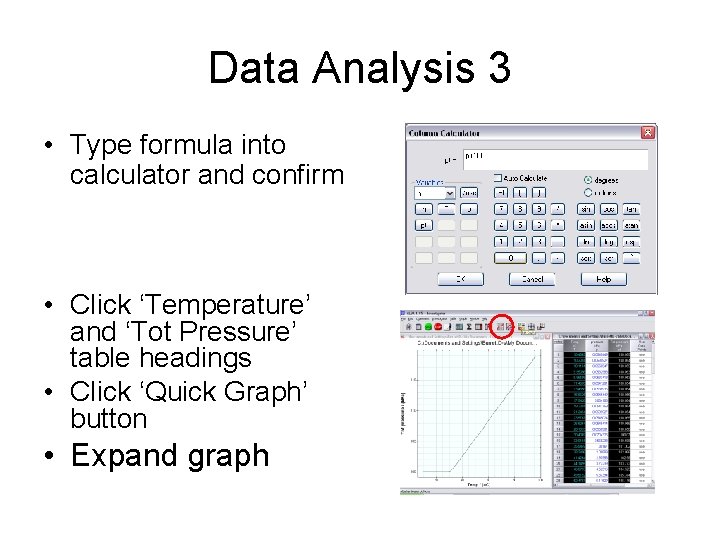
Data Analysis 3 • Type formula into calculator and confirm • Click ‘Temperature’ and ‘Tot Pressure’ table headings • Click ‘Quick Graph’ button • Expand graph
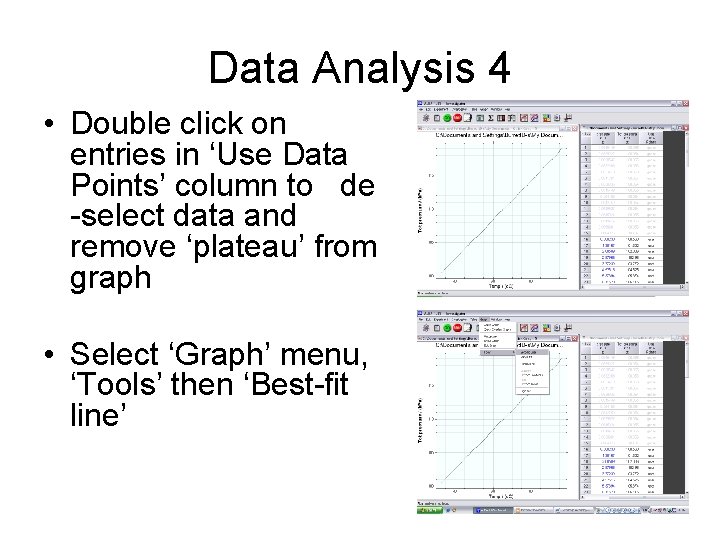
Data Analysis 4 • Double click on entries in ‘Use Data Points’ column to de -select data and remove ‘plateau’ from graph • Select ‘Graph’ menu, ‘Tools’ then ‘Best-fit line’
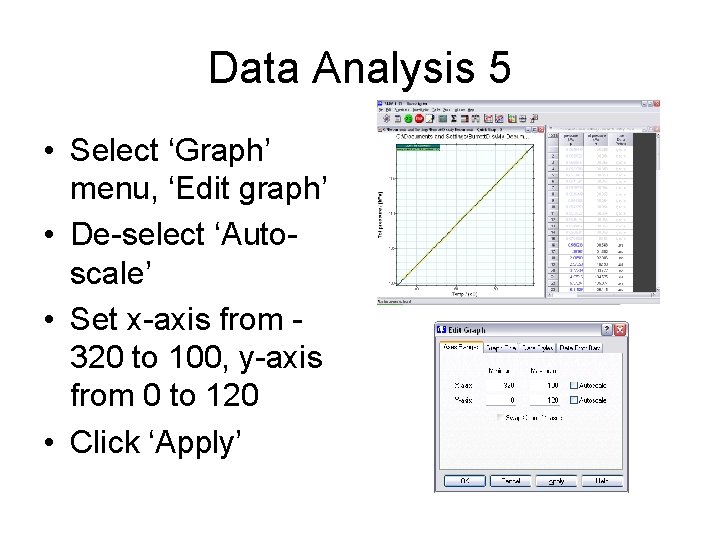
Data Analysis 5 • Select ‘Graph’ menu, ‘Edit graph’ • De-select ‘Autoscale’ • Set x-axis from 320 to 100, y-axis from 0 to 120 • Click ‘Apply’
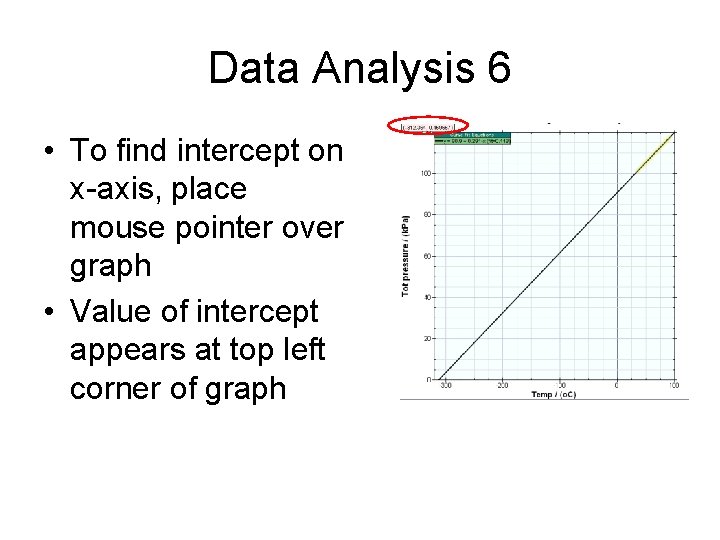
Data Analysis 6 • To find intercept on x-axis, place mouse pointer over graph • Value of intercept appears at top left corner of graph
Evaluation 1 • True value of absolute zero is -273°C • Experimental value is too low because – – Temperature measured by ALBA is not temperature of gas in flask – it is water temperature – Pressure sensor is subject to a systematic error, under-reading by a small amount.
Evaluation 2 • Possible improvements – Place temperature sensor inside flask – Quantify systematic under-reading of pressure sensor and adjust pressure readings accordingly in data analysis – Encourage ALBA developers to produce a stand alone ALBA application for the pressure law
- Slides: 16