
THE NUTS AND BOLTS OF TEACHING AT PALOMAR
THE NUTS AND BOLTS OF TEACHING AT PALOMAR: Go to our Padlet wall and tell us what you are hoping to learn in this workshop: padlet. com/kfalcone 1/Nuts. Bolts. Spr 17 A successful first day and beyond *Please sign in and grab some snacks* 1
Welcome! Your hosts for tonight Shayla Sivert, Dean, Languages & Literature Sherry Titus, Director, Office of Student Affairs Kelly Falcone, Faculty Kinesiology/Health & Professional Development Coordinator Getting to know you How many of you are full-time faculty? How many of you are part-time faculty? 2
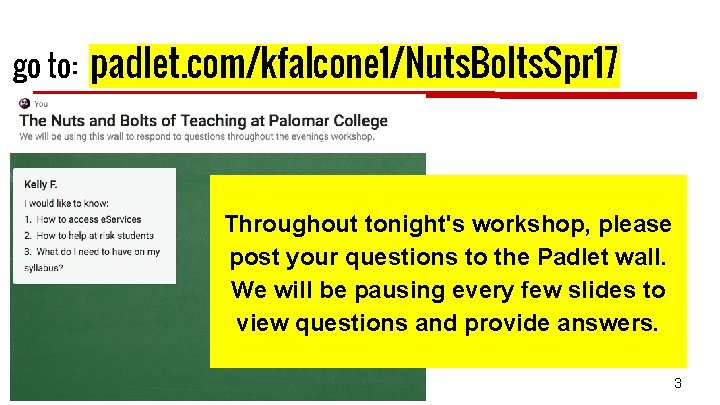
go to: padlet. com/kfalcone 1/Nuts. Bolts. Spr 17 Throughout tonight's workshop, please post your questions to the Padlet wall. We will be pausing every few slides to view questions and provide answers. 3

● Getting ready for the first day ● A successful first day of class ● The semester has begun! 4

Getting Ready for the First Day of Class 5
How many students do you have in your classes? What is your maximum class size? Maximum Class Size: Set by the PFF Contract and/or the number of student stations in the classroom or laboratory--whichever is smaller. (http: //www. palomar. edu/INSTRUCTION/Course. Max. List. pdf) Please do not allow students to sit on the floor or to bring chairs from other rooms. We need to be concerned about fire code violations. ■ What is the minimum class size? Consult your department chair if you are concerned about the lack of enrollment in a class to which you are assigned. 6
Odds and Ends Textbooks ■ Contact department ADA. ■ Note: Never manage textbook or material transactions with students yourself. All required materials must be listed on the enrollment information when students sign up for the course. Parking Pass (will be issued at Plenary; easiest to get it then). ■ Otherwise, go to Campus Police—bring ID. ■ Other things to think about — Bathrooms, Student Health Services (location & hours), & Security 7
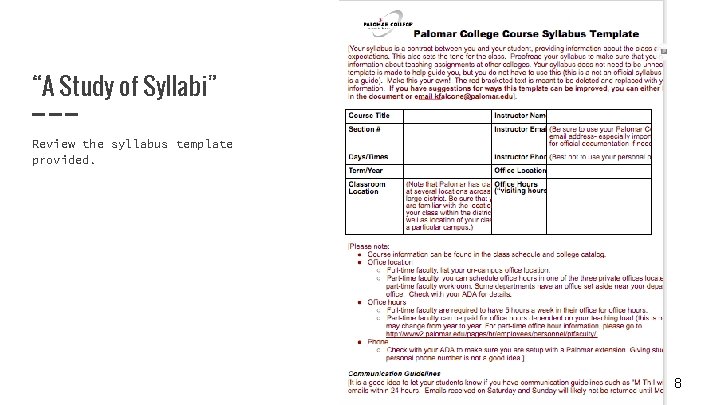
“A Study of Syllabi” Review the syllabus template provided. 8
Activity: Small group discussion “A Study of Syllabi” Please get in groups of 2 -3 people. Using the syllabus template, you have 10 minutes to discuss the following questions: What parts of this template do you already have in your syllabi? What parts of this template could you add to your syllabi? What’s the difference between tracking attendance/participation and grading for attendance/participation? Do you have a statement in your syllabi about ADA accommodations (students with disabilities) and standards of conduct? What would you do if a student complained that you had unfair grading practices? 9 What questions do you have regarding creating a syllabus, getting ready for
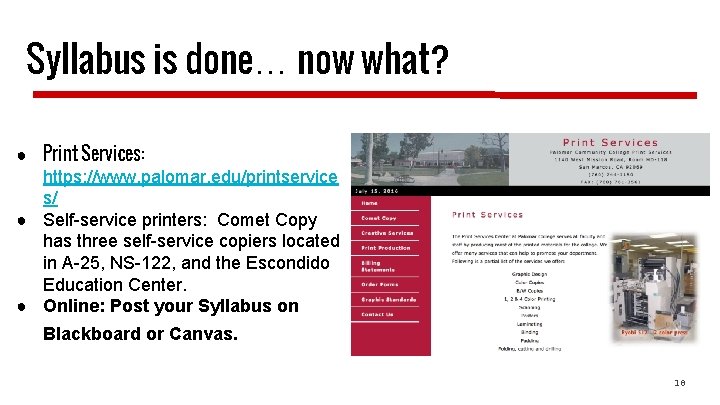
Syllabus is done… now what? ● Print Services: https: //www. palomar. edu/printservice s/ ● Self-service printers: Comet Copy has three self-service copiers located in A-25, NS-122, and the Escondido Education Center. ● Online: Post your Syllabus on Blackboard or Canvas. 10
Where Are You Going? https: //www 2. palomar. edu/pages/about/locations/ ➢ San Marcos Campus ➢ Camp Pendleton Education Site ➢ Escondido Education Center Which campus are you teaching at? Do you know what room you are teaching in? Do you know where to park? ➢ Fallbrook Education Site ➢ Mt Carmel 11
Tips for Your First Day of Class Leave for campus MUCH EARLIER than normal. Traffic around the campus will be very congested the first week or two. Parking spaces may be difficult to find as other instructors are coming in early or staying late and students may be taking instructor spaces. Lot 12 will be especially crowded due to the closing of the parking lot next to the Humanities Building. Crashers: Think ahead about how you will manage students trying to crash your class. (I put a signup sheet for crashers on the door so that my class and I could get started without interruption. ) Arrive early to class so you can be sure to be prepared. Whiteboard markers Roster Check AV equipment 12 …and so on…

A Successful First Day of Class 13
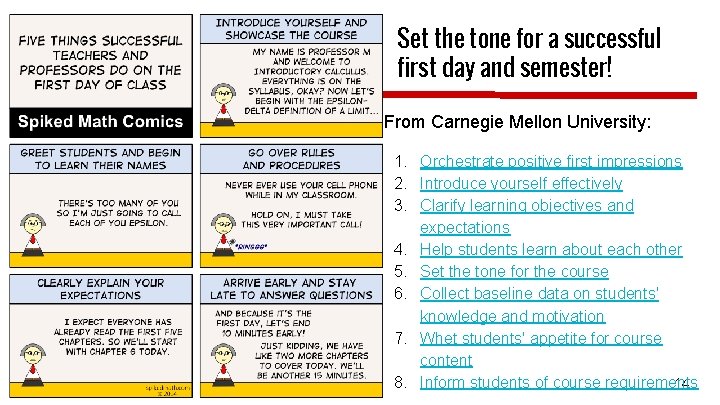
Set the tone for a successful first day and semester! From Carnegie Mellon University: 1. Orchestrate positive first impressions 2. Introduce yourself effectively 3. Clarify learning objectives and expectations 4. Help students learn about each other 5. Set the tone for the course 6. Collect baseline data on students' knowledge and motivation 7. Whet students' appetite for course content 8. Inform students of course requirements 14

go to: https: //padlet. com/kfalcone 1/Nuts. Bolts. Spr 17 What are your strategies for a successful first day of class? 15
Overlapping Classes and Auditing ■ We STRONGLY discourage students from enrolling in overlapping classes. Overlap forms are rarely approved. ■ You MUST meet and document the missed time outside of normal class time. ■ Convenience is NOT an acceptable reason. ■ The Overlapping Class form can be found at: http: //www 2. palomar. edu/pages/enrollmentservices/files/2015/08/Overlap. Approval-Request-Form-rev-effective-Spring-2012. pdf. ■ Auditing is typically approved only when a student has already successfully completed the course and needs the course as a refresher, especially in anticipation of taking the next course in a sequence. 16

The Semester Has Begun! 17
Classroom Breaks For three-hour classes: A ten-minute break at the end of the first and second hour (teach 50 minutes, 10 minute break), OR a 20 minute break at the midpoint in the class are permissible options. There is no break associated with the “third hour” (the class ends). You may NOT “save” or “stack” your breaks at the end of the class—if a class is scheduled for 6 -8: 50 PM, you may not teach 6 -8: 30 and send the students home. 18

Basic Skills Toolkit https: //basicskillstoolkit. wordpress. com/ 19
Are you familiar with the support available for students? Access & Assessment Center, x 2476 Veterans’ Services, x 2173 (Veterans’ Resource Center) Tutoring Services http: //www 2. palomar. edu/tutoringservices/ Math Center Writing Center STEM Center Early Alert (English and Math) FYE, TRIO, Athletics TLC (San Marcos & Escondido) Summer Bridge, FYE, Village Mentoring, x 3931 General Counseling Services, x 2179 (Classroom visits can be arranged. ) Career Center, x 2194 Transfer Center, x 2552 ● Extended Opportunity Programs & Services (EOP&S), x 2449 ● TRIO, x 2761 ● LGBTQ, x 2396 ● AB 540 & DACA, Nancy Moreno, x 3768 ● Behavioral health referrals for currently enrolled students ○ Student Health Services, x 2381 ○ Counseling, x 7144 ○ Campus Police, x 2289 20
Disability Resource Center ■ Encourage students with possible disabilities to go to the DRC for diagnosis. ■ Students with identified disabilities may bring forms with verification to the DRC asking for “reasonable accommodations. ” You may never deny a student accommodations from the DRC. ■ A DRC counselor will give the student an Accommodations Form to show his/her instructor. On the back of that sheet are directions for the professor on how test accommodations work and what information you need to communicate for any testing proctoring. ■ Feel free to contact and work with DRC personnel. ■ Disability Resource Center http: //www 2. palomar. edu/drc/. ■ Check out this link with information developed by Leigh Ann Van Dyke, one of our DRC Counselors. 21
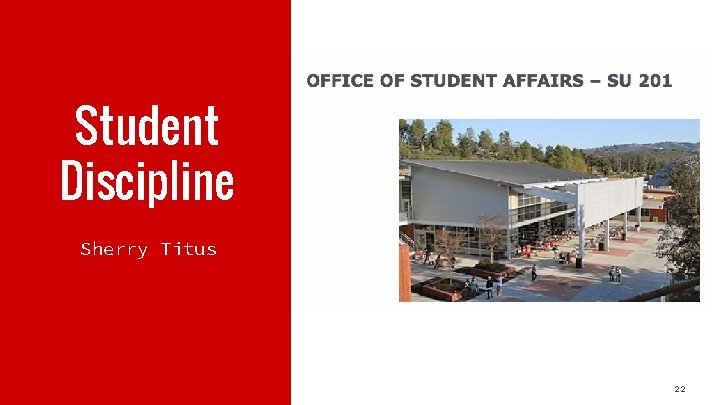
Student Discipline Sherry Titus 22
Student Incident Reporting Sherry Titus-Director, Office of Student Affairs (OSA): stitus@palomar. edu Student Incident Report Complete and submit an Incident Report for ALL cases of academic dishonesty, and for other Student Code of Conduct violations, as well. When in doubt, submit. We track all reported incidents. Students continue attending class and should be informed that their disruptive behavior has been reported to the OSA. They will get a letter/email to see Sherry. Students have DUE PROCESS rights and have an opportunity to present their side of the story in their hearing with the OSA. Campus Police are first responders 760. 891. 7273. 23
Student Discipline Instructors may dismiss a student from class for two class sessions. This should be used as a last resort when corrective solutions fail. Document all attempts to resolve issue with the student and provided written documentation to the student and attach to the Incident Report. • You must submit an Incident Report and coordinate with the OSA as students may only be asked to leave class for two sessions; it may take longer than that for them to schedule a meeting with Sherry Titus. • All information can be found on OSA website. Student Code of Conduct http: //www 2. palomar. edu/pages/studentaffairs/home/student-discipline/. • Be cautious with social media, use your Palomar email and use caution requesting students share private information with classmates. 24
Student Discipline Academic Dishonesty (Academic and Administrative Sanctions) • Explicitly state your policy in the syllabus. • Make your grading scale crystal clear, not overly complicated so no one can figure it out, and stick to it. (Make sure that it adds up correctly too. ☺) • Do what you say you will do—if you make one “exception”, then you have defined a new policy for the class. • Use caution with “mandatory” language. • Submit the Incident Report on ALL incidents, great and small, but attempt to resolve at its earliest onset. • Direct students to library resources for plagiarism guidelines or link them in your syllabi. 25
Student Grade Disputes Students can file a “grade dispute” once grades are posted. They must provide documentation and/or supporting evidence for the dispute. Below are links to the process and the appeal form itself. http: //www 2. palomar. edu/pages/enrollmentservices/appeals-and-petitions/ Grade Dispute form ● “Grade disputes” fall under the instructional area and are not included in student discipline, although, conflict often occurs when the student is not aware of their grades throughout the semester (return graded work and keep quality records). ● Grades cannot be grieved. 26
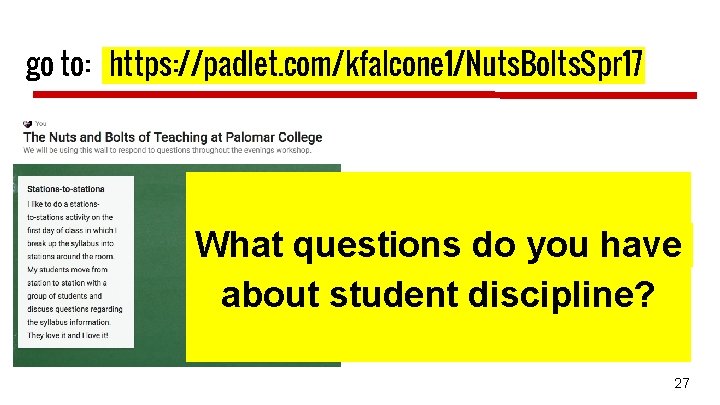
go to: https: //padlet. com/kfalcone 1/Nuts. Bolts. Spr 17 What questions do you have about student discipline? 27

e. Services In Depth 28
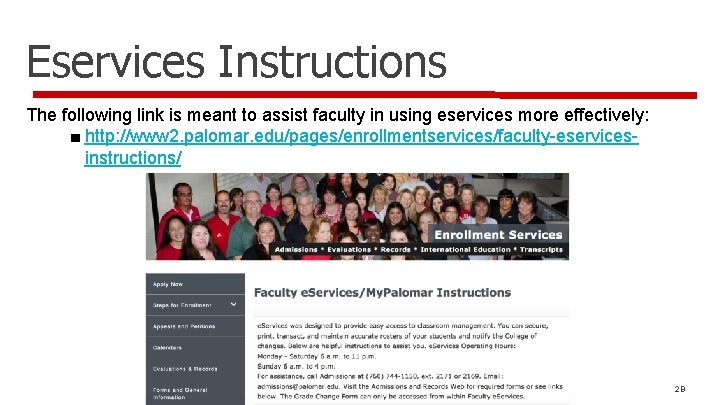
Eservices Instructions The following link is meant to assist faculty in using eservices more effectively: ■ http: //www 2. palomar. edu/pages/enrollmentservices/faculty-eservicesinstructions/ 29
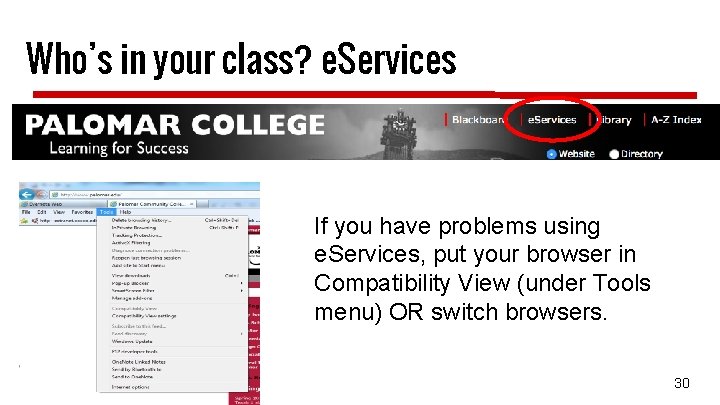
Who’s in your class? e. Services If you have problems using e. Services, put your browser in Compatibility View (under Tools menu) OR switch browsers. 30
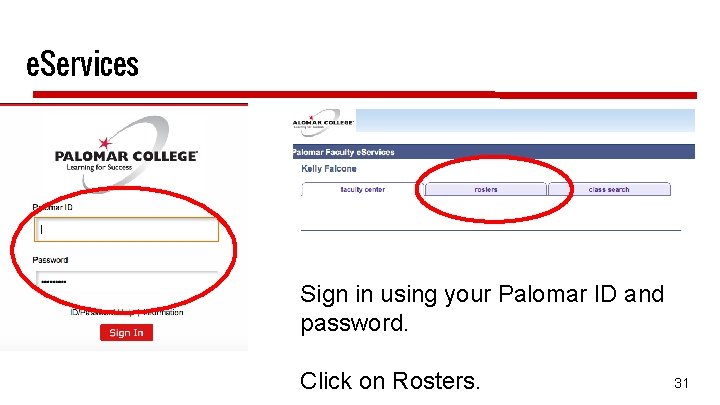
e. Services Sign in using your Palomar ID and password. Click on Rosters. 31
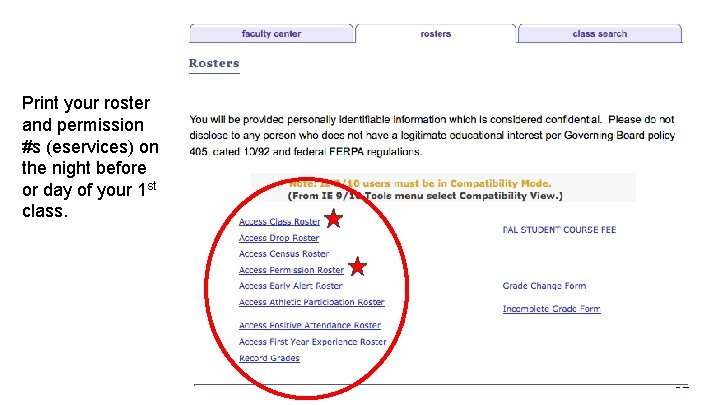
Print your roster and permission #s (eservices) on the night before or day of your 1 st class. 32
Do You Have a Wait List? On the Wednesday morning before the semester begins, for classes that have students on a waitlist, the eligible waitlisted student no longer automatically rolls into a spot on the roster if one opens. A student is ineligible if that student has another class with a time conflict, is enrolled in another section of the same class, etc. ) Students can no longer be added to the waitlist at that point either. Students will need a permission code to add the class. If none of the students on a waitlist are eligible and a student drops off of the roster, other students can add the class without a permission number. After the 1 st week, all students will need a permission number to be added to the roster. An ADA can invalidate a permission number if a student fails to register for this class within a time period set by you. 33
Permission Codes ■ Permission numbers or add slips are required if a student wants to add a class that is full. ■ All students (including waitlisted) require permission codes or signed add slips to enroll in Week 2 of classes. ■ No students may add a class on or after the Census Date (except for late-start fast-track classes). ■ Students may drop online without instructor signature (up to the 8 th week of classes). However, after two weeks, students will receive a W on their record, which will count as one of their 3 allowed course attempts. ■ View the academic calendar for important Add/Drop deadline information: ■ http: //www 2. palomar. edu/pages/enrollmentservices/calendars/ 34
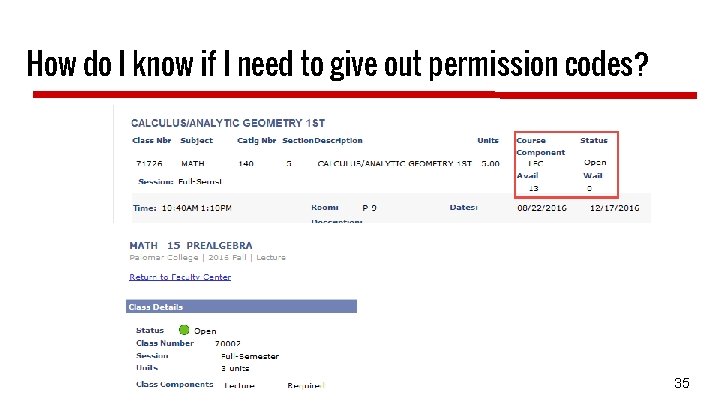
How do I know if I need to give out permission codes? 35
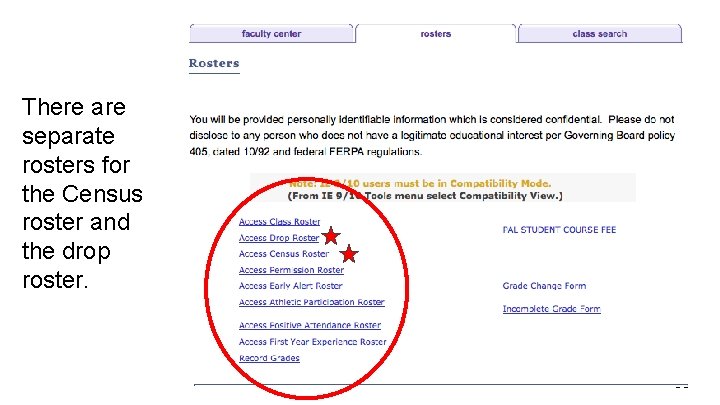
There are separate rosters for the Census roster and the drop roster. 36
Census Roster ■ The Census Roster is certified one time during the semester First instructional day of the 3 rd week of class for full semester classes ■ All class rosters, except positive attendance classes, MUST BE CERTIFIED (even if no students need to be dropped) ■ Students listed on your roster must be active students, i. e. , have been attending, participating, etc. ■ In online classes, students should do something, i. e. , take a quiz, turn in an assignment, etc. , prior to the census date and certification (as proof of their attendance in your course). ■ Census Certification is required to claim apportionment funding for your section. (This is the college’s primary revenue source. ) 37
Drop Roster Available in Faculty eservices The Drop Roster is designed to be used on an on-going basis starting the first day of class throughout the semester. Drops before Census means the student gets no grade notation on their record. The Drop Roster is available to you for all your students through the 50% point of your class (8 weeks for full-term classes) and results in the student getting a “W” grade. This counts as one three attempts a student has for this course. The Drop Roster remains available after the 50% point in the semester to just before final grading for Financial Aid, Veterans, and other students whose financial aid is affected by their enrollment. These students will have an “*” preceding their name on the roster. 38
Repeatability and Drop Dates ■ Students may only attempt a class three times before being barred from enrolling in that class. ■ Students may drop a class up to the Census date without a notation on their record—in effect, they never attempted the class. ■ After the Census date through the 8 th week, students may drop with a notation (W) on their records—the W means they attempted the class. The W has no impact on GPA calculation, but does count as an attempt ■ Bottom line—if a student stays past the 2 nd week, it counts as an attempt. ■ Students who pass a class may not repeat the same class (with very few exceptions). ■ Keep attendance for all of your students; keep your records for 3 years. 39
Grades Possible grades. A, B, C, D, F, FW, P, NP, I, W, MW The difference between an F and an FW F = the student earned an F on the basis of all required completed work FW = the student stopped attending class and consequently earned an F because he/she is missing work and has missed the final. W = only available until 50% of class completion 40
Grades (cont. ) Grades are due 5 days after final exams. Please submit grades on time. Late grade submissions may hurt a student’s chance to register for a class for the next semester and may hurt their chance to transfer as well. Submit grades via Grade Rosters in eservices. Family Educational Rights and Privacy Act (FERPA) http: //www. ed. gov/policy/gen/guid/fpco/ferpa/index. html 41

go to: https: //padlet. com/kfalcone 1/Nuts. Bolts. Spr 17 What questions do you have about using e. Services? 42

A few more tidbits about being a successful faculty member 43
Reporting Your Absences ■ ■ Report your absences as early as possible. Go down this list in order until you have SPOKEN to at least one of the following so that your class can be posted: ➢ Your Department ADA or Center Staff ➢ Your Department Chair ➢ Your Division Office (Dean) ➢ The Instructional Services Office: x 2246 ➢ Evening Administrator, Variable—check email ➢ Campus Police: x 2289 ➢ Use Blackboard or email to let students know in advance when possible. 44
Evening Class Resources ■ Bookstore is open until 7: 30 pm. ■ Enrollment Services is open until 6: 00 pm. ■ A General Information email is sent out each week informing you of that week’s evening administrator. ■ Campus Police officers escort service to your vehicle and, of course, is available in the event of an emergency, x 2289 or 760 -891 -7273. 45
PD & TERB Professional Development (http: //www. palomar. edu/pd/) Contact the PD Office at x 2250 or Kelly Falcone (PD Coordinator) at x 3643 if you have questions. Full-Time faculty: PD is required (42 hours) Part-Time faculty: PD is optional (hours based on teaching assignment, paid hourly in last paycheck) TERB: Tenure and Evaluations Review Board (https: //www 2. palomar. edu/pages/tenureandevaluations/) Do you know when you will be reviewed? 46
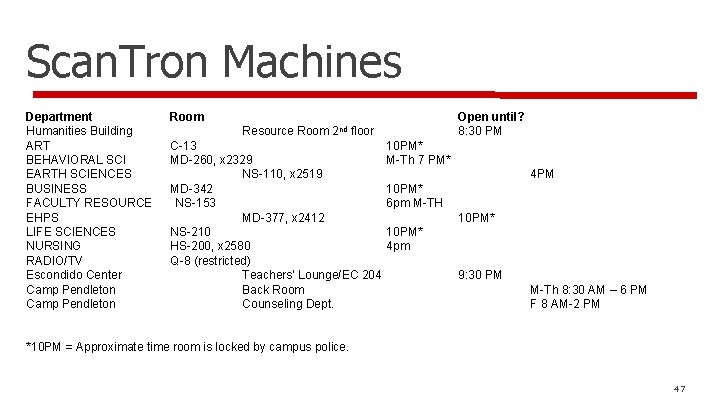
Scan. Tron Machines Department Room Humanities Building Resource Room 2 nd floor ART C-13 10 PM* BEHAVIORAL SCI MD-260, x 2329 M-Th 7 PM* EARTH SCIENCES NS-110, x 2519 BUSINESS MD-342 10 PM* FACULTY RESOURCE NS-153 6 pm M-TH EHPS MD-377, x 2412 LIFE SCIENCES NS-210 10 PM* NURSING HS-200, x 2580 4 pm RADIO/TV Q-8 (restricted) Escondido Center Teachers’ Lounge/EC 204 Camp Pendleton Back Room Camp Pendleton Counseling Dept. Open until? 8: 30 PM 4 PM 10 PM* 9: 30 PM M-Th 8: 30 AM – 6 PM F 8 AM-2 PM *10 PM = Approximate time room is locked by campus police. 47
Human Resource Services HRS Office is located in ST-1, ext. 2609. Mon-Thurs (7: 30 am -5: 00 pm) Fri (7: 30 am – 4: 00 pm) Injured at work? If you are injured during work, please contact your Dean/Chair/Director and Human Resource Services immediately. If it is after hours, contact Campus Police x 2289 or the evening administrator. Visit the HR Website: http: //www 2. palomar. edu/pages/hr/ View salary schedules, PFF Contract, Benefits, Salary Advancement, leave information, etc. Call HRS (x 2609) PT Faculty– Tania Silva tsilva@palomar. edu or x 2148 FT Faculty – Christine Winterle cwinterle@palomar. edu or x 2674 48
Who You Gonna Call…? Do you know who to contact for help and information? ➔ADA ➔Department Chair/Director ➔Dean ➔Instructional Services ➔Office of Student Affairs ➔Human Resources 49
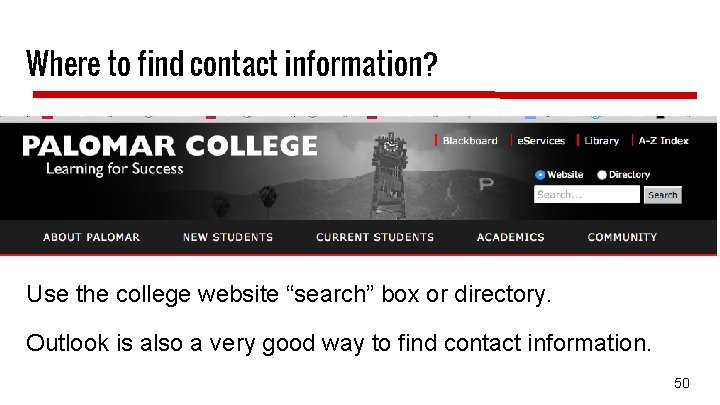
Where to find contact information? Use the college website “search” box or directory. Outlook is also a very good way to find contact information. 50

Thank you for coming! Did you fill out your evaluations? Have an amazing semester! Have a wonderful semester! 51
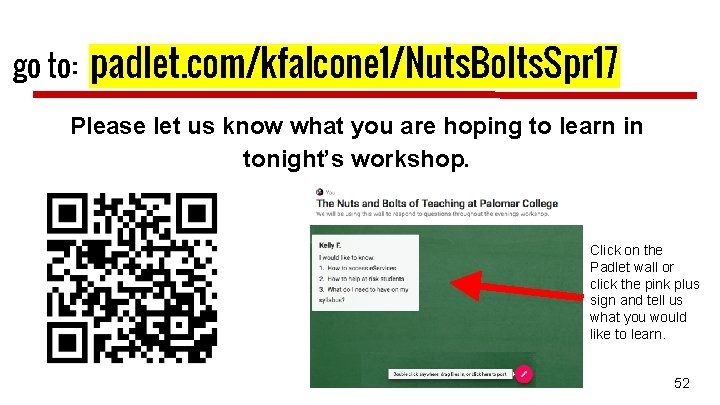
go to: padlet. com/kfalcone 1/Nuts. Bolts. Spr 17 Please let us know what you are hoping to learn in tonight’s workshop. Click on the Padlet wall or click the pink plus sign and tell us what you would like to learn. 52
- Slides: 52