
The nontrivial Java example Mouse in a Maze
![Representation of the maze: store the walls boolean [][] s. Wall (0, 0) (1,](https://slidetodoc.com/presentation_image/5e6eac857af95da95640905099c9eee6/image-79.jpg "Representation of the maze: store the walls boolean [][] s. Wall (0, 0) (1,")
![South walls of the maze: example boolean [][] s. Wall = {{true, false}, {false,](https://slidetodoc.com/presentation_image/5e6eac857af95da95640905099c9eee6/image-80.jpg "South walls of the maze: example boolean [][] s. Wall = {{true, false}, {false,")
![South walls of the maze: the array boolean [][] s. Wall = {{true, false},](https://slidetodoc.com/presentation_image/5e6eac857af95da95640905099c9eee6/image-81.jpg "South walls of the maze: the array boolean [][] s. Wall = {{true, false},")
- Slides: 93
The non-trivial Java example ‘Mouse in a Maze’ A simple software development process from specification, to design, implementation, and test DAAD project “Joint Course on OOP using Java” Humboldt University Berlin, University of Novi Sad, ‘Polytehnica’ University of Timisoara, University of Plovdiv, University of Belgrade Author: Klaus Bothe Version: Sep. 29, 2004
Source Based on an idea from S. N. Kamin, M. D. Mickunas, E. M. Reingold: „An introduction to computer science – Using Java“, Mc. Graw-Hill, 1998 DAAD project „Joint Course on OOP using Java“ © 2
Points of this Java sample program Introduce a non- trivial Java program Illustrate a methodology how to present larger Java programs in lectures Using Java API DAAD project „Joint Course on OOP using Java“ © For the lecturer only Demonstrate the importance of software engineering principles for ordinary Java program development Interactive style of the lecture improves learning effects 3
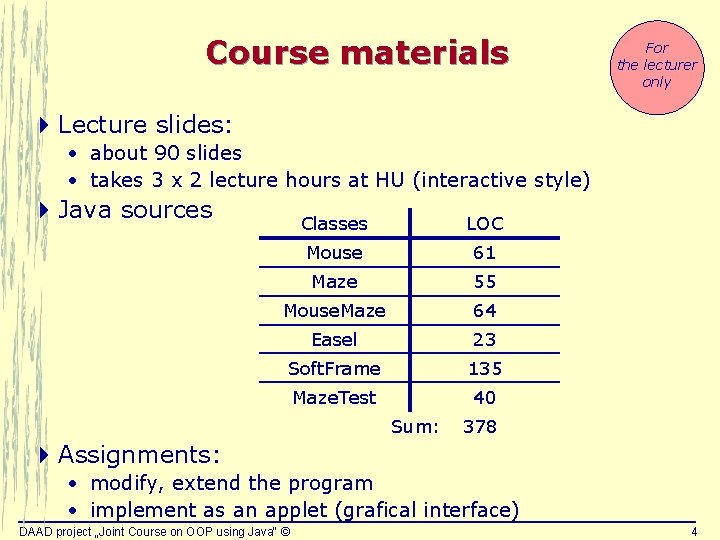
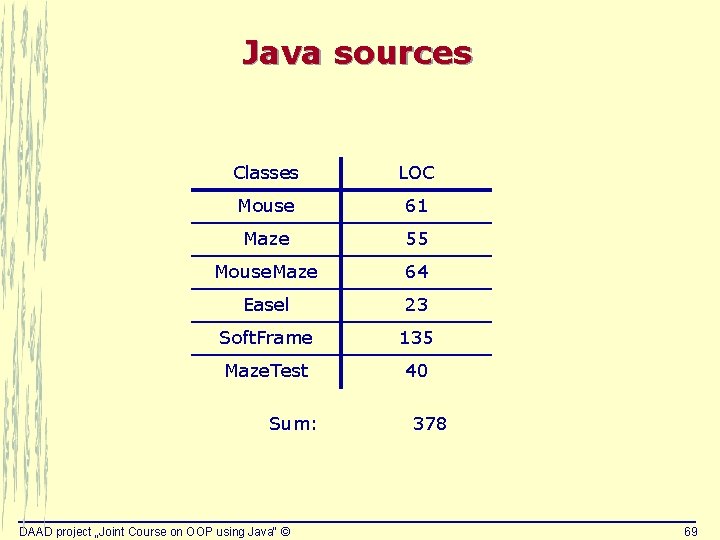
Course materials For the lecturer only 4 Lecture slides: • about 90 slides • takes 3 x 2 lecture hours at HU (interactive style) 4 Java sources Classes LOC Mouse 61 Maze 55 Mouse. Maze 64 Easel 23 Soft. Frame 135 Maze. Test 40 Sum: 378 4 Assignments: • modify, extend the program • implement as an applet (grafical interface) DAAD project „Joint Course on OOP using Java“ © 4
Didactical mistake in presenting complex Java programs in lectures For the lecturer only 4 The lecturer tries to explain each technical detail of program code non-understandable in a lecture boring 4 The lecturer starts with a Java program too early details of requirements specification still open design / class structure not well discussed Finding a proper class structure may be more challenging then implementing the Java program code. DAAD project „Joint Course on OOP using Java“ © 5
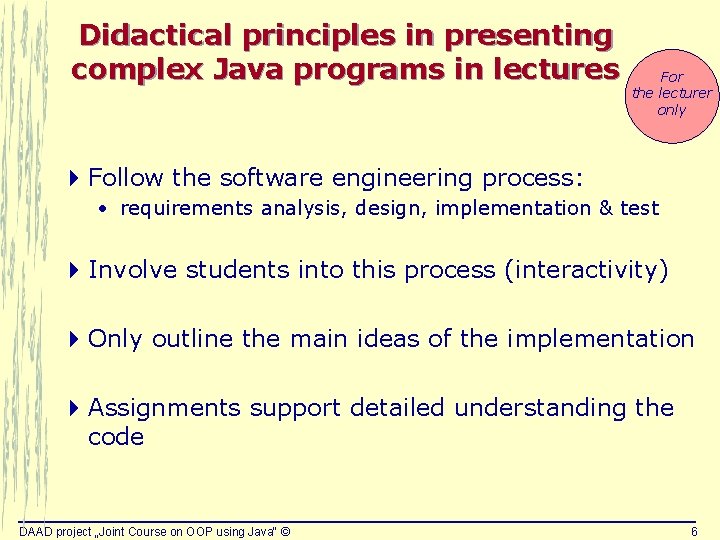
Didactical principles in presenting complex Java programs in lectures For the lecturer only 4 Follow the software engineering process: • requirements analysis, design, implementation & test 4 Involve students into this process (interactivity) 4 Only outline the main ideas of the implementation 4 Assignments support detailed understanding the code DAAD project „Joint Course on OOP using Java“ © 6
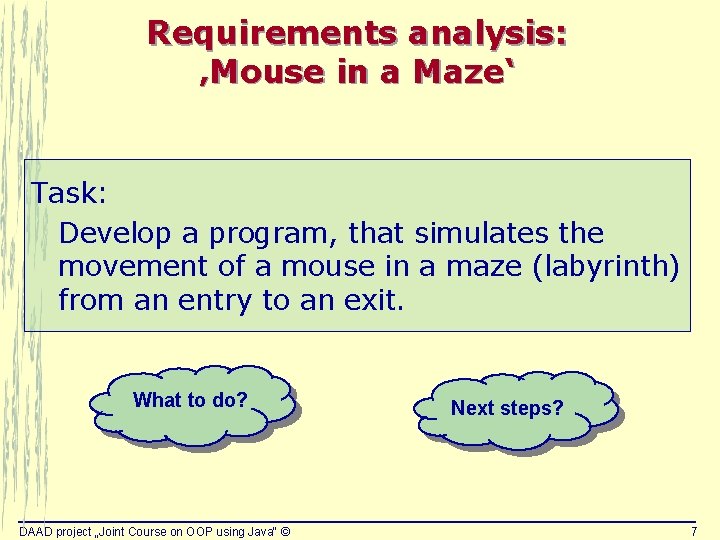
Requirements analysis: ‚Mouse in a Maze‘ Task: Develop a program, that simulates the movement of a mouse in a maze (labyrinth) from an entry to an exit. What to do? DAAD project „Joint Course on OOP using Java“ © Next steps? 7
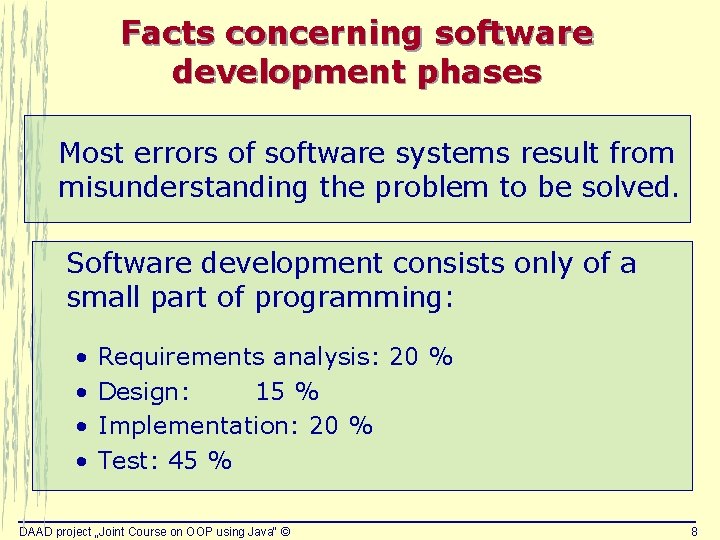
Facts concerning software development phases Most errors of software systems result from misunderstanding the problem to be solved. Software development consists only of a small part of programming: • • Requirements analysis: 20 % Design: 15 % Implementation: 20 % Test: 45 % DAAD project „Joint Course on OOP using Java“ © 8
Learning goals 4 This example should illustrate the importance of a complete and correct requirements specification for the project success. 4 Before implementing, the next step is the design of the application: Which components belong to the program architecture? 4 Starting with the implementation too early may lead to project’s failure. DAAD project „Joint Course on OOP using Java“ © 9
Development process of ‚Mouse in a Maze‘ Requirements analysis Design Implementation and test DAAD project „Joint Course on OOP using Java“ © 10
Requirements analysis: ‚Mouse in a Maze‘ Task: Develop a program, that simulates the movement of a mouse in a maze (labyrinth) from an entry to an exit. Open questions ? DAAD project „Joint Course on OOP using Java“ © 11
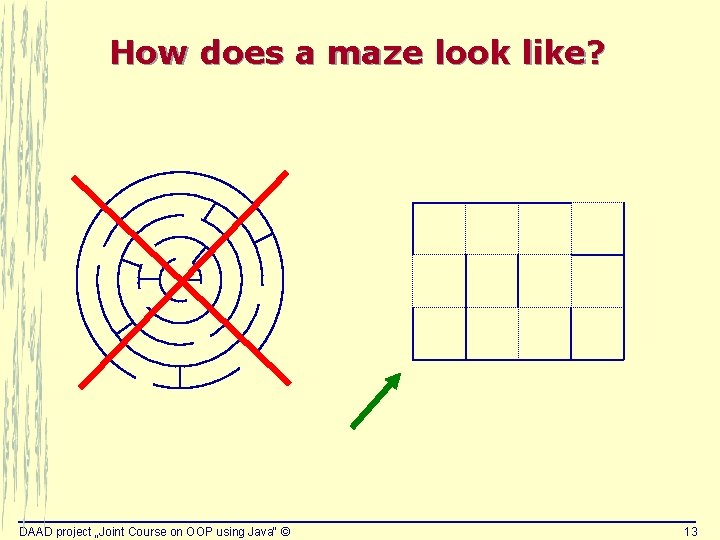
Open questions 4 How does a maze look like? 4 What is a mouse able to do (e. g. which kinds of movements)? 4 What is the initial state of the mouse? 4 What, if there is no way from entry to exit? 4 In which way should the solution be presented? DAAD project „Joint Course on OOP using Java“ © 12
How does a maze look like? DAAD project „Joint Course on OOP using Java“ © 13
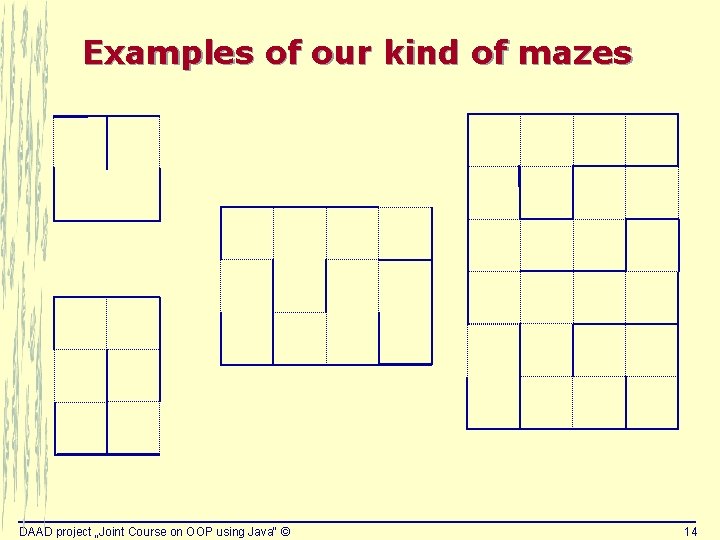
Examples of our kind of mazes DAAD project „Joint Course on OOP using Java“ © 14
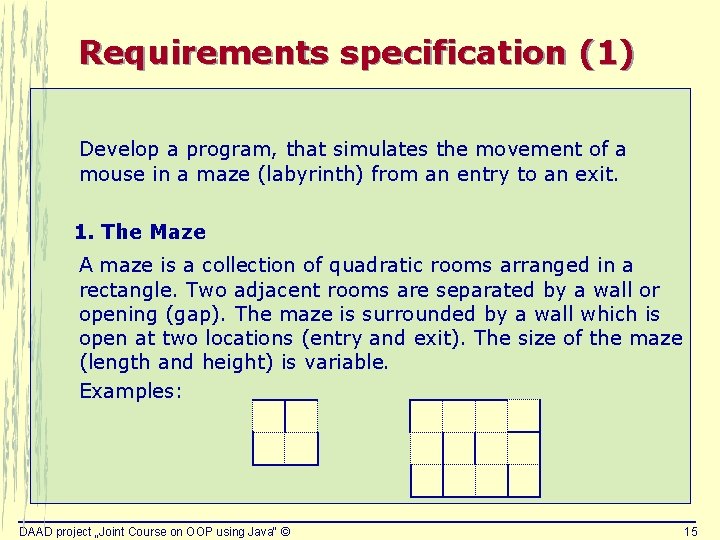
Requirements specification (1) Develop a program, that simulates the movement of a mouse in a maze (labyrinth) from an entry to an exit. 1. The Maze A maze is a collection of quadratic rooms arranged in a rectangle. Two adjacent rooms are separated by a wall or opening (gap). The maze is surrounded by a wall which is open at two locations (entry and exit). The size of the maze (length and height) is variable. Examples: DAAD project „Joint Course on OOP using Java“ © 15
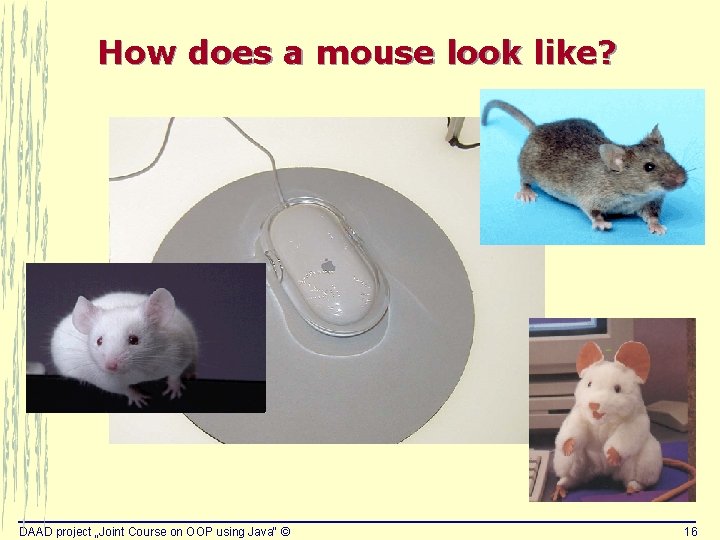
How does a mouse look like? DAAD project „Joint Course on OOP using Java“ © 16
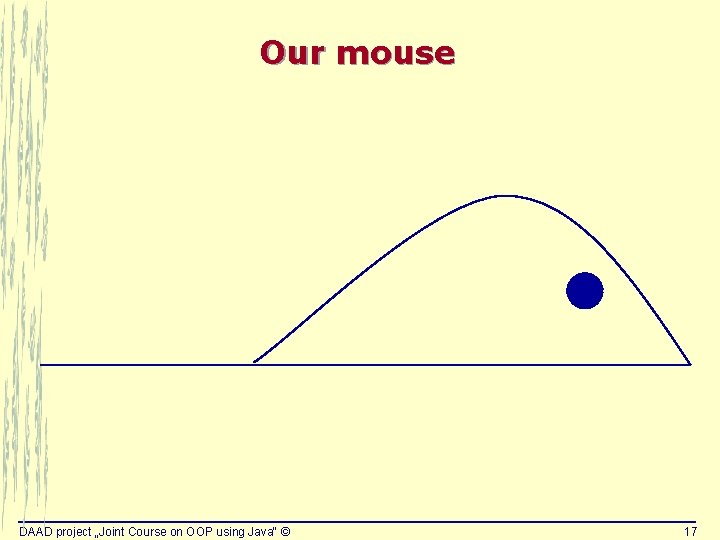
Our mouse DAAD project „Joint Course on OOP using Java“ © 17
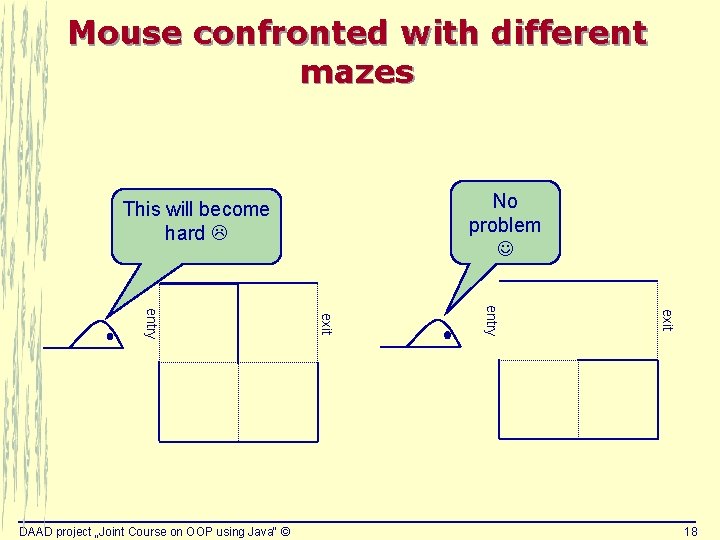
Mouse confronted with different mazes No problem This will become hard exit entry DAAD project „Joint Course on OOP using Java“ © 18
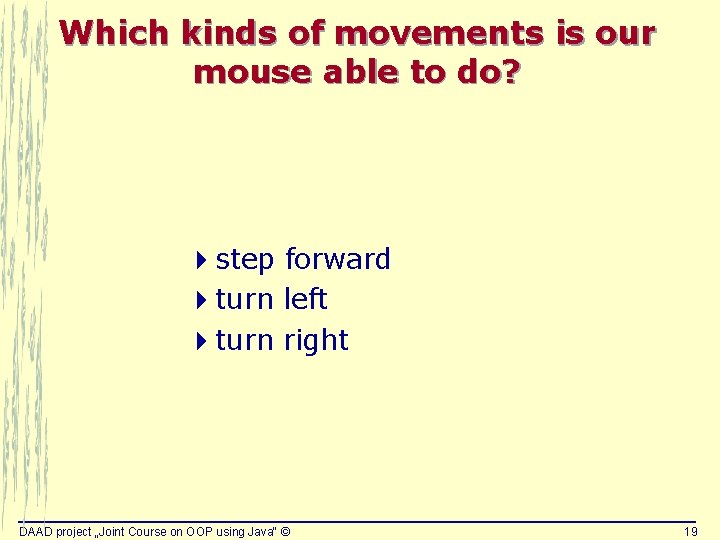
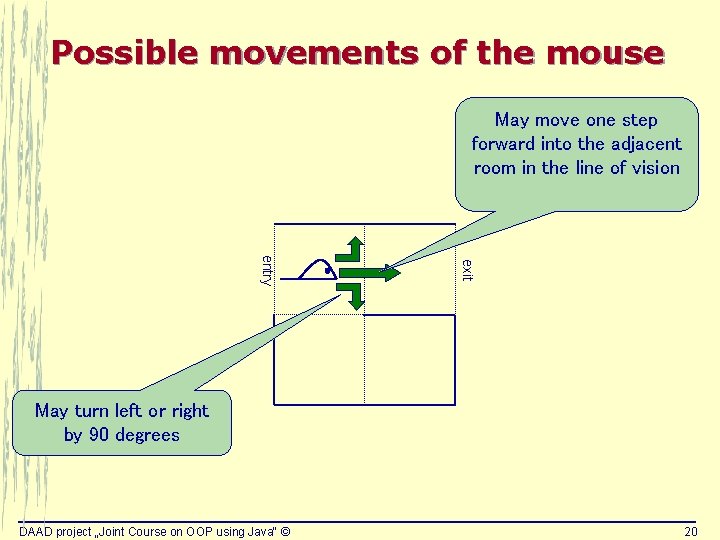
Which kinds of movements is our mouse able to do? 4 step forward 4 turn left 4 turn right DAAD project „Joint Course on OOP using Java“ © 19
Possible movements of the mouse May move one step forward into the adjacent room in the line of vision exit entry May turn left or right by 90 degrees DAAD project „Joint Course on OOP using Java“ © 20
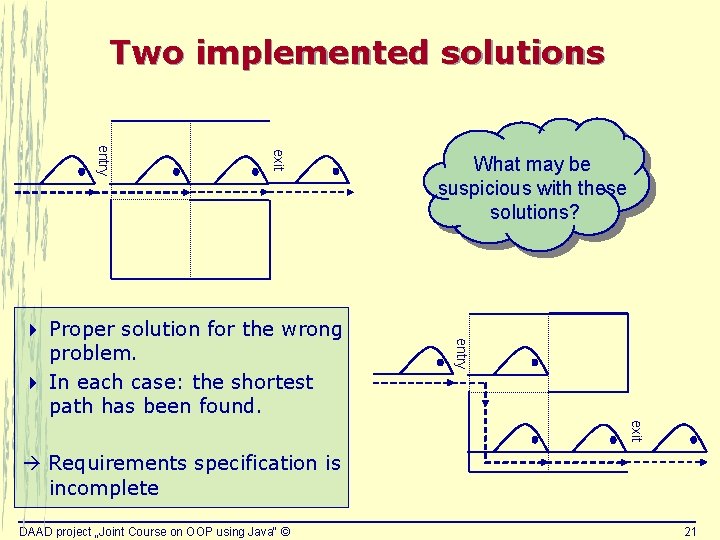
Two implemented solutions exit entry 4 Proper solution for the wrong problem. 4 In each case: the shortest path has been found. What may be suspicious with these solutions? exit Requirements specification is incomplete DAAD project „Joint Course on OOP using Java“ © 21
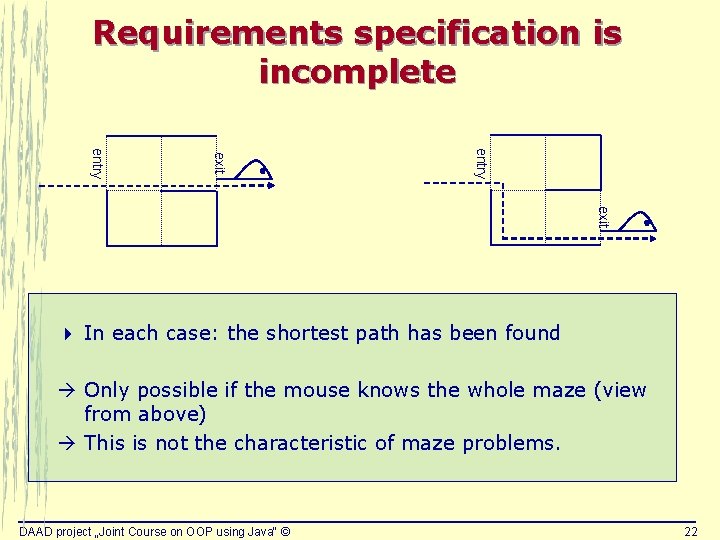
Requirements specification is incomplete entry exit 4 In each case: the shortest path has been found Only possible if the mouse knows the whole maze (view from above) This is not the characteristic of maze problems. DAAD project „Joint Course on OOP using Java“ © 22
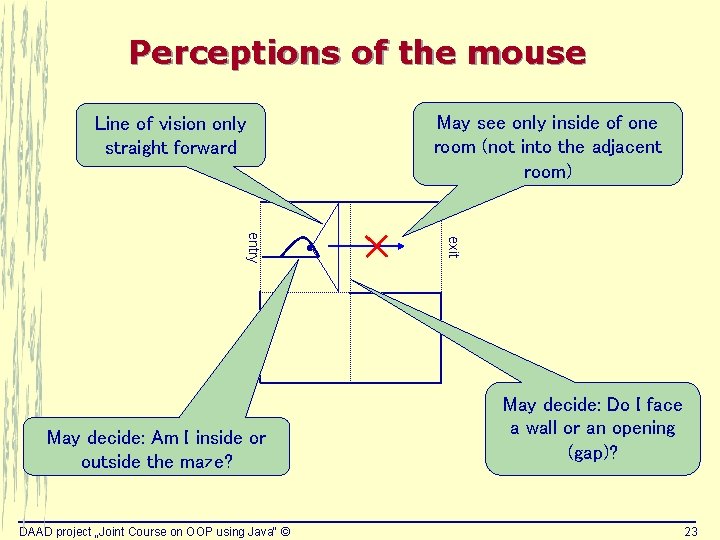
Perceptions of the mouse Line of vision only straight forward DAAD project „Joint Course on OOP using Java“ © exit entry May decide: Am I inside or outside the maze? May see only inside of one room (not into the adjacent room) May decide: Do I face a wall or an opening (gap)? 23
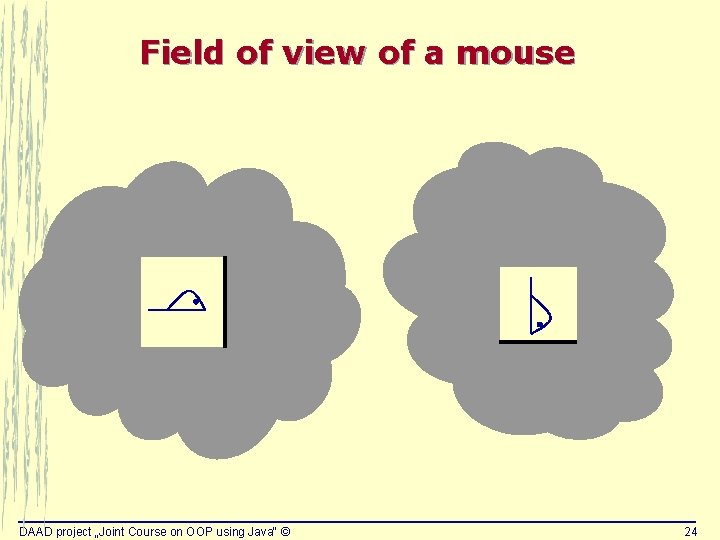
Field of view of a mouse DAAD project „Joint Course on OOP using Java“ © 24
The problem may be huge DAAD project „Joint Course on OOP using Java“ © 25
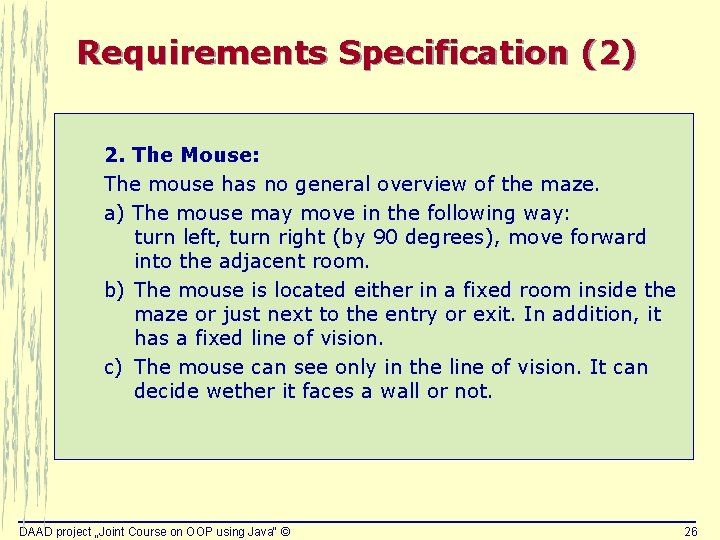
Requirements Specification (2) 2. The Mouse: The mouse has no general overview of the maze. a) The mouse may move in the following way: turn left, turn right (by 90 degrees), move forward into the adjacent room. b) The mouse is located either in a fixed room inside the maze or just next to the entry or exit. In addition, it has a fixed line of vision. c) The mouse can see only in the line of vision. It can decide wether it faces a wall or not. DAAD project „Joint Course on OOP using Java“ © 26
Requirements specification: open problems? 4 Description of the initial state of the mouse 4 Description of the final state of the mouse 4 Description of the task 4 Special cases 4 User interface DAAD project „Joint Course on OOP using Java“ © 27
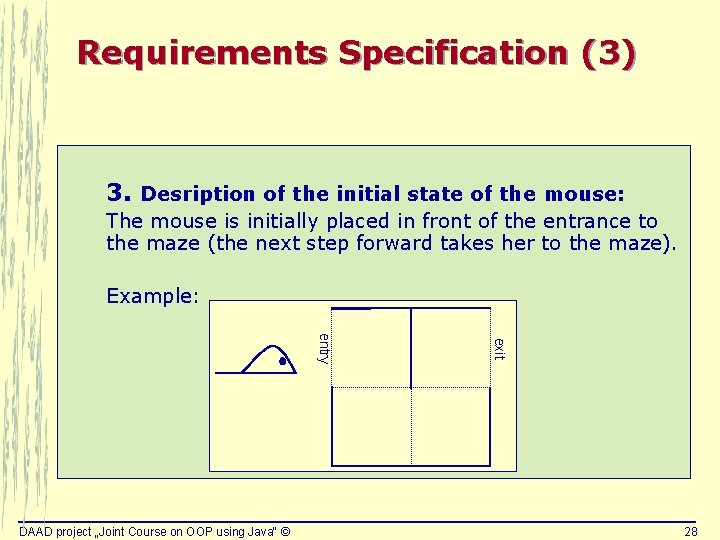
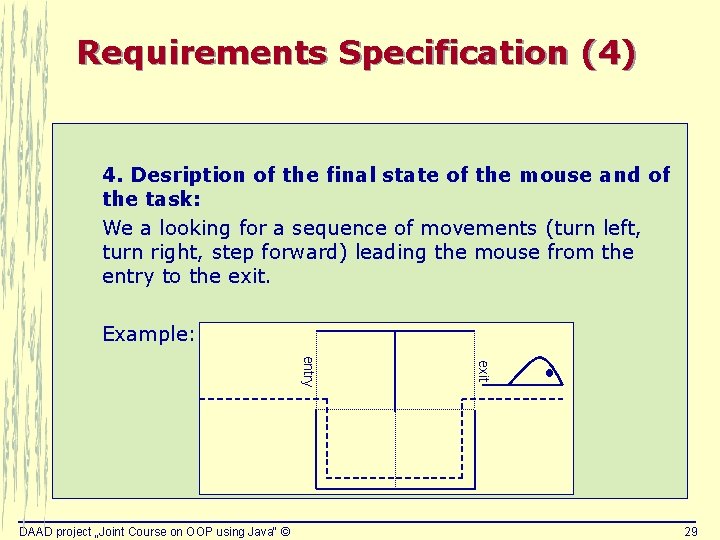
Requirements Specification (3) 3. Desription of the initial state of the mouse: The mouse is initially placed in front of the entrance to the maze (the next step forward takes her to the maze). Example: exit entry DAAD project „Joint Course on OOP using Java“ © 28
Requirements Specification (4) 4. Desription of the final state of the mouse and of the task: We a looking for a sequence of movements (turn left, turn right, step forward) leading the mouse from the entry to the exit. Example: exit entry DAAD project „Joint Course on OOP using Java“ © 29
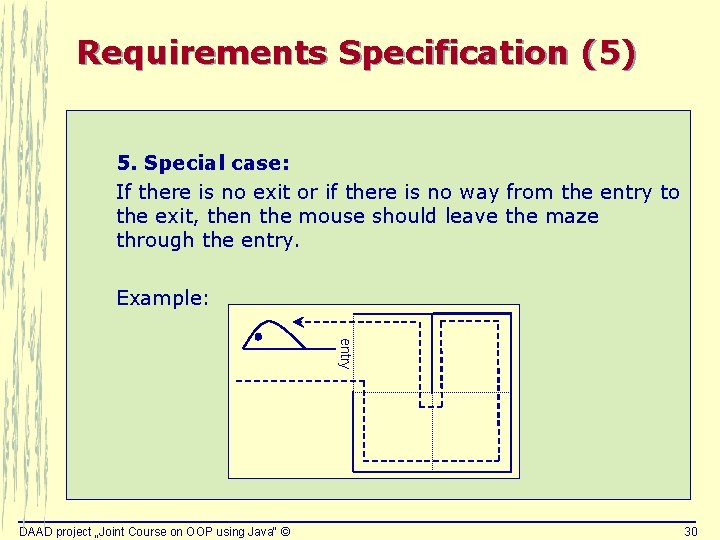
Requirements Specification (5) 5. Special case: If there is no exit or if there is no way from the entry to the exit, then the mouse should leave the maze through the entry. Example: entry DAAD project „Joint Course on OOP using Java“ © 30
Requirements Specification (6) 6. User interface a) Textual output of the solution: Example: step forward, turn right, … b) Graphical user interface: The sequence of movements will be displayed with the help of a graphical applet, i. e. the steps of the mouse are visualized. The user can interactively trigger the next step. DAAD project „Joint Course on OOP using Java“ © 31
Solvability of the problem Is there an algorithm at all that solves the problem for arbitrary mazes taking into account the characteristic properties of the mouse? DAAD project „Joint Course on OOP using Java“ © 32
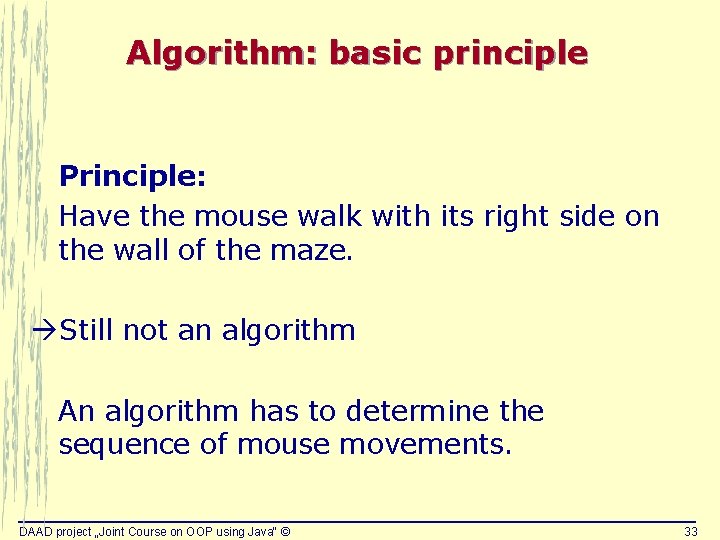
Algorithm: basic principle Principle: Have the mouse walk with its right side on the wall of the maze. Still not an algorithm An algorithm has to determine the sequence of mouse movements. DAAD project „Joint Course on OOP using Java“ © 33
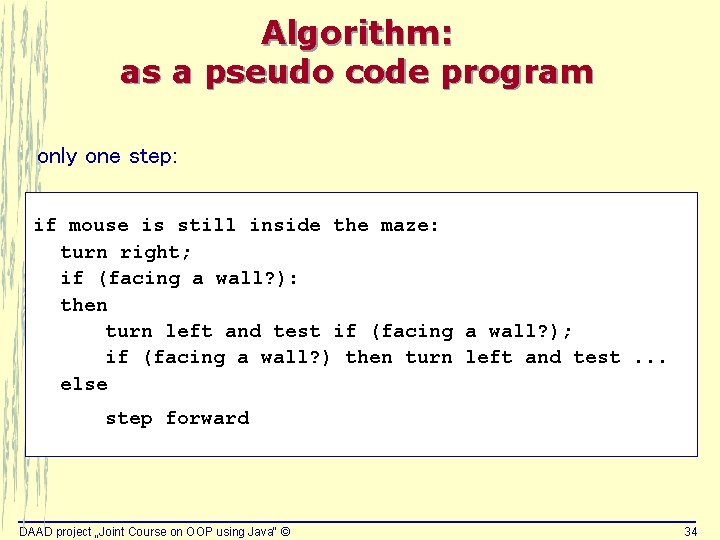
Algorithm: as a pseudo code program only one step: if mouse is still inside the maze: turn right; if (facing a wall? ): then turn left and test if (facing a wall? ); if (facing a wall? ) then turn left and test. . . else step forward DAAD project „Joint Course on OOP using Java“ © 34
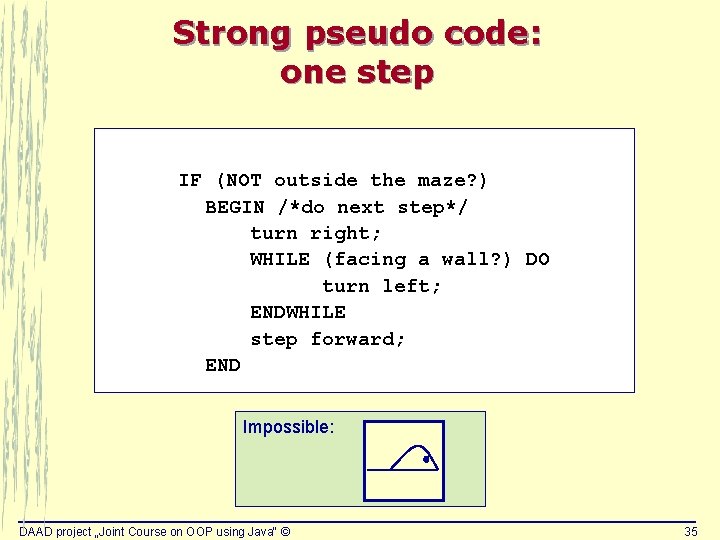
Strong pseudo code: one step IF (NOT outside the maze? ) BEGIN /*do next step*/ turn right; WHILE (facing a wall? ) DO turn left; ENDWHILE step forward; END Impossible: DAAD project „Joint Course on OOP using Java“ © 35
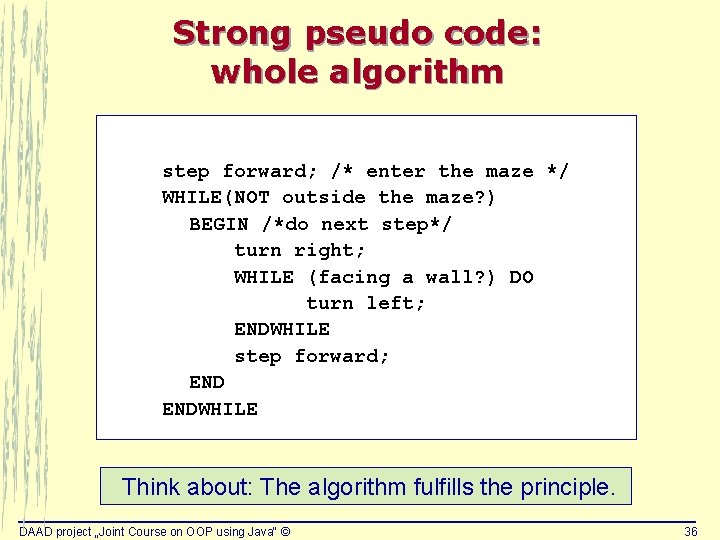
Strong pseudo code: whole algorithm step forward; /* enter the maze */ WHILE(NOT outside the maze? ) BEGIN /*do next step*/ turn right; WHILE (facing a wall? ) DO turn left; ENDWHILE step forward; ENDWHILE Think about: The algorithm fulfills the principle. DAAD project „Joint Course on OOP using Java“ © 36
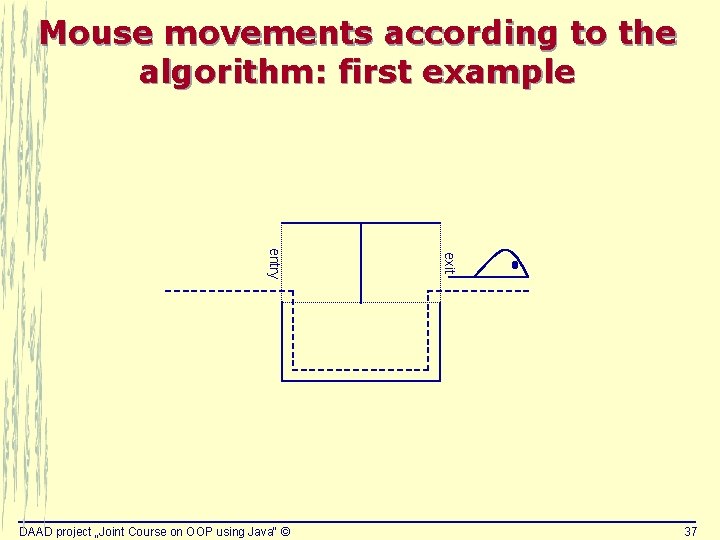
Mouse movements according to the algorithm: first example exit entry DAAD project „Joint Course on OOP using Java“ © 37
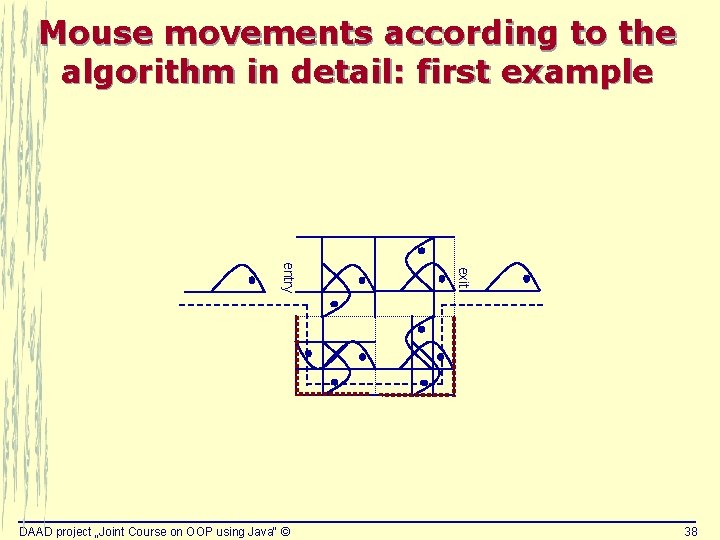
Mouse movements according to the algorithm in detail: first example exit entry DAAD project „Joint Course on OOP using Java“ © 38
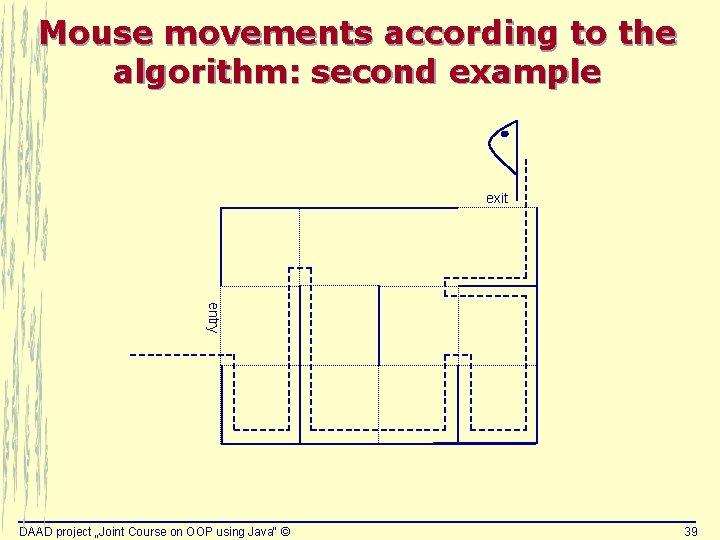
Mouse movements according to the algorithm: second example exit entry DAAD project „Joint Course on OOP using Java“ © 39
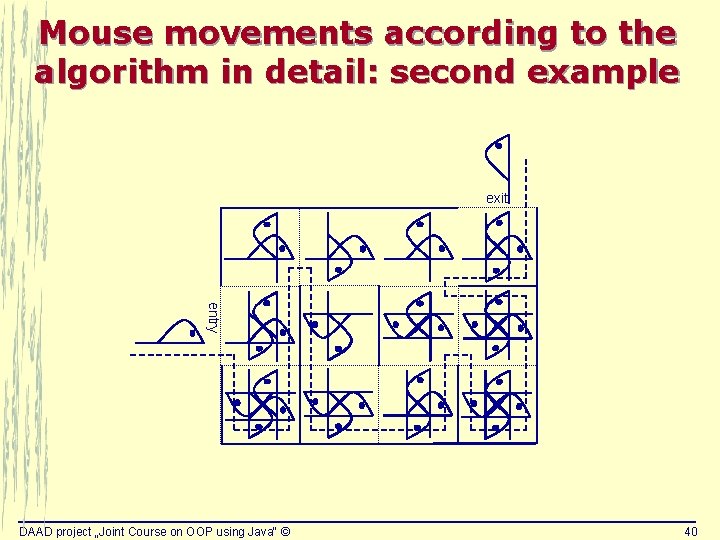
Mouse movements according to the algorithm in detail: second example exit entry DAAD project „Joint Course on OOP using Java“ © 40
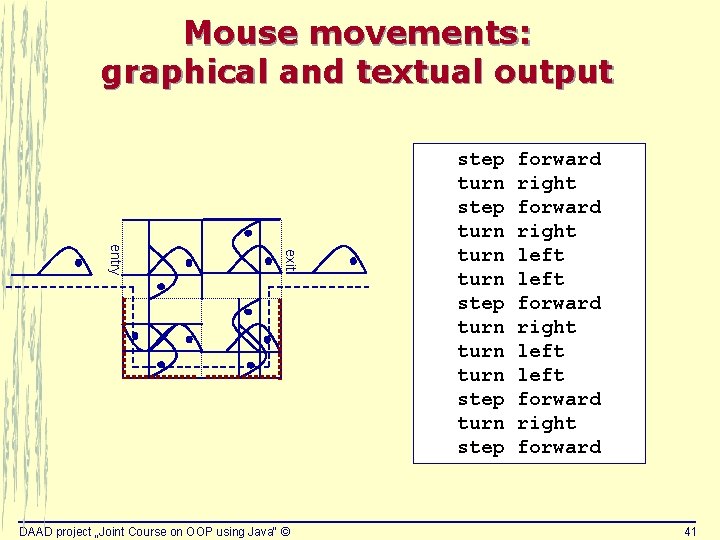
Mouse movements: graphical and textual output exit entry DAAD project „Joint Course on OOP using Java“ © step turn turn step forward right left forward right forward 41
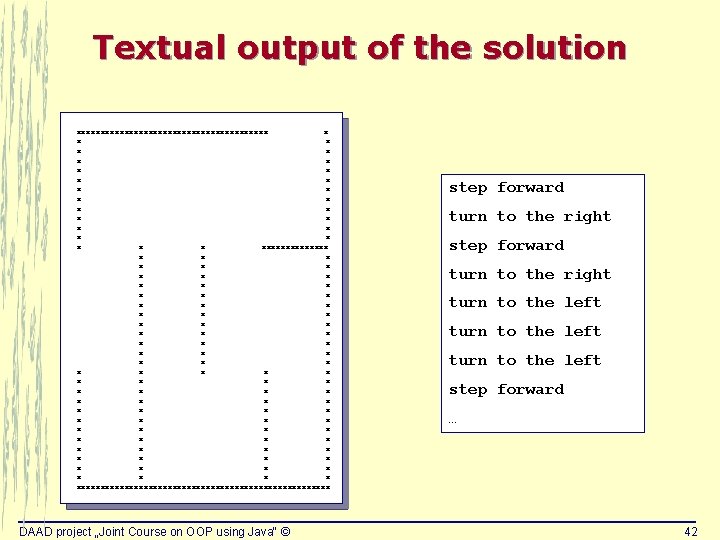
Textual output of the solution xxxxxxxxxxxxxxxxxxxx x x x x x x x x x x x x x x x x x x x x x x x x x x x xxxxxxxxxxxxxxxxxxxxxxxxxxx DAAD project „Joint Course on OOP using Java“ © step forward turn to the right turn to the left step forward … 42
Mouse in a maze – only a nice game? 4 Sample of finding algorithms for robots dealing with different tasks: • Playing soccer • Robot moving on the moon • Rescue robots DAAD project „Joint Course on OOP using Java“ © 43
Development process of ‚Mouse in a Maze‘ Requirements analysis Design Implementation and test DAAD project „Joint Course on OOP using Java“ © 44
Task Requirements specification Next step ? Start with programming? If so, • with which part/component? • ? ? ? DAAD project „Joint Course on OOP using Java“ © 45
Design: develop the software architecture 4 SW architecture description languages: UML 4 Our task: define an object-oriented architecture 4 Main problem: How to find classes? DAAD project „Joint Course on OOP using Java“ © 46
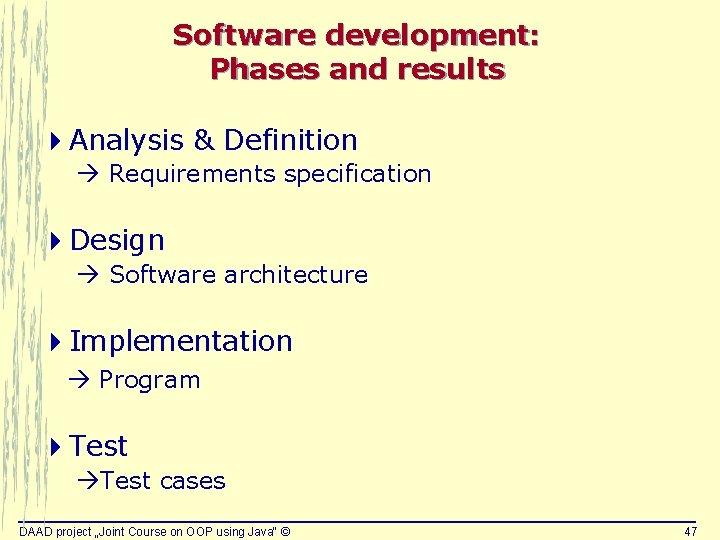
Software development: Phases and results 4 Analysis & Definition Requirements specification 4 Design Software architecture 4 Implementation Program 4 Test cases DAAD project „Joint Course on OOP using Java“ © 47
As a matter of fact … Finding a proper class structure may be more challenging then implementing the Java program code. DAAD project „Joint Course on OOP using Java“ © 48
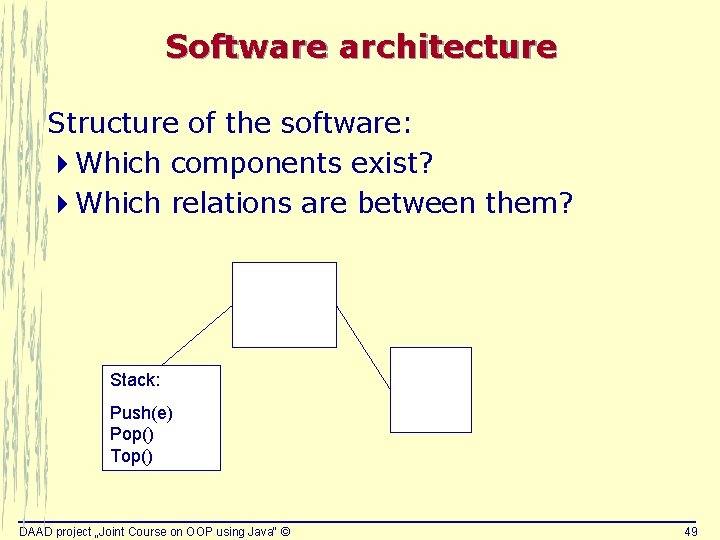
Software architecture Structure of the software: 4 Which components exist? 4 Which relations are between them? Stack: Push(e) Pop() Top() DAAD project „Joint Course on OOP using Java“ © 49
Architecture specification languages 4 Graphical languages for the specification of software architectures 4 Industry standard: UML Unified Modelling Language 4 Now: examples of one graphical element of UML: class diagram What programming languages mean to the implementation phase, are architecture specification languages to the design phase. DAAD project „Joint Course on OOP using Java“ © 50
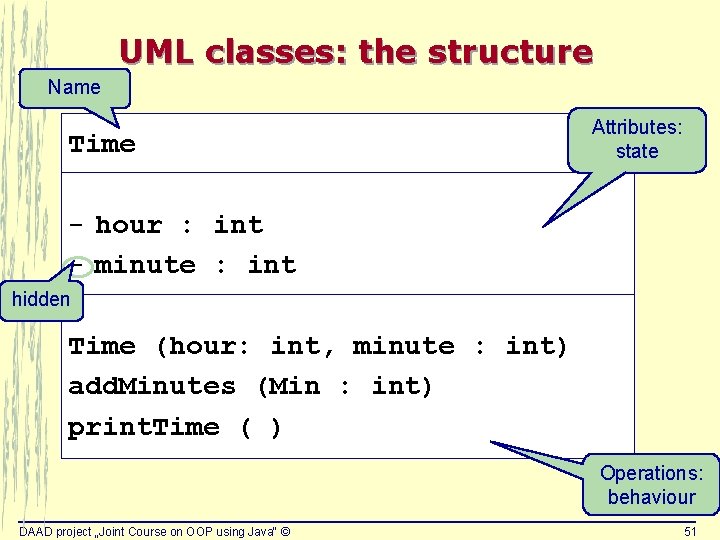
UML classes: the structure Name Time Attributes: state - hour : int - minute : int hidden Time (hour: int, minute : int) add. Minutes (Min : int) print. Time ( ) Operations: behaviour DAAD project „Joint Course on OOP using Java“ © 51
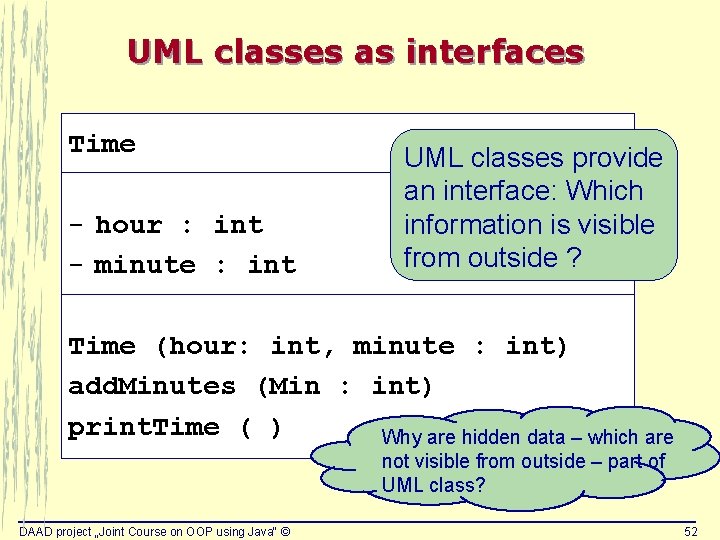
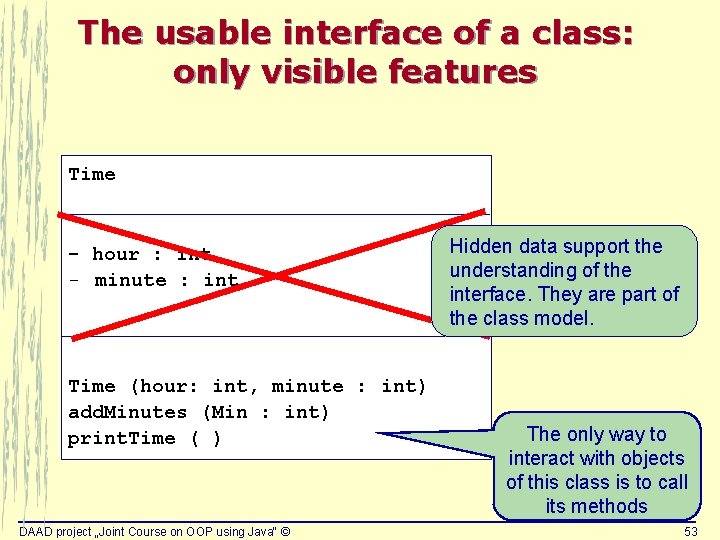
UML classes as interfaces Time - hour : int - minute : int UML classes provide an interface: Which information is visible from outside ? Time (hour: int, minute : int) add. Minutes (Min : int) print. Time ( ) Why are hidden data – which are not visible from outside – part of UML class? DAAD project „Joint Course on OOP using Java“ © 52
The usable interface of a class: only visible features Time - hour : int - minute : int Time (hour: int, minute : int) add. Minutes (Min : int) print. Time ( ) DAAD project „Joint Course on OOP using Java“ © Hidden data support the understanding of the interface. They are part of the class model. The only way to interact with objects of this class is to call its methods 53
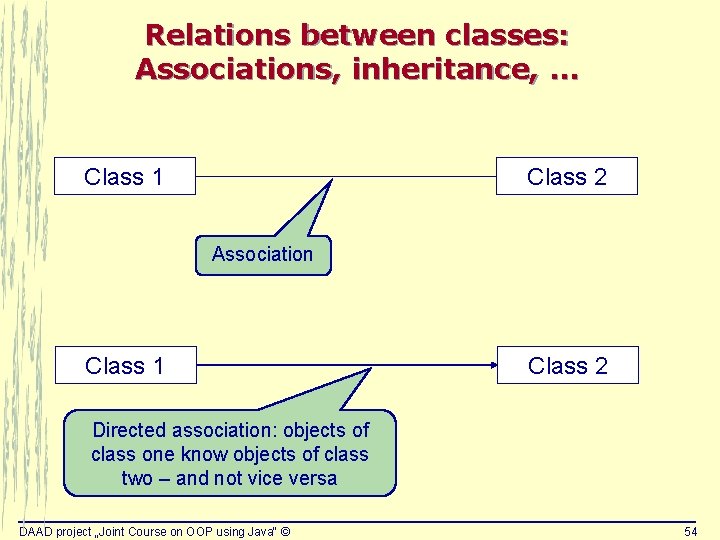
Relations between classes: Associations, inheritance, … Class 1 Class 2 Association Class 1 Class 2 Directed association: objects of class one know objects of class two – and not vice versa DAAD project „Joint Course on OOP using Java“ © 54
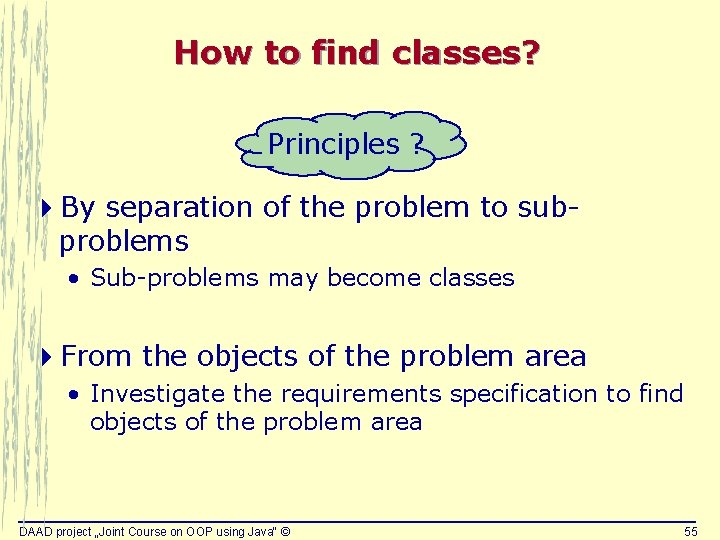
How to find classes? Principles ? 4 By separation of the problem to subproblems • Sub-problems may become classes 4 From the objects of the problem area • Investigate the requirements specification to find objects of the problem area DAAD project „Joint Course on OOP using Java“ © 55
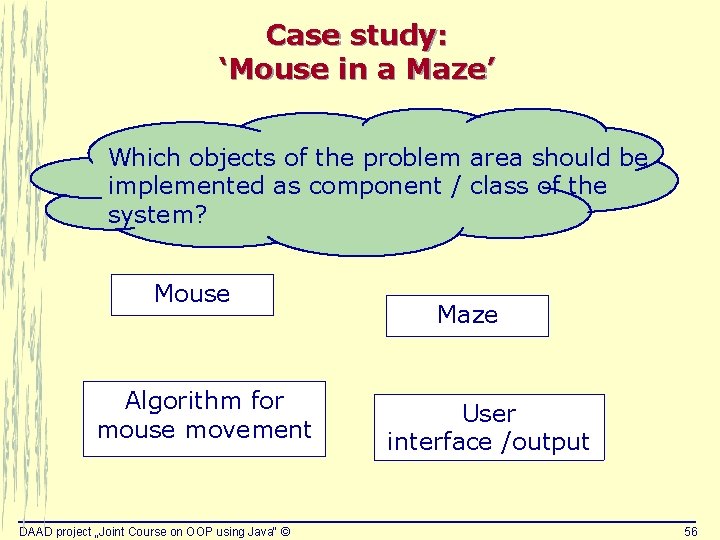
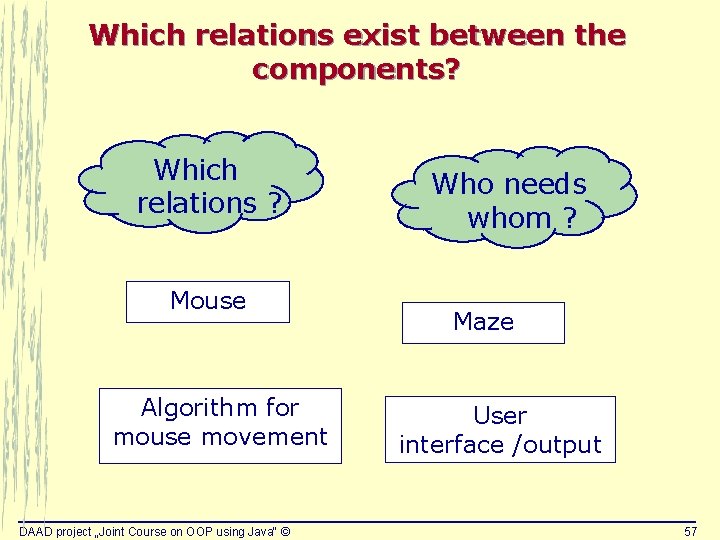
Case study: ‘Mouse in a Maze’ Which objects of the problem area should be implemented as component / class of the system? Mouse Algorithm for mouse movement DAAD project „Joint Course on OOP using Java“ © Maze User interface /output 56
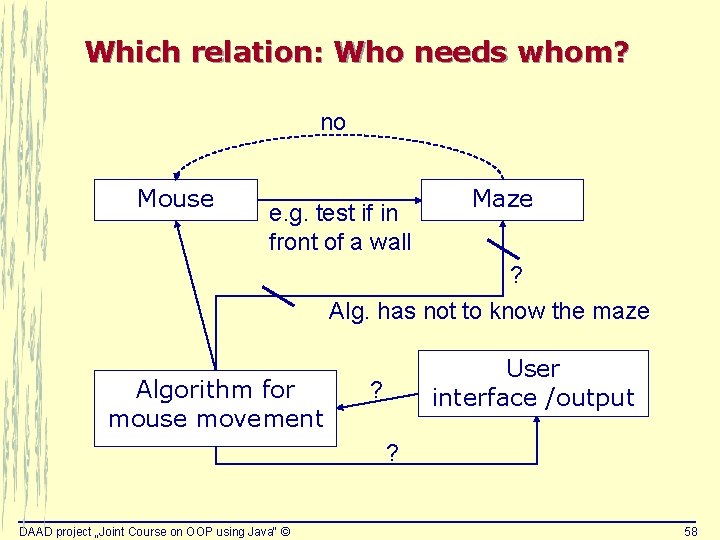
Which relations exist between the components? Which relations ? Mouse Algorithm for mouse movement DAAD project „Joint Course on OOP using Java“ © Who needs whom ? Maze User interface /output 57
Which relation: Who needs whom? no Mouse e. g. test if in front of a wall Maze ? Alg. has not to know the maze Algorithm for mouse movement User interface /output ? ? DAAD project „Joint Course on OOP using Java“ © 58
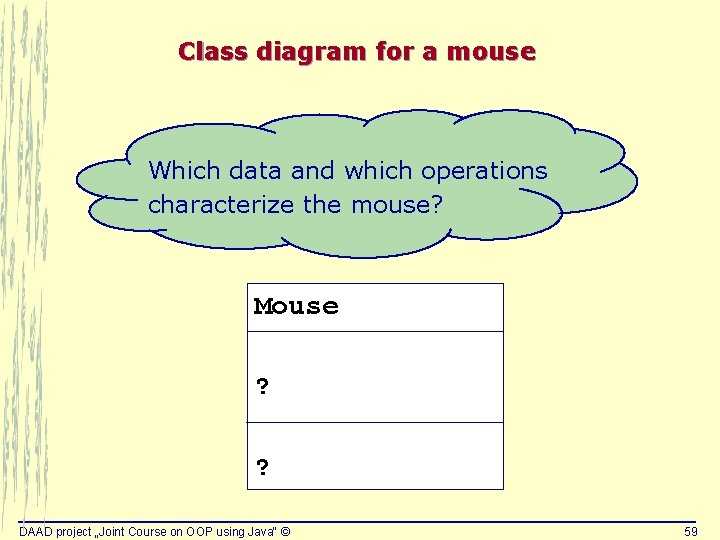
Class diagram for a mouse Which data and which operations characterize the mouse? Mouse ? ? DAAD project „Joint Course on OOP using Java“ © 59
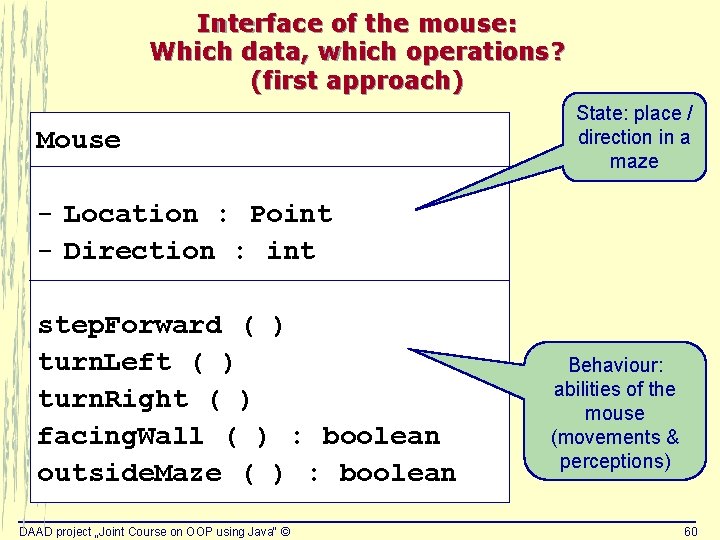
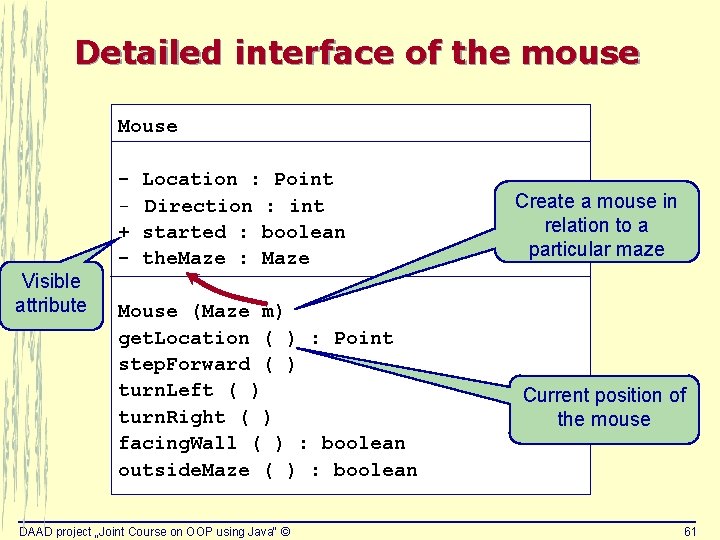
Interface of the mouse: Which data, which operations? (first approach) Mouse State: place / direction in a maze - Location : Point - Direction : int step. Forward ( ) turn. Left ( ) turn. Right ( ) facing. Wall ( ) : boolean outside. Maze ( ) : boolean DAAD project „Joint Course on OOP using Java“ © Behaviour: abilities of the mouse (movements & perceptions) 60
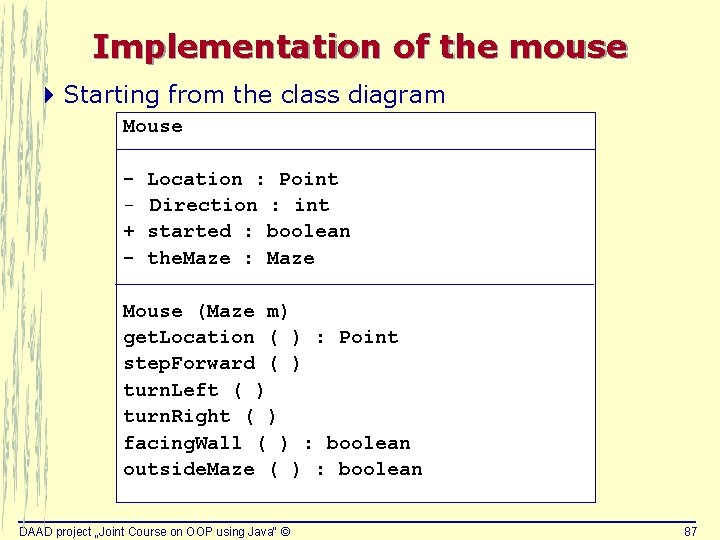
Detailed interface of the mouse Mouse Visible attribute + - Location : Point Direction : int started : boolean the. Maze : Maze Mouse (Maze m) get. Location ( ) : Point step. Forward ( ) turn. Left ( ) turn. Right ( ) facing. Wall ( ) : boolean outside. Maze ( ) : boolean DAAD project „Joint Course on OOP using Java“ © Create a mouse in relation to a particular maze Current position of the mouse 61
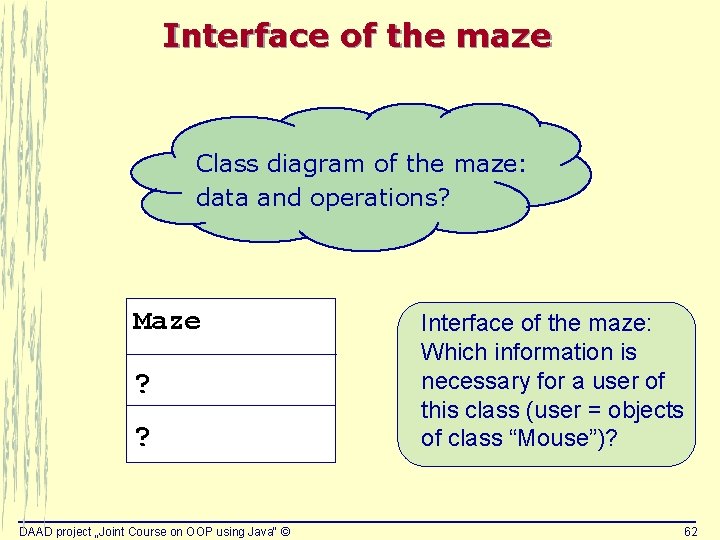
Interface of the maze Class diagram of the maze: data and operations? Maze ? ? DAAD project „Joint Course on OOP using Java“ © Interface of the maze: Which information is necessary for a user of this class (user = objects of class “Mouse”)? 62
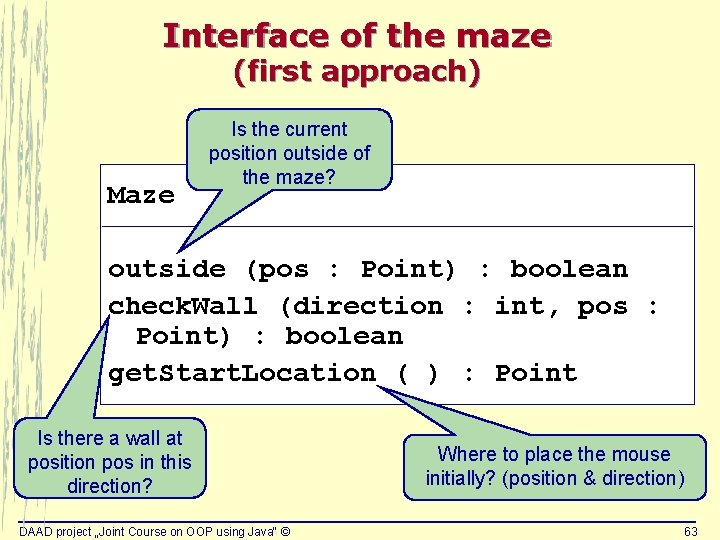
Interface of the maze (first approach) Maze Is the current position outside of the maze? outside (pos : Point) : boolean check. Wall (direction : int, pos : Point) : boolean get. Start. Location ( ) : Point Is there a wall at position pos in this direction? DAAD project „Joint Course on OOP using Java“ © Where to place the mouse initially? (position & direction) 63
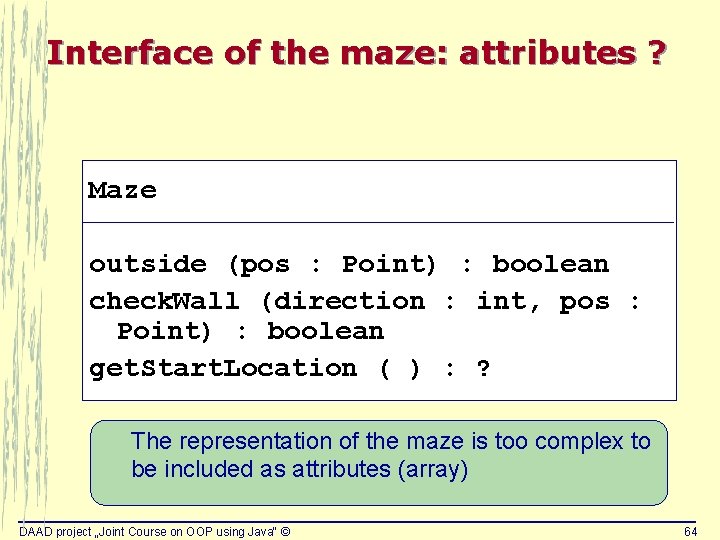
Interface of the maze: attributes ? Maze outside (pos : Point) : boolean check. Wall (direction : int, pos : Point) : boolean get. Start. Location ( ) : ? The representation of the maze is too complex to be included as attributes (array) DAAD project „Joint Course on OOP using Java“ © 64
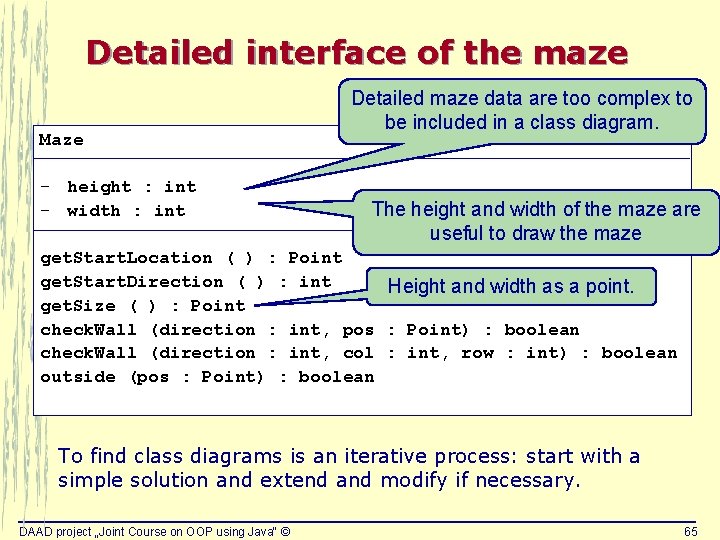
Detailed interface of the maze Maze - height : int - width : int Detailed maze data are too complex to be included in a class diagram. The height and width of the maze are useful to draw the maze get. Start. Location ( ) : Point get. Start. Direction ( ) : int Height and width as a point. get. Size ( ) : Point check. Wall (direction : int, pos : Point) : boolean check. Wall (direction : int, col : int, row : int) : boolean outside (pos : Point) : boolean To find class diagrams is an iterative process: start with a simple solution and extend and modify if necessary. DAAD project „Joint Course on OOP using Java“ © 65
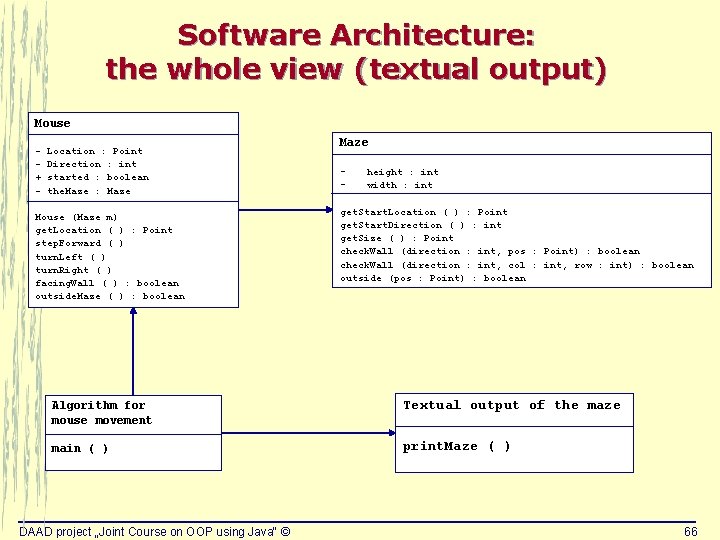
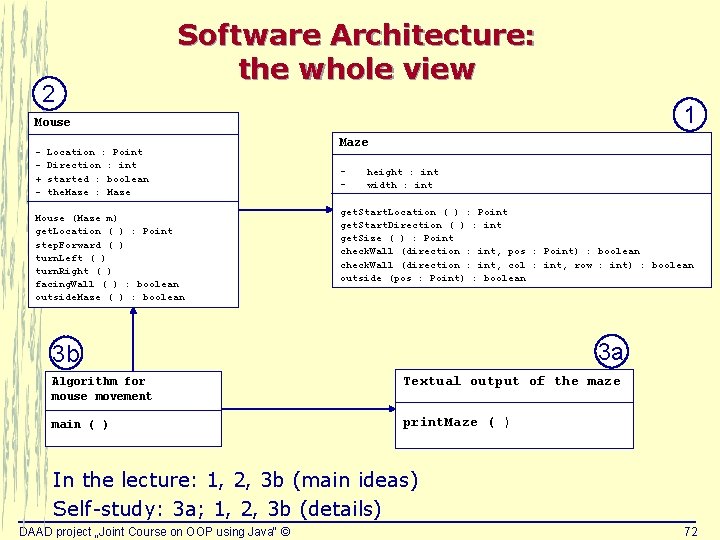
Software Architecture: the whole view (textual output) Mouse + - Location : Point Direction : int started : boolean the. Maze : Maze Mouse (Maze m) get. Location ( ) : Point step. Forward ( ) turn. Left ( ) turn. Right ( ) facing. Wall ( ) : boolean outside. Maze ( ) : boolean Maze - height : int width : int get. Start. Location ( ) : Point get. Start. Direction ( ) : int get. Size ( ) : Point check. Wall (direction : int, pos : Point) : boolean check. Wall (direction : int, col : int, row : int) : boolean outside (pos : Point) : boolean Algorithm for mouse movement Textual output of the maze main ( ) print. Maze ( ) DAAD project „Joint Course on OOP using Java“ © 66
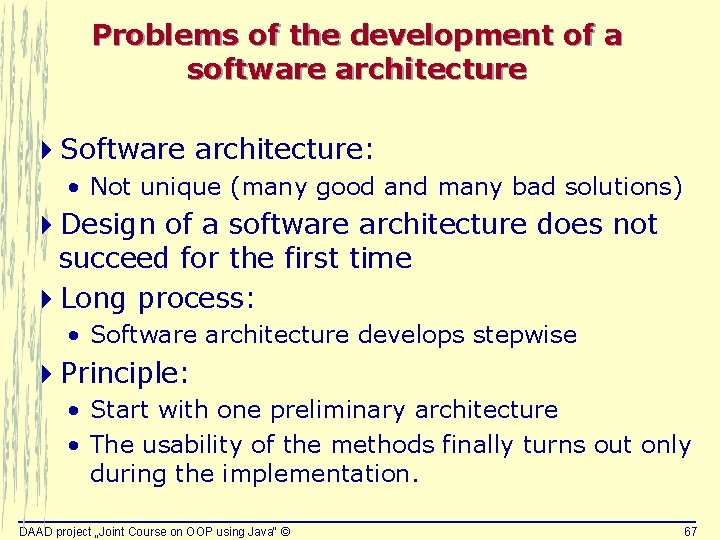
Problems of the development of a software architecture 4 Software architecture: • Not unique (many good and many bad solutions) 4 Design of a software architecture does not succeed for the first time 4 Long process: • Software architecture develops stepwise 4 Principle: • Start with one preliminary architecture • The usability of the methods finally turns out only during the implementation. DAAD project „Joint Course on OOP using Java“ © 67
Development process of ‚Mouse in a Maze‘ Requirements analysis Design Implementation and test DAAD project „Joint Course on OOP using Java“ © 68
Java sources Classes LOC Mouse 61 Maze 55 Mouse. Maze 64 Easel 23 Soft. Frame 135 Maze. Test 40 Sum: DAAD project „Joint Course on OOP using Java“ © 378 69
Information to the audience 4 This presentation gives only an outline of the principle points of the implementation. 4 Several crucial technical details will be explained. 4 However, not each implementation detail will be presented. This would be boring in a lecture. 4 During the self-study and with assignments, everybody should explain oneself open questions. DAAD project „Joint Course on OOP using Java“ © 70
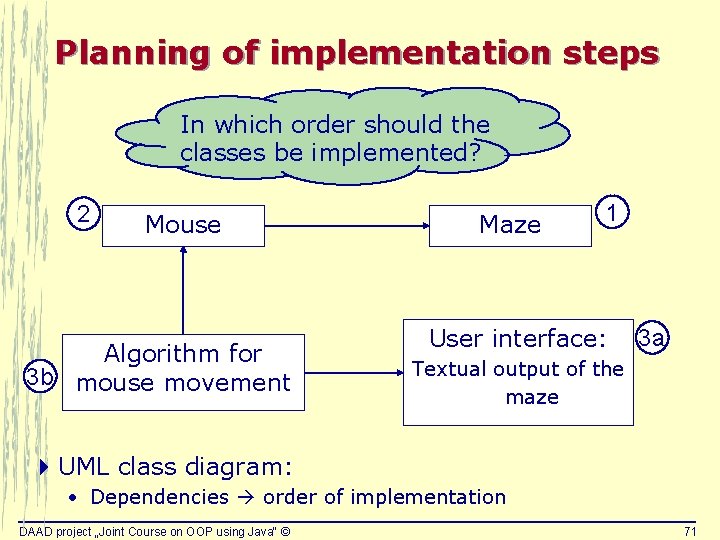
Planning of implementation steps In which order should the classes be implemented? 2 Mouse Algorithm for 3 b mouse movement Maze 1 User interface: 3 a Textual output of the maze 4 UML class diagram: • Dependencies order of implementation DAAD project „Joint Course on OOP using Java“ © 71
2 Software Architecture: the whole view 1 Mouse + - Location : Point Direction : int started : boolean the. Maze : Maze Mouse (Maze m) get. Location ( ) : Point step. Forward ( ) turn. Left ( ) turn. Right ( ) facing. Wall ( ) : boolean outside. Maze ( ) : boolean Maze - height : int width : int get. Start. Location ( ) : Point get. Start. Direction ( ) : int get. Size ( ) : Point check. Wall (direction : int, pos : Point) : boolean check. Wall (direction : int, col : int, row : int) : boolean outside (pos : Point) : boolean 3 a 3 b Algorithm for mouse movement Textual output of the maze main ( ) print. Maze ( ) In the lecture: 1, 2, 3 b (main ideas) Self-study: 3 a; 1, 2, 3 b (details) DAAD project „Joint Course on OOP using Java“ © 72
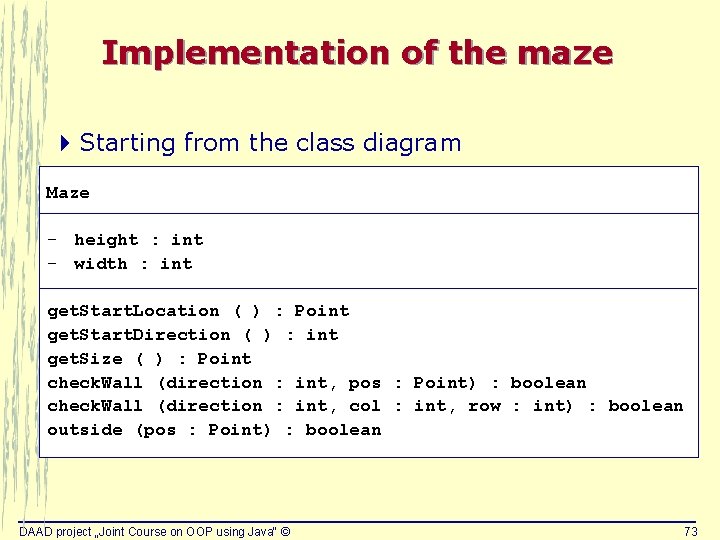
Implementation of the maze 4 Starting from the class diagram Maze - height : int - width : int get. Start. Location ( ) : Point get. Start. Direction ( ) : int get. Size ( ) : Point check. Wall (direction : int, pos : Point) : boolean check. Wall (direction : int, col : int, row : int) : boolean outside (pos : Point) : boolean DAAD project „Joint Course on OOP using Java“ © 73
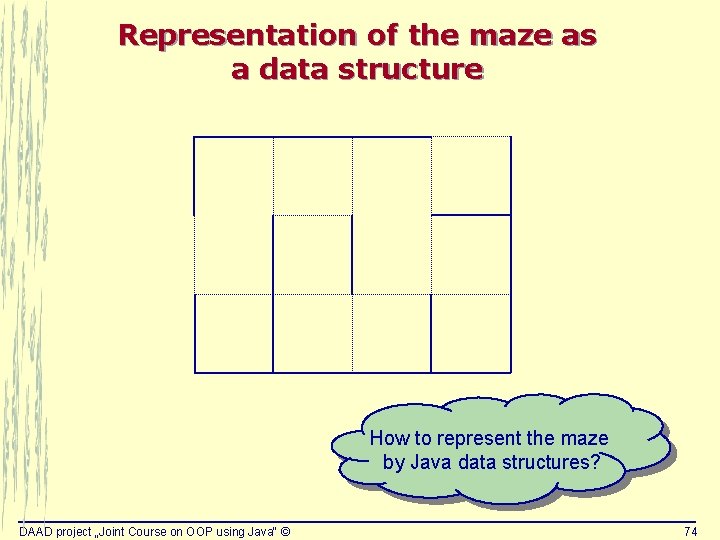
Representation of the maze as a data structure How to represent the maze by Java data structures? DAAD project „Joint Course on OOP using Java“ © 74
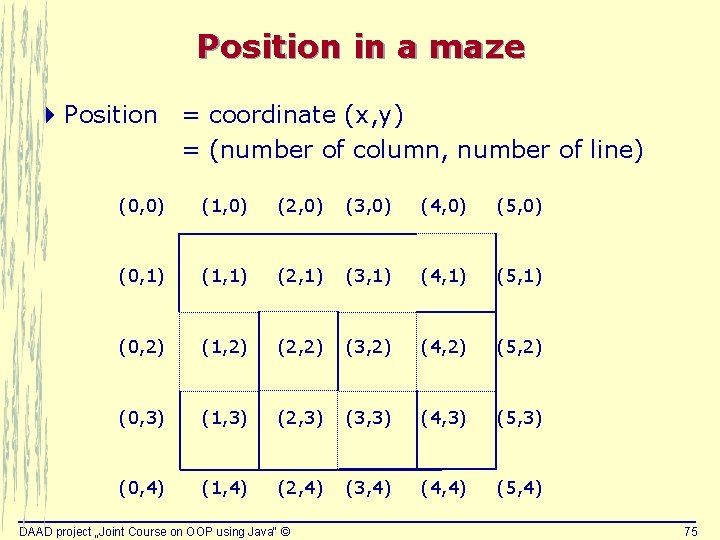
Position in a maze 4 Position = coordinate (x, y) = (number of column, number of line) (0, 0) (1, 0) (2, 0) (3, 0) (4, 0) (5, 0) (0, 1) (1, 1) (2, 1) (3, 1) (4, 1) (5, 1) (0, 2) (1, 2) (2, 2) (3, 2) (4, 2) (5, 2) (0, 3) (1, 3) (2, 3) (3, 3) (4, 3) (5, 3) (0, 4) (1, 4) (2, 4) (3, 4) (4, 4) (5, 4) DAAD project „Joint Course on OOP using Java“ © 75
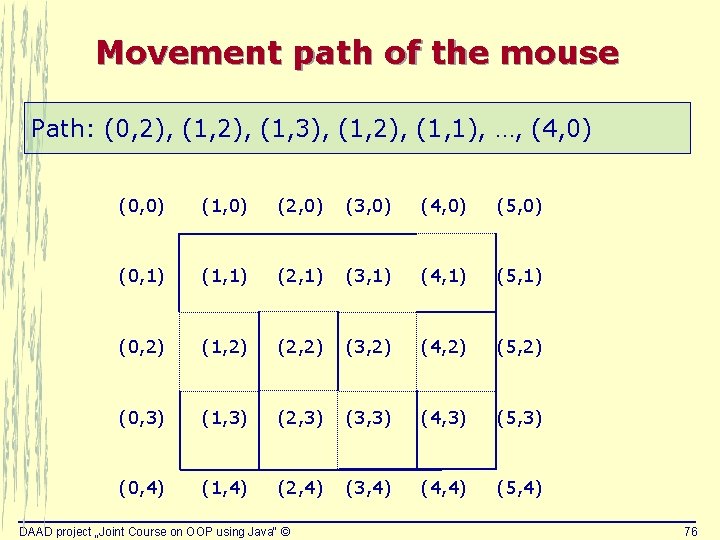
Movement path of the mouse Path: (0, 2), (1, 3), (1, 2), (1, 1), …, (4, 0) (0, 0) (1, 0) (2, 0) (3, 0) (4, 0) (5, 0) (0, 1) (1, 1) (2, 1) (3, 1) (4, 1) (5, 1) (0, 2) (1, 2) (2, 2) (3, 2) (4, 2) (5, 2) (0, 3) (1, 3) (2, 3) (3, 3) (4, 3) (5, 3) (0, 4) (1, 4) (2, 4) (3, 4) (4, 4) (5, 4) DAAD project „Joint Course on OOP using Java“ © 76
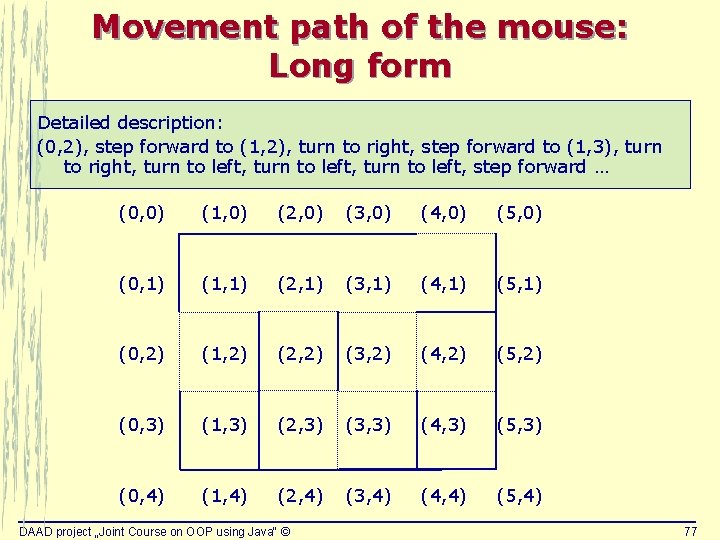
Movement path of the mouse: Long form Detailed description: (0, 2), step forward to (1, 2), turn to right, step forward to (1, 3), turn to right, turn to left, step forward … (0, 0) (1, 0) (2, 0) (3, 0) (4, 0) (5, 0) (0, 1) (1, 1) (2, 1) (3, 1) (4, 1) (5, 1) (0, 2) (1, 2) (2, 2) (3, 2) (4, 2) (5, 2) (0, 3) (1, 3) (2, 3) (3, 3) (4, 3) (5, 3) (0, 4) (1, 4) (2, 4) (3, 4) (4, 4) (5, 4) DAAD project „Joint Course on OOP using Java“ © 77
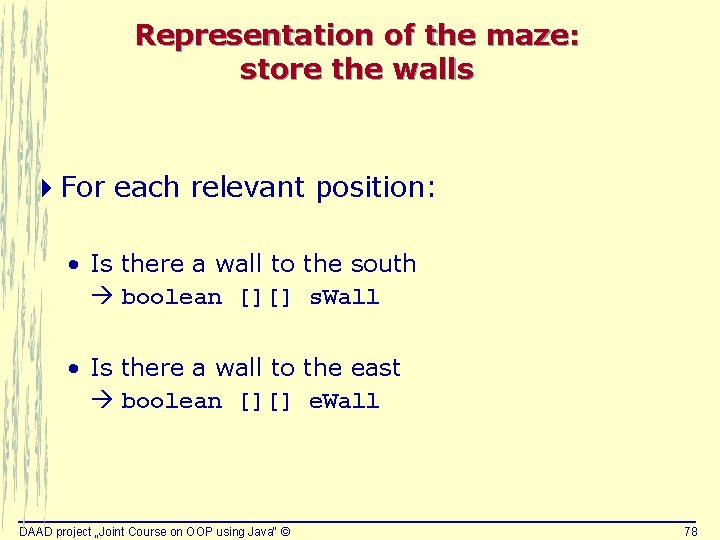
Representation of the maze: store the walls 4 For each relevant position: • Is there a wall to the south boolean [][] s. Wall • Is there a wall to the east boolean [][] e. Wall DAAD project „Joint Course on OOP using Java“ © 78
Representation of the maze: store the walls boolean [][] s. Wall (0, 0) (1, 0) (2, 0) (3, 0) (4, 0) (5, 0) (0, 1) (1, 1) (2, 1) (3, 1) (4, 1) (5, 1) (0, 2) (1, 2) (2, 2) (3, 2) (4, 2) (5, 2) (0, 3) (1, 3) (2, 3) (3, 3) (4, 3) (5, 3) (0, 4) (1, 4) (2, 4) (3, 4) (4, 4) (5, 4) boolean [][] e. Wall DAAD project „Joint Course on OOP using Java“ © 79
South walls of the maze: example boolean [][] s. Wall = {{true, false}, {false, true}, {false, false}, {true, true}} (0, 0) (1, 0) (2, 0) (3, 0) (4, 0) (5, 0) (0, 1) (1, 1) (2, 1) (3, 1) (4, 1) (5, 1) (0, 2) (1, 2) (2, 2) (3, 2) (4, 2) (5, 2) (0, 3) (1, 3) (2, 3) (3, 3) (4, 3) (5, 3) (0, 4) (1, 4) (2, 4) (3, 4) (4, 4) (5, 4) DAAD project „Joint Course on OOP using Java“ © 80
South walls of the maze: the array boolean [][] s. Wall = {{true, false}, {false, true}, {false, false}, {true, true}} 0 1 2 3 0 true false 1 false true 2 false 3 true DAAD project „Joint Course on OOP using Java“ © 81
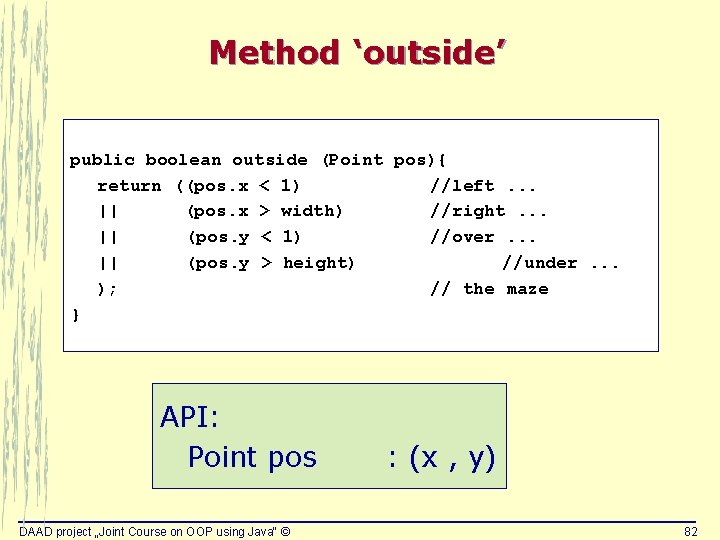
Method ‘outside’ public boolean outside (Point pos){ return ((pos. x < 1) //left. . . || (pos. x > width) //right. . . || (pos. y < 1) //over. . . || (pos. y > height) //under. . . ); // the maze } API: Point pos DAAD project „Joint Course on OOP using Java“ © : (x , y) 82
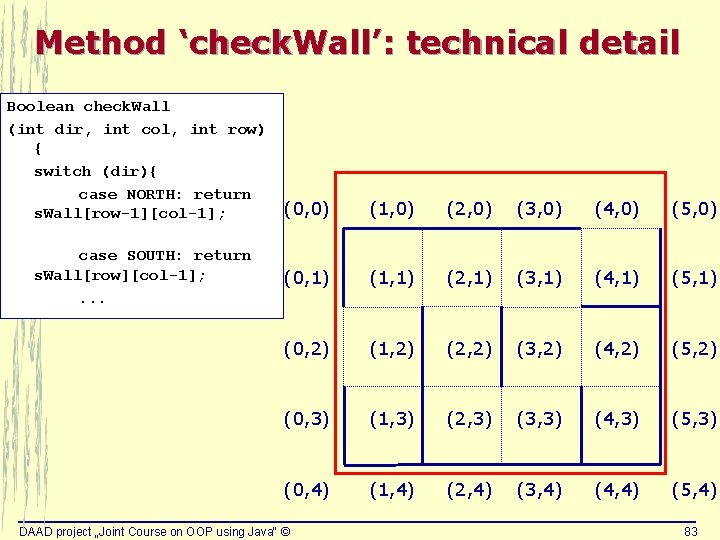
Method ‘check. Wall’: technical detail Boolean check. Wall (int dir, int col, int row) { switch (dir){ case NORTH: return s. Wall[row-1][col-1]; case SOUTH: return s. Wall[row][col-1]; . . . (0, 0) (1, 0) (2, 0) (3, 0) (4, 0) (5, 0) (0, 1) (1, 1) (2, 1) (3, 1) (4, 1) (5, 1) (0, 2) (1, 2) (2, 2) (3, 2) (4, 2) (5, 2) (0, 3) (1, 3) (2, 3) (3, 3) (4, 3) (5, 3) (0, 4) (1, 4) (2, 4) (3, 4) (4, 4) (5, 4) DAAD project „Joint Course on OOP using Java“ © 83
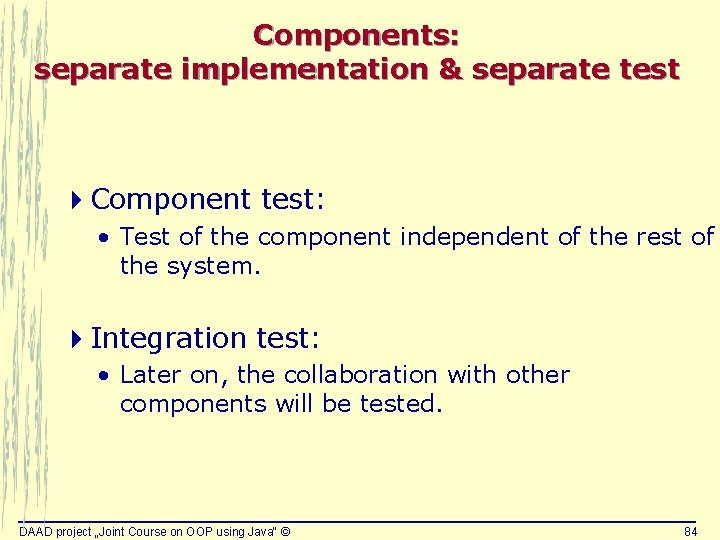
Components: separate implementation & separate test 4 Component test: • Test of the component independent of the rest of the system. 4 Integration test: • Later on, the collaboration with other components will be tested. DAAD project „Joint Course on OOP using Java“ © 84
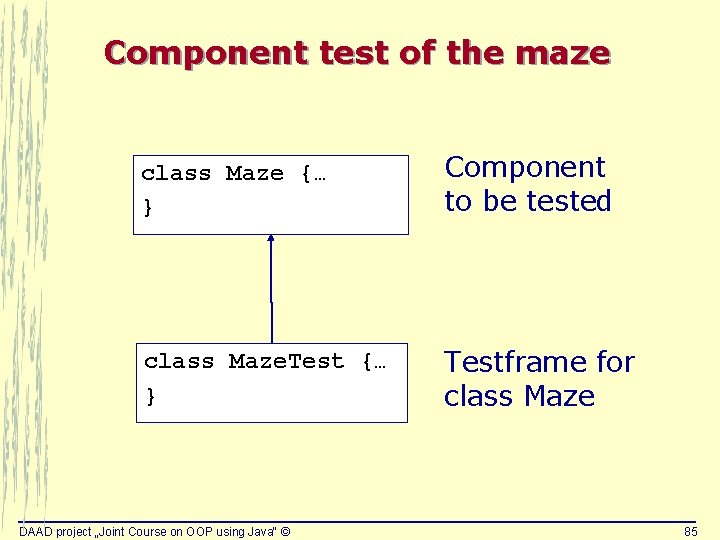
Component test of the maze class Maze {… } Component to be tested class Maze. Test {… } Testframe for class Maze DAAD project „Joint Course on OOP using Java“ © 85
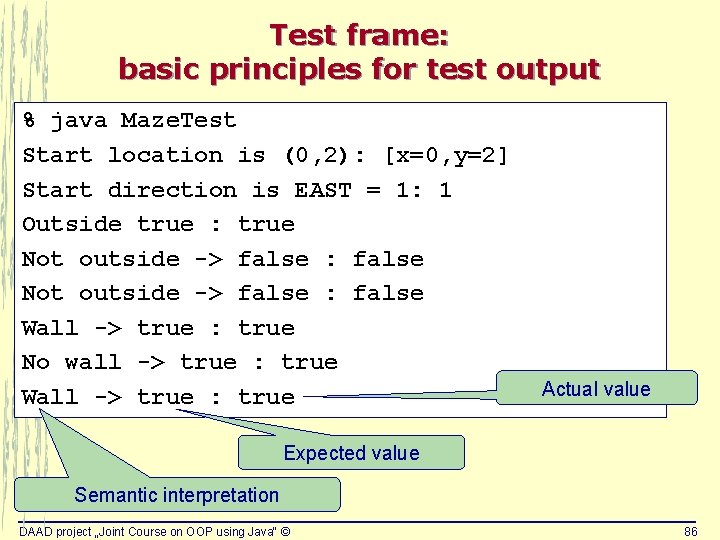
Test frame: basic principles for test output % java Maze. Test Start location is (0, 2): [x=0, y=2] Start direction is EAST = 1: 1 Outside true : true Not outside -> false : false Wall -> true : true No wall -> true : true Wall -> true : true Actual value Expected value Semantic interpretation DAAD project „Joint Course on OOP using Java“ © 86
Implementation of the mouse 4 Starting from the class diagram Mouse + - Location : Point Direction : int started : boolean the. Maze : Maze Mouse (Maze m) get. Location ( ) : Point step. Forward ( ) turn. Left ( ) turn. Right ( ) facing. Wall ( ) : boolean outside. Maze ( ) : boolean DAAD project „Joint Course on OOP using Java“ © 87
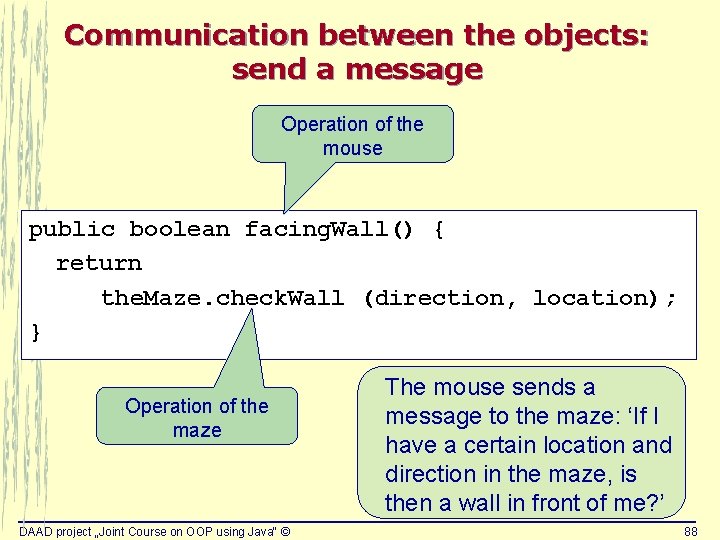
Communication between the objects: send a message Operation of the mouse public boolean facing. Wall() { return the. Maze. check. Wall (direction, location); } Operation of the maze DAAD project „Joint Course on OOP using Java“ © The mouse sends a message to the maze: ‘If I have a certain location and direction in the maze, is then a wall in front of me? ’ 88
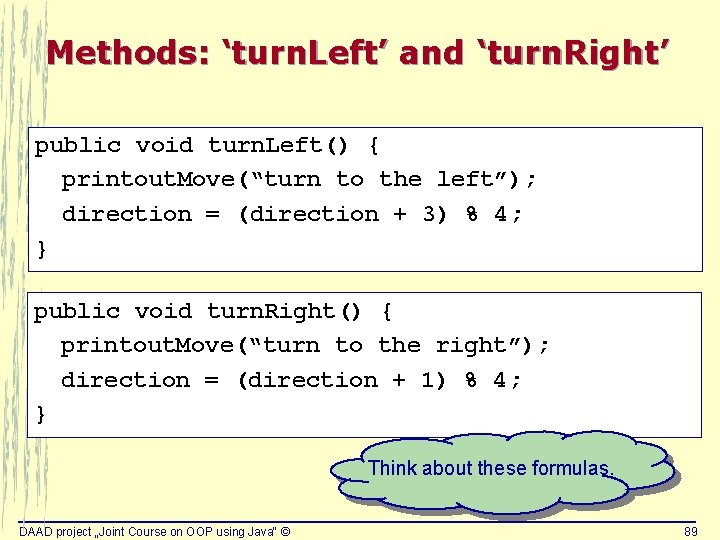
Methods: ‘turn. Left’ and ‘turn. Right’ public void turn. Left() { printout. Move(“turn to the left”); direction = (direction + 3) % 4; } public void turn. Right() { printout. Move(“turn to the right”); direction = (direction + 1) % 4; } Think about these formulas. DAAD project „Joint Course on OOP using Java“ © 89
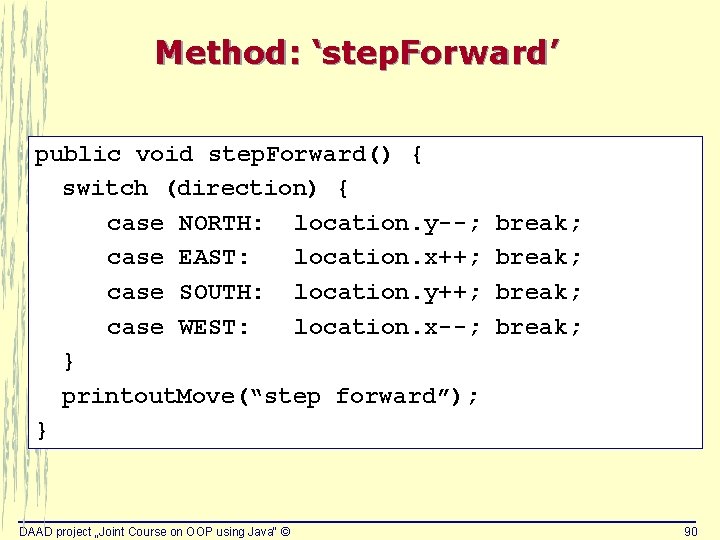
Method: ‘step. Forward’ public void step. Forward() { switch (direction) { case NORTH: location. y--; case EAST: location. x++; case SOUTH: location. y++; case WEST: location. x--; } printout. Move(“step forward”); } DAAD project „Joint Course on OOP using Java“ © break; 90
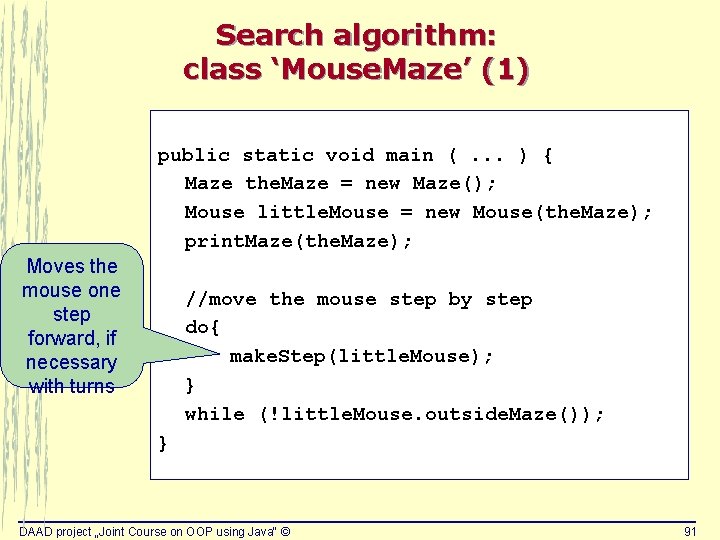
Search algorithm: class ‘Mouse. Maze’ (1) public static void main (. . . ) { Maze the. Maze = new Maze(); Mouse little. Mouse = new Mouse(the. Maze); print. Maze(the. Maze); Moves the mouse one step forward, if necessary with turns //move the mouse step by step do{ make. Step(little. Mouse); } while (!little. Mouse. outside. Maze()); } DAAD project „Joint Course on OOP using Java“ © 91
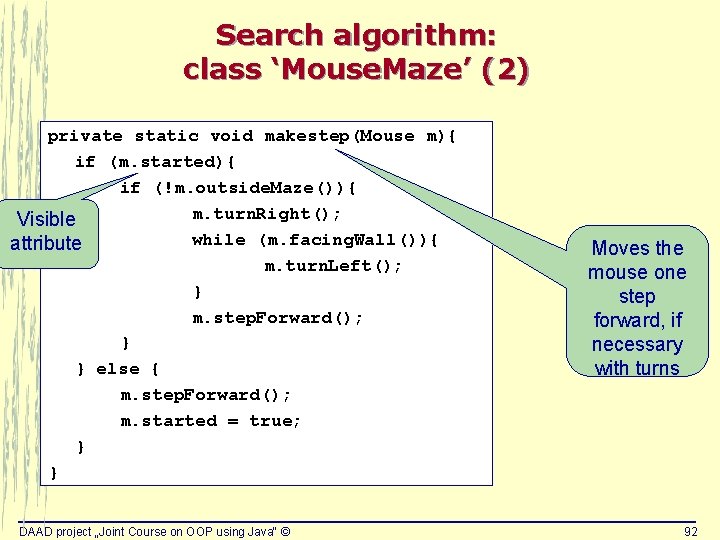
Search algorithm: class ‘Mouse. Maze’ (2) private static void makestep(Mouse m){ if (m. started){ if (!m. outside. Maze()){ m. turn. Right(); Visible while (m. facing. Wall()){ attribute m. turn. Left(); } m. step. Forward(); } } else { m. step. Forward(); m. started = true; } } DAAD project „Joint Course on OOP using Java“ © Moves the mouse one step forward, if necessary with turns 92
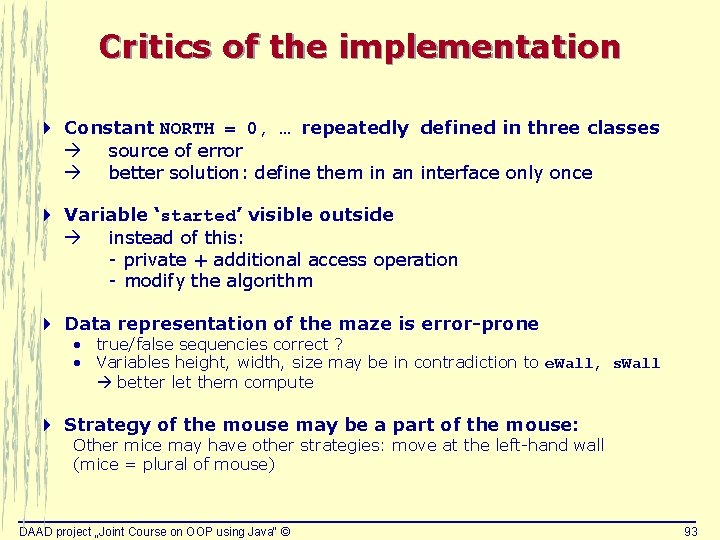
Critics of the implementation 4 Constant NORTH = 0, … repeatedly defined in three classes source of error better solution: define them in an interface only once 4 Variable ‘started’ visible outside instead of this: - private + additional access operation - modify the algorithm 4 Data representation of the maze is error-prone • true/false sequencies correct ? • Variables height, width, size may be in contradiction to e. Wall, s. Wall better let them compute 4 Strategy of the mouse may be a part of the mouse: Other mice may have other strategies: move at the left-hand wall (mice = plural of mouse) DAAD project „Joint Course on OOP using Java“ © 93