
The NET Framework Class Library Dr Wolfgang Beer
The. NET Framework Class Library Dr. Wolfgang Beer Dr. Herbert Praehofer Institute for System Software Johannes Kepler University Linz © University of Linz, Institute for System Software, 2004 published under the Microsoft Curriculum License
. NET Framework Class Library Overview Collections Strings Reflection Threading Streaming Processing XML Data Networking Windows Forms Summary
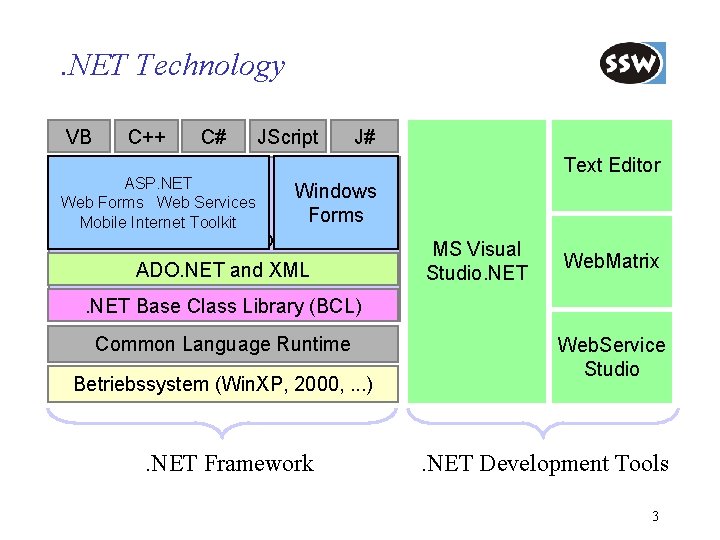
. NET Technology VB C++ C# JScript J# Text Editor ASP. NET Web Forms Web Services Mobile Internet Toolkit Windows Forms. NET Class Library ADO. NET and XML MS Visual Studio. NET Web. Matrix . NET Base Class Library (BCL) Common Language Runtime Betriebssystem (Win. XP, 2000, . . . ) . NET Framework Web. Service Studio . NET Development Tools 3
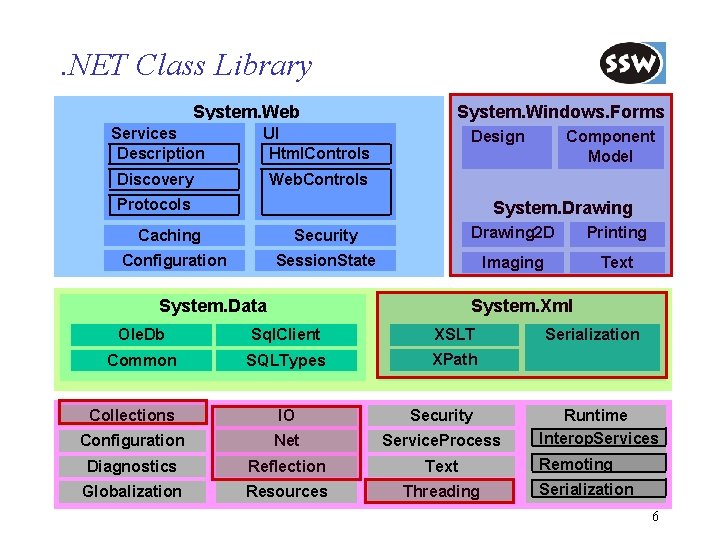
. NET Class Library System. Web Services Description UI Html. Controls ASP. NET System. Windows. Forms Design Component Model Windows System. Drawing Forms Web Forms Discovery Web Services Web. Controls Mobile Internet Toolkit Protocols Caching Security Drawing 2 D Printing Configuration Session. State Imaging Text System. Data Ole. Db Common Collections System. Xml XSLT Sql. Client ADO. NET and XML XPath SQLTypes IO Security Serialization Runtime Interop. Services Net Service. Process. NET Base Class Library Remoting Diagnostics Reflection Text (BCL)Threading Serialization Globalization Resources Configuration 6
. NET Framework Class Library Overview Collections Strings Reflection Threading Streaming Processing XML Data Networking Windows Forms Summary
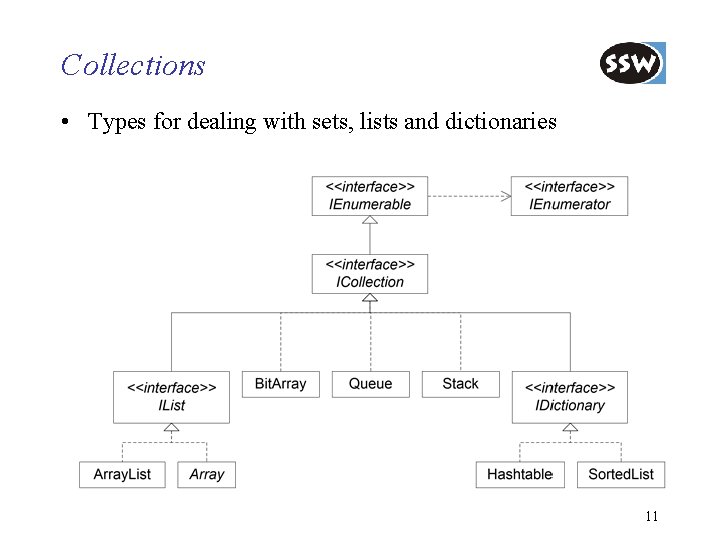
Collections • Types for dealing with sets, lists and dictionaries 11
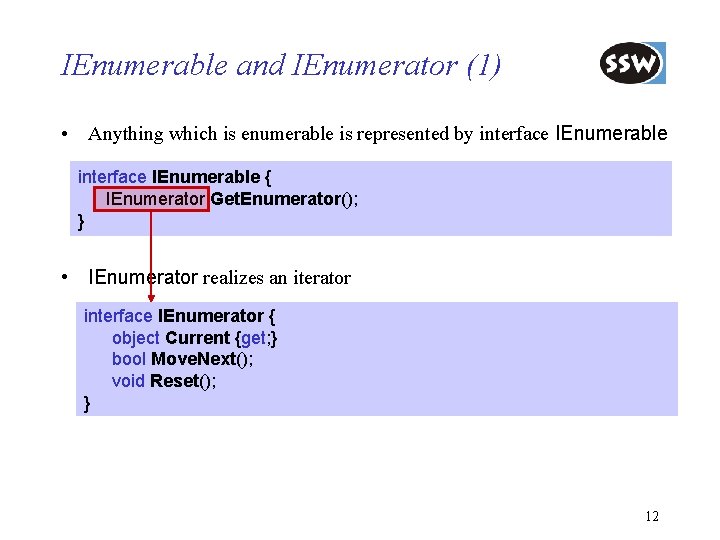
IEnumerable and IEnumerator (1) • Anything which is enumerable is represented by interface IEnumerable { IEnumerator Get. Enumerator(); } • IEnumerator realizes an iterator interface IEnumerator { object Current {get; } bool Move. Next(); void Reset(); } 12
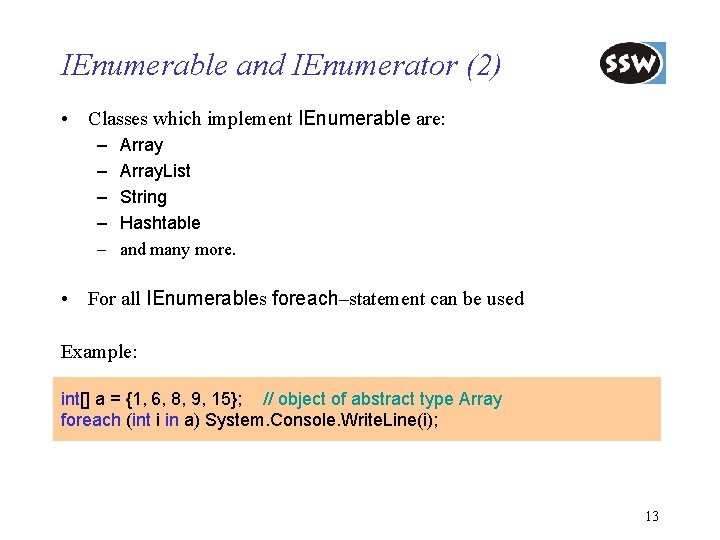
IEnumerable and IEnumerator (2) • Classes which implement IEnumerable are: – – – Array. List String Hashtable and many more. • For all IEnumerables foreach–statement can be used Example: int[] a = {1, 6, 8, 9, 15}; // object of abstract type Array foreach (int i in a) System. Console. Write. Line(i); 13
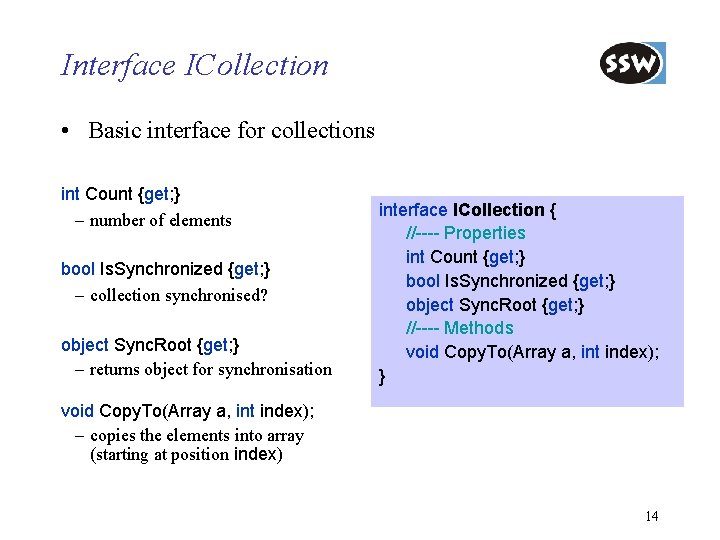
Interface ICollection • Basic interface for collections int Count {get; } – number of elements bool Is. Synchronized {get; } – collection synchronised? object Sync. Root {get; } – returns object for synchronisation interface ICollection { //---- Properties int Count {get; } bool Is. Synchronized {get; } object Sync. Root {get; } //---- Methods void Copy. To(Array a, int index); } void Copy. To(Array a, int index); – copies the elements into array (starting at position index) 14
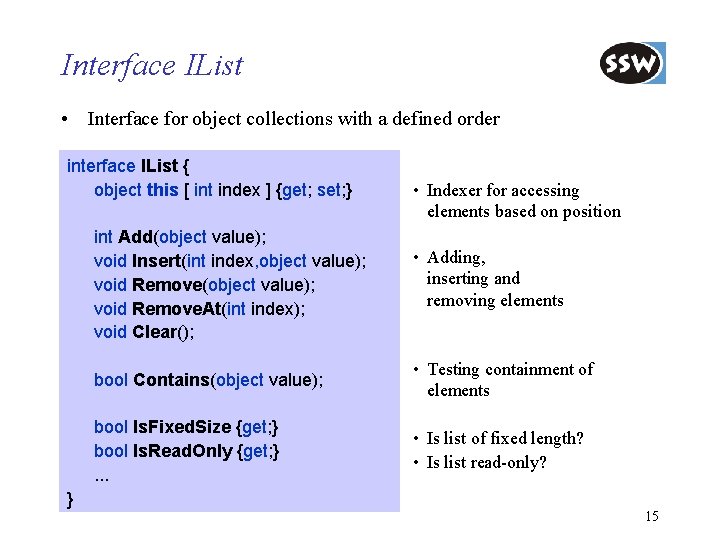
Interface IList • Interface for object collections with a defined order interface IList { object this [ int index ] {get; set; } • Indexer for accessing elements based on position int Add(object value); void Insert(int index, object value); void Remove(object value); void Remove. At(int index); void Clear(); • Adding, inserting and removing elements bool Contains(object value); • Testing containment of elements bool Is. Fixed. Size {get; } bool Is. Read. Only {get; }. . . • Is list of fixed length? • Is list read-only? } 15
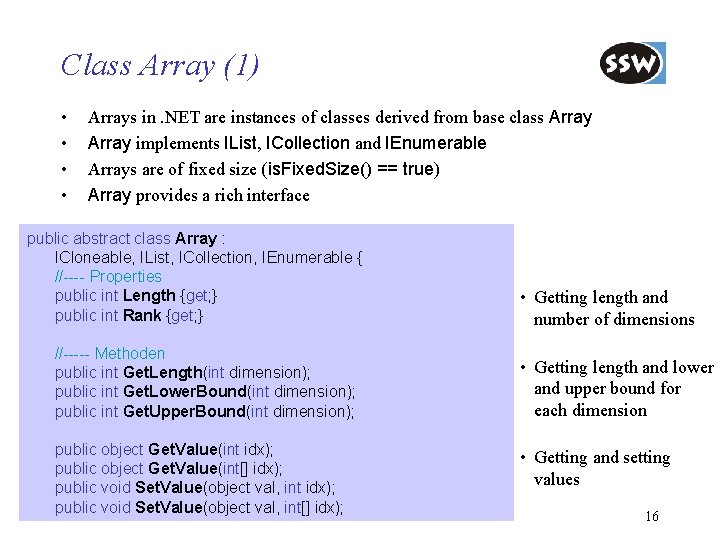
Class Array (1) • • Arrays in. NET are instances of classes derived from base class Array implements IList, ICollection and IEnumerable Arrays are of fixed size (is. Fixed. Size() == true) Array provides a rich interface public abstract class Array : ICloneable, IList, ICollection, IEnumerable { //---- Properties public int Length {get; } public int Rank {get; } //----- Methoden public int Get. Length(int dimension); public int Get. Lower. Bound(int dimension); public int Get. Upper. Bound(int dimension); public object Get. Value(int idx); public object Get. Value(int[] idx); public void Set. Value(object val, int[] idx); • Getting length and number of dimensions • Getting length and lower and upper bound for each dimension • Getting and setting values 16
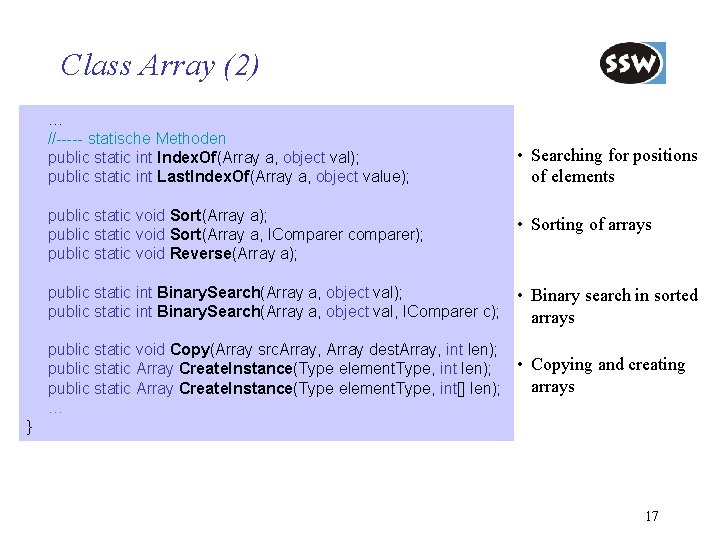
Class Array (2) … //----- statische Methoden public static int Index. Of(Array a, object val); public static int Last. Index. Of(Array a, object value); • Searching for positions of elements public static void Sort(Array a); public static void Sort(Array a, IComparer comparer); public static void Reverse(Array a); • Sorting of arrays public static int Binary. Search(Array a, object val); public static int Binary. Search(Array a, object val, IComparer c); • Binary search in sorted arrays public static void Copy(Array src. Array, Array dest. Array, int len); • Copying and creating public static Array Create. Instance(Type element. Type, int len); arrays public static Array Create. Instance(Type element. Type, int[] len); … } 17
![Example: Array • Creation of array with Array. Create. Instance int[] i = (int[])](http://slidetodoc.com/presentation_image/262ade7432e450cdd33d4849e5274fc1/image-13.jpg "Example: Array • Creation of array with Array. Create. Instance int[] i = (int[])")
Example: Array • Creation of array with Array. Create. Instance int[] i = (int[]) Array. Create. Instance(typeof(Int 32), 6); which is equivalent to int[] i = new int[6]; • Setting values and sorting i[0] = 3; i[1] = 1; i[2] = 5; i[3] = 2; i[4] = 9; i[5] = 4; Array. Sort(i); // Sorts the elements in the array • Output of elements with foreach statement foreach (int elem in i) Console. Write("{0} ", elem); Elemente: 1 2 3 4 5 9 18
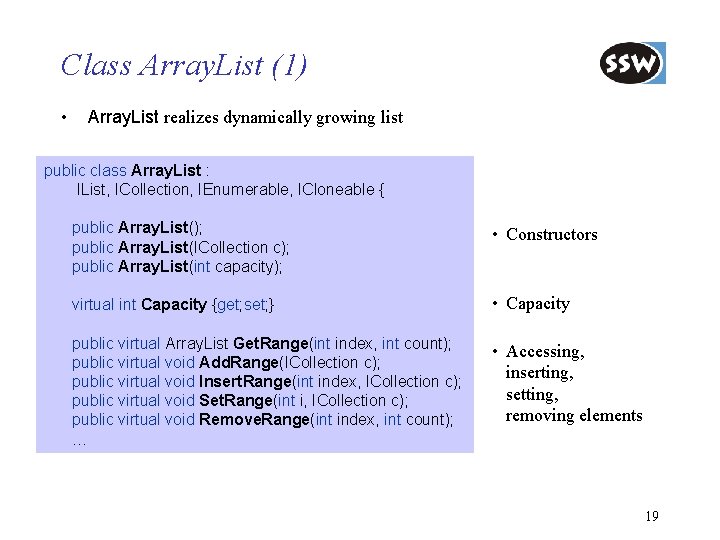
Class Array. List (1) • Array. List realizes dynamically growing list public class Array. List : IList, ICollection, IEnumerable, ICloneable { public Array. List(); public Array. List(ICollection c); public Array. List(int capacity); • Constructors virtual int Capacity {get; set; } • Capacity public virtual Array. List Get. Range(int index, int count); public virtual void Add. Range(ICollection c); public virtual void Insert. Range(int index, ICollection c); public virtual void Set. Range(int i, ICollection c); public virtual void Remove. Range(int index, int count); … • Accessing, inserting, setting, removing elements 19
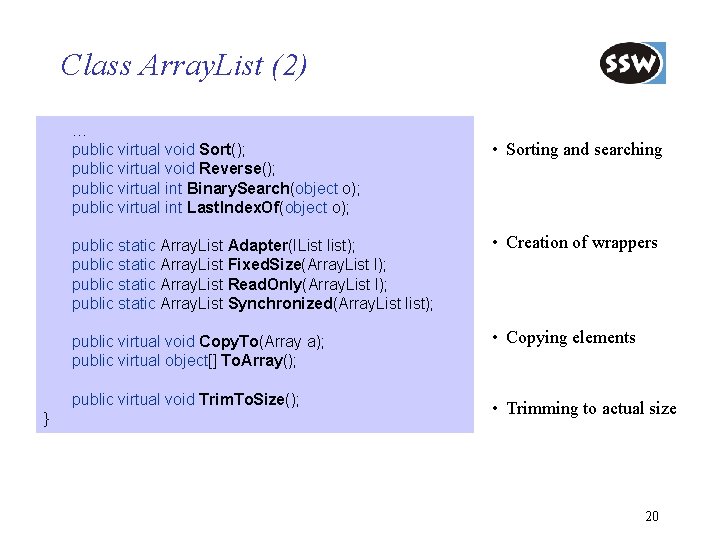
Class Array. List (2) … public virtual void Sort(); public virtual void Reverse(); public virtual int Binary. Search(object o); public virtual int Last. Index. Of(object o); } • Sorting and searching public static Array. List Adapter(IList list); public static Array. List Fixed. Size(Array. List l); public static Array. List Read. Only(Array. List l); public static Array. List Synchronized(Array. List list); • Creation of wrappers public virtual void Copy. To(Array a); public virtual object[] To. Array(); • Copying elements public virtual void Trim. To. Size(); • Trimming to actual size 20
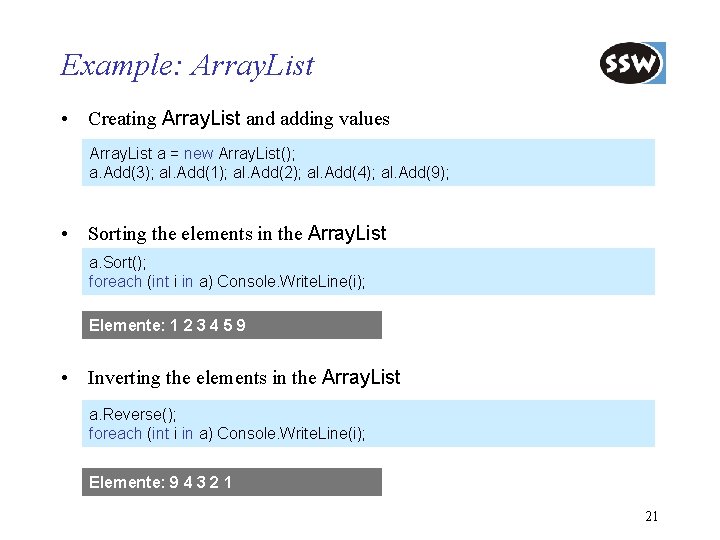
Example: Array. List • Creating Array. List and adding values Array. List a = new Array. List(); a. Add(3); al. Add(1); al. Add(2); al. Add(4); al. Add(9); • Sorting the elements in the Array. List a. Sort(); foreach (int i in a) Console. Write. Line(i); Elemente: 1 2 3 4 5 9 • Inverting the elements in the Array. List a. Reverse(); foreach (int i in a) Console. Write. Line(i); Elemente: 9 4 3 2 1 21
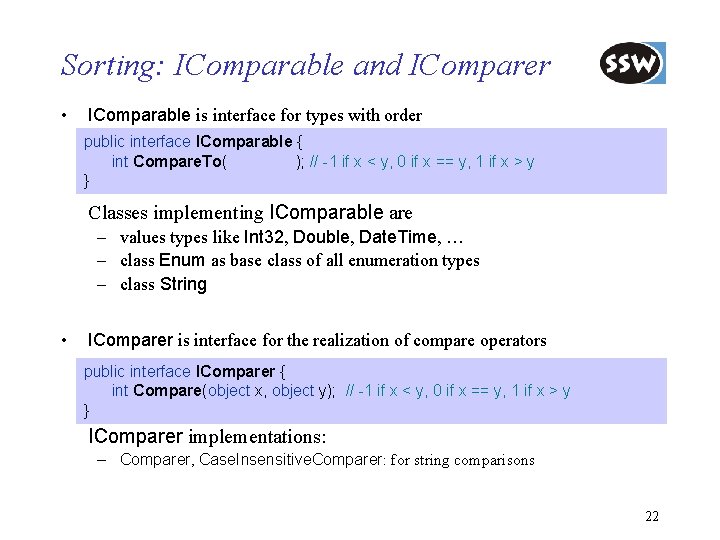
Sorting: IComparable and IComparer • IComparable is interface for types with order public interface IComparable { int Compare. To(object obj); // -1 if x < y, 0 if x == y, 1 if x > y } Classes implementing IComparable are – values types like Int 32, Double, Date. Time, … – class Enum as base class of all enumeration types – class String • IComparer is interface for the realization of compare operators public interface IComparer { int Compare(object x, object y); // -1 if x < y, 0 if x == y, 1 if x > y } IComparer implementations: – Comparer, Case. Insensitive. Comparer: for string comparisons 22
![Example: IComparer • Creation of an array of strings string[] names = string[] {“frank”,](http://slidetodoc.com/presentation_image/262ade7432e450cdd33d4849e5274fc1/image-18.jpg "Example: IComparer • Creation of an array of strings string[] names = string[] {“frank”,")
Example: IComparer • Creation of an array of strings string[] names = string[] {“frank”, “john”, “Bill”, “paul”, “Frank”}; • Sorting the strings using a case-insensitive comparer IComparer ci. Comparer = new Case. Insensitive. Comparer (); Array. Sort(names, ci. Comparer); • Binary search for a name int pos = Array. Binary. Search("John“, ci. Comparer); • Inverting the array names = Array. Reverse(names, ci. Comparer); 23
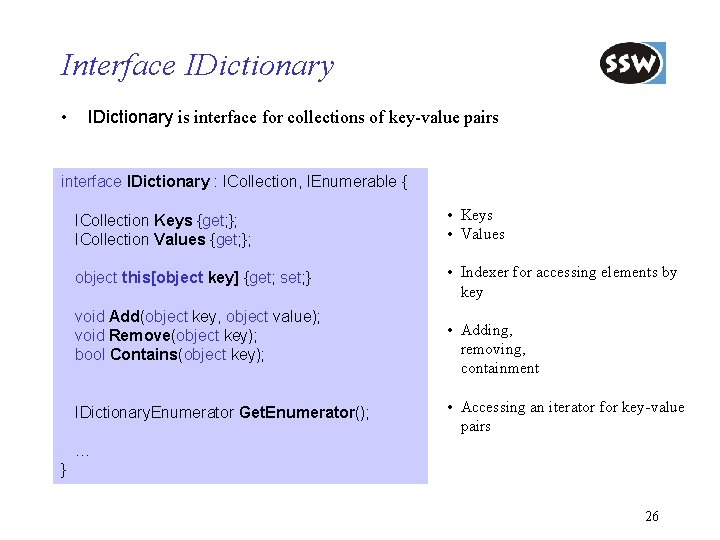
Interface IDictionary • IDictionary is interface for collections of key-value pairs interface IDictionary : ICollection, IEnumerable { ICollection Keys {get; }; ICollection Values {get; }; • Keys • Values object this[object key] {get; set; } • Indexer for accessing elements by key void Add(object key, object value); void Remove(object key); bool Contains(object key); IDictionary. Enumerator Get. Enumerator(); • Adding, removing, containment • Accessing an iterator for key-value pairs … } 26
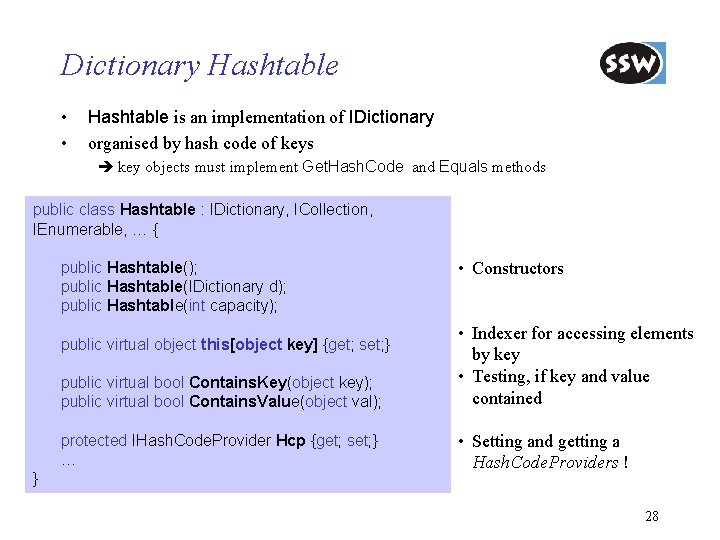
Dictionary Hashtable • • Hashtable is an implementation of IDictionary organised by hash code of keys key objects must implement Get. Hash. Code and Equals methods public class Hashtable : IDictionary, ICollection, IEnumerable, … { public Hashtable(); public Hashtable(IDictionary d); public Hashtable(int capacity); public virtual bool Contains. Key(object key); public virtual bool Contains. Value(object val); • Indexer for accessing elements by key • Testing, if key and value contained protected IHash. Code. Provider Hcp {get; set; } … • Setting and getting a Hash. Code. Providers ! public virtual object this[object key] {get; set; } } • Constructors 28
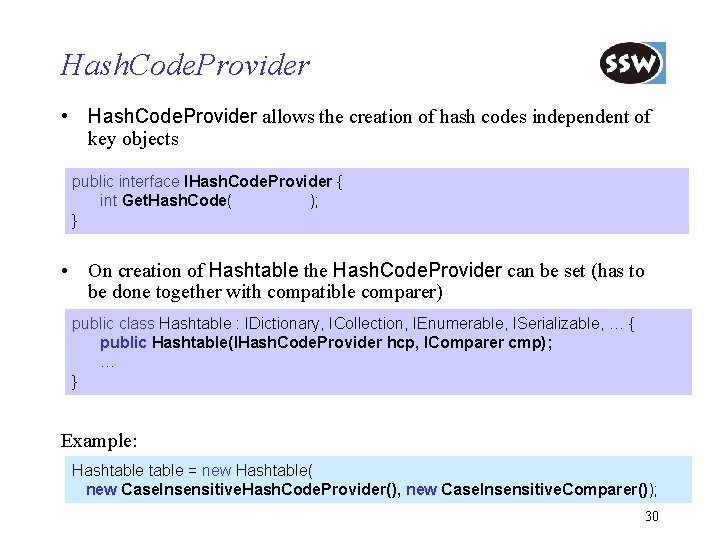
Hash. Code. Provider • Hash. Code. Provider allows the creation of hash codes independent of key objects public interface IHash. Code. Provider { int Get. Hash. Code( object obj ); } • On creation of Hashtable the Hash. Code. Provider can be set (has to be done together with compatible comparer) public class Hashtable : IDictionary, ICollection, IEnumerable, ISerializable, … { public Hashtable(IHash. Code. Provider hcp, IComparer cmp); … } Example: Hashtable = new Hashtable( new Case. Insensitive. Hash. Code. Provider(), new Case. Insensitive. Comparer()); 30
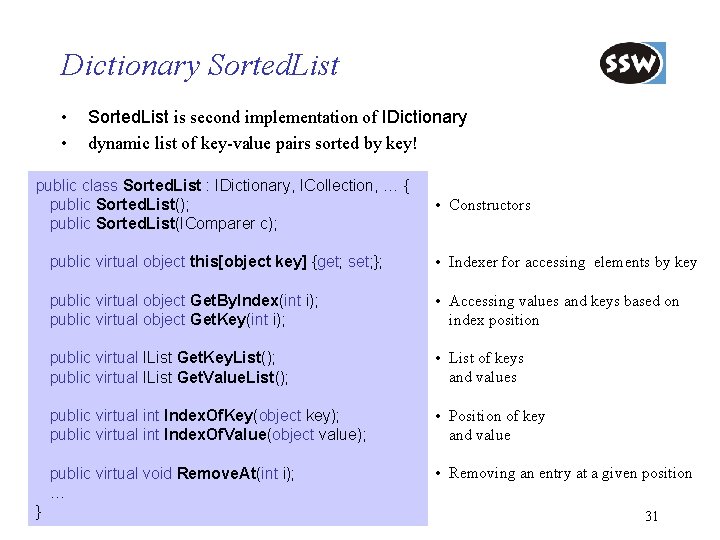
Dictionary Sorted. List • • Sorted. List is second implementation of IDictionary dynamic list of key-value pairs sorted by key! public class Sorted. List : IDictionary, ICollection, … { public Sorted. List(); public Sorted. List(IComparer c); } • Constructors public virtual object this[object key] {get; set; }; • Indexer for accessing elements by key public virtual object Get. By. Index(int i); public virtual object Get. Key(int i); • Accessing values and keys based on index position public virtual IList Get. Key. List(); public virtual IList Get. Value. List(); • List of keys and values public virtual int Index. Of. Key(object key); public virtual int Index. Of. Value(object value); • Position of key and value public virtual void Remove. At(int i); … • Removing an entry at a given position 31
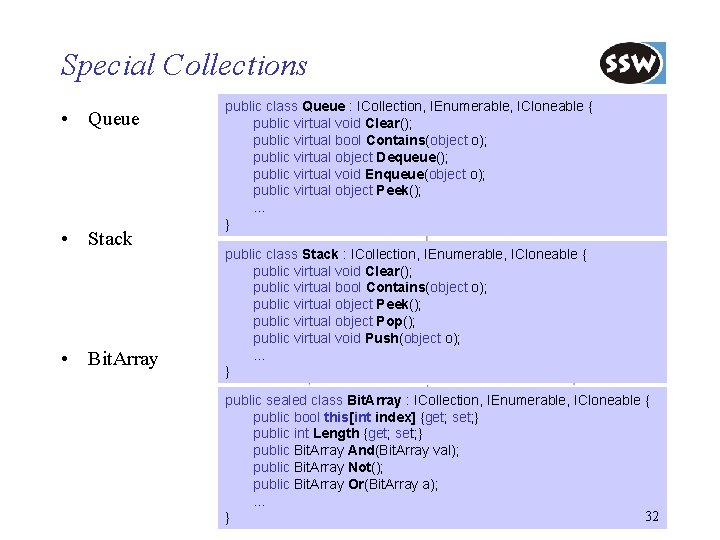
Special Collections • Queue • Stack • Bit. Array public class Queue : ICollection, IEnumerable, ICloneable { public virtual void Clear(); public virtual bool Contains(object o); public virtual object Dequeue(); public virtual void Enqueue(object o); public virtual object Peek(); … } public class Stack : ICollection, IEnumerable, ICloneable { public virtual void Clear(); public virtual bool Contains(object o); public virtual object Peek(); public virtual object Pop(); public virtual void Push(object o); … } public sealed class Bit. Array : ICollection, IEnumerable, ICloneable { public bool this[int index] {get; set; } public int Length {get; set; } public Bit. Array And(Bit. Array val); public Bit. Array Not(); public Bit. Array Or(Bit. Array a); … 32 }
. NET Framework Class Library Overview Collections Strings Reflection Threading Streaming Processing XML Data Networking Windows Forms Summary
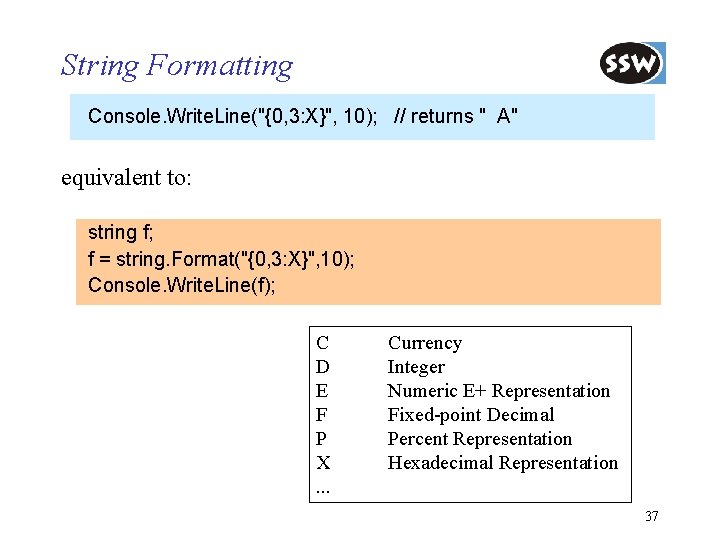
String Formatting Console. Write. Line("{0, 3: X}", 10); // returns " A" equivalent to: string f; f = string. Format("{0, 3: X}", 10); Console. Write. Line(f); C D E F P X. . . Currency Integer Numeric E+ Representation Fixed-point Decimal Percent Representation Hexadecimal Representation 37
. NET Framework Class Library Overview Collections Strings Reflection Threading Streaming Processing XML Data Networking Windows Forms Summary
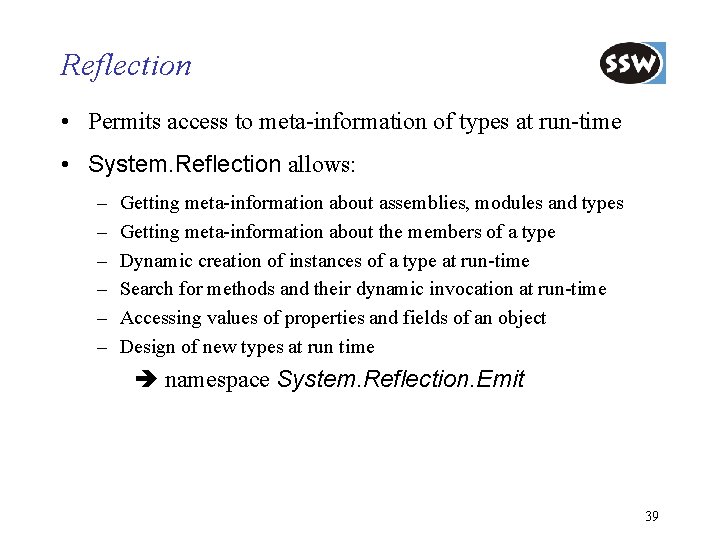
Reflection • Permits access to meta-information of types at run-time • System. Reflection allows: – – – Getting meta-information about assemblies, modules and types Getting meta-information about the members of a type Dynamic creation of instances of a type at run-time Search for methods and their dynamic invocation at run-time Accessing values of properties and fields of an object Design of new types at run time namespace System. Reflection. Emit 39
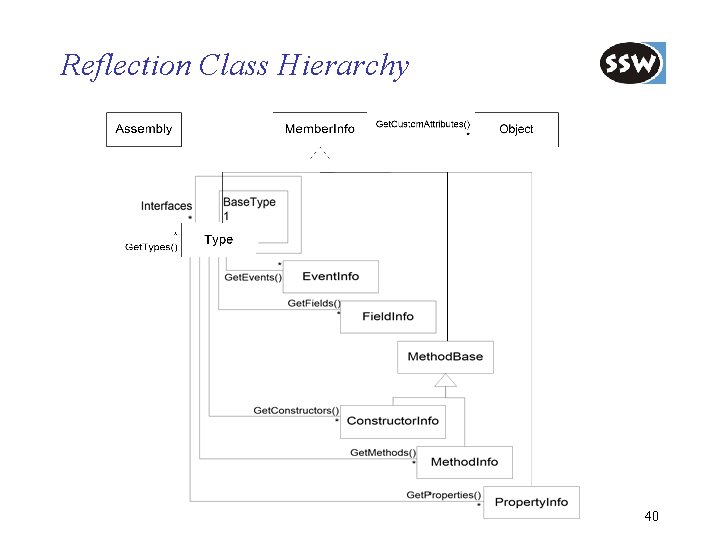
Reflection Class Hierarchy 40
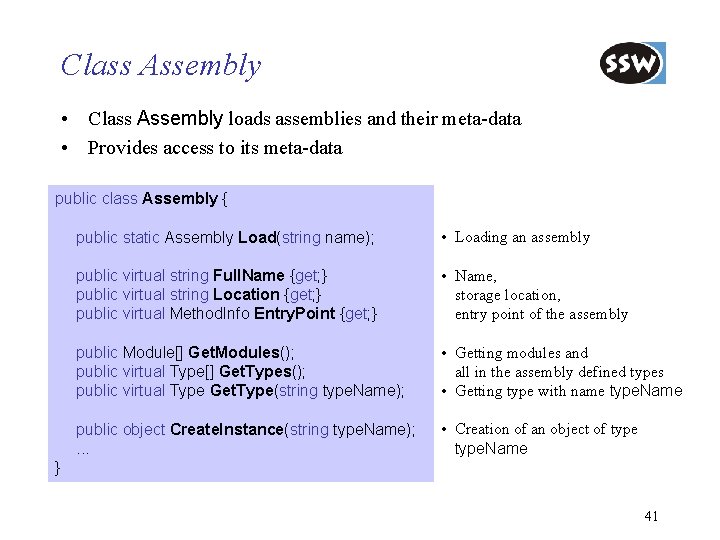
Class Assembly • Class Assembly loads assemblies and their meta-data • Provides access to its meta-data public class Assembly { public static Assembly Load(string name); • Loading an assembly public virtual string Full. Name {get; } public virtual string Location {get; } public virtual Method. Info Entry. Point {get; } • Name, storage location, entry point of the assembly public Module[] Get. Modules(); public virtual Type[] Get. Types(); public virtual Type Get. Type(string type. Name); • Getting modules and all in the assembly defined types • Getting type with name type. Name public object Create. Instance(string type. Name); . . . • Creation of an object of type. Name } 41
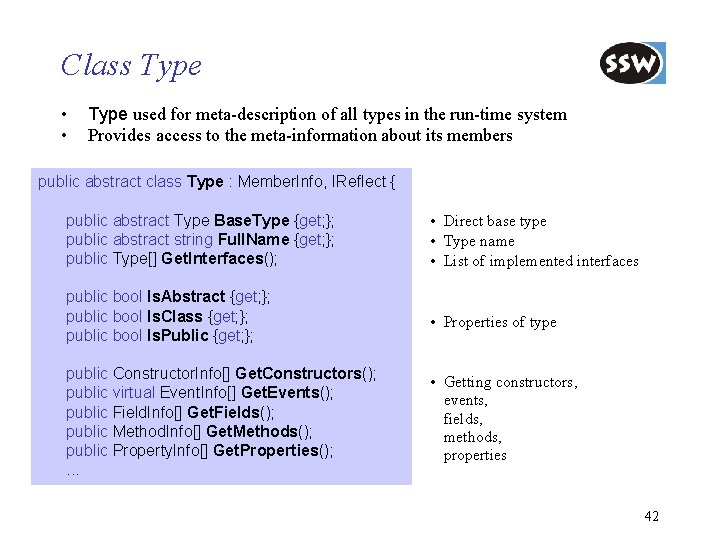
Class Type • • Type used for meta-description of all types in the run-time system Provides access to the meta-information about its members public abstract class Type : Member. Info, IReflect { public abstract Type Base. Type {get; }; public abstract string Full. Name {get; }; public Type[] Get. Interfaces(); • Direct base type • Type name • List of implemented interfaces public bool Is. Abstract {get; }; public bool Is. Class {get; }; public bool Is. Public {get; }; • Properties of type public Constructor. Info[] Get. Constructors(); public virtual Event. Info[] Get. Events(); public Field. Info[] Get. Fields(); public Method. Info[] Get. Methods(); public Property. Info[] Get. Properties(); . . . • Getting constructors, events, fields, methods, properties 42
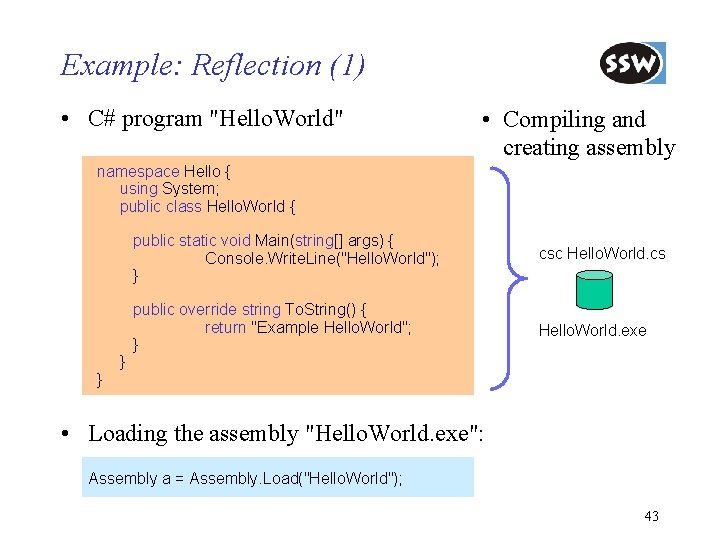
Example: Reflection (1) • C# program "Hello. World" • Compiling and creating assembly namespace Hello { using System; public class Hello. World { } } public static void Main(string[] args) { Console. Write. Line("Hello. World"); } csc Hello. World. cs public override string To. String() { return "Example Hello. World"; } Hello. World. exe • Loading the assembly "Hello. World. exe": Assembly a = Assembly. Load("Hello. World"); 43
![Example: Reflection (2) • Print all existing types in a given assembly Type[] types](http://slidetodoc.com/presentation_image/262ade7432e450cdd33d4849e5274fc1/image-32.jpg "Example: Reflection (2) • Print all existing types in a given assembly Type[] types")
Example: Reflection (2) • Print all existing types in a given assembly Type[] types = a. Get. Types(); foreach (Type t in types) Console. Write. Line(t. Full. Name); • Print all existing methods of a given type Type hw = a. Get. Type("Hello. World"); Method. Info[] methods = hw. Get. Methods(); foreach (Method. Info m in methods) Console. Write. Line(m. Name); 44
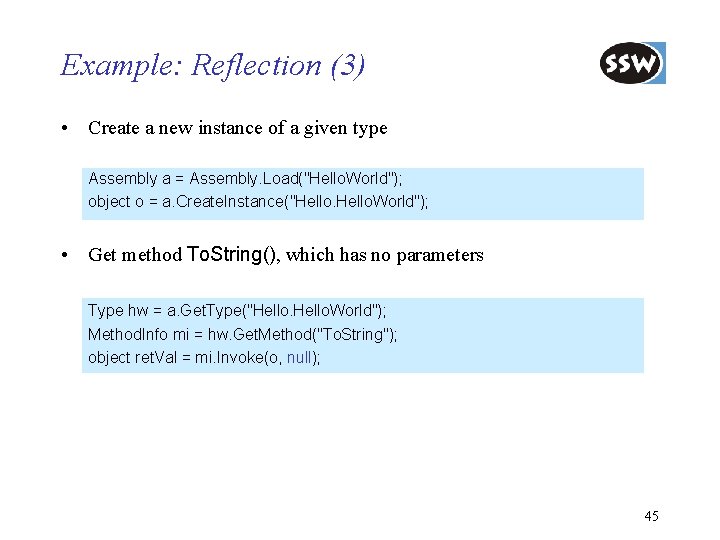
Example: Reflection (3) • Create a new instance of a given type Assembly a = Assembly. Load("Hello. World"); object o = a. Create. Instance("Hello. World"); • Get method To. String(), which has no parameters Type hw = a. Get. Type("Hello. World"); Method. Info mi = hw. Get. Method("To. String"); object ret. Val = mi. Invoke(o, null); 45
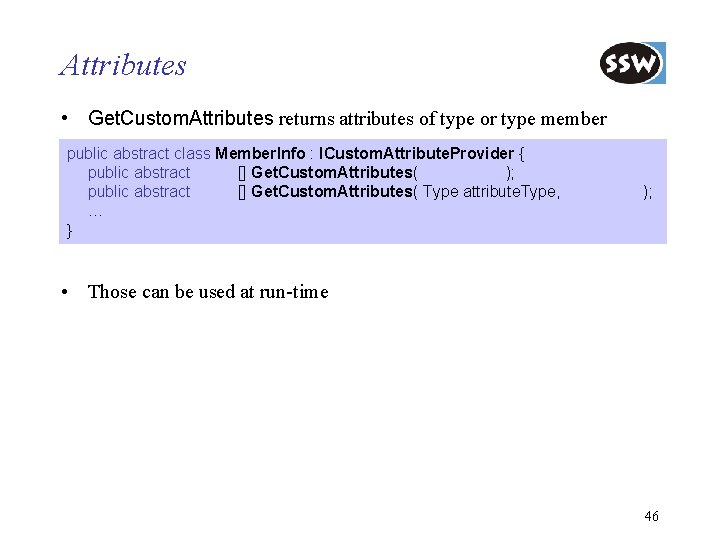
Attributes • Get. Custom. Attributes returns attributes of type or type member public abstract class Member. Info : ICustom. Attribute. Provider { public abstract object[] Get. Custom. Attributes( bool inherit ); public abstract object[] Get. Custom. Attributes( Type attribute. Type, bool inherit); … } • Those can be used at run-time 46
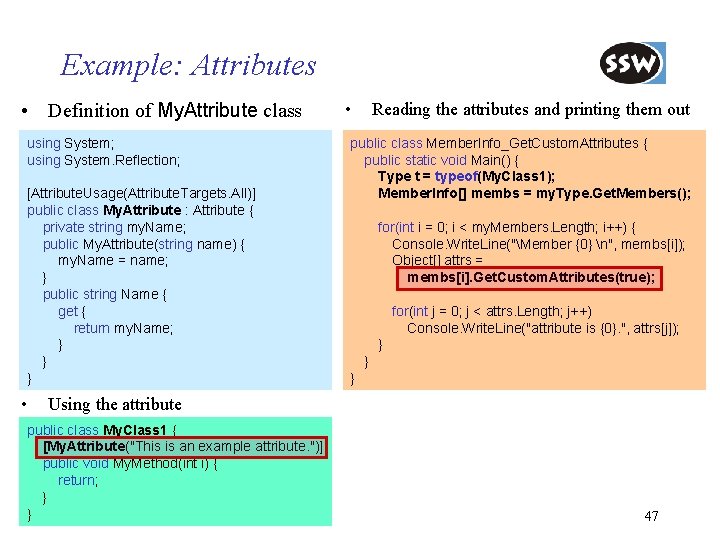
Example: Attributes • Definition of My. Attribute class using System; using System. Reflection; [Attribute. Usage(Attribute. Targets. All)] public class My. Attribute : Attribute { private string my. Name; public My. Attribute(string name) { my. Name = name; } public string Name { get { return my. Name; } } } • • Reading the attributes and printing them out public class Member. Info_Get. Custom. Attributes { public static void Main() { Type t = typeof(My. Class 1); Member. Info[] membs = my. Type. Get. Members(); for(int i = 0; i < my. Members. Length; i++) { Console. Write. Line("Member {0} n", membs[i]); Object[] attrs = membs[i]. Get. Custom. Attributes(true); for(int j = 0; j < attrs. Length; j++) Console. Write. Line("attribute is {0}. ", attrs[j]); } } } Using the attribute public class My. Class 1 { [My. Attribute("This is an example attribute. ")] public void My. Method(int i) { return; } } 47
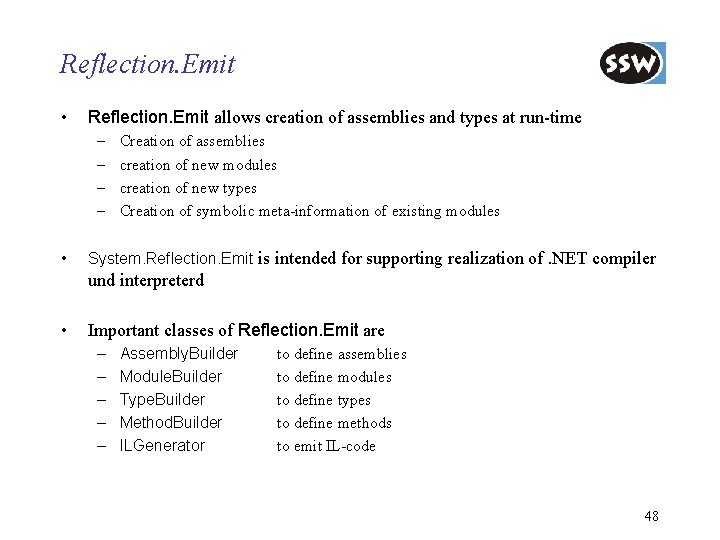
Reflection. Emit • Reflection. Emit allows creation of assemblies and types at run-time – – • Creation of assemblies creation of new modules creation of new types Creation of symbolic meta-information of existing modules System. Reflection. Emit is intended for supporting realization of. NET compiler und interpreterd • Important classes of Reflection. Emit are – – – Assembly. Builder Module. Builder Type. Builder Method. Builder ILGenerator to define assemblies to define modules to define types to define methods to emit IL-code 48
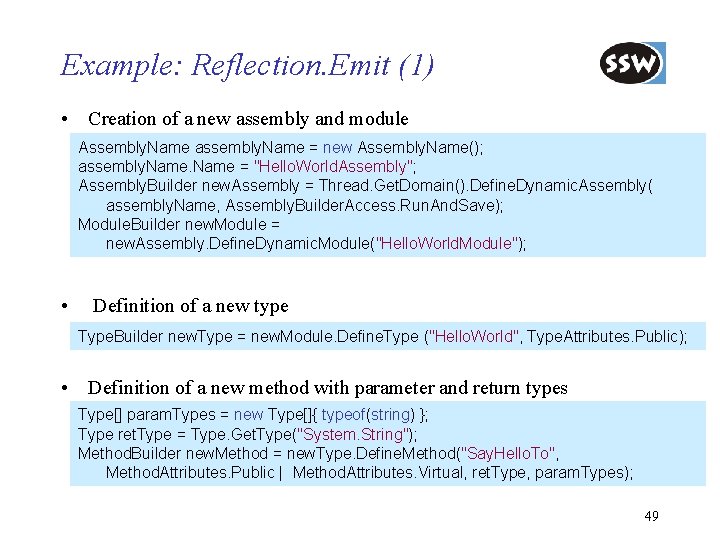
Example: Reflection. Emit (1) • Creation of a new assembly and module Assembly. Name assembly. Name = new Assembly. Name(); assembly. Name = "Hello. World. Assembly"; Assembly. Builder new. Assembly = Thread. Get. Domain(). Define. Dynamic. Assembly( assembly. Name, Assembly. Builder. Access. Run. And. Save); Module. Builder new. Module = new. Assembly. Define. Dynamic. Module("Hello. World. Module"); • Definition of a new type Type. Builder new. Type = new. Module. Define. Type ("Hello. World", Type. Attributes. Public); • Definition of a new method with parameter and return types Type[] param. Types = new Type[]{ typeof(string) }; Type ret. Type = Type. Get. Type("System. String"); Method. Builder new. Method = new. Type. Define. Method("Say. Hello. To", Method. Attributes. Public | Method. Attributes. Virtual, ret. Type, param. Types); 49
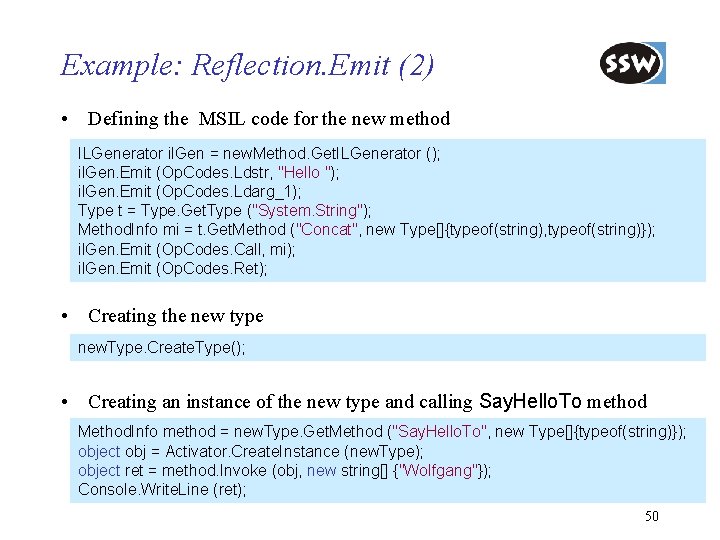
Example: Reflection. Emit (2) • Defining the MSIL code for the new method ILGenerator il. Gen = new. Method. Get. ILGenerator (); il. Gen. Emit (Op. Codes. Ldstr, "Hello "); il. Gen. Emit (Op. Codes. Ldarg_1); Type t = Type. Get. Type ("System. String"); Method. Info mi = t. Get. Method ("Concat", new Type[]{typeof(string), typeof(string)}); il. Gen. Emit (Op. Codes. Call, mi); il. Gen. Emit (Op. Codes. Ret); • Creating the new type new. Type. Create. Type(); • Creating an instance of the new type and calling Say. Hello. To method Method. Info method = new. Type. Get. Method ("Say. Hello. To", new Type[]{typeof(string)}); object obj = Activator. Create. Instance (new. Type); object ret = method. Invoke (obj, new string[] {"Wolfgang"}); Console. Write. Line (ret); 50
. NET Framework Class Library Overview Collections Strings Reflection Threading Streaming Processing XML Data Networking Windows Forms Summary
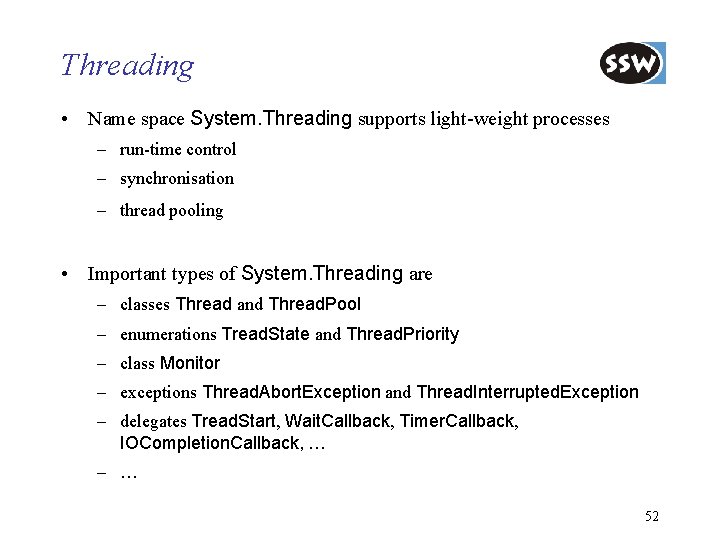
Threading • Name space System. Threading supports light-weight processes – run-time control – synchronisation – thread pooling • Important types of System. Threading are – classes Thread and Thread. Pool – enumerations Tread. State and Thread. Priority – class Monitor – exceptions Thread. Abort. Exception and Thread. Interrupted. Exception – delegates Tread. Start, Wait. Callback, Timer. Callback, IOCompletion. Callback, … – … 52
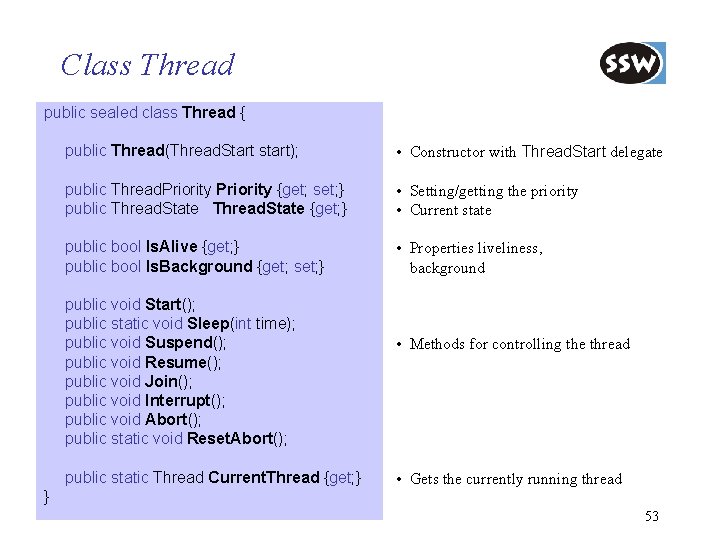
Class Thread public sealed class Thread { public Thread(Thread. Start start); • Constructor with Thread. Start delegate public Thread. Priority {get; set; } public Thread. State {get; } • Setting/getting the priority • Current state public bool Is. Alive {get; } public bool Is. Background {get; set; } • Properties liveliness, background public void Start(); public static void Sleep(int time); public void Suspend(); public void Resume(); public void Join(); public void Interrupt(); public void Abort(); public static void Reset. Abort(); public static Thread Current. Thread {get; } • Methods for controlling the thread • Gets the currently running thread } 53
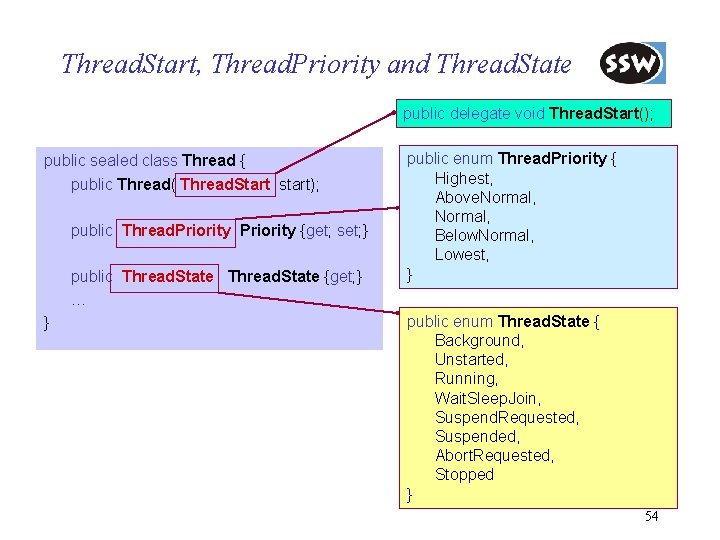
Thread. Start, Thread. Priority and Thread. State public delegate void Thread. Start(); public sealed class Thread { public Thread( Thread. Start start); public Thread. Priority {get; set; } public Thread. State {get; } … } public enum Thread. Priority { Highest, Above. Normal, Below. Normal, Lowest, } public enum Thread. State { Background, Unstarted, Running, Wait. Sleep. Join, Suspend. Requested, Suspended, Abort. Requested, Stopped } 54
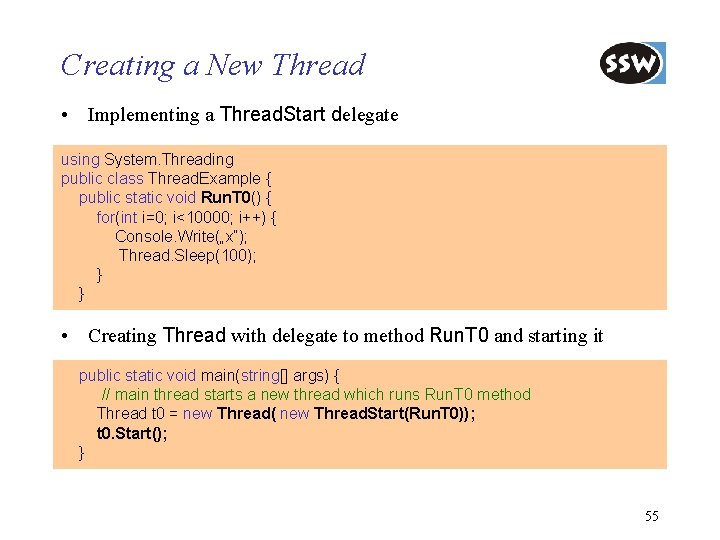
Creating a New Thread • Implementing a Thread. Start delegate using System. Threading public class Thread. Example { public static void Run. T 0() { for(int i=0; i<10000; i++) { Console. Write(„x“); Thread. Sleep(100); } } • Creating Thread with delegate to method Run. T 0 and starting it public static void main(string[] args) { // main thread starts a new thread which runs Run. T 0 method Thread t 0 = new Thread( new Thread. Start(Run. T 0)); t 0. Start(); } 55
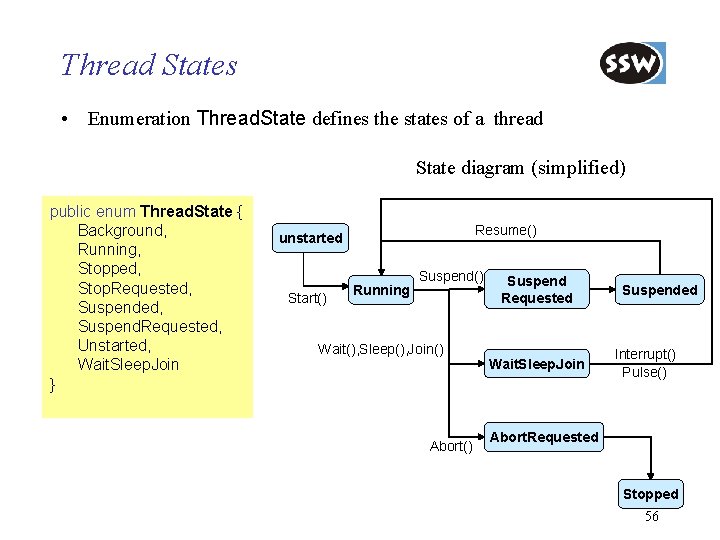
Thread States • Enumeration Thread. State defines the states of a thread State diagram (simplified) public enum Thread. State { Background, Running, Stopped, Stop. Requested, Suspend. Requested, Unstarted, Wait. Sleep. Join } Resume() unstarted Start() Running Suspend() Wait(), Sleep(), Join() Abort() Suspend Requested Wait. Sleep. Join Suspended Interrupt() Pulse() Abort. Requested Stopped 56
Thread Pools • Class Thread. Pool enable the automatic management of a collection of threads • Used for threads that spend most of their time in the waiting state • The system uses a collection of worker threads to manage the registered tasks • All the tasks that are registered in a thread pool are processed by the worker threads • But: – No priorities – No threads that use too much processor time – No direct access to the threads (e. g. : to stop) 58
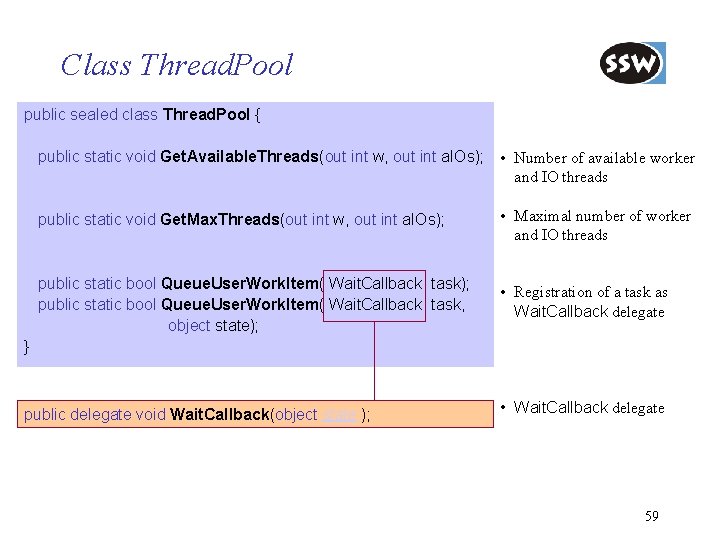
Class Thread. Pool public sealed class Thread. Pool { public static void Get. Available. Threads(out int w, out int a. IOs); • Number of available worker and IO threads public static void Get. Max. Threads(out int w, out int a. IOs); • Maximal number of worker and IO threads public static bool Queue. User. Work. Item( Wait. Callback task); public static bool Queue. User. Work. Item( Wait. Callback task, object state); • Registration of a task as Wait. Callback delegate } public delegate void Wait. Callback(object state ); • Wait. Callback delegate 59
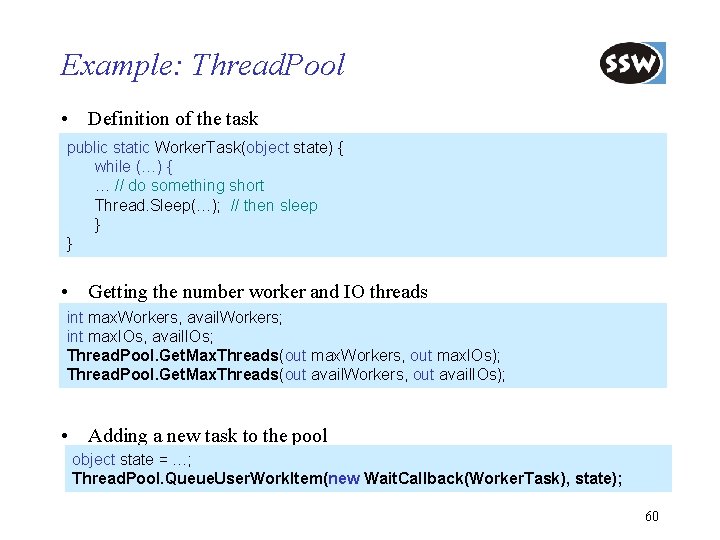
Example: Thread. Pool • Definition of the task public static Worker. Task(object state) { while (…) { … // do something short Thread. Sleep(…); // then sleep } } • Getting the number worker and IO threads int max. Workers, avail. Workers; int max. IOs, avail. IOs; Thread. Pool. Get. Max. Threads(out max. Workers, out max. IOs); Thread. Pool. Get. Max. Threads(out avail. Workers, out avail. IOs); • Adding a new task to the pool object state = …; Thread. Pool. Queue. User. Work. Item(new Wait. Callback(Worker. Task), state); 60
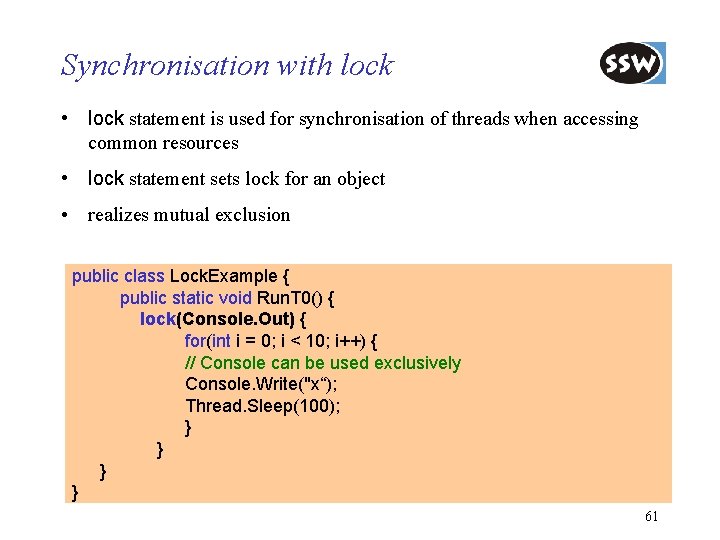
Synchronisation with lock • lock statement is used for synchronisation of threads when accessing common resources • lock statement sets lock for an object • realizes mutual exclusion public class Lock. Example { public static void Run. T 0() { lock(Console. Out) { for(int i = 0; i < 10; i++) { // Console can be used exclusively Console. Write("x“); Thread. Sleep(100); } } 61
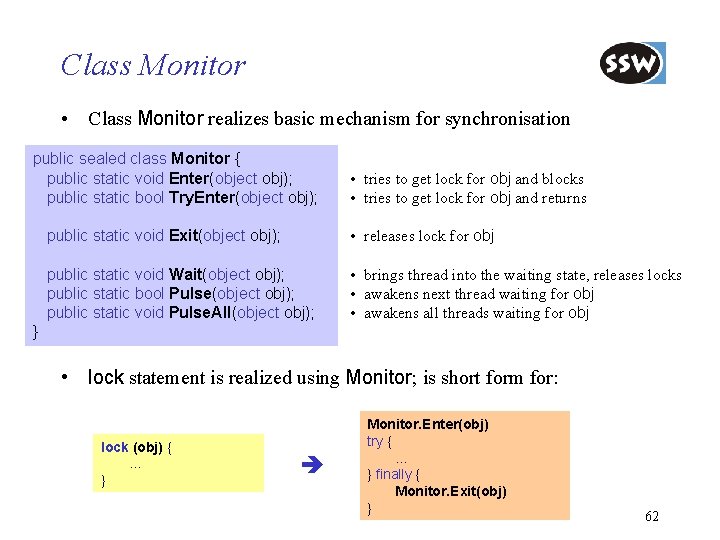
Class Monitor • Class Monitor realizes basic mechanism for synchronisation public sealed class Monitor { public static void Enter(object obj); public static bool Try. Enter(object obj); • tries to get lock for obj and blocks • tries to get lock for obj and returns public static void Exit(object obj); • releases lock for obj public static void Wait(object obj); public static bool Pulse(object obj); public static void Pulse. All(object obj); • brings thread into the waiting state, releases locks • awakens next thread waiting for obj • awakens all threads waiting for obj } • lock statement is realized using Monitor; is short form for: lock (obj) { … } Monitor. Enter(obj) try { … } finally { Monitor. Exit(obj) } 62
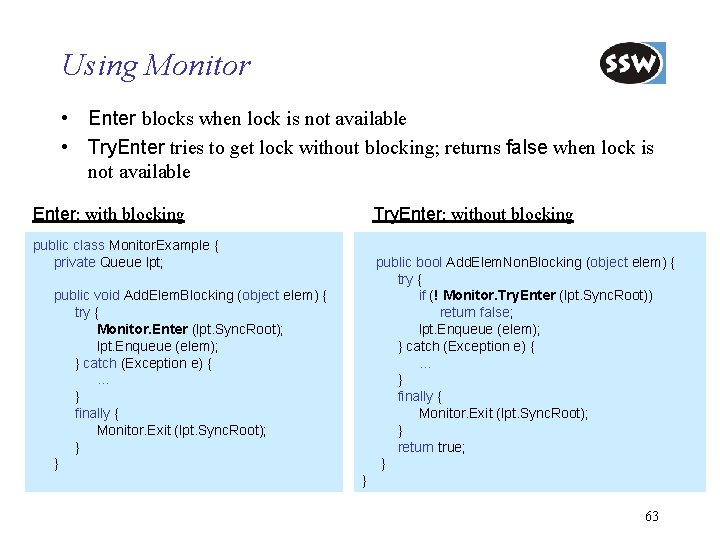
Using Monitor • Enter blocks when lock is not available • Try. Enter tries to get lock without blocking; returns false when lock is not available Enter: with blocking Try. Enter: without blocking public class Monitor. Example { private Queue lpt; public bool Add. Elem. Non. Blocking (object elem) { try { if (! Monitor. Try. Enter (lpt. Sync. Root)) return false; lpt. Enqueue (elem); } catch (Exception e) { … } finally { Monitor. Exit (lpt. Sync. Root); } return true; } public void Add. Elem. Blocking (object elem) { try { Monitor. Enter (lpt. Sync. Root); lpt. Enqueue (elem); } catch (Exception e) { … } finally { Monitor. Exit (lpt. Sync. Root); } } } 63
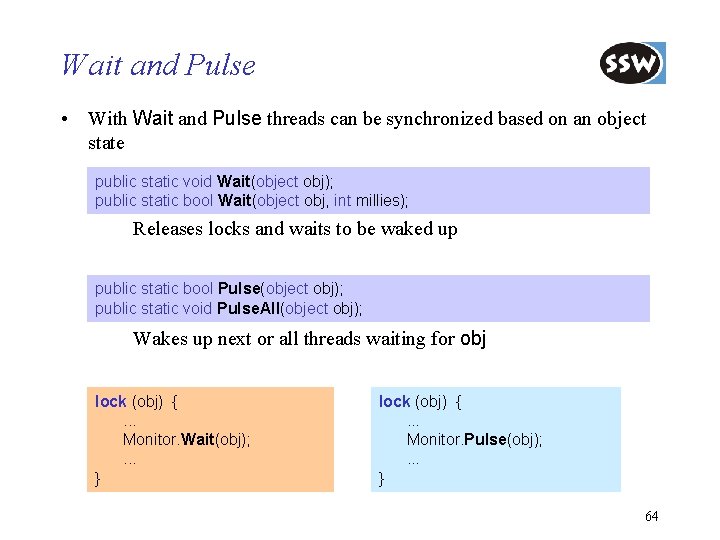
Wait and Pulse • With Wait and Pulse threads can be synchronized based on an object state public static void Wait(object obj); public static bool Wait(object obj, int millies); Releases locks and waits to be waked up public static bool Pulse(object obj); public static void Pulse. All(object obj); Wakes up next or all threads waiting for obj lock (obj) {. . . Monitor. Wait(obj); . . . } lock (obj) {. . . Monitor. Pulse(obj); . . . } 64
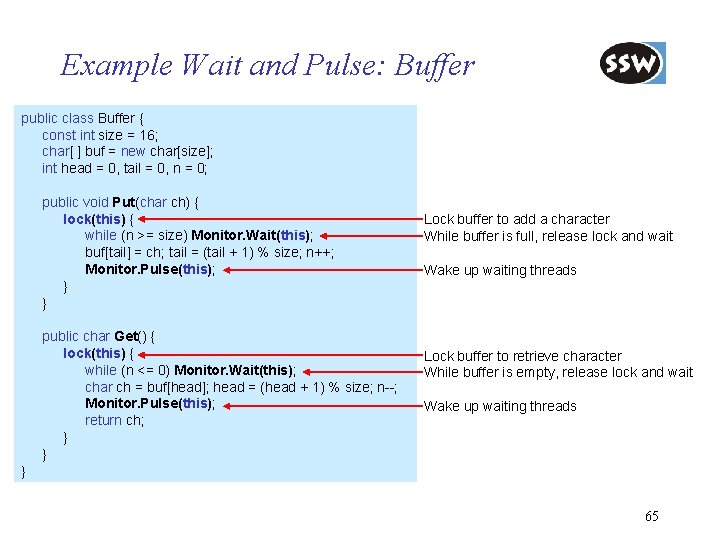
Example Wait and Pulse: Buffer public class Buffer { const int size = 16; char[ ] buf = new char[size]; int head = 0, tail = 0, n = 0; public void Put(char ch) { lock(this) { while (n >= size) Monitor. Wait(this); buf[tail] = ch; tail = (tail + 1) % size; n++; Monitor. Pulse(this); } } public char Get() { lock(this) { while (n <= 0) Monitor. Wait(this); char ch = buf[head]; head = (head + 1) % size; n--; Monitor. Pulse(this); return ch; } } Lock buffer to add a character While buffer is full, release lock and wait Wake up waiting threads Lock buffer to retrieve character While buffer is empty, release lock and wait Wake up waiting threads } 65
. NET Framework Class Library Overview Collections Strings Reflection Threading Streaming Processing XML Data Networking Windows Forms Summary
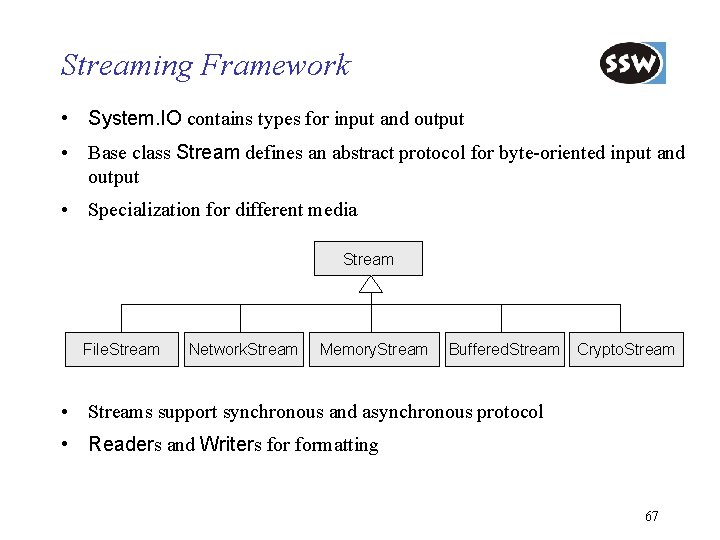
Streaming Framework • System. IO contains types for input and output • Base class Stream defines an abstract protocol for byte-oriented input and output • Specialization for different media Stream File. Stream Network. Stream Memory. Stream Buffered. Stream Crypto. Stream • Streams support synchronous and asynchronous protocol • Readers and Writers formatting 67
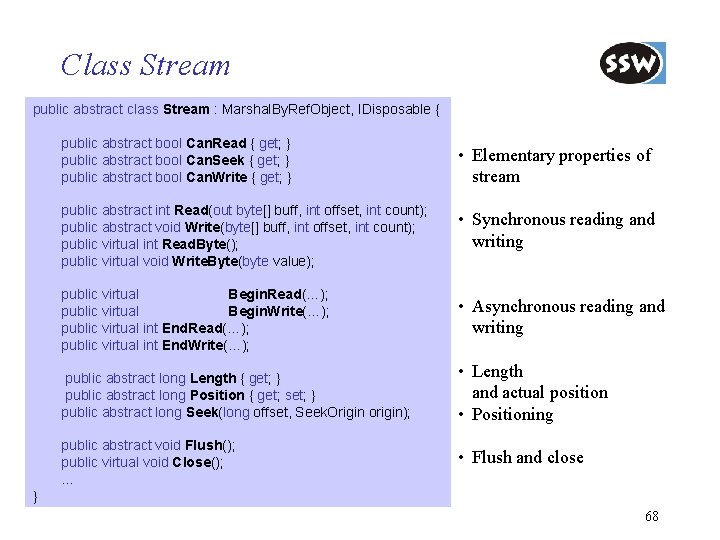
Class Stream public abstract class Stream : Marshal. By. Ref. Object, IDisposable { public abstract bool Can. Read { get; } public abstract bool Can. Seek { get; } public abstract bool Can. Write { get; } • Elementary properties of stream public abstract int Read(out byte[] buff, int offset, int count); public abstract void Write(byte[] buff, int offset, int count); public virtual int Read. Byte(); public virtual void Write. Byte(byte value); • Synchronous reading and writing public virtual IAsync. Result Begin. Read(…); public virtual IAsync. Result Begin. Write(…); public virtual int End. Read(…); public virtual int End. Write(…); • Asynchronous reading and writing public abstract long Length { get; } public abstract long Position { get; set; } public abstract long Seek(long offset, Seek. Origin origin); • Length and actual position • Positioning public abstract void Flush(); public virtual void Close(); . . . • Flush and close } 68
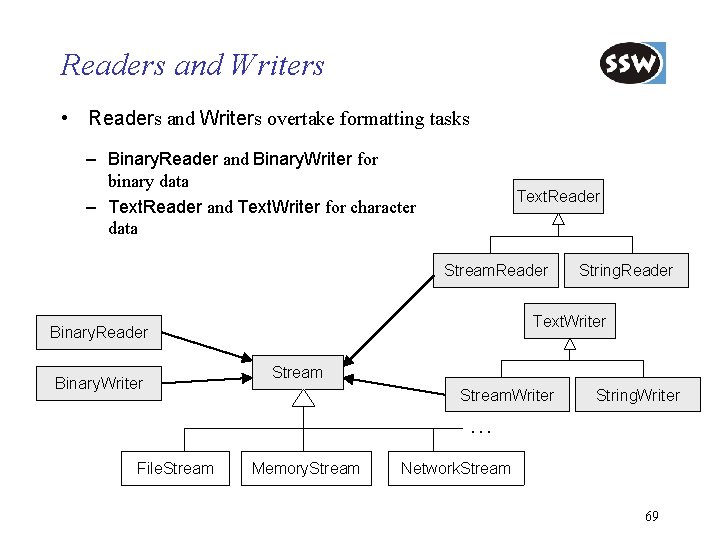
Readers and Writers • Readers and Writers overtake formatting tasks – Binary. Reader and Binary. Writer for binary data – Text. Reader and Text. Writer for character data Text. Reader Stream. Reader Text. Writer Binary. Reader Binary. Writer String. Reader Stream. Writer String. Writer … File. Stream Memory. Stream Network. Stream 69
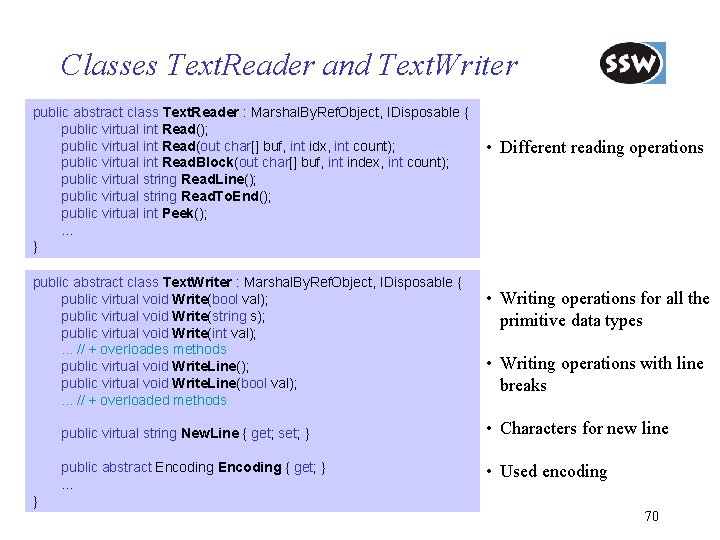
Classes Text. Reader and Text. Writer public abstract class Text. Reader : Marshal. By. Ref. Object, IDisposable { public virtual int Read(); public virtual int Read(out char[] buf, int idx, int count); public virtual int Read. Block(out char[] buf, int index, int count); public virtual string Read. Line(); public virtual string Read. To. End(); public virtual int Peek(); … } public abstract class Text. Writer : Marshal. By. Ref. Object, IDisposable { public virtual void Write(bool val); public virtual void Write(string s); public virtual void Write(int val); . . . // + overloades methods public virtual void Write. Line(); public virtual void Write. Line(bool val); . . . // + overloaded methods • Different reading operations • Writing operations for all the primitive data types • Writing operations with line breaks public virtual string New. Line { get; set; } • Characters for new line public abstract Encoding { get; } … • Used encoding } 70
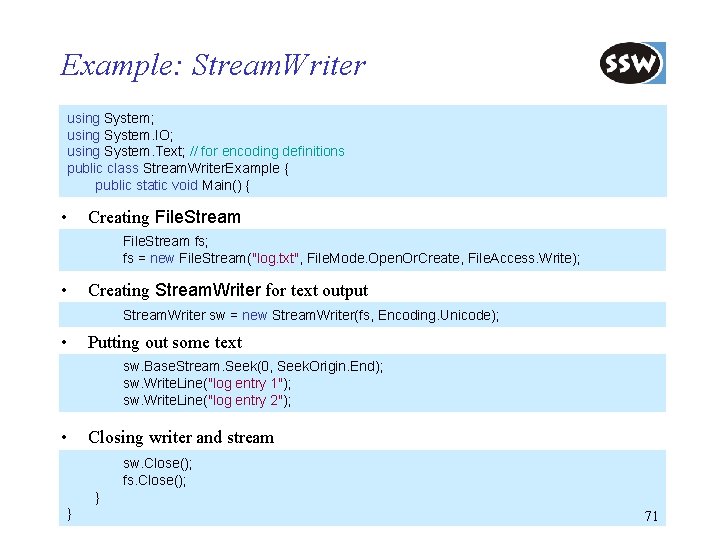
Example: Stream. Writer using System; using System. IO; using System. Text; // for encoding definitions public class Stream. Writer. Example { public static void Main() { • Creating File. Stream fs; fs = new File. Stream("log. txt", File. Mode. Open. Or. Create, File. Access. Write); • Creating Stream. Writer for text output Stream. Writer sw = new Stream. Writer(fs, Encoding. Unicode); • Putting out some text sw. Base. Stream. Seek(0, Seek. Origin. End); sw. Write. Line("log entry 1"); sw. Write. Line("log entry 2"); • Closing writer and stream sw. Close(); fs. Close(); } } 71
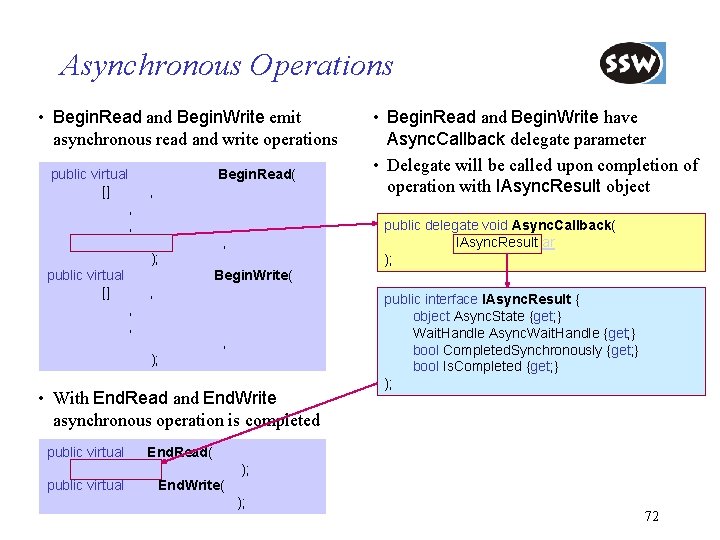
Asynchronous Operations • Begin. Read and Begin. Write emit asynchronous read and write operations public virtual IAsync. Result Begin. Read( byte[] buffer, int offset, int count, Async. Callback callback, object state ); public virtual IAsync. Result Begin. Write( byte[] buffer, int offset, int count, Async. Callback callback, object state ); • With End. Read and End. Write asynchronous operation is completed public virtual int End. Read( IAsync. Result async. Result ); public virtual void End. Write( IAsync. Result async. Result); • Begin. Read and Begin. Write have Async. Callback delegate parameter • Delegate will be called upon completion of operation with IAsync. Result object public delegate void Async. Callback( IAsync. Result ar ); public interface IAsync. Result { object Async. State {get; } Wait. Handle Async. Wait. Handle {get; } bool Completed. Synchronously {get; } bool Is. Completed {get; } ); 72
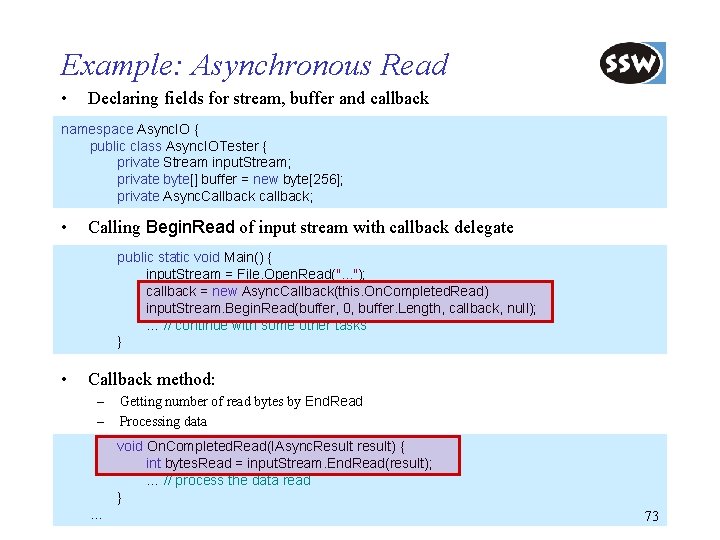
Example: Asynchronous Read • Declaring fields for stream, buffer and callback namespace Async. IO { public class Async. IOTester { private Stream input. Stream; private byte[] buffer = new byte[256]; private Async. Callback callback; • Calling Begin. Read of input stream with callback delegate public static void Main() { input. Stream = File. Open. Read(". . . "); callback = new Async. Callback(this. On. Completed. Read) input. Stream. Begin. Read(buffer, 0, buffer. Length, callback, null); … // continue with some other tasks } • Callback method: – – Getting number of read bytes by End. Read Processing data void On. Completed. Read(IAsync. Result result) { int bytes. Read = input. Stream. End. Read(result); … // process the data read } … 73
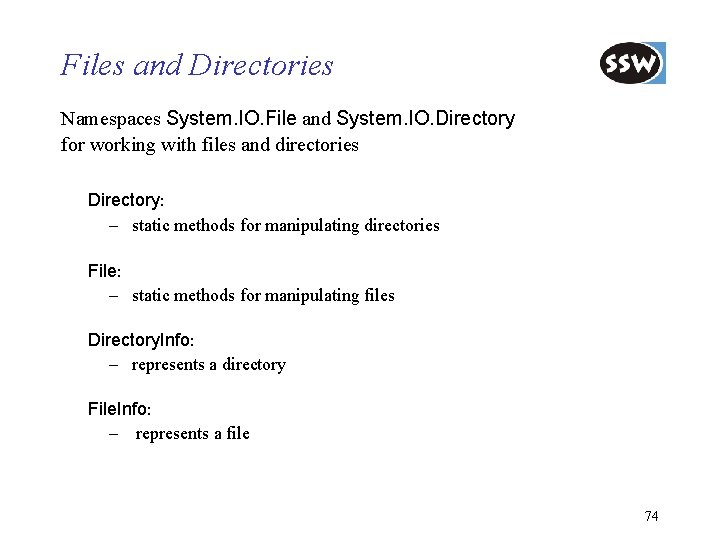
Files and Directories Namespaces System. IO. File and System. IO. Directory for working with files and directories Directory: – static methods for manipulating directories File: – static methods for manipulating files Directory. Info: – represents a directory File. Info: – represents a file 74

Example: Directories and Files • Putting out the directories and files in "c: \" • Output using System; using System. IO; public class Directory. Example { ----- Directories -----Documents and Settings I 386 Program Files System Volume Information WINNT ----- Files -----AUTOEXEC. BAT boot. ini CONFIG. SYS IO. SYS MSDOS. SYS NTDETECT. COM ntldr pagefile. sys public static void Main() { Directory. Info dir = Directory. Create. Directory("c: \"); Console. Write. Line("----- Directories -----"); Directory. Info[] dirs = dir. Get. Directories(); foreach (Directory. Info d in dirs) Console. Write. Line(d. Name); Console. Write. Line ("----- Files -----"); File. Info[] files = dir. Get. Files(); foreach (File. Info f in files) Console. Write. Line(f. Name); } } 79
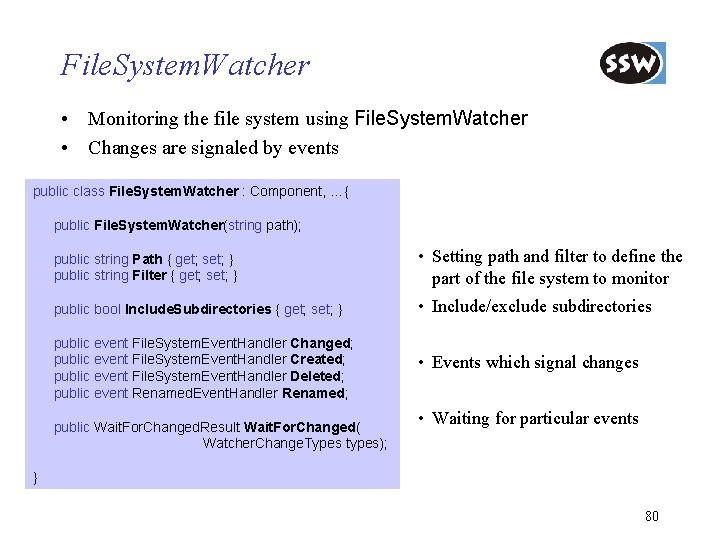
File. System. Watcher • Monitoring the file system using File. System. Watcher • Changes are signaled by events public class File. System. Watcher : Component, …{ public File. System. Watcher(string path); public string Path { get; set; } public string Filter { get; set; } • Setting path and filter to define the part of the file system to monitor public bool Include. Subdirectories { get; set; } • Include/exclude subdirectories public event File. System. Event. Handler Changed; public event File. System. Event. Handler Created; public event File. System. Event. Handler Deleted; public event Renamed. Event. Handler Renamed; • Events which signal changes public Wait. For. Changed. Result Wait. For. Changed( Watcher. Change. Types types); • Waiting for particular events } 80
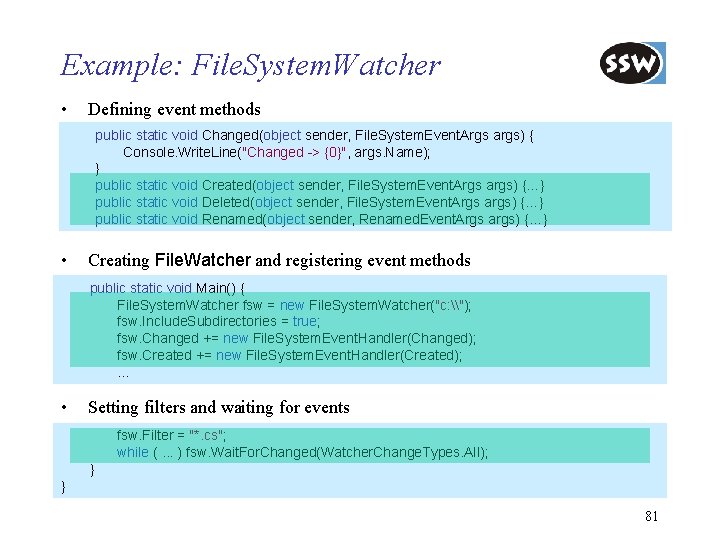
Example: File. System. Watcher • Defining event methods public static void Changed(object sender, File. System. Event. Args args) { Console. Write. Line("Changed -> {0}", args. Name); } public static void Created(object sender, File. System. Event. Args args) {…} public static void Deleted(object sender, File. System. Event. Args args) {…} public static void Renamed(object sender, Renamed. Event. Args args) {…} • Creating File. Watcher and registering event methods public static void Main() { File. System. Watcher fsw = new File. System. Watcher("c: \"); fsw. Include. Subdirectories = true; fsw. Changed += new File. System. Event. Handler(Changed); fsw. Created += new File. System. Event. Handler(Created); … • Setting filters and waiting for events fsw. Filter = "*. cs"; while (. . . ) fsw. Wait. For. Changed(Watcher. Change. Types. All); } } 81
. NET Framework Class Library Overview Collections Strings Reflection Threading Streaming Processing XML Data Networking Windows Forms Summary
XML in. NET • . NET makes heavy use of XML – see ADO. NET, WSDL, UDDI, SOAP, … • The base class library provides implementations for standards like: – XML, XSL, XPath, . . . • Both XML processing models are supported: – DOM (Document Object Model) – serial access similar to SAX • Namespaces – – – System. Xml. Xsl System. Xml. XPath System. Xml. Schema System. Xml. Serialization 83
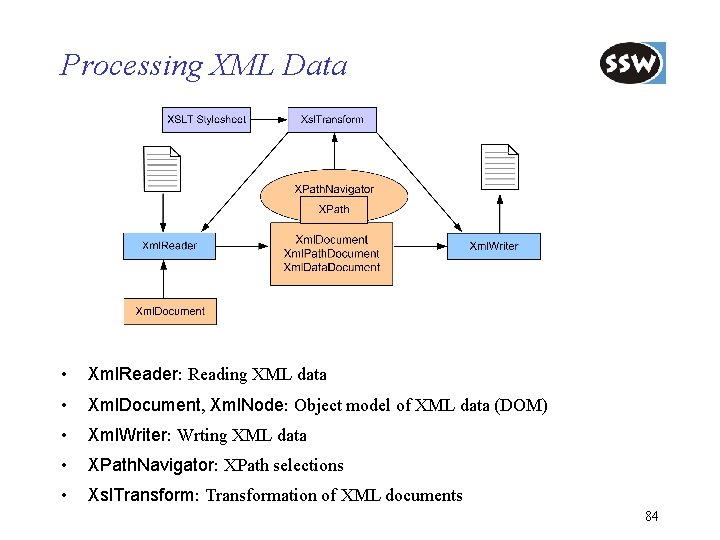
Processing XML Data • Xml. Reader: Reading XML data • Xml. Document, Xml. Node: Object model of XML data (DOM) • Xml. Writer: Wrting XML data • XPath. Navigator: XPath selections • Xsl. Transform: Transformation of XML documents 84
Xml. Reader • Xml. Reader for serial parsing • Similar to SAX, but works with a pull mode • Implementations are: – Xml. Text. Reader: efficient, no immediate storage of elements – Xml. Validating. Reader: validates document against DTD or XSD – Xml. Node. Reader: reading from an Xml. Node (DOM) 85
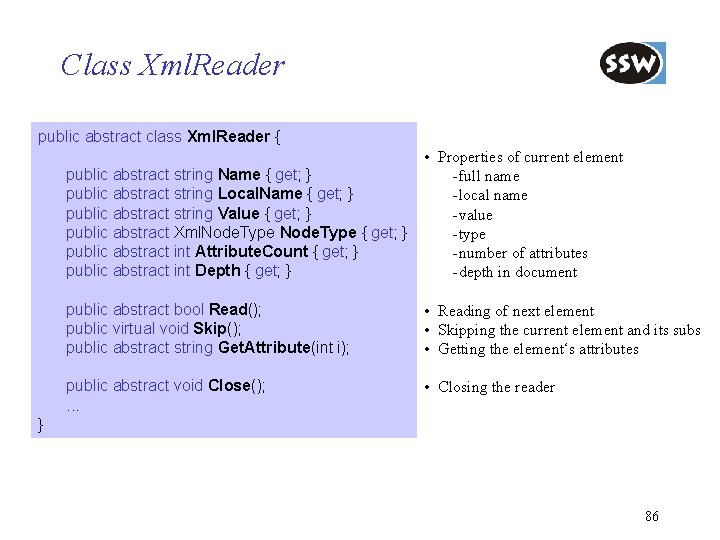
Class Xml. Reader public abstract class Xml. Reader { • Properties of current element public abstract string Name { get; } - full name public abstract string Local. Name { get; } - local name public abstract string Value { get; } - value public abstract Xml. Node. Type { get; } - type public abstract int Attribute. Count { get; } - number of attributes public abstract int Depth { get; } - depth in document public abstract bool Read(); public virtual void Skip(); public abstract string Get. Attribute(int i); • Reading of next element • Skipping the current element and its subs • Getting the element‘s attributes public abstract void Close(); . . . • Closing the reader } 86
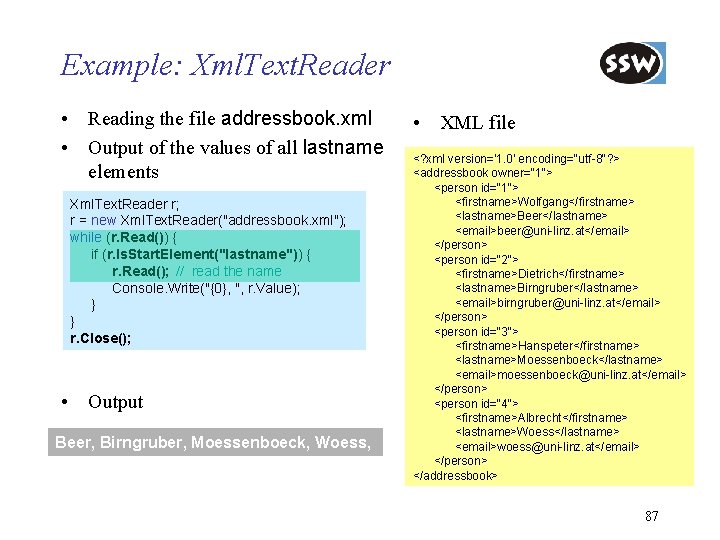
Example: Xml. Text. Reader • Reading the file addressbook. xml • Output of the values of all lastname elements Xml. Text. Reader r; r = new Xml. Text. Reader("addressbook. xml"); while (r. Read()) { if (r. Is. Start. Element("lastname")) { r. Read(); // read the name Console. Write("{0}, ", r. Value); } } r. Close(); • Output Beer, Birngruber, Moessenboeck, Woess, • XML file <? xml version='1. 0' encoding="utf-8"? > <addressbook owner="1"> <person id="1"> <firstname>Wolfgang</firstname> <lastname>Beer</lastname> <email>beer@uni-linz. at</email> </person> <person id="2"> <firstname>Dietrich</firstname> <lastname>Birngruber</lastname> <email>birngruber@uni-linz. at</email> </person> <person id="3"> <firstname>Hanspeter</firstname> <lastname>Moessenboeck</lastname> <email>moessenboeck@uni-linz. at</email> </person> <person id="4"> <firstname>Albrecht</firstname> <lastname>Woess</lastname> <email>woess@uni-linz. at</email> </person> </addressbook> 87
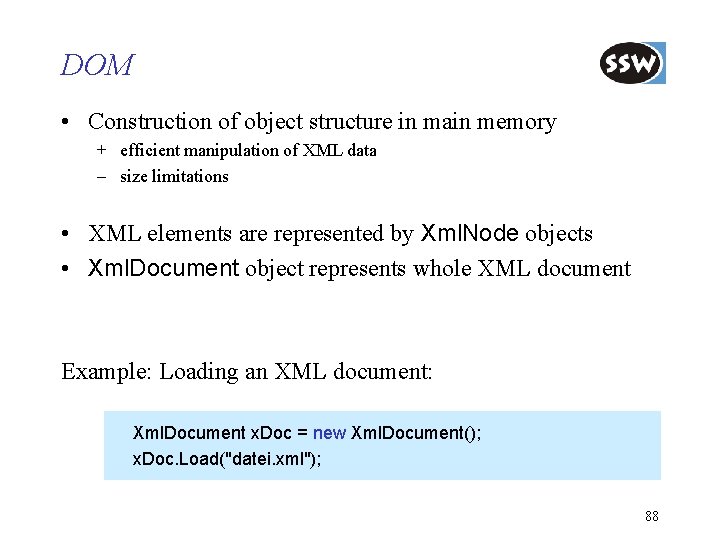
DOM • Construction of object structure in main memory + efficient manipulation of XML data – size limitations • XML elements are represented by Xml. Node objects • Xml. Document object represents whole XML document Example: Loading an XML document: Xml. Document x. Doc = new Xml. Document(); x. Doc. Load("datei. xml"); 88
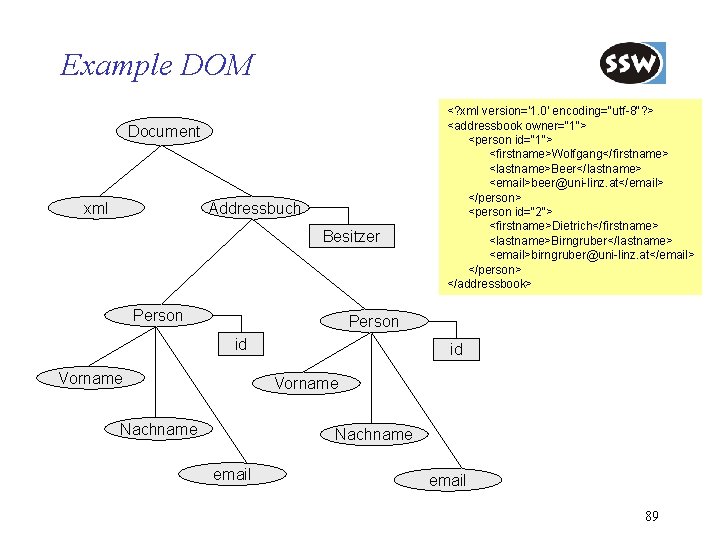
Example DOM Document xml Addressbuch Besitzer Person <? xml version='1. 0' encoding="utf-8"? > <addressbook owner="1"> <person id="1"> <firstname>Wolfgang</firstname> <lastname>Beer</lastname> <email>beer@uni-linz. at</email> </person> <person id="2"> <firstname>Dietrich</firstname> <lastname>Birngruber</lastname> <email>birngruber@uni-linz. at</email> </person> </addressbook> Person id Vorname Nachname email 89
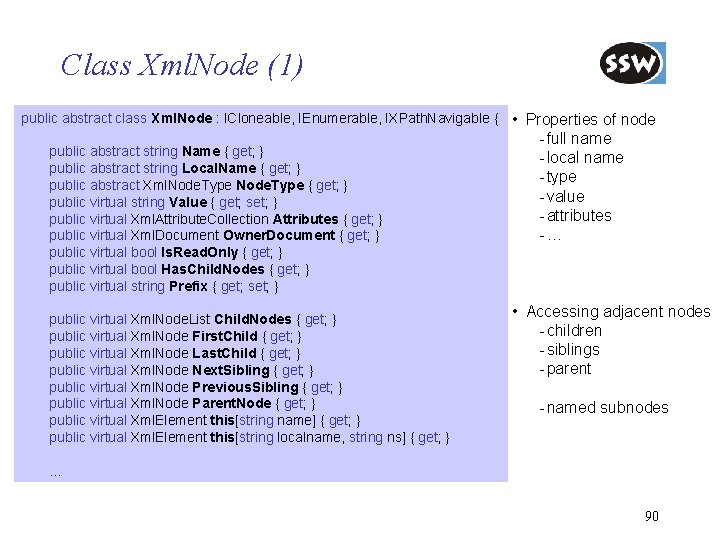
Class Xml. Node (1) public abstract class Xml. Node : ICloneable, IEnumerable, IXPath. Navigable { • Properties of node public abstract string Name { get; } public abstract string Local. Name { get; } public abstract Xml. Node. Type { get; } public virtual string Value { get; set; } public virtual Xml. Attribute. Collection Attributes { get; } public virtual Xml. Document Owner. Document { get; } public virtual bool Is. Read. Only { get; } public virtual bool Has. Child. Nodes { get; } public virtual string Prefix { get; set; } public virtual Xml. Node. List Child. Nodes { get; } public virtual Xml. Node First. Child { get; } public virtual Xml. Node Last. Child { get; } public virtual Xml. Node Next. Sibling { get; } public virtual Xml. Node Previous. Sibling { get; } public virtual Xml. Node Parent. Node { get; } public virtual Xml. Element this[string name] { get; } public virtual Xml. Element this[string localname, string ns] { get; } - full name - local name - type - value - attributes -… • Accessing adjacent nodes - children - siblings - parent - named subnodes … 90
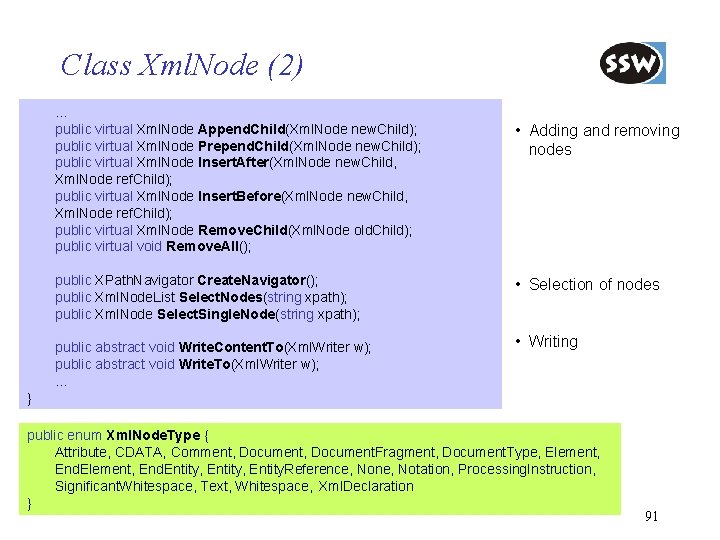
Class Xml. Node (2). . . public virtual Xml. Node Append. Child(Xml. Node new. Child); public virtual Xml. Node Prepend. Child(Xml. Node new. Child); public virtual Xml. Node Insert. After(Xml. Node new. Child, Xml. Node ref. Child); public virtual Xml. Node Insert. Before(Xml. Node new. Child, Xml. Node ref. Child); public virtual Xml. Node Remove. Child(Xml. Node old. Child); public virtual void Remove. All(); public XPath. Navigator Create. Navigator(); public Xml. Node. List Select. Nodes(string xpath); public Xml. Node Select. Single. Node(string xpath); public abstract void Write. Content. To(Xml. Writer w); public abstract void Write. To(Xml. Writer w); . . . • Adding and removing nodes • Selection of nodes • Writing } public enum Xml. Node. Type { Attribute, CDATA, Comment, Document. Fragment, Document. Type, Element, End. Entity, Entity. Reference, None, Notation, Processing. Instruction, Significant. Whitespace, Text, Whitespace, Xml. Declaration } 91
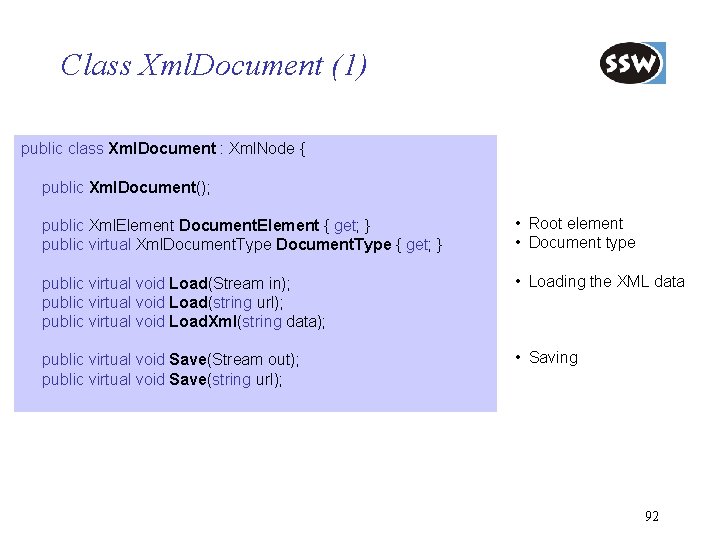
Class Xml. Document (1) public class Xml. Document : Xml. Node { public Xml. Document(); public Xml. Element Document. Element { get; } public virtual Xml. Document. Type { get; } • Root element • Document type public virtual void Load(Stream in); public virtual void Load(string url); public virtual void Load. Xml(string data); • Loading the XML data public virtual void Save(Stream out); public virtual void Save(string url); • Saving 92
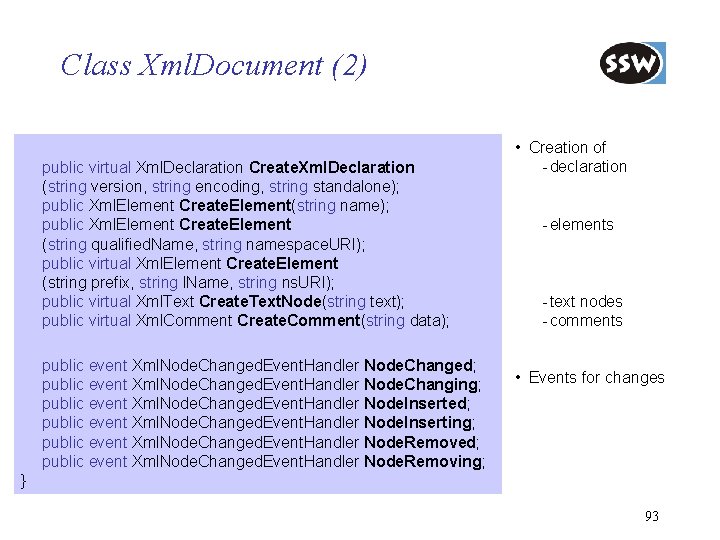
Class Xml. Document (2) public virtual Xml. Declaration Create. Xml. Declaration (string version, string encoding, string standalone); public Xml. Element Create. Element(string name); public Xml. Element Create. Element (string qualified. Name, string namespace. URI); public virtual Xml. Element Create. Element (string prefix, string l. Name, string ns. URI); public virtual Xml. Text Create. Text. Node(string text); public virtual Xml. Comment Create. Comment(string data); public event Xml. Node. Changed. Event. Handler Node. Changed; public event Xml. Node. Changed. Event. Handler Node. Changing; public event Xml. Node. Changed. Event. Handler Node. Inserted; public event Xml. Node. Changed. Event. Handler Node. Inserting; public event Xml. Node. Changed. Event. Handler Node. Removed; public event Xml. Node. Changed. Event. Handler Node. Removing; • Creation of - declaration - elements - text nodes - comments • Events for changes } 93
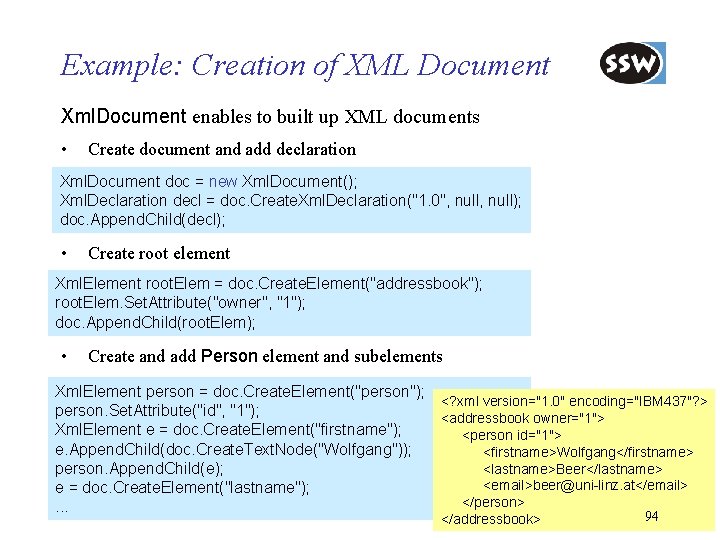
Example: Creation of XML Document Xml. Document enables to built up XML documents • Create document and add declaration Xml. Document doc = new Xml. Document(); Xml. Declaration decl = doc. Create. Xml. Declaration("1. 0", null); doc. Append. Child(decl); • Create root element Xml. Element root. Elem = doc. Create. Element("addressbook"); root. Elem. Set. Attribute("owner", "1"); doc. Append. Child(root. Elem); • Create and add Person element and subelements Xml. Element person = doc. Create. Element("person"); <? xml version="1. 0" encoding="IBM 437"? > person. Set. Attribute("id", "1"); <addressbook owner="1"> Xml. Element e = doc. Create. Element("firstname"); <person id="1"> e. Append. Child(doc. Create. Text. Node("Wolfgang")); <firstname>Wolfgang</firstname> <lastname>Beer</lastname> person. Append. Child(e); <email>beer@uni-linz. at</email> e = doc. Create. Element("lastname"); </person>. . . </addressbook> 94
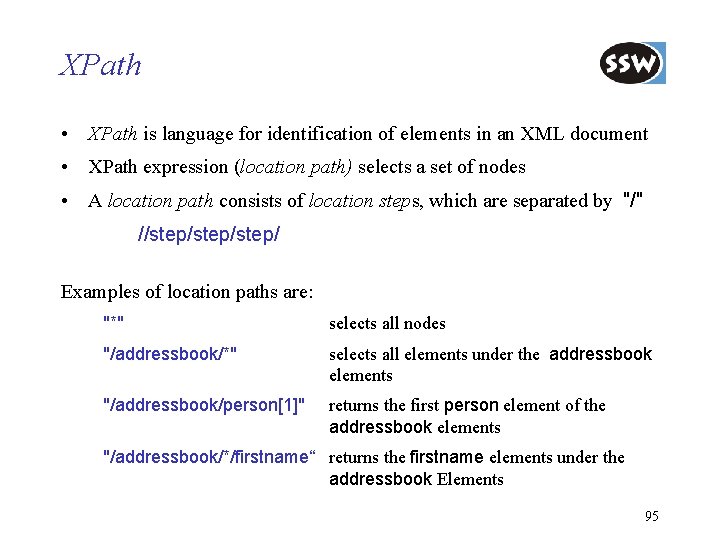
XPath • XPath is language for identification of elements in an XML document • XPath expression (location path) selects a set of nodes • A location path consists of location steps, which are separated by "/" //step/step/ Examples of location paths are: "*" selects all nodes "/addressbook/*" selects all elements under the addressbook elements "/addressbook/person[1]" returns the first person element of the addressbook elements "/addressbook/*/firstname“ returns the firstname elements under the addressbook Elements 95
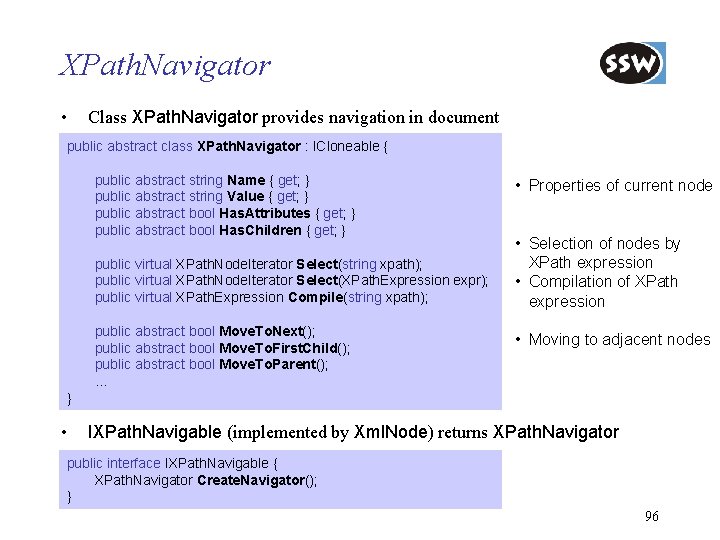
XPath. Navigator • Class XPath. Navigator provides navigation in document public abstract class XPath. Navigator : ICloneable { • public abstract string Name { get; } public abstract string Value { get; } public abstract bool Has. Attributes { get; } public abstract bool Has. Children { get; } public virtual XPath. Node. Iterator Select(string xpath); public virtual XPath. Node. Iterator Select(XPath. Expression expr); public virtual XPath. Expression Compile(string xpath); public abstract bool Move. To. Next(); public abstract bool Move. To. First. Child(); public abstract bool Move. To. Parent(); … • Properties of current node • Selection of nodes by XPath expression • Compilation of XPath expression • Moving to adjacent nodes } • IXPath. Navigable (implemented by Xml. Node) returns XPath. Navigator public interface IXPath. Navigable { XPath. Navigator Create. Navigator(); } 96
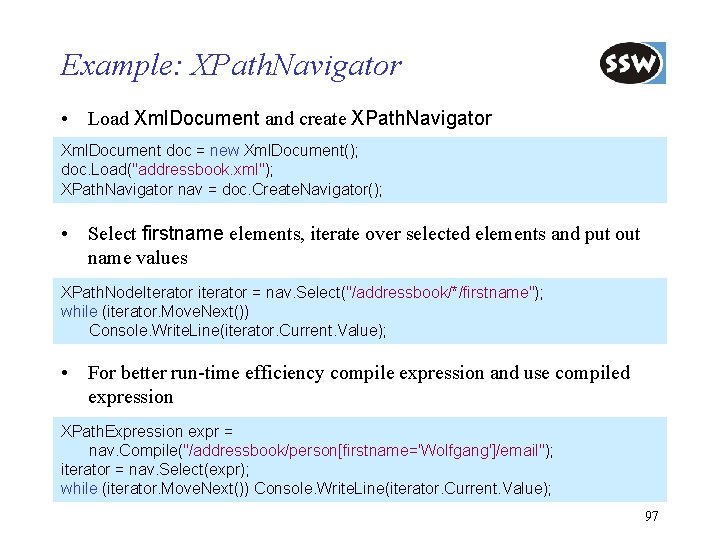
Example: XPath. Navigator • Load Xml. Document and create XPath. Navigator Xml. Document doc = new Xml. Document(); doc. Load("addressbook. xml"); XPath. Navigator nav = doc. Create. Navigator(); • Select firstname elements, iterate over selected elements and put out name values XPath. Node. Iterator iterator = nav. Select("/addressbook/*/firstname"); while (iterator. Move. Next()) Console. Write. Line(iterator. Current. Value); • For better run-time efficiency compile expression and use compiled expression XPath. Expression expr = nav. Compile("/addressbook/person[firstname='Wolfgang']/email"); iterator = nav. Select(expr); while (iterator. Move. Next()) Console. Write. Line(iterator. Current. Value); 97
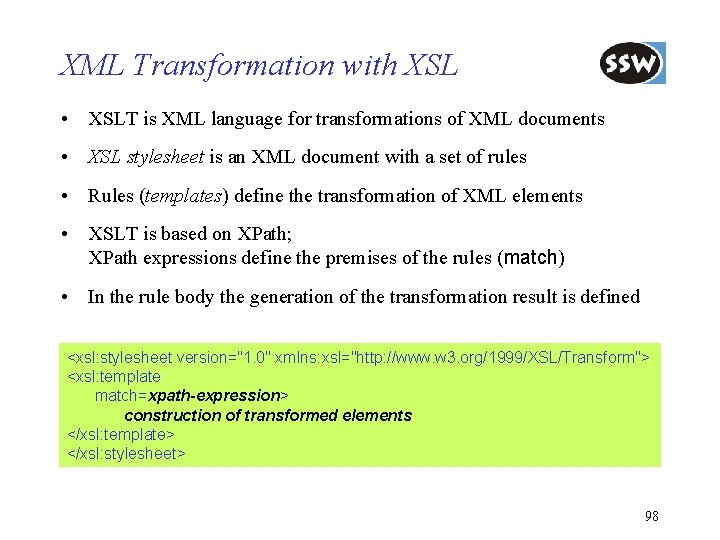
XML Transformation with XSL • XSLT is XML language for transformations of XML documents • XSL stylesheet is an XML document with a set of rules • Rules (templates) define the transformation of XML elements • XSLT is based on XPath; XPath expressions define the premises of the rules (match) • In the rule body the generation of the transformation result is defined <xsl: stylesheet version="1. 0" xmlns: xsl="http: //www. w 3. org/1999/XSL/Transform"> <xsl: template match=xpath-expression> construction of transformed elements </xsl: template> </xsl: stylesheet> 98
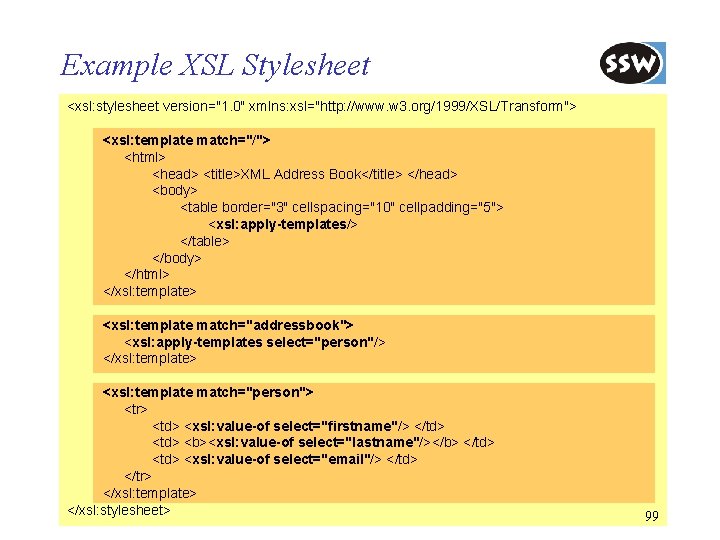
Example XSL Stylesheet <xsl: stylesheet version="1. 0" xmlns: xsl="http: //www. w 3. org/1999/XSL/Transform"> <xsl: template match="/"> <html> <head> <title>XML Address Book</title> </head> <body> <table border="3" cellspacing="10" cellpadding="5"> <xsl: apply-templates/> </table> </body> </html> </xsl: template> <xsl: template match="addressbook"> <xsl: apply-templates select="person"/> </xsl: template> <xsl: template match="person"> <tr> <td> <xsl: value-of select="firstname"/> </td> <b><xsl: value-of select="lastname"/></b> </td> <xsl: value-of select="email"/> </td> </tr> </xsl: template> </xsl: stylesheet> 99
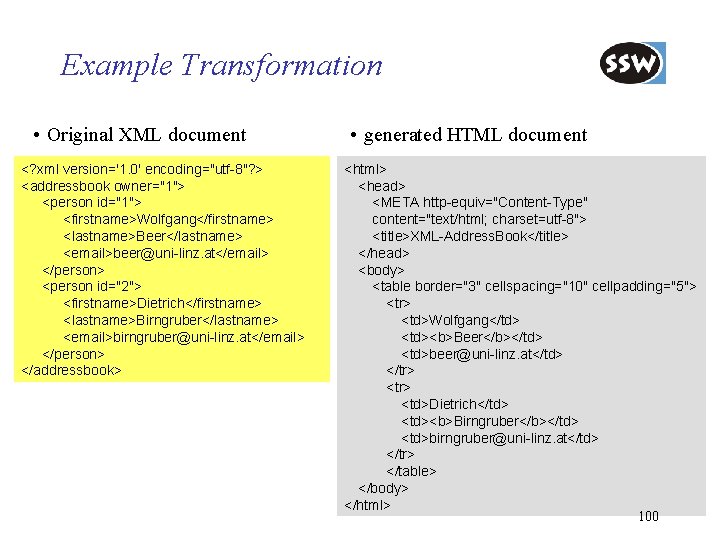
Example Transformation • Original XML document <? xml version='1. 0' encoding="utf-8"? > <addressbook owner="1"> <person id="1"> <firstname>Wolfgang</firstname> <lastname>Beer</lastname> <email>beer@uni-linz. at</email> </person> <person id="2"> <firstname>Dietrich</firstname> <lastname>Birngruber</lastname> <email>birngruber@uni-linz. at</email> </person> </addressbook> • generated HTML document <html> <head> <META http-equiv="Content-Type" content="text/html; charset=utf-8"> <title>XML-Address. Book</title> </head> <body> <table border="3" cellspacing="10" cellpadding="5"> <tr> <td>Wolfgang</td> <td><b>Beer</b></td> <td>beer@uni-linz. at</td> </tr> <td>Dietrich</td> <td><b>Birngruber</b></td> <td>birngruber@uni-linz. at</td> </tr> </table> </body> </html> 100
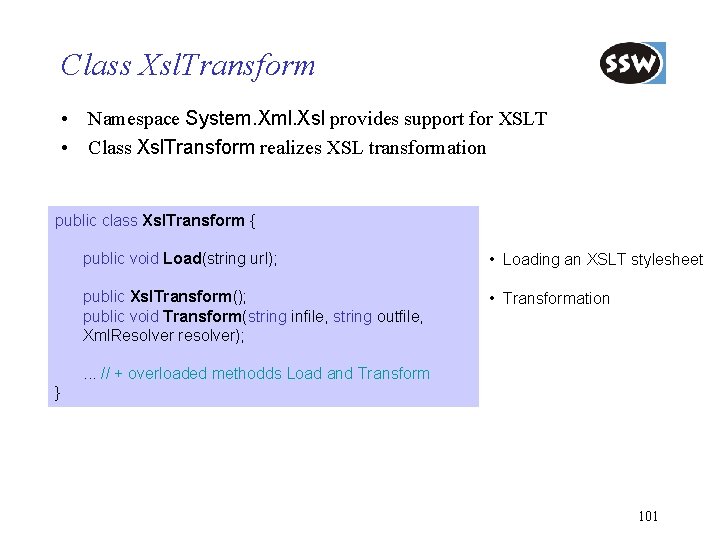
Class Xsl. Transform • Namespace System. Xml. Xsl provides support for XSLT • Class Xsl. Transform realizes XSL transformation public class Xsl. Transform { public void Load(string url); • Loading an XSLT stylesheet public Xsl. Transform(); public void Transform(string infile, string outfile, Xml. Resolver resolver); • Transformation . . . // + overloaded methodds Load and Transform } 101
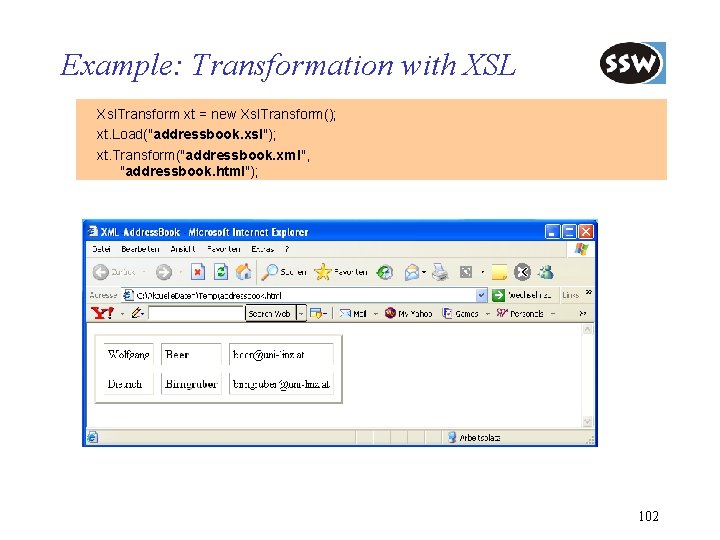
Example: Transformation with XSL Xsl. Transform xt = new Xsl. Transform(); xt. Load("addressbook. xsl"); xt. Transform("addressbook. xml", "addressbook. html"); 102
. NET Framework Class Library Overview Collections Strings Reflection Threading Streaming Processing XML Dat Networking Windows Forms Summary
Network Communication • Namespace System. Net supports the implementation of typical client/server applications • System. Net offers implementation of: – Internet protocols, e. g. : TCP, UDP, HTTP; – Internet services, e. g. : DNS (Domain Name System) – other protocols, e. g. : Ir. DA • System. Net. Sockets offers support for the creation of data streams over networks 104
Adressing • Addressing is done by classes IPAddress: represents IP address IPEnd. Point: represents end point with IP address and port Example: IPAddress ip. Adr = new IPAddress("254. 10. 120. 3"); // Create a new IPEnd. Point with port number 80 (HTTP) IPEnd. Point ep = new IPEnd. Point(ip. Adr, 80); 105
DNS (Domain Name System) • DNS offers an IP into domain name mapping service • Class Dns supports DNS mapping • Class IPHost. Entry is container class for address information Example: // Get all the addresses of a given DNS name IPHost. Entry host = Dns. Resolve("dotnet. jku. at“); foreach (IPAddress ip in host. Address. List) Console. Write. Line(ip. To. String()); 106
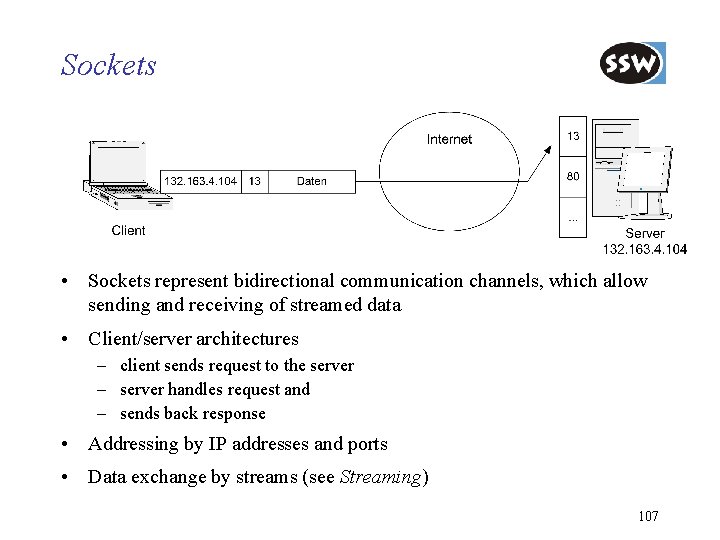
Sockets • Sockets represent bidirectional communication channels, which allow sending and receiving of streamed data • Client/server architectures – client sends request to the server – server handles request and – sends back response • Addressing by IP addresses and ports • Data exchange by streams (see Streaming) 107
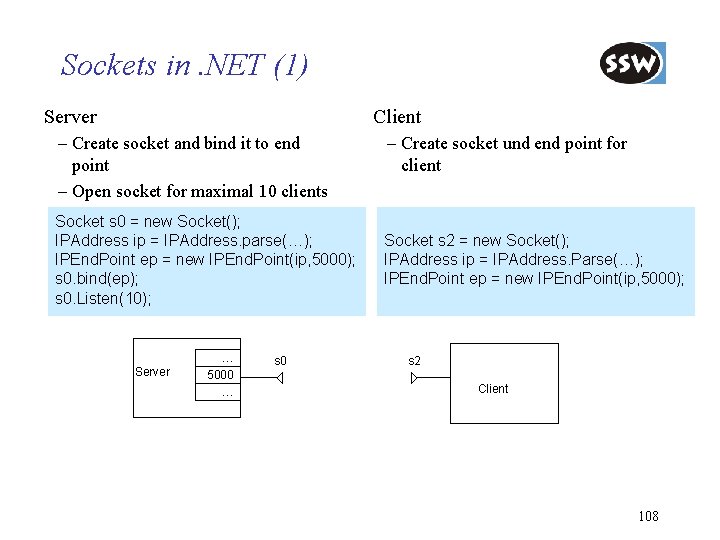
Sockets in. NET (1) Server Client – Create socket and bind it to end point – Open socket for maximal 10 clients Socket s 0 = new Socket(); IPAddress ip = IPAddress. parse(…); IPEnd. Point ep = new IPEnd. Point(ip, 5000); s 0. bind(ep); s 0. Listen(10); Server … 5000 … s 0 – Create socket und end point for client Socket s 2 = new Socket(); IPAddress ip = IPAddress. Parse(…); IPEnd. Point ep = new IPEnd. Point(ip, 5000); s 2 Client 108
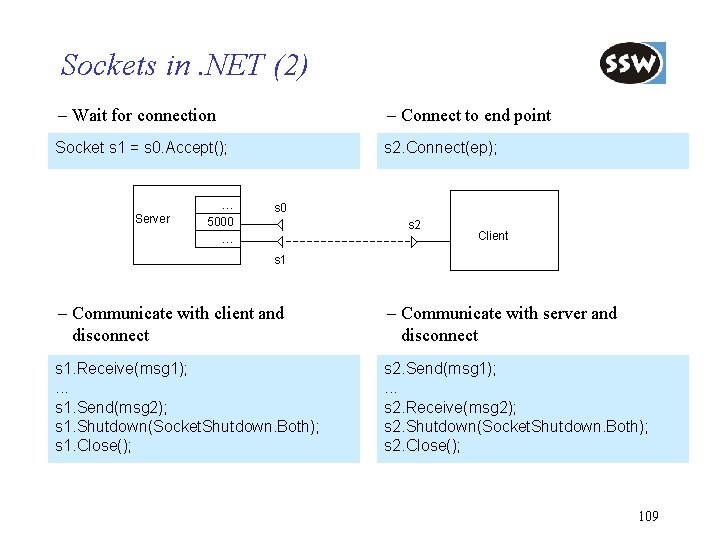
Sockets in. NET (2) – Wait for connection – Connect to end point Socket s 1 = s 0. Accept(); s 2. Connect(ep); Server … 5000 … s 0 s 2 Client s 1 – Communicate with client and disconnect – Communicate with server and disconnect s 1. Receive(msg 1); . . . s 1. Send(msg 2); s 1. Shutdown(Socket. Shutdown. Both); s 1. Close(); s 2. Send(msg 1); . . . s 2. Receive(msg 2); s 2. Shutdown(Socket. Shutdown. Both); s 2. Close(); 109
Network. Stream • Socket provides interface for transmitting byte or byte arrays • Class Network. Stream provides stream for reading and writing • Reader and Writer can be used to read and write complex data structures – E. g. , Xml. Text. Reader reads data in XML format 114
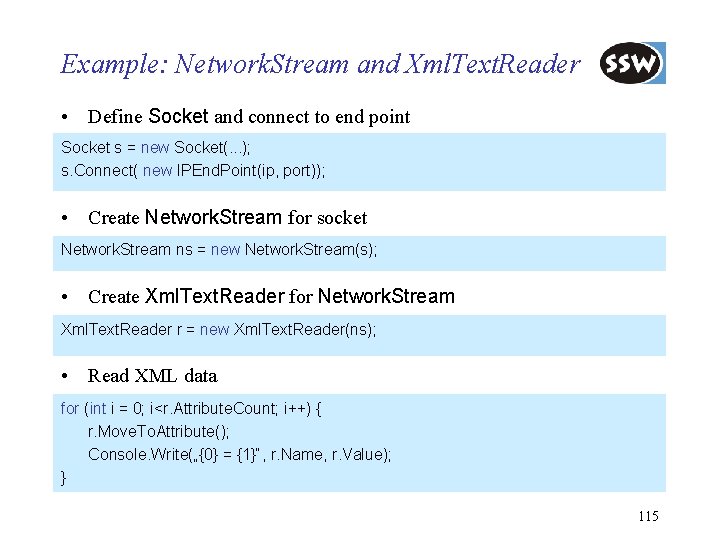
Example: Network. Stream and Xml. Text. Reader • Define Socket and connect to end point Socket s = new Socket(. . . ); s. Connect( new IPEnd. Point(ip, port)); • Create Network. Stream for socket Network. Stream ns = new Network. Stream(s); • Create Xml. Text. Reader for Network. Stream Xml. Text. Reader r = new Xml. Text. Reader(ns); • Read XML data for (int i = 0; i<r. Attribute. Count; i++) { r. Move. To. Attribute(); Console. Write(„{0} = {1}“, r. Name, r. Value); } 115
Web. Request und Web. Response • For loading resources from the Web • Abstract classes with concrete implementations: Http. Web. Request und Http. Web. Response communication based on HTTP protocol File. Web. Request und File. Web. Response communication based on Microsoft file protocol 116
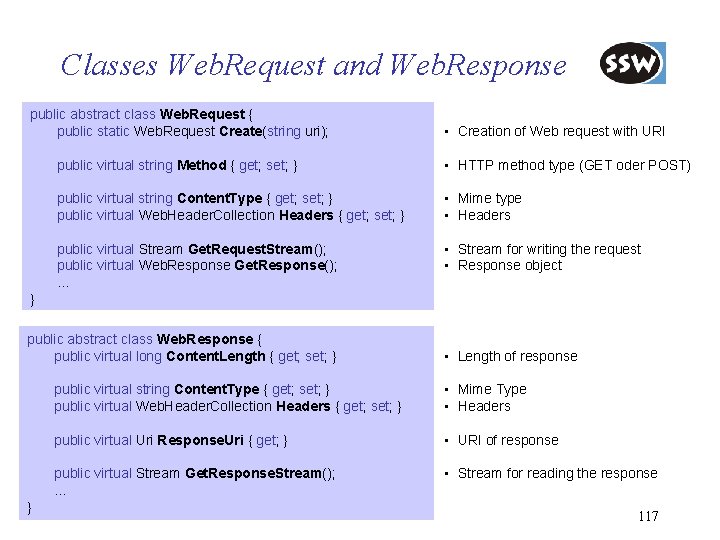
Classes Web. Request and Web. Response public abstract class Web. Request { public static Web. Request Create(string uri); • Creation of Web request with URI public virtual string Method { get; set; } • HTTP method type (GET oder POST) public virtual string Content. Type { get; set; } public virtual Web. Header. Collection Headers { get; set; } • Mime type • Headers public virtual Stream Get. Request. Stream(); public virtual Web. Response Get. Response(); … • Stream for writing the request • Response object } public abstract class Web. Response { public virtual long Content. Length { get; set; } } • Length of response public virtual string Content. Type { get; set; } public virtual Web. Header. Collection Headers { get; set; } • Mime Type • Headers public virtual Uri Response. Uri { get; } • URI of response public virtual Stream Get. Response. Stream(); … • Stream for reading the response 117
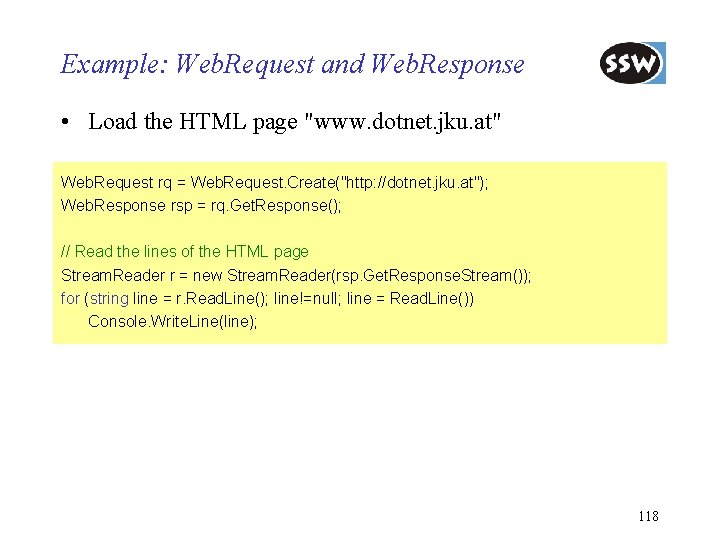
Example: Web. Request and Web. Response • Load the HTML page "www. dotnet. jku. at" Web. Request rq = Web. Request. Create("http: //dotnet. jku. at"); Web. Response rsp = rq. Get. Response(); // Read the lines of the HTML page Stream. Reader r = new Stream. Reader(rsp. Get. Response. Stream()); for (string line = r. Read. Line(); line!=null; line = Read. Line()) Console. Write. Line(line); 118
. NET Framework Class Library Overview Collections Strings Reflection Threading Streaming Processing XML Data Networking Windows Forms Summary
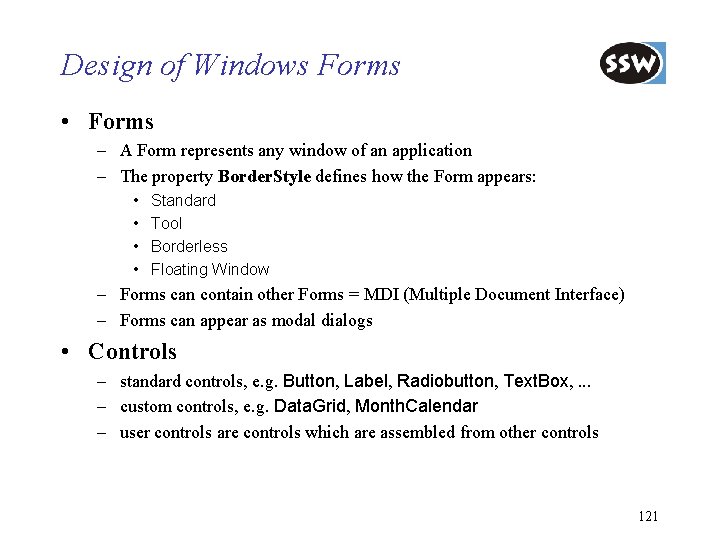
Design of Windows Forms • Forms – A Form represents any window of an application – The property Border. Style defines how the Form appears: • • Standard Tool Borderless Floating Window – Forms can contain other Forms = MDI (Multiple Document Interface) – Forms can appear as modal dialogs • Controls – standard controls, e. g. Button, Label, Radiobutton, Text. Box, . . . – custom controls, e. g. Data. Grid, Month. Calendar – user controls are controls which are assembled from other controls 121
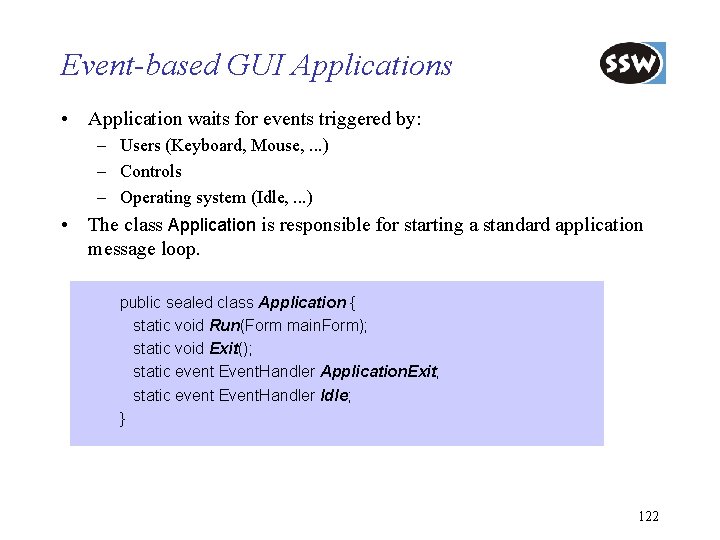
Event-based GUI Applications • Application waits for events triggered by: – Users (Keyboard, Mouse, . . . ) – Controls – Operating system (Idle, . . . ) • The class Application is responsible for starting a standard application message loop. public sealed class Application { static void Run(Form main. Form); static void Exit(); static event Event. Handler Application. Exit; static event Event. Handler Idle; } 122
. NET Framework Class Library Overview Collections Strings Reflection Threading Streaming Processing XML Data Networking Windows Forms Summary
Summary • . NET class library provides comprehensive support for software development – – – – GUI networking and remoting XML multi-threading input and output text processing interoperating with COM … • strong integration with Windows operating system • optimized for Windows 131
Preview of Base Class Library 2. 0 • In. NET 2. 0 the following main improvements/extensions are introduced – Generic collections – Reflection for generic types – Improved support for network protocols • FTP support • Support for Web server implementations • Support for network statistics – Encryption by Data Protection API (DPAI) – Improvements in Window Forms • Win. Bar • Layout Management • … 132
- Slides: 103