
The Linux Operating System C Blane Adcock Bryan
The Linux Operating System C. Blane Adcock Bryan Knehr Kevin Estep Jason Niesz
Multiprocessing • Multiprocessing available from Linux 2. 0 and above via Symmetric-Multiprocessing (SMP) • Multiple hardware platforms supported by SMP • System Administrator must construct their own SMP Kernel
User Levels and Threads • User Levels – Single User – Multi User • Thread Types – User Level – Kernel Level • Multitasking OS
Hardware Platforms • X 86 Based – Intel – AMD – Other • RISC, Alpha, SPARC, etc…

Command Language • Control Statements – Shell reads and interprets control statements. – Commands • E. g. “ls”, “cd”, “netstat”, etc… • Separators, e. g. “|” – Shell Scripts
Graphical User Interface • Desktop Environments – KDE/GNOME are both based off XFree 86 • X Windows System – Client/Server Interface – Platform Independent – Provides API – Implements X Protocol
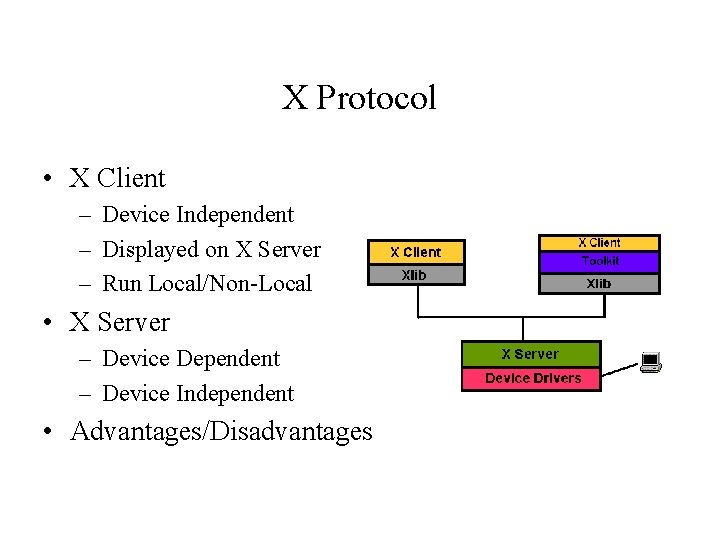
X Protocol • X Client – Device Independent – Displayed on X Server – Run Local/Non-Local • X Server – Device Dependent – Device Independent • Advantages/Disadvantages
Process Control Block • In Linux, processes have the following attributes: – Owner’s ID – Process Name – Process ID – Process State – Process ID of the parent process – Total time the process has been in the system
Synchronization • Signals – Processes put themselves on wait queues, waiting for an event. • Counting Semaphores – Multiple processes can share large numbers of semaphores • Mutexes – Process locks
CPU Scheduling • • • Preemptive Simple priority based algorithm Two types of processes – Real time (two types) • • – First in first out (FIFO) Round Robin (RR) Normal (non real time)
CPU Scheduling (Con’t) • Real time processes always have priority over normal processes • When the scheduler gets invoked it begins to calculate a “goodness” value for each process in the run queue • The process with the highest goodness value is selected to run, providing it is “ready to run” • A process is ready to run if it is not waiting for anything, such as a keyboard input
Calculating the Goodness Value for Real Time Processes • All processed marked SCHED_FIFO or SCHED_RR (real time processes) automatically start with a value of 1000 to ensure priority over normal processes • The value of the priority field is then added to make up the goodness value
Calculating the Goodness Value for Normal Processes • The goodness value for normal process is based on 4 factors: – The task counter • If the counter is zero the goodness value for the process is zero • If not zero the goodness value is set to the counter value – The priority value • The task’s priority value is added to the goodness value – A 1 point bonus for processes that share memory maps – A 15 point bonus for tasks that ran on the current processor the last time they ran
Calculating the Goodness Value for Normal Processes (Con’t) • If all the processes in the queue have a goodness value of zero, the scheduler has the counter values recalculated and the recalculates the goodness values • Problems – Every time the scheduler is invoked all the goodness values are recalculated – This is a O(n) operation, n is the number of tasks in the queue, therefore is n is large this will be costly to the CPU (as high as 30% total CPU time)
Deadlock Detection and Resolution • The nmi_watchdog command – Runs non-maskable interrupts to detect deadlock and display error messages • Open source watchdogs
Approach to Memory Management • Virtual to Physical Address mapping – Fixed Size Pages • Offset • Virtual Page Frame Number – Translation Process • Page Table – Valid Flag, Physical Page Frame Number, Access Control Information
Page Replacement Algorithm • Buddy algorithm – Page Allocation – Page Deallocation
File System Organization • Hierarchal directory structure • Every directory and subdirectory is a subdirectory of the root directory, symbolized “/” • This forms an inverted tree structure with the root at the top and everything stemming from there • Creates a parent-child relationship between directories and their subdirectories
The ext 3 File System • An extension of the ext 2 file system, but adds journaling – Journaling adds quick recovery from crash • Customization of data protection – data=writeback – data=ordered – data=journal • ext 3 is backward compatible
- Slides: 19