
The introduction of CMT Version v 1 r
- Slides: 18
The introduction of CMT Version v 1 r 14
General index n n 1. presentation 2. how to install CMT 3. how to write a requirements file 4. how to use CMT
Presentation 1. the function of the CMT This environment, based on some management conventions and comprising several shell-based utilities, is an attempt to formalize software production and especially configuration management around a package -oriented principle. The environment provides conventions (for naming packages, files, directories and for addressing them) and tools for automating as much as possible the implementation of these conventions. It permits the description of the configuration requirements and automatically deduce from the description the effective set of configuration parameters needed to operate the packages (typically for building them or using them). 2. the facility of the CMT
How to Install CMT n Supported platforms CMT has been ported and tested on a wide range of machines/operating systems, including : Dec-Unix V 4. 0 HP-UX-10 (several types of platforms) Aix-4 Solaris IRIX Several variants of Lynx. OS Linux 2. X Windows 95/98/NT/windows 2000 in various environments: 1. CYGWIN_NT-5. 1 environment 2. nmake based environment 3. MSDev/Visual. C 6 environment 4. MSDev/Visual. C 7 environment Darwin(Mac OS X)
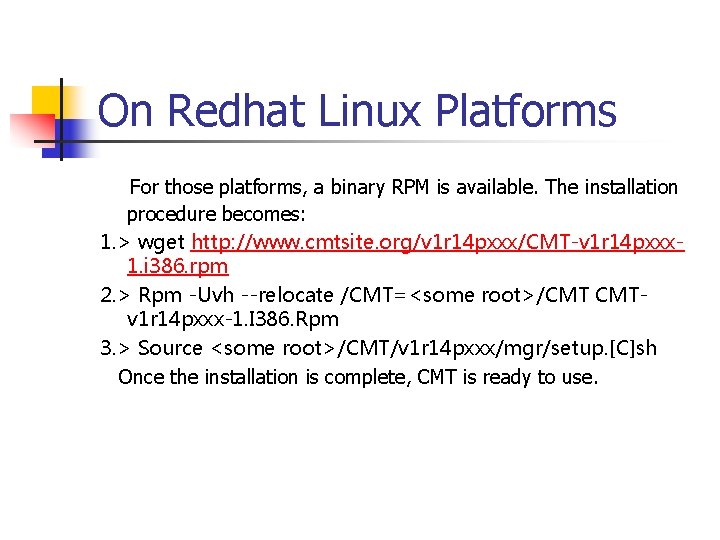
On Redhat Linux Platforms For those platforms, a binary RPM is available. The installation procedure becomes: 1. > wget http: //www. cmtsite. org/v 1 r 14 pxxx/CMT-v 1 r 14 pxxx 1. i 386. rpm 2. > Rpm -Uvh --relocate /CMT=<some root>/CMT CMTv 1 r 14 pxxx-1. I 386. Rpm 3. > Source <some root>/CMT/v 1 r 14 pxxx/mgr/setup. [C]sh Once the installation is complete, CMT is ready to use.
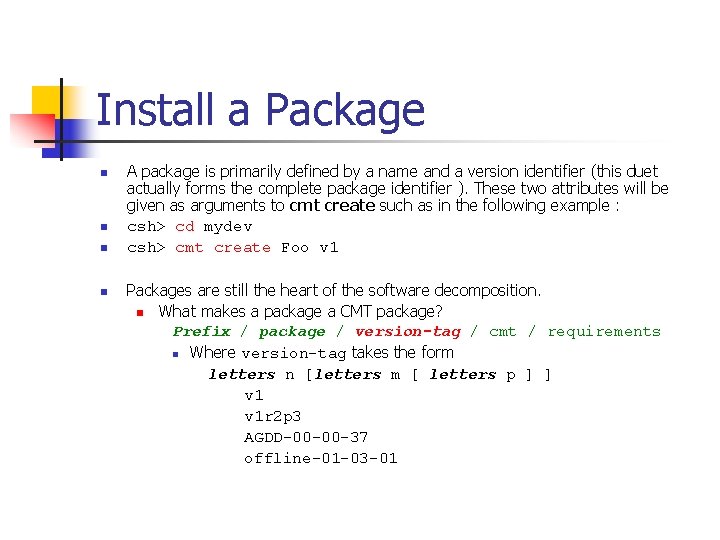
Install a Package n n A package is primarily defined by a name and a version identifier (this duet actually forms the complete package identifier ). These two attributes will be given as arguments to cmt create such as in the following example : csh> cd mydev csh> cmt create Foo v 1 Packages are still the heart of the software decomposition. n What makes a package a CMT package? Prefix / package / version-tag / cmt / requirements n Where version-tag takes the form letters n [letters m [ letters p ] ] v 1 r 2 p 3 AGDD-00 -00 -37 offline-01 -03 -01
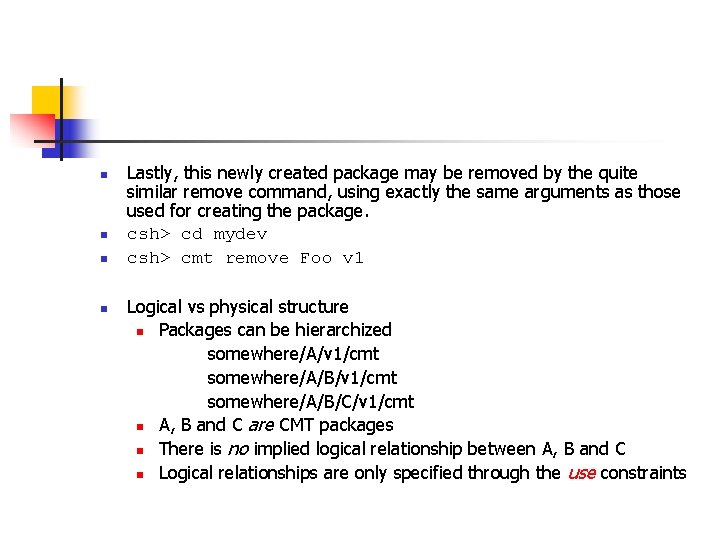
n n Lastly, this newly created package may be removed by the quite similar remove command, using exactly the same arguments as those used for creating the package. csh> cd mydev csh> cmt remove Foo v 1 Logical vs physical structure n Packages can be hierarchized somewhere/A/v 1/cmt somewhere/A/B/C/v 1/cmt n A, B and C are CMT packages n There is no implied logical relationship between A, B and C n Logical relationships are only specified through the use constraints
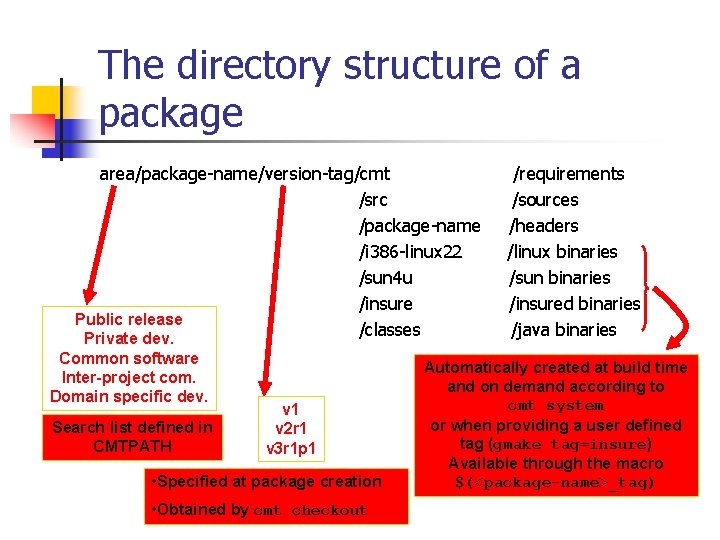
The directory structure of a package area/package-name/version-tag/cmt /src /package-name /i 386 -linux 22 /sun 4 u /insure Public release /classes Private dev. Common software Inter-project com. Domain specific dev. Search list defined in CMTPATH v 1 v 2 r 1 v 3 r 1 p 1 • Specified at package creation • Obtained by cmt checkout /requirements /sources /headers /linux binaries /sun binaries /insured binaries /java binaries Automatically created at build time and on demand according to cmt system or when providing a user defined tag (gmake tag=insure) Available through the macro $(<package-name>_tag)
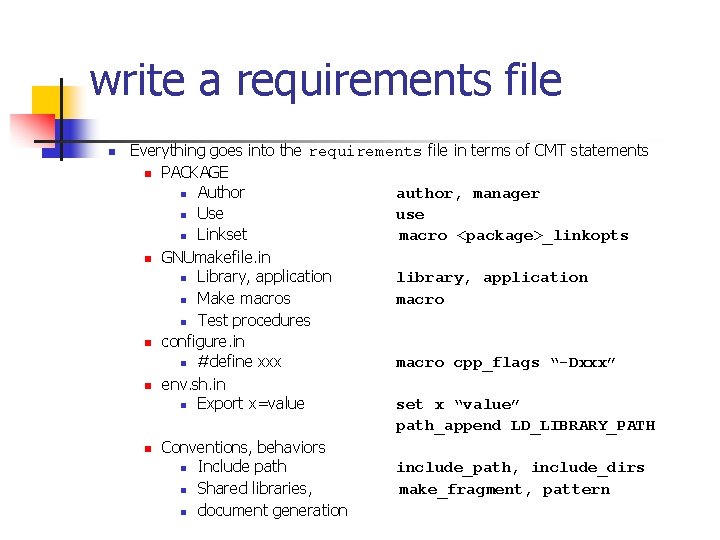
write a requirements file n Everything goes into the requirements file in terms of CMT statements n PACKAGE n Author author, manager n Use use n Linkset macro <package>_linkopts n GNUmakefile. in n Library, application library, application n Make macros macro n Test procedures n configure. in n #define xxx macro cpp_flags “-Dxxx” n env. sh. in n Export x=value set x “value” path_append LD_LIBRARY_PATH n Conventions, behaviors n Include path include_path, include_dirs n Shared libraries, make_fragment, pattern n document generation
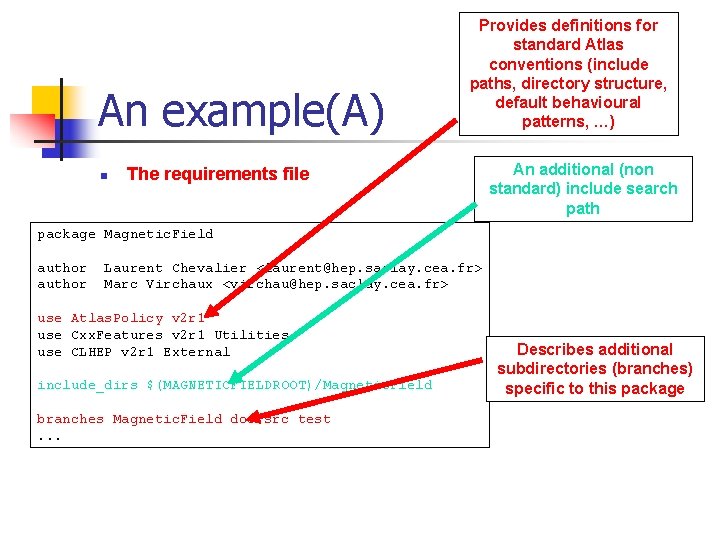
An example(A) n Provides definitions for standard Atlas conventions (include paths, directory structure, default behavioural patterns, …) The requirements file An additional (non standard) include search path package Magnetic. Field author Laurent Chevalier <laurent@hep. saclay. cea. fr> Marc Virchaux <virchau@hep. saclay. cea. fr> use Atlas. Policy v 2 r 1 use Cxx. Features v 2 r 1 Utilities use CLHEP v 2 r 1 External include_dirs $(MAGNETICFIELDROOT)/Magnetic. Field branches Magnetic. Field doc src test. . . Describes additional subdirectories (branches) specific to this package
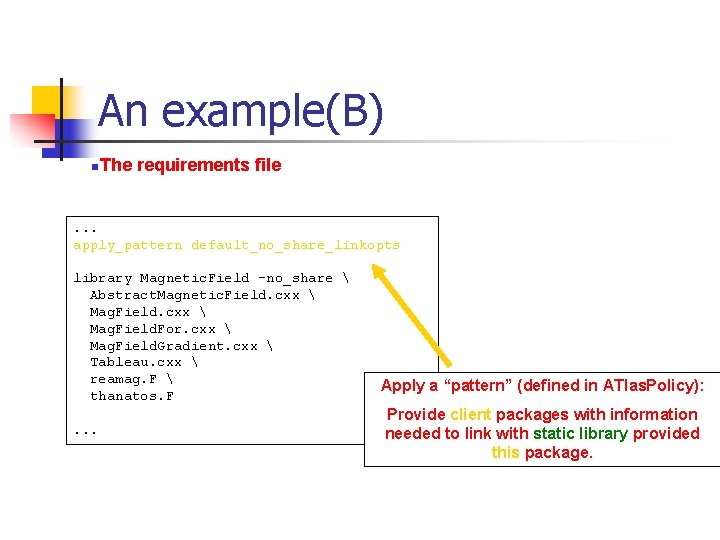
An example(B) n. The requirements file . . . apply_pattern default_no_share_linkopts library Magnetic. Field -no_share Abstract. Magnetic. Field. cxx Mag. Field. For. cxx Mag. Field. Gradient. cxx Tableau. cxx reamag. F thanatos. F. . . Apply a “pattern” (defined in ATlas. Policy): Provide client packages with information needed to link with static library provided this package.
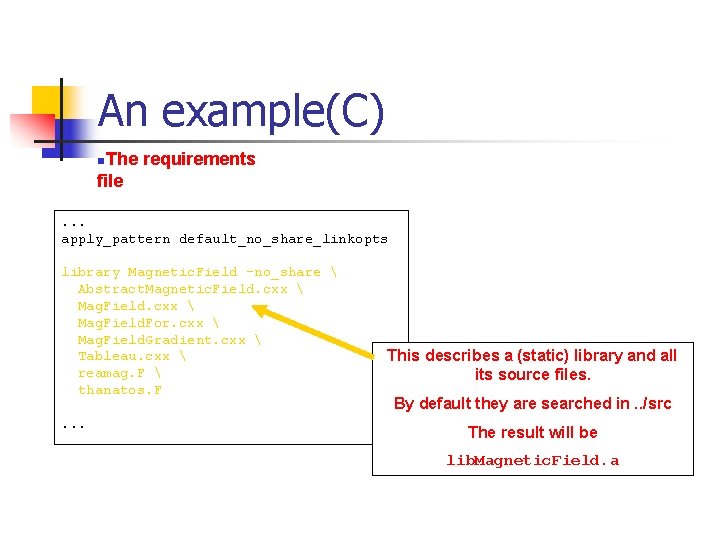
An example(C) n. The requirements file. . . apply_pattern default_no_share_linkopts library Magnetic. Field -no_share Abstract. Magnetic. Field. cxx Mag. Field. For. cxx Mag. Field. Gradient. cxx Tableau. cxx reamag. F thanatos. F. . . This describes a (static) library and all its source files. By default they are searched in. . /src The result will be lib. Magnetic. Field. a
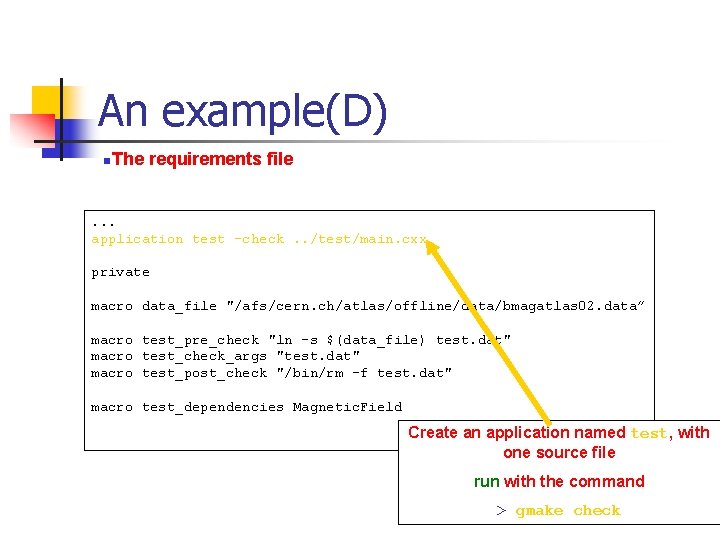
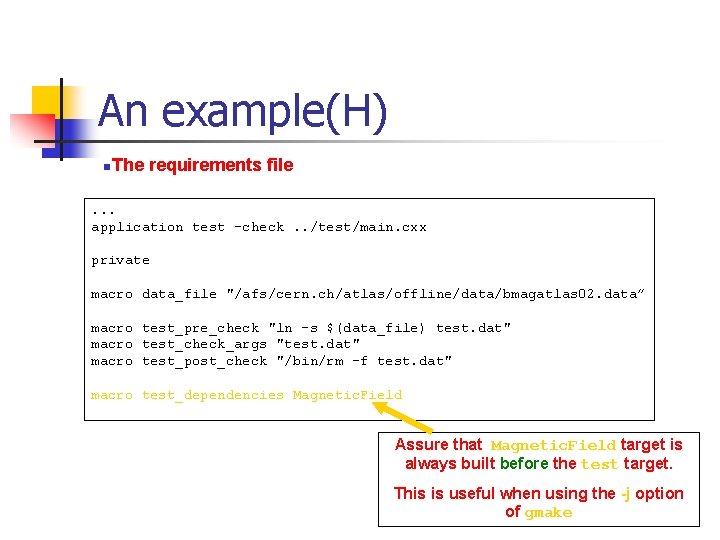
An example(D) n. The requirements file . . . application test -check. . /test/main. cxx private macro data_file "/afs/cern. ch/atlas/offline/data/bmagatlas 02. data” macro test_pre_check "ln -s $(data_file) test. dat" macro test_check_args "test. dat" macro test_post_check "/bin/rm -f test. dat" macro test_dependencies Magnetic. Field Create an application named test, with one source file run with the command > gmake check
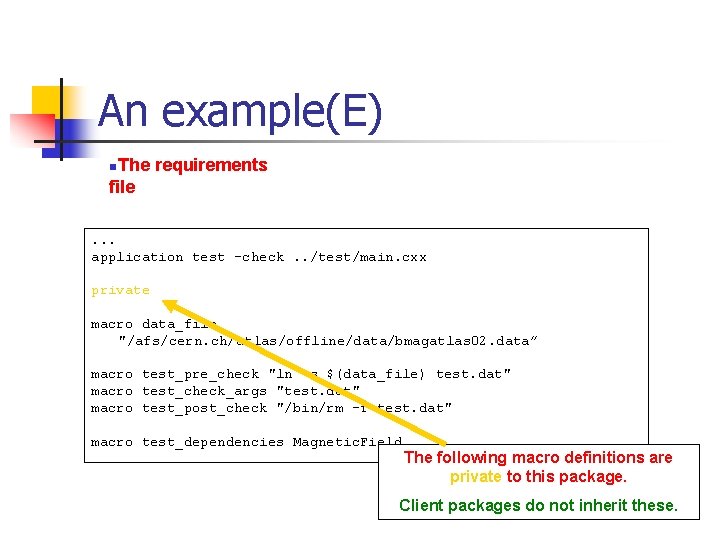
An example(E) n. The requirements file. . . application test -check. . /test/main. cxx private macro data_file "/afs/cern. ch/atlas/offline/data/bmagatlas 02. data” macro test_pre_check "ln -s $(data_file) test. dat" macro test_check_args "test. dat" macro test_post_check "/bin/rm -f test. dat" macro test_dependencies Magnetic. Field The following macro definitions are private to this package. Client packages do not inherit these.
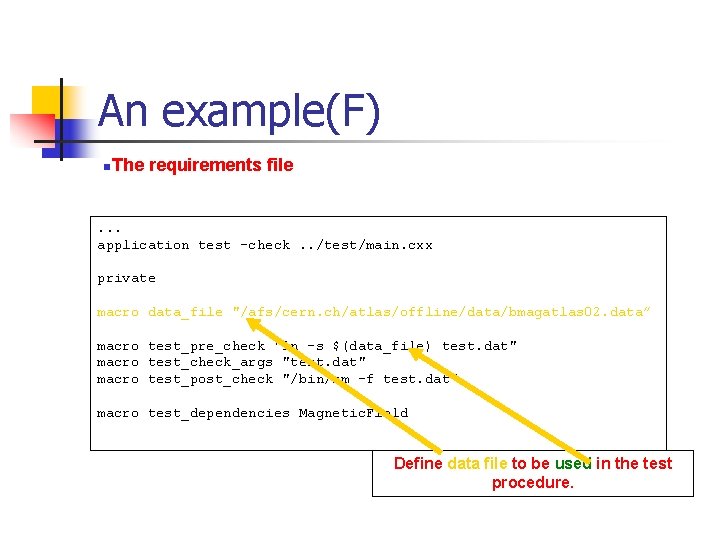
An example(F) n. The requirements file . . . application test -check. . /test/main. cxx private macro data_file "/afs/cern. ch/atlas/offline/data/bmagatlas 02. data” macro test_pre_check "ln -s $(data_file) test. dat" macro test_check_args "test. dat" macro test_post_check "/bin/rm -f test. dat" macro test_dependencies Magnetic. Field Define data file to be used in the test procedure.
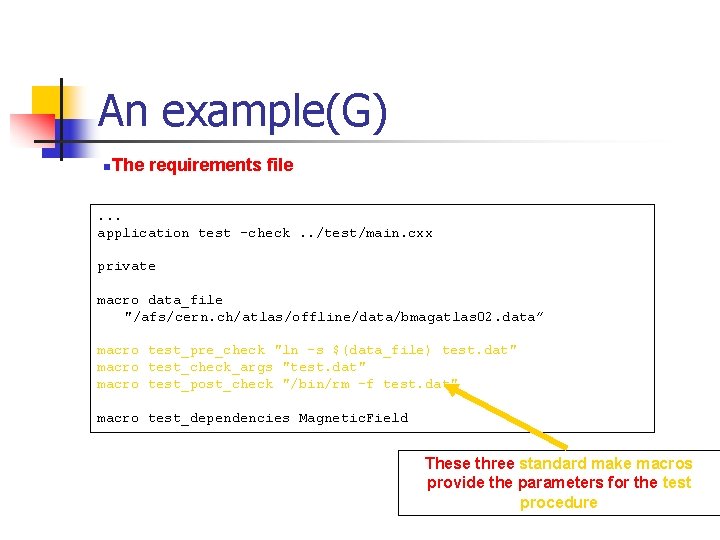
An example(G) n. The requirements file . . . application test -check. . /test/main. cxx private macro data_file "/afs/cern. ch/atlas/offline/data/bmagatlas 02. data” macro test_pre_check "ln -s $(data_file) test. dat" macro test_check_args "test. dat" macro test_post_check "/bin/rm -f test. dat" macro test_dependencies Magnetic. Field These three standard make macros provide the parameters for the test procedure
An example(H) n. The requirements file . . . application test -check. . /test/main. cxx private macro data_file "/afs/cern. ch/atlas/offline/data/bmagatlas 02. data” macro test_pre_check "ln -s $(data_file) test. dat" macro test_check_args "test. dat" macro test_post_check "/bin/rm -f test. dat" macro test_dependencies Magnetic. Field Assure that Magnetic. Field target is always built before the test target. This is useful when using the -j option of gmake
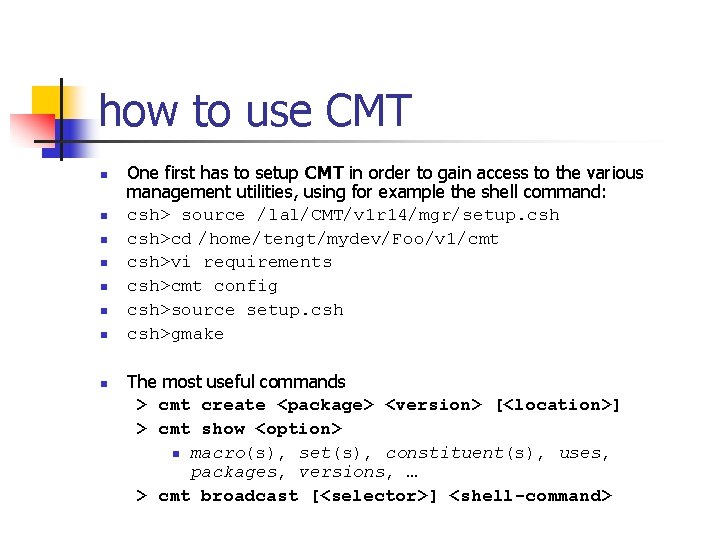
how to use CMT n n n n One first has to setup CMT in order to gain access to the various management utilities, using for example the shell command: csh> source /lal/CMT/v 1 r 14/mgr/setup. csh>cd /home/tengt/mydev/Foo/v 1/cmt csh>vi requirements csh>cmt config csh>source setup. csh>gmake The most useful commands > cmt create <package> <version> [<location>] > cmt show <option> n macro(s), set(s), constituent(s), uses, packages, versions, … > cmt broadcast [<selector>] <shell-command>