
The Integration Story Rational Quality Manager Team Foundation

- Slides: 20
The Integration Story: Rational Quality Manager / Team Foundation Server / Quality Center
Agenda • • The DOORS Integration Landscape DOORS and Rational Quality Manager DOORS for Microsoft Team Foundation Server Add On Other Key Interfaces Including HP QC
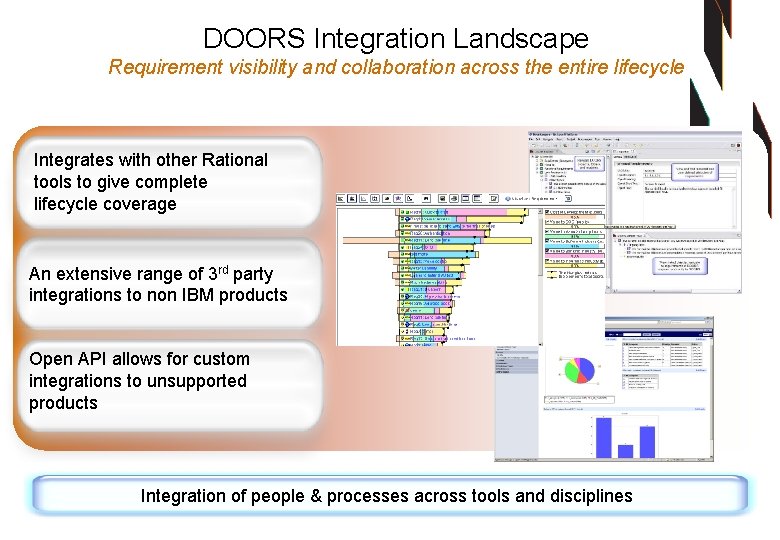
DOORS Integration Landscape Requirement visibility and collaboration across the entire lifecycle Integrates with other Rational tools to give complete lifecycle coverage An extensive range of 3 rd party integrations to non IBM products Open API allows for custom integrations to unsupported products Integration of people & processes across tools and disciplines
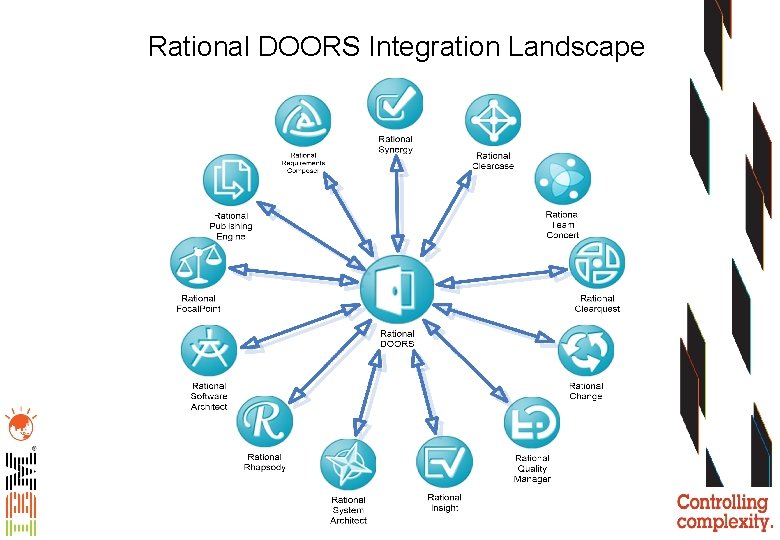
Rational DOORS Integration Landscape
Agenda • • The DOORS Integration Landscape DOORS and Rational Quality Manager DOORS for Microsoft Team Foundation Server Add On Other Key Interfaces Including HP QC
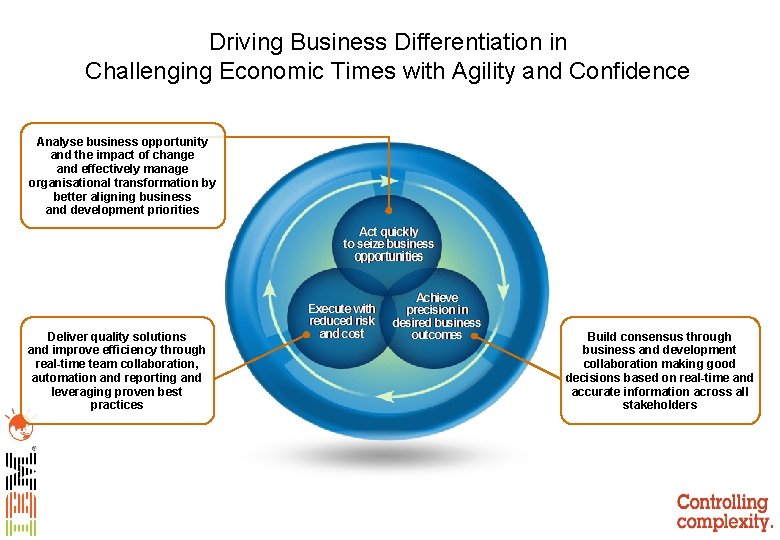
Driving Business Differentiation in Challenging Economic Times with Agility and Confidence Analyse business opportunity and the impact of change and effectively manage organisational transformation by better aligning business and development priorities Deliver quality solutions and improve efficiency through real-time team collaboration, automation and reporting and leveraging proven best practices Build consensus through business and development collaboration making good decisions based on real-time and accurate information across all stakeholders
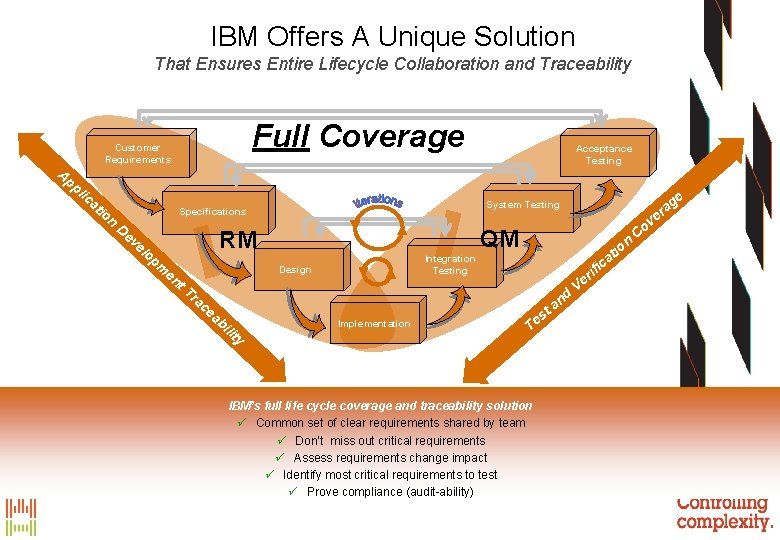
IBM Offers A Unique Solution That Ensures Entire Lifecycle Collaboration and Traceability Full Coverage Ap Customer Requirements pl ic at io n v QM RM op m en t. T n Integration Testing Design Implementation io at c ra ce ab ili ty e ag er System Testing Specifications De ve l Acceptance Testing T t es IBM’s full life cycle coverage and traceability solution ü Common set of clear requirements shared by team ü Don’t miss out critical requirements ü Assess requirements change impact ü Identify most critical requirements to test ü Prove compliance (audit-ability) a nd V ifi r e Co
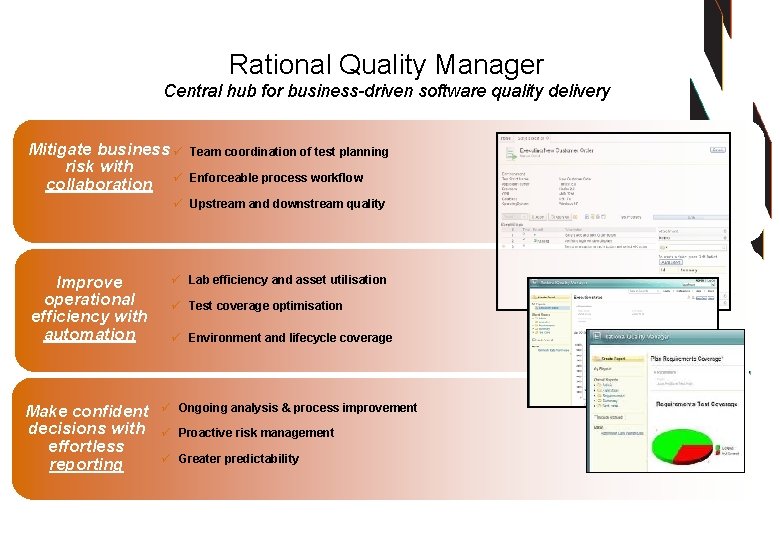
Rational Quality Manager Central hub for business-driven software quality delivery Mitigate business ü risk with collaboration ü Team coordination of test planning Enforceable process workflow ü Upstream and downstream quality Improve operational efficiency with automation Make confident decisions with effortless reporting ü Lab efficiency and asset utilisation ü Test coverage optimisation ü Environment and lifecycle coverage ü Ongoing analysis & process improvement ü Proactive risk management ü Greater predictability
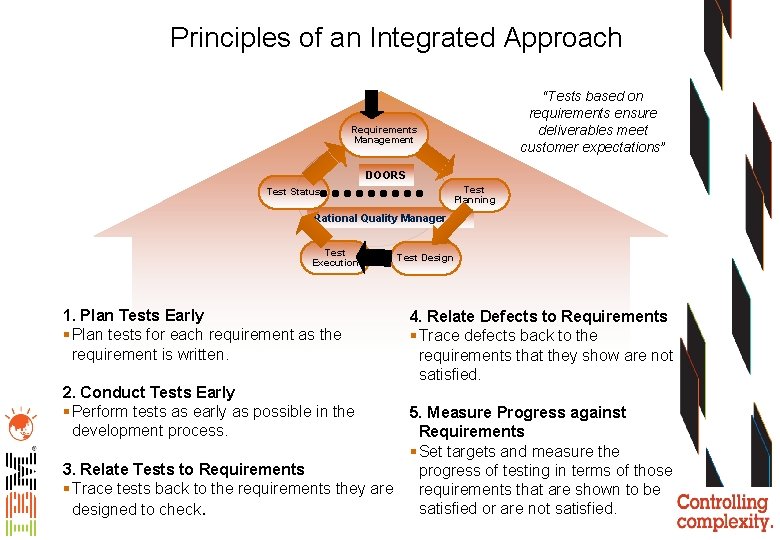
Principles of an Integrated Approach “Tests based on requirements ensure deliverables meet customer expectations” Requirements Management DOORS Test Planning Test Status Rational Quality Manager Test Execution 1. Plan Tests Early § Plan tests for each requirement as the requirement is written. 2. Conduct Tests Early § Perform tests as early as possible in the development process. 3. Relate Tests to Requirements § Trace tests back to the requirements they are designed to check. Test Design 4. Relate Defects to Requirements § Trace defects back to the requirements that they show are not satisfied. 5. Measure Progress against Requirements § Set targets and measure the progress of testing in terms of those requirements that are shown to be satisfied or are not satisfied.
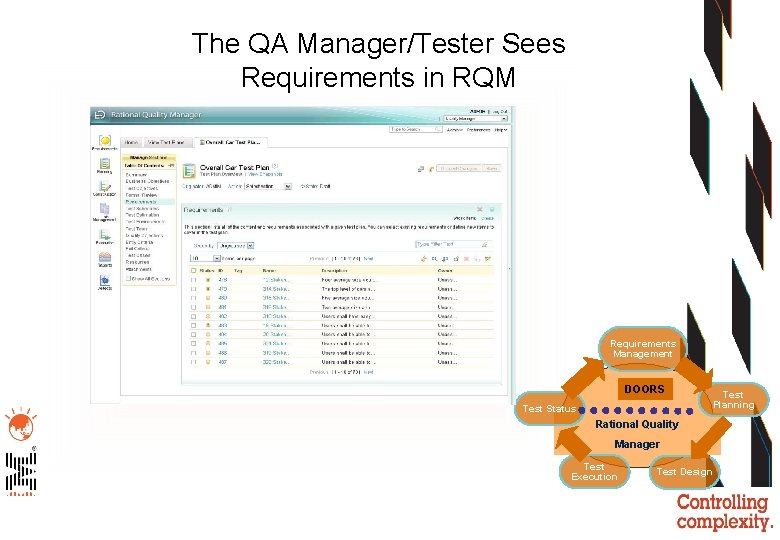
The QA Manager/Tester Sees Requirements in RQM Requirements Management DOORS Test Status Test Planning Rational Quality Manager Test Execution Test Design
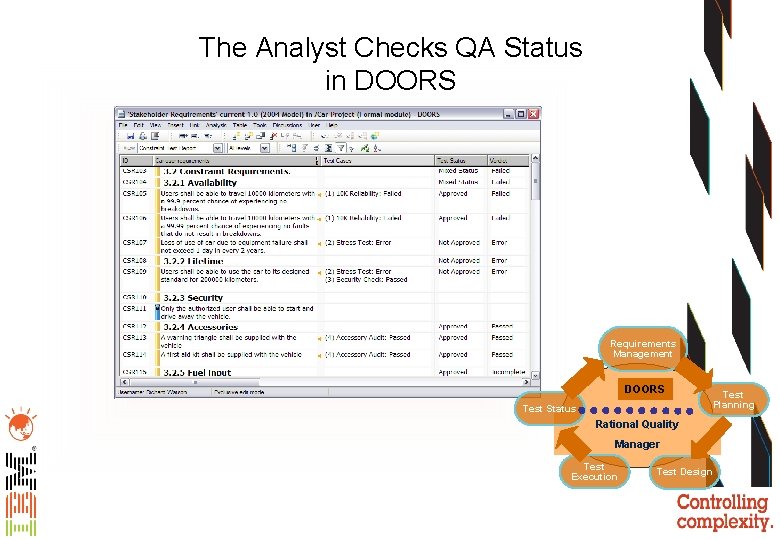
The Analyst Checks QA Status in DOORS Requirements Management DOORS Test Status Test Planning Rational Quality Manager Test Execution Test Design
Benefits • Providing a requirements based integration between Requirements Management and Test Management enables: – The Requirements Analyst to focus on delivering testable requirements with fully defined qualification criteria – The QA/Tester to focus on developing tests against a known set of requirements – Release Management can be performed based on requirement quality measures rather than on statistics of test pass/failure
Agenda • • The DOORS Integration Landscape DOORS and Rational Quality Manager DOORS for Microsoft Team Foundation Server Add On Other Key Interfaces Including HP QC
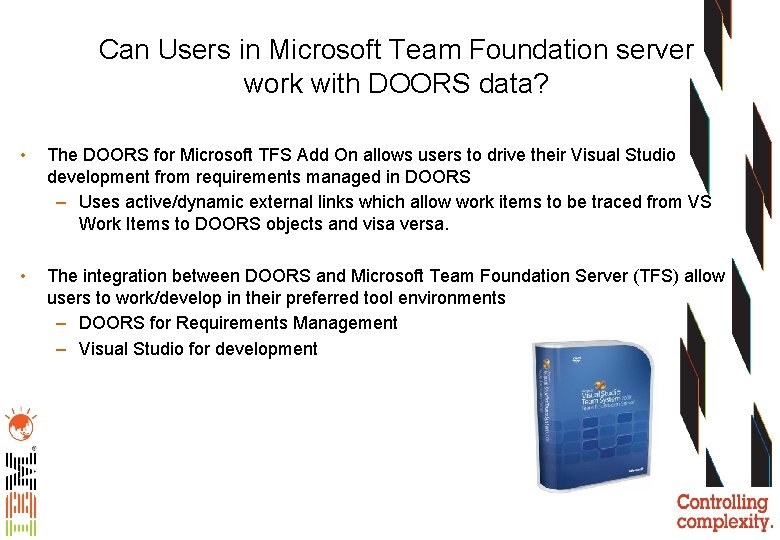
Can Users in Microsoft Team Foundation server work with DOORS data? • The DOORS for Microsoft TFS Add On allows users to drive their Visual Studio development from requirements managed in DOORS – Uses active/dynamic external links which allow work items to be traced from VS Work Items to DOORS objects and visa versa. • The integration between DOORS and Microsoft Team Foundation Server (TFS) allow users to work/develop in their preferred tool environments – DOORS for Requirements Management – Visual Studio for development
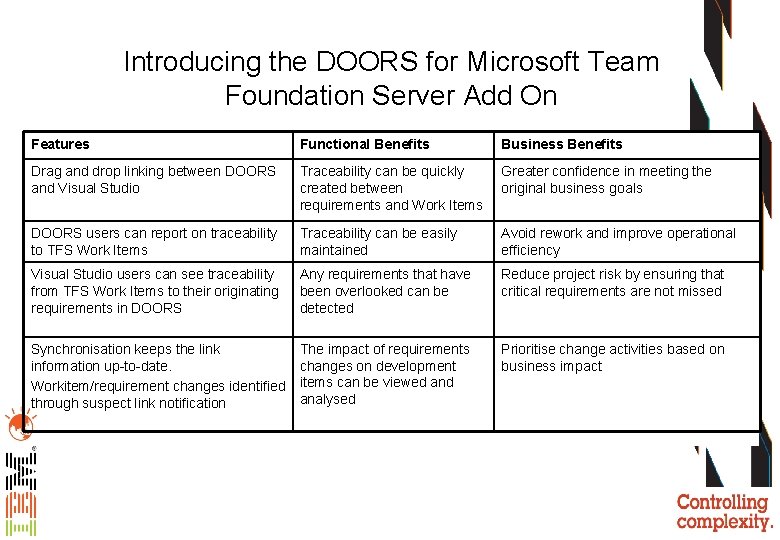
Introducing the DOORS for Microsoft Team Foundation Server Add On Features Functional Benefits Business Benefits Drag and drop linking between DOORS and Visual Studio Traceability can be quickly created between requirements and Work Items Greater confidence in meeting the original business goals DOORS users can report on traceability to TFS Work Items Traceability can be easily maintained Avoid rework and improve operational efficiency Visual Studio users can see traceability from TFS Work Items to their originating requirements in DOORS Any requirements that have been overlooked can be detected Reduce project risk by ensuring that critical requirements are not missed Synchronisation keeps the link information up-to-date. Workitem/requirement changes identified through suspect link notification The impact of requirements changes on development items can be viewed analysed Prioritise change activities based on business impact
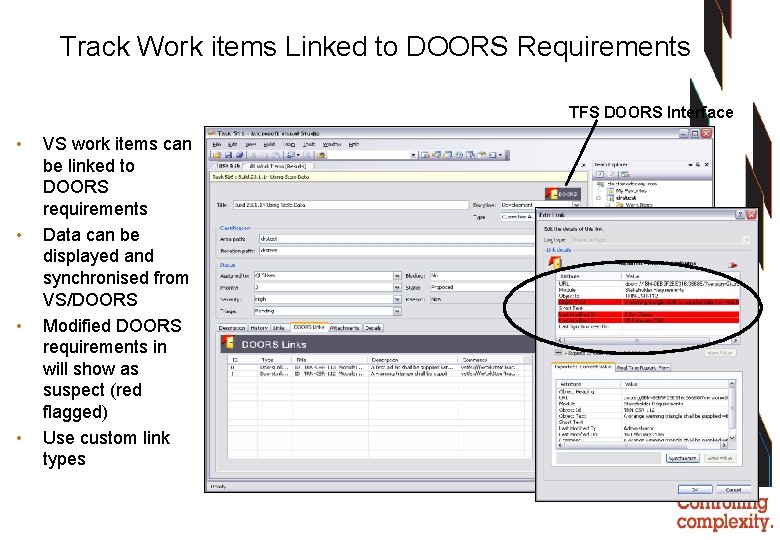
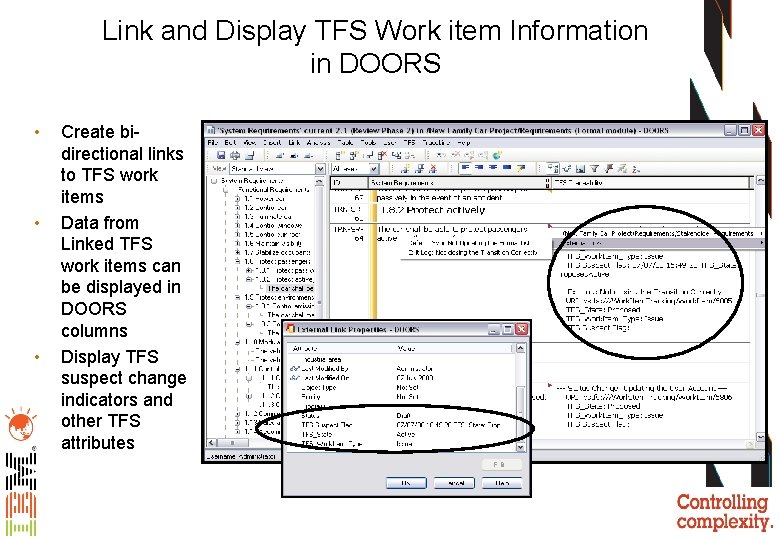
Track Work items Linked to DOORS Requirements TFS DOORS Interface • • VS work items can be linked to DOORS requirements Data can be displayed and synchronised from VS/DOORS Modified DOORS requirements in will show as suspect (red flagged) Use custom link types
Link and Display TFS Work item Information in DOORS • • • Create bidirectional links to TFS work items Data from Linked TFS work items can be displayed in DOORS columns Display TFS suspect change indicators and other TFS attributes
Agenda • • The DOORS Integration Landscape DOORS and Rational Quality Manager DOORS for Microsoft Team Foundation Server Add On Other Key Interfaces Including HP QC
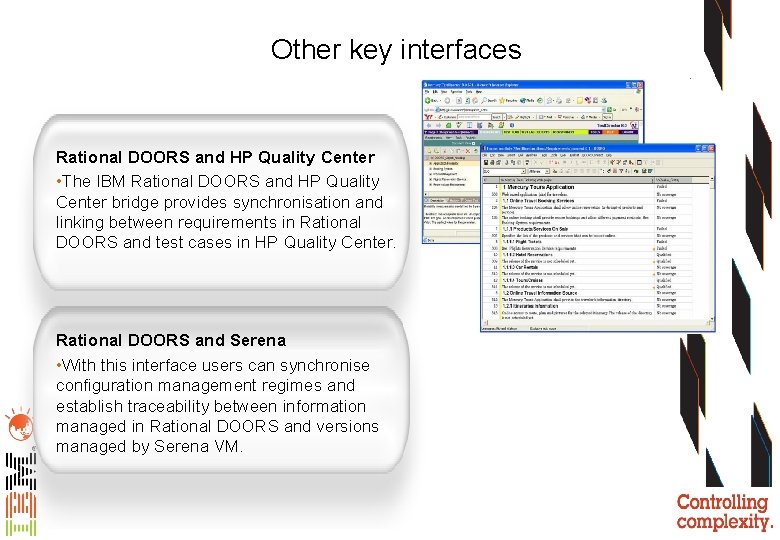
Other key interfaces Rational DOORS and HP Quality Center • The IBM Rational DOORS and HP Quality Center bridge provides synchronisation and linking between requirements in Rational DOORS and test cases in HP Quality Center. Rational DOORS and Serena • With this interface users can synchronise configuration management regimes and establish traceability between information managed in Rational DOORS and versions managed by Serena VM.