
The IBM IMS Tools Solution Maintaining High Database
The IBM IMS Tools Solution § Maintaining High Database Performance § IMS DB Administration Solution Margaret M Wilson IMS Tools Market Manager wilsonmm@us. ibm. com © 2006 IBM Corporation
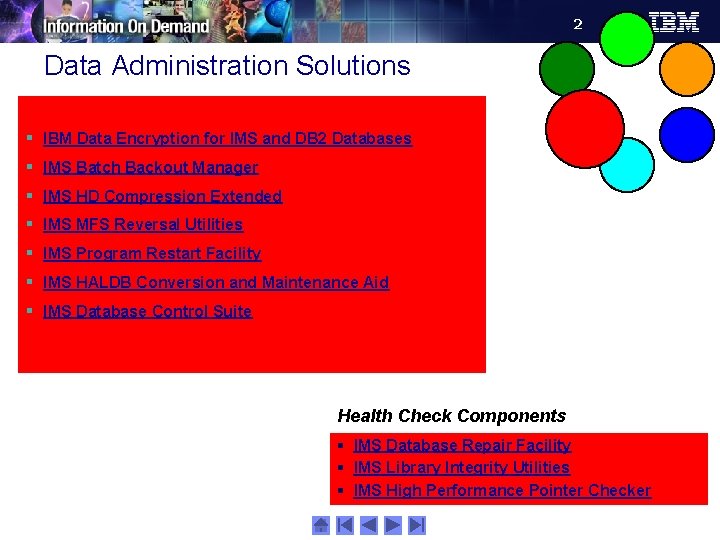
2 Data Administration Solutions § IBM Data Encryption for IMS and DB 2 Databases § IMS Batch Backout Manager § IMS HD Compression Extended § IMS MFS Reversal Utilities § IMS Program Restart Facility § IMS HALDB Conversion and Maintenance Aid § IMS Database Control Suite Health Check Components § IMS Database Repair Facility § IMS Library Integrity Utilities § IMS High Performance Pointer Checker
3 IBM Data Encryption for IMS and DB 2 Databases v 1. 1 5655 -P 03 § Protects sensitive and private data in both IMS and DB 2 databases § Functions: – IMS - Segment level encryption – standard IMS Segment/Edit Compression – DB 2 - Row level encryption – DB 2 EDITPROC – Requires Security Analyst/System Programmer expertise: • Set up an encryption key token or tokens using z/OS Integrated Cryptographic Services Facility (ICSF) before this product can be utilized § Your Value: – Uses ANSI Data Encryption Algorithm (DEA) – the U. S. National Institute of Science and Technology (NIST) Data Encryption Standard – Complies with US privacy and security regulations • Health care – Health Insurance Portability and Accountability Act of 1996 • Financial services industry – Gramm-Leach-Bliley Act of 1999
4 IMS Batch Backout Manager v 1. 1 5697 -H 75 §Automates the batch backout process after application abends §Functions: 4 Dynamically allocates an interim SLDS for Log close 4 Closes the interim batch SLDS 4 Dynamically allocates the new batch SLDS for backout 4 Performs the batch backout: • Forces allocation of batch SLDS for jobs with no logs allocated (by specific or generic job name) • Forces DBRC=Y (or DBRC=N) for IMS batch systems not generated with DBRC=FORCE §Your Value: 4 Reduce system downtime by automating manual backout tasks 4 Enhances database availability by minimizing downtime 4 More productive use of your DBA resources
5 IMS Hardware Data Compression – Extended v 2. 2 5655 -E 02 § Productivity aid for implementing Hardware Assisted Data Compression § Functions: – Extends IMS basic HDC support with utilities that ease compression implementation and provide additional flexibility and function – Works on Image Copies, High Performance Unload files and IMS Unload files – Includes sample Compression Dictionaries – Enables effectiveness of existing dictionaries to be assessed – Allows monitoring of dictionary effectiveness over time – Builds DBD and Reload JCL § Your Value: – Reduces DASD requirements and I/O – Minimizes CPU overhead – Provides flexibility to implement compression tailored to your needs
6 IMS MFS Reversal Utilities v 1. 1 5655 -F 45 § Converts MFS control blocks into MFS source and compares MFS libraries § Functions: – MFS Reversal Utility - converts MFS MID/MOD/DIF/DOF control blocks back into IMS MFS utility control statements. – Provides summary reports of the IMS FORMAT library, including the relationships among members – MFS Compare Utility - compares two sets of MFS source libraries to quickly highlight differences between them § Your Value: – Validation of what is operating in an IMS environment – Recreation of lost MFS source libraries
7 IMS Program Restart Facility v 2. 1 5655 -E 14 § Restarts abended IMS batch jobs and enhances IMS Application Extended Checkpoint/Restart facilities § Functions: – Enables restart on any system in Sysplex without changes to JCL – Used to restart programs that do not abend but end with a non-zero return code – Can supply global parameters to all batch/BMP jobs (i. e. . without JCL changes) – Useful in a data sharing environment to provide JCL parameters • IRLM=, IRLMNM= • IMSGROUP=groupname + list of IMS ids in group – Automatically uses the correct restart checkpoint ID if using the IMS Extended Restart facility § Your Value: – Helps you avoid costly and time-consuming database recoveries with manual restarts – Reduces the overhead of applications that take too frequent checkpoints – Protects against starting an abended job with a valid but incorrect checkpoint ID
8 IMS HALDB Conversion & Maintenance Aid v 2. 1 5655 -K 47 § Analyzes, models, and converts existing IMS databases to a HALDB format § Functions: – Conversion Capability • DEDB (without SDEP) to PHDAM • User partitioning to 1 HALDB partition – Initial HALDB Load Assistance • Support for PROCOPT=L Programs • Support Secondary index and logical relationships – Partition Maintenance Aid • Merge multiple partitions into one and divide one partition into multiple partitions – Clone partition definitions across RECONS and copy HALDB across RECONS § Your Value: – Guides DBAs thru HALDB conversion with minimal manual intervention – Reduces administrative costs – Take advantage of database capacity with less DBA effort More information
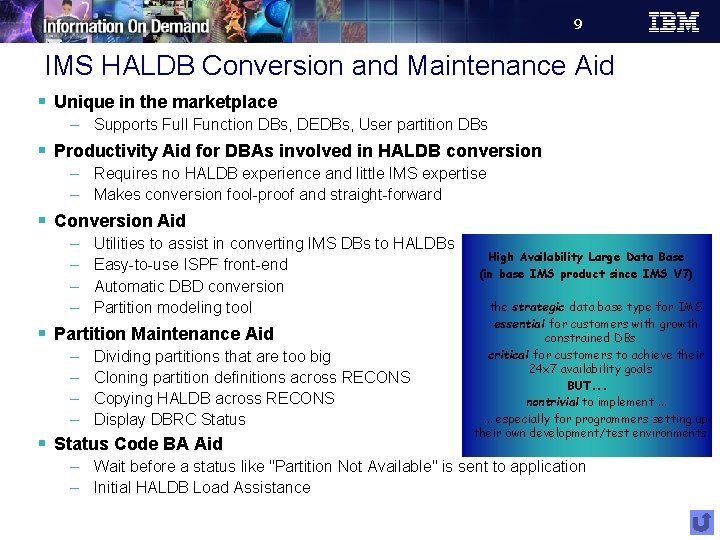
9 IMS HALDB Conversion and Maintenance Aid § Unique in the marketplace – Supports Full Function DBs, DEDBs, User partition DBs § Productivity Aid for DBAs involved in HALDB conversion – Requires no HALDB experience and little IMS expertise – Makes conversion fool-proof and straight-forward § Conversion Aid – – Utilities to assist in converting IMS DBs to HALDBs Easy-to-use ISPF front-end Automatic DBD conversion Partition modeling tool § Partition Maintenance Aid – – Dividing partitions that are too big Cloning partition definitions across RECONS Copying HALDB across RECONS Display DBRC Status § Status Code BA Aid High Availability Large Data Base (in base IMS product since IMS V 7) the strategic data base type for IMS essential for customers with growth constrained DBs critical for customers to achieve their 24 x 7 availability goals BUT. . . nontrivial to implement. . . especially for programmers setting up their own development/test environments – Wait before a status like "Partition Not Available" is sent to application – Initial HALDB Load Assistance
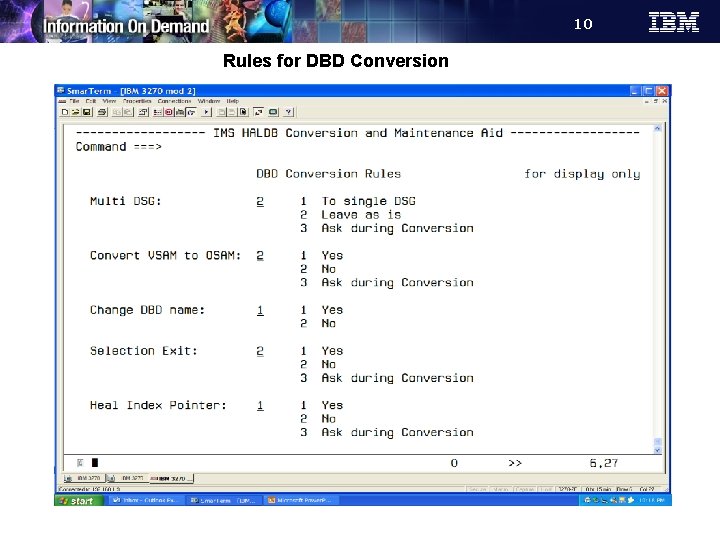
10 Rules for DBD Conversion
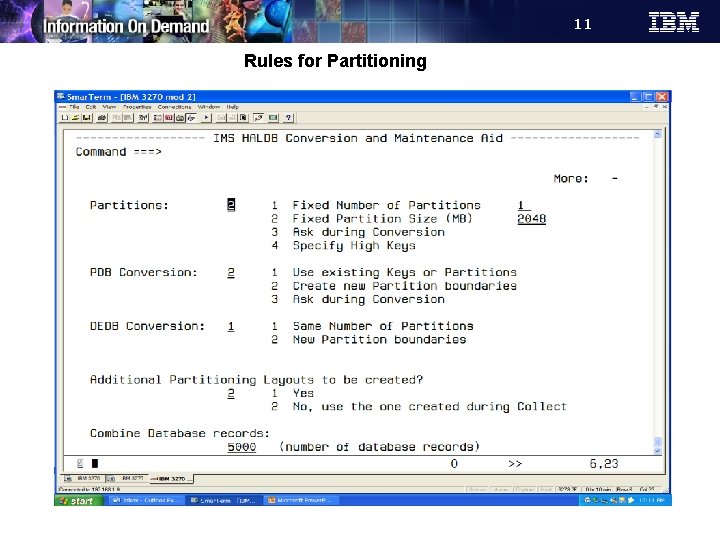
11 Rules for Partitioning
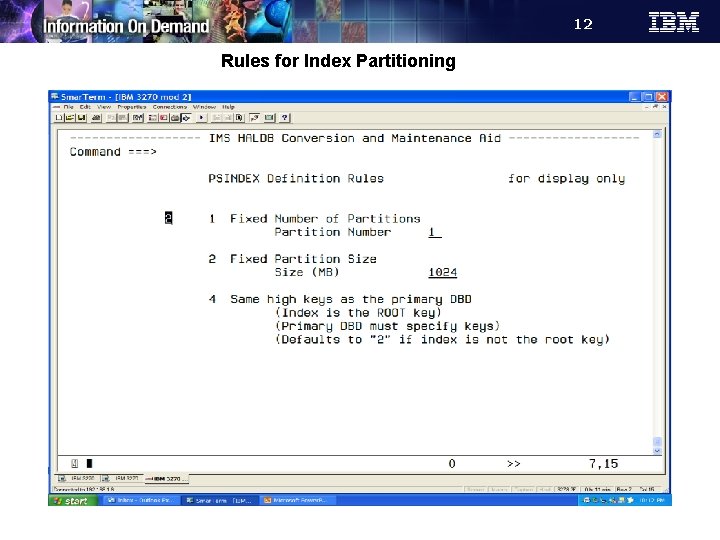
12 Rules for Index Partitioning
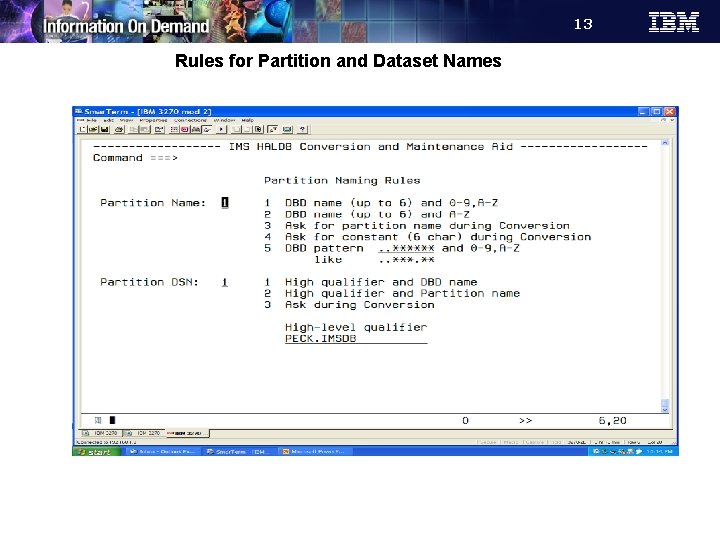
13 Rules for Partition and Dataset Names
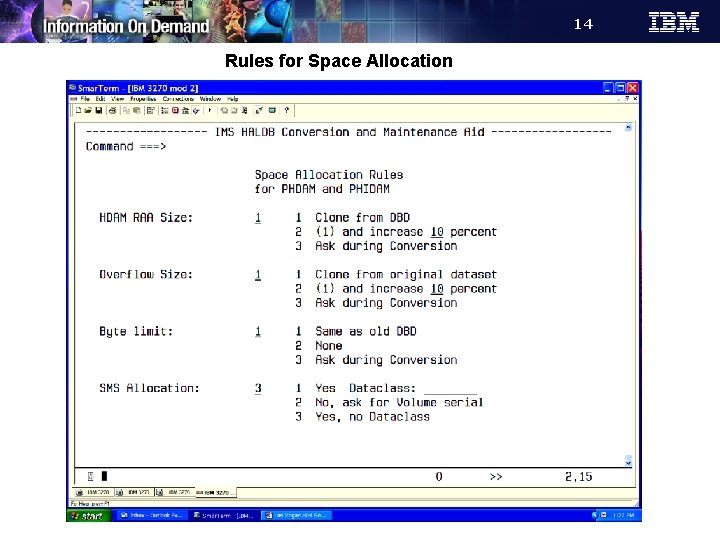
14 Rules for Space Allocation
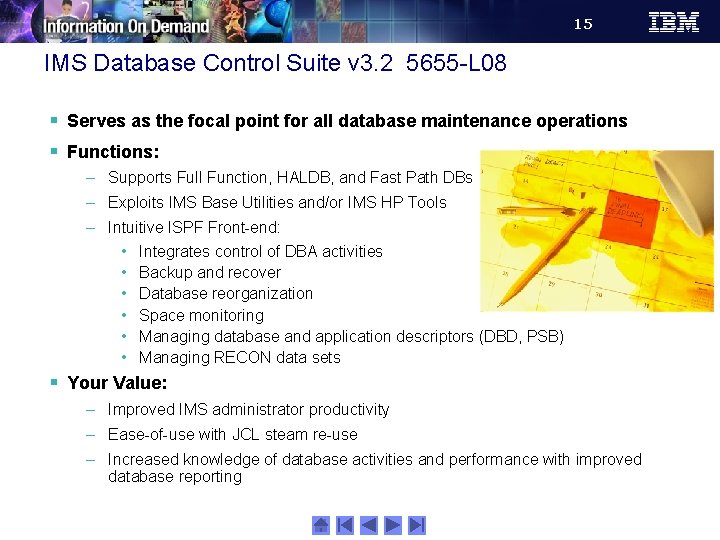
15 IMS Database Control Suite v 3. 2 5655 -L 08 § Serves as the focal point for all database maintenance operations § Functions: – Supports Full Function, HALDB, and Fast Path DBs – Exploits IMS Base Utilities and/or IMS HP Tools – Intuitive ISPF Front-end: • Integrates control of DBA activities • Backup and recover • Database reorganization • Space monitoring • Managing database and application descriptors (DBD, PSB) • Managing RECON data sets § Your Value: – Improved IMS administrator productivity – Ease-of-use with JCL steam re-use – Increased knowledge of database activities and performance with improved database reporting
16 IMS Database Control Suite - Utility and IBM Tool Support § IMS Database Control Suite supports the following IMS base utilities: – HD Unload and Reload, Prefix Resolution, etc. – Image Copy, Image Copy 2 and Online Image Copy – DB Recovery utility – DEDB Initialization and all IMS online DEDB utilities § The product supports the following IBM Tools: – High Performance Image Copy (including DB recovery) – HP Unload and HP Load – IMS Parallel Reorganisation – High Performance Prefix Resolution – Index Builder – High Performance Pointer Checker ISPF UI § ISPF links to the following IBM tools: – Database Recovery Facility – HALDB Conversion and Maintenance Aid – Fast Path Basic Tools – High Performance Change Accumulation – Library Integrity Utilities – DB Repair Facility
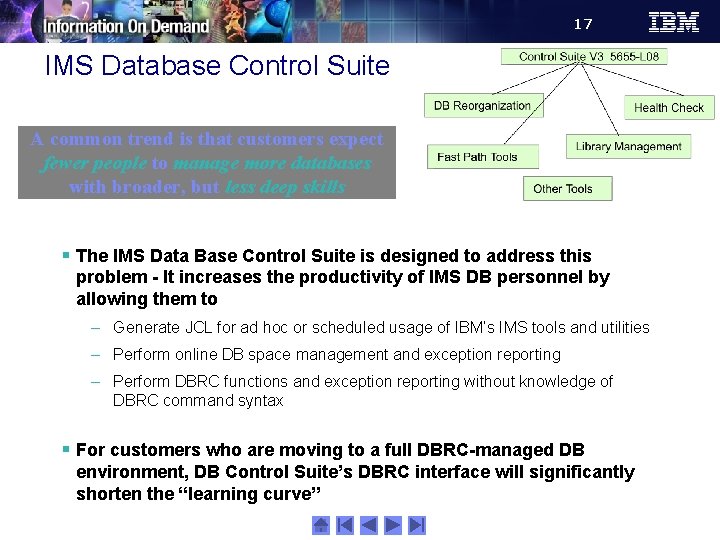
17 IMS Database Control Suite A common trend is that customers expect fewer people to manage more databases with broader, but less deep skills § The IMS Data Base Control Suite is designed to address this problem - It increases the productivity of IMS DB personnel by allowing them to – Generate JCL for ad hoc or scheduled usage of IBM’s IMS tools and utilities – Perform online DB space management and exception reporting – Perform DBRC functions and exception reporting without knowledge of DBRC command syntax § For customers who are moving to a full DBRC-managed DB environment, DB Control Suite’s DBRC interface will significantly shorten the “learning curve”
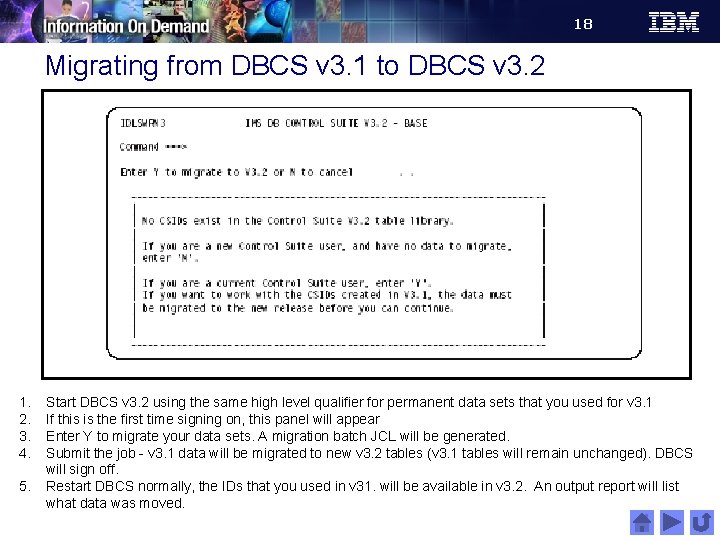
18 Migrating from DBCS v 3. 1 to DBCS v 3. 2 1. 2. 3. 4. 5. Start DBCS v 3. 2 using the same high level qualifier for permanent data sets that you used for v 3. 1 If this is the first time signing on, this panel will appear Enter Y to migrate your data sets. A migration batch JCL will be generated. Submit the job - v 3. 1 data will be migrated to new v 3. 2 tables (v 3. 1 tables will remain unchanged). DBCS will sign off. Restart DBCS normally, the IDs that you used in v 31. will be available in v 3. 2. An output report will list what data was moved.
19 Option 1 - Set up environment in a M enu M n tio p O 1
20 Set up panel 4 on i t Op
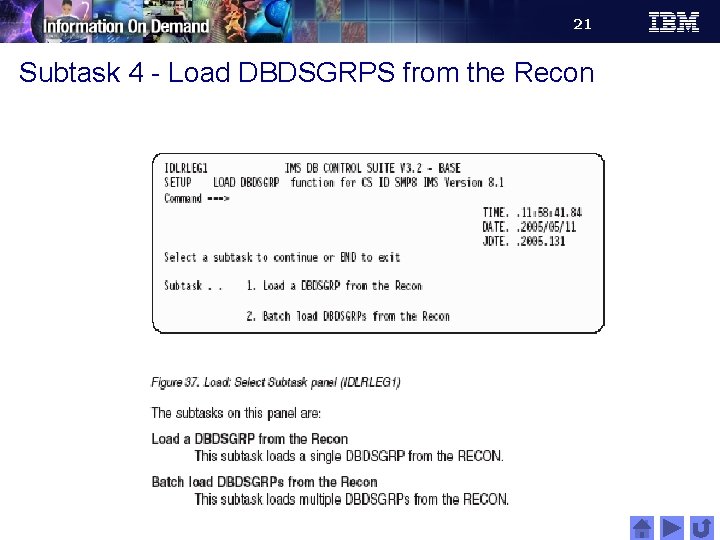
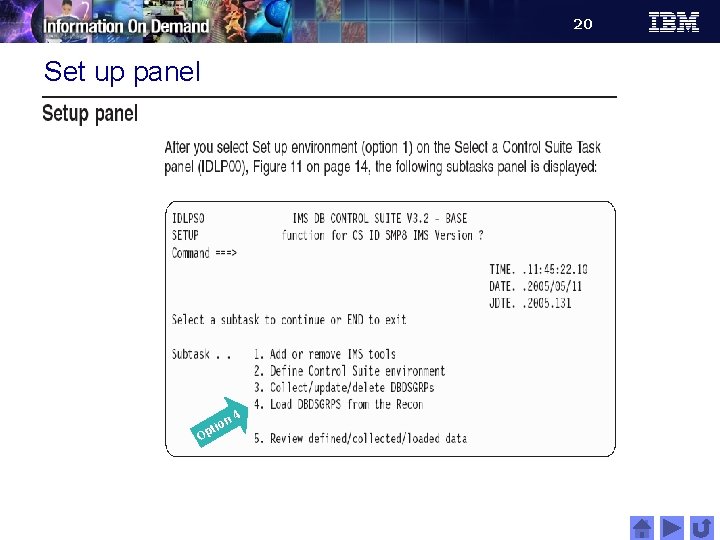
21 Subtask 4 - Load DBDSGRPS from the Recon
22 Option 2 – Run jobs in a M enu M n 2 o i t Op
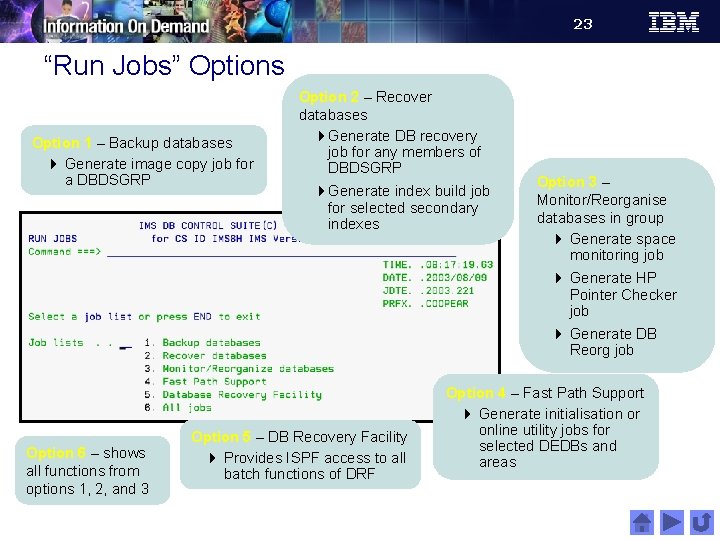
23 “Run Jobs” Options Option 1 – Backup databases 4 Generate image copy job for a DBDSGRP Option 2 – Recover databases 4 Generate DB recovery job for any members of DBDSGRP 4 Generate index build job for selected secondary indexes Option 3 – Monitor/Reorganise databases in group 4 Generate space monitoring job 4 Generate HP Pointer Checker job 4 Generate DB Reorg job Option 6 – shows all functions from options 1, 2, and 3 Option 5 – DB Recovery Facility 4 Provides ISPF access to all batch functions of DRF Option 4 – Fast Path Support 4 Generate initialisation or online utility jobs for selected DEDBs and areas
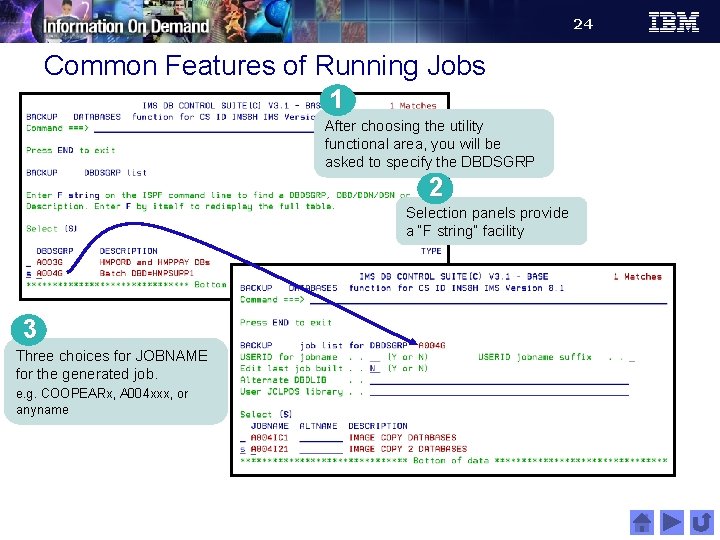
24 Common Features of Running Jobs 1 After choosing the utility functional area, you will be asked to specify the DBDSGRP 2 Selection panels provide a “F string” facility 3 Three choices for JOBNAME for the generated job. e. g. COOPEARx, A 004 xxx, or anyname
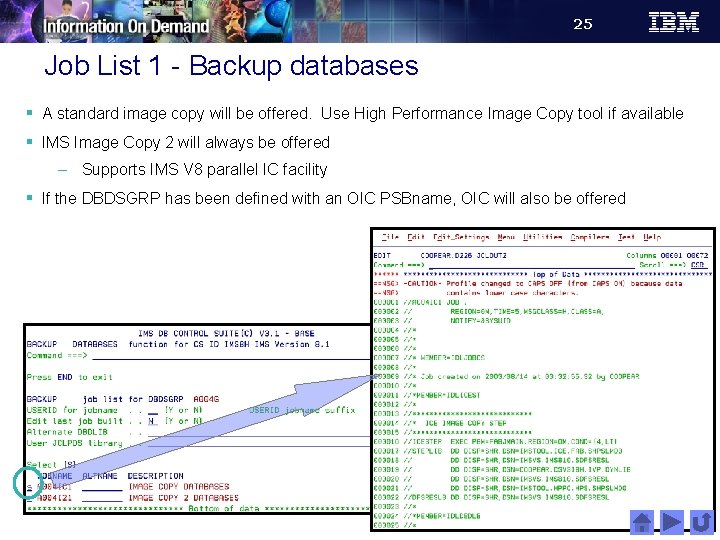
25 Job List 1 - Backup databases § A standard image copy will be offered. Use High Performance Image Copy tool if available § IMS Image Copy 2 will always be offered – Supports IMS V 8 parallel IC facility § If the DBDSGRP has been defined with an OIC PSBname, OIC will also be offered
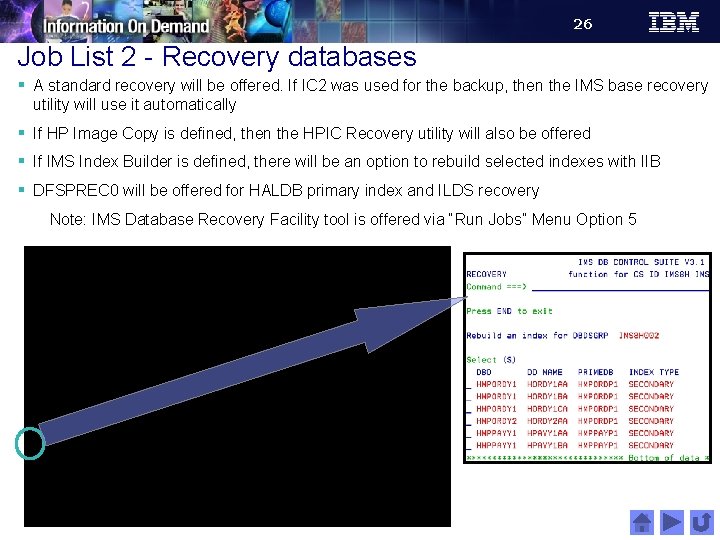
26 Job List 2 - Recovery databases § A standard recovery will be offered. If IC 2 was used for the backup, then the IMS base recovery utility will use it automatically § If HP Image Copy is defined, then the HPIC Recovery utility will also be offered § If IMS Index Builder is defined, there will be an option to rebuild selected indexes with IIB § DFSPREC 0 will be offered for HALDB primary index and ILDS recovery Note: IMS Database Recovery Facility tool is offered via “Run Jobs” Menu Option 5
27 Timestamp Recovery
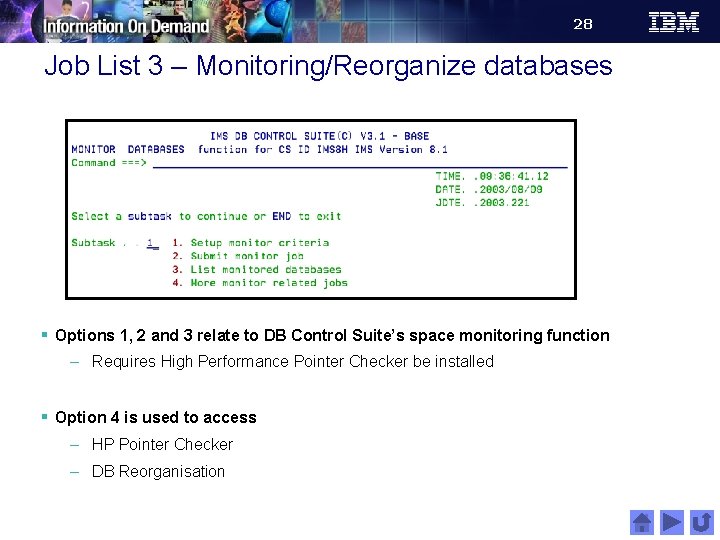
28 Job List 3 – Monitoring/Reorganize databases § Options 1, 2 and 3 relate to DB Control Suite’s space monitoring function – Requires High Performance Pointer Checker be installed § Option 4 is used to access – HP Pointer Checker – DB Reorganisation
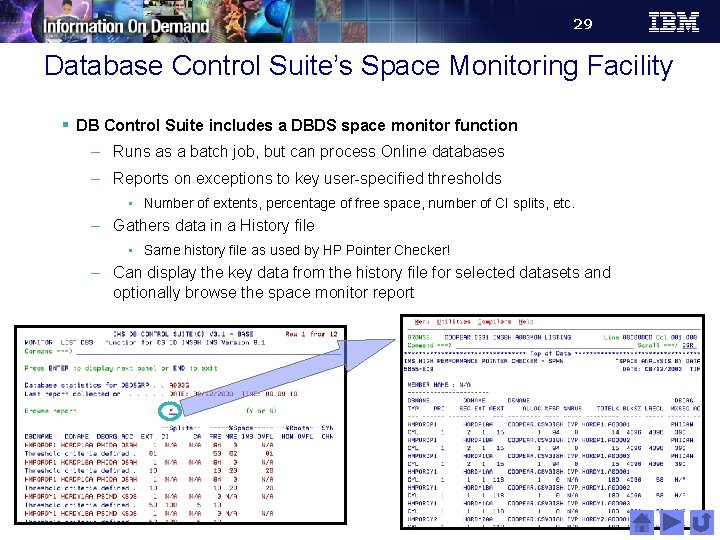
29 Database Control Suite’s Space Monitoring Facility § DB Control Suite includes a DBDS space monitor function – Runs as a batch job, but can process Online databases – Reports on exceptions to key user-specified thresholds • Number of extents, percentage of free space, number of CI splits, etc. – Gathers data in a History file • Same history file as used by HP Pointer Checker! – Can display the key data from the history file for selected datasets and optionally browse the space monitor report
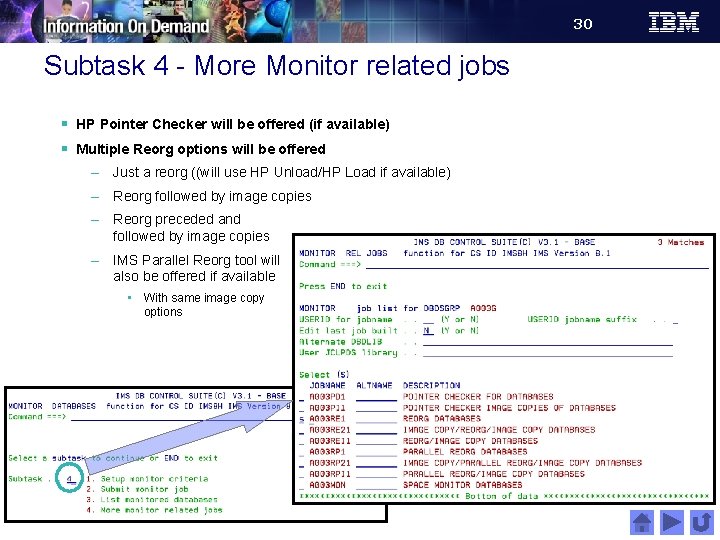
30 Subtask 4 - More Monitor related jobs § HP Pointer Checker will be offered (if available) § Multiple Reorg options will be offered – Just a reorg ((will use HP Unload/HP Load if available) – Reorg followed by image copies – Reorg preceded and followed by image copies – IMS Parallel Reorg tool will also be offered if available • With same image copy options
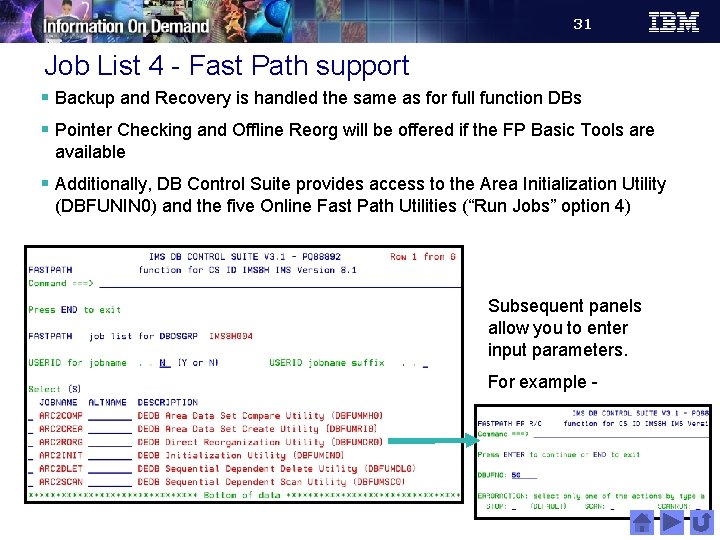
31 Job List 4 - Fast Path support § Backup and Recovery is handled the same as for full function DBs § Pointer Checking and Offline Reorg will be offered if the FP Basic Tools are available § Additionally, DB Control Suite provides access to the Area Initialization Utility (DBFUNIN 0) and the five Online Fast Path Utilities (“Run Jobs” option 4) Subsequent panels allow you to enter input parameters. For example -
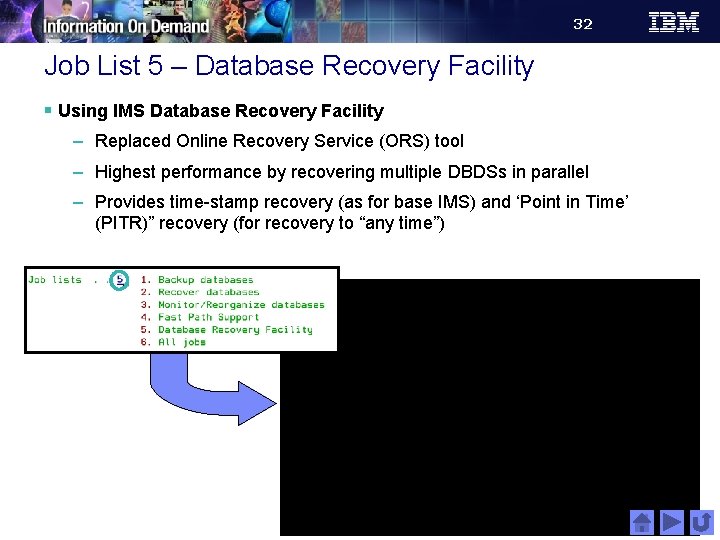
32 Job List 5 – Database Recovery Facility § Using IMS Database Recovery Facility – Replaced Online Recovery Service (ORS) tool – Highest performance by recovering multiple DBDSs in parallel – Provides time-stamp recovery (as for base IMS) and ‘Point in Time’ (PITR)” recovery (for recovery to “any time”)
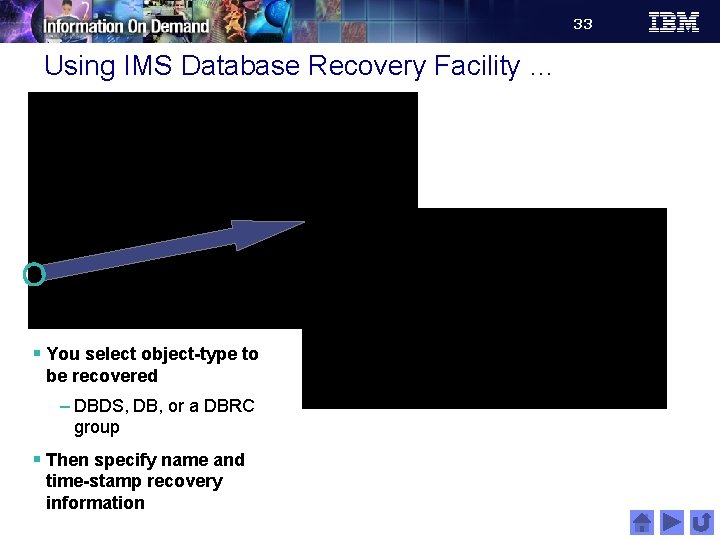
33 Using IMS Database Recovery Facility … § You select object-type to be recovered – DBDS, DB, or a DBRC group § Then specify name and time-stamp recovery information
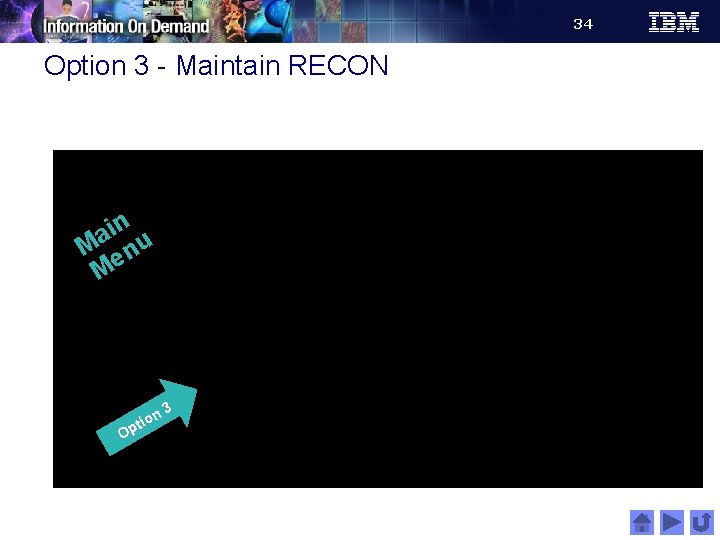
34 Option 3 - Maintain RECON in a M enu M n 3 o i t Op
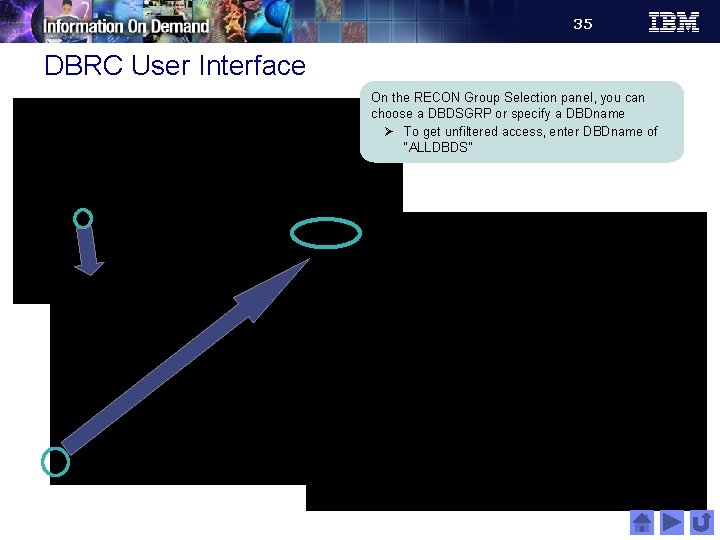
35 DBRC User Interface On the RECON Group Selection panel, you can choose a DBDSGRP or specify a DBDname Ø To get unfiltered access, enter DBDname of “ALLDBDS”
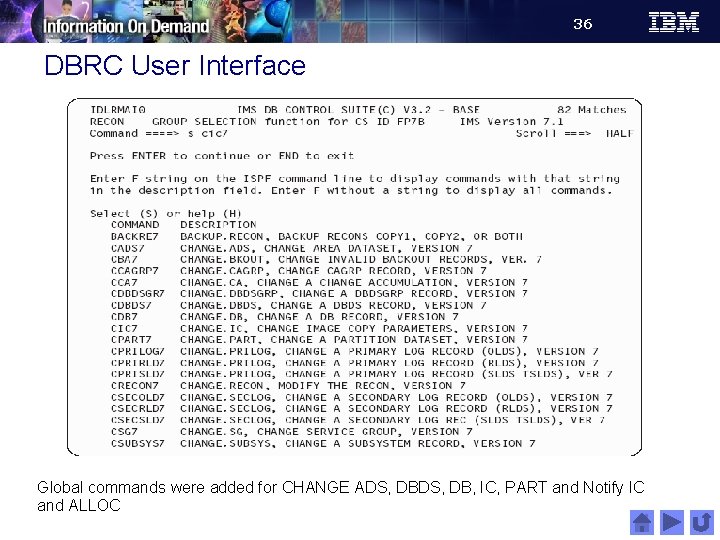
36 DBRC User Interface Global commands were added for CHANGE ADS, DB, IC, PART and Notify IC and ALLOC
37 DBRC Fast Access § You can also access DBRC directly from the “select a control suite” panel DBRC Fast Access is available even when no DBDSGRPs have been defined to Control Suite
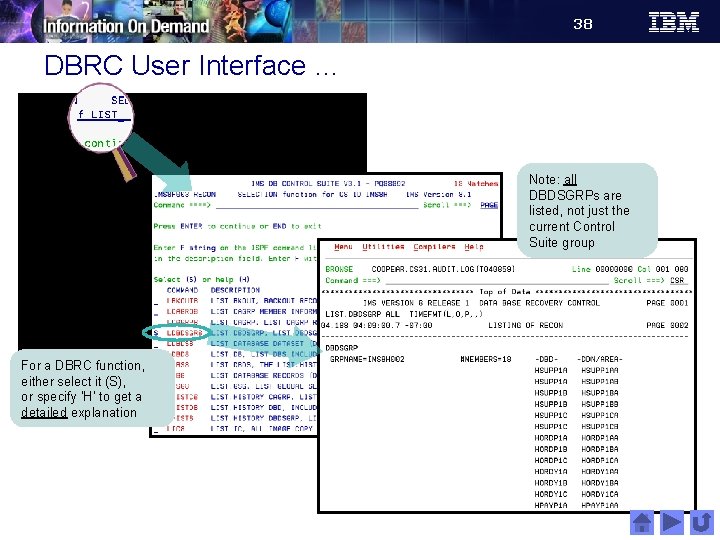
38 DBRC User Interface … Note: all DBDSGRPs are listed, not just the current Control Suite group For a DBRC function, either select it (S), or specify ‘H’ to get a detailed explanation
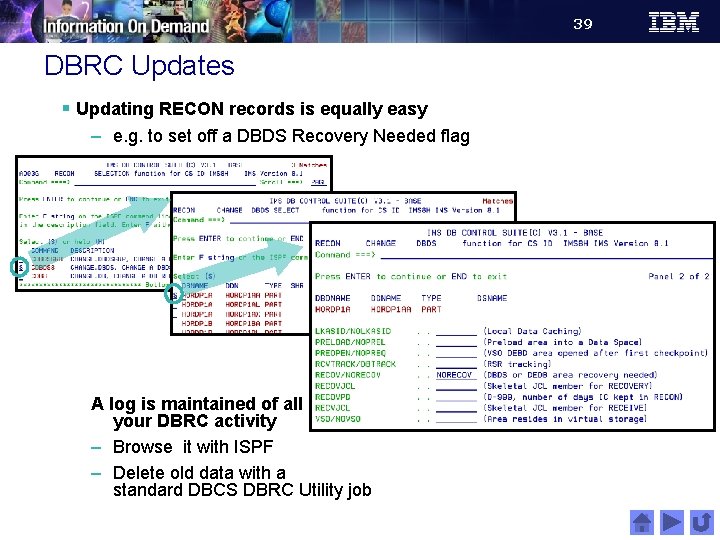
39 DBRC Updates § Updating RECON records is equally easy – e. g. to set off a DBDS Recovery Needed flag A log is maintained of all your DBRC activity – Browse it with ISPF – Delete old data with a standard DBCS DBRC Utility job
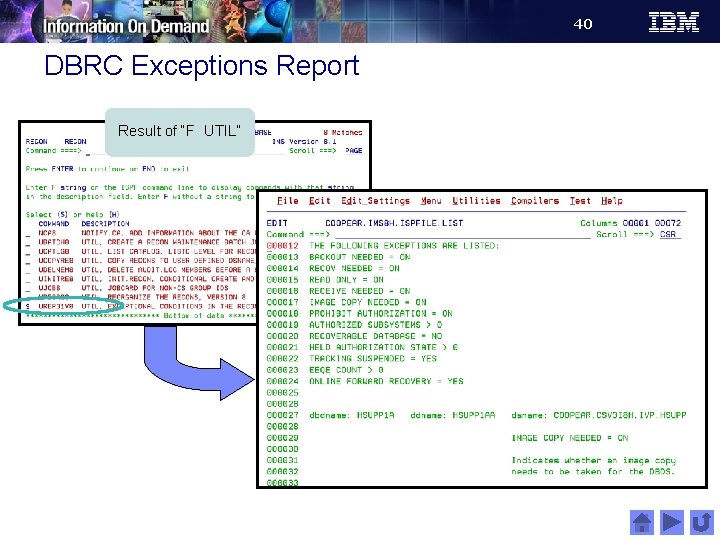
40 DBRC Exceptions Report Result of “F UTIL”
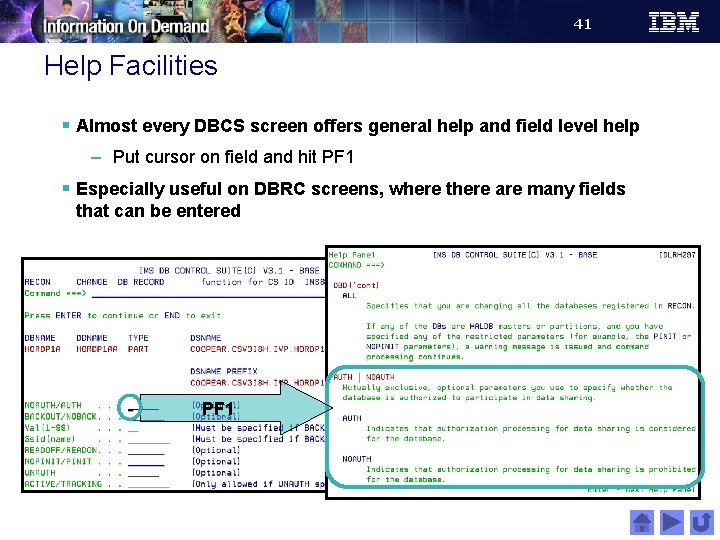
41 Help Facilities § Almost every DBCS screen offers general help and field level help – Put cursor on field and hit PF 1 § Especially useful on DBRC screens, where there are many fields that can be entered PF 1
42 Option 4 - Perform library integrity checking in a M enu M n 4 o i t Op
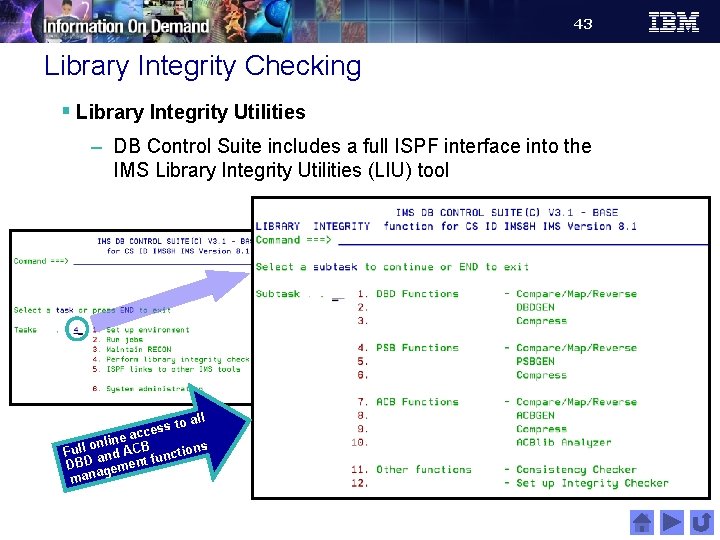
43 Library Integrity Checking § Library Integrity Utilities – DB Control Suite includes a full ISPF interface into the IMS Library Integrity Utilities (LIU) tool to all s s e cc ine a B l n o l Ful and AC unctions f DBD gement mana
44 Option 5 – ISPF links to other IMS tools in a M enu M on i t Op 5
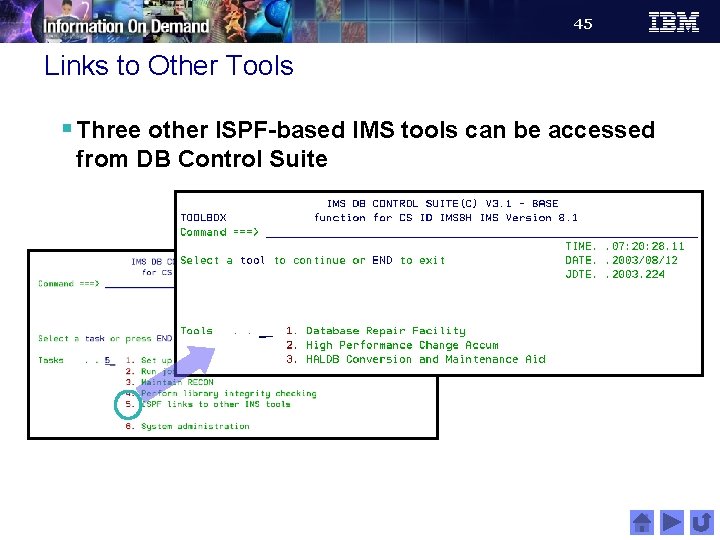
45 Links to Other Tools § Three other ISPF-based IMS tools can be accessed from DB Control Suite
46 Option 6 - System administration in a M enu M n 6 o i t Op
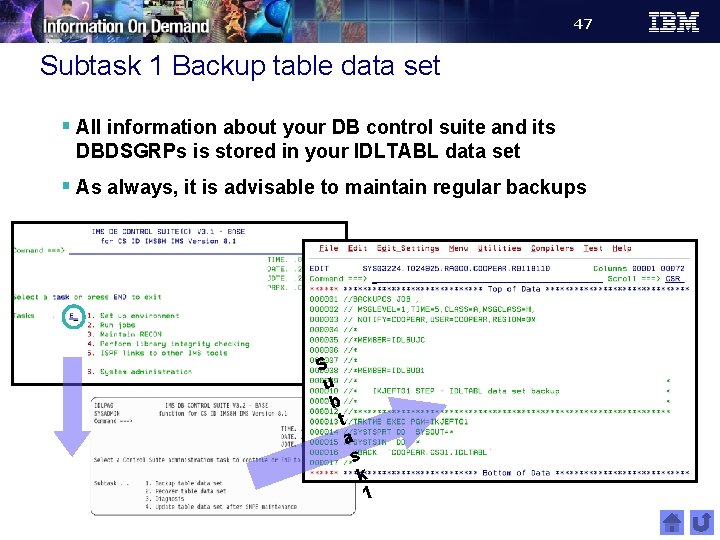
47 Subtask 1 Backup table data set § All information about your DB control suite and its DBDSGRPs is stored in your IDLTABL data set § As always, it is advisable to maintain regular backups S u b t a s k 1
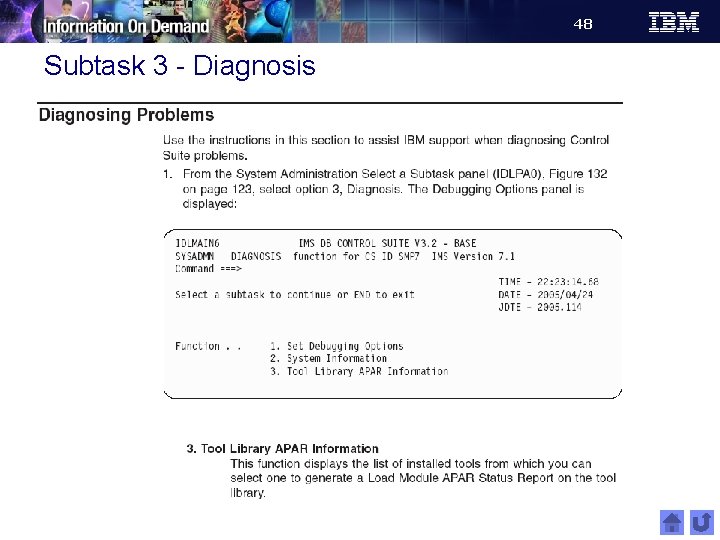
48 Subtask 3 - Diagnosis
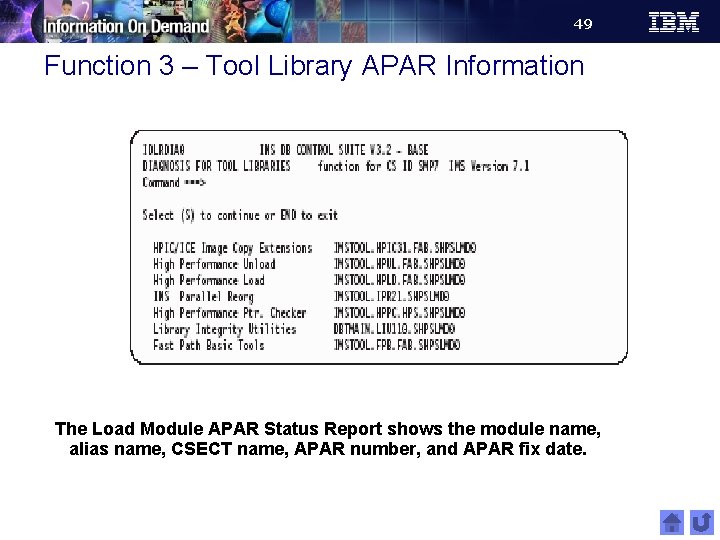
49 Function 3 – Tool Library APAR Information The Load Module APAR Status Report shows the module name, alias name, CSECT name, APAR number, and APAR fix date.
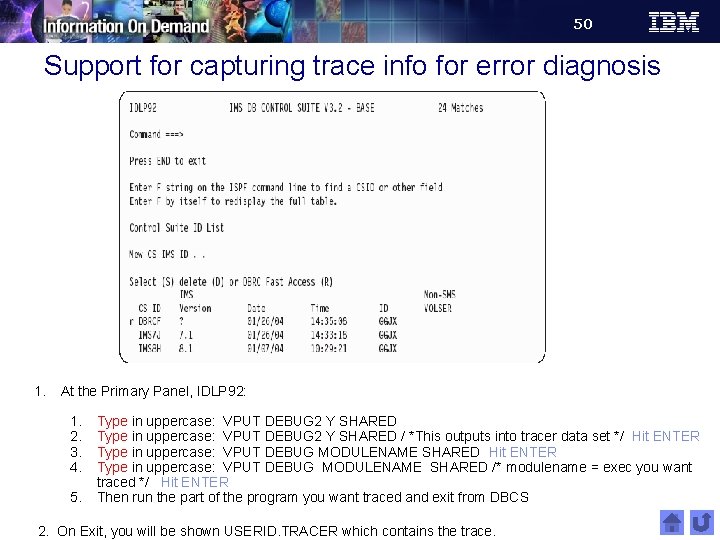
50 Support for capturing trace info for error diagnosis 1. At the Primary Panel, IDLP 92: 1. 2. 3. 4. 5. Type in uppercase: VPUT DEBUG 2 Y SHARED / *This outputs into tracer data set */ Hit ENTER Type in uppercase: VPUT DEBUG MODULENAME SHARED /* modulename = exec you want traced */ Hit ENTER Then run the part of the program you want traced and exit from DBCS 2. On Exit, you will be shown USERID. TRACER which contains the trace.
51 IMS Database Control Suite - Popular uses § RECON Maintenance – Confirm the DBRC SHARLVL, RECONPD, and GENMAX values during the Collect process before the values are initialized or changed in the RECONs. – Utilize global commands that are added to the RECON maintenance function to allow updates on multiple RECON records. – Add more selectivity to the RECON Maintenance utility commands; for example, report on a selected DBDSGRP rather than on the entire RECON. § Utility Generation – Decide whether a new PSB for online image copies is to be generated or an existing one is to be used
52 IMS Database Control Suite – Popular uses § Performing an unscheduled DB function – Online space monitor, pointer check, reorg, recovery, etc. § Performing any DBRC function § Generating production JCL when a new IBM DB tool is acquired § Switching to/from use of GDGs for image copy datasets § Changing accounting or job information for utility jobs § Adding a new partition to a HALDB data base – Automates generation of associated utility jobs § Emergency changing of a DBD (without access to DBD source) – Using DB Control Suite’s interface to Library Integrity Utilities § etc.
53 Data Administration – Health Check components § IMS Database Repair Facility § IMS Library Integrity Utilities § IMS High Performance Pointer Checker
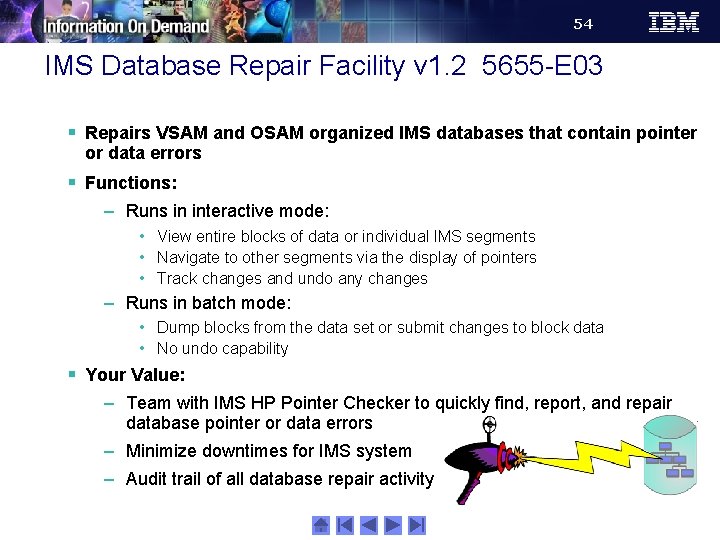
54 IMS Database Repair Facility v 1. 2 5655 -E 03 § Repairs VSAM and OSAM organized IMS databases that contain pointer or data errors § Functions: – Runs in interactive mode: • View entire blocks of data or individual IMS segments • Navigate to other segments via the display of pointers • Track changes and undo any changes – Runs in batch mode: • Dump blocks from the data set or submit changes to block data • No undo capability § Your Value: – Team with IMS HP Pointer Checker to quickly find, report, and repair database pointer or data errors – Minimize downtimes for IMS system – Audit trail of all database repair activity
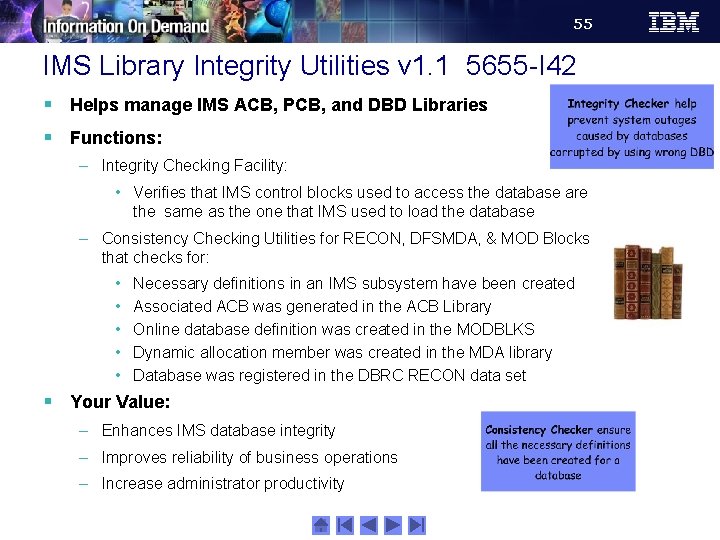
55 IMS Library Integrity Utilities v 1. 1 5655 -I 42 § Helps manage IMS ACB, PCB, and DBD Libraries § Functions: – Integrity Checking Facility: • Verifies that IMS control blocks used to access the database are the same as the one that IMS used to load the database – Consistency Checking Utilities for RECON, DFSMDA, & MOD Blocks that checks for: • • • Necessary definitions in an IMS subsystem have been created Associated ACB was generated in the ACB Library Online database definition was created in the MODBLKS Dynamic allocation member was created in the MDA library Database was registered in the DBRC RECON data set § Your Value: – Enhances IMS database integrity – Improves reliability of business operations – Increase administrator productivity
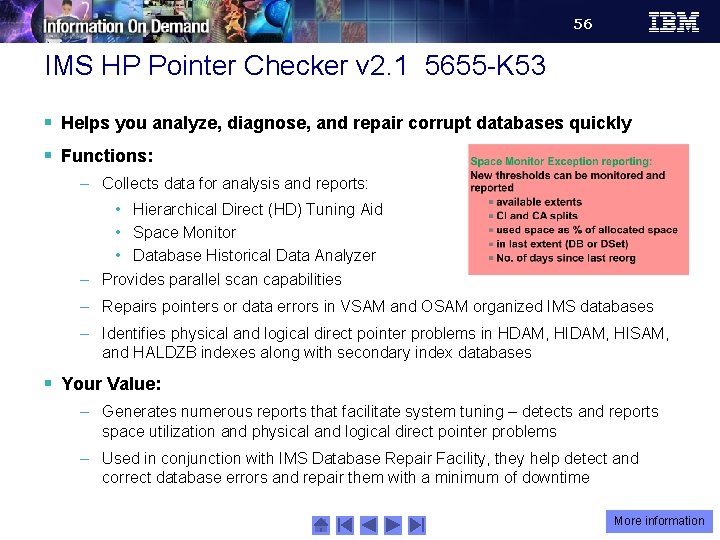
56 IMS HP Pointer Checker v 2. 1 5655 -K 53 § Helps you analyze, diagnose, and repair corrupt databases quickly § Functions: – Collects data for analysis and reports: • Hierarchical Direct (HD) Tuning Aid • Space Monitor • Database Historical Data Analyzer – Provides parallel scan capabilities – Repairs pointers or data errors in VSAM and OSAM organized IMS databases – Identifies physical and logical direct pointer problems in HDAM, HISAM, and HALDZB indexes along with secondary index databases § Your Value: – Generates numerous reports that facilitate system tuning – detects and reports space utilization and physical and logical direct pointer problems – Used in conjunction with IMS Database Repair Facility, they help detect and correct database errors and repair them with a minimum of downtime More information
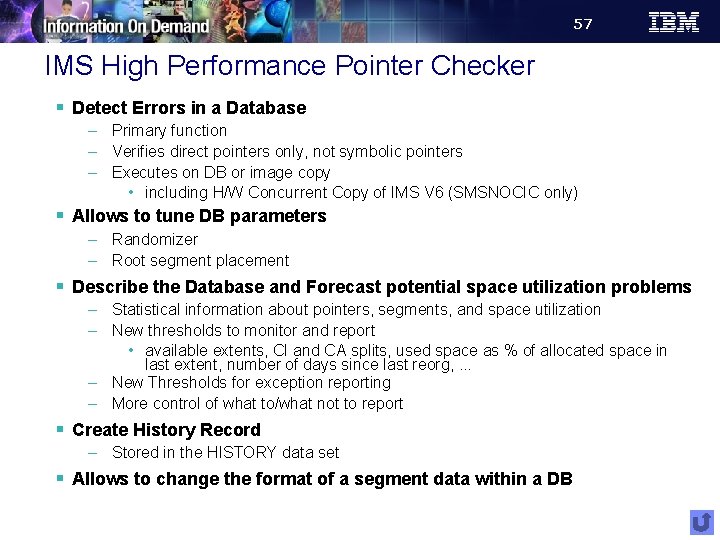
57 IMS High Performance Pointer Checker § Detect Errors in a Database – Primary function – Verifies direct pointers only, not symbolic pointers – Executes on DB or image copy • including H/W Concurrent Copy of IMS V 6 (SMSNOCIC only) § Allows to tune DB parameters – Randomizer – Root segment placement § Describe the Database and Forecast potential space utilization problems – Statistical information about pointers, segments, and space utilization – New thresholds to monitor and report • available extents, CI and CA splits, used space as % of allocated space in last extent, number of days since last reorg, . . . – New Thresholds for exception reporting – More control of what to/what not to report § Create History Record – Stored in the HISTORY data set § Allows to change the format of a segment data within a DB
58 Additional Resources § DB 2 and IMS Tools on the Web – http: //www-306. ibm. com/software/data/db 2 imstools/ § DB 2 and IMS Tools Library – http: //www. ibm. com/software/data/db 2 imstools/library. html § IMS Support Page – http: //www. ibm. com/software/data/ims/support. html § z. Series Support Page – http: //www. ibm. com/servers/eserver/support/zseries/ § White papers – http: //www. ibm. com/software/data/db 2 imstools/whitepapers. html § Redbooks – http: //www. redbooks. ibm. com/
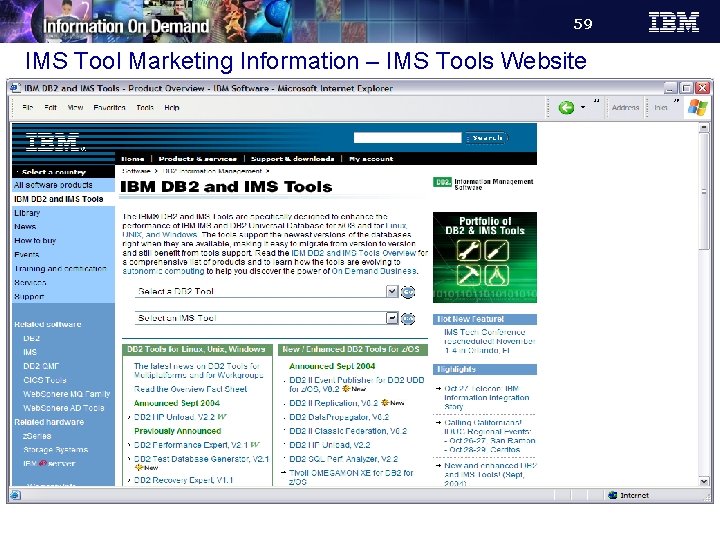
59 IMS Tool Marketing Information – IMS Tools Website
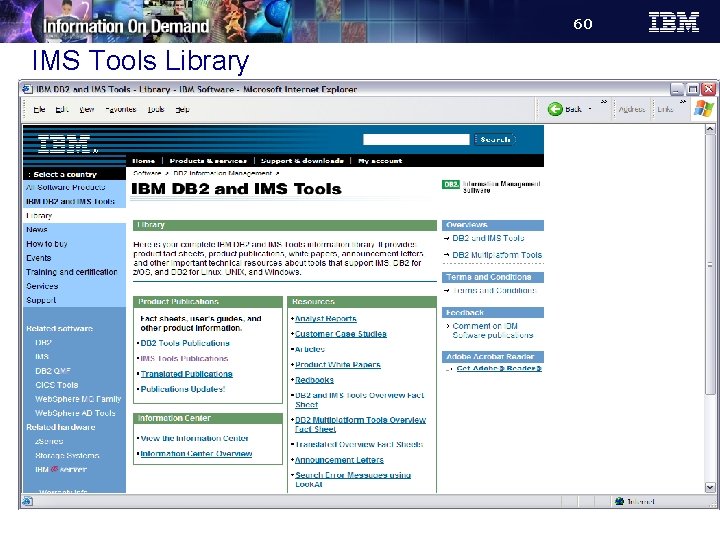
60 IMS Tools Library
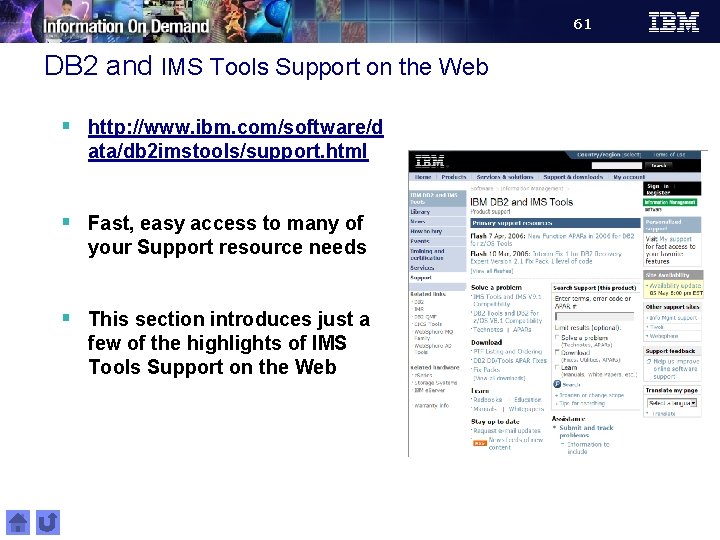
61 DB 2 and IMS Tools Support on the Web § http: //www. ibm. com/software/d ata/db 2 imstools/support. html § Fast, easy access to many of your Support resource needs § This section introduces just a few of the highlights of IMS Tools Support on the Web
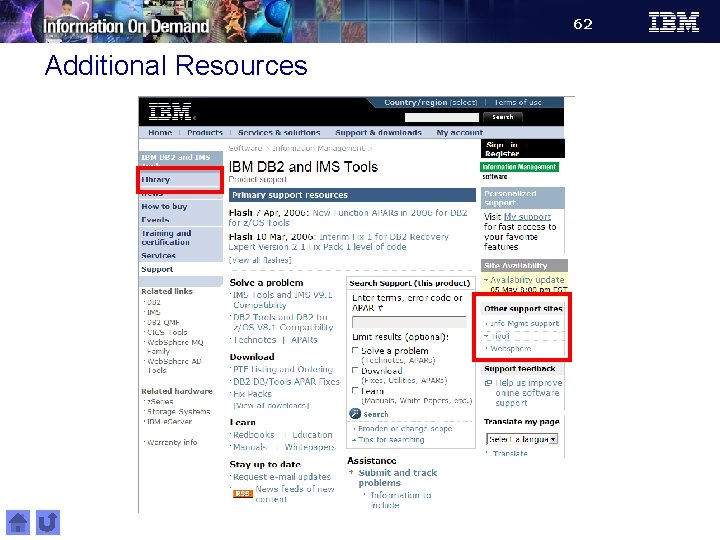
62 Additional Resources
63 Summary § IMS Tools from IBM provide, integrated, easy-to-use solutions that fit your company’s needs – Reorganization, Recovery, Performance and Tuning, Fast Path, and Systems and Data Administration § IBM is dedicated to the continued success and support of IMS and the mainframe. We’re invested for the long term, right beside you. § We are continuing to invest in our IMS Tools technology and have a vision for our IMS Tools that centers around autonomic computing.
- Slides: 63