
The IBM IMS Tools Solution Maintaining High Database
The IBM IMS Tools Solution § Maintaining High Database Performance § IMS DB Recovery Solution Margaret M Wilson IMS Tools Market Manager wilsonmm@us. ibm. com © 2006 IBM Corporation

2 Highlights § We understand your company’s needs…and we’re here to help § The product families we offer – Systems Administration – Recovery – Reorganization – Performance and Tuning – Fast Path Solutions – Data Administration § Summary
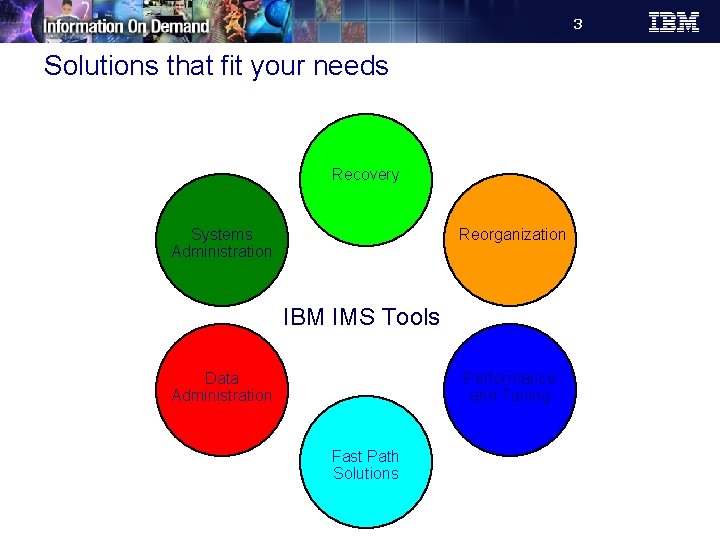
3 Solutions that fit your needs Recovery Systems Administration Reorganization IBM IMS Tools Data Administration Performance and Tuning Fast Path Solutions
4 Recovery Solutions § IMS High Performance Image Copy § IMS High Performance Change Accumulation Utility § IMS Database Recovery Facility § IMS Index Builder

5 A reliable recovery plan is critical to your business § Your mainframe databases represent a huge investment by your company. § If your data is unavailable for any reason, you are not receiving the expected gain on your investment. § When this occurs, IT becomes a cost burden instead of a business asset. § An e-business must be available and operational 24 hours a day, 365 days a year.
6 Some database outages are planned… § Application database maintenance § Data migration § Database design change implementation § Hardware maintenance or upgrades § Disaster recovery preparation and testing

7 But the highest impact outages are not… § Application errors § Improper data feeds § User errors § Operations errors § Batch cycle errors § Fallback from application change migrations § Site disasters (floods, power outages, storms, fires and so on) § Hardware failures
8 IBM IMS Tools can help § When these situations occur, a recovery solution that is complicated and time consuming to prepare and execute will result in increased down time and loss of revenue. § Software based recovery tools are not a luxury or an insurance policy — they are a key component of mission critical database support.
9 The challenges with using IMS base utilities for recovery § IMS recovery is a very complex task, quite prone to errors and generally difficult to manage. § Utilities use serial processing adding to the time your data is unavailable. § Less automation means more manual labor and more potential for error. § All the while your databases are offline and unavailable for your critical business needs.

10 A hardware solution isn’t enough § Hardware solutions are not complete. § Hardware only covers what was mirrored. § It’s too expensive to send all of your business critical databases offsite. § Even with a hardware solution, recovery tasks are still needed to get back up and running. § What about application program errors? § Having multiple copies of logically incorrect data is not a solution.
11 The IBM IMS Tools Recovery Solution § The IBM IMS Tools Recovery Solution is an effective and efficient way to ensure your IMS data is recovered quickly and accurately. § These four tools combine to form an integrated and automated solution to meet your recovery needs – IMS High Performance Image Copy – IMS High Performance Change Accumulation Utility – IMS Database Recovery Facility – IMS Index Builder
12 IMS High Performance Image Copy v 4. 1 5655 -N 45 § Creates exact (image) copies of IMS databases § Functions: – Run an Image Copy function with the hash checking of IMS HP Pointer Checker V 2 under the control of IMS Parallel Reorganization, V 3 • Major reduction in run-time of the reorganization process • Supports processes in parallel within an IMS Parallel Reorganization – New optional parameter for controlling the secondary image copy data set – Performs accuracy checking of an image copy – Dynamic Allocation for all input and output datasets – Reports DBRC information about the registered Image Copy data sets § Your Value: – Reduces operational costs by using less tape storage – Minimizes manual steps involved with tape usage – Automated functions help data centers run more efficiently
13 IMS High Performance Image Copy v 4. 1 5655 -N 45 § Advanced copy services – Concurrent copy, – Flash. Copy and – Snap. Shot copy. § Reduces image copy and recovery time, reduces elapsed time and CPU utilization. – Minimizes CPU utilization and elapsed time by using High Performance (HP) Input/Output function for read and write processing § Provides automatic checkpoint and restart. – Restart failed image copy jobs by resubmitting the same job stream. – No alterations to the job stream are necessary, which avoids duplicating previously successful image copies. § Stops and starts database automatically. – IMS Tools Online System Interface
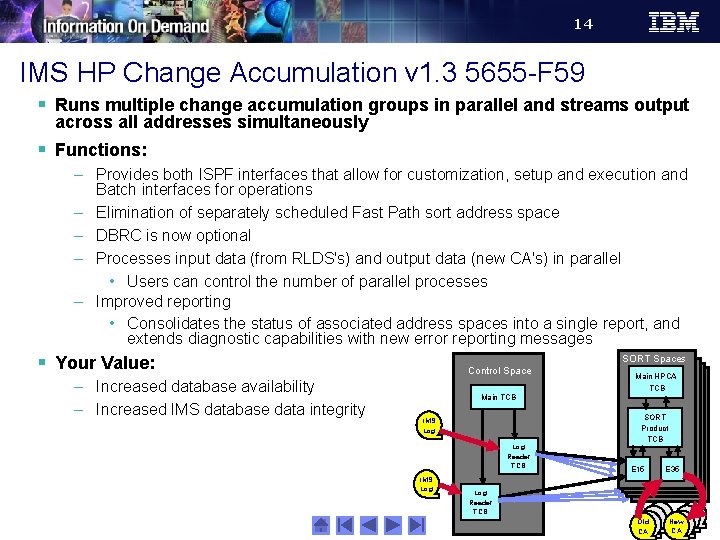
14 IMS HP Change Accumulation v 1. 3 5655 -F 59 § Runs multiple change accumulation groups in parallel and streams output across all addresses simultaneously § Functions: – Provides both ISPF interfaces that allow for customization, setup and execution and Batch interfaces for operations – Elimination of separately scheduled Fast Path sort address space – DBRC is now optional – Processes input data (from RLDS's) and output data (new CA's) in parallel • Users can control the number of parallel processes – Improved reporting • Consolidates the status of associated address spaces into a single report, and extends diagnostic capabilities with new error reporting messages § Your Value: – Increased database availability – Increased IMS database data integrity SORT Spaces Control Space Main HPCA TCB Main TCB IMS Log Reader TCB IMS Log SORT Product TCB E 15 E 35 Log Reader TCB Old CA New CA
15 IMS Index Builder v 2. 3 5655 -E 24 § Helps streamline index maintenance and recovery § Functions: – Add or Rebuild all or some secondary indexes of an IMS full-function database (including HALDB) – Build both primary and secondary indexes in one job step, eliminating the need to image copy indexes – Rebuild HIDAM or PHIDAM partition primary index – DBRC notification support – Provides an ISPF front end for easy JCL generation – Creates separate sort address spaces – Duplicate Record Processing to Spill File § Your Value: – Improves overall performance – Improves DBA productivity by its’ enhanced ease of use – Saves time by performing index recovery without full database reorganization by using DL/I to scan the databases More information
16 IMS Database Recovery Facility v 3. 1 5655 -N 47 § High Performance IMS Database Recovery Solution - Recovers IMS database data sets and Fast Path areas § Functions: – Recovery of Multiple DBDS or Areas in one step • Runs in Parallel with IMS Transaction Processing • Online or Batch mode recovery – Supports all Recoverable IMS Database Types • Not GSAM, HSAM, SHSAM, or MSDB types – Full formatted recovery report – Report only execution (VERIFY option) § Your Value: – Increased database availability: • Applying database changes to multiple database data sets simultaneously with a single pass of input data • Reducing recovery time – Enhanced usability and flexibility by supporting report-only execution
17 IMS Database Recovery Facility v 3. 1 5655 -I 44 § Increased Tools Integration – Automatic invocation of High Performance tooling, including Image Copy, Pointer Checker, Fastpath Pointer Checker, Index Builder, and DFSPREC 0. § Database Copy Generation – Creation of copies of database data sets without accessing production copies – Input is image copy, change accumulation, and log data sets – Copies can be created to any point in time via PITR
18 IMS Database Recovery Facility v 3. 1 5655 -I 44 § Automatic Delete/Define of Database Data Sets – Output data sets are created as part of the recovery process § Incremental Image Copy – Created via HPIC § Allocate/Open Option on START VERIFY – Logical and physical validation of data set availability prior to running the actual recovery job § Submitting IMS Commands via TOI/XCF – DBR local or global – START local or global
19 IMS DRF v 3. 1 5655 -I 44 – Recovery Flow § Use dynamic allocation of data sets – database, log, change accumulation, and image copy § Does NOT use IMS resources for recovery § Gets all information about recovery datasets from RECONs – The Catalog is used if the RECON has not recorded data set migration § Read Log data sets in parallel – From RLDS or SLDS only – Single Log Pass for Multiple DBDS Recovery § Read Change Accumulation datasets concurrently with Log data sets – Complete or Incomplete (with Spill records) – Change Accum is not required, including in a data sharing environment § Sort Log Records § Update Image Copy data with log and change accum data in a single pass – Standard IC - Changes applied as data is read – IC 2 - Data is restored - Only updated records are read
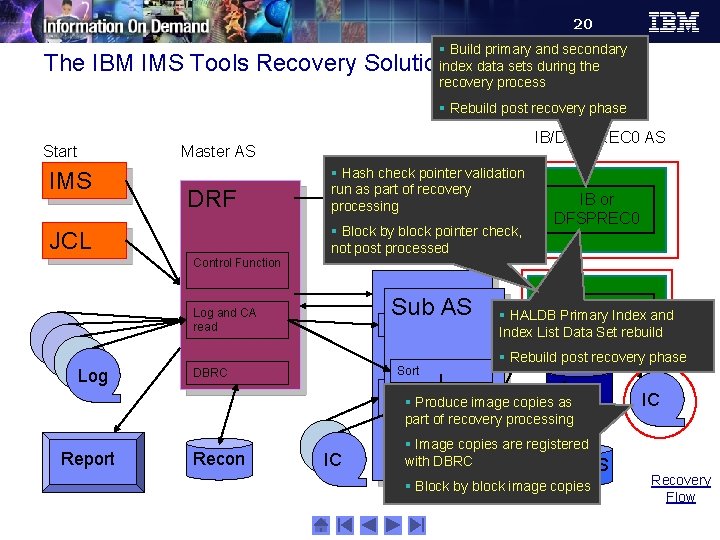
20 § Build primary and secondary index data sets during the recovery process The IBM IMS Tools Recovery Solution § Rebuild post recovery phase Start Options IMS IB/DFSPREC 0 AS Master AS DRF JCL Control Function § Hash check pointer validation run as part of recovery processing § Block by block pointer check, not post processed AS Subordinate Sub AS Log and CA read Log Sort DBRC IB or DFSPREC 0 HPPC, DEDB PC § HALDB Primary HPIC Index and Index List Data Set rebuild § Rebuild post recovery phase Area Data Set § Produce image copies as Restore Data Set Restore IC part of recovery processing Report Recon IC § Image copies are registered with DBRC DBDS § Block by block image copies Recovery Flow
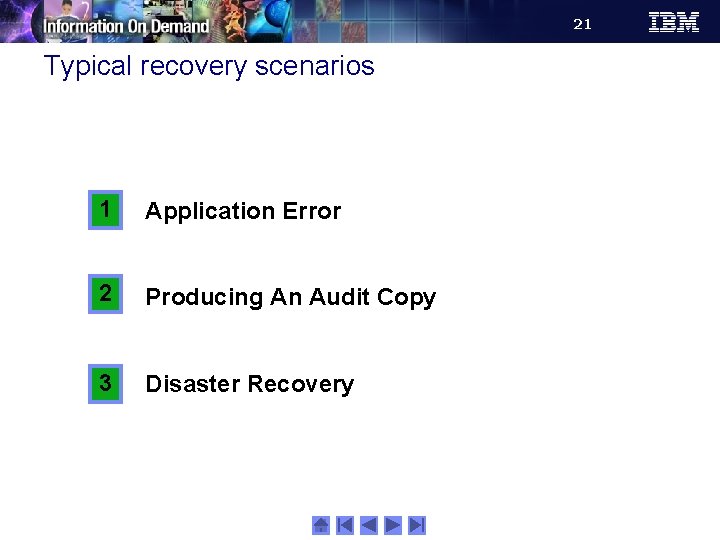
21 Typical recovery scenarios 1 Application Error 2 Producing An Audit Copy 3 Disaster Recovery
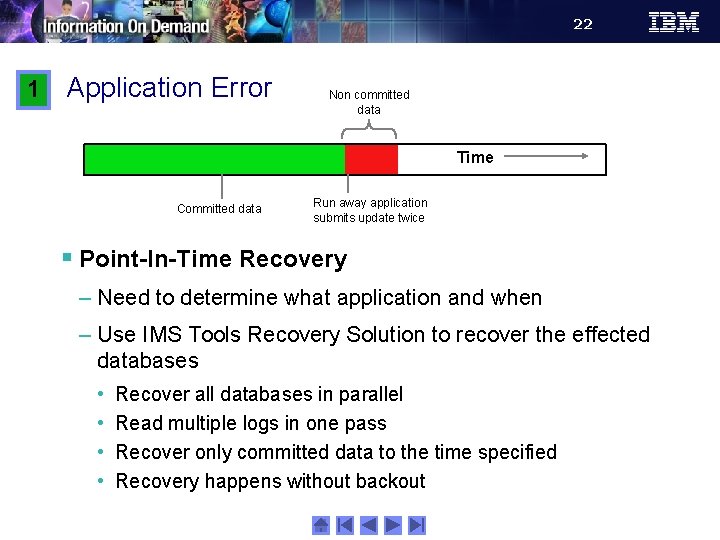
22 1 Application Error Non committed data Time Committed data Run away application submits update twice § Point-In-Time Recovery – Need to determine what application and when – Use IMS Tools Recovery Solution to recover the effected databases • • Recover all databases in parallel Read multiple logs in one pass Recover only committed data to the time specified Recovery happens without backout
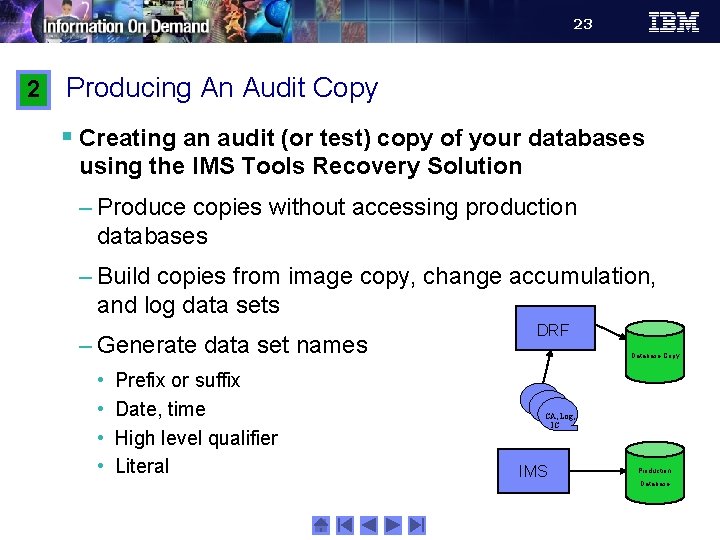
23 2 Producing An Audit Copy § Creating an audit (or test) copy of your databases using the IMS Tools Recovery Solution – Produce copies without accessing production databases – Build copies from image copy, change accumulation, and log data sets – Generate data set names • • Prefix or suffix Date, time High level qualifier Literal DRF Database Copy CA, Log, IC IMS Production Database
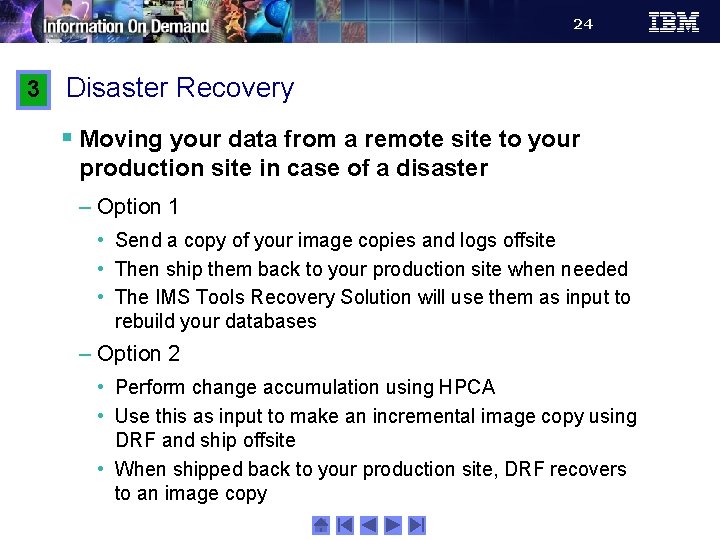
24 3 Disaster Recovery § Moving your data from a remote site to your production site in case of a disaster – Option 1 • Send a copy of your image copies and logs offsite • Then ship them back to your production site when needed • The IMS Tools Recovery Solution will use them as input to rebuild your databases – Option 2 • Perform change accumulation using HPCA • Use this as input to make an incremental image copy using DRF and ship offsite • When shipped back to your production site, DRF recovers to an image copy
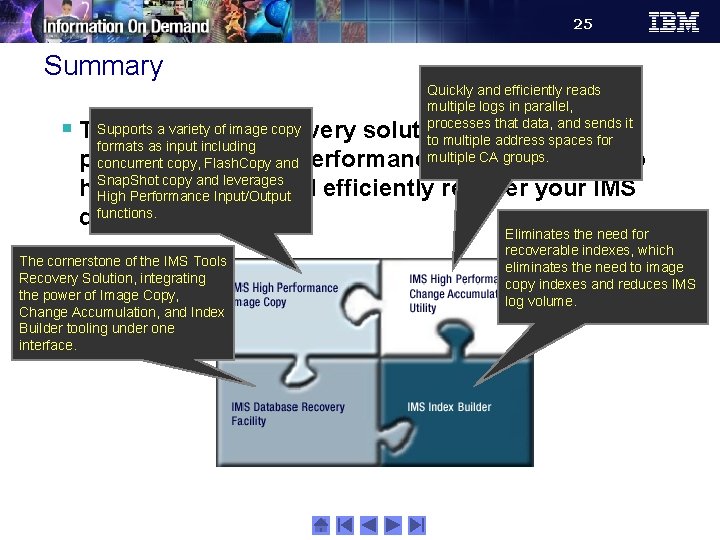
25 Summary Quickly and efficiently reads multiple logs in parallel, processes that data, and sends it to multiple address spaces for multiple CA groups. Supports a variety of image copy § The IMS Tools Recovery solution combines the formats as input including power four high concurrentof copy, Flash. Copy andperformance tools from IBM to Snap. Shot copy and leverages help you quickly and efficiently recover your IMS High Performance Input/Output functions. data… The cornerstone of the IMS Tools Recovery Solution, integrating the power of Image Copy, Change Accumulation, and Index Builder tooling under one interface. Eliminates the need for recoverable indexes, which eliminates the need to image copy indexes and reduces IMS log volume.
- Slides: 25