
The GREENSTONE digital library software An introduction By
The GREENSTONE digital library software An introduction By Egbert de Smet (Univ. of Antwerp)
Overview • Digital libraries : the concept • Introduction : some background info on GSDL • Installation of GSDL • The stages of building a simple application with the Librarian interface • Some more advanced features
Digital Libraries : the concept • A digital library, like a normal library, contains documents, catalogues and avails them to users. • But : documents are electronic (digital) files and availability is online • Cataloguing is called ‘adding metadata’… • So a digital library >< a database, but an indexed set of documents and a retrieval tool (similar to ‘Indexing software’ like e. g. Google Desktop) • Acquisition/Circulation functions are not covered for obvious reasons
Greenstone background info • See : http: //www. greenstone. org • Developed by Waikatu university (New-Zealand) and supported by UNESCO and the Human Info NGO (Antwerp!) • Adopted by UNESCO in 2005 for distribution • Free and Open Source software (GNU GPL), running under both UNIX/Linux and Windows • Full Unicode support, fully multi-lingual • Almost no limits in size and capacity (in theory) • Current ‘stable’ version : 2. 83 with a fully new JAVA-based version 3 developed in parallel (http: //wiki. greenstone. org/index. php/Greenstone 3_for_Greenstone 2_Users) - Advantages : XML/XSLT interface definition (no more Perl), distributed, multiple collections and interfaces
Greenstone features • FOSS (active community !) & Multi-platform • Proven technology : Perl-scripting, MG(PP) or Lucene indexing, Apache (or built-in webserver), XML • UNICODE • Separate modules : – JAVA-based interface for management – Web-browser based access to collections – CLI client : remote collection building • Multi-metadata (with editor) • Practical GLI interface for editing/managing GSDL • Lots of 'plug-ins' for most document formats, also ISIS, Dspace, e-mails, MARCXML. . .
Greenstone vs. DSpace • Less aiming at 'repositories' with end-user based submission of content (but still possible) • Less aiming at long-time preservation • Less capable with large numbers or documents • Easier to install/run in Windows • More oriented to digital library collections (cultural heritage etc. ) • More flexible on meta-data sets • Much easier to implement and use (also as standalone), easy installer • Aiming at librarians rather than IT-ers
Greenstone Technical Concepts 1 • Technical concepts : – A server (library. exe) uses (lots of) PERL-scripts to create web-pages and forms to deal with the library of documents and its indexes – The documents are stored as such (PDF, DOC, HTML, XML…) ánd converted (‘imported’) as XML in a collection with their text-only content – ‘Plug-ins’ for each type of content extract words from the documents and pass them onto the indexing engine – Metadata on the documents are also stored in XML – A web-interface allows searching, browsing results and opening full-text documents either in original or converted format.
Greenstone Technical Concepts 2 • 3 possible indexers : – MG (‘Managing Gigabytes’) : at section level (=~field), Boolean or ranked (not both!) – MGPP : word level indexing (field, phrase + proximity) with Boolean+ranking – Lucene (from the Apache SF) : field+proximity indexing but either on whole document or section, Boolean+ranking plus : singlecharacter wildcards and range-searching; allows incremental collection buidling (not possible with MG(PP))
Greenstone Technical Concepts 3 • Metadata : – Greenstone allows (unlike e. g. DSpace) several sets of metadata, including locally produced ones, even merged – Dublin Core (v. 1. 1) is provided together with e. g. RFC 1807, Development Library Subset, others (e. g. LOM) are available • All metadata are stored in XML-format with the documents • Metadata can also be extracted from XMLstatements within the documents • Metadata can be assigned easily through the GSDL Librarian interface • Since GSDL does not use a DB for handling its XML-data, this imposes real limitations on speed
the Greenstone Librarian Interface • A JAVA-PERL applet (gliserver. pl) provides an interactive graphical interface – the ‘Greenstone Librarian’ – with the main functions : – 1. ‘Gathering’ (or Downloading from OIA, WWW, Z 39. 50. . ) documents into a collection – 2. ‘Enriching’ with metadata (incl. a metadata set editor) – 3. Design (search/browse) and formatting – 4. Create : building the collection – 5. if build succesful : link to previewing the collection – (6. Format of output adjustments)
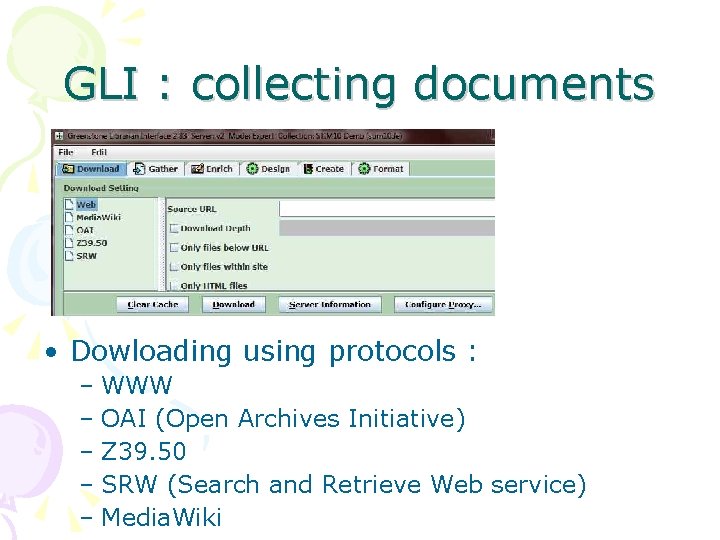
GLI : collecting documents • Dowloading using protocols : – WWW – OAI (Open Archives Initiative) – Z 39. 50 – SRW (Search and Retrieve Web service) – Media. Wiki
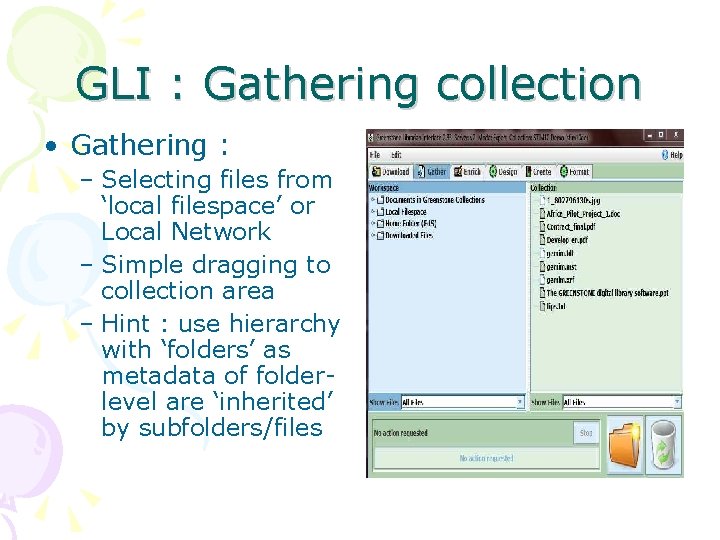
GLI : Gathering collection • Gathering : – Selecting files from ‘local filespace’ or Local Network – Simple dragging to collection area – Hint : use hierarchy with ‘folders’ as metadata of folderlevel are ‘inherited’ by subfolders/files
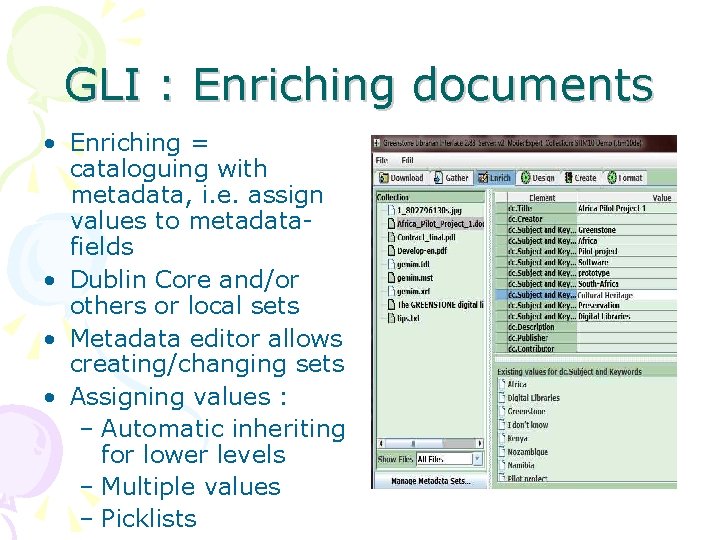
GLI : Enriching documents • Enriching = cataloguing with metadata, i. e. assign values to metadatafields • Dublin Core and/or others or local sets • Metadata editor allows creating/changing sets • Assigning values : – Automatic inheriting for lower levels – Multiple values – Picklists
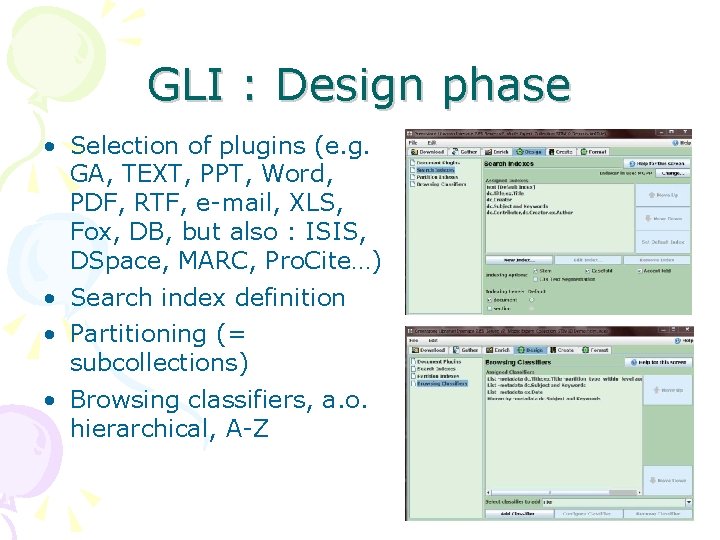
GLI : Design phase • Selection of plugins (e. g. GA, TEXT, PPT, Word, PDF, RTF, e-mail, XLS, Fox, DB, but also : ISIS, DSpace, MARC, Pro. Cite…) • Search index definition • Partitioning (= subcollections) • Browsing classifiers, a. o. hierarchical, A-Z
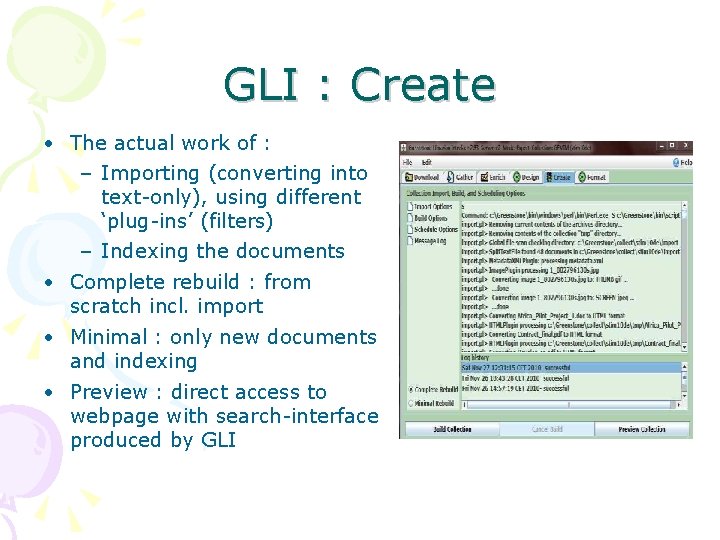
GLI : Create • The actual work of : – Importing (converting into text-only), using different ‘plug-ins’ (filters) – Indexing the documents • Complete rebuild : from scratch incl. import • Minimal : only new documents and indexing • Preview : direct access to webpage with search-interface produced by GLI
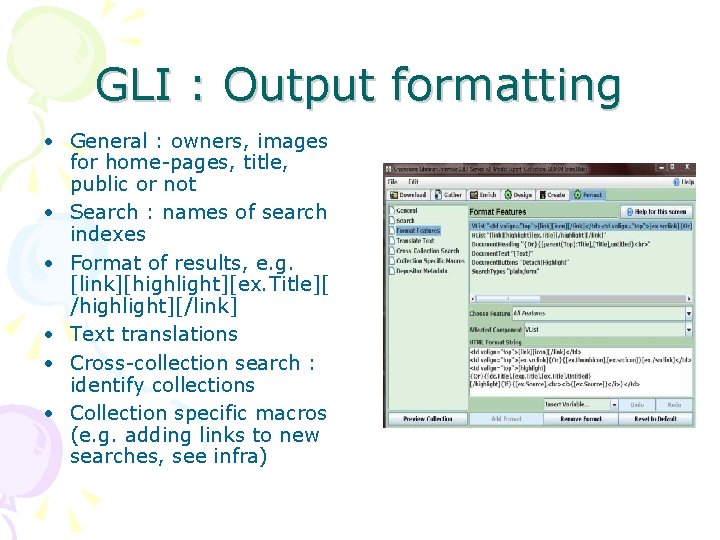
GLI : Output formatting • General : owners, images for home-pages, title, public or not • Search : names of search indexes • Format of results, e. g. [link][highlight][ex. Title][ /highlight][/link] • Text translations • Cross-collection search : identify collections • Collection specific macros (e. g. adding links to new searches, see infra)
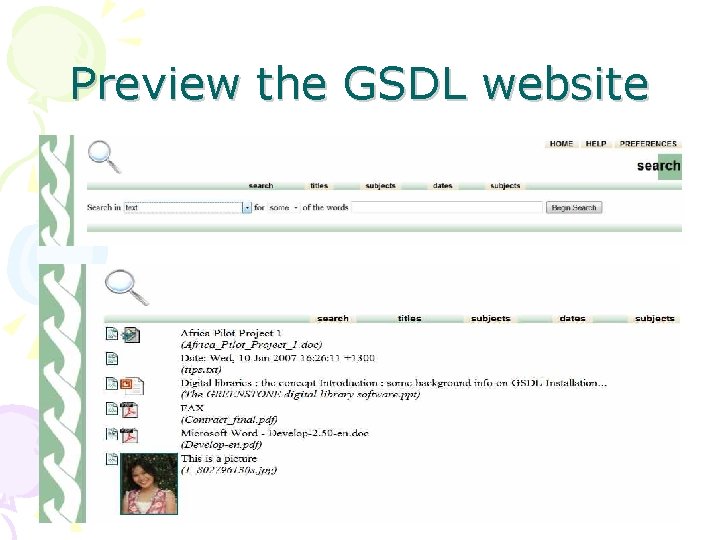
Preview the GSDL website
ISIS to Greenstone • 2 methods : – ‘as is’ : links are just copied from ISIS-databases with embedded links (mere ‘conversion’), the fields are entered as metadata – Full-text : the referenced documents are imported into a GSDL collection • Conversion ‘as is’ with ISISPlug: the ISIS-records become GSDL-records and can be searched/ displayed as such • ‘Explode database’ : the ISIS-fields become ‘ex’(tracted) GSDL-metadata and the documents themselves are stored as Full Text (referenced to in ISIS-record) • More info : – portal. unesco. org/ci/en/ev. php. URL_ID=21746&URL_DO=DO_TOPIC&URL_SECTION=201. html – or : greenstonesupport. iimk. ac. in/Documents/CDSISIS_to_DL. pdf
More technical info on : • http: //greenstonewiki. cs. waikato. ac. nz/wiki/index. php/Greenstone_FAQ • Users discussion list : see https: //list. scms. waikato. ac. nz/mail man/listinfo/greenstone-users
- Slides: 19