
THE GAME LOOP A simple model How simply
- Slides: 17
THE GAME LOOP
A simple model • How simply could we model a computer game? • By separating the game in two parts: – the data inside the computer, and – everything outside the computer. • So, outside the computer, we have (at the very least) the player. Inside the computer we have all sorts of data, but the most important is what we call the game state: it contains all the dynamic information of the game: the position of the player, monsters and camera; the current time; the score – in essence, everything that changes with time.
A simple model • A computer game can then be understood as a system in which those two entities – player and game state – interact with each other according to a specific pattern of rules. • The player inputs data into the system, and the system uses the game state to generate output to display to the player. • The difference is how that behaves in respect with time.
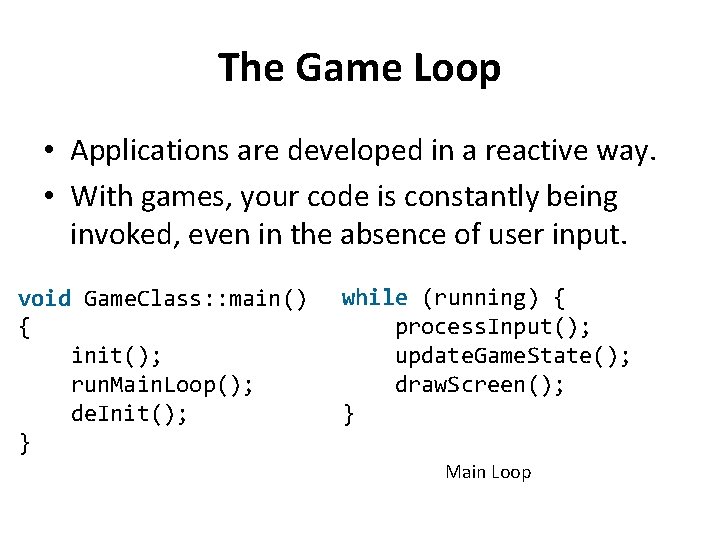
The Game Loop • Applications are developed in a reactive way. • With games, your code is constantly being invoked, even in the absence of user input. void Game. Class: : main() { init(); run. Main. Loop(); de. Init(); } while (running) { process. Input(); update. Game. State(); draw. Screen(); } Main Loop
A More Sophisticated Main Loop • The loop pseudo-code above suffers from a major flaw: it will run at unpredictable speeds – on fast machines it might run thousands of times per second (which would be a waste), and on slow machines it might run on unacceptably slow speeds – perhaps only five updates per second or so. • Besides the obvious issues, this makes the game much harder to program – it’s much easier to write your game logic when you know that you’ll have a fixed number of steps per second.
A More Sophisticated Main Loop • Consider this: the player presses the right arrow, and you store a flag containing that information. • Now, on every step, regardless of any player action, you’ll move the player to the right by 1 unit in the game state (which, let’s say, corresponds to 1 pixel on the screen). • If the game runs at 5 Hz (that is, 5 updates per second), the player will move VERY slowly. If it runs at 5000 Hz, he’ll be out of the screen before you can even see it!
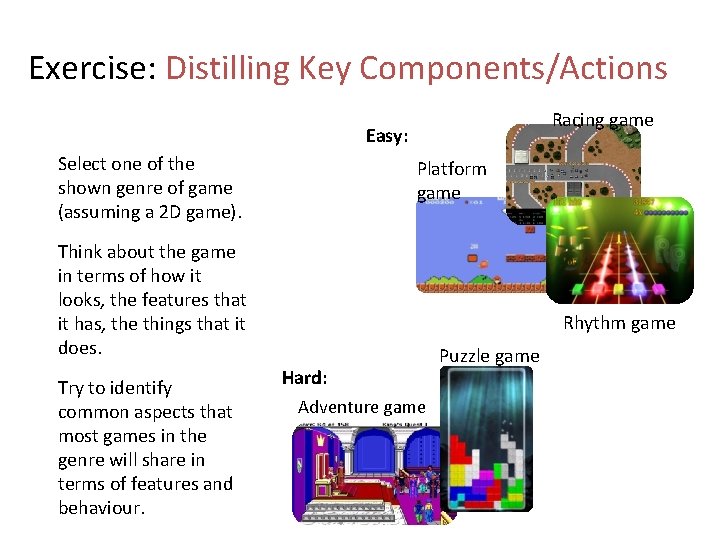
Exercise: Distilling Key Components/Actions Racing game Easy: Select one of the shown genre of game (assuming a 2 D game). Platform game Think about the game in terms of how it looks, the features that it has, the things that it does. Try to identify common aspects that most games in the genre will share in terms of features and behaviour. Rhythm game Hard: Adventure game Puzzle game
Key (2 D) Game Components/Actions Things most 2 D game have. . . • Front-end (titles, menus) • Assets • Graphical assets (animations, backgrounds) • Sound assets (sfx, background music) • Objects • In-game objects (sprites, platforms, etc. ) • HUD objects (score, lives, time, etc. ) • Object Containers • Levels, Areas, Maps • Input Events {other things as needed} Things most 2 D games do. . . Once per game/per level • Load assets • Construct objects • Populate containers Lots of times / second • Consider input events • Update objects • Draw graphics • Consider sounds {other things as needed} Note: There is no correct answer. Each model will impose a certain set of assumptions, suiting some types of game but not others.
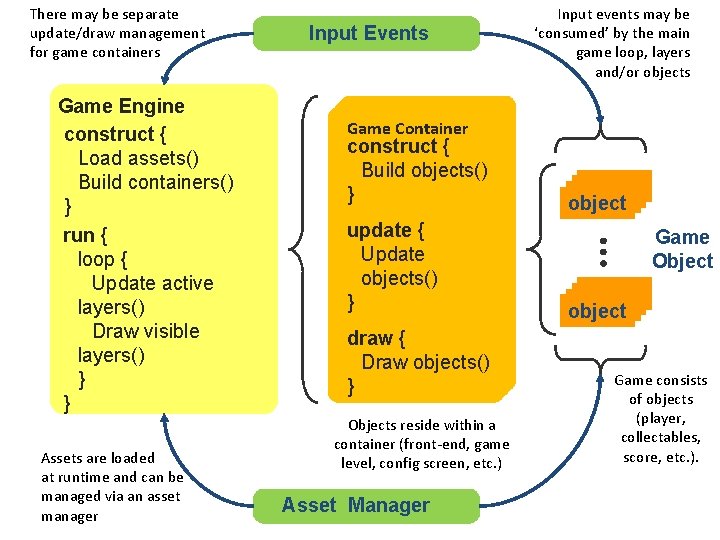
There may be separate update/draw management for game containers Game Engine construct { Load assets() Build containers() } run { loop { Update active layers() Draw visible layers() } } Assets are loaded at runtime and can be managed via an asset manager Input Events Input events may be ‘consumed’ by the main game loop, layers and/or objects Game Container construct { Build objects() } update { Update objects() } draw { Draw objects() } Objects reside within a container (front-end, game level, config screen, etc. ) Asset Manager object Game Object object Game consists of objects (player, collectables, score, etc. ).
The central mechanism to evolve and render game objects THE UPDATE/DRAW LOOP
The importance of timing… Timers ● Most games require a timer to manage the game loop ● Early games used the machine as the timer ○ the update/render loop would run as fast as possible (tied to processor speed) ○ used as typically no spare CPU resource and common platform hardware ○ Approach does not scale to varied platforms or increased hardware capabilities
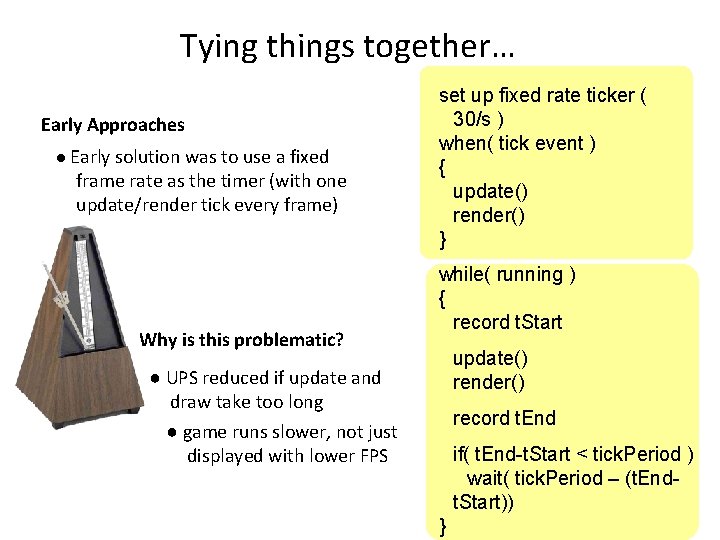
Tying things together… Early Approaches ● Early solution was to use a fixed frame rate as the timer (with one update/render tick every frame) Why is this problematic? set up fixed rate ticker ( 30/s ) when( tick event ) { update() render() } while( running ) { record t. Start update() render() ● UPS reduced if update and draw take too long ● game runs slower, not just displayed with lower FPS record t. End if( t. End-t. Start < tick. Period ) wait( tick. Period – (t. Endt. Start)) }
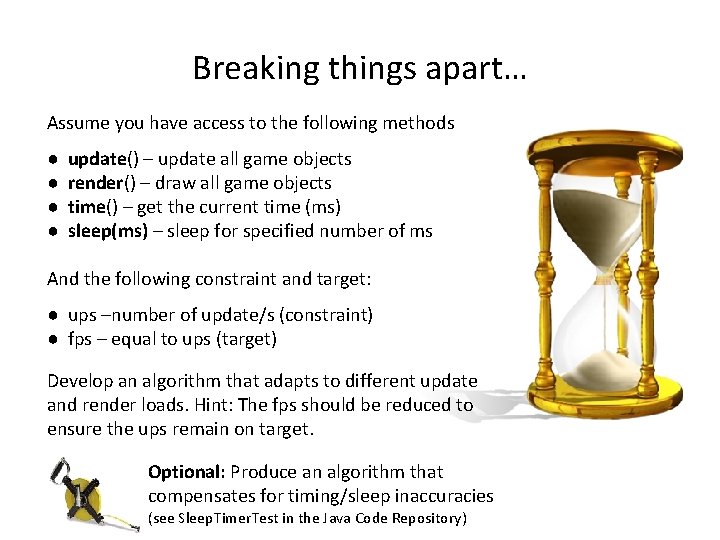
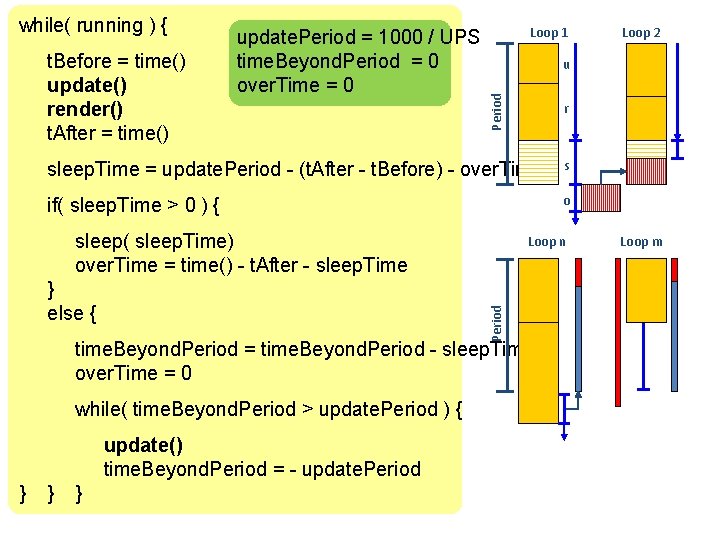
Breaking things apart… Assume you have access to the following methods ● ● update() – update all game objects render() – draw all game objects time() – get the current time (ms) sleep(ms) – sleep for specified number of ms And the following constraint and target: ● ups –number of update/s (constraint) ● fps – equal to ups (target) Develop an algorithm that adapts to different update and render loads. Hint: The fps should be reduced to ensure the ups remain on target. Optional: Produce an algorithm that compensates for timing/sleep inaccuracies (see Sleep. Timer. Test in the Java Code Repository)
t. Before = time() update() render() t. After = time() update. Period = 1000 / UPS time. Beyond. Period = 0 over. Time = 0 Loop 1 r sleep. Time = update. Period - (t. After - t. Before) - over. Time s if( sleep. Time > 0 ) { o sleep( sleep. Time) over. Time = time() - t. After - sleep. Time Loop n Period } else { time. Beyond. Period = time. Beyond. Period - sleep. Time over. Time = 0 while( time. Beyond. Period > update. Period ) { update() time. Beyond. Period = - update. Period } } } Loop 2 u Period while( running ) { Loop m
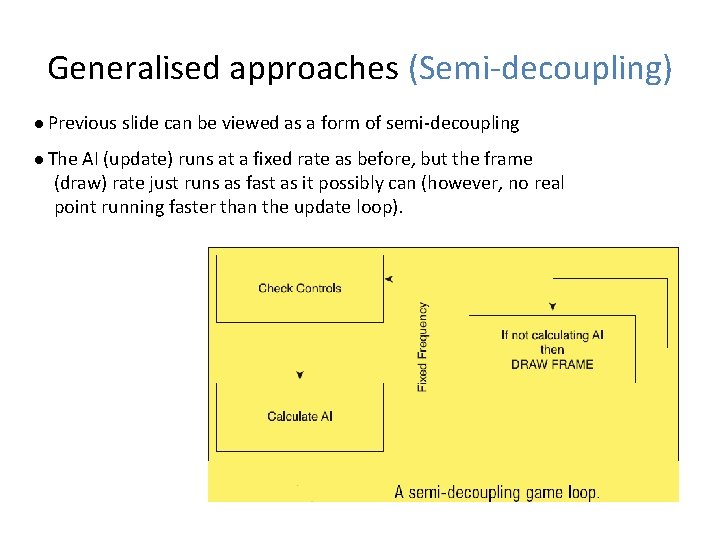
Generalised approaches (Semi-decoupling) ● Previous slide can be viewed as a form of semi-decoupling ● The AI (update) runs at a fixed rate as before, but the frame (draw) rate just runs as fast as it possibly can (however, no real point running faster than the update loop).
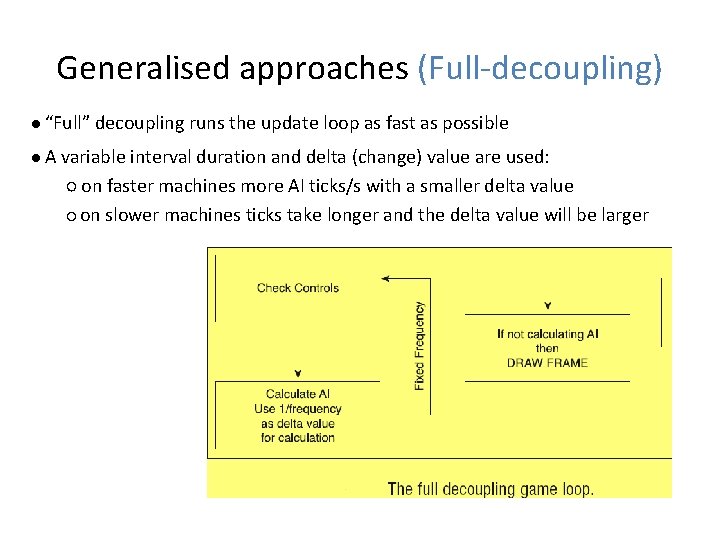
Generalised approaches (Full-decoupling) ● “Full” decoupling runs the update loop as fast as possible ● A variable interval duration and delta (change) value are used: ○ on faster machines more AI ticks/s with a smaller delta value ○ on slower machines ticks take longer and the delta value will be larger
Decoupling behaviour When designing game objects decouple the update and render behaviours. Ask two separate questions: ‘how will I update this’ and ‘how will I draw this’ • e. g. for an animation, select the animation to be display in the update phase and render it in the draw phase The draw phase should not change the game state (i. e. properties, etc. of objects, it should simply visualise the game state)