
The following presentation was created for instructorled classroom
- Slides: 19
The following presentation was created for instructor-led classroom and virtual training. The intended audience was technical end-users (engineers) and it was delivered globally by subject matter experts I had previously trained. I developed an accompanying instructor guide and preparation checklist for the trainers, along with a double-sided quick reference guide the learners could take with them for on-the-job assistance. NOTE: Proprietary images and verbiage have been removed or blocked. Links to websites and documents have been disabled. You can view the facilitator notes at the bottom of each screen. To enable the animation, press F 5 on your keyboard to view the slides in presentation mode. Created by Lynéa Pytel
Proprietary Image ### Enabling product excellence through global collaboration Document Management Best Practices Transitioning from Documentum to ### Proprietary Image
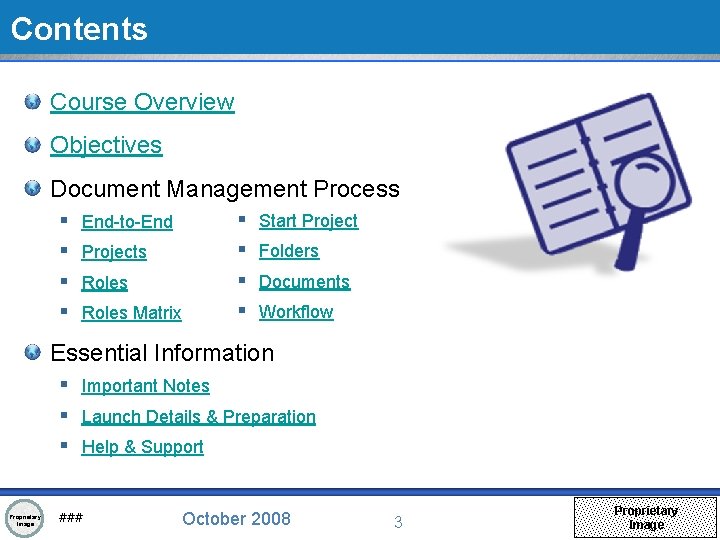
Contents Course Overview Objectives Document Management Process § § End-to-End Projects Roles Matrix § § Start Project Folders Documents Workflow Essential Information § Important Notes § Launch Details & Preparation § Help & Support Proprietary Image ### October 2008 3 Proprietary Image
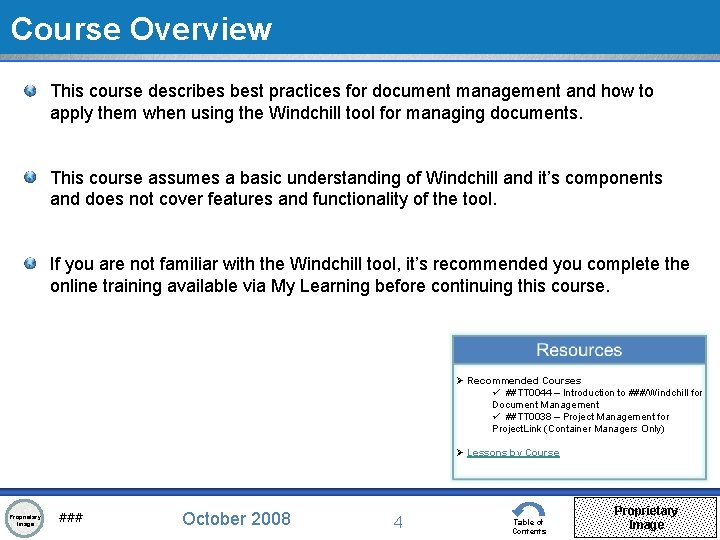
Course Overview This course describes best practices for document management and how to apply them when using the Windchill tool for managing documents. This course assumes a basic understanding of Windchill and it’s components and does not cover features and functionality of the tool. If you are not familiar with the Windchill tool, it’s recommended you complete the online training available via My Learning before continuing this course. Ø Recommended Courses ü ##TT 0044 – Introduction to ###/Windchill for Document Management ü ##TT 0038 – Project Management for Project. Link (Container Managers Only) Ø Lessons by Course Proprietary Image ### October 2008 4 Table of Contents Proprietary Image
Objectives By the end of this course, you will: § Understand how to use the Windchill tool for Document Management § Recognize and apply document management best practices § Be ready to manage documents in Windchill Proprietary Image ### October 2008 5 Table of Contents Proprietary Image
t n e m Docu s s e c o r P t n e m e g a Man Proprietary Image ### October 2008 6 Table of Contents Proprietary Image
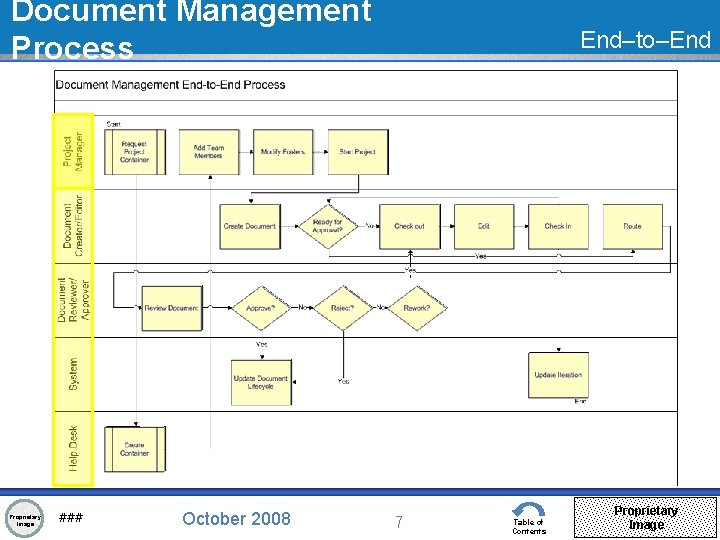
Document Management Process Proprietary Image ### October 2008 End–to–End 7 Table of Contents Proprietary Image
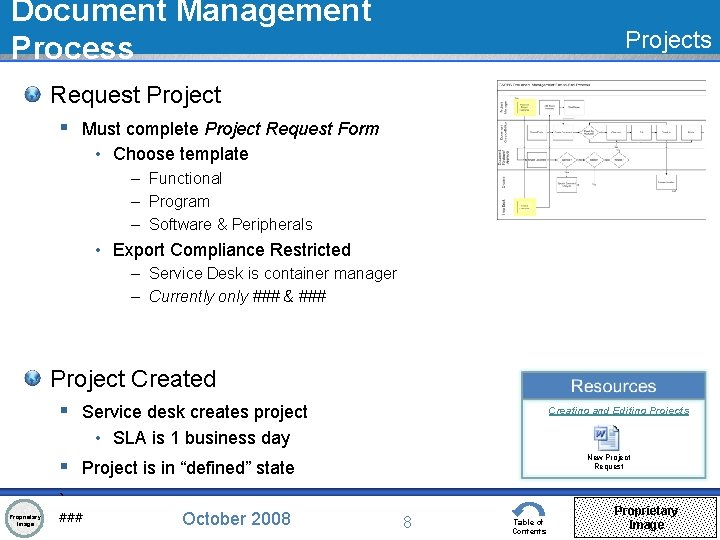
Document Management Process Projects Request Project § Must complete Project Request Form • Choose template – Functional – Program – Software & Peripherals • Export Compliance Restricted – Service Desk is container manager – Currently only ### & ### Project Created § Service desk creates project Creating and Editing Projects • SLA is 1 business day New Project Request § Project is in “defined” state ` Proprietary Image ### October 2008 8 Table of Contents Proprietary Image
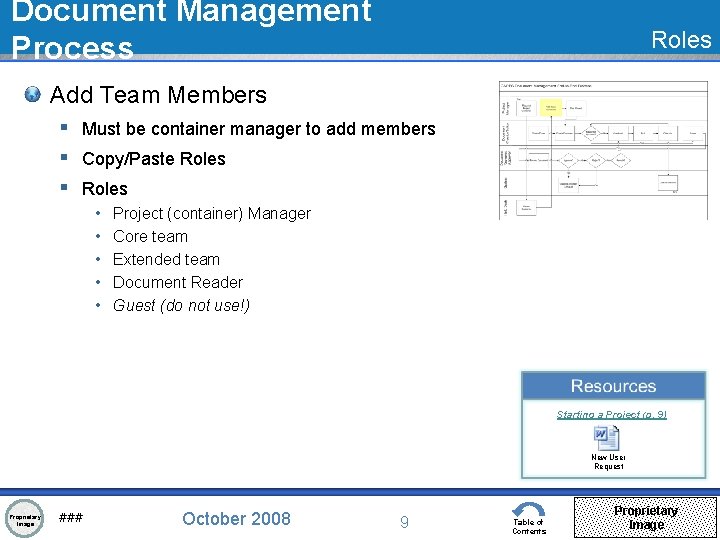
Document Management Process Roles Add Team Members § Must be container manager to add members § Copy/Paste Roles § Roles • • • Project (container) Manager Core team Extended team Document Reader Guest (do not use!) Starting a Project (p. 9) New User Request Proprietary Image ### October 2008 9 Table of Contents Proprietary Image
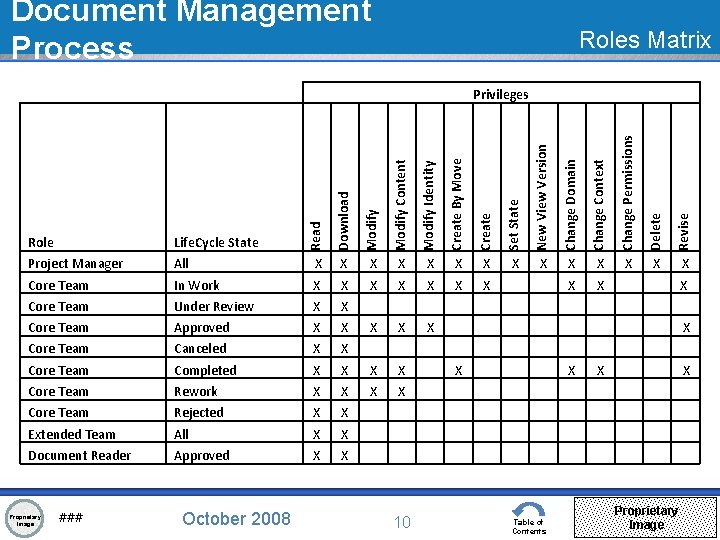
Document Management Process Roles Matrix Create By Move Create Set State X X X Core Team In Work X X X X Core Team Under Review X X Core Team Approved X X X Core Team Canceled X X Core Team Completed X X Core Team Rework X X Core Team Rejected X X Extended Team All X X Document Reader Approved X X Proprietary Image ### October 2008 10 Revise Modify Identity X Delete Modify Content X Change Permissions Modify All Change Context Download Project Manager Change Domain Life. Cycle State New View Version Role Read Privileges X X X Table of Contents X X Proprietary Image
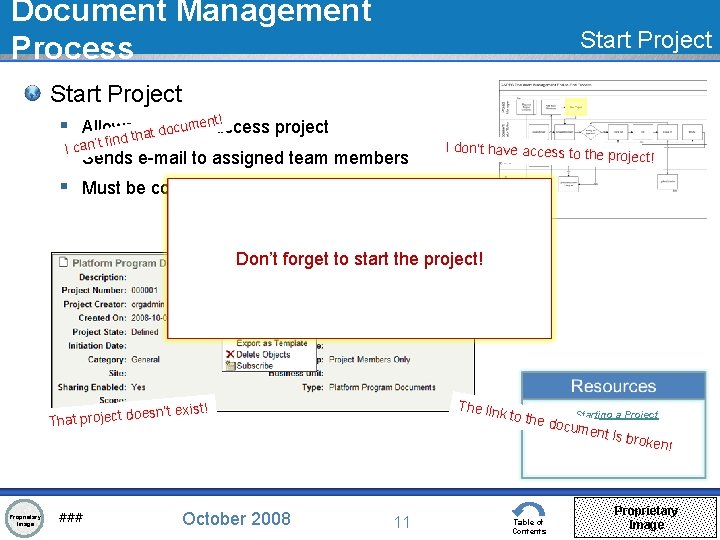
Document Management Process Start Project t! enaccess cumto § Allows others project o d t a th d n i f t can’ §I Sends e-mail to assigned team members § Must be container manager I don’t have access to the project! Don’t forget to start the project! The lin k to th ’t exist! oesn That project d Proprietary Image ### October 2008 Starting a Project e docu 11 Table of Contents ment i s brok en! Proprietary Image
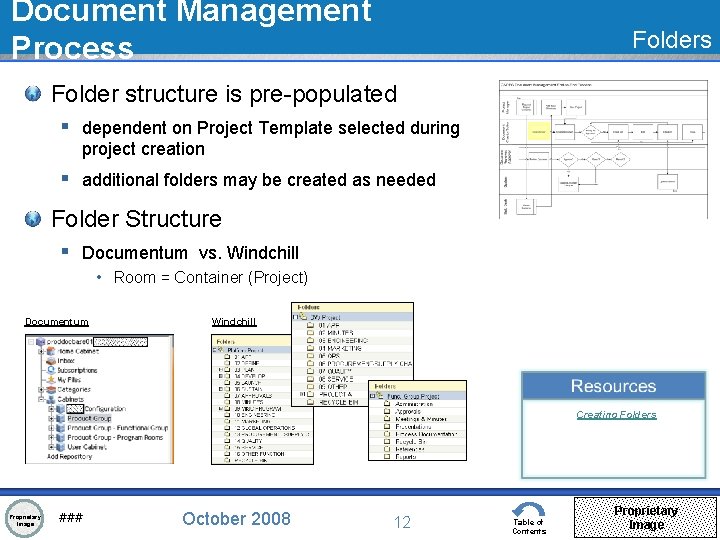
Document Management Process Folder structure is pre-populated § dependent on Project Template selected during project creation § additional folders may be created as needed Folder Structure § Documentum vs. Windchill • Room = Container (Project) Documentum Windchill Creating Folders Proprietary Image ### October 2008 12 Table of Contents Proprietary Image
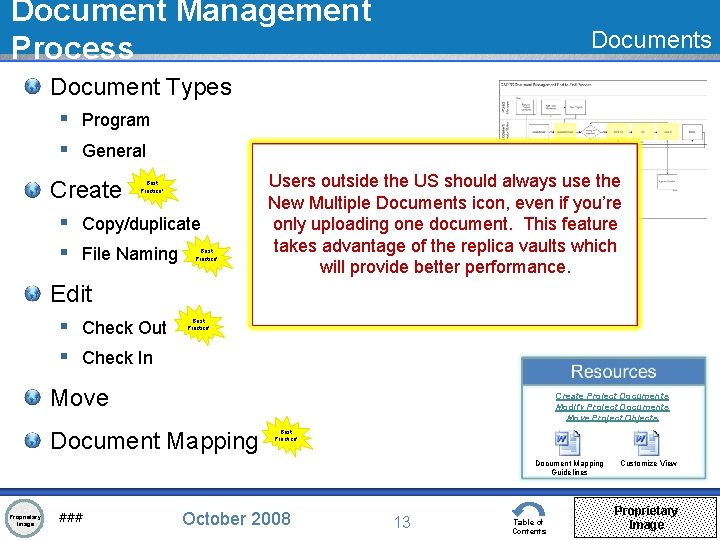
Document Management Process Document Types § Program § General Create Best Practice! § Copy/duplicate § File Naming Best Practice! Users outside the US should always use the New Create Multiple a specific Documents folder on icon, your even system if you’re to Refer Always only house uploading touse documents the Document proper oneyou’ve document. file Mapping naming checked Guidelines This convention out feature fromto Windchill when takes ensure loading advantage so documents you’ll newof always documents the arereplica stored knowinto vaults where in the Windchill. which right to find will provide project better them. and performance. folder. Edit § Check Out § Check In Best Practice! Move Create Project Documents Modify Project Documents Move Project Objects Document Mapping Best Practice! Document Mapping Guidelines Proprietary Image ### October 2008 13 Table of Contents Customize View Proprietary Image
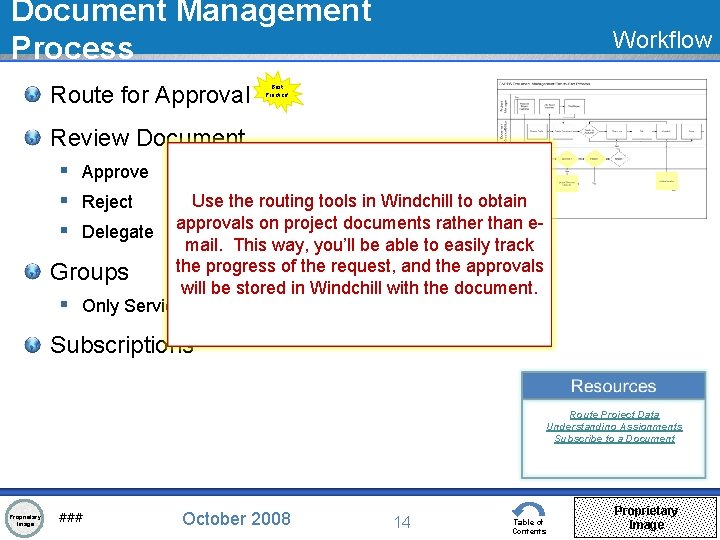
Document Management Process Route for Approval Workflow Best Practice! Review Document § Approve § Reject § Delegate Use the routing tools in Windchill to obtain approvals on project documents rather than email. This way, you’ll be able to easily track the progress of the request, and the approvals Groups will be stored in Windchill with the document. § Only Service Desk can modify Subscriptions Route Project Data Understanding Assignments Subscribe to a Document Proprietary Image ### October 2008 14 Table of Contents Proprietary Image
n o i t a m r o f n I l Essentia Proprietary Image ### October 2008 15 Table of Contents Proprietary Image
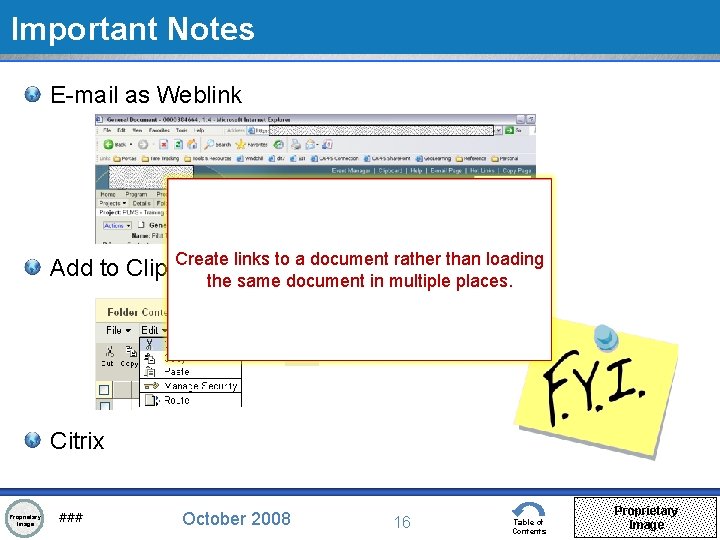
Important Notes E-mail as Weblink Create links to a document rather than loading Add to Clipboard the same document in multiple places. Best Practice! Citrix Proprietary Image ### October 2008 16 Table of Contents Proprietary Image
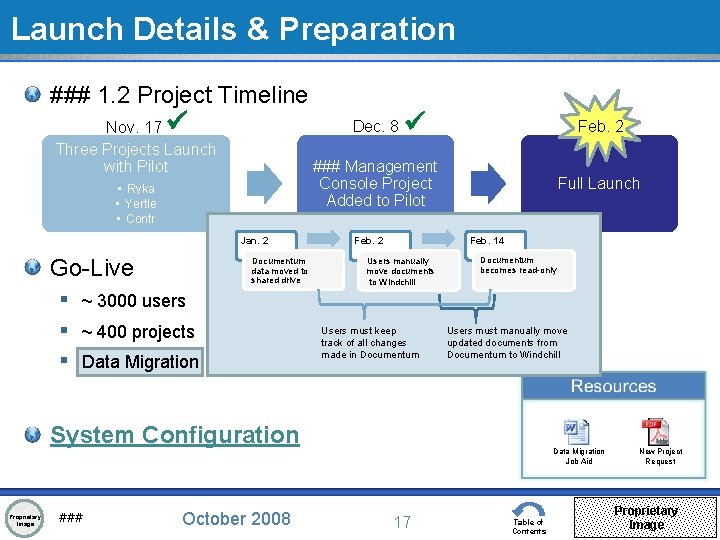
Launch Details & Preparation ### 1. 2 Project Timeline Dec. 8 Nov. 17 Three Projects Launch with Pilot Feb. 2 ### Management Console Project Added to Pilot • Ryka • Yertle • Contr Jan. 2 Go-Live Documentum data moved to shared drive § ~ 3000 users § ~ 400 projects § Data Migration Feb. 2 Full Launch Feb. 14 Users manually move documents to Windchill Users must keep track of all changes made in Documentum becomes read-only Users must manually move updated documents from Documentum to Windchill System Configuration Proprietary Image ### October 2008 Data Migration Job Aid 17 Table of Contents New Project Request Proprietary Image
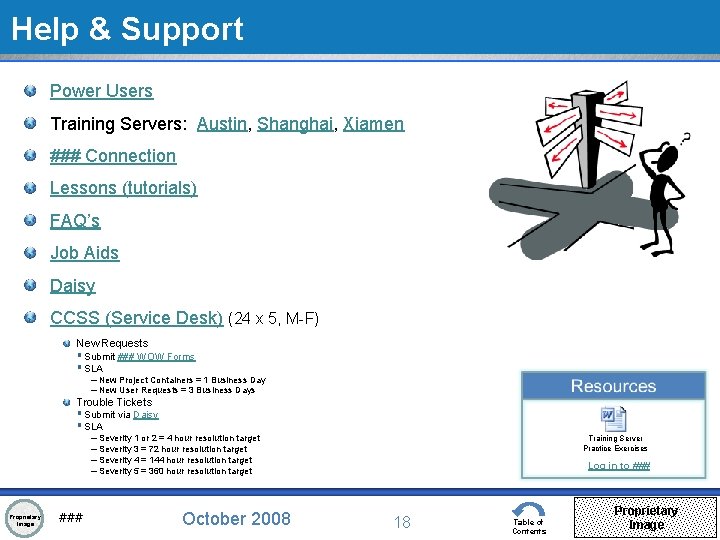
Help & Support Power Users Training Servers: Austin, Shanghai, Xiamen ### Connection Lessons (tutorials) FAQ’s Job Aids Daisy CCSS (Service Desk) (24 x 5, M-F) New Requests § Submit ### WOW Forms § SLA – New Project Containers = 1 Business Day – New User Requests = 3 Business Days Trouble Tickets § Submit via Daisy § SLA – Severity 1 or 2 = 4 hour resolution target – Severity 3 = 72 hour resolution target – Severity 4 = 144 hour resolution target – Severity 5 = 360 hour resolution target Proprietary Image ### October 2008 Training Server Practice Exercises Log in to ### 18 Table of Contents Proprietary Image
Q&A Proprietary Image ### October 2008 20 Table of Contents Proprietary Image