
The Elements of YEARBOOK DESIGN START HERE Design
The Elements of YEARBOOK: DESIGN: START HERE
![Design [Organized arrangement] of images & words to tell a story](http://slidetodoc.com/presentation_image_h2/52710ff772cc40ab009a191d4dd7289e/image-2.jpg "Design [Organized arrangement] of images & words to tell a story")
Design [Organized arrangement] of images & words to tell a story

■ Photos Elements of Design ■ Copy ►headline & story ►captions ■ White space Don’t underestimate the importance and impact white space has on your spreads!
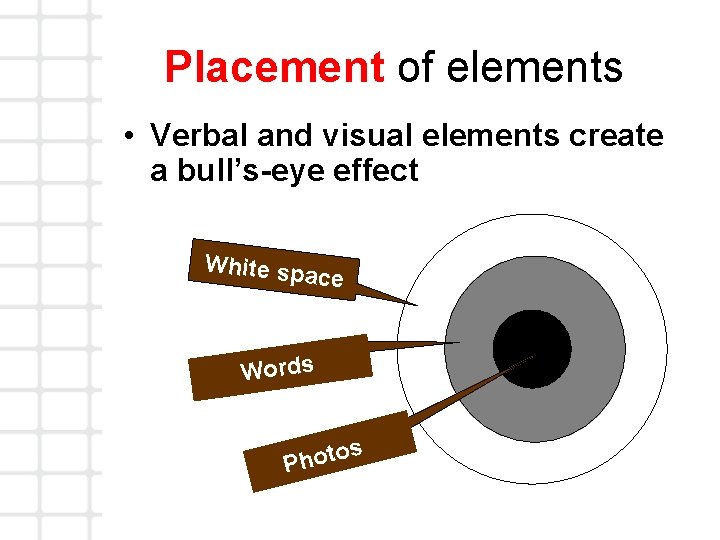
Placement of elements • Verbal and visual elements create a bull’s-eye effect White sp ace Words s o Phot
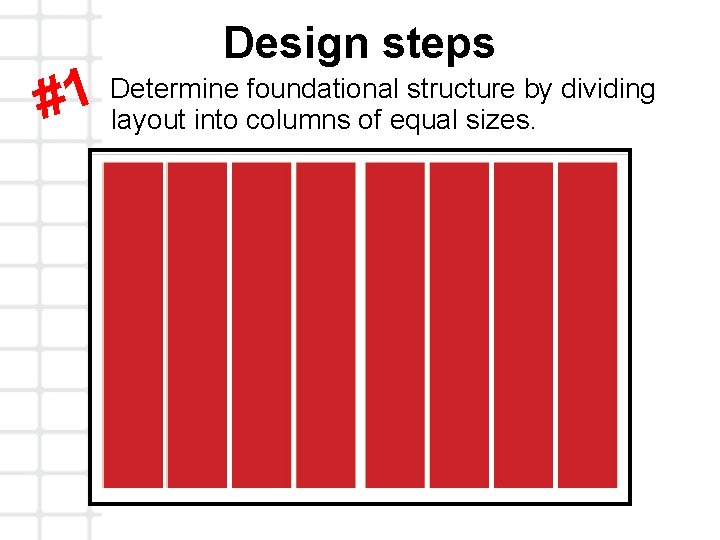
Design steps Determine foundational structure by dividing 1 # layout into columns of equal sizes.
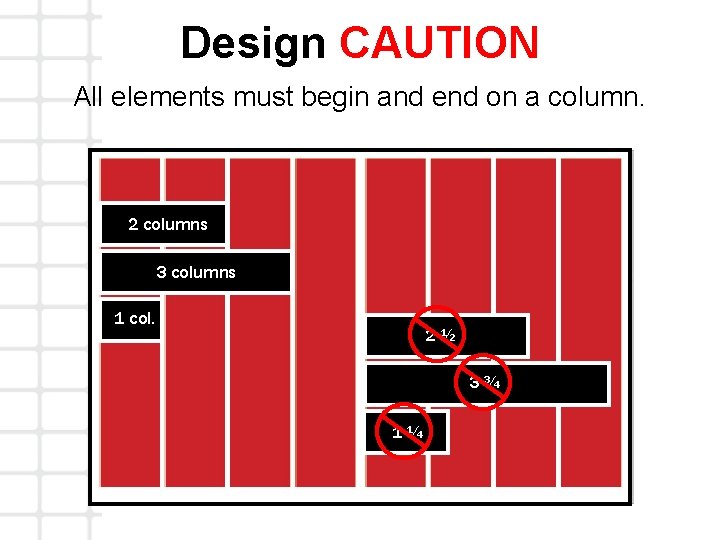
Design CAUTION All elements must begin and end on a column. 2 columns 3 columns 1 col. 2½ 3¾ 1¼
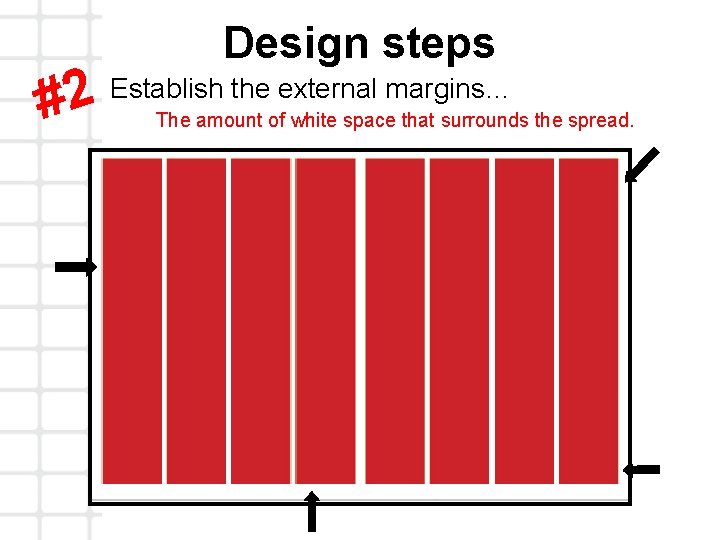
Design steps Establish the external margins… 2 # The amount of white space that surrounds the spread.
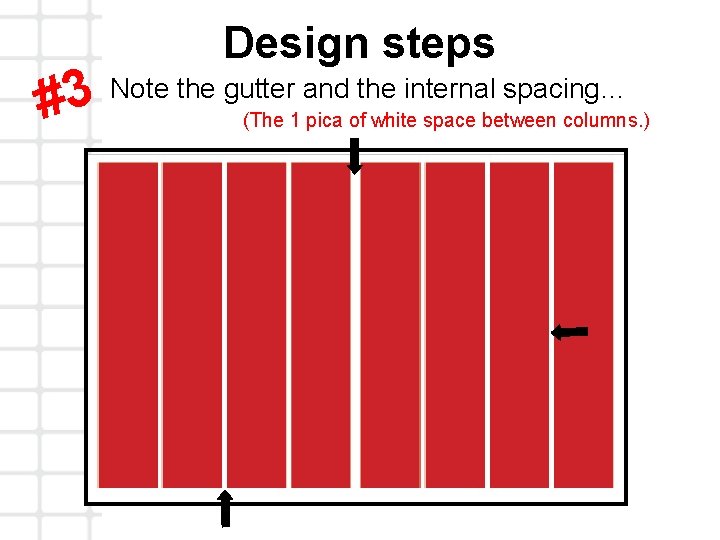
Design steps Note the gutter and the internal spacing… 3 # (The 1 pica of white space between columns. )
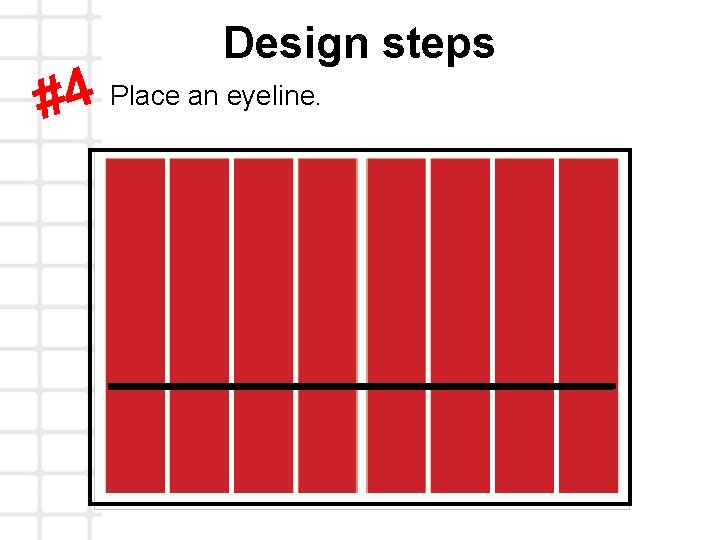
Design steps Place an eyeline. 4 #
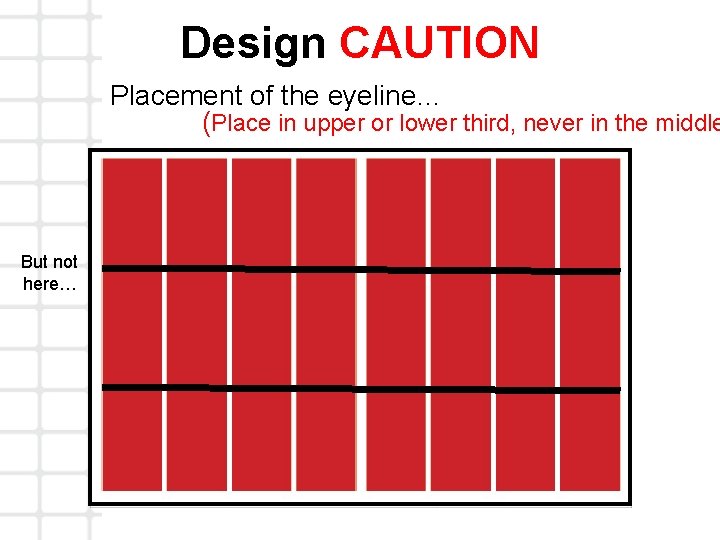
Design CAUTION Placement of the eyeline… (Place in upper or lower third, never in the middle But not here…
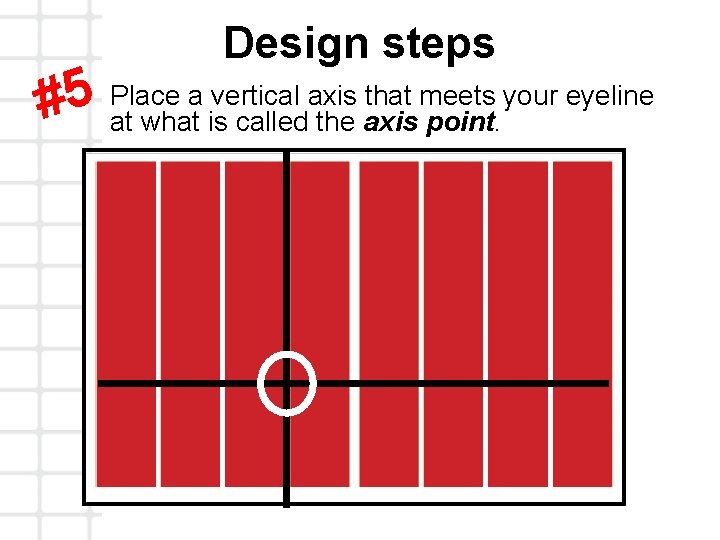
Design steps Place a vertical axis that meets your eyeline 5 # at what is called the axis point.
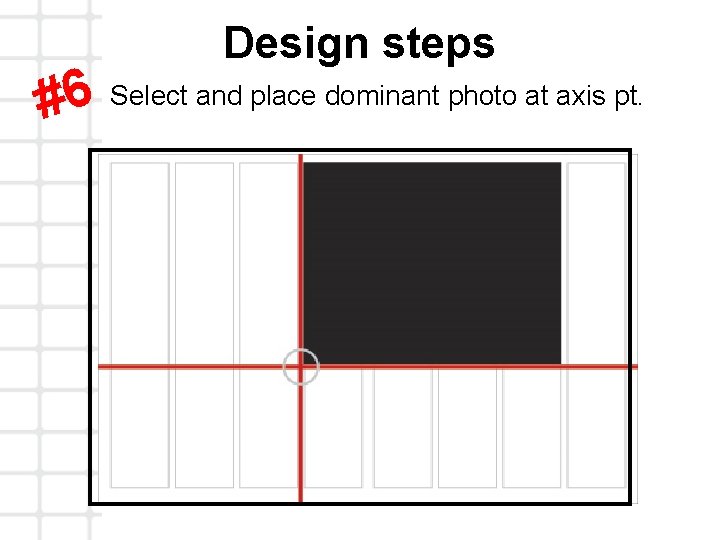
Design steps Select and place dominant photo at axis pt. 6 #
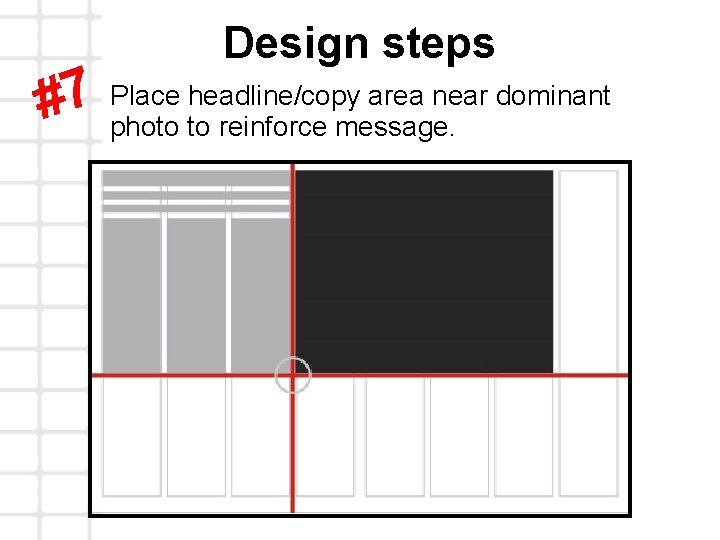
Design steps Place headline/copy area near dominant 7 # photo to reinforce message.
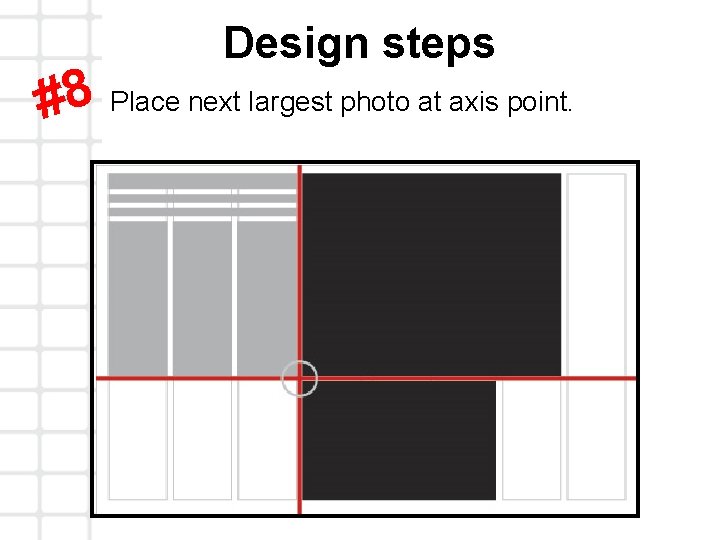
Design steps #8 Place next largest photo at axis point.
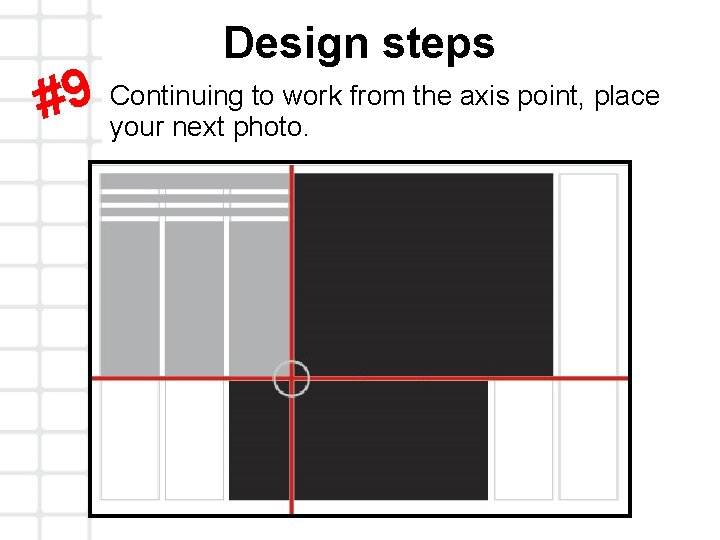
Design steps Continuing to work from the axis point, place 9 # your next photo.
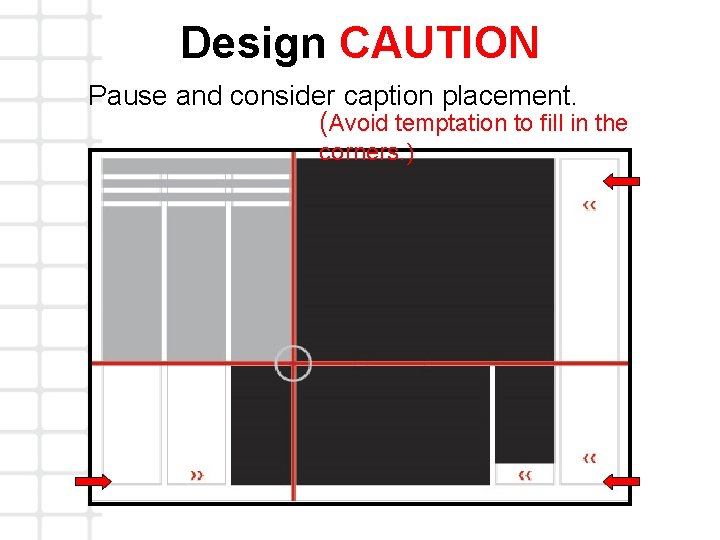
Design CAUTION Pause and consider caption placement. (Avoid temptation to fill in the corners. )
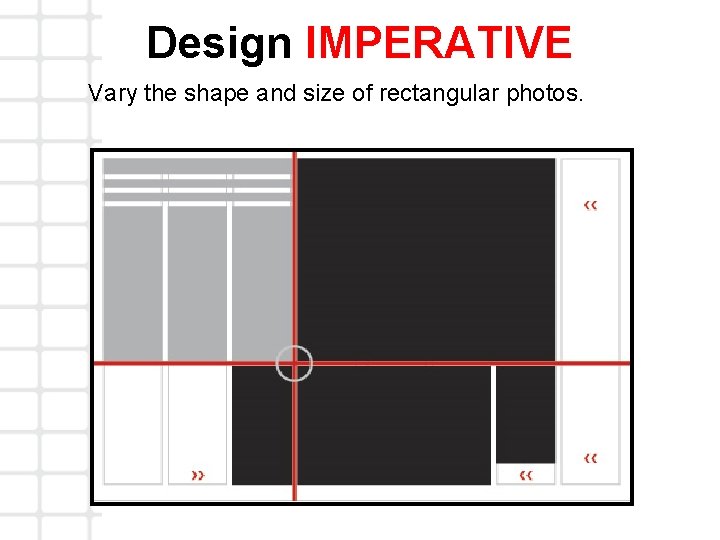
Design IMPERATIVE Vary the shape and size of rectangular photos.
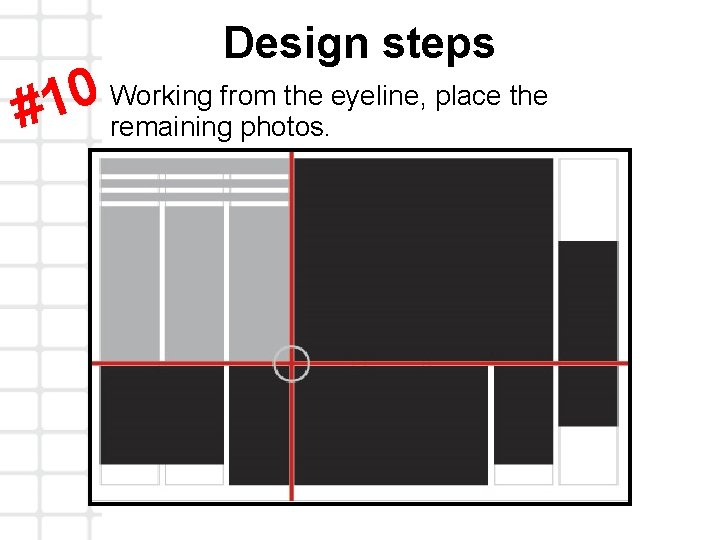
Design steps Working from the eyeline, place the 0 1 # remaining photos.
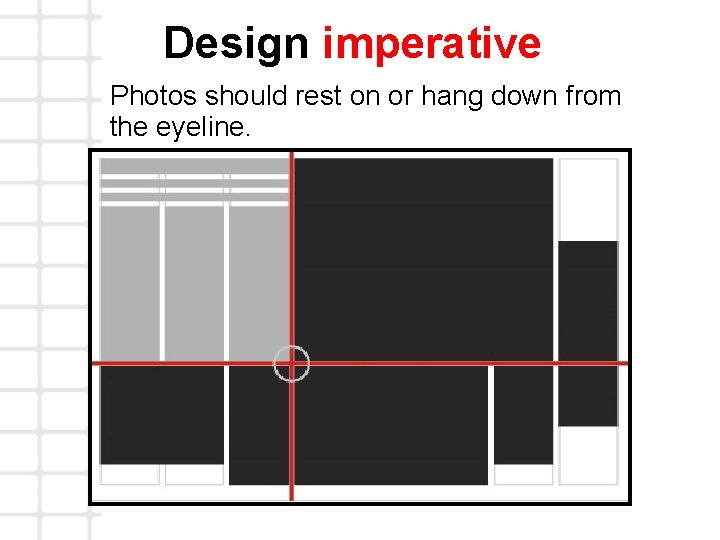
Design imperative Photos should rest on or hang down from the eyeline.
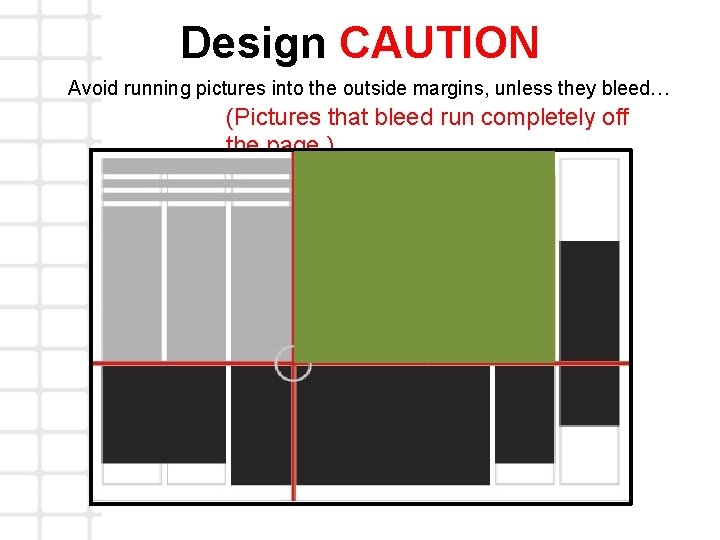
Design CAUTION Avoid running pictures into the outside margins, unless they bleed… (Pictures that bleed run completely off the page. )
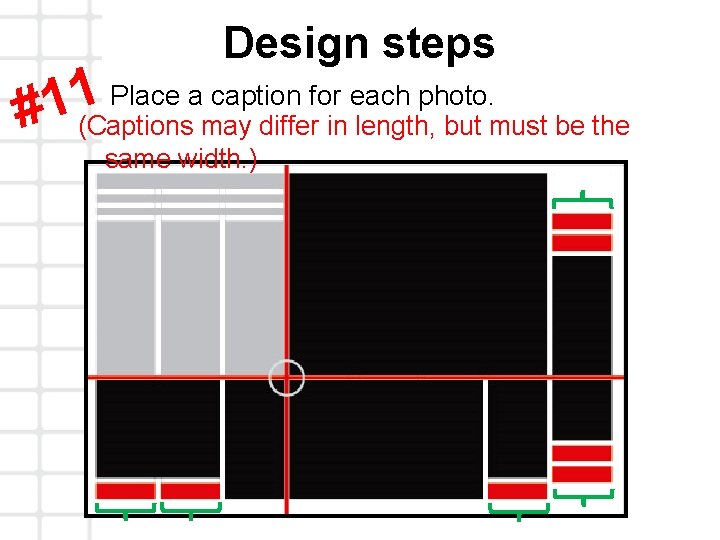
Design steps Place a caption for each photo. 1 1 # (Captions may differ in length, but must be the same width. )
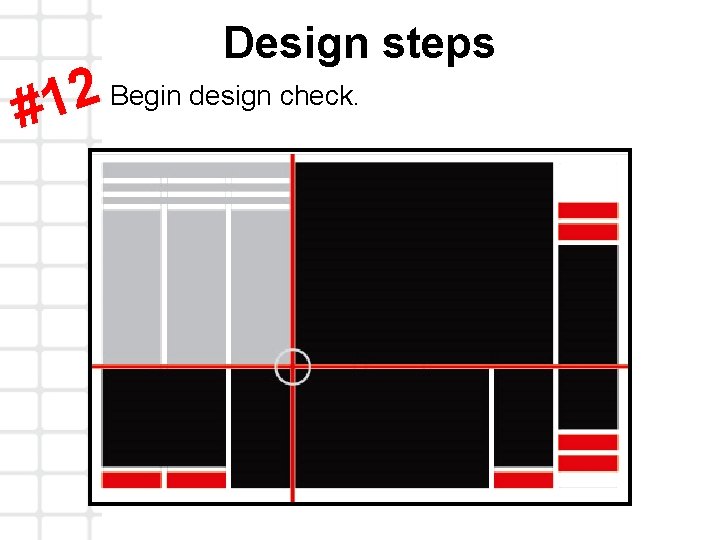
Design steps Begin design check. 2 1 #
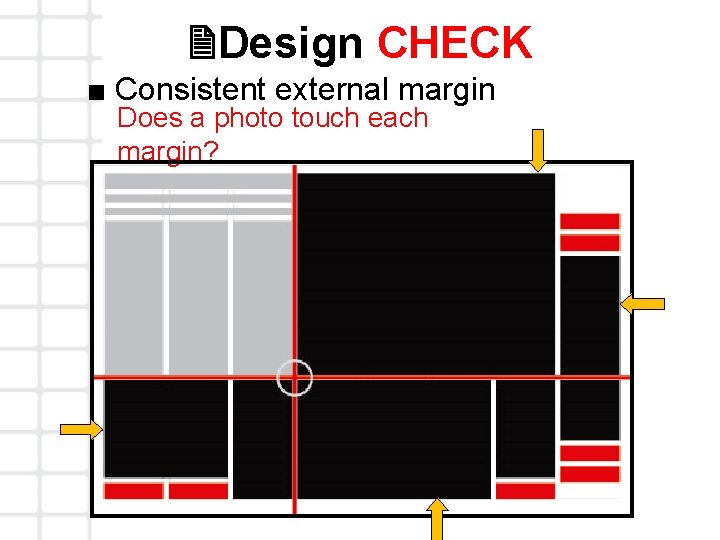
2 Design CHECK ■ Consistent external margin Does a photo touch each margin?
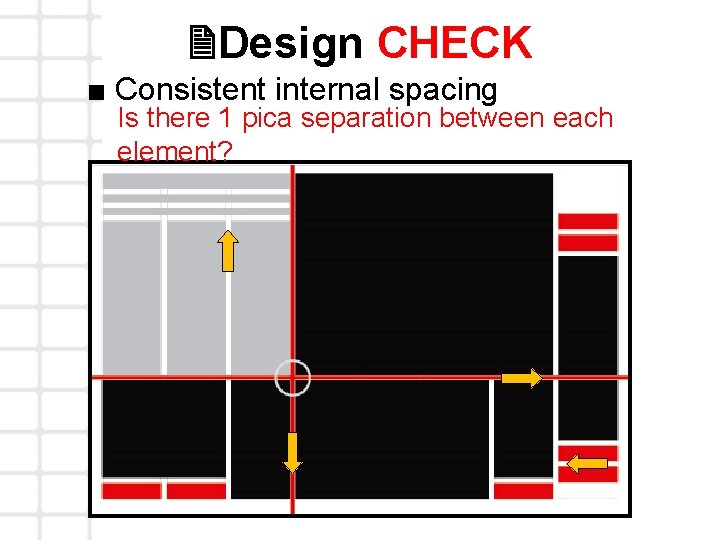
2 Design CHECK ■ Consistent internal spacing Is there 1 pica separation between each element?
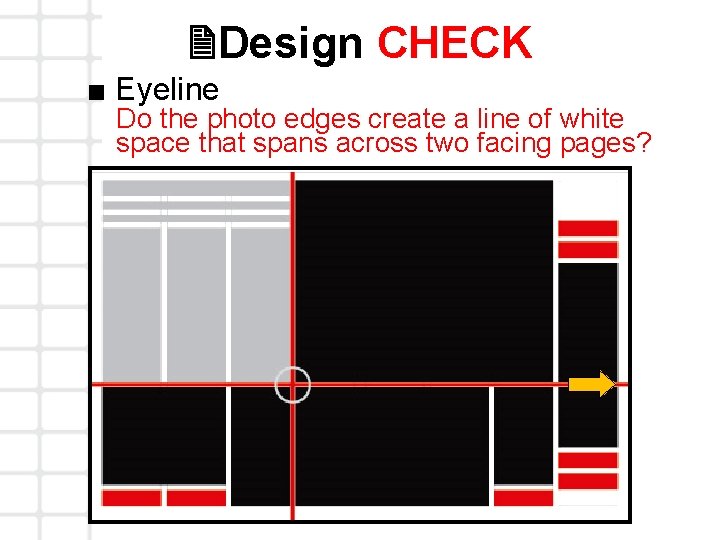
2 Design CHECK ■ Eyeline Do the photo edges create a line of white space that spans across two facing pages?
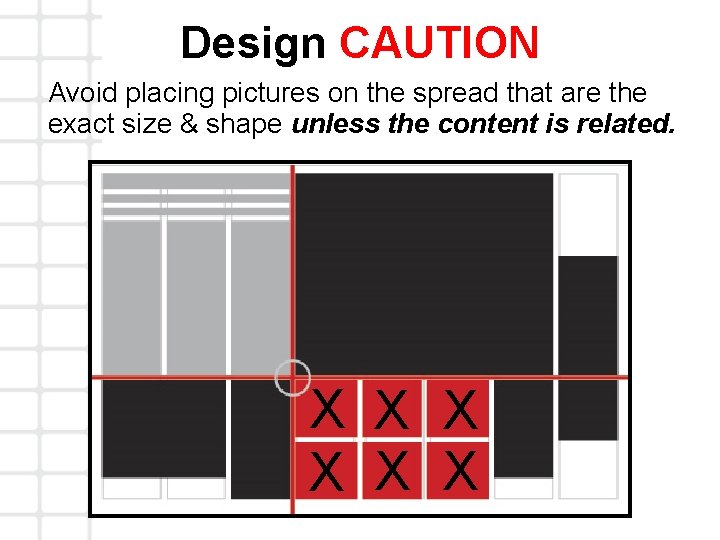
Design CAUTION Avoid placing pictures on the spread that are the exact size & shape unless the content is related. X X X
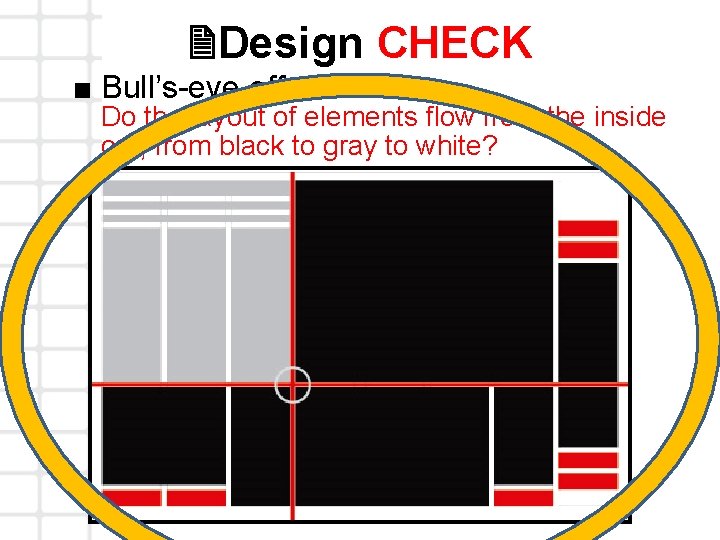
2 Design CHECK ■ Bull’s-eye effect Do the layout of elements flow from the inside out, from black to gray to white?
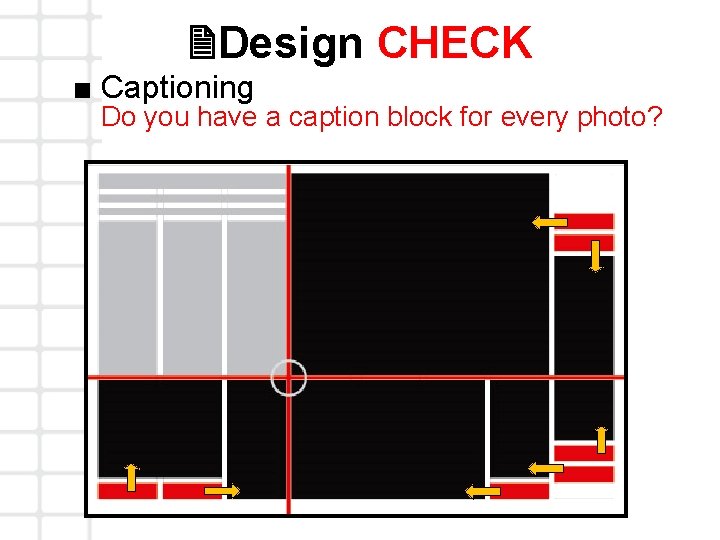
2 Design CHECK ■ Captioning Do you have a caption block for every photo?
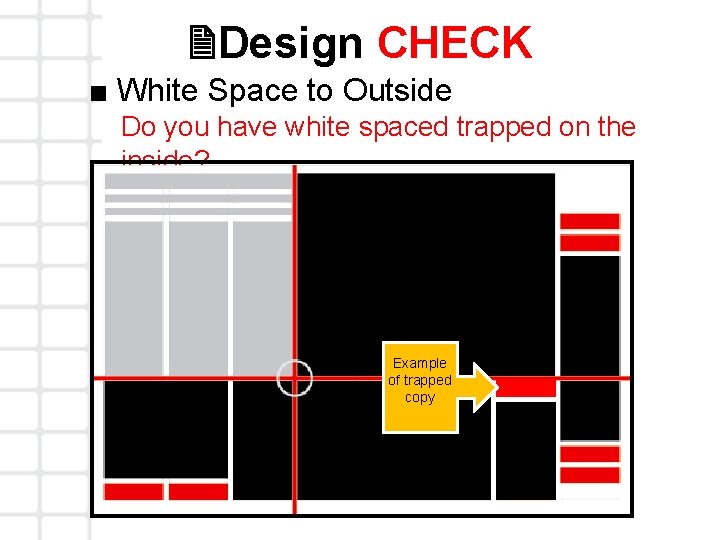
2 Design CHECK ■ White Space to Outside Do you have white spaced trapped on the inside? Example of trapped copy
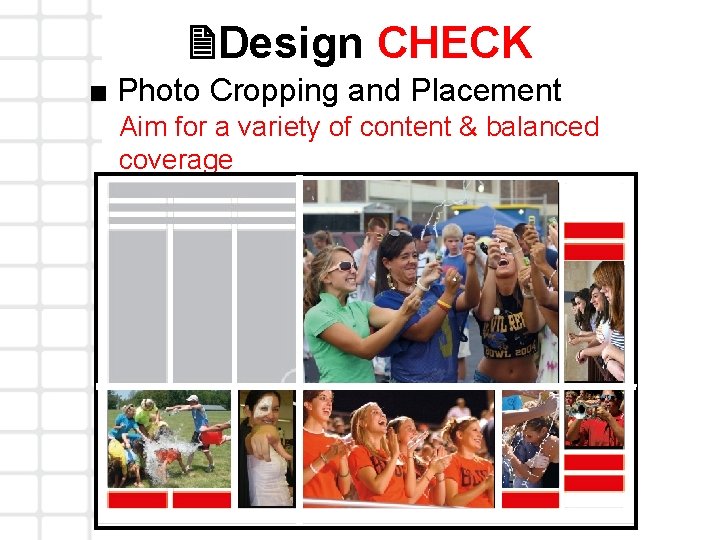
2 Design CHECK ■ Photo Cropping and Placement Aim for a variety of content & balanced coverage
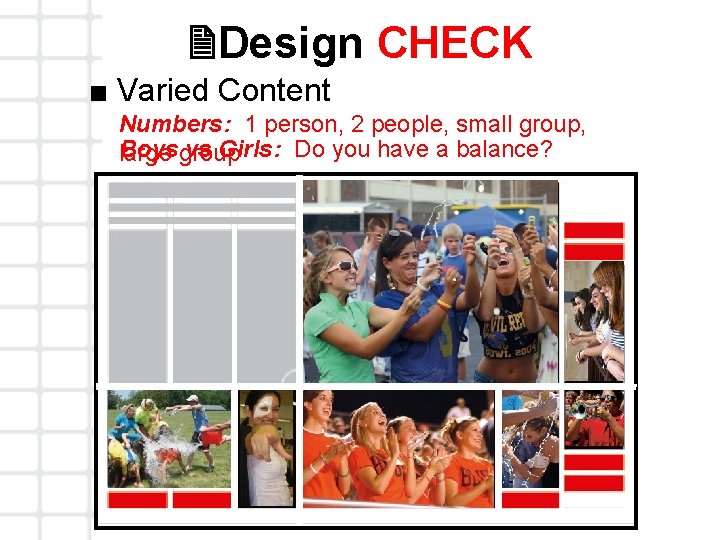
2 Design CHECK ■ Varied Content Numbers: 1 person, 2 people, small group, Boysgroup vs Girls: Do you have a balance? large
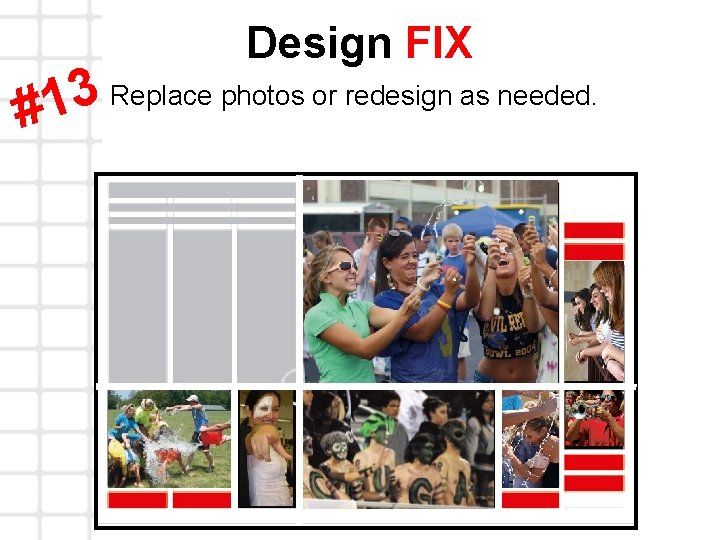
Design FIX Replace photos or redesign as needed. 3 1 #
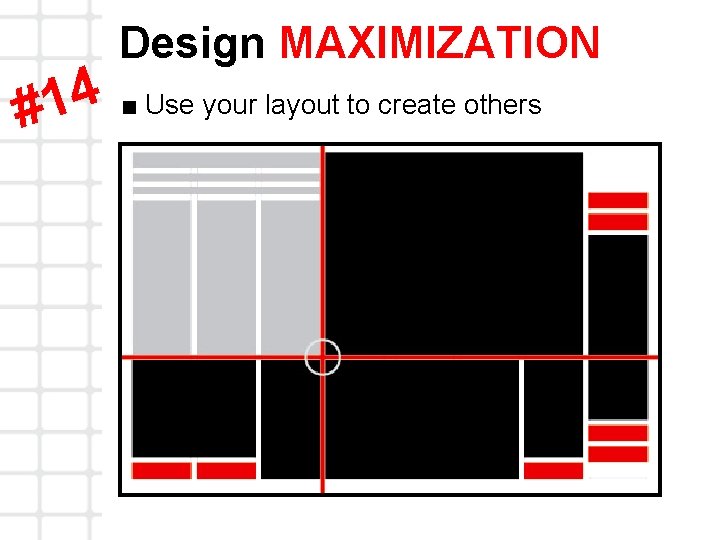
4 1 # Design MAXIMIZATION ■ Use your layout to create others
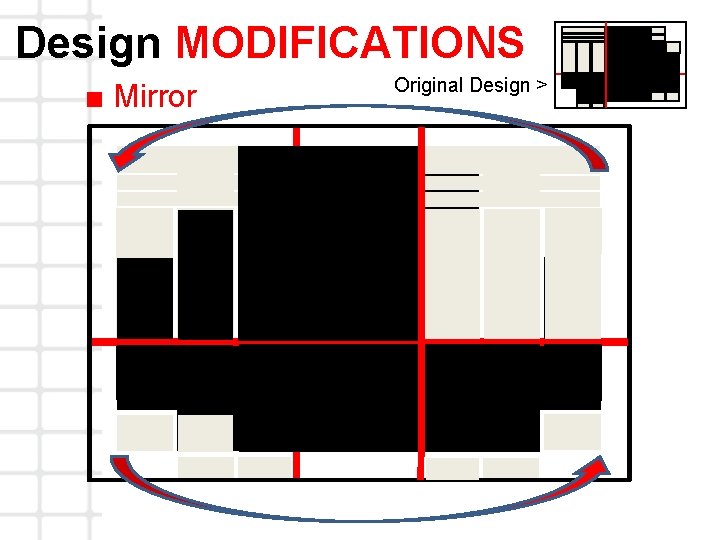
Design MODIFICATIONS ■ Mirror Original Design >
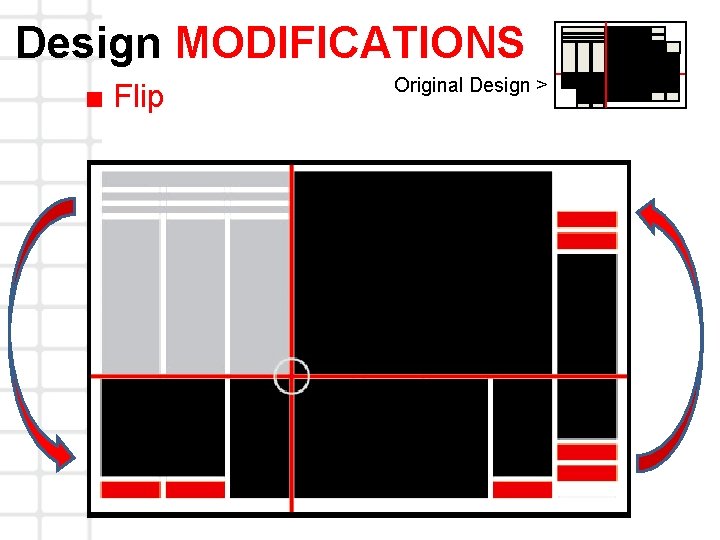
Design MODIFICATIONS ■ Flip Original Design >
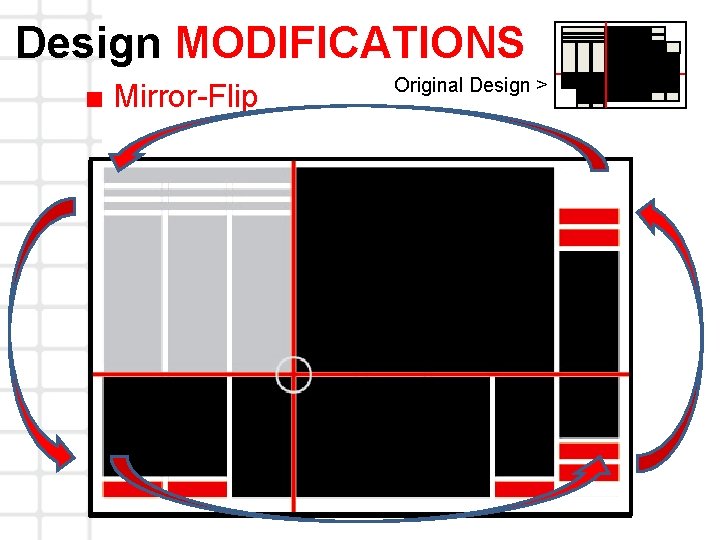
Design MODIFICATIONS ■ Mirror-Flip Original Design >
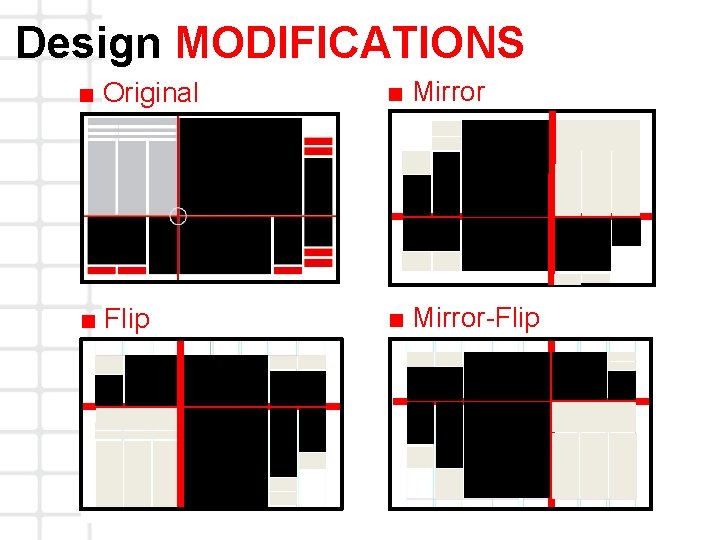
Design MODIFICATIONS ■ Original ■ Mirror ■ Flip ■ Mirror-Flip
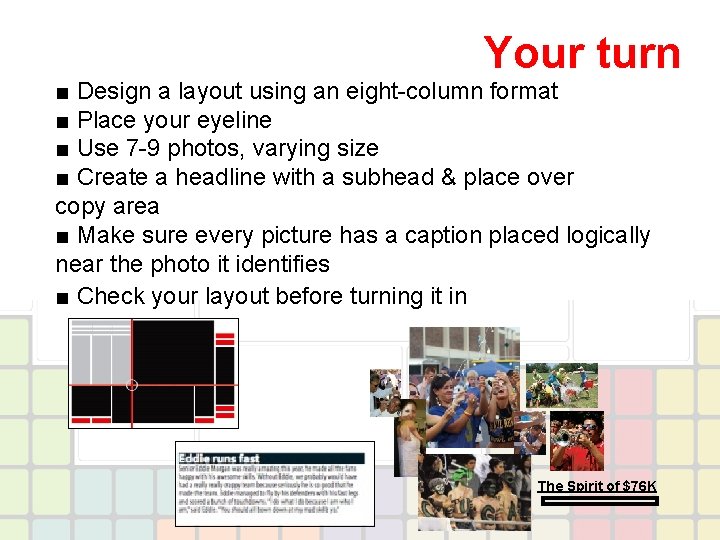
Your turn ■ Design a layout using an eight-column format ■ Place your eyeline ■ Use 7 -9 photos, varying size ■ Create a headline with a subhead & place over copy area ■ Make sure every picture has a caption placed logically near the photo it identifies ■ Check your layout before turning it in The Spirit of $76 K
This Power. Point presentation was created by Balfour/Taylor Yearbooks, Dallas, Texas, for educational purposes only. It is unlawful to remove or alter the Balfour logo without the permission of Balfour/Taylor Yearbooks’ Marketing Department. For more information, contact Judi Coolidge, Education Specialist at jcoolidge@taylorpub. com.
- Slides: 39