
The DrG Book An Intro to Drupal DrG
The DrüG Book: An Intro to Drupal (DrüG: Drupal User’s Group - users, not developers) This is an introduction to Drupal for site maintainers and beginning users; for people without any coder/ programmer/ developer background. Originally developed by Greg Beuthin, with subsequent edits from: [? ] 2007. 02. 11 The DrüG Book: An Intro to Drupal
Version History / CC License Version History – 2007. 02. 11 - Original draft by Greg Beuthin consultinggoat@sbcglobal. net Creative Commons License • The text and images are licensed under the Creative Commons Attribution-Share Alike 2. 5 License • 2007. 02. 11 Attribution: Any derivative work must contain “Originally developed by Greg Beuthin” The DrüG Book: An Intro to Drupal
Menu path conventions • The location/ path of many configuration settings are described in <these brackets> • Nested menus are shown with a vertical line <administer | content> • The following items - after a colon (: ) show what’s on a page of the selected menu <administer | content: {specific thing on the page here}> – A specific tabbed item is shown with [square brackets] <administer | access control: [roles]> – Items within a closed page view use a “: @” <administer | settings: @date> – Items within a normal page view use a “: ” <create content | page: input filters> 2007. 02. 11 The DrüG Book: An Intro to Drupal
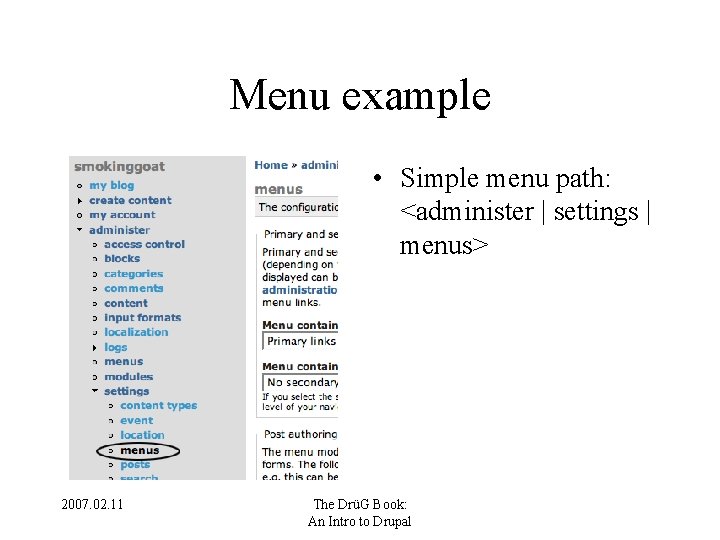
Menu example • Simple menu path: <administer | settings | menus> 2007. 02. 11 The DrüG Book: An Intro to Drupal
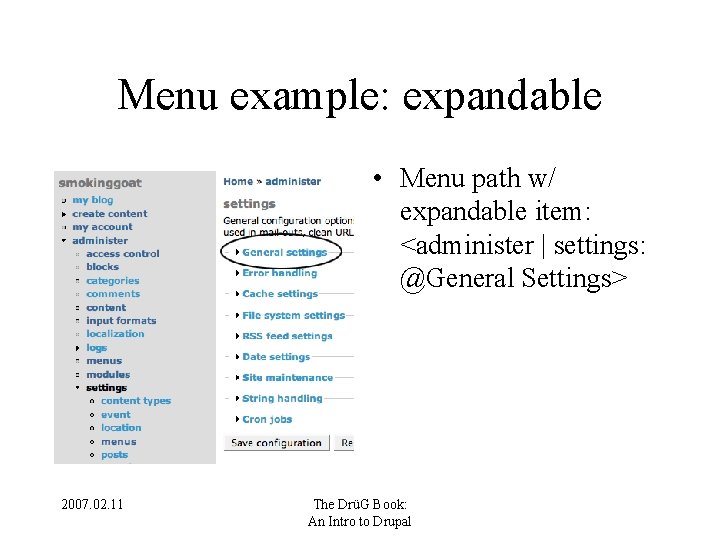
Menu example: expandable • Menu path w/ expandable item: <administer | settings: @General Settings> 2007. 02. 11 The DrüG Book: An Intro to Drupal
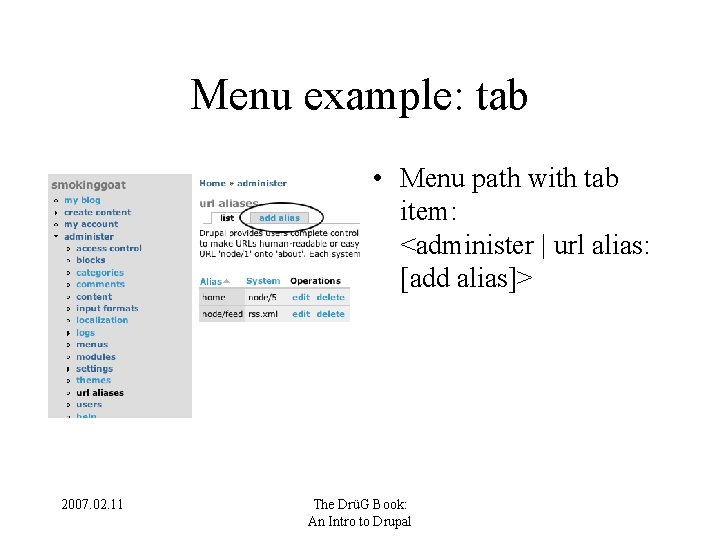
Menu example: tab • Menu path with tab item: <administer | url alias: [add alias]> 2007. 02. 11 The DrüG Book: An Intro to Drupal
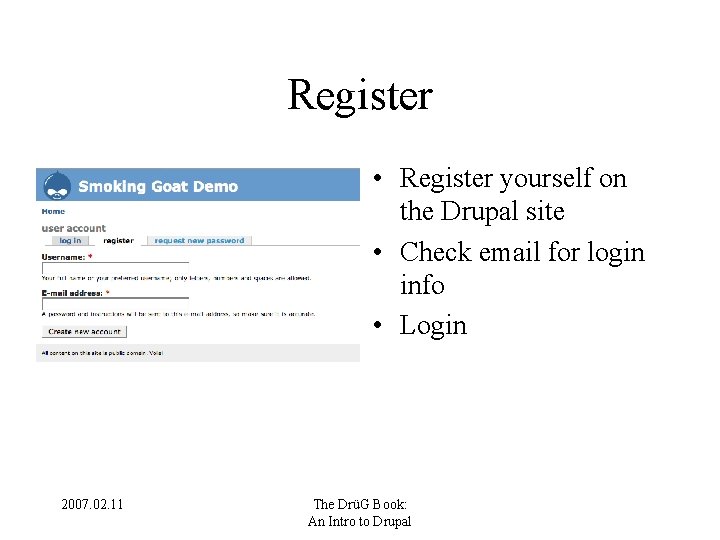
Register • Register yourself on the Drupal site • Check email for login info • Login 2007. 02. 11 The DrüG Book: An Intro to Drupal
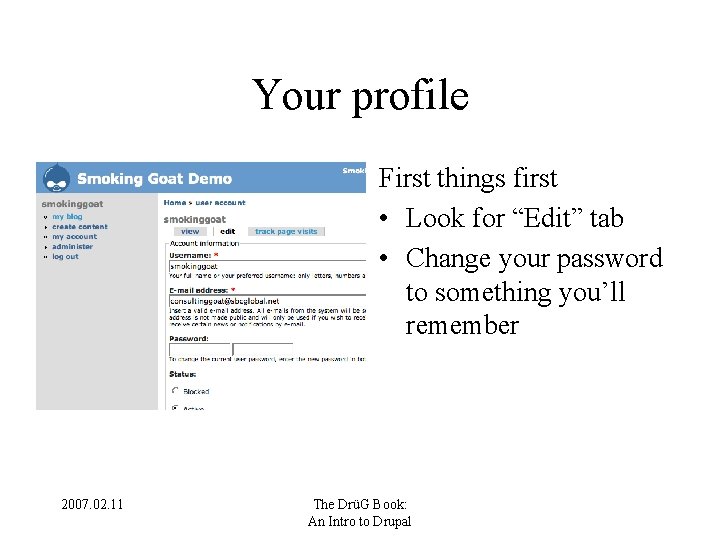
Your profile First things first • Look for “Edit” tab • Change your password to something you’ll remember 2007. 02. 11 The DrüG Book: An Intro to Drupal
Safeguarding We recommend you add a new admin user that is not the root admin user (I. e. not user #1) Add new user <administer | users: [add user]> • Give new user pwd you’ll remember • Log out and log in as this new user 2007. 02. 11 The DrüG Book: An Intro to Drupal
Quick look around • • • Navigation menu Main column - the content area Sidebars Top: Site name, slogan, and mission Bottom: Footer 2007. 02. 11 The DrüG Book: An Intro to Drupal
Quick look around II 2007. 02. 11 The DrüG Book: An Intro to Drupal
Basic site settings • Site name, slogan and mission <administer | settings: @General Settings> • Site email (for admin purposes) <administer | settings: @General Settings> • Site logo <administer | themes: [configure]> 2007. 02. 11 The DrüG Book: An Intro to Drupal
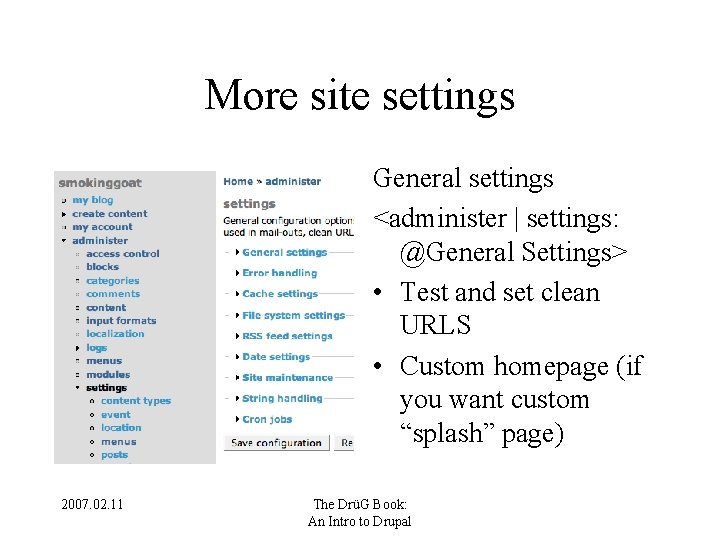
More site settings General settings <administer | settings: @General Settings> • Test and set clean URLS • Custom homepage (if you want custom “splash” page) 2007. 02. 11 The DrüG Book: An Intro to Drupal
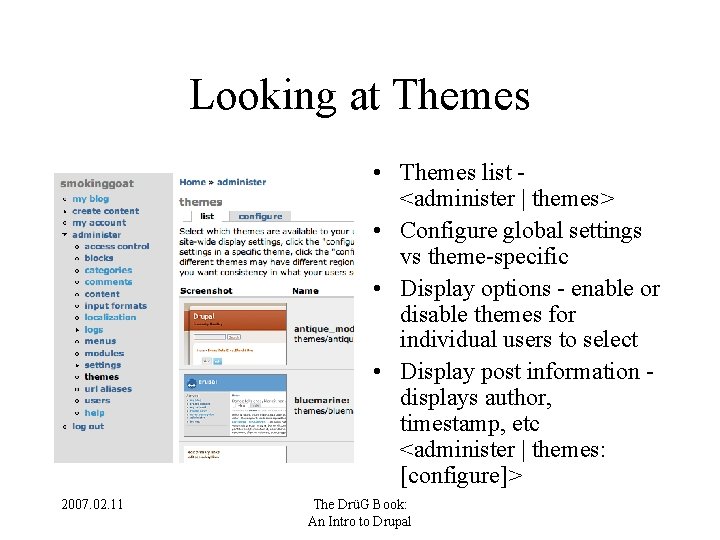
Looking at Themes • Themes list <administer | themes> • Configure global settings vs theme-specific • Display options - enable or disable themes for individual users to select • Display post information displays author, timestamp, etc <administer | themes: [configure]> 2007. 02. 11 The DrüG Book: An Intro to Drupal
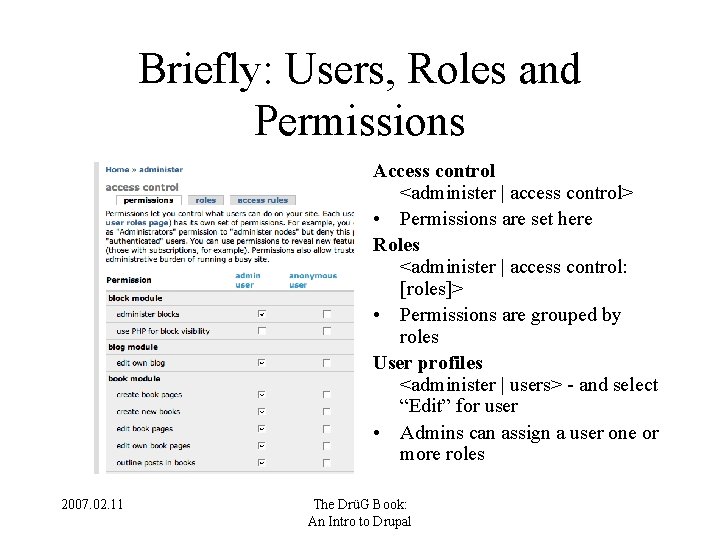
Briefly: Users, Roles and Permissions Access control <administer | access control> • Permissions are set here Roles <administer | access control: [roles]> • Permissions are grouped by roles User profiles <administer | users> - and select “Edit” for user • Admins can assign a user one or more roles 2007. 02. 11 The DrüG Book: An Intro to Drupal
Recommended modules <administer | modules> • Path • Upload • Statistics • Tiny. MCE* • (others? ) 2007. 02. 11 The DrüG Book: An Intro to Drupal
Process for installing modules • Download / copy modules from http: //drupal. org/project/Modules to your Drupal /modules directory • Turn on modules <administer | modules> • Give permissions to appropriate roles <administer | access control> 2007. 02. 11 The DrüG Book: An Intro to Drupal
Creating “content” Select content type • Page • Story • Book page • Blog • Other common types: event; podcast; image; 2007. 02. 11 The DrüG Book: An Intro to Drupal
Typical content options • Title • Body (with WYSIWYG* editor) • Input formats / filters • Log message • Menu settings 2007. 02. 11 • • • Comment settings URL Path settings File attachments Authoring information Publishing options The DrüG Book: An Intro to Drupal
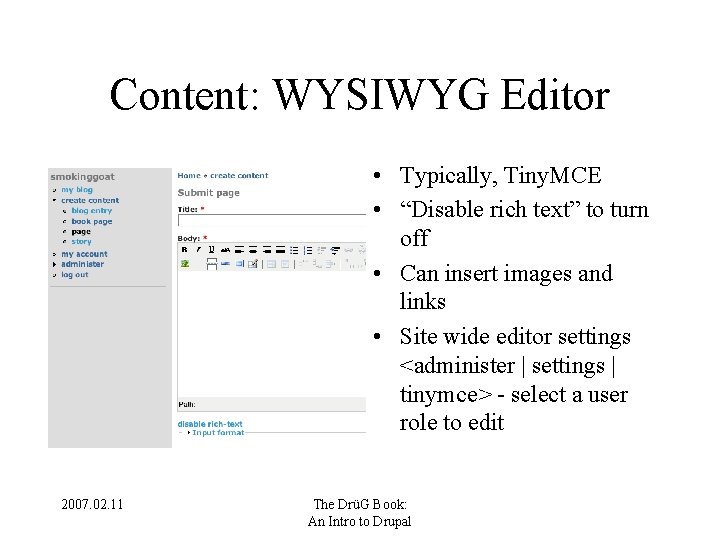
Content: WYSIWYG Editor • Typically, Tiny. MCE • “Disable rich text” to turn off • Can insert images and links • Site wide editor settings <administer | settings | tinymce> - select a user role to edit 2007. 02. 11 The DrüG Book: An Intro to Drupal
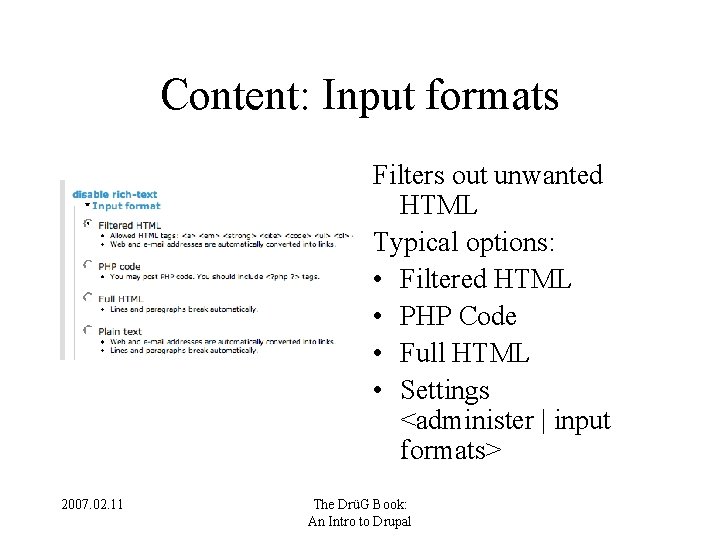
Content: Input formats Filters out unwanted HTML Typical options: • Filtered HTML • PHP Code • Full HTML • Settings <administer | input formats> 2007. 02. 11 The DrüG Book: An Intro to Drupal
Content: Comment and Menu Settings Comment Settings • Use node-specific comment settings to override site-wide <administer / comments: [configure]> • “Read only” useful to keep old comments 2007. 02. 11 Menu Settings • Can only add this page as a new menu item into an existing menu; can’t create a new menu The DrüG Book: An Intro to Drupal
Content: URL Path Settings • Used to create natural language URL paths – www. mysite. org/about vs – www. mysite. org/node/165 • Full settings: <administer | url aliases> 2007. 02. 11 The DrüG Book: An Intro to Drupal
Content: File Attachments • Files must be attached while still on page. • Page will refresh, showing: – Delete – List – Path URL • Uncheck “list” if inserting image • File upload limits are set here: <administer | settings | upload> 2007. 02. 11 The DrüG Book: An Intro to Drupal
Content: Authoring Information • • Author’s name Date / timestamp Editable if you are a admin Authoring / timestamp display on/off here: <administer | themes: [configure]> 2007. 02. 11 The DrüG Book: An Intro to Drupal
Content: Publishing options • Published - Visible (according to access control rules) • In moderation queue - Awaiting moderation (if moderation is activated) • Promoted to front page - Added to “river of news” blog list • Sticky at top of lists • Create new revision 2007. 02. 11 The DrüG Book: An Intro to Drupal
More on content • Full content list is available here: <administer | content> • Can filter content by status, type, category • Can apply limited actions to groups of posts (e. g. delete, etc) 2007. 02. 11 The DrüG Book: An Intro to Drupal
Customizing block (sidebars) • • Blocks - <administer | blocks> Visual display of page areas “Enabled” turns block on or off Weight and placement determines location – More options in “configure” • Creating custom blocks <administer | block: [add block]> 2007. 02. 11 The DrüG Book: An Intro to Drupal
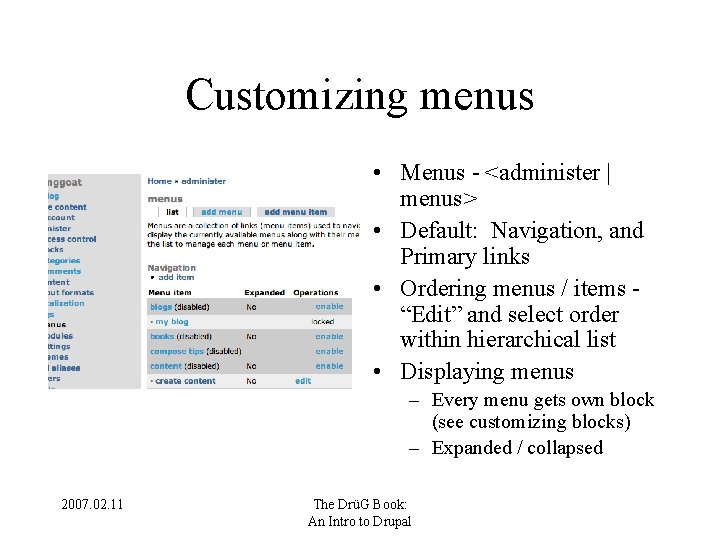
Customizing menus • Menus - <administer | menus> • Default: Navigation, and Primary links • Ordering menus / items “Edit” and select order within hierarchical list • Displaying menus – Every menu gets own block (see customizing blocks) – Expanded / collapsed 2007. 02. 11 The DrüG Book: An Intro to Drupal
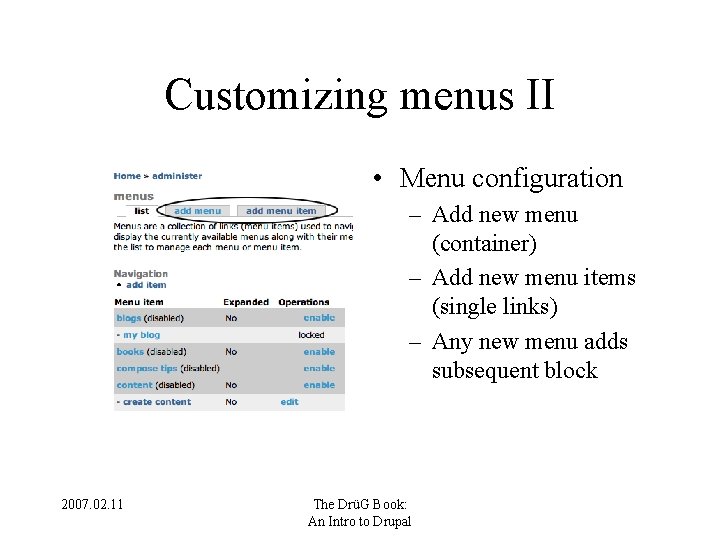
Customizing menus II • Menu configuration – Add new menu (container) – Add new menu items (single links) – Any new menu adds subsequent block 2007. 02. 11 The DrüG Book: An Intro to Drupal
File upload settings • Turn on "upload" module <administer | modules> • Give roles access control <administer | access control> • Configure settings <administer | settings | upload> – Max. file upload size - for gen users, and admins 2007. 02. 11 The DrüG Book: An Intro to Drupal
Suggested additions to guide • How to enable/ disable public registration 2007. 02. 11 The DrüG Book: An Intro to Drupal
- Slides: 32