
The Domain Name System History of DNS Before
The Domain Name System
History of DNS – Before DNS … > ARPAnet – HOSTS. txt contains all the hosts’ information – Maintained by SRI’s Network Information Center • In SRI-NIC host > Problems: Not scalable! – Traffic and Load – Name Collision – Consistency 2
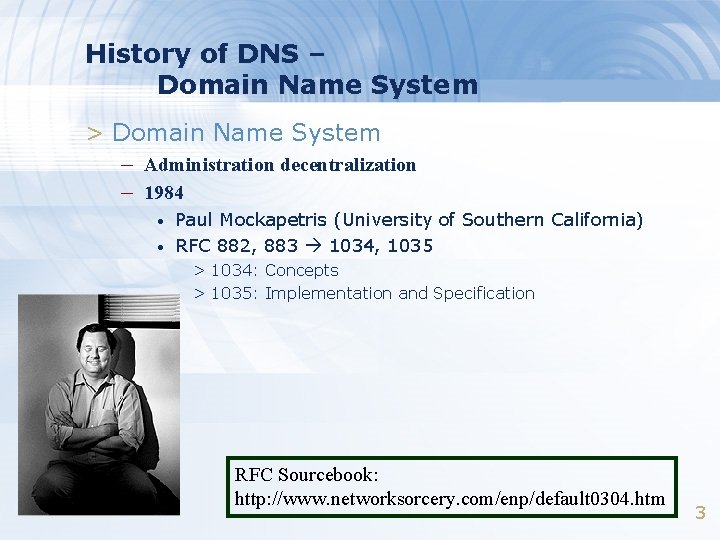
History of DNS – Domain Name System > Domain Name System – Administration decentralization – 1984 • • Paul Mockapetris (University of Southern California) RFC 882, 883 1034, 1035 > 1034: Concepts > 1035: Implementation and Specification RFC Sourcebook: http: //www. networksorcery. com/enp/default 0304. htm 3
History of DNS – DNS Specification > Make domain name system as – Distributed database • • Each site maintains segment of DB Each site open self information via network – Client-Server architecture • • Name servers provide information (Name Server) Clients make queries to server (Resolver) – Tree architecture • • Each subtree “domain” Domain can be divided in to “subdomain” 4
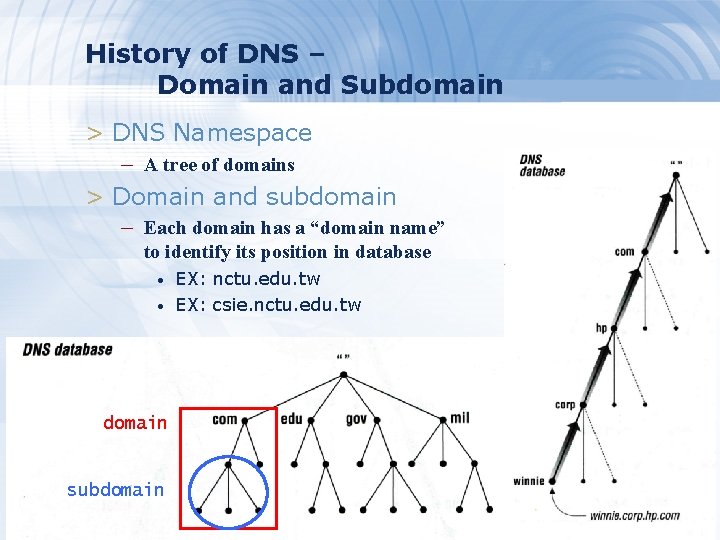
History of DNS – Domain and Subdomain > DNS Namespace – A tree of domains > Domain and subdomain – Each domain has a “domain name” to identify its position in database • • EX: nctu. edu. tw EX: csie. nctu. edu. tw domain subdomain 5
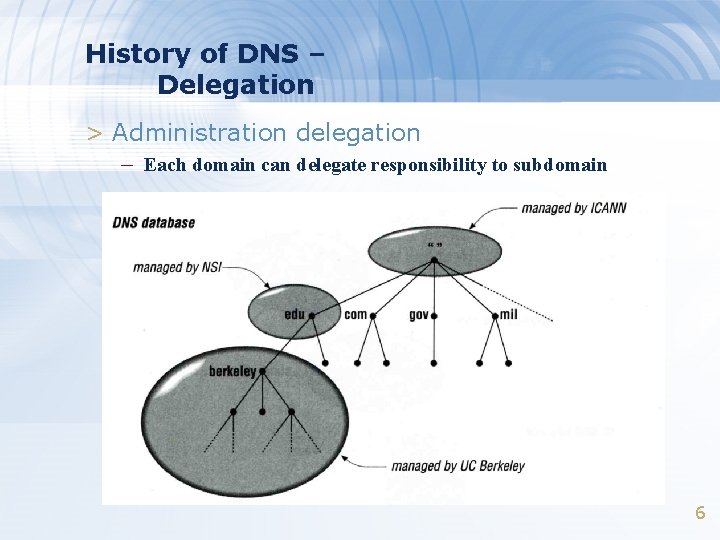
History of DNS – Delegation > Administration delegation – Each domain can delegate responsibility to subdomain 6
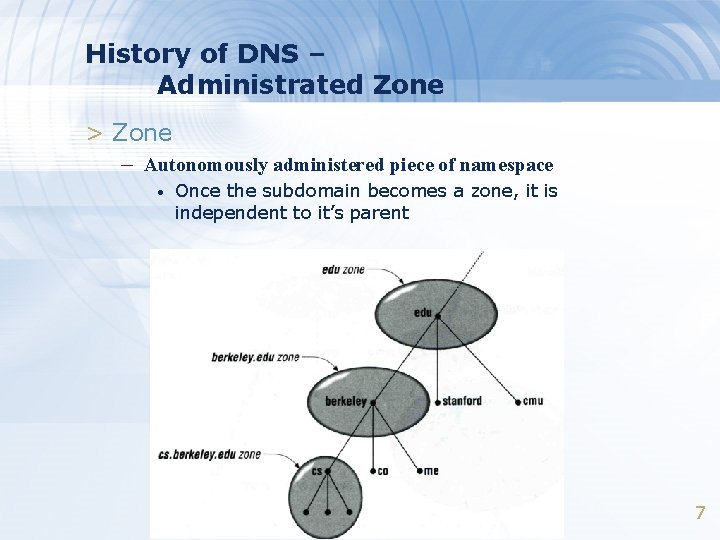
History of DNS – Administrated Zone > Zone – Autonomously administered piece of namespace • Once the subdomain becomes a zone, it is independent to it’s parent 7
History of DNS – Implementation of DNS > JEEVES – Written by Paul Mockapetris for “TOPS-20” OS of DEC > BIND – Berkeley Internet Name Domain – Written by Kevin Dunlap for 4. 3 BSD UNIX OS 8
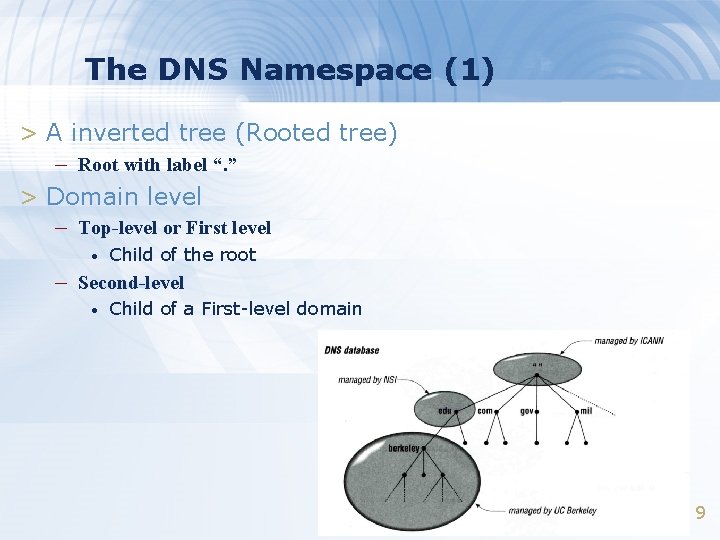
The DNS Namespace (1) > A inverted tree (Rooted tree) – Root with label “. ” > Domain level – Top-level or First level • Child of the root – Second-level • Child of a First-level domain 9
The DNS Namespace (2) > g. TLDs – generic Top-Level Domains, including: • com: > commercial organization, such as ibm. com • edu > educational organization, such as purdue. edu • gov > government organization, such as nasa. gov • mil > military organization, such as navy. mil • net > network infrastructure providing organization, such as hinet. net • org > noncommercial organization, such as x 11. org • int > International organization, such as nato. int ICANN – Internet Corporation for Assigned Names and Numbers http: //www. icann. org/ 10
The DNS Namespace (3) > New g. TLDs launched in year 2000: – aero : for air-transport industry – biz: for business – coop: for cooperatives – info: for all uses – museum – name: for individuals – pro: for professionals 11
The DNS Namespace (4) > Other than US, cc. TLD – country code TLD (ISO 3166) • • Ex: Taiwan tw Ex: Japan jp – Follow or not follow US-like scheme • US-like scheme example > edu. tw, com. tw, gov. tw • Other scheme > co. jp, ac. jp 12
The DNS Namespace (5) > Zone – Autonomously administered piece of namespace > Two kinds of zone files – Forward Zone files • • Hostname-to-Address mapping Ex: > magpie – Reverse Zone files • • IN A 140. 113. 209. 21 Address-to-Hostname mapping Ex: > 21. 209. 113. 140 IN PTR magpie. csie. nctu. edu. tw. 13
The DNS Namespace (6) > Domain name limitation – 63 -characters in each component and – Up to 255 -characters in a complete name 14
BIND > BIND – the Berkeley Internet Name Domain system > Main versions – BIND 4 • • Announced in 1980 s Based on RFC 1034, 1035 – BIND 8 • • Released in 1997 Improvements including: > efficiency, robustness and security – BIND 9 • • Released in 2000 Enhancements including: > multiprocessor support, DNSSEC, IPv 6 support, etc 15
BIND – components of BIND > Three major components – named • Daemon that answers the DNS query – Library routines • Routines that used to resolve host by contacting the servers of DNS distributed database > Ex: res_query, res_search, …etc. – Command-line interfaces to DNS • Ex: nslookup, dig, hosts 16
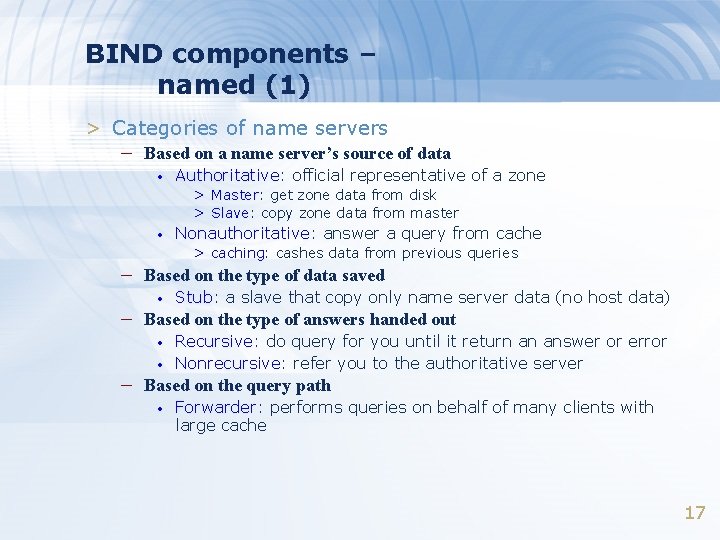
BIND components – named (1) > Categories of name servers – Based on a name server’s source of data • Authoritative: official representative of a zone > Master: get zone data from disk > Slave: copy zone data from master • Nonauthoritative: answer a query from cache > caching: cashes data from previous queries – Based on the type of data saved • Stub: a slave that copy only name server data (no host data) – Based on the type of answers handed out • • Recursive: do query for you until it return an answer or error Nonrecursive: refer you to the authoritative server – Based on the query path • Forwarder: performs queries on behalf of many clients with large cache 17
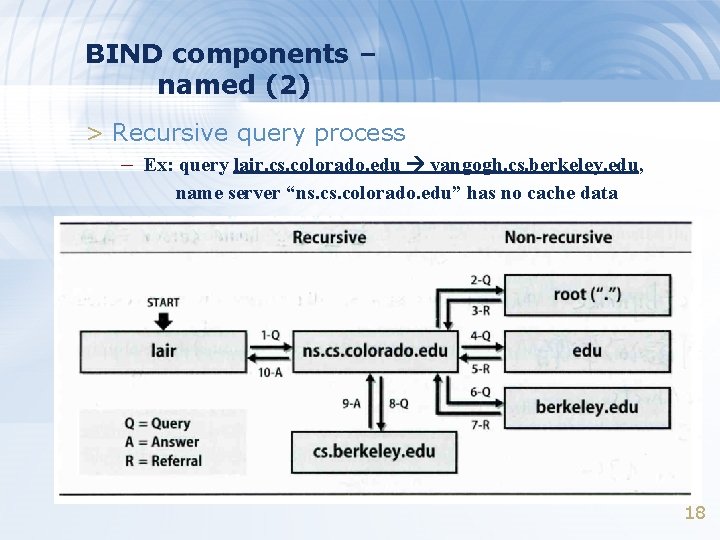
BIND components – named (2) > Recursive query process – Ex: query lair. cs. colorado. edu vangogh. cs. berkeley. edu, name server “ns. colorado. edu” has no cache data 18
BIND components – named (3) > Nonrecursive referral – Hierarchical and longest known domain referral with cache – data of other zone’s name servers’ addresses Ex: • • Query lair. cs. colorado. edu from a nonrecursive server Whether cache has > Name servers of cs. colorado. edu, root – The resolver libraries do not understand referrals mostly. They expect the local name server to be recursive 19
BIND components – named (4) > Caching – Positive cache – Negative cache • • No host or domain matches the name queried The type of data requested does not exist for this host The server to ask is not responding The server is unreachable of network problem > negative cache – 60% DNS queries are failed – To reduce the load of root servers, the authoritative negative answers must be cached 20
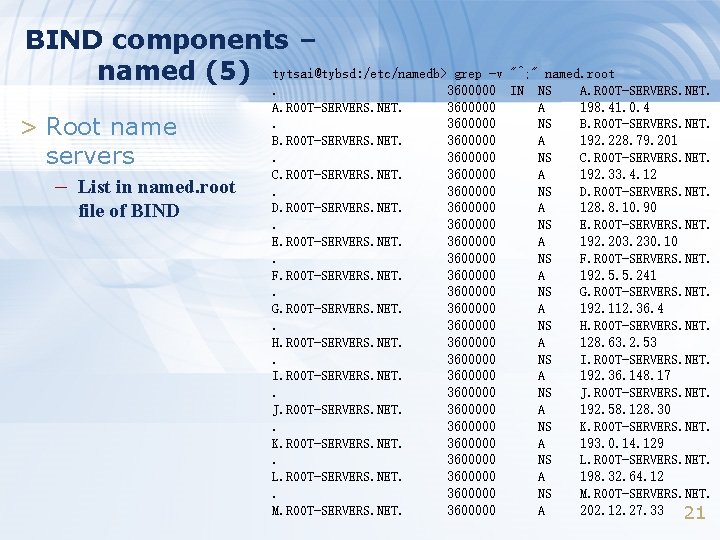
BIND components – named (5) tytsai@tybsd: /etc/namedb> grep -v "^; " named. root > Root name servers – List in named. root file of BIND . A. ROOT-SERVERS. NET. . B. ROOT-SERVERS. NET. . C. ROOT-SERVERS. NET. . D. ROOT-SERVERS. NET. . E. ROOT-SERVERS. NET. . F. ROOT-SERVERS. NET. . G. ROOT-SERVERS. NET. . H. ROOT-SERVERS. NET. . I. ROOT-SERVERS. NET. . J. ROOT-SERVERS. NET. . K. ROOT-SERVERS. NET. . L. ROOT-SERVERS. NET. . M. ROOT-SERVERS. NET. 3600000 3600000 3600000 3600000 3600000 3600000 3600000 IN NS A NS A NS A NS A A. ROOT-SERVERS. NET. 198. 41. 0. 4 B. ROOT-SERVERS. NET. 192. 228. 79. 201 C. ROOT-SERVERS. NET. 192. 33. 4. 12 D. ROOT-SERVERS. NET. 128. 8. 10. 90 E. ROOT-SERVERS. NET. 192. 203. 230. 10 F. ROOT-SERVERS. NET. 192. 5. 5. 241 G. ROOT-SERVERS. NET. 192. 112. 36. 4 H. ROOT-SERVERS. NET. 128. 63. 2. 53 I. ROOT-SERVERS. NET. 192. 36. 148. 17 J. ROOT-SERVERS. NET. 192. 58. 128. 30 K. ROOT-SERVERS. NET. 193. 0. 14. 129 L. ROOT-SERVERS. NET. 198. 32. 64. 12 M. ROOT-SERVERS. NET. 202. 12. 27. 33 21
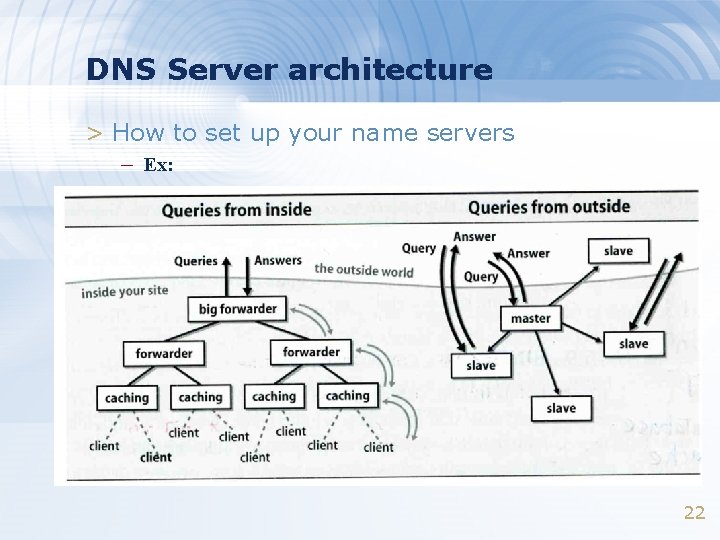
DNS Server architecture > How to set up your name servers – Ex: 22
The DNS Database (1) > A set of text files such that – Maintained and stored on the domain’s master name server – Two types of entries • Resource Records (RR) > Used to store the information of > The real part of DNS database • Parser commands > Used to modify or manage other RR data 23
The DNS Database (2) > Parser commands – Commands must start in first column and be on a line by – themselves $ORIGIN domain-name • Used to append to un-fully-qualified name – $INCLUDE file-name • • Separate logical pieces of a zone file Keep cryptographic keys with restricted permissions – $TTL default-ttl • Default value for time-to-live filed of records – $GENERATE start-stop/[step] lhs type rhs • • Used to generate a series of similar records Can be used in only CNAME, PTR, NS record types 24
![Resource Record (1) > Basic format – [name] [ttl] [class] type data • •](http://slidetodoc.com/presentation_image_h/7f58a7a824c4d46309d0d3267b249948/image-25.jpg "Resource Record (1) > Basic format – [name] [ttl] [class] type data • •")
Resource Record (1) > Basic format – [name] [ttl] [class] type data • • • name: the entity that the RR describes ttl: time in second of this RR’s validity in cache class: network type > IN for Internet > CH for Chaos. Net > HS for Hesiod – Special characters • • ; @ () * (comment) (The current domain name) (allow data to spam lines (wild card character, name filed only) 25
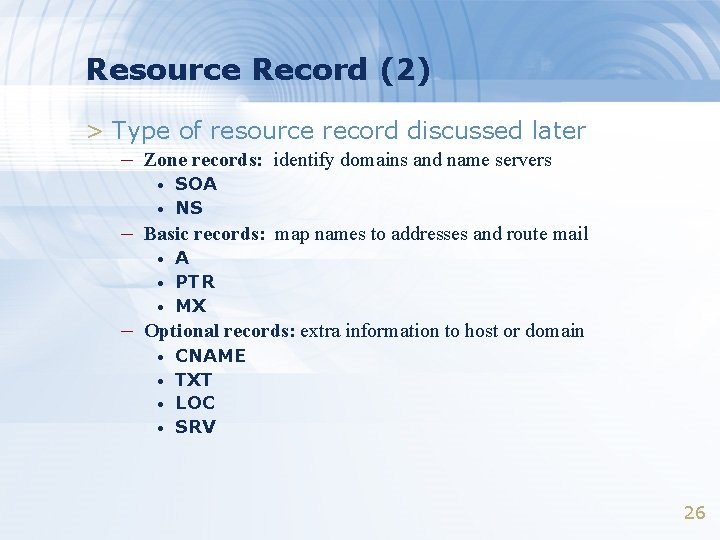
Resource Record (2) > Type of resource record discussed later – Zone records: identify domains and name servers • • SOA NS – Basic records: map names to addresses and route mail • • • A PTR MX – Optional records: extra information to host or domain • • CNAME TXT LOC SRV 26
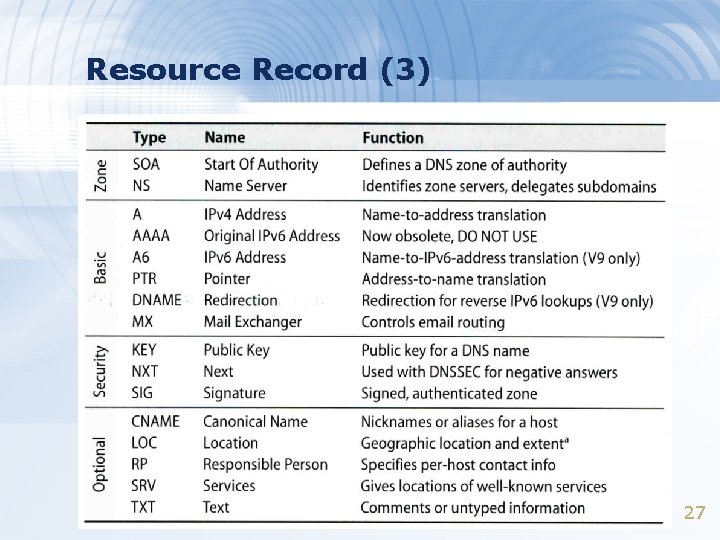
Resource Record (3) 27
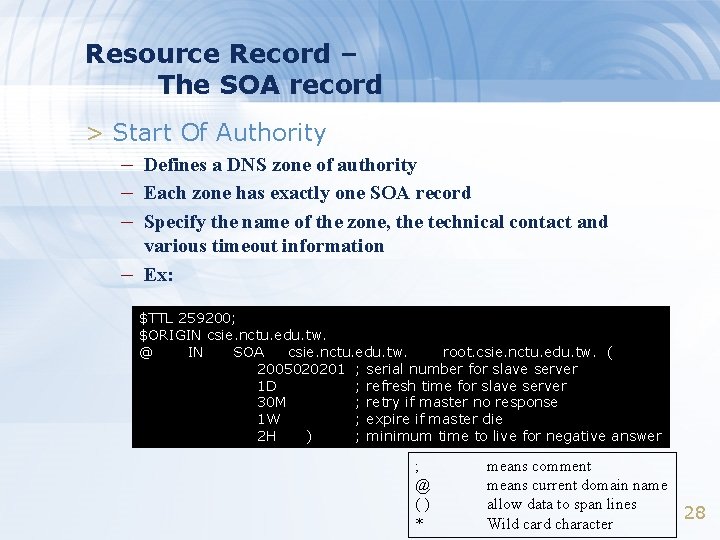
Resource Record – The SOA record > Start Of Authority – Defines a DNS zone of authority – Each zone has exactly one SOA record – Specify the name of the zone, the technical contact and – various timeout information Ex: $TTL 259200; $ORIGIN csie. nctu. edu. tw. @ IN SOA csie. nctu. edu. tw. root. csie. nctu. edu. tw. ( 2005020201 ; serial number for slave server 1 D ; refresh time for slave server 30 M ; retry if master no response 1 W ; expire if master die 2 H ) ; minimum time to live for negative answer ; @ () * means comment means current domain name allow data to span lines Wild card character 28
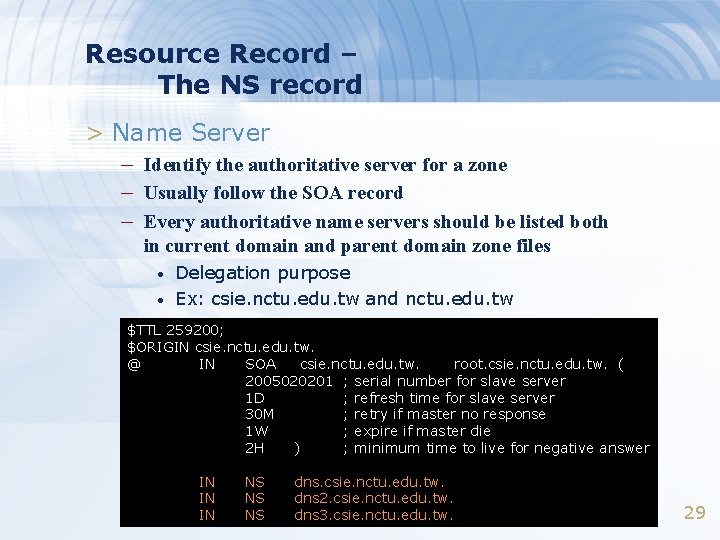
Resource Record – The NS record > Name Server – Identify the authoritative server for a zone – Usually follow the SOA record – Every authoritative name servers should be listed both in current domain and parent domain zone files • • Delegation purpose Ex: csie. nctu. edu. tw and nctu. edu. tw $TTL 259200; $ORIGIN csie. nctu. edu. tw. @ IN SOA csie. nctu. edu. tw. root. csie. nctu. edu. tw. ( 2005020201 ; serial number for slave server 1 D ; refresh time for slave server 30 M ; retry if master no response 1 W ; expire if master die 2 H ) ; minimum time to live for negative answer IN IN IN NS NS NS dns. csie. nctu. edu. tw. dns 2. csie. nctu. edu. tw. dns 3. csie. nctu. edu. tw. 29
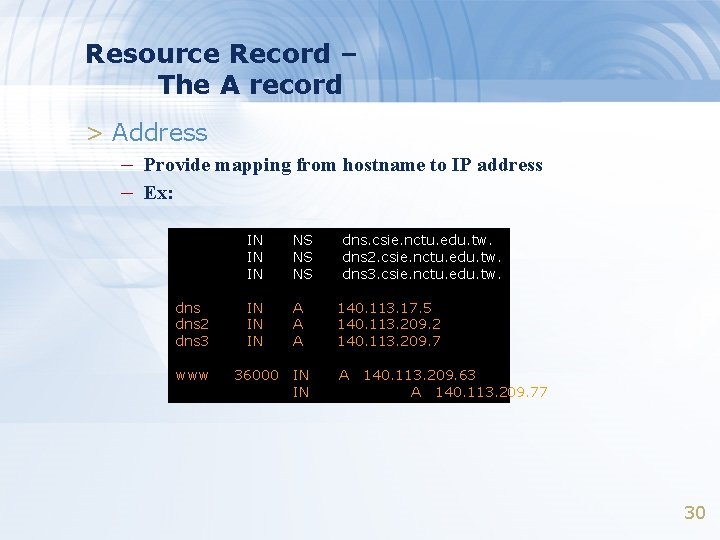
Resource Record – The A record > Address – Provide mapping from hostname to IP address – Ex: IN IN IN NS NS NS dns. csie. nctu. edu. tw. dns 2. csie. nctu. edu. tw. dns 3. csie. nctu. edu. tw. dns 2 dns 3 IN IN IN A A A 140. 113. 17. 5 140. 113. 209. 2 140. 113. 209. 7 www 36000 IN IN A 140. 113. 209. 63 A 140. 113. 209. 77 30
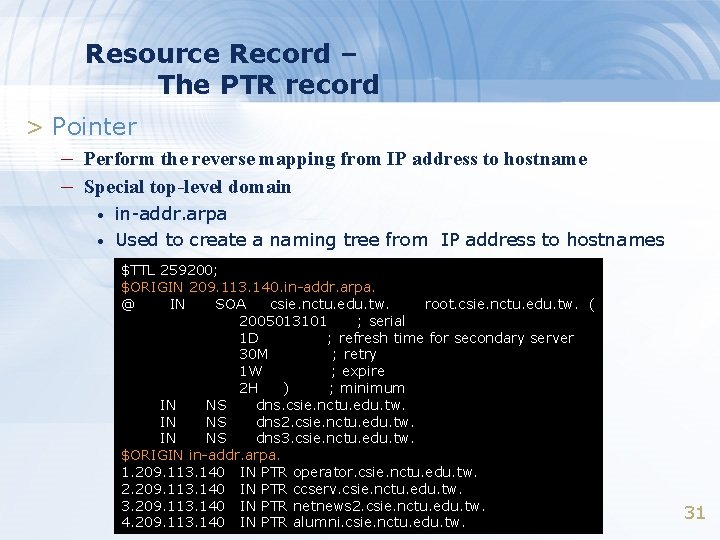
Resource Record – The PTR record > Pointer – Perform the reverse mapping from IP address to hostname – Special top-level domain • • in-addr. arpa Used to create a naming tree from IP address to hostnames $TTL 259200; $ORIGIN 209. 113. 140. in-addr. arpa. @ IN SOA csie. nctu. edu. tw. root. csie. nctu. edu. tw. ( 2005013101 ; serial 1 D ; refresh time for secondary server 30 M ; retry 1 W ; expire 2 H ) ; minimum IN NS dns. csie. nctu. edu. tw. IN NS dns 2. csie. nctu. edu. tw. IN NS dns 3. csie. nctu. edu. tw. $ORIGIN in-addr. arpa. 1. 209. 113. 140 IN PTR operator. csie. nctu. edu. tw. 2. 209. 113. 140 IN PTR ccserv. csie. nctu. edu. tw. 3. 209. 113. 140 IN PTR netnews 2. csie. nctu. edu. tw. 4. 209. 113. 140 IN PTR alumni. csie. nctu. edu. tw. 31
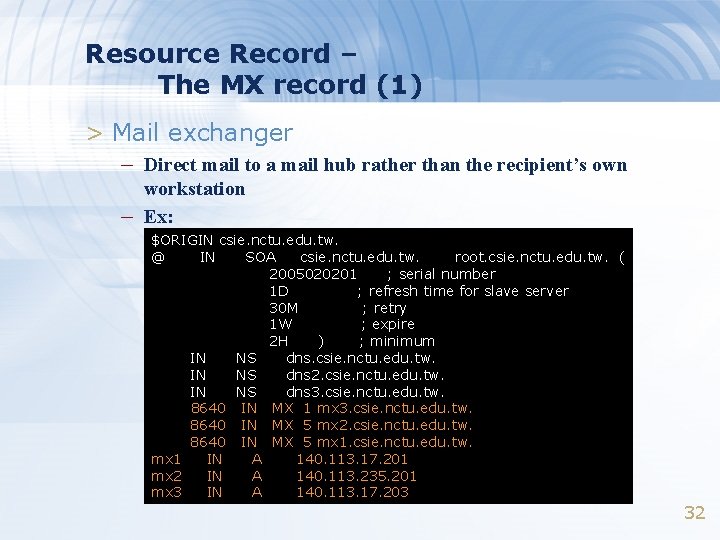
Resource Record – The MX record (1) > Mail exchanger – Direct mail to a mail hub rather than the recipient’s own – workstation Ex: $ORIGIN csie. nctu. edu. tw. @ IN SOA csie. nctu. edu. tw. root. csie. nctu. edu. tw. ( 2005020201 ; serial number 1 D ; refresh time for slave server 30 M ; retry 1 W ; expire 2 H ) ; minimum IN NS dns. csie. nctu. edu. tw. IN NS dns 2. csie. nctu. edu. tw. IN NS dns 3. csie. nctu. edu. tw. 8640 IN MX 1 mx 3. csie. nctu. edu. tw. 8640 IN MX 5 mx 2. csie. nctu. edu. tw. 8640 IN MX 5 mx 1. csie. nctu. edu. tw. mx 1 IN A 140. 113. 17. 201 mx 2 IN A 140. 113. 235. 201 mx 3 IN A 140. 113. 17. 203 32
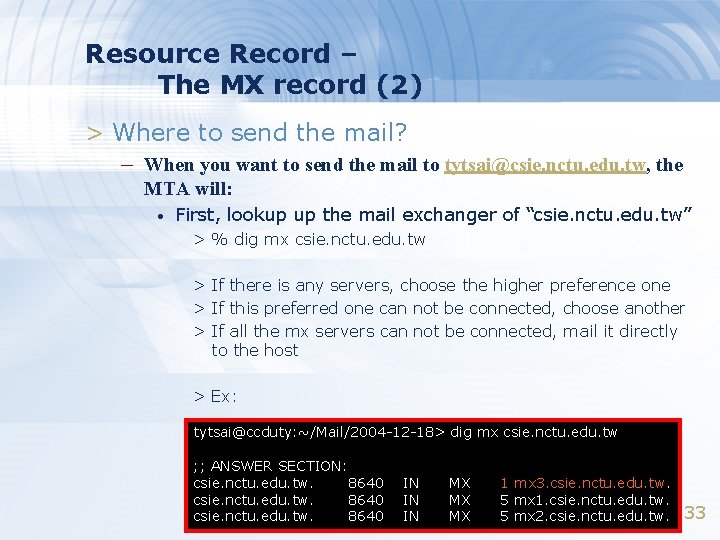
Resource Record – The MX record (2) > Where to send the mail? – When you want to send the mail to tytsai@csie. nctu. edu. tw, the MTA will: • First, lookup up the mail exchanger of “csie. nctu. edu. tw” > % dig mx csie. nctu. edu. tw > If there is any servers, choose the higher preference one > If this preferred one can not be connected, choose another > If all the mx servers can not be connected, mail it directly to the host > Ex: tytsai@ccduty: ~/Mail/2004 -12 -18> dig mx csie. nctu. edu. tw ; ; ANSWER SECTION: csie. nctu. edu. tw. 8640 IN IN IN MX MX MX 1 mx 3. csie. nctu. edu. tw. 5 mx 1. csie. nctu. edu. tw. 5 mx 2. csie. nctu. edu. tw. 33
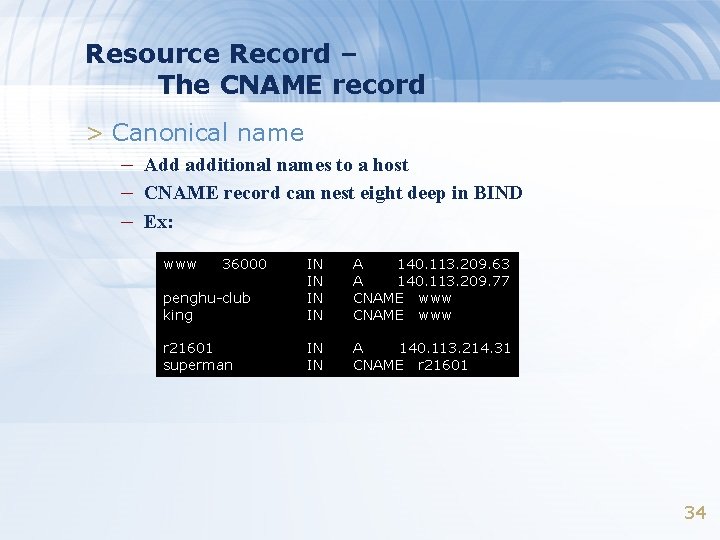
Resource Record – The CNAME record > Canonical name – Add additional names to a host – CNAME record can nest eight deep in BIND – Ex: www 36000 penghu-club king IN IN A 140. 113. 209. 63 A 140. 113. 209. 77 CNAME www r 21601 superman IN IN A 140. 113. 214. 31 CNAME r 21601 34
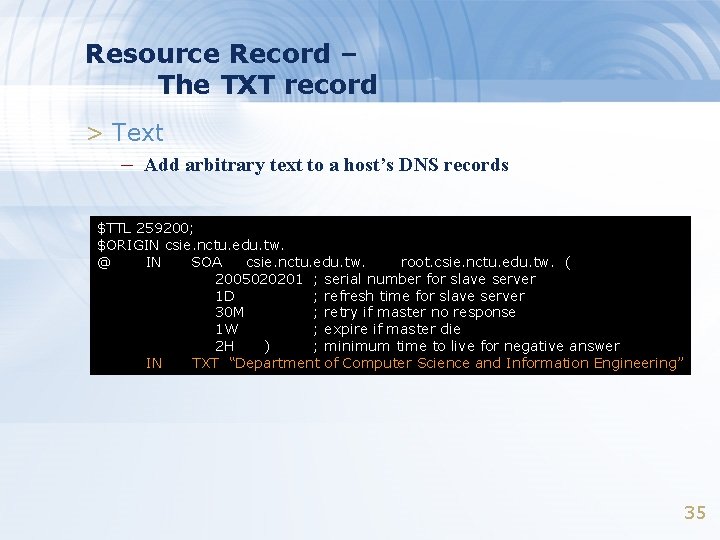
Resource Record – The TXT record > Text – Add arbitrary text to a host’s DNS records $TTL 259200; $ORIGIN csie. nctu. edu. tw. @ IN SOA csie. nctu. edu. tw. root. csie. nctu. edu. tw. ( 2005020201 ; serial number for slave server 1 D ; refresh time for slave server 30 M ; retry if master no response 1 W ; expire if master die 2 H ) ; minimum time to live for negative answer IN TXT “Department of Computer Science and Information Engineering” 35
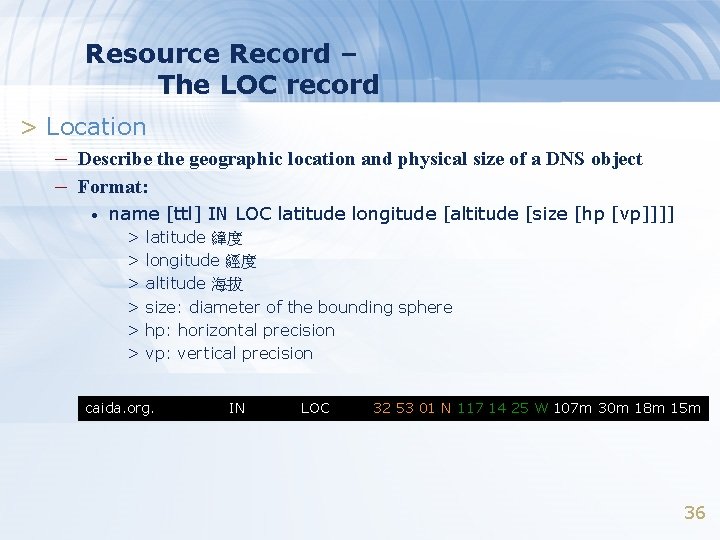
Resource Record – The LOC record > Location – Describe the geographic location and physical size of a DNS object – Format: • name [ttl] IN LOC latitude longitude [altitude [size [hp [vp]]]] > latitude 緯度 > longitude 經度 > altitude 海拔 > size: diameter of the bounding sphere > hp: horizontal precision > vp: vertical precision caida. org. IN LOC 32 53 01 N 117 14 25 W 107 m 30 m 18 m 15 m 36
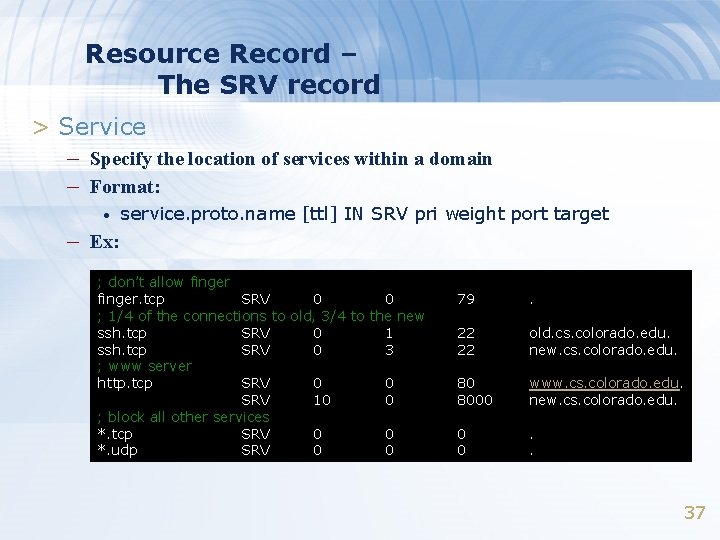
Resource Record – The SRV record > Service – Specify the location of services within a domain – Format: • service. proto. name [ttl] IN SRV pri weight port target – Ex: ; don’t allow finger. tcp SRV 0 0 ; 1/4 of the connections to old, 3/4 to the new ssh. tcp SRV 0 1 ssh. tcp SRV 0 3 ; www server http. tcp SRV 0 0 SRV 10 0 ; block all other services *. tcp SRV 0 0 *. udp SRV 0 0 79 . 22 22 old. cs. colorado. edu. new. cs. colorado. edu. 80 8000 www. cs. colorado. edu. new. cs. colorado. edu. 0 0 . . 37
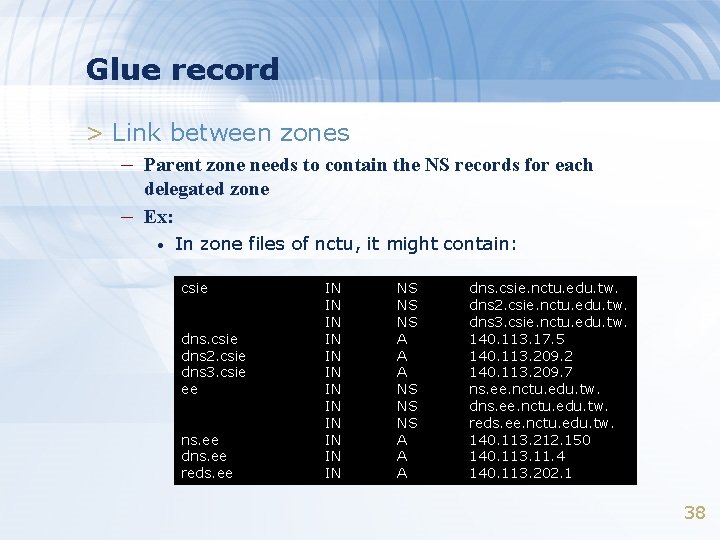
Glue record > Link between zones – Parent zone needs to contain the NS records for each – delegated zone Ex: • In zone files of nctu, it might contain: csie dns 2. csie dns 3. csie ee ns. ee dns. ee reds. ee IN IN IN NS NS NS A A A dns. csie. nctu. edu. tw. dns 2. csie. nctu. edu. tw. dns 3. csie. nctu. edu. tw. 140. 113. 17. 5 140. 113. 209. 2 140. 113. 209. 7 ns. ee. nctu. edu. tw. dns. ee. nctu. edu. tw. reds. ee. nctu. edu. tw. 140. 113. 212. 150 140. 113. 11. 4 140. 113. 202. 1 38
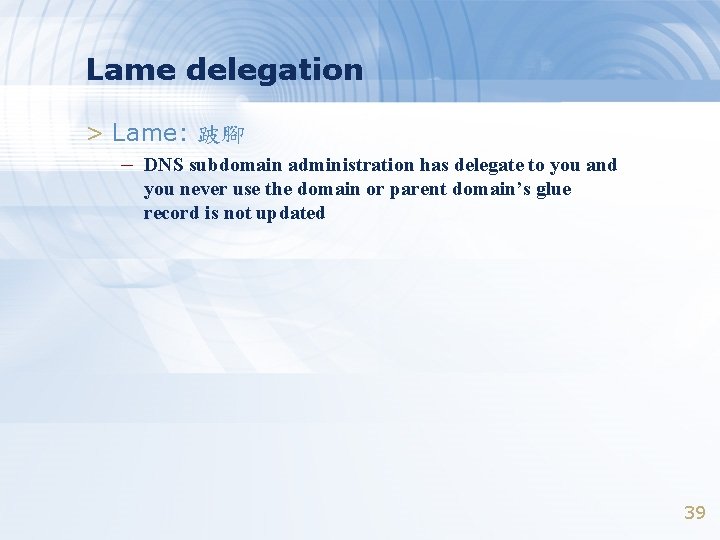
Lame delegation > Lame: 跛腳 – DNS subdomain administration has delegate to you and you never use the domain or parent domain’s glue record is not updated 39
BIND Configuration
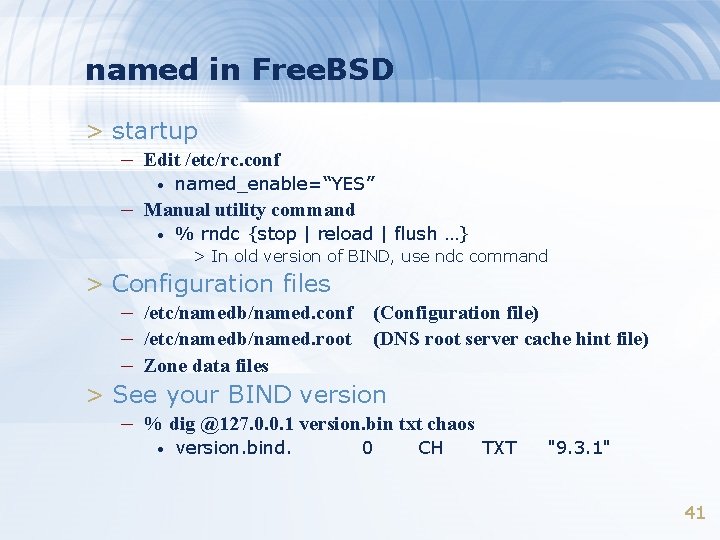
named in Free. BSD > startup – Edit /etc/rc. conf • named_enable=“YES” – Manual utility command • % rndc {stop | reload | flush …} > In old version of BIND, use ndc command > Configuration files – /etc/namedb/named. conf (Configuration file) – /etc/namedb/named. root (DNS root server cache hint file) – Zone data files > See your BIND version – % dig @127. 0. 0. 1 version. bin txt chaos • version. bind. 0 CH TXT "9. 3. 1" 41
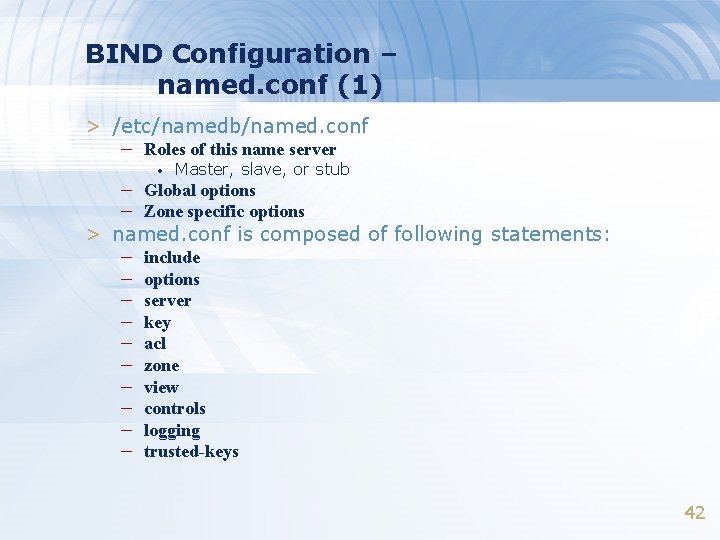
BIND Configuration – named. conf (1) > /etc/namedb/named. conf – Roles of this name server • Master, slave, or stub – Global options – Zone specific options > named. conf is composed of following statements: – – – – – include options server key acl zone view controls logging trusted-keys 42
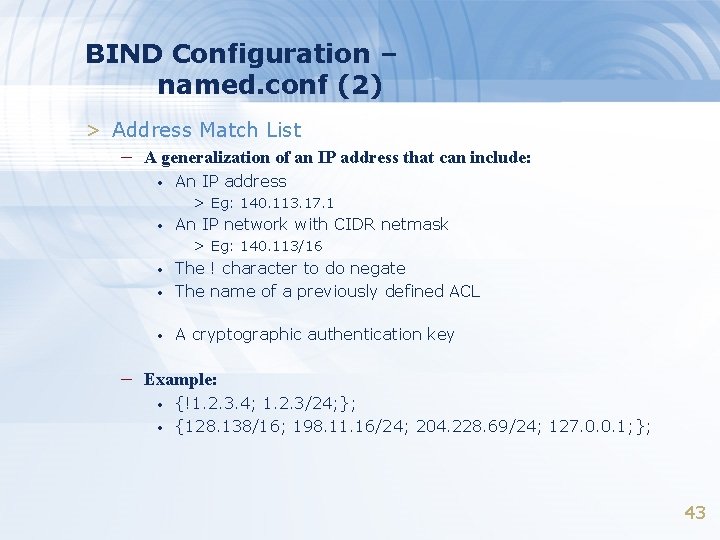
BIND Configuration – named. conf (2) > Address Match List – A generalization of an IP address that can include: • An IP address > Eg: 140. 113. 17. 1 • An IP network with CIDR netmask > Eg: 140. 113/16 • The ! character to do negate The name of a previously defined ACL • A cryptographic authentication key • – Example: • • {!1. 2. 3. 4; 1. 2. 3/24; }; {128. 138/16; 198. 11. 16/24; 204. 228. 69/24; 127. 0. 0. 1; }; 43
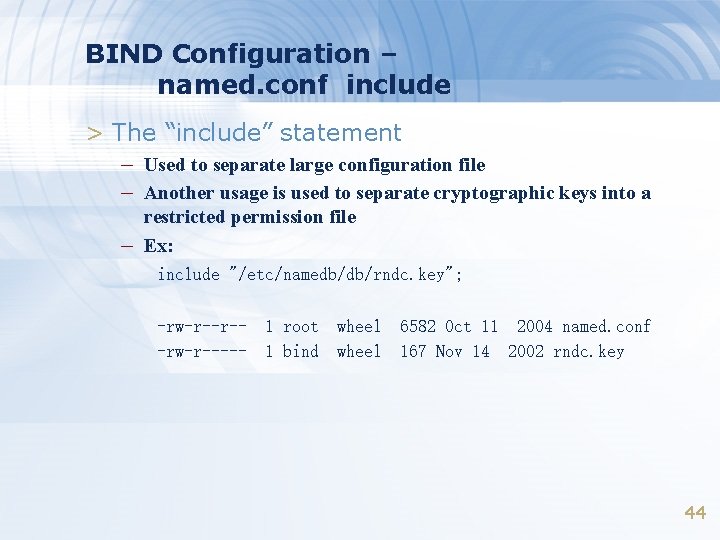
BIND Configuration – named. conf include > The “include” statement – Used to separate large configuration file – Another usage is used to separate cryptographic keys into a – restricted permission file Ex: include "/etc/namedb/db/rndc. key"; -rw-r--r--rw-r----- 1 root 1 bind wheel 6582 Oct 11 2004 named. conf 167 Nov 14 2002 rndc. key 44
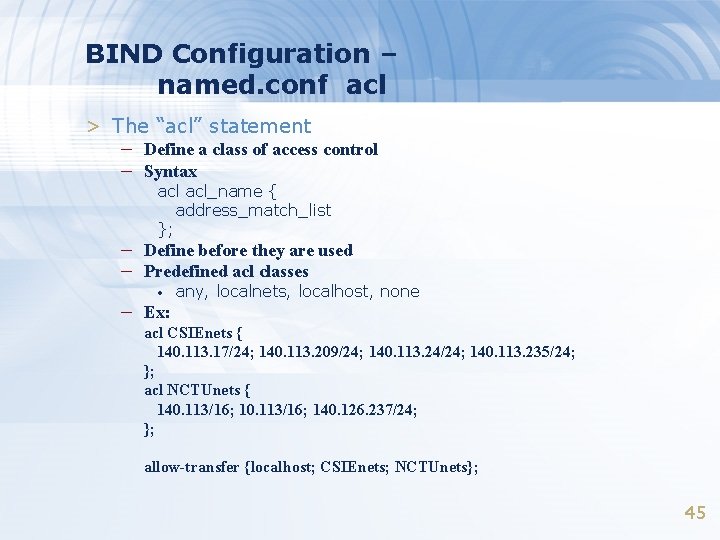
BIND Configuration – named. conf acl > The “acl” statement – Define a class of access control – Syntax acl_name { address_match_list }; – Define before they are used – Predefined acl classes • – Ex: any, localnets, localhost, none acl CSIEnets { 140. 113. 17/24; 140. 113. 209/24; 140. 113. 24/24; 140. 113. 235/24; }; acl NCTUnets { 140. 113/16; 140. 126. 237/24; }; allow-transfer {localhost; CSIEnets; NCTUnets}; 45
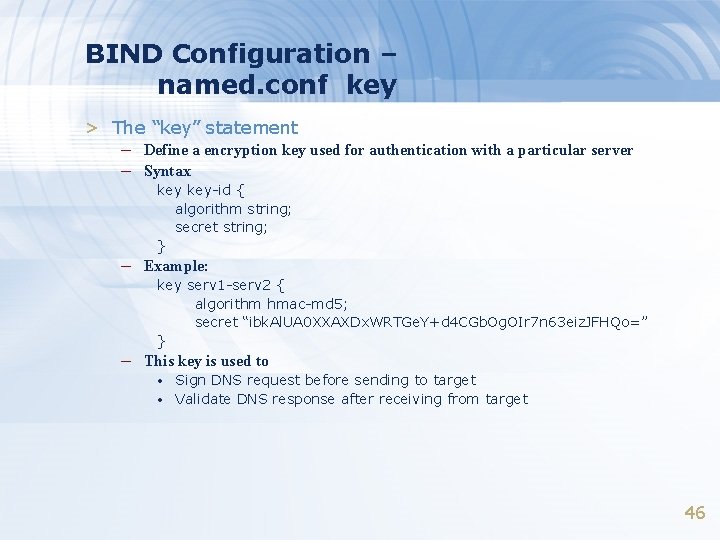
BIND Configuration – named. conf key > The “key” statement – Define a encryption key used for authentication with a particular server – Syntax key-id { algorithm string; secret string; } – Example: key serv 1 -serv 2 { algorithm hmac-md 5; secret “ibk. Al. UA 0 XXAXDx. WRTGe. Y+d 4 CGb. Og. OIr 7 n 63 eiz. JFHQo=” } – This key is used to • • Sign DNS request before sending to target Validate DNS response after receiving from target 46
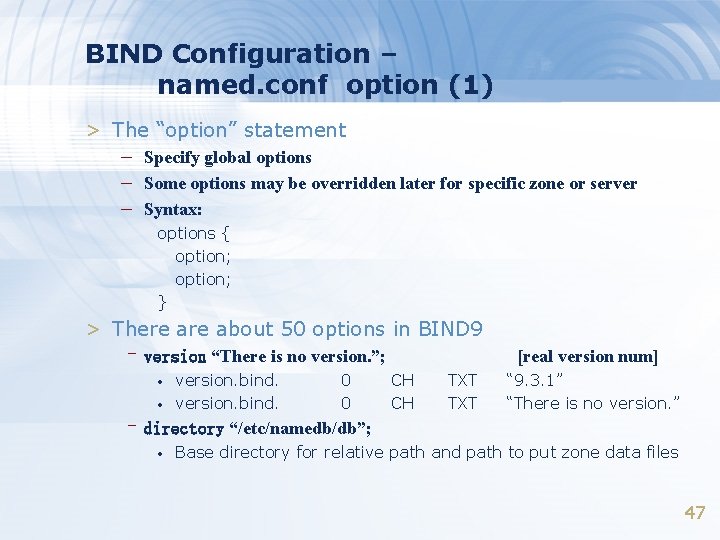
BIND Configuration – named. conf option (1) > The “option” statement – Specify global options – Some options may be overridden later for specific zone or server – Syntax: options { option; } > There about 50 options in BIND 9 –version “There is no version. ”; • • version. bind. 0 0 [real version num] CH CH TXT “ 9. 3. 1” “There is no version. ” –directory “/etc/namedb/db”; • Base directory for relative path and path to put zone data files 47
![BIND Configuration – named. conf option (2) –notify yes | no • [yes] Whether](http://slidetodoc.com/presentation_image_h/7f58a7a824c4d46309d0d3267b249948/image-48.jpg "BIND Configuration – named. conf option (2) –notify yes | no • [yes] Whether")
BIND Configuration – named. conf option (2) –notify yes | no • [yes] Whether notify slave sever when relative zone data is changed –also-notify 140. 113. 209. 10; • Also notify this non-NS server –recursion yes | no • Recursive name server –allow-recursion {address_match_list }; • Finer granularity recursion setting • check hostname syntax validity • Action: [empty] [yes] [all] –check-names {master|slave|response action}; • > Letter, number and dash only > 64 characters for each component, and 256 totally > ignore: > warn: > fail: do no checking log bad names but continue log bad names and reject > master > slave > response fail warn ignore default action 48
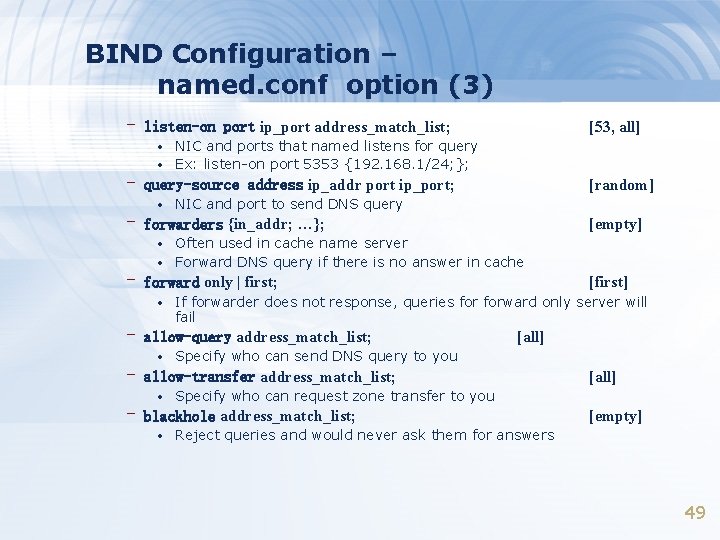
BIND Configuration – named. conf option (3) – listen-on port ip_port address_match_list; • • [53, all] NIC and ports that named listens for query Ex: listen-on port 5353 {192. 168. 1/24; }; – query-source address ip_addr port ip_port; • [random] NIC and port to send DNS query – forwarders {in_addr; …}; • • [empty] Often used in cache name server Forward DNS query if there is no answer in cache – forward only | first; • If forwarder does not response, queries forward only server will fail – allow-query address_match_list; • [first] [all] Specify who can send DNS query to you – allow-transfer address_match_list; • Specify who can request zone transfer to you – blackhole address_match_list; • [all] [empty] Reject queries and would never ask them for answers 49
![BIND Configuration – named. conf option (4) –transfer-format one-answer | many-answers; [many-answers] • •](http://slidetodoc.com/presentation_image_h/7f58a7a824c4d46309d0d3267b249948/image-50.jpg "BIND Configuration – named. conf option (4) –transfer-format one-answer | many-answers; [many-answers] • •")
BIND Configuration – named. conf option (4) –transfer-format one-answer | many-answers; [many-answers] • • Ways to transfer data records from master to slave How many data records in single packet –transfers-in num; –transfers-out num; • Limit of the number of inbound and outbound zone transfers concurrently –transfers-per-ns num; • [10] [2] Limit of the inbound zone transfers concurrently from the same remote server –transfer-source IP-address; • IP of NIC used for inbound transfers –serial-queries num; • [4] Limit of simultaneous inquiries for serial number of a zone 50
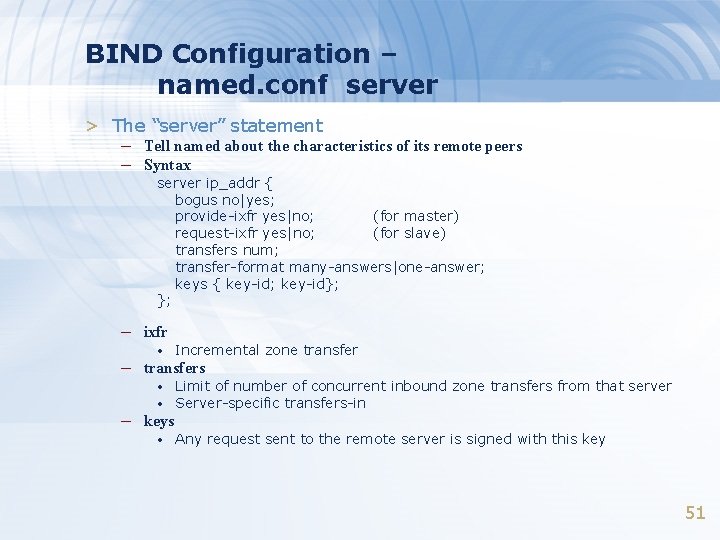
BIND Configuration – named. conf server > The “server” statement – Tell named about the characteristics of its remote peers – Syntax server ip_addr { bogus no|yes; provide-ixfr yes|no; (for master) request-ixfr yes|no; (for slave) transfers num; transfer-format many-answers|one-answer; keys { key-id; key-id}; }; – ixfr • Incremental zone transfer • • Limit of number of concurrent inbound zone transfers from that server Server-specific transfers-in • Any request sent to the remote server is signed with this key – transfers – keys 51
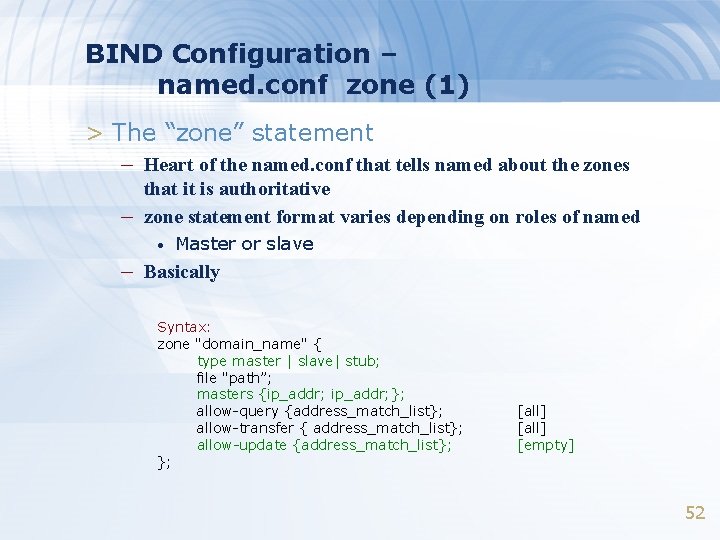
BIND Configuration – named. conf zone (1) > The “zone” statement – Heart of the named. conf that tells named about the zones – that it is authoritative zone statement format varies depending on roles of named • Master or slave – Basically Syntax: zone "domain_name" { type master | slave| stub; file "path”; masters {ip_addr; }; allow-query {address_match_list}; allow-transfer { address_match_list}; allow-update {address_match_list}; }; [all] [empty] 52
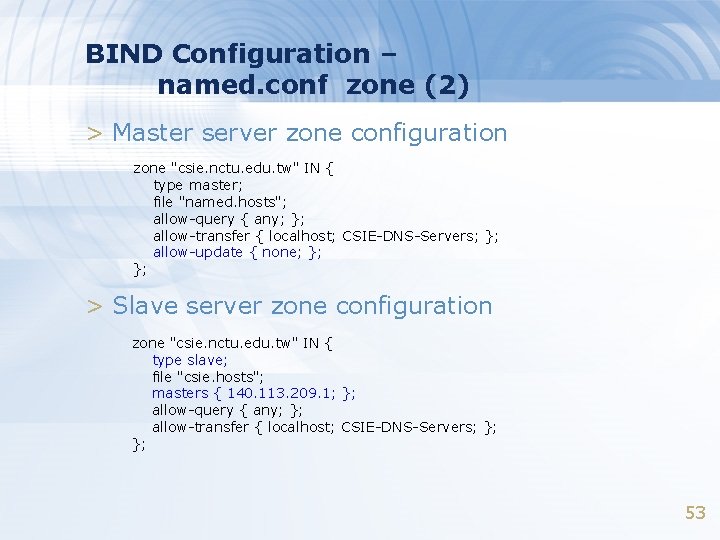
BIND Configuration – named. conf zone (2) > Master server zone configuration zone "csie. nctu. edu. tw" IN { type master; file "named. hosts"; allow-query { any; }; allow-transfer { localhost; CSIE-DNS-Servers; }; allow-update { none; }; }; > Slave server zone configuration zone "csie. nctu. edu. tw" IN { type slave; file "csie. hosts"; masters { 140. 113. 209. 1; }; allow-query { any; }; allow-transfer { localhost; CSIE-DNS-Servers; }; }; 53
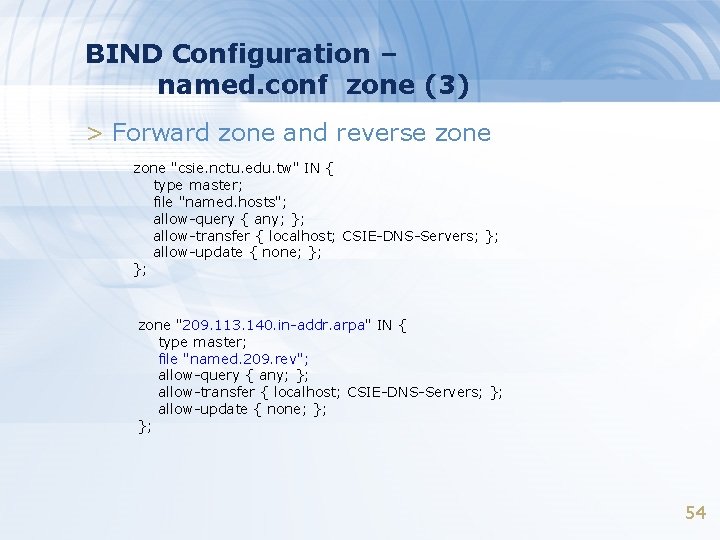
BIND Configuration – named. conf zone (3) > Forward zone and reverse zone "csie. nctu. edu. tw" IN { type master; file "named. hosts"; allow-query { any; }; allow-transfer { localhost; CSIE-DNS-Servers; }; allow-update { none; }; }; zone "209. 113. 140. in-addr. arpa" IN { type master; file "named. 209. rev"; allow-query { any; }; allow-transfer { localhost; CSIE-DNS-Servers; }; allow-update { none; }; }; 54
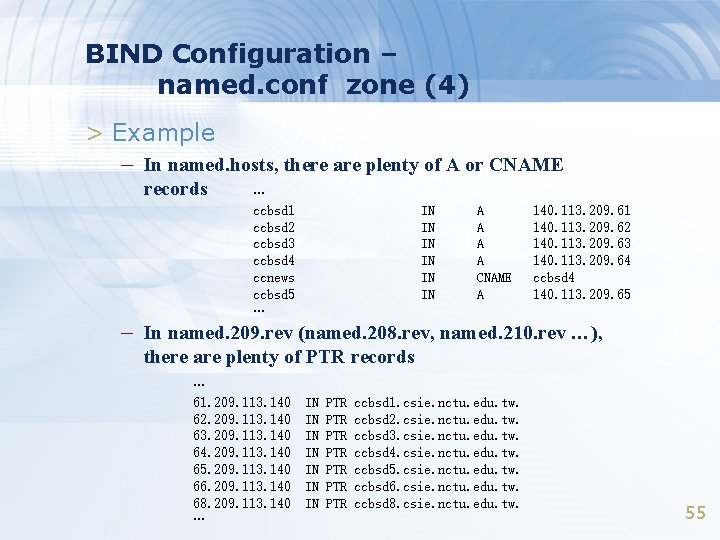
BIND Configuration – named. conf zone (4) > Example – In named. hosts, there are plenty of A or CNAME records … ccbsd 1 ccbsd 2 ccbsd 3 ccbsd 4 ccnews ccbsd 5 … IN IN IN A A CNAME A 140. 113. 209. 61 140. 113. 209. 62 140. 113. 209. 63 140. 113. 209. 64 ccbsd 4 140. 113. 209. 65 – In named. 209. rev (named. 208. rev, named. 210. rev …), there are plenty of PTR records … 61. 209. 113. 140 62. 209. 113. 140 63. 209. 113. 140 64. 209. 113. 140 65. 209. 113. 140 66. 209. 113. 140 68. 209. 113. 140 … IN IN PTR PTR ccbsd 1. csie. nctu. edu. tw. ccbsd 2. csie. nctu. edu. tw. ccbsd 3. csie. nctu. edu. tw. ccbsd 4. csie. nctu. edu. tw. ccbsd 5. csie. nctu. edu. tw. ccbsd 6. csie. nctu. edu. tw. ccbsd 8. csie. nctu. edu. tw. 55
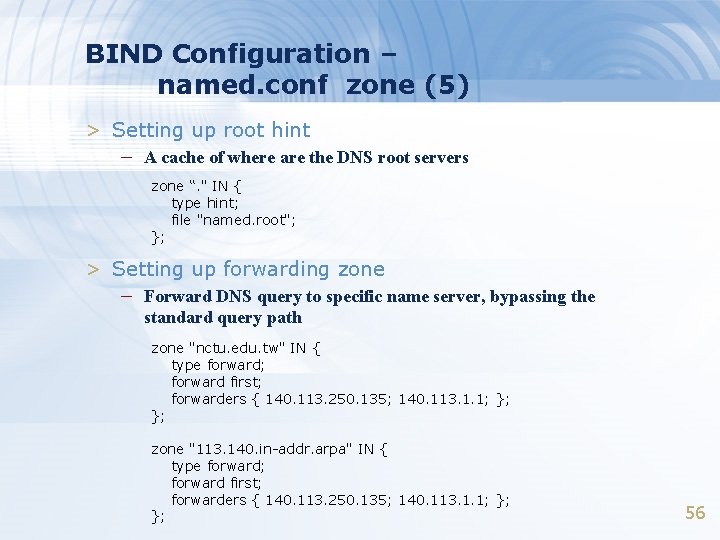
BIND Configuration – named. conf zone (5) > Setting up root hint – A cache of where are the DNS root servers zone “. " IN { type hint; file "named. root"; }; > Setting up forwarding zone – Forward DNS query to specific name server, bypassing the standard query path zone "nctu. edu. tw" IN { type forward; forward first; forwarders { 140. 113. 250. 135; 140. 113. 1. 1; }; }; zone "113. 140. in-addr. arpa" IN { type forward; forward first; forwarders { 140. 113. 250. 135; 140. 113. 1. 1; }; }; 56
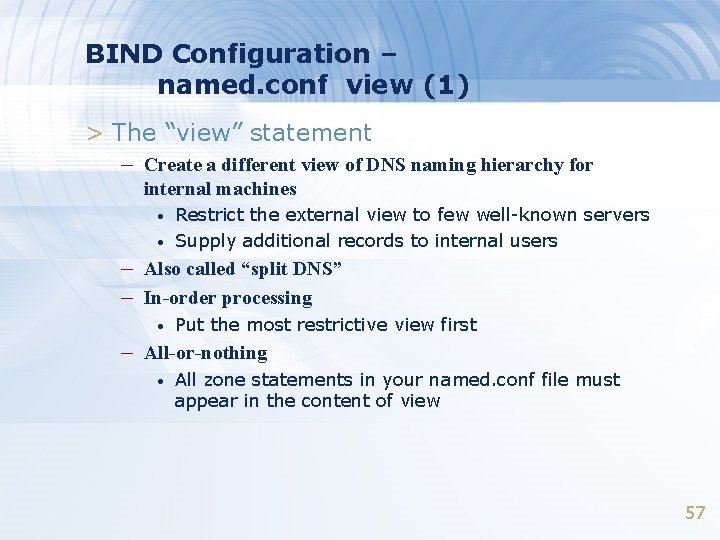
BIND Configuration – named. conf view (1) > The “view” statement – Create a different view of DNS naming hierarchy for internal machines • • Restrict the external view to few well-known servers Supply additional records to internal users – Also called “split DNS” – In-order processing • Put the most restrictive view first – All-or-nothing • All zone statements in your named. conf file must appear in the content of view 57
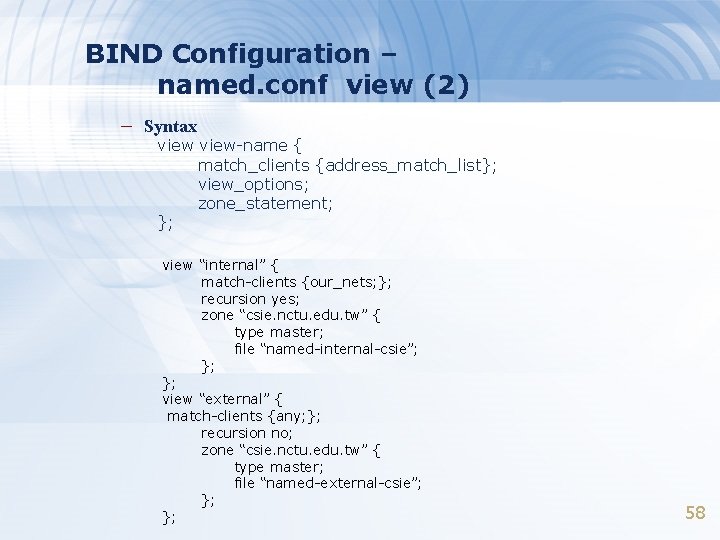
BIND Configuration – named. conf view (2) – Syntax view-name { match_clients {address_match_list}; view_options; zone_statement; }; view “internal” { match-clients {our_nets; }; recursion yes; zone “csie. nctu. edu. tw” { type master; file “named-internal-csie”; }; }; view “external” { match-clients {any; }; recursion no; zone “csie. nctu. edu. tw” { type master; file “named-external-csie”; }; }; 58
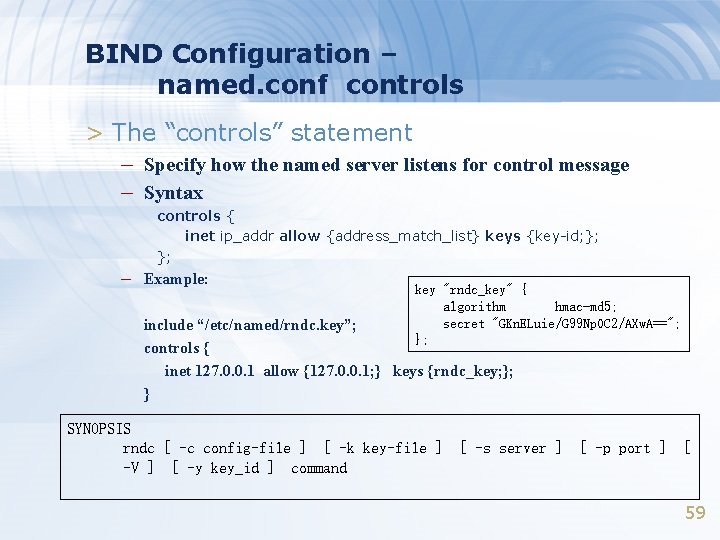
BIND Configuration – named. conf controls > The “controls” statement – Specify how the named server listens for control message – Syntax controls { inet ip_addr allow {address_match_list} keys {key-id; }; }; – Example: key "rndc_key" { algorithm hmac-md 5; secret "GKn. ELuie/G 99 Np. OC 2/AXw. A=="; }; include “/etc/named/rndc. key”; controls { inet 127. 0. 0. 1 allow {127. 0. 0. 1; } keys {rndc_key; }; } SYNOPSIS rndc [ -c config-file ] [ -k key-file ] -V ] [ -y key_id ] command [ -s server ] [ -p port ] [ 59
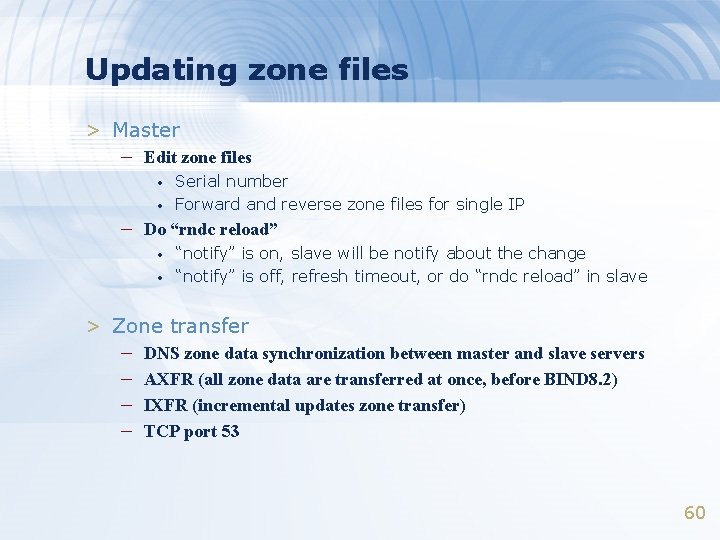
Updating zone files > Master – Edit zone files • • Serial number Forward and reverse zone files for single IP – Do “rndc reload” • • “notify” is on, slave will be notify about the change “notify” is off, refresh timeout, or do “rndc reload” in slave > Zone transfer – – DNS zone data synchronization between master and slave servers AXFR (all zone data are transferred at once, before BIND 8. 2) IXFR (incremental updates zone transfer) TCP port 53 60
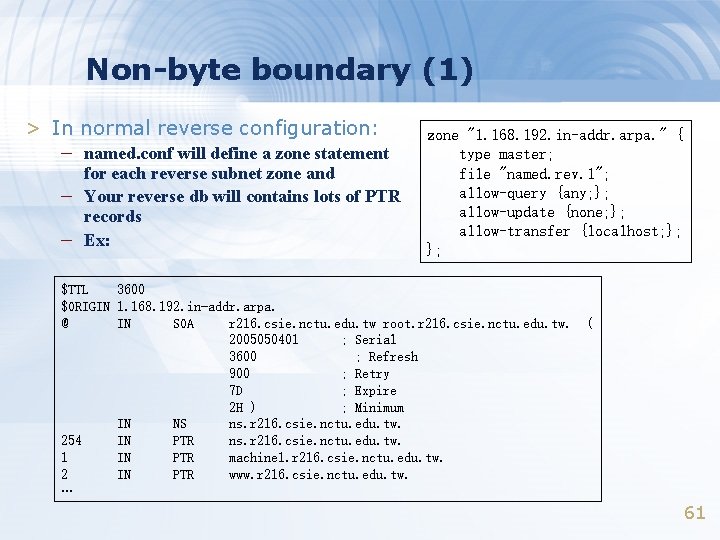
Non-byte boundary (1) > In normal reverse configuration: – named. conf will define a zone statement – – for each reverse subnet zone and Your reverse db will contains lots of PTR records Ex: zone "1. 168. 192. in-addr. arpa. " { type master; file "named. rev. 1"; allow-query {any; }; allow-update {none; }; allow-transfer {localhost; }; }; $TTL 3600 $ORIGIN 1. 168. 192. in-addr. arpa. @ IN SOA r 216. csie. nctu. edu. tw root. r 216. csie. nctu. edu. tw. 2005050401 ; Serial 3600 ; Refresh 900 ; Retry 7 D ; Expire 2 H ) ; Minimum IN NS ns. r 216. csie. nctu. edu. tw. 254 IN PTR ns. r 216. csie. nctu. edu. tw. 1 IN PTR machine 1. r 216. csie. nctu. edu. tw. 2 IN PTR www. r 216. csie. nctu. edu. tw. … ( 61
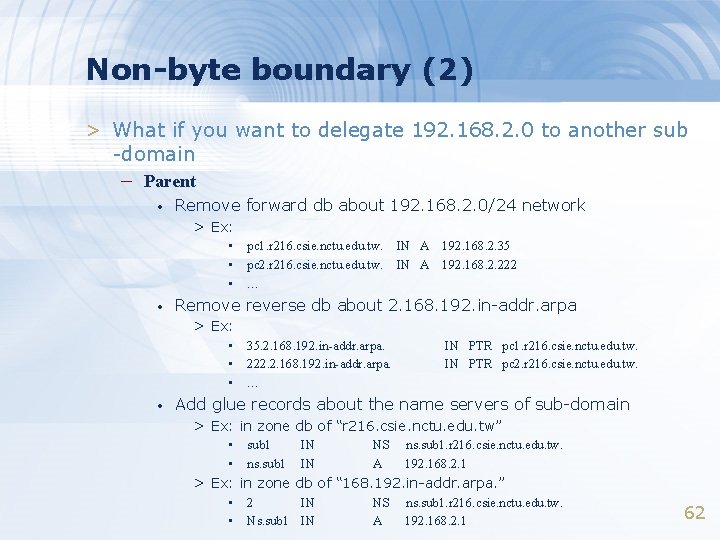
Non-byte boundary (2) > What if you want to delegate 192. 168. 2. 0 to another sub -domain – Parent • Remove forward db about 192. 168. 2. 0/24 network > Ex: • • pc 1. r 216. csie. nctu. edu. tw. pc 2. r 216. csie. nctu. edu. tw. … IN A 192. 168. 2. 35 192. 168. 2. 222 Remove reverse db about 2. 168. 192. in-addr. arpa > Ex: • • 35. 2. 168. 192. in-addr. arpa. 222. 2. 168. 192. in-addr. arpa. … IN PTR pc 1. r 216. csie. nctu. edu. tw. IN PTR pc 2. r 216. csie. nctu. edu. tw. Add glue records about the name servers of sub-domain > Ex: in zone db of “r 216. csie. nctu. edu. tw” • • sub 1 ns. sub 1 IN IN NS A ns. sub 1. r 216. csie. nctu. edu. tw. 192. 168. 2. 1 > Ex: in zone db of “ 168. 192. in-addr. arpa. ” • • 2 IN Ns. sub 1 IN NS A ns. sub 1. r 216. csie. nctu. edu. tw. 192. 168. 2. 1 62
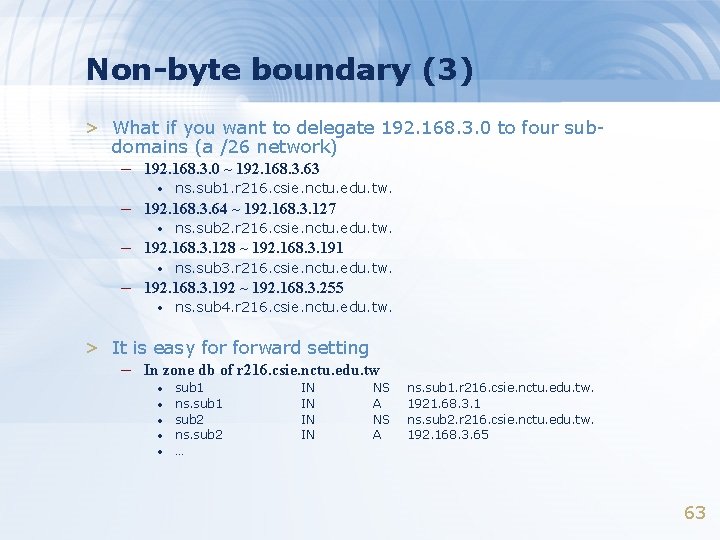
Non-byte boundary (3) > What if you want to delegate 192. 168. 3. 0 to four subdomains (a /26 network) – 192. 168. 3. 0 ~ 192. 168. 3. 63 • ns. sub 1. r 216. csie. nctu. edu. tw. – 192. 168. 3. 64 ~ 192. 168. 3. 127 • ns. sub 2. r 216. csie. nctu. edu. tw. – 192. 168. 3. 128 ~ 192. 168. 3. 191 • ns. sub 3. r 216. csie. nctu. edu. tw. – 192. 168. 3. 192 ~ 192. 168. 3. 255 • ns. sub 4. r 216. csie. nctu. edu. tw. > It is easy forward setting – In zone db of r 216. csie. nctu. edu. tw • • • sub 1 ns. sub 1 sub 2 ns. sub 2 … IN IN NS A ns. sub 1. r 216. csie. nctu. edu. tw. 1921. 68. 3. 1 ns. sub 2. r 216. csie. nctu. edu. tw. 192. 168. 3. 65 63
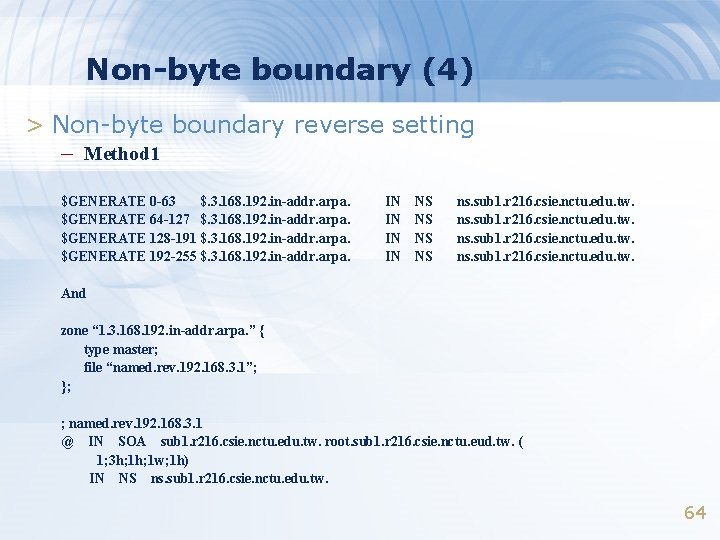
Non-byte boundary (4) > Non-byte boundary reverse setting – Method 1 $GENERATE 0 -63 $. 3. 168. 192. in-addr. arpa. $GENERATE 64 -127 $. 3. 168. 192. in-addr. arpa. $GENERATE 128 -191 $. 3. 168. 192. in-addr. arpa. $GENERATE 192 -255 $. 3. 168. 192. in-addr. arpa. IN IN NS NS ns. sub 1. r 216. csie. nctu. edu. tw. And zone “ 1. 3. 168. 192. in-addr. arpa. ” { type master; file “named. rev. 192. 168. 3. 1”; }; ; named. rev. 192. 168. 3. 1 @ IN SOA sub 1. r 216. csie. nctu. edu. tw. root. sub 1. r 216. csie. nctu. eud. tw. ( 1; 3 h; 1 w; 1 h) IN NS ns. sub 1. r 216. csie. nctu. edu. tw. 64
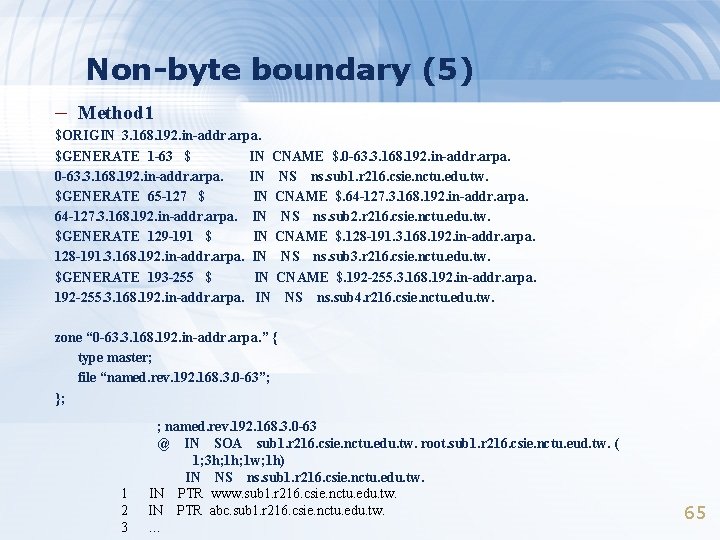
Non-byte boundary (5) – Method 1 $ORIGIN 3. 168. 192. in-addr. arpa. $GENERATE 1 -63 $ IN CNAME $. 0 -63. 3. 168. 192. in-addr. arpa. IN NS ns. sub 1. r 216. csie. nctu. edu. tw. $GENERATE 65 -127 $ IN CNAME $. 64 -127. 3. 168. 192. in-addr. arpa. IN NS ns. sub 2. r 216. csie. nctu. edu. tw. $GENERATE 129 -191 $ IN CNAME $. 128 -191. 3. 168. 192. in-addr. arpa. IN NS ns. sub 3. r 216. csie. nctu. edu. tw. $GENERATE 193 -255 $ IN CNAME $. 192 -255. 3. 168. 192. in-addr. arpa. IN NS ns. sub 4. r 216. csie. nctu. edu. tw. zone “ 0 -63. 3. 168. 192. in-addr. arpa. ” { type master; file “named. rev. 192. 168. 3. 0 -63”; }; 1 2 3 ; named. rev. 192. 168. 3. 0 -63 @ IN SOA sub 1. r 216. csie. nctu. edu. tw. root. sub 1. r 216. csie. nctu. eud. tw. ( 1; 3 h; 1 w; 1 h) IN NS ns. sub 1. r 216. csie. nctu. edu. tw. IN PTR www. sub 1. r 216. csie. nctu. edu. tw. IN PTR abc. sub 1. r 216. csie. nctu. edu. tw. … 65

BIND Security
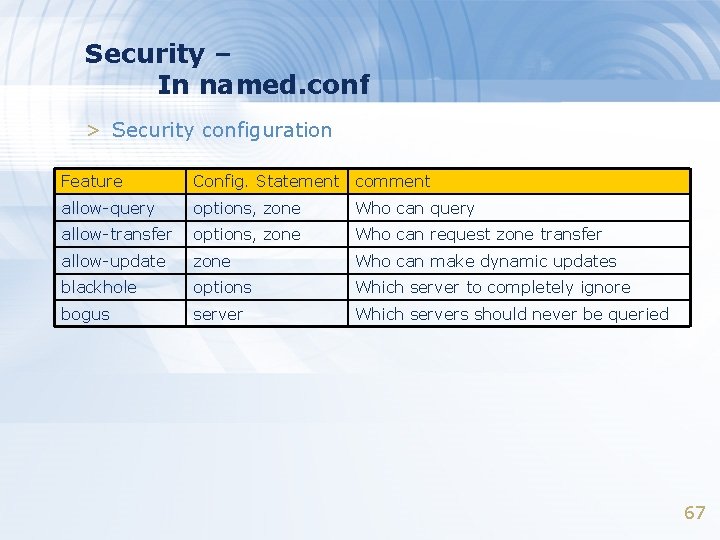
Security – In named. conf > Security configuration Feature Config. Statement comment allow-query options, zone Who can query allow-transfer options, zone Who can request zone transfer allow-update zone Who can make dynamic updates blackhole options Which server to completely ignore bogus server Which servers should never be queried 67
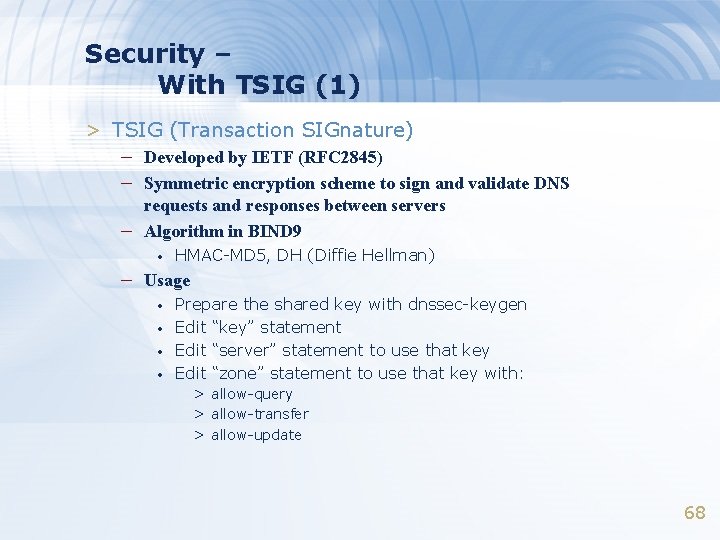
Security – With TSIG (1) > TSIG (Transaction SIGnature) – Developed by IETF (RFC 2845) – Symmetric encryption scheme to sign and validate DNS – requests and responses between servers Algorithm in BIND 9 • HMAC-MD 5, DH (Diffie Hellman) – Usage • • Prepare the shared key with dnssec-keygen Edit “key” statement Edit “server” statement to use that key Edit “zone” statement to use that key with: > allow-query > allow-transfer > allow-update 68
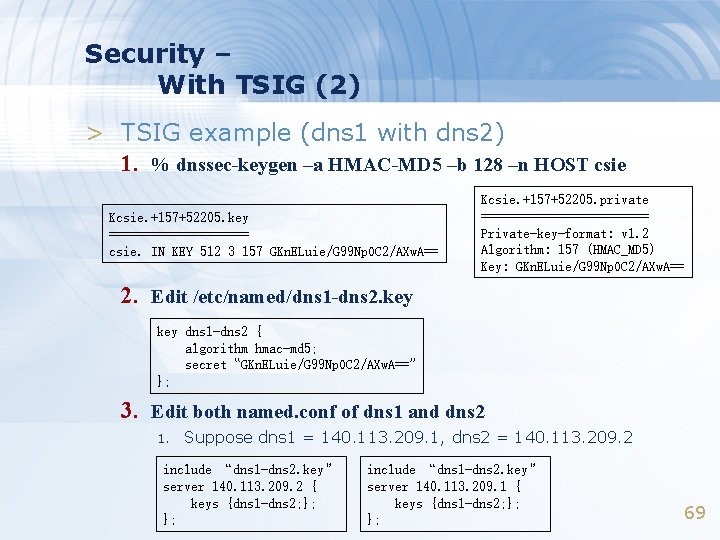
Security – With TSIG (2) > TSIG example (dns 1 with dns 2) 1. % dnssec-keygen –a HMAC-MD 5 –b 128 –n HOST csie Kcsie. +157+52205. key ========== csie. IN KEY 512 3 157 GKn. ELuie/G 99 Np. OC 2/AXw. A== Kcsie. +157+52205. private ============ Private-key-format: v 1. 2 Algorithm: 157 (HMAC_MD 5) Key: GKn. ELuie/G 99 Np. OC 2/AXw. A== 2. Edit /etc/named/dns 1 -dns 2. key dns 1 -dns 2 { algorithm hmac-md 5; secret “GKn. ELuie/G 99 Np. OC 2/AXw. A==” }; 3. Edit both named. conf of dns 1 and dns 2 1. Suppose dns 1 = 140. 113. 209. 1, dns 2 = 140. 113. 209. 2 include “dns 1 -dns 2. key” server 140. 113. 209. 2 { keys {dns 1 -dns 2; }; }; include “dns 1 -dns 2. key” server 140. 113. 209. 1 { keys {dns 1 -dns 2; }; }; 69
BIND Debugging and Logging
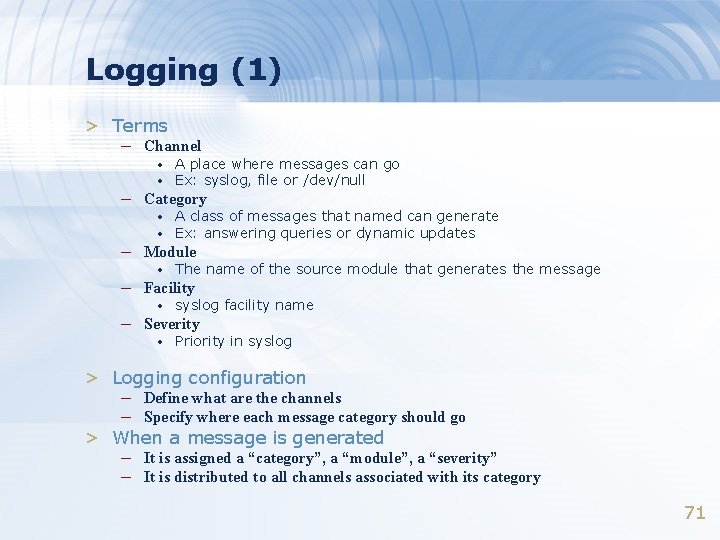
Logging (1) > Terms – Channel • • A place where messages can go Ex: syslog, file or /dev/null – Category • A class of messages that named can generate Ex: answering queries or dynamic updates • The name of the source module that generates the message • syslog facility name • Priority in syslog • – Module – Facility – Severity > Logging configuration – Define what are the channels – Specify where each message category should go > When a message is generated – It is assigned a “category”, a “module”, a “severity” – It is distributed to all channels associated with its category 71
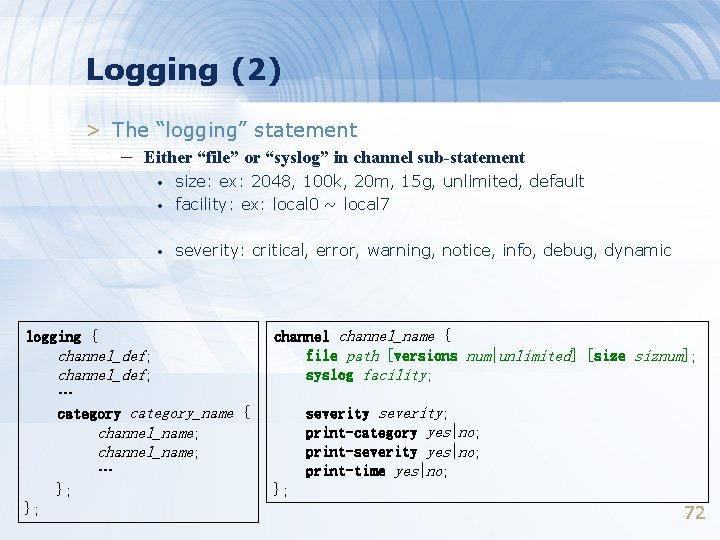
Logging (2) > The “logging” statement – Either “file” or “syslog” in channel sub-statement • size: ex: 2048, 100 k, 20 m, 15 g, unlimited, default facility: ex: local 0 ~ local 7 • severity: critical, error, warning, notice, info, debug, dynamic • logging { channel_def; … category_name { channel_name; … }; }; channel_name { file path [versions num|unlimited] [size siznum]; syslog facility; severity; print-category yes|no; print-severity yes|no; print-time yes|no; }; 72
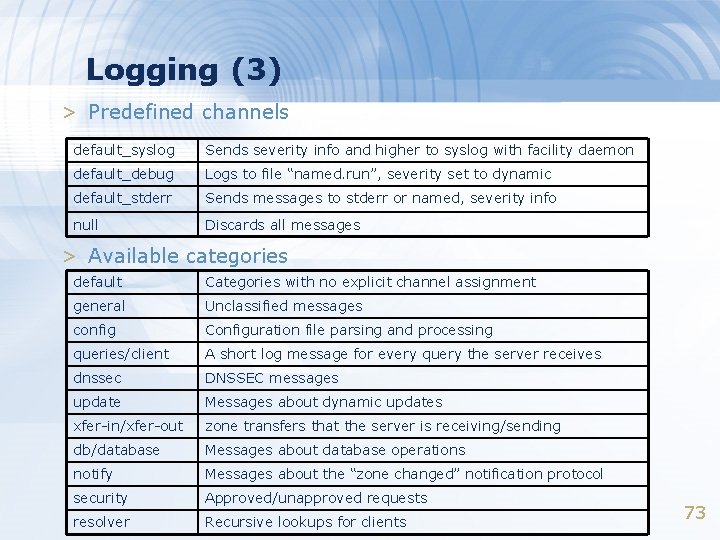
Logging (3) > Predefined channels default_syslog Sends severity info and higher to syslog with facility daemon default_debug Logs to file “named. run”, severity set to dynamic default_stderr Sends messages to stderr or named, severity info null Discards all messages > Available categories default Categories with no explicit channel assignment general Unclassified messages config Configuration file parsing and processing queries/client A short log message for every query the server receives dnssec DNSSEC messages update Messages about dynamic updates xfer-in/xfer-out zone transfers that the server is receiving/sending db/database Messages about database operations notify Messages about the “zone changed” notification protocol security Approved/unapproved requests resolver Recursive lookups for clients 73
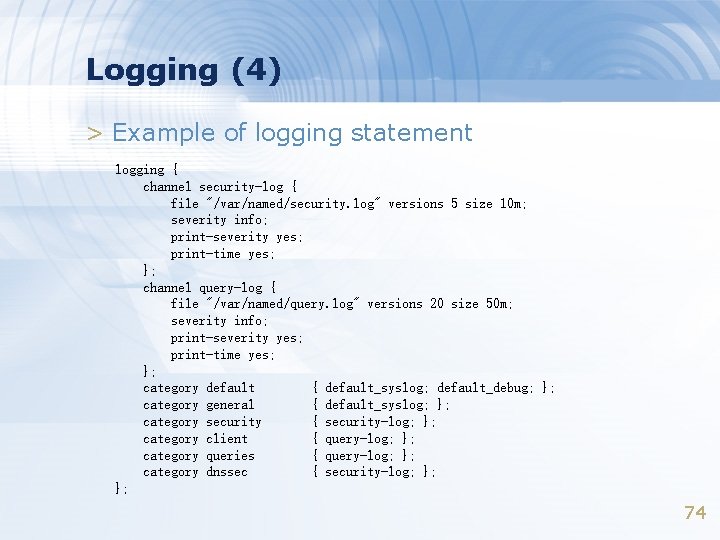
Logging (4) > Example of logging statement logging { channel security-log { file "/var/named/security. log" versions 5 size 10 m; severity info; print-severity yes; print-time yes; }; channel query-log { file "/var/named/query. log" versions 20 size 50 m; severity info; print-severity yes; print-time yes; }; category default { default_syslog; default_debug; }; category general { default_syslog; }; category security { security-log; }; category client { query-log; }; category queries { query-log; }; category dnssec { security-log; }; }; 74
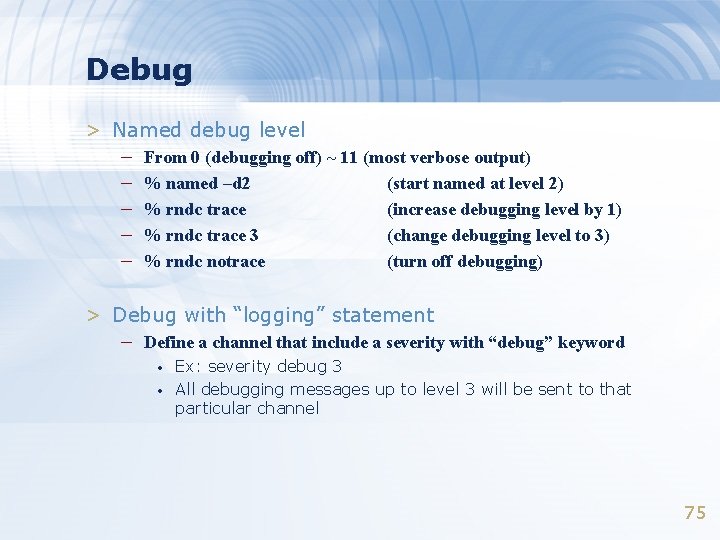
Debug > Named debug level – – – From 0 (debugging off) ~ 11 (most verbose output) % named –d 2 (start named at level 2) % rndc trace (increase debugging level by 1) % rndc trace 3 (change debugging level to 3) % rndc notrace (turn off debugging) > Debug with “logging” statement – Define a channel that include a severity with “debug” keyword • • Ex: severity debug 3 All debugging messages up to level 3 will be sent to that particular channel 75

Tools
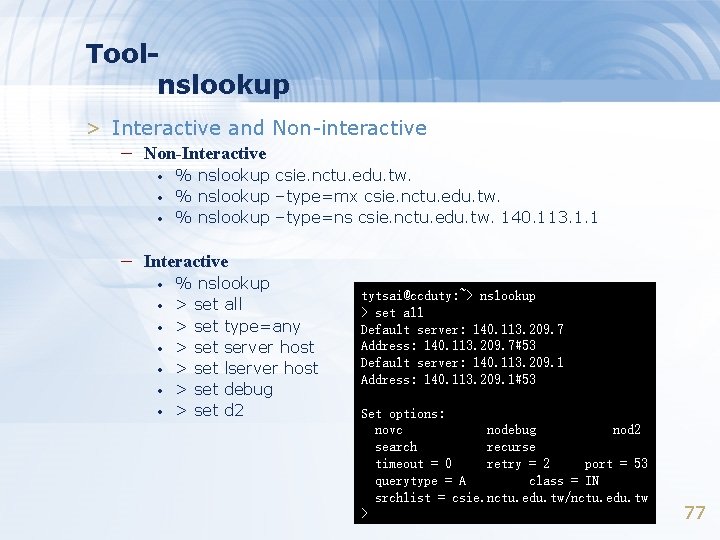
Toolnslookup > Interactive and Non-interactive – Non-Interactive • • • % nslookup csie. nctu. edu. tw. % nslookup –type=mx csie. nctu. edu. tw. % nslookup –type=ns csie. nctu. edu. tw. 140. 113. 1. 1 – Interactive • • % nslookup > set all > set type=any > set server host > set lserver host > set debug > set d 2 tytsai@ccduty: ~> nslookup > set all Default server: 140. 113. 209. 7 Address: 140. 113. 209. 7#53 Default server: 140. 113. 209. 1 Address: 140. 113. 209. 1#53 Set options: novc nodebug nod 2 search recurse timeout = 0 retry = 2 port = 53 querytype = A class = IN srchlist = csie. nctu. edu. tw/nctu. edu. tw > 77
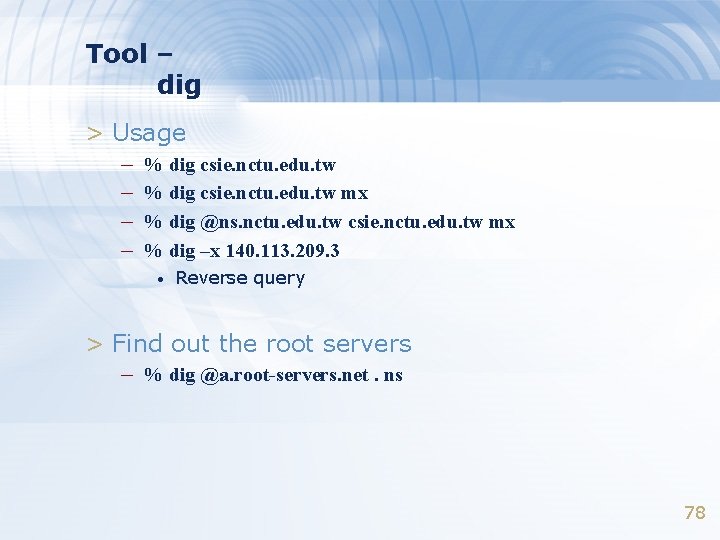
Tool – dig > Usage – % dig csie. nctu. edu. tw mx – % dig @ns. nctu. edu. tw csie. nctu. edu. tw mx – % dig –x 140. 113. 209. 3 • Reverse query > Find out the root servers – % dig @a. root-servers. net. ns 78
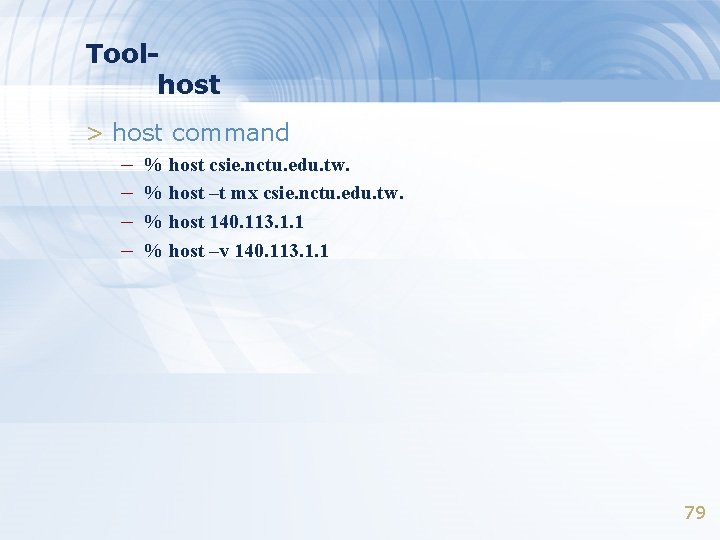
Toolhost > host command – % host csie. nctu. edu. tw. – % host –t mx csie. nctu. edu. tw. – % host 140. 113. 1. 1 – % host –v 140. 113. 1. 1 79
- Slides: 79