
THE DEPLOY TOOL Definition Wikipedia What is deployment


![copera@cs-ccr-dev 4: /)deploy -p diamon-notifier -a diamon-notifier -t /tmp/del [ INFO ] cmnbuild Found](https://slidetodoc.com/presentation_image_h/7453a29cf31a86d820f0e608238e065d/image-16.jpg "copera@cs-ccr-dev 4: /)deploy -p diamon-notifier -a diamon-notifier -t /tmp/del [ INFO ] cmnbuild Found")
- Slides: 26
THE DEPLOY TOOL
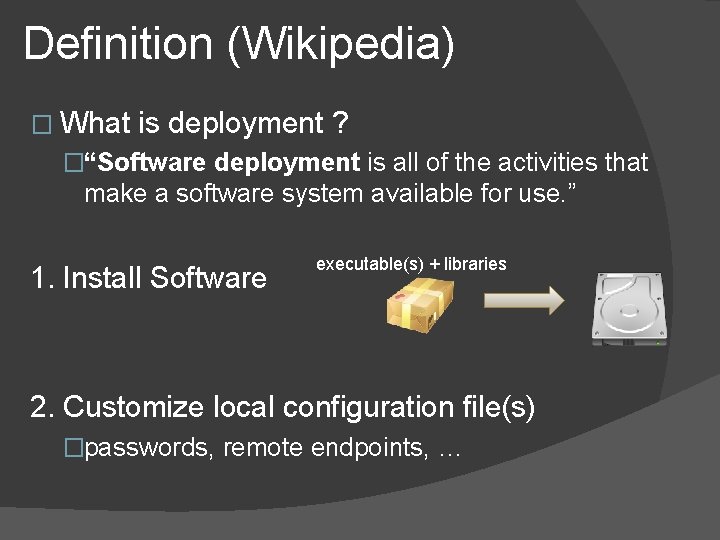
Definition (Wikipedia) � What is deployment ? �“Software deployment is all of the activities that make a software system available for use. ” 1. Install Software executable(s) + libraries 2. Customize local configuration file(s) �passwords, remote endpoints, …
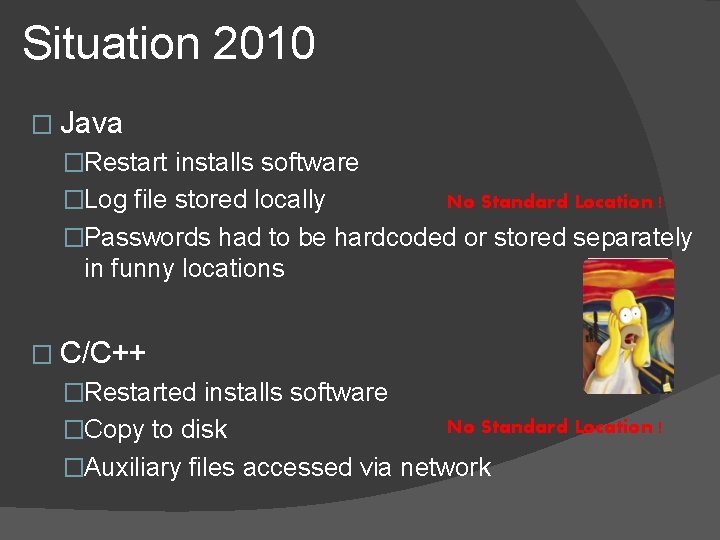
Situation 2010 � Java �Restart installs software �Log file stored locally No Standard Location ! �Passwords had to be hardcoded or stored separately in funny locations � C/C++ �Restarted installs software �Copy to disk No Standard Location ! �Auxiliary files accessed via network
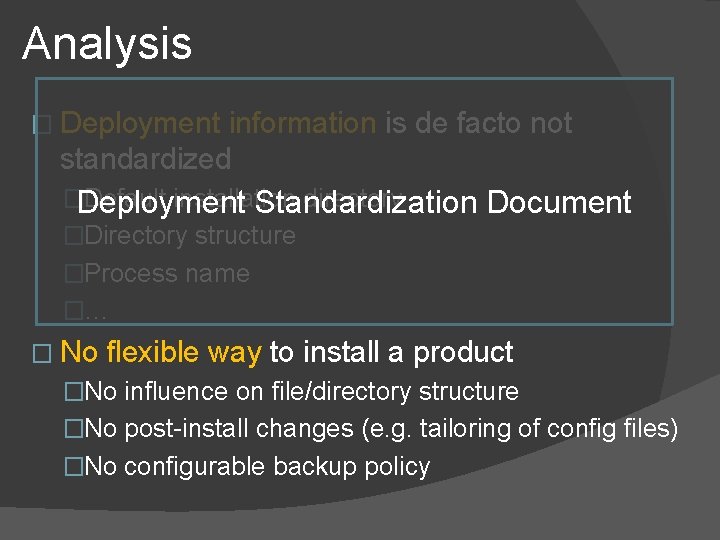
Analysis � Deployment information is de facto not standardized �Deployment Default installation directory Standardization Document �Directory structure �Process name �… � No flexible way to install a product �No influence on file/directory structure �No post-install changes (e. g. tailoring of config files) �No configurable backup policy
Suggestion � Define deployment configuration in file �Common. Build’s product. xml is a good place ○ Developers already know this ○ Some deployment information is already there �No need for an additional system � Creation of an installation procedure �Uses product. xml to deploy application �Projects should have certain deployment flexibility
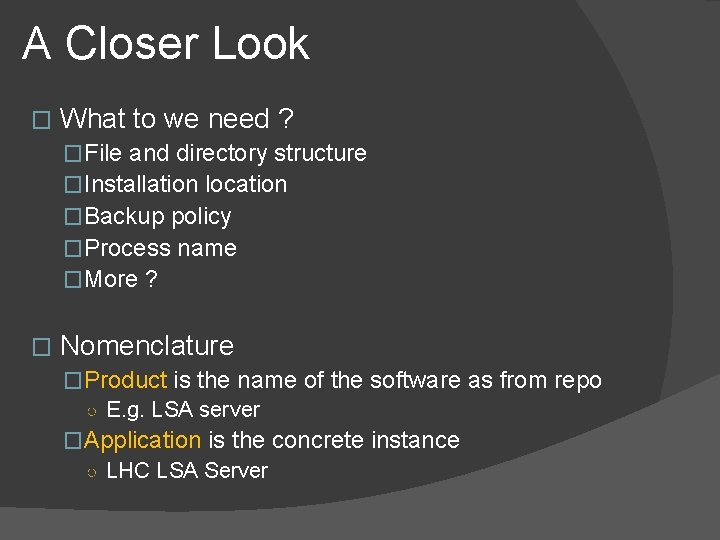
A Closer Look � What to we need ? �File and directory structure �Installation location �Backup policy �Process name �More ? � Nomenclature �Product is the name of the software as from repo ○ E. g. LSA server �Application is the concrete instance ○ LHC LSA Server
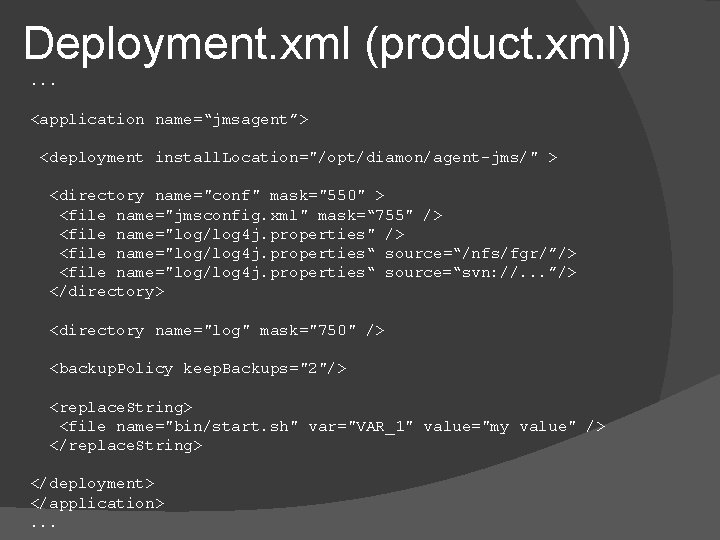
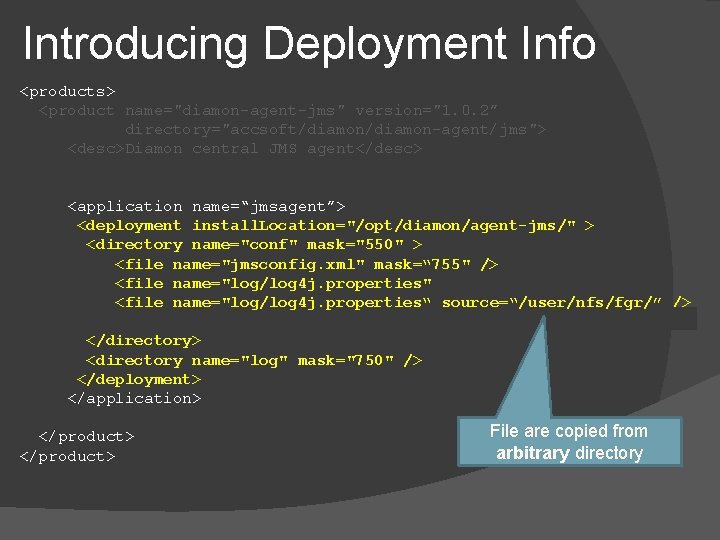
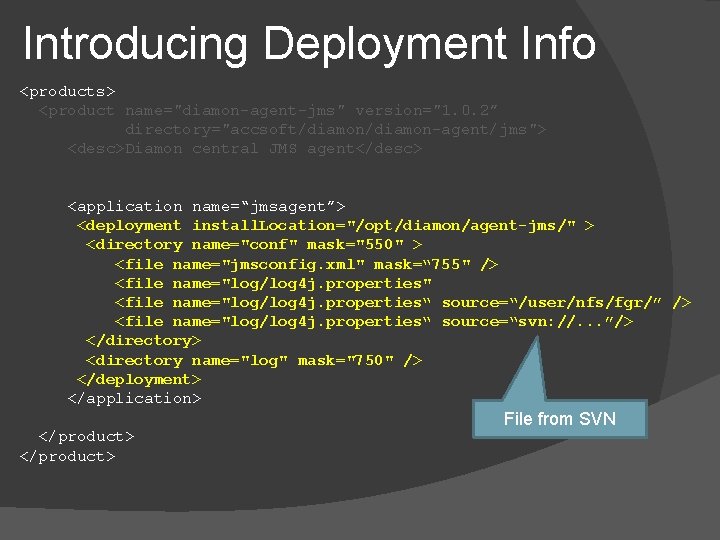
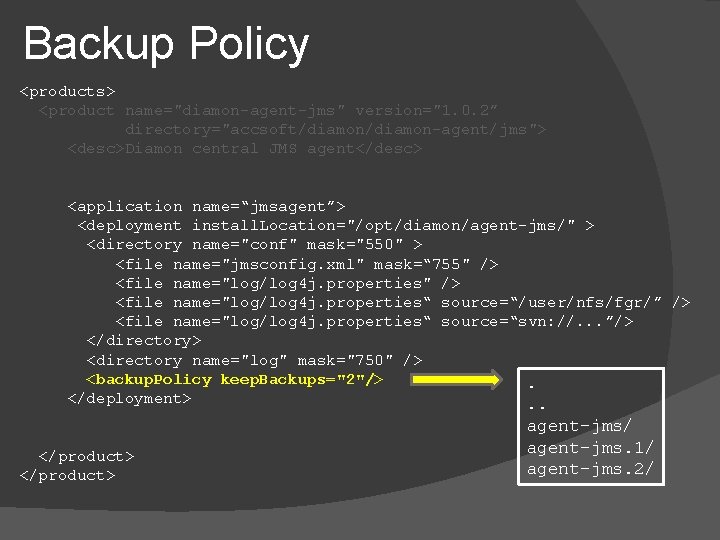
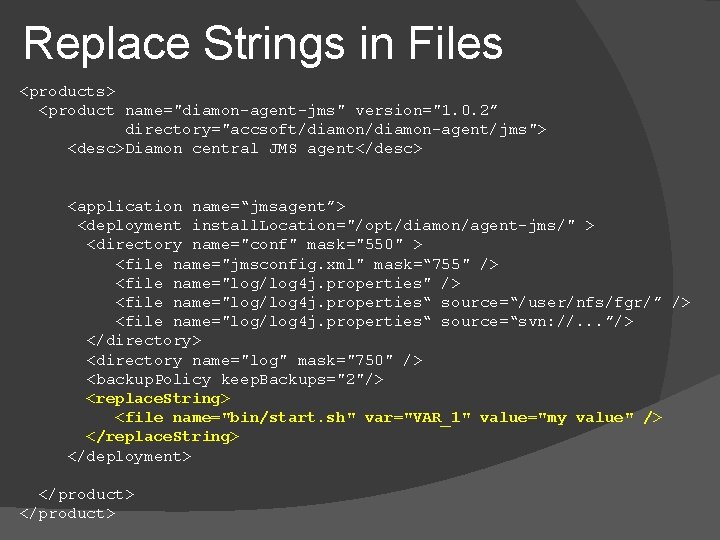
Deployment. xml (product. xml). . . <application name=“jmsagent”> <deployment install. Location="/opt/diamon/agent-jms/" > <directory name="conf" mask="550" > <file name="jmsconfig. xml" mask=“ 755" /> <file name="log/log 4 j. properties“ source=“/nfs/fgr/”/> <file name="log/log 4 j. properties“ source=“svn: //. . . ”/> </directory> <directory name="log" mask="750" /> <backup. Policy keep. Backups="2"/> <replace. String> <file name="bin/start. sh" var="VAR_1" value="my value" /> </replace. String> </deployment> </application>. . .
The Deploy Tool
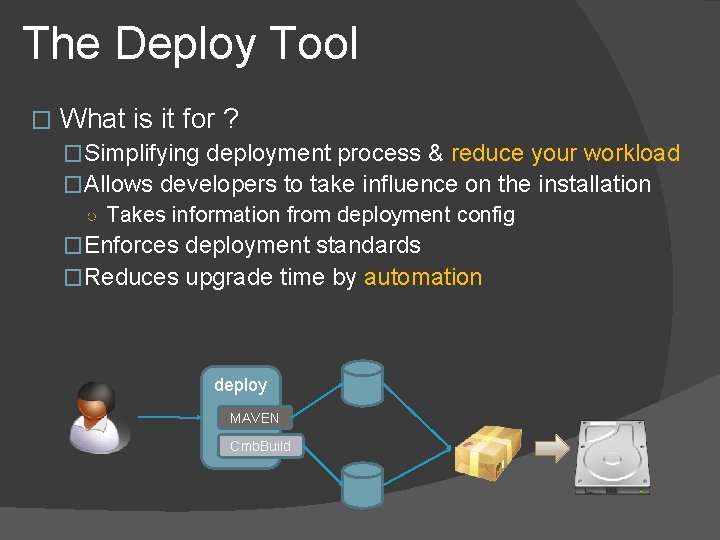
The Deploy Tool � What is it for ? �Simplifying deployment process & reduce your workload �Allows developers to take influence on the installation ○ Takes information from deployment config �Enforces deployment standards �Reduces upgrade time by automation deploy MAVEN Cmb. Build
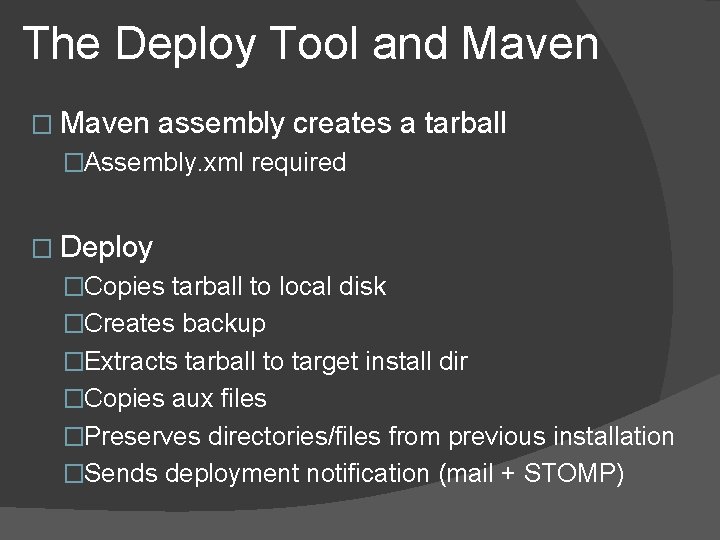
The Deploy Tool and Maven � Maven assembly creates a tarball �Assembly. xml required � Deploy �Copies tarball to local disk �Creates backup �Extracts tarball to target install dir �Copies aux files �Preserves directories/files from previous installation �Sends deployment notification (mail + STOMP)
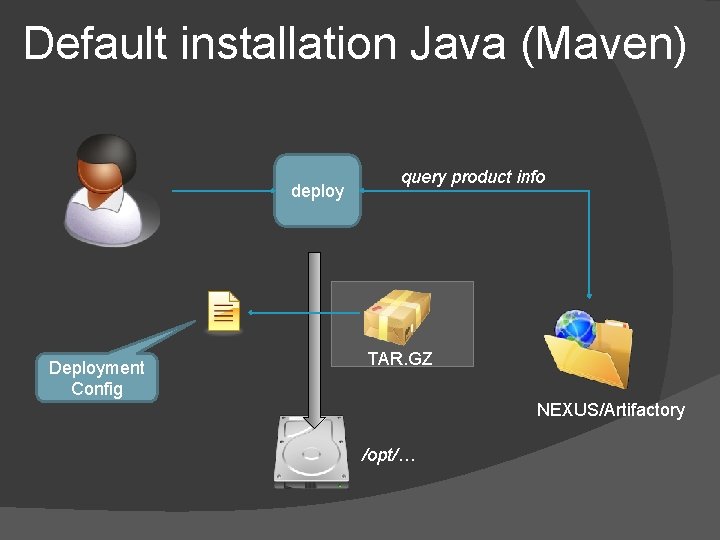
Default installation Java (Maven) deploy Deployment Config query product info TAR. GZ NEXUS/Artifactory /opt/…
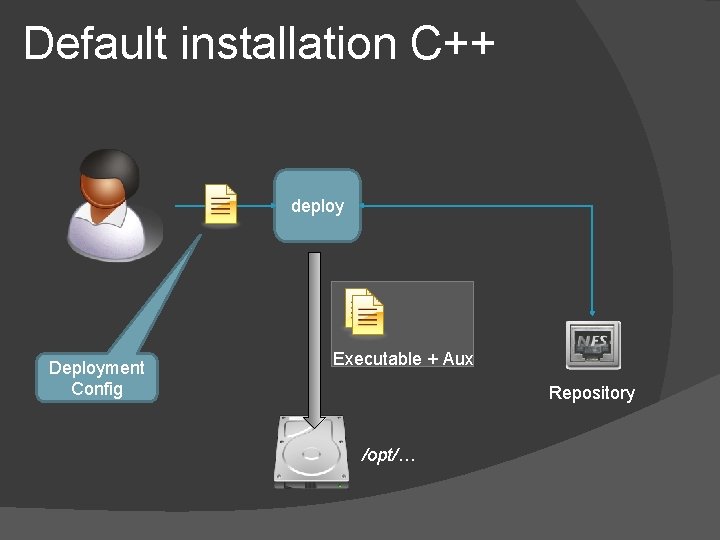
Default installation C++ deploy Deployment Config Executable + Aux Repository /opt/…
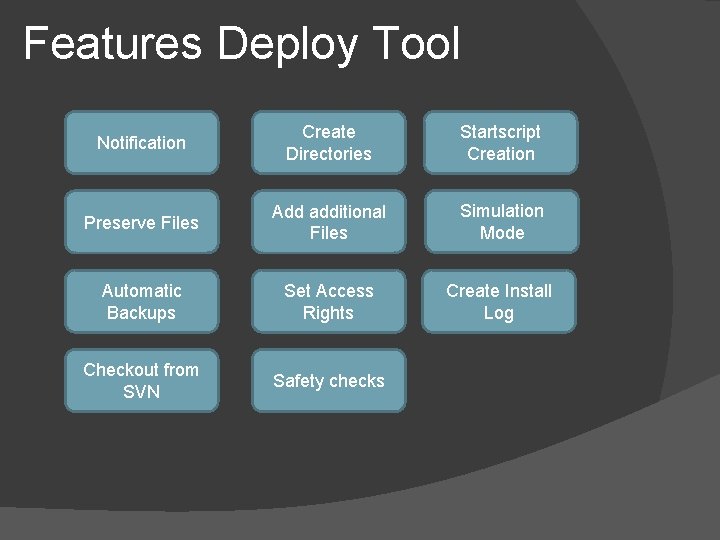
Features Deploy Tool Notification Create Directories Startscript Creation Preserve Files Add additional Files Simulation Mode Automatic Backups Set Access Rights Create Install Log Checkout from SVN Safety checks
Summary � Unified way to install software � Allows to simply customize installation � Main tool in CO for Java & (many) C++ services � Simplifies integration test � Reduces workload for developers � Standardises deployment � Easy to extend � Supports Maven (Artifactory & Nexus) � Supports Common. Build
copera@cs-ccr-dev 4: /)deploy -p diamon-notifier -a diamon-notifier -t /tmp/del [ INFO ] cmnbuild Found only one Application : diamon-notifier [ INFO ] cmnbuild Creating dependency file list. . [ INFO ] install ---------------------------[ INFO ] install Installation of application 'diamon-notifier' for product 'diamon-notifier' [ INFO ] install Application : diamon-notifier [ INFO ] install Product : diamon-notifier [ INFO ] install Version : 1. 9. 4 -002 (PRO) [ INFO ] install Release Date : Thursday, March 5, 2009 09: 26: 44 [ INFO ] install Source : /user/pcrops/dist/accsoft/diamon-notifier/PRO [ INFO ] install Started on : Fri, 26 Apr 2013 10: 48: 30 [ INFO ] install Target directory is : /tmp/del [ INFO ] install Triggered by : ('felixehm', 'copera') [ INFO ] install Host : cs-ccr-dev 4. cern. ch [ INFO ] install Force installaton is : False [ INFO ] install Automatic rollback : False [ INFO ] install Keeping backups : 1 [ INFO ] install Simulation. Mode : False [ INFO ] install Starting Pre. Installation for diamon-notifier in /tmp/del [ INFO ] install Creating backup for /tmp/del (max 1 are kept) [ INFO ] install Creating /tmp/del [ INFO ] install Preinstallation finished [ INFO ] install Postinstallation starts [ INFO ] install Postinstallation finished [ INFO ] install Sending notifications to []
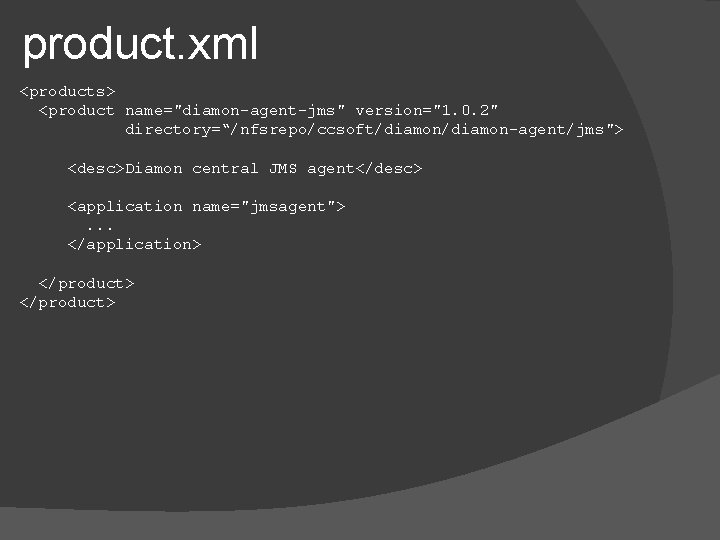
product. xml <products> <product name="diamon-agent-jms" version="1. 0. 2" directory=“/nfsrepo/ccsoft/diamon-agent/jms"> <desc>Diamon central JMS agent</desc> <application name="jmsagent"> . . . </application> </product>
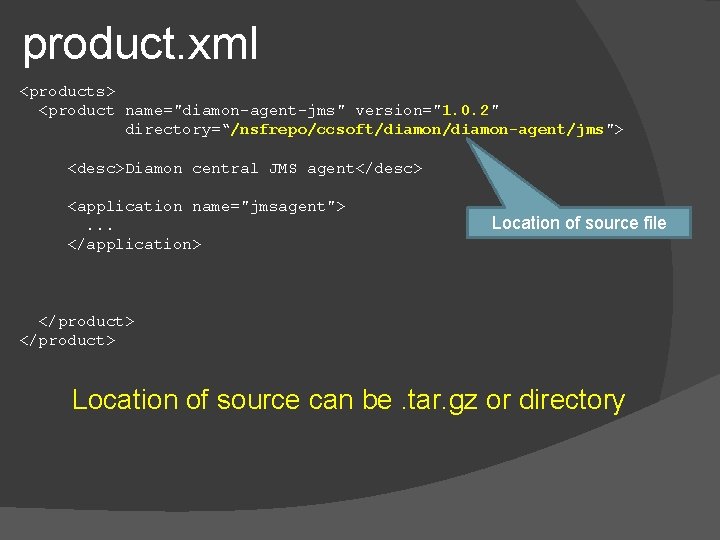
product. xml <products> <product name="diamon-agent-jms" version="1. 0. 2" directory=“/nsfrepo/ccsoft/diamon-agent/jms"> <desc>Diamon central JMS agent</desc> <application name="jmsagent"> Location of source file . . . </application> </product> Location of source can be. tar. gz or directory
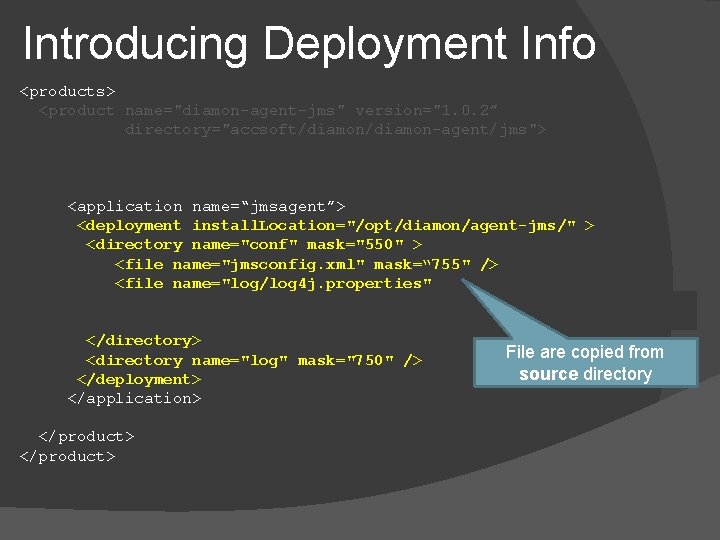
Introducing Deployment Info <products> <product name="diamon-agent-jms" version="1. 0. 2” directory="accsoft/diamon-agent/jms"> <application name=“jmsagent”> <deployment install. Location="/opt/diamon/agent-jms/" > <directory name="conf" mask="550" > <file name="jmsconfig. xml" mask=“ 755" /> <file name="log/log 4 j. properties“ source=“/user/nfs/fgr/” /> <file name="log/log 4 j. properties“ source=“svn: //. . . ”/> </directory> File are copied from <directory name="log" mask="750" /> source directory </deployment> </application> </product>
Introducing Deployment Info <products> <product name="diamon-agent-jms" version="1. 0. 2” directory="accsoft/diamon-agent/jms"> <desc>Diamon central JMS agent</desc> <application name=“jmsagent”> <deployment install. Location="/opt/diamon/agent-jms/" > <directory name="conf" mask="550" > <file name="jmsconfig. xml" mask=“ 755" /> <file name="log/log 4 j. properties“ source=“/user/nfs/fgr/” /> <file name="log/log 4 j. properties“ source=“svn: //. . . ”/> </directory> <directory name="log" mask="750" /> </deployment> </application> File are copied from </product> arbitrary directory </product>
Introducing Deployment Info <products> <product name="diamon-agent-jms" version="1. 0. 2” directory="accsoft/diamon-agent/jms"> <desc>Diamon central JMS agent</desc> <application name=“jmsagent”> <deployment install. Location="/opt/diamon/agent-jms/" > <directory name="conf" mask="550" > <file name="jmsconfig. xml" mask=“ 755" /> <file name="log/log 4 j. properties“ source=“/user/nfs/fgr/” /> <file name="log/log 4 j. properties“ source=“svn: //. . . ”/> </directory> <directory name="log" mask="750" /> </deployment> </application> File from SVN </product>
Backup Policy <products> <product name="diamon-agent-jms" version="1. 0. 2” directory="accsoft/diamon-agent/jms"> <desc>Diamon central JMS agent</desc> <application name=“jmsagent”> <deployment install. Location="/opt/diamon/agent-jms/" > <directory name="conf" mask="550" > <file name="jmsconfig. xml" mask=“ 755" /> <file name="log/log 4 j. properties“ source=“/user/nfs/fgr/” /> <file name="log/log 4 j. properties“ source=“svn: //. . . ”/> </directory> <directory name="log" mask="750" /> <backup. Policy keep. Backups="2"/>. </deployment>. . </product> agent-jms/ agent-jms. 1/ agent-jms. 2/
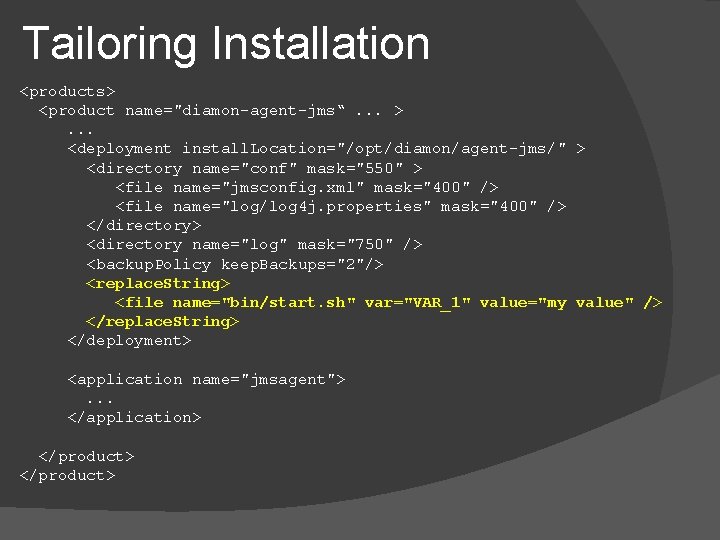
Replace Strings in Files <products> <product name="diamon-agent-jms" version="1. 0. 2” directory="accsoft/diamon-agent/jms"> <desc>Diamon central JMS agent</desc> <application name=“jmsagent”> <deployment install. Location="/opt/diamon/agent-jms/" > <directory name="conf" mask="550" > <file name="jmsconfig. xml" mask=“ 755" /> <file name="log/log 4 j. properties“ source=“/user/nfs/fgr/” /> <file name="log/log 4 j. properties“ source=“svn: //. . . ”/> </directory> <directory name="log" mask="750" /> <backup. Policy keep. Backups="2"/> <replace. String> <file name="bin/start. sh" var="VAR_1" value="my value" /> </replace. String> </deployment> </product>
Tailoring Installation <products> <product name="diamon-agent-jms“. . . > . . . <deployment install. Location="/opt/diamon/agent-jms/" > <directory name="conf" mask="550" > <file name="jmsconfig. xml" mask="400" /> <file name="log/log 4 j. properties" mask="400" /> </directory> <directory name="log" mask="750" /> <backup. Policy keep. Backups="2"/> <replace. String> <file name="bin/start. sh" var="VAR_1" value="my value" /> </replace. String> </deployment> <application name="jmsagent"> . . . </application> </product>
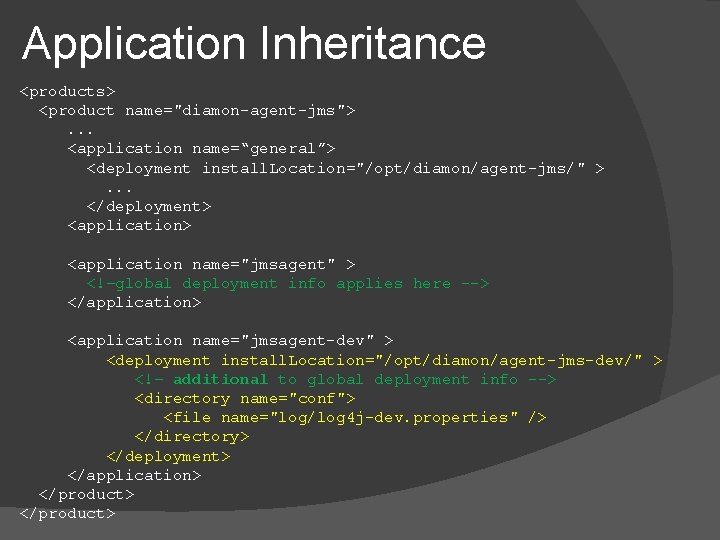
Application Inheritance <products> <product name="diamon-agent-jms"> . . . <application name=“general”> <deployment install. Location="/opt/diamon/agent-jms/" > . . . </deployment> <application name="jmsagent" > <!–global deployment info applies here --> </application> <application name="jmsagent-dev" > <deployment install. Location="/opt/diamon/agent-jms-dev/" > <!– additional to global deployment info --> <directory name="conf"> <file name="log/log 4 j-dev. properties" /> </directory> </deployment> </application> </product>
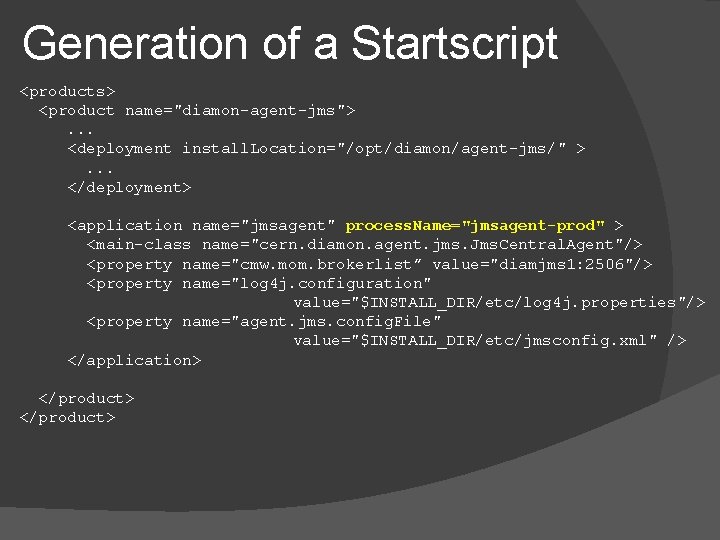
Generation of a Startscript <products> <product name="diamon-agent-jms"> . . . <deployment install. Location="/opt/diamon/agent-jms/" > . . . </deployment> <application name="jmsagent" process. Name="jmsagent-prod" > <main-class name="cern. diamon. agent. jms. Jms. Central. Agent"/> <property name="cmw. mom. brokerlist” value="diamjms 1: 2506"/> <property name="log 4 j. configuration" value="$INSTALL_DIR/etc/log 4 j. properties"/> <property name="agent. jms. config. File" value="$INSTALL_DIR/etc/jmsconfig. xml" /> </application> </product>