
The Consolidation Process The Intercompany Integration Solution for
- Slides: 18
The Consolidation Process The Intercompany Integration Solution for SAP Business One Version 2. 0 for SAP Business One 9. 1
Topic Objective At the end of this topic, you will be able to: n Configure the consolidation company database: n Multi-Level Consolidation n Chart of Accounts Distribution n Account Mapping n Perform current consolidation tasks: n Journal entries and journal vouchers consolidation export, import n Define schedules n Utilize Intercompany consolidation reports. © 2015 SAP SE or an SAP affiliate company. All rights reserved. Public 2
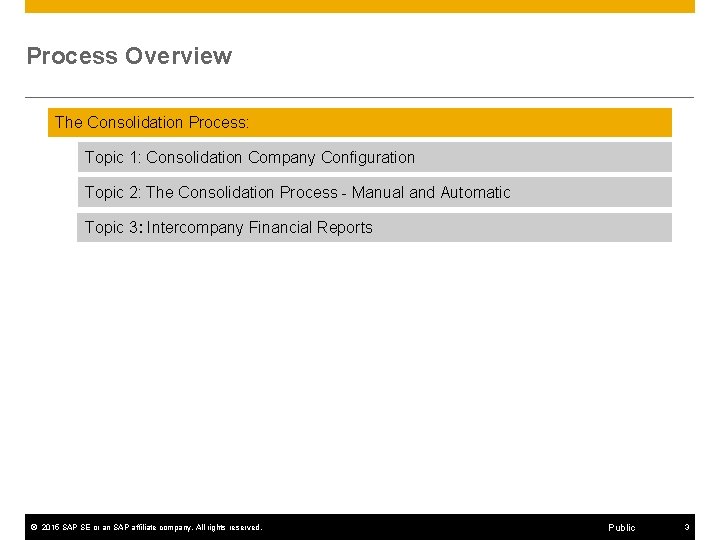
Process Overview The Consolidation Process: Topic 1: Consolidation Company Configuration Topic 2: The Consolidation Process - Manual and Automatic Topic 3: Intercompany Financial Reports © 2015 SAP SE or an SAP affiliate company. All rights reserved. Public 3
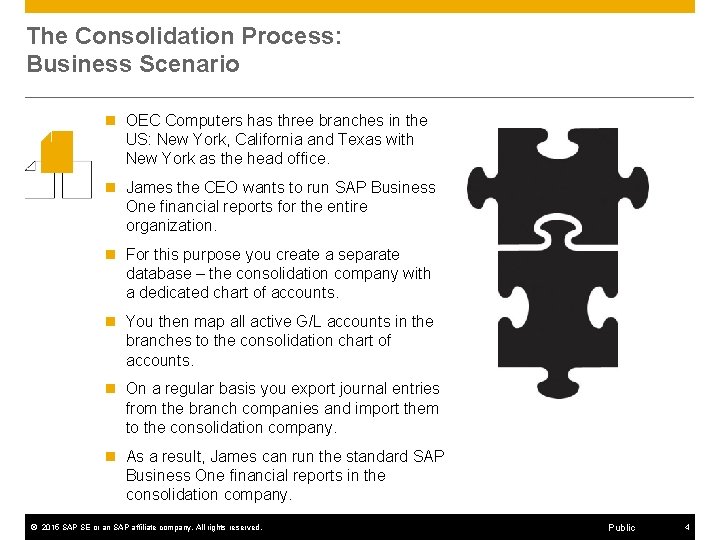
The Consolidation Process: Business Scenario n OEC Computers has three branches in the US: New York, California and Texas with New York as the head office. n James the CEO wants to run SAP Business One financial reports for the entire organization. n For this purpose you create a separate database – the consolidation company with a dedicated chart of accounts. n You then map all active G/L accounts in the branches to the consolidation chart of accounts. n On a regular basis you export journal entries from the branch companies and import them to the consolidation company. n As a result, James can run the standard SAP Business One financial reports in the consolidation company. © 2015 SAP SE or an SAP affiliate company. All rights reserved. Public 4
Process Overview The Consolidation Process: Topic 1: Consolidation Company Configuration Topic 2: The Consolidation Process - Manual and Automatic Topic 3: Intercompany Financial Reports © 2015 SAP SE or an SAP affiliate company. All rights reserved. Public 5
The Consolidation Company n The intercompany integration solution allows journal entries of all branch companies to be consolidated into a dummy consolidation company, enabling a single way of running SAP Business One financial reports for the entire organization or, for a division of the organization. © 2015 SAP SE or an SAP affiliate company. All rights reserved. Public 6
The Consolidation Company The Consolidation feature allows you to: n Set up multi-level consolidation hierarchy to enable group-wise reporting. n Run different Chart of Account Structures for each branch and consolidation company. n Run the consolidation process based on defined schedules. n Adjust consolidated financial statements to reflect minority interest in companies in the group. © 2015 SAP SE or an SAP affiliate company. All rights reserved. Public 7
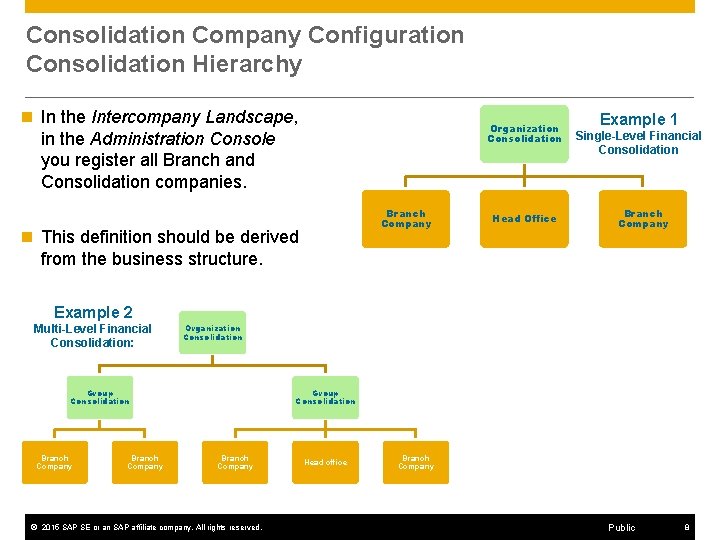
Consolidation Company Configuration Consolidation Hierarchy n In the Intercompany Landscape, in the Administration Console you register all Branch and Consolidation companies. Organization Consolidation Branch Company n This definition should be derived from the business structure. Head Office Example 1 Single-Level Financial Consolidation Branch Company Example 2 Multi-Level Financial Consolidation: Organization Consolidation Group Consolidation Branch Company © 2015 SAP SE or an SAP affiliate company. All rights reserved. Head office Branch Company Public 8
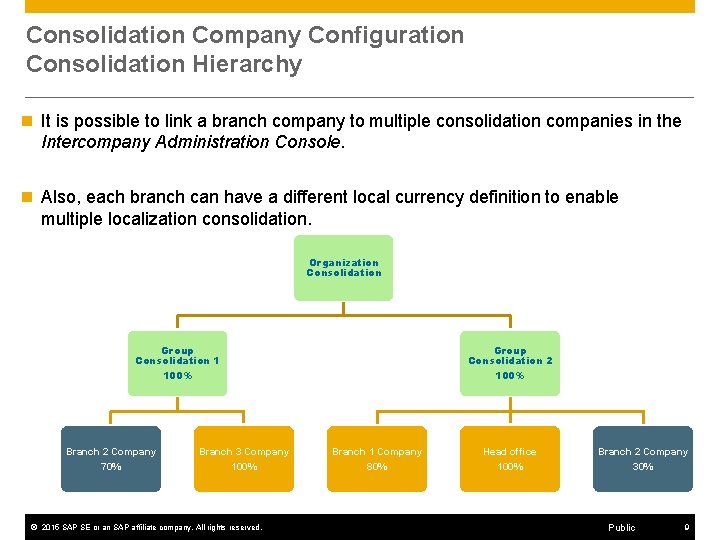
Consolidation Company Configuration Consolidation Hierarchy n It is possible to link a branch company to multiple consolidation companies in the Intercompany Administration Console. n Also, each branch can have a different local currency definition to enable multiple localization consolidation. Organization Consolidation Group Consolidation 1 100% Branch 2 Company 70% Branch 3 Company 100% © 2015 SAP SE or an SAP affiliate company. All rights reserved. Group Consolidation 2 100% Branch 1 Company 80% Head office 100% Branch 2 Company 30% Public 9
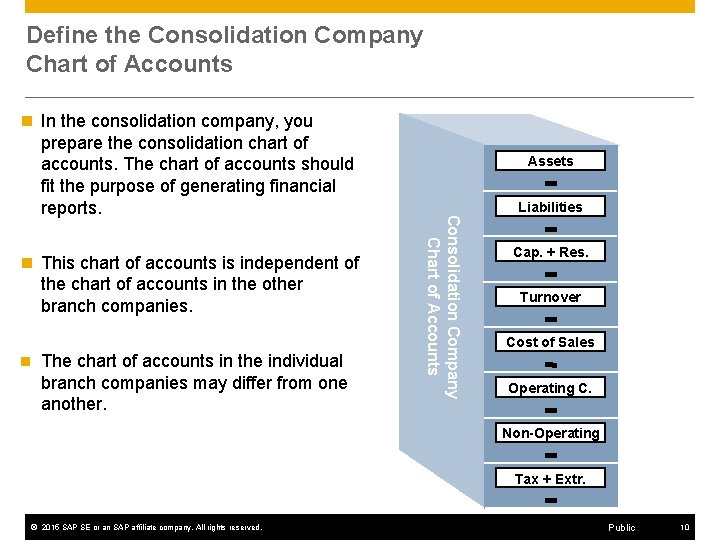
Define the Consolidation Company Chart of Accounts n This chart of accounts is independent of the chart of accounts in the other branch companies. n The chart of accounts in the individual branch companies may differ from one another. Assets Liabilities Consolidation Company Chart of Accounts n In the consolidation company, you prepare the consolidation chart of accounts. The chart of accounts should fit the purpose of generating financial reports. Cap. + Res. Turnover Cost of Sales Operating C. Non-Operating Tax + Extr. © 2015 SAP SE or an SAP affiliate company. All rights reserved. Public 10
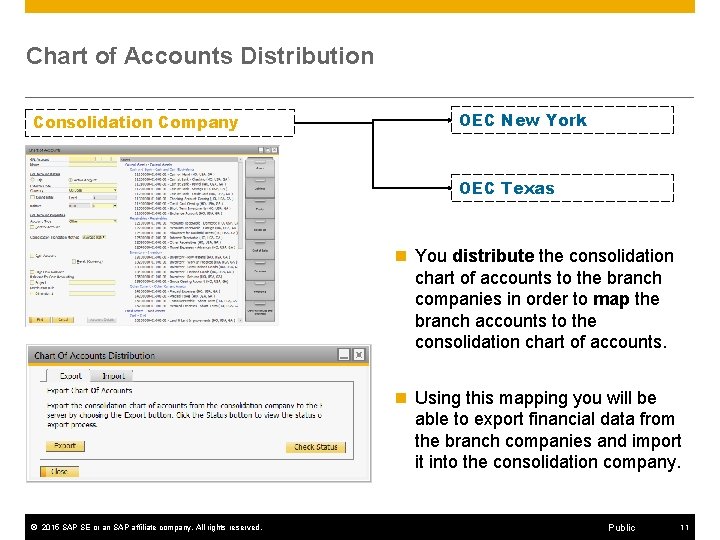
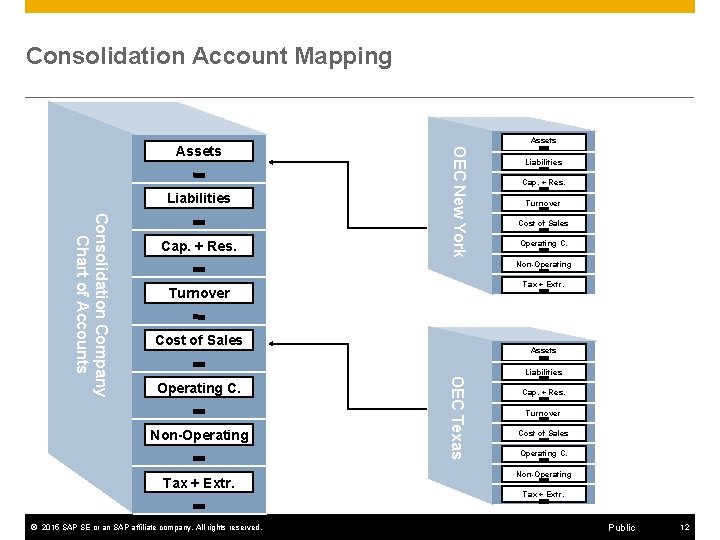
Chart of Accounts Distribution Consolidation Company OEC New York OEC Texas n You distribute the consolidation chart of accounts to the branch companies in order to map the branch accounts to the consolidation chart of accounts. n Using this mapping you will be able to export financial data from the branch companies and import it into the consolidation company. © 2015 SAP SE or an SAP affiliate company. All rights reserved. Public 11
Consolidation Account Mapping Liabilities Cap. + Res. Turnover Cost of Sales Operating C. Non-Operating Tax + Extr. © 2015 SAP SE or an SAP affiliate company. All rights reserved. Assets OEC Texas Consolidation Company Chart of Accounts Cap. + Res. Assets OEC New York Assets Liabilities Cap. + Res. Turnover Cost of Sales Operating C. Non-Operating Tax + Extr. Public 12
Consolidation Accounts Setup n You define the Consolidation Accounts Setup in the consolidation company only: Exchange Rate Gains n Exchange Rate Losses n Residual n n This definition supports the scenario of branch companies using different currencies in SAP Business One. . © 2015 SAP SE or an SAP affiliate company. All rights reserved. Public 13
Process Overview The Consolidation Process: Topic 1: Consolidation Company Configuration Topic 2: The Consolidation Process - Manual and Automatic Topic 3: Intercompany Financial Reports © 2015 SAP SE or an SAP affiliate company. All rights reserved. Public 14
The Consolidation Process n To be able to run SAP Business One financial reports for the entire organization you need to perform current consolidation tasks. n On a regular basis you export journal entries from the branch companies and import them to the consolidation company. © 2015 SAP SE or an SAP affiliate company. All rights reserved. Public 15
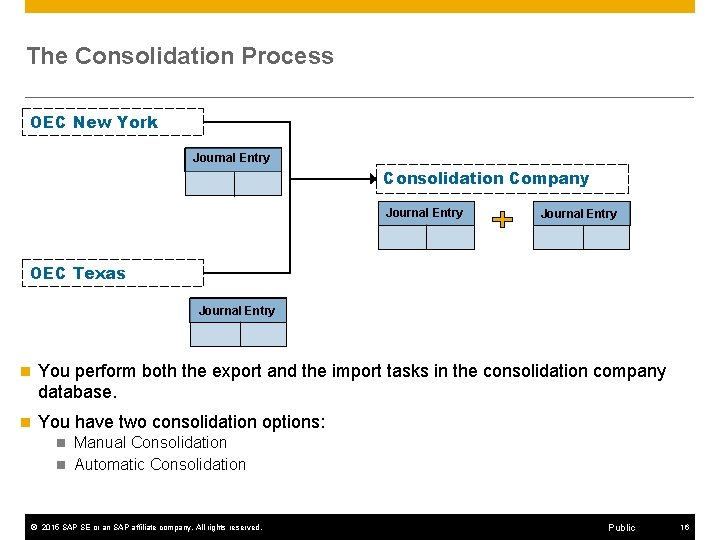
The Consolidation Process OEC New York Journal Entry Consolidation Company Journal Entry OEC Texas Journal Entry n You perform both the export and the import tasks in the consolidation company database. n You have two consolidation options: n Manual Consolidation n Automatic Consolidation © 2015 SAP SE or an SAP affiliate company. All rights reserved. Public 16
Process Overview The Consolidation Process: Topic 1: Consolidation Company Configuration Topic 2: The Consolidation Process - Manual and Automatic Topic 3: Intercompany Financial Reports © 2015 SAP SE or an SAP affiliate company. All rights reserved. Public 17
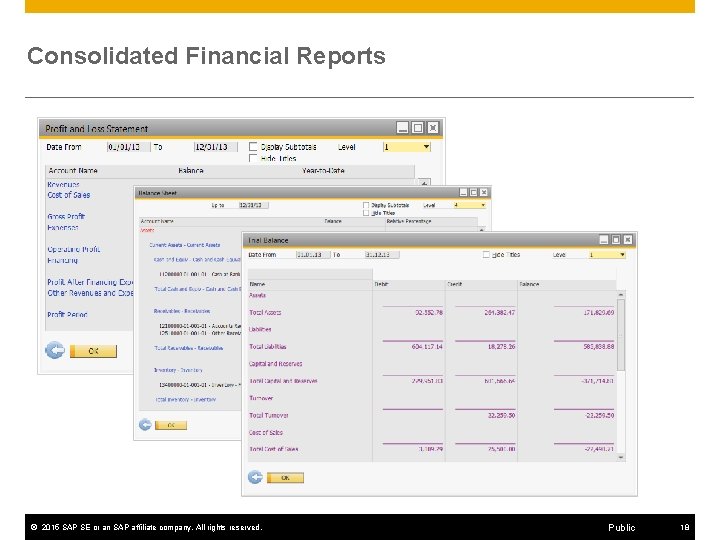
Consolidated Financial Reports © 2015 SAP SE or an SAP affiliate company. All rights reserved. Public 18