
The Concrete Syntax of Documents Purpose and Variety
- Slides: 32
The Concrete Syntax of Documents: Purpose and Variety Mary Holstege
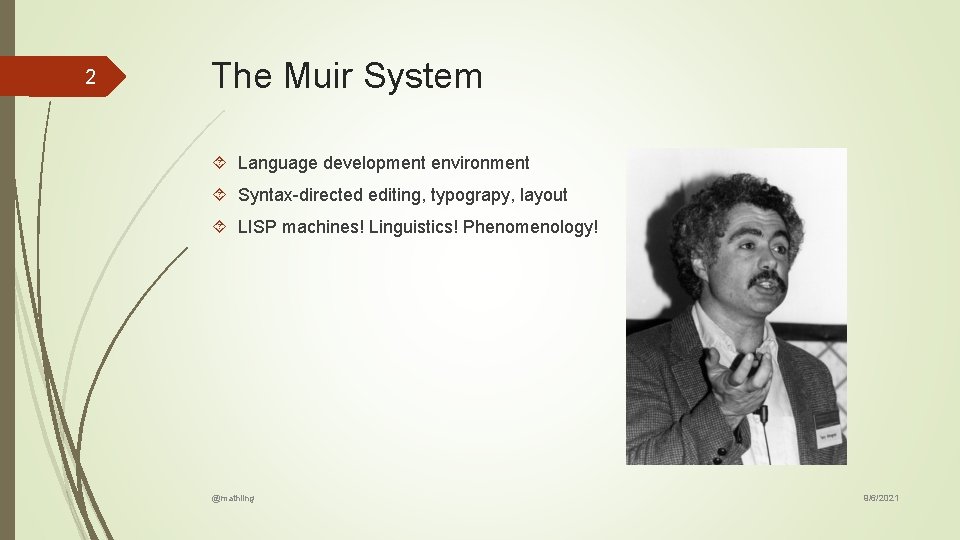
2 The Muir System Language development environment Syntax-directed editing, typograpy, layout LISP machines! Linguistics! Phenomenology! @mathling 9/6/2021
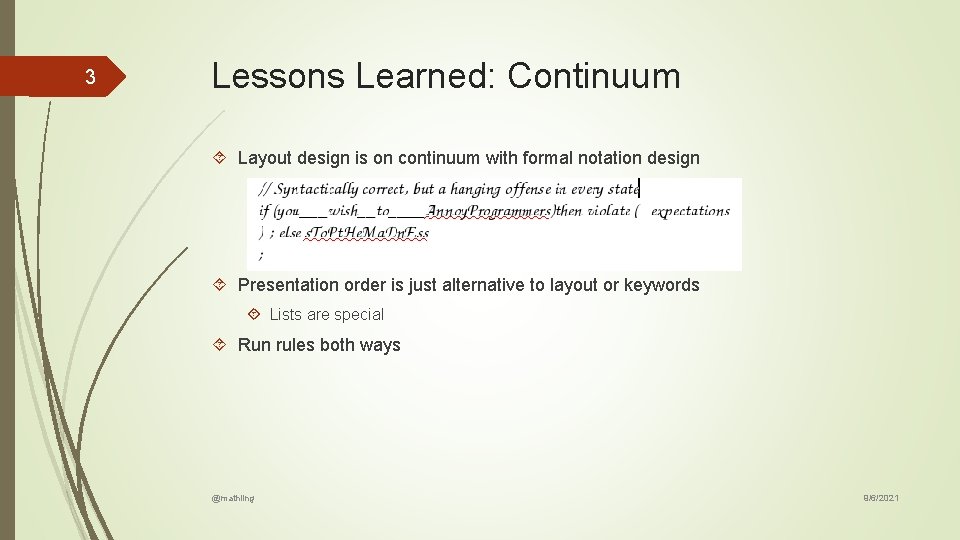
3 Lessons Learned: Continuum Layout design is on continuum with formal notation design Presentation order is just alternative to layout or keywords Lists are special Run rules both ways @mathling 9/6/2021
4 Lessons Learned: Evolution Design with change in mind Discrete mini-rules Avoid repetition Language versioning is a form of language translation @mathling 9/6/2021
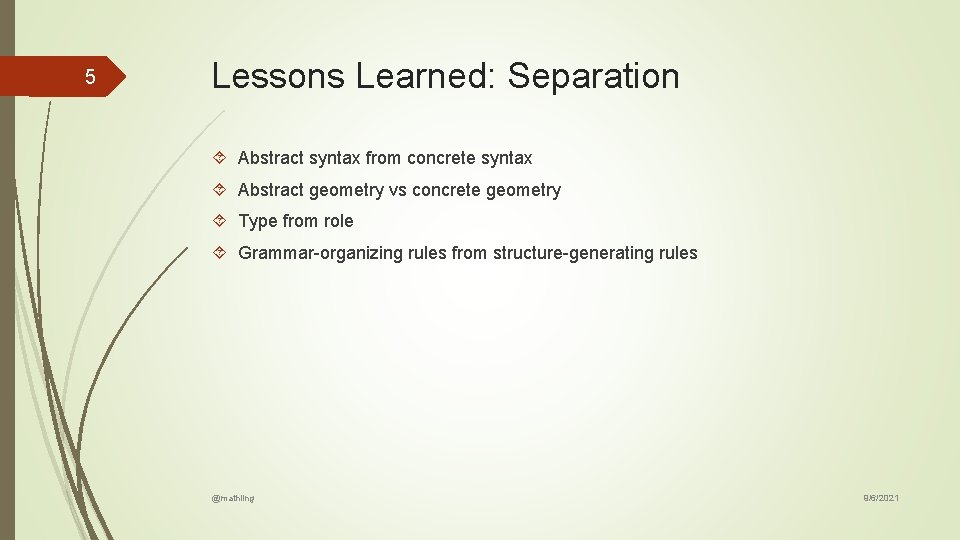
5 Lessons Learned: Separation Abstract syntax from concrete syntax Abstract geometry vs concrete geometry Type from role Grammar-organizing rules from structure-generating rules @mathling 9/6/2021
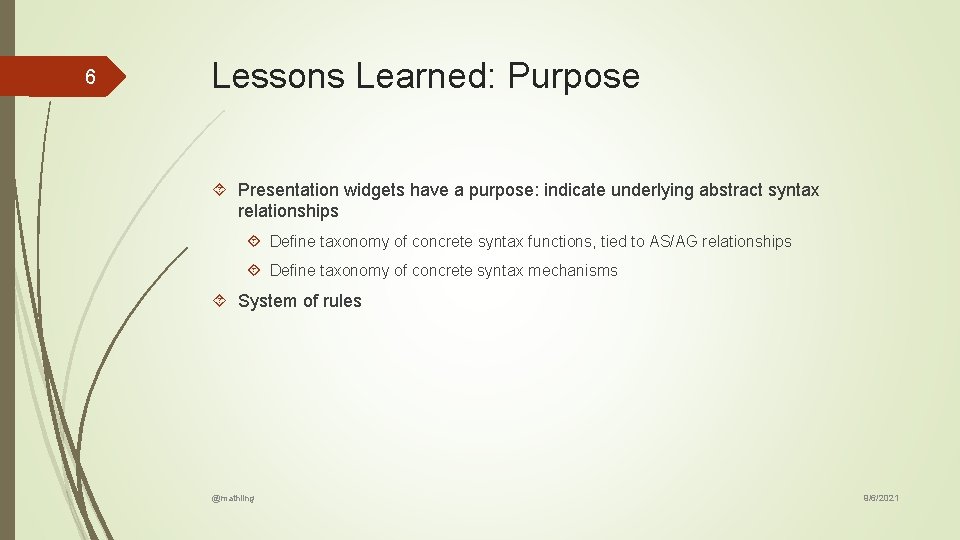
6 Lessons Learned: Purpose Presentation widgets have a purpose: indicate underlying abstract syntax relationships Define taxonomy of concrete syntax functions, tied to AS/AG relationships Define taxonomy of concrete syntax mechanisms System of rules @mathling 9/6/2021
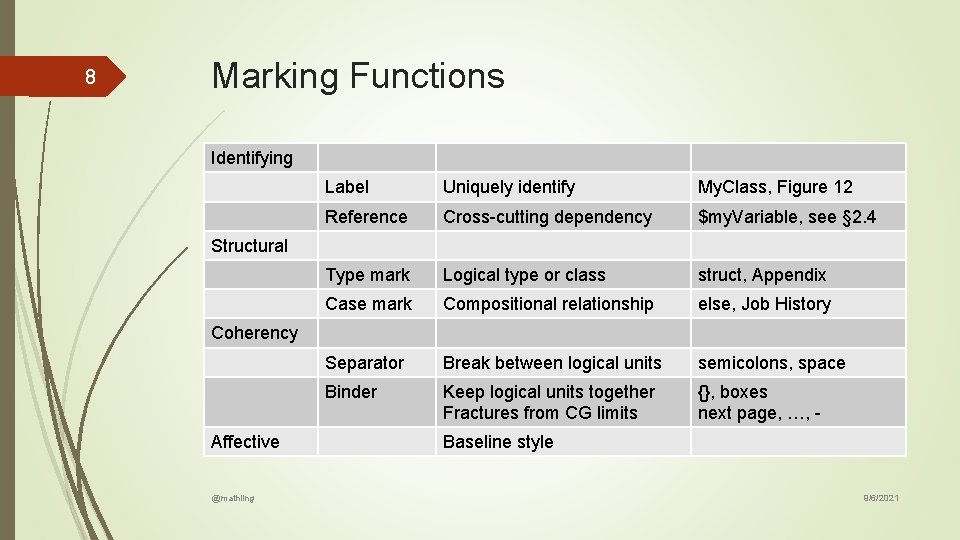
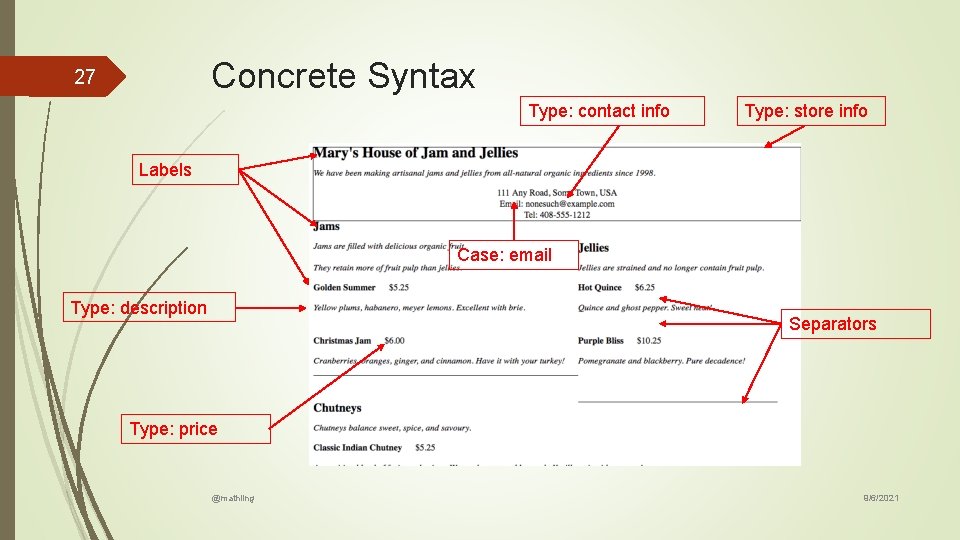
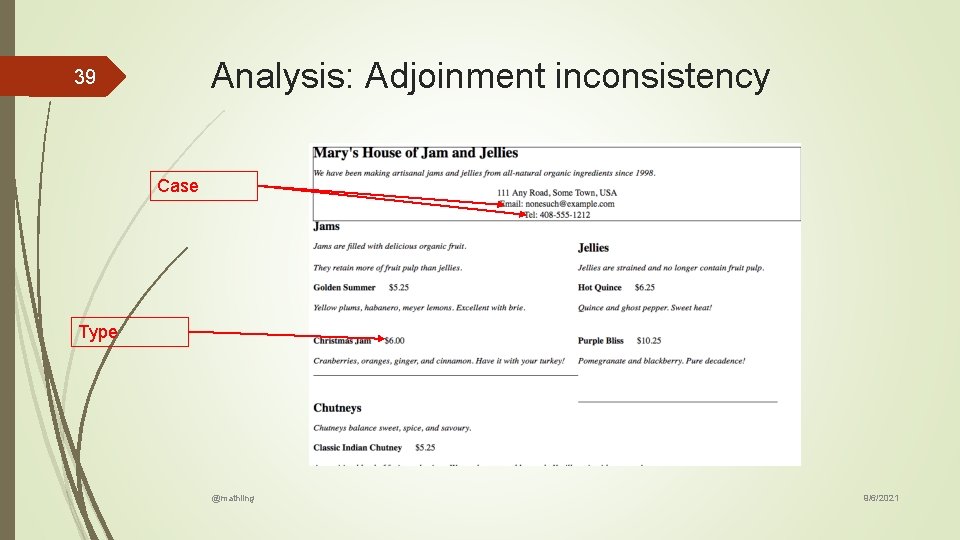
8 Marking Functions Identifying Label Uniquely identify My. Class, Figure 12 Reference Cross-cutting dependency $my. Variable, see § 2. 4 Type mark Logical type or class struct, Appendix Case mark Compositional relationship else, Job History Separator Break between logical units semicolons, space Binder Keep logical units together Fractures from CG limits {}, boxes next page, …, - Structural Coherency Affective @mathling Baseline style 9/6/2021
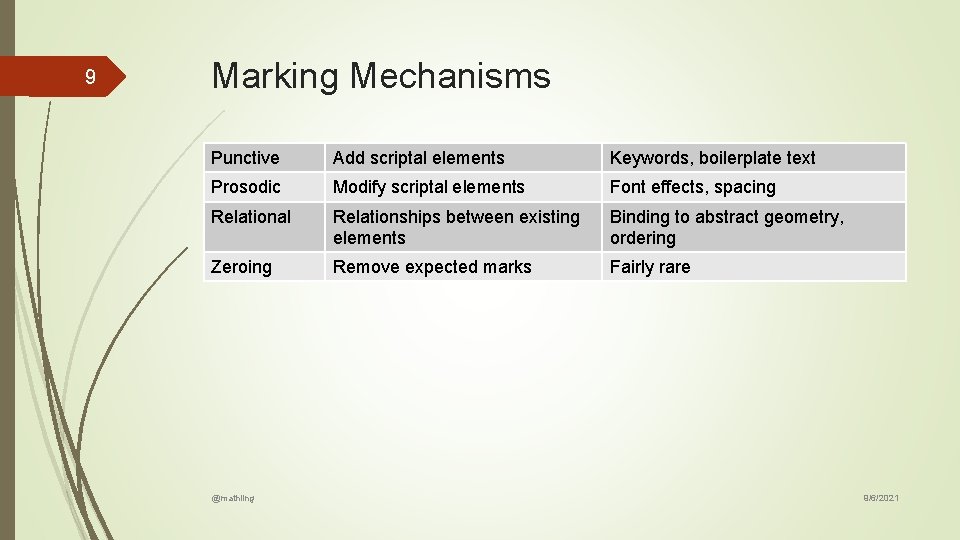
9 Marking Mechanisms Punctive Add scriptal elements Keywords, boilerplate text Prosodic Modify scriptal elements Font effects, spacing Relational Relationships between existing elements Binding to abstract geometry, ordering Zeroing Remove expected marks Fairly rare @mathling 9/6/2021
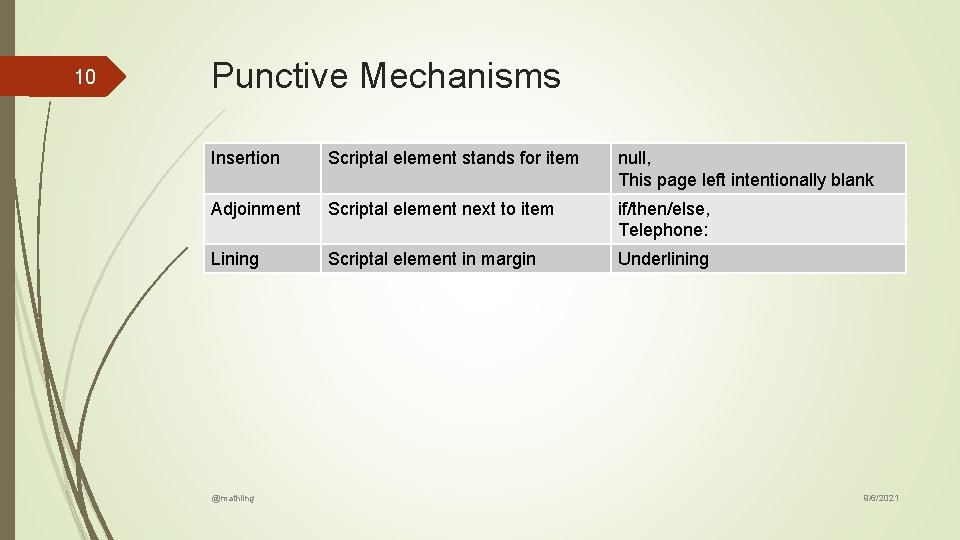
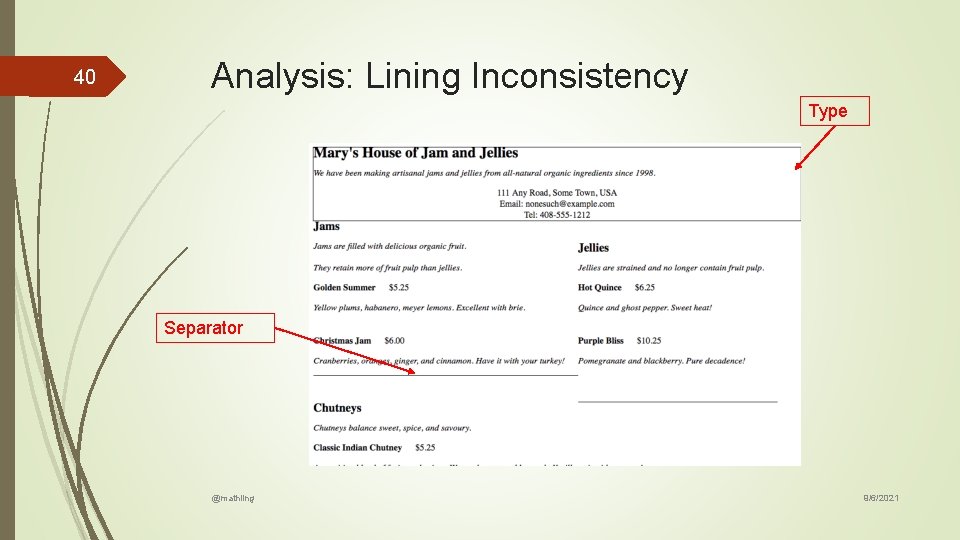
10 Punctive Mechanisms Insertion Scriptal element stands for item null, This page left intentionally blank Adjoinment Scriptal element next to item if/then/else, Telephone: Lining Scriptal element in margin Underlining @mathling 9/6/2021
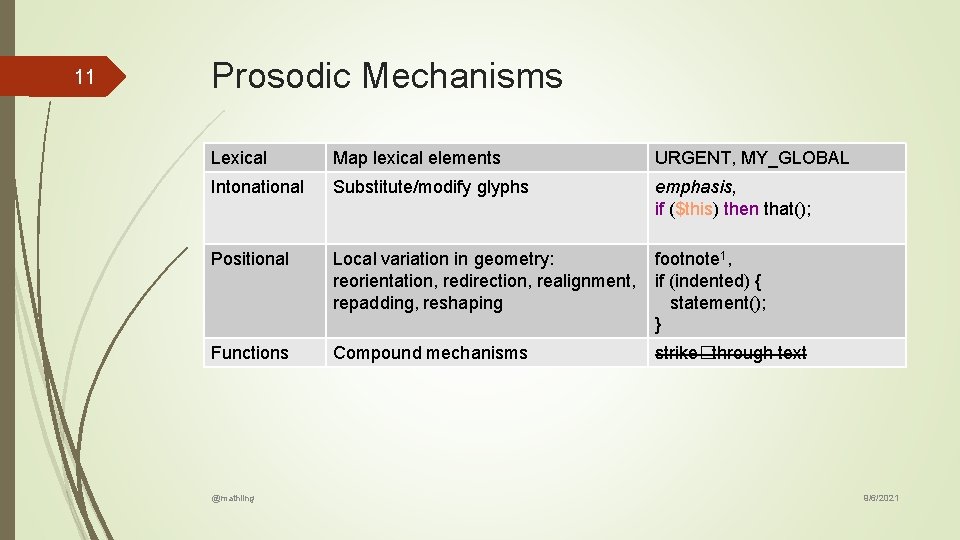
11 Prosodic Mechanisms Lexical Map lexical elements URGENT, MY_GLOBAL Intonational Substitute/modify glyphs emphasis, if ($this) then that(); Positional Local variation in geometry: reorientation, redirection, realignment, repadding, reshaping footnote 1, if (indented) { statement(); } Functions Compound mechanisms strike�through text @mathling 9/6/2021
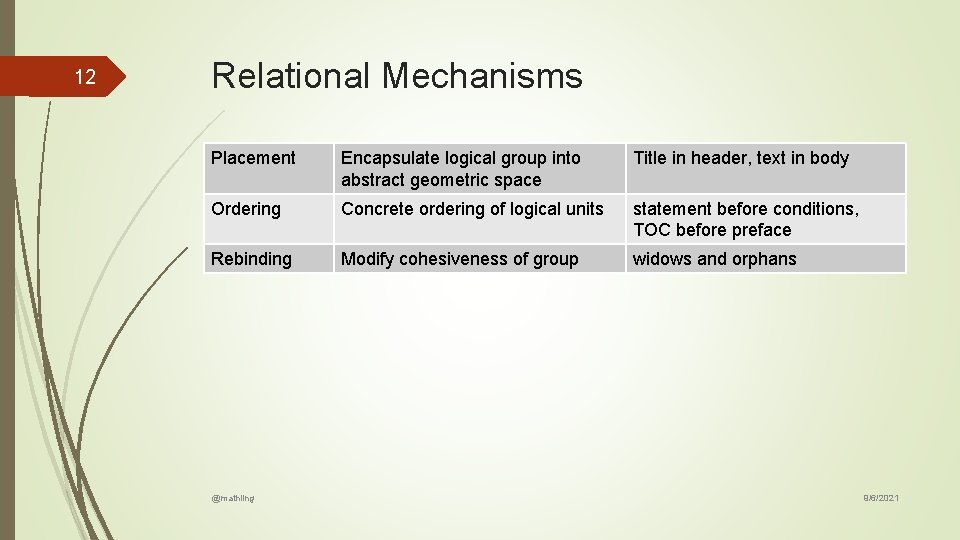
12 Relational Mechanisms Placement Encapsulate logical group into abstract geometric space Title in header, text in body Ordering Concrete ordering of logical units statement before conditions, TOC before preface Rebinding Modify cohesiveness of group widows and orphans @mathling 9/6/2021
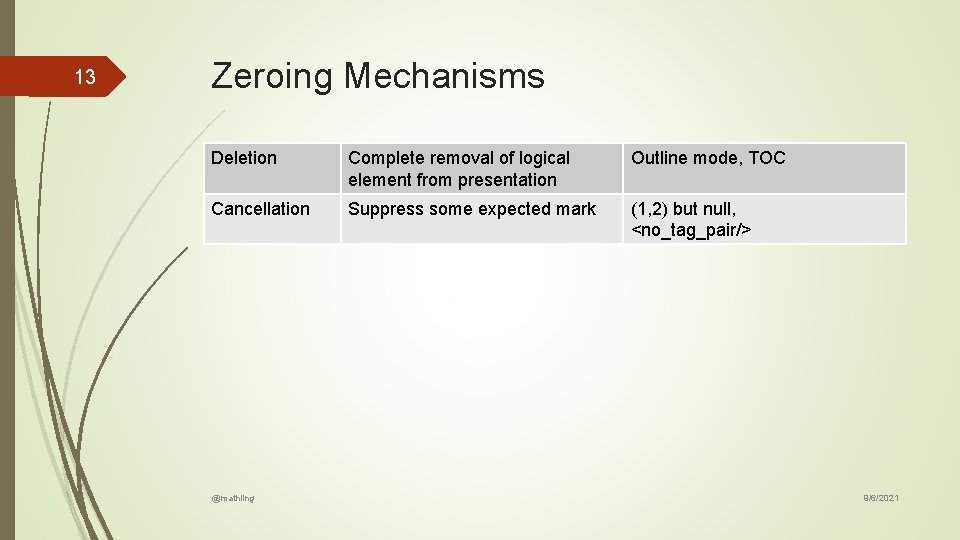
13 Zeroing Mechanisms Deletion Complete removal of logical element from presentation Outline mode, TOC Cancellation Suppress some expected mark (1, 2) but null, <no_tag_pair/> @mathling 9/6/2021
15 A Wee Exercise in Notation Design Define abstract syntax: XML Schema Define abstract geometry: XML Schema, operationalized as CSS Define concrete syntax: XSLT map to HTML, CSS Define concrete geometry: implicit (let browser do it) Review, analyze, and iterate @mathling 9/6/2021
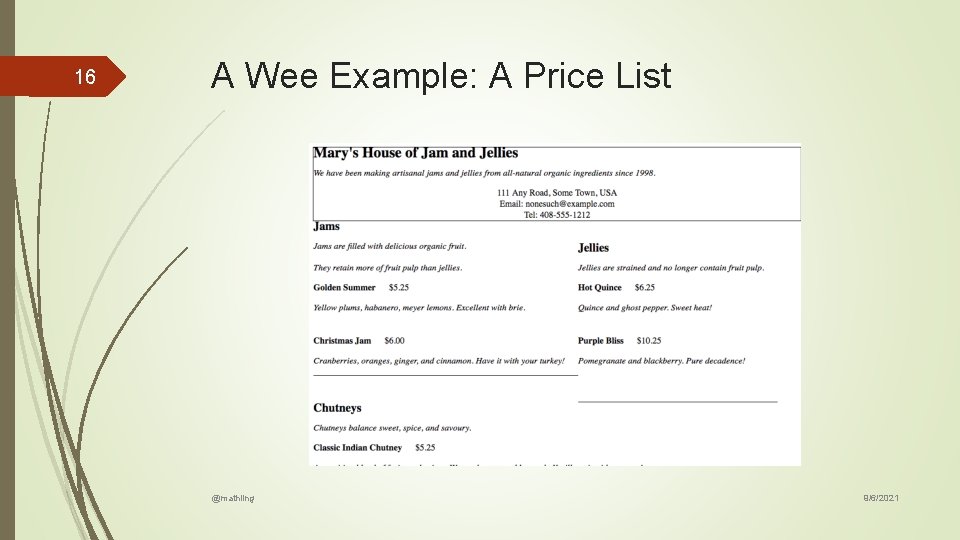
16 A Wee Example: A Price List @mathling 9/6/2021
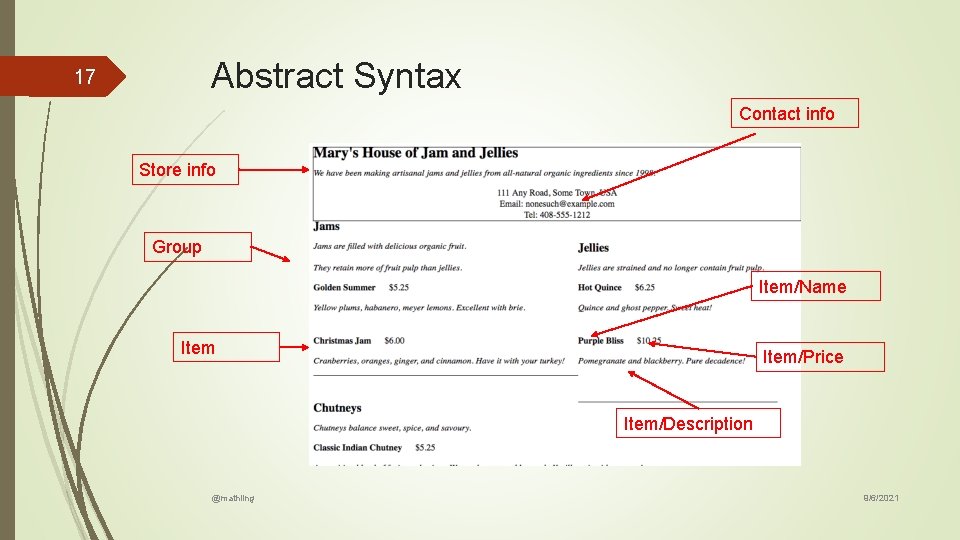
Abstract Syntax 17 Contact info Store info Group Item/Name Item/Price Item/Description @mathling 9/6/2021
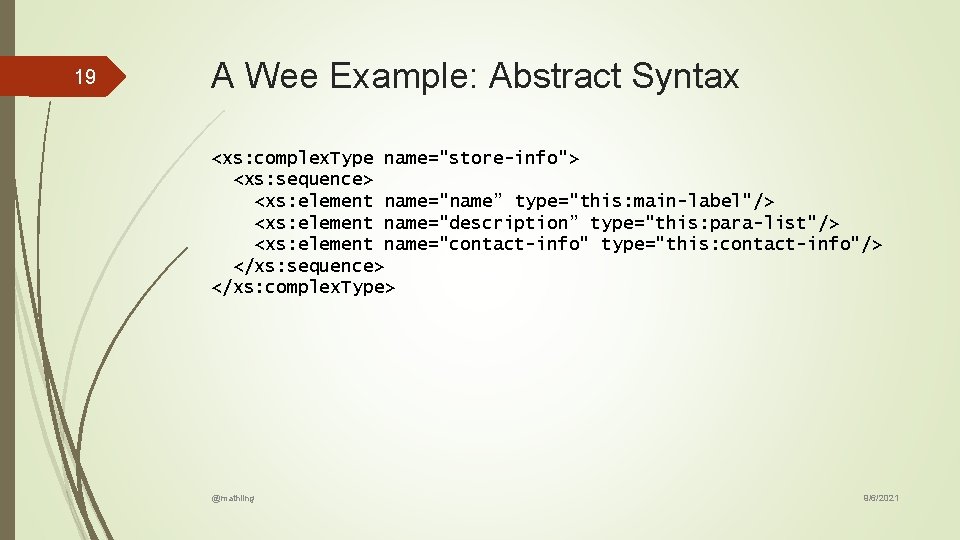
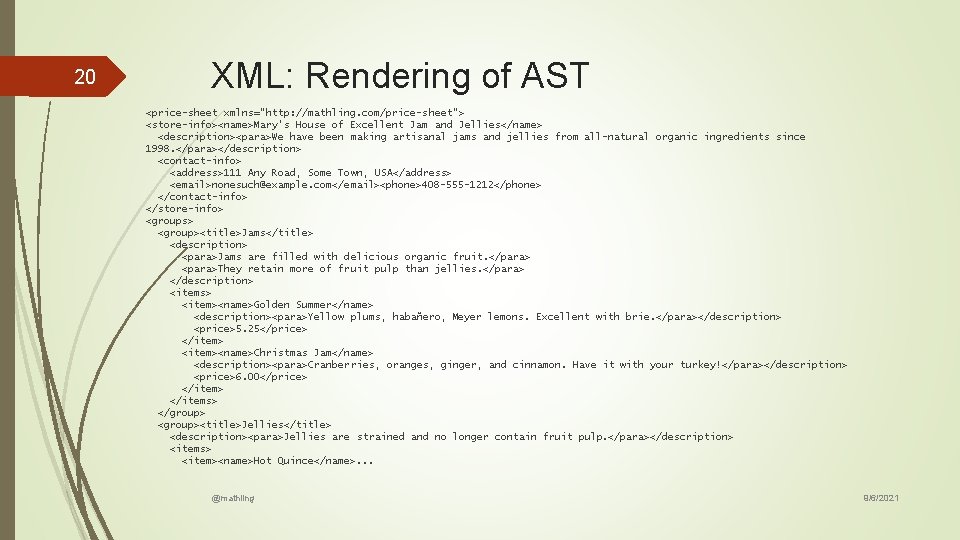
19 A Wee Example: Abstract Syntax <xs: complex. Type name="store-info"> <xs: sequence> <xs: element name="name” type="this: main-label"/> <xs: element name="description” type="this: para-list"/> <xs: element name="contact-info" type="this: contact-info"/> </xs: sequence> </xs: complex. Type> @mathling 9/6/2021
20 XML: Rendering of AST <price-sheet xmlns="http: //mathling. com/price-sheet"> <store-info><name>Mary's House of Excellent Jam and Jellies</name> <description><para>We have been making artisanal jams and jellies from all-natural organic ingredients since 1998. </para></description> <contact-info> <address>111 Any Road, Some Town, USA</address> <email>nonesuch@example. com</email><phone>408 -555 -1212</phone> </contact-info> </store-info> <groups> <group><title>Jams</title> <description> <para>Jams are filled with delicious organic fruit. </para> <para>They retain more of fruit pulp than jellies. </para> </description> <items> <item><name>Golden Summer</name> <description><para>Yellow plums, habañero, Meyer lemons. Excellent with brie. </para></description> <price>5. 25</price> </item> <item><name>Christmas Jam</name> <description><para>Cranberries, oranges, ginger, and cinnamon. Have it with your turkey!</para></description> <price>6. 00</price> </items> </group> <group><title>Jellies</title> <description><para>Jellies are strained and no longer contain fruit pulp. </para></description> <items> <item><name>Hot Quince</name>. . . @mathling 9/6/2021
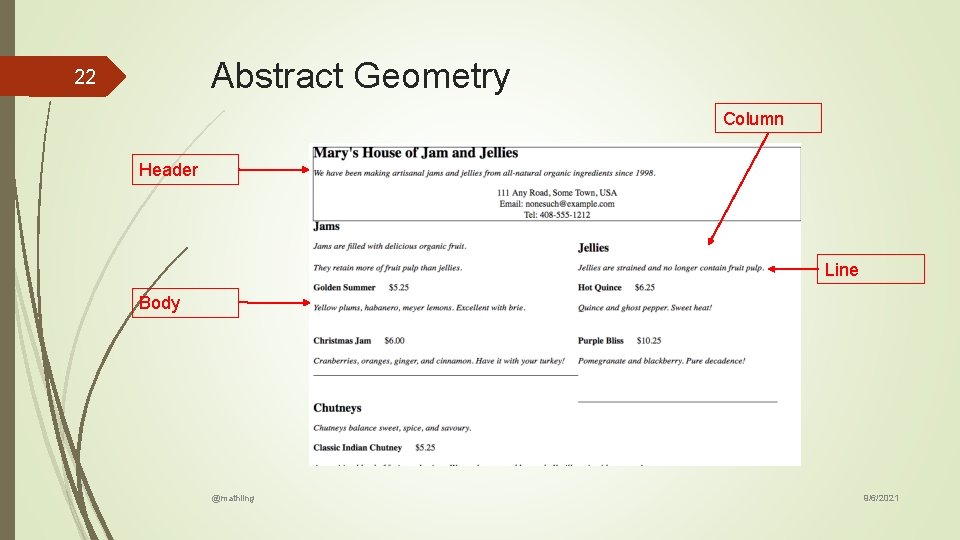
Abstract Geometry 22 Column Header Line Body @mathling 9/6/2021
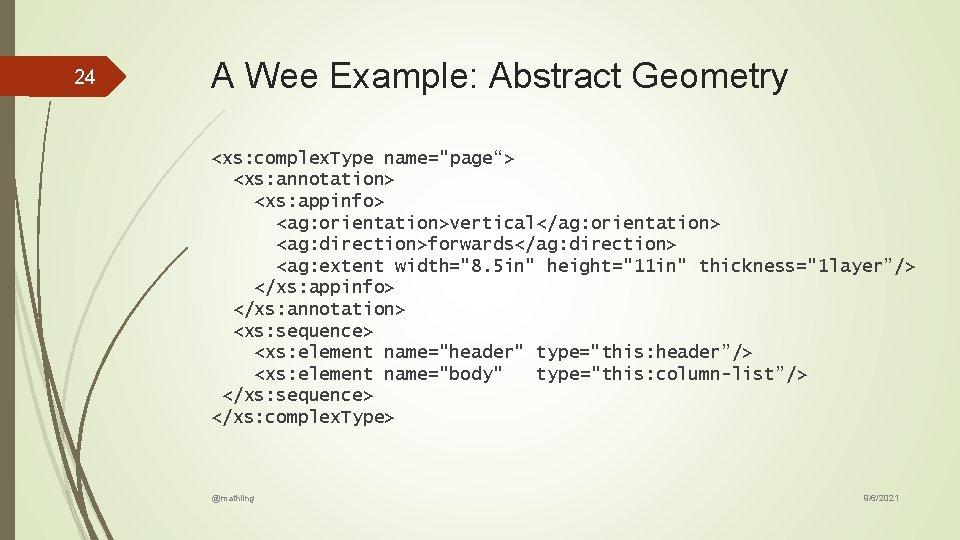
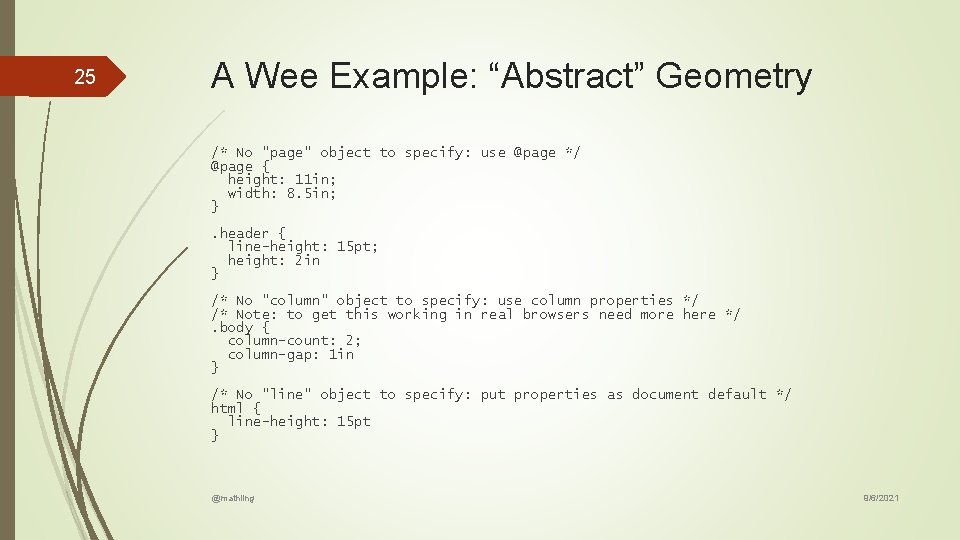
24 A Wee Example: Abstract Geometry <xs: complex. Type name="page“> <xs: annotation> <xs: appinfo> <ag: orientation>vertical</ag: orientation> <ag: direction>forwards</ag: direction> <ag: extent width="8. 5 in" height="11 in" thickness="1 layer”/> </xs: appinfo> </xs: annotation> <xs: sequence> <xs: element name="header" type="this: header”/> <xs: element name="body" type="this: column-list”/> </xs: sequence> </xs: complex. Type> @mathling 9/6/2021
25 A Wee Example: “Abstract” Geometry /* No "page" object to specify: use @page */ @page { height: 11 in; width: 8. 5 in; }. header { line-height: 15 pt; height: 2 in } /* No "column" object to specify: use column properties */ /* Note: to get this working in real browsers need more here */. body { column-count: 2; column-gap: 1 in } /* No "line" object to specify: put properties as document default */ html { line-height: 15 pt } @mathling 9/6/2021
Concrete Syntax 27 Type: contact info Type: store info Labels Case: email Type: description Separators Type: price @mathling 9/6/2021
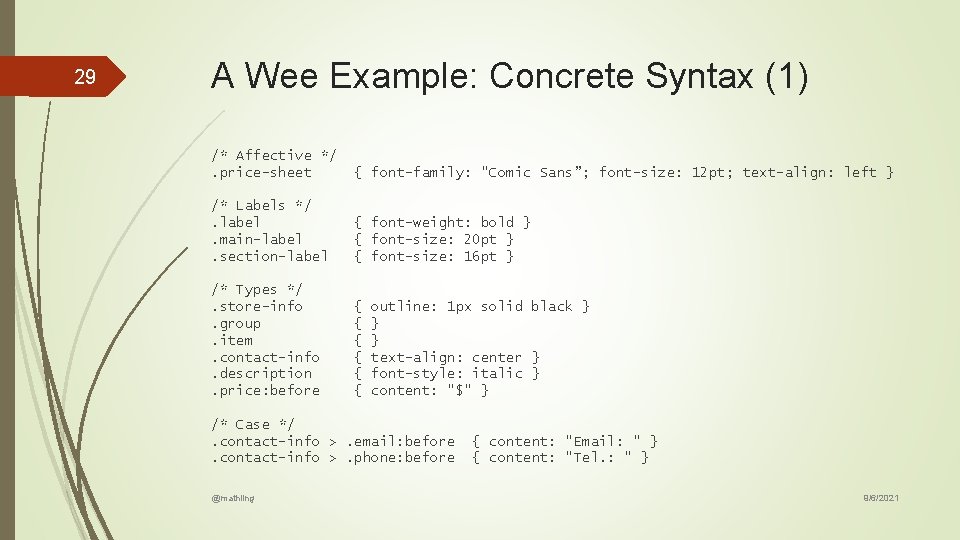
29 A Wee Example: Concrete Syntax (1) /* Affective */. price-sheet { font-family: "Comic Sans”; font-size: 12 pt; text-align: left } /* Labels */. label. main-label. section-label { font-weight: bold } { font-size: 20 pt } { font-size: 16 pt } /* Types */. store-info. group. item. contact-info. description. price: before { { { outline: 1 px solid black } } } text-align: center } font-style: italic } content: "$" } /* Case */. contact-info >. email: before. contact-info >. phone: before @mathling { content: "Email: " } { content: "Tel. : " } 9/6/2021
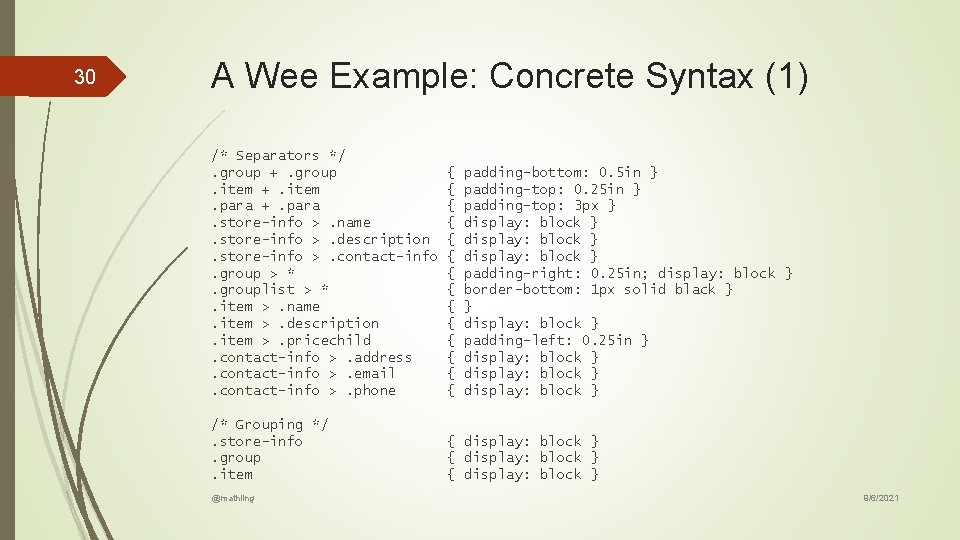
30 A Wee Example: Concrete Syntax (1) /* Separators */. group +. group. item +. item. para +. para. store-info >. name. store-info >. description. store-info >. contact-info. group > *. grouplist > *. item >. name. item >. description. item >. pricechild. contact-info >. address. contact-info >. email. contact-info >. phone { { { { /* Grouping */. store-info. group. item { display: block } @mathling padding-bottom: 0. 5 in } padding-top: 0. 25 in } padding-top: 3 px } display: block } padding-right: 0. 25 in; display: block } border-bottom: 1 px solid black } } display: block } padding-left: 0. 25 in } display: block } 9/6/2021
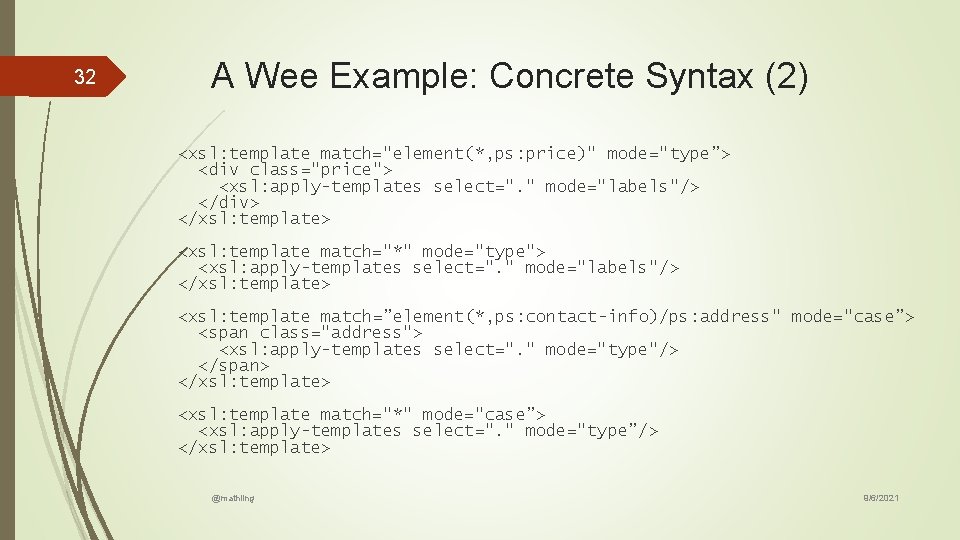
32 A Wee Example: Concrete Syntax (2) <xsl: template match="element(*, ps: price)" mode="type”> <div class="price"> <xsl: apply-templates select=". " mode="labels"/> </div> </xsl: template> <xsl: template match="*" mode="type"> <xsl: apply-templates select=". " mode="labels"/> </xsl: template> <xsl: template match=”element(*, ps: contact-info)/ps: address" mode="case”> <span class="address"> <xsl: apply-templates select=". " mode="type"/> </span> </xsl: template> <xsl: template match="*" mode="case”> <xsl: apply-templates select=". " mode="type”/> </xsl: template> @mathling 9/6/2021
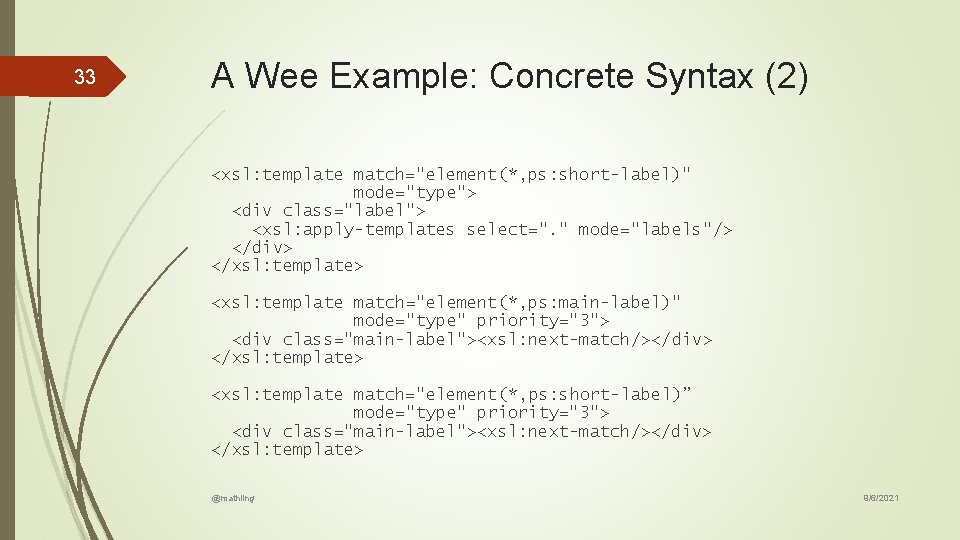
33 A Wee Example: Concrete Syntax (2) <xsl: template match="element(*, ps: short-label)" mode="type"> <div class="label"> <xsl: apply-templates select=". " mode="labels"/> </div> </xsl: template> <xsl: template match="element(*, ps: main-label)" mode="type" priority="3"> <div class="main-label"><xsl: next-match/></div> </xsl: template> <xsl: template match="element(*, ps: short-label)” mode="type" priority="3"> <div class="main-label"><xsl: next-match/></div> </xsl: template> @mathling 9/6/2021
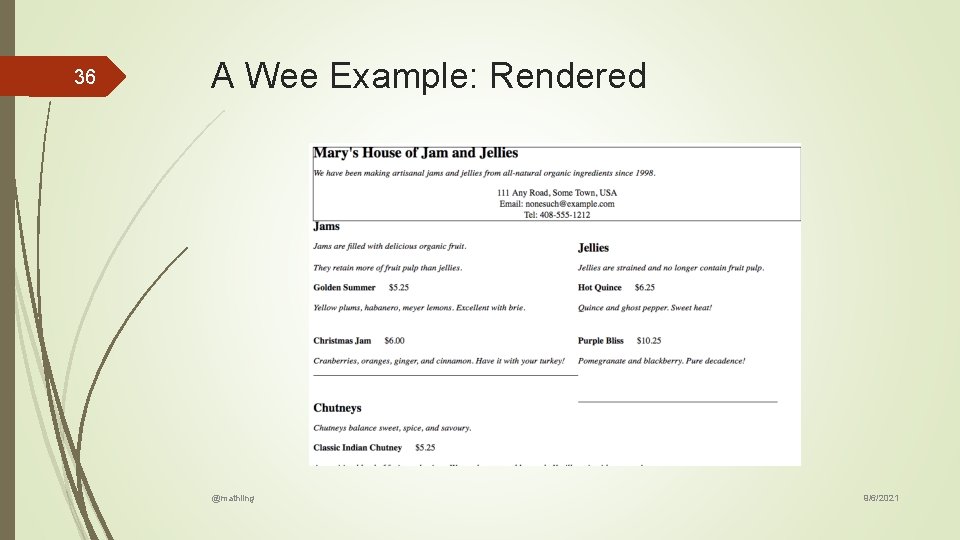
36 A Wee Example: Rendered @mathling 9/6/2021
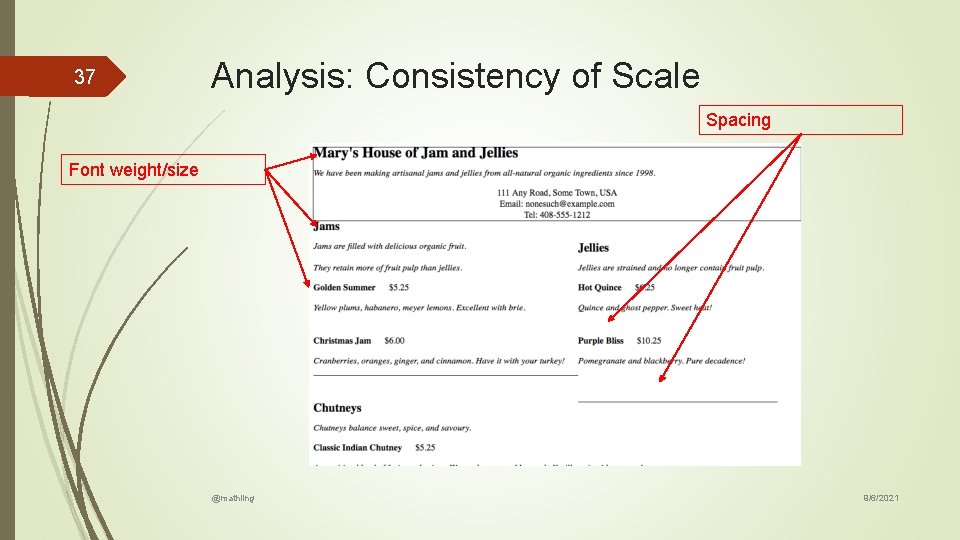
37 Analysis: Consistency of Scale Spacing Font weight/size @mathling 9/6/2021
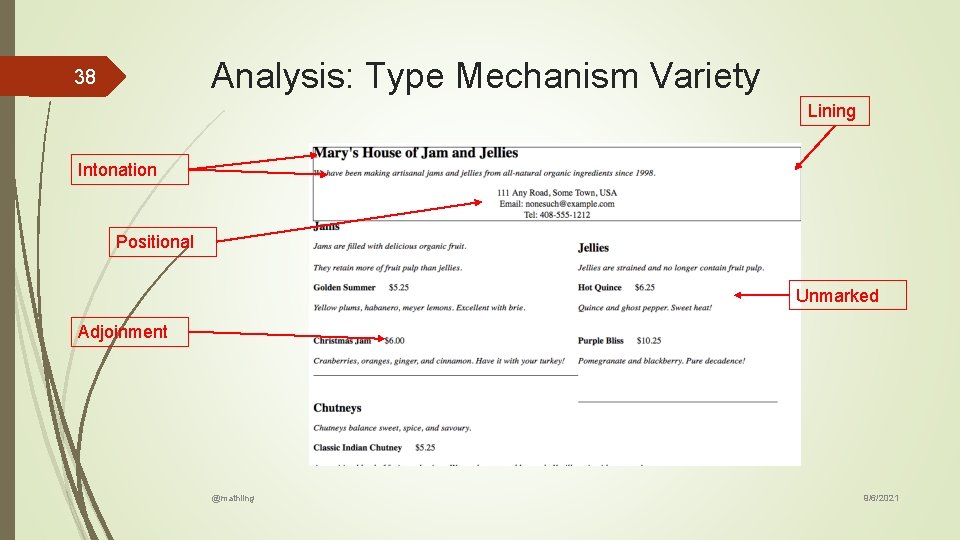
Analysis: Type Mechanism Variety 38 Lining Intonation Positional Unmarked Adjoinment @mathling 9/6/2021
Analysis: Adjoinment inconsistency 39 Case Type @mathling 9/6/2021
40 Analysis: Lining Inconsistency Type Separator @mathling 9/6/2021
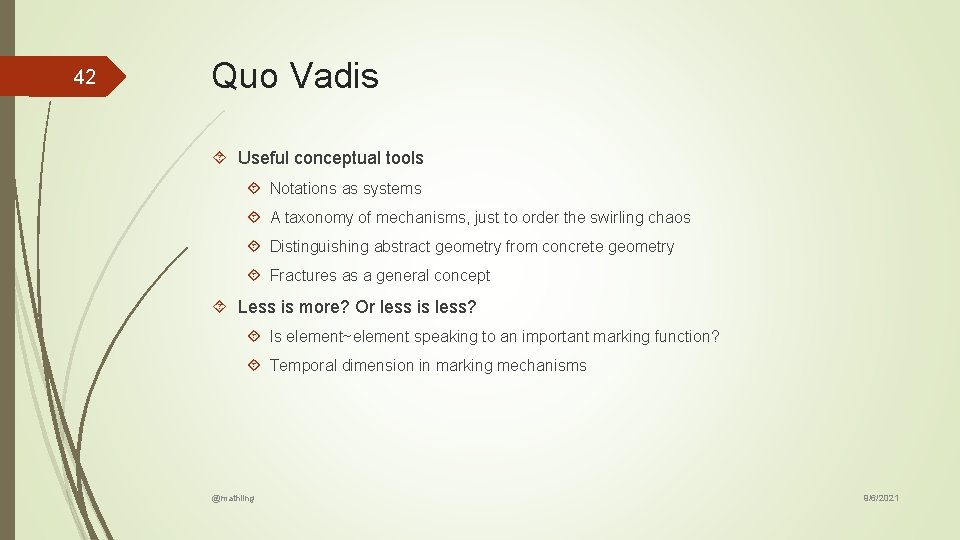
42 Quo Vadis Useful conceptual tools Notations as systems A taxonomy of mechanisms, just to order the swirling chaos Distinguishing abstract geometry from concrete geometry Fractures as a general concept Less is more? Or less is less? Is element~element speaking to an important marking function? Temporal dimension in marking mechanisms @mathling 9/6/2021
43 Discuss @mathling 9/6/2021