
The Characteristics and Uses of a Software Program
- Slides: 24
The Characteristics and Uses of a Software Program By Kyle Clifford 16/01/2022 Unit 12: Software Development 1
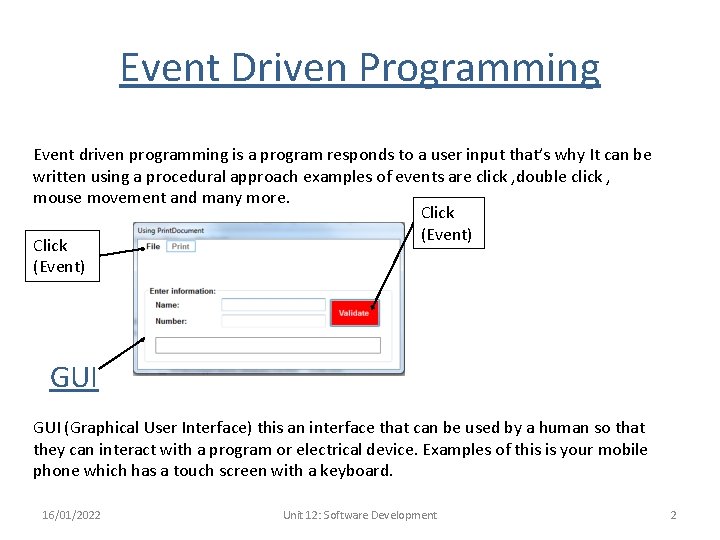
Event Driven Programming Event driven programming is a program responds to a user input that’s why It can be written using a procedural approach examples of events are click , double click , mouse movement and many more. Click (Event) GUI (Graphical User Interface) this an interface that can be used by a human so that they can interact with a program or electrical device. Examples of this is your mobile phone which has a touch screen with a keyboard. 16/01/2022 Unit 12: Software Development 2
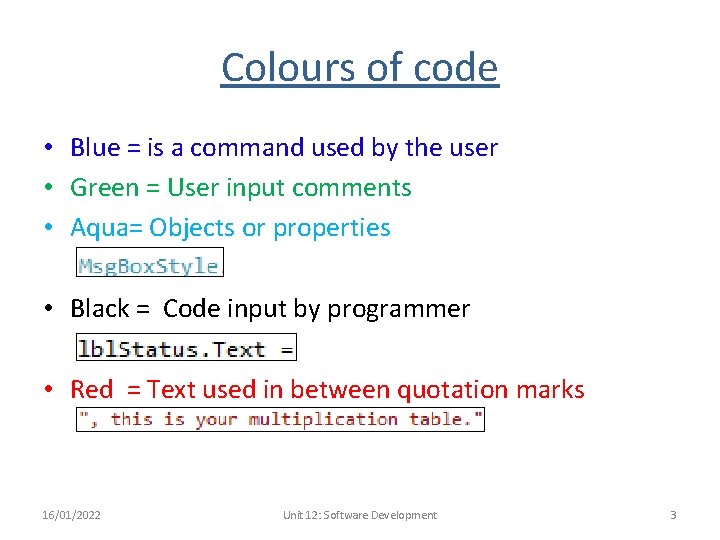
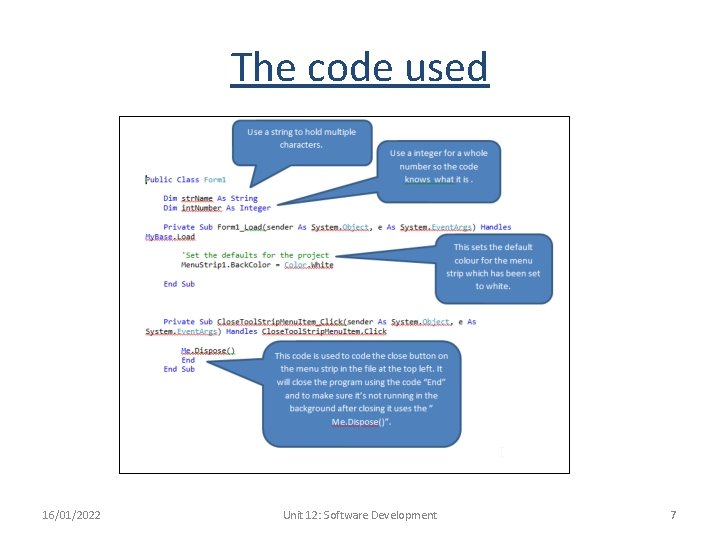
Colours of code • Blue = is a command used by the user • Green = User input comments • Aqua= Objects or properties • Black = Code input by programmer • Red = Text used in between quotation marks 16/01/2022 Unit 12: Software Development 3
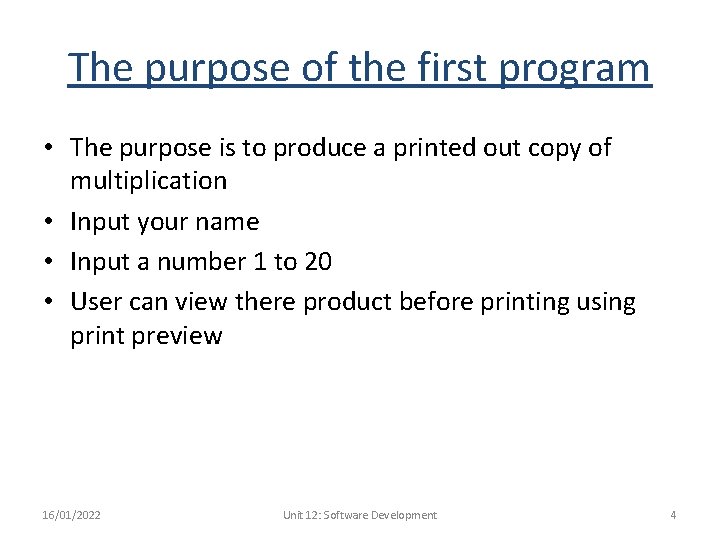
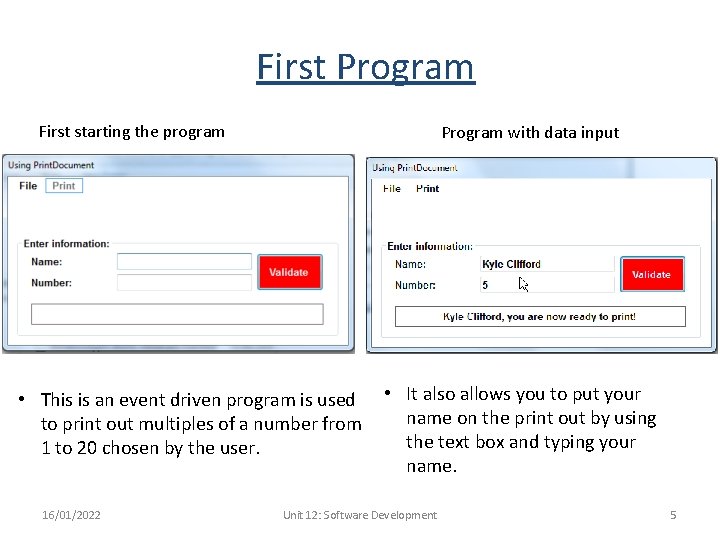
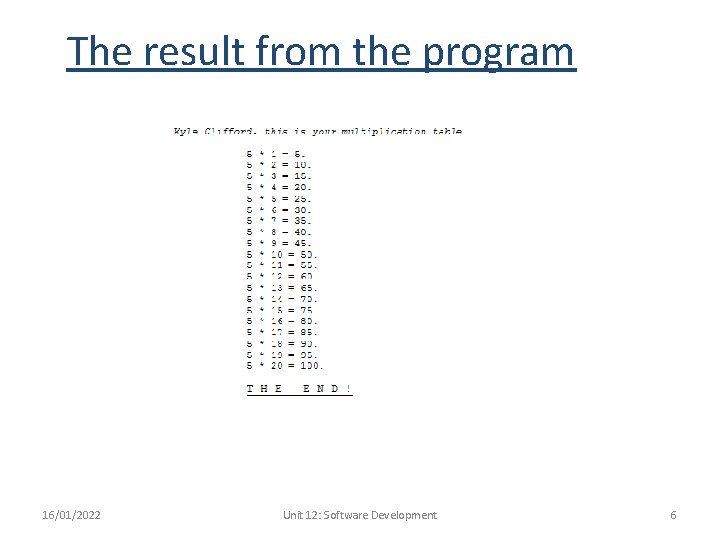
The purpose of the first program • The purpose is to produce a printed out copy of multiplication • Input your name • Input a number 1 to 20 • User can view there product before printing using print preview 16/01/2022 Unit 12: Software Development 4
First Program First starting the program Program with data input • This is an event driven program is used to print out multiples of a number from 1 to 20 chosen by the user. 16/01/2022 • It also allows you to put your name on the print out by using the text box and typing your name. Unit 12: Software Development 5
The result from the program 16/01/2022 Unit 12: Software Development 6
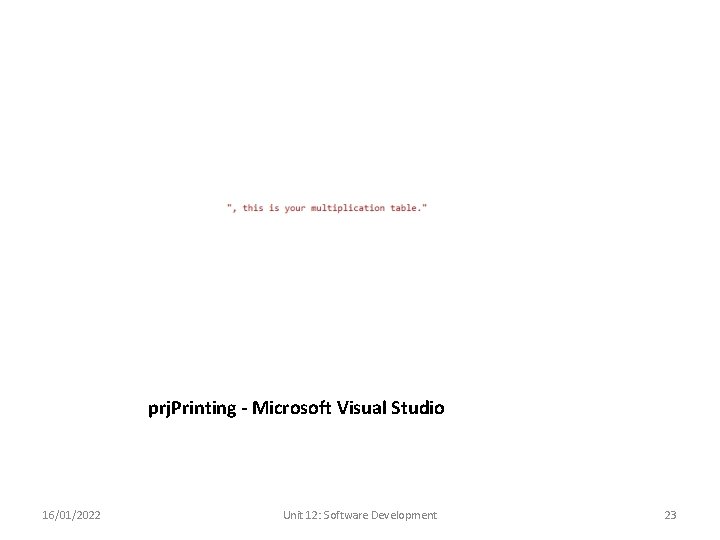
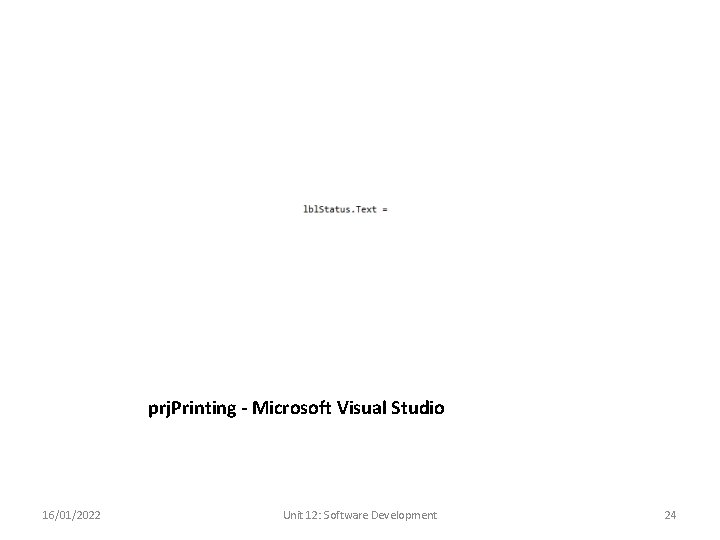
The code used 16/01/2022 Unit 12: Software Development 7
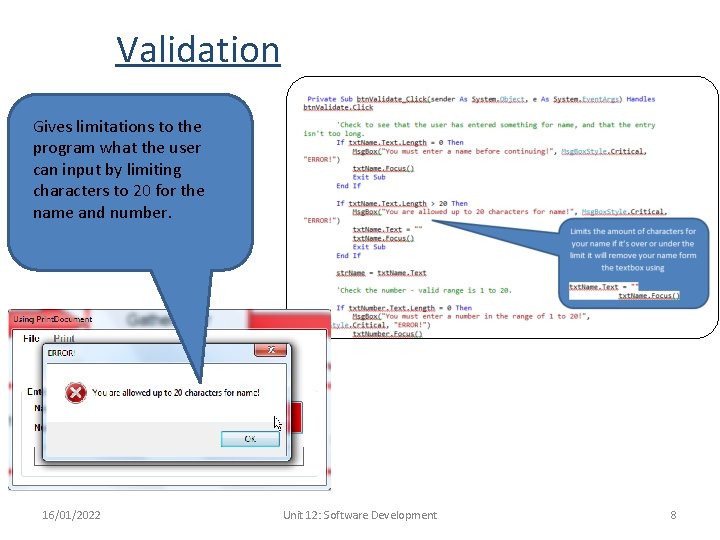
Validation Gives limitations to the program what the user can input by limiting characters to 20 for the name and number. 16/01/2022 Unit 12: Software Development 8
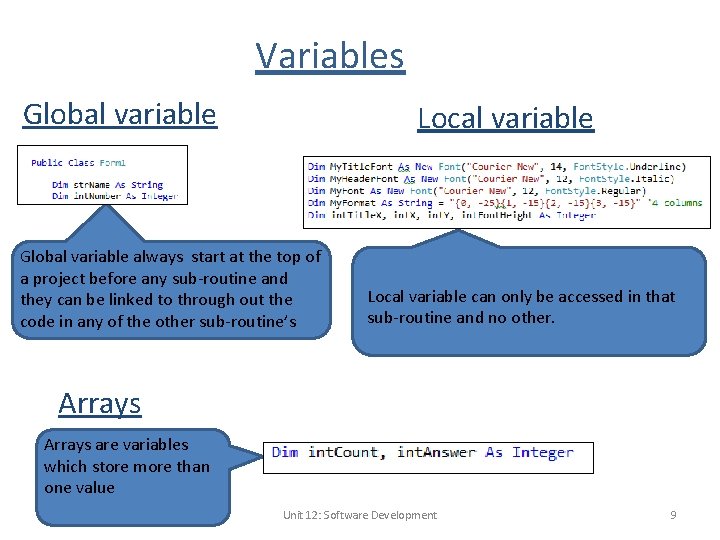
Variables Global variable Local variable Global variable always start at the top of a project before any sub-routine and they can be linked to through out the code in any of the other sub-routine’s Local variable can only be accessed in that sub-routine and no other. Arrays are variables which store more than one value 16/01/2022 Unit 12: Software Development 9
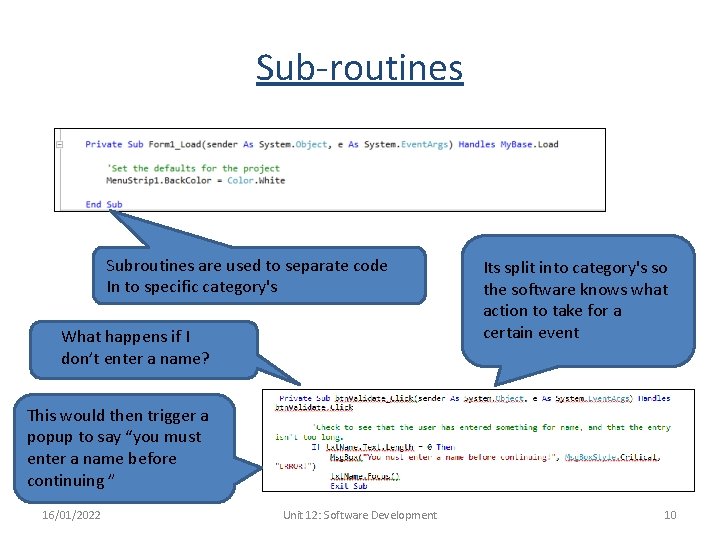
Sub-routines Subroutines are used to separate code In to specific category's What happens if I don’t enter a name? Its split into category's so the software knows what action to take for a certain event This would then trigger a popup to say “you must enter a name before continuing ” 16/01/2022 Unit 12: Software Development 10
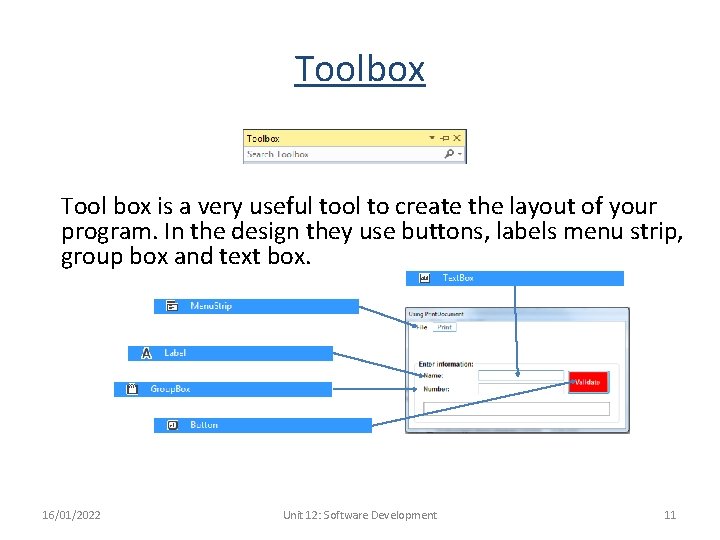
Toolbox Tool box is a very useful tool to create the layout of your program. In the design they use buttons, labels menu strip, group box and text box. 16/01/2022 Unit 12: Software Development 11
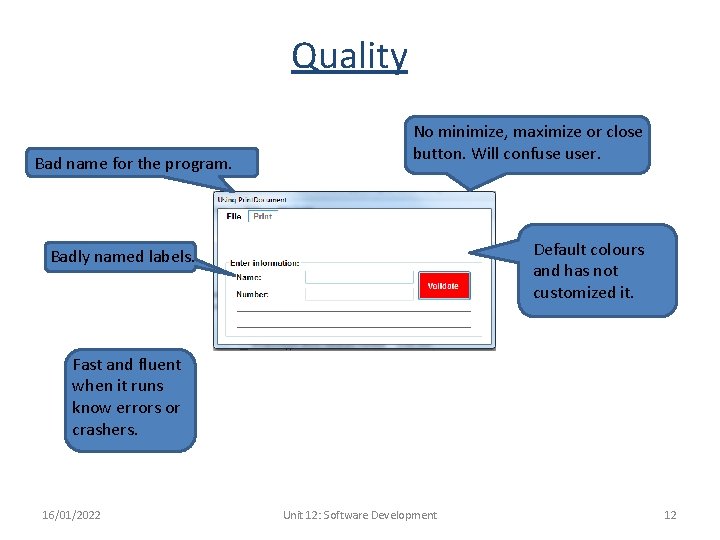
Quality Bad name for the program. No minimize, maximize or close button. Will confuse user. Default colours and has not customized it. Badly named labels. Fast and fluent when it runs know errors or crashers. 16/01/2022 Unit 12: Software Development 12
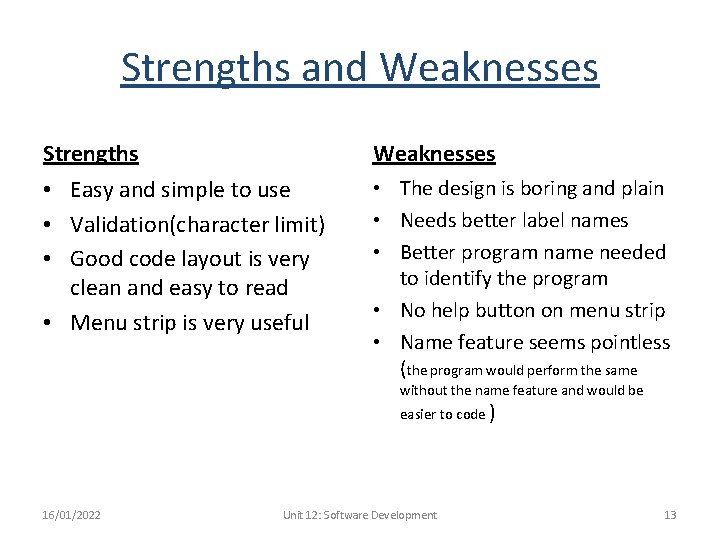
Strengths and Weaknesses Strengths Weaknesses • Easy and simple to use • Validation(character limit) • Good code layout is very clean and easy to read • Menu strip is very useful • The design is boring and plain • Needs better label names • Better program name needed to identify the program • No help button on menu strip • Name feature seems pointless (the program would perform the same without the name feature and would be easier to code ) 16/01/2022 Unit 12: Software Development 13
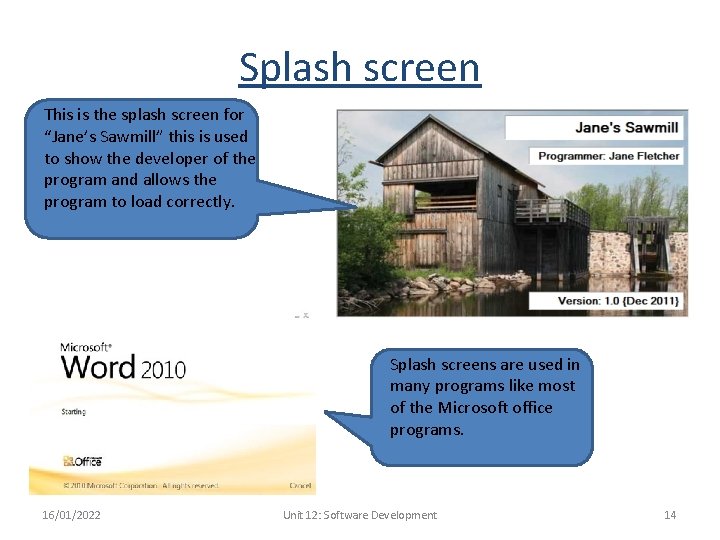
Splash screen This is the splash screen for “Jane’s Sawmill” this is used to show the developer of the program and allows the program to load correctly. Splash screens are used in many programs like most of the Microsoft office programs. 16/01/2022 Unit 12: Software Development 14
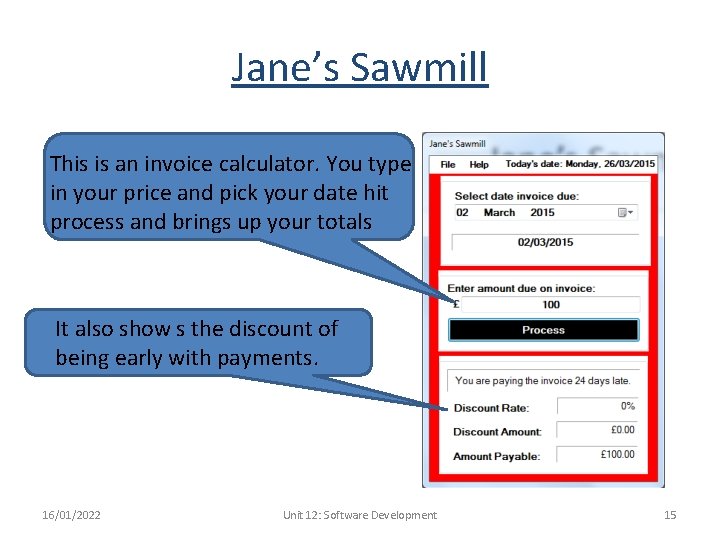
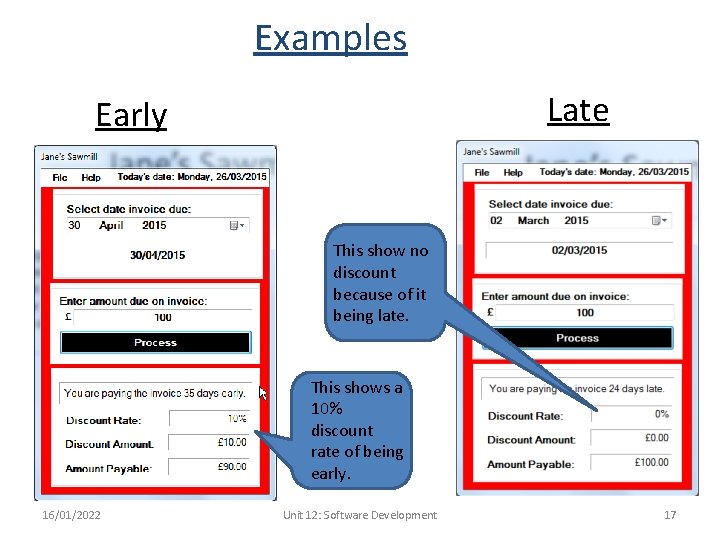
Jane’s Sawmill This is an invoice calculator. You type in your price and pick your date hit process and brings up your totals It also show s the discount of being early with payments. 16/01/2022 Unit 12: Software Development 15
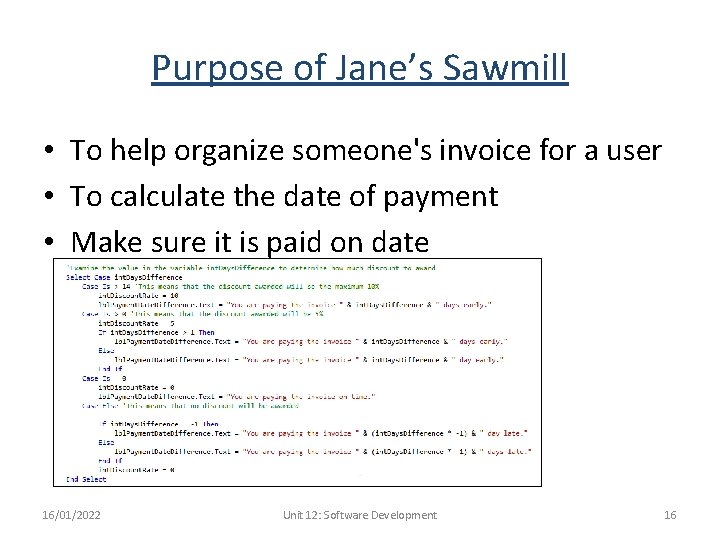
Purpose of Jane’s Sawmill • To help organize someone's invoice for a user • To calculate the date of payment • Make sure it is paid on date 16/01/2022 Unit 12: Software Development 16
Examples Late Early This show no discount because of it being late. This shows a 10% discount rate of being early. 16/01/2022 Unit 12: Software Development 17
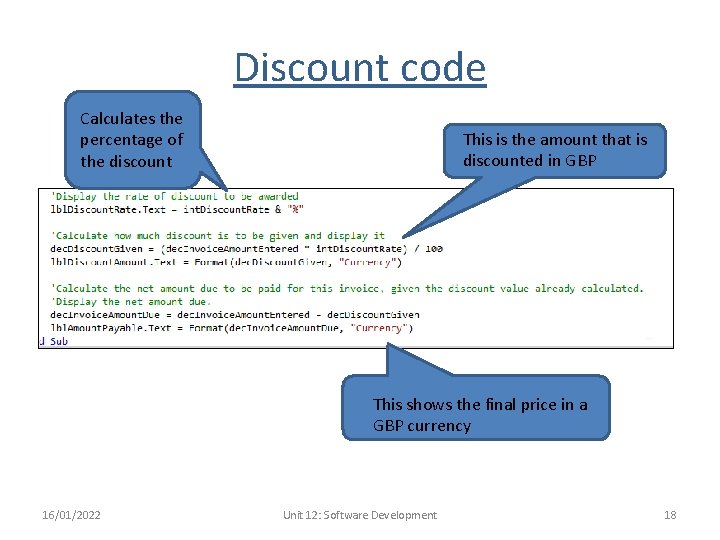
Discount code Calculates the percentage of the discount This is the amount that is discounted in GBP This shows the final price in a GBP currency 16/01/2022 Unit 12: Software Development 18
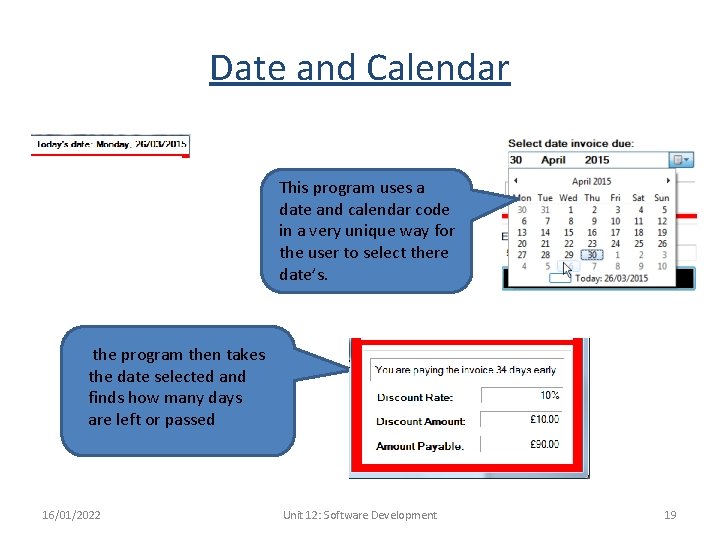
Date and Calendar This program uses a date and calendar code in a very unique way for the user to select there date’s. the program then takes the date selected and finds how many days are left or passed 16/01/2022 Unit 12: Software Development 19
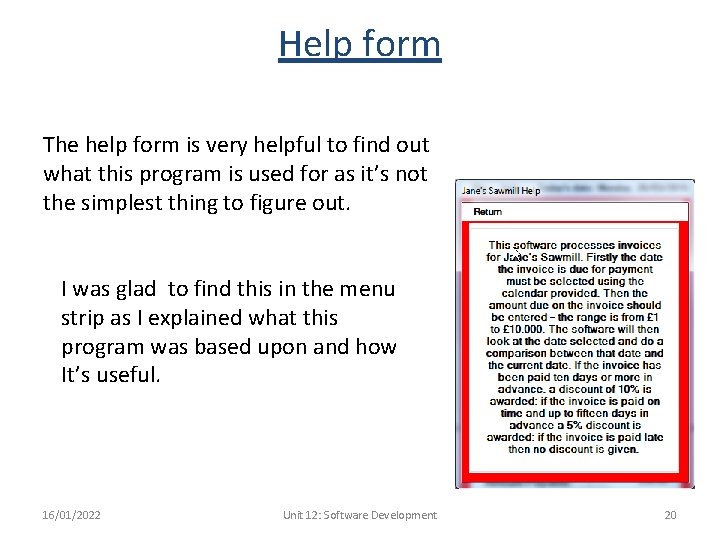
Help form The help form is very helpful to find out what this program is used for as it’s not the simplest thing to figure out. I was glad to find this in the menu strip as I explained what this program was based upon and how It’s useful. 16/01/2022 Unit 12: Software Development 20
Strengths and Weaknesses Strengths • Had a menu strip • Splash screen informs the user of who created it • Help button on menu strip • Runs very fast and efficiently • Helps you plan your invoice dates 16/01/2022 Weaknesses • Not very appealing • Difficult to know what it was on first glance • Bad choice of colours • No minimize or maximize button • The close button was located in the menu strip • Has default logo • Only for invoices Unit 12: Software Development 21
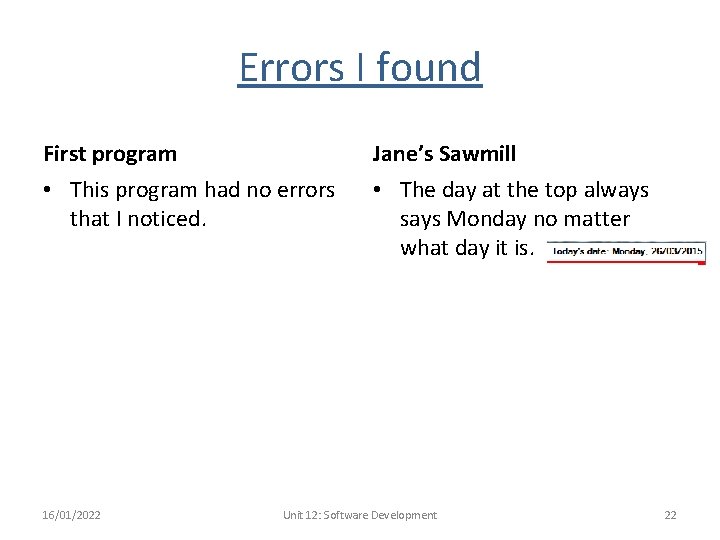
Errors I found First program Jane’s Sawmill • This program had no errors that I noticed. • The day at the top always says Monday no matter what day it is. 16/01/2022 Unit 12: Software Development 22
prj. Printing - Microsoft Visual Studio 16/01/2022 Unit 12: Software Development 23
prj. Printing - Microsoft Visual Studio 16/01/2022 Unit 12: Software Development 24