
The Campus Cluster What is the Campus Cluster


![Modules [iendres 2 ~]$ modules load <modulename> Manages environment, typically used to add software](https://slidetodoc.com/presentation_image_h2/9070b59eee74b0a909c5c0728a05cbcd/image-9.jpg "Modules [iendres 2 ~]$ modules load <modulename> Manages environment, typically used to add software")

![Scheduling jobs – Batch job • [iendres 2 ~]$ qsub <job_script> • job_script defines](https://slidetodoc.com/presentation_image_h2/9070b59eee74b0a909c5c0728a05cbcd/image-15.jpg "Scheduling jobs – Batch job • [iendres 2 ~]$ qsub <job_script> • job_script defines")

![Monitoring Jobs grep is your friend for finding specific jobs [iendres 2 ~]$ qstat](https://slidetodoc.com/presentation_image_h2/9070b59eee74b0a909c5c0728a05cbcd/image-24.jpg "Monitoring Jobs grep is your friend for finding specific jobs [iendres 2 ~]$ qstat")
- Slides: 45
The Campus Cluster
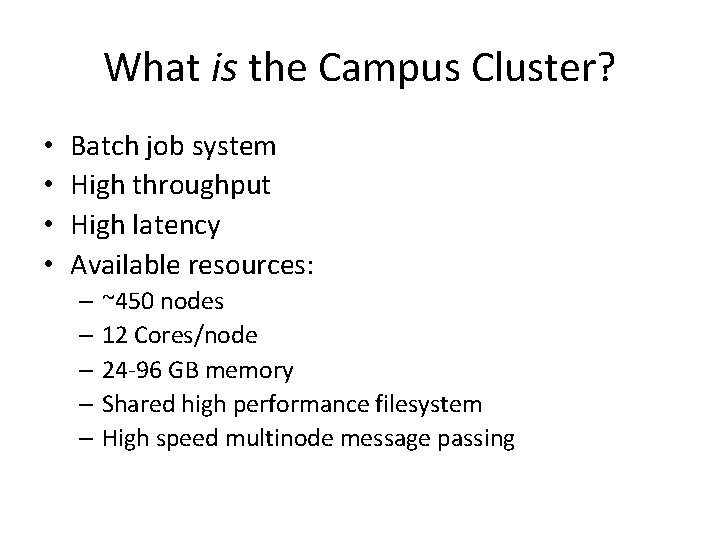
What is the Campus Cluster? • • Batch job system High throughput High latency Available resources: – ~450 nodes – 12 Cores/node – 24 -96 GB memory – Shared high performance filesystem – High speed multinode message passing
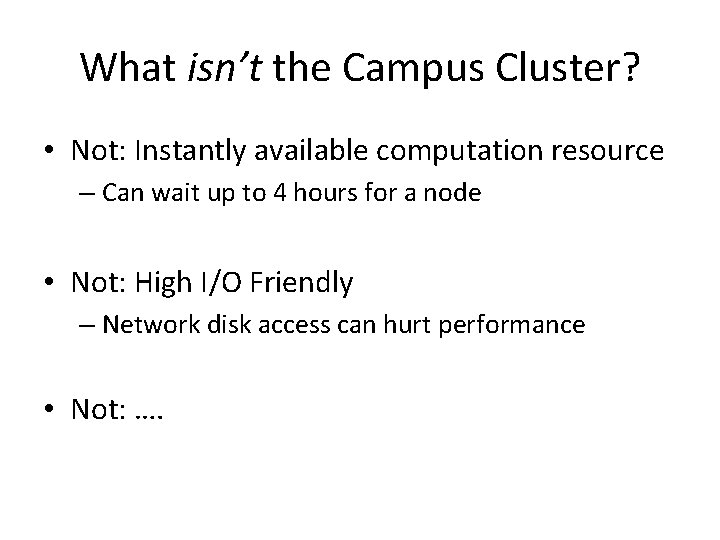
What isn’t the Campus Cluster? • Not: Instantly available computation resource – Can wait up to 4 hours for a node • Not: High I/O Friendly – Network disk access can hurt performance • Not: ….
Getting Set Up
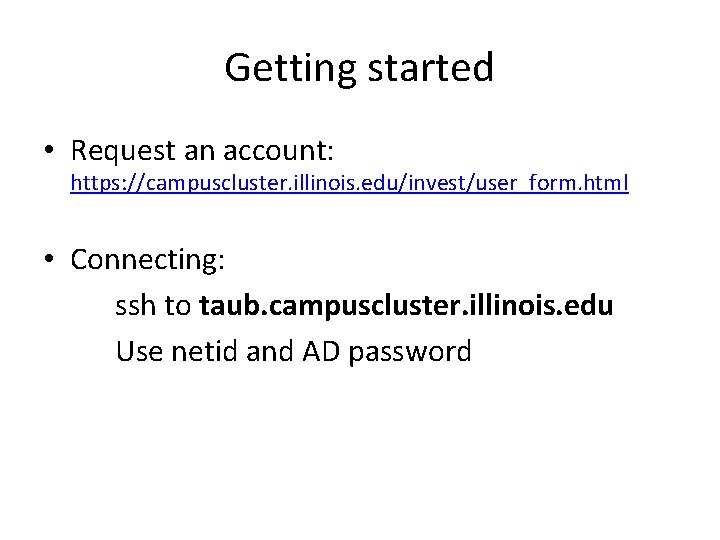
Getting started • Request an account: https: //campuscluster. illinois. edu/invest/user_form. html • Connecting: ssh to taub. campuscluster. illinois. edu Use netid and AD password
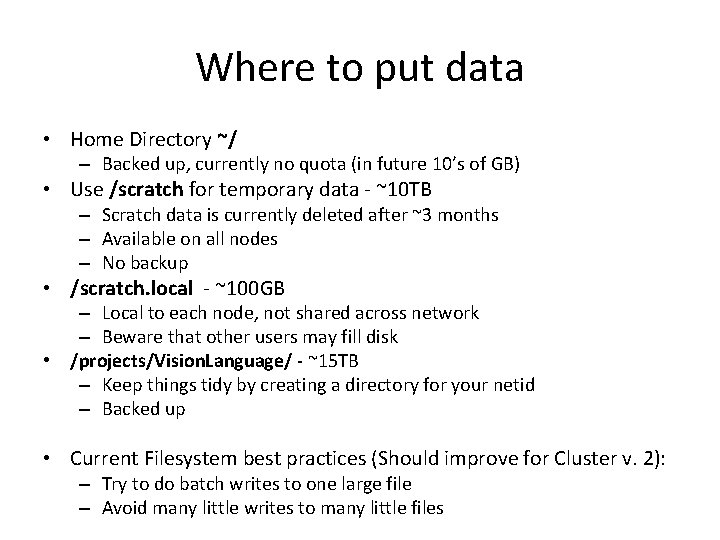
Where to put data • Home Directory ~/ – Backed up, currently no quota (in future 10’s of GB) • Use /scratch for temporary data - ~10 TB – Scratch data is currently deleted after ~3 months – Available on all nodes – No backup • /scratch. local - ~100 GB – Local to each node, not shared across network – Beware that other users may fill disk • /projects/Vision. Language/ - ~15 TB – Keep things tidy by creating a directory for your netid – Backed up • Current Filesystem best practices (Should improve for Cluster v. 2): – Try to do batch writes to one large file – Avoid many little writes to many little files
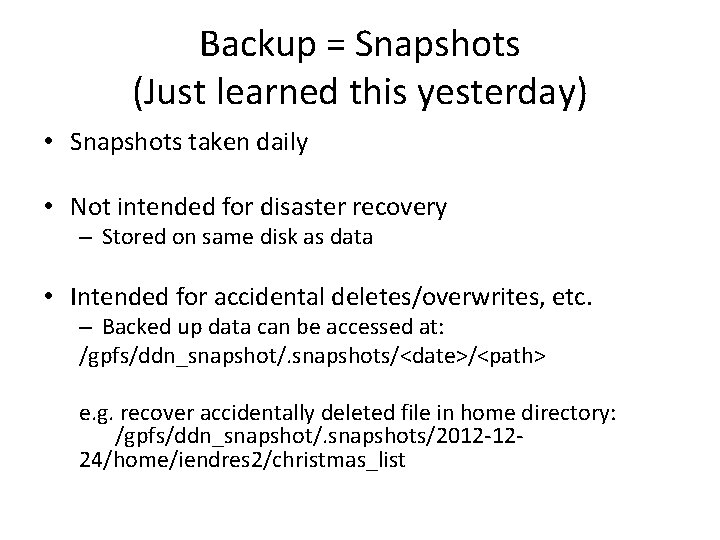
Backup = Snapshots (Just learned this yesterday) • Snapshots taken daily • Not intended for disaster recovery – Stored on same disk as data • Intended for accidental deletes/overwrites, etc. – Backed up data can be accessed at: /gpfs/ddn_snapshot/. snapshots/<date>/<path> e. g. recover accidentally deleted file in home directory: /gpfs/ddn_snapshot/. snapshots/2012 -1224/home/iendres 2/christmas_list
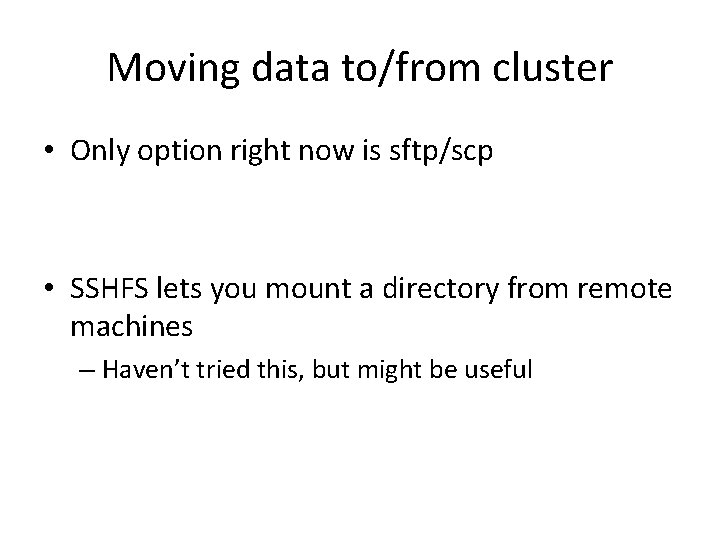
Moving data to/from cluster • Only option right now is sftp/scp • SSHFS lets you mount a directory from remote machines – Haven’t tried this, but might be useful
Modules [iendres 2 ~]$ modules load <modulename> Manages environment, typically used to add software to path: – To get the latest version of matlab: [iendres 2 ~]$ modules load matlab/7. 14 – To find modules such as vim, svn: [iendres 2 ~]$ modules avail
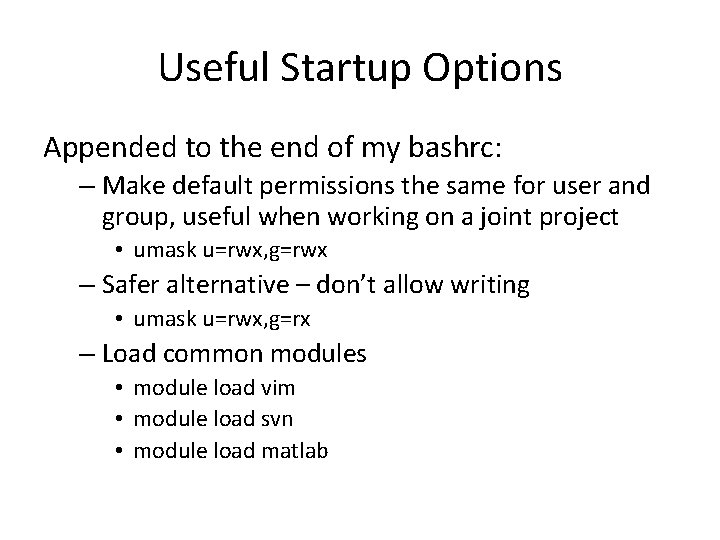
Useful Startup Options Appended to the end of my bashrc: – Make default permissions the same for user and group, useful when working on a joint project • umask u=rwx, g=rwx – Safer alternative – don’t allow writing • umask u=rwx, g=rx – Load common modules • module load vim • module load svn • module load matlab
Submitting Jobs
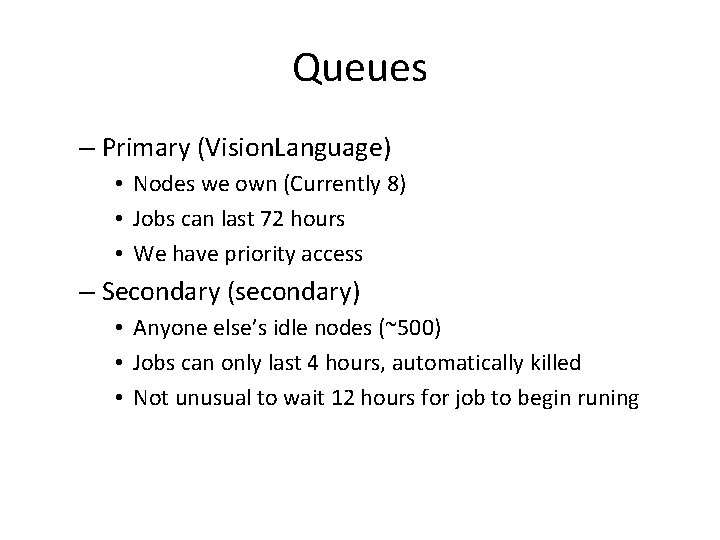
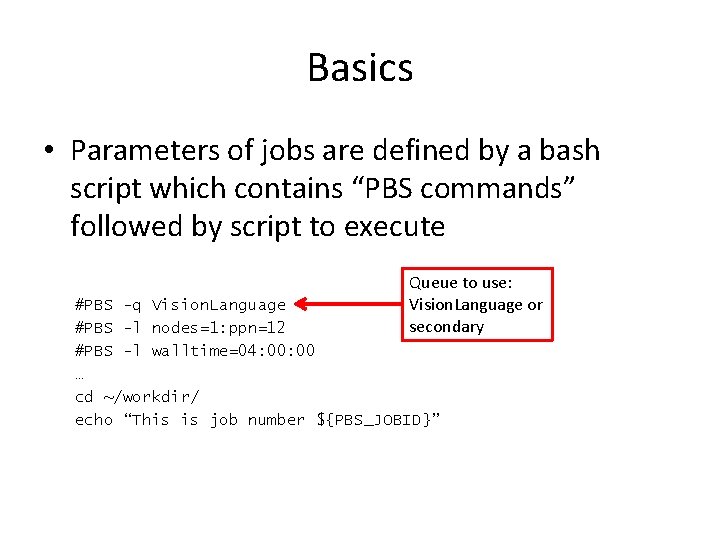
Queues – Primary (Vision. Language) • Nodes we own (Currently 8) • Jobs can last 72 hours • We have priority access – Secondary (secondary) • Anyone else’s idle nodes (~500) • Jobs can only last 4 hours, automatically killed • Not unusual to wait 12 hours for job to begin runing
Scheduler • Typically behaves as first come first serve • Claims of priority scheduling, we don’t know how it works…
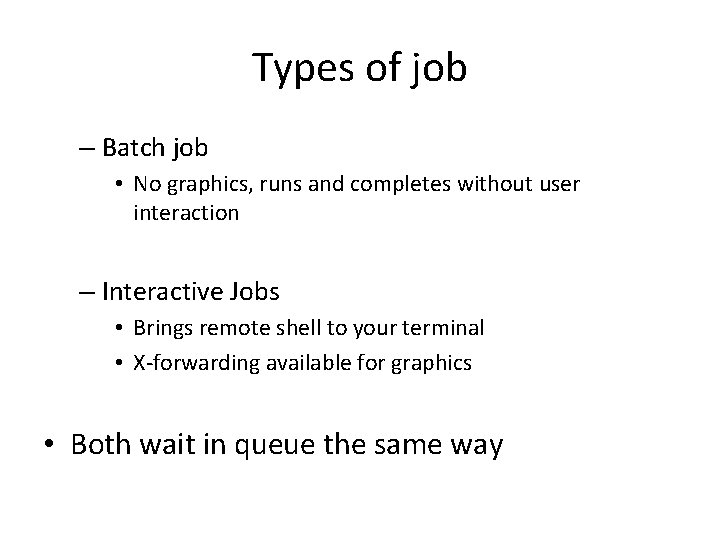
Types of job – Batch job • No graphics, runs and completes without user interaction – Interactive Jobs • Brings remote shell to your terminal • X-forwarding available for graphics • Both wait in queue the same way
Scheduling jobs – Batch job • [iendres 2 ~]$ qsub <job_script> • job_script defines parameters of job and the actual command to run • Details on job scripts to follow – Interactive Jobs • [iendres 2 ~]$ qsub -q <queuename> -I -l walltime=00: 30: 00, nodes=1: ppn=12 • Include –X for X-forwarding • Details on –l parameters to follow
Configuring Jobs
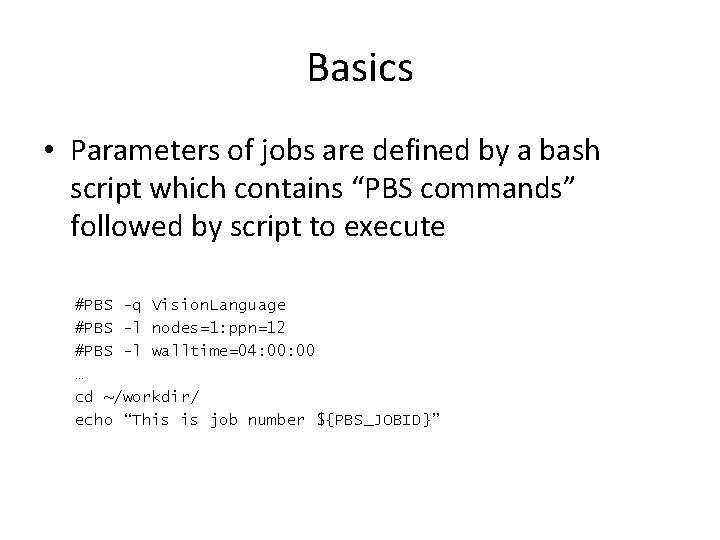
Basics • Parameters of jobs are defined by a bash script which contains “PBS commands” followed by script to execute #PBS -q Vision. Language #PBS -l nodes=1: ppn=12 #PBS -l walltime=04: 00 … cd ~/workdir/ echo “This is job number ${PBS_JOBID}”
Basics • Parameters of jobs are defined by a bash script which contains “PBS commands” followed by script to execute Queue to use: Vision. Language or secondary #PBS -q Vision. Language #PBS -l nodes=1: ppn=12 #PBS -l walltime=04: 00 … cd ~/workdir/ echo “This is job number ${PBS_JOBID}”
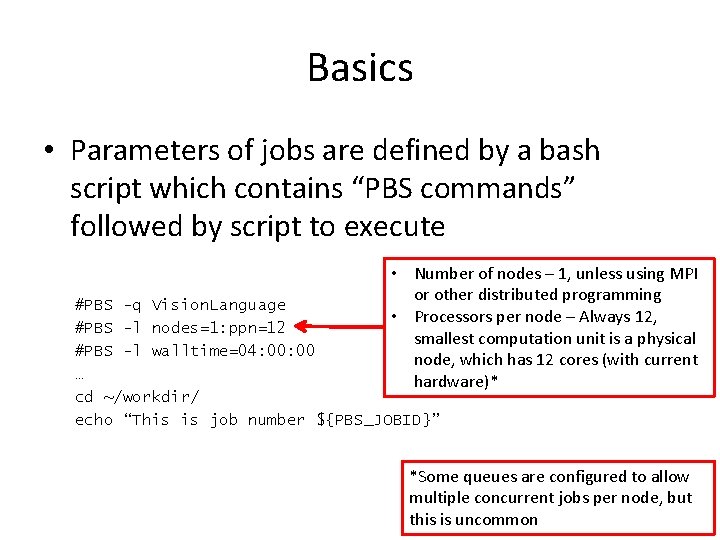
Basics • Parameters of jobs are defined by a bash script which contains “PBS commands” followed by script to execute • Number of nodes – 1, unless using MPI or other distributed programming • Processors per node – Always 12, smallest computation unit is a physical node, which has 12 cores (with current hardware)* #PBS -q Vision. Language #PBS -l nodes=1: ppn=12 #PBS -l walltime=04: 00 … cd ~/workdir/ echo “This is job number ${PBS_JOBID}” *Some queues are configured to allow multiple concurrent jobs per node, but this is uncommon
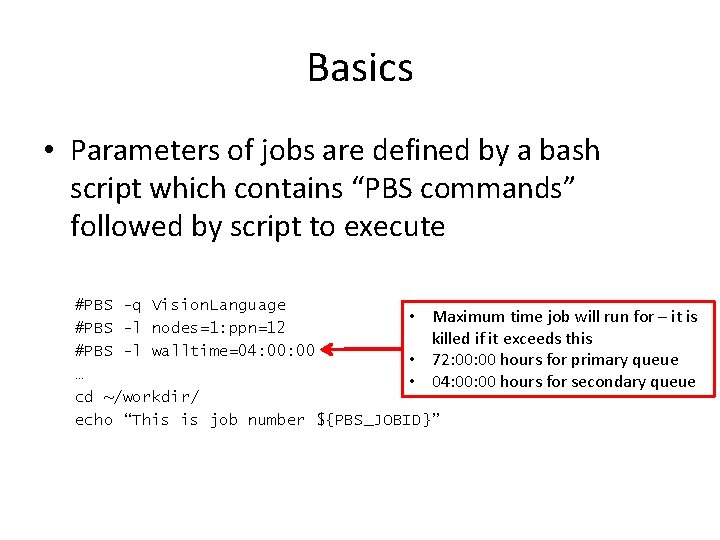
Basics • Parameters of jobs are defined by a bash script which contains “PBS commands” followed by script to execute #PBS -q Vision. Language • Maximum time job will run for – it is #PBS -l nodes=1: ppn=12 killed if it exceeds this #PBS -l walltime=04: 00 • 72: 00 hours for primary queue … • 04: 00 hours for secondary queue cd ~/workdir/ echo “This is job number ${PBS_JOBID}”
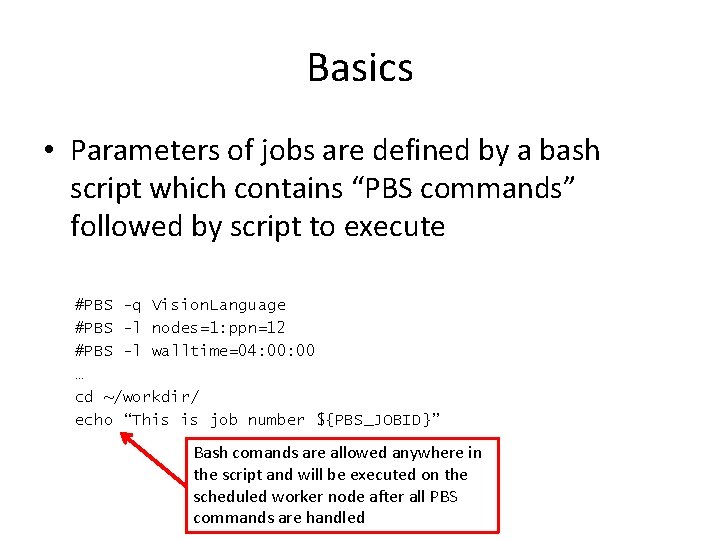
Basics • Parameters of jobs are defined by a bash script which contains “PBS commands” followed by script to execute #PBS -q Vision. Language #PBS -l nodes=1: ppn=12 #PBS -l walltime=04: 00 … cd ~/workdir/ echo “This is job number ${PBS_JOBID}” Bash comands are allowed anywhere in the script and will be executed on the scheduled worker node after all PBS commands are handled
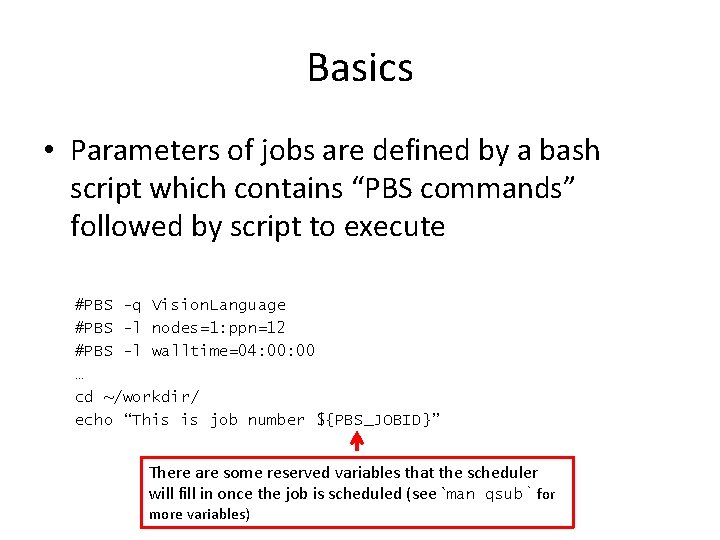
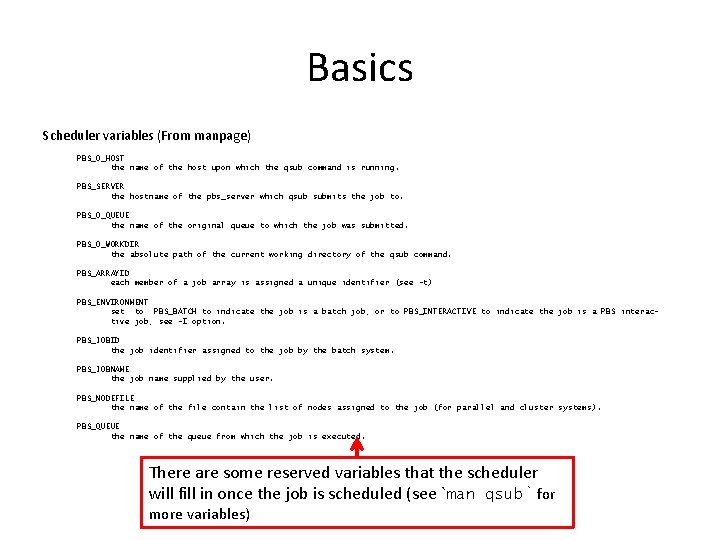
Basics • Parameters of jobs are defined by a bash script which contains “PBS commands” followed by script to execute #PBS -q Vision. Language #PBS -l nodes=1: ppn=12 #PBS -l walltime=04: 00 … cd ~/workdir/ echo “This is job number ${PBS_JOBID}” There are some reserved variables that the scheduler will fill in once the job is scheduled (see `man qsub` for more variables)
Basics Scheduler variables (From manpage) PBS_O_HOST the name of the host upon which the qsub command is running. PBS_SERVER the hostname of the pbs_server which qsub submits the job to. PBS_O_QUEUE the name of the original queue to which the job was submitted. PBS_O_WORKDIR the absolute path of the current working directory of the qsub command. PBS_ARRAYID each member of a job array is assigned a unique identifier (see -t) PBS_ENVIRONMENT set to PBS_BATCH to indicate the job is a batch job, or to PBS_INTERACTIVE to indicate the job is a PBS interactive job, see -I option. PBS_JOBID the job identifier assigned to the job by the batch system. PBS_JOBNAME the job name supplied by the user. PBS_NODEFILE the name of the file contain the list of nodes assigned to the job (for parallel and cluster systems). PBS_QUEUE the name of the queue from which the job is executed. There are some reserved variables that the scheduler will fill in once the job is scheduled (see `man qsub` for more variables)
Monitoring Jobs grep is your friend for finding specific jobs [iendres 2 ~]$ qstat Sample output: JOBID 333885[]. taubm 1 333899. taubm 1 333900. taubm 1 333901. taubm 1 333902. taubm 1 333903. taubm 1 333904. taubm 1 333905. taubm 1 333906. taubm 1 333907. taubm 1 333908. taubm 1 333914. taubm 1 333915. taubm 1 333916. taubm 1 (e. g. qstat –u iendres 2 | grep “ R ” gives all of my running jobs) JOBNAME r-afm-average test 6 cgfb-a cgfb-b cgfb-c cgfb-d cgfb-e cgfb-f cgfb-g cgfb-h. . . conp 5_38. namd ktao 3. kpt. 12 ktao 3. kpt. 14 joblammps USER hzheng 8 lee 263 dcyang 2 dcyang 2 harpole 2 chandini daoud 2 WALLTIME 0 03: 33 09: 22: 44 09: 31: 14 09: 28 09: 12: 44 09: 27: 45 09: 30: 55 09: 06: 51 09: 01: 07 0 03: 05: 36 03: 32: 26 03: 57: 06 STATE QUEUE Q secondary R secondary R secondary R secondary H cse C secondary R cse States: Q – Queued, waiting to run R – Running H – Held, by user or admin, won’t run until released (see qhold, qrls) C – Closed – finished running E – Error – this usually doesn’t happen, indicates a problem with the cluster
Managing Jobs qalter, qdel, qhold, qmove, qmsg, qrerun, qrls, qselect, qsig, qstat Each takes a jobid + some arguments
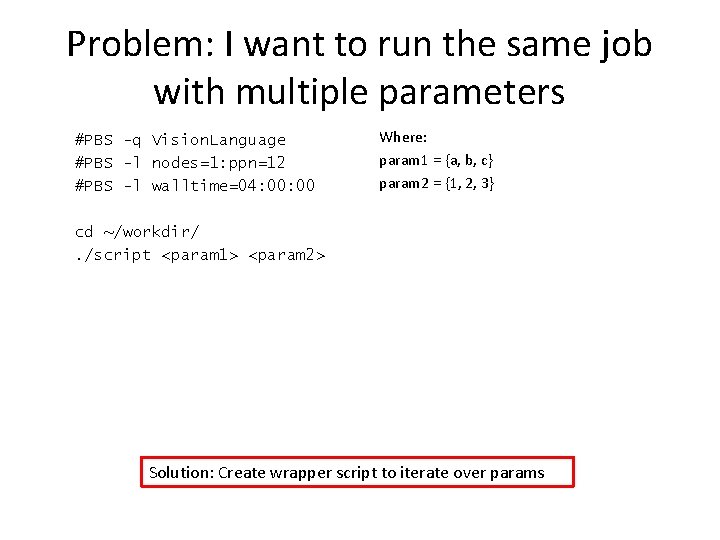
Problem: I want to run the same job with multiple parameters #PBS -q Vision. Language #PBS -l nodes=1: ppn=12 #PBS -l walltime=04: 00 Where: param 1 = {a, b, c} param 2 = {1, 2, 3} cd ~/workdir/. /script <param 1> <param 2> Solution: Create wrapper script to iterate over params
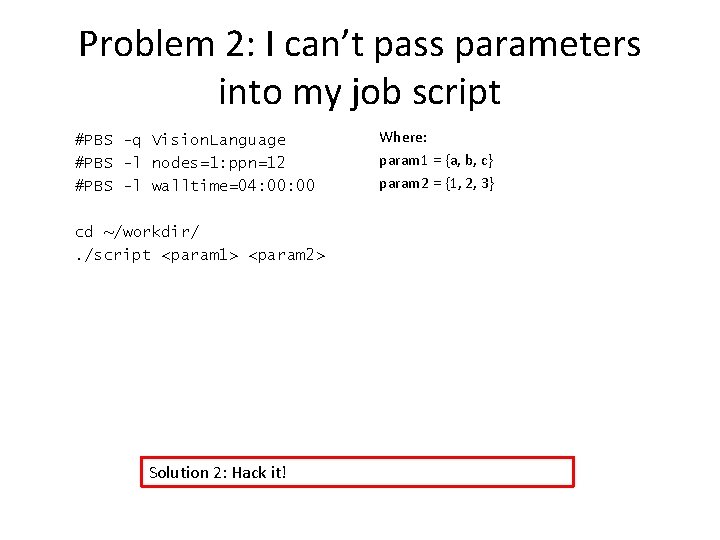
Problem 2: I can’t pass parameters into my job script #PBS -q Vision. Language #PBS -l nodes=1: ppn=12 #PBS -l walltime=04: 00 cd ~/workdir/. /script <param 1> <param 2> Solution 2: Hack it! Where: param 1 = {a, b, c} param 2 = {1, 2, 3}
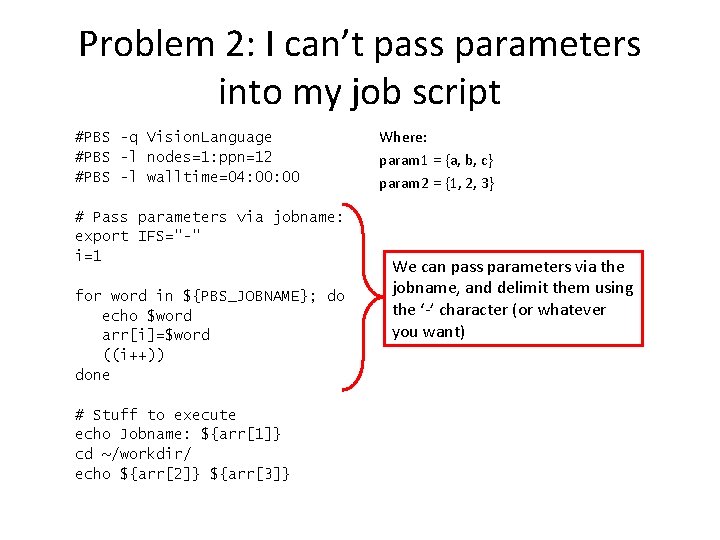
Problem 2: I can’t pass parameters into my job script #PBS -q Vision. Language #PBS -l nodes=1: ppn=12 #PBS -l walltime=04: 00 # Pass parameters via jobname: export IFS="-" i=1 for word in ${PBS_JOBNAME}; do echo $word arr[i]=$word ((i++)) done # Stuff to execute echo Jobname: ${arr[1]} cd ~/workdir/ echo ${arr[2]} ${arr[3]} Where: param 1 = {a, b, c} param 2 = {1, 2, 3} We can pass parameters via the jobname, and delimit them using the ‘-’ character (or whatever you want)
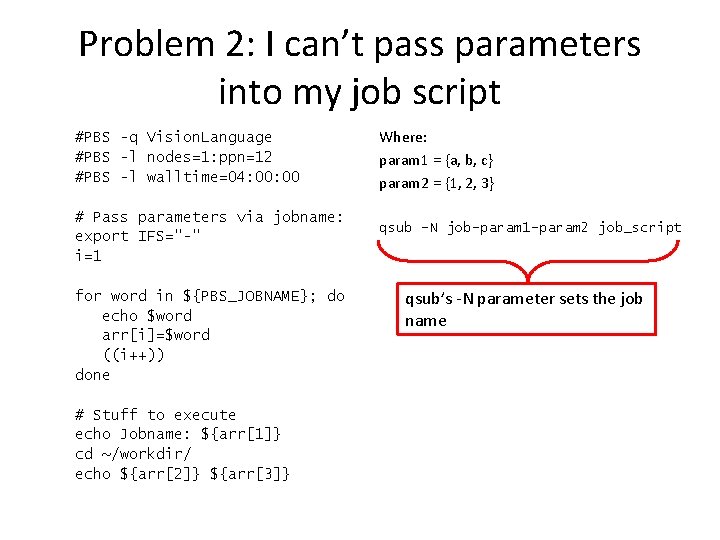
Problem 2: I can’t pass parameters into my job script #PBS -q Vision. Language #PBS -l nodes=1: ppn=12 #PBS -l walltime=04: 00 # Pass parameters via jobname: export IFS="-" i=1 for word in ${PBS_JOBNAME}; do echo $word arr[i]=$word ((i++)) done # Stuff to execute echo Jobname: ${arr[1]} cd ~/workdir/ echo ${arr[2]} ${arr[3]} Where: param 1 = {a, b, c} param 2 = {1, 2, 3} qsub –N job-param 1 -param 2 job_script qsub’s -N parameter sets the job name
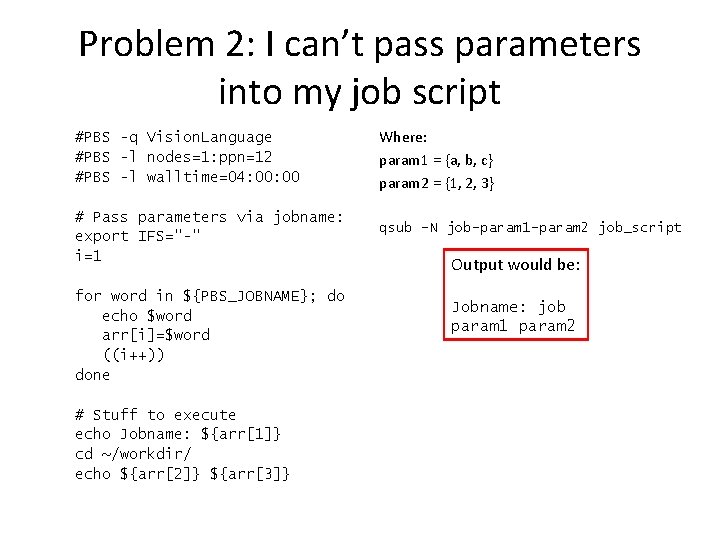
Problem 2: I can’t pass parameters into my job script #PBS -q Vision. Language #PBS -l nodes=1: ppn=12 #PBS -l walltime=04: 00 # Pass parameters via jobname: export IFS="-" i=1 for word in ${PBS_JOBNAME}; do echo $word arr[i]=$word ((i++)) done # Stuff to execute echo Jobname: ${arr[1]} cd ~/workdir/ echo ${arr[2]} ${arr[3]} Where: param 1 = {a, b, c} param 2 = {1, 2, 3} qsub –N job-param 1 -param 2 job_script Output would be: Jobname: job param 1 param 2
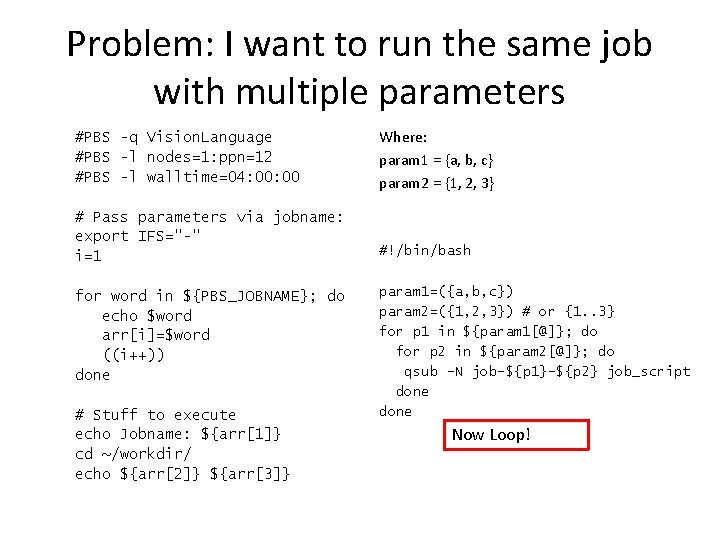
Problem: I want to run the same job with multiple parameters #PBS -q Vision. Language #PBS -l nodes=1: ppn=12 #PBS -l walltime=04: 00 # Pass parameters via jobname: export IFS="-" i=1 for word in ${PBS_JOBNAME}; do echo $word arr[i]=$word ((i++)) done # Stuff to execute echo Jobname: ${arr[1]} cd ~/workdir/ echo ${arr[2]} ${arr[3]} Where: param 1 = {a, b, c} param 2 = {1, 2, 3} #!/bin/bash param 1=({a, b, c}) param 2=({1, 2, 3}) # or {1. . 3} for p 1 in ${param 1[@]}; do for p 2 in ${param 2[@]}; do qsub –N job-${p 1}-${p 2} job_script done Now Loop!
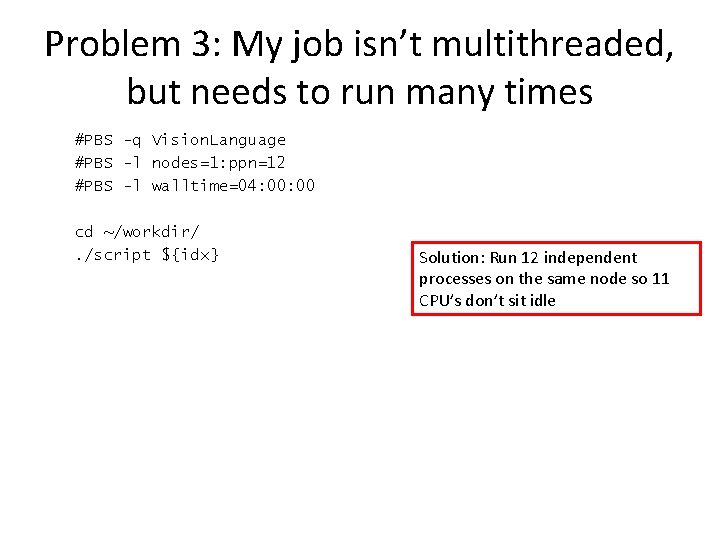
Problem 3: My job isn’t multithreaded, but needs to run many times #PBS -q Vision. Language #PBS -l nodes=1: ppn=12 #PBS -l walltime=04: 00 cd ~/workdir/. /script ${idx} Solution: Run 12 independent processes on the same node so 11 CPU’s don’t sit idle
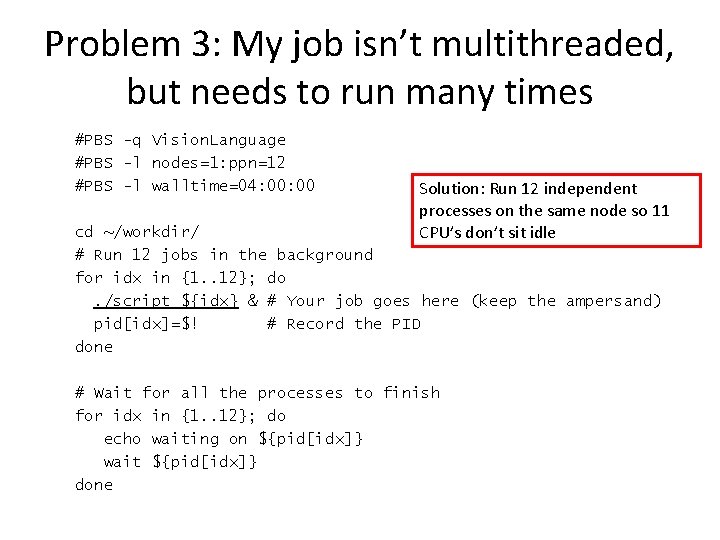
Problem 3: My job isn’t multithreaded, but needs to run many times #PBS -q Vision. Language #PBS -l nodes=1: ppn=12 #PBS -l walltime=04: 00 Solution: Run 12 independent processes on the same node so 11 CPU’s don’t sit idle cd ~/workdir/ # Run 12 jobs in the background for idx in {1. . 12}; do. /script ${idx} & # Your job goes here (keep the ampersand) pid[idx]=$! # Record the PID done # Wait for all the processes to finish for idx in {1. . 12}; do echo waiting on ${pid[idx]} wait ${pid[idx]} done
Matlab and The Cluster
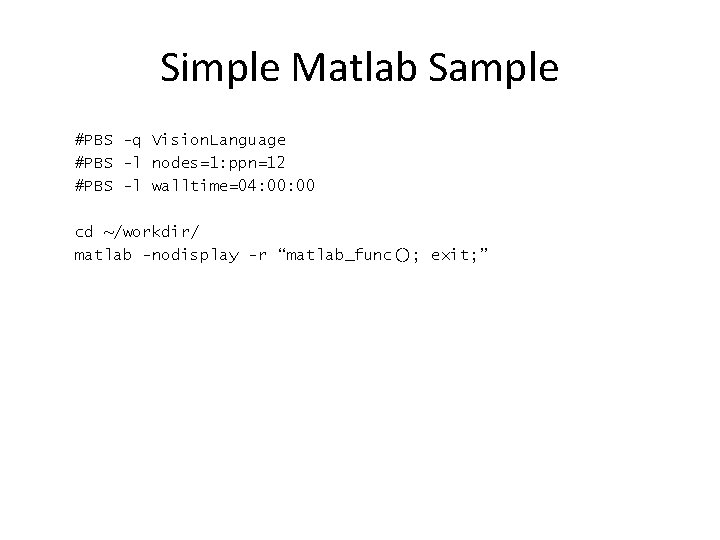
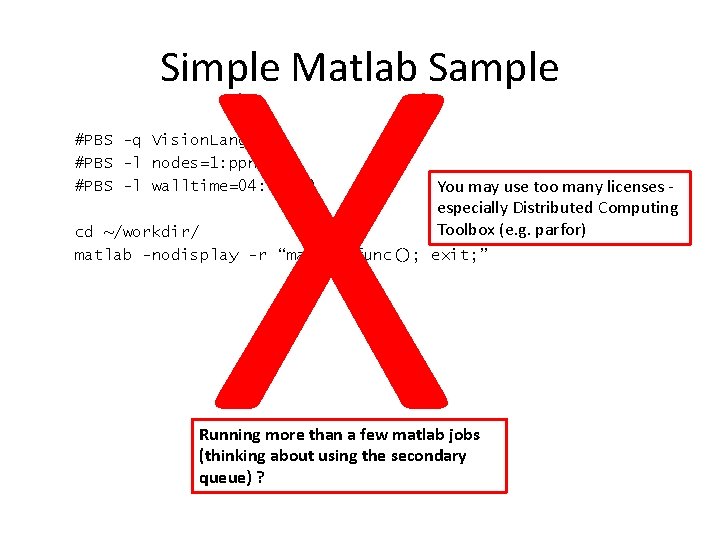
Simple Matlab Sample #PBS -q Vision. Language #PBS -l nodes=1: ppn=12 #PBS -l walltime=04: 00 cd ~/workdir/ matlab -nodisplay -r “matlab_func(); exit; ”
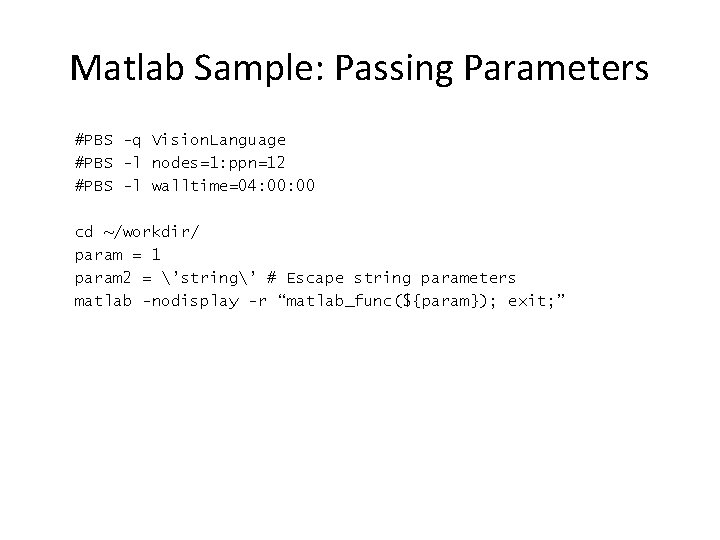
Matlab Sample: Passing Parameters #PBS -q Vision. Language #PBS -l nodes=1: ppn=12 #PBS -l walltime=04: 00 cd ~/workdir/ param = 1 param 2 = ’string’ # Escape string parameters matlab -nodisplay -r “matlab_func(${param}); exit; ”
X Simple Matlab Sample #PBS -q Vision. Language #PBS -l nodes=1: ppn=12 #PBS -l walltime=04: 00 You may use too many licenses especially Distributed Computing Toolbox (e. g. parfor) cd ~/workdir/ matlab -nodisplay -r “matlab_func(); exit; ” Running more than a few matlab jobs (thinking about using the secondary queue) ?
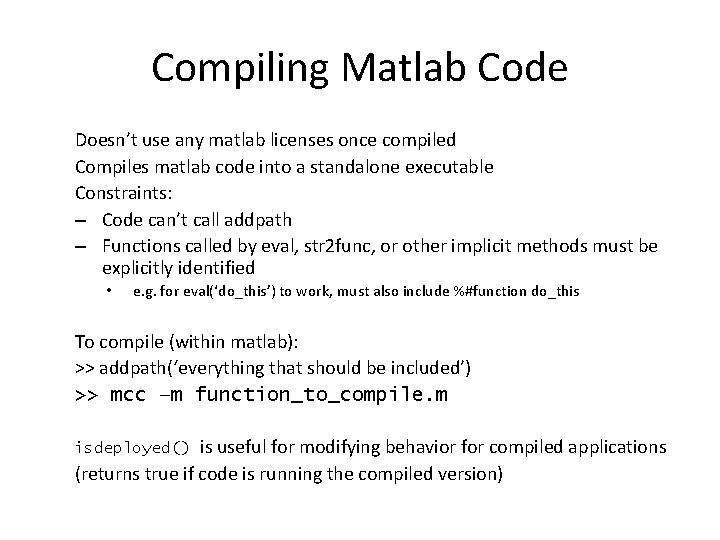
Compiling Matlab Code Doesn’t use any matlab licenses once compiled Compiles matlab code into a standalone executable Constraints: – Code can’t call addpath – Functions called by eval, str 2 func, or other implicit methods must be explicitly identified • e. g. for eval(‘do_this’) to work, must also include %#function do_this To compile (within matlab): >> addpath(‘everything that should be included’) >> mcc –m function_to_compile. m is useful for modifying behavior for compiled applications (returns true if code is running the compiled version) isdeployed()
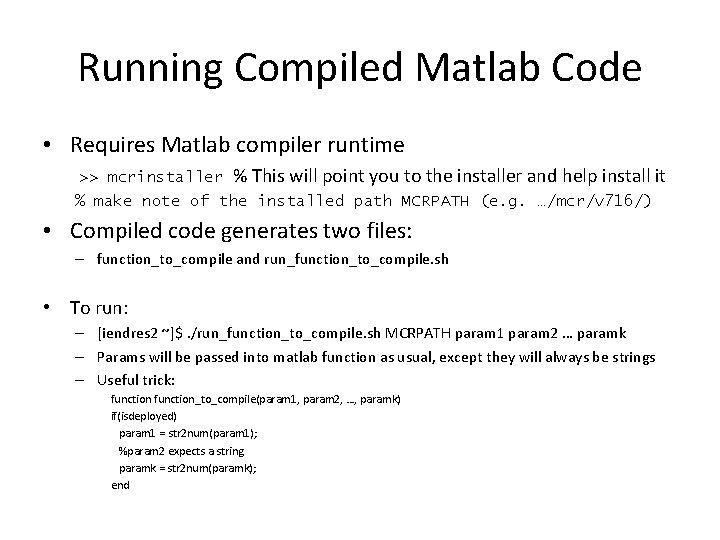
Running Compiled Matlab Code • Requires Matlab compiler runtime >> mcrinstaller % This will point you to the installer and help install it % make note of the installed path MCRPATH (e. g. …/mcr/v 716/) • Compiled code generates two files: – function_to_compile and run_function_to_compile. sh • To run: – [iendres 2 ~]$. /run_function_to_compile. sh MCRPATH param 1 param 2 … paramk – Params will be passed into matlab function as usual, except they will always be strings – Useful trick: function_to_compile(param 1, param 2, …, paramk) if(isdeployed) param 1 = str 2 num(param 1); %param 2 expects a string paramk = str 2 num(paramk); end
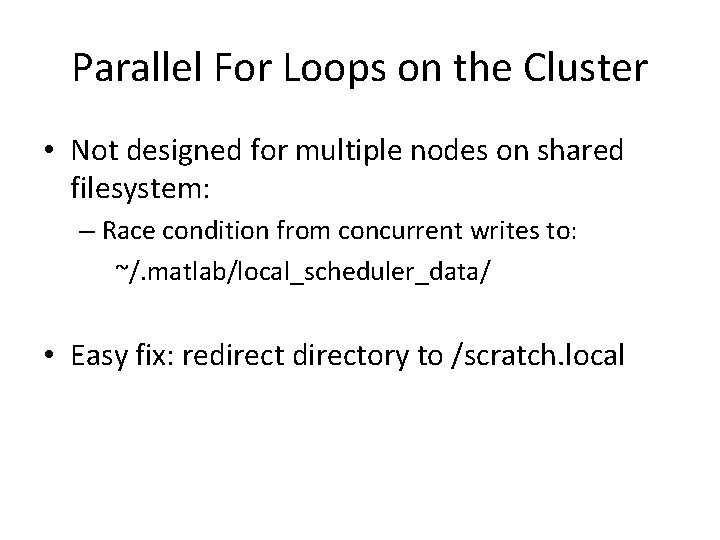
Parallel For Loops on the Cluster • Not designed for multiple nodes on shared filesystem: – Race condition from concurrent writes to: ~/. matlab/local_scheduler_data/ • Easy fix: redirectory to /scratch. local
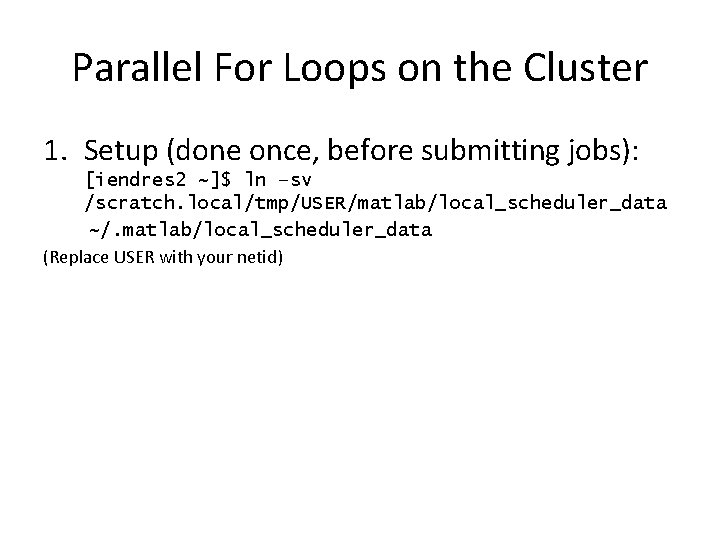
Parallel For Loops on the Cluster 1. Setup (done once, before submitting jobs): [iendres 2 ~]$ ln –sv /scratch. local/tmp/USER/matlab/local_scheduler_data ~/. matlab/local_scheduler_data (Replace USER with your netid)
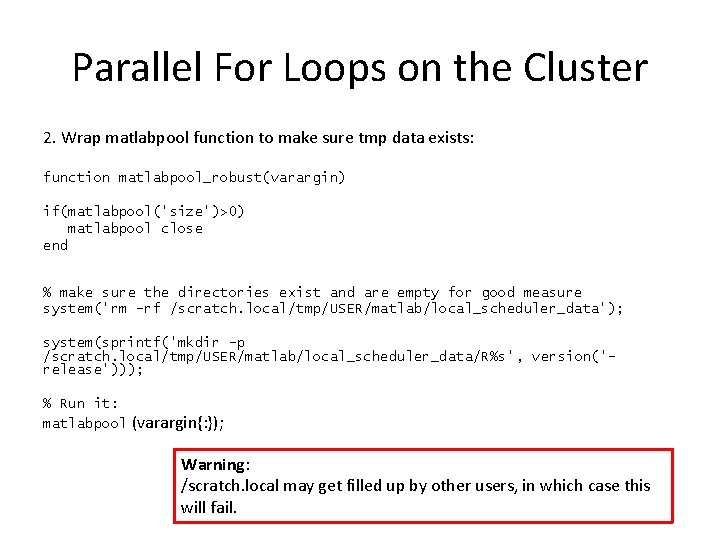
Parallel For Loops on the Cluster 2. Wrap matlabpool function to make sure tmp data exists: function matlabpool_robust(varargin) if(matlabpool('size')>0) matlabpool close end % make sure the directories exist and are empty for good measure system('rm -rf /scratch. local/tmp/USER/matlab/local_scheduler_data'); system(sprintf('mkdir -p /scratch. local/tmp/USER/matlab/local_scheduler_data/R%s', version('release'))); % Run it: matlabpool (varargin{: }); Warning: /scratch. local may get filled up by other users, in which case this will fail.
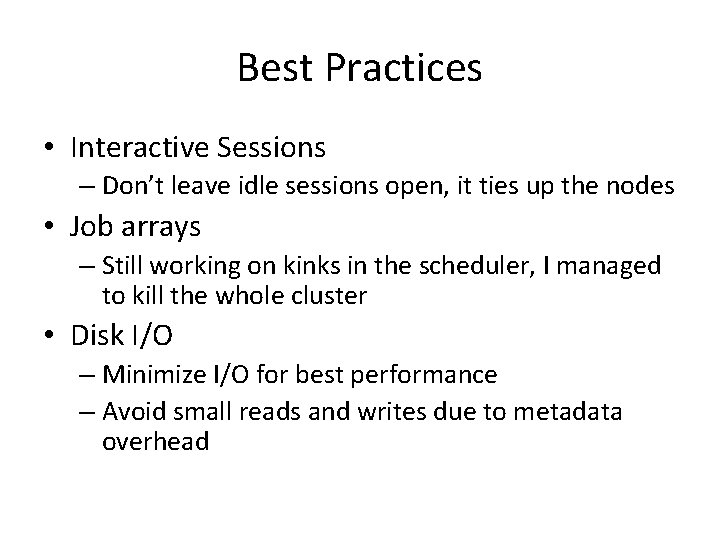
Best Practices • Interactive Sessions – Don’t leave idle sessions open, it ties up the nodes • Job arrays – Still working on kinks in the scheduler, I managed to kill the whole cluster • Disk I/O – Minimize I/O for best performance – Avoid small reads and writes due to metadata overhead
Maintenance • “Preventive maintenance (PM) on the cluster is generally scheduled on a monthly basis on the third Wednesday of each month from 8 a. m. to 8 p. m. Central Time. The cluster will be returned to service earlier if maintenance is completed before schedule. ”
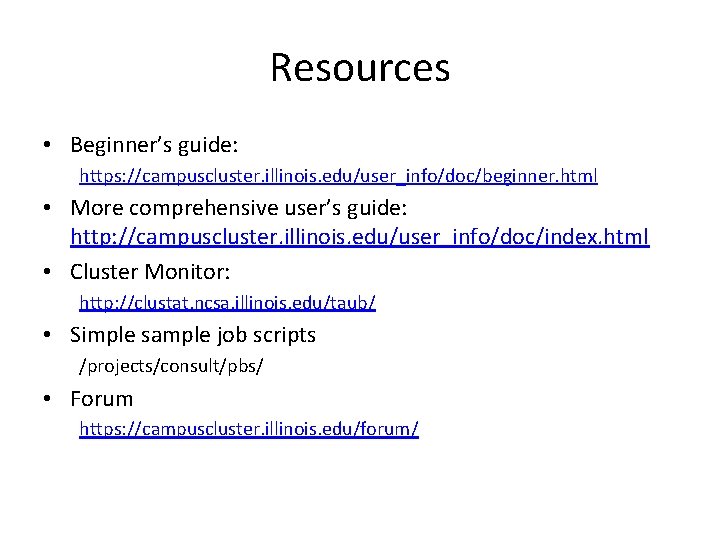
Resources • Beginner’s guide: https: //campuscluster. illinois. edu/user_info/doc/beginner. html • More comprehensive user’s guide: http: //campuscluster. illinois. edu/user_info/doc/index. html • Cluster Monitor: http: //clustat. ncsa. illinois. edu/taub/ • Simple sample job scripts /projects/consult/pbs/ • Forum https: //campuscluster. illinois. edu/forum/