
The Breakfast Club series SWP Reporting Its Accrual
The Breakfast Club series SWP Reporting: It’s Accrual World October 30 th, 2018 Presented by Sheryl Plumley & Taylor Gilbertson
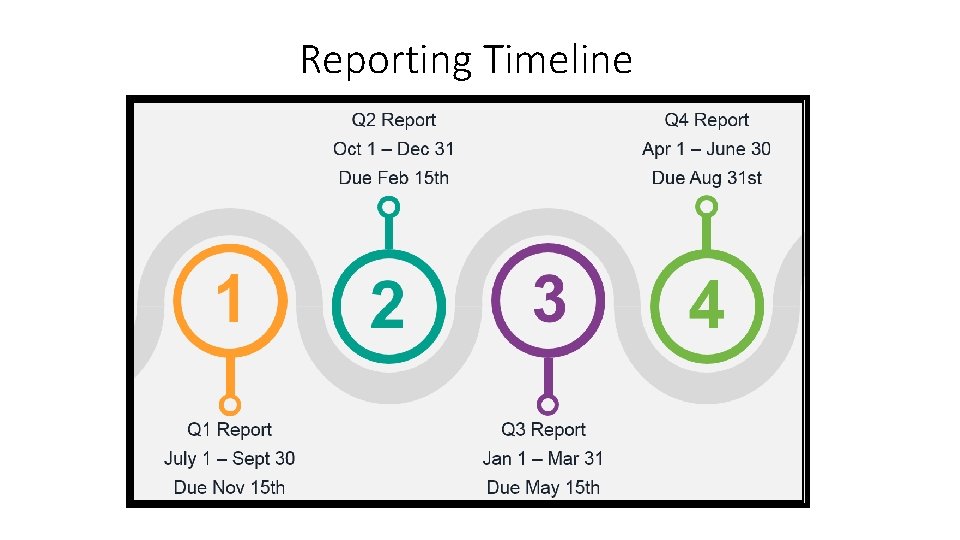
Reporting Timeline
Three-Part Reporting Process 1. Enter expenditures in NOVA, including brief narrative as to how funds were spent during the quarter. 2. Email supporting Summary and Detail Reports to RCCD. (Taylor. Gilbertson@rcc. edu) 3. Email work plan narrative to RCCD. (Taylor. Gilbertson@rcc. edu)
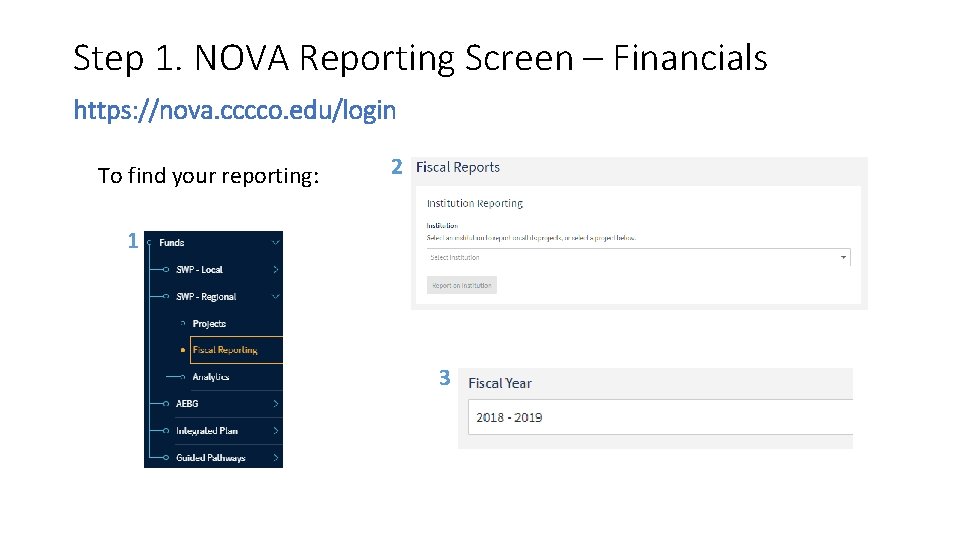
Step 1. NOVA Reporting Screen – Financials https: //nova. cccco. edu/login To find your reporting: 2 1 3
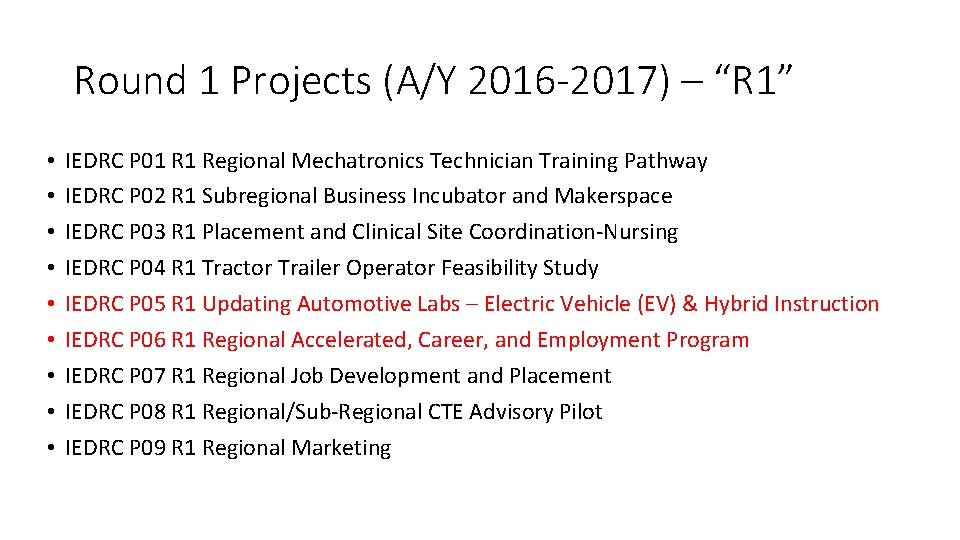
Round 1 Projects (A/Y 2016 -2017) – “R 1” • • • IEDRC P 01 R 1 Regional Mechatronics Technician Training Pathway IEDRC P 02 R 1 Subregional Business Incubator and Makerspace IEDRC P 03 R 1 Placement and Clinical Site Coordination-Nursing IEDRC P 04 R 1 Tractor Trailer Operator Feasibility Study IEDRC P 05 R 1 Updating Automotive Labs – Electric Vehicle (EV) & Hybrid Instruction IEDRC P 06 R 1 Regional Accelerated, Career, and Employment Program IEDRC P 07 R 1 Regional Job Development and Placement IEDRC P 08 R 1 Regional/Sub-Regional CTE Advisory Pilot IEDRC P 09 R 1 Regional Marketing
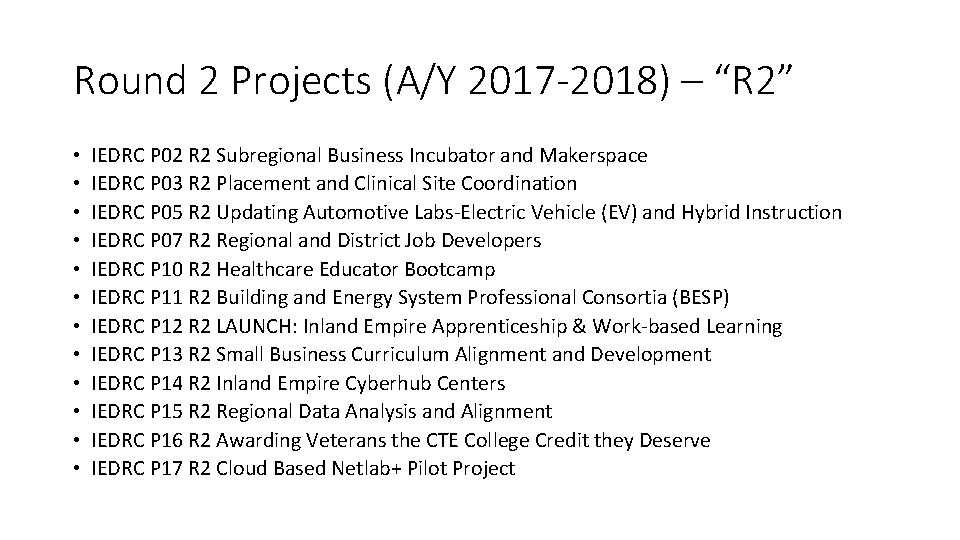
Round 2 Projects (A/Y 2017 -2018) – “R 2” • • • IEDRC P 02 R 2 Subregional Business Incubator and Makerspace IEDRC P 03 R 2 Placement and Clinical Site Coordination IEDRC P 05 R 2 Updating Automotive Labs-Electric Vehicle (EV) and Hybrid Instruction IEDRC P 07 R 2 Regional and District Job Developers IEDRC P 10 R 2 Healthcare Educator Bootcamp IEDRC P 11 R 2 Building and Energy System Professional Consortia (BESP) IEDRC P 12 R 2 LAUNCH: Inland Empire Apprenticeship & Work-based Learning IEDRC P 13 R 2 Small Business Curriculum Alignment and Development IEDRC P 14 R 2 Inland Empire Cyberhub Centers IEDRC P 15 R 2 Regional Data Analysis and Alignment IEDRC P 16 R 2 Awarding Veterans the CTE College Credit they Deserve IEDRC P 17 R 2 Cloud Based Netlab+ Pilot Project
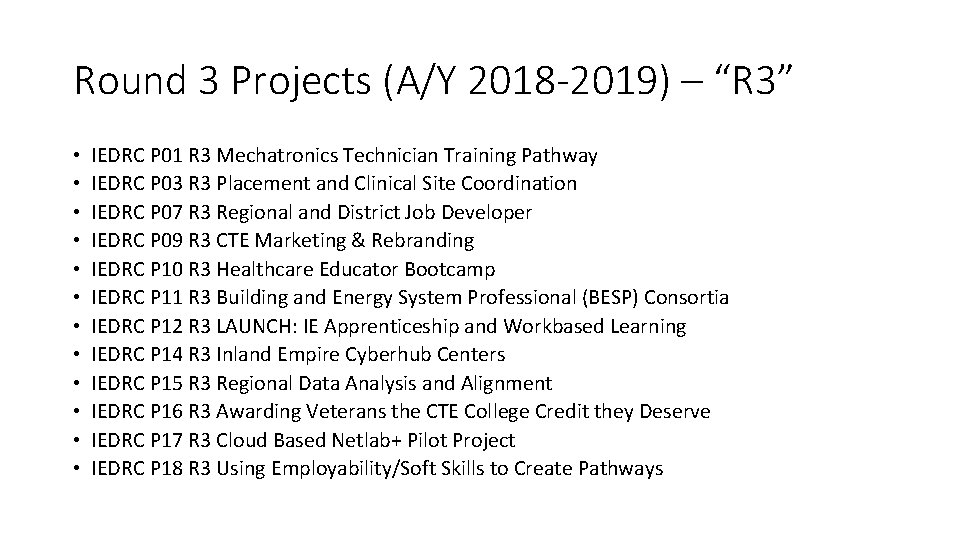
Round 3 Projects (A/Y 2018 -2019) – “R 3” • • • IEDRC P 01 R 3 Mechatronics Technician Training Pathway IEDRC P 03 R 3 Placement and Clinical Site Coordination IEDRC P 07 R 3 Regional and District Job Developer IEDRC P 09 R 3 CTE Marketing & Rebranding IEDRC P 10 R 3 Healthcare Educator Bootcamp IEDRC P 11 R 3 Building and Energy System Professional (BESP) Consortia IEDRC P 12 R 3 LAUNCH: IE Apprenticeship and Workbased Learning IEDRC P 14 R 3 Inland Empire Cyberhub Centers IEDRC P 15 R 3 Regional Data Analysis and Alignment IEDRC P 16 R 3 Awarding Veterans the CTE College Credit they Deserve IEDRC P 17 R 3 Cloud Based Netlab+ Pilot Project IEDRC P 18 R 3 Using Employability/Soft Skills to Create Pathways
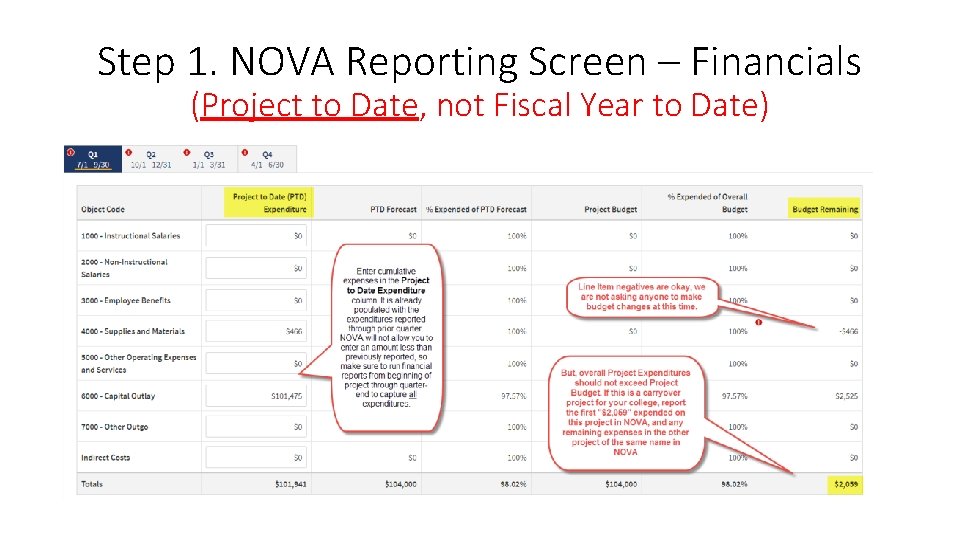
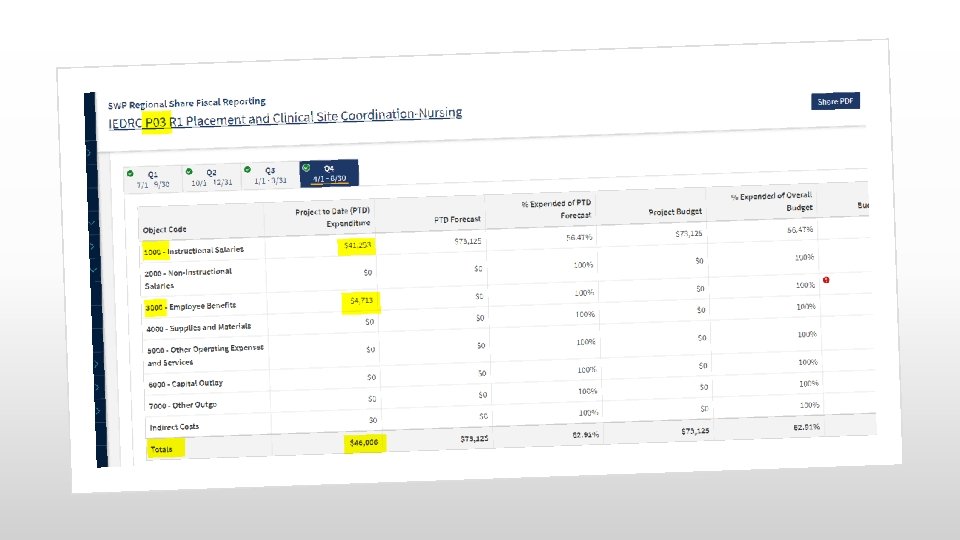
Step 1. NOVA Reporting Screen – Financials (Project to Date, not Fiscal Year to Date)
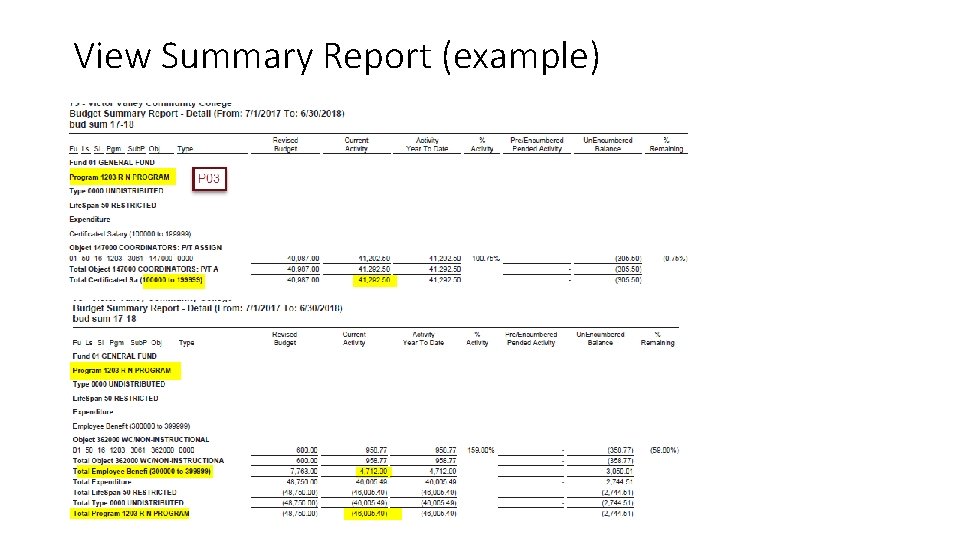
View Summary Report (example)
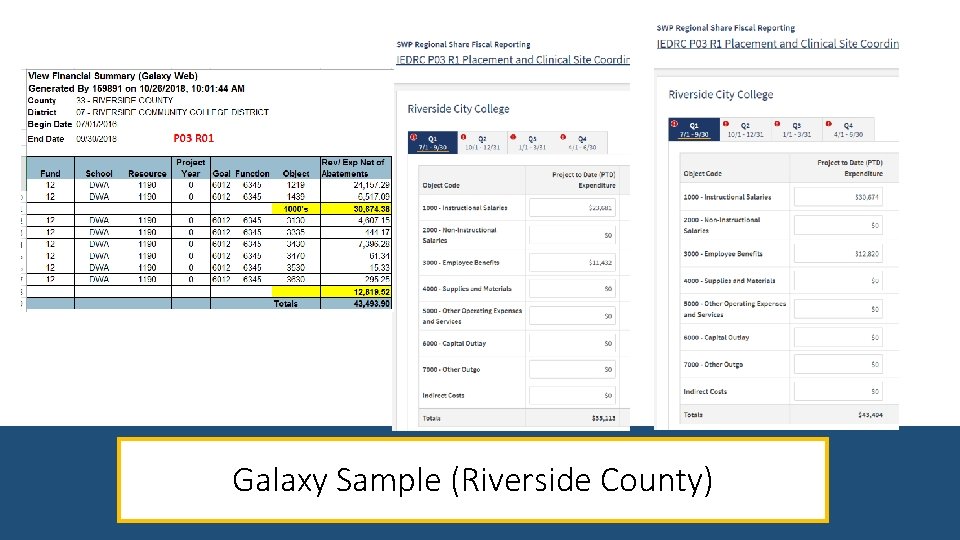
Galaxy Sample (Riverside County)
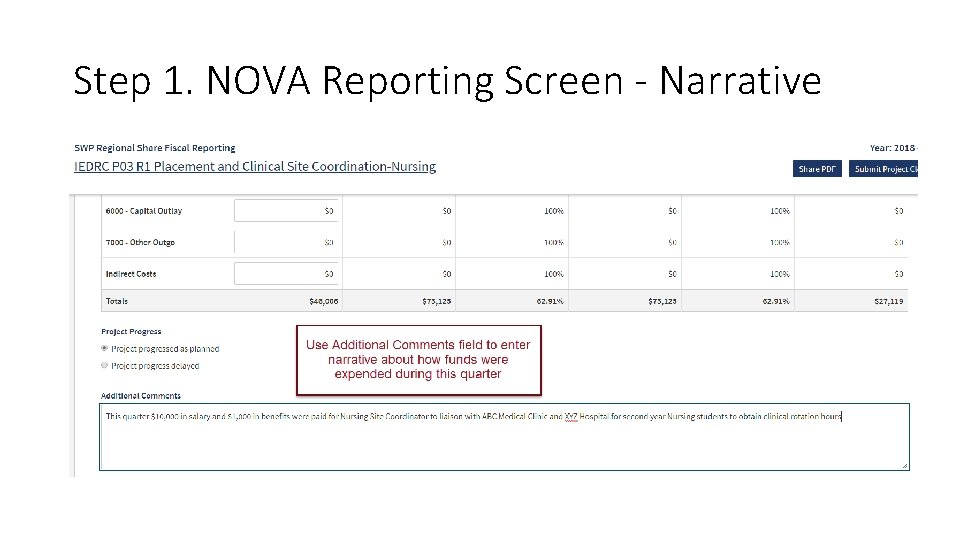
Step 1. NOVA Reporting Screen - Narrative
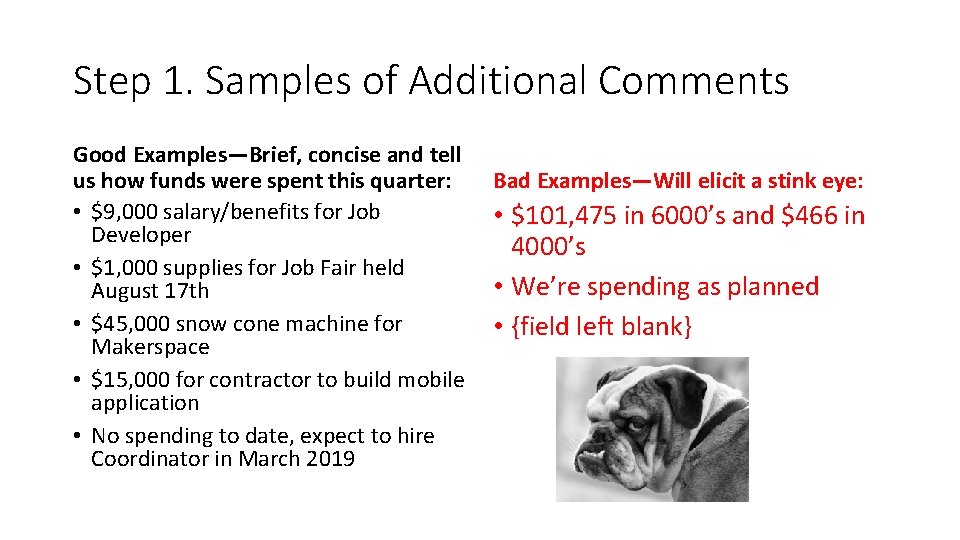
Step 1. Samples of Additional Comments Good Examples—Brief, concise and tell us how funds were spent this quarter: • $9, 000 salary/benefits for Job Developer • $1, 000 supplies for Job Fair held August 17 th • $45, 000 snow cone machine for Makerspace • $15, 000 for contractor to build mobile application • No spending to date, expect to hire Coordinator in March 2019 Bad Examples—Will elicit a stink eye: • $101, 475 in 6000’s and $466 in 4000’s • We’re spending as planned • {field left blank}
Step 2. Email Supporting Financial Documentation to: taylor. gilbertson@rcc. edu • A cumulative financial SUMMARY – • Shows total expenditures for the life of the project through quarter ending. • Shows the subtotal of expenditures by object category. • Must match the amounts reported in NOVA. • A financial DETAIL report – • Only for the current reporting period. For example: 7/01 – 9/30. • Shows each expenditure made (by date) during that quarter. This is helpful to use when providing narrative in the Additional Comments field in NOVA. • In theory, the total of the Detail report would match the difference between the total expenditures reported last quarter and this quarter.
Helpful Hints when providing Financial Summary and Detail Reports • Anything that makes it easier for us to match the numbers from your financial summary to those expenditures reported in NOVA is helpful. • If the project name isn’t clear on the financials, write it on there for us. • Highlight the subtotals so it is easy to confirm those same expenditures in NOVA.
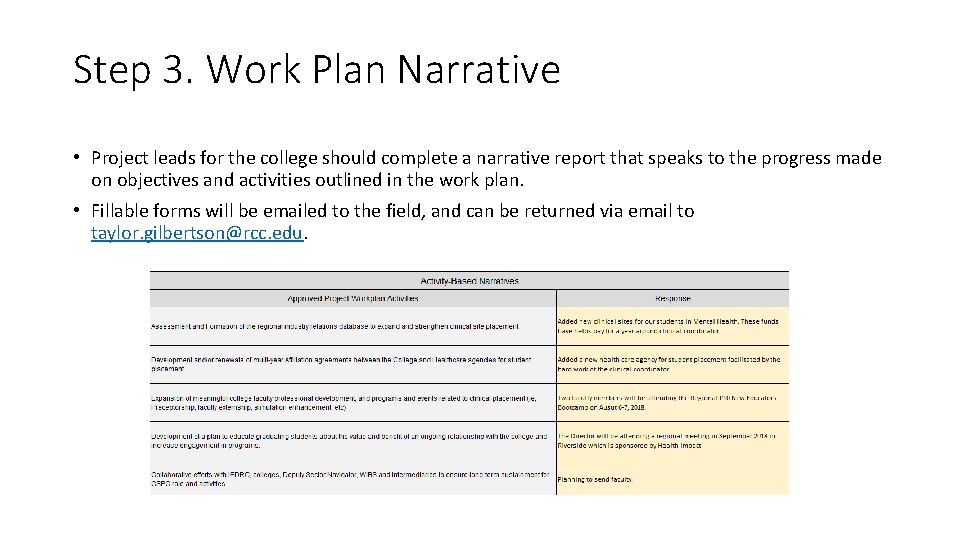
Step 3. Work Plan Narrative • Project leads for the college should complete a narrative report that speaks to the progress made on objectives and activities outlined in the work plan. • Fillable forms will be emailed to the field, and can be returned via email to taylor. gilbertson@rcc. edu.
Invoicing RCCD • Invoices for reimbursement of expenditures may be submitted as often as monthly, but no less than quarterly. • Invoices must be accompanied by substantiating financial documents. • Helpful Hint – Submit invoices WITH quarterly reports as the financial documentation provided with reports would also substantiate the invoice amount.
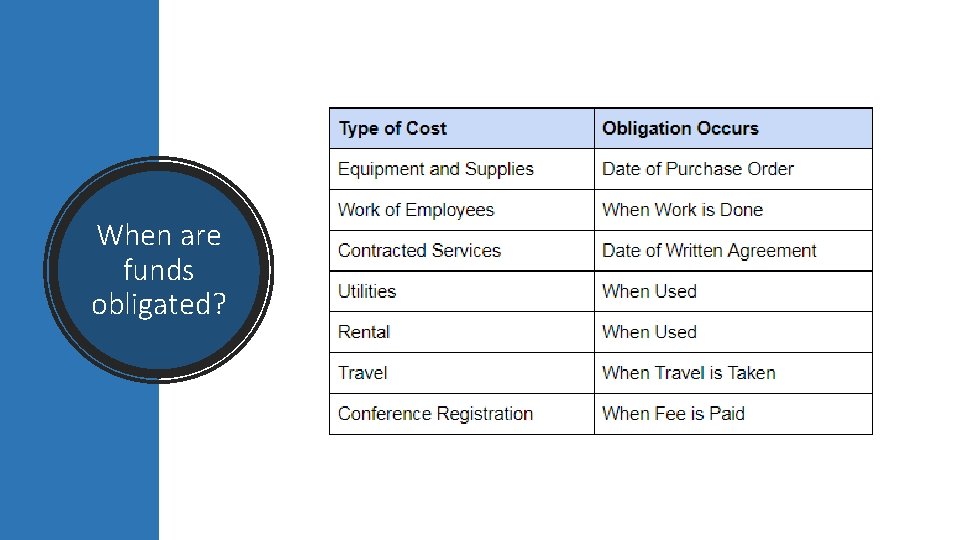
When are funds obligated?
Guidelines for Strong Workforce Funding Reasonable Supplanting – SWP funds shall supplement, not supplant, existing funding of community college career technical education programs Fund CTE Only – must show a direct benefit to requirements of SWP outcomes Follow all fiscal policy and program procedures adopted by the applicable Community College District
What are Allowable Expenses? Ask yourself the following questions: • Is this allowable per the CCCCO Guidelines Memo (handout provided)? • If YES, is the proposed expenditure related to an activity in the work plan? • If YES, would your District allow you to purchase that item with general funds (these are Prop 98 funds)? For example, general funds may not be used to purchase alcohol, therefore SWP funds could not be used to purchase alcohol either.
Preparing for end of Round 1 - 12/31/2018 • Contracts expire 12/31/18, per Section 7. Invoices - • "A final invoice for all performance under this Agreement is due no later than January 31, 2019" • Look over encumbrances • Have supplies/equipment been received? Contact vendor for invoice, or status of order • Is this project funding payroll? If so, make sure college procedure is followed to move payroll to a different funding source as of January 1
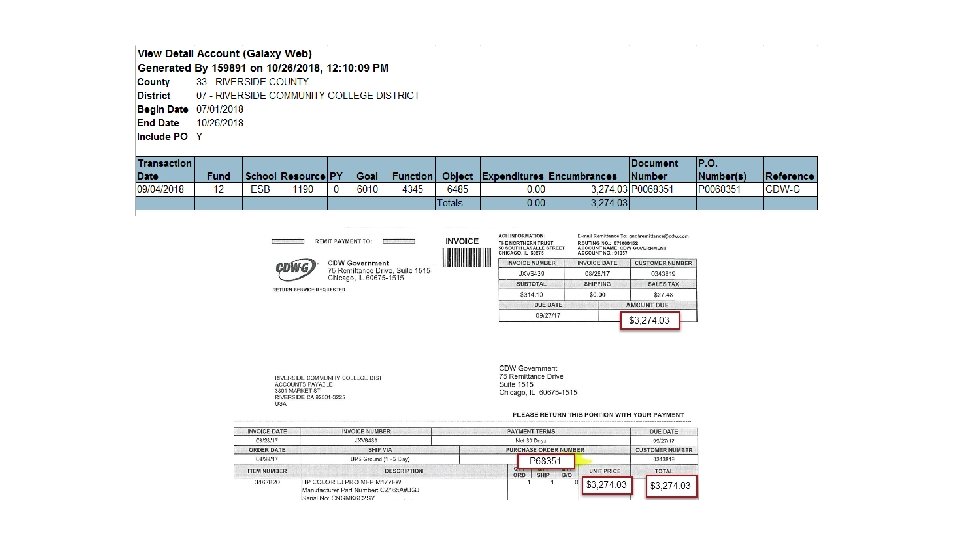
What if material is not received by 12/31/18? • On the final report you will be allowed to report encumbrances with expenditures under the following conditions: • Encumbrance is NOT for payroll incurred after 12/31/18 • Encumbrance is NOT for travel occurring after 12/31/18 • A copy of vendor's invoice accompanies View Detail report showing amount encumbered, PO#, vendor name. • If invoice amount differs from amount encumbered, be sure to show adjustment on View Detail report.
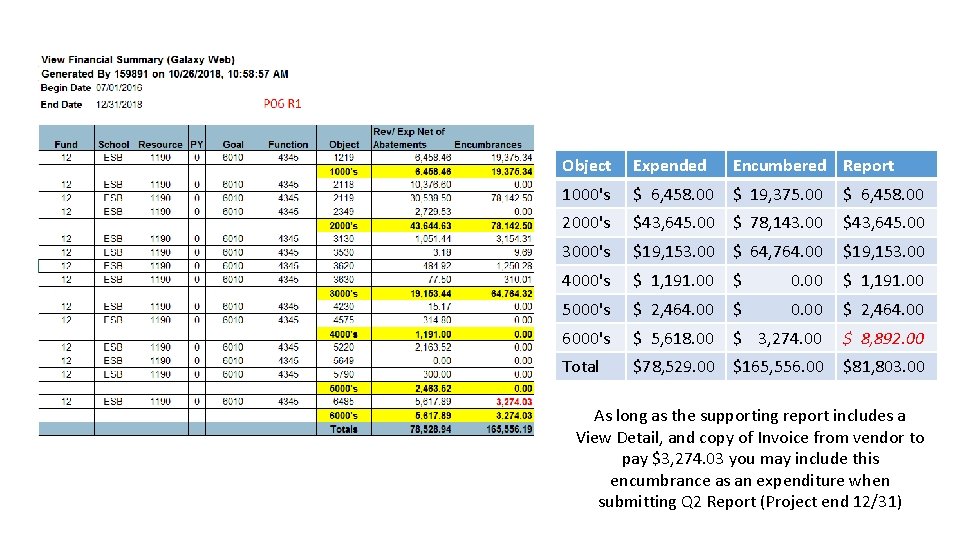
Object Expended Encumbered Report 1000's $ 6, 458. 00 $ 19, 375. 00 $ 6, 458. 00 2000's $43, 645. 00 $ 78, 143. 00 $43, 645. 00 3000's $19, 153. 00 $ 64, 764. 00 $19, 153. 00 4000's $ 1, 191. 00 $ 0. 00 $ 1, 191. 00 5000's $ 2, 464. 00 $ 0. 00 $ 2, 464. 00 6000's $ 5, 618. 00 $ 3, 274. 00 $ 8, 892. 00 Total $78, 529. 00 $165, 556. 00 $81, 803. 00 As long as the supporting report includes a View Detail, and copy of Invoice from vendor to pay $3, 274. 03 you may include this encumbrance as an expenditure when submitting Q 2 Report (Project end 12/31)
Budget Modifications without Prior Approval Per the Participation Agreement: 5. BUDGET Contractor agrees that expenditure of funds under the Agreement will not exceed the funding amount shown in Table 2. Modifications to the budget are allowed without prior approval, as long as budget categories are not added or deleted, the total dollar amount attached to the proposal is not affected, and the outcomes of the Participation Agreement will not be materially affected. The project budget is allocated according to funding cycle listed in Table 2. Budget modifications between funding cycles for ongoing proposal activities may be permitted at the written request of the Contractor, or as determined necessary by the District to ensure funds are expended to the fullest extent possible in each funding cycle.
Budget Modifications Requiring Prior Approval • The Fiscal Agent (RCCD) may approve budget modifications up to 5% of the original project award • Email julie. pehkonen@rcc. edu to make the request in writing • Request should include: • Project #, Round #, and Name • Amount to add/reduce for each object category within the project • Justification for addition/reduction

Contact info: • Sheryl Plumley • sheryl. plumley@rccd. edu • 951 -328 -3858 • Taylor Gilbertson • taylor. gilbertson@rcc. edu • 951 -222 -8475
- Slides: 27