
the Board of Education electrical power Vdd Vin
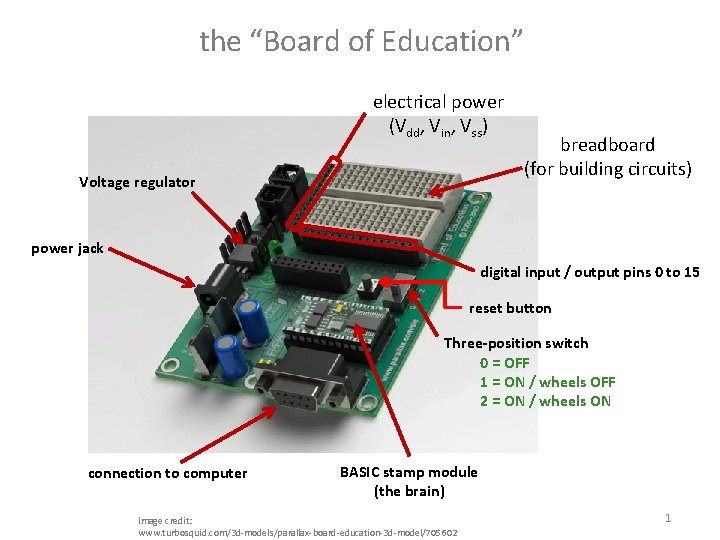
the “Board of Education” electrical power (Vdd, Vin, Vss) Voltage regulator breadboard (for building circuits) power jack digital input / output pins 0 to 15 reset button Three-position switch 0 = OFF 1 = ON / wheels OFF 2 = ON / wheels ON connection to computer BASIC stamp module (the brain) image credit: www. turbosquid. com/3 d-models/parallax-board-education-3 d-model/705602 1
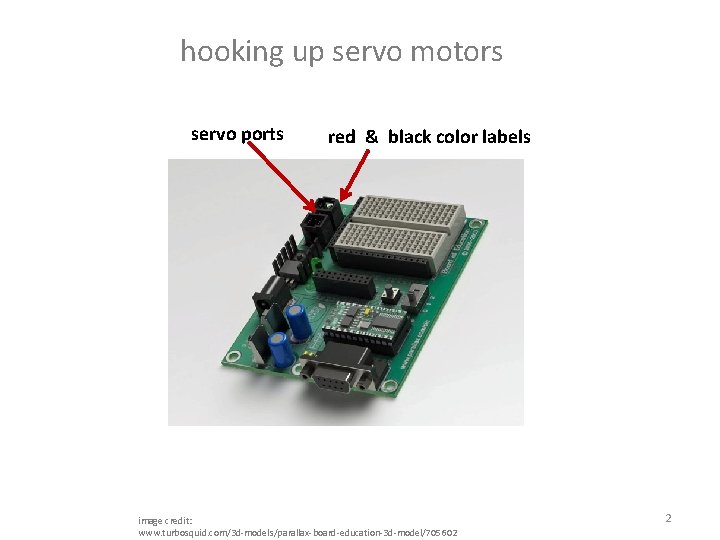
hooking up servo motors servo ports red & black color labels image credit: www. turbosquid. com/3 d-models/parallax-board-education-3 d-model/705602 2
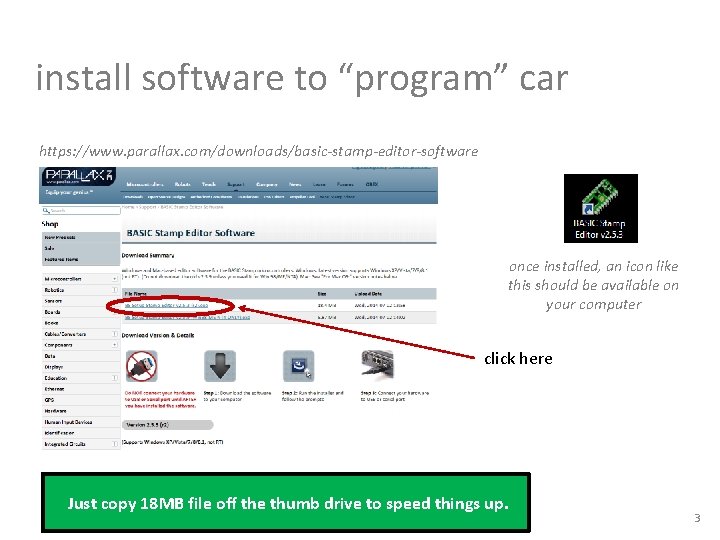
install software to “program” car https: //www. parallax. com/downloads/basic-stamp-editor-software once installed, an icon like this should be available on your computer click here Just copy 18 MB file off the thumb drive to speed things up. 3
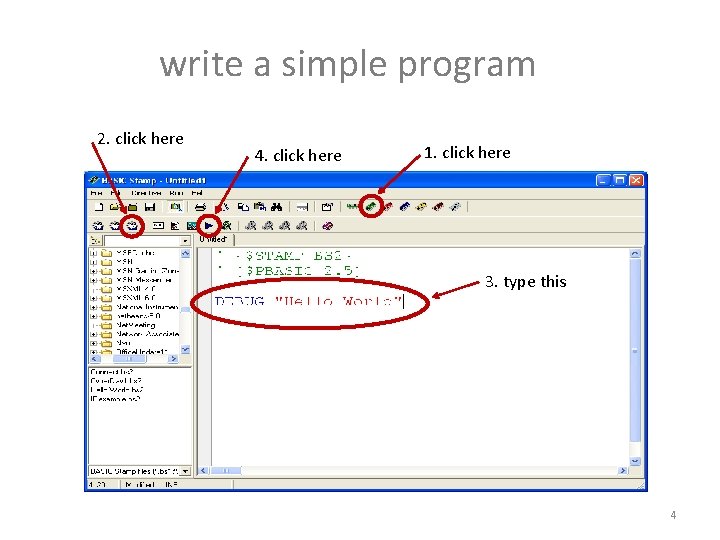
write a simple program 2. click here 4. click here 1. click here 3. type this 4
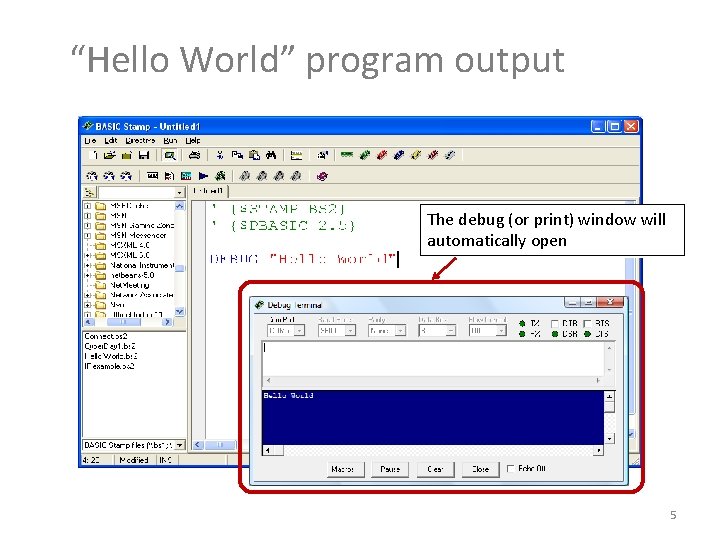
“Hello World” program output The debug (or print) window will automatically open 5
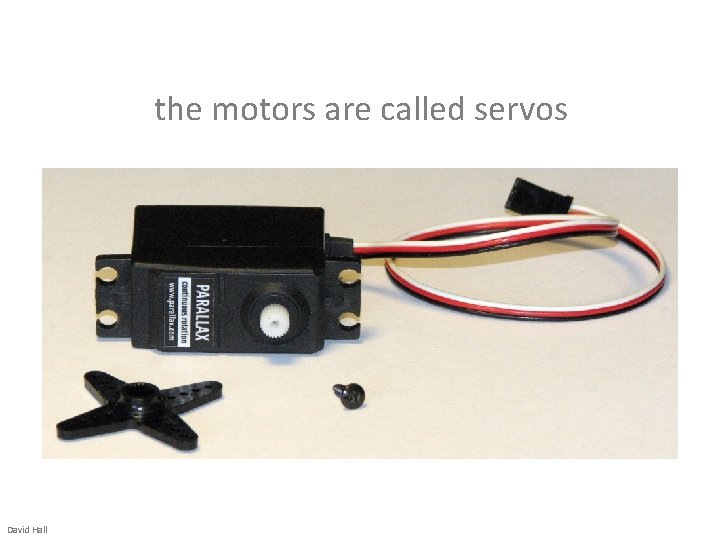
the motors are called servos David Hall
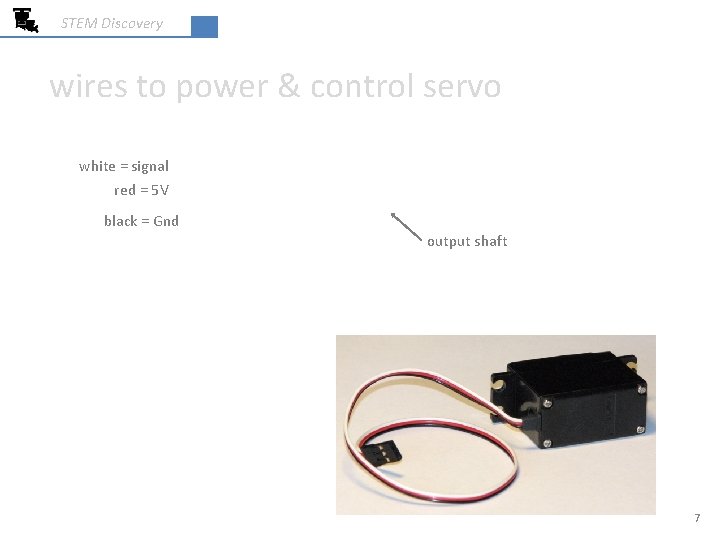
STEM Discovery wires to power & control servo white = signal red = 5 V black = Gnd output shaft 7
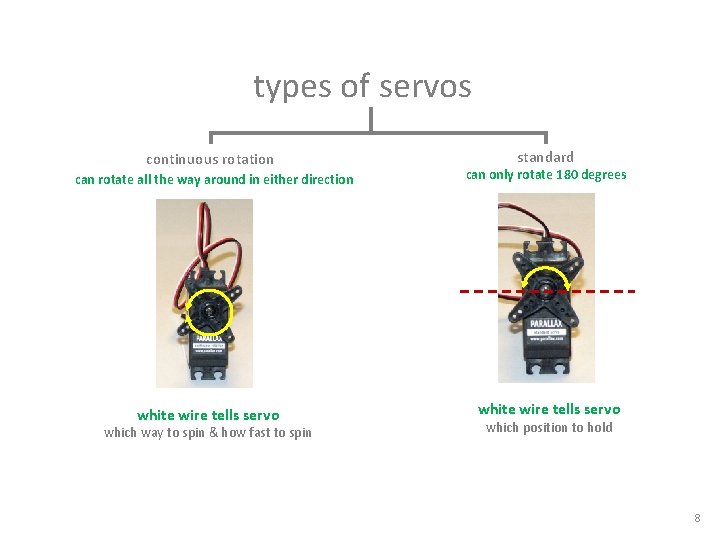
types of servos continuous rotation can rotate all the way around in either direction white wire tells servo which way to spin & how fast to spin standard can only rotate 180 degrees white wire tells servo which position to hold 8
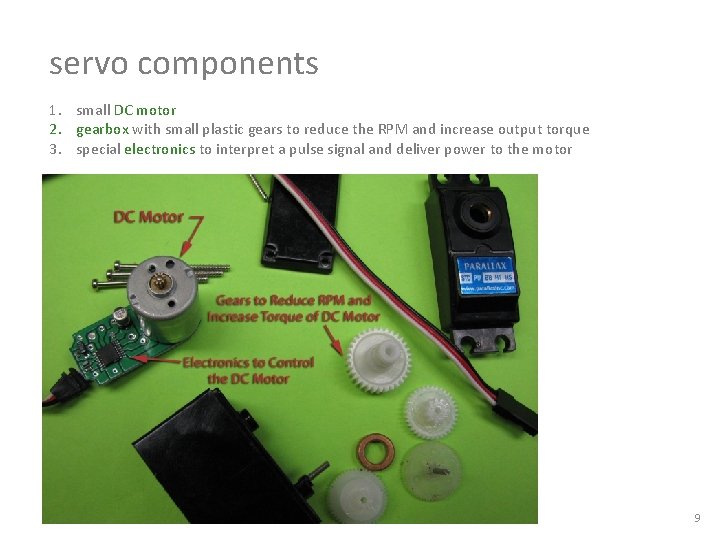
servo components 1. small DC motor 2. gearbox with small plastic gears to reduce the RPM and increase output torque 3. special electronics to interpret a pulse signal and deliver power to the motor 9
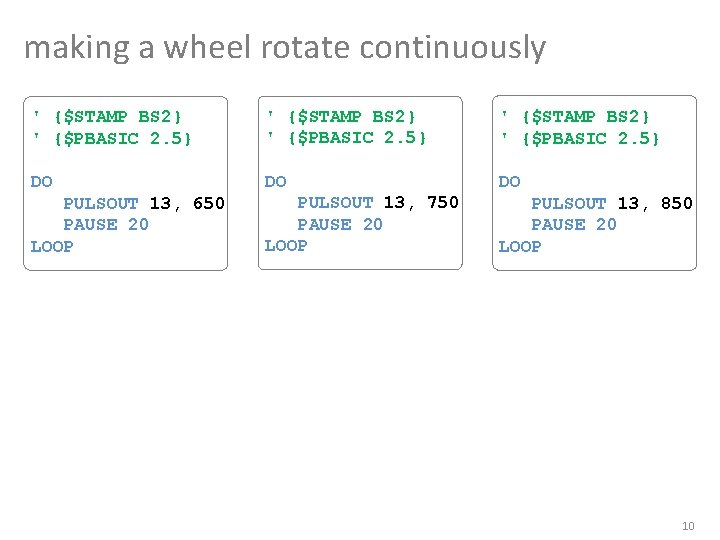
making a wheel rotate continuously ' {$STAMP BS 2} ' {$PBASIC 2. 5} DO DO DO PULSOUT 13, 650 PAUSE 20 LOOP PULSOUT 13, 750 PAUSE 20 LOOP PULSOUT 13, 850 PAUSE 20 LOOP 10
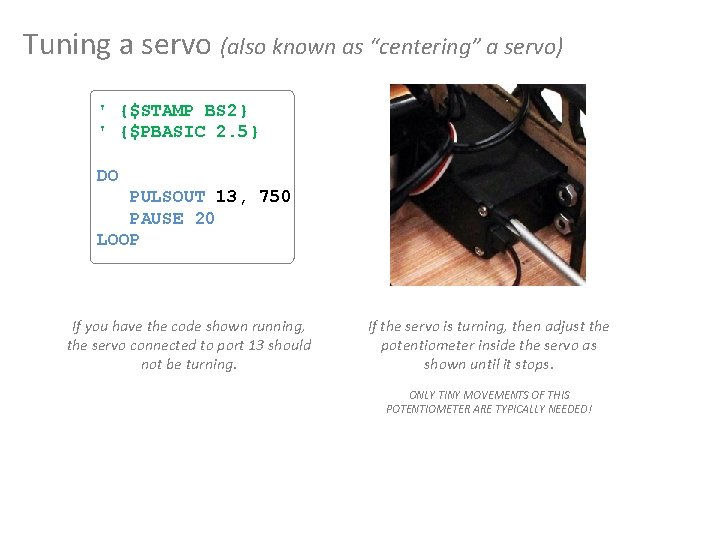
Tuning a servo (also known as “centering” a servo) ' {$STAMP BS 2} ' {$PBASIC 2. 5} DO PULSOUT 13, 750 PAUSE 20 LOOP If you have the code shown running, the servo connected to port 13 should not be turning. If the servo is turning, then adjust the potentiometer inside the servo as shown until it stops. ONLY TINY MOVEMENTS OF THIS POTENTIOMETER ARE TYPICALLY NEEDED!
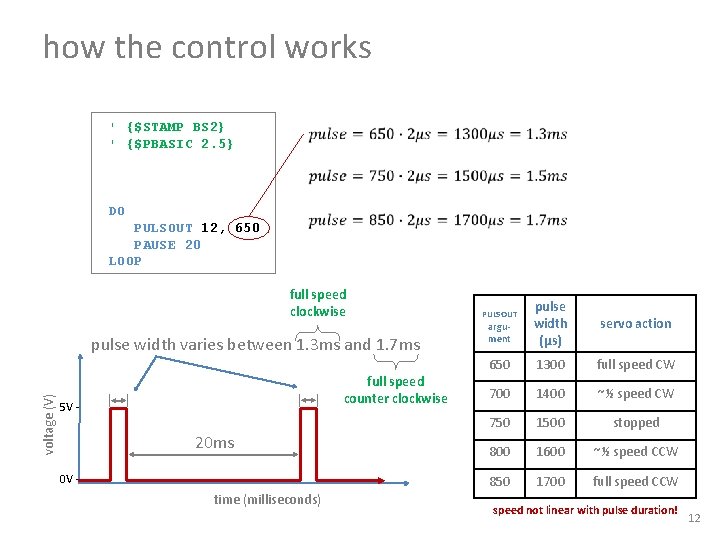
how the control works ' {$STAMP BS 2} ' {$PBASIC 2. 5} DO PULSOUT 12, 650 PAUSE 20 LOOP full speed clockwise voltage (V) pulse width varies between 1. 3 ms and 1. 7 ms full speed counter clockwise 5 V - 20 ms 0 V - time (milliseconds) argument pulse width (μs) servo action 650 1300 full speed CW 700 1400 ~½ speed CW 750 1500 stopped 800 1600 ~½ speed CCW 850 1700 full speed CCW PULSOUT speed not linear with pulse duration! 12
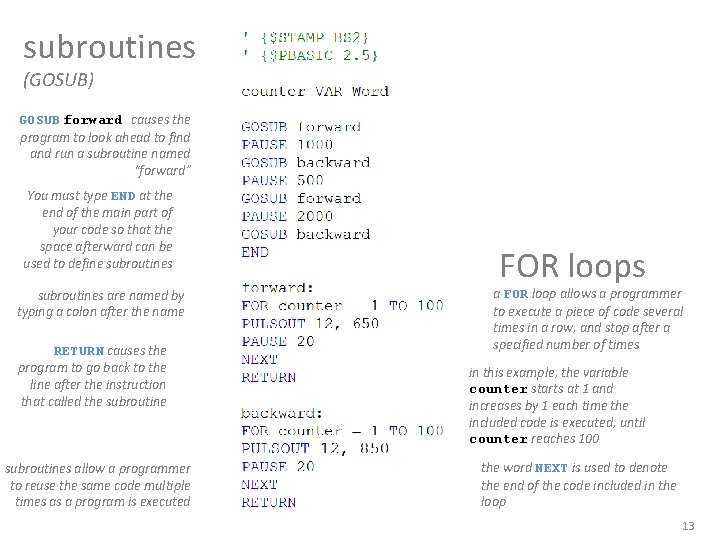
subroutines (GOSUB) GOSUB forward causes the program to look ahead to find and run a subroutine named “forward” You must type END at the end of the main part of your code so that the space afterward can be used to define subroutines are named by typing a colon after the name RETURN causes the program to go back to the line after the instruction that called the subroutines allow a programmer to reuse the same code multiple times as a program is executed FOR loops a FOR loop allows a programmer to execute a piece of code several times in a row, and stop after a specified number of times in this example, the variable counter starts at 1 and increases by 1 each time the included code is executed, until counter reaches 100 the word NEXT is used to denote the end of the code included in the loop 13
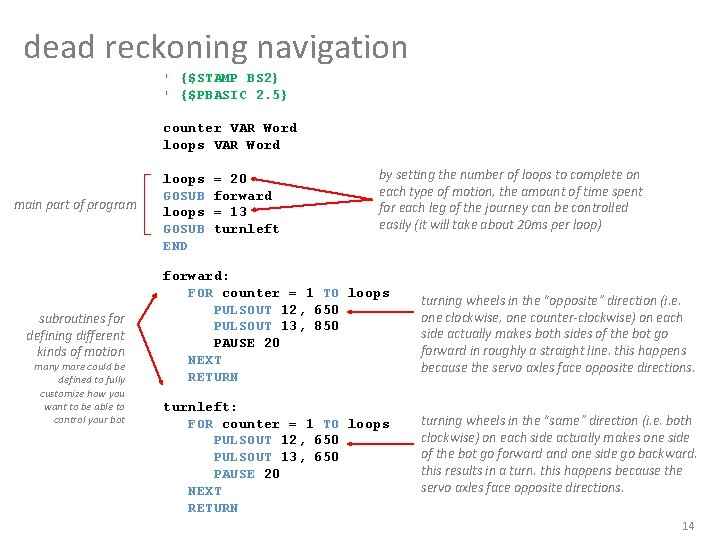
dead reckoning navigation ' {$STAMP BS 2} ' {$PBASIC 2. 5} counter VAR Word loops VAR Word main part of program subroutines for defining different kinds of motion many more could be defined to fully customize how you want to be able to control your bot loops GOSUB END = 20 forward = 13 turnleft by setting the number of loops to complete on each type of motion, the amount of time spent for each leg of the journey can be controlled easily (it will take about 20 ms per loop) forward: FOR counter = 1 TO loops PULSOUT 12, 650 PULSOUT 13, 850 PAUSE 20 NEXT RETURN turning wheels in the “opposite” direction (i. e. one clockwise, one counter-clockwise) on each side actually makes both sides of the bot go forward in roughly a straight line. this happens because the servo axles face opposite directions. turnleft: FOR counter = 1 TO loops PULSOUT 12, 650 PULSOUT 13, 650 PAUSE 20 NEXT RETURN turning wheels in the “same” direction (i. e. both clockwise) on each side actually makes one side of the bot go forward and one side go backward. this results in a turn. this happens because the servo axles face opposite directions. 14
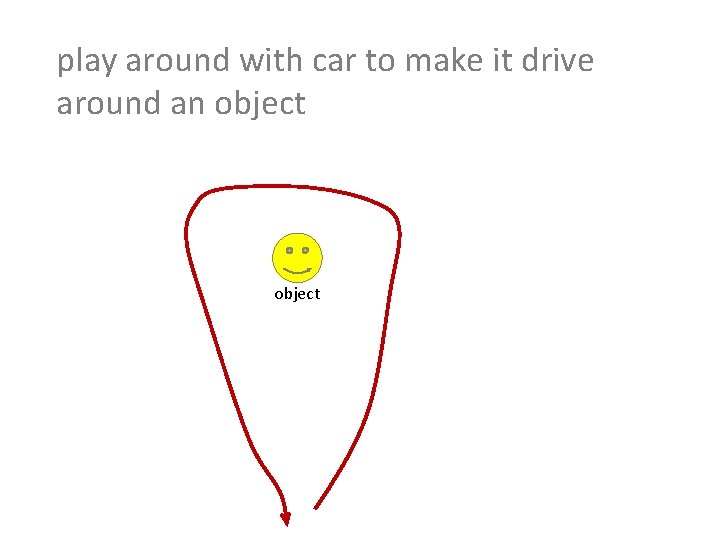
play around with car to make it drive around an object
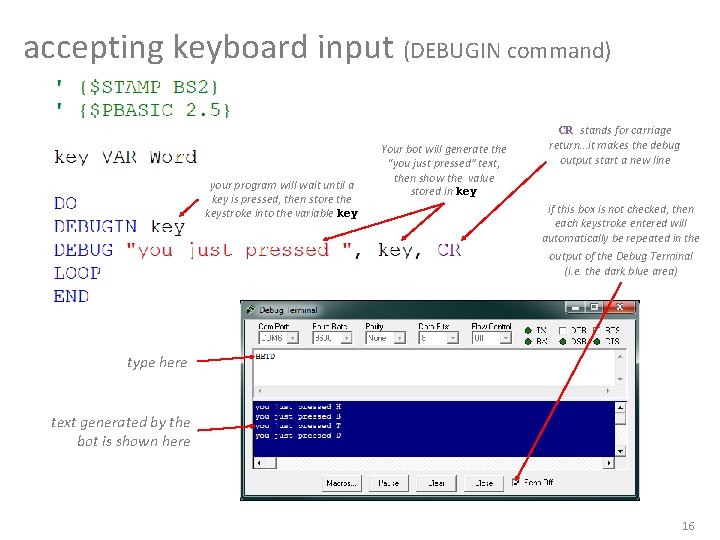
accepting keyboard input (DEBUGIN command) your program will wait until a key is pressed, then store the keystroke into the variable key Your bot will generate the “you just pressed” text, then show the value stored in key CR stands for carriage return…it makes the debug output start a new line if this box is not checked, then each keystroke entered will automatically be repeated in the output of the Debug Terminal (i. e. the dark blue area) type here text generated by the bot is shown here 16
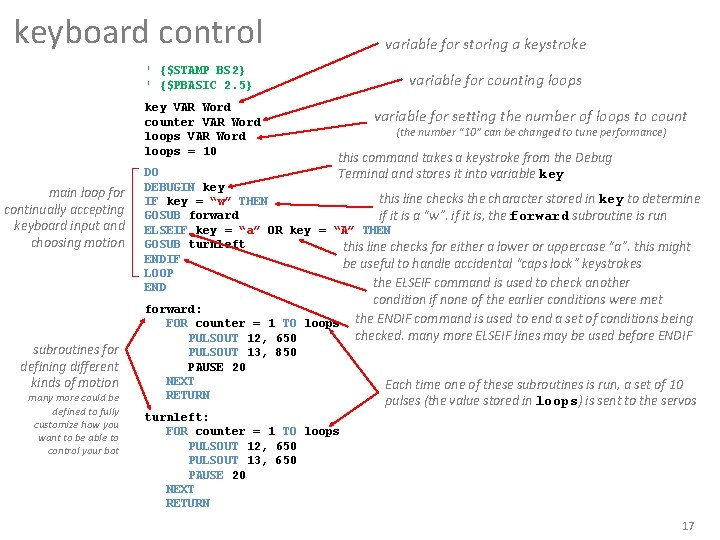
keyboard control variable for storing a keystroke ' {$STAMP BS 2} ' {$PBASIC 2. 5} key VAR Word counter VAR Word loops = 10 main loop for continually accepting keyboard input and choosing motion subroutines for defining different kinds of motion many more could be defined to fully customize how you want to be able to control your bot variable for counting loops variable for setting the number of loops to count (the number “ 10” can be changed to tune performance) this command takes a keystroke from the Debug Terminal and stores it into variable key DO DEBUGIN key this line checks the character stored in key to determine IF key = “w” THEN GOSUB forward if it is a “w”. if it is, the forward subroutine is run ELSEIF key = “a” OR key = “A” THEN GOSUB turnleft this line checks for either a lower or uppercase “a”. this might ENDIF be useful to handle accidental “caps lock” keystrokes LOOP the ELSEIF command is used to check another END forward: FOR counter = 1 TO loops PULSOUT 12, 650 PULSOUT 13, 850 PAUSE 20 NEXT RETURN condition if none of the earlier conditions were met the ENDIF command is used to end a set of conditions being checked. many more ELSEIF lines may be used before ENDIF Each time one of these subroutines is run, a set of 10 pulses (the value stored in loops) is sent to the servos turnleft: FOR counter = 1 TO loops PULSOUT 12, 650 PULSOUT 13, 650 PAUSE 20 NEXT RETURN 17
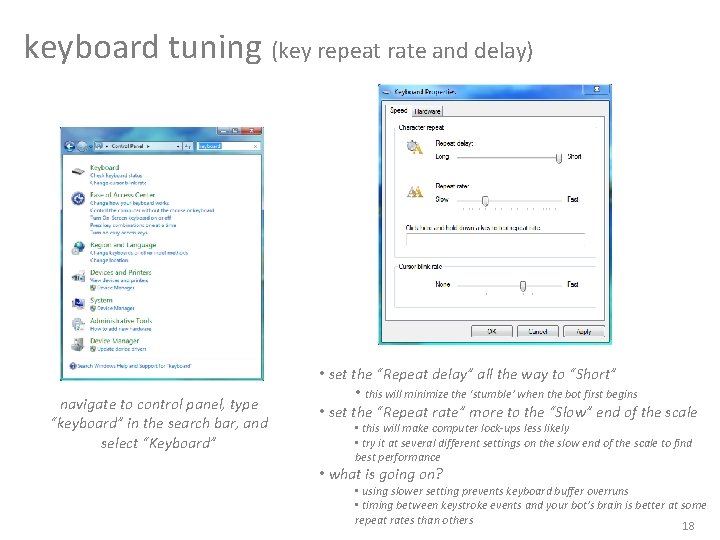
keyboard tuning (key repeat rate and delay) navigate to control panel, type “keyboard” in the search bar, and select “Keyboard” • set the “Repeat delay” all the way to “Short” • this will minimize the ‘stumble’ when the bot first begins • set the “Repeat rate” more to the “Slow” end of the scale • this will make computer lock-ups less likely • try it at several different settings on the slow end of the scale to find best performance • what is going on? • using slower setting prevents keyboard buffer overruns • timing between keystroke events and your bot’s brain is better at some repeat rates than others 18
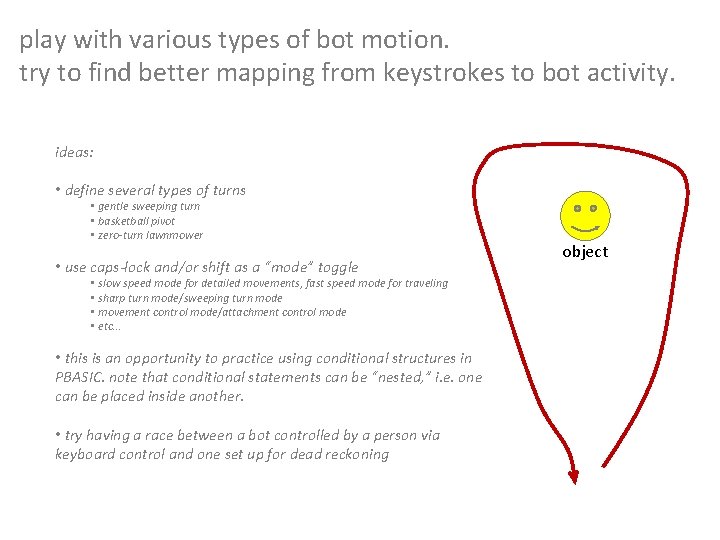
play with various types of bot motion. try to find better mapping from keystrokes to bot activity. ideas: • define several types of turns • gentle sweeping turn • basketball pivot • zero-turn lawnmower • use caps-lock and/or shift as a “mode” toggle • slow speed mode for detailed movements, fast speed mode for traveling • sharp turn mode/sweeping turn mode • movement control mode/attachment control mode • etc… • this is an opportunity to practice using conditional structures in PBASIC. note that conditional statements can be “nested, ” i. e. one can be placed inside another. • try having a race between a bot controlled by a person via keyboard control and one set up for dead reckoning object
- Slides: 19