
The BIND Software lwhsu 2020 2021 CCBY 2019
The BIND Software lwhsu (2020 -2021, CC-BY) ? (? -2019) 國立陽明交通大學資 系資訊中心 Computer Center of Department of Computer Science, NYCU
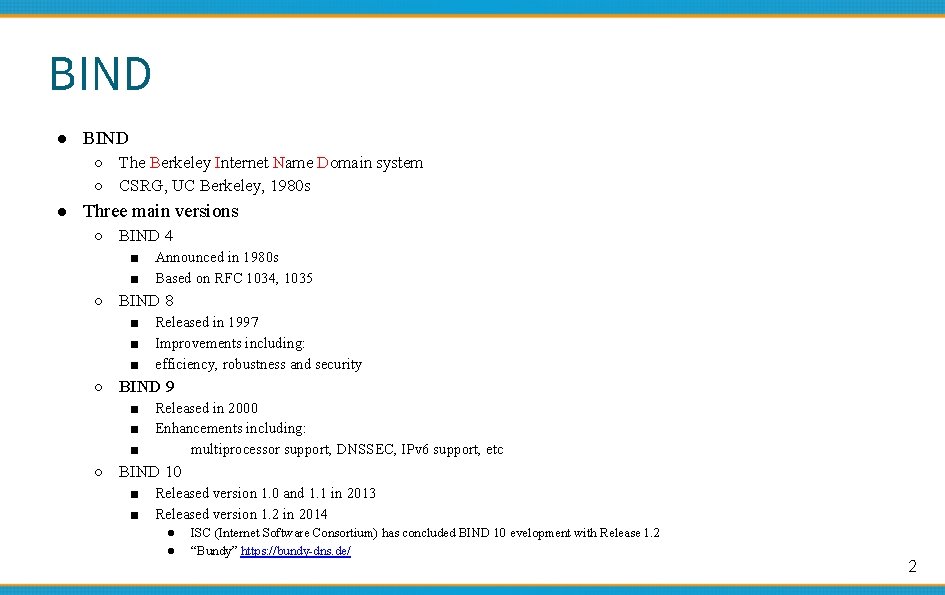
BIND ● BIND ○ The Berkeley Internet Name Domain system ○ CSRG, UC Berkeley, 1980 s ● Three main versions ○ BIND 4 ■ ■ Announced in 1980 s Based on RFC 1034, 1035 ○ BIND 8 ■ ■ ■ Released in 1997 Improvements including: efficiency, robustness and security ○ BIND 9 ■ ■ ■ Released in 2000 Enhancements including: multiprocessor support, DNSSEC, IPv 6 support, etc ○ BIND 10 ■ ■ Released version 1. 0 and 1. 1 in 2013 Released version 1. 2 in 2014 ● ● ISC (Internet Software Consortium) has concluded BIND 10 evelopment with Release 1. 2 “Bundy” https: //bundy-dns. de/ 2
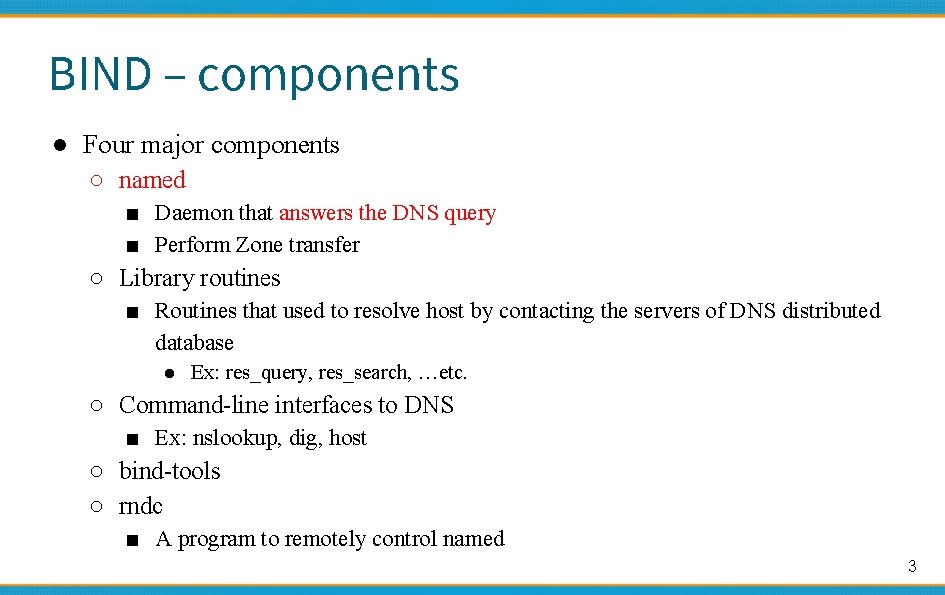
BIND – components ● Four major components ○ named ■ Daemon that answers the DNS query ■ Perform Zone transfer ○ Library routines ■ Routines that used to resolve host by contacting the servers of DNS distributed database ● Ex: res_query, res_search, …etc. ○ Command-line interfaces to DNS ■ Ex: nslookup, dig, host ○ bind-tools ○ rndc ■ A program to remotely control named 3
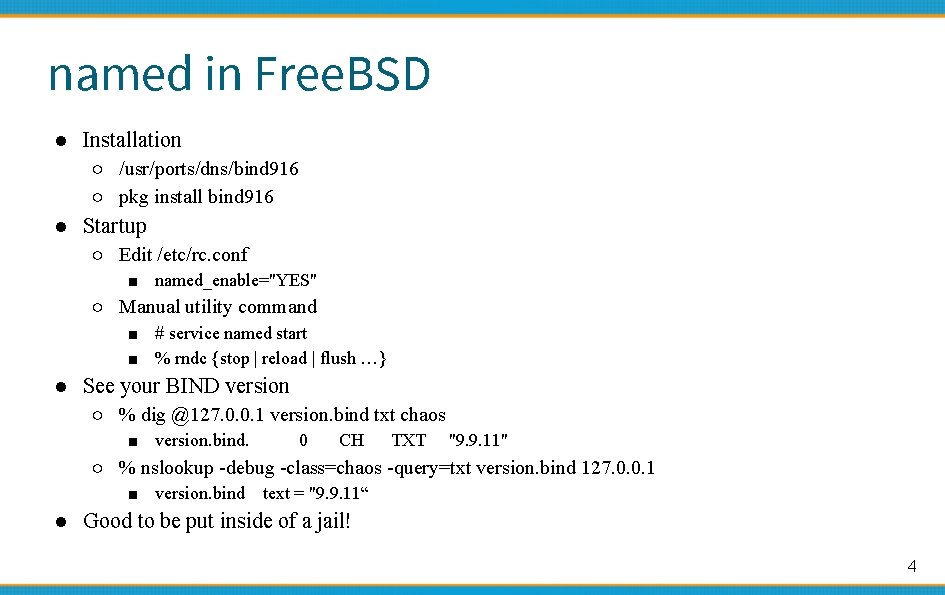
named in Free. BSD ● Installation ○ /usr/ports/dns/bind 916 ○ pkg install bind 916 ● Startup ○ Edit /etc/rc. conf ■ named_enable="YES" ○ Manual utility command ■ # service named start ■ % rndc {stop | reload | flush …} ● See your BIND version ○ % dig @127. 0. 0. 1 version. bind txt chaos ■ version. bind. 0 CH TXT "9. 9. 11" ○ % nslookup -debug -class=chaos -query=txt version. bind 127. 0. 0. 1 ■ version. bind text = "9. 9. 11“ ● Good to be put inside of a jail! 4
BIND – Configuration files ● The complete configuration of named consists of ○ The config file ■ /usr/local/etc/namedb/named. conf ○ Zone data file ■ Address mappings for each host ■ Collections of individual DNS data records ○ The root name server hints 5
BIND Configuration – named. conf ● /usr/local/etc/namedb/named. conf ○ Roles of this host for each zone it serves ■ Master, slave, stub, or caching-only ○ Options ■ Global options ● The overall operation of named and server ■ Zone specific options ● named. conf is composed of following statements: ○ include, options, server, key, acl, zone, view, controls, logging, trusted-keys, masters 6
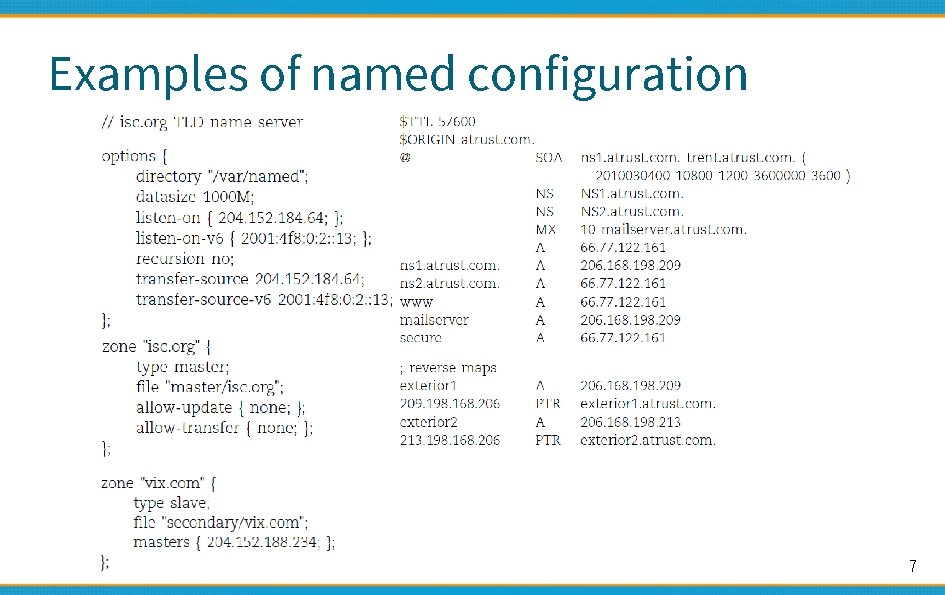
Examples of named configuration 7
DNS Database – Zone data 國立陽明交通大學資 系資訊中心 Computer Center of Department of Computer Science, NYCU
The DNS Database ● A set of text files such that ○ Maintained and stored on the domain’s master name server ○ Often called zone files ○ Two types of entries ■ Resource Records (RR) ● The real data of a DNS database ■ Parser commands ● Just provide some shorthand ways to create records ● Influence the way that the parser interprets sequence orders or expand into multiple DNS records themselves 9
The DNS Database – Parser Commands ● Commands must start from the first column and be on a line by themselves ● $ORIGIN domain-name ○ To append to un-fully-qualified name ● $INCLUDE file-name ○ Split logical pieces of a zone file ○ Keep sensitive data (e. g. , cryptographic keys) with restricted permissions ● $TTL default-ttl ○ Default value for time-to-live filed of records ● $GENERATE start-stop/[step] lhs type rhs ○ Be found only in BIND ○ Used to generate a series of similar records ○ Can be used in only CNAME, PTR, NS, A, AAAA, etc. record types 10
![The DNS Database – Resource Record (1) ● Basic format ○ [name] [ttl] [class]](http://slidetodoc.com/presentation_image_h2/50efd79520db4c0d733b62edfeb7b0a0/image-11.jpg "The DNS Database – Resource Record (1) ● Basic format ○ [name] [ttl] [class]")
The DNS Database – Resource Record (1) ● Basic format ○ [name] [ttl] [class] type data ■ name: the entity that the RR describes ● Can be relative or absolute ■ ttl: time in second of this RR’s validity in cache ■ class: network type ● IN for Internet ● CH for Chaos. Net ● HS for Hesiod ○ Special characters ■ ■ ; @ () * (comment) (The current domain name) (allow data to span lines) (wildcard character, name filed only) 11
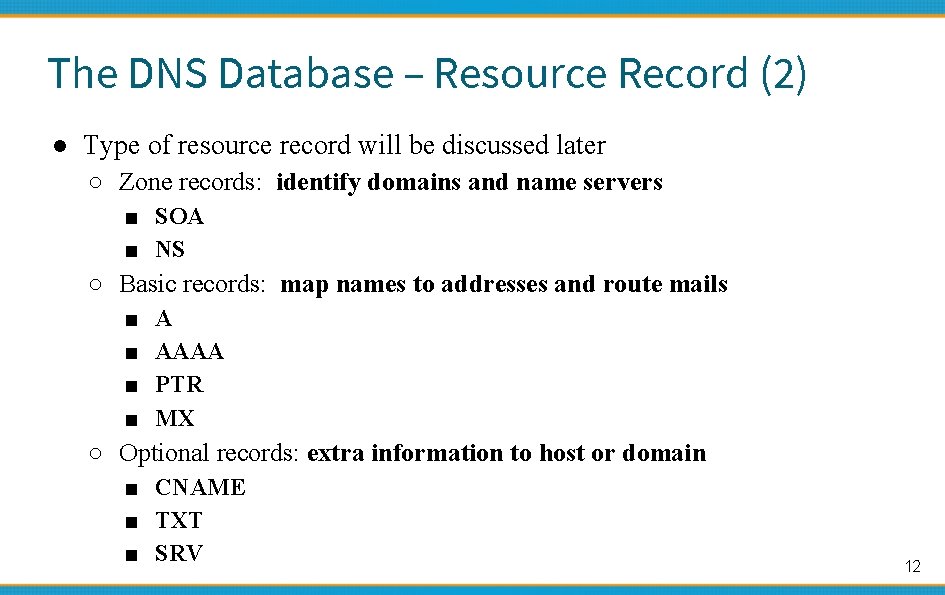
The DNS Database – Resource Record (2) ● Type of resource record will be discussed later ○ Zone records: identify domains and name servers ■ SOA ■ NS ○ Basic records: map names to addresses and route mails ■ ■ A AAAA PTR MX ○ Optional records: extra information to host or domain ■ CNAME ■ TXT ■ SRV 12
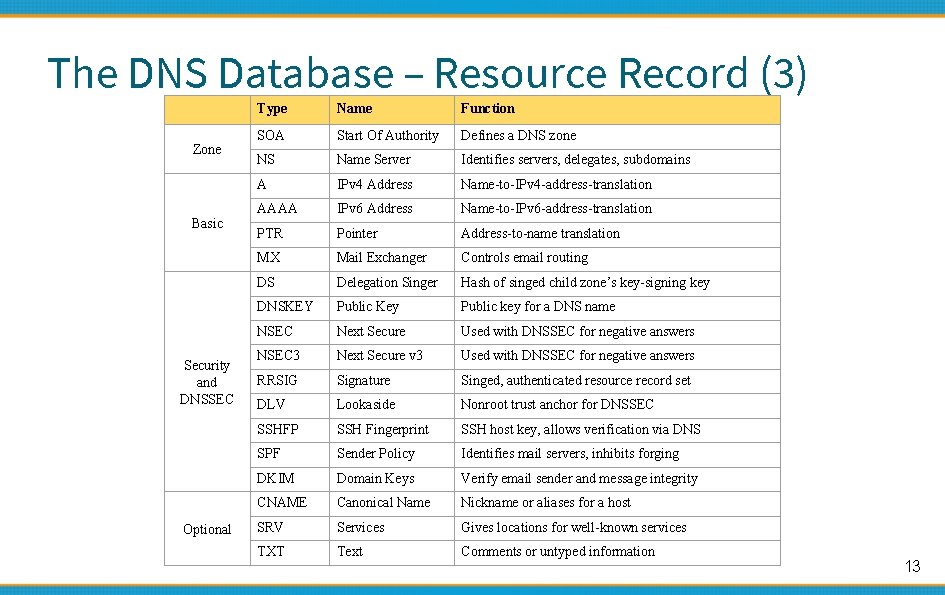
The DNS Database – Resource Record (3) Zone Basic Security and DNSSEC Optional Type Name Function SOA Start Of Authority Defines a DNS zone NS Name Server Identifies servers, delegates, subdomains A IPv 4 Address Name-to-IPv 4 -address-translation AAAA IPv 6 Address Name-to-IPv 6 -address-translation PTR Pointer Address-to-name translation MX Mail Exchanger Controls email routing DS Delegation Singer Hash of singed child zone’s key-signing key DNSKEY Public Key Public key for a DNS name NSEC Next Secure Used with DNSSEC for negative answers NSEC 3 Next Secure v 3 Used with DNSSEC for negative answers RRSIG Signature Singed, authenticated resource record set DLV Lookaside Nonroot trust anchor for DNSSEC SSHFP SSH Fingerprint SSH host key, allows verification via DNS SPF Sender Policy Identifies mail servers, inhibits forging DKIM Domain Keys Verify email sender and message integrity CNAME Canonical Name Nickname or aliases for a host SRV Services Gives locations for well-known services TXT Text Comments or untyped information 13
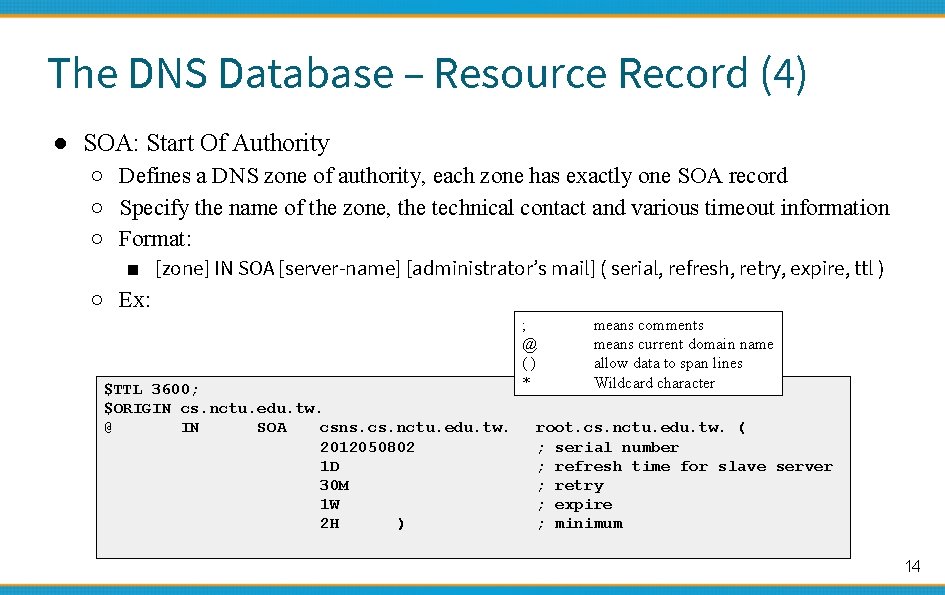
The DNS Database – Resource Record (4) ● SOA: Start Of Authority ○ Defines a DNS zone of authority, each zone has exactly one SOA record ○ Specify the name of the zone, the technical contact and various timeout information ○ Format: ■ [zone] IN SOA [server-name] [administrator’s mail] ( serial, refresh, retry, expire, ttl ) ○ Ex: $TTL 3600; $ORIGIN cs. nctu. edu. tw. @ IN SOA csns. cs. nctu. edu. tw. 2012050802 1 D 30 M 1 W 2 H ) ; @ () * means comments means current domain name allow data to span lines Wildcard character root. cs. nctu. edu. tw. ( ; serial number ; refresh time for slave server ; retry ; expire ; minimum 14
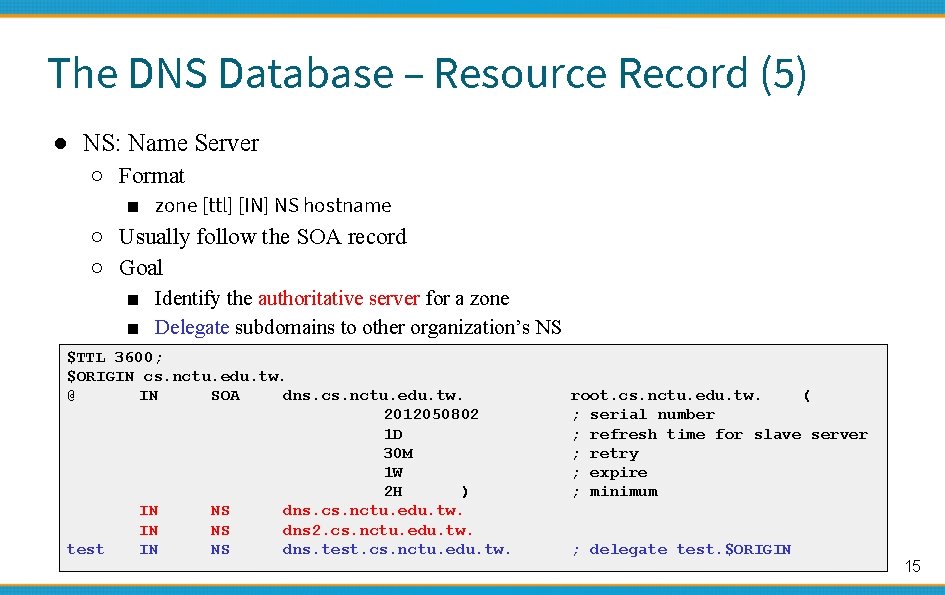
The DNS Database – Resource Record (5) ● NS: Name Server ○ Format ■ zone [ttl] [IN] NS hostname ○ Usually follow the SOA record ○ Goal ■ Identify the authoritative server for a zone ■ Delegate subdomains to other organization’s NS $TTL 3600; $ORIGIN cs. nctu. edu. tw. @ IN SOA dns. cs. nctu. edu. tw. 2012050802 1 D 30 M 1 W 2 H ) IN NS dns. cs. nctu. edu. tw. IN NS dns 2. cs. nctu. edu. tw. test IN NS dns. test. cs. nctu. edu. tw. root. cs. nctu. edu. tw. ( ; serial number ; refresh time for slave server ; retry ; expire ; minimum ; delegate test. $ORIGIN 15
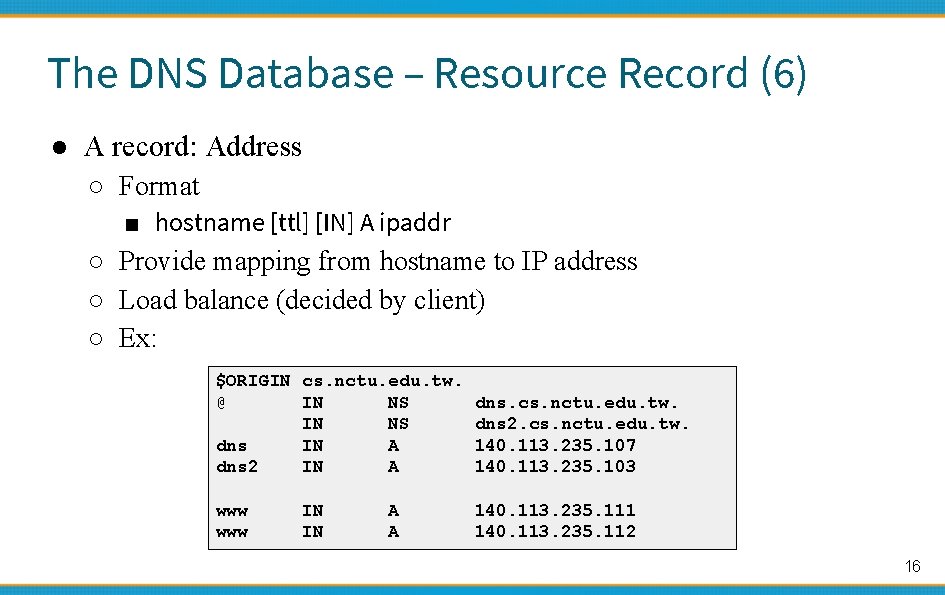
The DNS Database – Resource Record (6) ● A record: Address ○ Format ■ hostname [ttl] [IN] A ipaddr ○ Provide mapping from hostname to IP address ○ Load balance (decided by client) ○ Ex: $ORIGIN cs. nctu. edu. tw. @ IN NS dns. cs. nctu. edu. tw. IN NS dns 2. cs. nctu. edu. tw. dns IN A 140. 113. 235. 107 dns 2 IN A 140. 113. 235. 103 www IN IN A A 140. 113. 235. 111 140. 113. 235. 112 16
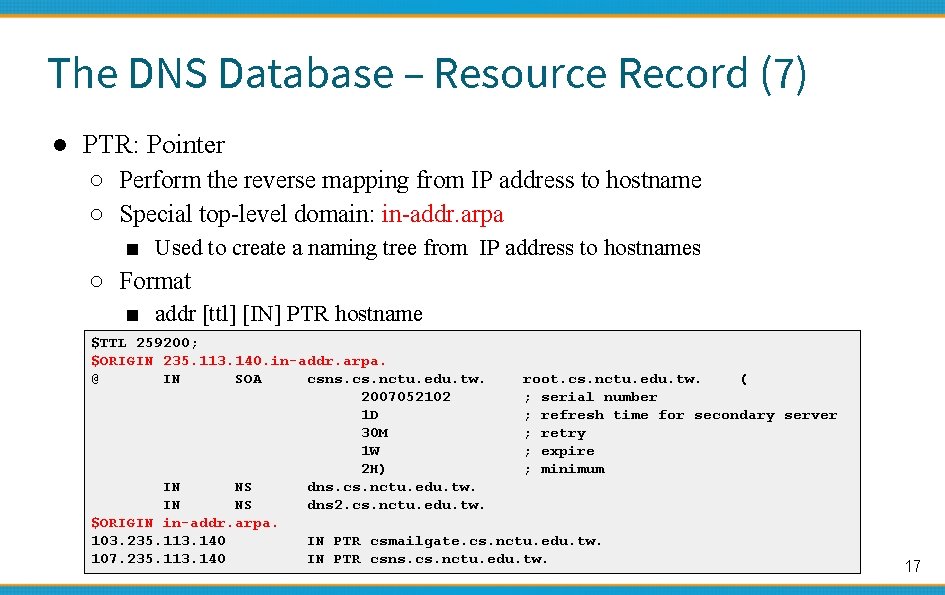
The DNS Database – Resource Record (7) ● PTR: Pointer ○ Perform the reverse mapping from IP address to hostname ○ Special top-level domain: in-addr. arpa ■ Used to create a naming tree from IP address to hostnames ○ Format ■ addr [ttl] [IN] PTR hostname $TTL 259200; $ORIGIN 235. 113. 140. in-addr. arpa. @ IN SOA csns. cs. nctu. edu. tw. root. cs. nctu. edu. tw. ( 2007052102 ; serial number 1 D ; refresh time for secondary server 30 M ; retry 1 W ; expire 2 H) ; minimum IN NS dns. cs. nctu. edu. tw. IN NS dns 2. cs. nctu. edu. tw. $ORIGIN in-addr. arpa. 103. 235. 113. 140 IN PTR csmailgate. cs. nctu. edu. tw. 107. 235. 113. 140 IN PTR csns. cs. nctu. edu. tw. 17
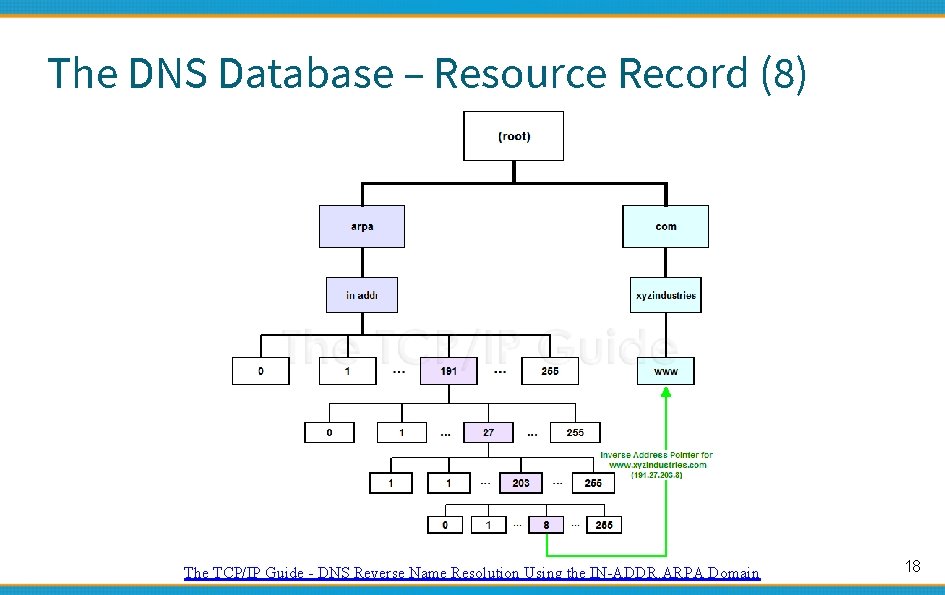
The DNS Database – Resource Record (8) The TCP/IP Guide - DNS Reverse Name Resolution Using the IN-ADDR. ARPA Domain 18
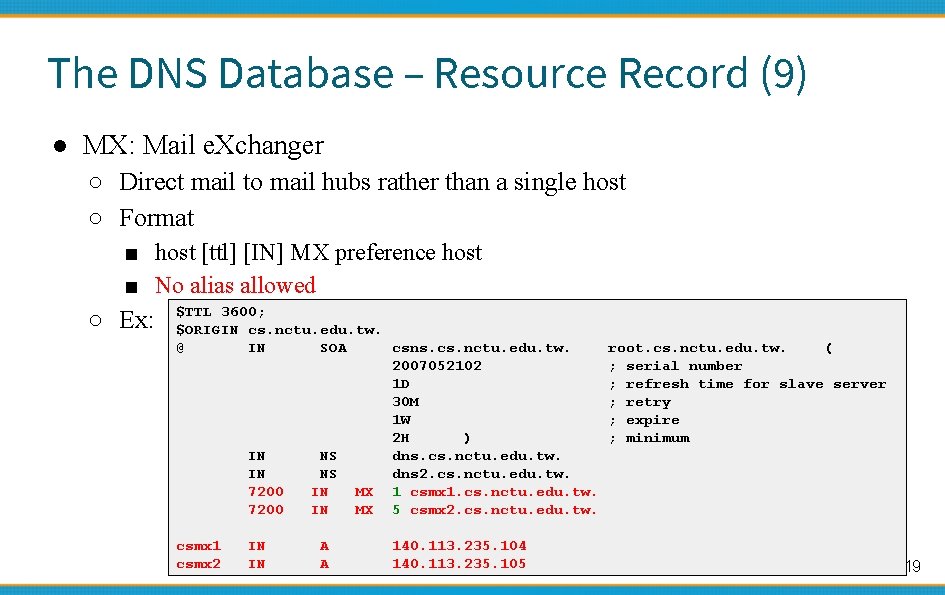
The DNS Database – Resource Record (9) ● MX: Mail e. Xchanger ○ Direct mail to mail hubs rather than a single host ○ Format ■ host [ttl] [IN] MX preference host ■ No alias allowed ○ Ex: $TTL 3600; $ORIGIN cs. nctu. edu. tw. @ IN SOA csns. cs. nctu. edu. tw. 2007052102 1 D 30 M 1 W 2 H ) IN NS dns. cs. nctu. edu. tw. IN NS dns 2. cs. nctu. edu. tw. 7200 IN MX 1 csmx 1. cs. nctu. edu. tw. 7200 IN MX 5 csmx 2. cs. nctu. edu. tw. csmx 1 csmx 2 IN IN A A 140. 113. 235. 104 140. 113. 235. 105 root. cs. nctu. edu. tw. ( ; serial number ; refresh time for slave server ; retry ; expire ; minimum 19
![The DNS Database – Resource Record (10) ● CNAME: Canonical name ○ nickname [ttl]](http://slidetodoc.com/presentation_image_h2/50efd79520db4c0d733b62edfeb7b0a0/image-20.jpg "The DNS Database – Resource Record (10) ● CNAME: Canonical name ○ nickname [ttl]")
The DNS Database – Resource Record (10) ● CNAME: Canonical name ○ nickname [ttl] IN CNAME hostname ○ Add additional names to a host ■ To associate a function or to shorten a hostname ○ CNAME record can nest eight deep in BIND ○ Not for load balance (use multiple A/AAAA instead) ○ CNAME record cannot be duplicate (canonical one is only one) ○ Ex: www IN A 140. 113. 209. 63 penghu-club King IN IN IN A CNAME 140. 113. 209. 77 www R 21601 superman IN IN A CNAME 140. 113. 214. 31 r 21601 20
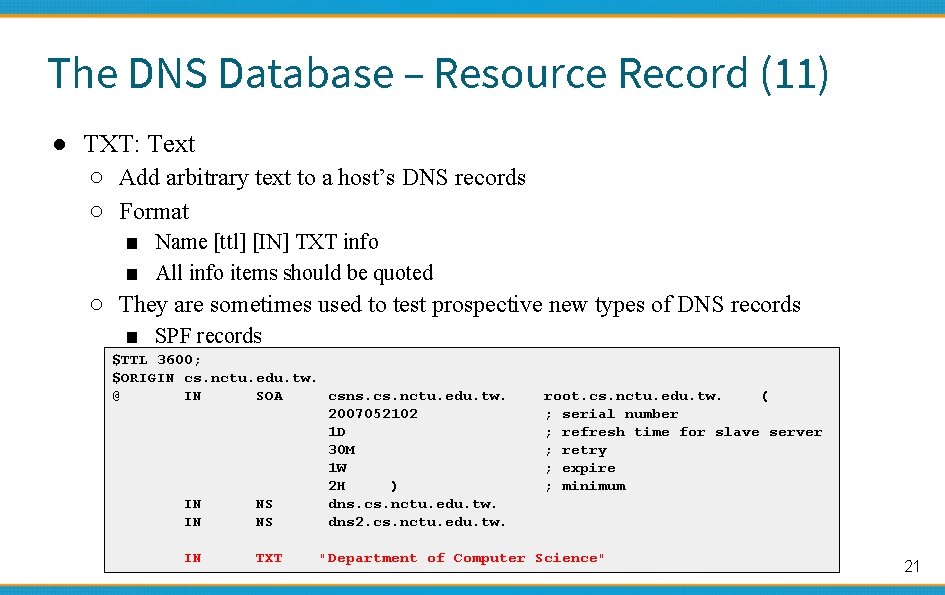
The DNS Database – Resource Record (11) ● TXT: Text ○ Add arbitrary text to a host’s DNS records ○ Format ■ Name [ttl] [IN] TXT info ■ All info items should be quoted ○ They are sometimes used to test prospective new types of DNS records ■ SPF records $TTL 3600; $ORIGIN cs. nctu. edu. tw. @ IN SOA csns. cs. nctu. edu. tw. 2007052102 1 D 30 M 1 W 2 H ) IN NS dns. cs. nctu. edu. tw. IN NS dns 2. cs. nctu. edu. tw. IN TXT root. cs. nctu. edu. tw. ( ; serial number ; refresh time for slave server ; retry ; expire ; minimum "Department of Computer Science" 21
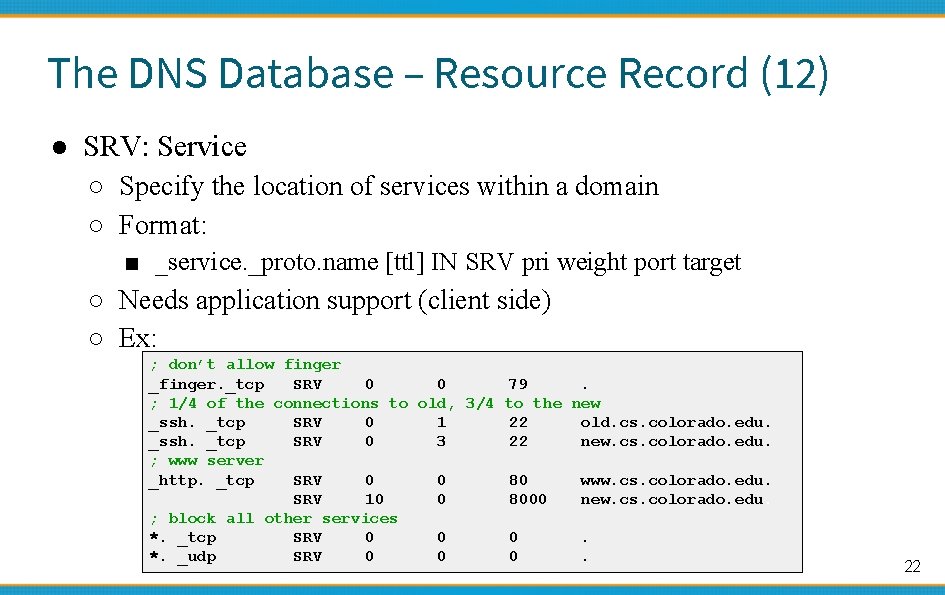
The DNS Database – Resource Record (12) ● SRV: Service ○ Specify the location of services within a domain ○ Format: ■ _service. _proto. name [ttl] IN SRV pri weight port target ○ Needs application support (client side) ○ Ex: ; don’t allow finger _finger. _tcp SRV 0 0 79. ; 1/4 of the connections to old, 3/4 to the new _ssh. _tcp SRV 0 1 22 old. cs. colorado. edu. _ssh. _tcp SRV 0 3 22 new. cs. colorado. edu. ; www server _http. _tcp SRV 0 0 80 www. cs. colorado. edu. SRV 10 0 8000 new. cs. colorado. edu. ; block all other services *. _tcp SRV 0 0 0. *. _udp SRV 0 0 0. 22
![IPv 6 Resource Records ● IPv 6 forward records ○ Format ■ Hostname [ttl]](http://slidetodoc.com/presentation_image_h2/50efd79520db4c0d733b62edfeb7b0a0/image-23.jpg "IPv 6 Resource Records ● IPv 6 forward records ○ Format ■ Hostname [ttl]")
IPv 6 Resource Records ● IPv 6 forward records ○ Format ■ Hostname [ttl] [IN] AAAA ip 6 addr ○ Example $ dig f. root-servers. net AAAA ; ; ANSWER SECTION: f. root-servers. net. 604795 IN AAAA 2001: 500: 2 f: : f ● IPv 6 reverse records ○ IPv 6 PTR records are in the ip 6. arpa top-level domain ○ Example ■ f. 0. 0. 0. f. 2. 0. 0. 5. 0. 1. 0. 0. 2. ip 6. arpa. PTR f. root-servers. net. 23
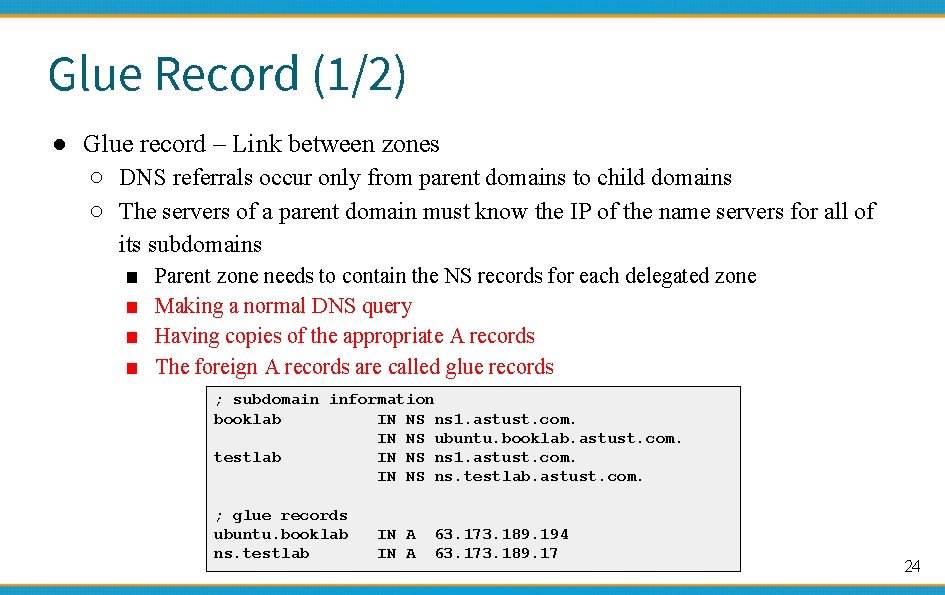
Glue Record (1/2) ● Glue record – Link between zones ○ DNS referrals occur only from parent domains to child domains ○ The servers of a parent domain must know the IP of the name servers for all of its subdomains ■ ■ Parent zone needs to contain the NS records for each delegated zone Making a normal DNS query Having copies of the appropriate A records The foreign A records are called glue records ; subdomain information booklab IN NS ns 1. astust. com. IN NS ubuntu. booklab. astust. com. testlab IN NS ns 1. astust. com. IN NS ns. testlab. astust. com. ; glue records ubuntu. booklab ns. testlab IN A 63. 173. 189. 194 63. 173. 189. 17 24
Glue Record (2/2) ● There are two ways to link between zones ○ By including the necessary records directly ○ By using stub zone ■ Only contains SOA, NS, A (of NS) ● Lame delegation ○ DNS subdomain administration has delegate to you, but you never use the domain or parent domain’s glue record is not updated 25
Statements of named. conf 國立陽明交通大學資 系資訊中心 Computer Center of Department of Computer Science, NYCU
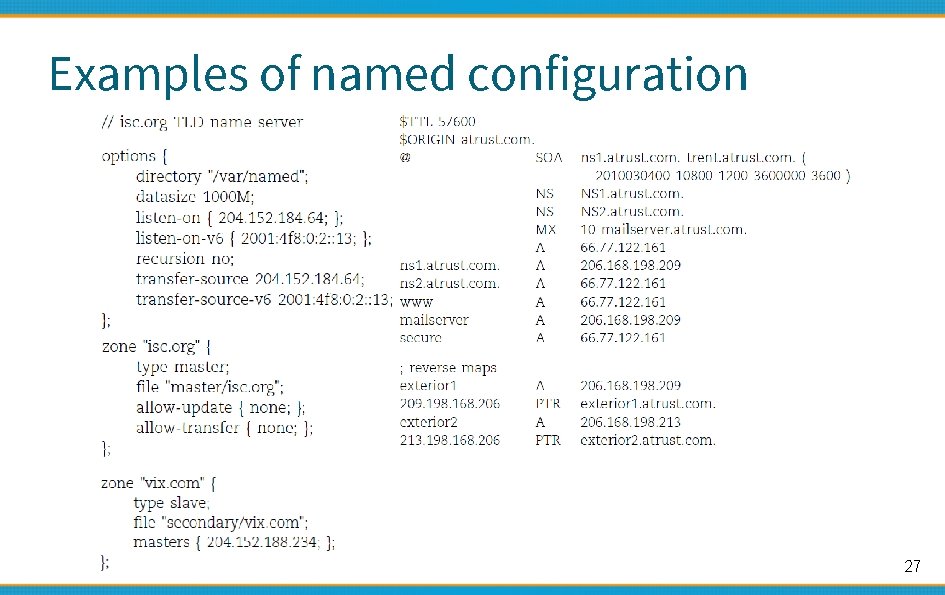
Examples of named configuration 27
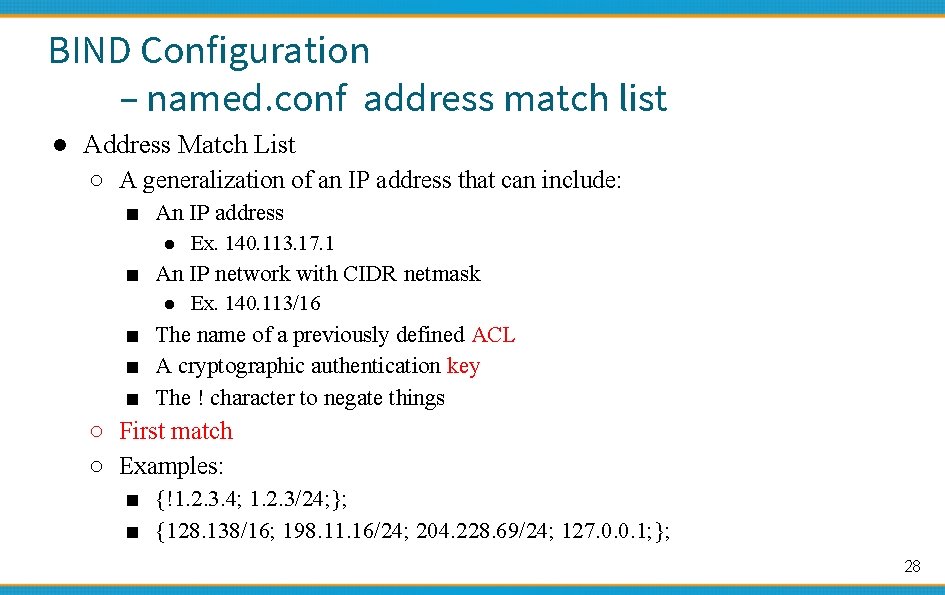
BIND Configuration – named. conf address match list ● Address Match List ○ A generalization of an IP address that can include: ■ An IP address ● Ex. 140. 113. 17. 1 ■ An IP network with CIDR netmask ● Ex. 140. 113/16 ■ The name of a previously defined ACL ■ A cryptographic authentication key ■ The ! character to negate things ○ First match ○ Examples: ■ {!1. 2. 3. 4; 1. 2. 3/24; }; ■ {128. 138/16; 198. 11. 16/24; 204. 228. 69/24; 127. 0. 0. 1; }; 28
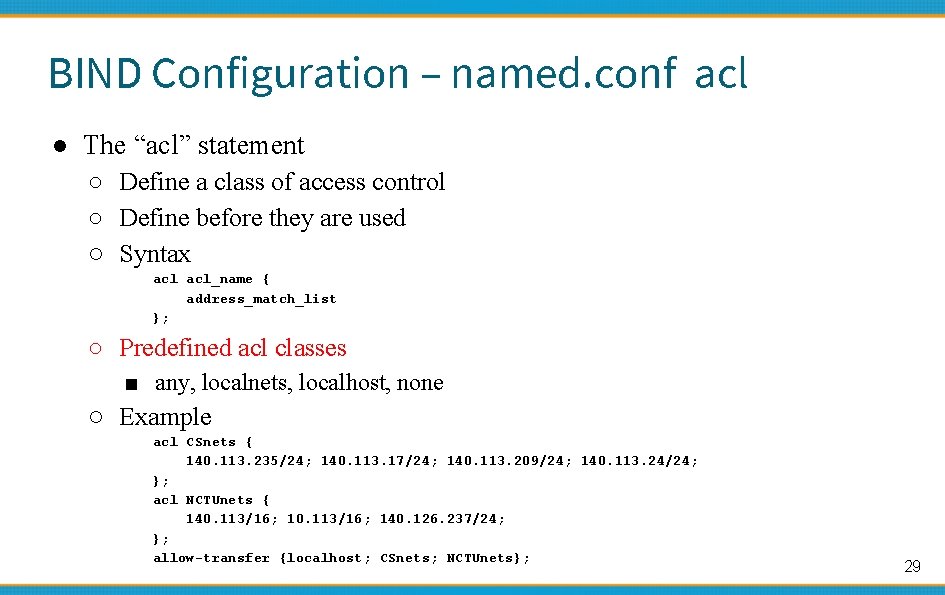
BIND Configuration – named. conf acl ● The “acl” statement ○ Define a class of access control ○ Define before they are used ○ Syntax acl_name { address_match_list }; ○ Predefined acl classes ■ any, localnets, localhost, none ○ Example acl CSnets { 140. 113. 235/24; 140. 113. 17/24; 140. 113. 209/24; 140. 113. 24/24; }; acl NCTUnets { 140. 113/16; 140. 126. 237/24; }; allow-transfer {localhost; CSnets; NCTUnets}; 29
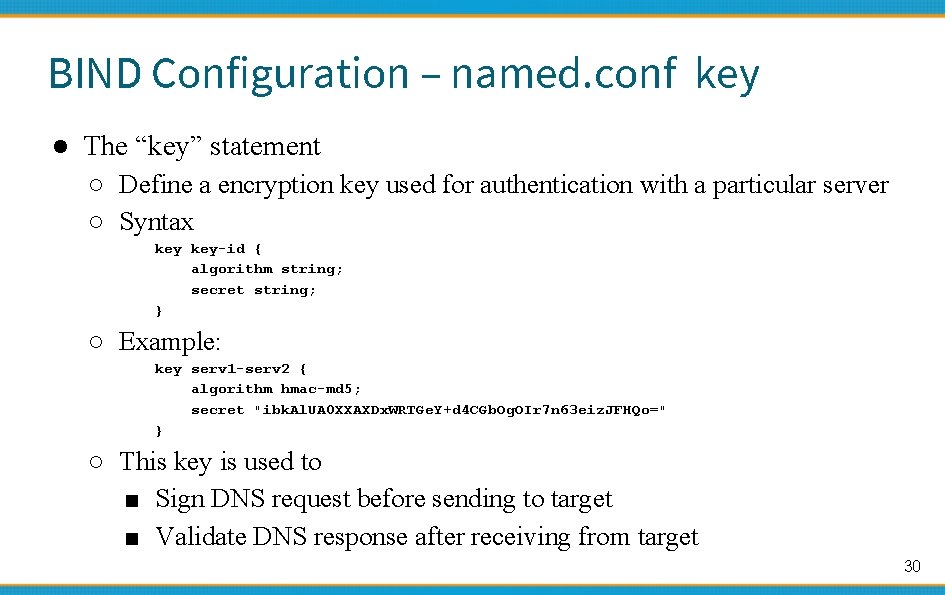
BIND Configuration – named. conf key ● The “key” statement ○ Define a encryption key used for authentication with a particular server ○ Syntax key-id { algorithm string; secret string; } ○ Example: key serv 1 -serv 2 { algorithm hmac-md 5; secret "ibk. Al. UA 0 XXAXDx. WRTGe. Y+d 4 CGb. Og. OIr 7 n 63 eiz. JFHQo=" } ○ This key is used to ■ Sign DNS request before sending to target ■ Validate DNS response after receiving from target 30
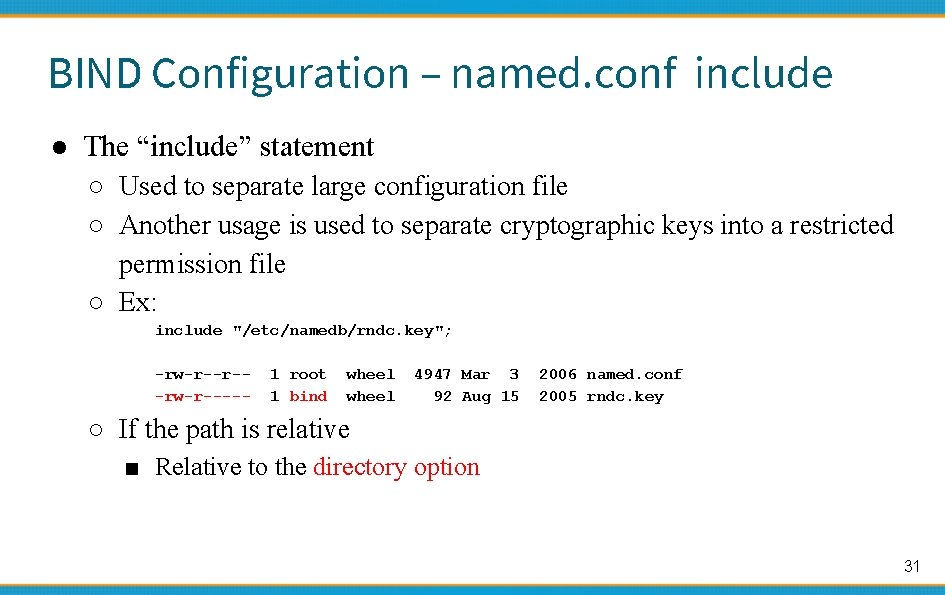
BIND Configuration – named. conf include ● The “include” statement ○ Used to separate large configuration file ○ Another usage is used to separate cryptographic keys into a restricted permission file ○ Ex: include "/etc/namedb/rndc. key"; -rw-r--r--rw-r----- 1 root 1 bind wheel 4947 Mar 3 92 Aug 15 2006 named. conf 2005 rndc. key ○ If the path is relative ■ Relative to the directory option 31
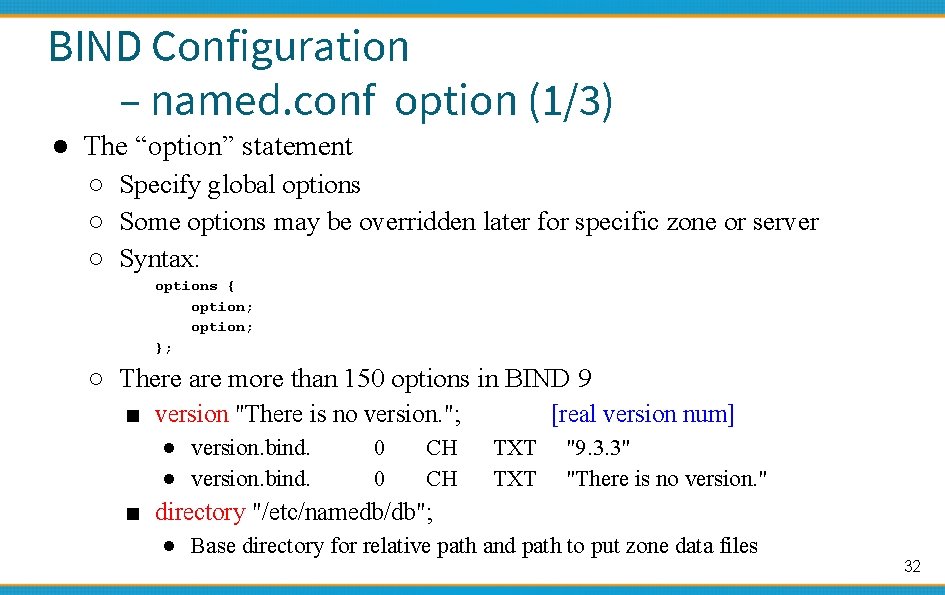
BIND Configuration – named. conf option (1/3) ● The “option” statement ○ Specify global options ○ Some options may be overridden later for specific zone or server ○ Syntax: options { option; }; ○ There are more than 150 options in BIND 9 ■ version "There is no version. "; ● version. bind. 0 0 CH CH [real version num] TXT "9. 3. 3" "There is no version. " ■ directory "/etc/namedb/db"; ● Base directory for relative path and path to put zone data files 32
![BIND Configuration – named. conf option (2/3) ○ notify yes | no [yes] ■](http://slidetodoc.com/presentation_image_h2/50efd79520db4c0d733b62edfeb7b0a0/image-33.jpg "BIND Configuration – named. conf option (2/3) ○ notify yes | no [yes] ■")
BIND Configuration – named. conf option (2/3) ○ notify yes | no [yes] ■ Whether notify slave sever when relative zone data is changed ○ also-notify {140. 113. 235. 101; }; [empty] ■ Also notify this non-advertised NS server ○ recursion yes | no [yes] ■ Recursive name server ■ Open resolver ○ allow-recursion {address_match_list }; [all] ■ Finer granularity recursion setting ○ recursive-clients number; ○ max-cache-size number; [1000] [unlimited] ■ Limited memory 33
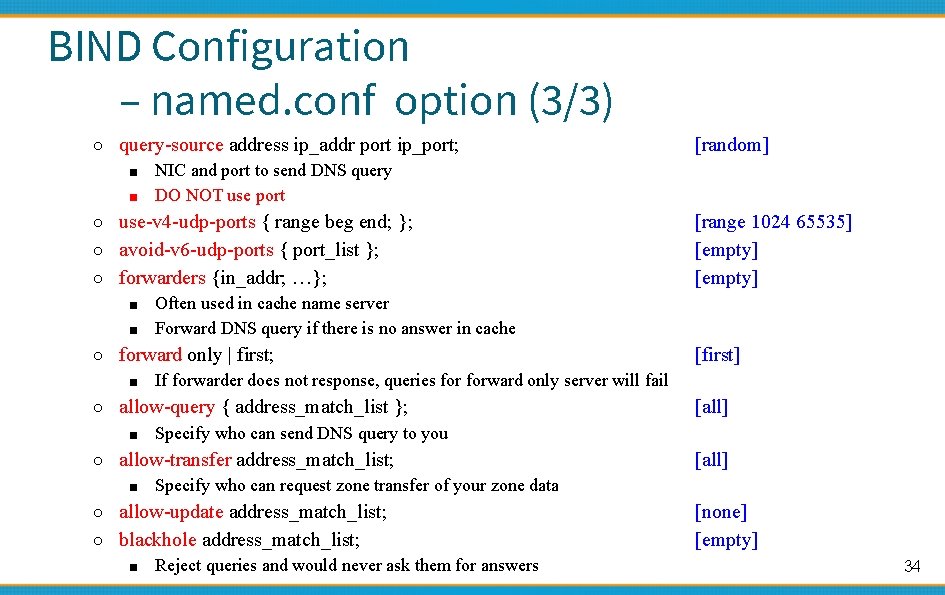
BIND Configuration – named. conf option (3/3) ○ query-source address ip_addr port ip_port; ■ NIC and port to send DNS query ■ DO NOT use port [random] ○ use-v 4 -udp-ports { range beg end; }; [range 1024 65535] [empty] ○ avoid-v 6 -udp-ports { port_list }; ○ forwarders {in_addr; …}; ■ Often used in cache name server ■ Forward DNS query if there is no answer in cache ○ forward only | first; ■ If forwarder does not response, queries forward only server will fail [first] ○ allow-query { address_match_list }; ■ Specify who can send DNS query to you [all] ○ allow-transfer address_match_list; ■ Specify who can request zone transfer of your zone data [all] ○ allow-update address_match_list; [none] [empty] ○ blackhole address_match_list; ■ Reject queries and would never ask them for answers 34
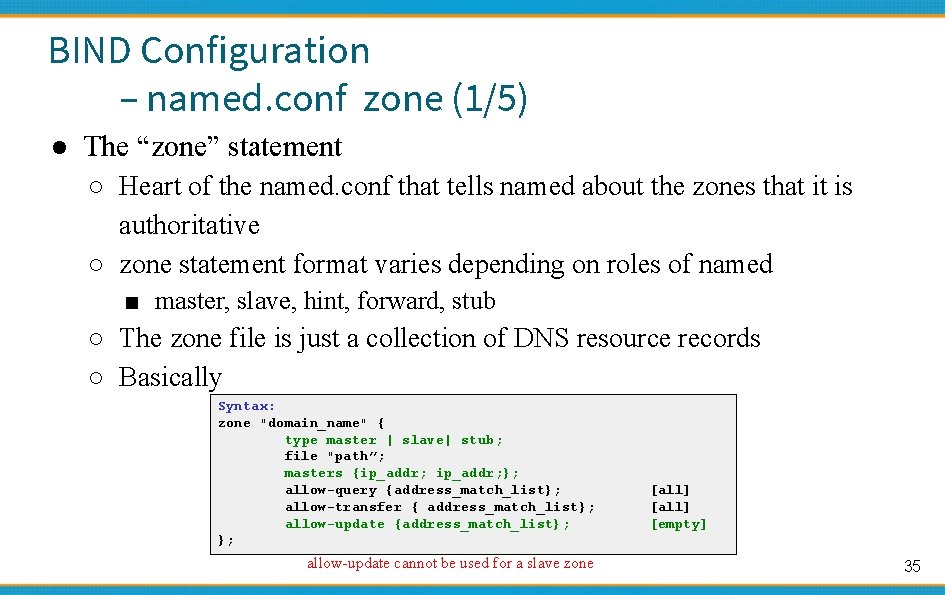
BIND Configuration – named. conf zone (1/5) ● The “zone” statement ○ Heart of the named. conf that tells named about the zones that it is authoritative ○ zone statement format varies depending on roles of named ■ master, slave, hint, forward, stub ○ The zone file is just a collection of DNS resource records ○ Basically Syntax: zone "domain_name" { type master | slave| stub; file "path”; masters {ip_addr; }; allow-query {address_match_list}; allow-transfer { address_match_list}; allow-update {address_match_list}; }; allow-update cannot be used for a slave zone [all] [empty] 35
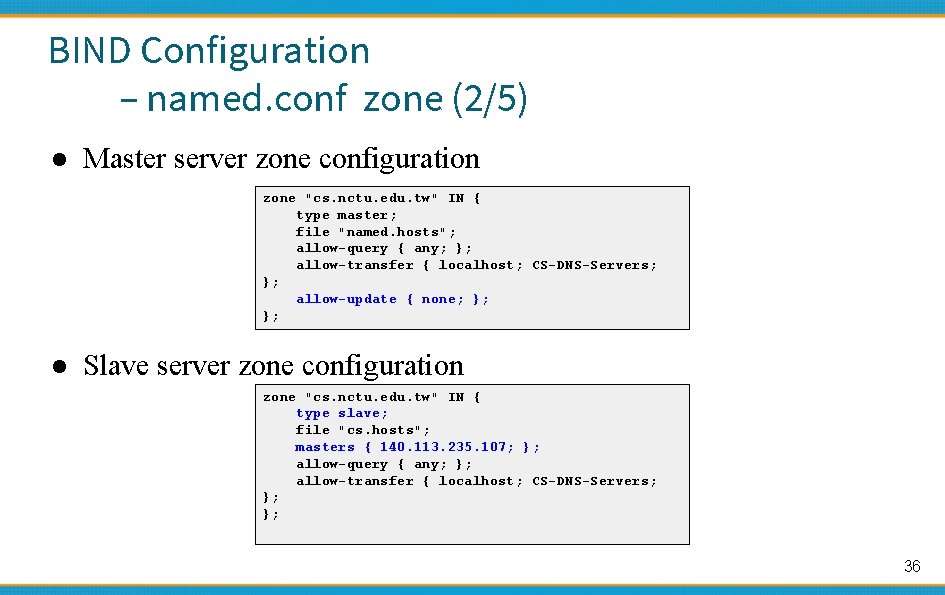
BIND Configuration – named. conf zone (2/5) ● Master server zone configuration zone "cs. nctu. edu. tw" IN { type master; file "named. hosts"; allow-query { any; }; allow-transfer { localhost; CS-DNS-Servers; }; allow-update { none; }; }; ● Slave server zone configuration zone "cs. nctu. edu. tw" IN { type slave; file "cs. hosts"; masters { 140. 113. 235. 107; }; allow-query { any; }; allow-transfer { localhost; CS-DNS-Servers; }; }; 36
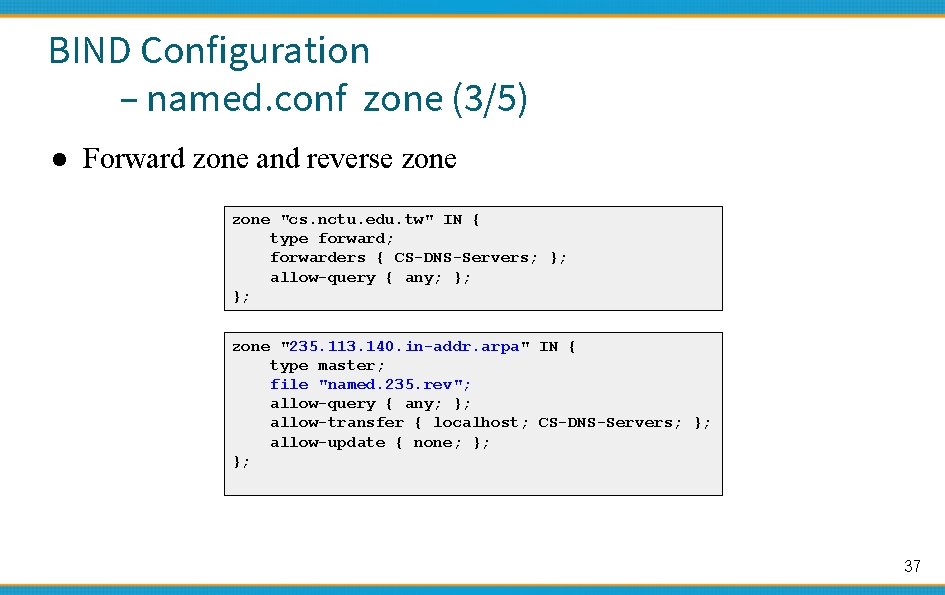
BIND Configuration – named. conf zone (3/5) ● Forward zone and reverse zone "cs. nctu. edu. tw" IN { type forward; forwarders { CS-DNS-Servers; }; allow-query { any; }; }; zone "235. 113. 140. in-addr. arpa" IN { type master; file "named. 235. rev"; allow-query { any; }; allow-transfer { localhost; CS-DNS-Servers; }; allow-update { none; }; }; 37
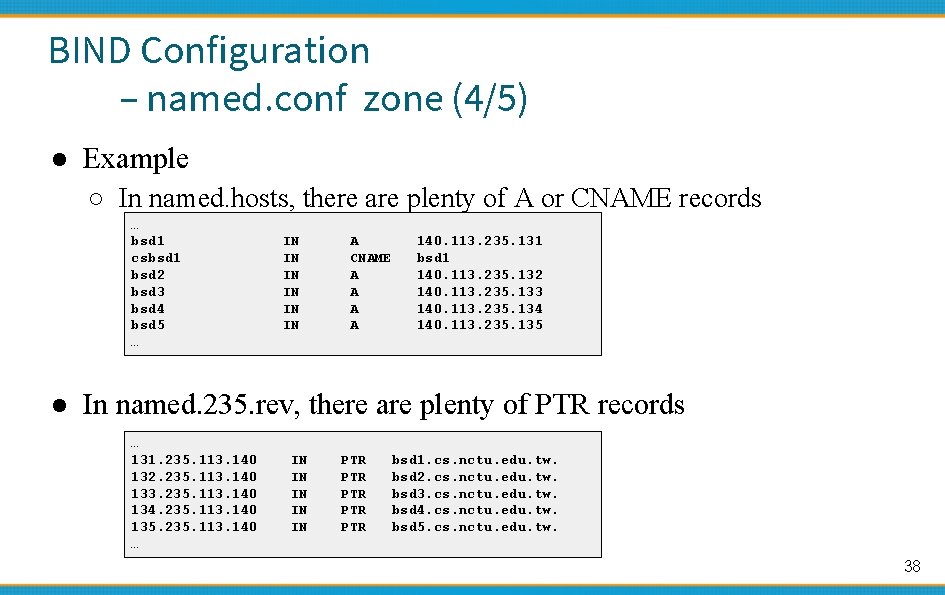
BIND Configuration – named. conf zone (4/5) ● Example ○ In named. hosts, there are plenty of A or CNAME records … bsd 1 csbsd 1 bsd 2 bsd 3 bsd 4 bsd 5 … IN IN IN A CNAME A A 140. 113. 235. 131 bsd 1 140. 113. 235. 132 140. 113. 235. 133 140. 113. 235. 134 140. 113. 235. 135 ● In named. 235. rev, there are plenty of PTR records … 131. 235. 113. 140 132. 235. 113. 140 133. 235. 113. 140 134. 235. 113. 140 135. 235. 113. 140 … IN IN IN PTR PTR PTR bsd 1. cs. nctu. edu. tw. bsd 2. cs. nctu. edu. tw. bsd 3. cs. nctu. edu. tw. bsd 4. cs. nctu. edu. tw. bsd 5. cs. nctu. edu. tw. 38
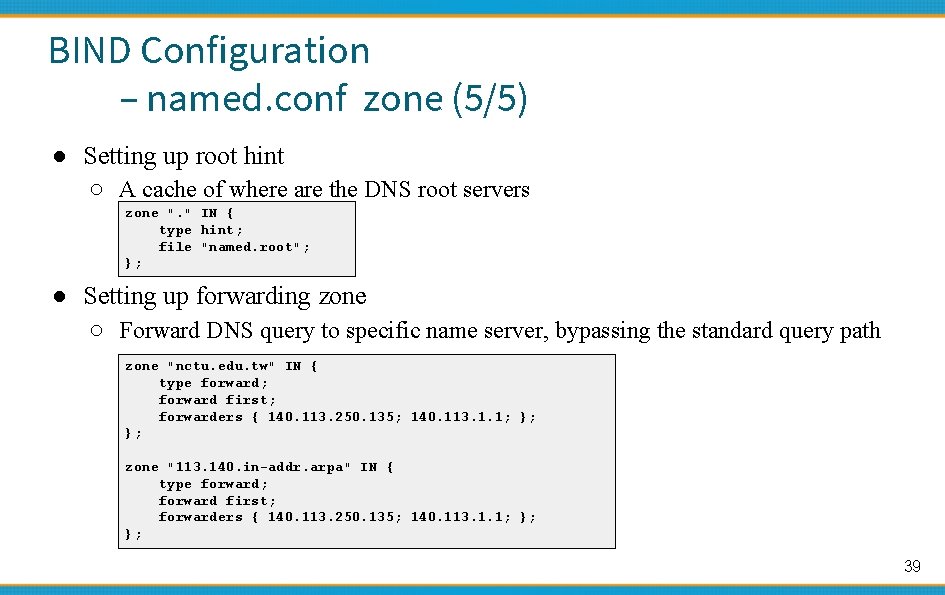
BIND Configuration – named. conf zone (5/5) ● Setting up root hint ○ A cache of where are the DNS root servers zone ". " IN { type hint; file "named. root"; }; ● Setting up forwarding zone ○ Forward DNS query to specific name server, bypassing the standard query path zone "nctu. edu. tw" IN { type forward; forward first; forwarders { 140. 113. 250. 135; 140. 113. 1. 1; }; }; zone "113. 140. in-addr. arpa" IN { type forward; forward first; forwarders { 140. 113. 250. 135; 140. 113. 1. 1; }; }; 39
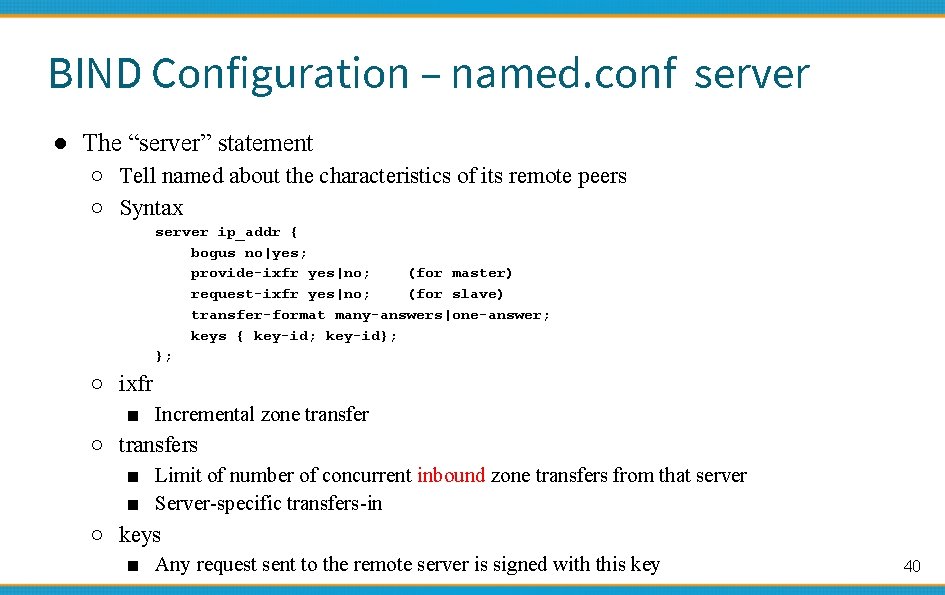
BIND Configuration – named. conf server ● The “server” statement ○ Tell named about the characteristics of its remote peers ○ Syntax server ip_addr { bogus no|yes; provide-ixfr yes|no; (for master) request-ixfr yes|no; (for slave) transfer-format many-answers|one-answer; keys { key-id; key-id}; }; ○ ixfr ■ Incremental zone transfer ○ transfers ■ Limit of number of concurrent inbound zone transfers from that server ■ Server-specific transfers-in ○ keys ■ Any request sent to the remote server is signed with this key 40
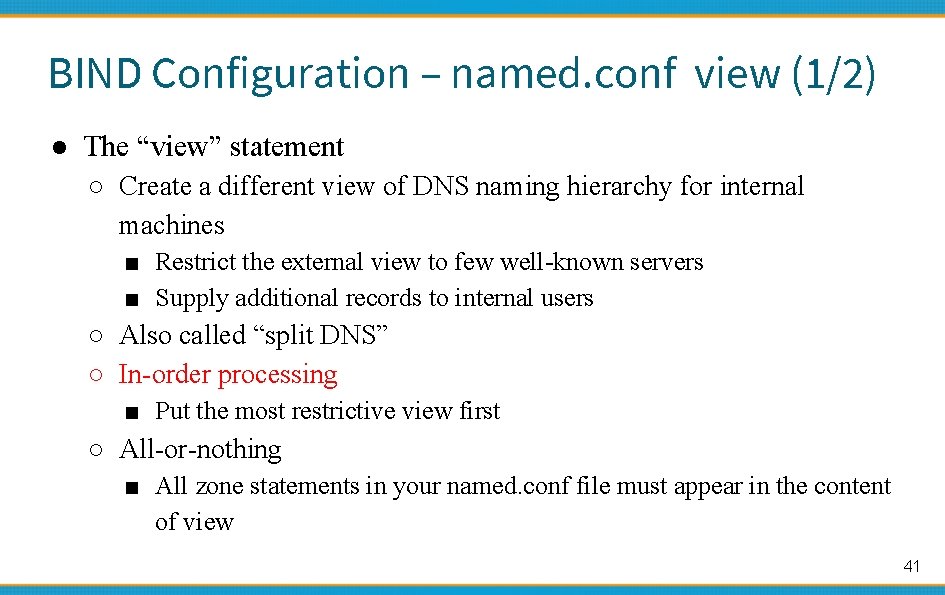
BIND Configuration – named. conf view (1/2) ● The “view” statement ○ Create a different view of DNS naming hierarchy for internal machines ■ Restrict the external view to few well-known servers ■ Supply additional records to internal users ○ Also called “split DNS” ○ In-order processing ■ Put the most restrictive view first ○ All-or-nothing ■ All zone statements in your named. conf file must appear in the content of view 41
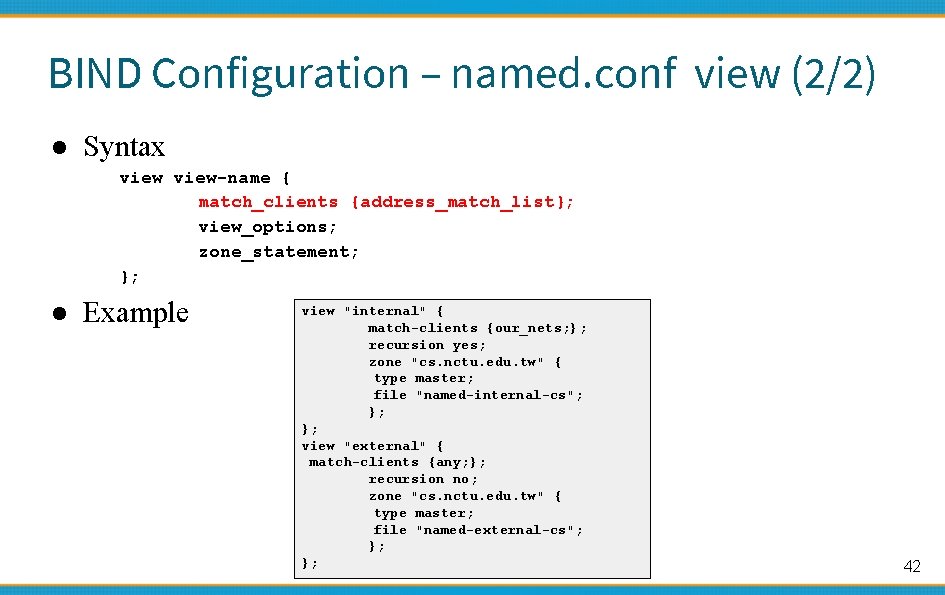
BIND Configuration – named. conf view (2/2) ● Syntax view-name { match_clients {address_match_list}; view_options; zone_statement; }; ● Example view "internal" { match-clients {our_nets; }; recursion yes; zone "cs. nctu. edu. tw" { type master; file "named-internal-cs"; }; }; view "external" { match-clients {any; }; recursion no; zone "cs. nctu. edu. tw" { type master; file "named-external-cs"; }; }; 42
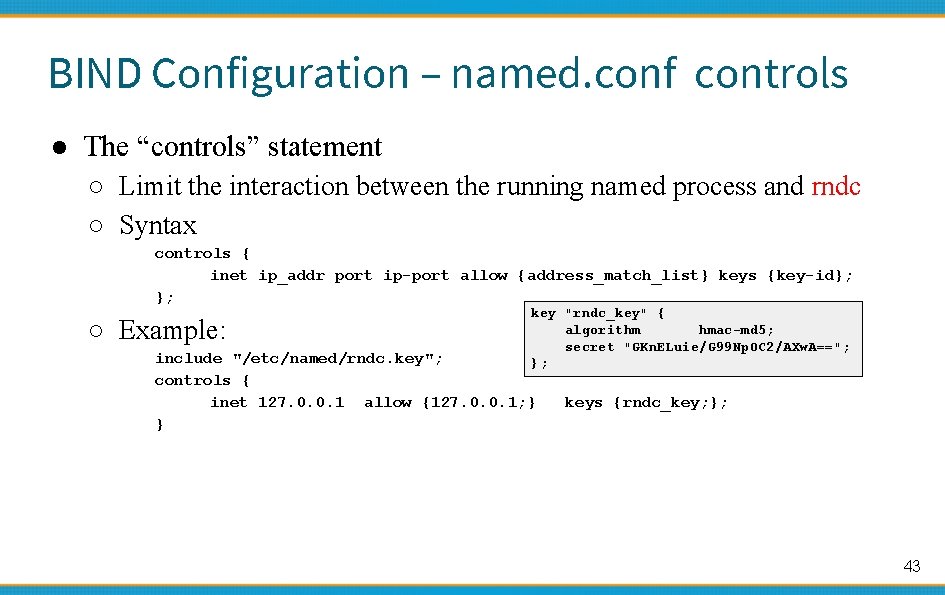
BIND Configuration – named. conf controls ● The “controls” statement ○ Limit the interaction between the running named process and rndc ○ Syntax controls { inet ip_addr port ip-port allow {address_match_list} keys {key-id}; }; ○ Example: key "rndc_key" { algorithm hmac-md 5; secret "GKn. ELuie/G 99 Np. OC 2/AXw. A=="; }; include "/etc/named/rndc. key"; controls { inet 127. 0. 0. 1 allow {127. 0. 0. 1; } } keys {rndc_key; }; 43
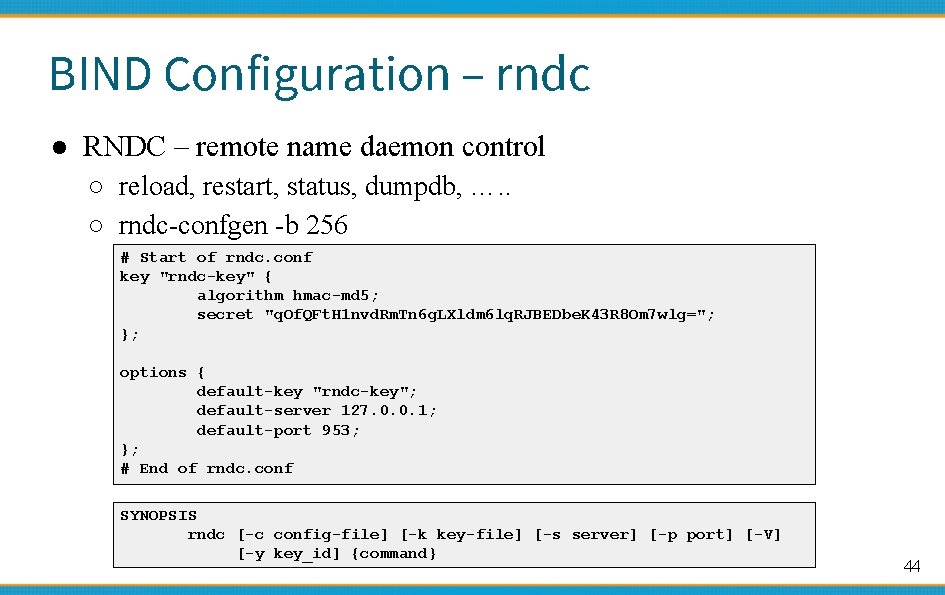
BIND Configuration – rndc ● RNDC – remote name daemon control ○ reload, restart, status, dumpdb, …. . ○ rndc-confgen -b 256 # Start of rndc. conf key "rndc-key" { algorithm hmac-md 5; secret "q. Of. QFt. H 1 nvd. Rm. Tn 6 g. LXldm 6 lq. RJBEDbe. K 43 R 8 Om 7 wlg="; }; options { default-key "rndc-key"; default-server 127. 0. 0. 1; default-port 953; }; # End of rndc. conf SYNOPSIS rndc [-c config-file] [-k key-file] [-s server] [-p port] [-V] [-y key_id] {command} 44
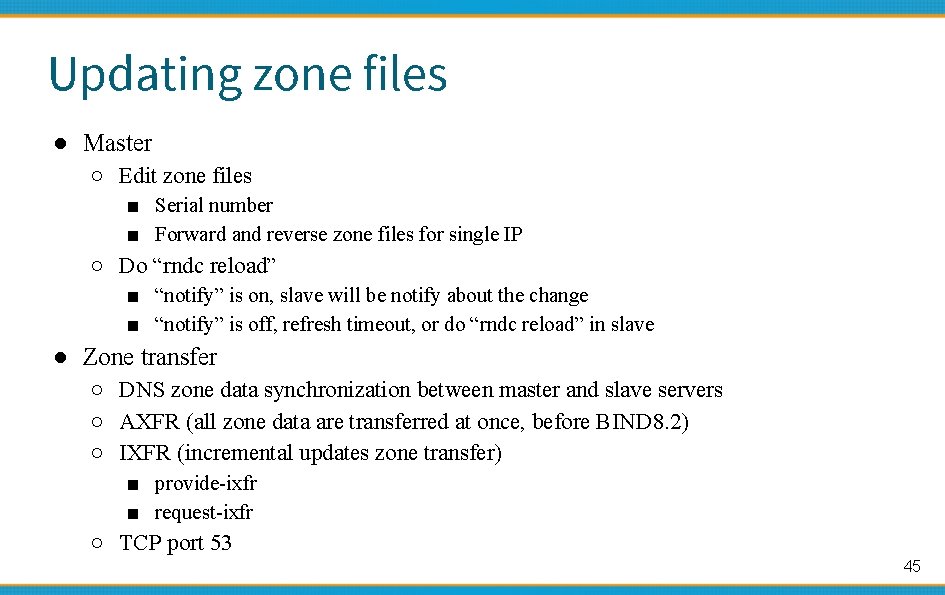
Updating zone files ● Master ○ Edit zone files ■ Serial number ■ Forward and reverse zone files for single IP ○ Do “rndc reload” ■ “notify” is on, slave will be notify about the change ■ “notify” is off, refresh timeout, or do “rndc reload” in slave ● Zone transfer ○ DNS zone data synchronization between master and slave servers ○ AXFR (all zone data are transferred at once, before BIND 8. 2) ○ IXFR (incremental updates zone transfer) ■ provide-ixfr ■ request-ixfr ○ TCP port 53 45
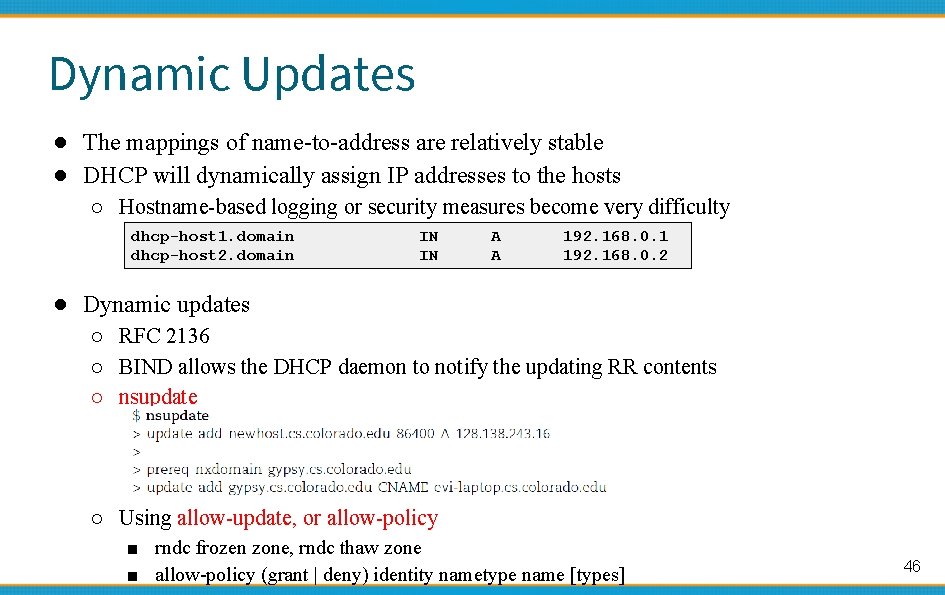
Dynamic Updates ● The mappings of name-to-address are relatively stable ● DHCP will dynamically assign IP addresses to the hosts ○ Hostname-based logging or security measures become very difficulty dhcp-host 1. domain dhcp-host 2. domain IN IN A A 192. 168. 0. 1 192. 168. 0. 2 ● Dynamic updates ○ RFC 2136 ○ BIND allows the DHCP daemon to notify the updating RR contents ○ nsupdate ○ Using allow-update, or allow-policy ■ rndc frozen zone, rndc thaw zone ■ allow-policy (grant | deny) identity nametype name [types] 46
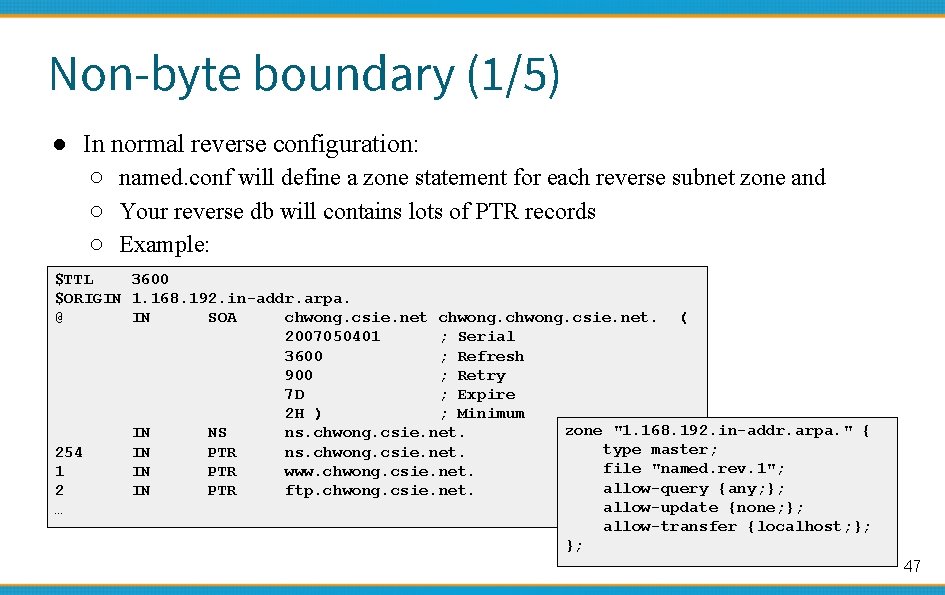
Non-byte boundary (1/5) ● In normal reverse configuration: ○ named. conf will define a zone statement for each reverse subnet zone and ○ Your reverse db will contains lots of PTR records ○ Example: $TTL 3600 $ORIGIN 1. 168. 192. in-addr. arpa. @ IN SOA chwong. csie. net. ( 2007050401 ; Serial 3600 ; Refresh 900 ; Retry 7 D ; Expire 2 H ) ; Minimum zone "1. 168. 192. in-addr. arpa. " { IN NS ns. chwong. csie. net. type master; 254 IN PTR ns. chwong. csie. net. file "named. rev. 1"; 1 IN PTR www. chwong. csie. net. allow-query {any; }; 2 IN PTR ftp. chwong. csie. net. allow-update {none; }; … allow-transfer {localhost; }; }; 47
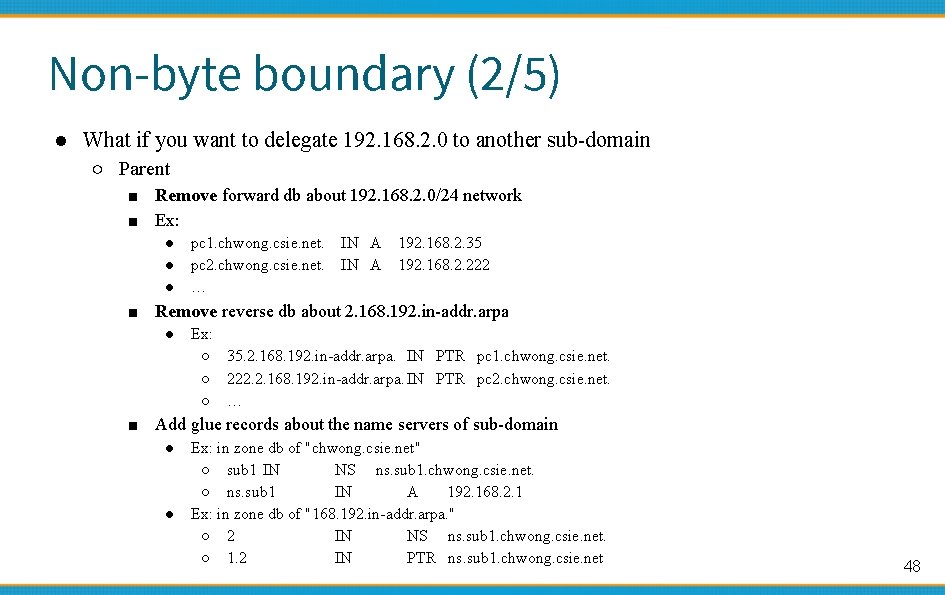
Non-byte boundary (2/5) ● What if you want to delegate 192. 168. 2. 0 to another sub-domain ○ Parent ■ Remove forward db about 192. 168. 2. 0/24 network ■ Ex: ● ● ● pc 1. chwong. csie. net. pc 2. chwong. csie. net. … IN A 192. 168. 2. 35 192. 168. 2. 222 ■ Remove reverse db about 2. 168. 192. in-addr. arpa ● Ex: ○ 35. 2. 168. 192. in-addr. arpa. IN PTR pc 1. chwong. csie. net. ○ 222. 2. 168. 192. in-addr. arpa. IN PTR pc 2. chwong. csie. net. ○ … ■ Add glue records about the name servers of sub-domain ● ● Ex: in zone db of "chwong. csie. net" ○ sub 1 IN NS ns. sub 1. chwong. csie. net. ○ ns. sub 1 IN A 192. 168. 2. 1 Ex: in zone db of "168. 192. in-addr. arpa. " ○ 2 IN NS ns. sub 1. chwong. csie. net. ○ 1. 2 IN PTR ns. sub 1. chwong. csie. net 48
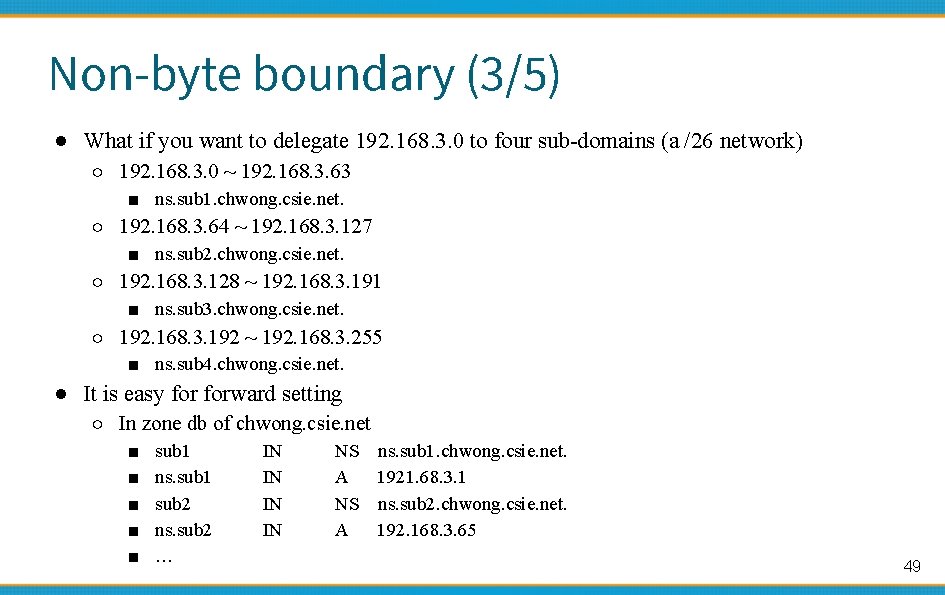
Non-byte boundary (3/5) ● What if you want to delegate 192. 168. 3. 0 to four sub-domains (a /26 network) ○ 192. 168. 3. 0 ~ 192. 168. 3. 63 ■ ns. sub 1. chwong. csie. net. ○ 192. 168. 3. 64 ~ 192. 168. 3. 127 ■ ns. sub 2. chwong. csie. net. ○ 192. 168. 3. 128 ~ 192. 168. 3. 191 ■ ns. sub 3. chwong. csie. net. ○ 192. 168. 3. 192 ~ 192. 168. 3. 255 ■ ns. sub 4. chwong. csie. net. ● It is easy forward setting ○ In zone db of chwong. csie. net ■ ■ ■ sub 1 ns. sub 1 sub 2 ns. sub 2 … IN IN NS ns. sub 1. chwong. csie. net. A 1921. 68. 3. 1 NS ns. sub 2. chwong. csie. net. A 192. 168. 3. 65 49
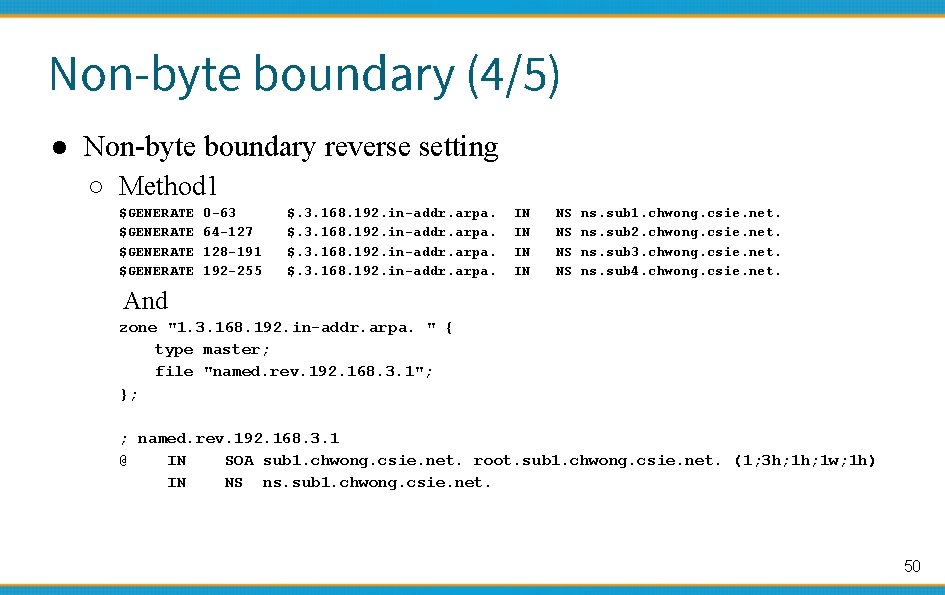
Non-byte boundary (4/5) ● Non-byte boundary reverse setting ○ Method 1 $GENERATE 0 -63 64 -127 128 -191 192 -255 $. 3. 168. 192. in-addr. arpa. IN IN NS NS ns. sub 1. chwong. csie. net. ns. sub 2. chwong. csie. net. ns. sub 3. chwong. csie. net. ns. sub 4. chwong. csie. net. And zone "1. 3. 168. 192. in-addr. arpa. " { type master; file "named. rev. 192. 168. 3. 1"; }; ; named. rev. 192. 168. 3. 1 @ IN SOA sub 1. chwong. csie. net. root. sub 1. chwong. csie. net. (1; 3 h; 1 w; 1 h) IN NS ns. sub 1. chwong. csie. net. 50
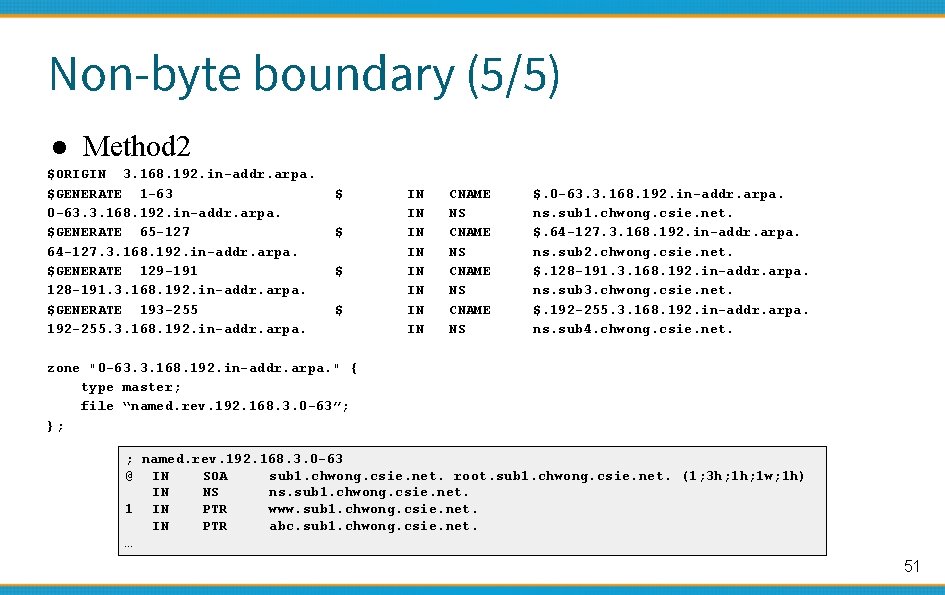
Non-byte boundary (5/5) ● Method 2 $ORIGIN 3. 168. 192. in-addr. arpa. $GENERATE 1 -63 0 -63. 3. 168. 192. in-addr. arpa. $GENERATE 65 -127 64 -127. 3. 168. 192. in-addr. arpa. $GENERATE 129 -191 128 -191. 3. 168. 192. in-addr. arpa. $GENERATE 193 -255 192 -255. 3. 168. 192. in-addr. arpa. $ $ IN IN CNAME NS $. 0 -63. 3. 168. 192. in-addr. arpa. ns. sub 1. chwong. csie. net. $. 64 -127. 3. 168. 192. in-addr. arpa. ns. sub 2. chwong. csie. net. $. 128 -191. 3. 168. 192. in-addr. arpa. ns. sub 3. chwong. csie. net. $. 192 -255. 3. 168. 192. in-addr. arpa. ns. sub 4. chwong. csie. net. zone "0 -63. 3. 168. 192. in-addr. arpa. " { type master; file “named. rev. 192. 168. 3. 0 -63”; }; ; named. rev. 192. 168. 3. 0 -63 @ IN SOA sub 1. chwong. csie. net. root. sub 1. chwong. csie. net. (1; 3 h; 1 w; 1 h) IN NS ns. sub 1. chwong. csie. net. 1 IN PTR www. sub 1. chwong. csie. net. IN PTR abc. sub 1. chwong. csie. net. … 51

BIND Security 國立陽明交通大學資 系資訊中心 Computer Center of Department of Computer Science, NYCU
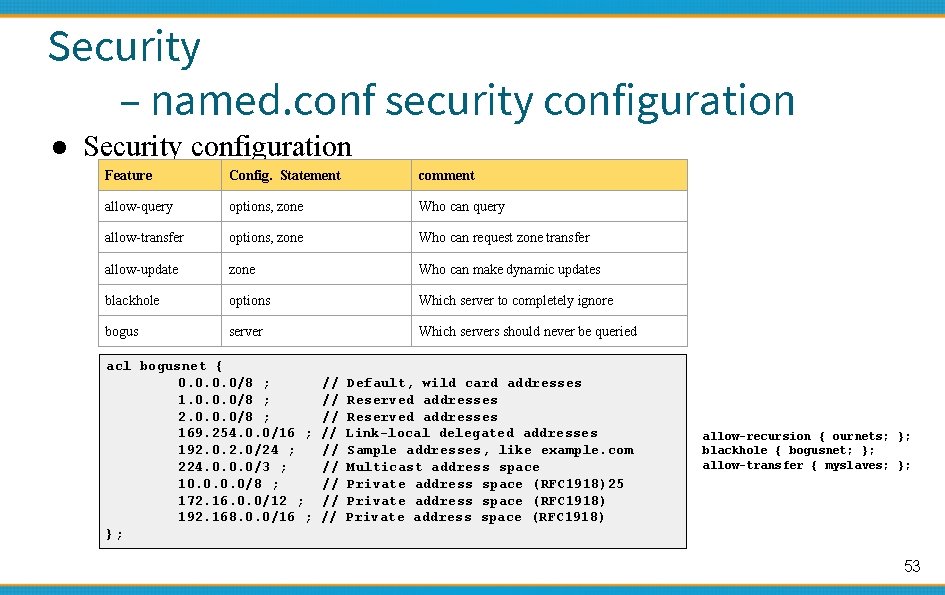
Security – named. conf security configuration ● Security configuration Feature Config. Statement comment allow-query options, zone Who can query allow-transfer options, zone Who can request zone transfer allow-update zone Who can make dynamic updates blackhole options Which server to completely ignore bogus server Which servers should never be queried acl bogusnet { 0. 0/8 ; 1. 0. 0. 0/8 ; 2. 0. 0. 0/8 ; 169. 254. 0. 0/16 ; 192. 0/24 ; 224. 0. 0. 0/3 ; 10. 0/8 ; 172. 16. 0. 0/12 ; 192. 168. 0. 0/16 ; }; // // // Default, wild card addresses Reserved addresses Link-local delegated addresses Sample addresses, like example. com Multicast address space Private address space (RFC 1918)25 Private address space (RFC 1918) allow-recursion { ournets; }; blackhole { bogusnet; }; allow-transfer { myslaves; }; 53
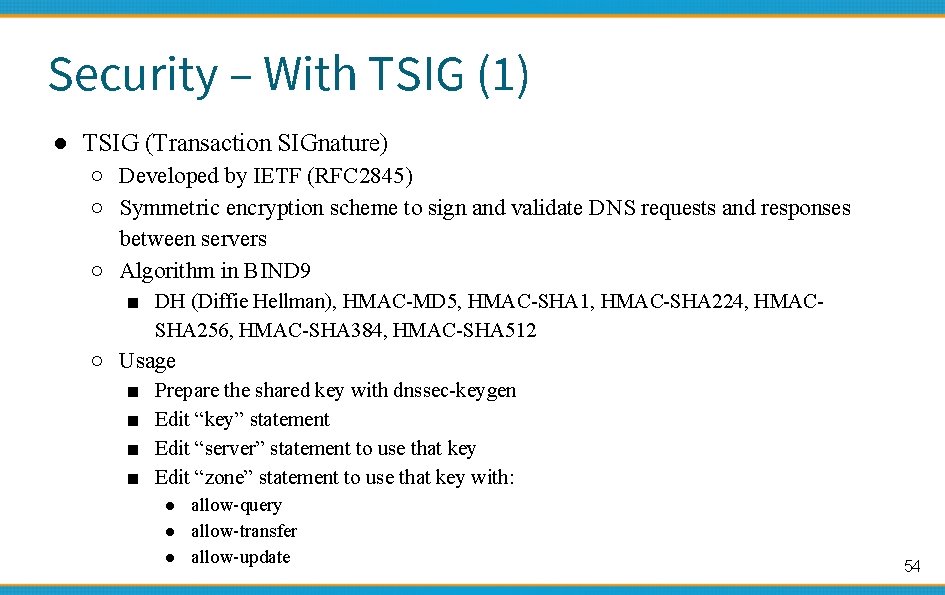
Security – With TSIG (1) ● TSIG (Transaction SIGnature) ○ Developed by IETF (RFC 2845) ○ Symmetric encryption scheme to sign and validate DNS requests and responses between servers ○ Algorithm in BIND 9 ■ DH (Diffie Hellman), HMAC-MD 5, HMAC-SHA 1, HMAC-SHA 224, HMACSHA 256, HMAC-SHA 384, HMAC-SHA 512 ○ Usage ■ ■ Prepare the shared key with dnssec-keygen Edit “key” statement Edit “server” statement to use that key Edit “zone” statement to use that key with: ● allow-query ● allow-transfer ● allow-update 54
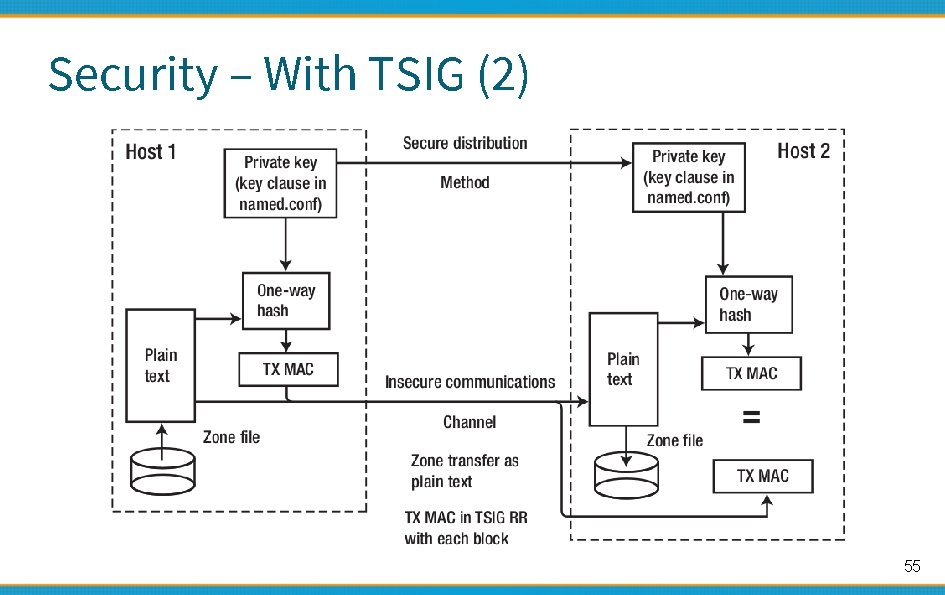
Security – With TSIG (2) 55
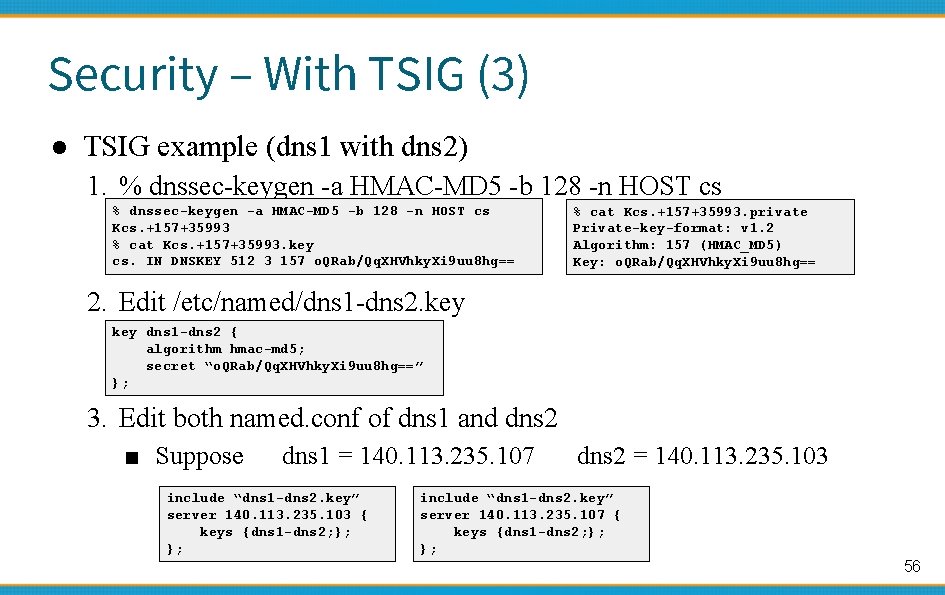
Security – With TSIG (3) ● TSIG example (dns 1 with dns 2) 1. % dnssec-keygen -a HMAC-MD 5 -b 128 -n HOST cs Kcs. +157+35993 % cat Kcs. +157+35993. key cs. IN DNSKEY 512 3 157 o. QRab/Qq. XHVhky. Xi 9 uu 8 hg== % cat Kcs. +157+35993. private Private-key-format: v 1. 2 Algorithm: 157 (HMAC_MD 5) Key: o. QRab/Qq. XHVhky. Xi 9 uu 8 hg== 2. Edit /etc/named/dns 1 -dns 2. key dns 1 -dns 2 { algorithm hmac-md 5; secret “o. QRab/Qq. XHVhky. Xi 9 uu 8 hg==” }; 3. Edit both named. conf of dns 1 and dns 2 ■ Suppose dns 1 = 140. 113. 235. 107 include “dns 1 -dns 2. key” server 140. 113. 235. 103 { keys {dns 1 -dns 2; }; }; dns 2 = 140. 113. 235. 103 include “dns 1 -dns 2. key” server 140. 113. 235. 107 { keys {dns 1 -dns 2; }; }; 56
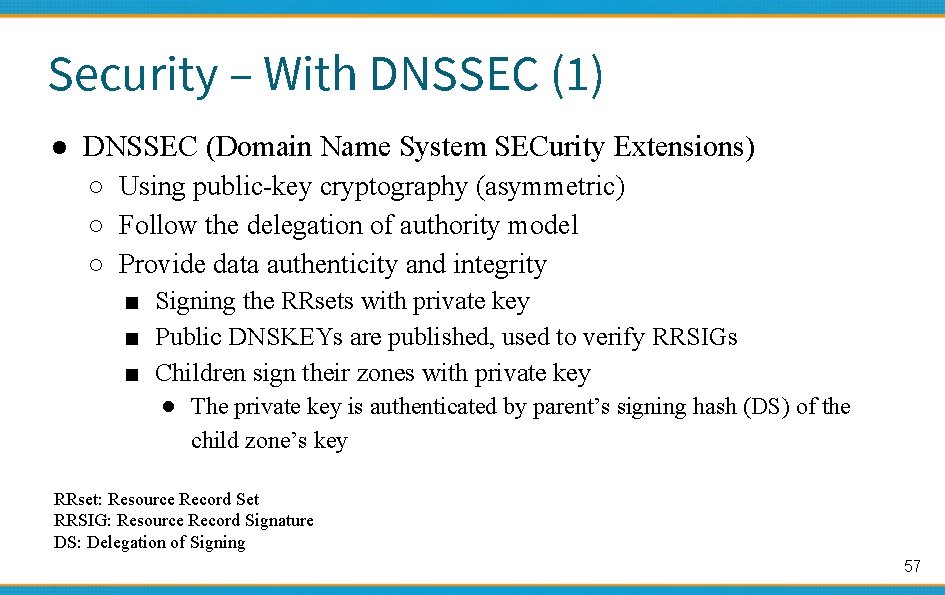
Security – With DNSSEC (1) ● DNSSEC (Domain Name System SECurity Extensions) ○ Using public-key cryptography (asymmetric) ○ Follow the delegation of authority model ○ Provide data authenticity and integrity ■ Signing the RRsets with private key ■ Public DNSKEYs are published, used to verify RRSIGs ■ Children sign their zones with private key ● The private key is authenticated by parent’s signing hash (DS) of the child zone’s key RRset: Resource Record Set RRSIG: Resource Record Signature DS: Delegation of Signing 57
Security – With DNSSEC (2) ● Types of Resource Record for DNSSEC ○ RRSIG (Resource Record Signature) ■ Crypto signatures for A, AAAA, NS, etc. ■ Tracks the type and number at each node. ○ NSEC (Next Secure)/NSEC 3 ■ Confirms the NXDOMAIN response ○ DNSKEY ■ Public keys for the entire zone ■ Private side is used generate RRSIGs ○ DS (Delegation Signer) Record ■ Handed up to parent zone to authenticate the NS record 58
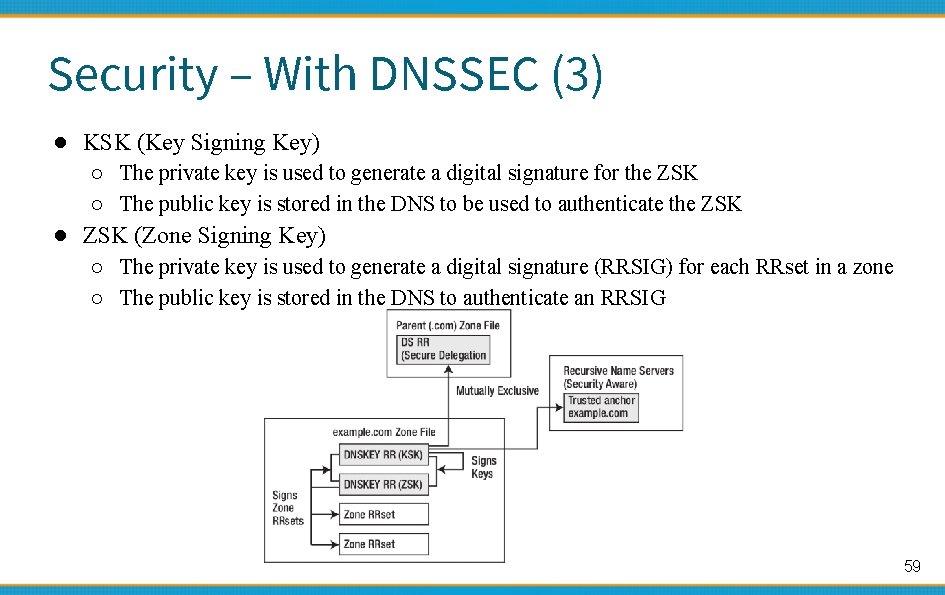
Security – With DNSSEC (3) ● KSK (Key Signing Key) ○ The private key is used to generate a digital signature for the ZSK ○ The public key is stored in the DNS to be used to authenticate the ZSK ● ZSK (Zone Signing Key) ○ The private key is used to generate a digital signature (RRSIG) for each RRset in a zone ○ The public key is stored in the DNS to authenticate an RRSIG 59
BIND Debugging and Logging 國立陽明交通大學資 系資訊中心 Computer Center of Department of Computer Science, NYCU
Logging (1) ● Logging configuration ○ ○ ○ Using a logging statement Define what are the channels Specify where each message category should go ● Terms ○ Channel ■ ■ ○ Category ■ ■ ○ The name of the source module that generates the message Facility ■ ○ A class of messages that named can generate Ex: answering queries or dynamic updates Module ■ ○ A place where messages can go Ex: syslog, file or /dev/null syslog facility name Severity ■ Priority in syslog ● When a message is generated ○ ○ It is assigned a “category”, a “module”, a “severity” It is distributed to all channels associated with its category 61
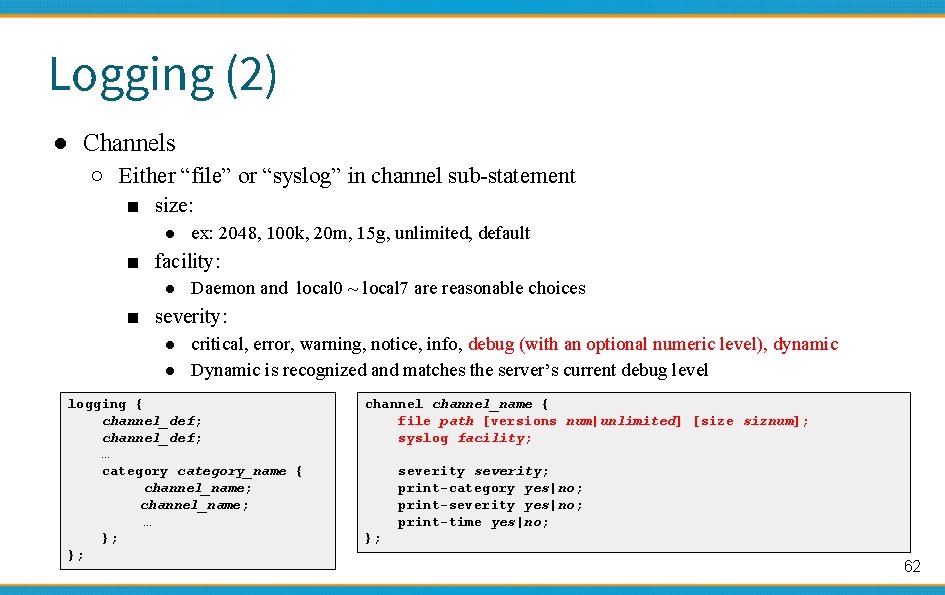
Logging (2) ● Channels ○ Either “file” or “syslog” in channel sub-statement ■ size: ● ex: 2048, 100 k, 20 m, 15 g, unlimited, default ■ facility: ● Daemon and local 0 ~ local 7 are reasonable choices ■ severity: ● critical, error, warning, notice, info, debug (with an optional numeric level), dynamic ● Dynamic is recognized and matches the server’s current debug level logging { channel_def; … category_name { channel_name; … }; }; channel_name { file path [versions num|unlimited] [size siznum]; syslog facility; severity; print-category yes|no; print-severity yes|no; print-time yes|no; }; 62
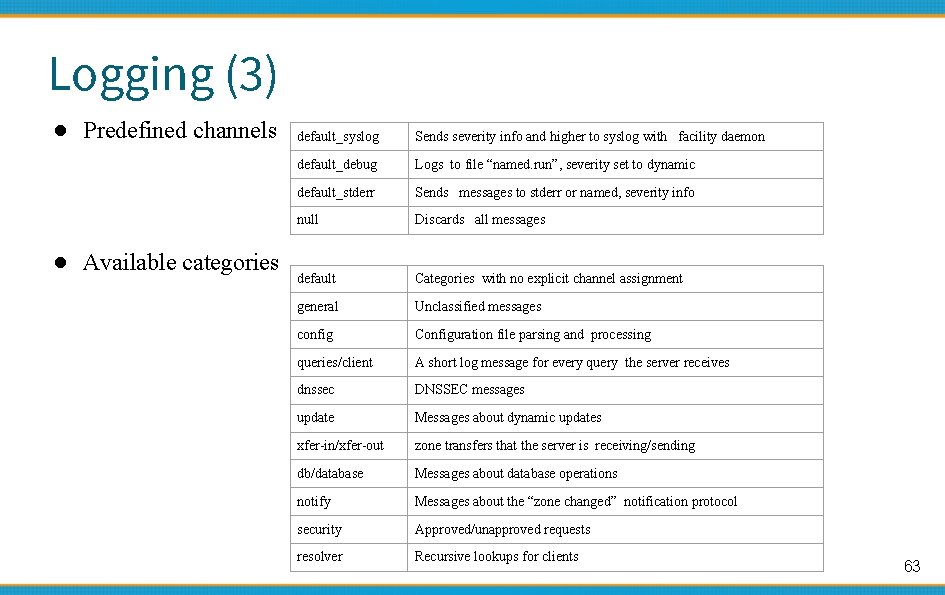
Logging (3) ● Predefined channels ● Available categories default_syslog Sends severity info and higher to syslog with facility daemon default_debug Logs to file “named. run”, severity set to dynamic default_stderr Sends messages to stderr or named, severity info null Discards all messages default Categories with no explicit channel assignment general Unclassified messages config Configuration file parsing and processing queries/client A short log message for every query the server receives dnssec DNSSEC messages update Messages about dynamic updates xfer-in/xfer-out zone transfers that the server is receiving/sending db/database Messages about database operations notify Messages about the “zone changed” notification protocol security Approved/unapproved requests resolver Recursive lookups for clients 63
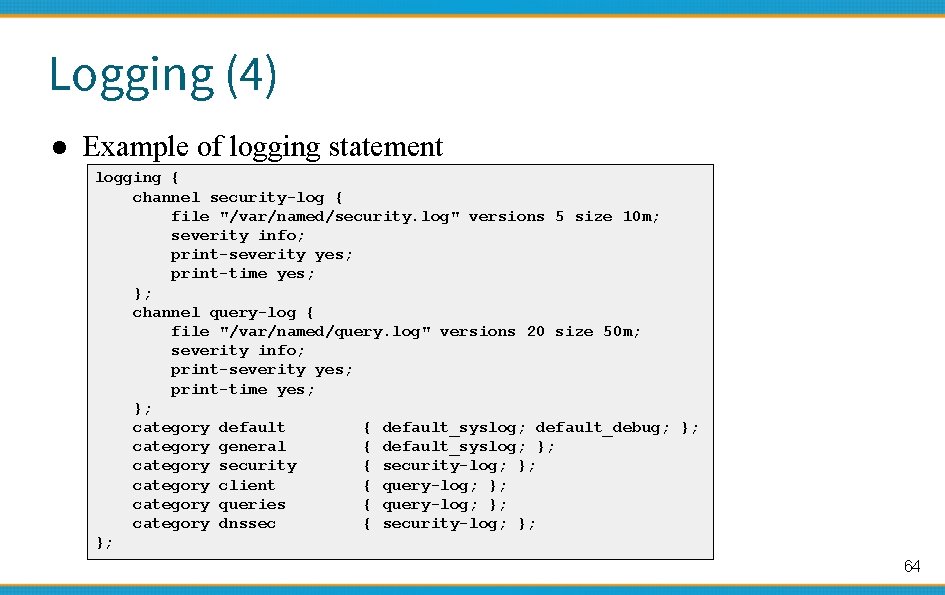
Logging (4) ● Example of logging statement logging { channel security-log { file "/var/named/security. log" versions 5 size 10 m; severity info; print-severity yes; print-time yes; }; channel query-log { file "/var/named/query. log" versions 20 size 50 m; severity info; print-severity yes; print-time yes; }; category default { default_syslog; default_debug; }; category general { default_syslog; }; category security { security-log; }; category client { query-log; }; category queries { query-log; }; category dnssec { security-log; }; }; 64
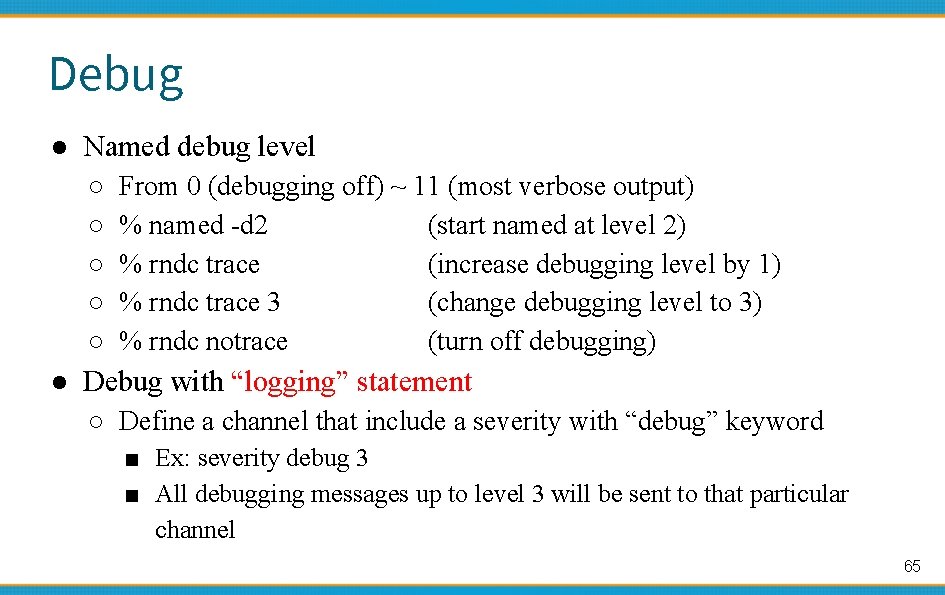
Debug ● Named debug level ○ ○ ○ From 0 (debugging off) ~ 11 (most verbose output) % named -d 2 (start named at level 2) % rndc trace (increase debugging level by 1) % rndc trace 3 (change debugging level to 3) % rndc notrace (turn off debugging) ● Debug with “logging” statement ○ Define a channel that include a severity with “debug” keyword ■ Ex: severity debug 3 ■ All debugging messages up to level 3 will be sent to that particular channel 65

Tools 國立陽明交通大學資 系資訊中心 Computer Center of Department of Computer Science, NYCU
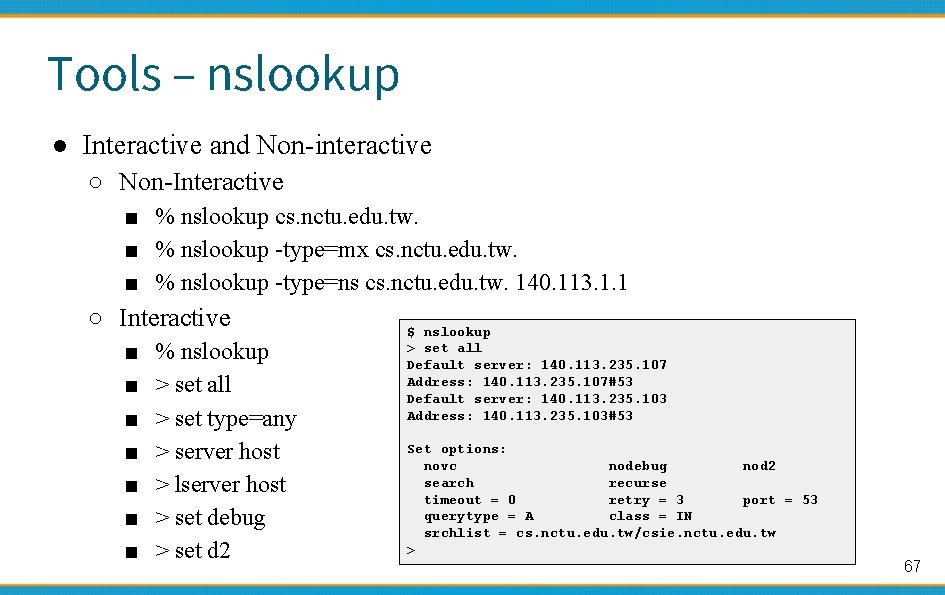
Tools – nslookup ● Interactive and Non-interactive ○ Non-Interactive ■ % nslookup cs. nctu. edu. tw. ■ % nslookup -type=mx cs. nctu. edu. tw. ■ % nslookup -type=ns cs. nctu. edu. tw. 140. 113. 1. 1 ○ Interactive ■ ■ ■ ■ % nslookup > set all > set type=any > server host > lserver host > set debug > set d 2 $ nslookup > set all Default server: 140. 113. 235. 107 Address: 140. 113. 235. 107#53 Default server: 140. 113. 235. 103 Address: 140. 113. 235. 103#53 Set options: novc nodebug nod 2 search recurse timeout = 0 retry = 3 port = 53 querytype = A class = IN srchlist = cs. nctu. edu. tw/csie. nctu. edu. tw > 67
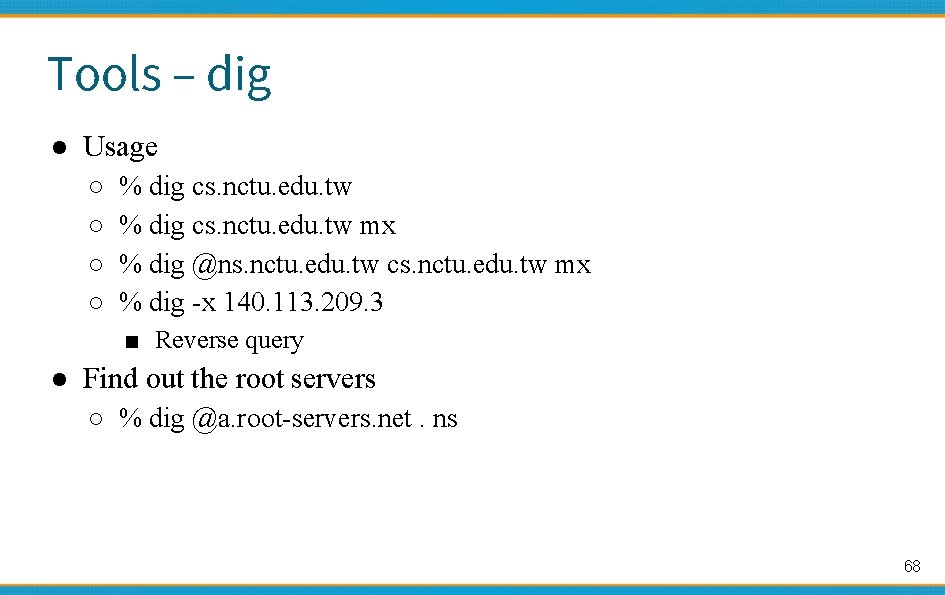
Tools – dig ● Usage ○ ○ % dig cs. nctu. edu. tw mx % dig @ns. nctu. edu. tw cs. nctu. edu. tw mx % dig -x 140. 113. 209. 3 ■ Reverse query ● Find out the root servers ○ % dig @a. root-servers. net. ns 68
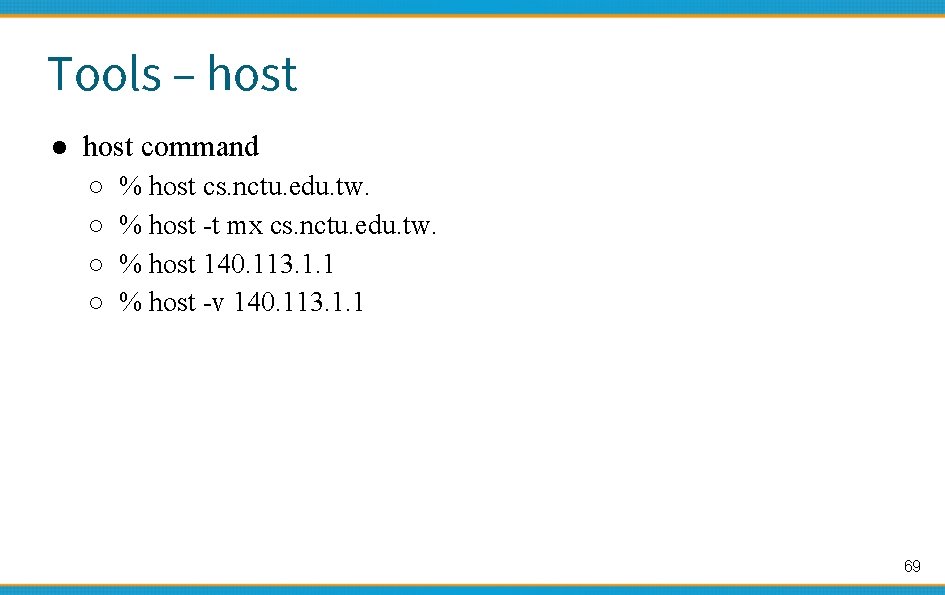
Tools – host ● host command ○ ○ % host cs. nctu. edu. tw. % host -t mx cs. nctu. edu. tw. % host 140. 113. 1. 1 % host -v 140. 113. 1. 1 69

Appendix 國立陽明交通大學資 系資訊中心 Computer Center of Department of Computer Science, NYCU
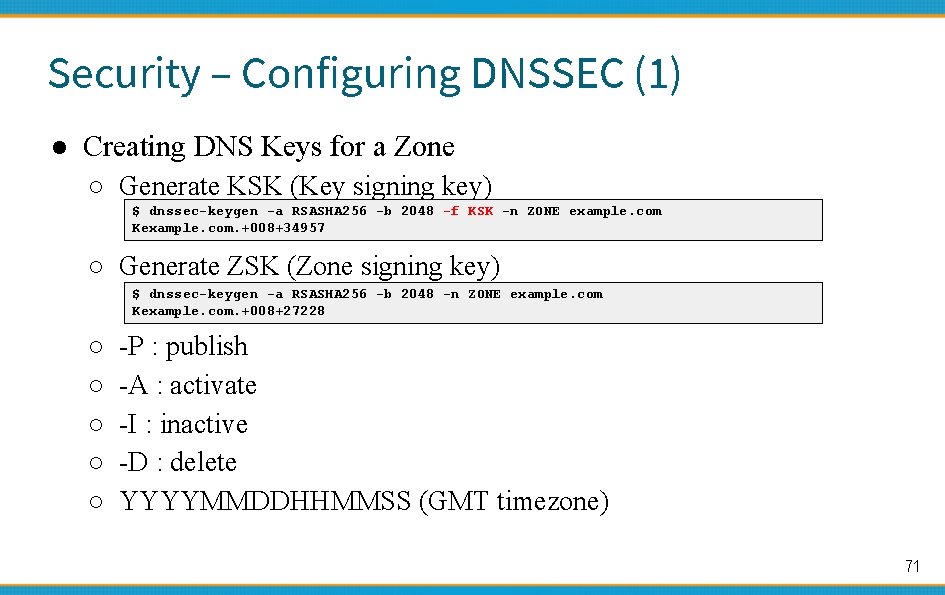
Security – Configuring DNSSEC (1) ● Creating DNS Keys for a Zone ○ Generate KSK (Key signing key) $ dnssec-keygen -a RSASHA 256 -b 2048 -f KSK -n ZONE example. com Kexample. com. +008+34957 ○ Generate ZSK (Zone signing key) $ dnssec-keygen -a RSASHA 256 -b 2048 -n ZONE example. com Kexample. com. +008+27228 ○ ○ ○ -P : publish -A : activate -I : inactive -D : delete YYYYMMDDHHMMSS (GMT timezone) 71
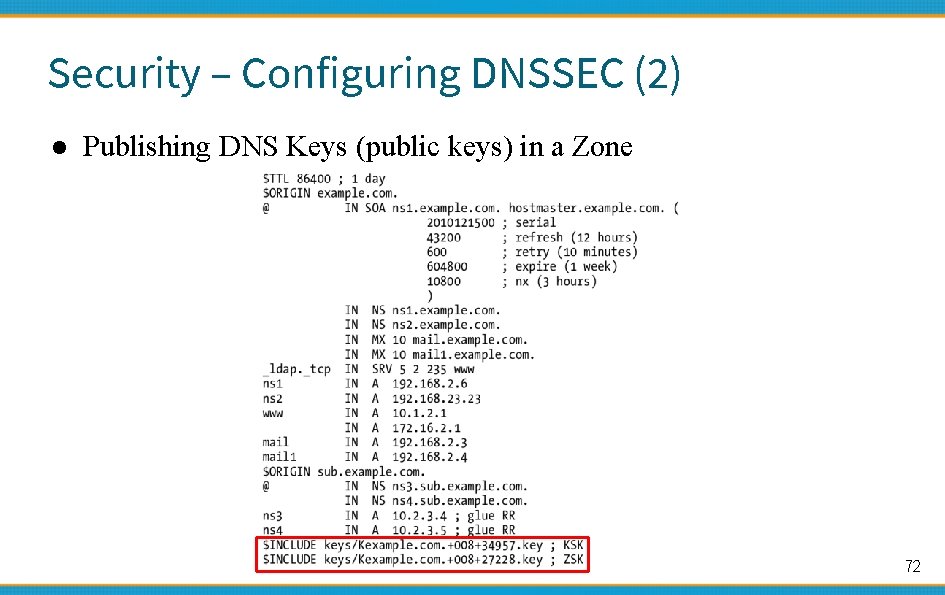
Security – Configuring DNSSEC (2) ● Publishing DNS Keys (public keys) in a Zone 72
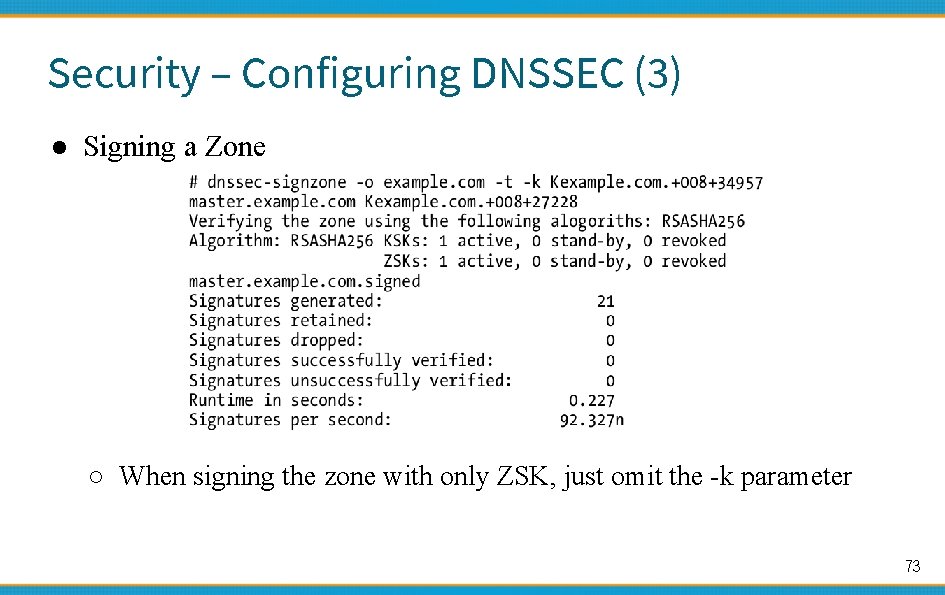
Security – Configuring DNSSEC (3) ● Signing a Zone ○ When signing the zone with only ZSK, just omit the -k parameter 73
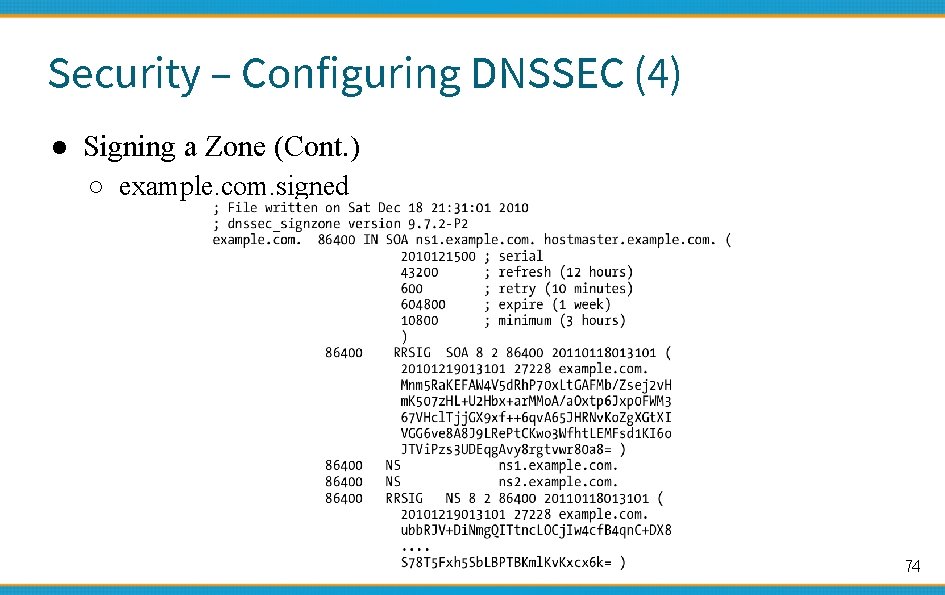
Security – Configuring DNSSEC (4) ● Signing a Zone (Cont. ) ○ example. com. signed 74
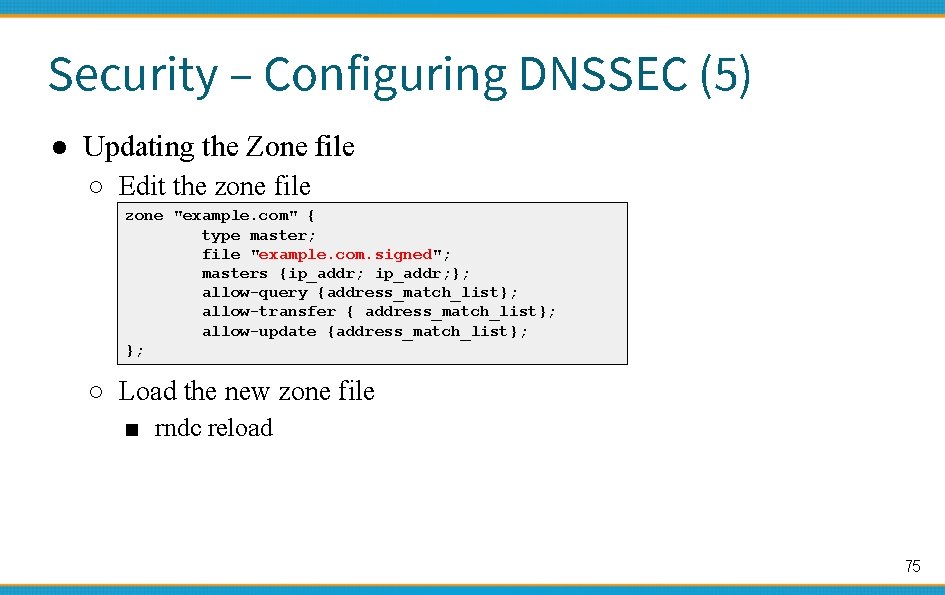
Security – Configuring DNSSEC (5) ● Updating the Zone file ○ Edit the zone file zone "example. com" { type master; file "example. com. signed"; masters {ip_addr; }; allow-query {address_match_list}; allow-transfer { address_match_list}; allow-update {address_match_list}; }; ○ Load the new zone file ■ rndc reload 75
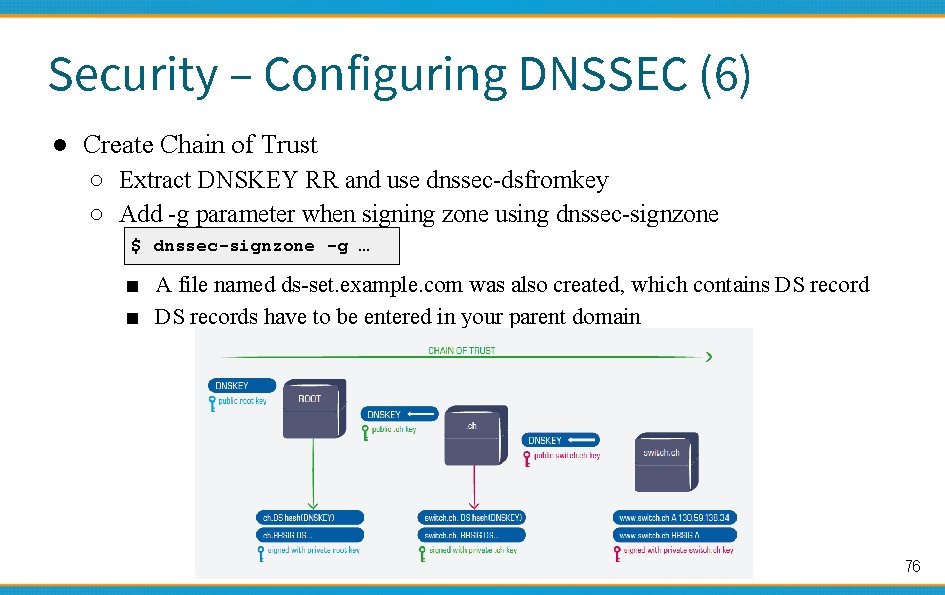
Security – Configuring DNSSEC (6) ● Create Chain of Trust ○ Extract DNSKEY RR and use dnssec-dsfromkey ○ Add -g parameter when signing zone using dnssec-signzone $ dnssec-signzone -g … ■ A file named ds-set. example. com was also created, which contains DS record ■ DS records have to be entered in your parent domain 76
Security –DNSSEC maintenance ● Modify zone ○ nsupdate(1) ○ By hand ■ Freeze zone ● rndc freeze ■ Edit zone file ■ Sign zone file ● dnssec-signzone ■ Reload zone file ● rndc reload ■ Unfreeze zone ● rndc thaw 77
- Slides: 77