
The Benefits of Using the SRM 4 Dashboard
The Benefits of Using the SRM 4 Dashboard
The Benefits of Using the Vipr SRM 4 Dashboard • Quick overview of your Environment Ø Seven dashboard reports already to go • Operations Ø Hardware Failures & Critical Alerts • Enterprise Capacity Dashboard Ø The Enterprise Capacity Dashboard reports show data for the following arrays • File Capacity Dashboard Ø File Capacity Presented to NAS - Storage Capacity of the NAS System. • Virtual Storage Dashboard • Object Capacity Dashboard • Host Dashboard 2 © Copyright 2016 Dell Inc. Ø Used for Virtual Storage is only supported if you have EMC VPLEX or IBM SAN Volume Controller/Storwize in your IT environment. Ø Configured capacity that is available for writing Object data. • Hosts distribution and capacity
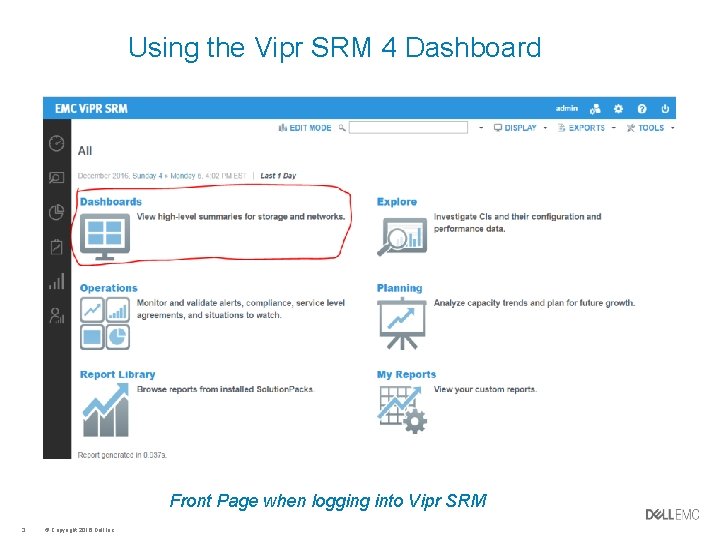
Using the Vipr SRM 4 Dashboard Front Page when logging into Vipr SRM 3 © Copyright 2016 Dell Inc.

Vipr SRM 4 Dashboard Seven dashboard reports already to go 4 © Copyright 2016 Dell Inc.
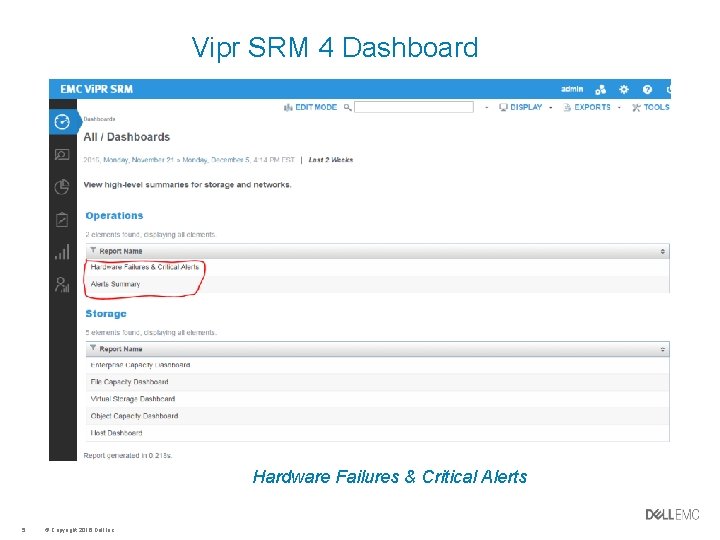
Vipr SRM 4 Dashboard Hardware Failures & Critical Alerts 5 © Copyright 2016 Dell Inc.
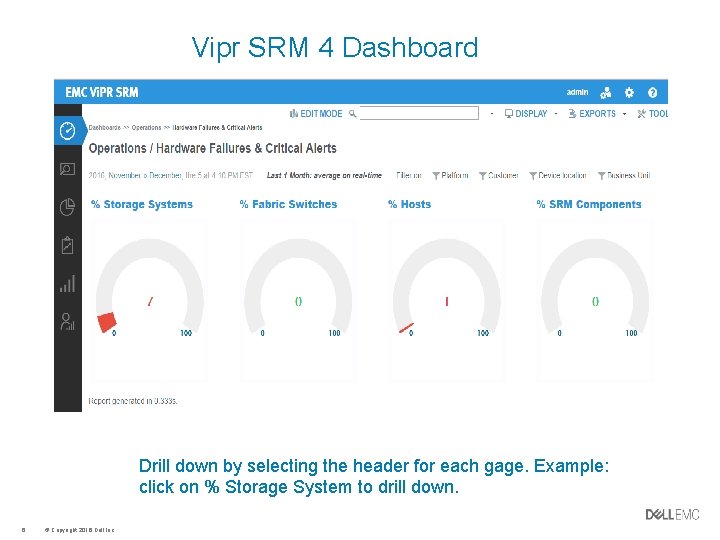
Vipr SRM 4 Dashboard Drill down by selecting the header for each gage. Example: click on % Storage System to drill down. 6 © Copyright 2016 Dell Inc.

Vipr SRM 4 Dashboard The Alerts Dashboard is generated for the aggregate of all alerts consolidated from all sources. 7 © Copyright 2016 Dell Inc.
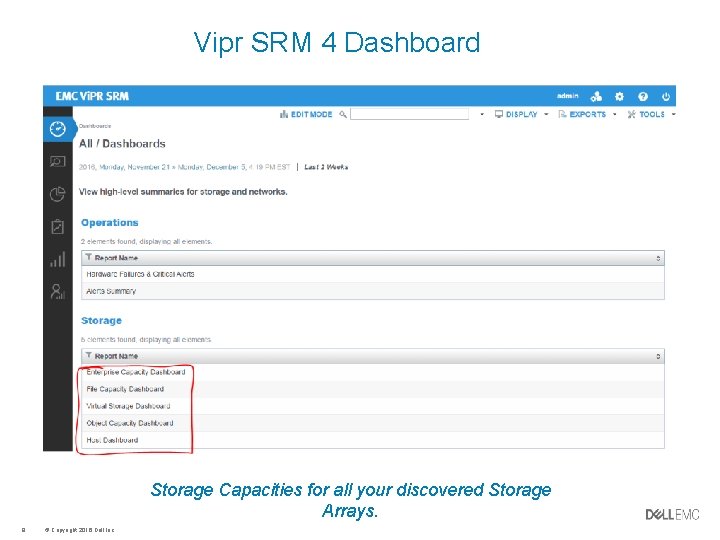
Vipr SRM 4 Dashboard Storage Capacities for all your discovered Storage Arrays. 8 © Copyright 2016 Dell Inc.
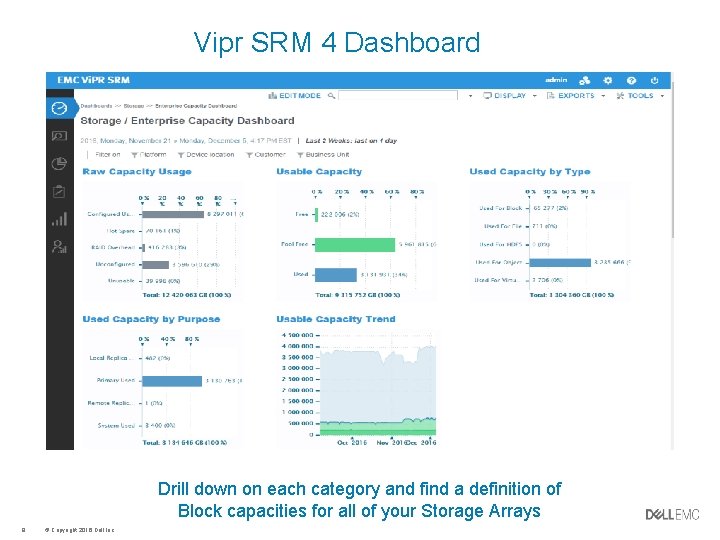
Vipr SRM 4 Dashboard Drill down on each category and find a definition of Block capacities for all of your Storage Arrays 9 © Copyright 2016 Dell Inc.
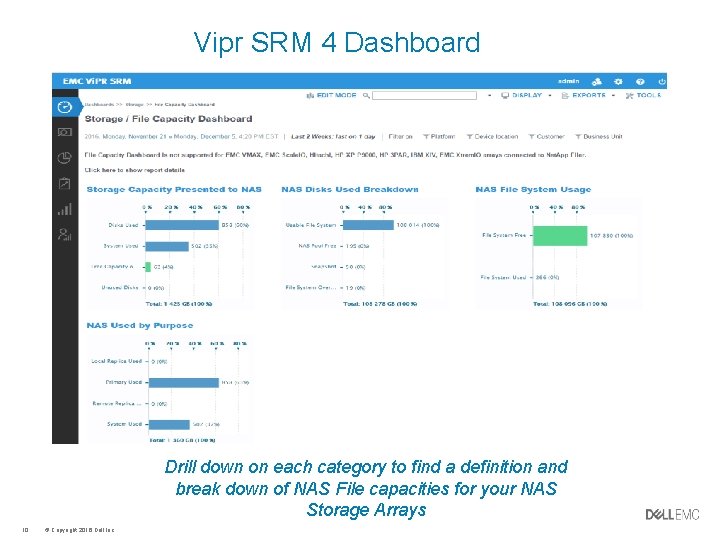
Vipr SRM 4 Dashboard Drill down on each category to find a definition and break down of NAS File capacities for your NAS Storage Arrays 10 © Copyright 2016 Dell Inc.
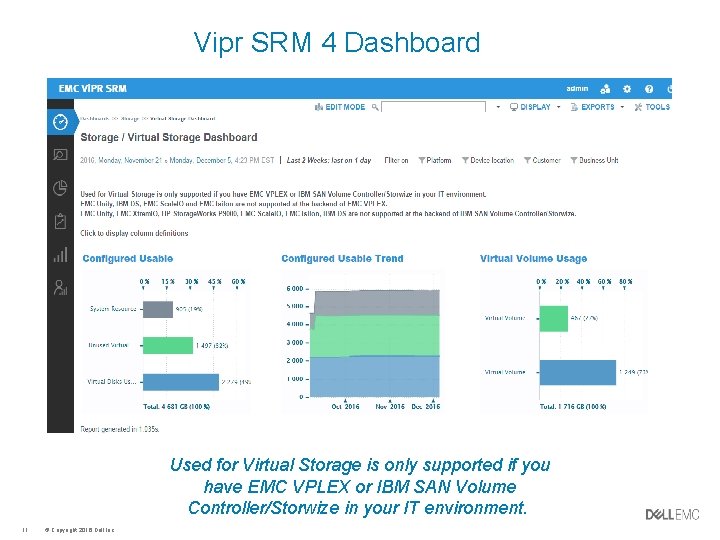
Vipr SRM 4 Dashboard Used for Virtual Storage is only supported if you have EMC VPLEX or IBM SAN Volume Controller/Storwize in your IT environment. 11 © Copyright 2016 Dell Inc.
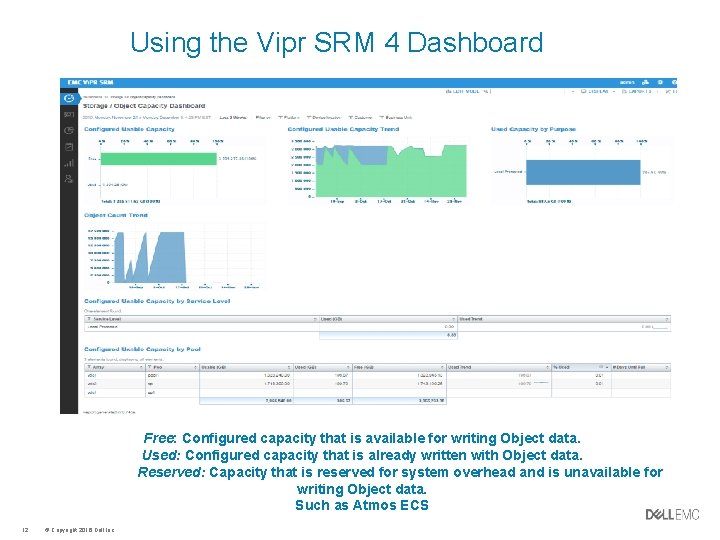
Using the Vipr SRM 4 Dashboard Free: Configured capacity that is available for writing Object data. Used: Configured capacity that is already written with Object data. Reserved: Capacity that is reserved for system overhead and is unavailable for writing Object data. Such as Atmos ECS 12 © Copyright 2016 Dell Inc.
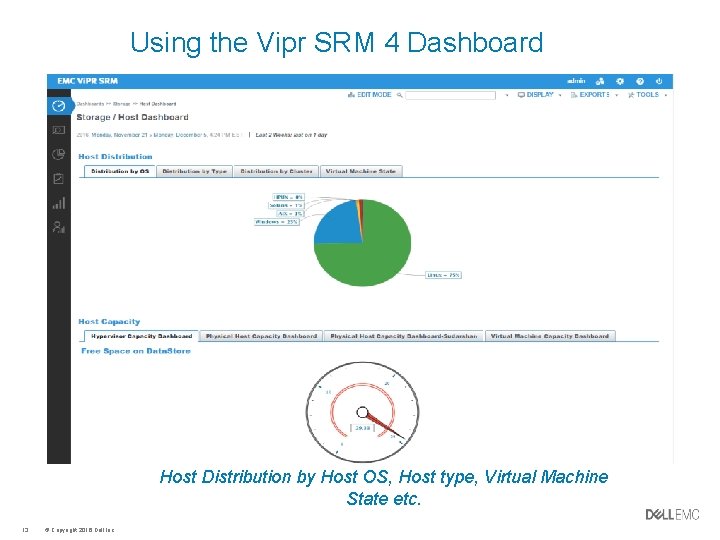
Using the Vipr SRM 4 Dashboard Host Distribution by Host OS, Host type, Virtual Machine State etc. 13 © Copyright 2016 Dell Inc.

Thank You
- Slides: 14