
The Basic Structure of A Computer System 1

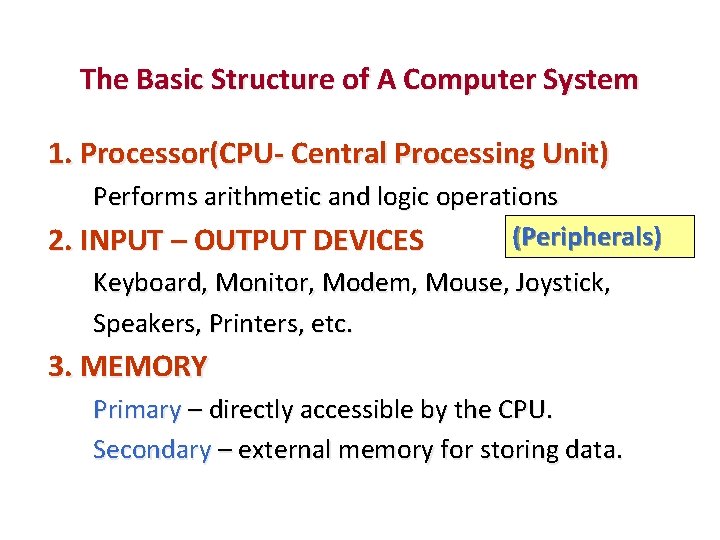
The Basic Structure of A Computer System 1. Processor(CPU- Central Processing Unit) Performs arithmetic and logic operations (Peripherals) 2. INPUT – OUTPUT DEVICES Keyboard, Monitor, Modem, Mouse, Joystick, Speakers, Printers, etc. 3. MEMORY Primary – directly accessible by the CPU. Secondary – external memory for storing data.
Software • The term software is used to describe computer programs that perform a task or tasks on a computer system. Software can be grouped as follows: • System software - Operating System, editor etc. • Utility programs - Antivirus etc. • Applications Software - Microsoft Word, paint etc.
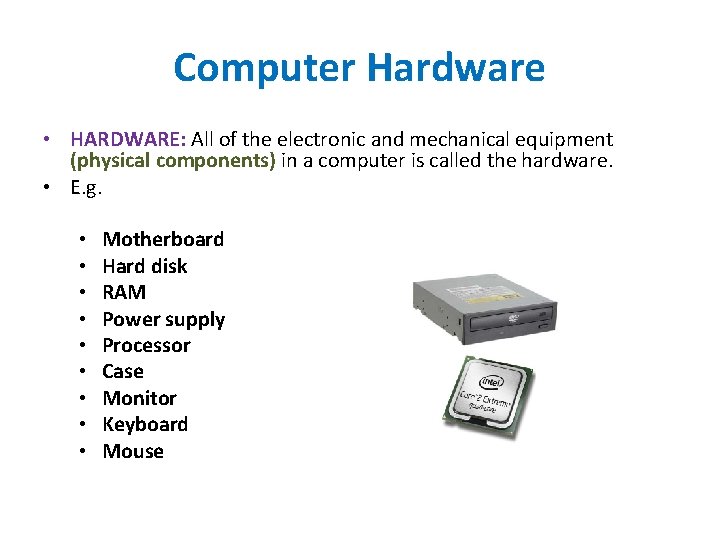
Computer Hardware • HARDWARE: All of the electronic and mechanical equipment (physical components) in a computer is called the hardware. • E. g. • • • Motherboard Hard disk RAM Power supply Processor Case Monitor Keyboard Mouse
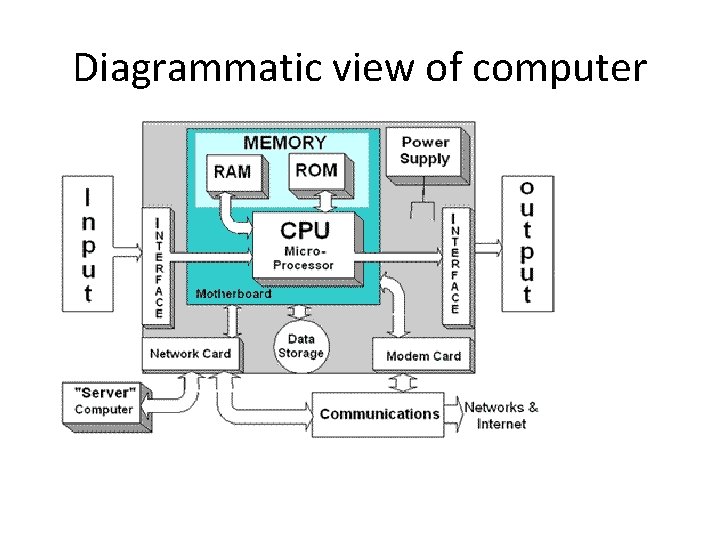
Diagrammatic view of computer
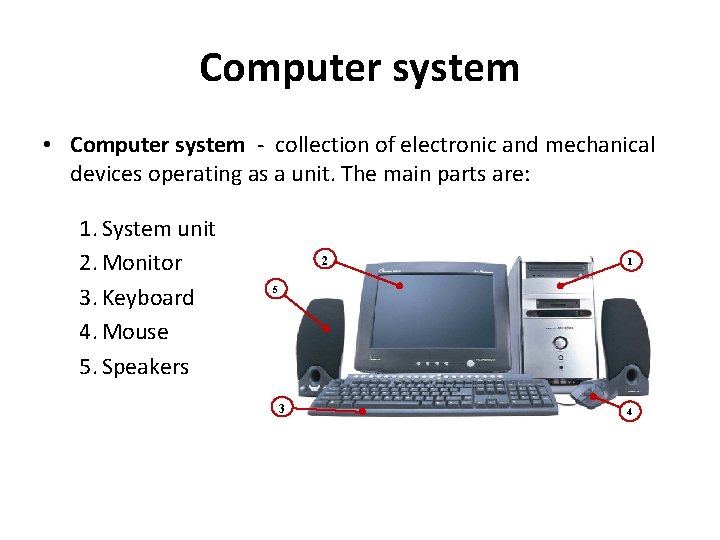
Computer system • Computer system - collection of electronic and mechanical devices operating as a unit. The main parts are: 1. System unit 2. Monitor 3. Keyboard 4. Mouse 5. Speakers 2 1 5 3 4
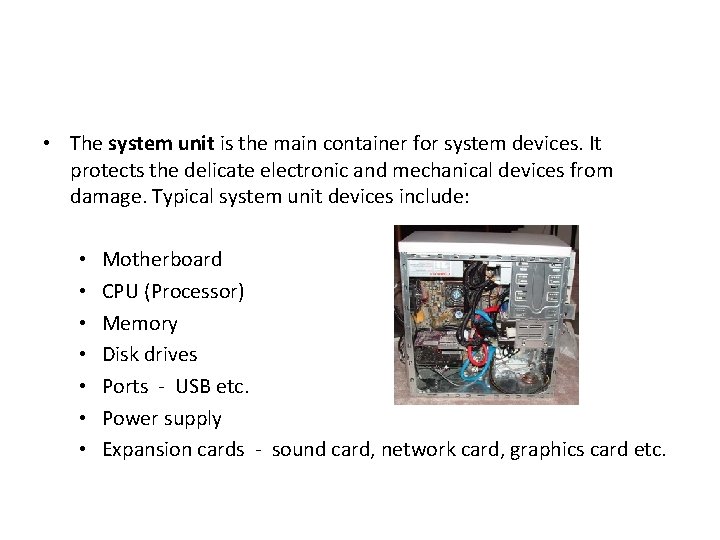
• The system unit is the main container for system devices. It protects the delicate electronic and mechanical devices from damage. Typical system unit devices include: • • Motherboard CPU (Processor) Memory Disk drives Ports - USB etc. Power supply Expansion cards - sound card, network card, graphics card etc.

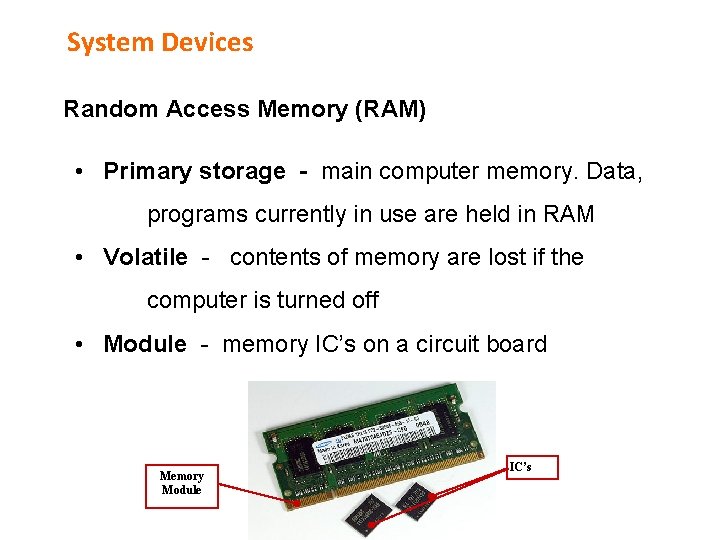
System Devices Random Access Memory (RAM) • Primary storage - main computer memory. Data, programs currently in use are held in RAM • Volatile - contents of memory are lost if the computer is turned off • Module - memory IC’s on a circuit board Memory Module IC’s

System Devices Memory is sold in modules: • DIMM’s (dual inline memory module) for desktop computers • SODIMM’s (small outline dual inline memory module) for notebook computers. DIMM Module SODIMM Module
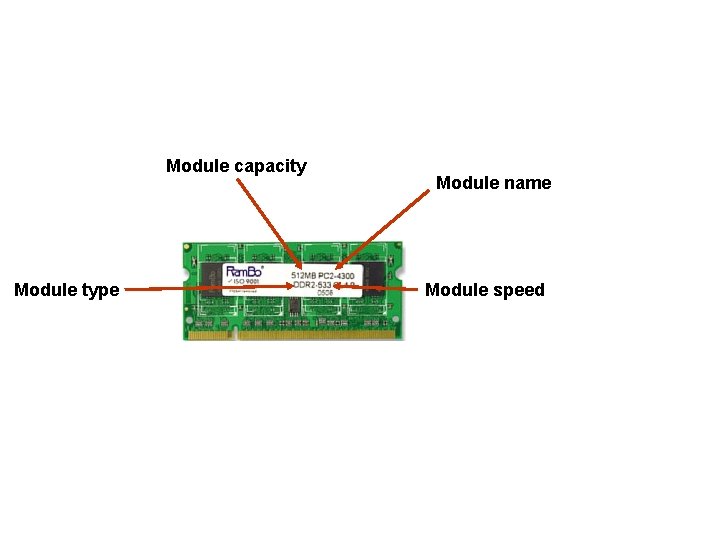
Module capacity Module type Module name Module speed
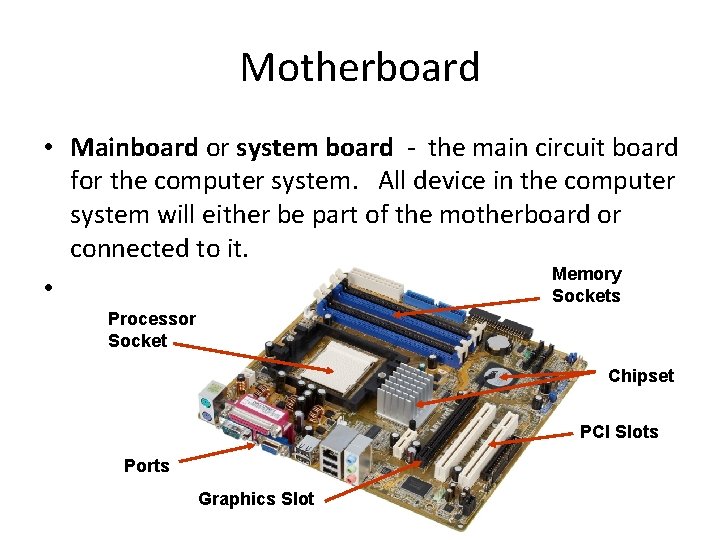
Motherboard • Mainboard or system board - the main circuit board for the computer system. All device in the computer system will either be part of the motherboard or connected to it. Memory • Sockets Processor Socket Chipset PCI Slots Ports Graphics Slot
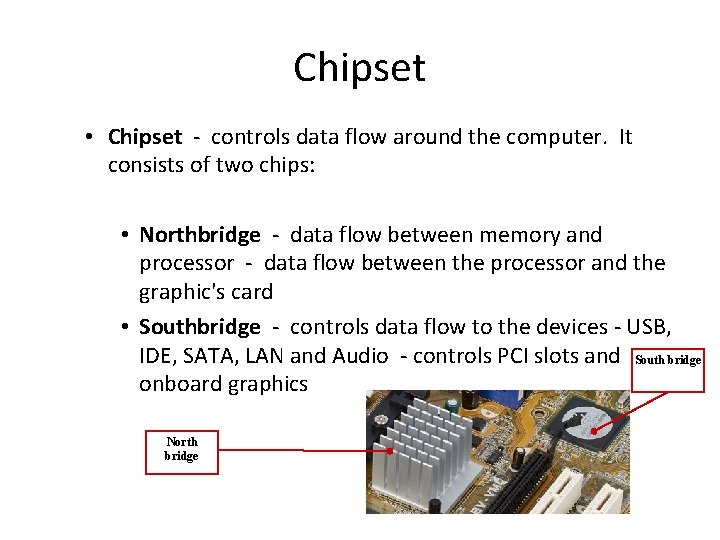
Chipset • Chipset - controls data flow around the computer. It consists of two chips: • Northbridge - data flow between memory and processor - data flow between the processor and the graphic's card • Southbridge - controls data flow to the devices - USB, IDE, SATA, LAN and Audio - controls PCI slots and South bridge onboard graphics North bridge

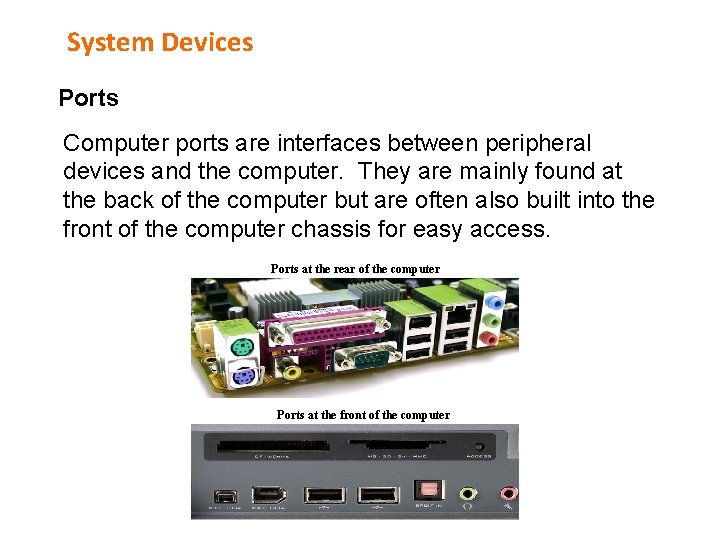
System Devices Ports Computer ports are interfaces between peripheral devices and the computer. They are mainly found at the back of the computer but are often also built into the front of the computer chassis for easy access. Ports at the rear of the computer Ports at the front of the computer
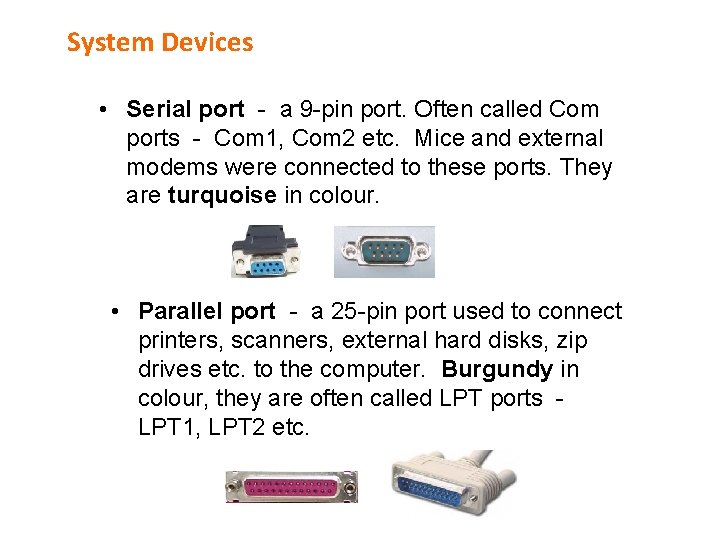
System Devices • Serial port - a 9 -pin port. Often called Com ports - Com 1, Com 2 etc. Mice and external modems were connected to these ports. They are turquoise in colour. • Parallel port - a 25 -pin port used to connect printers, scanners, external hard disks, zip drives etc. to the computer. Burgundy in colour, they are often called LPT ports LPT 1, LPT 2 etc.
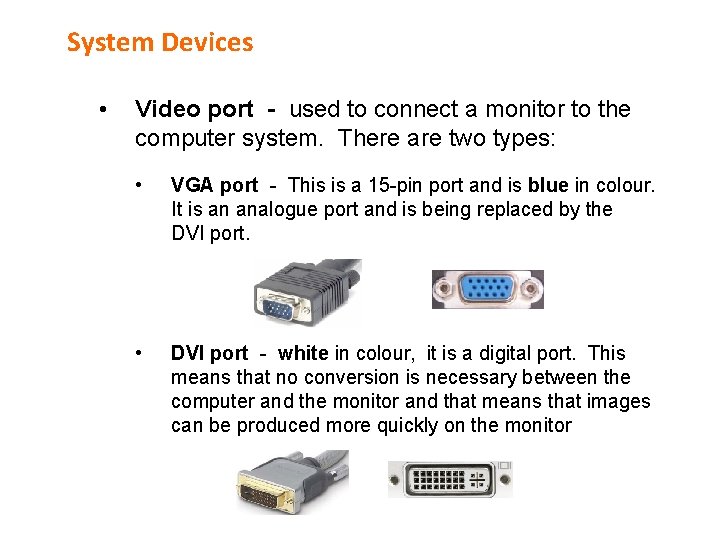
System Devices • Video port - used to connect a monitor to the computer system. There are two types: • VGA port - This is a 15 -pin port and is blue in colour. It is an analogue port and is being replaced by the DVI port. • DVI port - white in colour, it is a digital port. This means that no conversion is necessary between the computer and the monitor and that means that images can be produced more quickly on the monitor
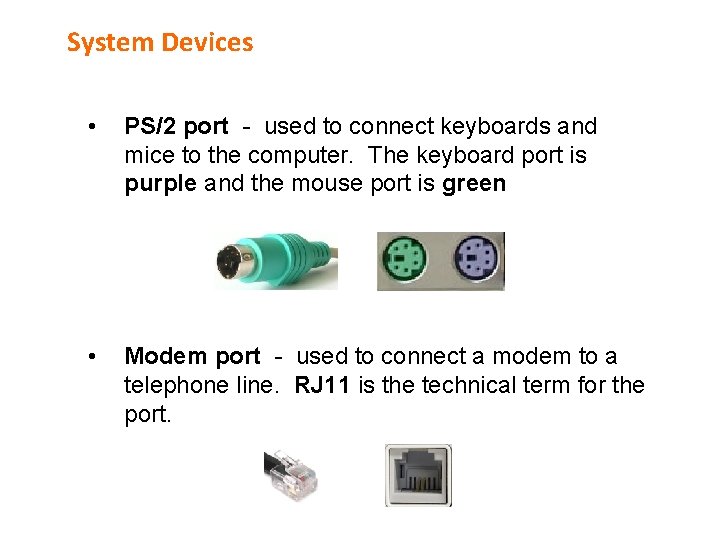
System Devices • PS/2 port - used to connect keyboards and mice to the computer. The keyboard port is purple and the mouse port is green • Modem port - used to connect a modem to a telephone line. RJ 11 is the technical term for the port.

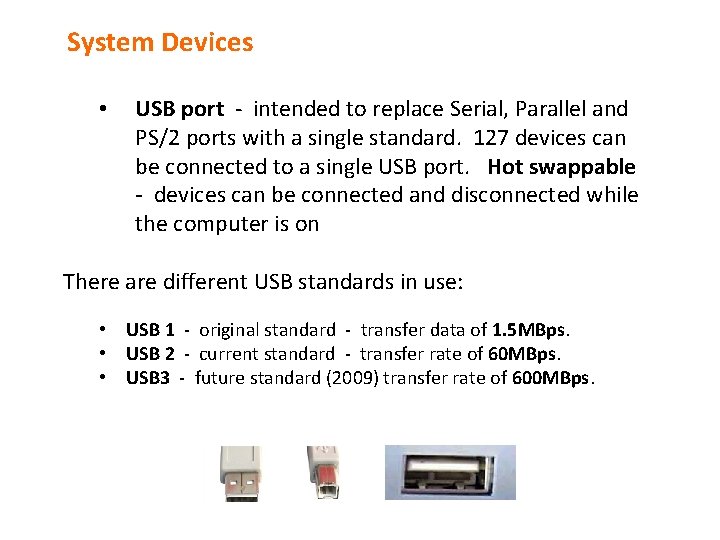
System Devices • USB port - intended to replace Serial, Parallel and PS/2 ports with a single standard. 127 devices can be connected to a single USB port. Hot swappable - devices can be connected and disconnected while the computer is on There are different USB standards in use: • USB 1 - original standard - transfer data of 1. 5 MBps. • USB 2 - current standard - transfer rate of 60 MBps. • USB 3 - future standard (2009) transfer rate of 600 MBps.
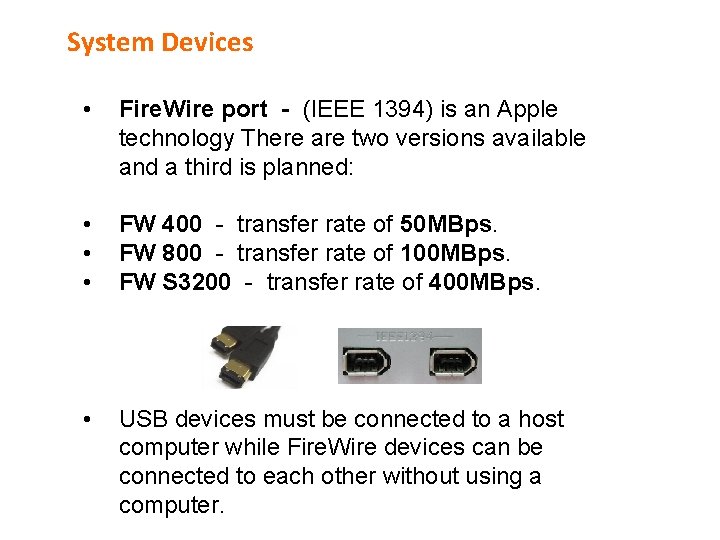
System Devices • Fire. Wire port - (IEEE 1394) is an Apple technology There are two versions available and a third is planned: • • • FW 400 - transfer rate of 50 MBps. FW 800 - transfer rate of 100 MBps. FW S 3200 - transfer rate of 400 MBps. • USB devices must be connected to a host computer while Fire. Wire devices can be connected to each other without using a computer.
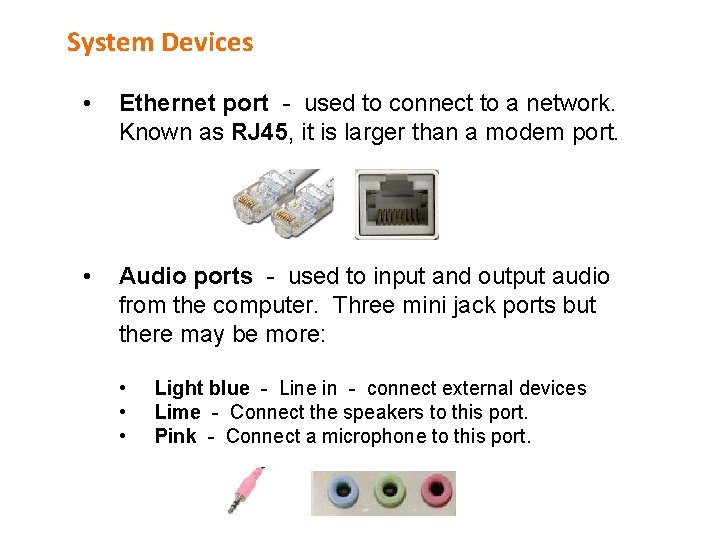
System Devices • Ethernet port - used to connect to a network. Known as RJ 45, it is larger than a modem port. • Audio ports - used to input and output audio from the computer. Three mini jack ports but there may be more: • • • Light blue - Line in - connect external devices Lime - Connect the speakers to this port. Pink - Connect a microphone to this port.
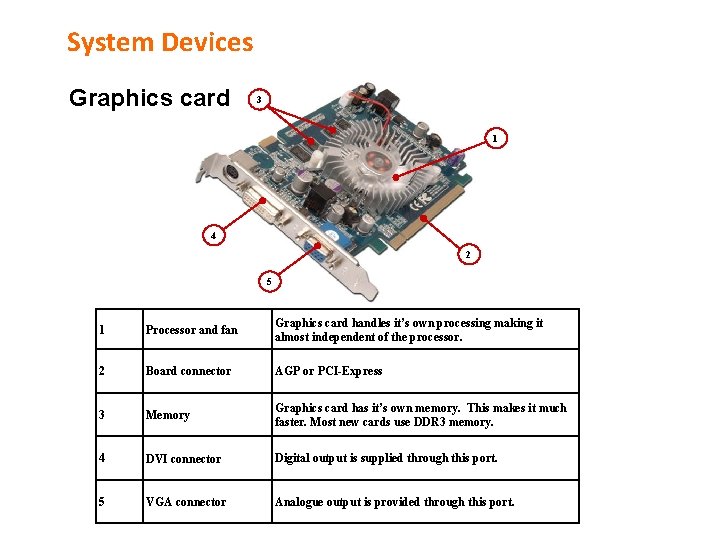
System Devices Graphics card 3 1 4 2 5 1 Processor and fan Graphics card handles it’s own processing making it almost independent of the processor. 2 Board connector AGP or PCI-Express 3 Memory Graphics card has it’s own memory. This makes it much faster. Most new cards use DDR 3 memory. 4 DVI connector Digital output is supplied through this port. 5 VGA connector Analogue output is provided through this port.
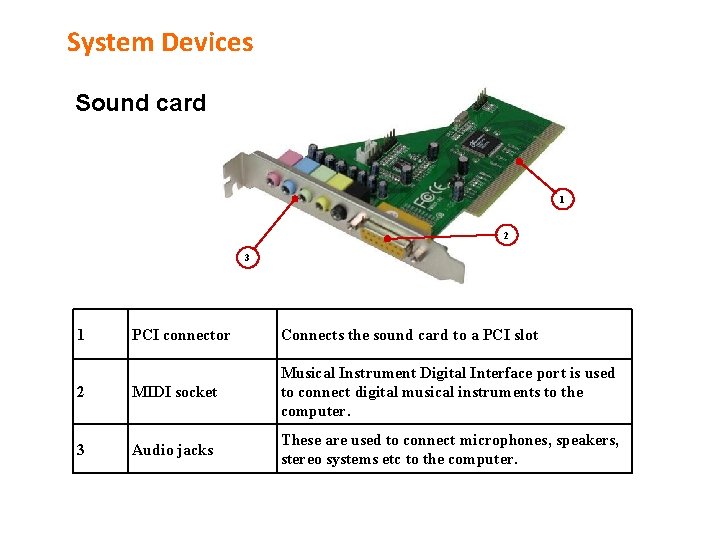
System Devices Sound card 1 2 3 1 PCI connector Connects the sound card to a PCI slot 2 MIDI socket Musical Instrument Digital Interface port is used to connect digital musical instruments to the computer. 3 Audio jacks These are used to connect microphones, speakers, stereo systems etc to the computer.
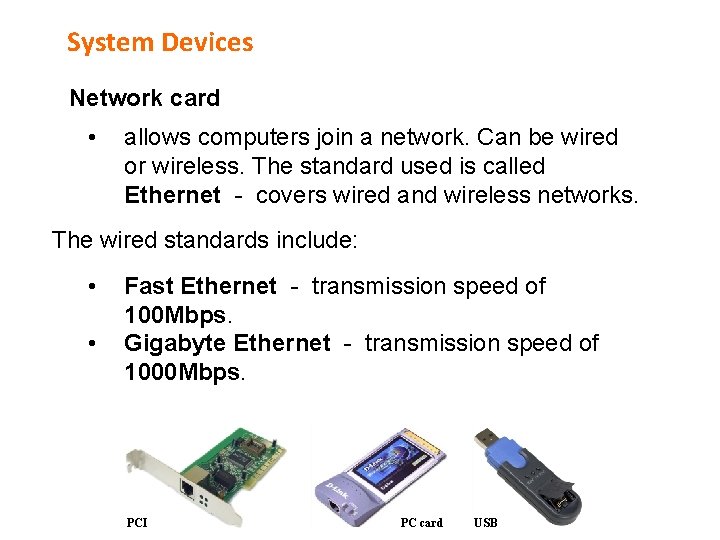
System Devices Network card • allows computers join a network. Can be wired or wireless. The standard used is called Ethernet - covers wired and wireless networks. The wired standards include: • • Fast Ethernet - transmission speed of 100 Mbps. Gigabyte Ethernet - transmission speed of 1000 Mbps. PCI PC card USB
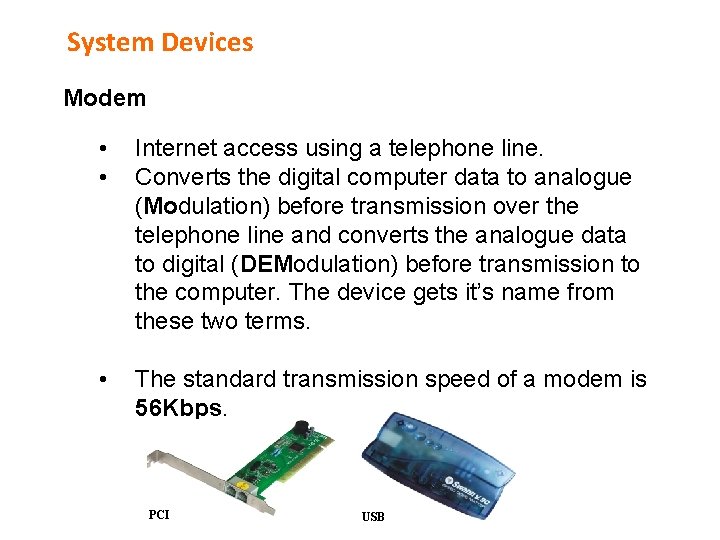
System Devices Modem • • Internet access using a telephone line. Converts the digital computer data to analogue (Modulation) before transmission over the telephone line and converts the analogue data to digital (DEModulation) before transmission to the computer. The device gets it’s name from these two terms. • The standard transmission speed of a modem is 56 Kbps. PCI USB
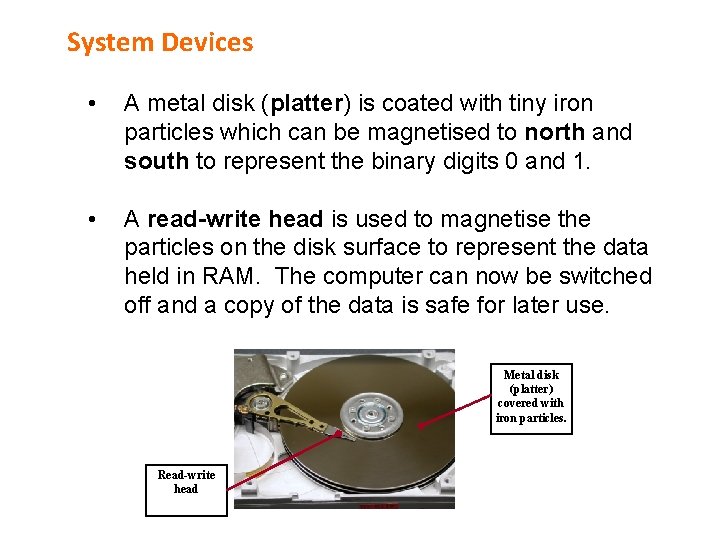
System Devices • A metal disk (platter) is coated with tiny iron particles which can be magnetised to north and south to represent the binary digits 0 and 1. • A read-write head is used to magnetise the particles on the disk surface to represent the data held in RAM. The computer can now be switched off and a copy of the data is safe for later use. Metal disk (platter) covered with iron particles. Read-write head
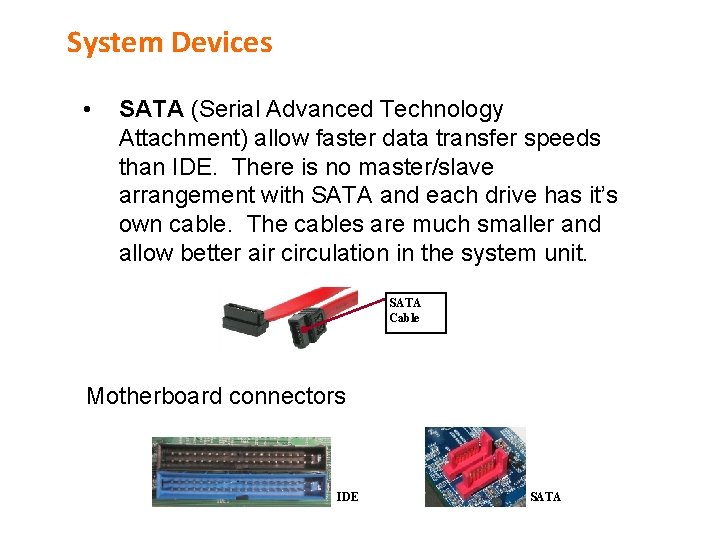
System Devices • SATA (Serial Advanced Technology Attachment) allow faster data transfer speeds than IDE. There is no master/slave arrangement with SATA and each drive has it’s own cable. The cables are much smaller and allow better air circulation in the system unit. SATA Cable Motherboard connectors IDE SATA
- Slides: 28