
The Auction Welcome to the Auction Tutorial Auction


- Slides: 12
The Auction Welcome to the Auction Tutorial
Auction ü ü When saving money is important to you, this is the ultimate purchasing method. The auction works in reverse to normal auctions where listed prices drop every 7 seconds. Take advantage of two great auctions: 1. North American Auction 2: 00 pm EST Mon – Wed - Fri 2. Dutch Auction 8: 00 am EST Mon - Wed - Fri
Auction Follow these simple steps to complete your Auction orders. 1. 2. 3. 4. 5. 6. 7. 8. Know Your Products Sign In Select Auction Choose Your Product Wait for your desired price Insert Product Quantity Select Submit to Confirm Order Review Your Purchases
Auction Step 1 Know your products - it is recommended that you make a list of all the desired product you wish to purchase on the auction. You should also know what you would like to pay for each product. As items move very quickly this will assist you in being prepared.
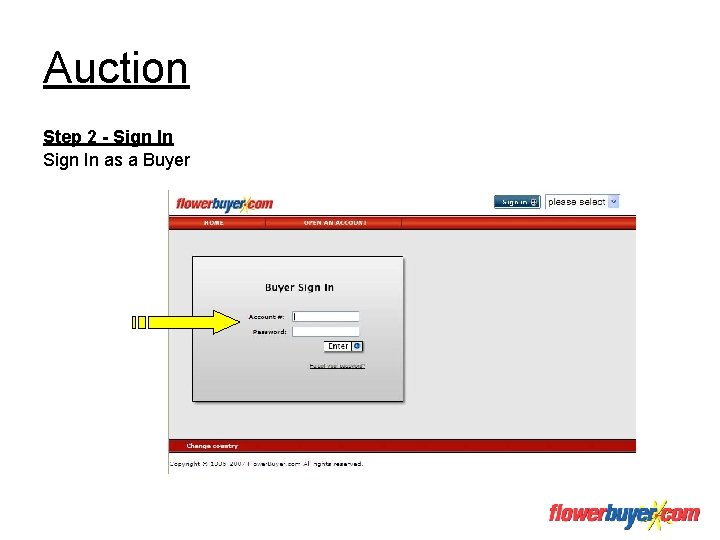
Auction Step 2 - Sign In as a Buyer
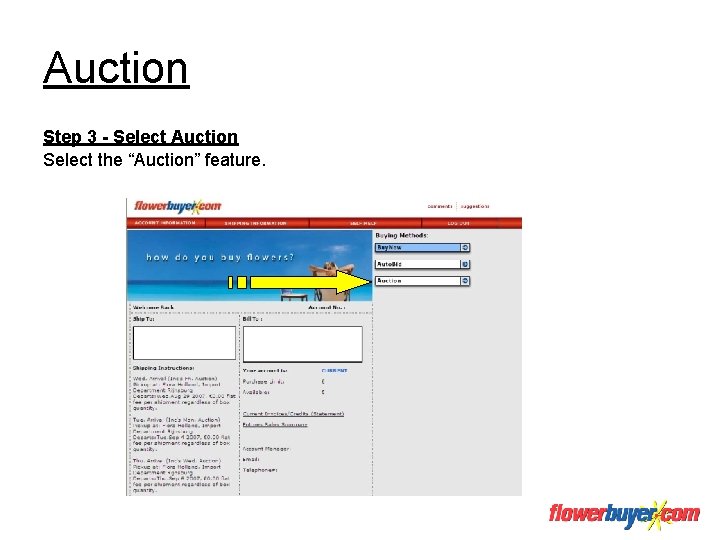
Auction Step 3 - Select Auction Select the “Auction” feature.
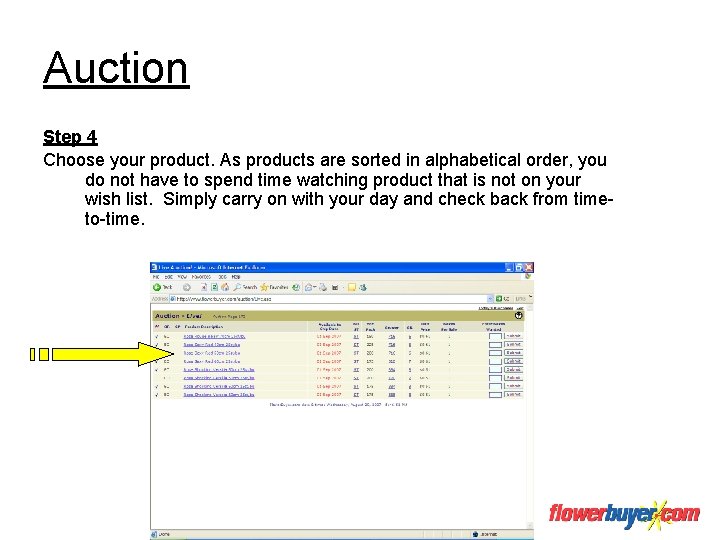
Auction Step 4 Choose your product. As products are sorted in alphabetical order, you do not have to spend time watching product that is not on your wish list. Simply carry on with your day and check back from timeto-time.
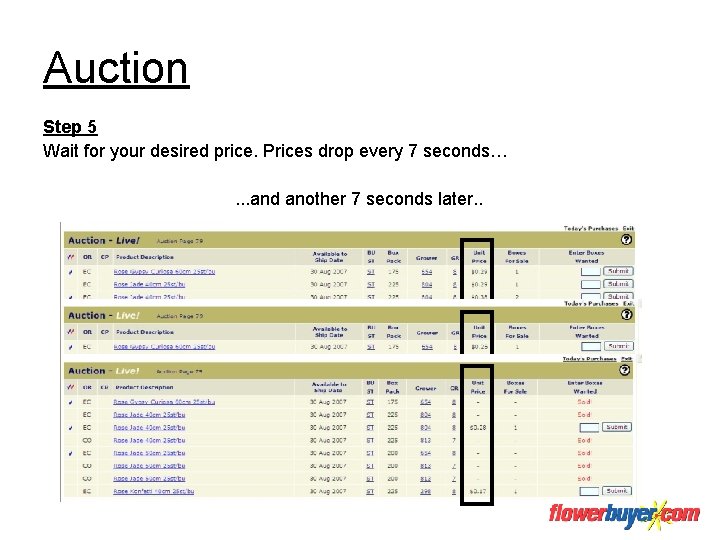
Auction Step 5 Wait for your desired price. Prices drop every 7 seconds… … 7 seconds. . . and anotherlater… 7 seconds later. .
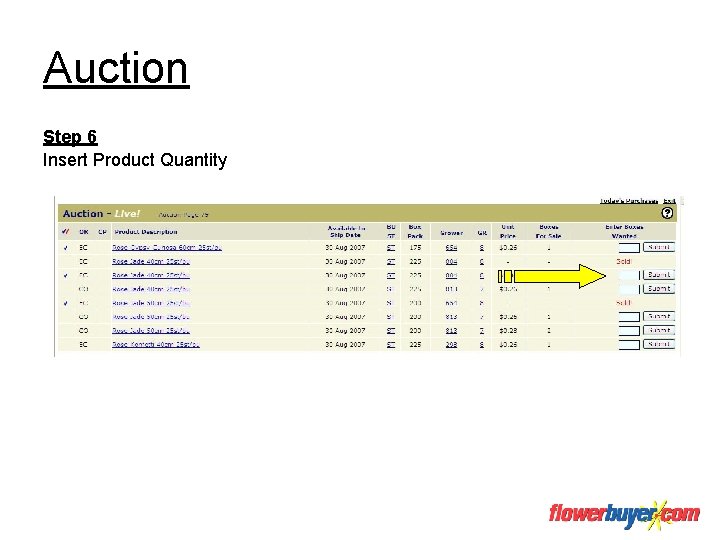
Auction Step 6 Insert Product Quantity
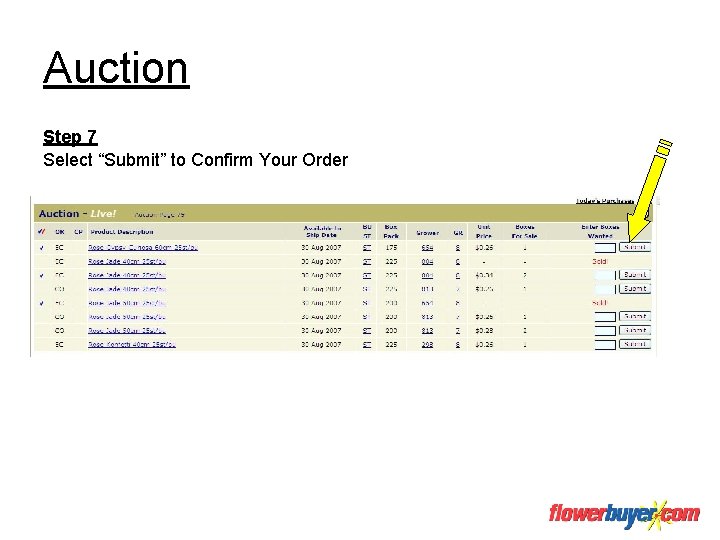
Auction Step 7 Select “Submit” to Confirm Your Order
Auction Step 8 Review Your Purchases by Selecting “Today’s Purchases”.
Congratulations, You have successfully completed the Auction Tutorial