
The ALMA Observing Preparation Tool Atacama Large Millimetersubmillimeter
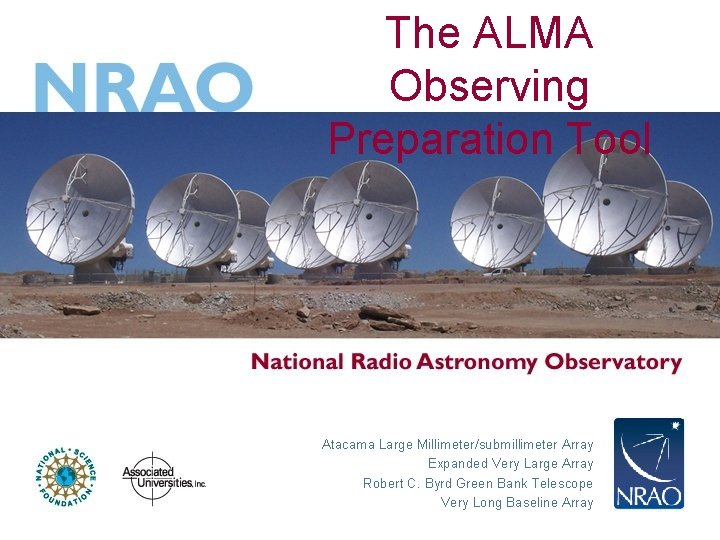
The ALMA Observing Preparation Tool Atacama Large Millimeter/submillimeter Array Expanded Very Large Array Robert C. Byrd Green Bank Telescope Very Long Baseline Array
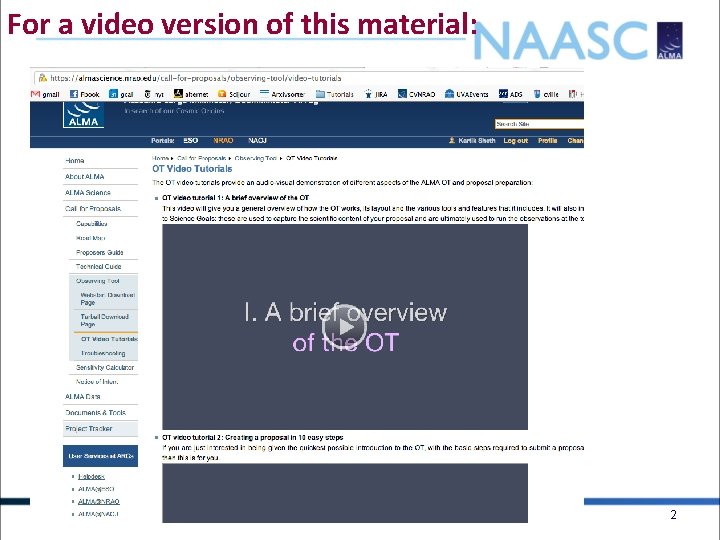
For a video version of this material: 2
3
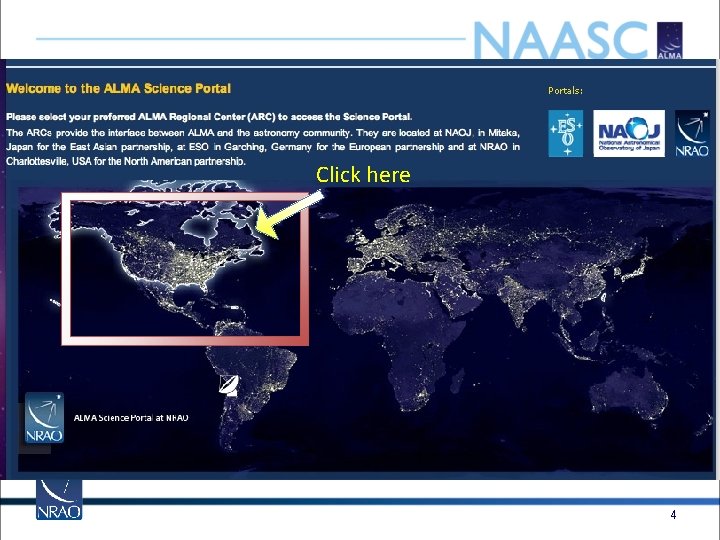
Click here 4
5
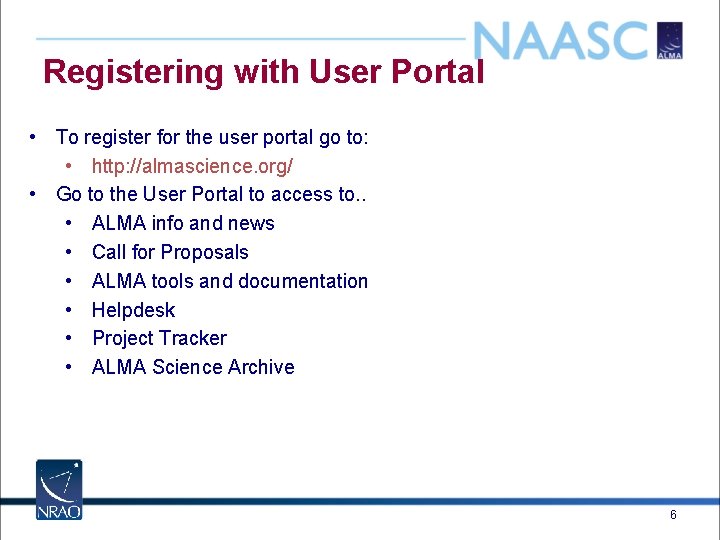
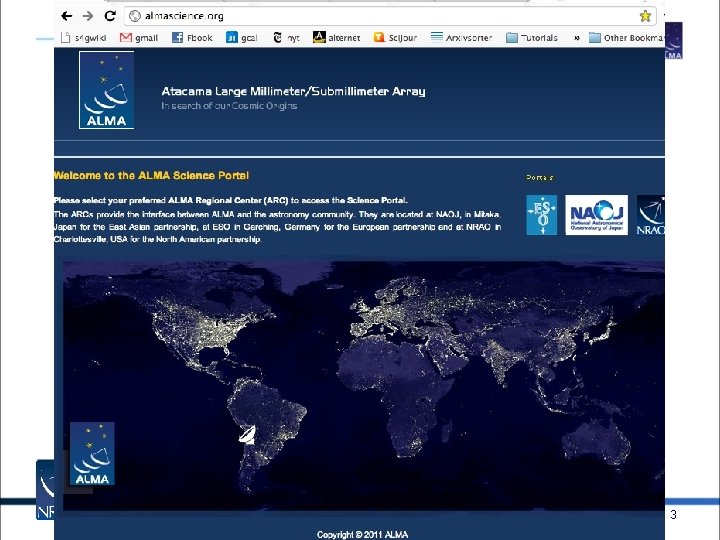
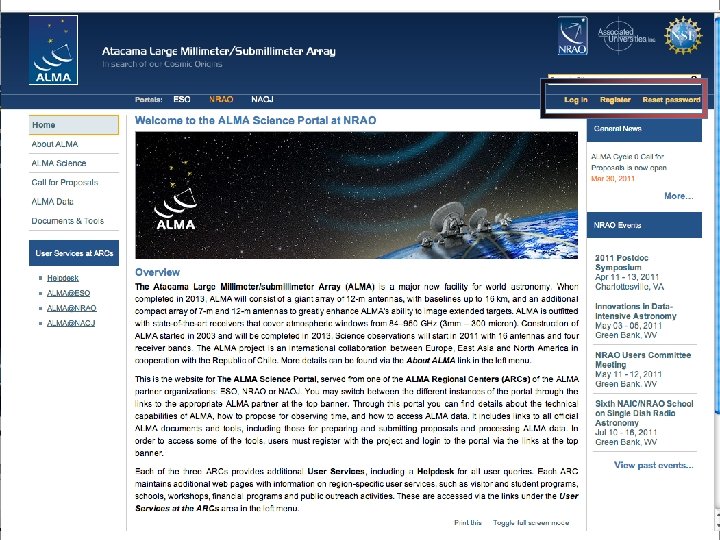
Registering with User Portal • To register for the user portal go to: • http: //almascience. org/ • Go to the User Portal to access to. . • ALMA info and news • Call for Proposals • ALMA tools and documentation • Helpdesk • Project Tracker • ALMA Science Archive 6
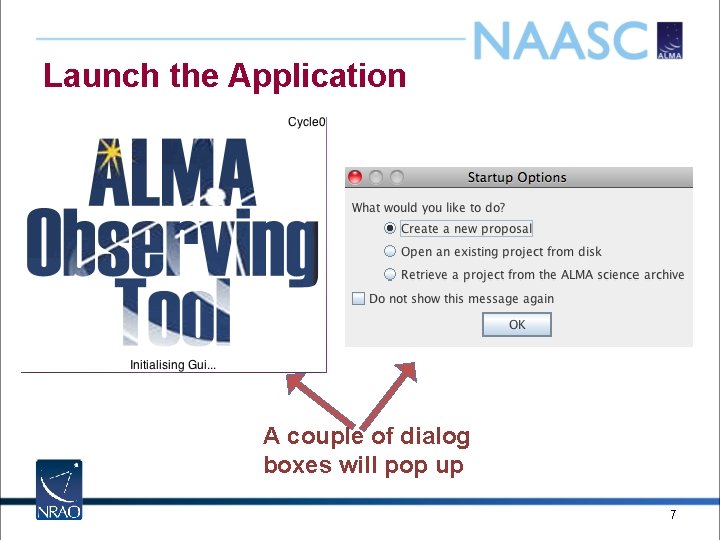
Launch the Application A couple of dialog boxes will pop up 7
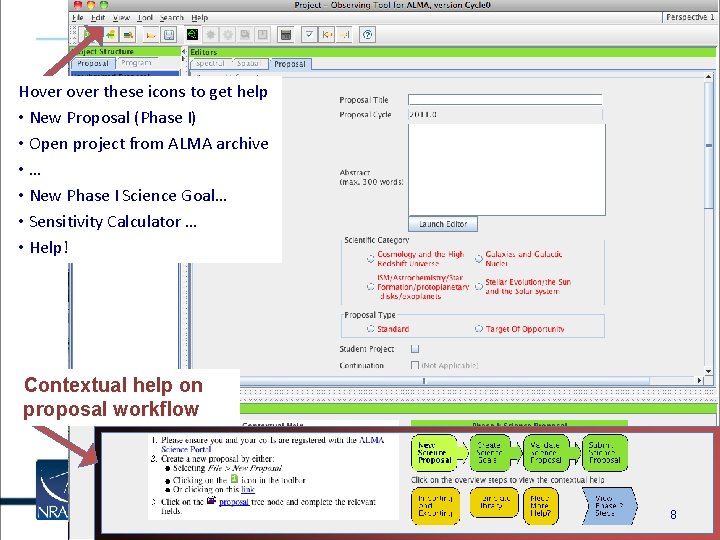
Hover these icons to get help • New Proposal (Phase I) • Open project from ALMA archive • … • New Phase I Science Goal… • Sensitivity Calculator … • Help! Contextual help on proposal workflow 8
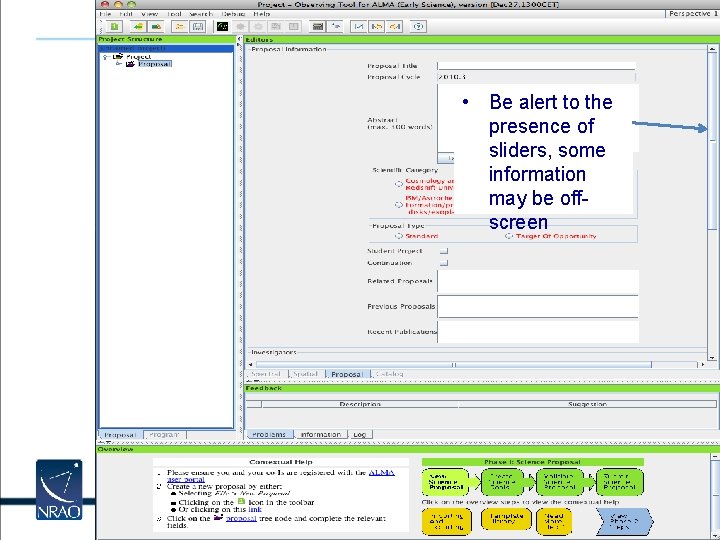
• Be alert to the presence of sliders, some information may be offscreen 9
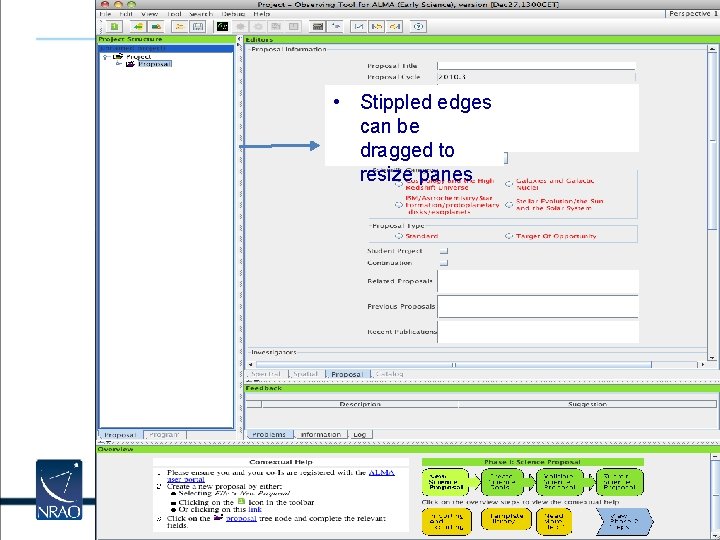
• Stippled edges can be dragged to resize panes 10
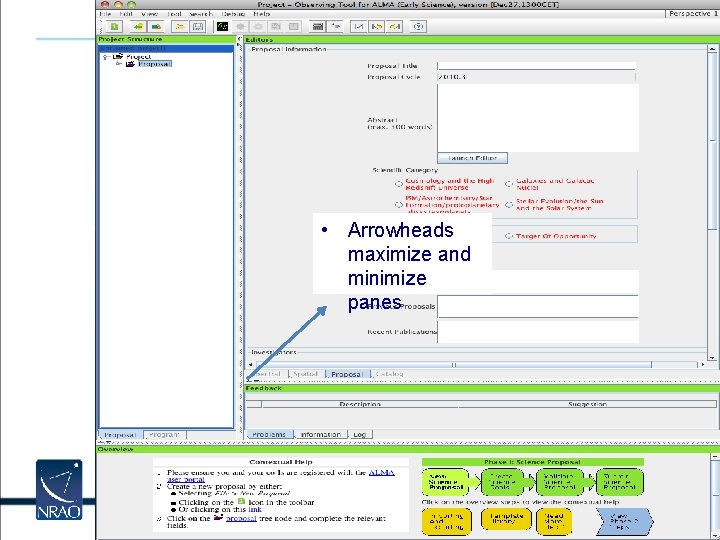
• Arrowheads maximize and minimize panes 11
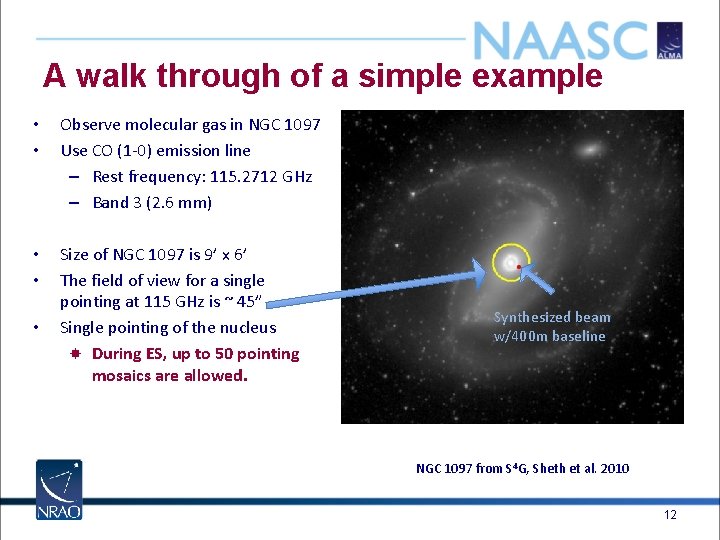
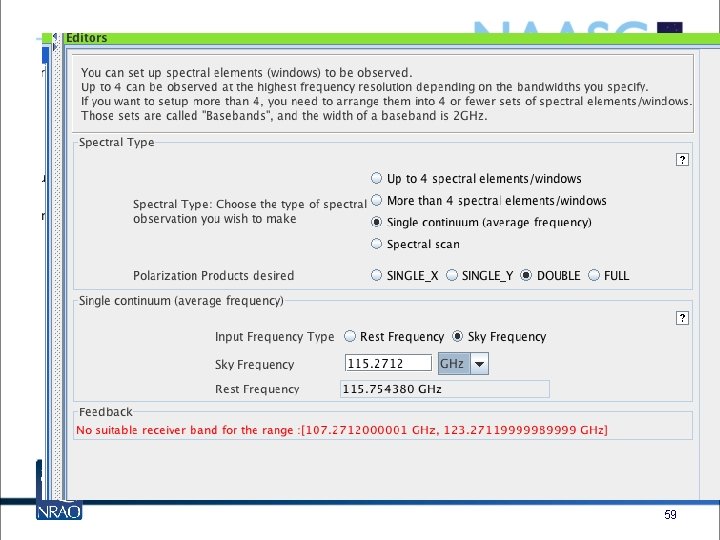
A walk through of a simple example • • Observe molecular gas in NGC 1097 Use CO (1 -0) emission line – Rest frequency: 115. 2712 GHz – Band 3 (2. 6 mm) • • Size of NGC 1097 is 9’ x 6’ The field of view for a single pointing at 115 GHz is ~ 45” Single pointing of the nucleus During ES, up to 50 pointing mosaics are allowed. • Synthesized beam w/400 m baseline NGC 1097 from S 4 G, Sheth et al. 2010 12
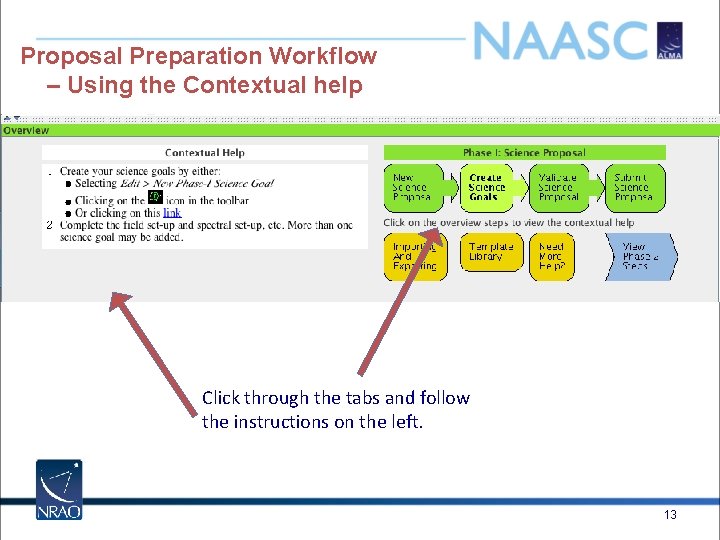
Proposal Preparation Workflow – Using the Contextual help Click through the tabs and follow the instructions on the left. 13
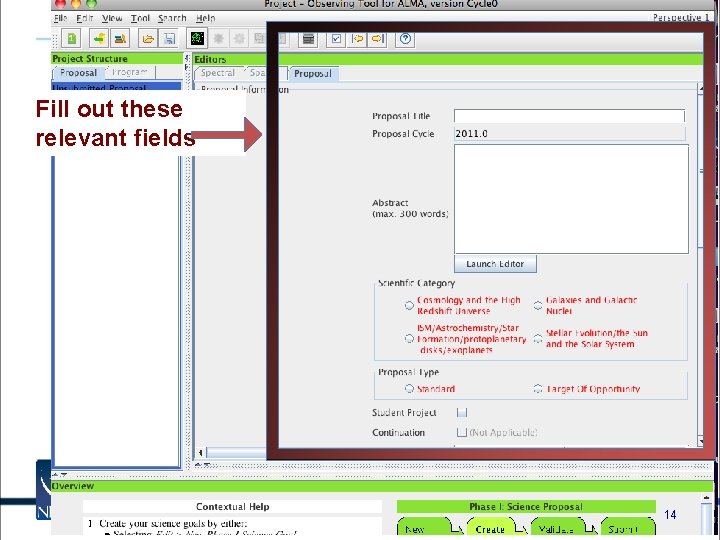
Fill out these relevant fields 14
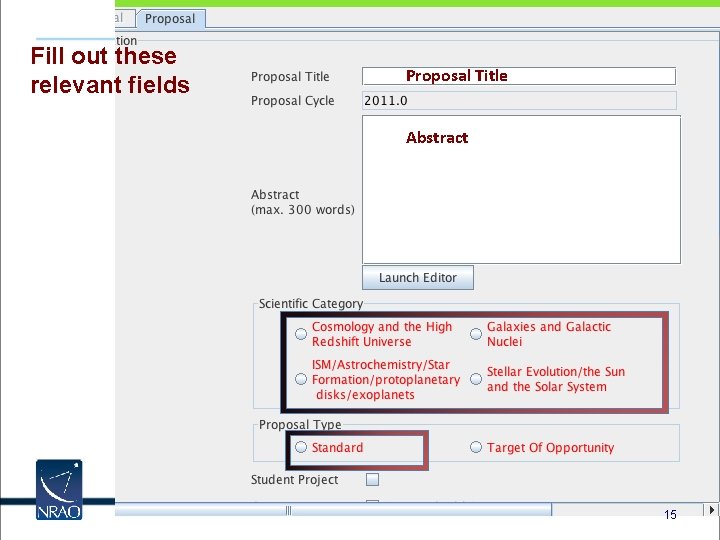
Fill out these relevant fields Proposal Title Abstract 15
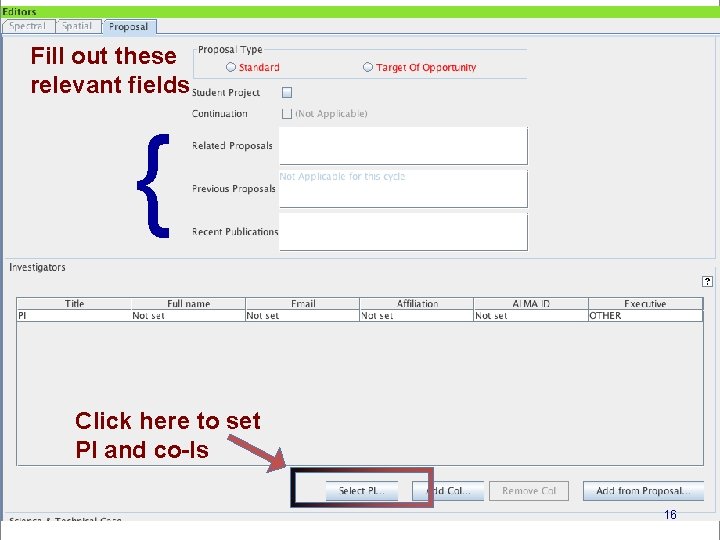
Fill out these relevant fields { Click here to set PI and co-Is 16
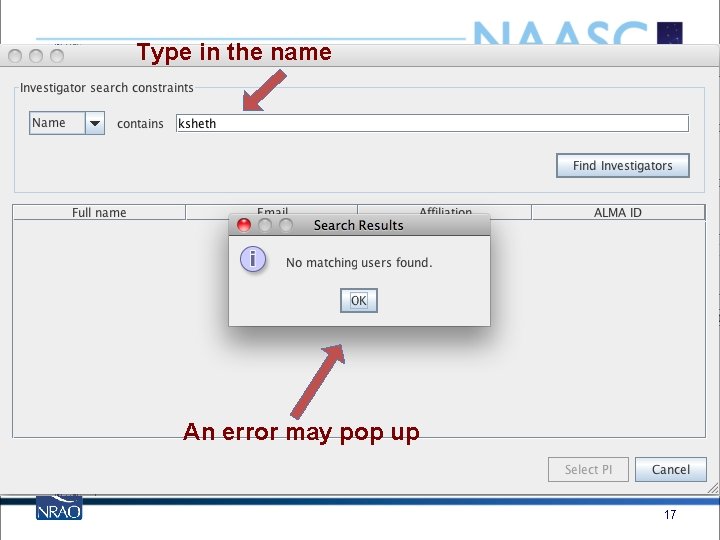
Type in the name An error may pop up 17
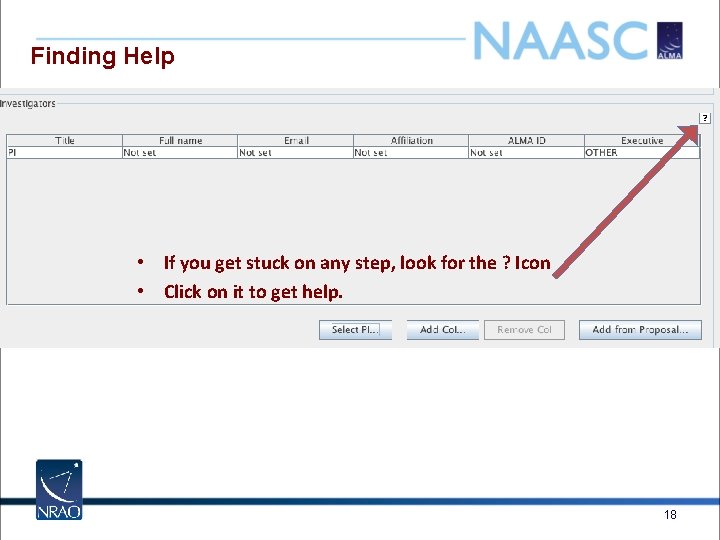
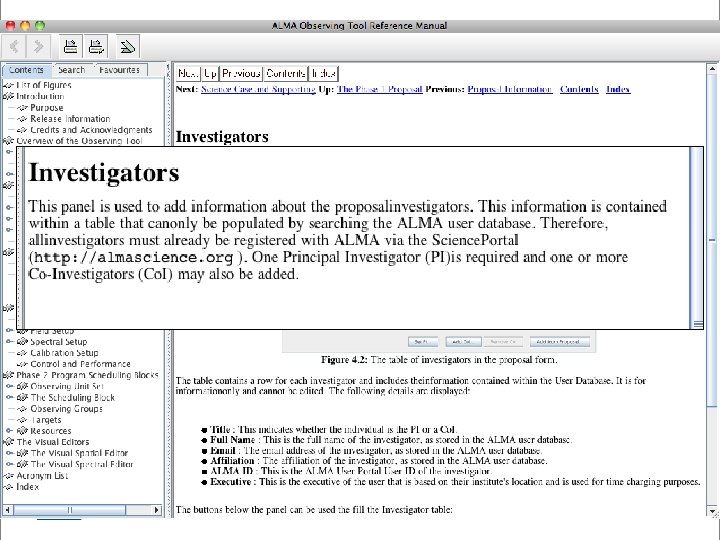
Finding Help • If you get stuck on any step, look for the ? Icon • Click on it to get help. 18
19
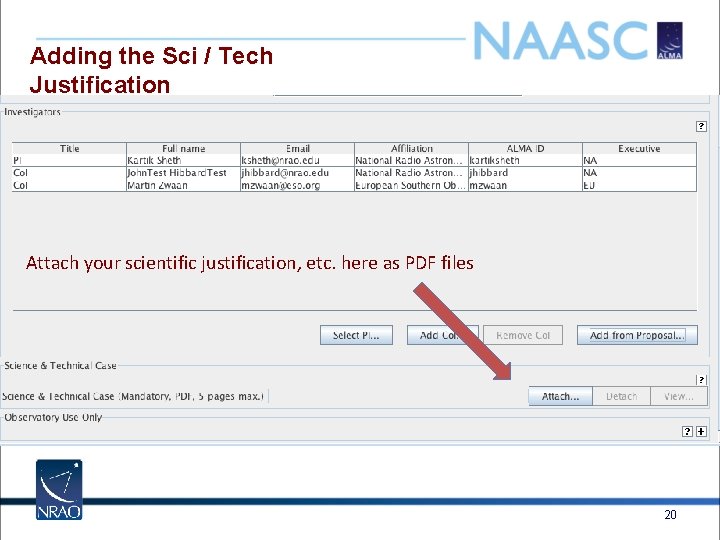
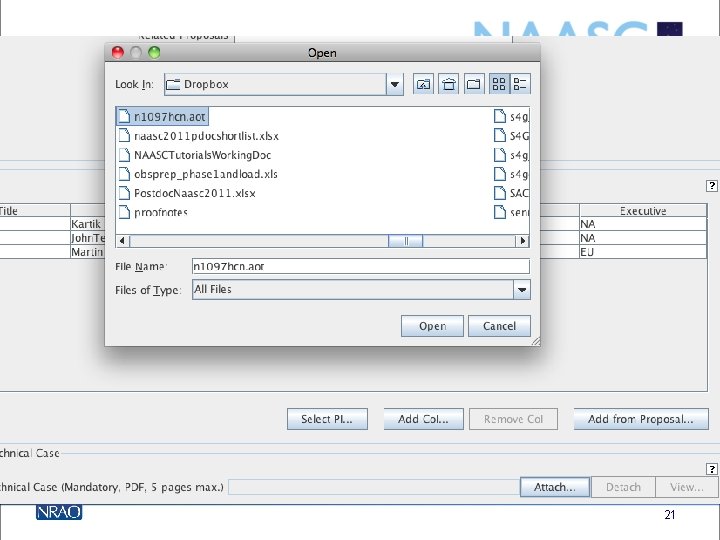
Adding the Sci / Tech Justification Attach your scientific justification, etc. here as PDF files 20
21
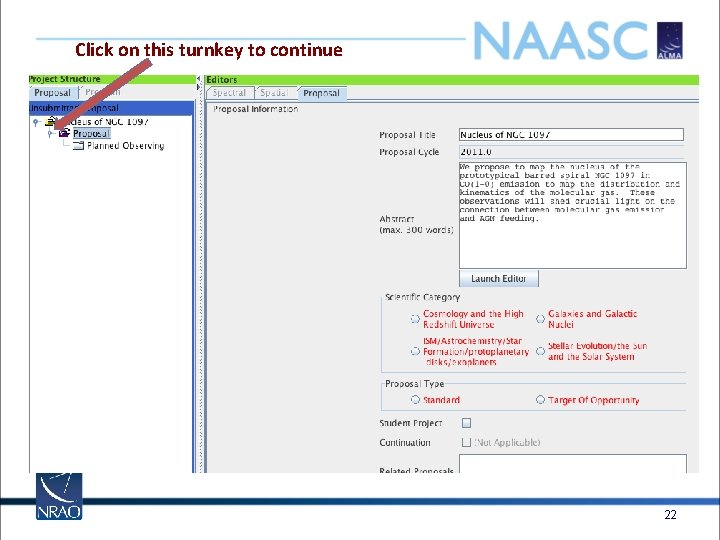
Click on this turnkey to continue 22
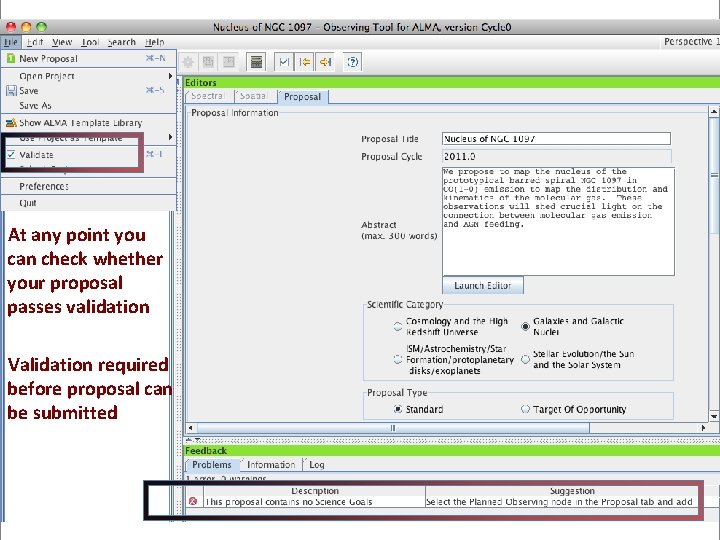
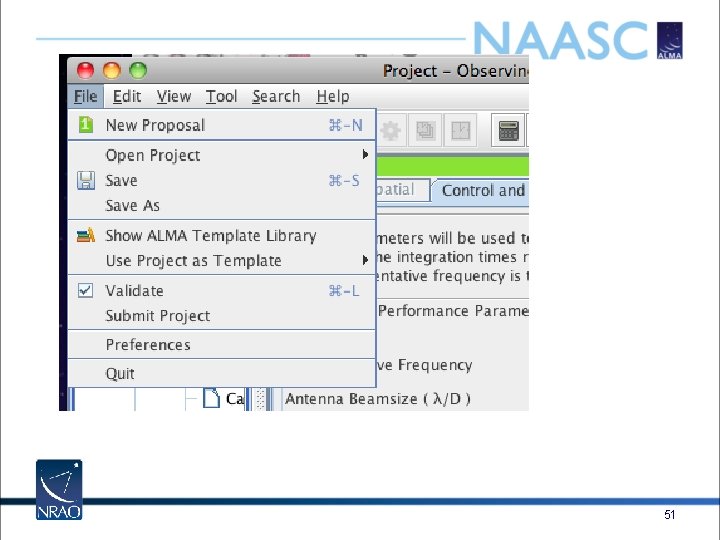
At any point you can check whether your proposal passes validation Validation required before proposal can be submitted 23
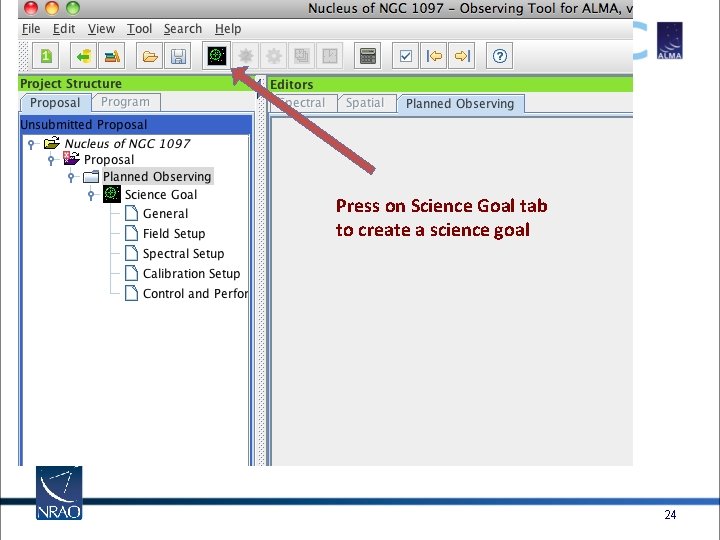
Press on Science Goal tab to create a science goal 24
What is a Science Goal in the OT? • A science goal is: – One correlator. / front end setup in one ALMA band • spectral windows, rest freq, polarization products, line/continuum modes* – Subject to one set of control parameters • spatial resolution, sensitivity, dynamic range – Using one mapping strategy • Mosaic or single-pointing – And one calibration strategy • User or system-defined – Applied to an arbitrary set of sky targets (field centers) • Each with its own LSR velocity • In ES all windows in one science goal must have same bandwidth + channel spacing 25
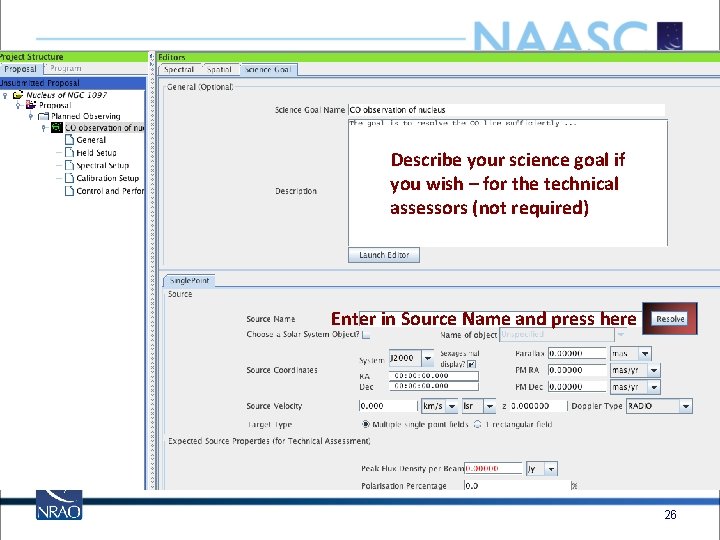
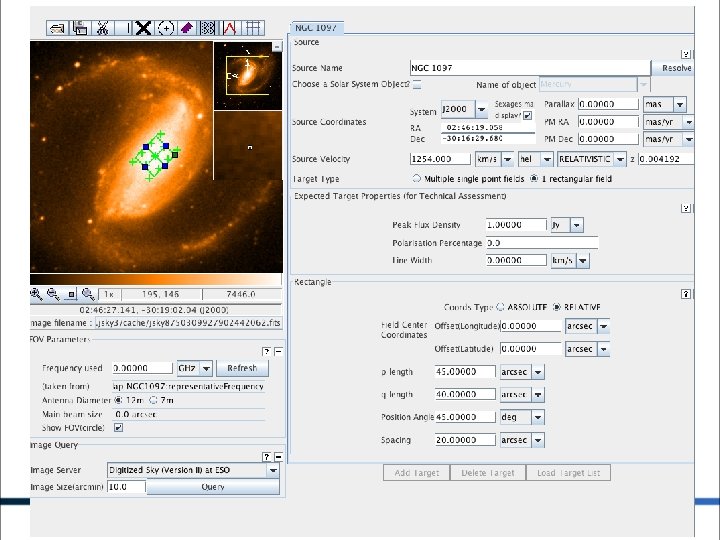
Describe your science goal if you wish – for the technical assessors (not required) Enter in Source Name and press here 26
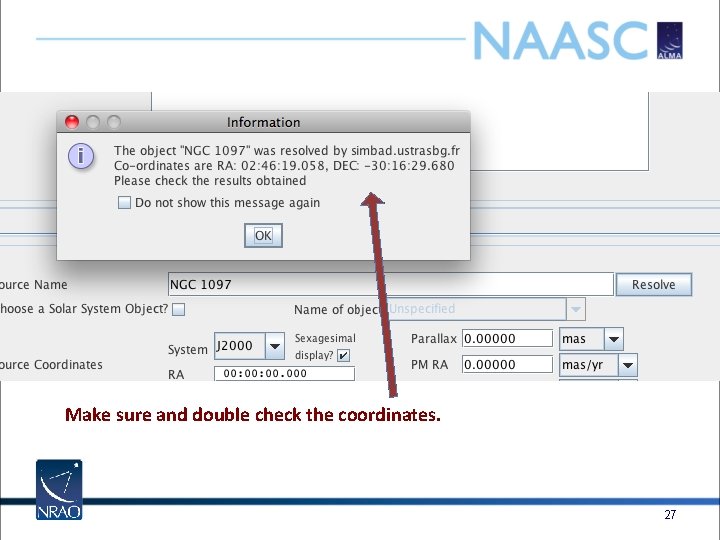
Make sure and double check the coordinates. 27
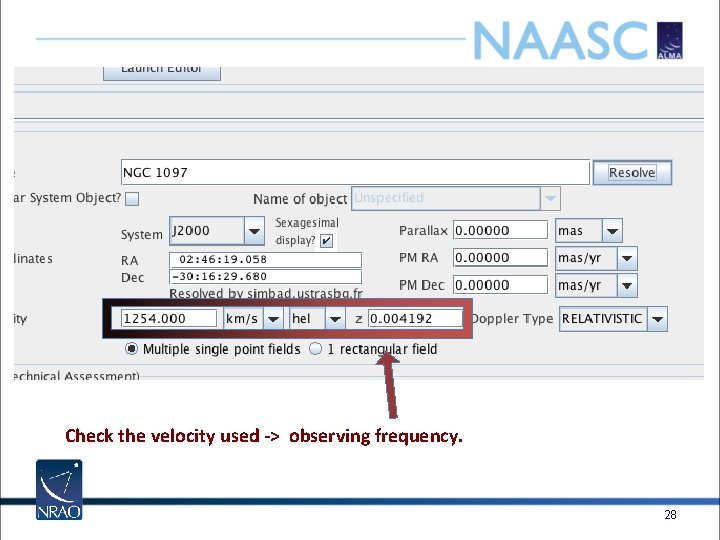
Check the velocity used -> observing frequency. 28
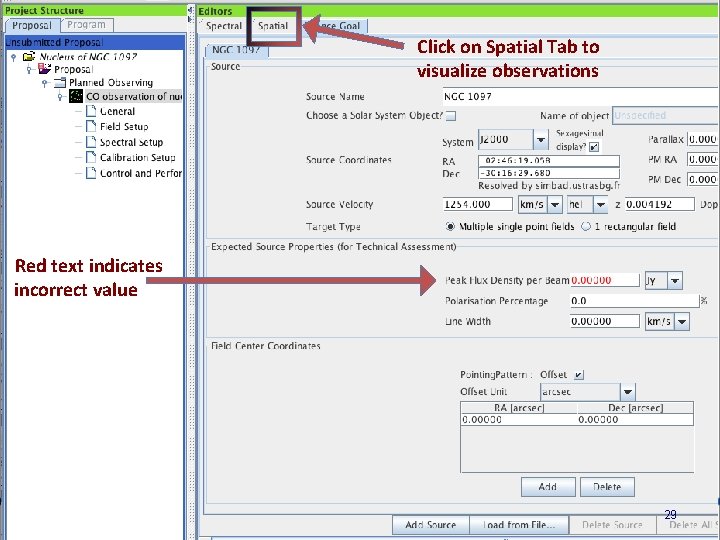
Click on Spatial Tab to visualize observations Red text indicates incorrect value 29
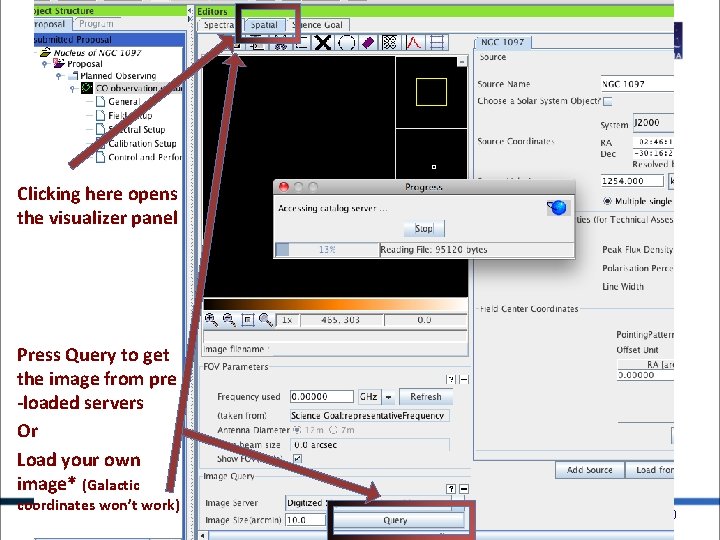
Clicking here opens the visualizer panel Press Query to get the image from pre -loaded servers Or Load your own image* (Galactic coordinates won’t work) 30
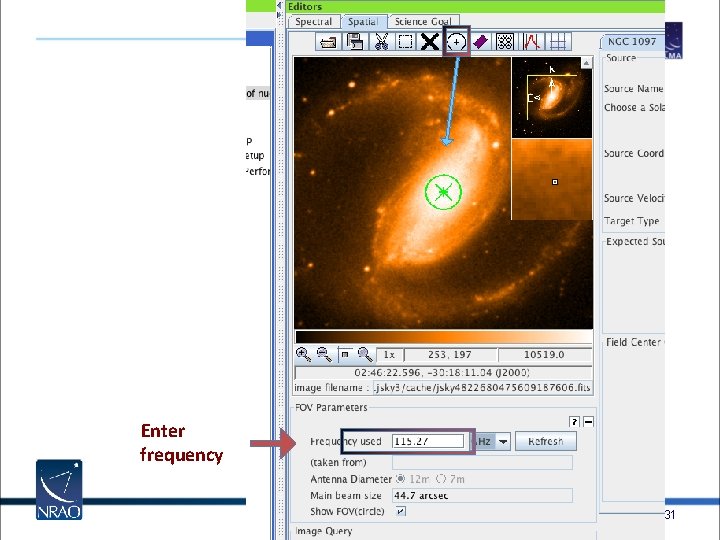
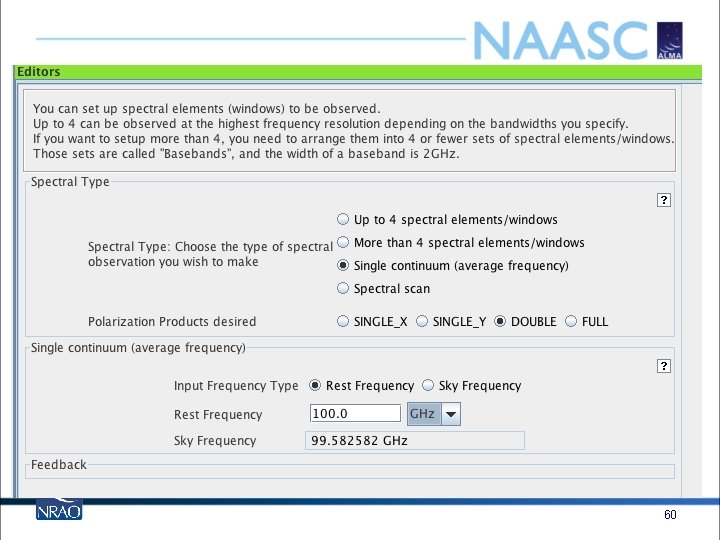
Enter frequency 31
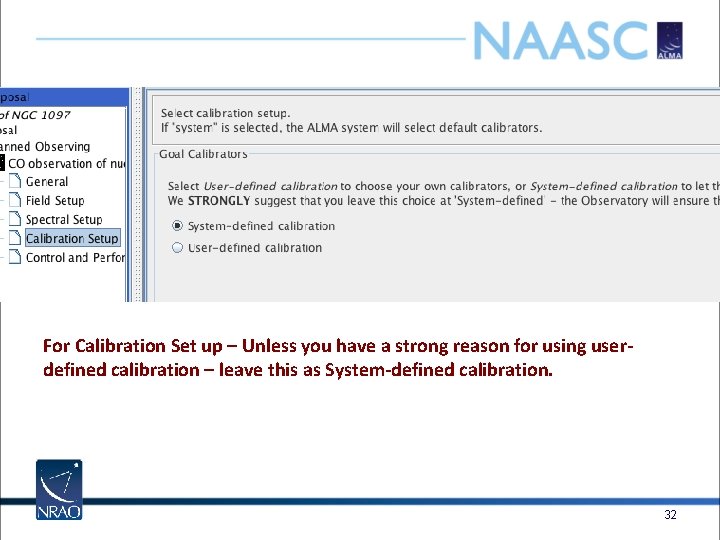
For Calibration Set up – Unless you have a strong reason for using userdefined calibration – leave this as System-defined calibration. 32
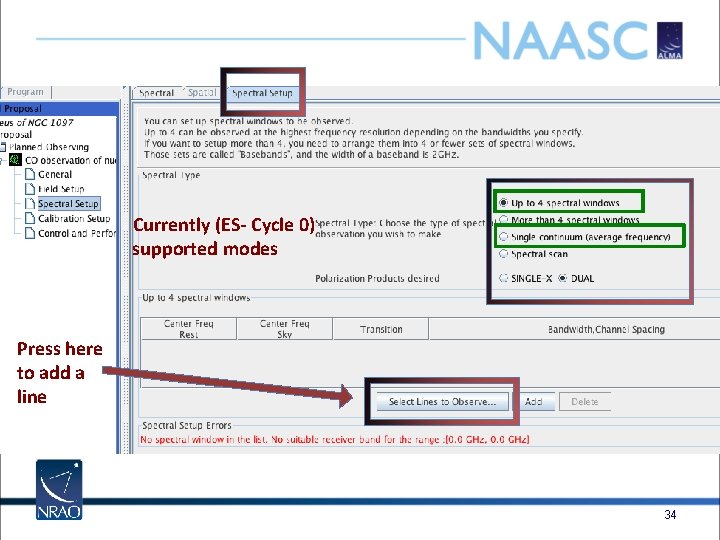
Currently (ES- Cycle 0) supported modes Press here to add a line 34
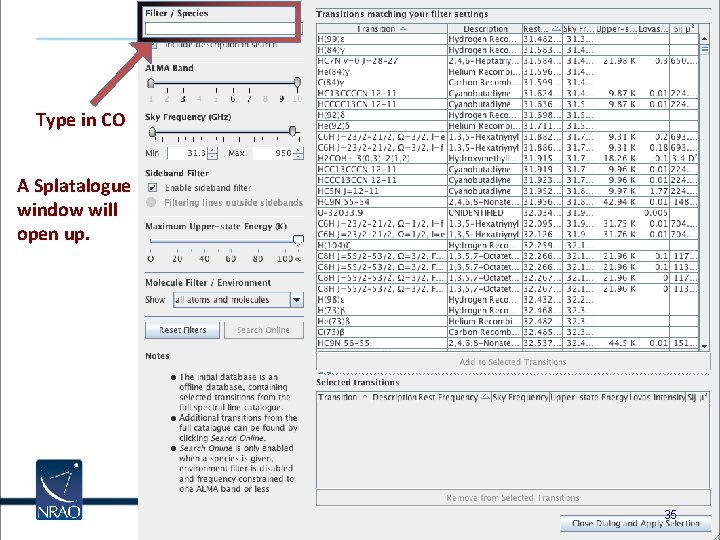
Type in CO A Splatalogue window will open up. 35
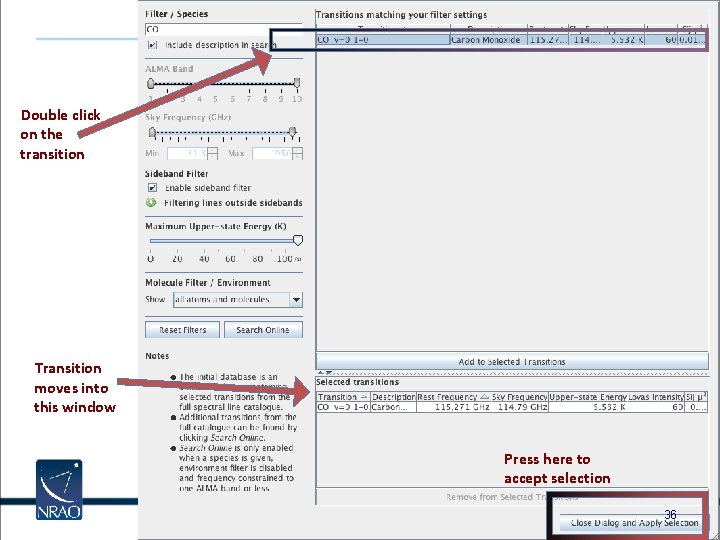
Double click on the transition Transition moves into this window Press here to accept selection 36
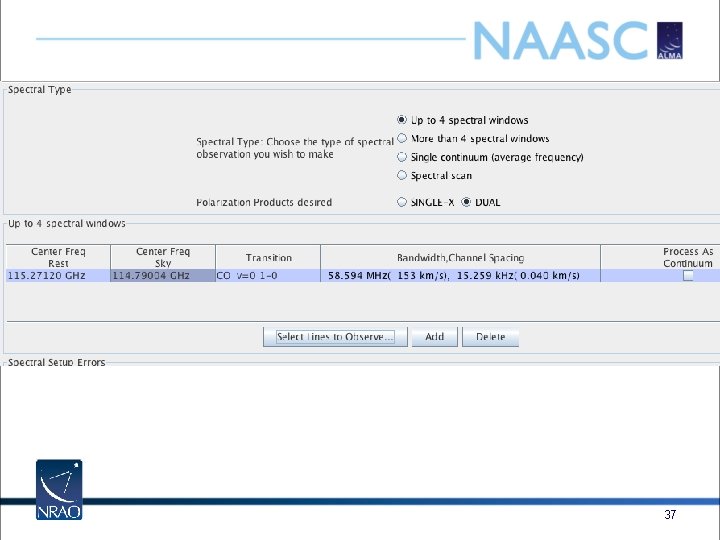
37
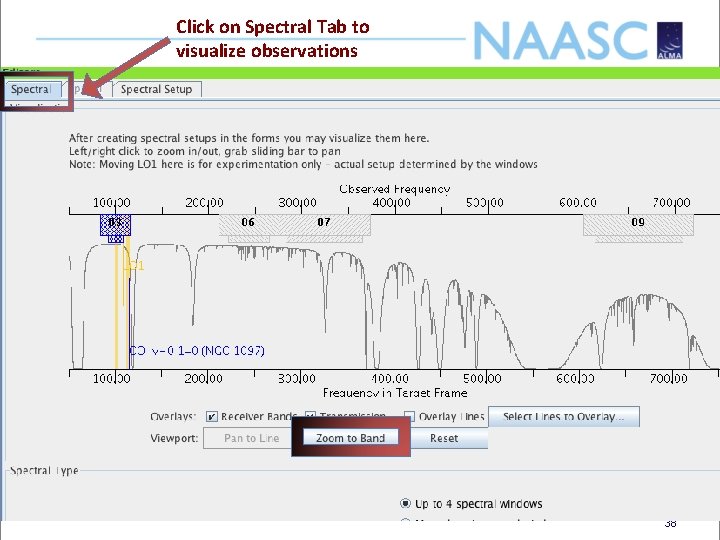
Click on Spectral Tab to visualize observations 38
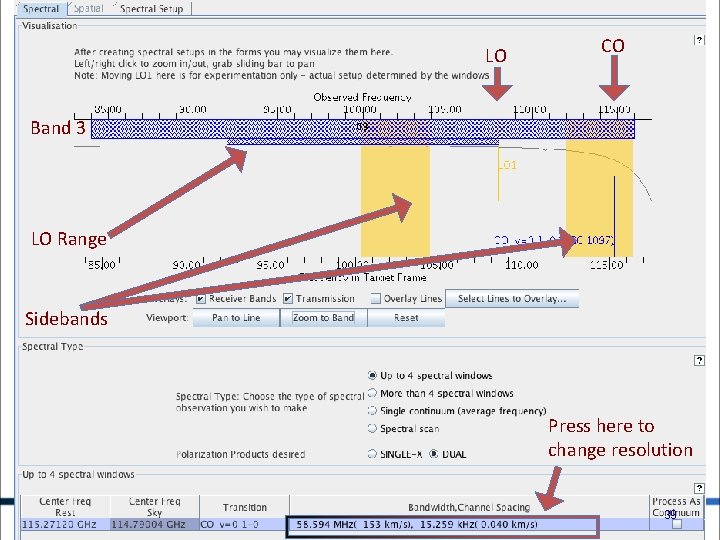
LO CO Band 3 LO Range Sidebands Press here to change resolution 39
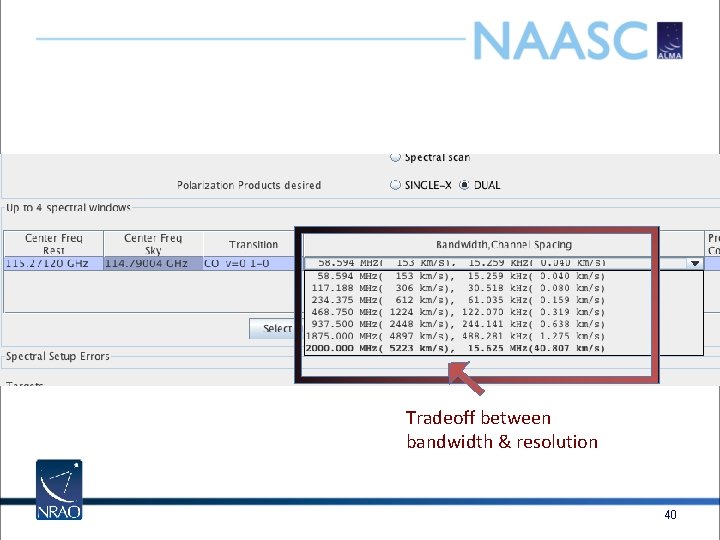
Tradeoff between bandwidth & resolution 40
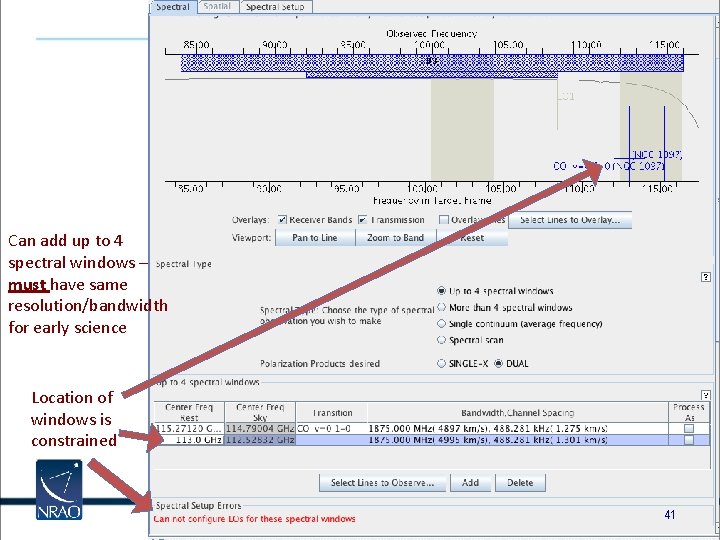
Can add up to 4 spectral windows – must have same resolution/bandwidth for early science Location of windows is constrained 41
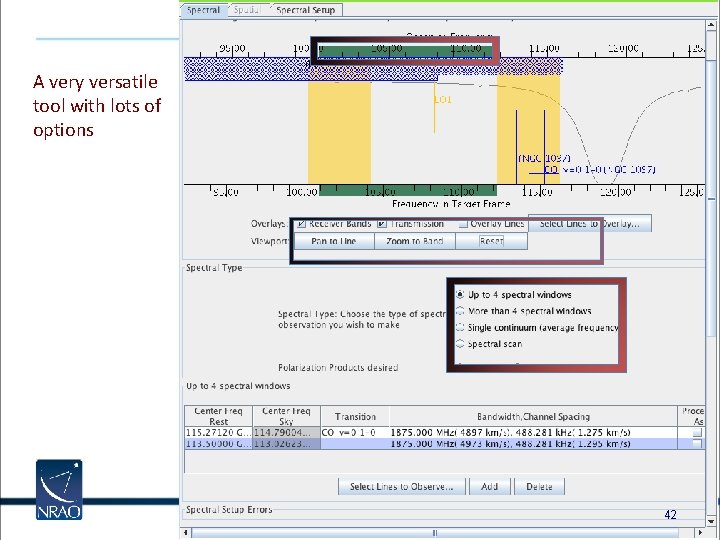
A very versatile tool with lots of options 42
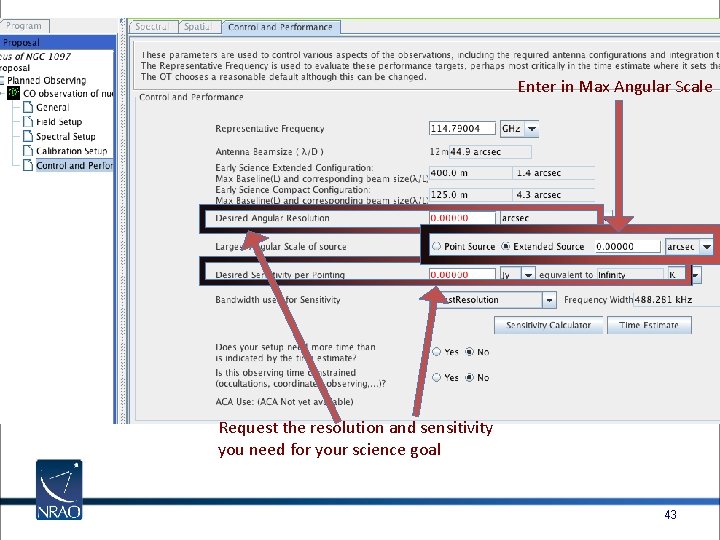
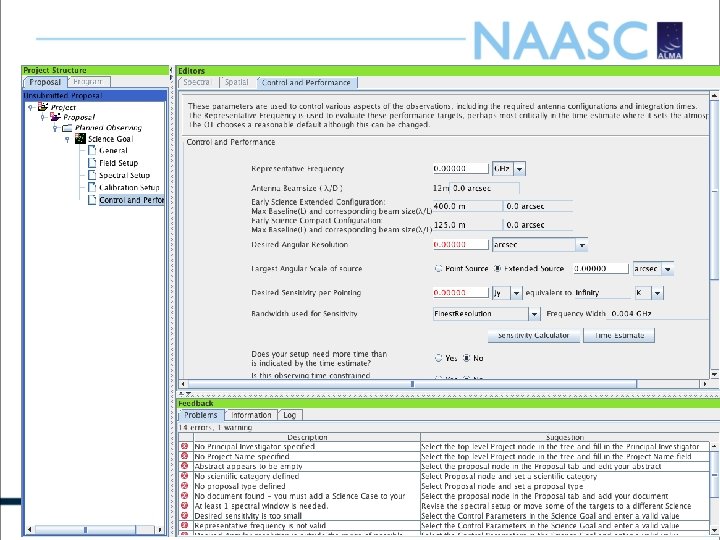
Enter in Max Angular Scale Request the resolution and sensitivity you need for your science goal 43
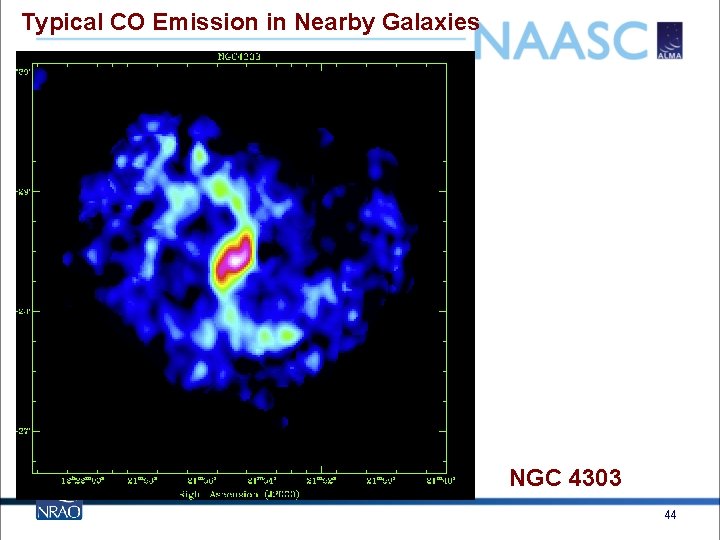
Typical CO Emission in Nearby Galaxies NGC 4303 44
Typical CO Emission in Nearby Galaxies Start thinking in terms of data cubes We can measure not only the mass and distribution of the molecular gas but also its kinematics NGC 4303 45
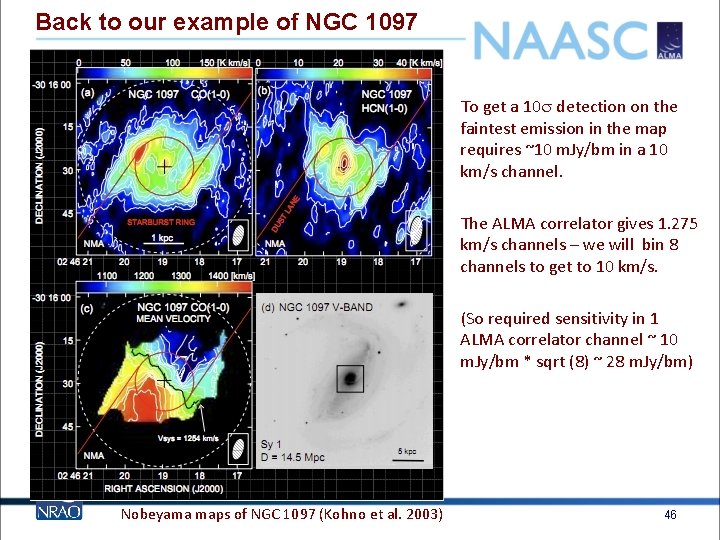
Back to our example of NGC 1097 To get a 10 s detection on the faintest emission in the map requires ~10 m. Jy/bm in a 10 km/s channel. The ALMA correlator gives 1. 275 km/s channels – we will bin 8 channels to get to 10 km/s. (So required sensitivity in 1 ALMA correlator channel ~ 10 m. Jy/bm * sqrt (8) ~ 28 m. Jy/bm) Nobeyama maps of NGC 1097 (Kohno et al. 2003) 46
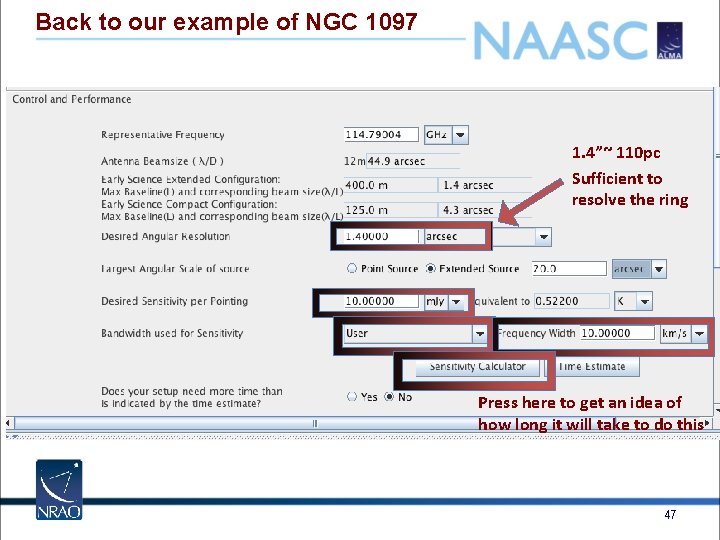
Back to our example of NGC 1097 1. 4”~ 110 pc Sufficient to resolve the ring Press here to get an idea of how long it will take to do this 47
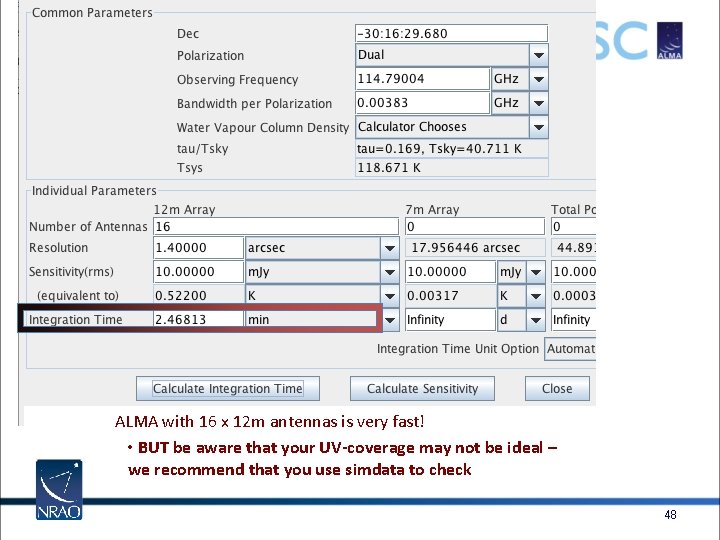
ALMA with 16 x 12 m antennas is very fast! • BUT be aware that your UV-coverage may not be ideal – we recommend that you use simdata to check 48
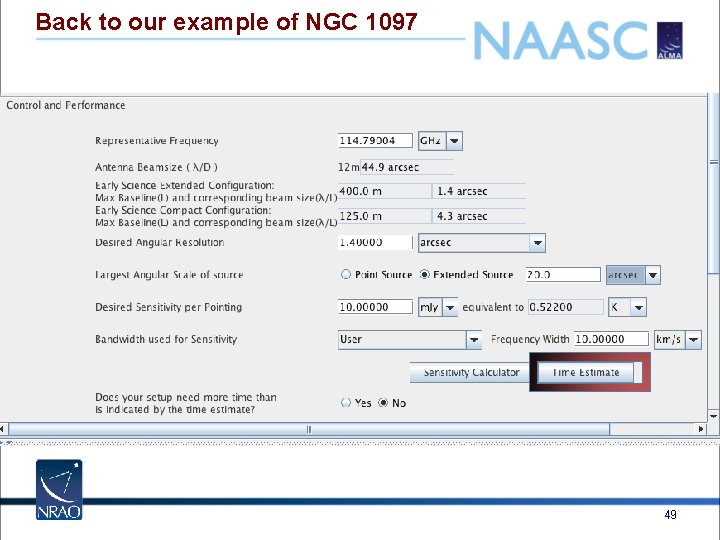
Back to our example of NGC 1097 49
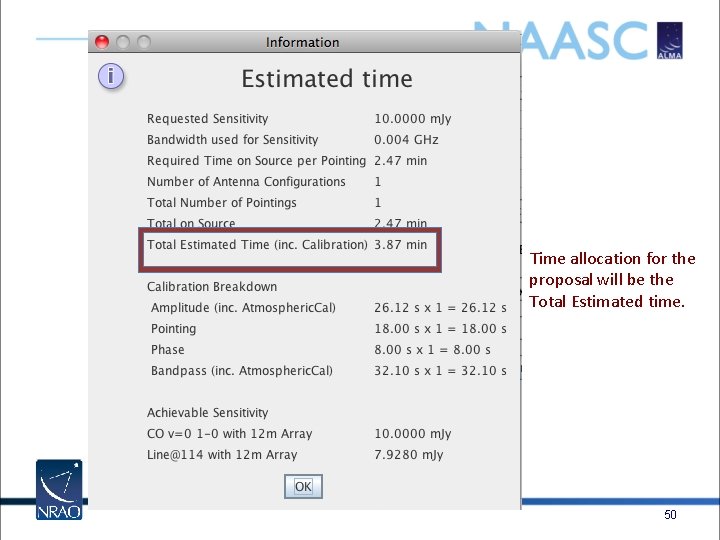
Time allocation for the proposal will be the Total Estimated time. 50
51
52
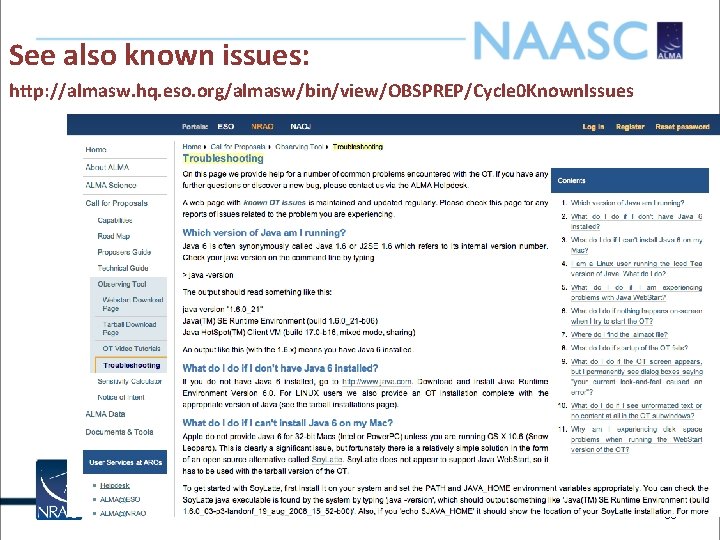
See also known issues: http: //almasw. hq. eso. org/almasw/bin/view/OBSPREP/Cycle 0 Known. Issues 53
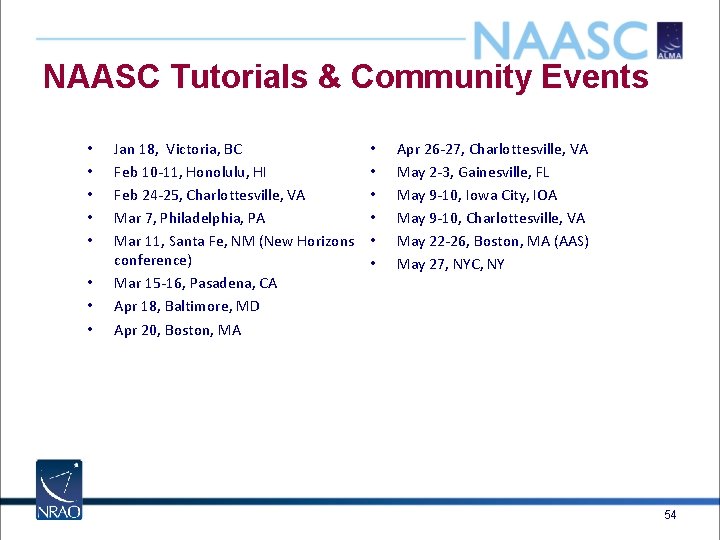
NAASC Tutorials & Community Events • • Jan 18, Victoria, BC Feb 10 -11, Honolulu, HI Feb 24 -25, Charlottesville, VA Mar 7, Philadelphia, PA Mar 11, Santa Fe, NM (New Horizons conference) Mar 15 -16, Pasadena, CA Apr 18, Baltimore, MD Apr 20, Boston, MA • • • Apr 26 -27, Charlottesville, VA May 2 -3, Gainesville, FL May 9 -10, Iowa City, IOA May 9 -10, Charlottesville, VA May 22 -26, Boston, MA (AAS) May 27, NYC, NY 54
55
56
57
58
59
60
61
- Slides: 60