
The 8051 Assembly Language ECE JYOTHI ENGG COLLEGE
The 8051 Assembly Language ECE, JYOTHI ENGG COLLEGE
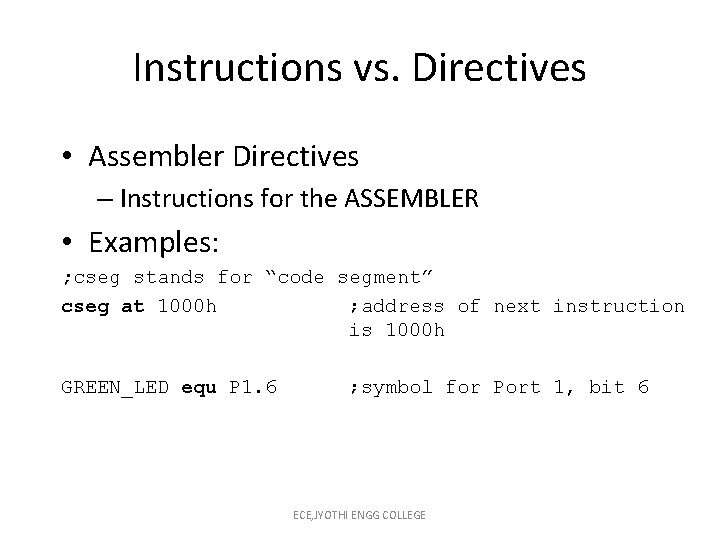
Instructions vs. Directives • Assembler Directives – Instructions for the ASSEMBLER • Examples: ; cseg stands for “code segment” cseg at 1000 h ; address of next instruction is 1000 h GREEN_LED equ P 1. 6 ; symbol for Port 1, bit 6 ECE, JYOTHI ENGG COLLEGE
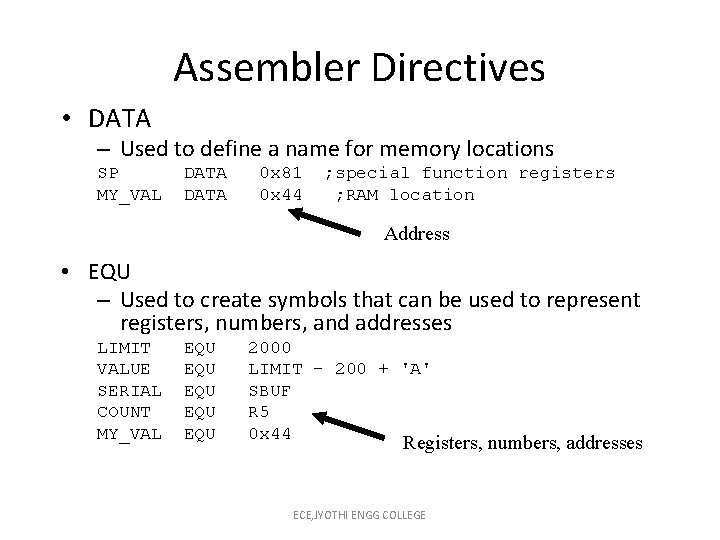
Assembler Directives • DATA – Used to define a name for memory locations SP MY_VAL DATA 0 x 81 0 x 44 ; special function registers ; RAM location Address • EQU – Used to create symbols that can be used to represent registers, numbers, and addresses LIMIT VALUE SERIAL COUNT MY_VAL EQU EQU EQU 2000 LIMIT – 200 + 'A' SBUF R 5 0 x 44 Registers, numbers, addresses ECE, JYOTHI ENGG COLLEGE
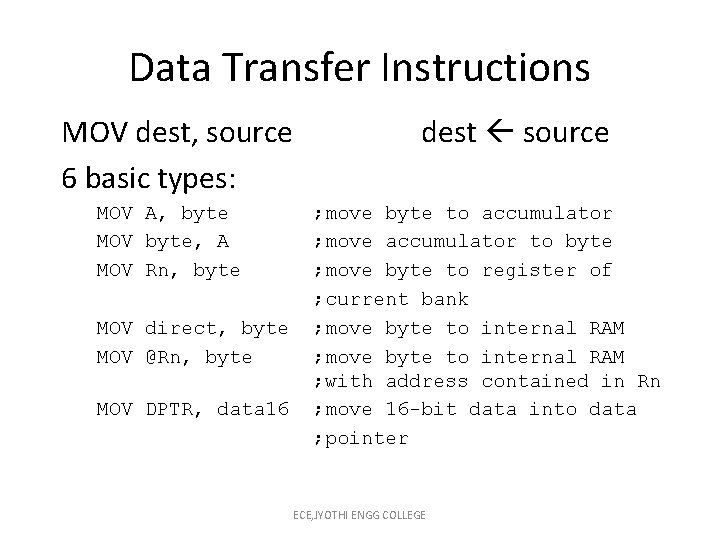
Data Transfer Instructions MOV dest, source 6 basic types: MOV A, byte MOV byte, A MOV Rn, byte MOV direct, byte MOV @Rn, byte MOV DPTR, data 16 dest source ; move byte to accumulator ; move accumulator to byte ; move byte to register of ; current bank ; move byte to internal RAM ; with address contained in Rn ; move 16 -bit data into data ; pointer ECE, JYOTHI ENGG COLLEGE
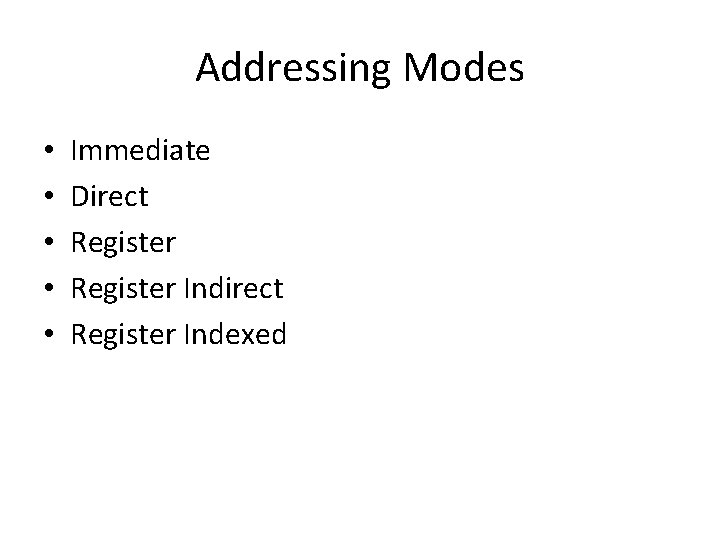
Addressing Modes • • • Immediate Direct Register Indirect Register Indexed
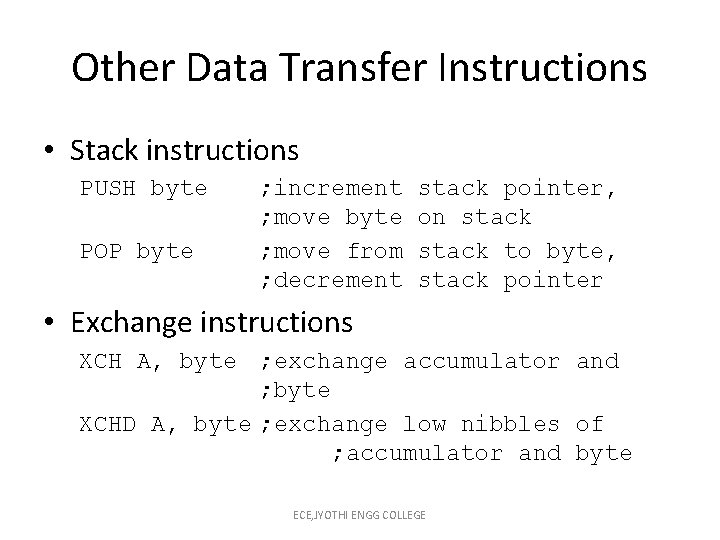
Other Data Transfer Instructions • Stack instructions PUSH byte POP byte ; increment ; move byte ; move from ; decrement stack pointer, on stack to byte, stack pointer • Exchange instructions XCH A, byte ; exchange accumulator and ; byte XCHD A, byte ; exchange low nibbles of ; accumulator and byte ECE, JYOTHI ENGG COLLEGE
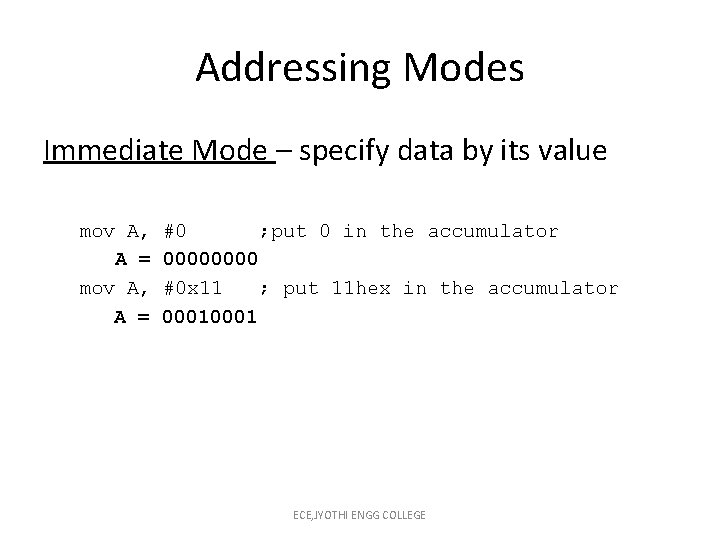
Addressing Modes Immediate Mode – specify data by its value mov A, A = #0 ; put 0 in the accumulator 0000 #0 x 11 ; put 11 hex in the accumulator 0001 ECE, JYOTHI ENGG COLLEGE
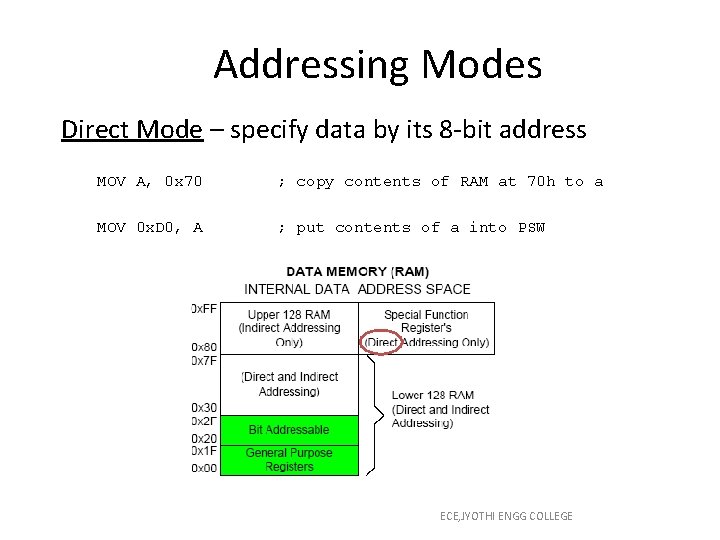
Addressing Modes Direct Mode – specify data by its 8 -bit address MOV A, 0 x 70 ; copy contents of RAM at 70 h to a MOV 0 x. D 0, A ; put contents of a into PSW ECE, JYOTHI ENGG COLLEGE
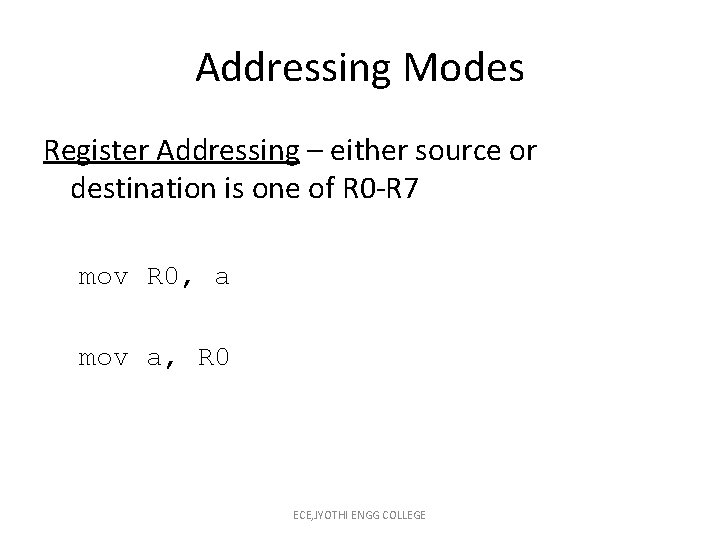
Addressing Modes Register Addressing – either source or destination is one of R 0 -R 7 mov R 0, a mov a, R 0 ECE, JYOTHI ENGG COLLEGE
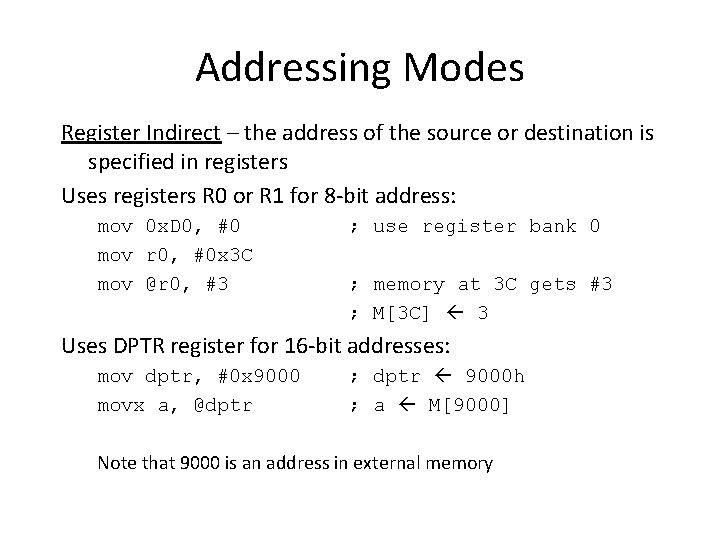
Addressing Modes Register Indirect – the address of the source or destination is specified in registers Uses registers R 0 or R 1 for 8 -bit address: mov 0 x. D 0, #0 mov r 0, #0 x 3 C mov @r 0, #3 ; use register bank 0 ; memory at 3 C gets #3 ; M[3 C] 3 Uses DPTR register for 16 -bit addresses: mov dptr, #0 x 9000 movx a, @dptr ; dptr 9000 h ; a M[9000] Note that 9000 is an address in external memory
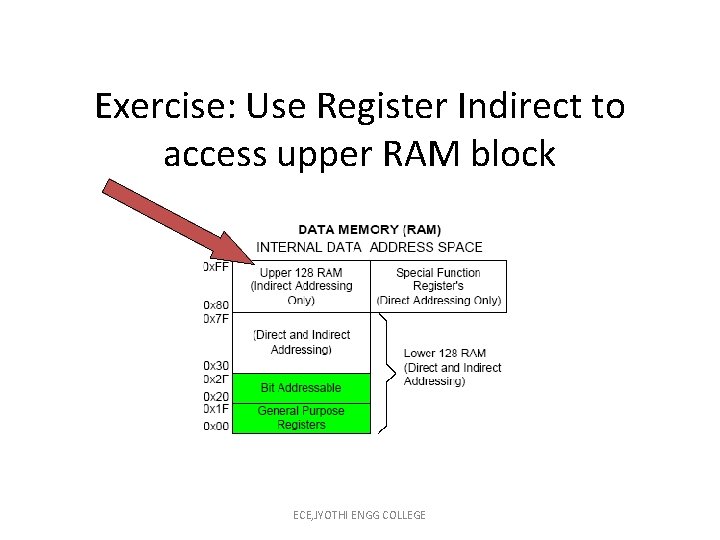
Exercise: Use Register Indirect to access upper RAM block ECE, JYOTHI ENGG COLLEGE
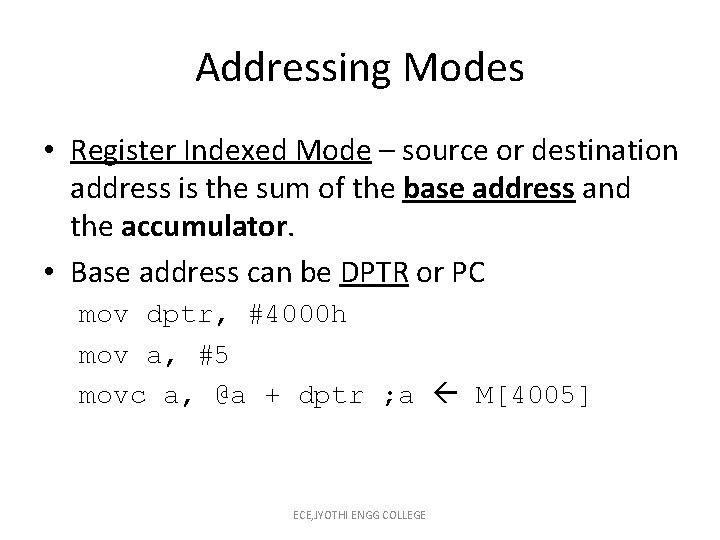
Addressing Modes • Register Indexed Mode – source or destination address is the sum of the base address and the accumulator. • Base address can be DPTR or PC mov dptr, #4000 h mov a, #5 movc a, @a + dptr ; a M[4005] ECE, JYOTHI ENGG COLLEGE
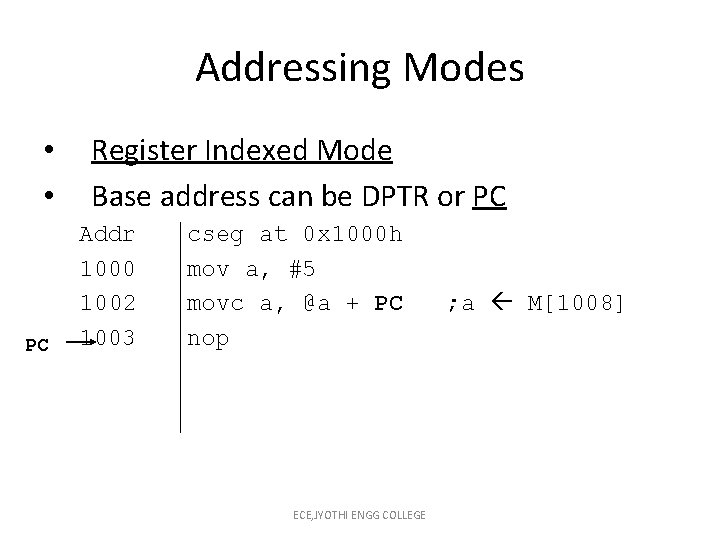
Addressing Modes • • PC Register Indexed Mode Base address can be DPTR or PC Addr 1000 1002 1003 cseg at 0 x 1000 h mov a, #5 movc a, @a + PC nop ECE, JYOTHI ENGG COLLEGE ; a M[1008]
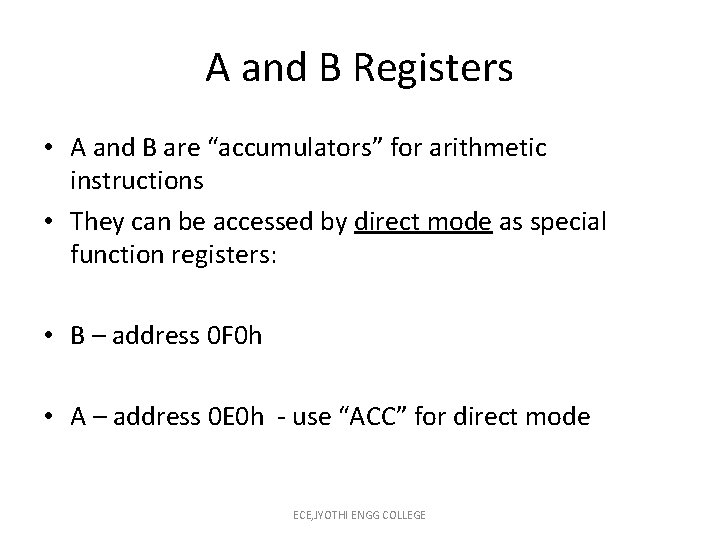
A and B Registers • A and B are “accumulators” for arithmetic instructions • They can be accessed by direct mode as special function registers: • B – address 0 F 0 h • A – address 0 E 0 h - use “ACC” for direct mode ECE, JYOTHI ENGG COLLEGE
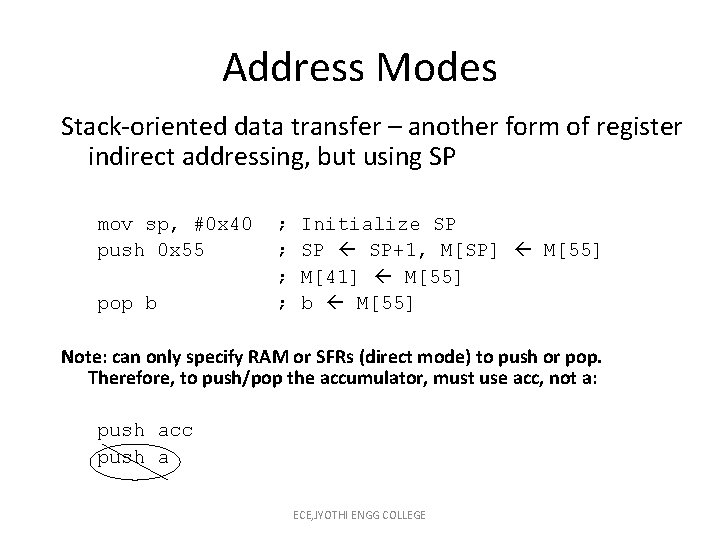
Address Modes Stack-oriented data transfer – another form of register indirect addressing, but using SP mov sp, #0 x 40 push 0 x 55 pop b ; ; Initialize SP SP SP+1, M[SP] M[55] M[41] M[55] b M[55] Note: can only specify RAM or SFRs (direct mode) to push or pop. Therefore, to push/pop the accumulator, must use acc, not a: push acc push a ECE, JYOTHI ENGG COLLEGE
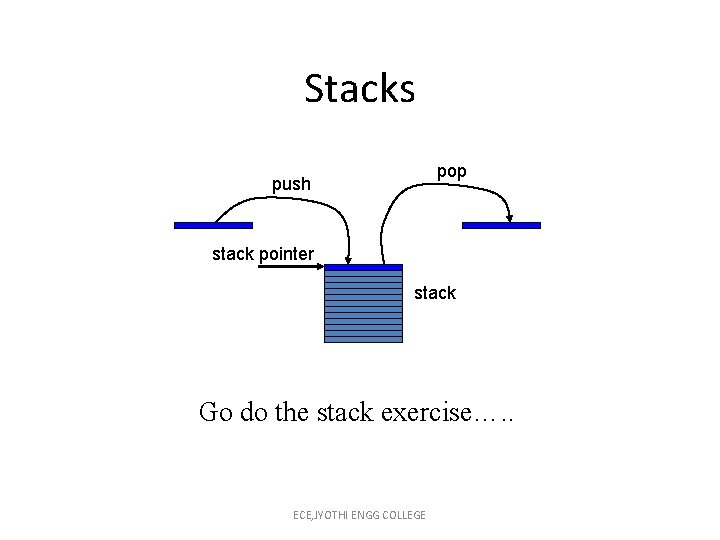
Stacks pop push stack pointer stack Go do the stack exercise…. . ECE, JYOTHI ENGG COLLEGE
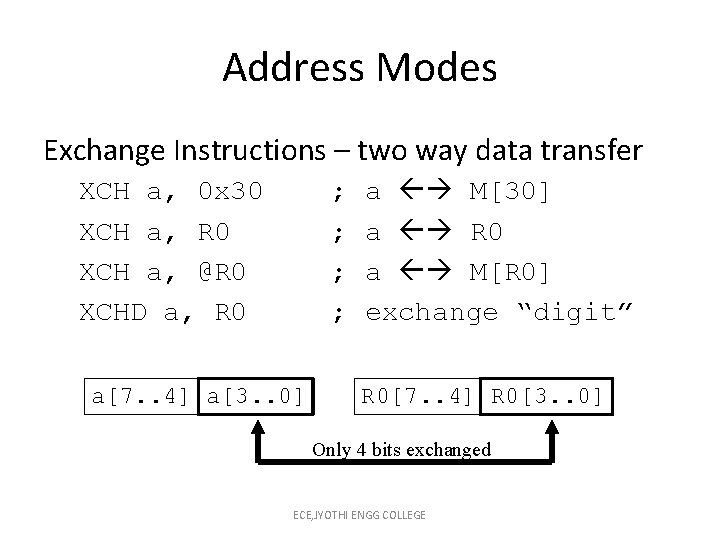
Address Modes Exchange Instructions – two way data transfer XCH a, 0 x 30 XCH a, R 0 XCH a, @R 0 XCHD a, R 0 ; ; a[7. . 4] a[3. . 0] a M[30] a R 0 a M[R 0] exchange “digit” R 0[7. . 4] R 0[3. . 0] Only 4 bits exchanged ECE, JYOTHI ENGG COLLEGE
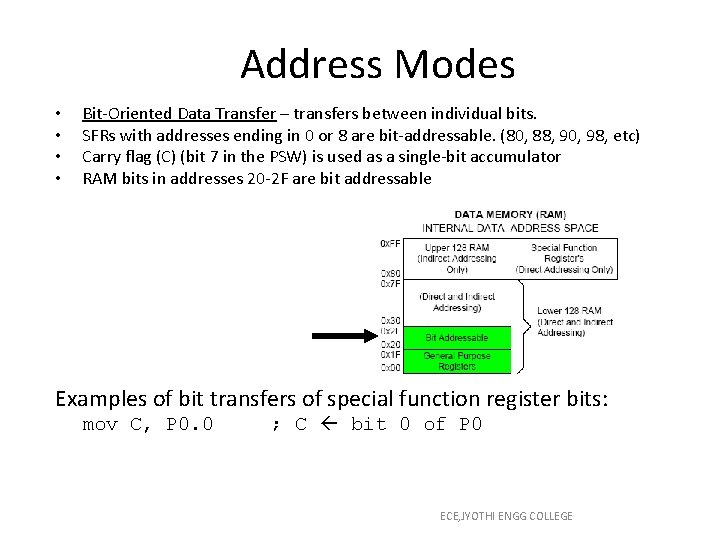
Address Modes • • Bit-Oriented Data Transfer – transfers between individual bits. SFRs with addresses ending in 0 or 8 are bit-addressable. (80, 88, 90, 98, etc) Carry flag (C) (bit 7 in the PSW) is used as a single-bit accumulator RAM bits in addresses 20 -2 F are bit addressable Examples of bit transfers of special function register bits: mov C, P 0. 0 ; C bit 0 of P 0 ECE, JYOTHI ENGG COLLEGE
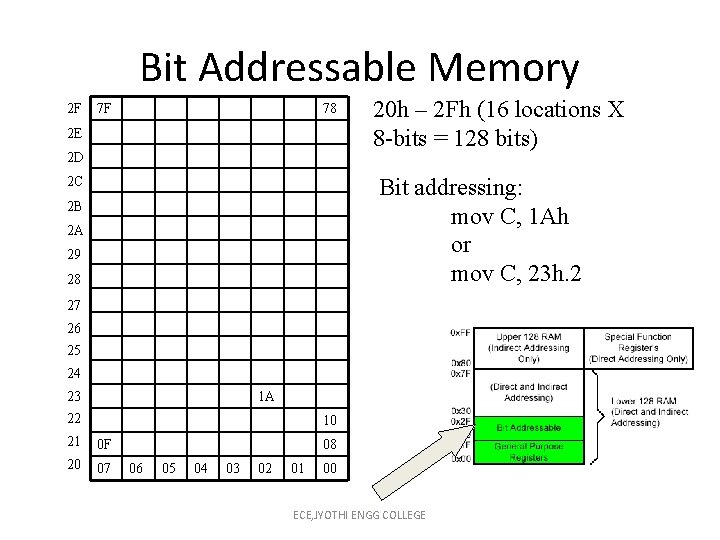
Bit Addressable Memory 2 F 7 F 78 2 E 2 D 20 h – 2 Fh (16 locations X 8 -bits = 128 bits) Bit addressing: mov C, 1 Ah or mov C, 23 h. 2 2 C 2 B 2 A 29 28 27 26 25 24 23 1 A 22 10 21 0 F 20 07 08 06 05 04 03 02 01 00 ECE, JYOTHI ENGG COLLEGE
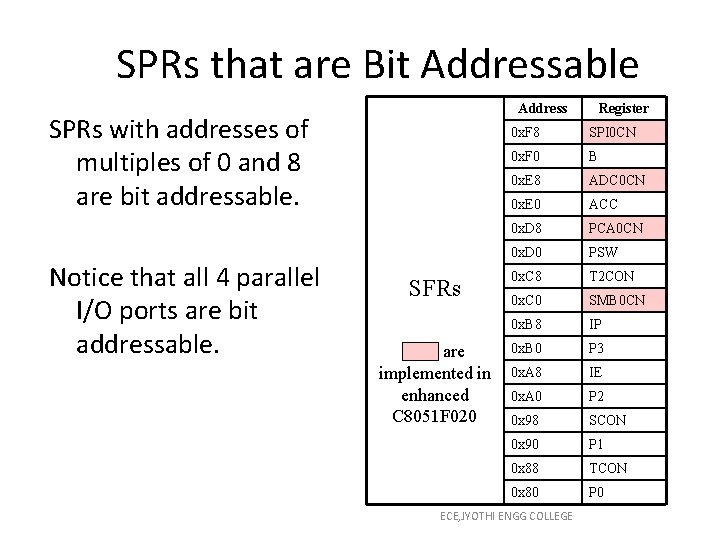
SPRs that are Bit Addressable Address SPRs with addresses of multiples of 0 and 8 are bit addressable. Notice that all 4 parallel I/O ports are bit addressable. SFRs Pink are implemented in enhanced C 8051 F 020 Register 0 x. F 8 SPI 0 CN 0 x. F 0 B 0 x. E 8 ADC 0 CN 0 x. E 0 ACC 0 x. D 8 PCA 0 CN 0 x. D 0 PSW 0 x. C 8 T 2 CON 0 x. C 0 SMB 0 CN 0 x. B 8 IP 0 x. B 0 P 3 0 x. A 8 IE 0 x. A 0 P 2 0 x 98 SCON 0 x 90 P 1 0 x 88 TCON 0 x 80 P 0 ECE, JYOTHI ENGG COLLEGE
Part II The 8051 Assembly Language ECE, JYOTHI ENGG COLLEGE
Data Processing Instructions Arithmetic Instructions Logic Instructions ECE, JYOTHI ENGG COLLEGE
Arithmetic Instructions • • Add Subtract Increment Decrement Multiply Divide Decimal adjust ECE, JYOTHI ENGG COLLEGE
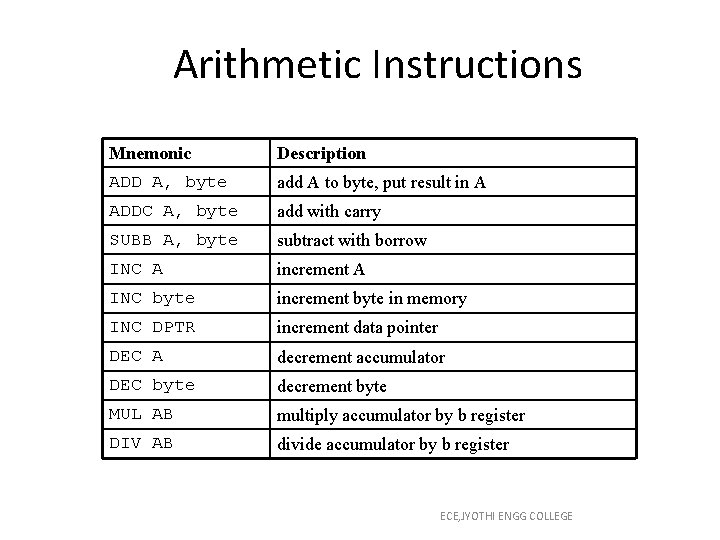
Arithmetic Instructions Mnemonic Description ADD A, byte add A to byte, put result in A ADDC A, byte add with carry SUBB A, byte subtract with borrow INC A increment A INC byte increment byte in memory INC DPTR increment data pointer DEC A decrement accumulator DEC byte decrement byte MUL AB multiply accumulator by b register DIV AB divide accumulator by b register ECE, JYOTHI ENGG COLLEGE
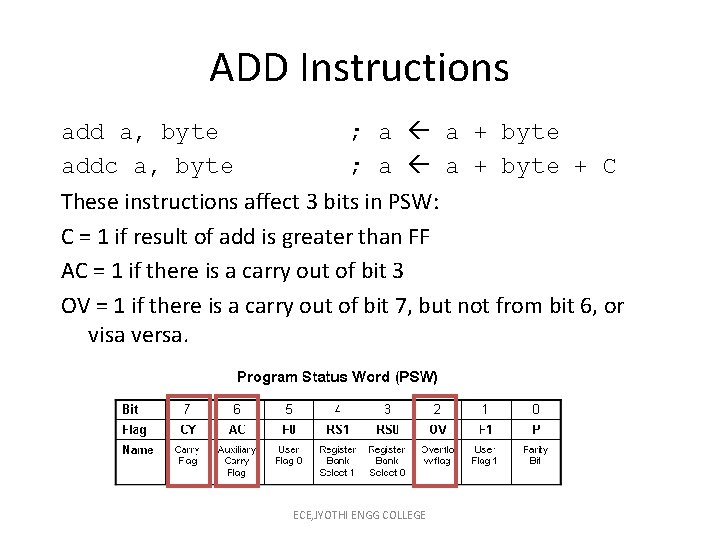
ADD Instructions add a, byte ; a a + byte addc a, byte ; a a + byte + C These instructions affect 3 bits in PSW: C = 1 if result of add is greater than FF AC = 1 if there is a carry out of bit 3 OV = 1 if there is a carry out of bit 7, but not from bit 6, or visa versa. ECE, JYOTHI ENGG COLLEGE
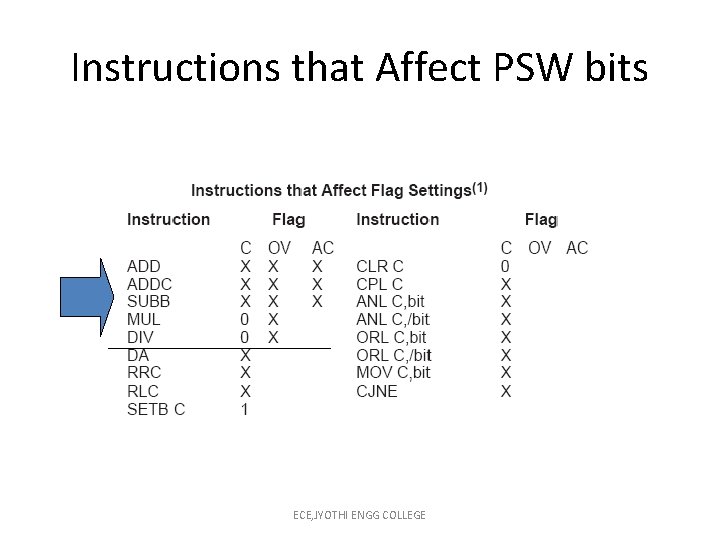
Instructions that Affect PSW bits ECE, JYOTHI ENGG COLLEGE
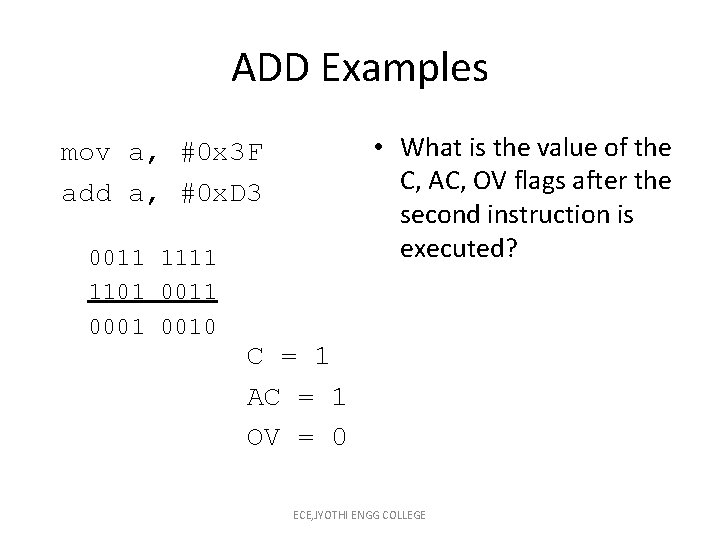
ADD Examples • What is the value of the C, AC, OV flags after the second instruction is executed? mov a, #0 x 3 F add a, #0 x. D 3 0011 1101 0011 0001 0010 C = 1 AC = 1 OV = 0 ECE, JYOTHI ENGG COLLEGE
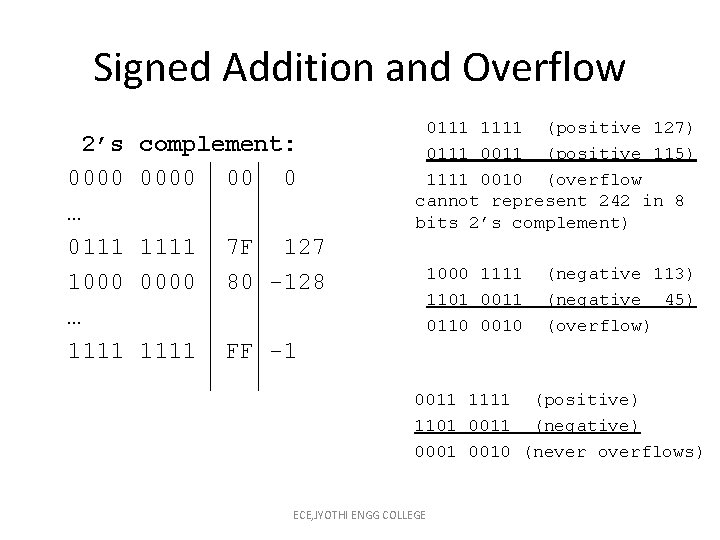
Signed Addition and Overflow 2’s 0000 … 0111 1000 … 1111 complement: 0000 00 0 1111 0000 7 F 127 80 -128 1111 FF -1 0111 1111 (positive 127) 0111 0011 (positive 115) 1111 0010 (overflow cannot represent 242 in 8 bits 2’s complement) 1000 1111 1101 0011 0110 0010 (negative 113) (negative 45) (overflow) 0011 1111 (positive) 1101 0011 (negative) 0001 0010 (never overflows) ECE, JYOTHI ENGG COLLEGE
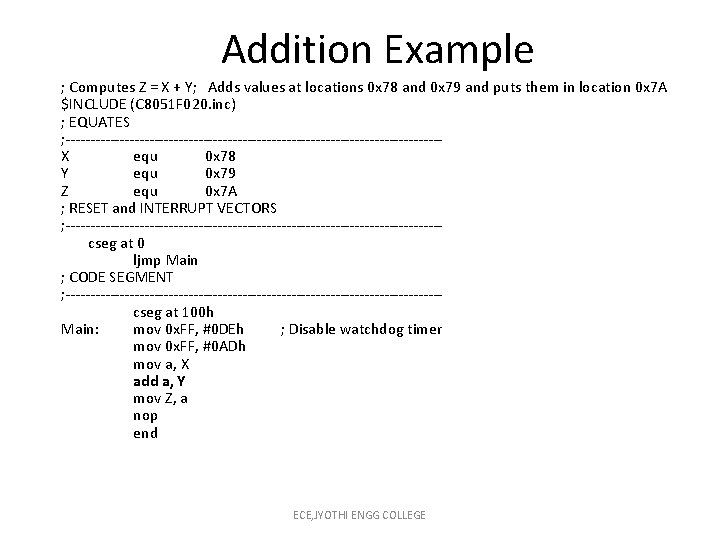
Addition Example ; Computes Z = X + Y; Adds values at locations 0 x 78 and 0 x 79 and puts them in location 0 x 7 A $INCLUDE (C 8051 F 020. inc) ; EQUATES ; --------------------------------------X equ 0 x 78 Y equ 0 x 79 Z equ 0 x 7 A ; RESET and INTERRUPT VECTORS ; --------------------------------------cseg at 0 ljmp Main ; CODE SEGMENT ; --------------------------------------cseg at 100 h Main: mov 0 x. FF, #0 DEh ; Disable watchdog timer mov 0 x. FF, #0 ADh mov a, X add a, Y mov Z, a nop end ECE, JYOTHI ENGG COLLEGE
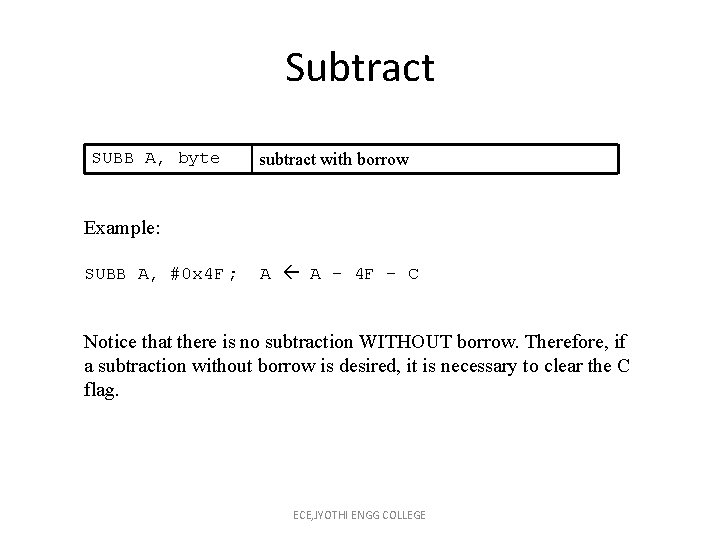
Subtract SUBB A, byte subtract with borrow Example: SUBB A, #0 x 4 F ; A A – 4 F – C Notice that there is no subtraction WITHOUT borrow. Therefore, if a subtraction without borrow is desired, it is necessary to clear the C flag. ECE, JYOTHI ENGG COLLEGE
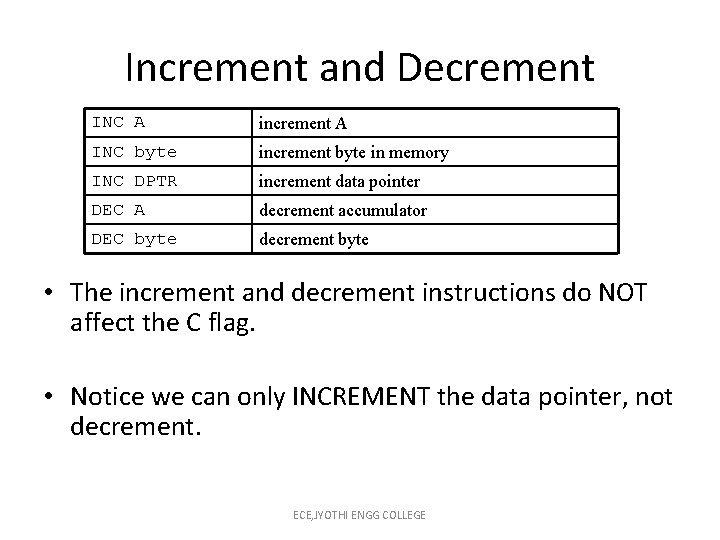
Increment and Decrement INC A increment A INC byte increment byte in memory INC DPTR increment data pointer DEC A decrement accumulator DEC byte decrement byte • The increment and decrement instructions do NOT affect the C flag. • Notice we can only INCREMENT the data pointer, not decrement. ECE, JYOTHI ENGG COLLEGE
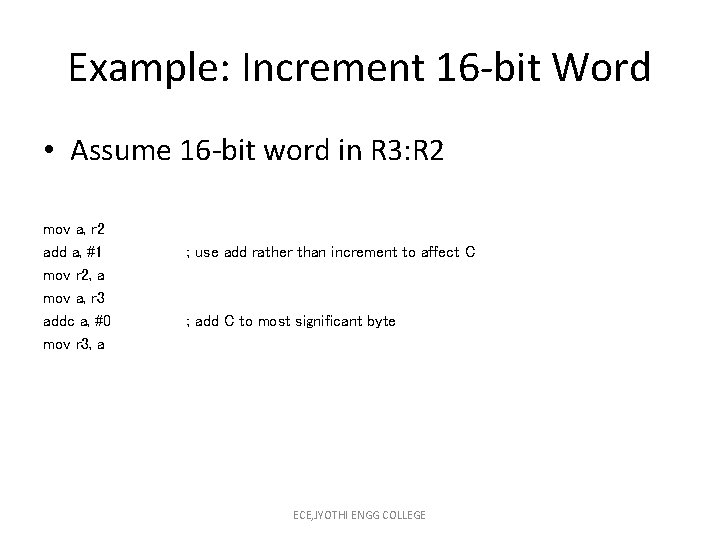
Example: Increment 16 -bit Word • Assume 16 -bit word in R 3: R 2 mov a, r 2 add a, #1 mov r 2, a mov a, r 3 addc a, #0 mov r 3, a ; use add rather than increment to affect C ; add C to most significant byte ECE, JYOTHI ENGG COLLEGE
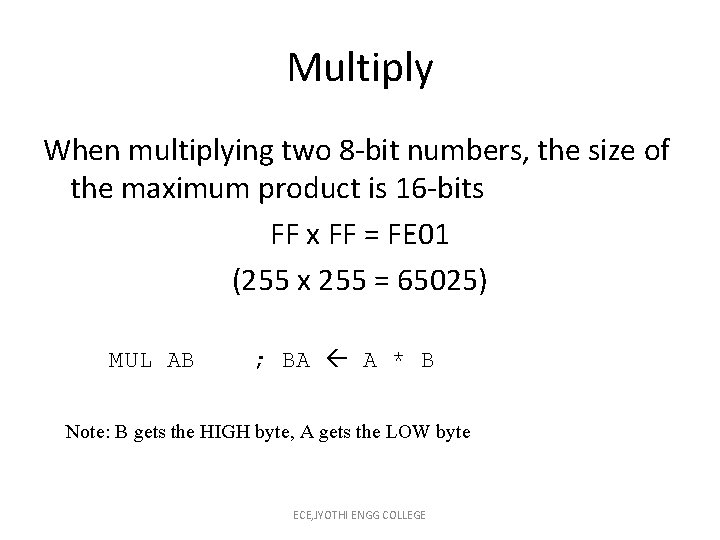
Multiply When multiplying two 8 -bit numbers, the size of the maximum product is 16 -bits FF x FF = FE 01 (255 x 255 = 65025) MUL AB ; BA A * B Note: B gets the HIGH byte, A gets the LOW byte ECE, JYOTHI ENGG COLLEGE
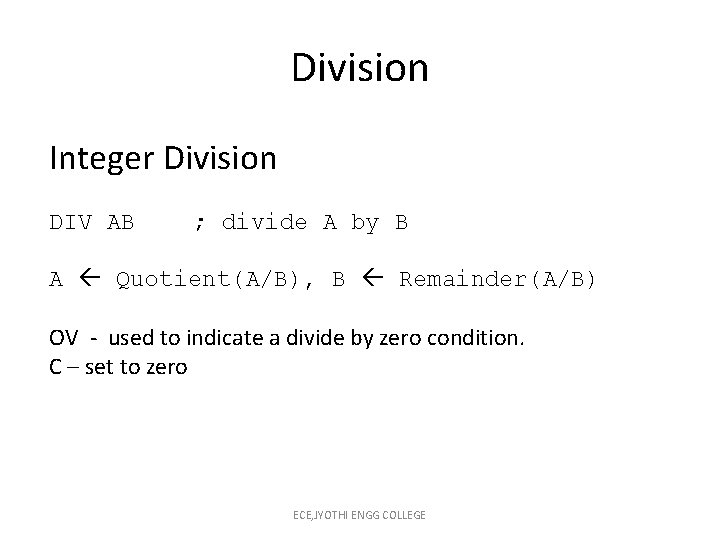
Division Integer Division DIV AB ; divide A by B A Quotient(A/B), B Remainder(A/B) OV - used to indicate a divide by zero condition. C – set to zero ECE, JYOTHI ENGG COLLEGE
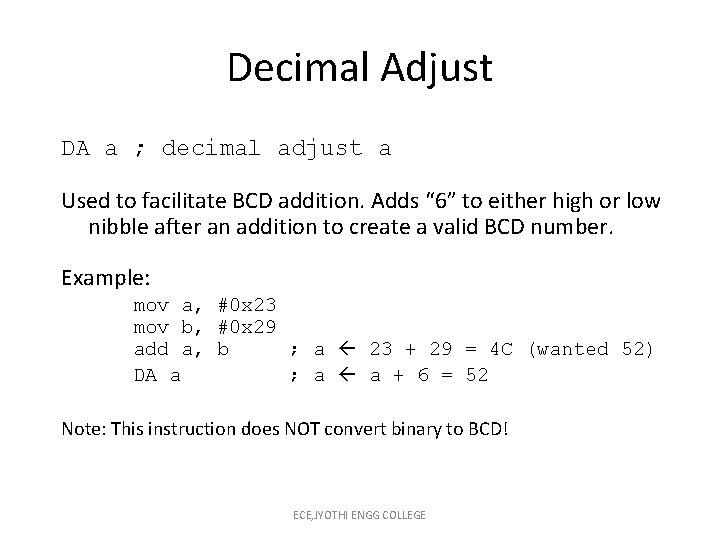
Decimal Adjust DA a ; decimal adjust a Used to facilitate BCD addition. Adds “ 6” to either high or low nibble after an addition to create a valid BCD number. Example: mov a, #0 x 23 mov b, #0 x 29 add a, b ; a 23 + 29 = 4 C (wanted 52) DA a ; a a + 6 = 52 Note: This instruction does NOT convert binary to BCD! ECE, JYOTHI ENGG COLLEGE
Logic Instructions Bitwise logic operations (AND, OR, XOR, NOT) Clear Rotate Swap Logic instructions do NOT affect the flags in PSW ECE, JYOTHI ENGG COLLEGE
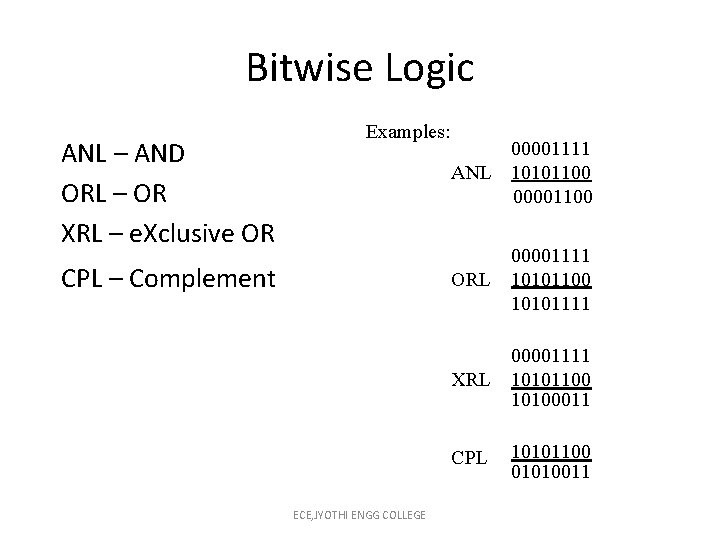
Bitwise Logic ANL – AND ORL – OR XRL – e. Xclusive OR Examples: CPL – Complement ECE, JYOTHI ENGG COLLEGE 00001111 ANL 10101100 00001100 ORL 00001111 10101100 10101111 XRL 00001111 10101100 10100011 CPL 10101100 01010011
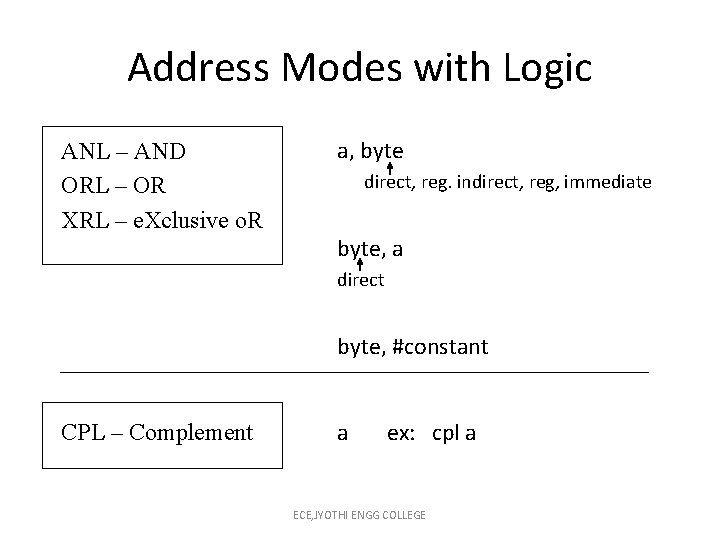
Address Modes with Logic ANL – AND ORL – OR XRL – e. Xclusive o. R a, byte direct, reg. indirect, reg, immediate byte, a direct byte, #constant CPL – Complement a ex: cpl a ECE, JYOTHI ENGG COLLEGE
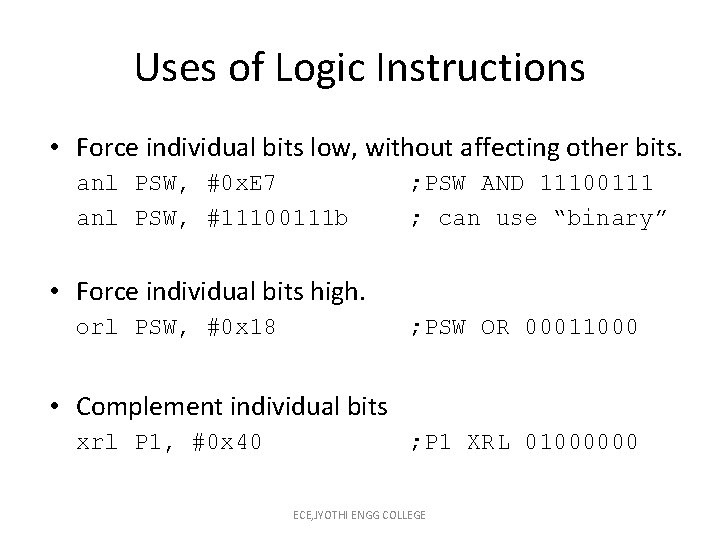
Uses of Logic Instructions • Force individual bits low, without affecting other bits. anl PSW, #0 x. E 7 anl PSW, #11100111 b ; PSW AND 11100111 ; can use “binary” • Force individual bits high. orl PSW, #0 x 18 ; PSW OR 00011000 • Complement individual bits xrl P 1, #0 x 40 ; P 1 XRL 01000000 ECE, JYOTHI ENGG COLLEGE
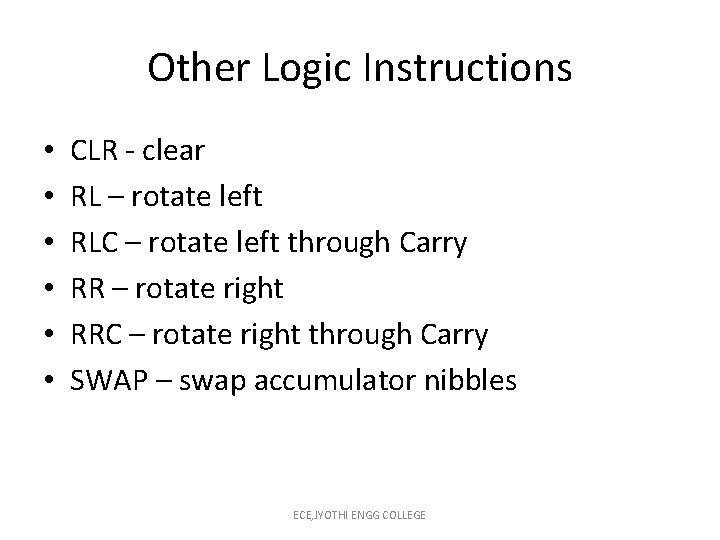
Other Logic Instructions • • • CLR - clear RL – rotate left RLC – rotate left through Carry RR – rotate right RRC – rotate right through Carry SWAP – swap accumulator nibbles ECE, JYOTHI ENGG COLLEGE
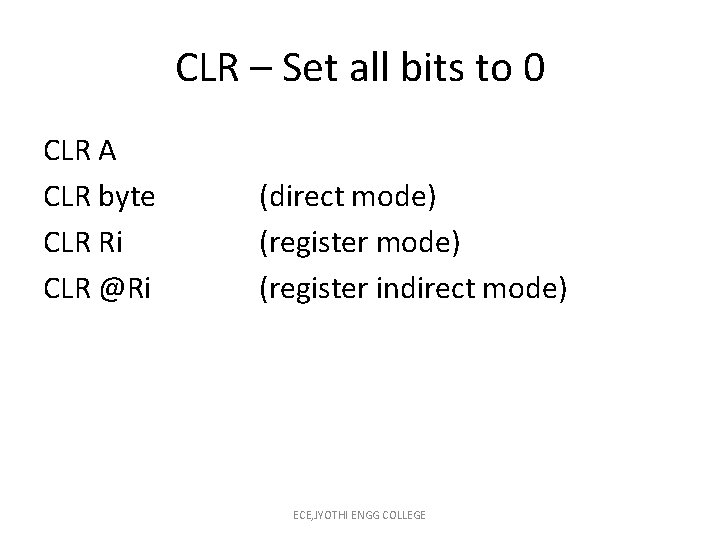
CLR – Set all bits to 0 CLR A CLR byte CLR Ri CLR @Ri (direct mode) (register indirect mode) ECE, JYOTHI ENGG COLLEGE
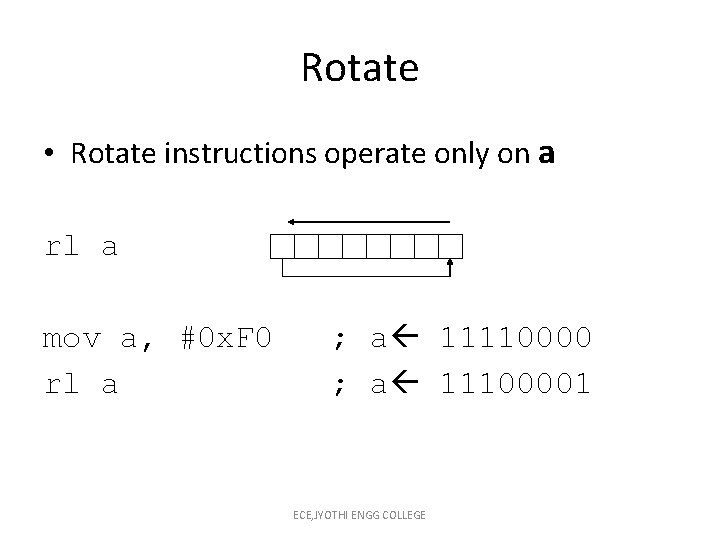
Rotate • Rotate instructions operate only on a rl a mov a, #0 x. F 0 rl a ; a 11110000 ; a 11100001 ECE, JYOTHI ENGG COLLEGE
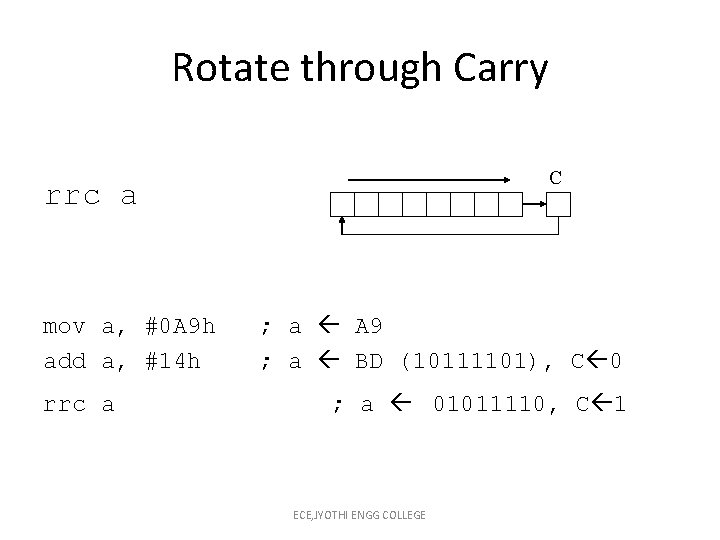
Rotate through Carry C rrc a mov a, #0 A 9 h add a, #14 h rrc a ; a A 9 ; a BD (10111101), C 0 ; a 01011110, C 1 ECE, JYOTHI ENGG COLLEGE
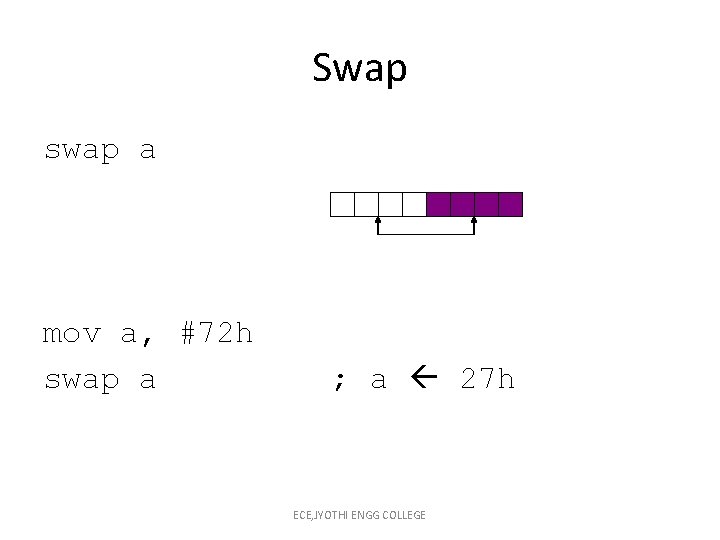
Swap swap a mov a, #72 h swap a ; a 27 h ECE, JYOTHI ENGG COLLEGE
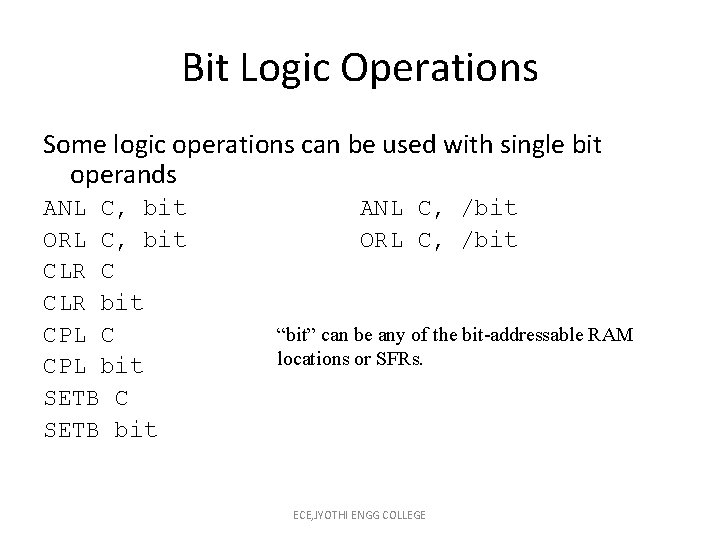
Bit Logic Operations Some logic operations can be used with single bit operands ANL C, bit ORL C, bit CLR C CLR bit CPL C CPL bit SETB C SETB bit ANL C, /bit ORL C, /bit “bit” can be any of the bit-addressable RAM locations or SFRs. ECE, JYOTHI ENGG COLLEGE
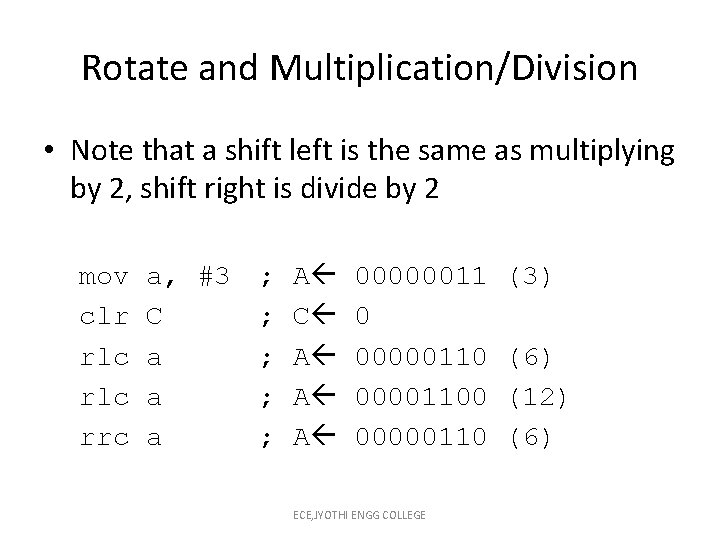
Rotate and Multiplication/Division • Note that a shift left is the same as multiplying by 2, shift right is divide by 2 mov clr rlc rrc a, #3 C a a a ; ; ; A C A A A 00000011 0 000001100 00000110 ECE, JYOTHI ENGG COLLEGE (3) (6) (12) (6)
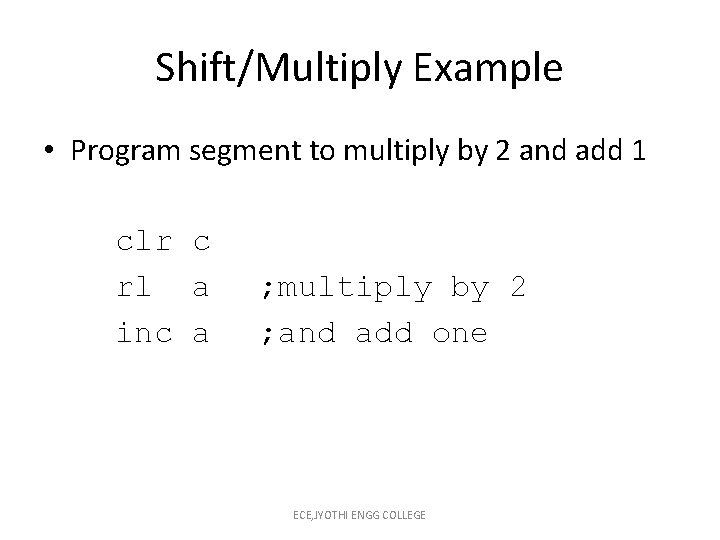
Shift/Multiply Example • Program segment to multiply by 2 and add 1 clr c rl a inc a ; multiply by 2 ; and add one ECE, JYOTHI ENGG COLLEGE
Program Flow Control • Unconditional jumps (“go to”) • Conditional jumps • Call and return ECE, JYOTHI ENGG COLLEGE
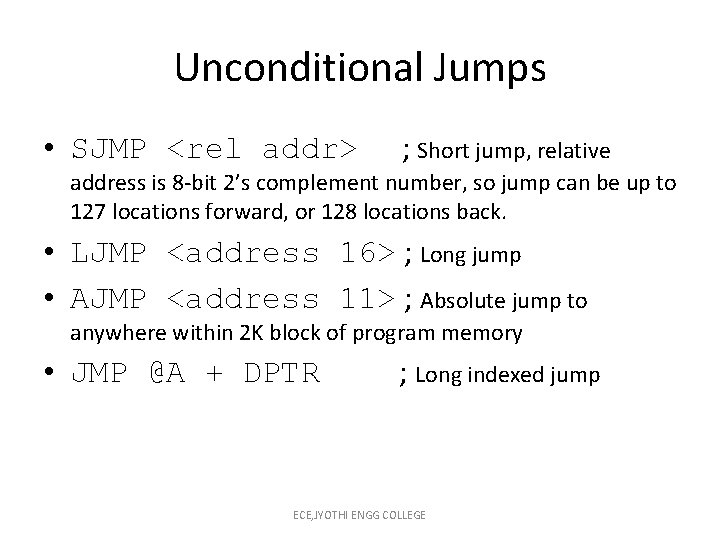
Unconditional Jumps • SJMP <rel addr> ; Short jump, relative address is 8 -bit 2’s complement number, so jump can be up to 127 locations forward, or 128 locations back. • LJMP <address 16> ; Long jump • AJMP <address 11> ; Absolute jump to anywhere within 2 K block of program memory • JMP @A + DPTR ; Long indexed jump ECE, JYOTHI ENGG COLLEGE
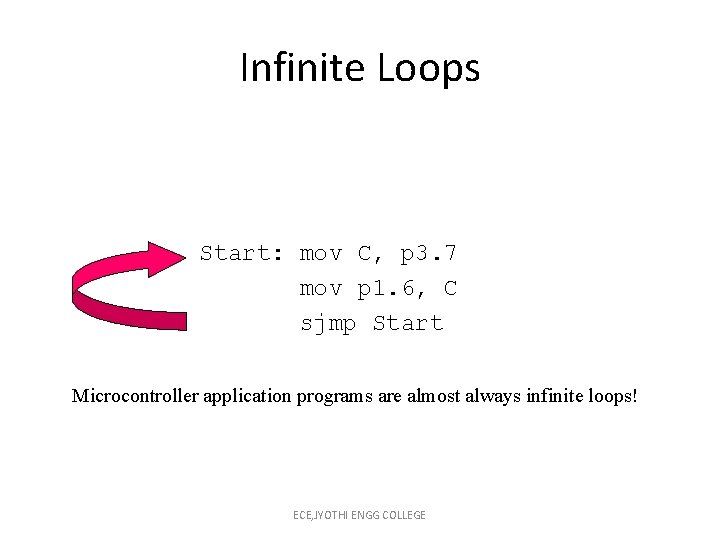
Infinite Loops Start: mov C, p 3. 7 mov p 1. 6, C sjmp Start Microcontroller application programs are almost always infinite loops! ECE, JYOTHI ENGG COLLEGE
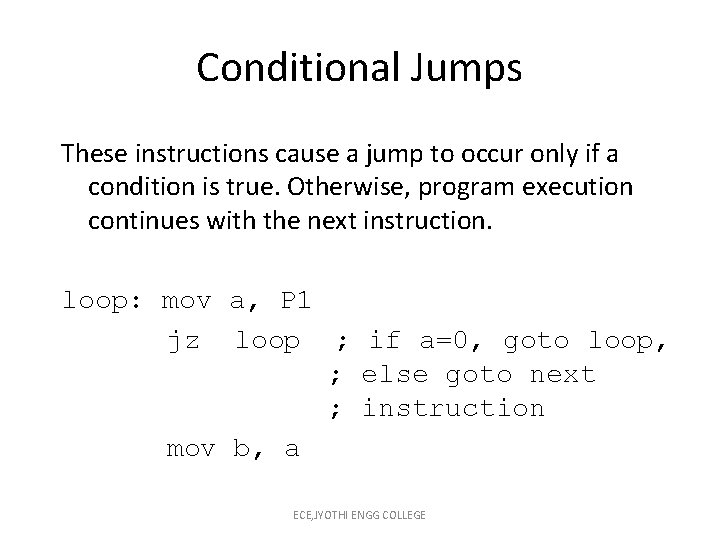
Conditional Jumps These instructions cause a jump to occur only if a condition is true. Otherwise, program execution continues with the next instruction. loop: mov a, P 1 jz loop ; if a=0, goto loop, ; else goto next ; instruction mov b, a ECE, JYOTHI ENGG COLLEGE
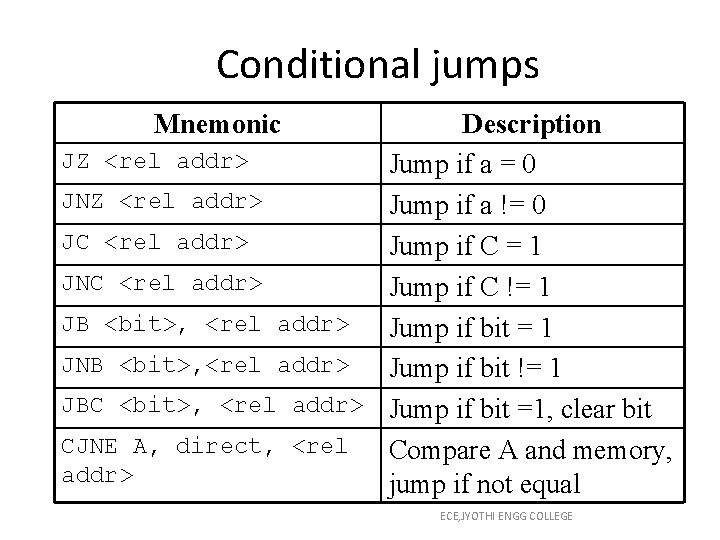
Conditional jumps Mnemonic Description JZ <rel addr> Jump if a = 0 JNZ <rel addr> Jump if a != 0 JC <rel addr> Jump if C = 1 JNC <rel addr> Jump if C != 1 JB <bit>, <rel addr> Jump if bit = 1 JNB <bit>, <rel addr> Jump if bit != 1 JBC <bit>, <rel addr> Jump if bit =1, clear bit CJNE A, direct, <rel Compare A and memory, addr> jump if not equal ECE, JYOTHI ENGG COLLEGE
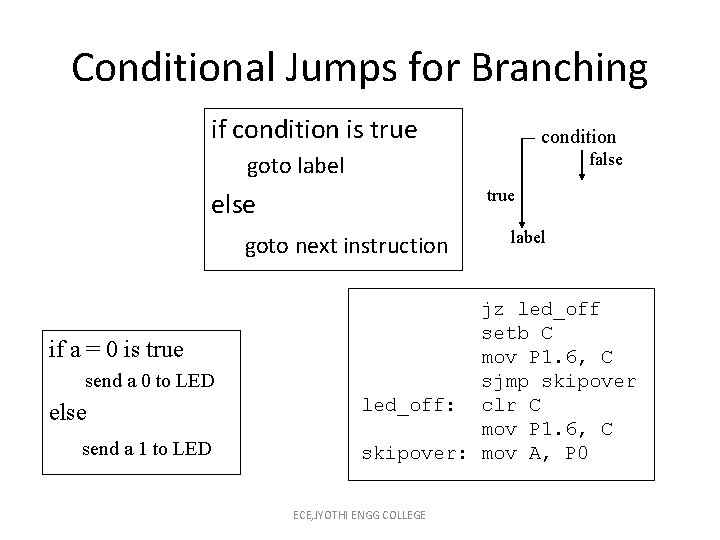
Conditional Jumps for Branching if condition is true condition false goto label true else goto next instruction if a = 0 is true send a 0 to LED else send a 1 to LED label jz led_off setb C mov P 1. 6, C sjmp skipover led_off: clr C mov P 1. 6, C skipover: mov A, P 0 ECE, JYOTHI ENGG COLLEGE
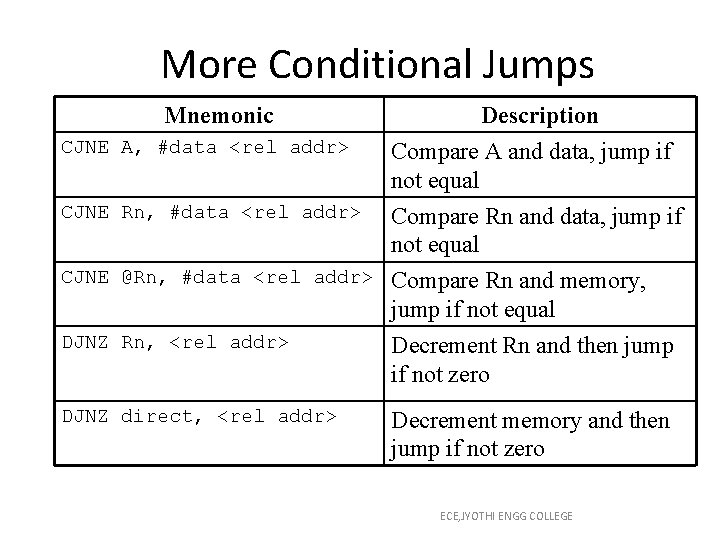
More Conditional Jumps Mnemonic CJNE A, #data <rel addr> Description Compare A and data, jump if not equal CJNE Rn, #data <rel addr> Compare Rn and data, jump if not equal CJNE @Rn, #data <rel addr> Compare Rn and memory, jump if not equal Decrement Rn and then jump if not zero DJNZ Rn, <rel addr> DJNZ direct, <rel addr> Decrement memory and then jump if not zero ECE, JYOTHI ENGG COLLEGE
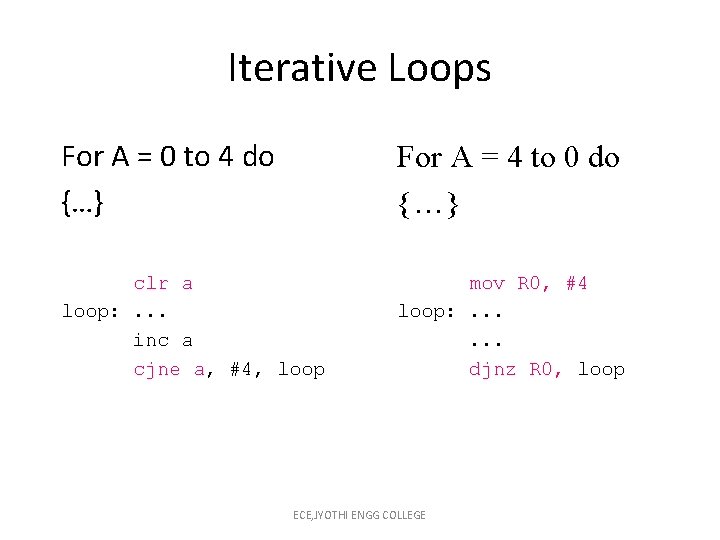
Iterative Loops For A = 0 to 4 do {…} For A = 4 to 0 do {…} clr a loop: . . . inc a cjne a, #4, loop mov R 0, #4 loop: . . . djnz R 0, loop ECE, JYOTHI ENGG COLLEGE
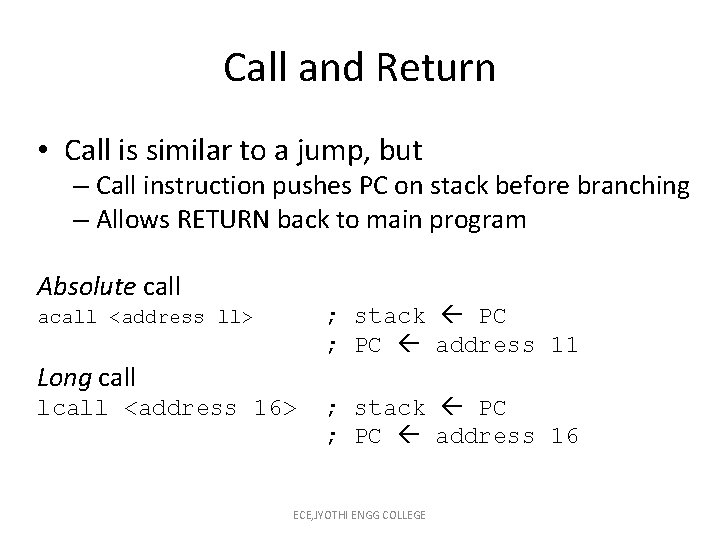
Call and Return • Call is similar to a jump, but – Call instruction pushes PC on stack before branching – Allows RETURN back to main program Absolute call ; stack PC ; PC address 11 acall <address ll> Long call lcall <address 16> ; stack PC ; PC address 16 ECE, JYOTHI ENGG COLLEGE
Return • Return is also similar to a jump, but – Return instruction pops PC from stack to get address to jump to ret ; PC stack ECE, JYOTHI ENGG COLLEGE
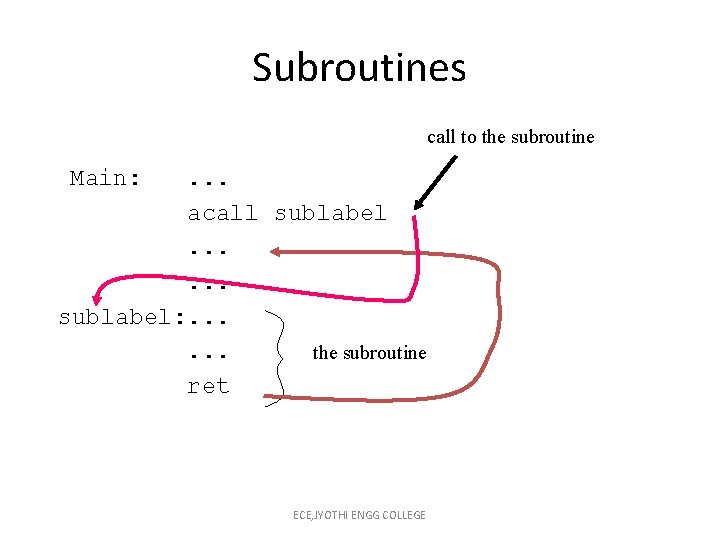
Subroutines call to the subroutine Main: . . . acall sublabel. . . sublabel: . . . the subroutine ret ECE, JYOTHI ENGG COLLEGE
Initializing Stack Pointer • The Stack Pointer (SP) is initialized to 0 x 07. (Same address as R 7) • When using subroutines, the stack will be used to store the PC, so it is very important to initialize the stack pointer. Location 2 F is often used. mov SP, #0 x 2 F ECE, JYOTHI ENGG COLLEGE
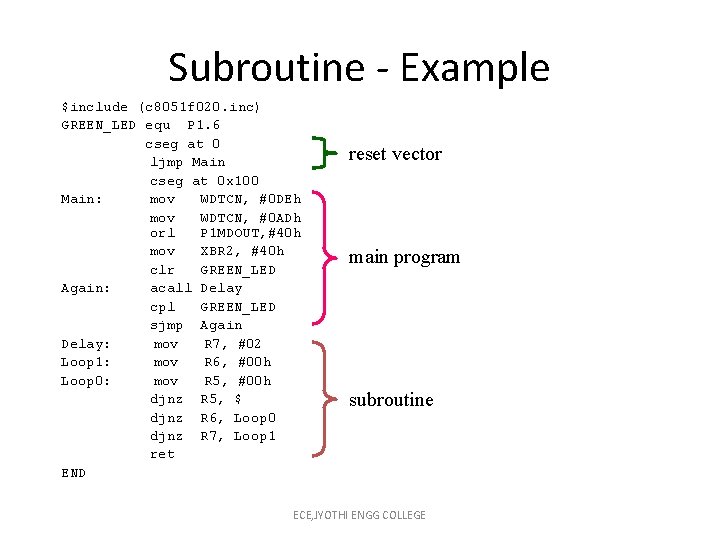
Subroutine - Example $include (c 8051 f 020. inc) GREEN_LED equ P 1. 6 cseg at 0 ljmp Main cseg at 0 x 100 Main: mov WDTCN, #0 DEh mov WDTCN, #0 ADh orl P 1 MDOUT, #40 h mov XBR 2, #40 h clr GREEN_LED Again: acall Delay cpl GREEN_LED sjmp Again Delay: mov R 7, #02 Loop 1: mov R 6, #00 h Loop 0: mov R 5, #00 h djnz R 5, $ djnz R 6, Loop 0 djnz R 7, Loop 1 ret END reset vector main program subroutine ECE, JYOTHI ENGG COLLEGE
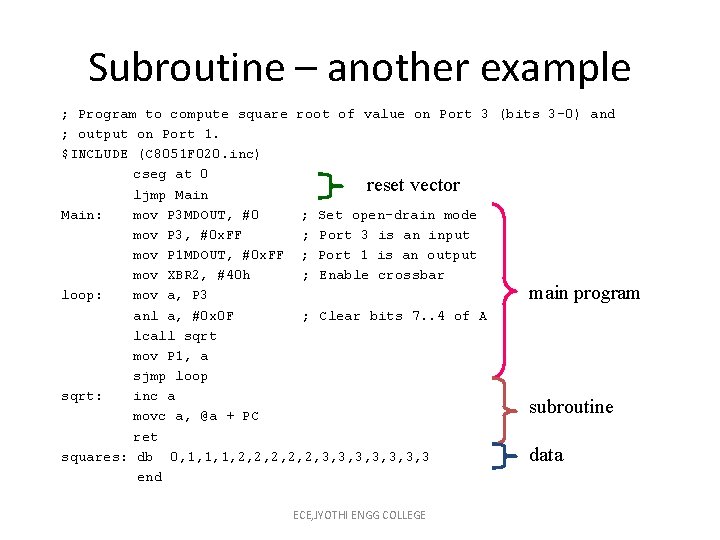
Subroutine – another example ; Program to compute square root of value on Port 3 (bits 3 -0) and ; output on Port 1. $INCLUDE (C 8051 F 020. inc) cseg at 0 reset vector ljmp Main: mov P 3 MDOUT, #0 ; Set open-drain mode mov P 3, #0 x. FF ; Port 3 is an input mov P 1 MDOUT, #0 x. FF ; Port 1 is an output mov XBR 2, #40 h ; Enable crossbar main program loop: mov a, P 3 anl a, #0 x 0 F ; Clear bits 7. . 4 of A lcall sqrt mov P 1, a sjmp loop sqrt: inc a subroutine movc a, @a + PC ret squares: db 0, 1, 1, 1, 2, 2, 2, 3, 3, 3, 3 data end ECE, JYOTHI ENGG COLLEGE
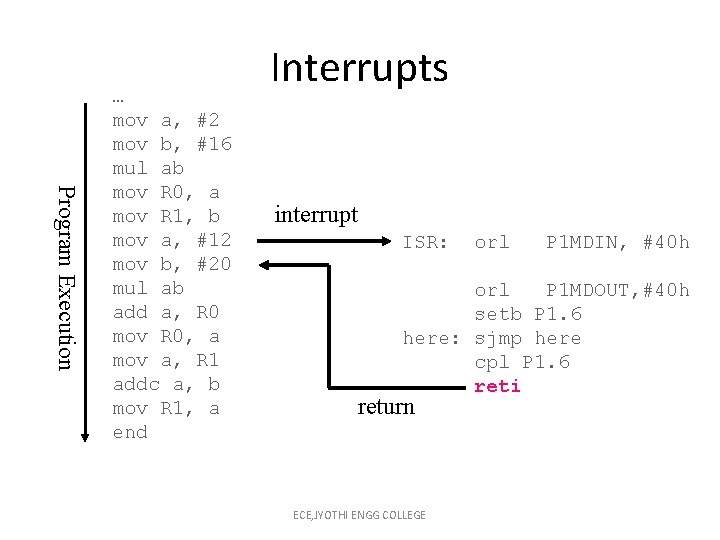
Program Execution … mov a, #2 mov b, #16 mul ab mov R 0, a mov R 1, b mov a, #12 mov b, #20 mul ab add a, R 0 mov R 0, a mov a, R 1 addc a, b mov R 1, a end Interrupts interrupt ISR: orl P 1 MDIN, #40 h orl P 1 MDOUT, #40 h setb P 1. 6 here: sjmp here cpl P 1. 6 reti return ECE, JYOTHI ENGG COLLEGE
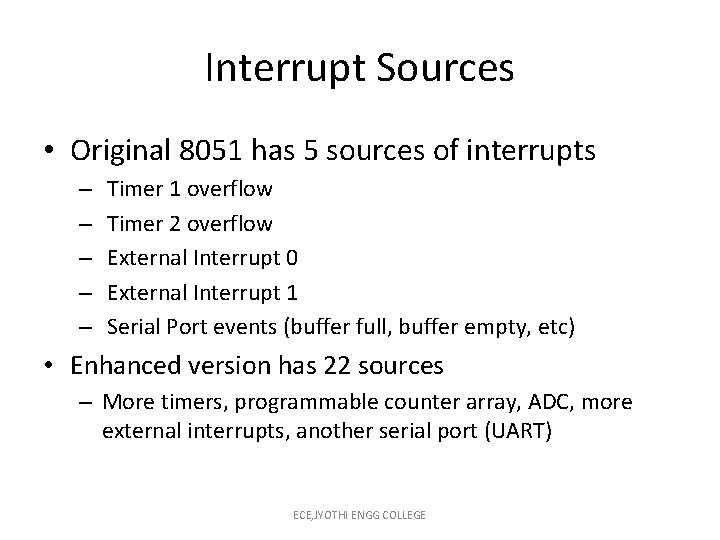
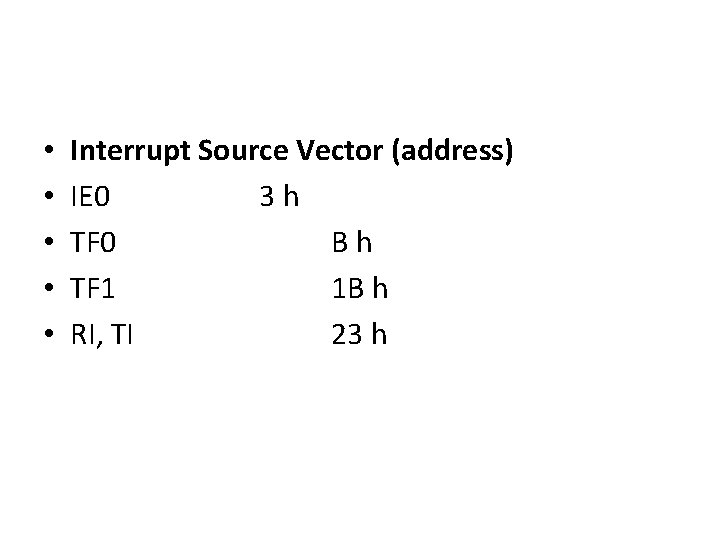
Interrupt Sources • Original 8051 has 5 sources of interrupts – – – Timer 1 overflow Timer 2 overflow External Interrupt 0 External Interrupt 1 Serial Port events (buffer full, buffer empty, etc) • Enhanced version has 22 sources – More timers, programmable counter array, ADC, more external interrupts, another serial port (UART) ECE, JYOTHI ENGG COLLEGE
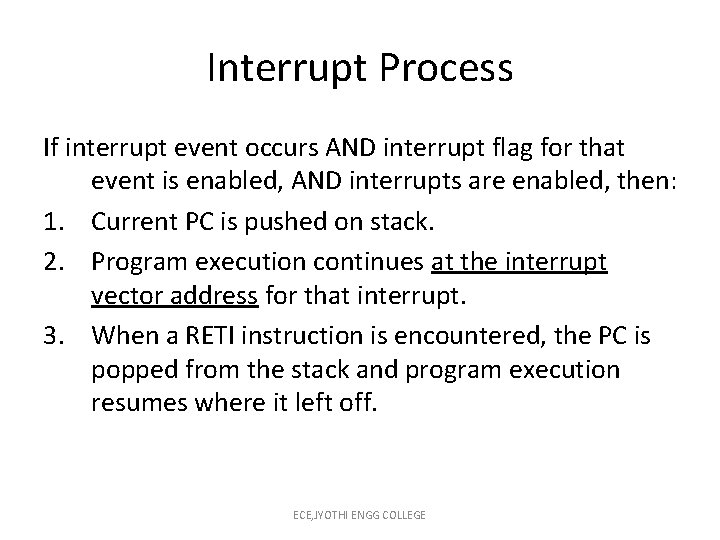
Interrupt Process If interrupt event occurs AND interrupt flag for that event is enabled, AND interrupts are enabled, then: 1. Current PC is pushed on stack. 2. Program execution continues at the interrupt vector address for that interrupt. 3. When a RETI instruction is encountered, the PC is popped from the stack and program execution resumes where it left off. ECE, JYOTHI ENGG COLLEGE
• • • Interrupt Source Vector (address) IE 0 3 h TF 0 Bh TF 1 1 B h RI, TI 23 h
Interrupt Priorities • What if two interrupt sources interrupt at the same time? • The interrupt with the highest PRIORITY gets serviced first. • All interrupts have a default priority order. • Priority can also be set to “high” or “low”. ECE, JYOTHI ENGG COLLEGE
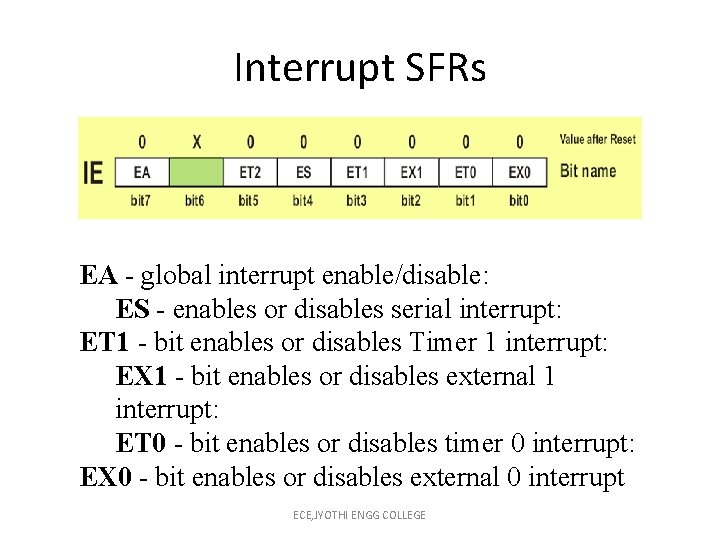
Interrupt SFRs EA - global interrupt enable/disable: ES - enables or disables serial interrupt: ET 1 - bit enables or disables Timer 1 interrupt: EX 1 - bit enables or disables external 1 interrupt: ET 0 - bit enables or disables timer 0 interrupt: EX 0 - bit enables or disables external 0 interrupt ECE, JYOTHI ENGG COLLEGE
External Interrupts • /INT 0 (Interrupt 0) and /INT 1 (Interrupt 1) are external input pins. • Interrupt 6 and Interrupt 7 use Port 3 pins 6 and 7: INT 6 = P 3. 6 INT 7 = P 3. 7 These interrupts can be configured to be – rising edge-triggered – falling edge-triggered ECE, JYOTHI ENGG COLLEGE
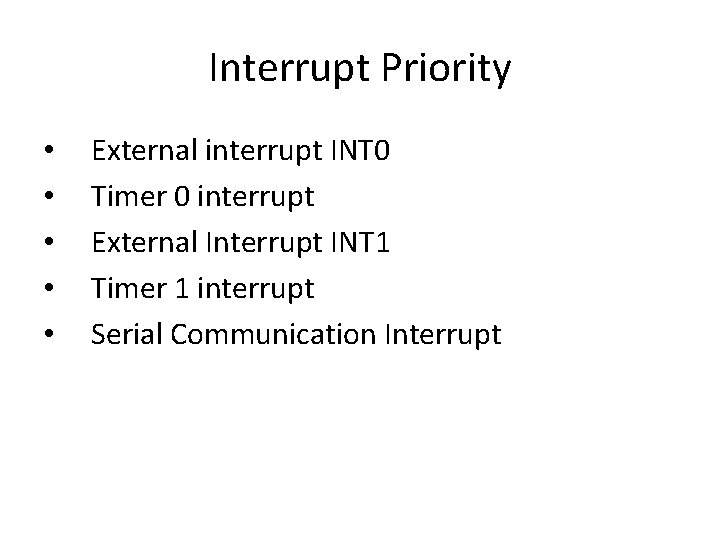
Interrupt Priority • • • External interrupt INT 0 Timer 0 interrupt External Interrupt INT 1 Timer 1 interrupt Serial Communication Interrupt
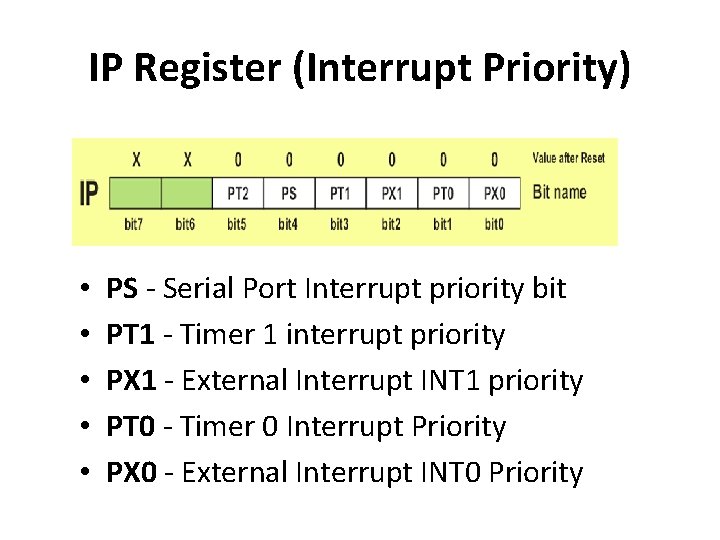
IP Register (Interrupt Priority) • • • PS - Serial Port Interrupt priority bit PT 1 - Timer 1 interrupt priority PX 1 - External Interrupt INT 1 priority PT 0 - Timer 0 Interrupt Priority PX 0 - External Interrupt INT 0 Priority
8051 Power Consumption Control • The microcontroller is inactive for the most part and just waits for some external signal in order to takes its role in a show. • 25 m. A in normal mode • Ideal Mode (6. 5 m. A) • Power Down Mode (2 V, 40 u. A)
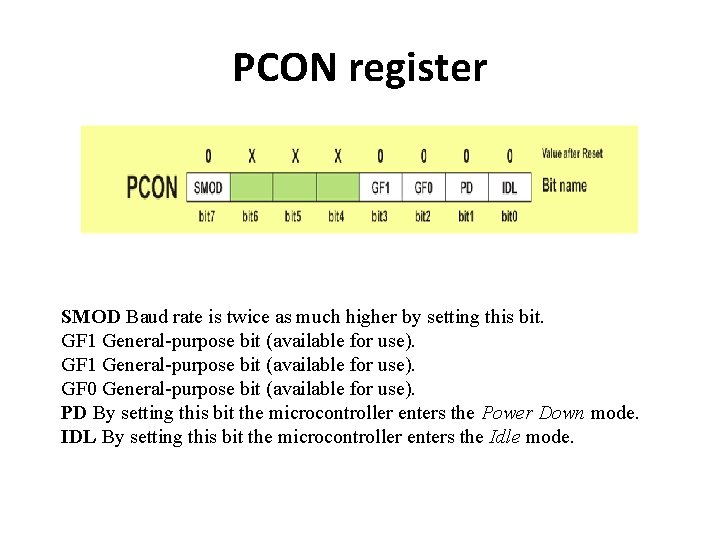
PCON register SMOD Baud rate is twice as much higher by setting this bit. GF 1 General-purpose bit (available for use). GF 0 General-purpose bit (available for use). PD By setting this bit the microcontroller enters the Power Down mode. IDL By setting this bit the microcontroller enters the Idle mode.
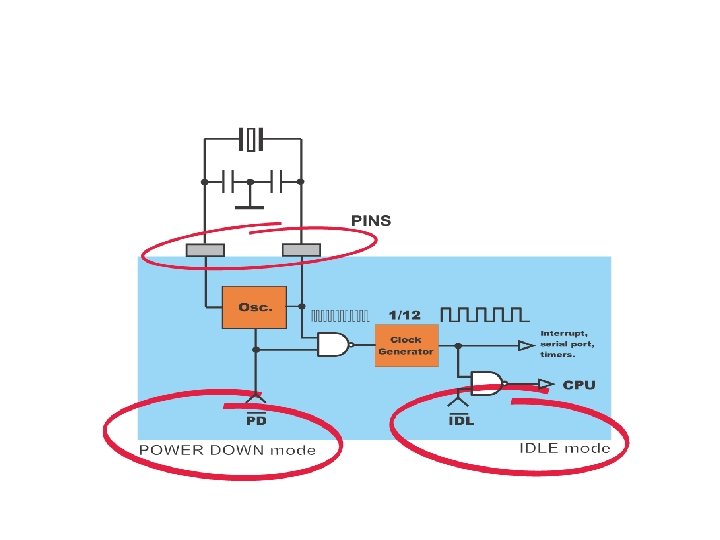
Idle Mode • In Idle mode, the state of all registers and I/O ports remains unchanged. • In order to exit the Idle mode and make the microcontroller operate normally, it is necessary to enable and execute any interrupt or reset • Use 3, NOP instruction for stabilize i/o port
Power Down mode • Only way to get the microcontroller back to normal mode is by reset. • While the microcontroller is in Power Down mode, the state of all SFR registers and I/O ports remains unchanged. • By setting it back into the normal mode, the contents of the SFR register is lost, but the content of internal RAM is saved.
- Slides: 75