
Texture n n n Motivation to model realistic
- Slides: 48
Texture n n n Motivation: to model realistic objects need surface detail: wood grain, stone roughness, scratches that affect shininess, grass, wall paper. Use geometry, model surface detail with polygons; good for large scale detail, too expensive otherwise. Improvement: map an image of the details onto simple geometry Hofstra University 1
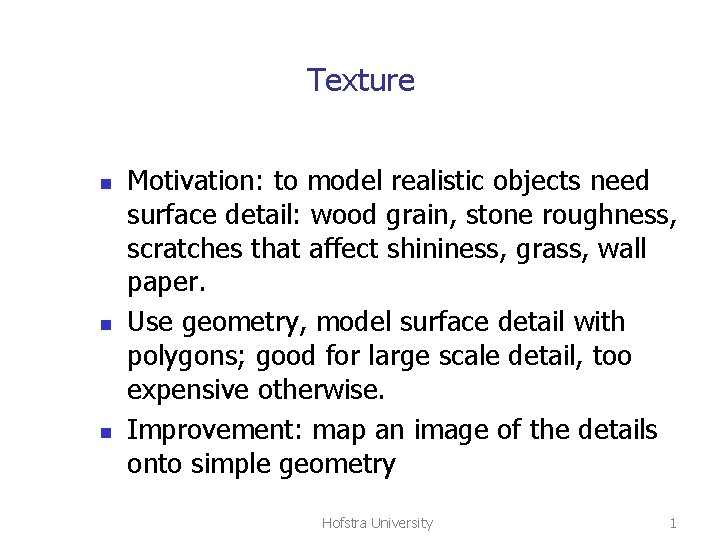
The wall Hofstra University 2
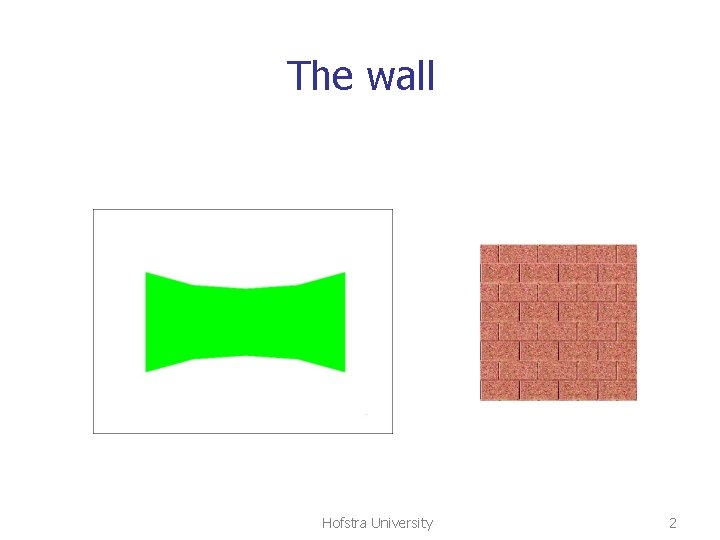
The wall Hofstra University 3
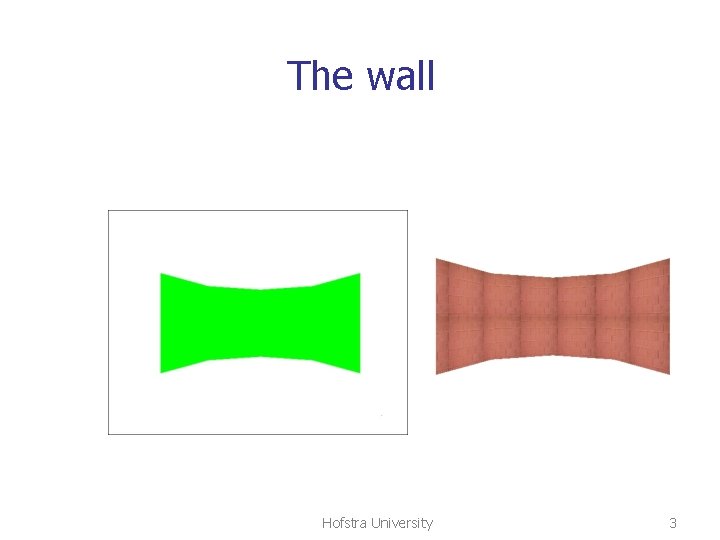
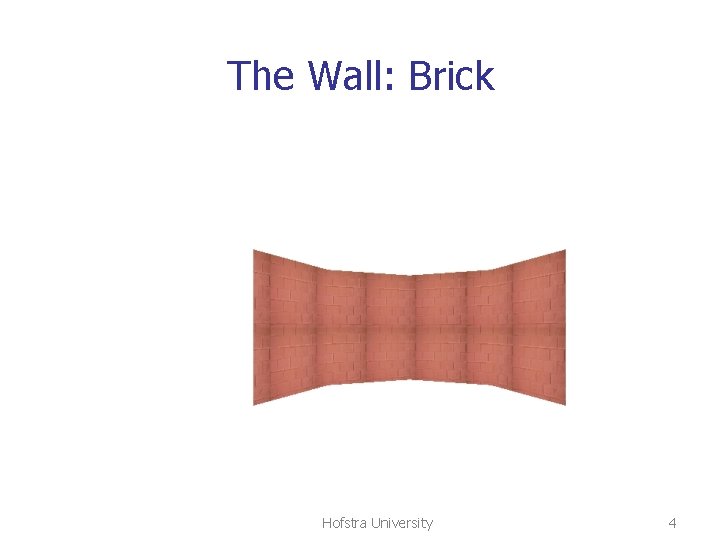
The Wall: Brick Hofstra University 4
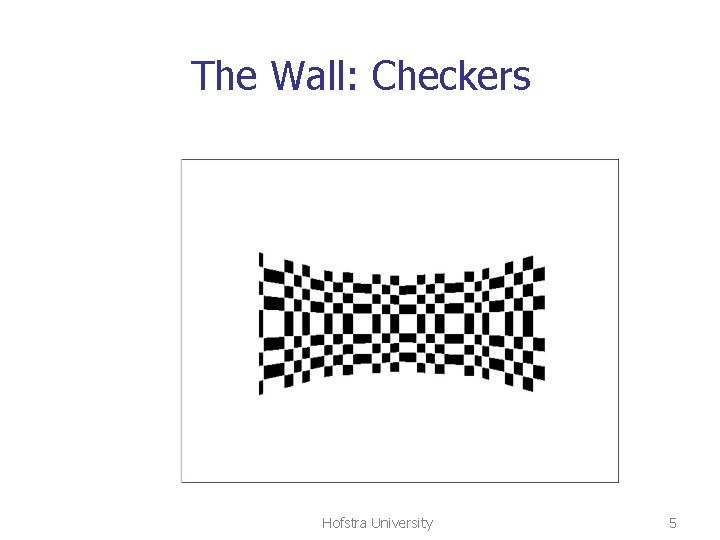
The Wall: Checkers Hofstra University 5
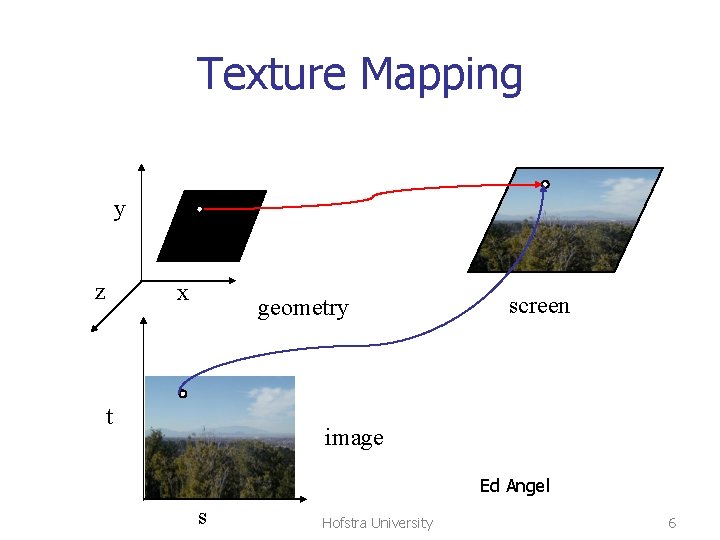
Texture Mapping y z x geometry t screen image Ed Angel s Hofstra University 6
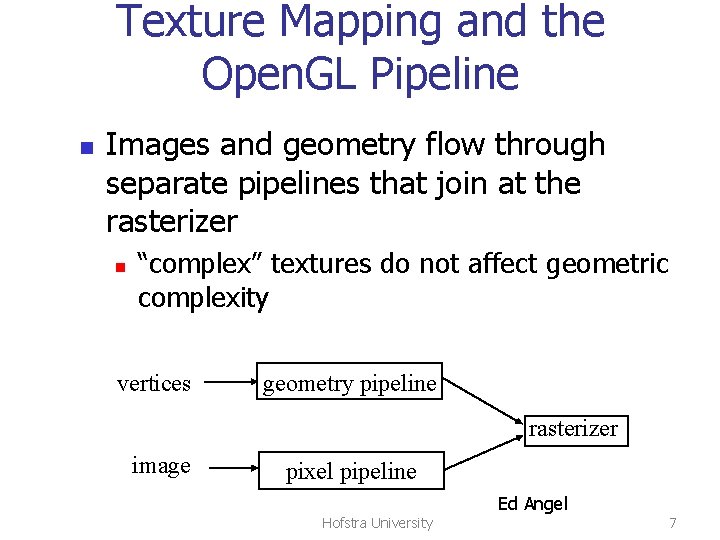
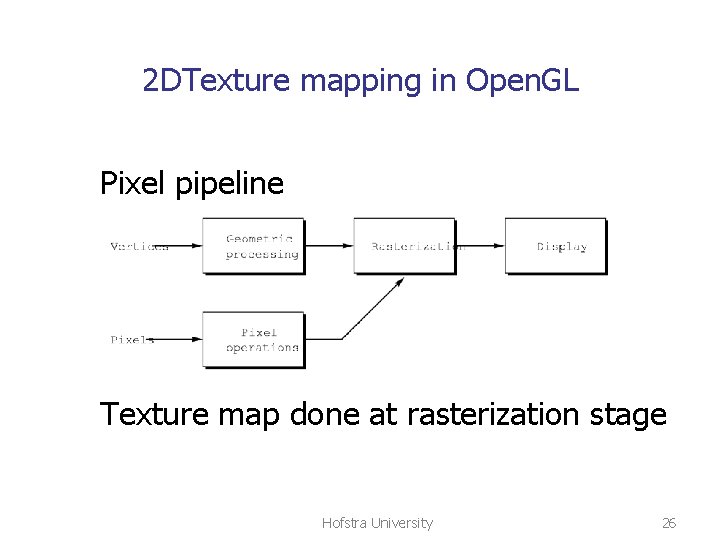
Texture Mapping and the Open. GL Pipeline n Images and geometry flow through separate pipelines that join at the rasterizer n “complex” textures do not affect geometric complexity vertices geometry pipeline rasterizer image pixel pipeline Hofstra University Ed Angel 7
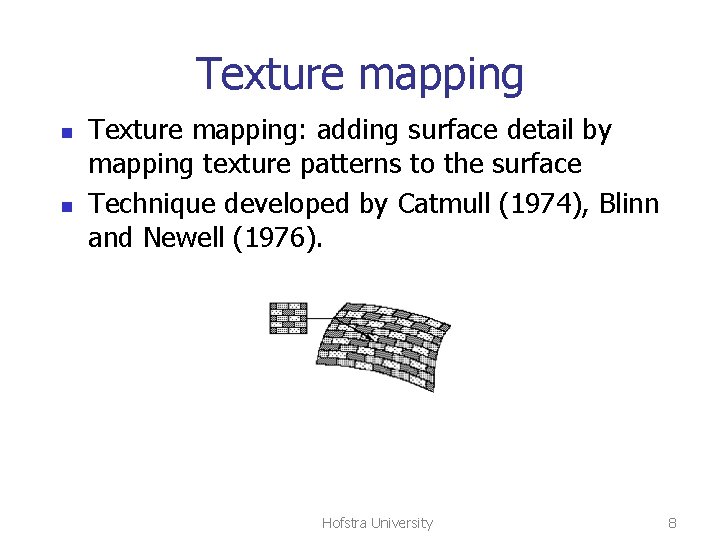
Texture mapping n n Texture mapping: adding surface detail by mapping texture patterns to the surface Technique developed by Catmull (1974), Blinn and Newell (1976). Hofstra University 8
Texture mapping methods n n 2 D texture mapping: paint 2 D pattern onto the surface Environmental (reflection) mapping Bump mapping: perturb surface normals to fool shading algorithms Procedural texture mapping, 3 D texture Hofstra University 9
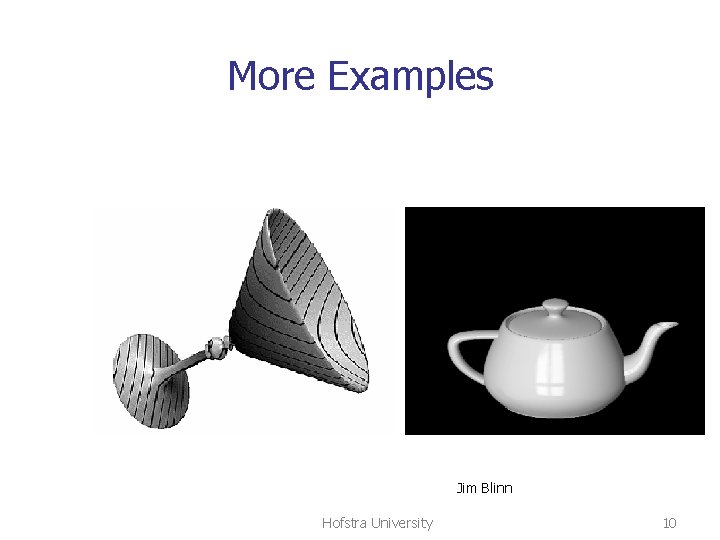
More Examples Jim Blinn Hofstra University 10
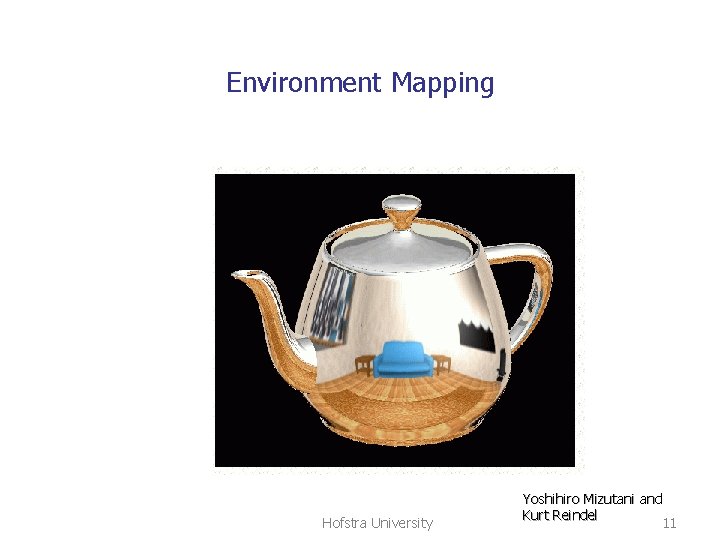
Environment Mapping Hofstra University Yoshihiro Mizutani and Kurt Reindel 11
2 D texture mapping overview Texture array is a 2 D image pattern n With elements texels n Value at a texel affects surface appearance n The “texture map” determines how the pattern lies on the surface Hofstra University 12
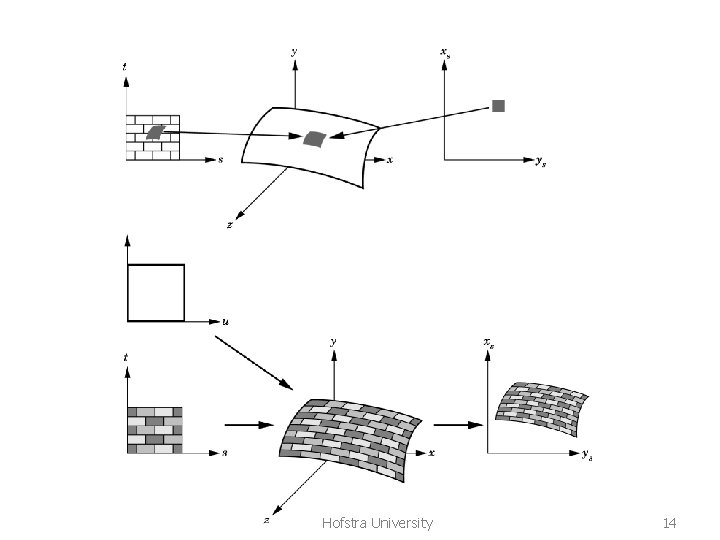
2 D texture mapping overview Rendering uses the texture mapping n Find surface that is front most at current pixel n Find the surface patch corresponding to the pixel n Find the part of the texture pattern corresponding to the surface patch n Use that part of the texture pattern in setting the pixel color Hofstra University 13
Hofstra University 14
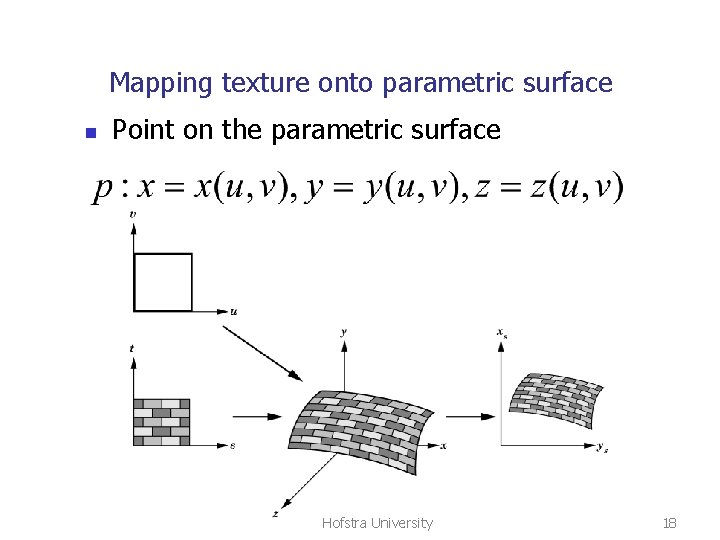
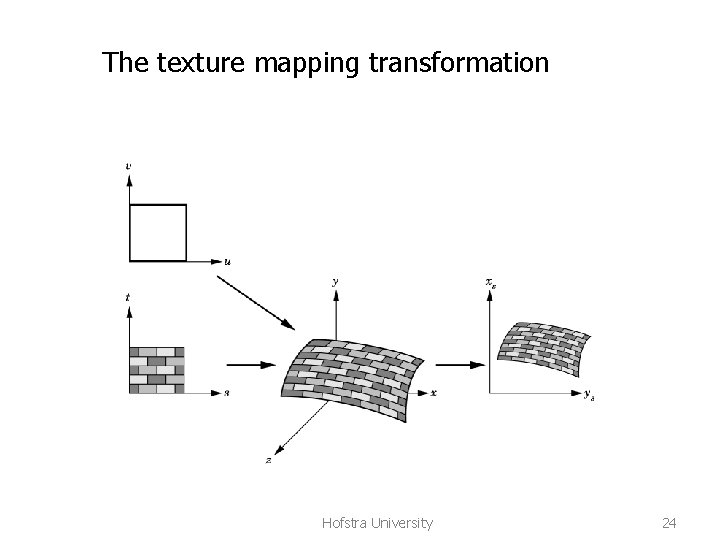
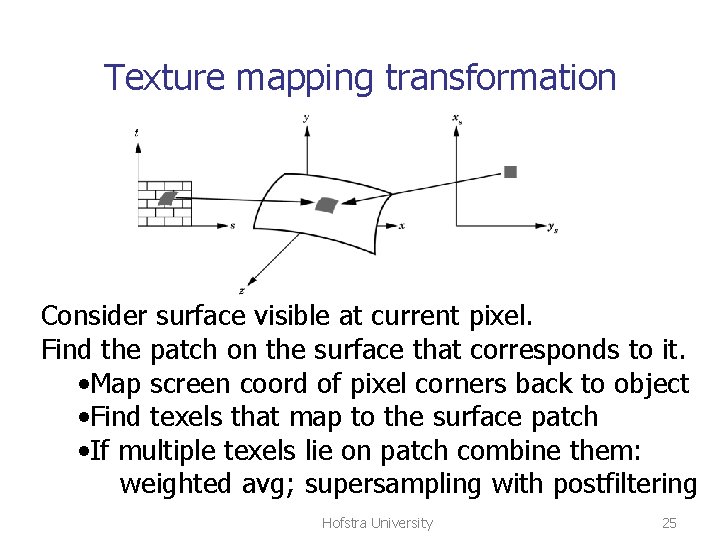
2 D texture mapping n n Source: 2 D pattern from drawing, photo, procedure Destination: any surface, easier if surface given in parametric form The map from 2 D texture coord to 3 D object Texture mapping transformation: 2 D screen coord 3 D object coord 2 D texture coord and back (see previous slide) Hofstra University 15
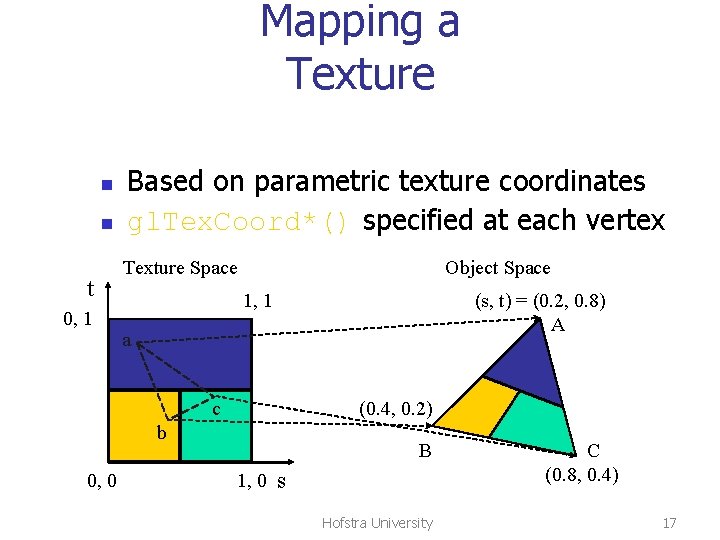
Mapping the 2 D texture to the surface n n n The map: 2 D texture(s, t) 3 D object(x, y, z) Mapping onto triangle is not difficult Mapping onto triangular mesh is more difficult (have to handle texture discontinuity) Mapping onto parametric surface is easier Alternative: use an intermediate parametric surface (cylinder, sphere) Hofstra University 16
Mapping a Texture n n t 0, 1 Based on parametric texture coordinates gl. Tex. Coord*() specified at each vertex Texture Space Object Space 1, 1 (s, t) = (0. 2, 0. 8) A a c (0. 4, 0. 2) b 0, 0 B 1, 0 s Hofstra University C (0. 8, 0. 4) 17
Mapping texture onto parametric surface n Point on the parametric surface Hofstra University 18
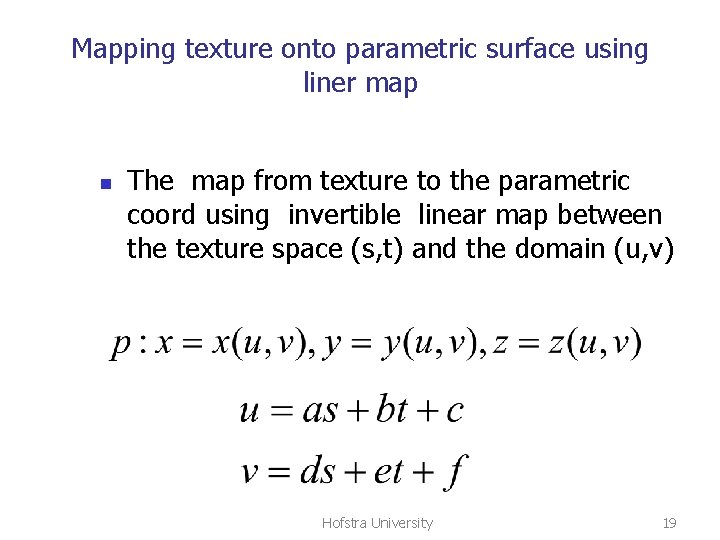
Mapping texture onto parametric surface using liner map n The map from texture to the parametric coord using invertible linear map between the texture space (s, t) and the domain (u, v) Hofstra University 19
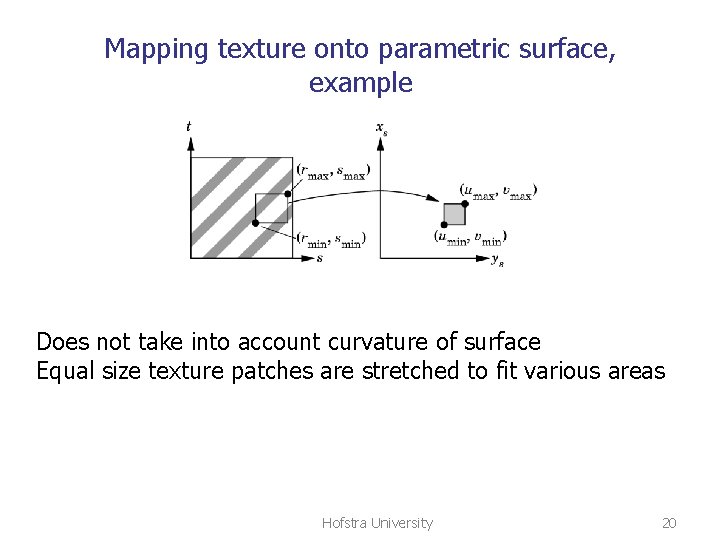
Mapping texture onto parametric surface, example Does not take into account curvature of surface Equal size texture patches are stretched to fit various areas Hofstra University 20
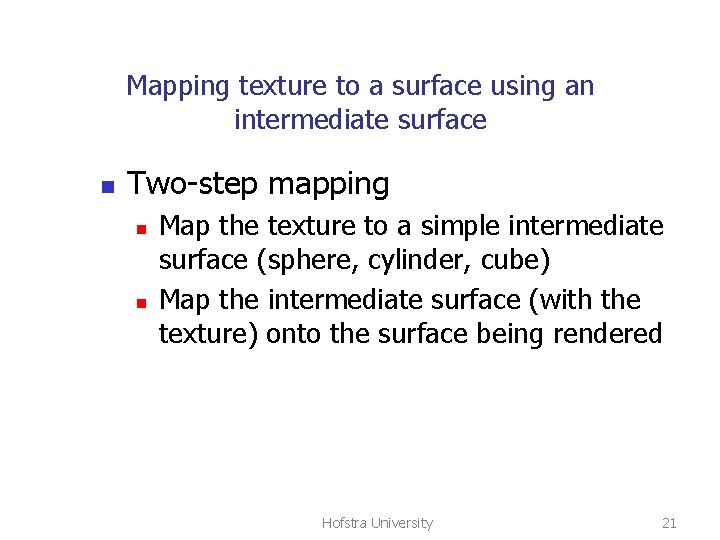
Mapping texture to a surface using an intermediate surface n Two-step mapping n n Map the texture to a simple intermediate surface (sphere, cylinder, cube) Map the intermediate surface (with the texture) onto the surface being rendered Hofstra University 21
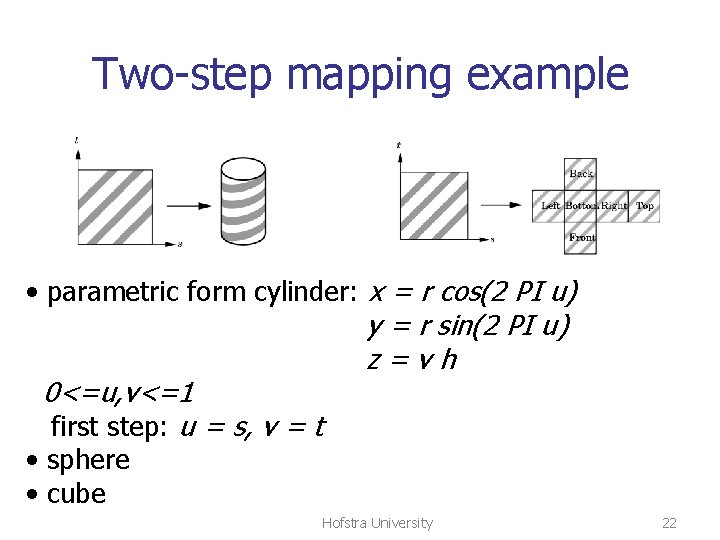
Two-step mapping example • parametric form cylinder: x = r cos(2 PI u) y = r sin(2 PI u) z=vh 0<=u, v<=1 first step: u = s, v = t • sphere • cube Hofstra University 22
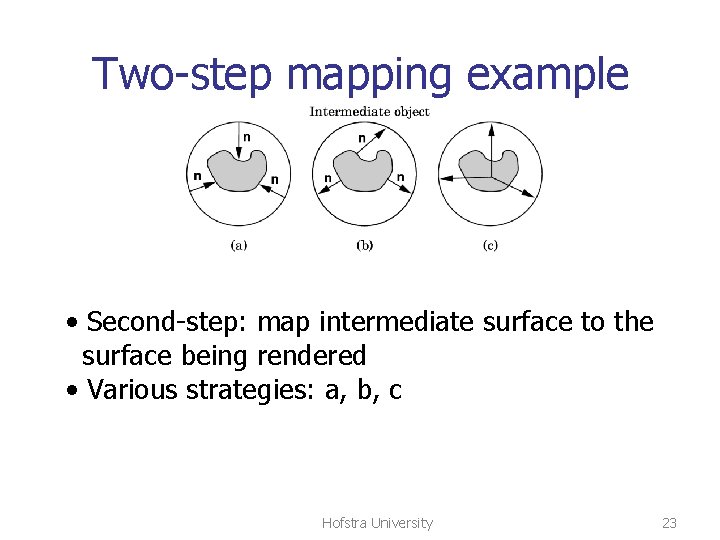
Two-step mapping example • Second-step: map intermediate surface to the surface being rendered • Various strategies: a, b, c Hofstra University 23
The texture mapping transformation Hofstra University 24
Texture mapping transformation Consider surface visible at current pixel. Find the patch on the surface that corresponds to it. • Map screen coord of pixel corners back to object • Find texels that map to the surface patch • If multiple texels lie on patch combine them: weighted avg; supersampling with postfiltering Hofstra University 25
2 DTexture mapping in Open. GL Pixel pipeline Texture map done at rasterization stage Hofstra University 26
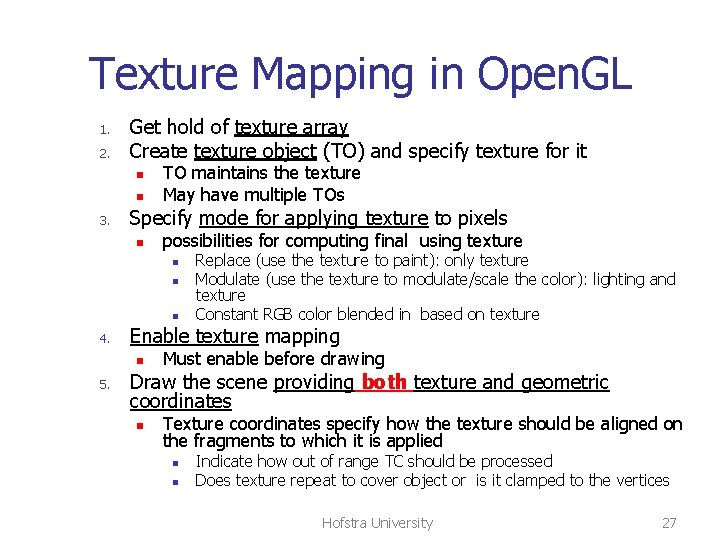
Texture Mapping in Open. GL 1. 2. Get hold of texture array Create texture object (TO) and specify texture for it n n 3. TO maintains the texture May have multiple TOs Specify mode for applying texture to pixels n possibilities for computing final using texture n n n 4. Enable texture mapping n 5. Replace (use the texture to paint): only texture Modulate (use the texture to modulate/scale the color): lighting and texture Constant RGB color blended in based on texture Must enable before drawing Draw the scene providing both texture and geometric coordinates n Texture coordinates specify how the texture should be aligned on the fragments to which it is applied n n Indicate how out of range TC should be processed Does texture repeat to cover object or is it clamped to the vertices Hofstra University 27
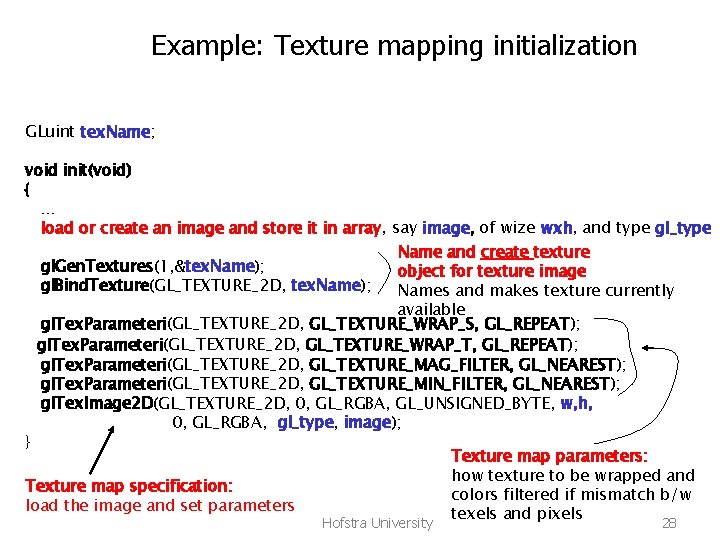
Example: Texture mapping initialization GLuint tex. Name; void init(void) { … load or create an image and store it in array, say image, of wize wxh, and type gl_type Name and create texture gl. Gen. Textures(1, &tex. Name); object for texture image gl. Bind. Texture(GL_TEXTURE_2 D, tex. Name); Names and makes texture currently available gl. Tex. Parameteri(GL_TEXTURE_2 D, GL_TEXTURE_WRAP_S, GL_REPEAT); gl. Tex. Parameteri(GL_TEXTURE_2 D, GL_TEXTURE_WRAP_T, GL_REPEAT); gl. Tex. Parameteri(GL_TEXTURE_2 D, GL_TEXTURE_MAG_FILTER, GL_NEAREST); gl. Tex. Parameteri(GL_TEXTURE_2 D, GL_TEXTURE_MIN_FILTER, GL_NEAREST); gl. Tex. Image 2 D(GL_TEXTURE_2 D, 0, GL_RGBA, GL_UNSIGNED_BYTE, w, h, 0, GL_RGBA, gl_type, image); } Texture map parameters: how texture to be wrapped and Texture map specification: colors filtered if mismatch b/w load the image and set parameters texels and pixels Hofstra University 28
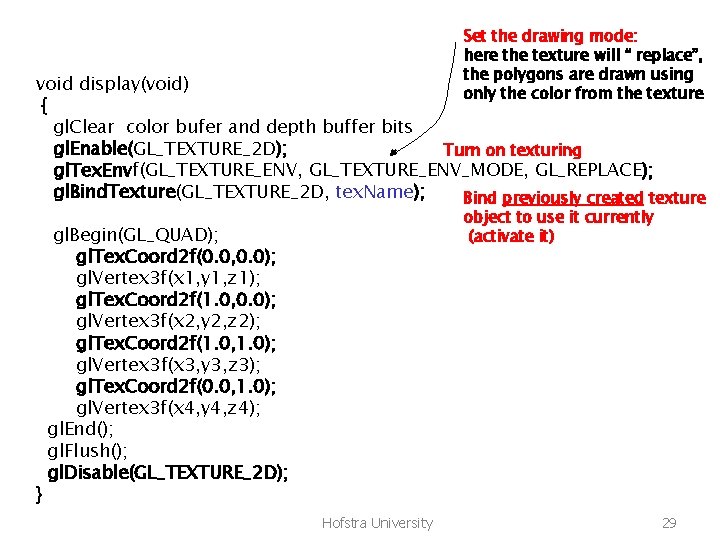
Set the drawing mode: here the texture will “ replace”, the polygons are drawn using only the color from the texture void display(void) { gl. Clear color bufer and depth buffer bits gl. Enable(GL_TEXTURE_2 D); Turn on texturing gl. Tex. Envf(GL_TEXTURE_ENV, GL_TEXTURE_ENV_MODE, GL_REPLACE); gl. Bind. Texture(GL_TEXTURE_2 D, tex. Name); Bind previously created texture } object to use it currently (activate it) gl. Begin(GL_QUAD); gl. Tex. Coord 2 f(0. 0, 0. 0); gl. Vertex 3 f(x 1, y 1, z 1); gl. Tex. Coord 2 f(1. 0, 0. 0); gl. Vertex 3 f(x 2, y 2, z 2); gl. Tex. Coord 2 f(1. 0, 1. 0); gl. Vertex 3 f(x 3, y 3, z 3); gl. Tex. Coord 2 f(0. 0, 1. 0); gl. Vertex 3 f(x 4, y 4, z 4); gl. End(); gl. Flush(); gl. Disable(GL_TEXTURE_2 D); Hofstra University 29
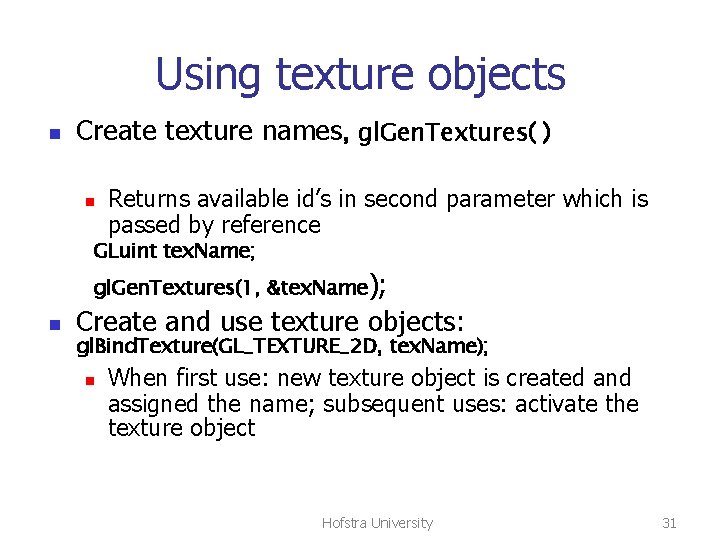
Using texture objects n Create texture names, gl. Gen. Textures( ) n Returns available id’s in second parameter which is passed by reference GLuint tex. Name; gl. Gen. Textures(1, &tex. Name); n Create and use texture objects: gl. Bind. Texture(GL_TEXTURE_2 D, tex. Name); n When first use: new texture object is created and assigned the name; subsequent uses: activate the texture object Hofstra University 31
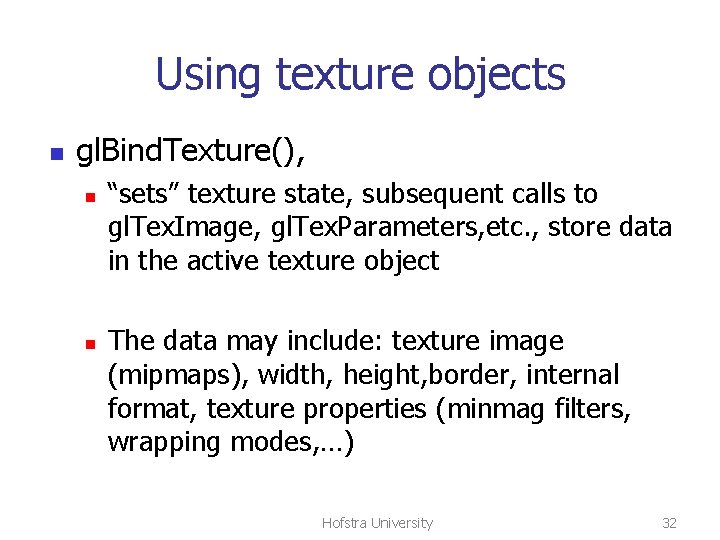
Using texture objects n gl. Bind. Texture(), n n “sets” texture state, subsequent calls to gl. Tex. Image, gl. Tex. Parameters, etc. , store data in the active texture object The data may include: texture image (mipmaps), width, height, border, internal format, texture properties (minmag filters, wrapping modes, …) Hofstra University 32
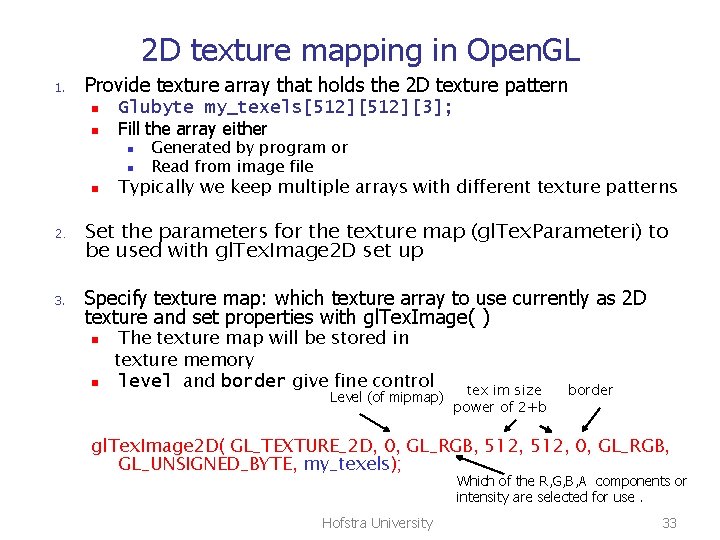
2 D texture mapping in Open. GL 1. Provide texture array that holds the 2 D texture pattern n n Glubyte my_texels[512][3]; Fill the array either n n n 2. 3. Generated by program or Read from image file Typically we keep multiple arrays with different texture patterns Set the parameters for the texture map (gl. Tex. Parameteri) to be used with gl. Tex. Image 2 D set up Specify texture map: which texture array to use currently as 2 D texture and set properties with gl. Tex. Image( ) n n The texture map will be stored in texture memory level and border give fine control Level (of mipmap) tex im size power of 2+b border gl. Tex. Image 2 D( GL_TEXTURE_2 D, 0, GL_RGB, 512, 0, GL_RGB, GL_UNSIGNED_BYTE, my_texels); Which of the R, G, B, A components or intensity are selected for use. Hofstra University 33
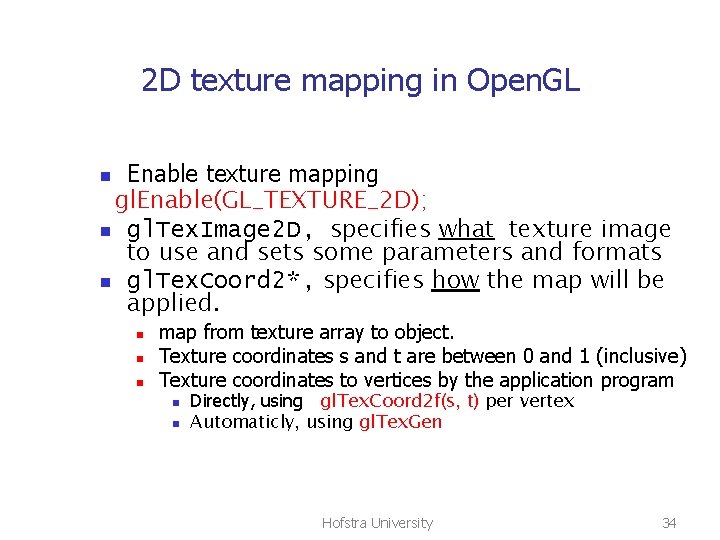
2 D texture mapping in Open. GL Enable texture mapping gl. Enable(GL_TEXTURE_2 D); n gl. Tex. Image 2 D, specifies what texture image to use and sets some parameters and formats n gl. Tex. Coord 2*, specifies how the map will be applied. n n map from texture array to object. Texture coordinates s and t are between 0 and 1 (inclusive) Texture coordinates to vertices by the application program n n Directly, using gl. Tex. Coord 2 f(s, t) per vertex Automaticly, using gl. Tex. Gen Hofstra University 34
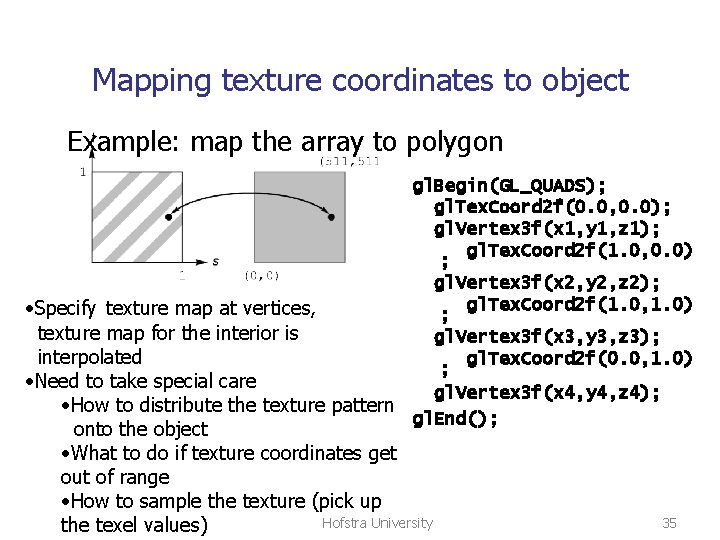
Mapping texture coordinates to object Example: map the array to polygon gl. Begin(GL_QUADS); gl. Tex. Coord 2 f(0. 0, 0. 0); gl. Vertex 3 f(x 1, y 1, z 1); gl. Tex. Coord 2 f(1. 0, 0. 0) ; gl. Vertex 3 f(x 2, y 2, z 2); gl. Tex. Coord 2 f(1. 0, 1. 0) • Specify texture map at vertices, ; texture map for the interior is gl. Vertex 3 f(x 3, y 3, z 3); gl. Tex. Coord 2 f(0. 0, 1. 0) interpolated ; • Need to take special care gl. Vertex 3 f(x 4, y 4, z 4); • How to distribute the texture pattern gl. End(); onto the object • What to do if texture coordinates get out of range • How to sample the texture (pick up Hofstra University the texel values) 35
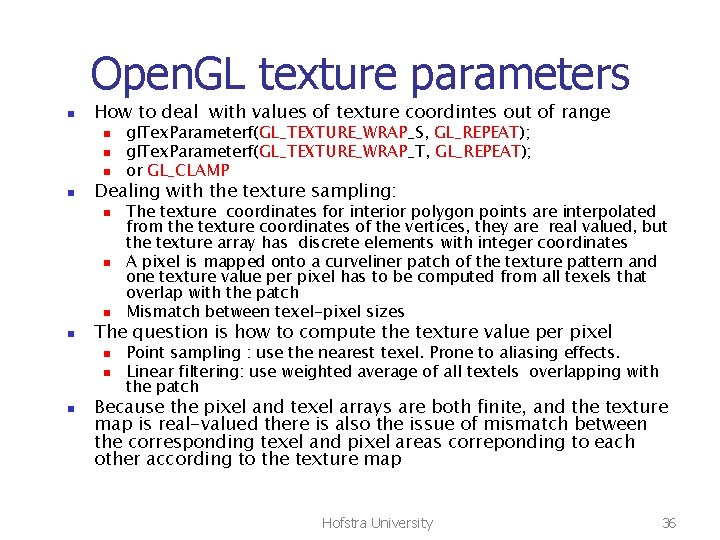
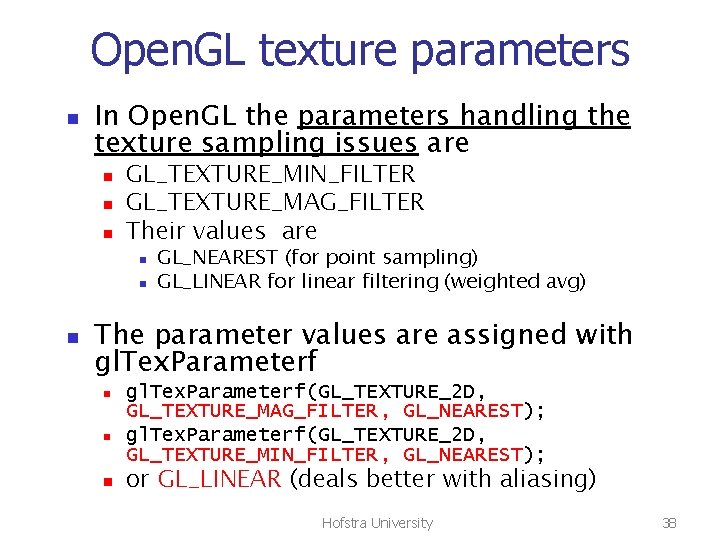
Open. GL texture parameters n How to deal with values of texture coordintes out of range n n Dealing with the texture sampling: n n The texture coordinates for interior polygon points are interpolated from the texture coordinates of the vertices, they are real valued, but the texture array has discrete elements with integer coordinates A pixel is mapped onto a curveliner patch of the texture pattern and one texture value per pixel has to be computed from all texels that overlap with the patch Mismatch between texel-pixel sizes The question is how to compute the texture value per pixel n n n gl. Tex. Parameterf(GL_TEXTURE_WRAP_S, GL_REPEAT); gl. Tex. Parameterf(GL_TEXTURE_WRAP_T, GL_REPEAT); or GL_CLAMP Point sampling : use the nearest texel. Prone to aliasing effects. Linear filtering: use weighted average of all textels overlapping with the patch Because the pixel and texel arrays are both finite, and the texture map is real-valued there is also the issue of mismatch between the corresponding texel and pixel areas correponding to each other according to the texture map Hofstra University 36
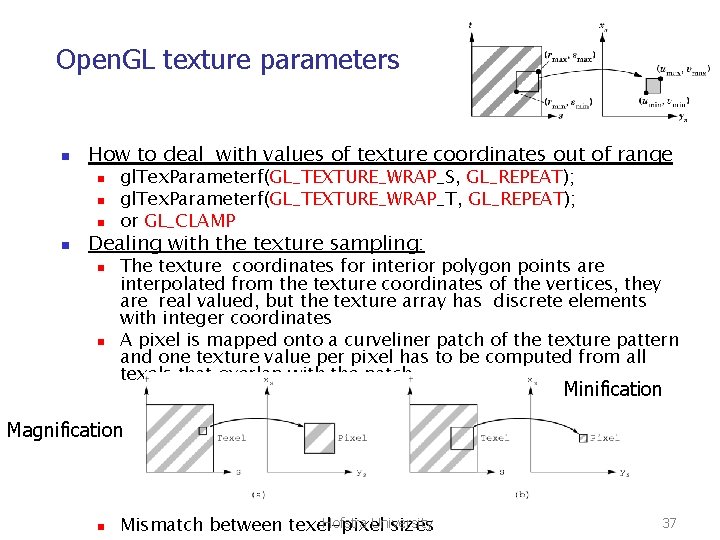
Open. GL texture parameters n How to deal with values of texture coordinates out of range n n gl. Tex. Parameterf(GL_TEXTURE_WRAP_S, GL_REPEAT); gl. Tex. Parameterf(GL_TEXTURE_WRAP_T, GL_REPEAT); or GL_CLAMP Dealing with the texture sampling: n n The texture coordinates for interior polygon points are interpolated from the texture coordinates of the vertices, they are real valued, but the texture array has discrete elements with integer coordinates A pixel is mapped onto a curveliner patch of the texture pattern and one texture value per pixel has to be computed from all texels that overlap with the patch Minification Magnification n Hofstra University Mismatch between texel-pixel sizes 37
Open. GL texture parameters n In Open. GL the parameters handling the texture sampling issues are n n n GL_TEXTURE_MIN_FILTER GL_TEXTURE_MAG_FILTER Their values are n n n GL_NEAREST (for point sampling) GL_LINEAR for linear filtering (weighted avg) The parameter values are assigned with gl. Tex. Parameterf n n n gl. Tex. Parameterf(GL_TEXTURE_2 D, GL_TEXTURE_MAG_FILTER, GL_NEAREST); gl. Tex. Parameterf(GL_TEXTURE_2 D, GL_TEXTURE_MIN_FILTER, GL_NEAREST); or GL_LINEAR (deals better with aliasing) Hofstra University 38
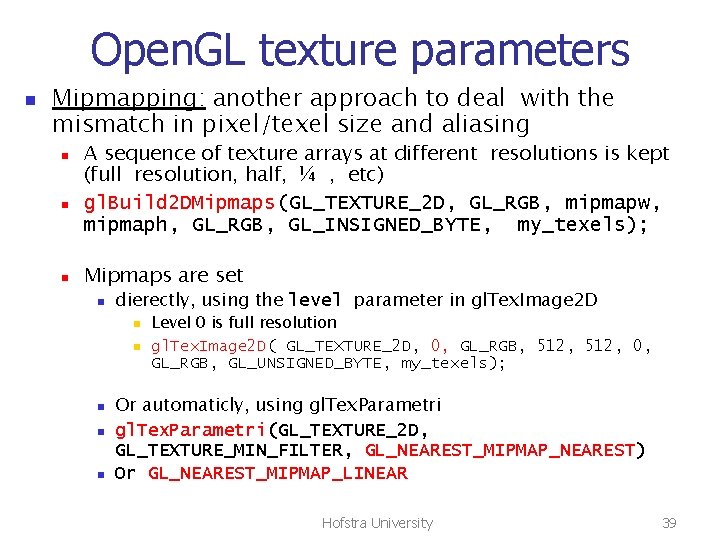
Open. GL texture parameters n Mipmapping: another approach to deal with the mismatch in pixel/texel size and aliasing n n n A sequence of texture arrays at different resolutions is kept (full resolution, half, ¼ , etc) gl. Build 2 DMipmaps(GL_TEXTURE_2 D, GL_RGB, mipmapw, mipmaph, GL_RGB, GL_INSIGNED_BYTE, my_texels); Mipmaps are set n dierectly, using the level parameter in gl. Tex. Image 2 D n n n Level 0 is full resolution gl. Tex. Image 2 D( GL_TEXTURE_2 D, 0, GL_RGB, 512, 0, GL_RGB, GL_UNSIGNED_BYTE, my_texels); Or automaticly, using gl. Tex. Parametri(GL_TEXTURE_2 D, GL_TEXTURE_MIN_FILTER, GL_NEAREST_MIPMAP_NEAREST) Or GL_NEAREST_MIPMAP_LINEAR Hofstra University 39
Open. GL texture parameters n n Interaction between texturing and shading n gl. Tex. Envi(GL_TEX_ENV_MODE, GL_MODULATE); n or GL_DECAL Dealing with aliasing issues related to the perspective projection foreshothening gl. HINT(GL_PERSPECTIVE_CORRECTION, GL_NICEST); Hofstra University 40
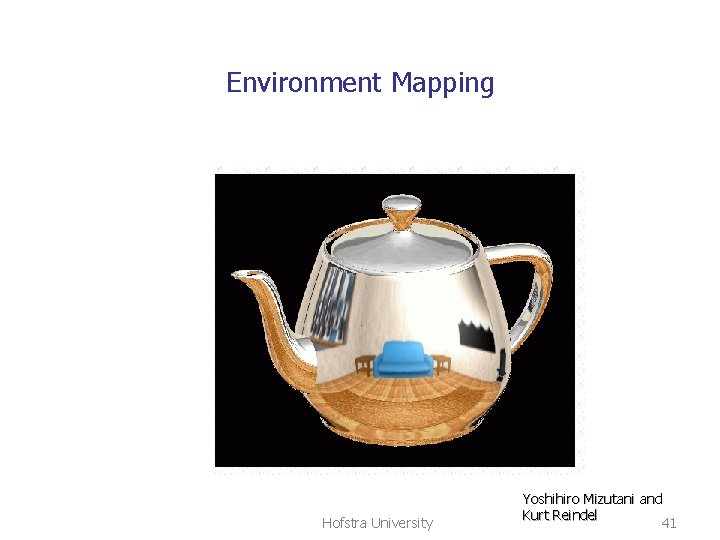
Environment Mapping Hofstra University Yoshihiro Mizutani and Kurt Reindel 41
Environment Mapping II n n Put texture on a highly reflective object by picking up texture from the environment in which the object is immersed. Realized as two-step process n n Project the environment (excluding the object) onto an intermediate surface. Place object back, and map texture from intermediate surface to object Hofstra University 42
Environment Mapping III: methods n Sphere mapping n n Supported directly by Open. GL Cube mapping n Supported by the NV Ge. Force 256 GPU n Open. GL extension: EXT_texture_cube Hofstra University 43
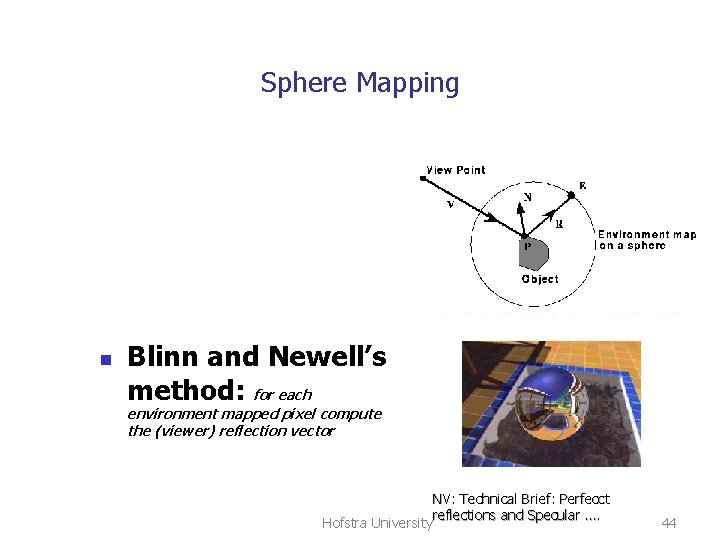
Sphere Mapping n Blinn and Newell’s method: for each environment mapped pixel compute the (viewer) reflection vector NV: Technical Brief: Perfecct reflections and Specular …. Hofstra University 44
Blinn-Newell: problems n n Borders Singularities at the poles (convergence) Hofstra University 45
Cubic mapping n Intrtoduced by Greene in 1986. n n n O mapping: put a camera in the environment center and then project the environment onto the sides of a cube centered at the camera position. Amounts to six scene renderings. More uniform sampling then B-N The normalized reflection vector determines which face to use for texturing. n The reflection vector component with larges abs value determines the side e. g. [-0. 2, 0. 5, -0. 84] selects the –Z face Hofstra University 46
Bump mapping n n 2 D Texture map creates odd looking rough surfaces Bump mapping: texture map that alters surface normals. n n n Use texture array to set a function which perturbs surface normals Altered normals match a bumpy surface Applying illumination model to the new normals shades the bumps correctly Hofstra University 47
Bump mapping • Bump map is in texture array: d(s, t) << 1 • p point on the surface corresponding to texture coordinates s, t. • N the normal at p • p’ the bump point for p p’ = p + d(s, t)N We actually do not “bump” the surface, just the normal at p. • N’ the normal at p’. This normal used by the illumination model at p. Hofstra University 48
Bump mapping How to get N’ : • given two vectors tangent to the bumpy surface, N’ is their cross product • The two vectors follow from the partial derivatives of the p’ equation wrt u, v p’ = p + d(s, t)N • These partial derivatives expressed in terms of the derivatives of d(s, t) as s, t change Hofstra University 49