
Texture Mapping Ed Angel Professor Emeritus of Computer
- Slides: 22
Texture Mapping Ed Angel Professor Emeritus of Computer Science University of New Mexico E. Angel and D. Shreiner: Interactive Computer Graphics 6 E © Addison Wesley 2012 1
Objectives • Introduce Mapping Methods Texture Mapping Environment Mapping Bump Mapping • Consider basic strategies Forward vs backward mapping Point sampling vs area averaging E. Angel and D. Shreiner: Interactive Computer Graphics 6 E © Addison Wesley 2012 2
The Limits of Geometric Modeling • Although graphics cards can render over 10 million polygons per second, that number is insufficient for many phenomena Clouds Grass Terrain Skin E. Angel and D. Shreiner: Interactive Computer Graphics 6 E © Addison Wesley 2012 3
Modeling an Orange • Consider the problem of modeling an orange (the fruit) • Start with an orange colored sphere Too simple • Replace sphere with a more complex shape Does not capture surface characteristics (small dimples) Takes too many polygons to model all the dimples E. Angel and D. Shreiner: Interactive Computer Graphics 6 E © Addison Wesley 2012 4
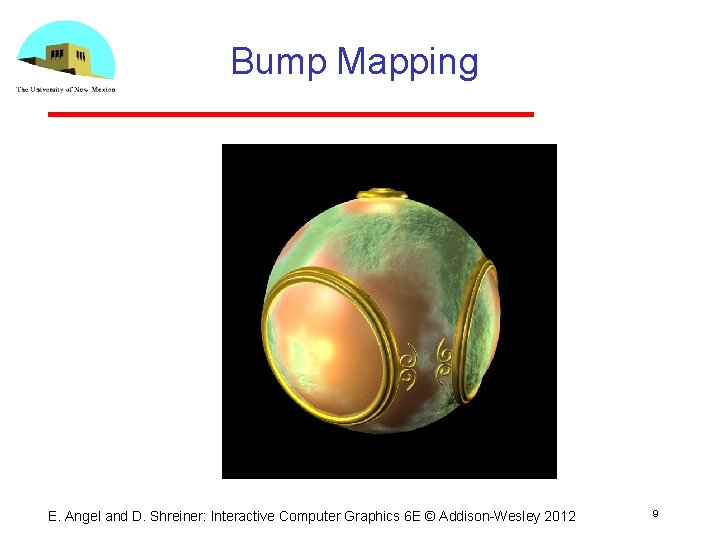
Modeling an Orange (2) • Take a picture of a real orange, scan it, and “paste” onto simple geometric model This process is known as texture mapping • Still might not be sufficient because resulting surface will be smooth Need to change local shape Bump mapping E. Angel and D. Shreiner: Interactive Computer Graphics 6 E © Addison Wesley 2012 5
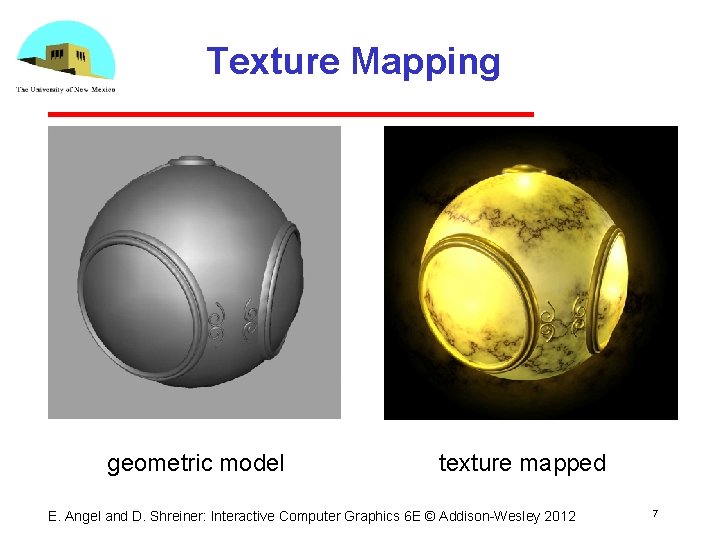
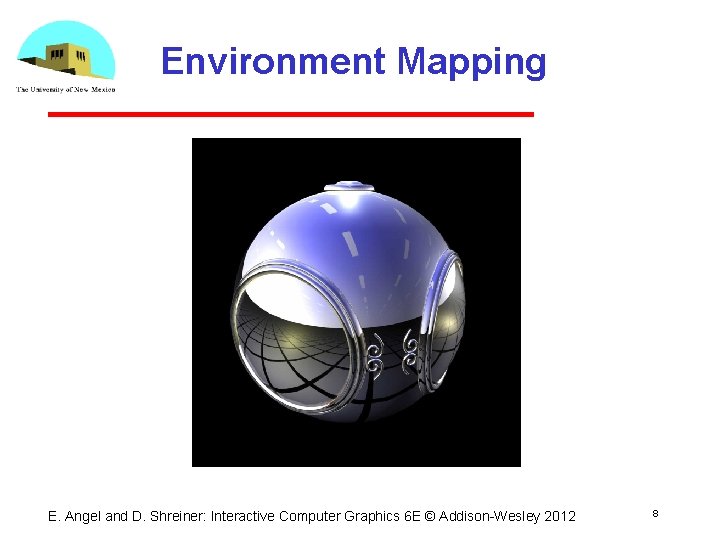
Three Types of Mapping • Texture Mapping Uses images to fill inside of polygons • Environment (reflection mapping) Uses a picture of the environment for texture maps Allows simulation of highly specular surfaces • Bump mapping Emulates altering normal vectors during the rendering process E. Angel and D. Shreiner: Interactive Computer Graphics 6 E © Addison Wesley 2012 6
Texture Mapping geometric model texture mapped E. Angel and D. Shreiner: Interactive Computer Graphics 6 E © Addison Wesley 2012 7
Environment Mapping E. Angel and D. Shreiner: Interactive Computer Graphics 6 E © Addison Wesley 2012 8
Bump Mapping E. Angel and D. Shreiner: Interactive Computer Graphics 6 E © Addison Wesley 2012 9
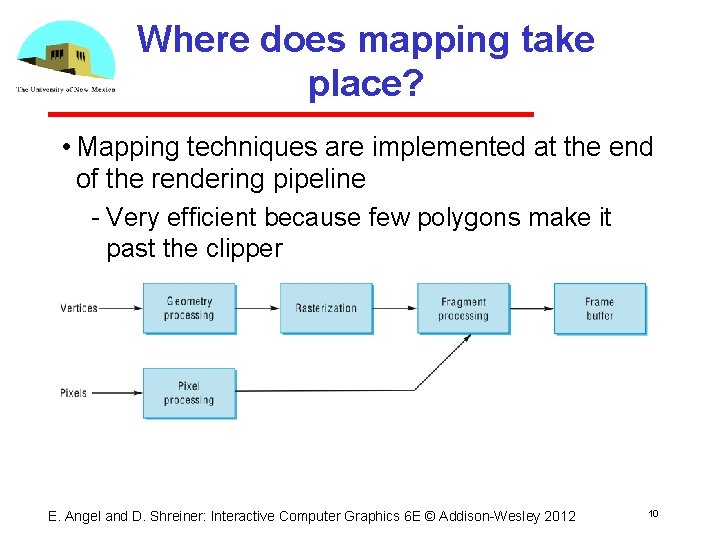
Where does mapping take place? • Mapping techniques are implemented at the end of the rendering pipeline Very efficient because few polygons make it past the clipper E. Angel and D. Shreiner: Interactive Computer Graphics 6 E © Addison Wesley 2012 10
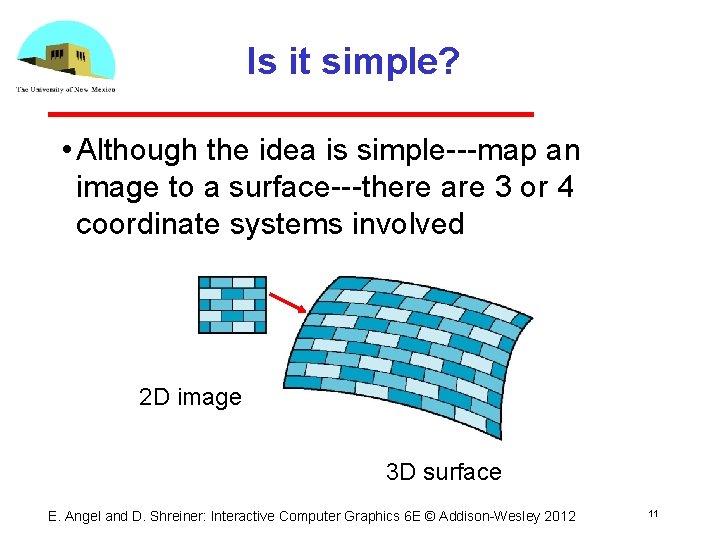
Is it simple? • Although the idea is simple map an image to a surface there are 3 or 4 coordinate systems involved 2 D image 3 D surface E. Angel and D. Shreiner: Interactive Computer Graphics 6 E © Addison Wesley 2012 11
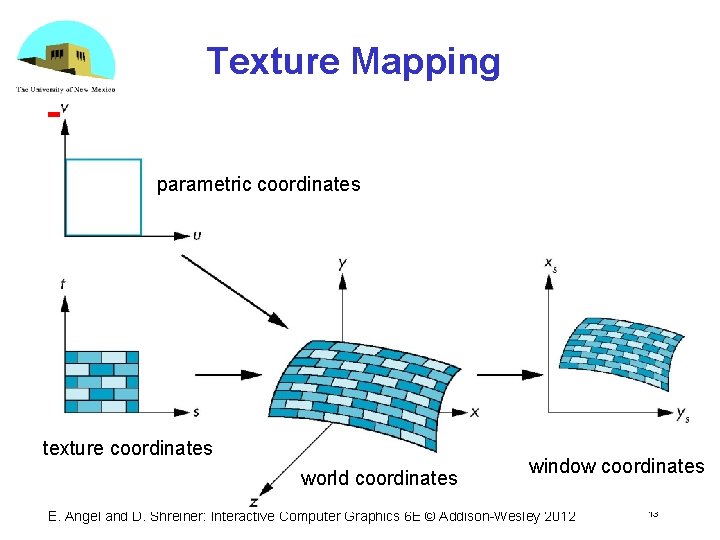
Coordinate Systems • Parametric coordinates May be used to model curves and surfaces • Texture coordinates Used to identify points in the image to be mapped • Object or World Coordinates Conceptually, where the mapping takes place • Window Coordinates Where the final image is really produced E. Angel and D. Shreiner: Interactive Computer Graphics 6 E © Addison Wesley 2012 12
Texture Mapping parametric coordinates texture coordinates world coordinates window coordinates E. Angel and D. Shreiner: Interactive Computer Graphics 6 E © Addison Wesley 2012 13
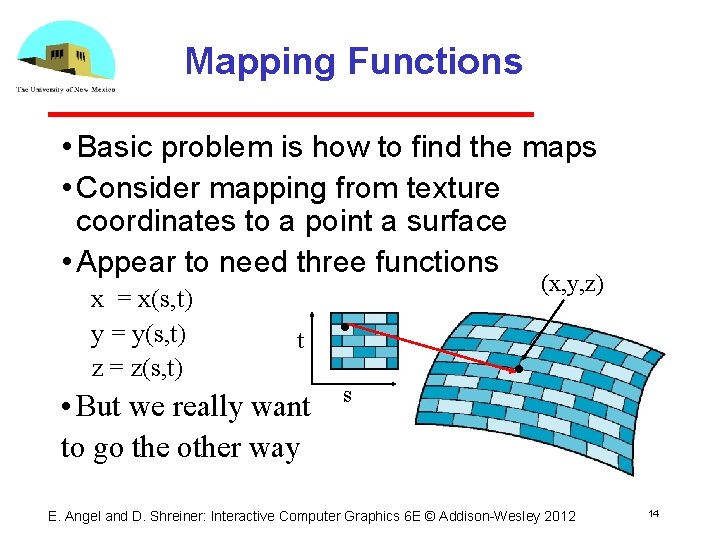
Mapping Functions • Basic problem is how to find the maps • Consider mapping from texture coordinates to a point a surface • Appear to need three functions x = x(s, t) y = y(s, t) z = z(s, t) (x, y, z) t • But we really want to go the other way s E. Angel and D. Shreiner: Interactive Computer Graphics 6 E © Addison Wesley 2012 14
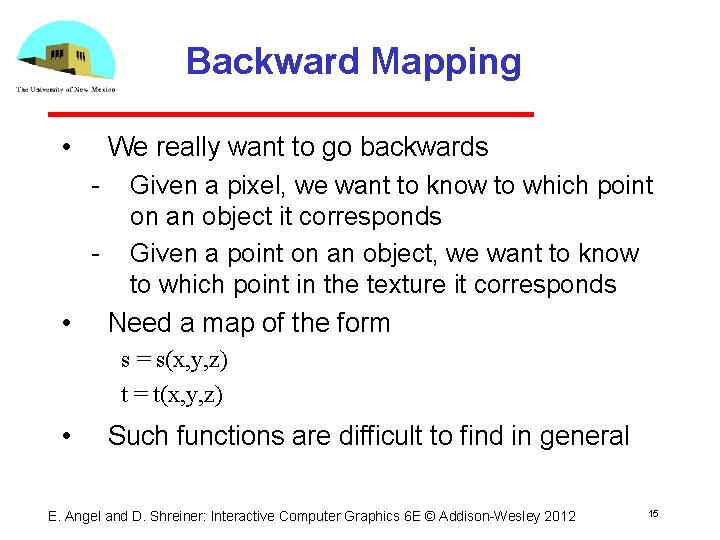
Backward Mapping • We really want to go backwards Given a pixel, we want to know to which point on an object it corresponds Given a point on an object, we want to know to which point in the texture it corresponds • Need a map of the form s = s(x, y, z) t = t(x, y, z) • Such functions are difficult to find in general E. Angel and D. Shreiner: Interactive Computer Graphics 6 E © Addison Wesley 2012 15
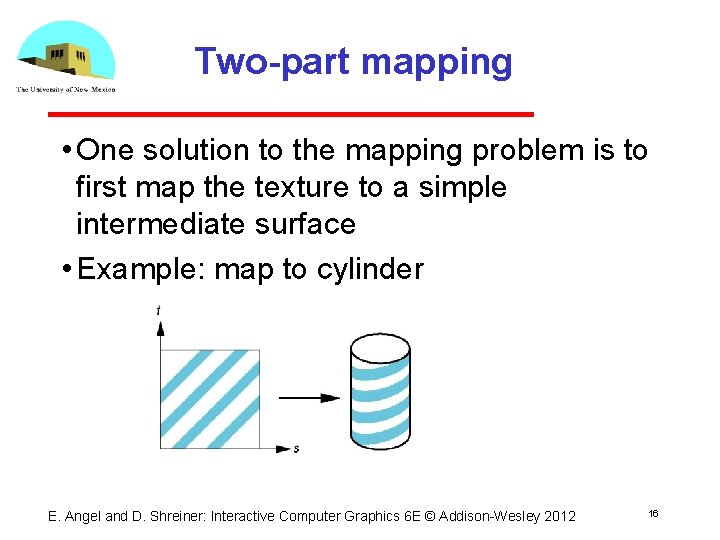
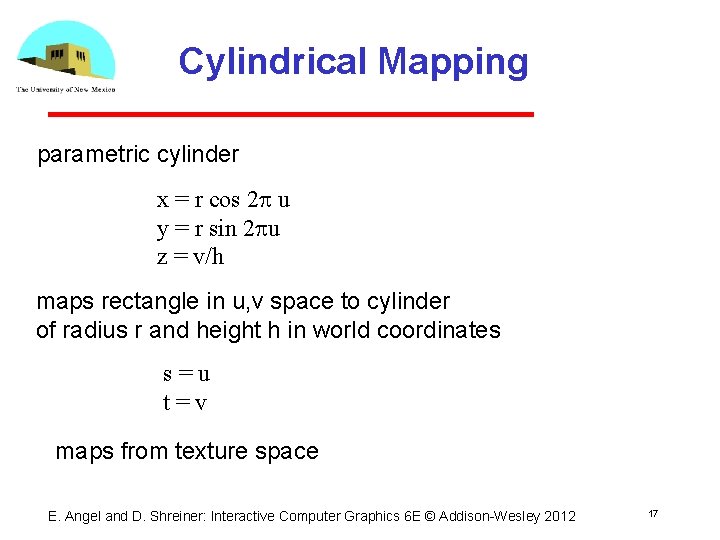
Two-part mapping • One solution to the mapping problem is to first map the texture to a simple intermediate surface • Example: map to cylinder E. Angel and D. Shreiner: Interactive Computer Graphics 6 E © Addison Wesley 2012 16
Cylindrical Mapping parametric cylinder x = r cos 2 p u y = r sin 2 pu z = v/h maps rectangle in u, v space to cylinder of radius r and height h in world coordinates s=u t=v maps from texture space E. Angel and D. Shreiner: Interactive Computer Graphics 6 E © Addison Wesley 2012 17
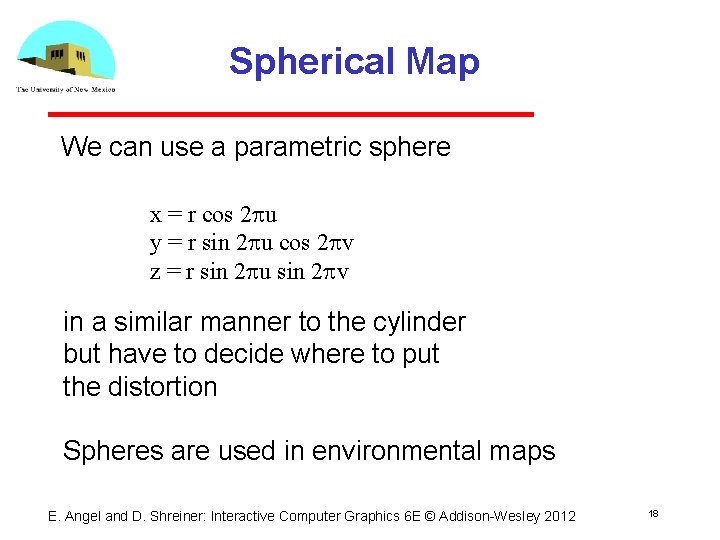
Spherical Map We can use a parametric sphere x = r cos 2 pu y = r sin 2 pu cos 2 pv z = r sin 2 pu sin 2 pv in a similar manner to the cylinder but have to decide where to put the distortion Spheres are used in environmental maps E. Angel and D. Shreiner: Interactive Computer Graphics 6 E © Addison Wesley 2012 18
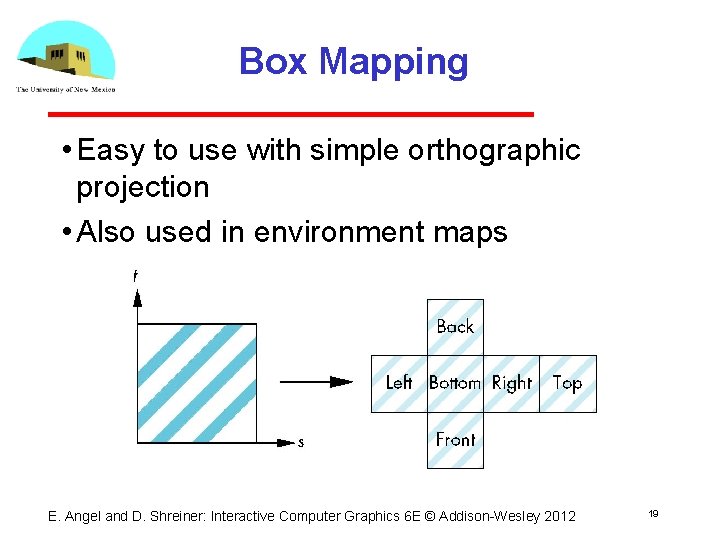
Box Mapping • Easy to use with simple orthographic projection • Also used in environment maps E. Angel and D. Shreiner: Interactive Computer Graphics 6 E © Addison Wesley 2012 19
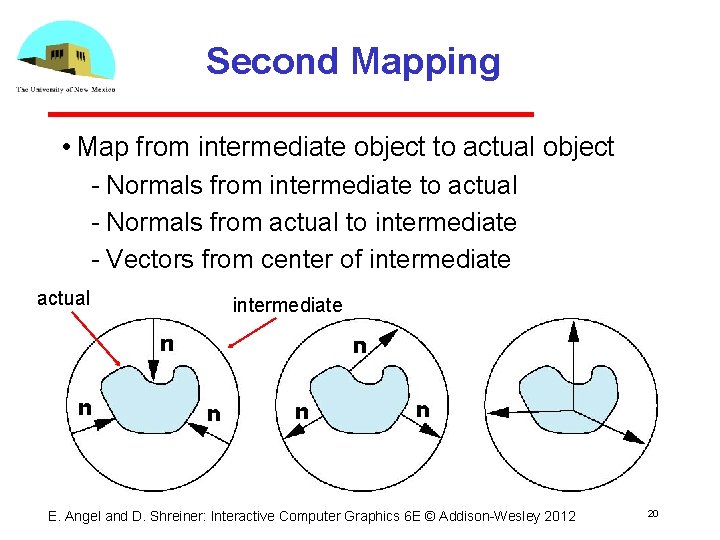
Second Mapping • Map from intermediate object to actual object Normals from intermediate to actual Normals from actual to intermediate Vectors from center of intermediate actual intermediate E. Angel and D. Shreiner: Interactive Computer Graphics 6 E © Addison Wesley 2012 20
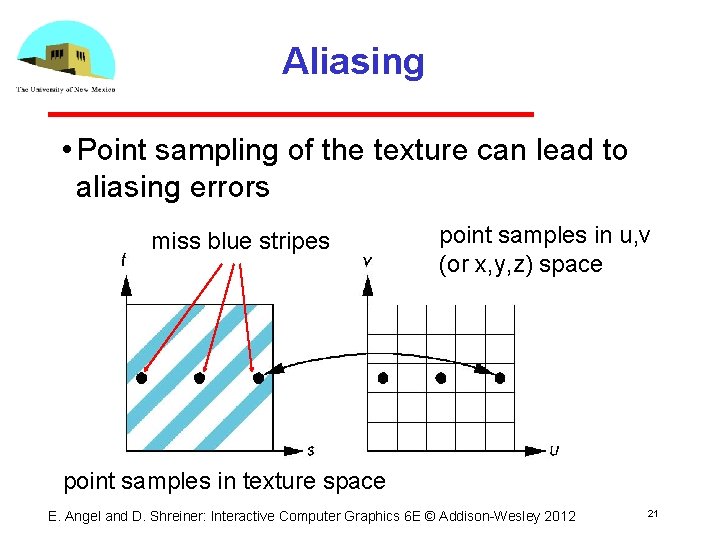
Aliasing • Point sampling of the texture can lead to aliasing errors miss blue stripes point samples in u, v (or x, y, z) space point samples in texture space E. Angel and D. Shreiner: Interactive Computer Graphics 6 E © Addison Wesley 2012 21
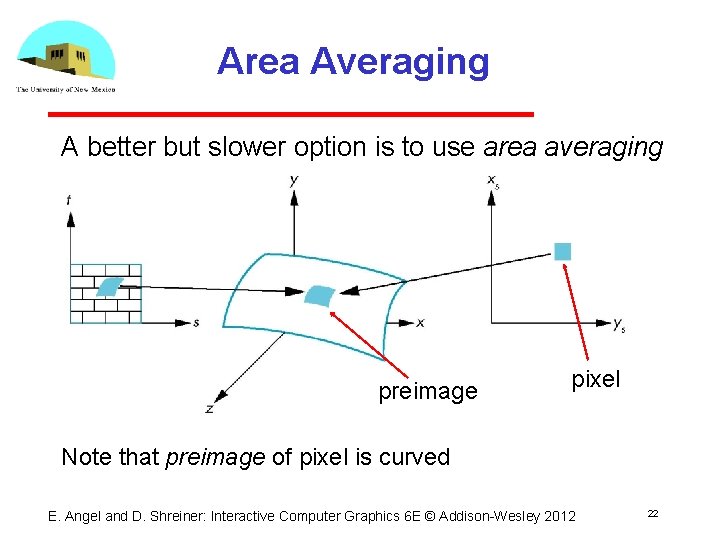
Area Averaging A better but slower option is to use area averaging preimage pixel Note that preimage of pixel is curved E. Angel and D. Shreiner: Interactive Computer Graphics 6 E © Addison Wesley 2012 22