
Texture Mapping CPSC 414 102403 Abhijeet Ghosh The
Texture Mapping CPSC 414 10/24/03 Abhijeet Ghosh
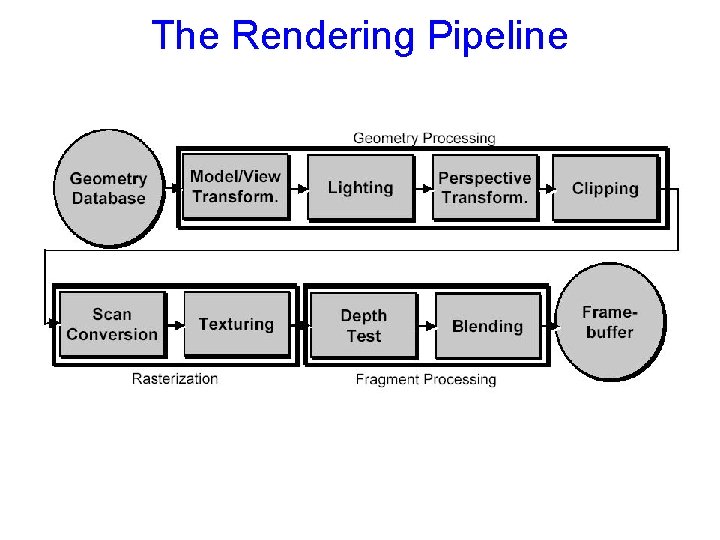
The Rendering Pipeline
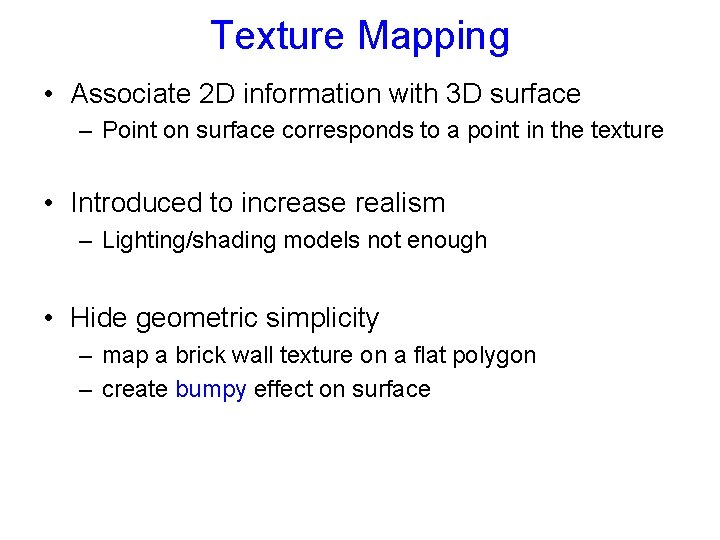
Texture Mapping • Associate 2 D information with 3 D surface – Point on surface corresponds to a point in the texture • Introduced to increase realism – Lighting/shading models not enough • Hide geometric simplicity – map a brick wall texture on a flat polygon – create bumpy effect on surface
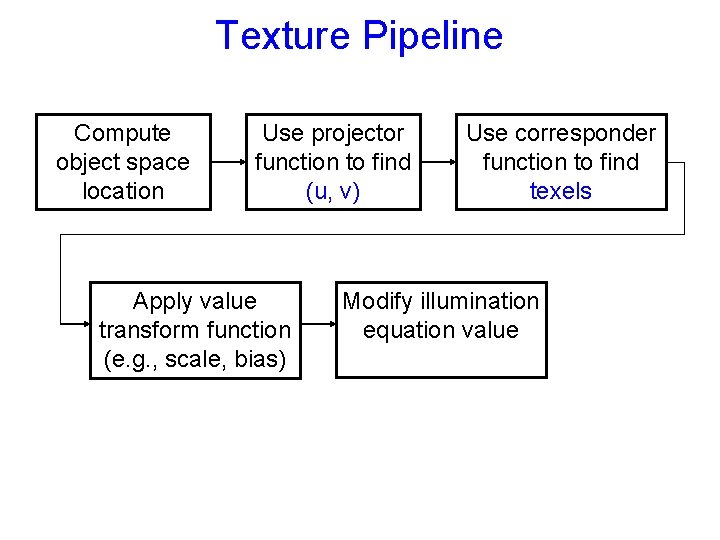
Texture Pipeline Compute object space location Use projector function to find (u, v) Apply value transform function (e. g. , scale, bias) Use corresponder function to find texels Modify illumination equation value
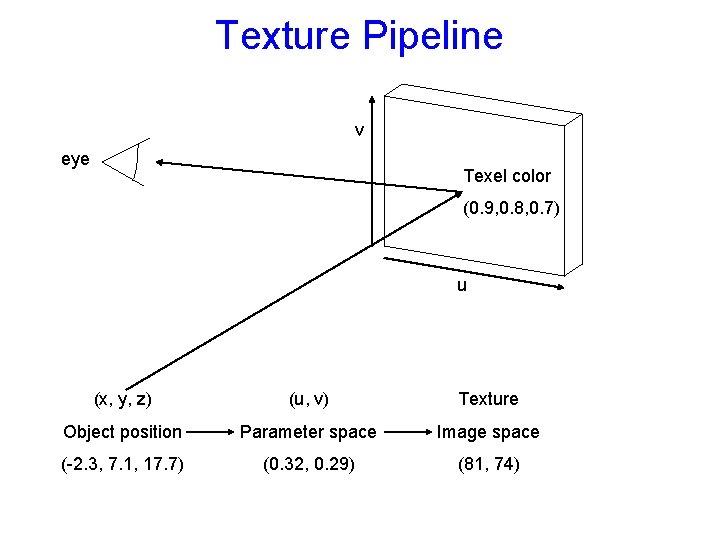
Texture Pipeline v eye Texel color (0. 9, 0. 8, 0. 7) u (x, y, z) (u, v) Texture Object position Parameter space Image space (-2. 3, 7. 1, 17. 7) (0. 32, 0. 29) (81, 74)
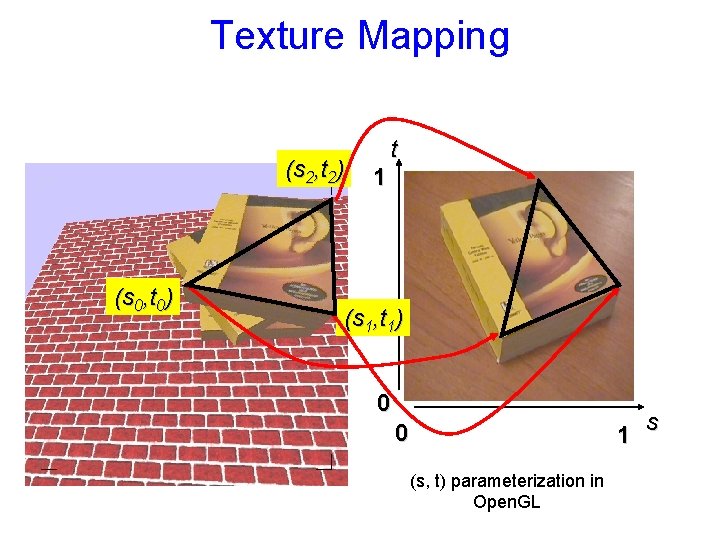
Texture Mapping (s 2, t 2) (s 0, t 0) t 1 (s 1, t 1) 0 0 1 (s, t) parameterization in Open. GL s
Texture Mapping • Texture Coordinates – generation at vertices • specified by programmer or artist gl. Tex. Coord 2 f(s, t) gl. Vertexf(x, y, z) • generate as a function of vertex coords gl. Tex. Geni(), gl. Tex. Genfv() s = a*x + b*y + c*z + d*h – interpolated across triangle (like R, G, B, Z) • …well not quite!
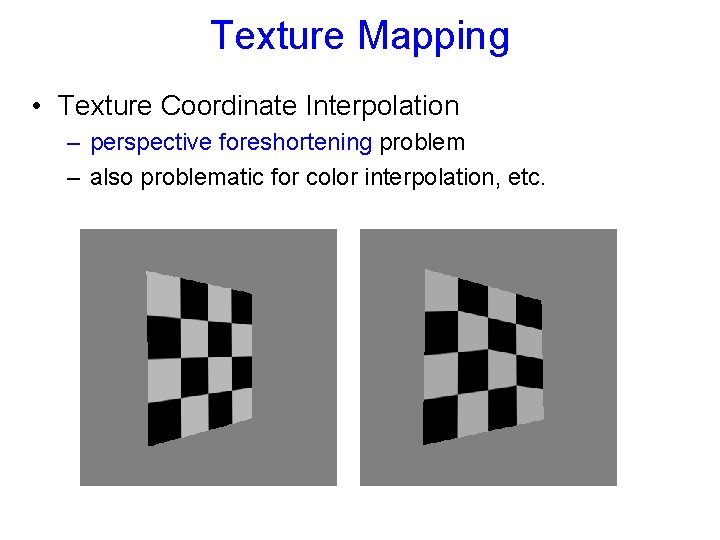
Texture Mapping • Texture Coordinate Interpolation – perspective foreshortening problem – also problematic for color interpolation, etc.
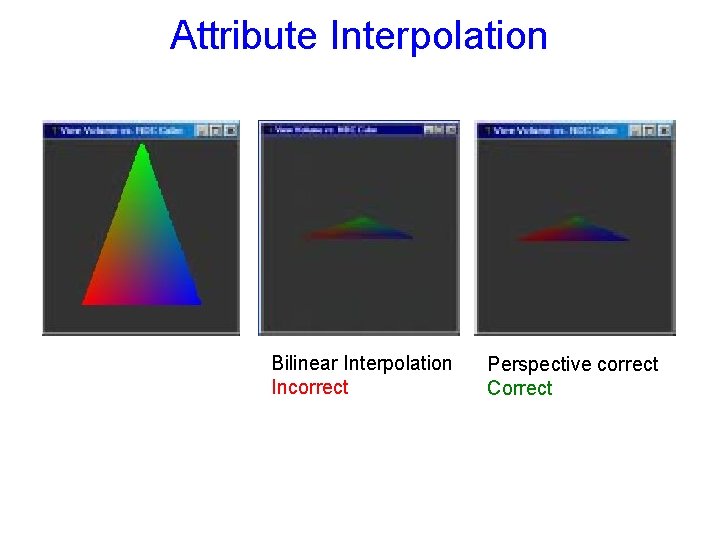
Attribute Interpolation Bilinear Interpolation Incorrect Perspective correct Correct
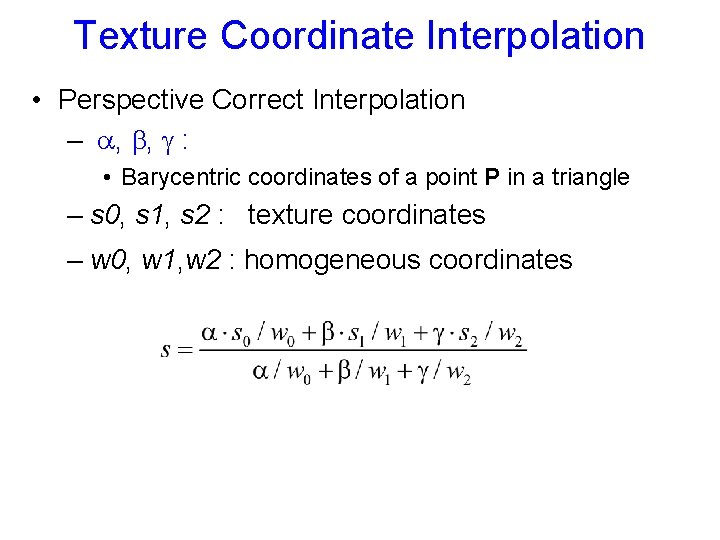
Texture Coordinate Interpolation • Perspective Correct Interpolation – , , : • Barycentric coordinates of a point P in a triangle – s 0, s 1, s 2 : texture coordinates – w 0, w 1, w 2 : homogeneous coordinates
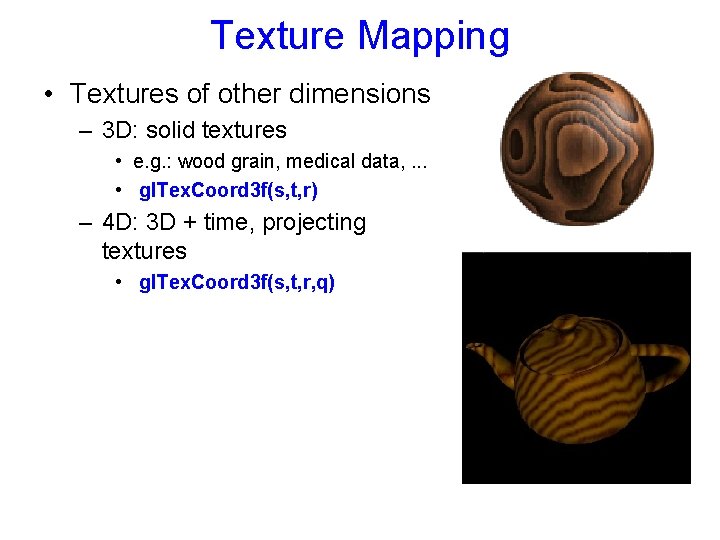
Texture Mapping • Textures of other dimensions – 3 D: solid textures • e. g. : wood grain, medical data, . . . • gl. Tex. Coord 3 f(s, t, r) – 4 D: 3 D + time, projecting textures • gl. Tex. Coord 3 f(s, t, r, q)
Texture Coordinate Transformation • Motivation: – Change scale, orientation of texture on an object • Approach: – texture matrix stack – 4 x 4 matrix stack – transforms specified (or generated) tex coords gl. Matrix. Mode( GL_TEXTURE ); gl. Load. Identity(); …
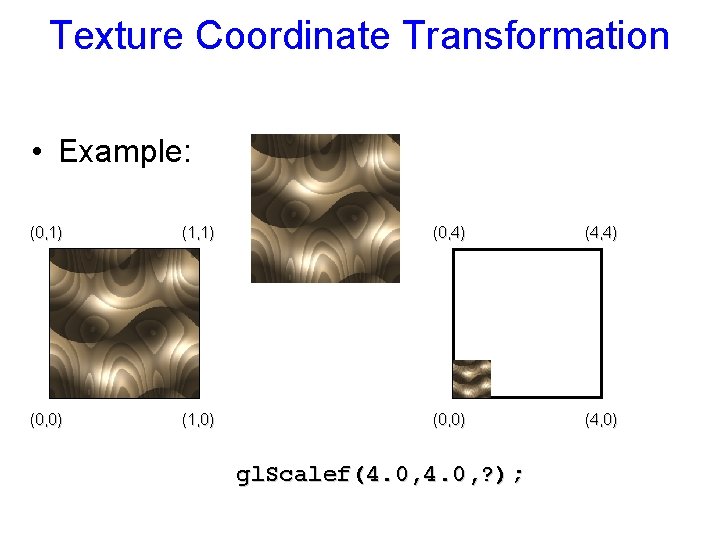
Texture Coordinate Transformation • Example: (0, 1) (1, 1) (0, 4) (4, 4) (0, 0) (1, 0) (0, 0) (4, 0) gl. Scalef(4. 0, ? );
Texture Lookup • Issue: – What happens to fragments with s or t outside the interval [0… 1]? Multiple choices: – Take only fractional part of texture coordinates • Cyclic repetition of texture to tile whole surface gl. Tex. Parameteri( …, GL_TEXTURE_WRAP_S, GL_REPEAT ) – Clamp every component to range [0… 1] • Re-use color values from border of texture image gl. Tex. Parameteri( …, GL_TEXTURE_WRAP_S, GL_CLAMP )
Texture Functions • Once got value from the texture map, can: – – Directly use as surface color GL_REPLACE Modulate surface color GL_MODULATE Blend surface and texture colors GL_DECAL Blend surface color with another GL_BLEND • Specific action depends on internal texture format – Only existing channels used • Specify with gl. Tex. Envi(GL_TEXTURE_ENV, GL_TEXTURE_ENV_MODE, mode)
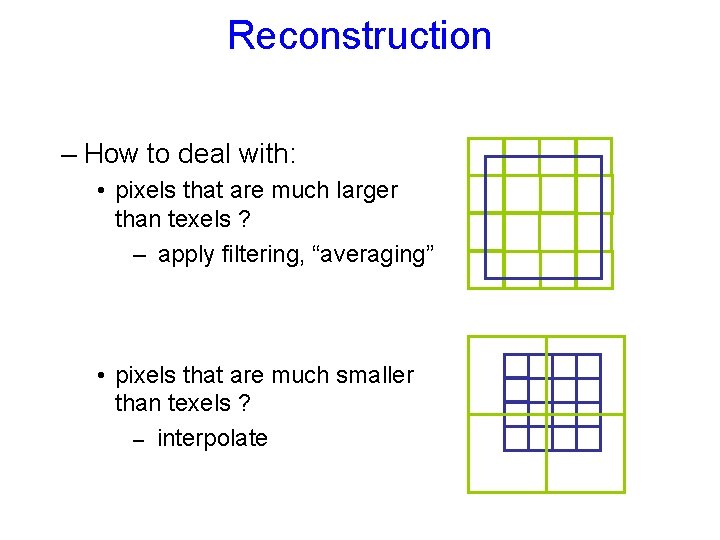
Reconstruction – How to deal with: • pixels that are much larger than texels ? – apply filtering, “averaging” • pixels that are much smaller than texels ? – interpolate
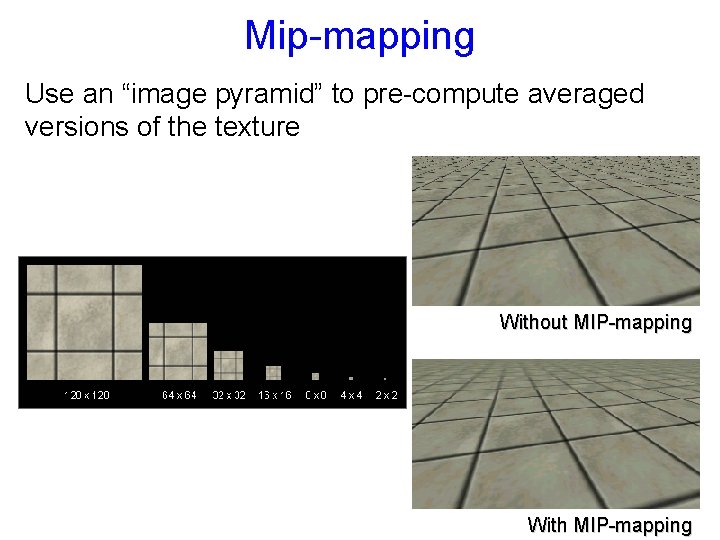
Mip-mapping Use an “image pyramid” to pre-compute averaged versions of the texture Without MIP-mapping With MIP-mapping
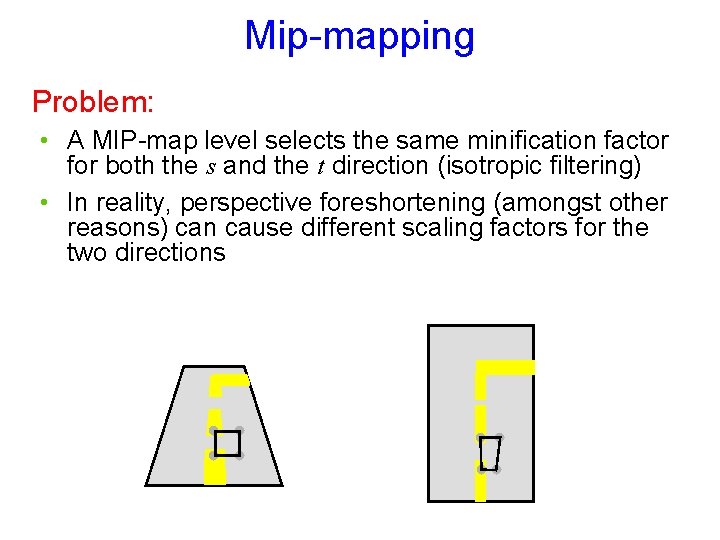
Mip-mapping Problem: • A MIP-map level selects the same minification factor for both the s and the t direction (isotropic filtering) • In reality, perspective foreshortening (amongst other reasons) can cause different scaling factors for the two directions
Mip-mapping • Which resolution to choose: – MIP-mapping: take resolution corresponding to the smaller of the sampling rates for s and t • Avoids aliasing in one direction at cost of blurring in the other direction – Better: anisotropic texture filtering • • Also uses MIP-map hierarchy Choose larger of sampling rates to select MIP-map level Then use more samples for that level to avoid aliasing Maximum anisotropy (ratio between s and t sampling rate) usually limited (e. g. 4 or 8)
Texture Mapping Functions Two Step Parameterization: • Step 1: map 2 D texture onto an intermediate simple surface – Sphere – Cube – Cylinder • Step 2: map from this surface to the object – Surface normal • Commonly used for environment mapping
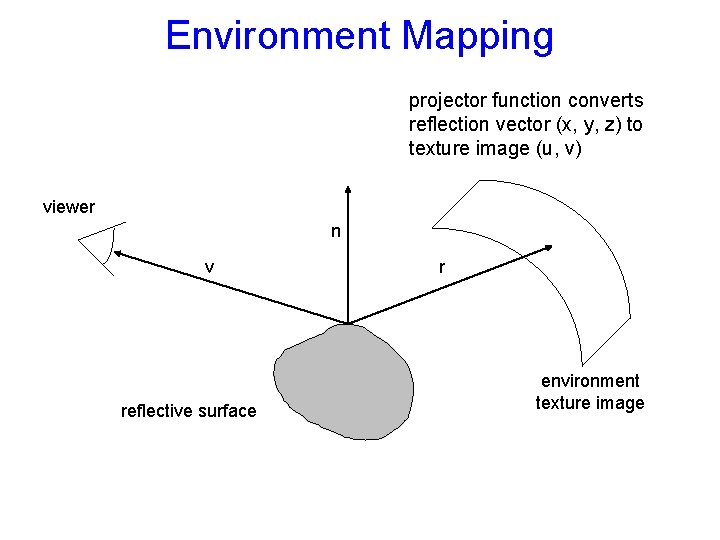
Environment Mapping projector function converts reflection vector (x, y, z) to texture image (u, v) viewer n v reflective surface r environment texture image
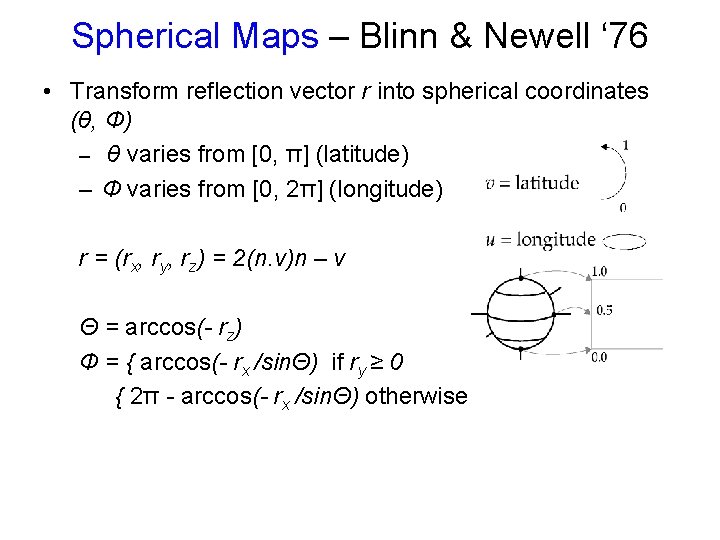
Spherical Maps – Blinn & Newell ‘ 76 • Transform reflection vector r into spherical coordinates (θ, Ф) – θ varies from [0, π] (latitude) – Ф varies from [0, 2π] (longitude) r = (rx, ry, rz) = 2(n. v)n – v Θ = arccos(- rz) Ф = { arccos(- rx /sinΘ) if ry ≥ 0 { 2π - arccos(- rx /sinΘ) otherwise
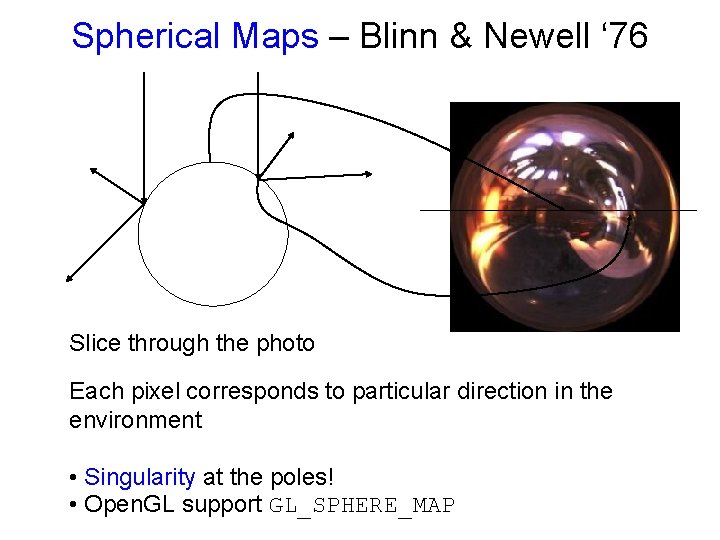
Spherical Maps – Blinn & Newell ‘ 76 Slice through the photo Each pixel corresponds to particular direction in the environment • Singularity at the poles! • Open. GL support GL_SPHERE_MAP
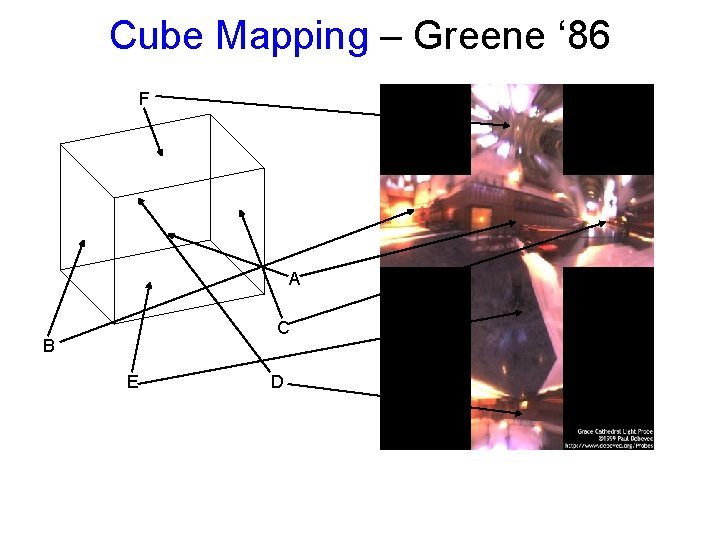
Cube Mapping – Greene ‘ 86 F A C B E D
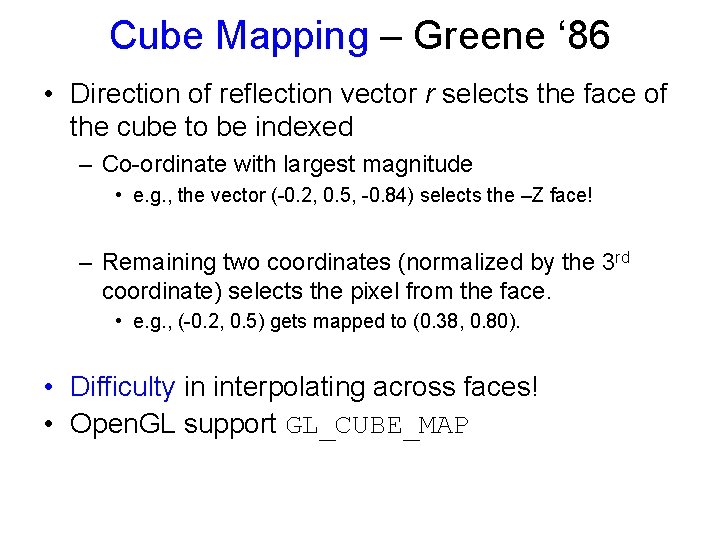
Cube Mapping – Greene ‘ 86 • Direction of reflection vector r selects the face of the cube to be indexed – Co-ordinate with largest magnitude • e. g. , the vector (-0. 2, 0. 5, -0. 84) selects the –Z face! – Remaining two coordinates (normalized by the 3 rd coordinate) selects the pixel from the face. • e. g. , (-0. 2, 0. 5) gets mapped to (0. 38, 0. 80). • Difficulty in interpolating across faces! • Open. GL support GL_CUBE_MAP
- Slides: 25