
Textual Visualization Plugin for Eclipse Gong Jun CCIS


- Slides: 14
Textual Visualization Plug-in for Eclipse Gong Jun CCIS Northeastern Univ 02/2004
What You Are Given l. A detailed project description. l An extended DJ Plug-in. – Can be used to parse the Selector Language l Lab exercises
What You Need to Do l Write your class dictionary for the Selector Language. l Starting from an empty Plug-in, add a syntax sensitive Selector Language Editor to it. l Add traversal highlighting functionality to the Traversal Highlighting View. – From where do you get the Class Graph to be traversed and highlighted?
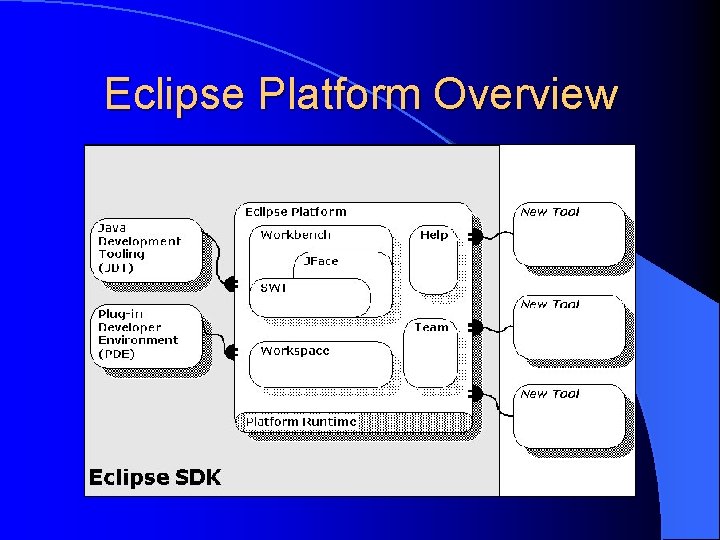
Eclipse Platform Overview l The definition from the official website: – Eclipse is a kind of universal tool platform - an open extensible IDE for anything and nothing in particular. l The Java compiler itself is a plug-in!!! l No 1 misunderstanding about Eclipse!
Eclipse Platform Overview
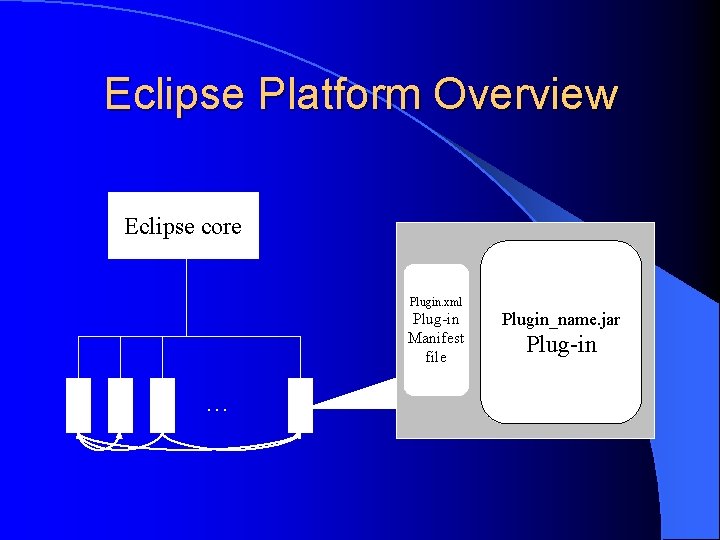
Eclipse Platform Overview Eclipse core Plugin. xml Plug-in Manifest file … Plugin_name. jar Plug-in
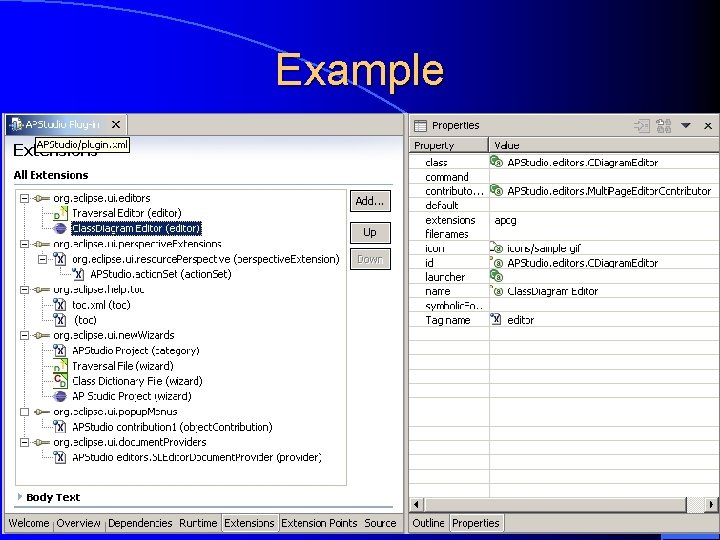
What’s Inside plug-in. xml l Function is added to the system using a common extension model. l Extension points – well-defined function points in the system that can be extended by plug-ins l When a plug-in contributes an implementation for an extension point, we say that it adds an extension to the platform.
Example
Selector Language Editor A simple extension to org. eclipse. ui. texteditor l Add syntax rules. l Contribute buttons to Menu or Toolbar l – Class Action, method run() l Document. Provider – IDocument. get() l Lab exercise 18 has detailed implementation details.
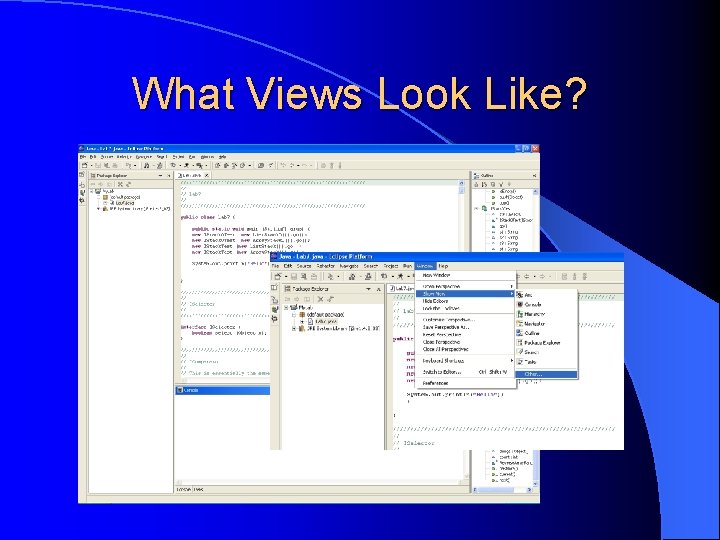
What Views Look Like?
Traversal Highlighting View l Extension point: – org. eclipse. ui. views l Class extends View. Part l Create widgets in the view by instantiating the classes of those widgets. l Only a Styled. Text is enough!
Styled. Text l org. eclipse. swt. custom. Styled. Text l SWT widget l append(String string) l set. Style. Ranges(Style. Range[]) l Style. Range specifies various styles for some parts of the text
Construct DJ Class Graph l Create a new class graph. – Be sure to use: edu. neu. ccs. demeter. aplib. cd. Class. Graph – Class. Graph. from. String(String s) l Construct Traversal. get. Edge. Sets() l Traversal. get. Node. Sets() l Tricky part: Create Class. Graph from source files l
Good Luck! The End