
TEST PROCEDURE Testing the Controller Board Power Supply
TEST PROCEDURE Testing the Controller Board, Power Supply Board, and Unit as a Whole
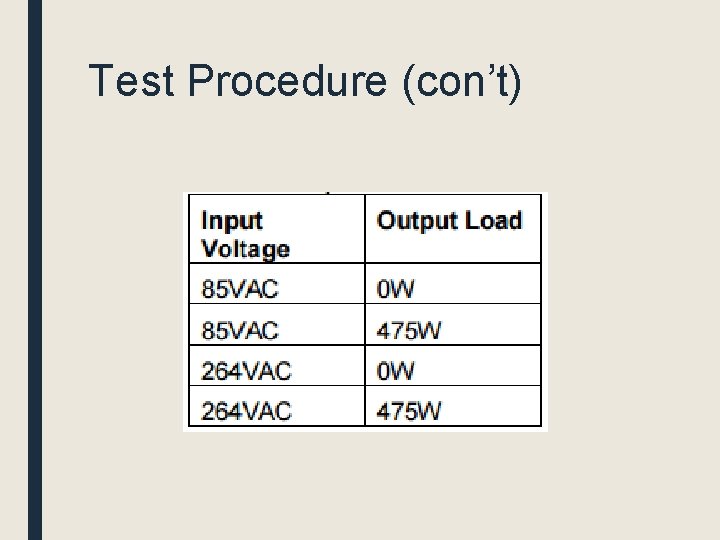
Test Procedure ■ AC subsystem – Connecting DMMs to the outputs and measuring the voltage and current and comparing it to what the software says it is. – Compare what the software sets the current and voltage to vs. what actually occurs.
Test Procedure (con’t)
Test Procedure (con’t) ■ AC subsystem (con’t) – Are the relays being controlled properly and selecting the right AC input voltage? ■ Write software to enable relays to either select 115/85 down transformer or 120/264 up transformer ■ This functionality is verified by a meter – Safety – Is the emergency shut off functioning properly? ■ Create a environment with increased temperature and increase fan speed, if emergency shuts off, it works
Test Procedure (con’t) ■ Cooling System – Run AC subsystem for a while and turn on fans – Use temperature sensors to verify temperature ■ Arduino/RS-232 Communctions – Verify software using DMMS
Test Procedure (con’t) ■ Active Load – Apply different voltage to it – Vary resistance of load
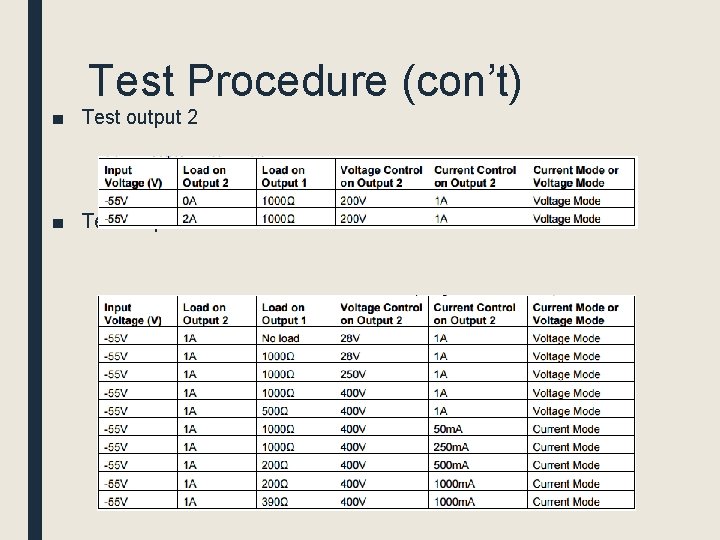
Test Procedure (con’t) ■ Test output 2 ■ Test output 1
MECHANICAL ENCLOSURE ANALYSIS
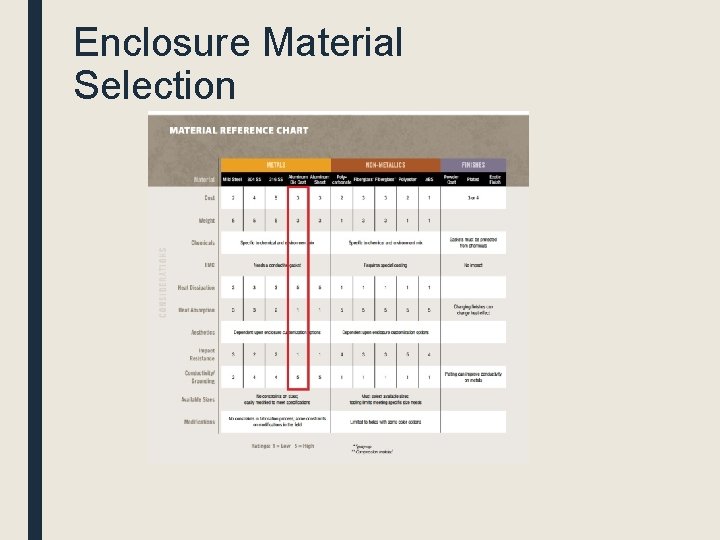
Enclosure Material Selection
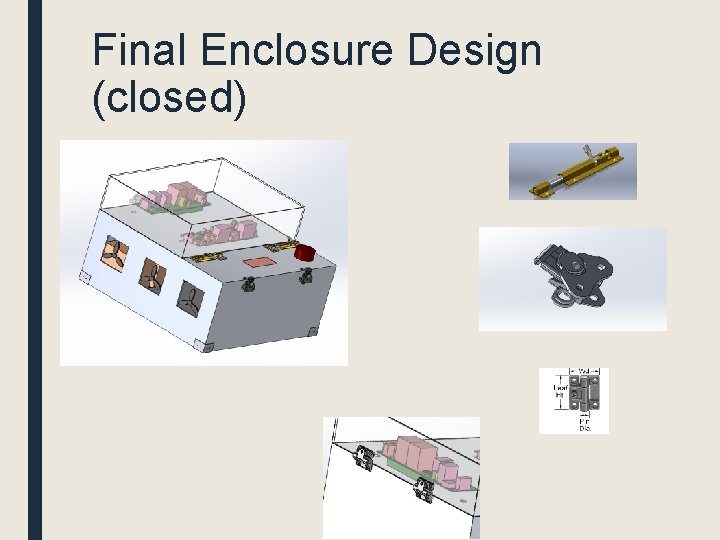
Final Enclosure Design (closed)
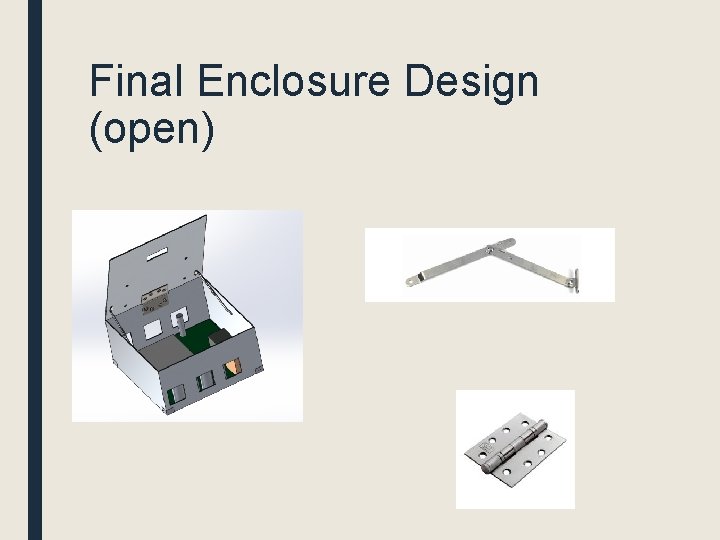
Final Enclosure Design (open)
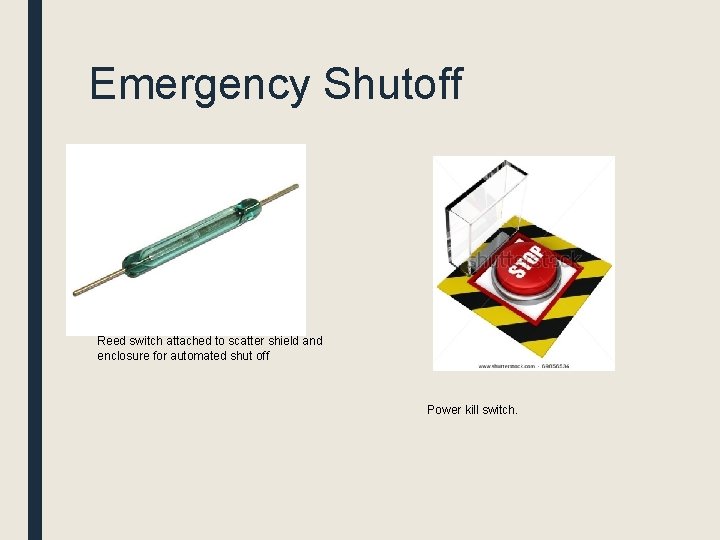
Emergency Shutoff Reed switch attached to scatter shield and enclosure for automated shut off Power kill switch.
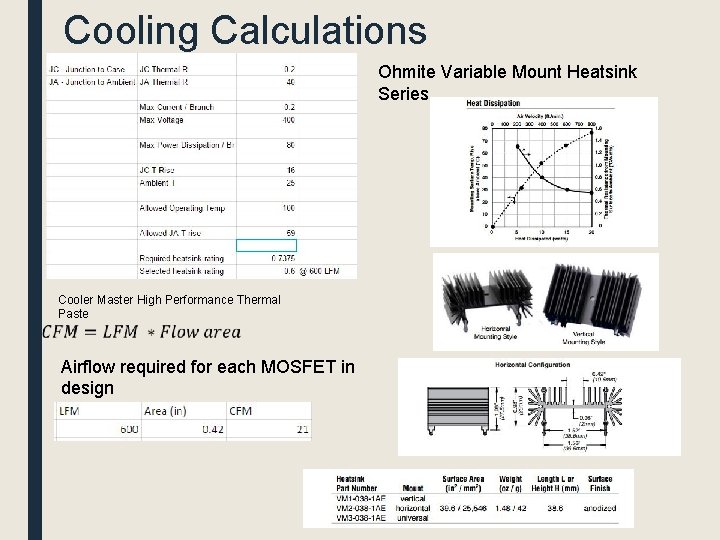
Cooling Calculations Ohmite Variable Mount Heatsink Series Cooler Master High Performance Thermal Paste Airflow required for each MOSFET in design
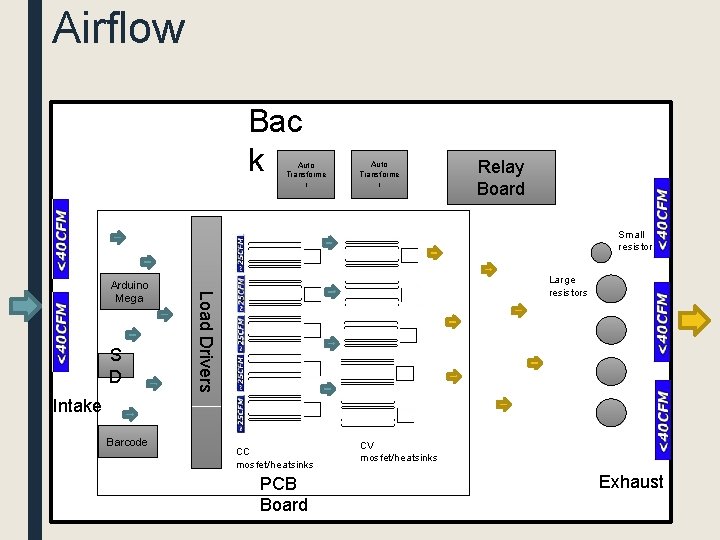
Airflow Bac k Auto Transforme r Relay Board Small resistor S D Large resistors Load Drivers Arduino Mega Intake Barcode CC mosfet/heatsinks PCB Board CV mosfet/heatsinks Exhaust
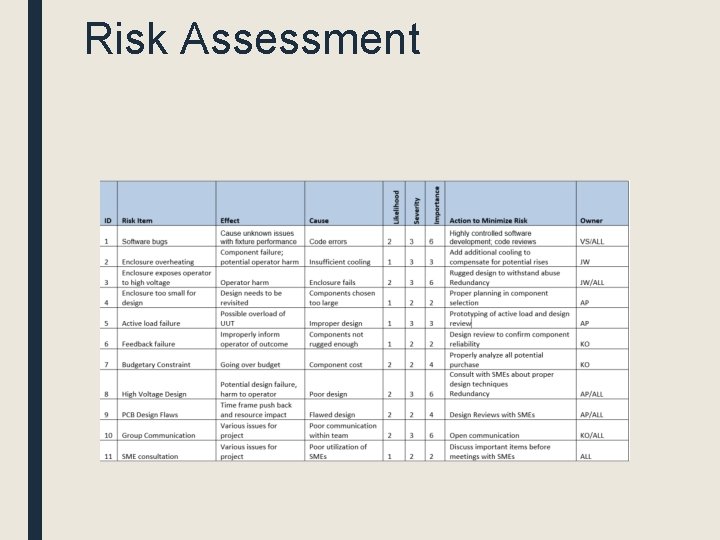
Risk Assessment
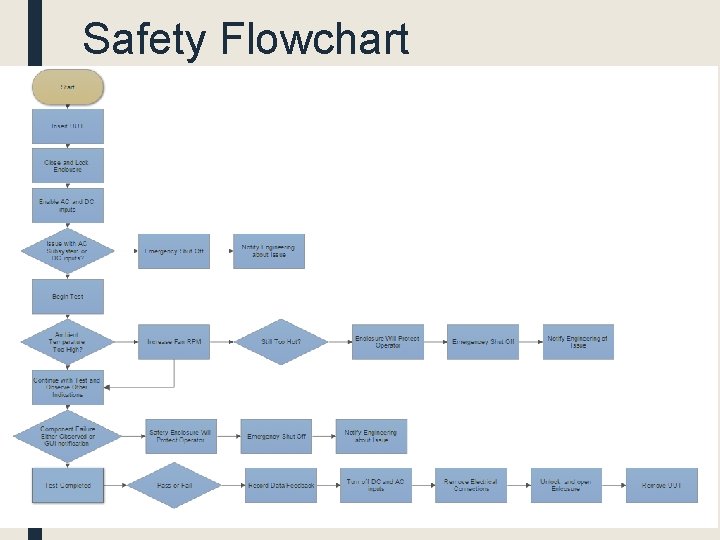
Safety Flowchart
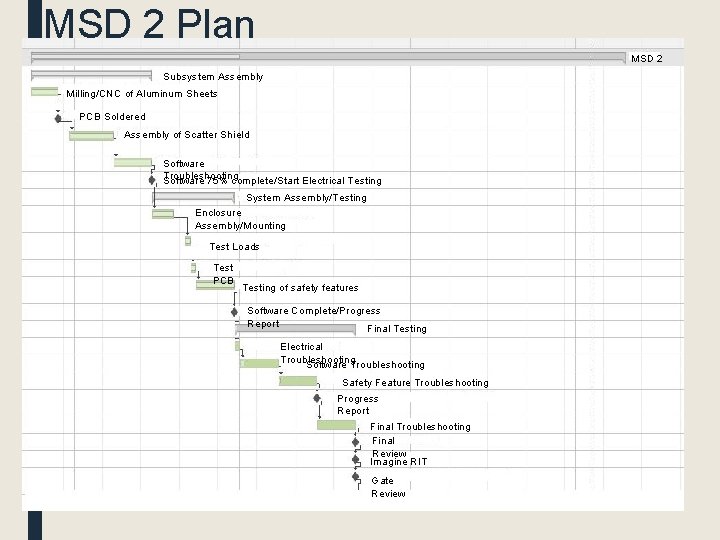
MSD 2 Plan MSD 2 Subsystem Assembly Milling/CNC of Aluminum Sheets PCB Soldered Assembly of Scatter Shield Software Troubleshooting Software 75% complete/Start Electrical Testing System Assembly/Testing Enclosure Assembly/Mounting Test Loads Test PCB Testing of safety features Software Complete/Progress Report Final Testing Electrical Troubleshooting Software Troubleshooting Safety Feature Troubleshooting Progress Report Final Troubleshooting Final Review Imagine RIT Gate Review
- Slides: 17