
Test beam check list Michael JECKEL ENEAEC EDMS
Test beam check list Michael JECKEL EN-EA-EC EDMS: 1745256
Content: • Safety & Radiation Protection • Arrival • Access • Installation • Departure 16. 03. 2016 Michael JECKEL EN-EA-EC Test beam check list 2
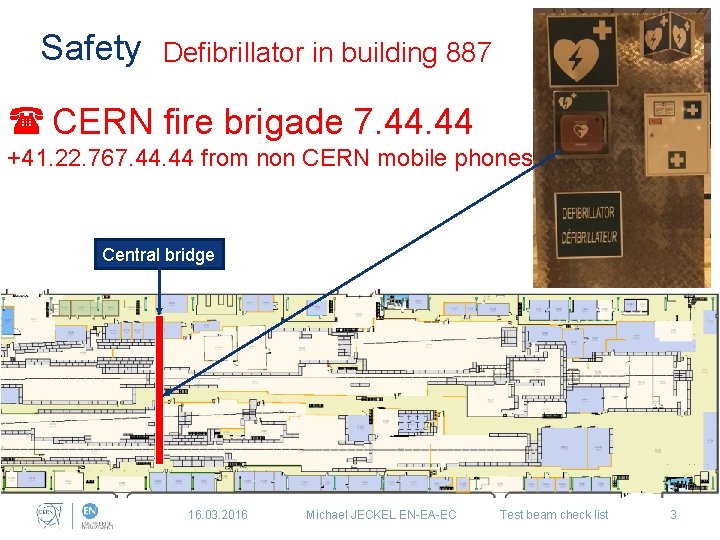
Safety Defibrillator in building 887 ( CERN fire brigade 7. 44 +41. 22. 767. 44 from non CERN mobile phones Central bridge 16. 03. 2016 Michael JECKEL EN-EA-EC Test beam check list 3
Safety & Radiation Protection • It is mandatory to wear a personal dosimeter in the experimental halls all the time • It is mandatory to wear always a helmet and safety shoes in the experimental area • It is prohibited to smoke, drink and eat in the experimental halls all the time “Only exception the cafeteria in building 887” Links: How to obtain a dosimeter Safety users guide Contact: ep-safety-office@cern. ch 16. 03. 2016 Michael JECKEL EN-EA-EC Test beam check list 4
Arrival • Fill out an Transport Request (Arrival) when the material comes from outside CERN • Fill out an Transport Request when you need a crane or forklift to unload the material Request needs to be send five working days prior to the intervention 16. 03. 2016 Michael JECKEL EN-EA-EC Test beam check list 5
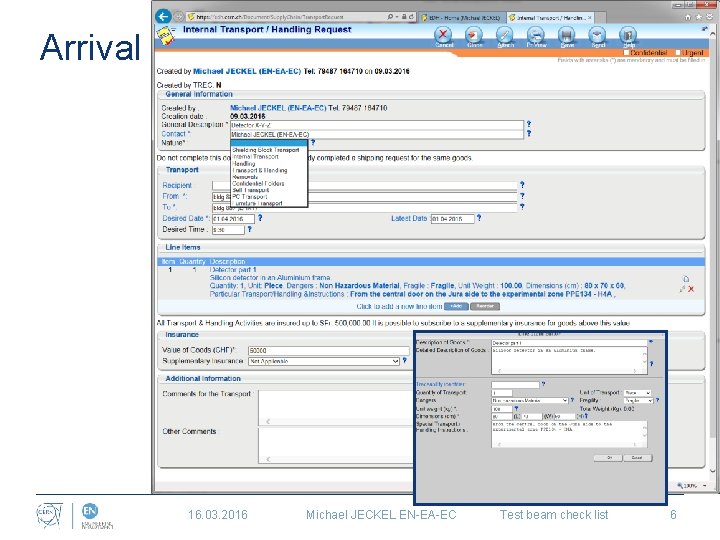
Arrival 16. 03. 2016 Michael JECKEL EN-EA-EC Test beam check list 6
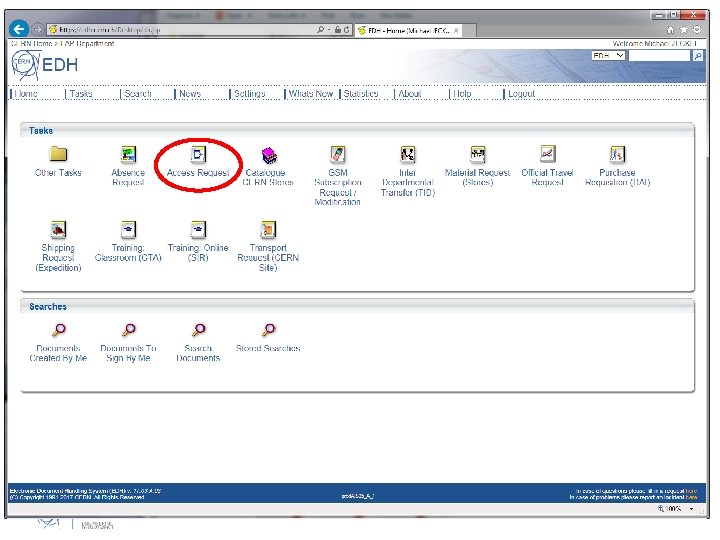
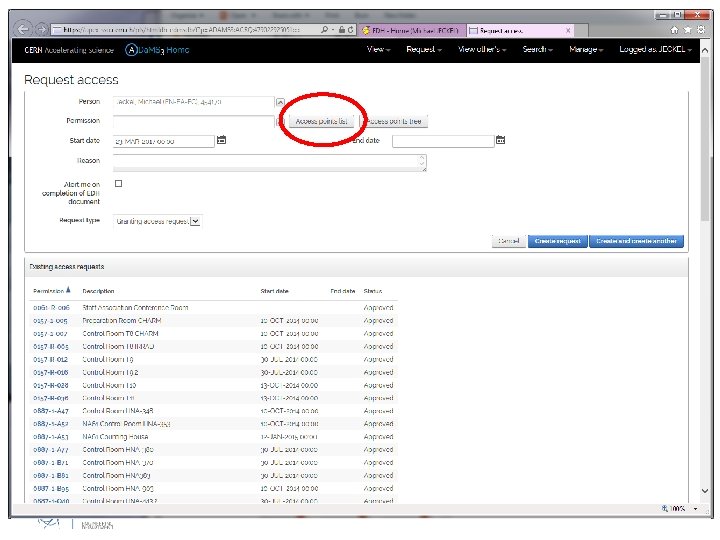
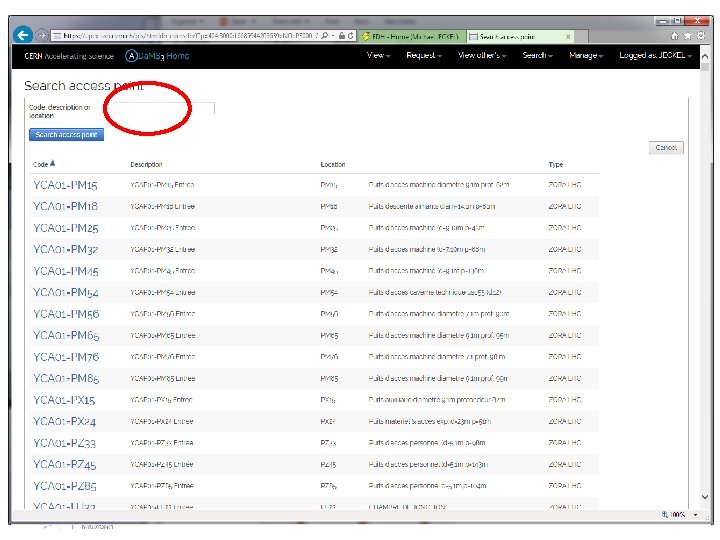
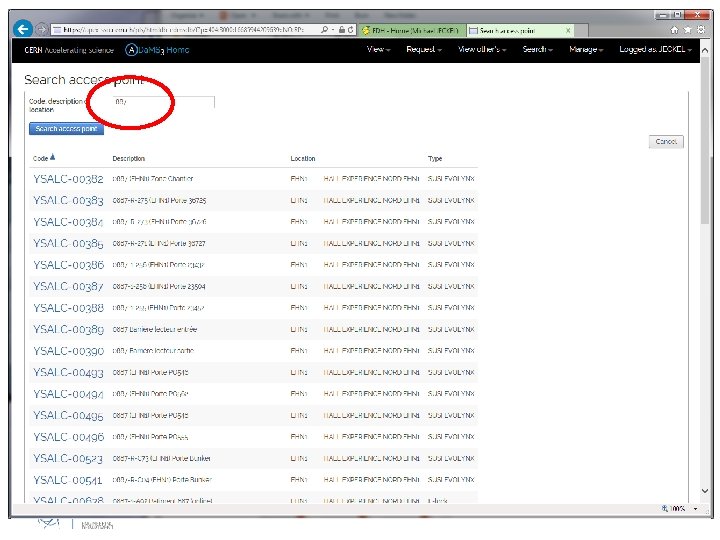
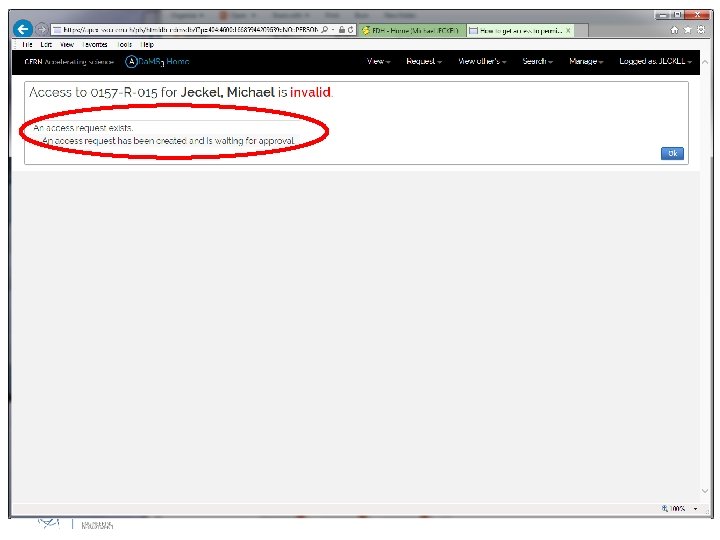
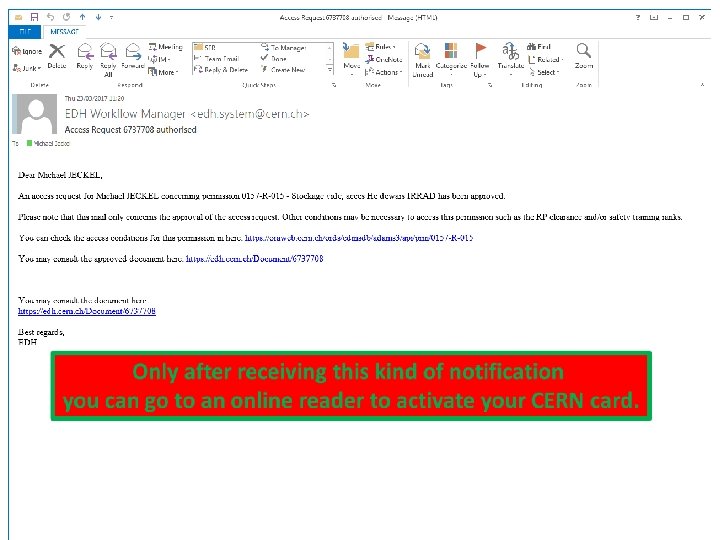
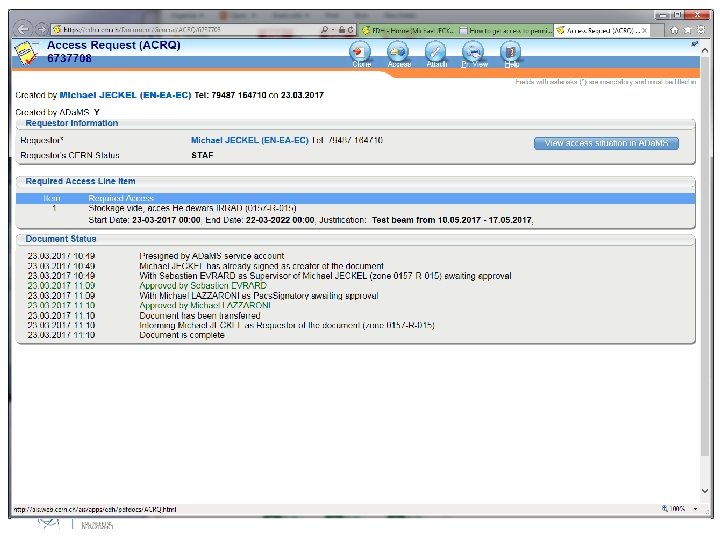
Access • Fill in an EDH- Access Request for the control room and for patrol rights. Link: Electronic locks instructions • To enter the experimental hall the personal dosimeter is enough. Safety courses @ SIR: CERN Safety Introduction Electrical Safety – Awareness Radiation Protection - Supervised Area CERN - Beam Facilities 16. 03. 2016 Michael JECKEL EN-EA-EC Test beam check list 7
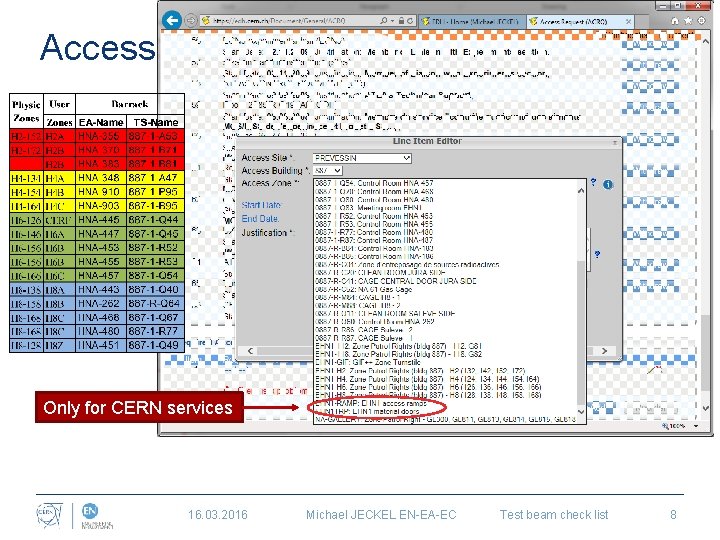
Access Only for CERN services 16. 03. 2016 Michael JECKEL EN-EA-EC Test beam check list 8
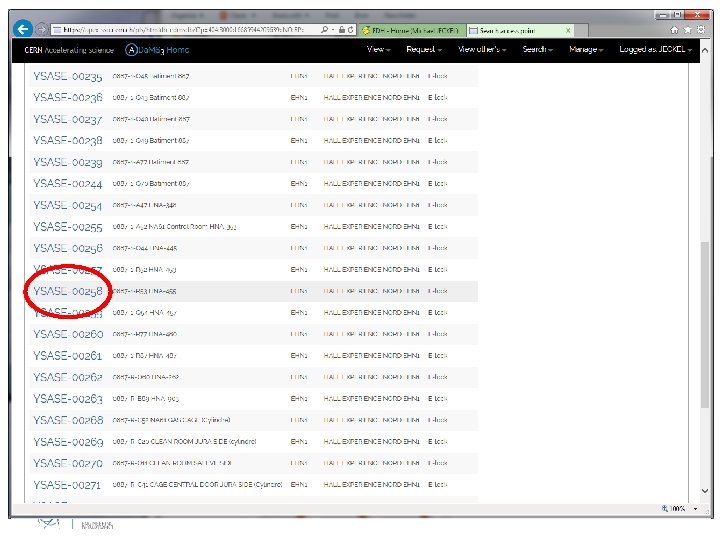
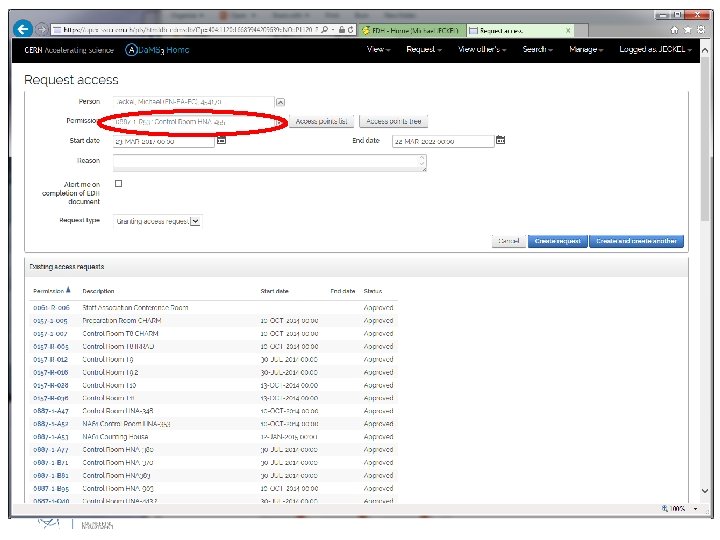
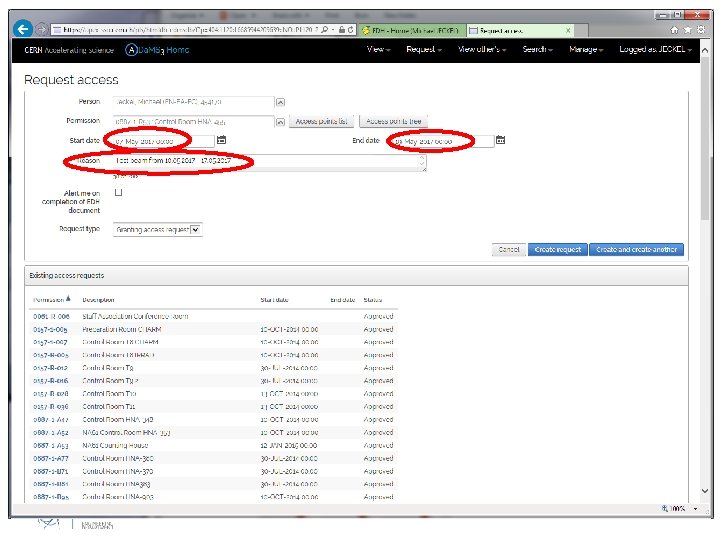
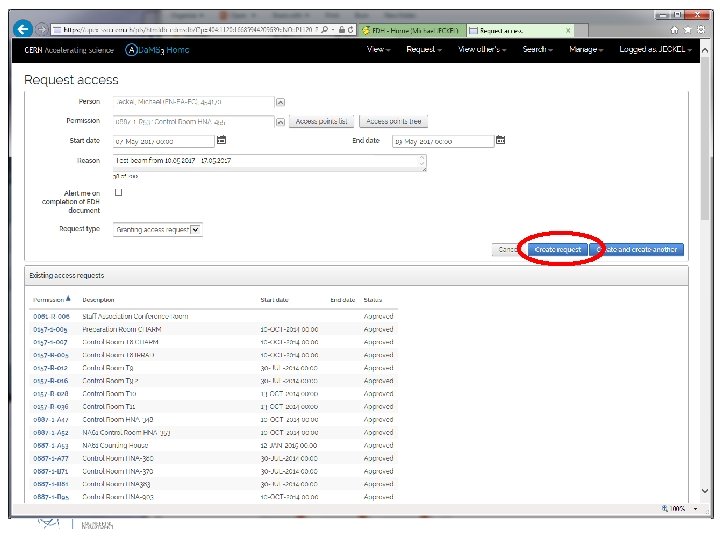
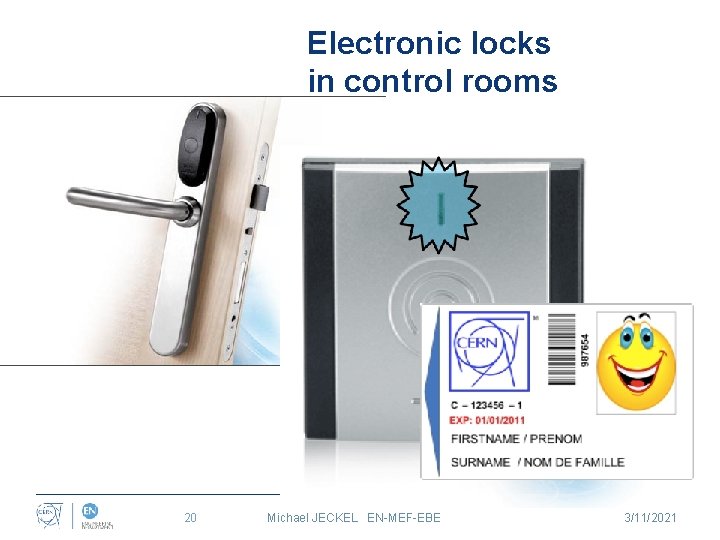
Electronic locks in control rooms 20 Michael JECKEL EN-MEF-EBE 3/11/2021
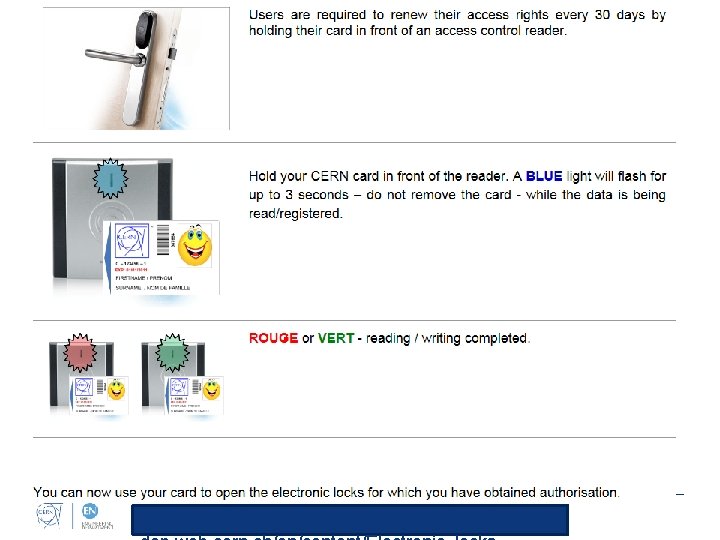
http: //gs-
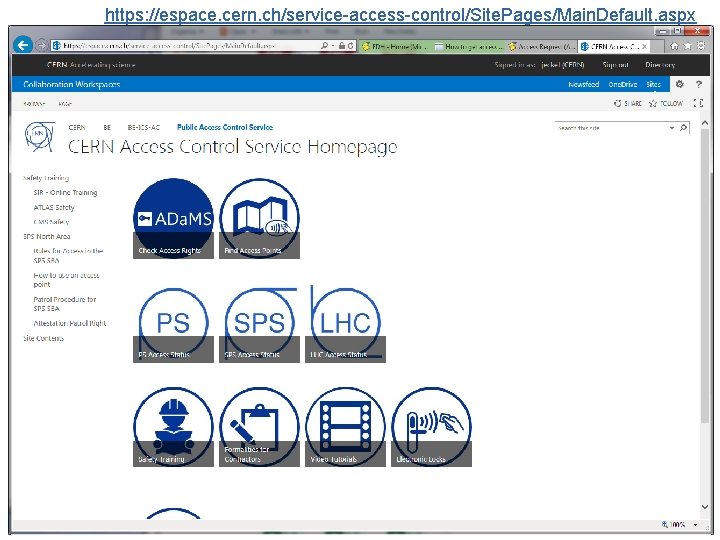
https: //espace. cern. ch/service-access-control/Site. Pages/Main. Default. aspx
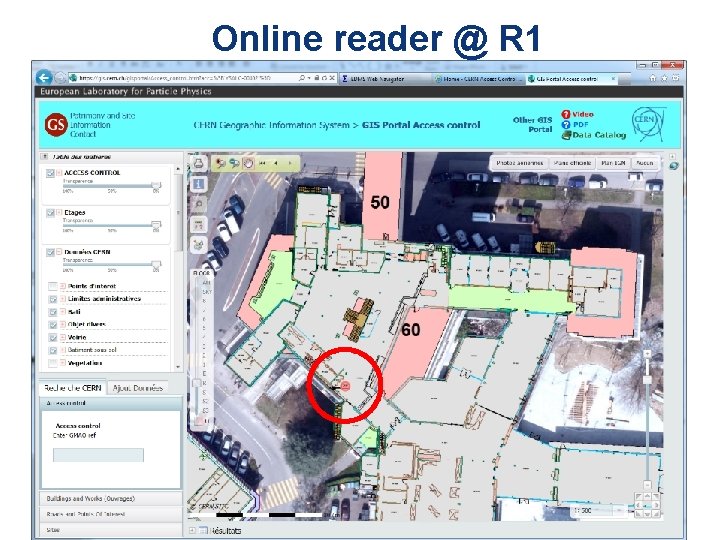
Online reader @ R 1
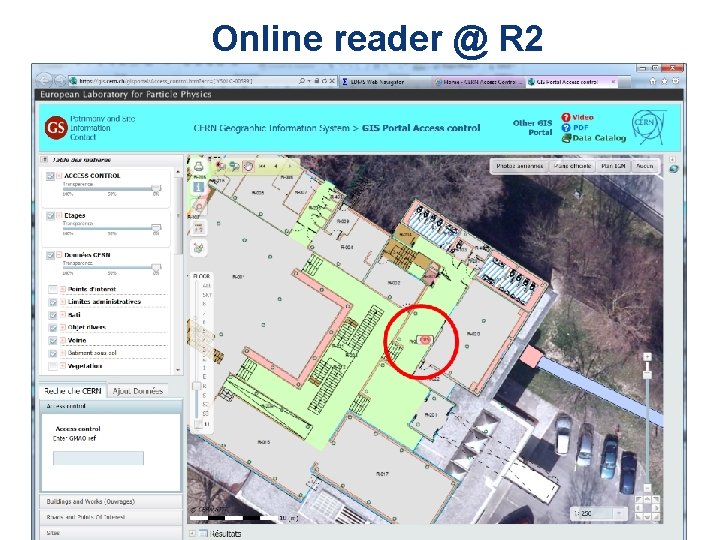
Online reader @ R 2
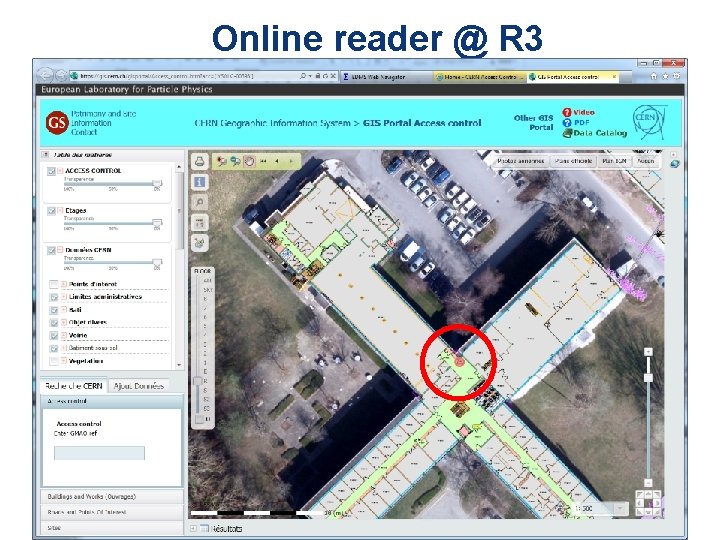
Online reader @ R 3
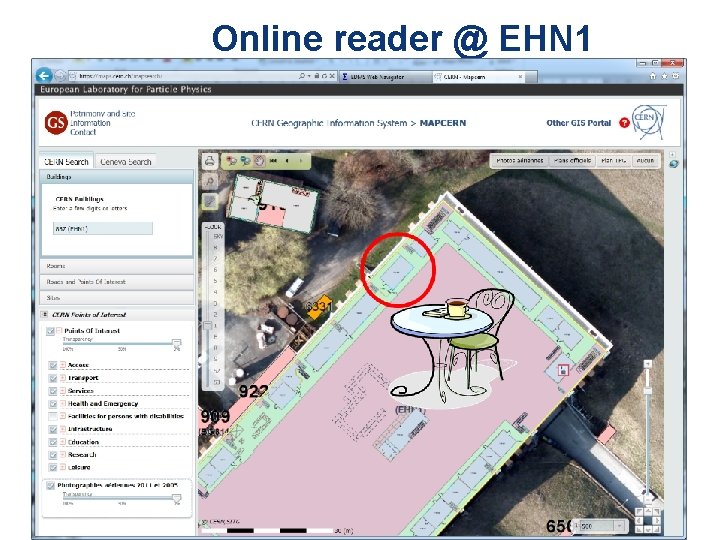
Online reader @ EHN 1
Installation What are your requirements ? • Transport and crane • Adjustable support / scanning table • Electricity • Gas EDMS 1604697 • Geometer • Magnet • Additional beam instrumentation • Vacuum pipe • Cables • IT services • Be aware that the experimental area might not be the same as last time! 16. 03. 2016 Michael JECKEL EN-EA-EC Test beam check list 27
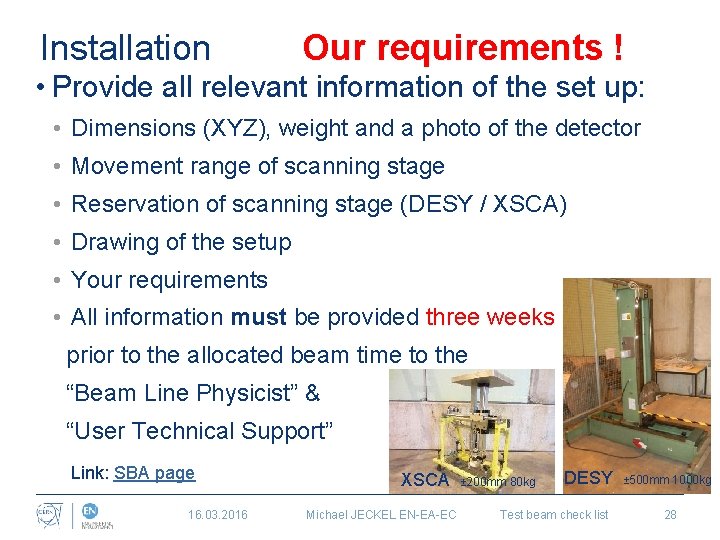
Installation Our requirements ! • Provide all relevant information of the set up: • Dimensions (XYZ), weight and a photo of the detector • Movement range of scanning stage • Reservation of scanning stage (DESY / XSCA) • Drawing of the setup • Your requirements • All information must be provided three weeks prior to the allocated beam time to the “Beam Line Physicist” & “User Technical Support” Link: SBA page 16. 03. 2016 XSCA Michael JECKEL EN-EA-EC ± 200 mm 80 kg DESY Test beam check list ± 500 mm 1000 kg 28
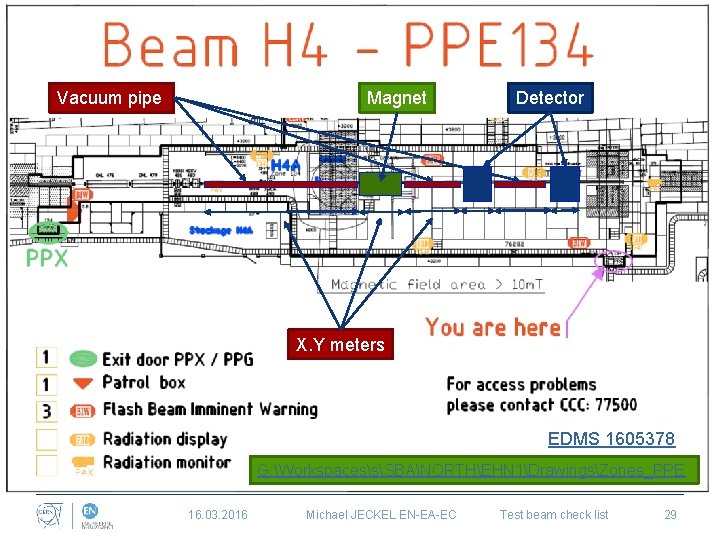
Vacuum pipe Magnet Detector X. Y meters EDMS 1605378 G: WorkspacessSBANORTHEHN 1DrawingsZones_PPE 16. 03. 2016 Michael JECKEL EN-EA-EC Test beam check list 29
Installation • After installation, remove all non-necessary equipment / material from the beam area to avoid (timeintensive) RP checks at the end 16. 03. 2016 Michael JECKEL EN-EA-EC Test beam check list 30
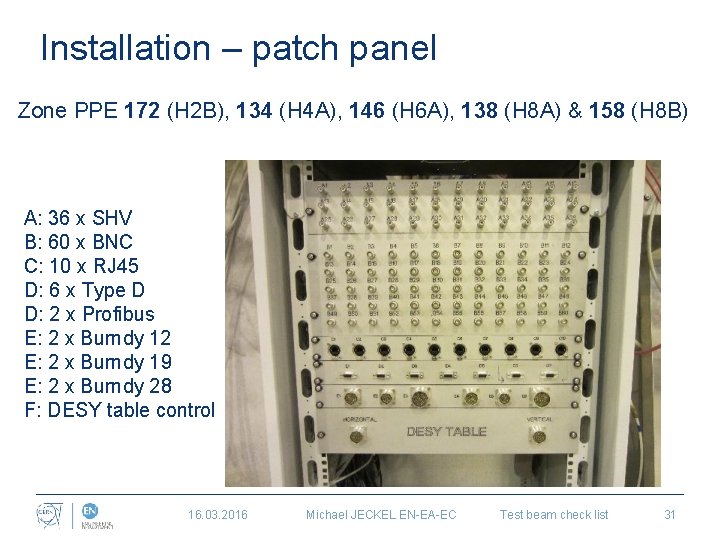
Installation – patch panel Zone PPE 172 (H 2 B), 134 (H 4 A), 146 (H 6 A), 138 (H 8 A) & 158 (H 8 B) A: 36 x SHV B: 60 x BNC C: 10 x RJ 45 D: 6 x Type D D: 2 x Profibus E: 2 x Burndy 12 E: 2 x Burndy 19 E: 2 x Burndy 28 F: DESY table control 16. 03. 2016 Michael JECKEL EN-EA-EC Test beam check list 31
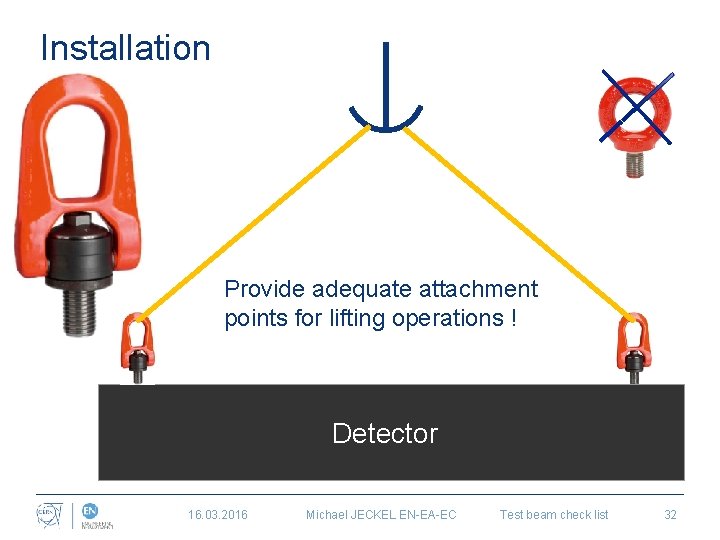
Installation Provide adequate attachment points for lifting operations ! Detector 16. 03. 2016 Michael JECKEL EN-EA-EC Test beam check list 32

Departure • Make sure that you take ALL your equipment and waste with you ! • All equipment and waste that was present in the experimental area has to be considered as potentially activated and thus be registered in the TREC system to be checked by RP. Be aware that for SHIPPING/TRANSPORT requests out of CERN, a Ɣ-spectrometry is mandatory to coop with international RP regulations. In order to avoid that your equipment becomes blocked for weeks (or longer) at CERN, remove all unnecessary items from the beam area before taking beam. Link: TREC instructions TREC 16. 03. 2016 Michael JECKEL EN-EA-EC Test beam check list 33
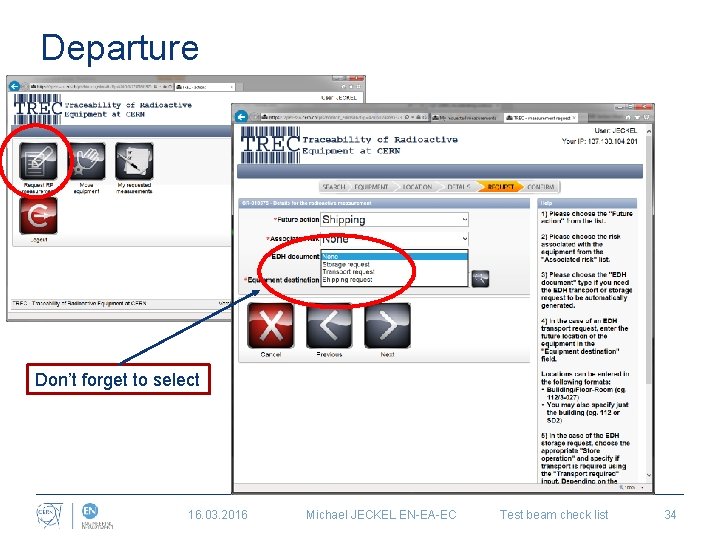
Departure Don’t forget to select 16. 03. 2016 Michael JECKEL EN-EA-EC Test beam check list 34
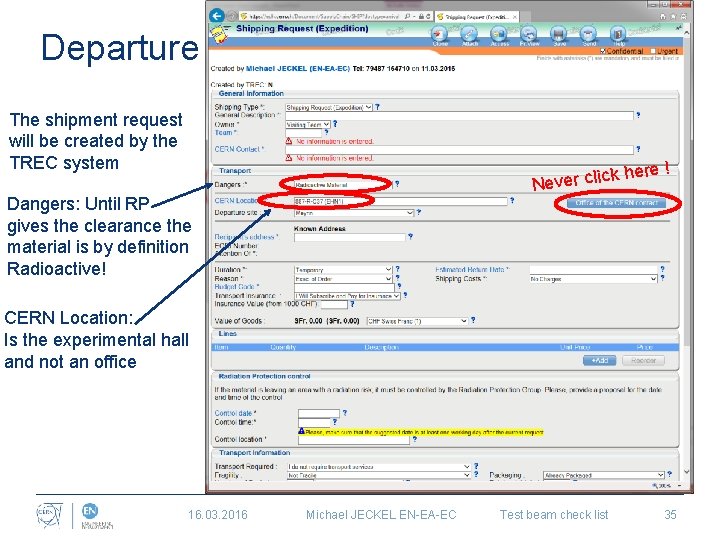
Departure The shipment request will be created by the TREC system ere ! ck h Never cli Dangers: Until RP gives the clearance the material is by definition Radioactive! CERN Location: Is the experimental hall and not an office 16. 03. 2016 Michael JECKEL EN-EA-EC Test beam check list 35
BUFFER ZONE EHN 1 Claude Pesce
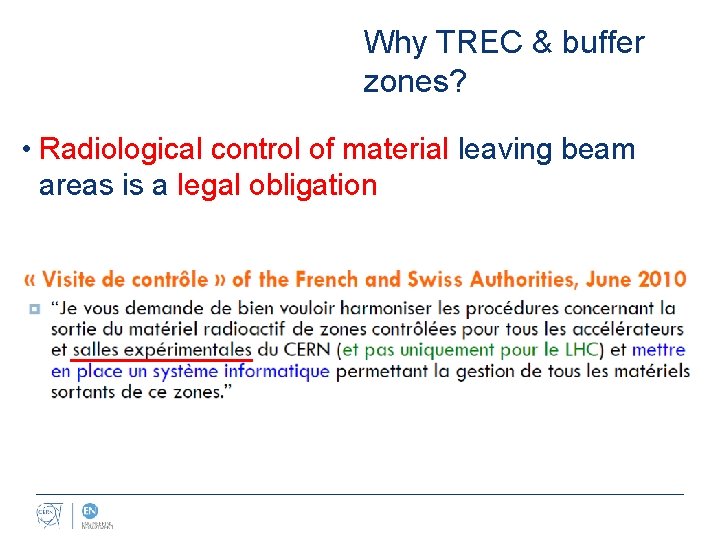
Why TREC & buffer zones? • Radiological control of material leaving beam areas is a legal obligation
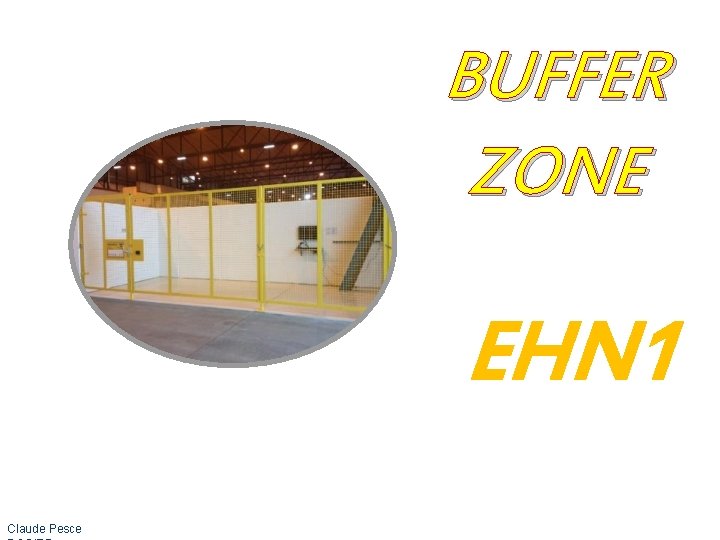
Objectives • This buffer zone is reserved for the temporary storage of all material, equipment used during an experiment in EHN 1 (beam-line areas & corridors), as well as small waste. • Bulky equipment (e. g. beam-line elements like magnets, collimators etc. ) will not be stored in the buffer zone but still has to be registered in the TREC traceability system like all other equipment. • All these objects require a systematic radiological control before they can be removed from EHN 1 • A control takes time (might require additional analysis) take this into account when planning your experiment Claude Pesce
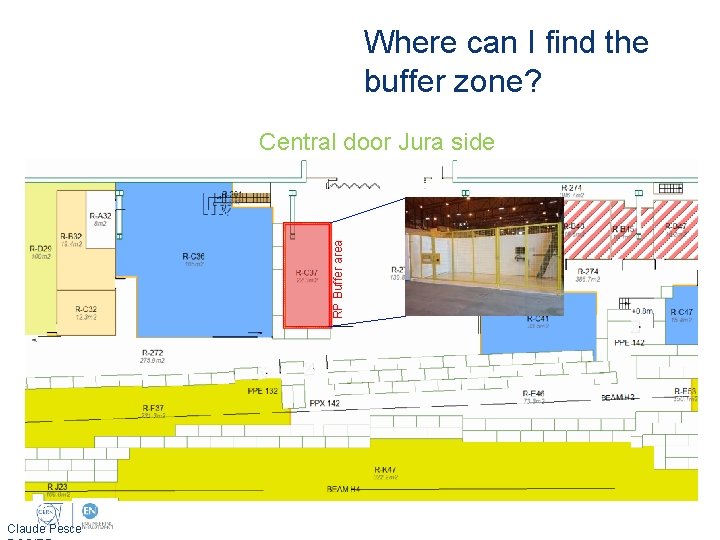
Where can I find the buffer zone? RP Buffer area Central door Jura side Claude Pesce
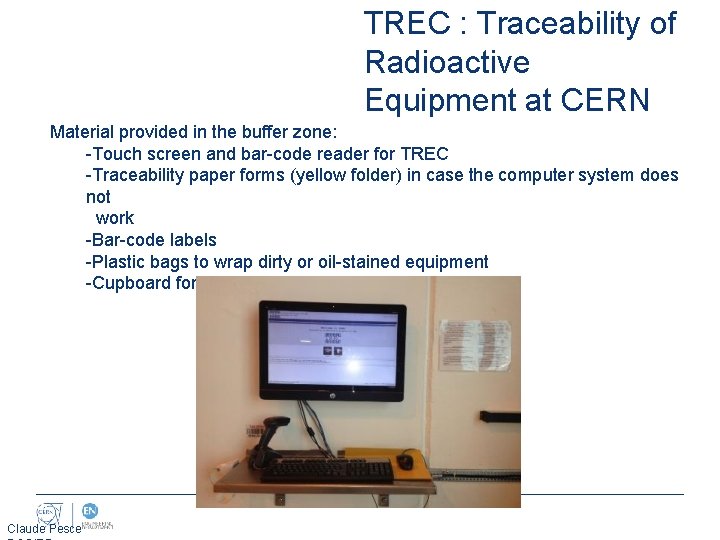
TREC : Traceability of Radioactive Equipment at CERN Material provided in the buffer zone: -Touch screen and bar-code reader for TREC -Traceability paper forms (yellow folder) in case the computer system does not work -Bar-code labels -Plastic bags to wrap dirty or oil-stained equipment -Cupboard for the temporary storage of small items Claude Pesce
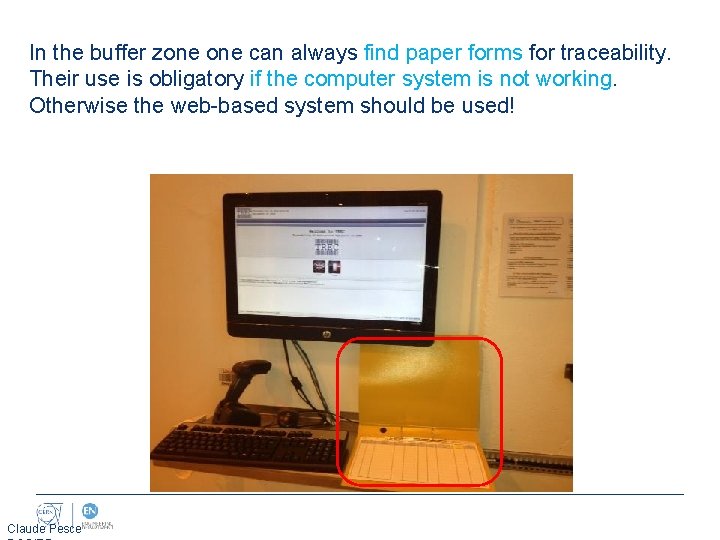
In the buffer zone can always find paper forms for traceability. Their use is obligatory if the computer system is not working. Otherwise the web-based system should be used! Claude Pesce
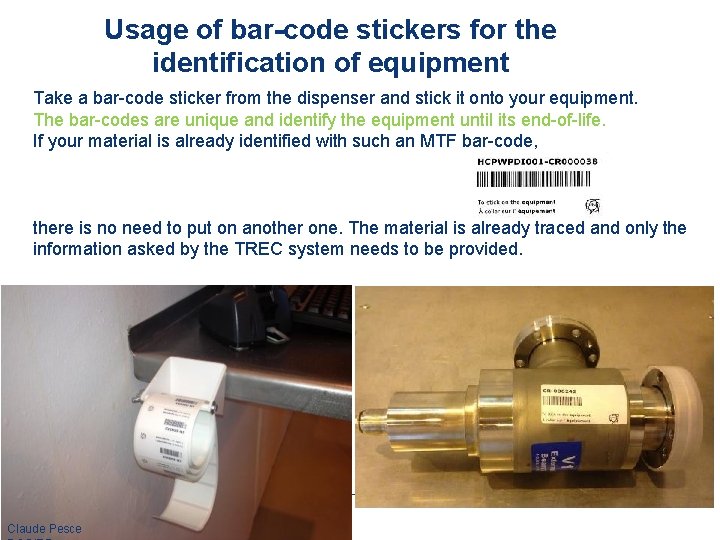
Usage of bar-code stickers for the identification of equipment Take a bar-code sticker from the dispenser and stick it onto your equipment. The bar-codes are unique and identify the equipment until its end-of-life. If your material is already identified with such an MTF bar-code, there is no need to put on another one. The material is already traced and only the information asked by the TREC system needs to be provided. Claude Pesce
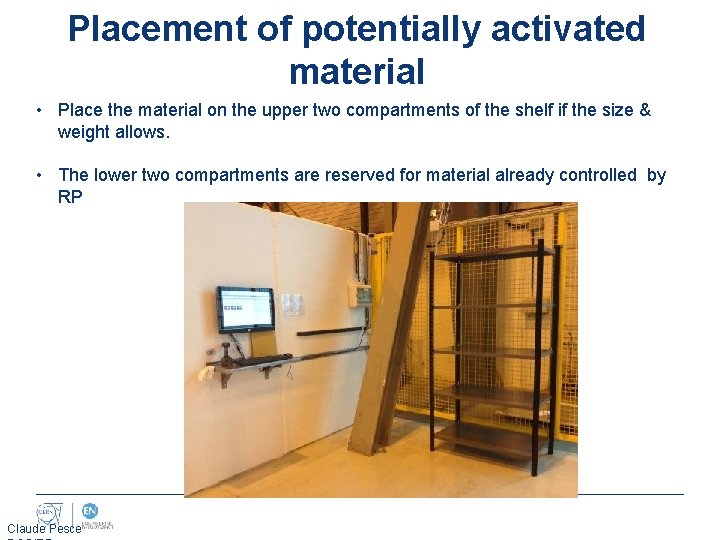
Placement of potentially activated material • Place the material on the upper two compartments of the shelf if the size & weight allows. • The lower two compartments are reserved for material already controlled by RP Claude Pesce
Traceability of Radioactive Equipment at CERN How to use TREC? Visit the safety course web-site for a tutorial & video demos on how to use TREC http: //sir. cern. ch 44
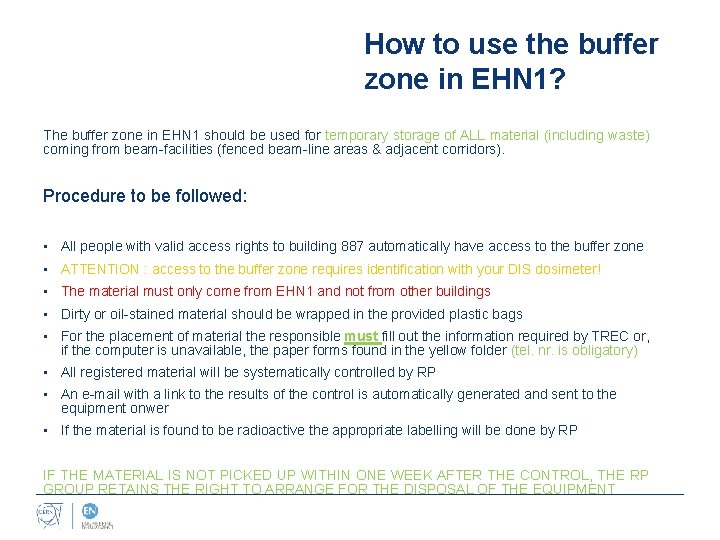
How to use the buffer zone in EHN 1? The buffer zone in EHN 1 should be used for temporary storage of ALL material (including waste) coming from beam-facilities (fenced beam-line areas & adjacent corridors). Procedure to be followed: • All people with valid access rights to building 887 automatically have access to the buffer zone • ATTENTION : access to the buffer zone requires identification with your DIS dosimeter! • The material must only come from EHN 1 and not from other buildings • Dirty or oil-stained material should be wrapped in the provided plastic bags • For the placement of material the responsible must fill out the information required by TREC or, if the computer is unavailable, the paper forms found in the yellow folder (tel. nr. is obligatory) • All registered material will be systematically controlled by RP • An e-mail with a link to the results of the control is automatically generated and sent to the equipment onwer • If the material is found to be radioactive the appropriate labelling will be done by RP IF THE MATERIAL IS NOT PICKED UP WITHIN ONE WEEK AFTER THE CONTROL, THE RP GROUP RETAINS THE RIGHT TO ARRANGE FOR THE DISPOSAL OF THE EQUIPMENT
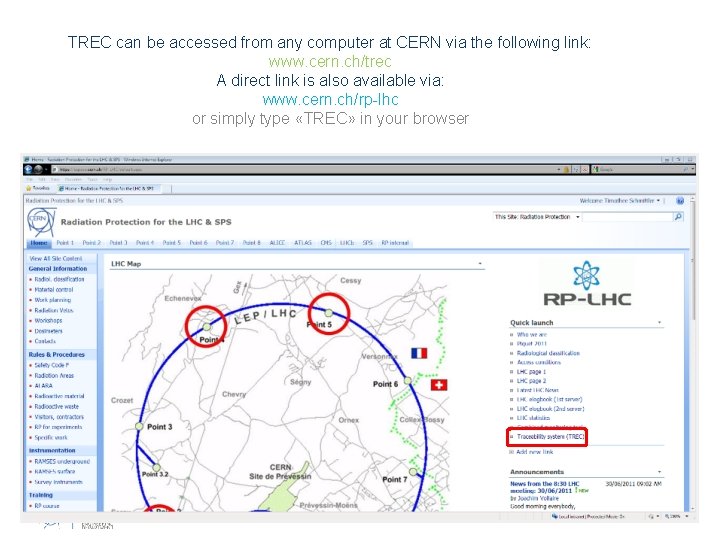
TREC can be accessed from any computer at CERN via the following link: www. cern. ch/trec A direct link is also available via: www. cern. ch/rp-lhc or simply type «TREC» in your browser

- Slides: 47