
Test Administrator Training Smarter Balanced Assessments SBA Spring
Test Administrator Training Smarter Balanced Assessments (SBA) Spring 2015
New acronyms for SBA CAT: DC: ORS: PT: TAM: TIDE: TUG: Computer Adaptive Test District Coordinator (formerly DAC) Online Reporting System Performance Task Test Administrator (formerly Proctor) Test Administrator Manual Test Information Distribution Engine Test Administrator Users Guide (formerly DFA) SC: School/Test Coordinator (formerly SAC) WCAP: Washington Comprehensive Assessment Program portal 2

Test Administrator Resources • Assessment & Research SBA website for staff and parents resources – FAQs – Links to SBA Resources on WCAP: • Manuals • Assessment Access – Informational and training videos – Assessment calendar 3

Summative Assessment • Computer Adaptive Test (CAT) • Classroom (In-class) Activity – Preparation for PT that focuses on vocabulary and key contextual topics – Note: Prior to starting PT, collect all In Class Activity student notes and remove charts or graphs from around the room. • Performance Task (PT) – Extended math problem or writing tasks – Students may not use notes from the inclass activity on the PT.
Assessment Durations Exceptions & Limitations On rare occasions and with limitations, a student may need a test paused or stopped for the day. The student can then continue working on another day (i. e. ill during test, doctor appointment, IEP/504). • Please consult School Coordinator (SC) if you feel a student needs to access this option. 5
What is allowed during test administration? For MSP Science: At the beginning of the test we can remind students to complete all questions. When they begin to turn in their booklets, we can reread the direction to the class, “…Make sure there are no unanswered questions on any page. ” We can re-read test directions (NOT test questions) aloud for any SBA Assessments: test as many times as students need. When students ask for help, reply “I can’t help you with your test. Review the tutorial for help. Select the help icon (? ) in the upper right corner of your screen. ” Always try your best. ” (TAM, pg. 48) Smile and make eye contact whenever possible! 6

Tools & Accommodations • Headsets required for: – ELA CAT listening portion, some PT tasks and for students requiring text-to-speech – Math CAT & PT for students requiring audio glossaries and text-to-speech • Graph paper Math – Allowed for all grades and required for grade 6 and above • Yellow lined paper ELA & Math – Allowed for all grade levels • Note: Changes in universal and designated options and accommodations may take up to 24 hours to appear 7

Additional Technology These options need to be set in TIDE by direct arrangement with AIR 844. 560. 7366 Print on Demand • Student answers one question at a time • TA ensures that the printer is on and monitored and then prints the item • TA or student enters the responses • TA destroys printed materials except for notes from PT 1 which may used on PT 2. Magnification • Will allow a view greater than 3. 0 Speech to Text • Assistive Technology Device approved
Before Test Administration • Read Instructions for Administration section in TAM pages 41 -50 and TUG (formerly DFA). • Ensure that headsets are available if the sound check test appears as the student logs in. If the sound is not audible, log out of the secure browser and adjust sound. (ELA listening portion and students using text to speech), or math audio translation glossary. • No more than twenty minutes prior access WCAP portal under Test Administrators and then select Test Administration to start the session. • Write the session ID number on the board – not on the test ticket – ID sessions are case sensitive.
Security Protocols • State and local laws and policies specify practices to ensure test security of standardized and ethical administration of assessments. • Student monitoring must be maintained throughout testing. • Allowable and prohibited behaviors are detailed in appendix H of the Guidelines on Tools, Supports and Accommodations. • A complete list of rules and regulations can be found online: www. k 12. wa. us/Prof. Practices/Code. Conduct. aspx 10
Test Security Room Setting • Instructional materials related to the content of the assessments are not visible • In-class activities have been removed from view and student notes collected and destroyed • Student seats are far enough apart to prevent students from viewing other screens • TA is prepared to respond to students asking for help: – “I can’t help you with your test. ” – “Review the tutorial for help. ” – “Select the help icon (? ) in the upper right corner. ” – “Always try your best. ” (TAM, pg. 48) 11
Test Security Materials • Test tickets must be locked up when not in use by students. Tickets may be reused but must be secured between uses. – Do not write the session ID on the ticket. • Math CAT and PT scratch paper (graph or lined) must be collected after each session and shredded. • ELA CAT scratch paper (lined) must be collected after each session and shredded. • ELA PT 1 scratch paper (lined) must be redistributed for PT 2 and shredded at the completion of PT 2. 12
Test Security Test Administrators: May not: • actively review or analyze any items • review students’ scratch paper • log in as a student Shall: • secure materials in an area that can only be opened with a key or key card. • monitor student progress on the TA interface
Test Sessions • • • TA starts a session by logging into WCAP no more than 20 minutes prior to testing, selecting test(s), approving student access, and monitoring student progress. Students can only access their grade level assigned tests. When more than one test type is open for a grade level in a session, the student will see both test options. The TA approves each student within each test type and should deny access if the student has logged in to the wrong test. Students are displayed on the TA interface grouped by test If a student arrives late: – the student can join the session in progress with TA approval – the TA can add another content area or grade level test to the session already in progress When students are unable to log in, verify using “Student Lookup” that they are entering their log in information correctly. Legal first name, SSID number and case sensitive session ID.
During Testing • Class lists (TA Interface) should not be displayed on the overhead projector • Students are prohibited from access to unauthorized electronics • Help guide is always available on top right corner of the screen • Notepad access is item specific - not saved • Global Notes in ELA PT 1 are saved for PT 2 until the student submits the exam • Monitor student progress in the TA Interface: – Watch for students that may have paused their session – Watch for students that are progressing too quickly
Pause Rules Pausing for fewer than 20 minutes, the student will: Return using the same session ID to the segment they were working in and can change answers or review previous responses within the segment. Regardless of the Pause feature, a student may never return to a previous segment. Pausing (or stopping the test) for more than 20 minutes, the student will: CAT portion • Require a new TA generated session ID to continue testing • Return to the page with the last unanswered question • Not be able to review or change previous answers even if flagged • Not be able to see any highlighted text or global notes Performance Tasks • Require a new TA generated session ID to continue testing • Return to the section and continue entering responses • Have access to global notes from the first section into the second TAs will be automatically logged out (session stops) after 30 minutes of inactivity. Activity includes the students actively clicking next or back. 16
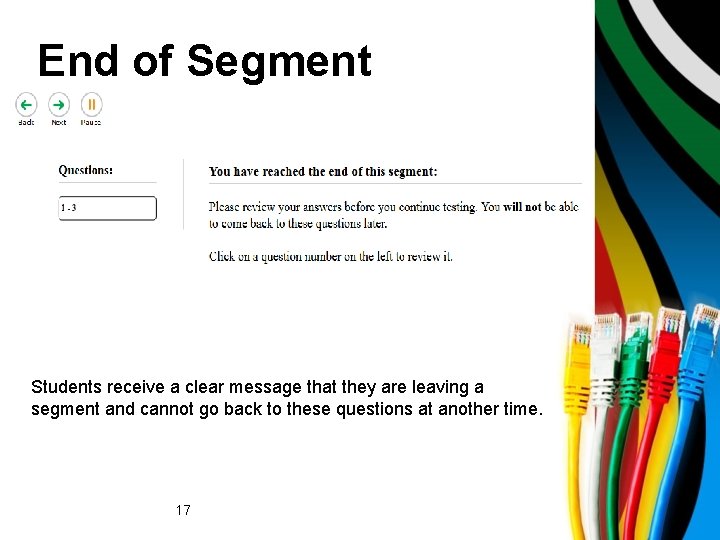
End of Segment Students receive a clear message that they are leaving a segment and cannot go back to these questions at another time. 17
Ending a Session Quoting from the directions on page 49 in the TAM, we will remind students the session is about to end: When there approximately ten minutes left in the test session, the TA should give students a brief warning. SAY: We are nearing the end of this test session. Please review any completed or marked for review items now. Do not submit your test unless you have answered all of the questions. .
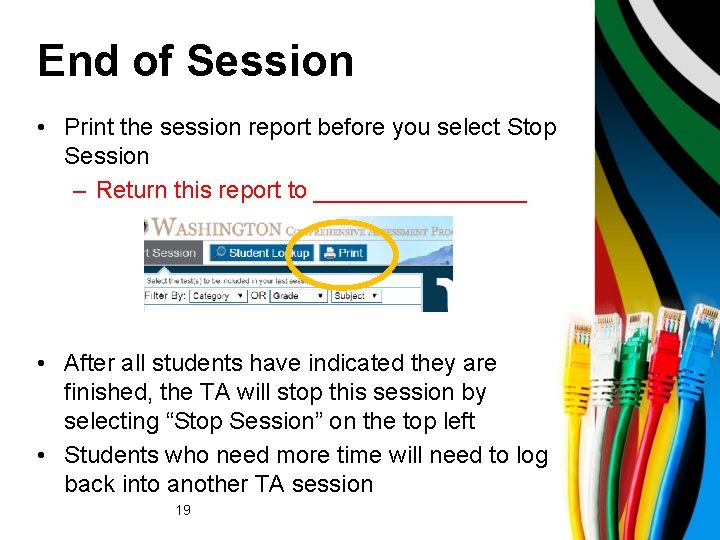
End of Session • Print the session report before you select Stop Session – Return this report to ________ • After all students have indicated they are finished, the TA will stop this session by selecting “Stop Session” on the top left • Students who need more time will need to log back into another TA session 19
Participation and Room Scheduling Who will test where? Extended-time location: • Add your notes here Extended testing time: • TAs in an extended testing location will need the test ticket and the content area and specific test the student needs to complete. Slide 20
Attendance Procedures: Add your notes Plan for make-ups at all grade levels including high schools. Testing window ends June 15. Slide 21
Break Procedures • • Instruct students not to discuss the test Students are monitored by staff until testing is complete Bathroom break during testing – one student at a time Ensure students do not have access to any electronic devices • Add your staff break, hall monitor plan information here • Add the emergency contact number/plan should a TA need help during the assessment. Have them write the contact information on the back cover of the directions packet Slide 22
Document Irregularities • Do what you can to correct the situation, i. e. move the students or take away the cell phone. Continue testing whenever possible. • Report to your SC immediately regarding any irregularity • Document the irregularity on your Test Assurance Security Formoordinator” box • Record the events and provide the SC with specific details of what transpired The SC is responsible to: • Contact the DC • Complete an irregularity or appeal report Never invalidate a test booklet. Slide 23
Final Checklist… After Testing: q Account for all test tickets q Account for all secured materials distributed (yellow, lined paper; glossaries; graph paper) q Process for returning scratch paper to be shred is ____ q Sign and return the Test Security Assurance Form q Confirm the completion of daily session reports Review the school procedure when students finish before the rest of the class. Slide 24

Questions
- Slides: 25