
TERMS AND CONDITIONS These Power Point slides are
- Slides: 19
TERMS AND CONDITIONS These Power. Point slides are a tool for lecturers, and as such: • YOU MAY add content to the slides, delete content from the slides, print out the slides, and save the slides onto your computer or server. • YOU MAY NOT resell, reproduce or redistribute the content in any form whatsoever, without prior written permission from the copyright holder. © Troupant Publishers (Pty) Ltd, 2016 Selected images used under licence from Shutterstock. com Computer Practice
Computer Practice N 4 Computer Practice
KEYBOARD PROFICIENCY MODULE 2 Computer Practice
THE KEYBOARD UNIT 2. 1 Computer Practice
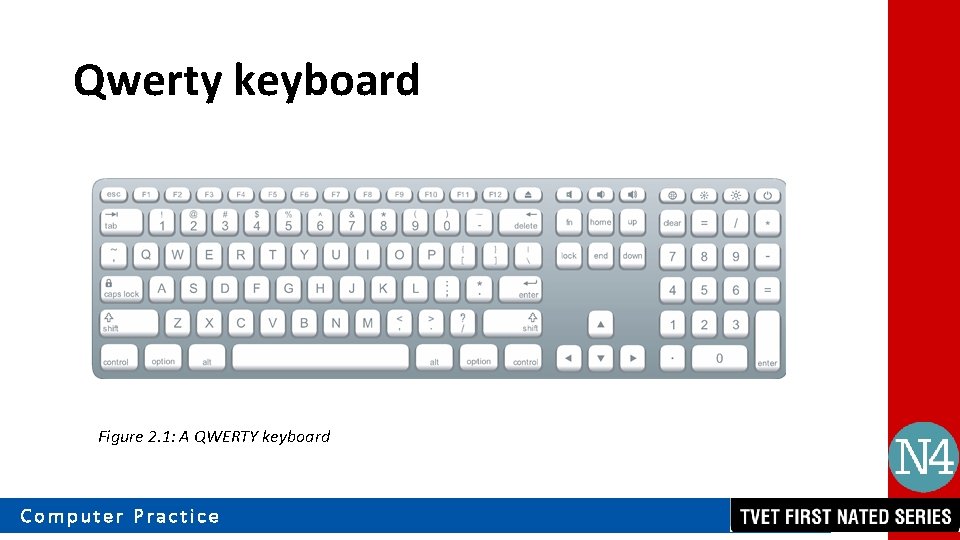
Qwerty keyboard • Alphabetical keys. • Numerical keys and special signs on the top of each key at the top row. • Space bar. • Enter key. • Two shift keys. Computer Practice • • • Caps lock key. Tab key. Backspace key. Escape key. Two Ctrl (control) keys. Two Alt keys to use in conjunction with other keys.
Qwerty keyboard Figure 2. 1: A QWERTY keyboard Computer Practice
Qwerty keyboard Function keys • Situated at the top of the keyboard (F 1–F 12). • Are programmable keys and can execute different functions with different programs. Direction keys • On the right-hand side of the keyboard. • Arrow keys control the movement of the cursor on the screen (left, right, top and bottom) Computer Practice
Assessment activity 2. 1 Test your knowledge of this section by completing Activity 2. 1 (page 13 of your Student’s Book) Computer Practice
CORRECT SITTING POSTURE UNIT 2. 2 Computer Practice
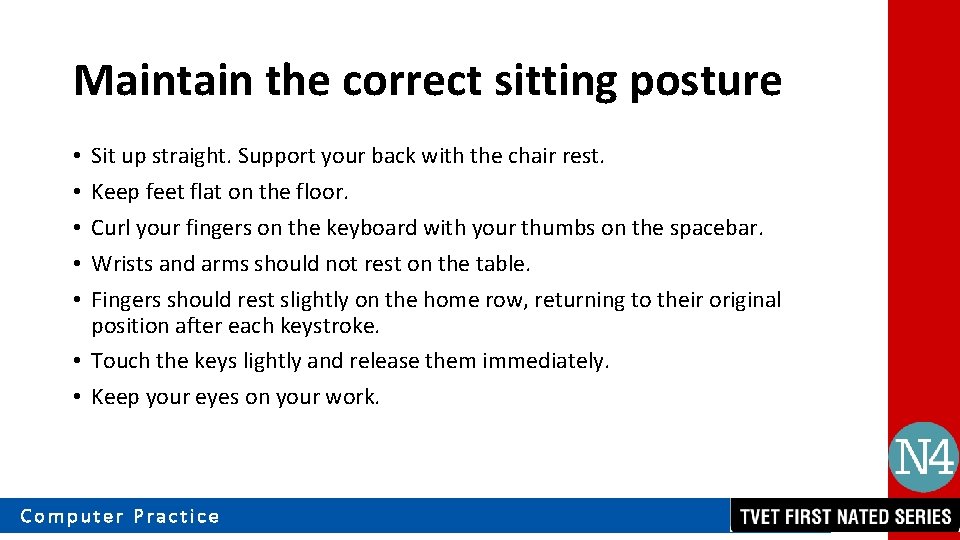
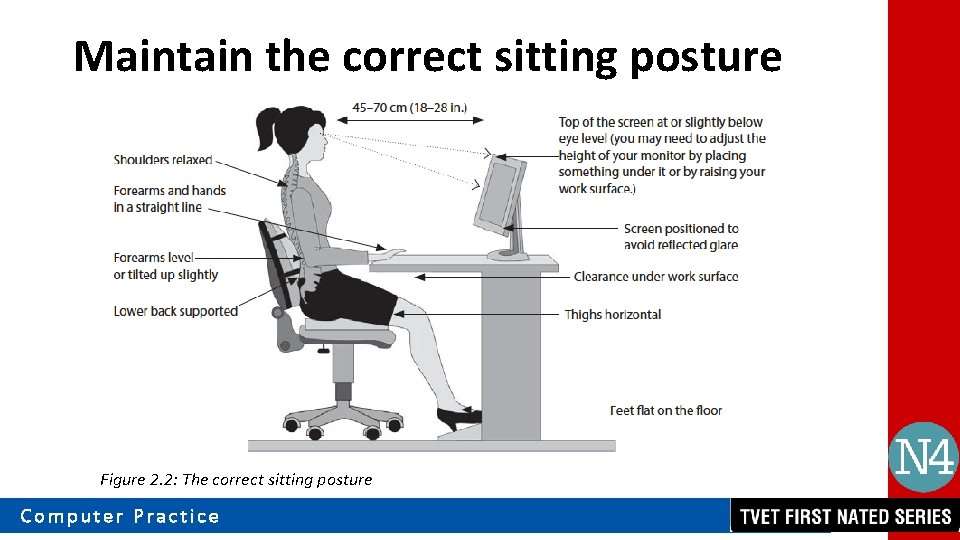
Maintain the correct sitting posture Sit up straight. Support your back with the chair rest. Keep feet flat on the floor. Curl your fingers on the keyboard with your thumbs on the spacebar. Wrists and arms should not rest on the table. Fingers should rest slightly on the home row, returning to their original position after each keystroke. • Touch the keys lightly and release them immediately. • Keep your eyes on your work. • • • Computer Practice
Maintain the correct sitting posture Figure 2. 2: The correct sitting posture Computer Practice
VIDEO: Correct posture while sitting Computer Practice
Assessment activity 2. 2 – 2. 5 Test your knowledge of this section by completing Activity 2. 2 – 2. 5 (page 14 – 20 of your Student’s Book) Computer Practice
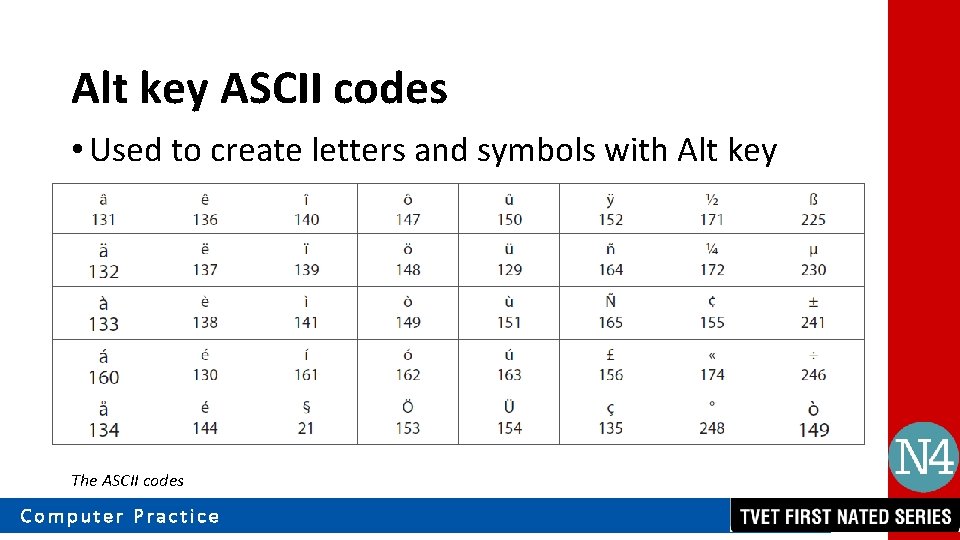
Alt key ASCII codes • Used to create letters and symbols with Alt key The ASCII codes Computer Practice
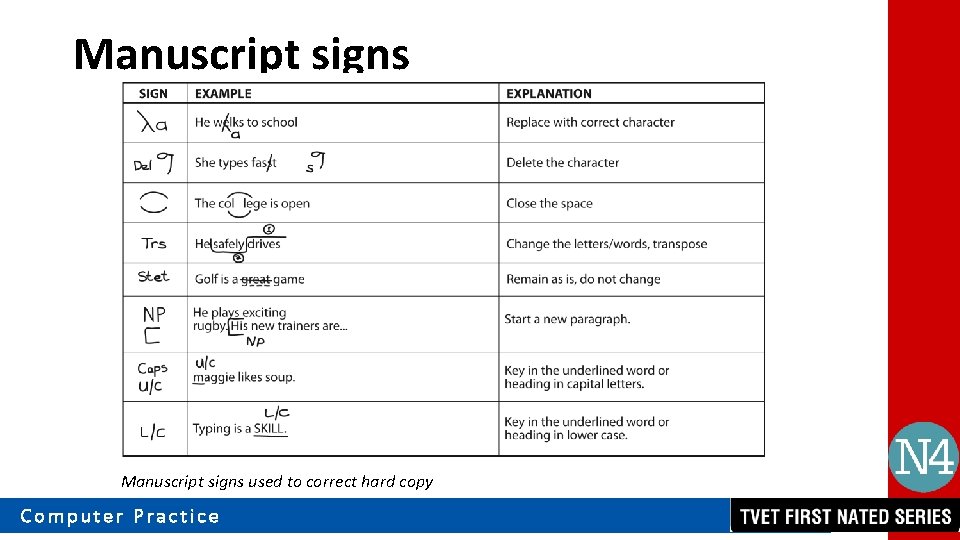
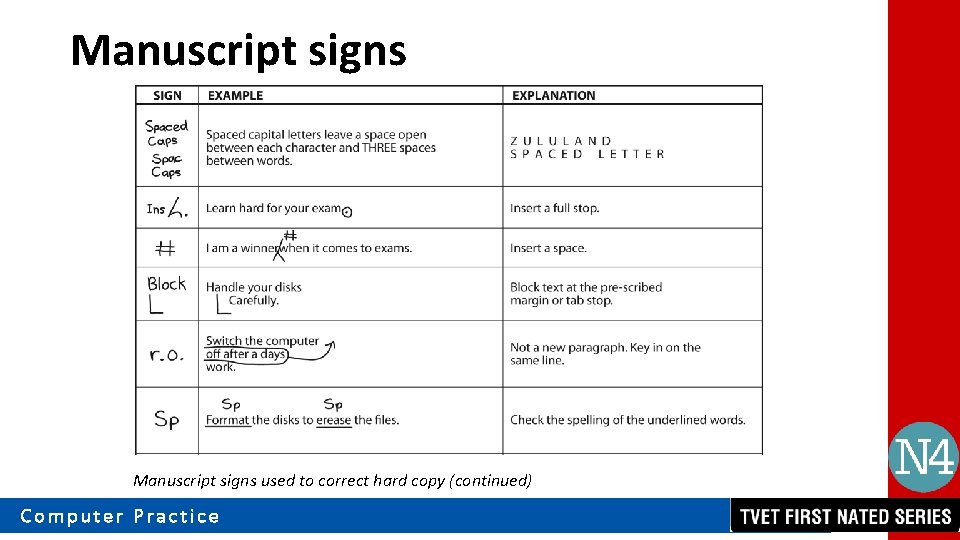
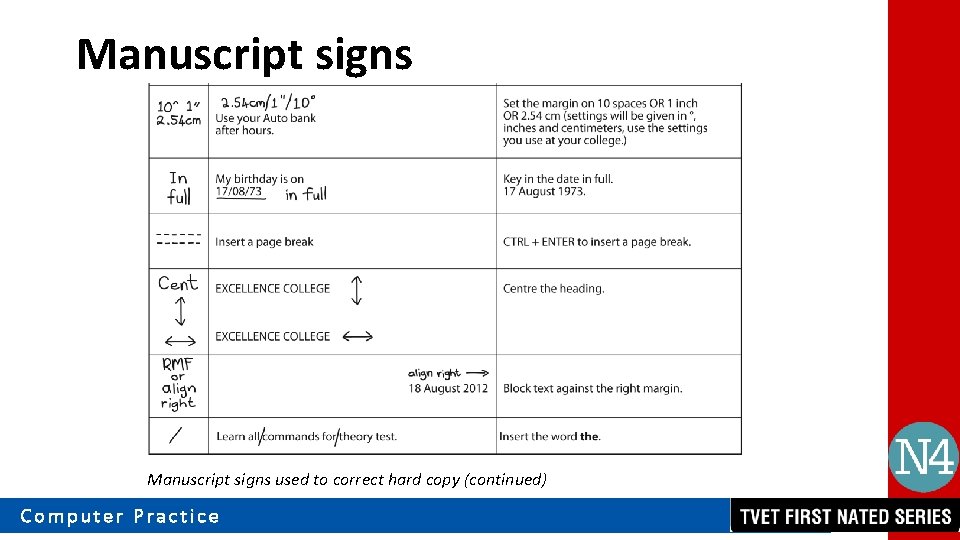
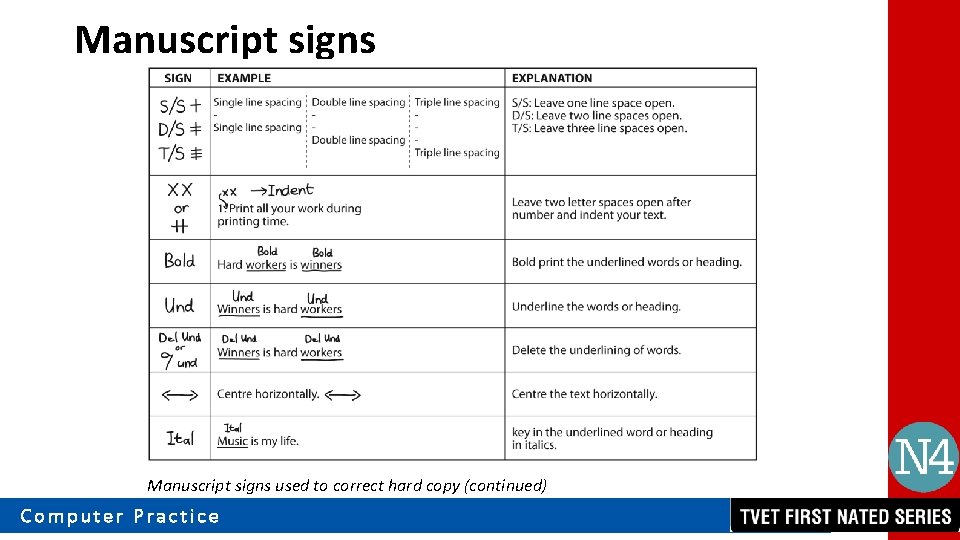
Manuscript signs To input changes from a hard copy document into an electronic one, manuscript signs are used to mark up mistakes or changes. Computer Practice
Manuscript signs used to correct hard copy Computer Practice
Manuscript signs used to correct hard copy (continued) Computer Practice
Manuscript signs used to correct hard copy (continued) Computer Practice
Manuscript signs used to correct hard copy (continued) Computer Practice