
Templates A template can be used to create
Templates • A template can be used to create a family of classes and functions. • Enable us to create generic classes and functions. • Since template is defined with a parameter that would be replaced by a specific data type at the time of actual use of class or function. Sometimes, templates are called as Parameterized classes or functions. • Moreover template is a KEYWORD.
There are three categories of templates: 1. Function templates 2. Class templates and 3. Member function templates.

1. Function Templates • A function template is used to create a family of functions with different arguments types. Syntax: template<class X> return type function name(arguments list) { //body of the function } Note: X is a template parameter.

Write a program that creates a generic function that swaps the values of two given variables. #include<iostream. h> template<class X> Void swap(X &a, X &b) { X temp; temp=a; a=b; b=temp; } Int main() { int i=10, j=20; float x=10. 1, y=20. 2; swap(i, j); swap(x, y); Cout<<“swapped i, j”<<i<<j<<endl; Cout<<swapped x, y”<<x<<y<<endl; return 0;
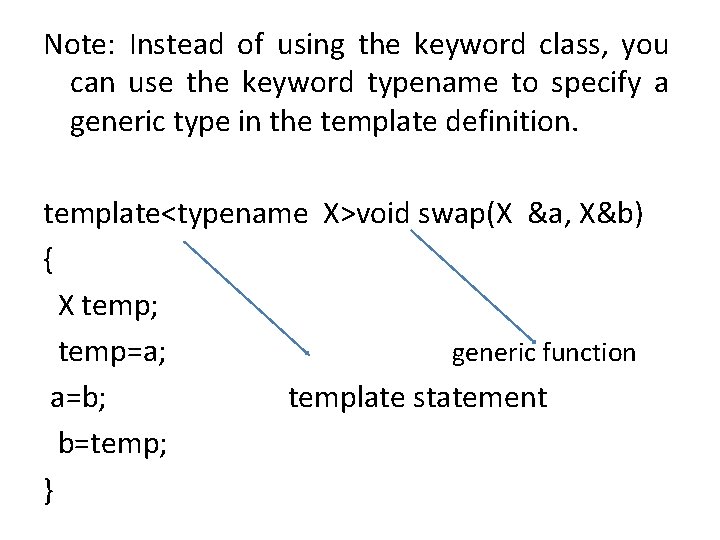
Note: Instead of using the keyword class, you can use the keyword typename to specify a generic type in the template definition. template<typename X>void swap(X &a, X&b) { X temp; temp=a; generic function a=b; template statement b=temp; }

Note: You can define more than one generic data type within the template statement, using commaseperated list. Ex: template<class type 1, class type 2> void myfunct(type x, type y) { cout<<x<<‘ ‘<<y<<endl; } int main() { myfunct(10, “hai”); mufunct(2. 35, 245690); return 0; }
2. Class templates • A template can be extended to classes. • Class templates are generally used for data storage classes. Examples for data storage classes are stack and linked lists.

Write a program using class template stack data storage class. template <class type> Class stack { private: type st[max]; int top; stack() { top=-1; } void push(type val) { st[++top]=val; } int pop( ) { return st[top- -] }

main() { stack <int> s 1; s 1. push(100); s 1. push(200); s 1. push(300); s 1. push(400); Cout<<s 1. pop(); Stack<float>s 2; S 2. push(10. 5); S 2. push(20. 5); S 2. push(30. 5); Cout<<s 2. pop(); return 0; }
- Slides: 9