
Technical Resource Overview Overview of Topics KSUSpecific Resources


- Slides: 16
Technical Resource Overview
Overview of Topics • KSU-Specific Resources • D 2 L, Owl. Life, Handshake • Microsoft Office • Outlook, Power. Point • Social Media • Facebook, Instagram, Linked. In • Miscellaneous • VPN’s, One. Drive
KSU-Specific Resources • Resources that you’ll be required to use as a student: • D 2 L • Owl. Express & Degree. Works • Other useful resources: • • Owl. Life Handshake My Print Center Owl. Train
Getting Started • First, sign in to Owl. Life: • https: //owllife. kennesaw. edu/ • Search for “FGO” • Scroll down to Documents, find this file • Open so that you can move along with us!
UITS & My. KSU • University Information Technology Services (UITS) • Make note of UITS contact information if you ever need help • studenthelpdesk@kennesaw. edu • (470) 578 -3555 • My. KSU (link) • Contains a list of resources you’ll need to use as a student
Owl. Life • Link: owllife. kennesaw. edu/ • This is the one-stop location for all KSU student orgs • RSO’s vs other organizations • Take advantage of this during your time at KSU
FGO on Owl. Life • View “Orgs” tab to see all 398 groups • Search for “FGO” to find our page • Select the “Join” button so that we can get you added!
Desire-2 -Learn Brightspace (D 2 L) • Contains all your online course materials • Link: Here • Click “login to KSU D 2 L Brightspace” • Login with your credentials • Select your name at the top right • Then select “Profile”
D 2 L Profile Settings • Profile • Changes settings visible to other users • Similar to a social media account • Notifications • Setup text and email pushes • Account Settings • Various settings, but focus on “Email” tab
D 2 L’s Email System • One of two email platforms available to students • Not recommended to use this one unless required • Some professors require it • Otherwise, use your Outlook account
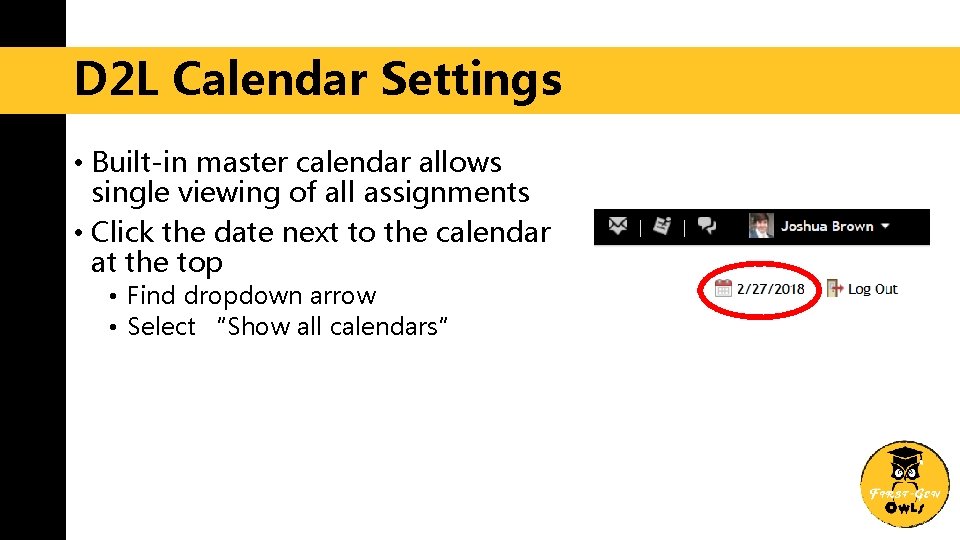
D 2 L Calendar Settings • Built-in master calendar allows single viewing of all assignments • Click the date next to the calendar at the top • Find dropdown arrow • Select “Show all calendars”
Handshake • KSU’s Career Management System • Formerly Owl. Link • Available to students and alumni • Link here. • Page also contains detailed instructions for using • For now, click “Student/Alumni Log. In” at bottom • Follow next link to login
My. Print. Center & My. Card • My. Print. Center • Link here • Allows you to upload and manage printed documents wirelessly • Must be on KSU Wi-Fi • My. Card • Link here • Manage funds for Kcash, Dining Dollars
Owl. Train & Owl. Support • Owl. Train: Technical workshops • Link here • Online courses you can take at any time • Owl. Support: Personal training • Link here • Signup for one-on-one training sessions
Questions & Comments
Contact Information Email Us firstgen@kennesaw. edu Connect with Us Blake Lairsey, President jlairse 2@students. kennesaw. edu @ksufirstgen Josh Brown, Vice-President jbrow 512@students. kennesaw. edu Owl. Life: @First-Gen. Owls