
Technical Product Knowledge Transfer PKT Module 2 Applications
- Slides: 43
Technical Product Knowledge Transfer (PKT) Module 2 Applications OAM IP Telephony Data Features Common Questions Business Communications Manager (BCM) 2. 5 15 25 20 45 15 120
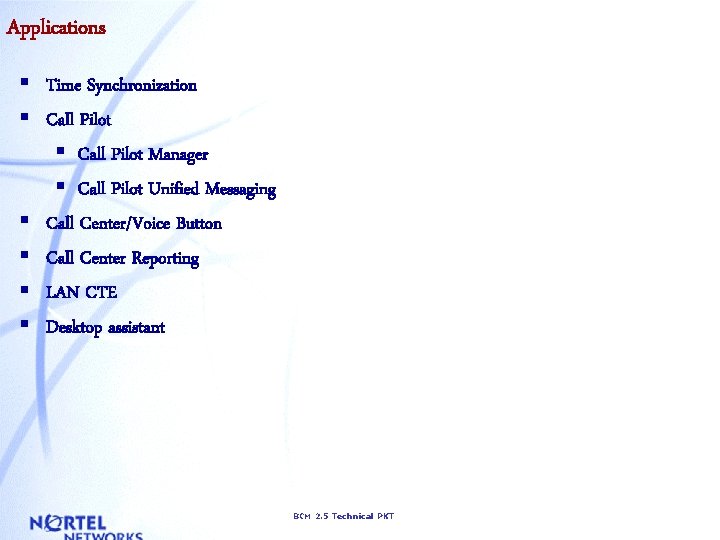
Applications § Time Synchronization § Call Pilot Manager § Call Pilot Unified Messaging § Call Center/Voice Button § Call Center Reporting § LAN CTE § Desktop assistant BCM 2. 5 Technical PKT
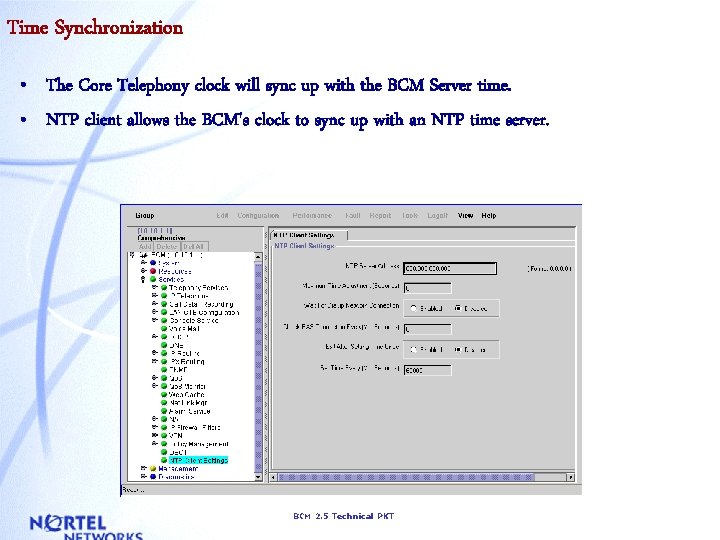
Time Synchronization • The Core Telephony clock will sync up with the BCM Server time. • NTP client allows the BCM's clock to sync up with an NTP time server. BCM 2. 5 Technical PKT
Call Pilot • Call. Pilot Manager replaces Voicemail Manager. • Messages and Prompts are no longer encoded using SBC format but instead use G. 711 encoding. • Call Pilot User interface from: – Telset and Audible prompts – Unified Messaging • Home Node Transfer point for CCR BCM 2. 5 Technical PKT
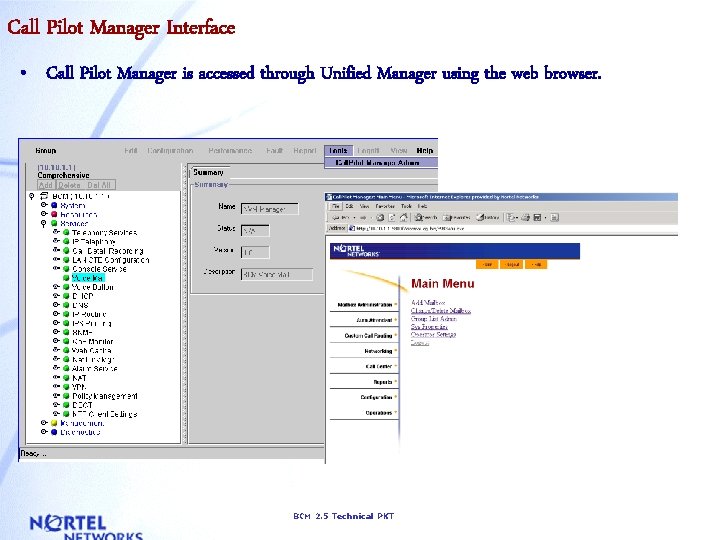
Call Pilot Manager Interface • Call Pilot Manager is accessed through Unified Manager using the web browser. BCM 2. 5 Technical PKT
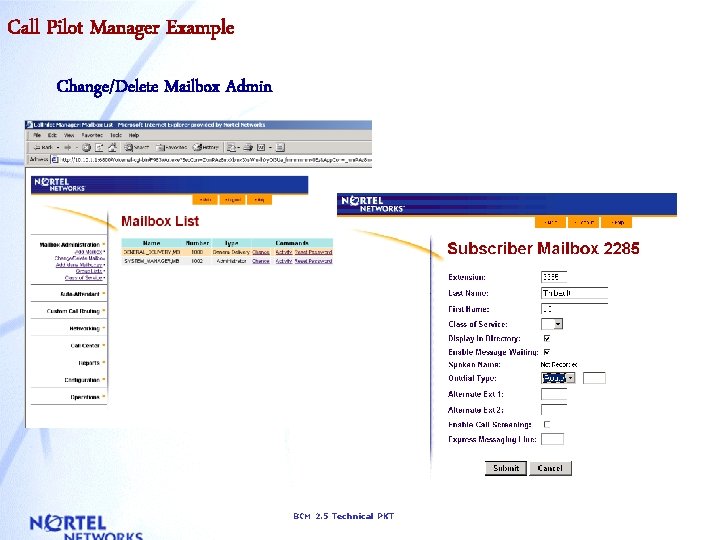
Call Pilot Manager Example Change/Delete Mailbox Admin BCM 2. 5 Technical PKT
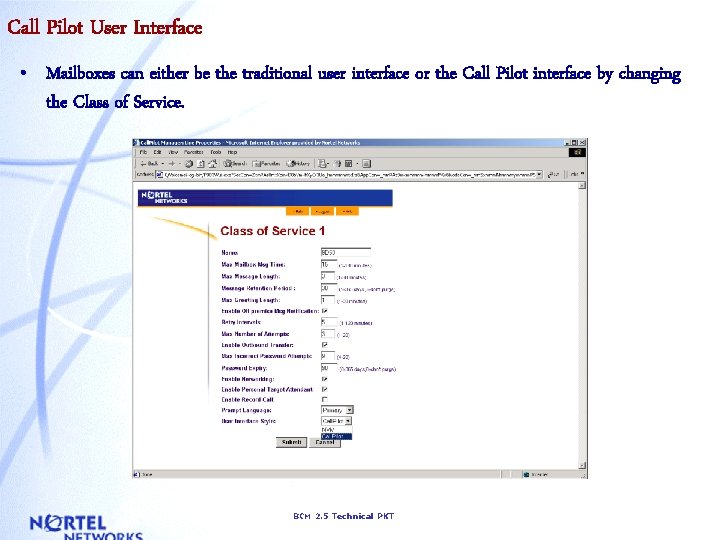
Call Pilot User Interface • Mailboxes can either be the traditional user interface or the Call Pilot interface by changing the Class of Service. BCM 2. 5 Technical PKT
Call Pilot Unified Messaging • Unified Messaging on BCM 2. 5 supports the following clients: • Microsoft Outlook and Exchange (Same as BCM 2. 0) • Microsoft Outlook Express 4. 0, 5. 0 • Microsoft Outlook 98, 2000 in Internet Mail mode • Netscape Messenger 4. 5, 4. 6 and 4. 7 • Lotus Notes 4. 51, 4. 61, 5. 0 and 4. x or 5. 0 server running on Win. NT • Qualcomm Eudora Pro 4. 02, 4. 2 • Novell Groupwise 5. 5 clients and 5. 5 Server running on Novell Netware 5. x BCM 2. 5 Technical PKT
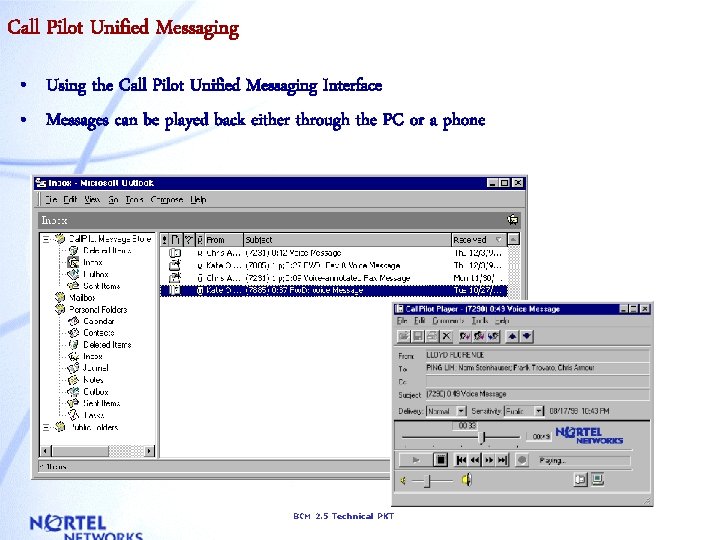
Call Pilot Unified Messaging • Using the Call Pilot Unified Messaging Interface • Messages can be played back either through the PC or a phone BCM 2. 5 Technical PKT
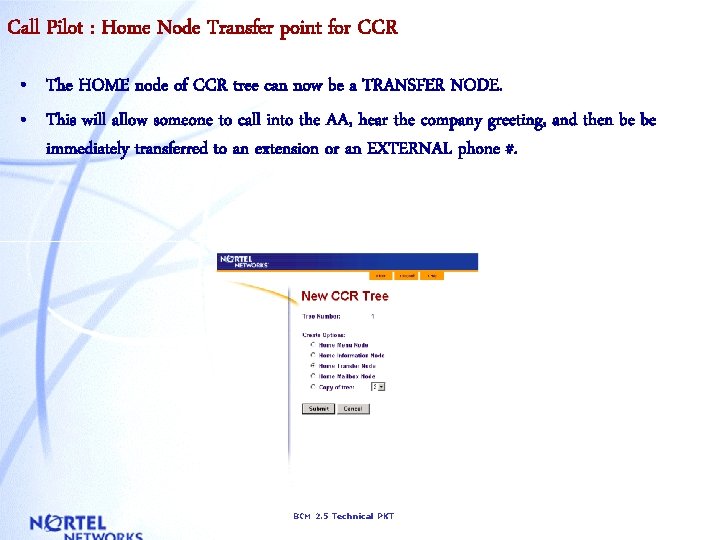
Call Pilot : Home Node Transfer point for CCR • The HOME node of CCR tree can now be a TRANSFER NODE. • This will allow someone to call into the AA, hear the company greeting, and then be be immediately transferred to an extension or an EXTERNAL phone #. BCM 2. 5 Technical PKT
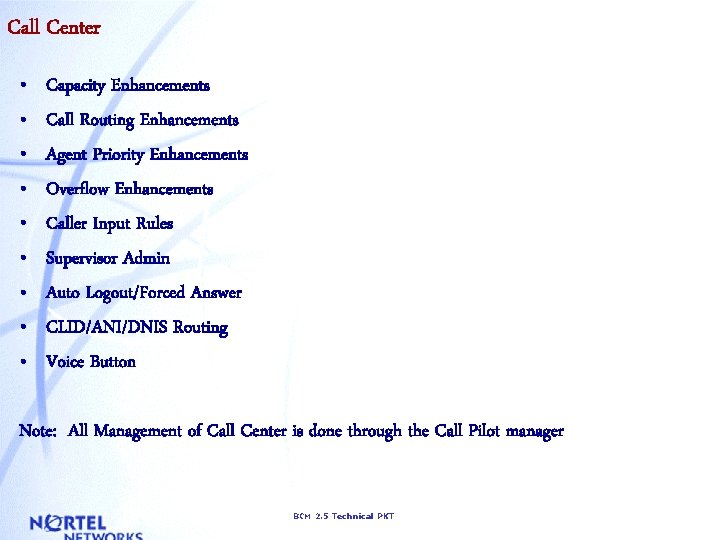
Call Center • • • Capacity Enhancements Call Routing Enhancements Agent Priority Enhancements Overflow Enhancements Caller Input Rules Supervisor Admin Auto Logout/Forced Answer CLID/ANI/DNIS Routing Voice Button Note: All Management of Call Center is done through the Call Pilot manager BCM 2. 5 Technical PKT
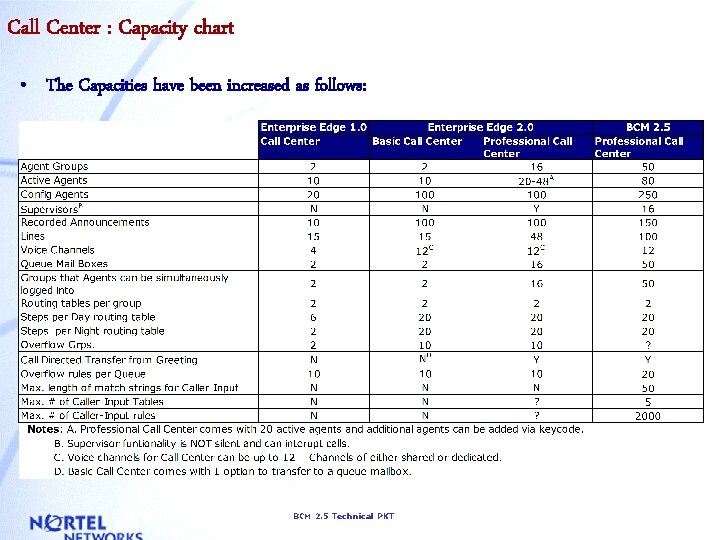
Call Center : Capacity chart • The Capacities have been increased as follows: BCM 2. 5 Technical PKT
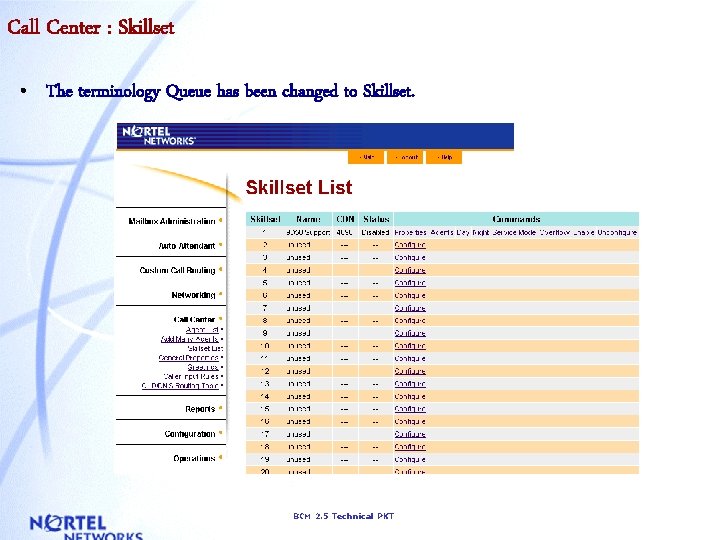
Call Center : Skillset • The terminology Queue has been changed to Skillset. BCM 2. 5 Technical PKT
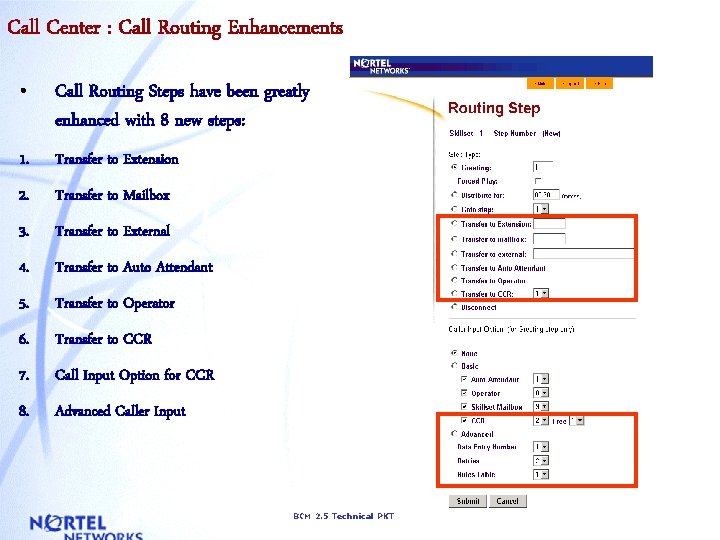
Call Center : Call Routing Enhancements • Call Routing Steps have been greatly enhanced with 8 new steps: 1. Transfer to Extension 2. Transfer to Mailbox 3. Transfer to External 4. Transfer to Auto Attendant 5. Transfer to Operator 6. Transfer to CCR 7. Call Input Option for CCR 8. Advanced Caller Input BCM 2. 5 Technical PKT
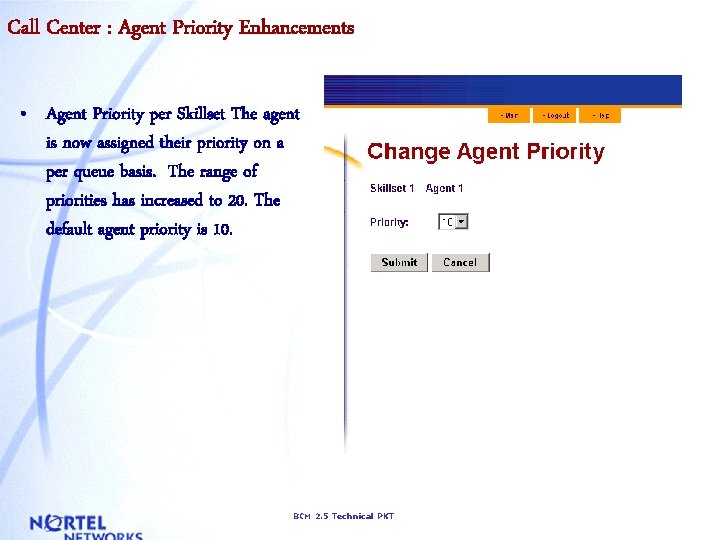
Call Center : Agent Priority Enhancements • Agent Priority per Skillset The agent is now assigned their priority on a per queue basis. The range of priorities has increased to 20. The default agent priority is 10. BCM 2. 5 Technical PKT
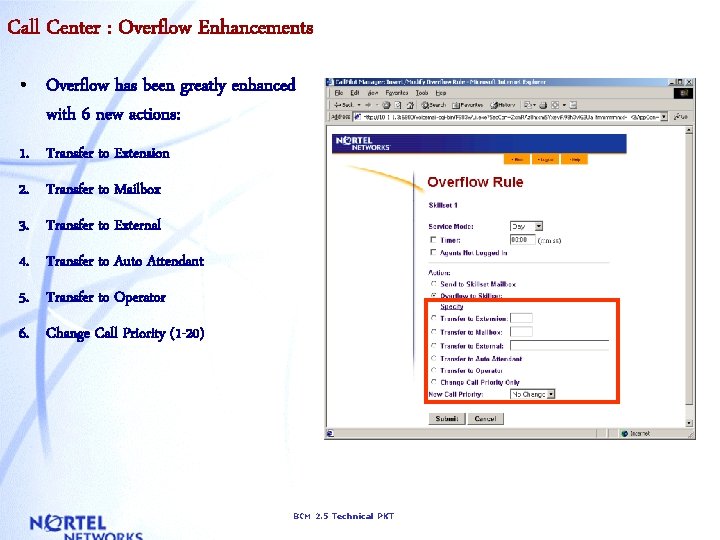
Call Center : Overflow Enhancements • Overflow has been greatly enhanced with 6 new actions: 1. Transfer to Extension 2. Transfer to Mailbox 3. Transfer to External 4. Transfer to Auto Attendant 5. Transfer to Operator 6. Change Call Priority (1 -20) BCM 2. 5 Technical PKT
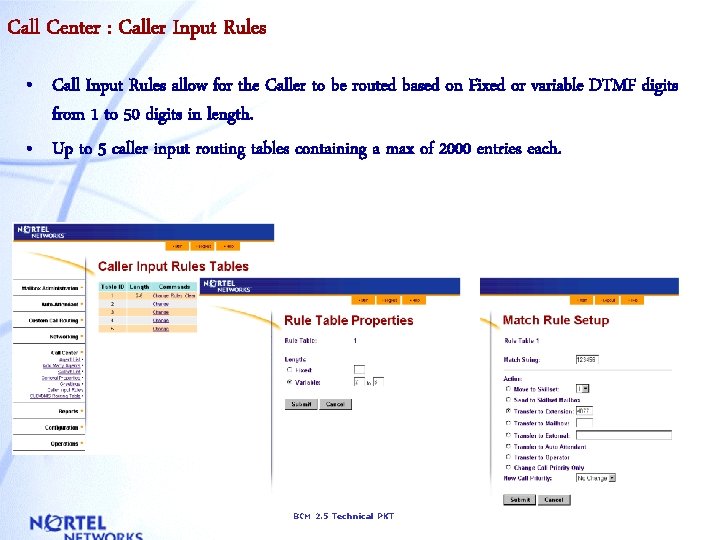
Call Center : Caller Input Rules • Call Input Rules allow for the Caller to be routed based on Fixed or variable DTMF digits from 1 to 50 digits in length. • Up to 5 caller input routing tables containing a max of 2000 entries each. BCM 2. 5 Technical PKT
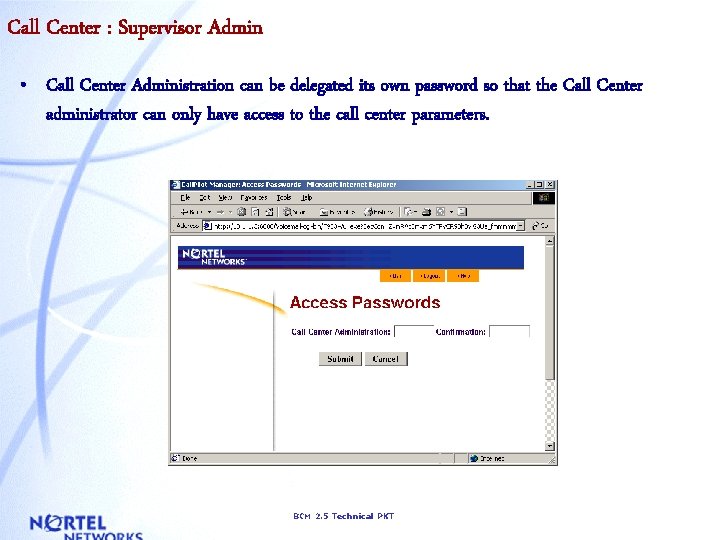
Call Center : Supervisor Admin • Call Center Administration can be delegated its own password so that the Call Center administrator can only have access to the call center parameters. BCM 2. 5 Technical PKT
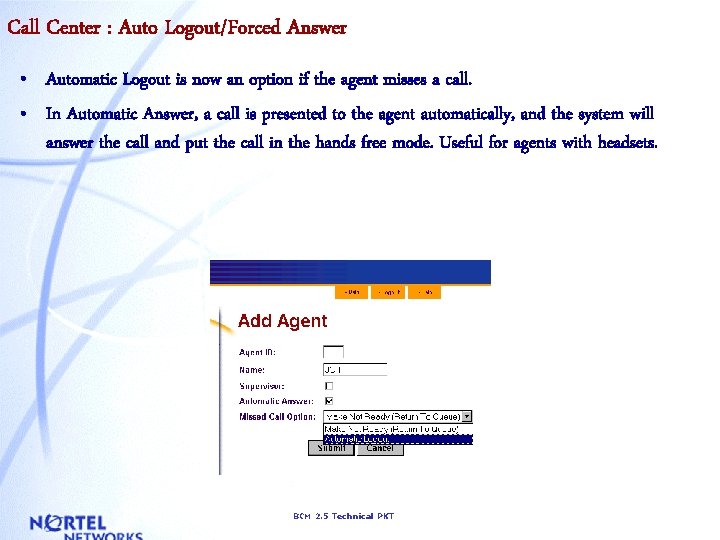
Call Center : Auto Logout/Forced Answer • Automatic Logout is now an option if the agent misses a call. • In Automatic Answer, a call is presented to the agent automatically, and the system will answer the call and put the call in the hands free mode. Useful for agents with headsets. BCM 2. 5 Technical PKT
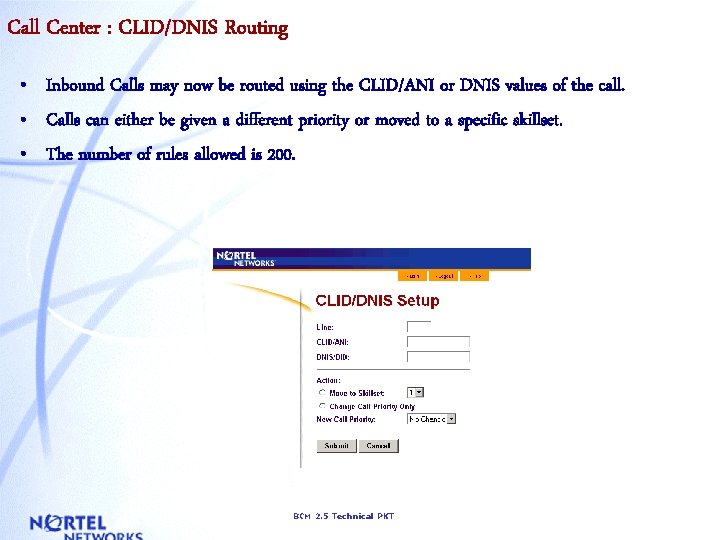
Call Center : CLID/DNIS Routing • Inbound Calls may now be routed using the CLID/ANI or DNIS values of the call. • Calls can either be given a different priority or moved to a specific skillset. • The number of rules allowed is 200. BCM 2. 5 Technical PKT
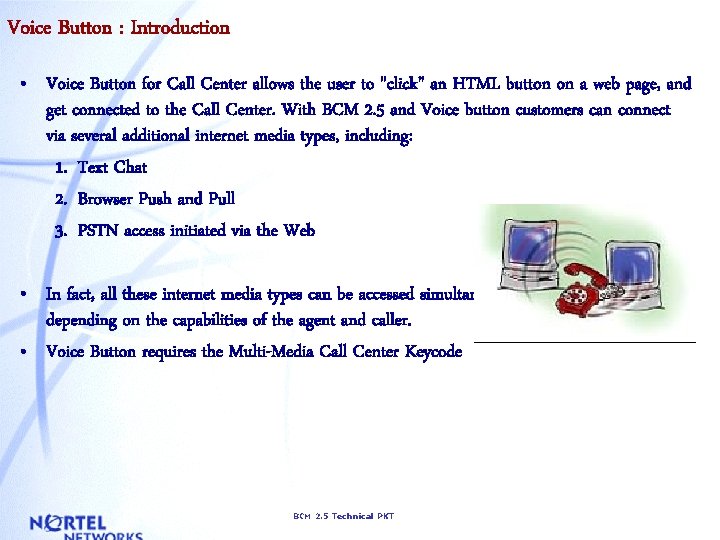
Voice Button : Introduction • Voice Button for Call Center allows the user to "click" an HTML button on a web page, and get connected to the Call Center. With BCM 2. 5 and Voice button customers can connect via several additional internet media types, including: 1. Text Chat 2. Browser Push and Pull 3. PSTN access initiated via the Web • In fact, all these internet media types can be accessed simultaneously, and in any combination depending on the capabilities of the agent and caller. • Voice Button requires the Multi-Media Call Center Keycode BCM 2. 5 Technical PKT
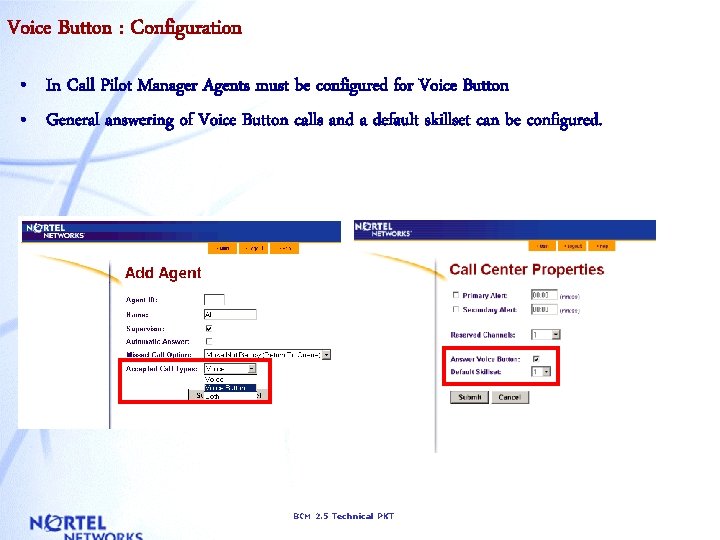
Voice Button : Configuration • In Call Pilot Manager Agents must be configured for Voice Button • General answering of Voice Button calls and a default skillset can be configured. BCM 2. 5 Technical PKT
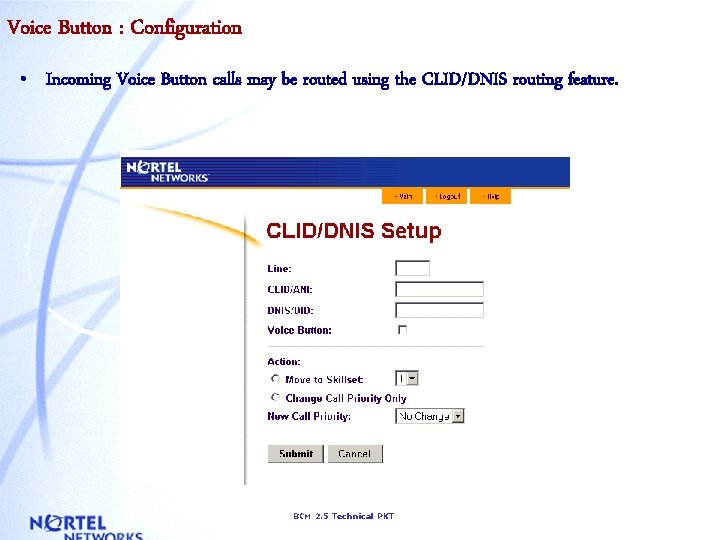
Voice Button : Configuration • Incoming Voice Button calls may be routed using the CLID/DNIS routing feature. BCM 2. 5 Technical PKT
Voice Button : Embedded Configuration • Other configuration that can be done to route voice button traffic is through the web page code. (HTML) • The Web Developer of the customers web site can develop a variety of interfaces to utilize Voice Button by simply knowing the following: - The host name of the Voice Button server - The name of the customer account - The names of the Skillset(s) • By knowing the above information the developer can route incoming Voice Button callers to any Skillset using example HTML code provided in the BCM documentation. BCM 2. 5 Technical PKT
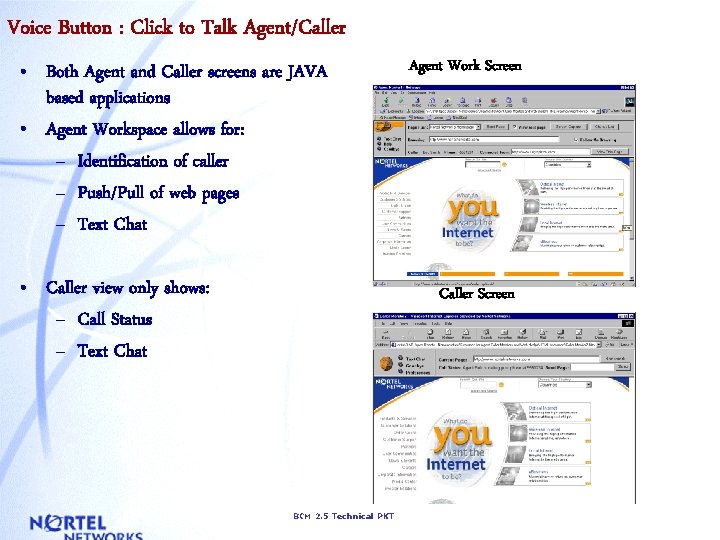
Voice Button : Click to Talk Agent/Caller • Both Agent and Caller screens are JAVA based applications • Agent Workspace allows for: – Identification of caller – Push/Pull of web pages – Text Chat • Caller view only shows: – Call Status – Text Chat Agent Work Screen Caller Screen BCM 2. 5 Technical PKT
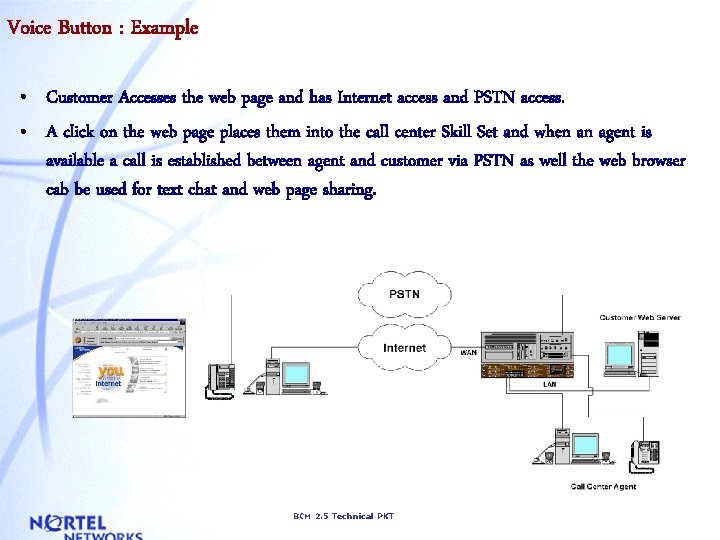
Voice Button : Example • Customer Accesses the web page and has Internet access and PSTN access. • A click on the web page places them into the call center Skill Set and when an agent is available a call is established between agent and customer via PSTN as well the web browser cab be used for text chat and web page sharing. BCM 2. 5 Technical PKT
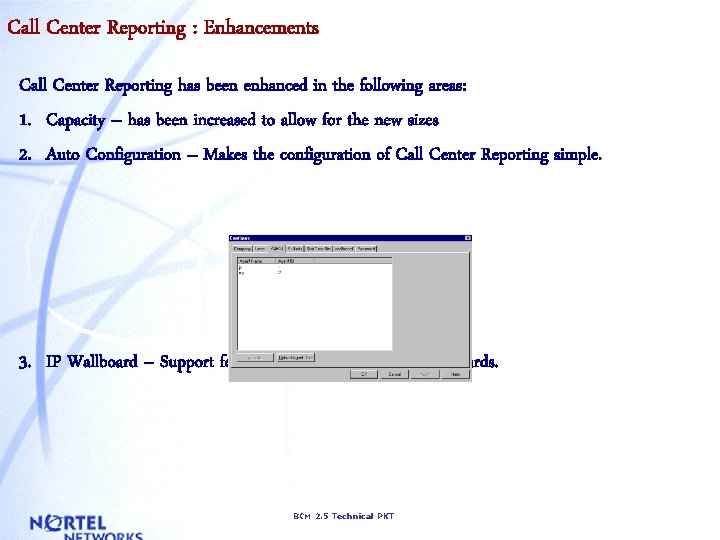
Call Center Reporting : Enhancements Call Center Reporting has been enhanced in the following areas: 1. Capacity – has been increased to allow for the new sizes 2. Auto Configuration – Makes the configuration of Call Center Reporting simple. 3. IP Wallboard – Support for S/W and H/W based IP Wallboards. BCM 2. 5 Technical PKT
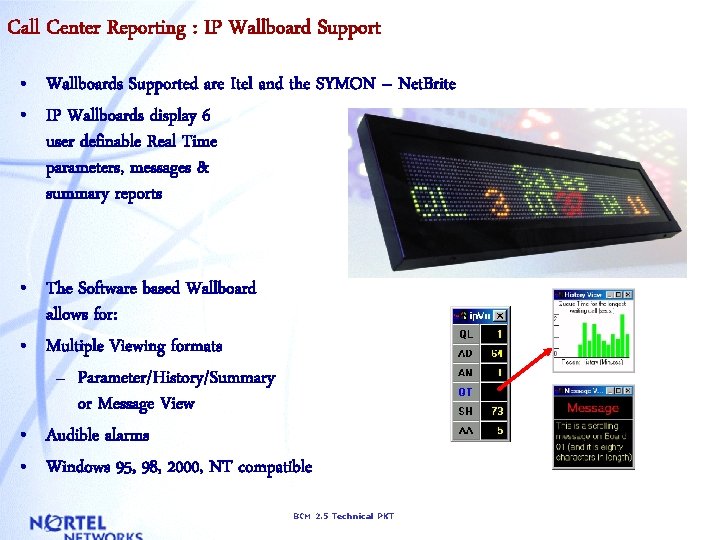
Call Center Reporting : IP Wallboard Support • Wallboards Supported are Itel and the SYMON – Net. Brite • IP Wallboards display 6 user definable Real Time parameters, messages & summary reports • The Software based Wallboard allows for: • Multiple Viewing formats – Parameter/History/Summary or Message View • Audible alarms • Windows 95, 98, 2000, NT compatible BCM 2. 5 Technical PKT
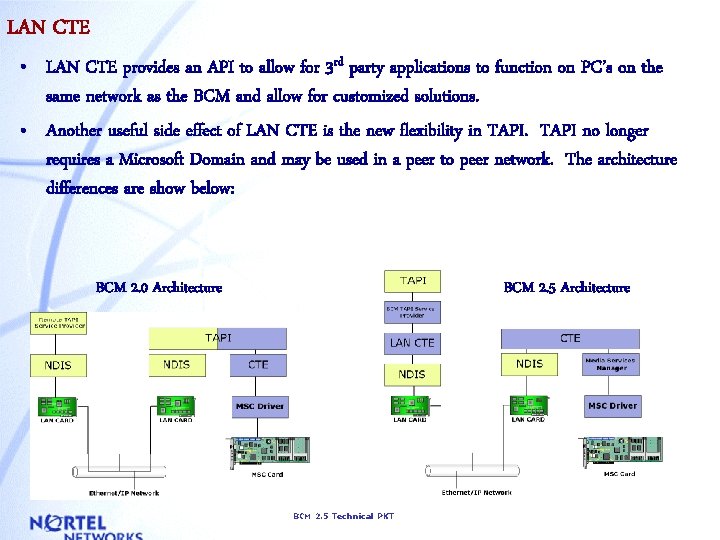
LAN CTE • LAN CTE provides an API to allow for 3 rd party applications to function on PC’s on the same network as the BCM and allow for customized solutions. • Another useful side effect of LAN CTE is the new flexibility in TAPI no longer requires a Microsoft Domain and may be used in a peer to peer network. The architecture differences are show below: BCM 2. 0 Architecture BCM 2. 5 Technical PKT
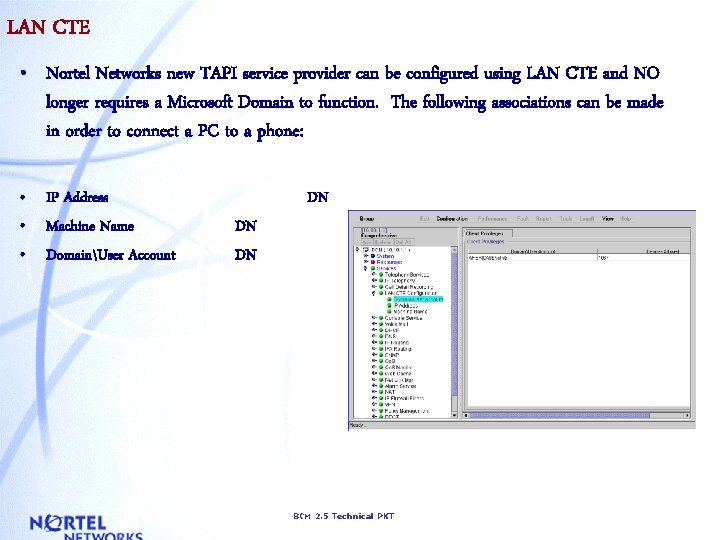
LAN CTE • Nortel Networks new TAPI service provider can be configured using LAN CTE and NO longer requires a Microsoft Domain to function. The following associations can be made in order to connect a PC to a phone: • IP Address • Machine Name • DomainUser Account DN DN DN BCM 2. 5 Technical PKT
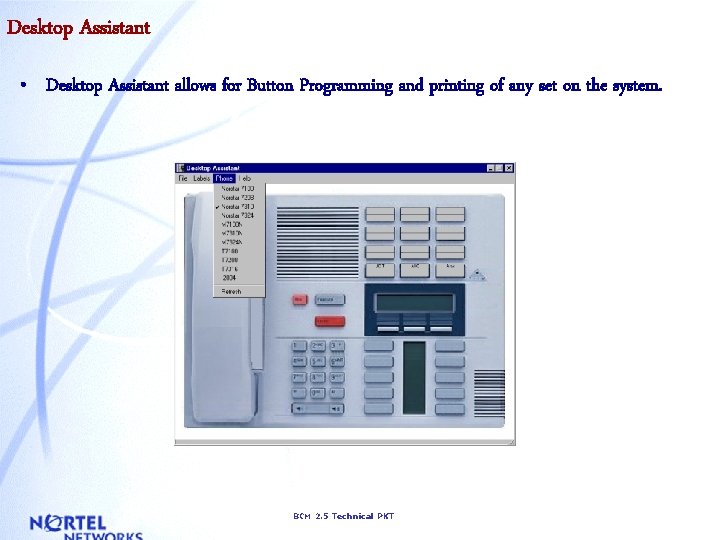
Desktop Assistant • Desktop Assistant allows for Button Programming and printing of any set on the system. BCM 2. 5 Technical PKT
IP Telephony § IP Client Support § I 2004/I 2050 Configuration from BCM § Registration § Auto DN § Set Based DN Deletion § I 2004/i 2050 Client Configuration § Miscellaneous Hardware § E-mobility 802. 11 § IP Trunk Support § Gatekeeper Support BCM 2. 5 Technical PKT
IP Client Support • With BCM 2. 5 support has been added for IP clients such as the NORTEL i 2004 set and the i 2050 soft client for connectivity to a BCM system as if they were a T 7316 set. • Since the client is essentially a T 7316 all normal phone features are supported. • IP Clients are keycode enabled and will come in increments of: – 1, 4, 8, 16, 32 and 64 • The BCM will keep the terminals at the latest firmware by automatically uploading the latest firmware upon registration. (Up to 6 at a time. Additional are Queued) BCM 2. 5 Technical PKT
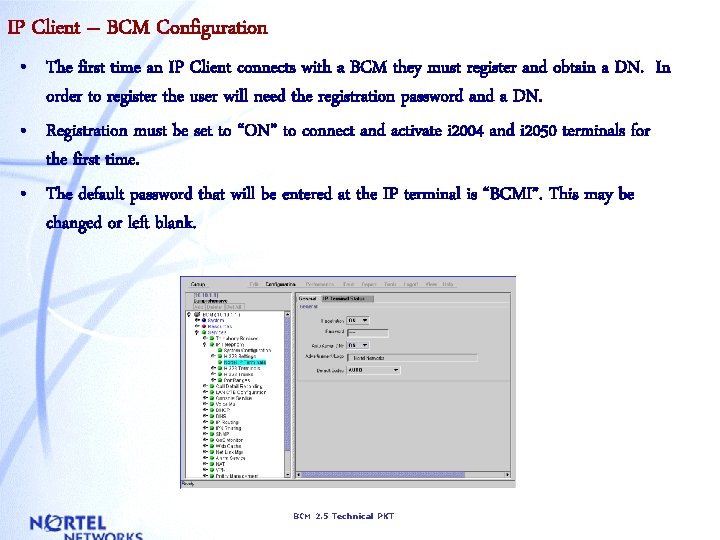
IP Client – BCM Configuration • The first time an IP Client connects with a BCM they must register and obtain a DN. In order to register the user will need the registration password and a DN. • Registration must be set to “ON” to connect and activate i 2004 and i 2050 terminals for the first time. • The default password that will be entered at the IP terminal is “BCMI”. This may be changed or left blank. BCM 2. 5 Technical PKT
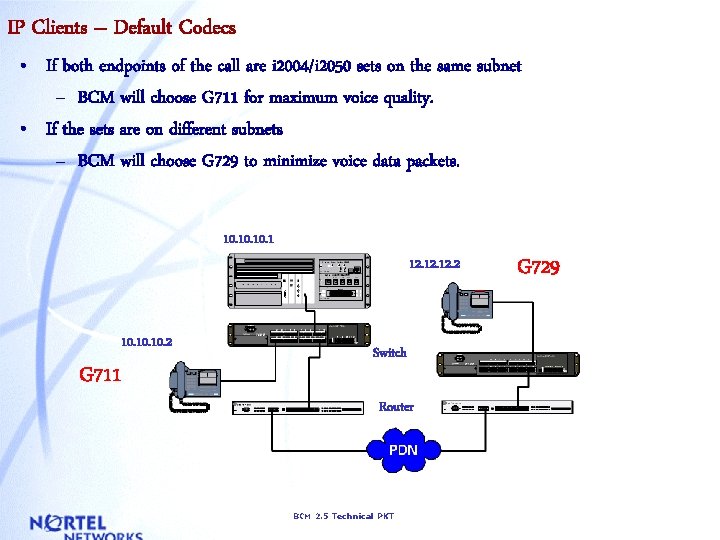
IP Clients – Default Codecs • If both endpoints of the call are i 2004/i 2050 sets on the same subnet – BCM will choose G 711 for maximum voice quality. • If the sets are on different subnets – BCM will choose G 729 to minimize voice data packets. 10. 10. 1 12. 12. 2 10. 10. 2 G 711 Switch Router BCM 2. 5 Technical PKT G 729
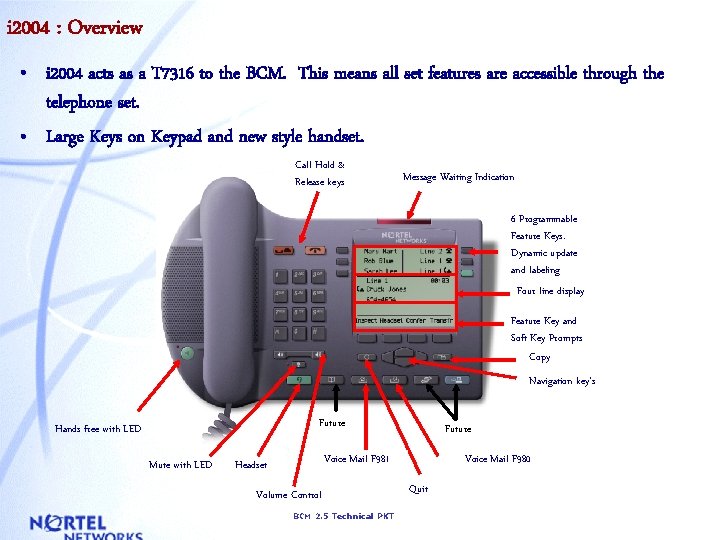
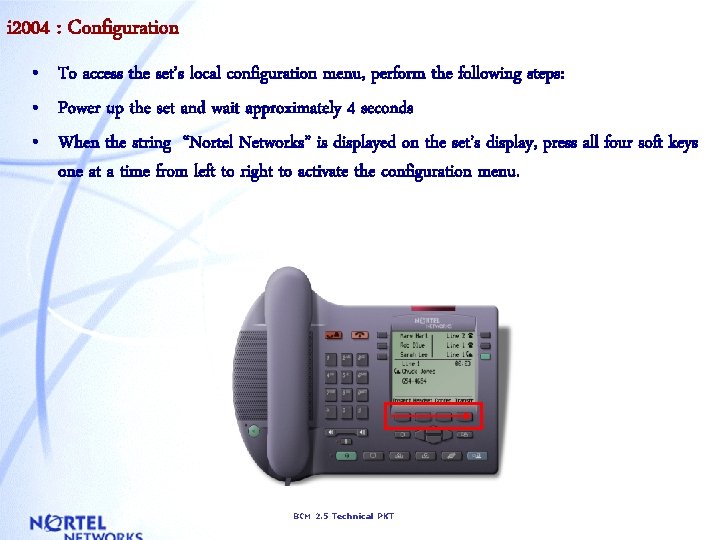
i 2004 : Overview • i 2004 acts as a T 7316 to the BCM. This means all set features are accessible through the telephone set. • Large Keys on Keypad and new style handset. Call Hold & Release keys Message Waiting Indication 6 Programmable Feature Keys. Dynamic update and labeling Four line display Feature Key and Soft Key Prompts Copy Navigation key’s Future Hands free with LED Mute with LED Future Voice Mail F 981 Headset Volume Control BCM 2. 5 Technical PKT Voice Mail F 980 Quit
i 2004 : Configuration • To access the set’s local configuration menu, perform the following steps: • Power up the set and wait approximately 4 seconds • When the string “Nortel Networks” is displayed on the set’s display, press all four soft keys one at a time from left to right to activate the configuration menu. BCM 2. 5 Technical PKT
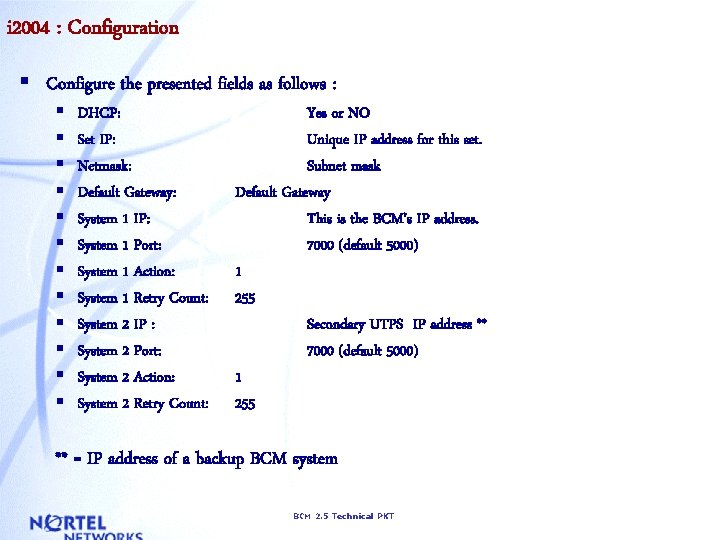
i 2004 : Configuration § Configure the presented fields as follows : § § § DHCP: Set IP: Netmask: Default Gateway: System 1 IP: System 1 Port: System 1 Action: System 1 Retry Count: System 2 IP : System 2 Port: System 2 Action: System 2 Retry Count: Yes or NO Unique IP address for this set. Subnet mask Default Gateway This is the BCM’s IP address. 7000 (default 5000) 1 255 Secondary UTPS IP address ** 7000 (default 5000) 1 255 ** = IP address of a backup BCM system BCM 2. 5 Technical PKT
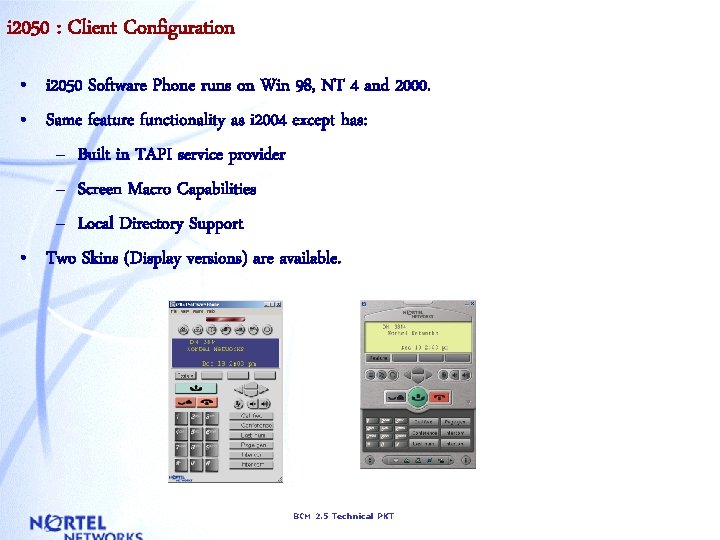
i 2050 : Client Configuration • i 2050 Software Phone runs on Win 98, NT 4 and 2000. • Same feature functionality as i 2004 except has: – Built in TAPI service provider – Screen Macro Capabilities – Local Directory Support • Two Skins (Display versions) are available. BCM 2. 5 Technical PKT
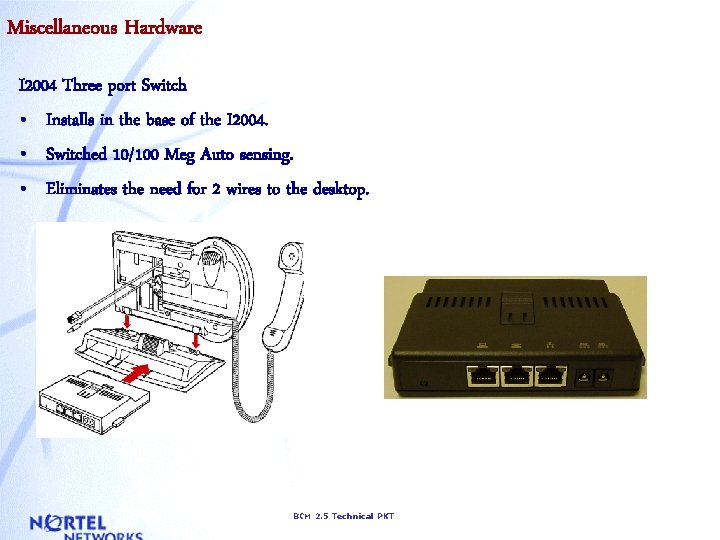
Miscellaneous Hardware I 2004 Three port Switch • Installs in the base of the I 2004. • Switched 10/100 Meg Auto sensing. • Eliminates the need for 2 wires to the desktop. BCM 2. 5 Technical PKT
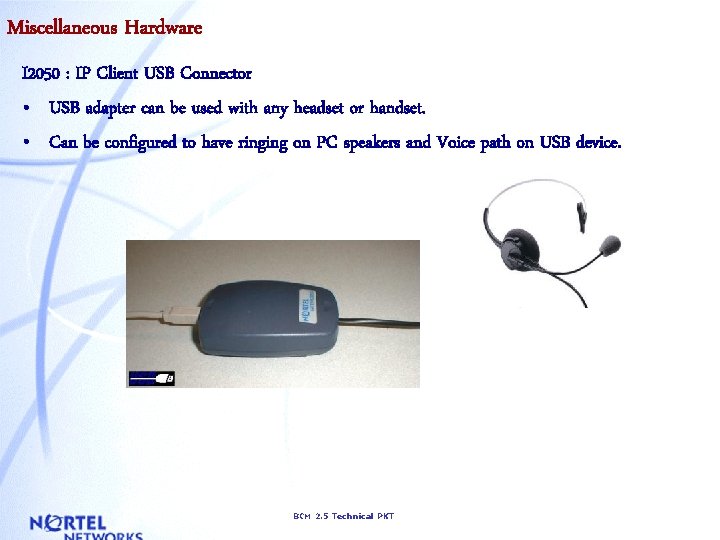
Miscellaneous Hardware I 2050 : IP Client USB Connector • USB adapter can be used with any headset or handset. • Can be configured to have ringing on PC speakers and Voice path on USB device. BCM 2. 5 Technical PKT
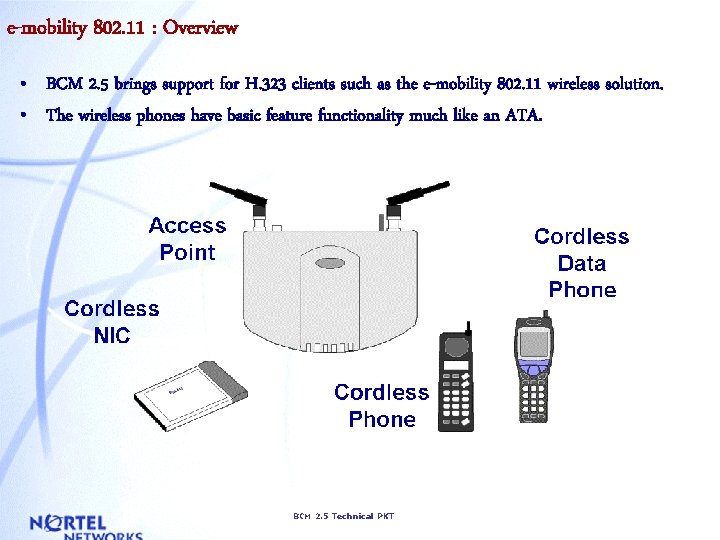
e-mobility 802. 11 : Overview • BCM 2. 5 brings support for H. 323 clients such as the e-mobility 802. 11 wireless solution. • The wireless phones have basic feature functionality much like an ATA. BCM 2. 5 Technical PKT
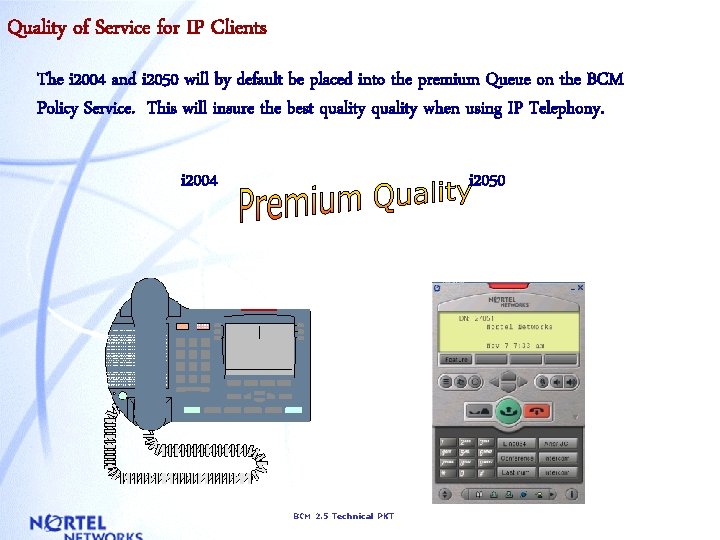
Quality of Service for IP Clients The i 2004 and i 2050 will by default be placed into the premium Queue on the BCM Policy Service. This will insure the best quality when using IP Telephony. i 2004 i 2050 BCM 2. 5 Technical PKT