
TECHNICAL ONBOARDING WITH THE GLOBAL REGISTRATION TOOL 2018

TECHNICAL ONBOARDING WITH THE GLOBAL REGISTRATION TOOL © 2018 Avaya Inc. All rights reserved. 1
Purpose of Technical Onboarding ü Create solution element IDs ü Configure and test remote connectivity and alarm monitoring Note: Self-service automated testing of connectivity and alarming is also available in the Avaya Healthcheck tool on the Avaya support site. © 2018 Avaya Inc. All rights reserved. 2
Feature Available in GRT after May 14 th, 2018 Features Overview: ü ü GRT will perform the SAL configuration Email notifications throughout the process Real time SAL gateway details displayed to avoid misconfiguration Simplified process with clear, concise support documentation © 2018 Avaya Inc. All rights reserved. 3
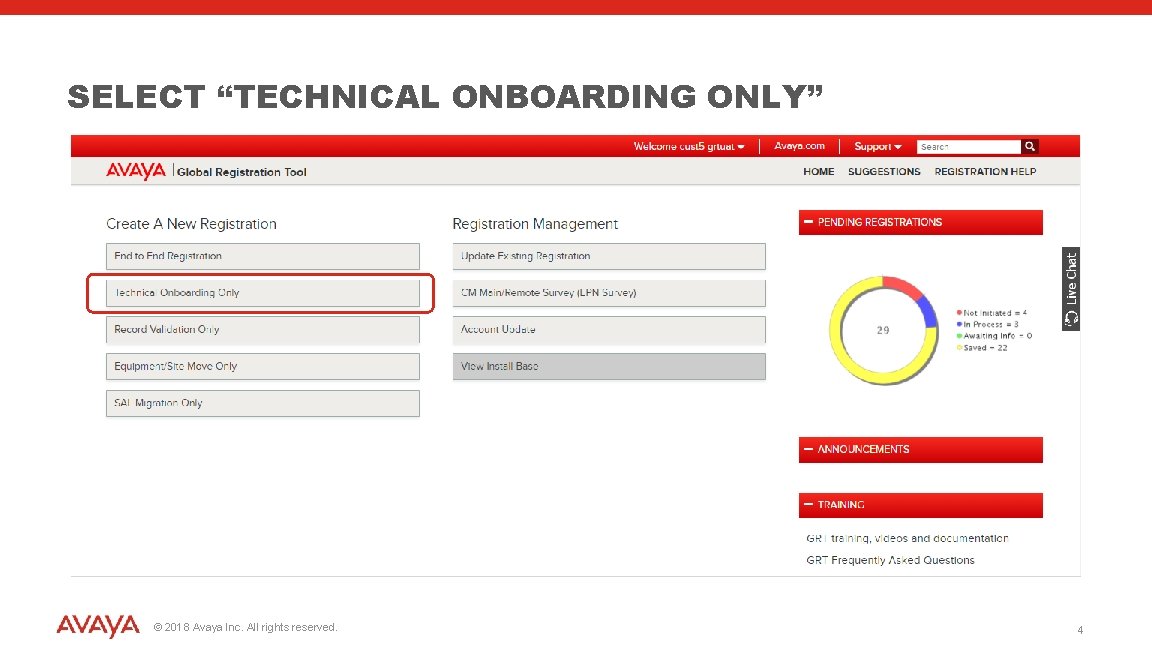
SELECT “TECHNICAL ONBOARDING ONLY” © 2018 Avaya Inc. All rights reserved. 4
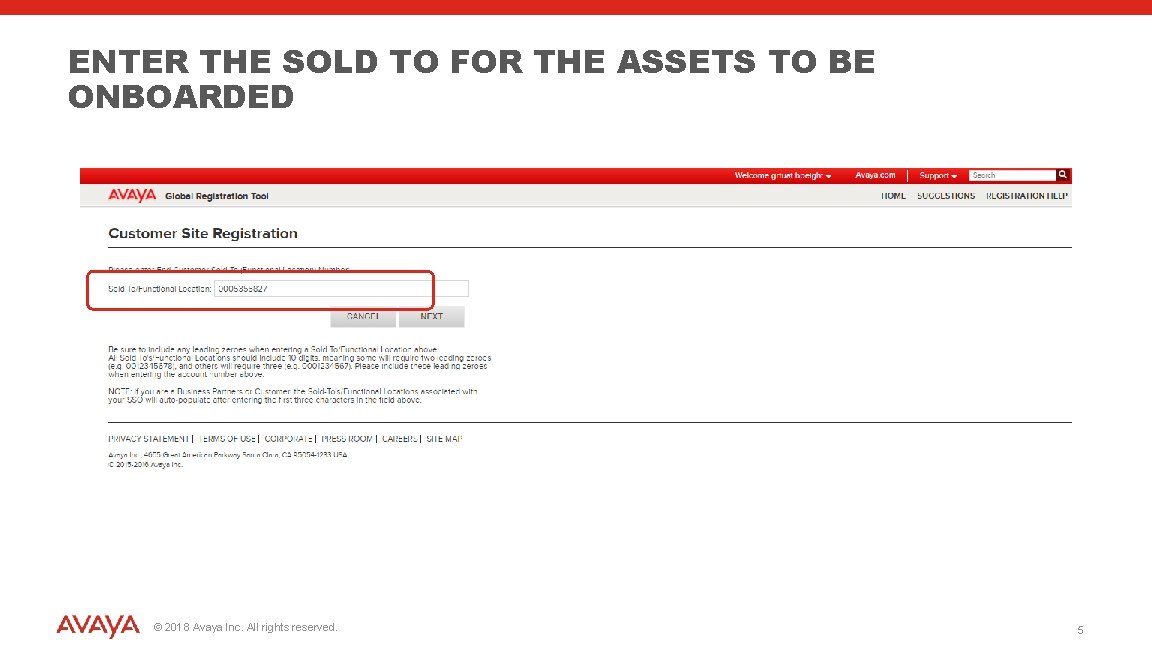
ENTER THE SOLD TO FOR THE ASSETS TO BE ONBOARDED © 2018 Avaya Inc. All rights reserved. 5
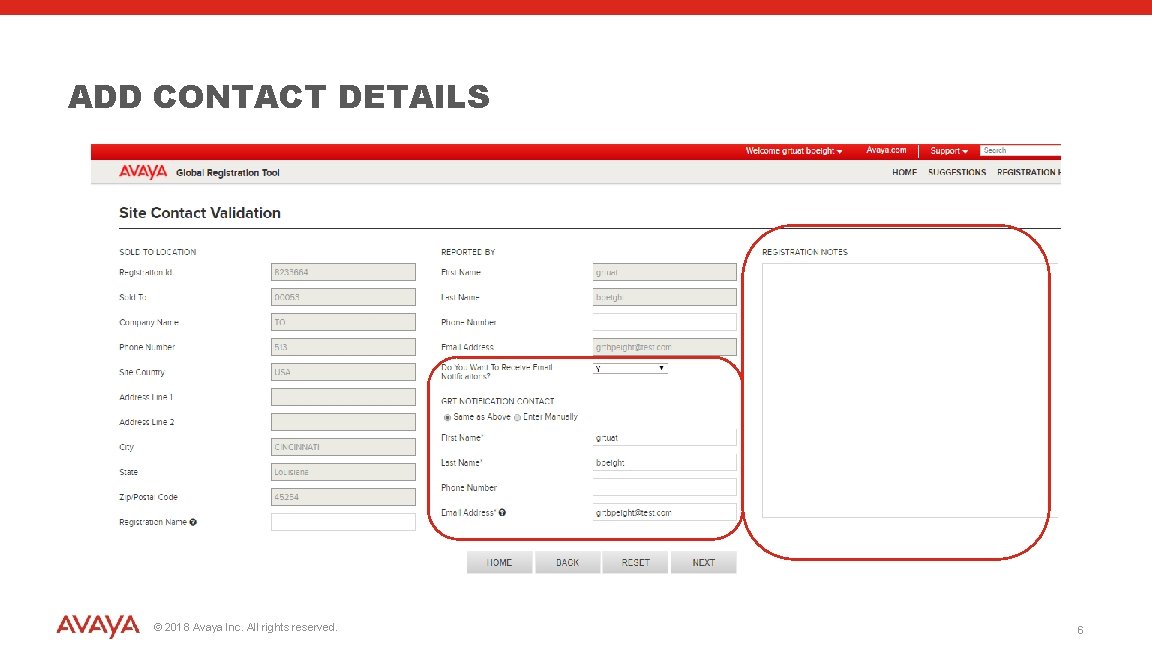
ADD CONTACT DETAILS © 2018 Avaya Inc. All rights reserved. 6
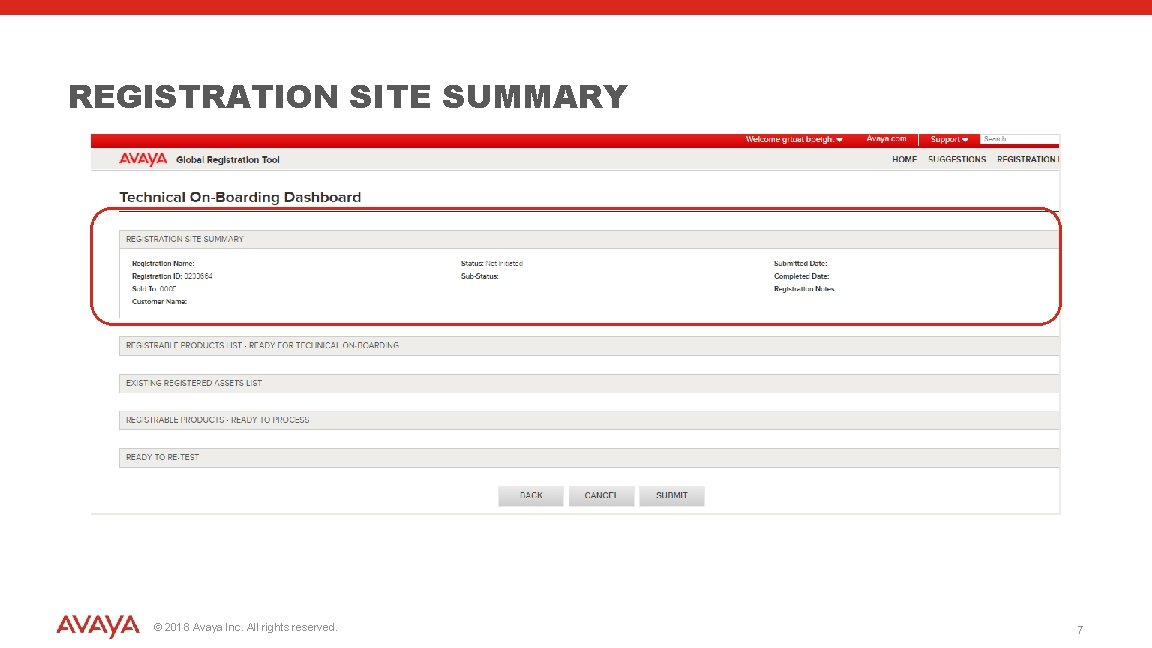
REGISTRATION SITE SUMMARY © 2018 Avaya Inc. All rights reserved. 7
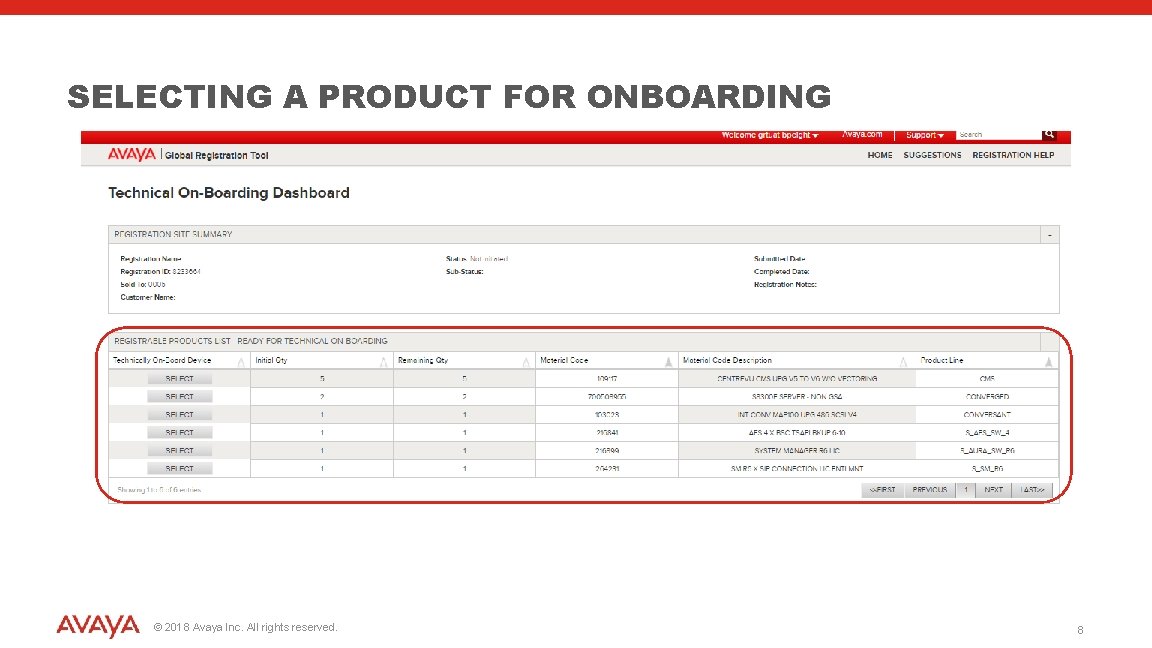
SELECTING A PRODUCT FOR ONBOARDING © 2018 Avaya Inc. All rights reserved. 8
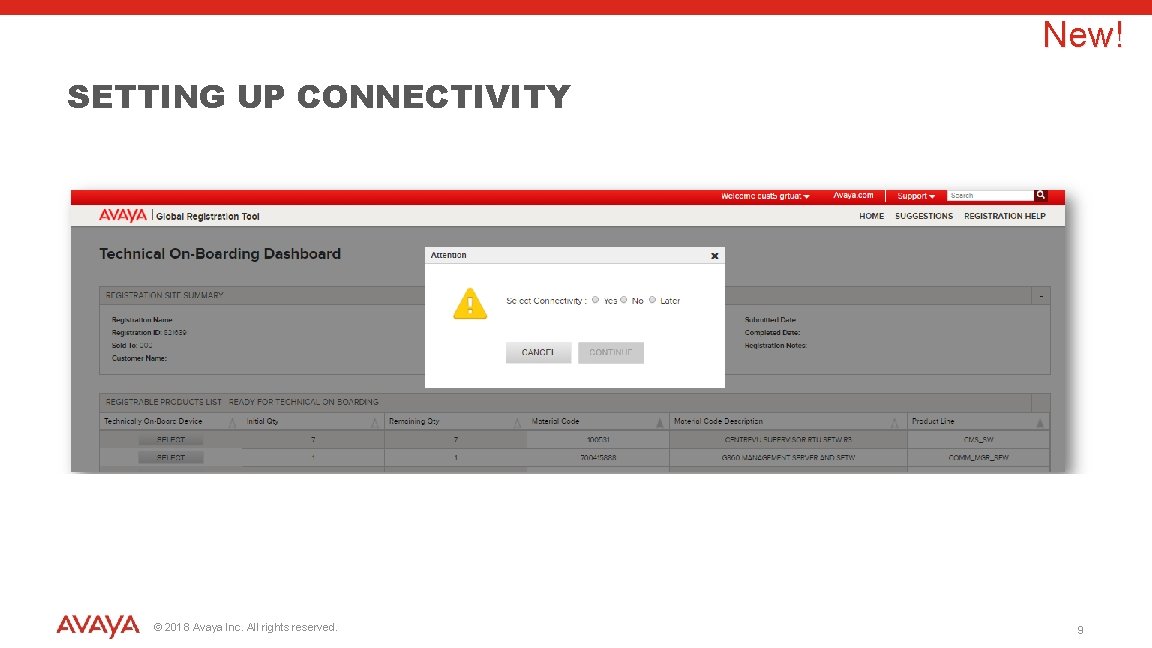
New! SETTING UP CONNECTIVITY © 2018 Avaya Inc. All rights reserved. 9
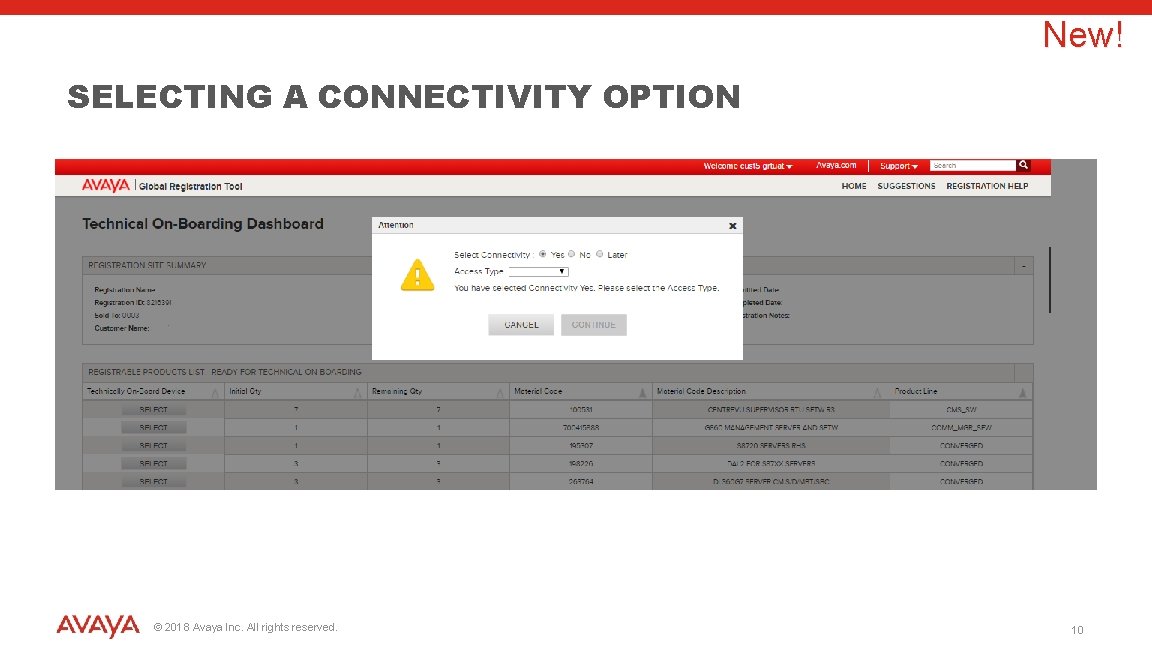
New! SELECTING A CONNECTIVITY OPTION © 2018 Avaya Inc. All rights reserved. 10
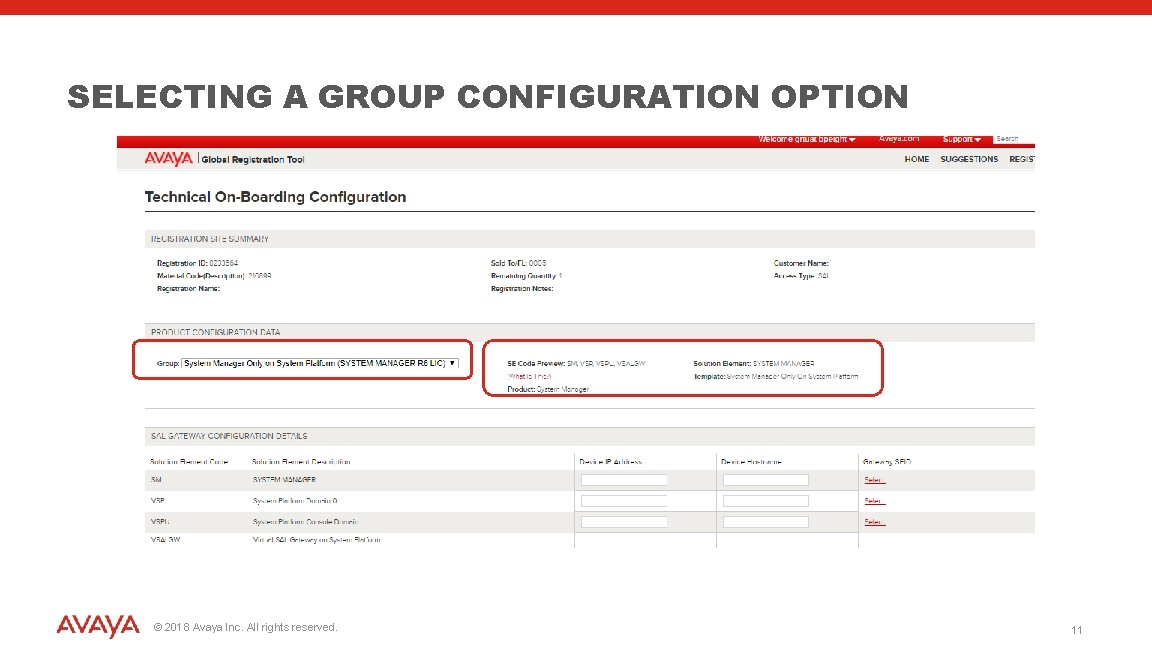
SELECTING A GROUP CONFIGURATION OPTION © 2018 Avaya Inc. All rights reserved. 11
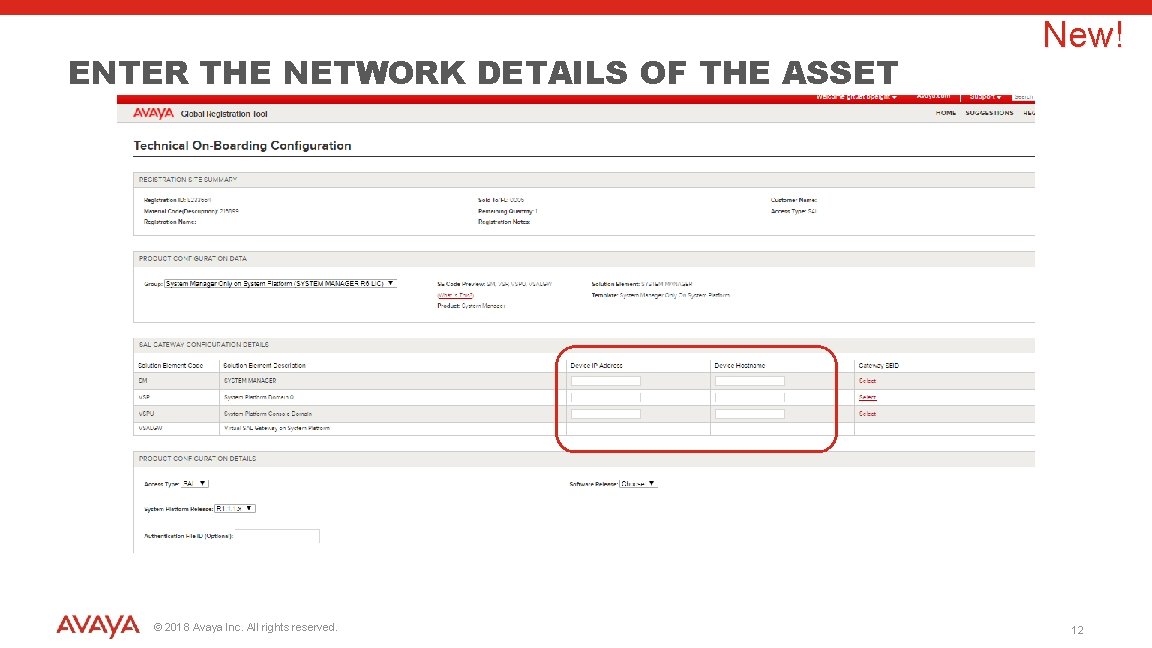
ENTER THE NETWORK DETAILS OF THE ASSET © 2018 Avaya Inc. All rights reserved. New! 12
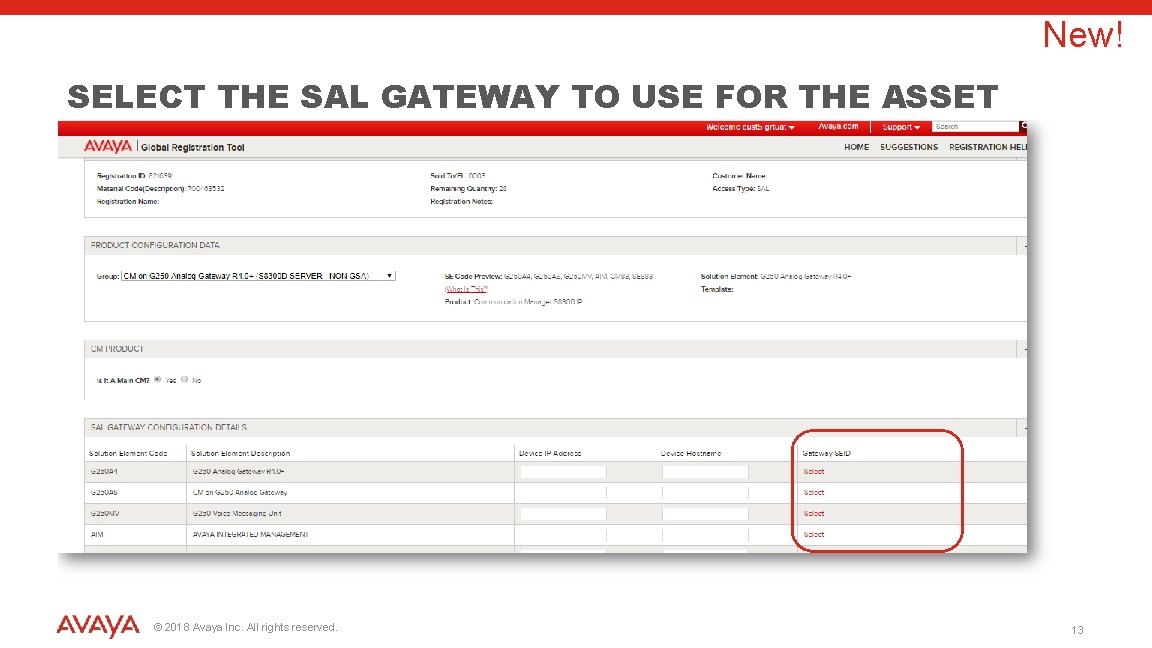
New! SELECT THE SAL GATEWAY TO USE FOR THE ASSET © 2018 Avaya Inc. All rights reserved. 13
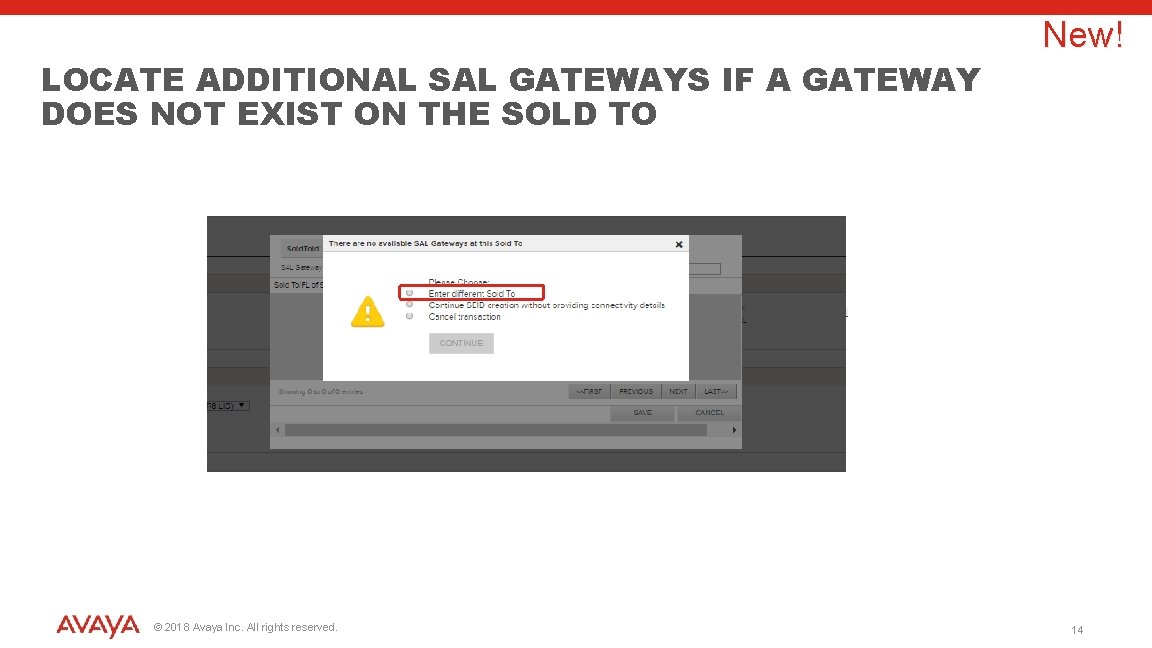
LOCATE ADDITIONAL SAL GATEWAYS IF A GATEWAY DOES NOT EXIST ON THE SOLD TO © 2018 Avaya Inc. All rights reserved. New! 14
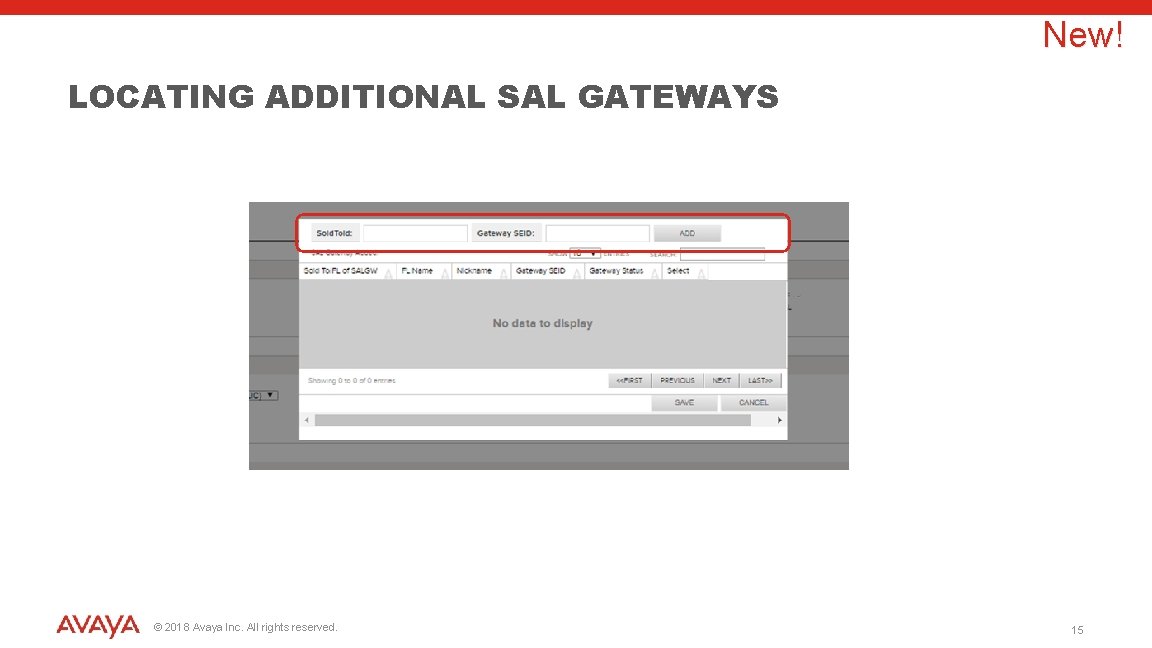
New! LOCATING ADDITIONAL SAL GATEWAYS © 2018 Avaya Inc. All rights reserved. 15
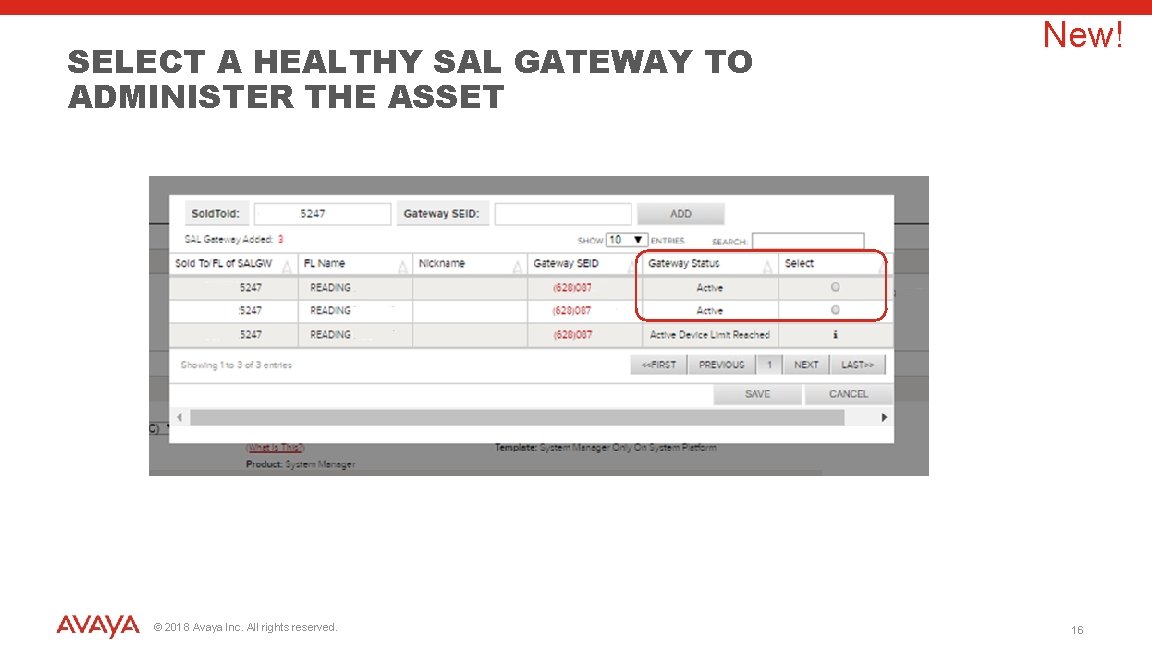
SELECT A HEALTHY SAL GATEWAY TO ADMINISTER THE ASSET © 2018 Avaya Inc. All rights reserved. New! 16
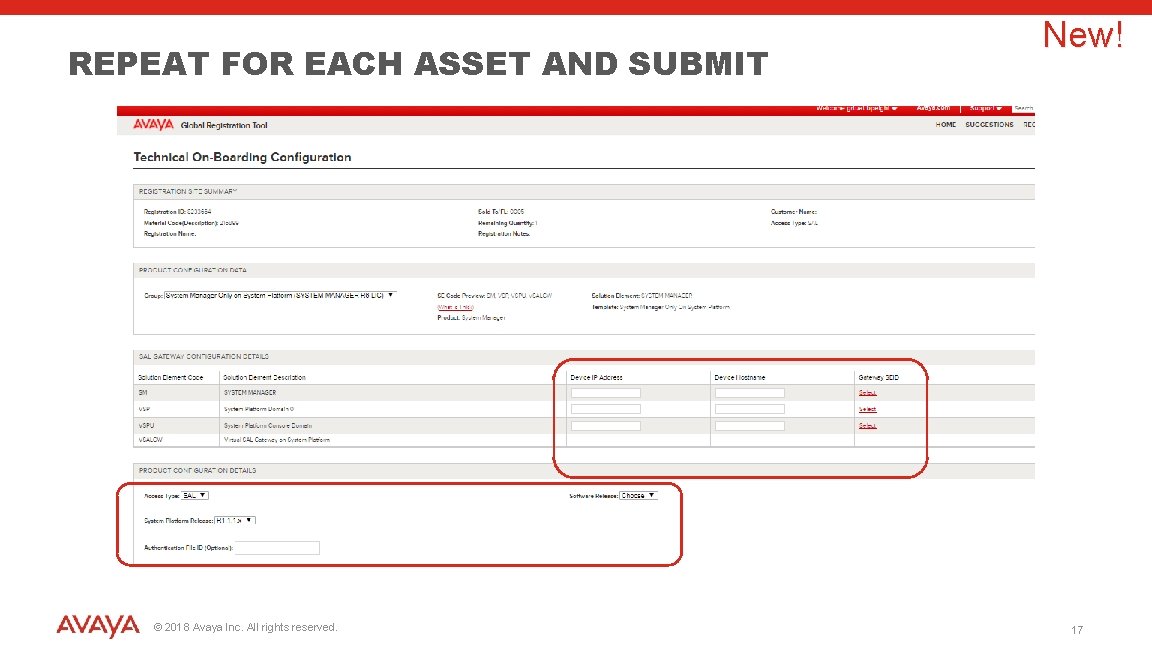
REPEAT FOR EACH ASSET AND SUBMIT © 2018 Avaya Inc. All rights reserved. New! 17
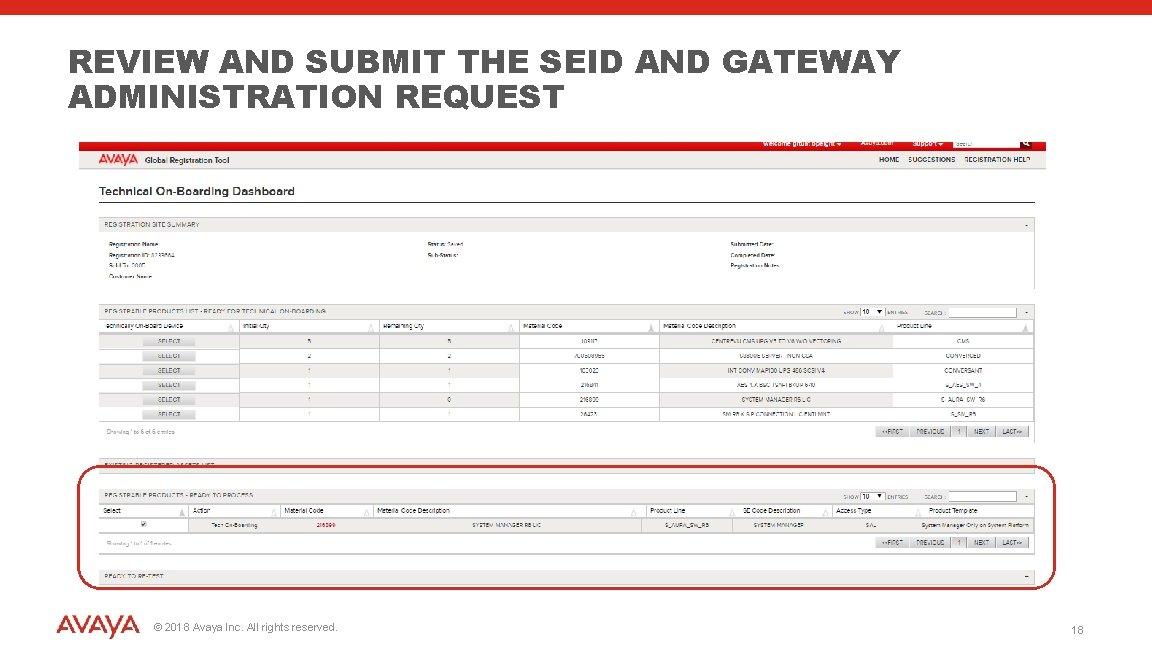
REVIEW AND SUBMIT THE SEID AND GATEWAY ADMINISTRATION REQUEST © 2018 Avaya Inc. All rights reserved. 18
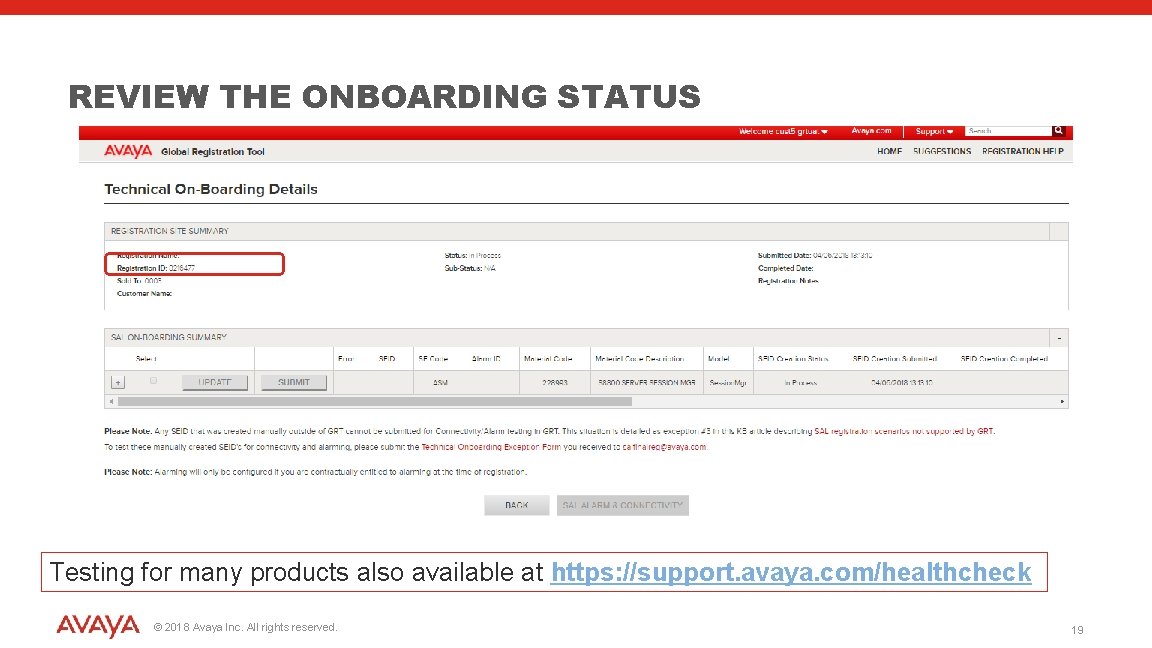
REVIEW THE ONBOARDING STATUS Testing for many products also available at https: //support. avaya. com/healthcheck © 2018 Avaya Inc. All rights reserved. 19

TESTING CONNECTIVITY AND ALARMING USING GRT © 2018 Avaya Inc. All rights reserved. 20
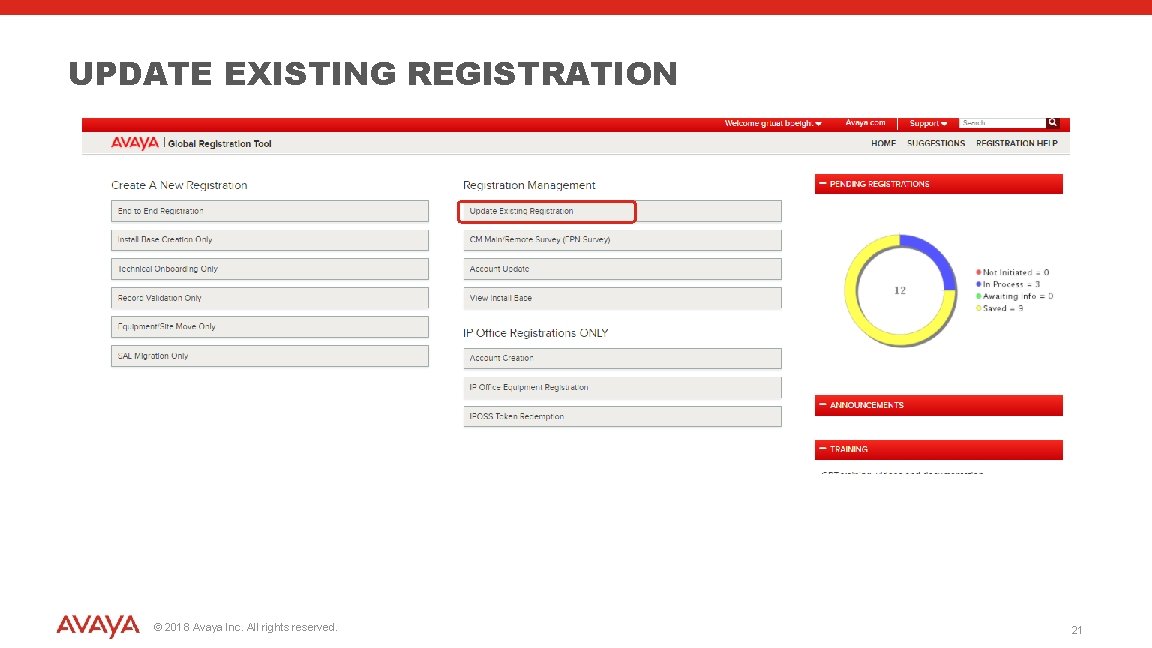
UPDATE EXISTING REGISTRATION © 2018 Avaya Inc. All rights reserved. 21
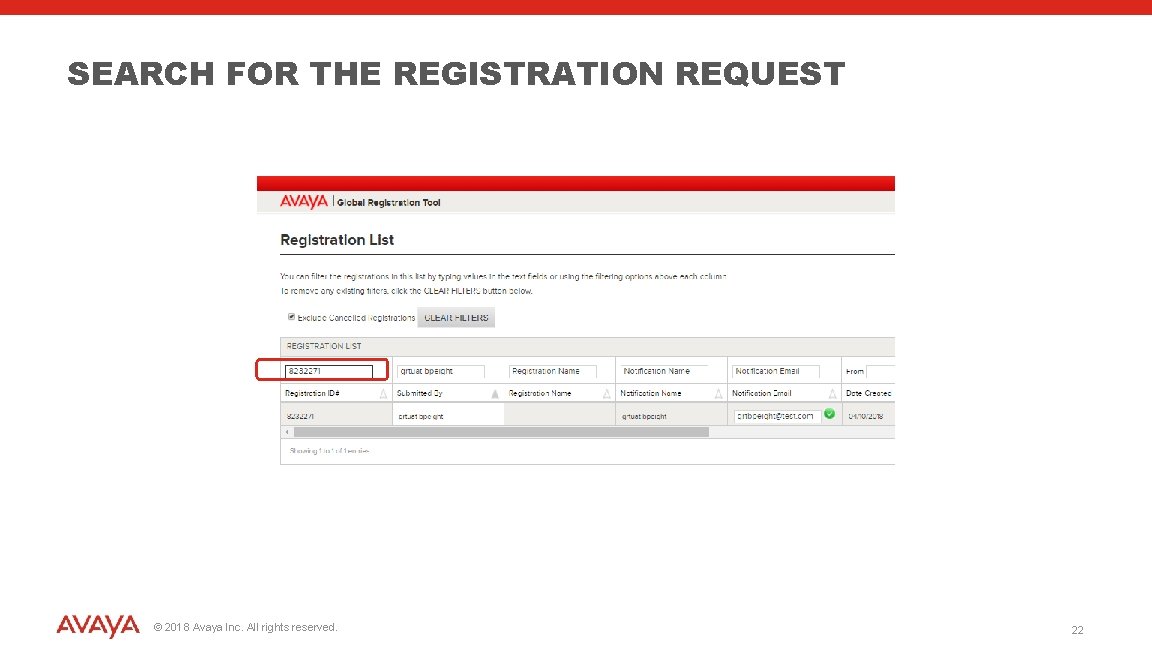
SEARCH FOR THE REGISTRATION REQUEST © 2018 Avaya Inc. All rights reserved. 22
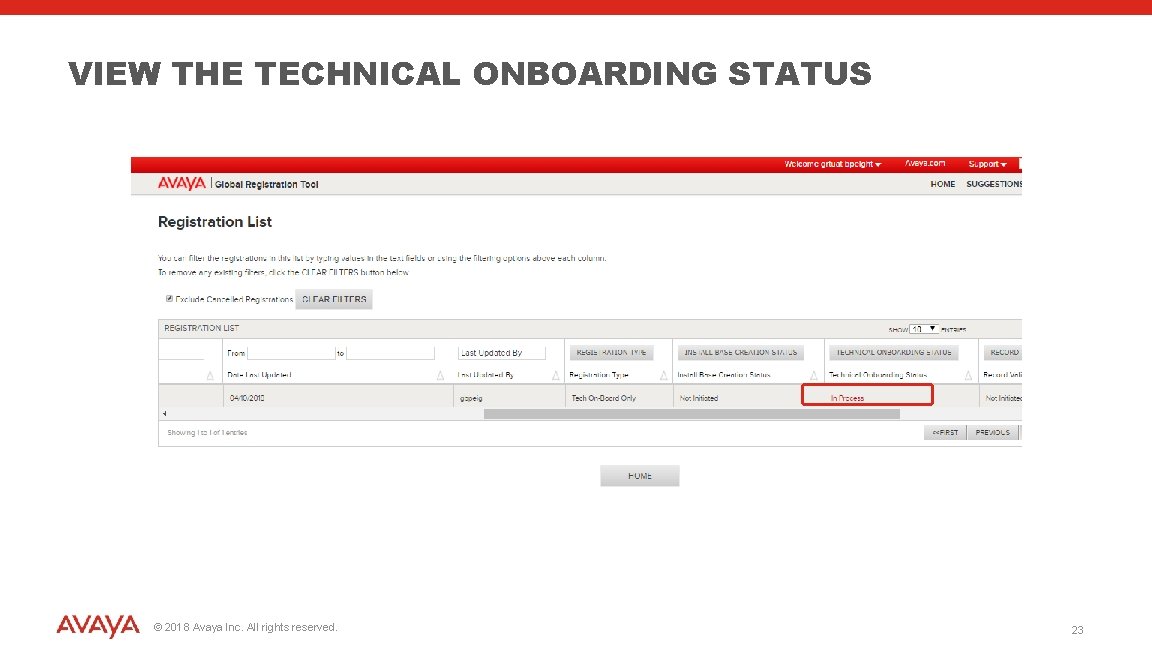
VIEW THE TECHNICAL ONBOARDING STATUS © 2018 Avaya Inc. All rights reserved. 23
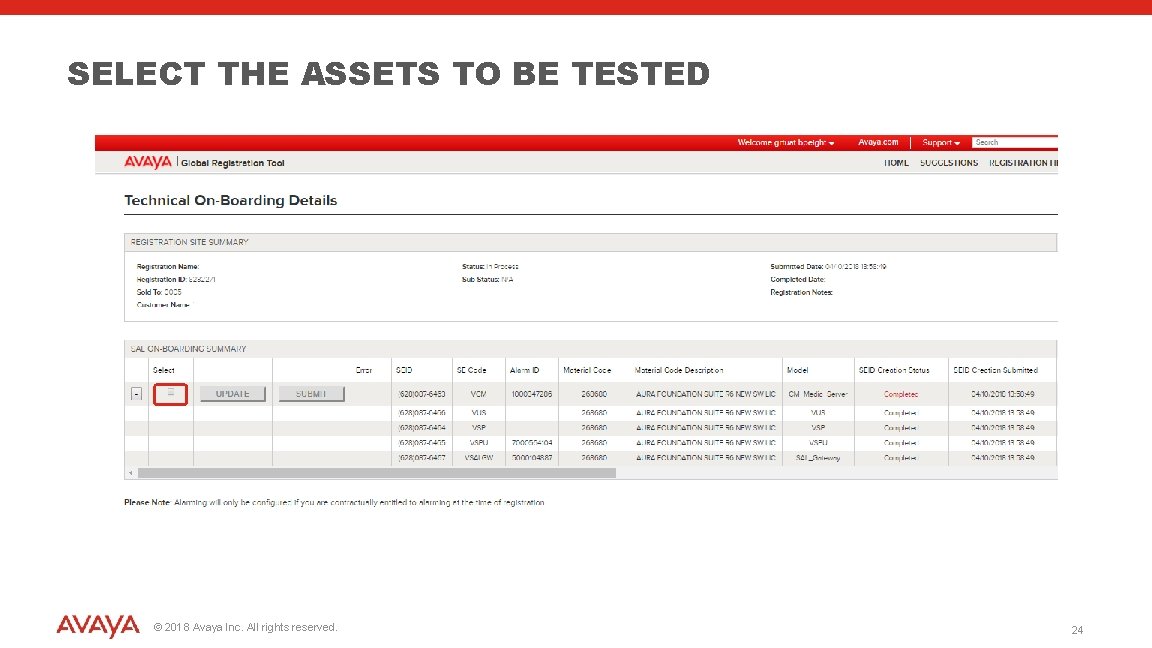
SELECT THE ASSETS TO BE TESTED © 2018 Avaya Inc. All rights reserved. 24
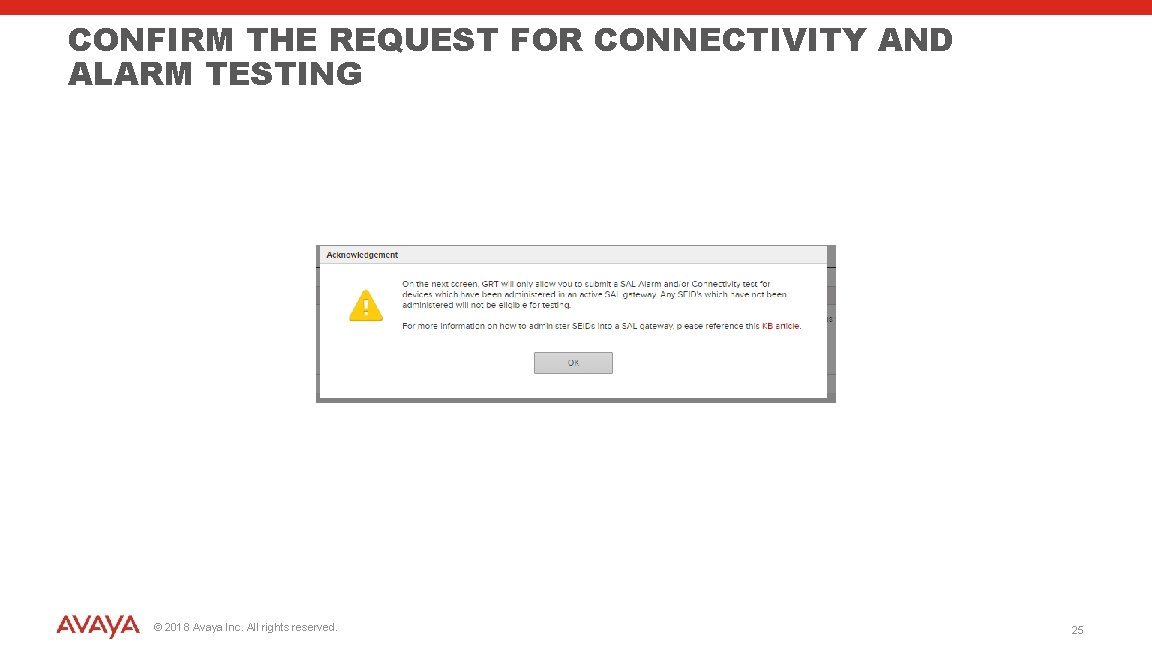
CONFIRM THE REQUEST FOR CONNECTIVITY AND ALARM TESTING © 2018 Avaya Inc. All rights reserved. 25
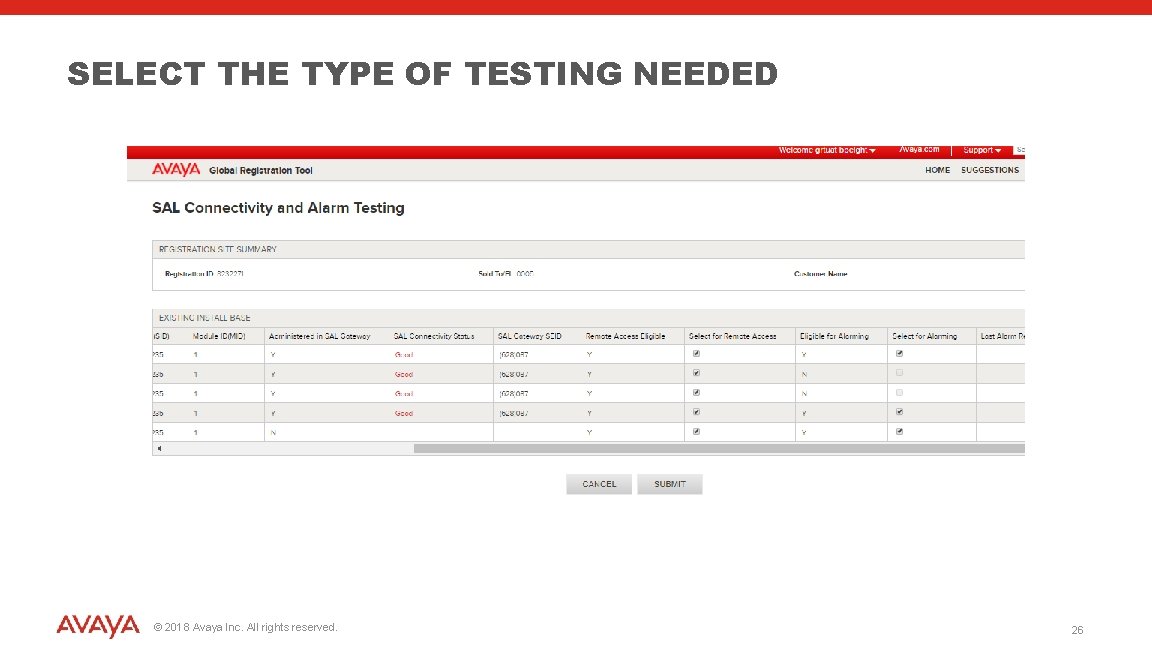
SELECT THE TYPE OF TESTING NEEDED © 2018 Avaya Inc. All rights reserved. 26
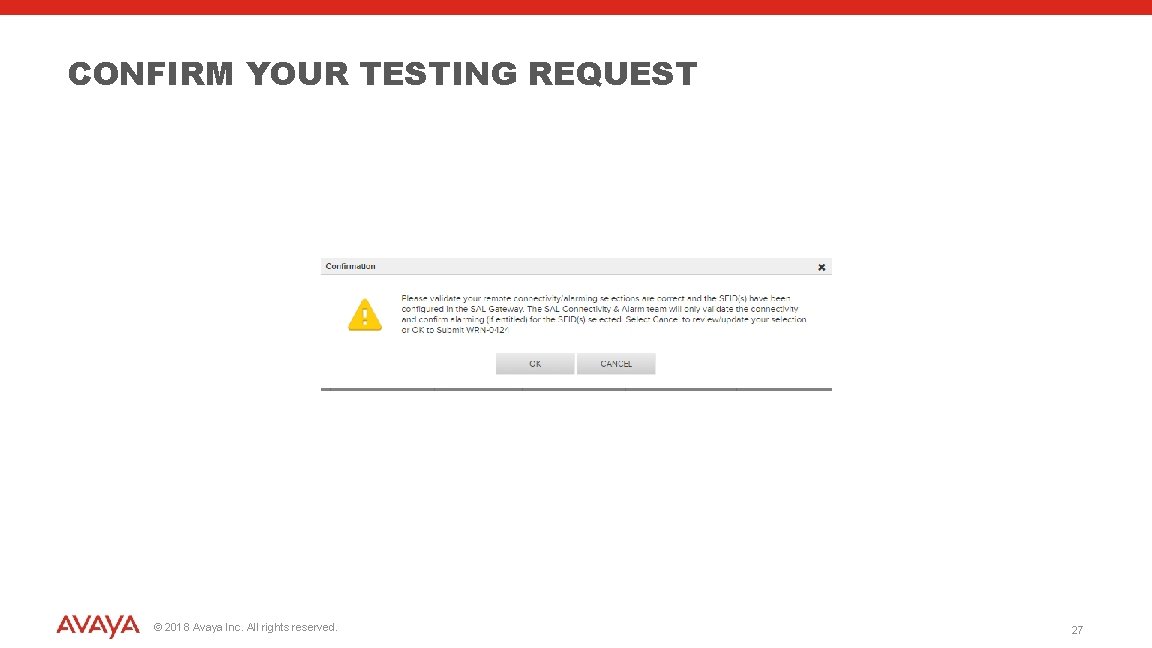
CONFIRM YOUR TESTING REQUEST © 2018 Avaya Inc. All rights reserved. 27
WHAT’S NEXT? 4 GRT will perform automated testing of connectivity and alarming 4 A service request is created when manual intervention is needed 4 Email notification will notify you of progress on the onboarding process 4 Healthcheck can be used for ongoing testing of connectivity and alarming after the onboarding is complete. Healthcheck is located at https: //support. avaya. com/healthcheck More information can be found at http: //support. avaya. com/registration © 2018 Avaya Inc. All rights reserved. 28

- Slides: 29