
Tech Briefing Tips for Presenters Technology Training Services
Tech Briefing Tips for Presenters Technology Training Services http: //techtraining. stanford. edu (650) 723 -4391 August 2010 STANFORD UNIVERSITY • INFORMATION TECHNOLOGY SERVICES
About the Tech Briefings § Technology Training Services (TTS) puts a great deal of effort into producing quality presentations at the Tech Briefing seminars. § Our clients expect high quality instruction, information, and materials at these sessions -- and they get that! § The keys to delivering quality sessions are marketing and preparation. 10/22/2021 Tech Briefings Tips for Presenters STANFORD UNIVERSITY • INFORMATION TECHNOLOGY SERVICES page 1
Marketing the Presentation § Tech Training announces upcoming sessions to techbriefings@lists, through RSS feeds and SU Events. § In addition, presenters often send email to their special interest groups regarding upcoming presentations. They know their potential audience best, and get a good response. Tech Training has a template that can help you craft a such an email, or we can send it on your behalf if you supply the email text and/or mailing list. § Provide a brief bio that we can use in our marketing and to introduce you. § If there are other ways in which TTS can help presenters market your sessions, call us at 723 -4391. 10/22/2021 Tech Briefings Tips for Presenters STANFORD UNIVERSITY • INFORMATION TECHNOLOGY SERVICES page 2
Preparing the Presentation § Plan presentations ahead of time and know what materials and equipment are needed. § Contact Tech Training for a pre-presentation orientation (walkthrough) of the technology in the room, or to do a “dry run”, if necessary. § Create good visual aids. These can be Power. Point slides or websites. (see next slide for a template and specifications) § Handouts are recommended. They may be copies of a Power. Point presentation, a URL to go to for more information, and/or contact information for the speaker or group. 10/22/2021 Tech Briefings Tips for Presenters STANFORD UNIVERSITY • INFORMATION TECHNOLOGY SERVICES page 3
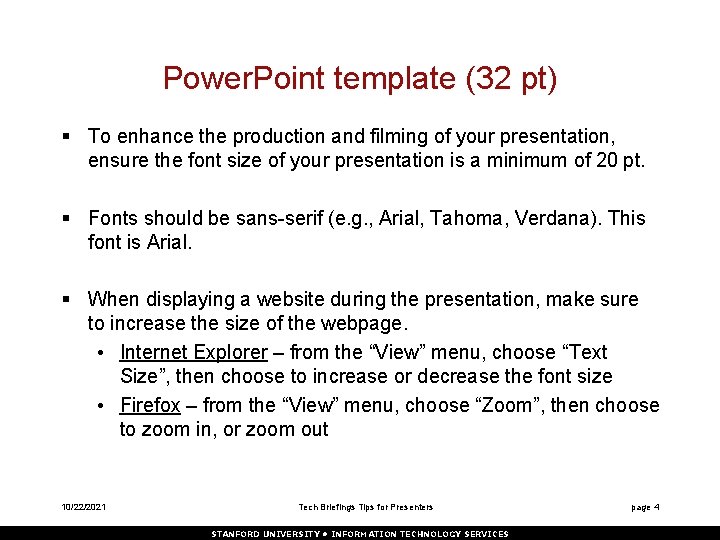
Power. Point template (32 pt) § To enhance the production and filming of your presentation, ensure the font size of your presentation is a minimum of 20 pt. § Fonts should be sans-serif (e. g. , Arial, Tahoma, Verdana). This font is Arial. § When displaying a website during the presentation, make sure to increase the size of the webpage. • Internet Explorer – from the “View” menu, choose “Text Size”, then choose to increase or decrease the font size • Firefox – from the “View” menu, choose “Zoom”, then choose to zoom in, or zoom out 10/22/2021 Tech Briefings Tips for Presenters STANFORD UNIVERSITY • INFORMATION TECHNOLOGY SERVICES page 4
Your Presentation § Arrive at least 15 to 30 minutes before the start of your presentation for setup. § IMPORTANT! Repeat questions asked by the audience. Depending on the size of your crowd, those in the back may not hear the question clearly. If your session is being filmed, this will ensure those watching the video will know what question was asked. § These sessions are interactive. Please allow time during or at the end of your presentation for Q & A. (your preference) § If you experience technical problems, please see the Tech Training contact, or call Tech Training at 723 -4391. 10/22/2021 Tech Briefings Tips for Presenters STANFORD UNIVERSITY • INFORMATION TECHNOLOGY SERVICES page 5
After the Presentation § Remind the audience to fill out the paper evaluation provided to them as they signed in, and leave it at the sign-in table. § If possible, provide Tech Training with a soft copy of your handouts / presentation. Tech Training will publish your handouts / presentation to the web under the entry for your presentation: http: //techbriefings. stanford. edu 10/22/2021 Tech Briefings Tips for Presenters STANFORD UNIVERSITY • INFORMATION TECHNOLOGY SERVICES page 6
Resources § TTS contact information: • Phone: 650 -723 -4391 • Email: techtraining@stanford. edu § http: //techbriefings. stanford. edu § IT Services Power. Point template: (or see guidelines of pg. 4) • https: //www. stanford. edu/dept/its/group/allstaff/tools/powerp oint. html § Stanford Web Guide – • http: //webguide. stanford. edu 10/22/2021 Tech Briefings Tips for Presenters STANFORD UNIVERSITY • INFORMATION TECHNOLOGY SERVICES page 7
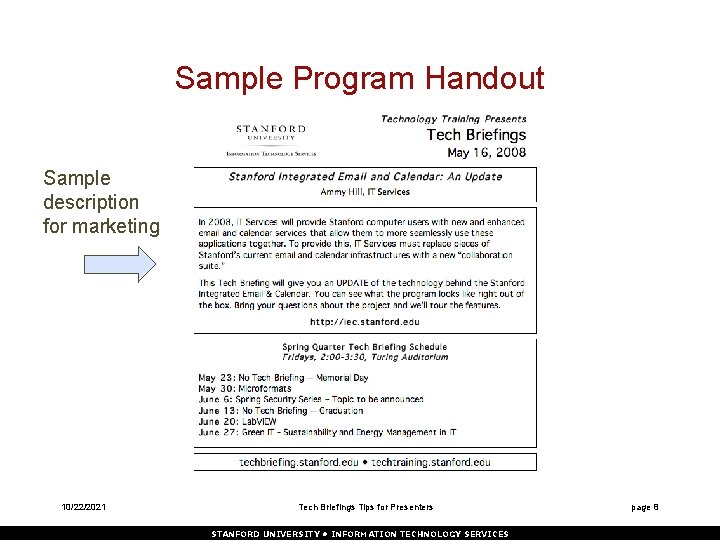
Sample Program Handout Sample description for marketing 10/22/2021 Tech Briefings Tips for Presenters STANFORD UNIVERSITY • INFORMATION TECHNOLOGY SERVICES page 8
- Slides: 9