
Team Foundation Server 2010 Introductory presentation Who am
- Slides: 37
Team Foundation Server 2010 Introductory presentation
Who am I • Valéry Letroye – TRASYS – Architect – AG Insurance – I&O Frameworks consultant • • Technical Advisor Team Leader Release Manager Team Foundation Administrator – Since about 4 years – TFS 2005, TFS 2008 and now TFS 2010
Agenda • What is Team Foundation Server • What is in Team Foundation Server – Process Templates – Work Items – Source Control – Build Automation – Office Integration – Project Portal and Reporting • Team Foundation Server Topology
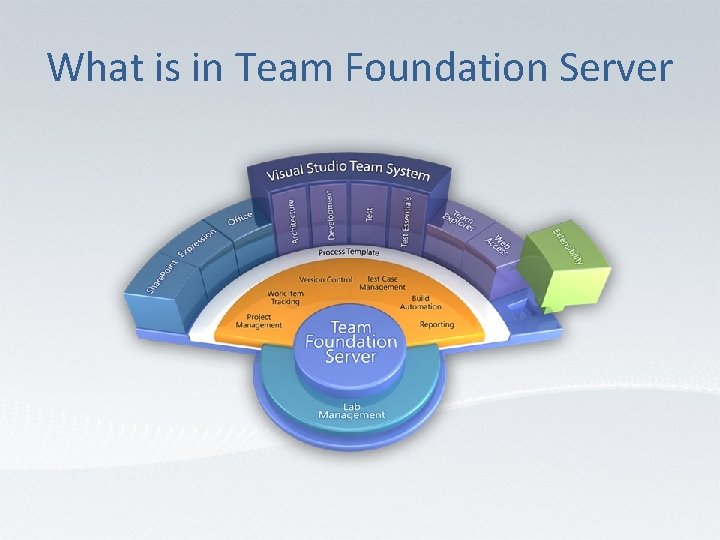
What is Team Foundation Server • Team Foundation Server is a Microsoft product – TFS is intended for collaborative software development projects – TFS automates and streamlines the software delivery process for all team members. – Best fit as back-end platform for Visual Studio Team System (. Net development IDE) but not only.
What is in Team Foundation Server
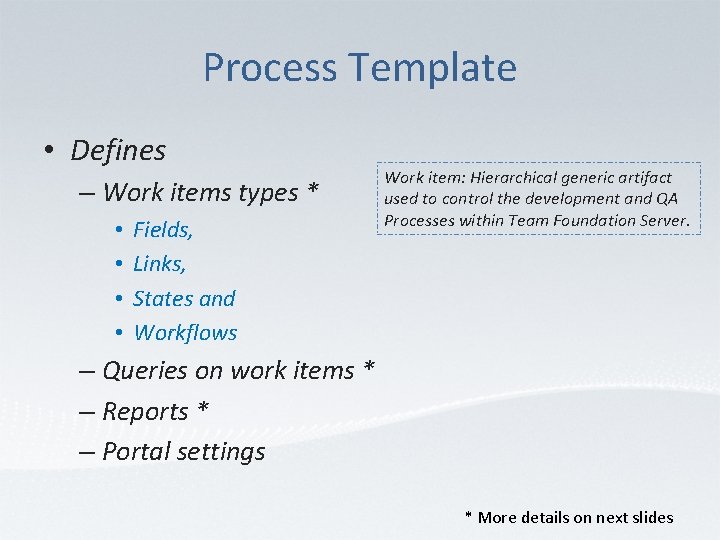
Process Template • Defines – Work items types * • • Fields, Links, States and Workflows Work item: Hierarchical generic artifact used to control the development and QA Processes within Team Foundation Server. – Queries on work items * – Reports * – Portal settings * More details on next slides
Work Items • Single unit of work which needs to be completed. • Defined by Process Templates – Visual Studio Scrum 1. 0 • Product backlog item, Bug, Task, Sprint, Impediment, Test case, Shared step. – MSF for Agile Software Development v 5. 0 • Bug, Requirement, Quality of Service Requirement, Risk and Task. – MSF for CMMI Process Improvement v 5. 0 • Bug, Requirement, Change Request, Issue, Review, Risk, Task.
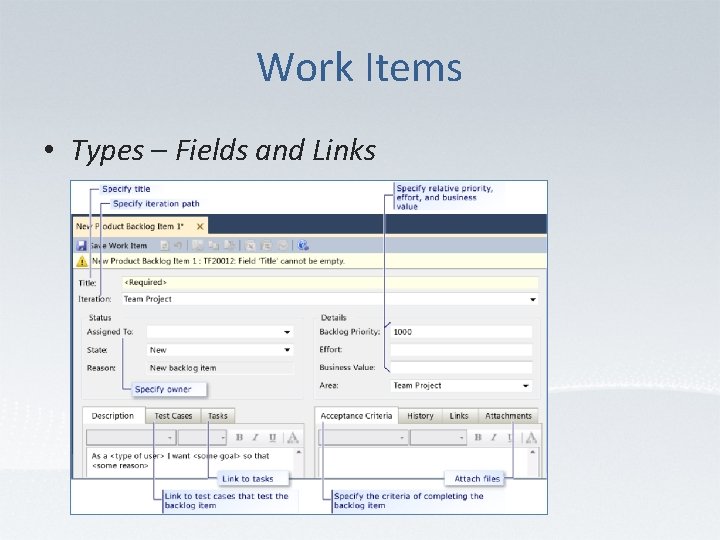
Work Items • Types – Fields and Links
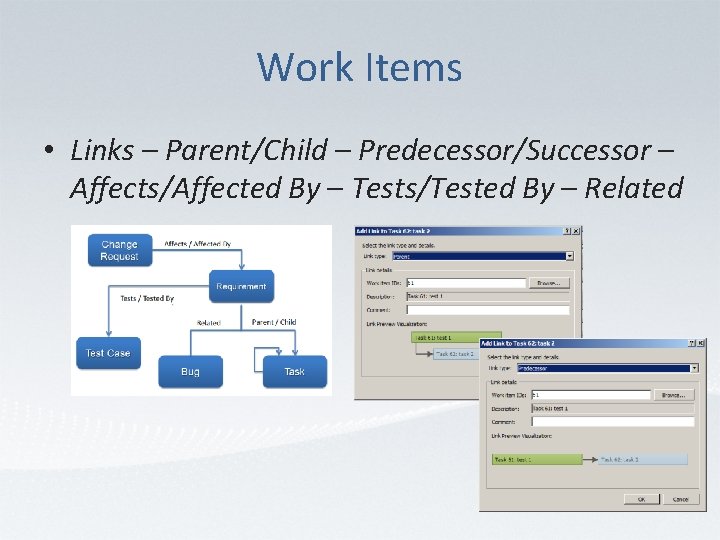
Work Items • Links – Parent/Child – Predecessor/Successor – Affects/Affected By – Tests/Tested By – Related
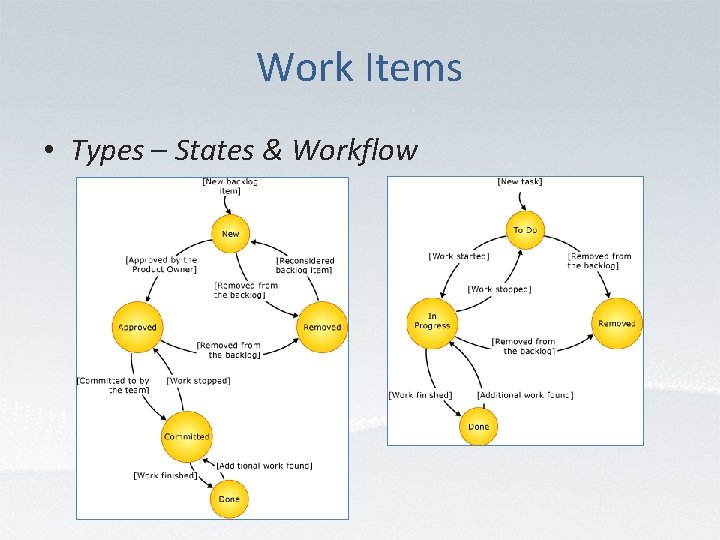
Work Items • Types – States & Workflow
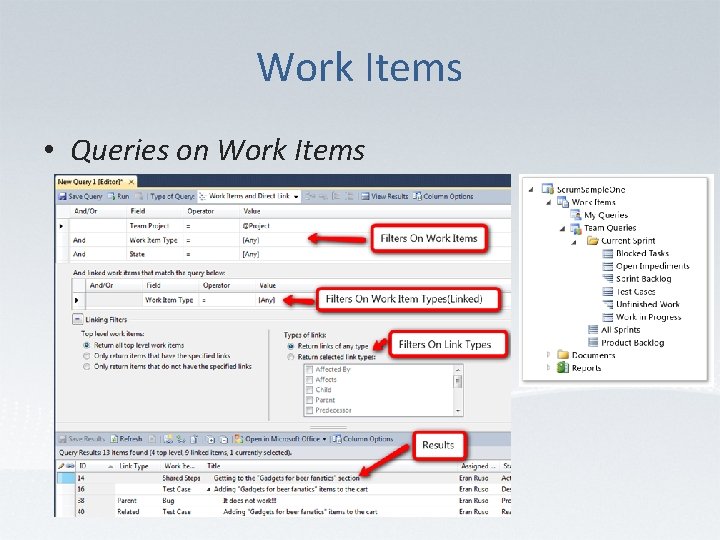
Work Items • Queries on Work Items
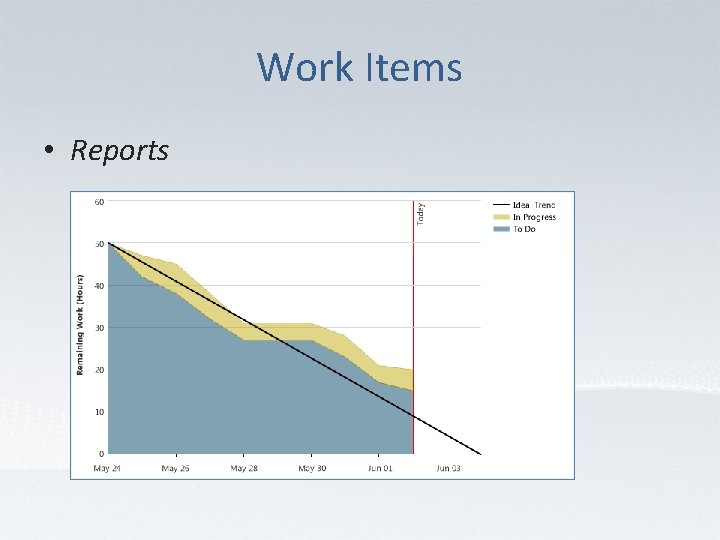
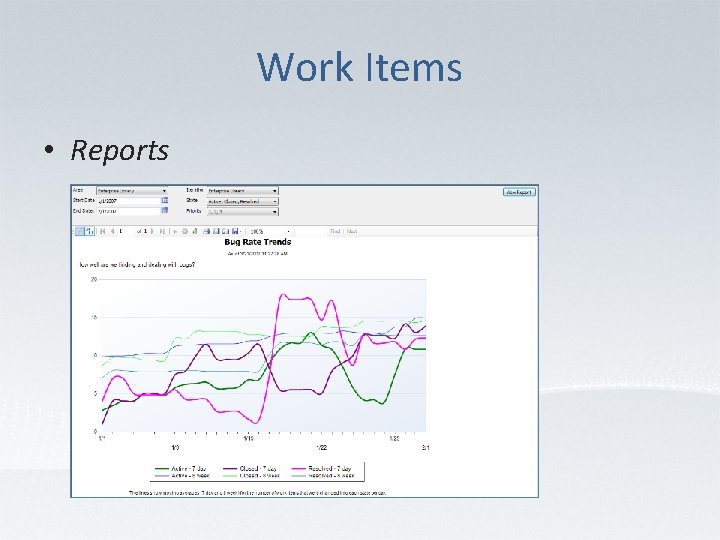
Work Items • Reports
Work Items • Reports
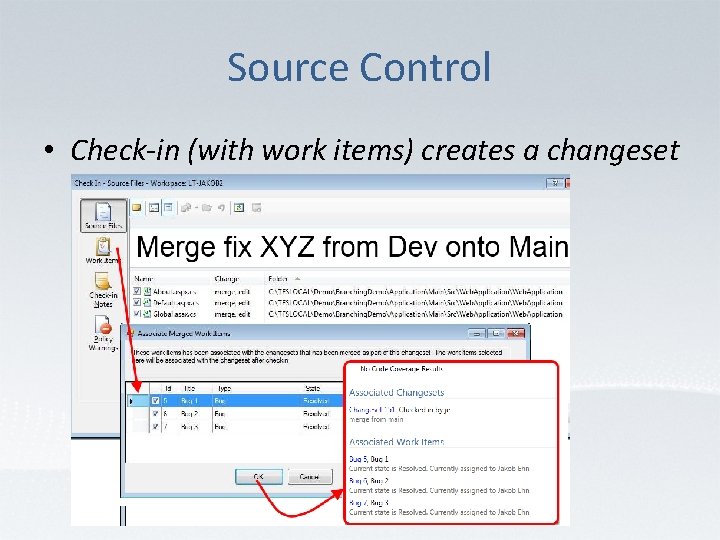
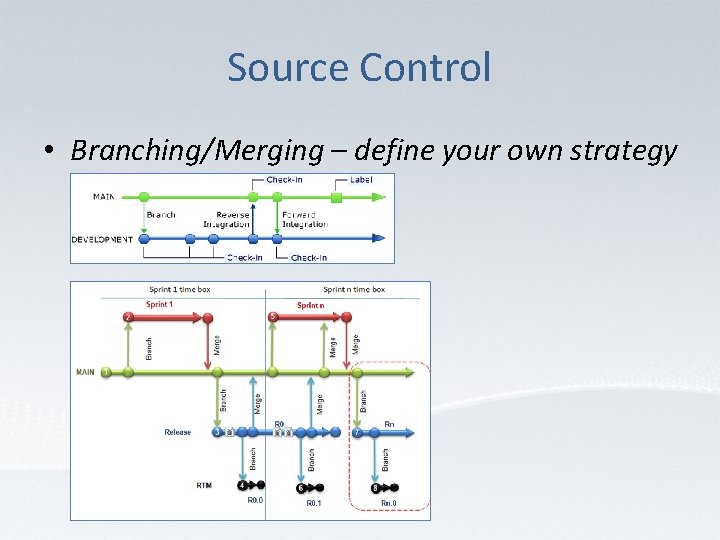
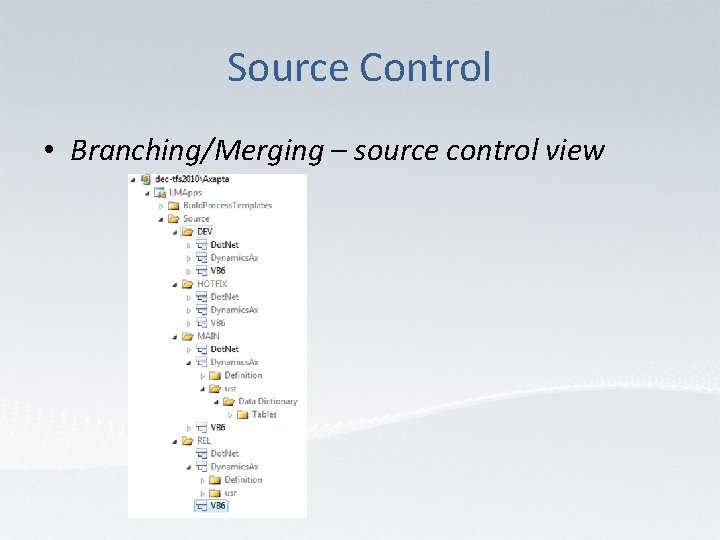
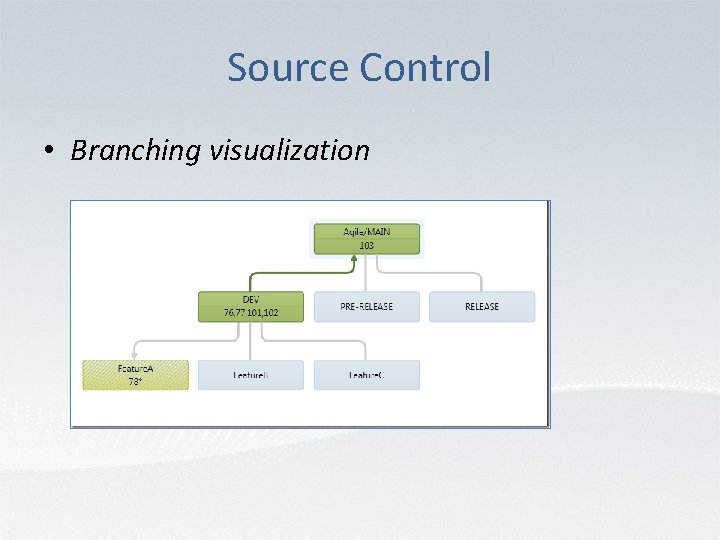
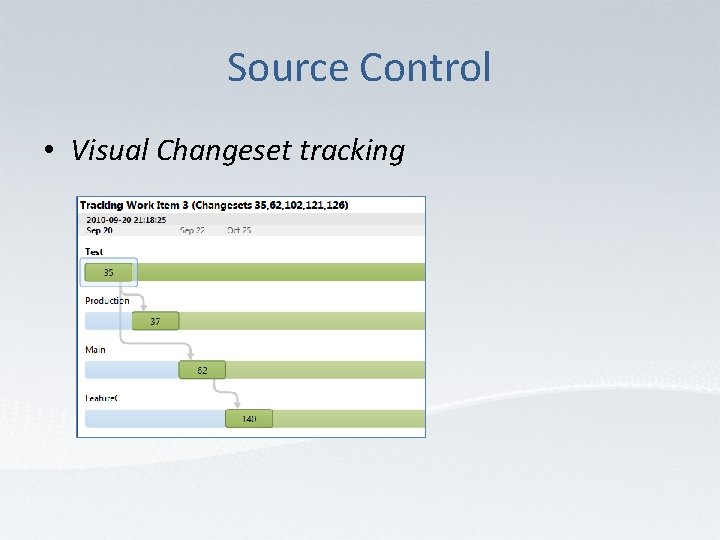
Source Control • Check-in/Check-Out and Shelvesets support • • Links sources and Work Items * Creates Changesets for each Check-in * Visual Branching/Merging * Visual Changeset tracking * * See illustrations on next slides
Source Control • Check-in (with work items) creates a changeset
Source Control • Branching/Merging – define your own strategy
Source Control • Branching/Merging – source control view
Source Control • Branching visualization
Source Control • Visual Changeset tracking
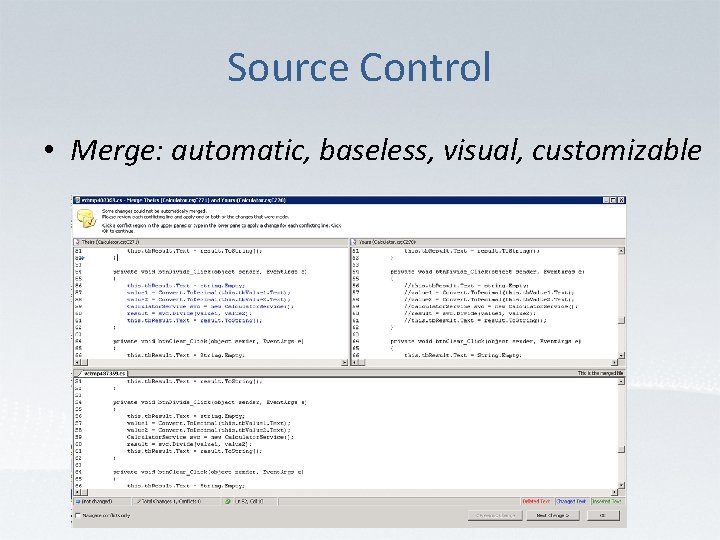
Source Control • Merge: automatic, baseless, visual, customizable
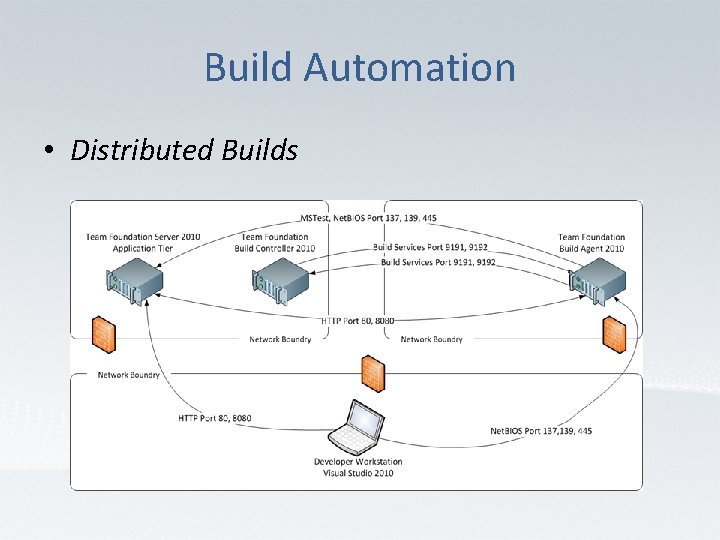
Build Automation • Distributed Builds
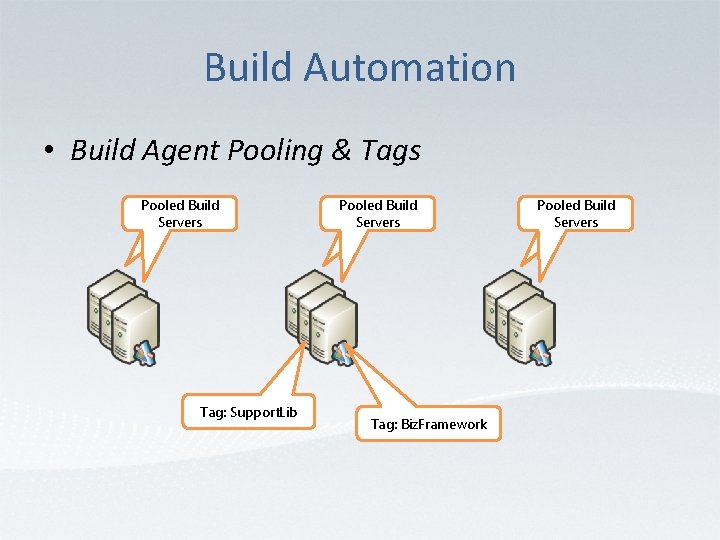
Build Automation • Build Agent Pooling & Tags Pooled Build Servers Tag: Support. Lib Pooled Build Servers Tag: Biz. Framework Pooled Build Servers
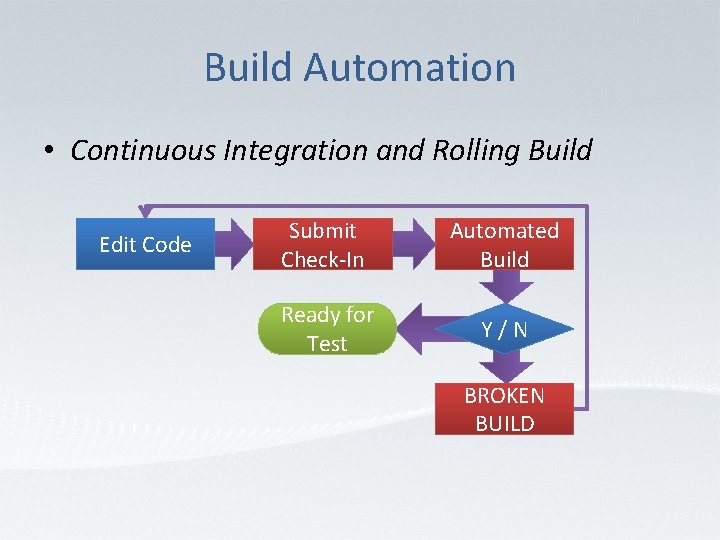
Build Automation • Continuous Integration and Rolling Build Edit Code Submit Check-In Automated Build Ready for Test Y/N BROKEN BUILD
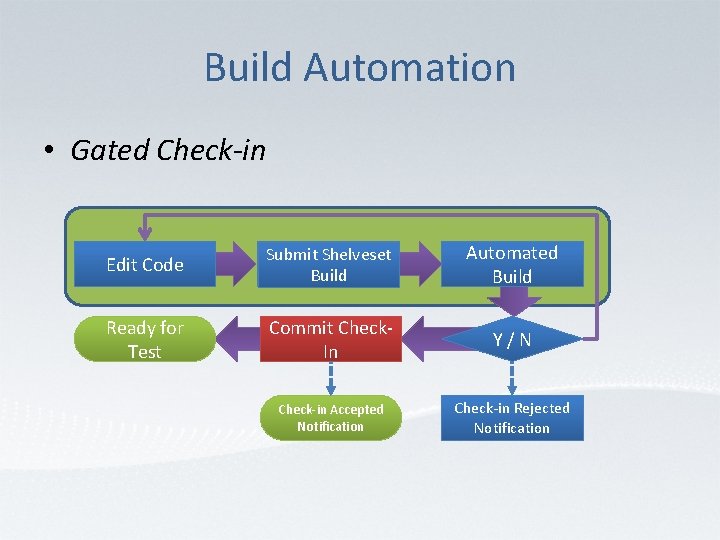
Build Automation • Gated Check-in Edit Code Submit Shelveset u Build Automated Build Ready for Test Commit Check. In Y/N Check-in Accepted Notification Check-in Rejected Notification
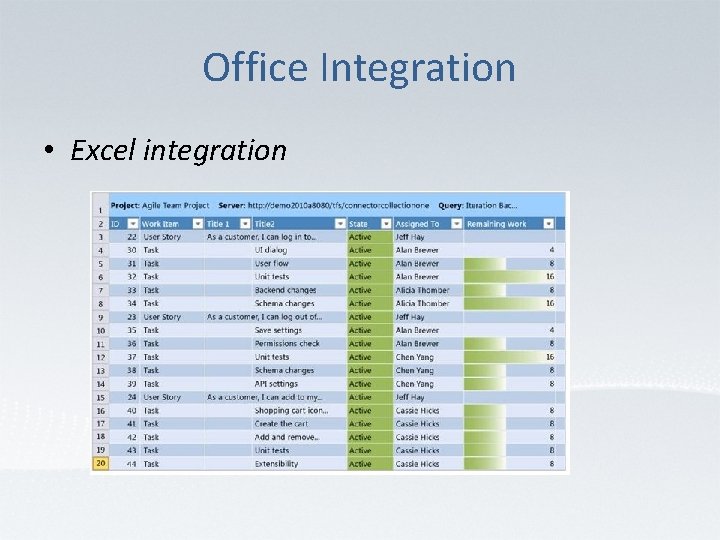
Office Integration • Excel integration
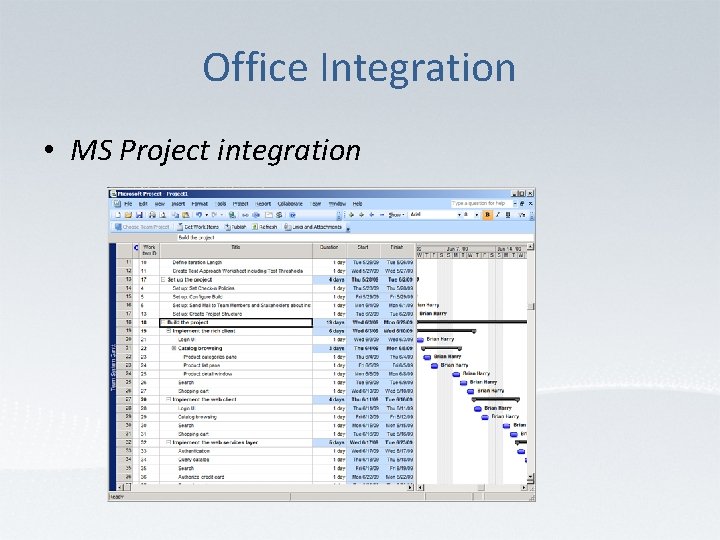
Office Integration • MS Project integration
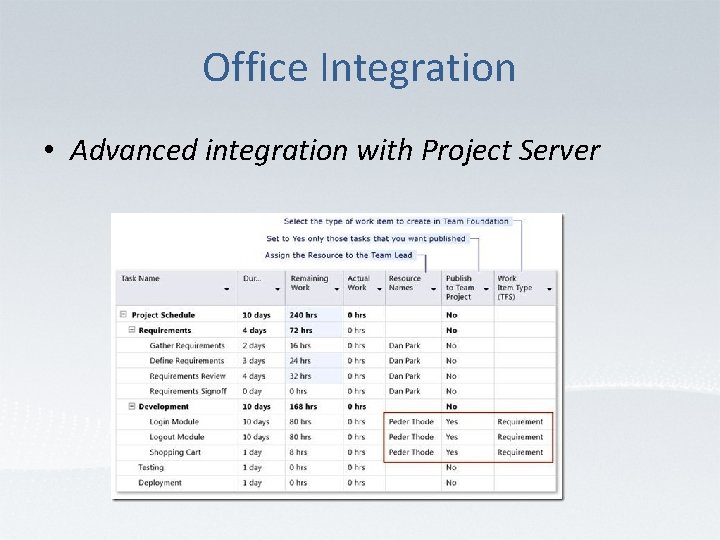
Office Integration • Advanced integration with Project Server
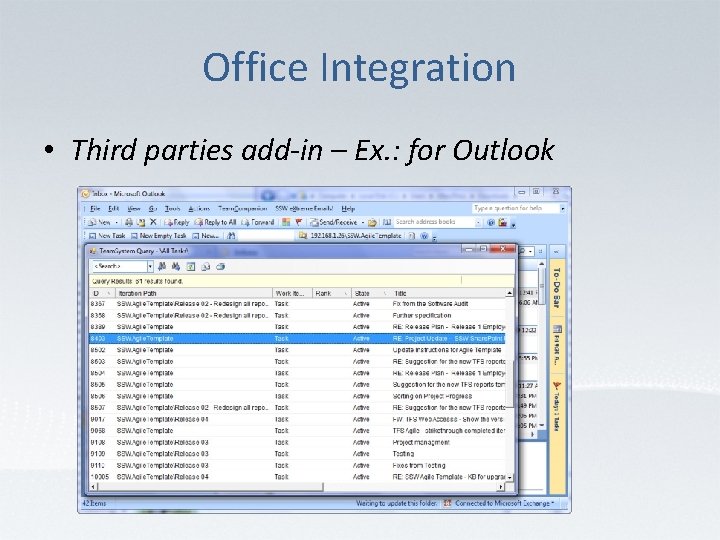
Office Integration • Third parties add-in – Ex. : for Outlook
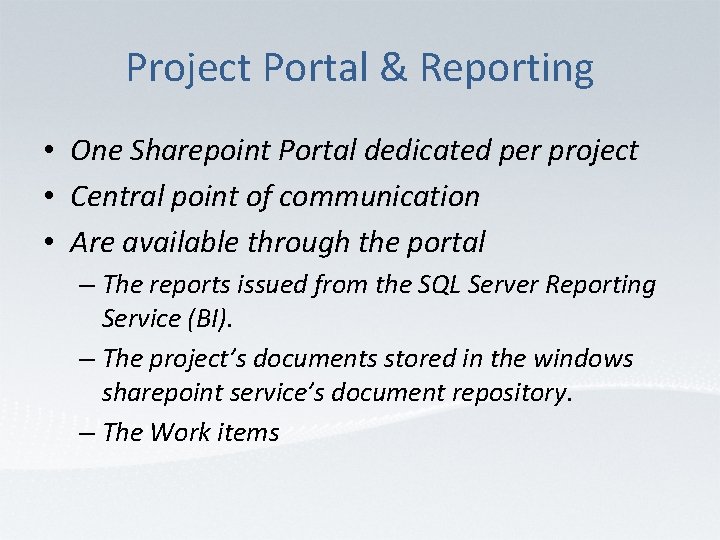
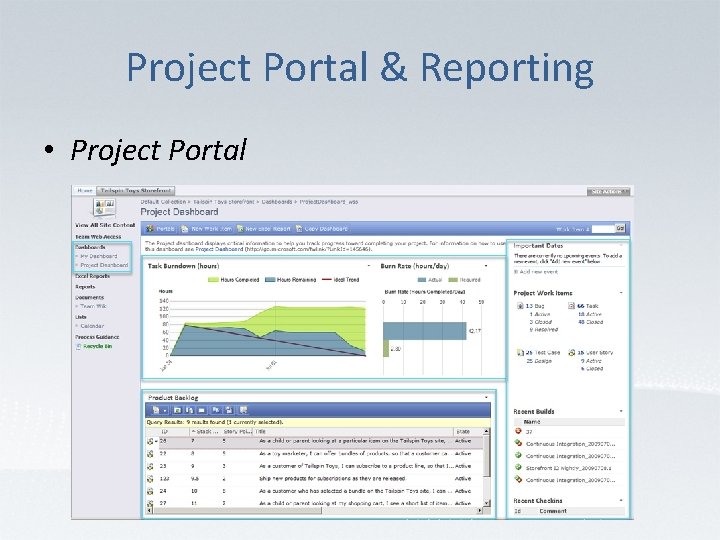
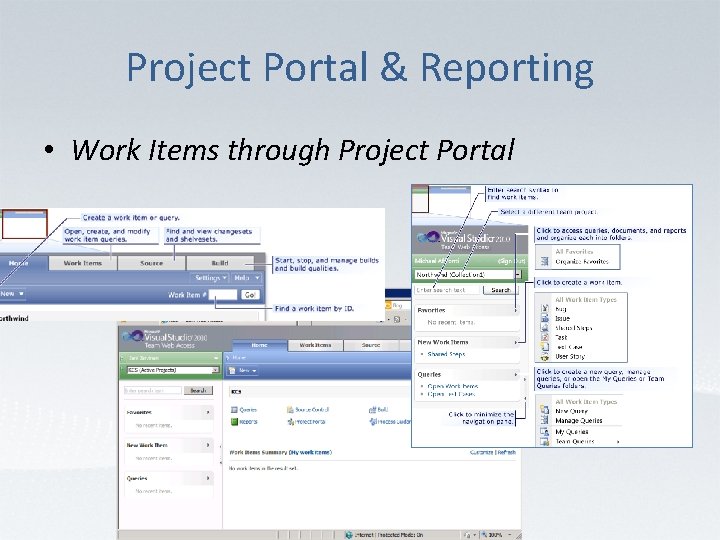
Project Portal & Reporting • One Sharepoint Portal dedicated per project • Central point of communication • Are available through the portal – The reports issued from the SQL Server Reporting Service (BI). – The project’s documents stored in the windows sharepoint service’s document repository. – The Work items
Project Portal & Reporting • Project Portal
Project Portal & Reporting • Work Items through Project Portal
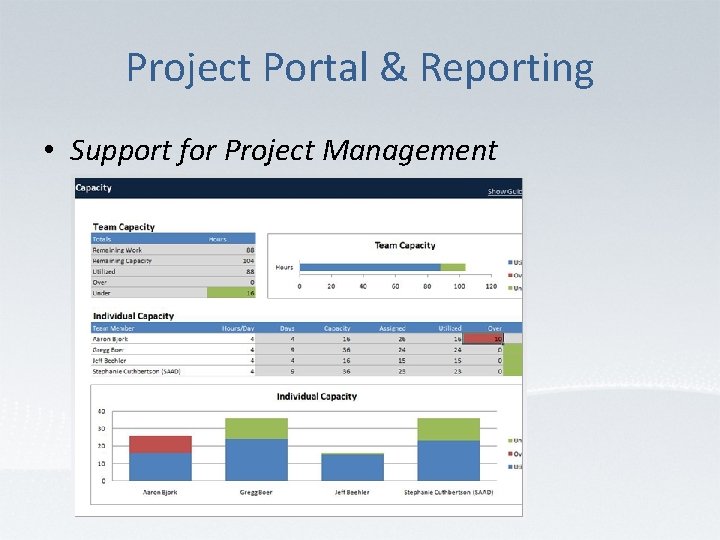
Project Portal & Reporting • Support for Project Management
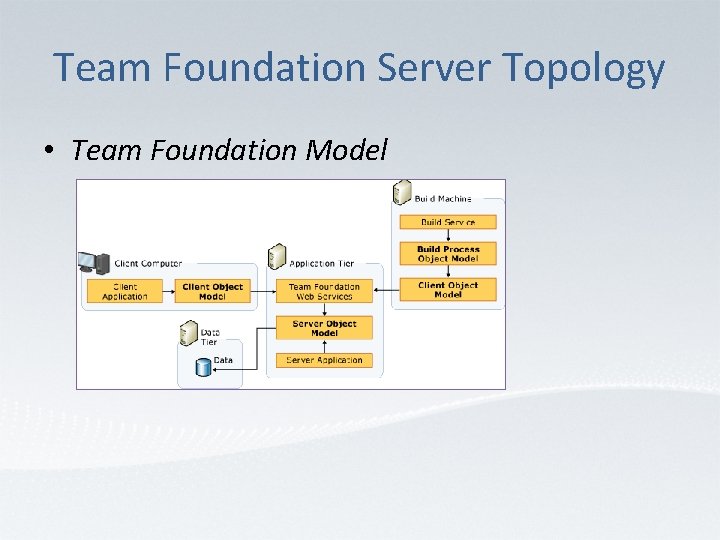
Team Foundation Server Topology • Team Foundation Model
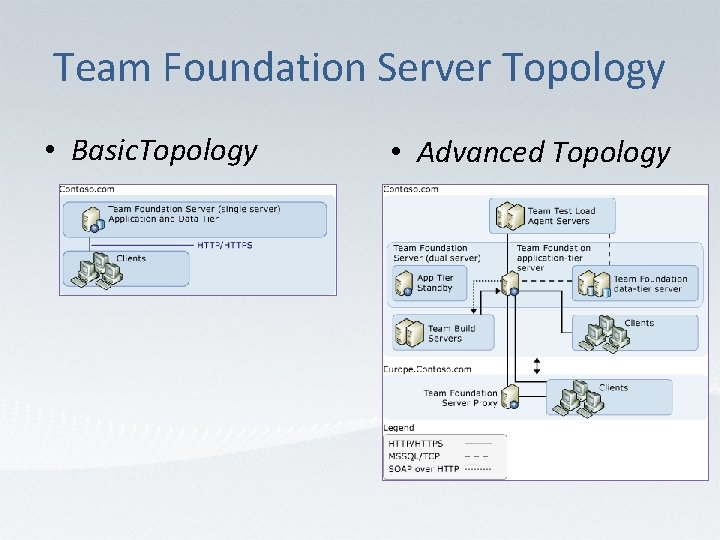
Team Foundation Server Topology • Basic. Topology • Advanced Topology
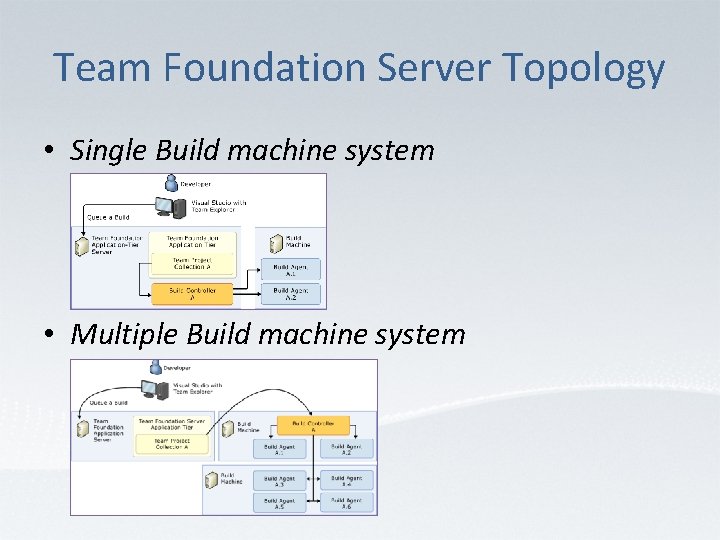
Team Foundation Server Topology • Single Build machine system • Multiple Build machine system
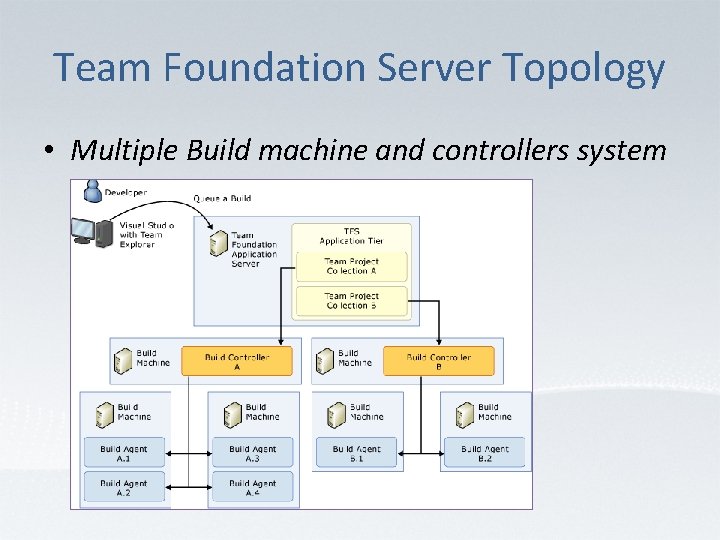
Team Foundation Server Topology • Multiple Build machine and controllers system
To be continued • Advanced presentations on : – Project Tracking – Source Control and Build Automation – Testing and Lab Management