
Teaching Learning Using Instructional Design in Youth Build
Teaching & Learning Using Instructional Design in Youth. Build: A Primer
Presenter Phoebe Reeves Associate Director, Technical Assistance DOL Youth. Build Program Impact
Objectives Provide a fundamental definition of Instructional Design (ID) Introduce Robert Gagné’s Nine Events of Instruction, a user-friendly form of ID that translates easily between in-person and virtual learning settings Outline the elements of designing an engaging lesson/activity/project using Gagné's technique in a way that actively involves staff and participants
Key Questions What is Instructional Design in straightforward, practical terms? What do you want young people in your class to learn? What do you want them to do? What is the "Nine Events of Instruction" approach and how can it help us as a learning community? How do I put together an engaging lesson/activity/project using the “Nine Events of Instruction? "
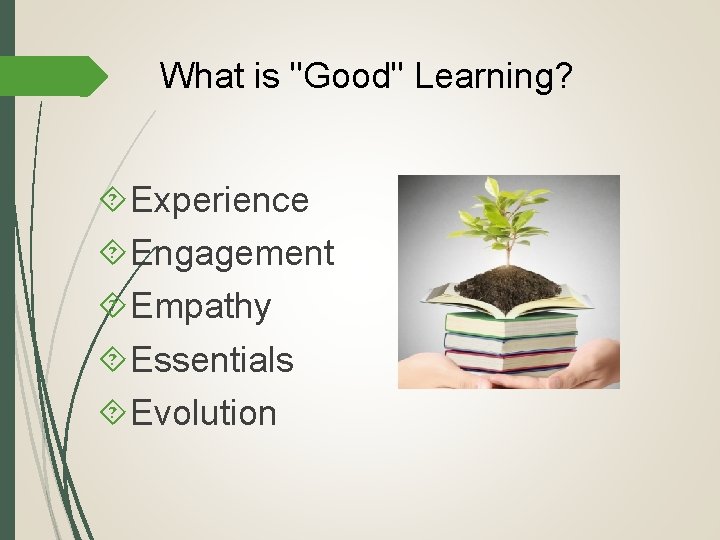
What is "Good" Learning? Experience Engagement Empathy Essentials Evolution
Your Teachers What have you learned from your best teacher? What have you learned from your worst teacher? Why do these experiences stay with you?
What is "Good" Teaching? Experience Engagement Empathy Essentials Evolution
Your Experience as a Teacher What was your best experience as a teacher? What was your worst experience as a teacher? Why have these experiences stayed with you?
Instructional Design The purpose of Instructional Design is to "identify the skills, knowledge, and the attitude gaps of a targeted audience, and to create, select, and suggest learning experiences that close this gap" (Connie Malamed). The role of the Instructional Designer is to take the bits and pieces of information learners have chosen and put them together in order to make it "a whole. ” https: //elearningindustry. com/what-an-instructional-designerdo-3 -myths-revealed
Instructional Design An Instructional Designer should conduct "needs research" and analyze the needs of the targeted group. They should determine whether these needs can be fulfilled by learning, and exactly how. They should write their learning objectives and conduct research to see what the outcomes are. They should assess each learner's entry skills and knowledge.
Instructional Design Based on all the analysis and outcomes (as mentioned on the previous slide), an instructional designer should choose the instructional strategies and training techniques and select the media formats appropriate for the training. After the lesson/project is over, the instructional designer should follow up with learners and make sure the course has been beneficial and sufficient for learners’ future personal and professional growth. https: //elearningindustry. com/what-an-instructional-designer -do-3 -myths-revealed
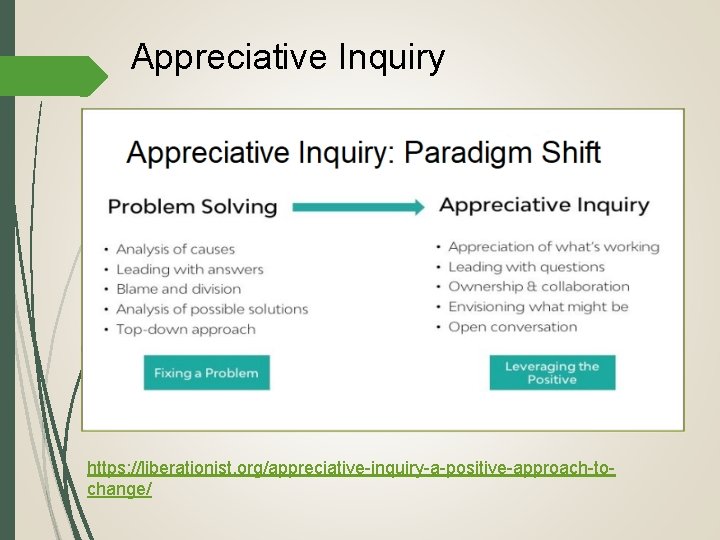
Appreciative Inquiry https: //liberationist. org/appreciative-inquiry-a-positive-approach-tochange/
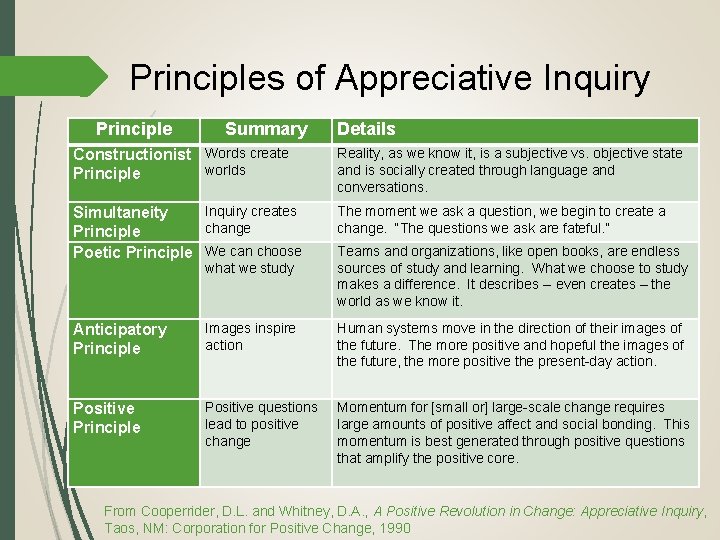
Principles of Appreciative Inquiry Principle Summary Details Constructionist Words create worlds Principle Reality, as we know it, is a subjective vs. objective state and is socially created through language and conversations. Inquiry creates Simultaneity change Principle Poetic Principle We can choose The moment we ask a question, we begin to create a change. “The questions we ask are fateful. ” what we study Teams and organizations, like open books, are endless sources of study and learning. What we choose to study makes a difference. It describes -- even creates – the world as we know it. Anticipatory Principle Images inspire action Human systems move in the direction of their images of the future. The more positive and hopeful the images of the future, the more positive the present-day action. Positive Principle Positive questions lead to positive change Momentum for [small or] large-scale change requires large amounts of positive affect and social bonding. This momentum is best generated through positive questions that amplify the positive core. From Cooperrider, D. L. and Whitney, D. A. , A Positive Revolution in Change: Appreciative Inquiry, Taos, NM: Corporation for Positive Change, 1990
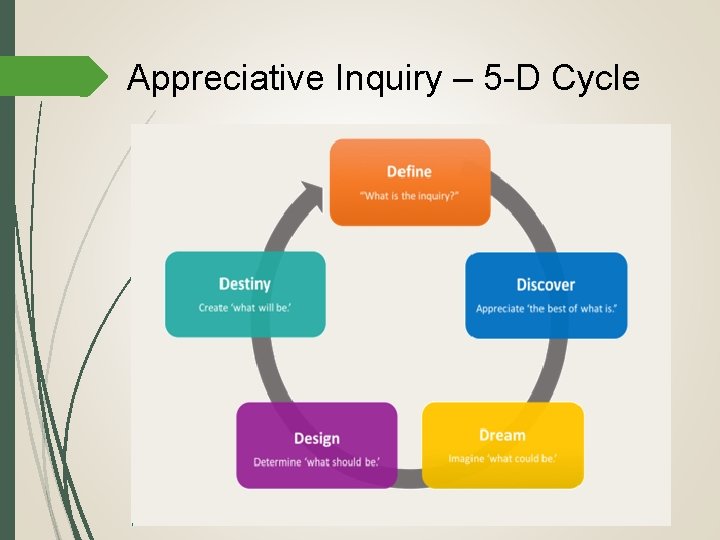
Appreciative Inquiry – 5 -D Cycle
The Nine Events of Instruction Principles of Instructional Design (6 th Edition), Robert Gagné et al (2005)
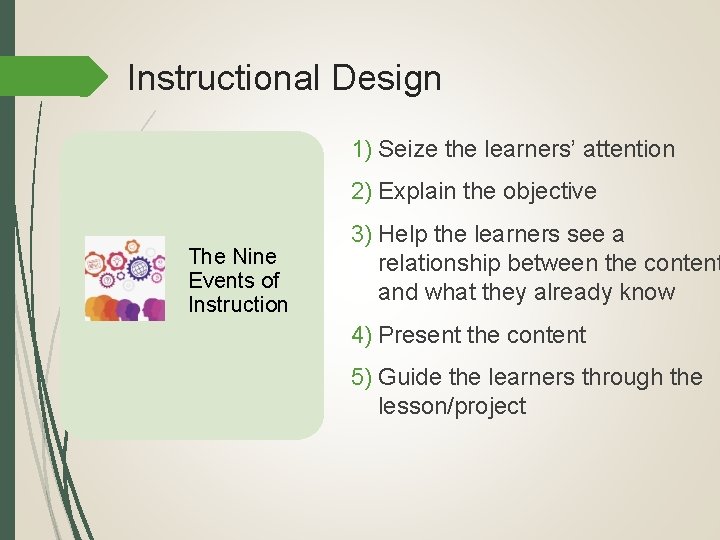
Instructional Design 1) Seize the learners’ attention 2) Explain the objective The Nine Events of Instruction 3) Help the learners see a relationship between the content and what they already know 4) Present the content 5) Guide the learners through the lesson/project
Instructional Design 6) Give the learners opportunity to practice 7) Provide learners with feedback The Nine Events of Instruction 8) Assess learner performance 9) Help learners retain information and transfer skills to their academic, professional, and/or personal work
1. Seize the Learners’ Attention Show a short, fast-paced video that introduces your topic. Ask a thought-provoking question about the subject matter. Tell a story that they can relate to. State a surprising fact to surprise, shock, intrigue them. Combine upbeat sound effects with great graphics and timely animations to create an experience.
2. Explain the Objective Present the objectives as statements in a bullet-point list. e. g. , “At the end of this course you will be able to create and post a ‘three-steps to swinging a hammer and hitting a nail right every time’ video on Instagram. ” Turn the objectives into questions, inviting the learner to reflect. e. g. , “How many times have you hit your thumb instead of the nail when swinging a hammer? Hurts, doesn’t it? ” Frame the learning objectives as a challenge that the learners need to overcome in order to pass the course. e. g. , “Your mission is to create a three-step foolproof process for hitting a nail with a hammer, saving other people from smashing their thumbs. ”
3. Help Learners See Relationship Between Content and What They Already Know Ask open-ended questions about past experiences or concepts they have already learned to encourage reflection. Quiz them on prior knowledge and then build on it. Present a scenario or a problem and ask them to resolve it. If they're unable to do so with their pre-existing knowledge alone, present them with the new information they need.
4. Present Your Content Gamification. Turn your lesson/project into a game by incorporating challenges, rewards, and other gaming elements. Interactive Video. Add interactivity to your video by placing "hotspots" at strategic moments, allowing learners to answer questions, get more information, or change the course of the video. Storytelling. Incorporate the lesson/project content into a narrative that the learner can relate to. You can choose to make the learner a character in the story, or an outside observer.
5. Guide the Learners Through the Lesson/Project Build in hints to help learners with difficult concepts or questions. For example, you can place a question mark next to the concept or question that, when hovered over, displays more information to help them understand or answer the question. Provide examples to illustrate the content. Putting theoretical content into context will help learners to better understand apply it. Include on-screen instructions when the learner is presented with a new activity type or when they need to do something in order to move onto the next section of the course, such as “Drag the correct answer to the green box and then click on Submit. ”
6. Give the Learners the Opportunity to Practice Create simulations. For example, in a software training lesson/project, the best way to let learners test their skills without leaving them completely on their own is to create a simulation in “try mode. ” That way you can still give them hints if they can’t figure out what to do next. Design decision-making scenarios. By asking learners to apply lesson/project content to a situation or problem they may encounter in real life, you give them the opportunity to test their comprehension.
7. Provide Learners With Feedback Build in branching that changes the course of the activity based on their answers. They will understand where they went wrong based on the consequences. Offer a second chance when they answer incorrectly. Give a hint and let them try again. Provide the correct answer so they’re not left guessing. Explain what they should have done and give them the correct answer.
8. Assess the Learners’ Performance Has your content helped the learners achieve the learning objective(s)? The evaluation or assessment should resemble the practice section, but this time learners will not receive hints along the way. Make sure you don’t include any new information or skills in this section. You should only test learners on what they have already learned.
9. Help the Learners Retain Information and Transfer Skills to Their Work Provide a printable job aid, such as a checklist or quick-reference document, that outlines the key concepts so learners can easily refer back to them. Give learners ways to practice their new knowledge or skill shortly after completing the lesson/project. Create a few short review activities or quizzes that they can complete during the weeks following the initial lesson/project to reinforce the knowledge or skill.
Create a Lesson or Activity Using One or More of Gagné’s Nine Events of Instruction
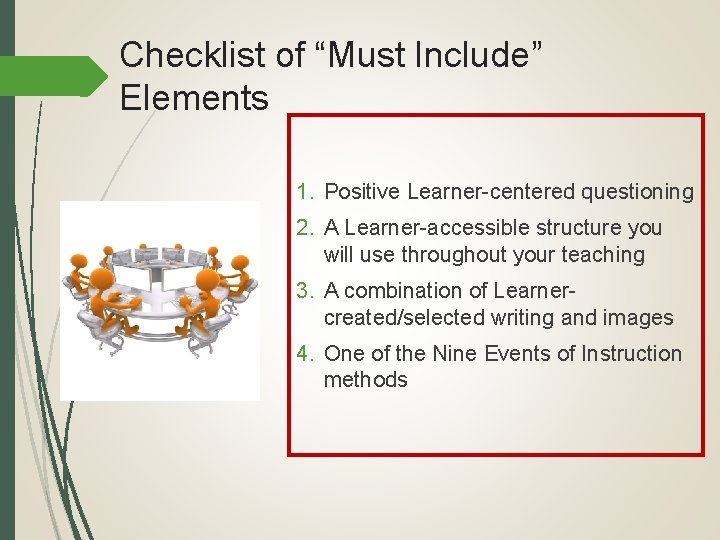
Checklist of “Must Include” Elements 1. Positive Learner-centered questioning 2. A Learner-accessible structure you will use throughout your teaching 3. A combination of Learnercreated/selected writing and images 4. One of the Nine Events of Instruction methods
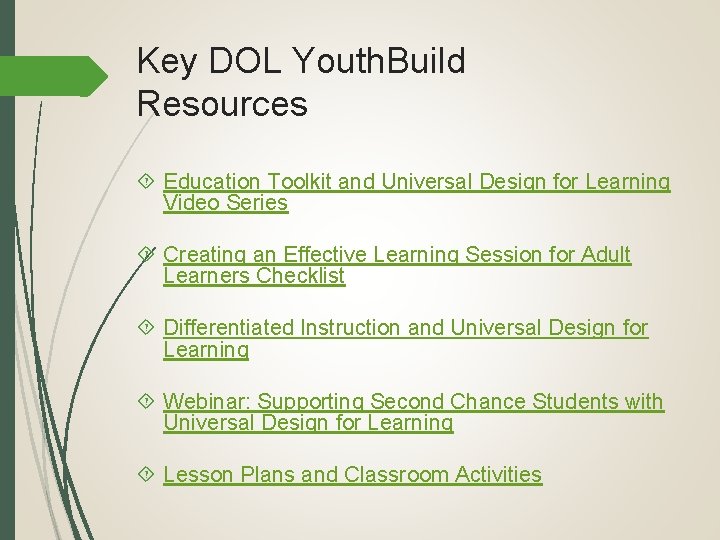
Key DOL Youth. Build Resources Education Toolkit and Universal Design for Learning Video Series Creating an Effective Learning Session for Adult Learners Checklist Differentiated Instruction and Universal Design for Learning Webinar: Supporting Second Chance Students with Universal Design for Learning Lesson Plans and Classroom Activities
Points of Contact Phoebe Reeves Associate Director, Technical Assistance DOL Youth. Build Program Impact phoebereeves@youthbuild. org 207 -441 -9951
- Slides: 30