
Tcl Package for Sqlite 3 database schema migration
Tcl Package for Sqlite 3 database schema migration Urmita Banerjee, Yili Zhang, Gunes Koru, Clif Flynt, Stephen Huntley, and Daeyoung Kim Health IT Lab at UMBC Department of Information System University of Maryland, Baltimore County, Baltimore, MD 1
Table of Contents • Introduction • Methods • Results • Limitations • Conclusion 2
Introduction • What is Database schema migration? • Multiphase process facilitating incremental or reversal changes of a relational database schema (Evolutionary Database Evolution, 2016). • Application evolution over time includes code and schema changes (awsdatabasemigration, 2016). Database dependent application development progresses with evolution of source code in tandem with the database (Evolutionary Database Evolution, 2016). • Modifying schema parts without affecting existing data and program can often be challenging. • To ease this process, automated migration of schema comes into view which allows to adapt the database as per requirement and track the granular changes affecting it. • Aim: Introduce a solution for database migration that will sustain frequent database schema changes in any Tcl and Sqlite 3 based application. 3

Methods • The migration package was built using Tcl programming language to support schema migration in Sqlite 3 database. • The package includes several functions each corresponding to basic database operations like table creation, table deletion, adding a column, removing a column, and table renaming. • Using the package, the functions can be executed which generates Tcl migration script files. These Tcl script files include ”Up” function and ”Down” function. • The ”Up” function performs forward change in the database while the ”Down” function brings about a backward change in the database. • An add. Table Up function creates a table and an add. Table Down function removes the table and takes the database back to the state prior to the table creation. 4
Methods-cont’d • The name of these script files are timestamped along with the action taken and the name of table or column modified. • The package allows the timestamped script files to execute a series of data schema changes in time sequence, both in forward and inverted order. • Executing scripts serially with ”Up” functions can establish the database, and executing scripts in reversed order with ”Down” functions can degenerate the database • With evolution of our software application, the data model also evolved. This progress was handled by running necessary Up and Down migration scripts. • In our system the execution of the migration files is recorded in a table called migration so that over the time how the database changed and emerged in time can be studied. 5
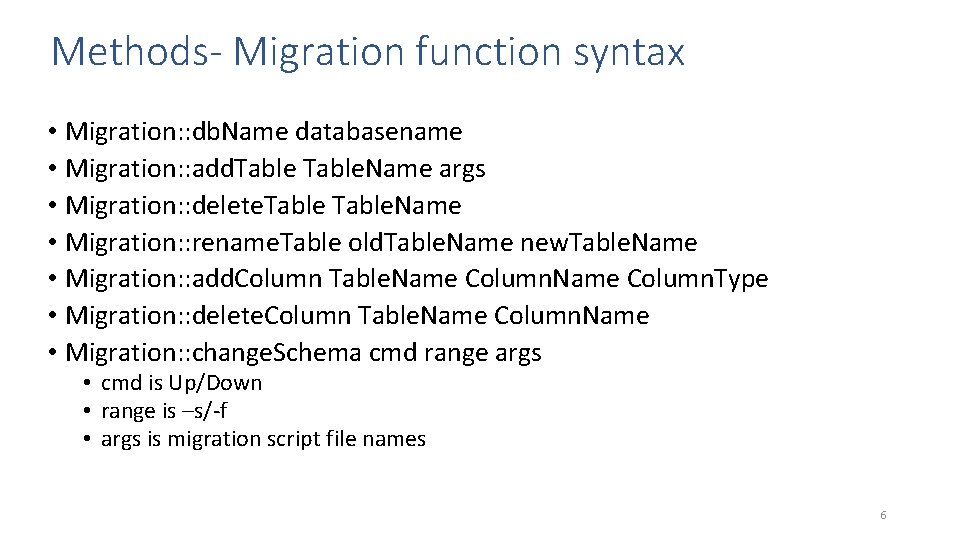
Methods- Migration function syntax • Migration: : db. Name databasename • Migration: : add. Table. Name args • Migration: : delete. Table. Name • Migration: : rename. Table old. Table. Name new. Table. Name • Migration: : add. Column Table. Name Column. Type • Migration: : delete. Column Table. Name Column. Name • Migration: : change. Schema cmd range args • cmd is Up/Down • range is –s/-f • args is migration script file names 6
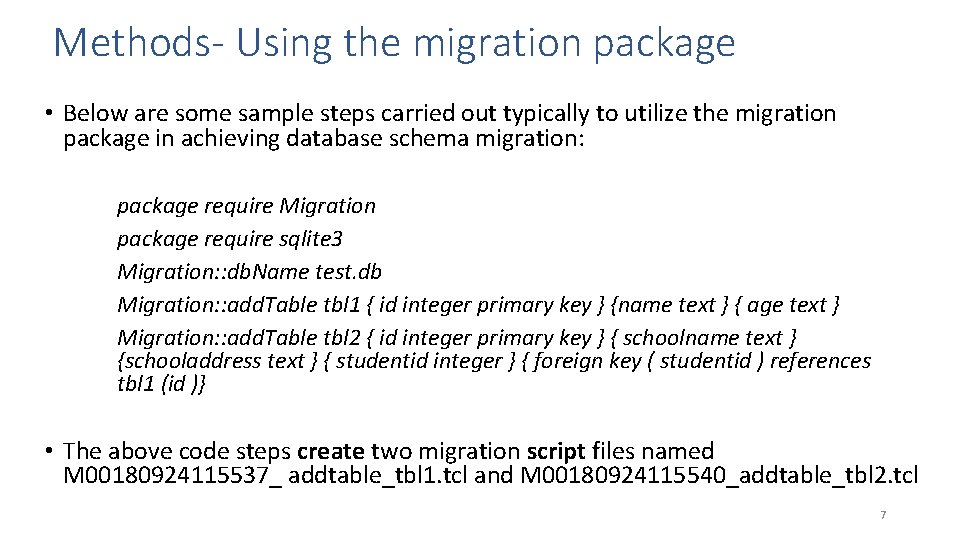
Methods- Using the migration package • Below are some sample steps carried out typically to utilize the migration package in achieving database schema migration: package require Migration package require sqlite 3 Migration: : db. Name test. db Migration: : add. Table tbl 1 { id integer primary key } {name text } { age text } Migration: : add. Table tbl 2 { id integer primary key } { schoolname text } {schooladdress text } { studentid integer } { foreign key ( studentid ) references tbl 1 (id )} • The above code steps create two migration script files named M 00180924115537_ addtable_tbl 1. tcl and M 00180924115540_addtable_tbl 2. tcl 7
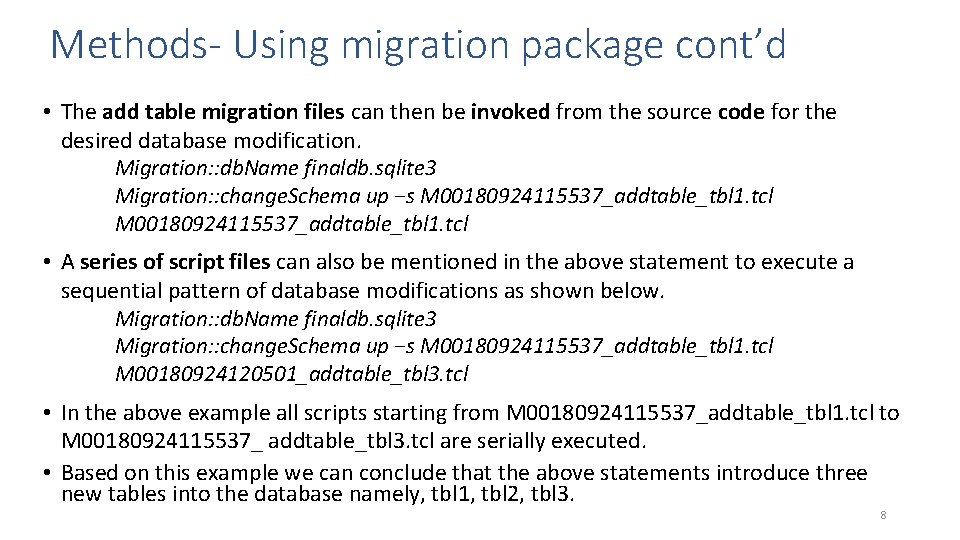
Methods- Using migration package cont’d • The add table migration files can then be invoked from the source code for the desired database modification. Migration: : db. Name finaldb. sqlite 3 Migration: : change. Schema up −s M 00180924115537_addtable_tbl 1. tcl • A series of script files can also be mentioned in the above statement to execute a sequential pattern of database modifications as shown below. Migration: : db. Name finaldb. sqlite 3 Migration: : change. Schema up −s M 00180924115537_addtable_tbl 1. tcl M 00180924120501_addtable_tbl 3. tcl • In the above example all scripts starting from M 00180924115537_addtable_tbl 1. tcl to M 00180924115537_ addtable_tbl 3. tcl are serially executed. • Based on this example we can conclude that the above statements introduce three new tables into the database namely, tbl 1, tbl 2, tbl 3. 8
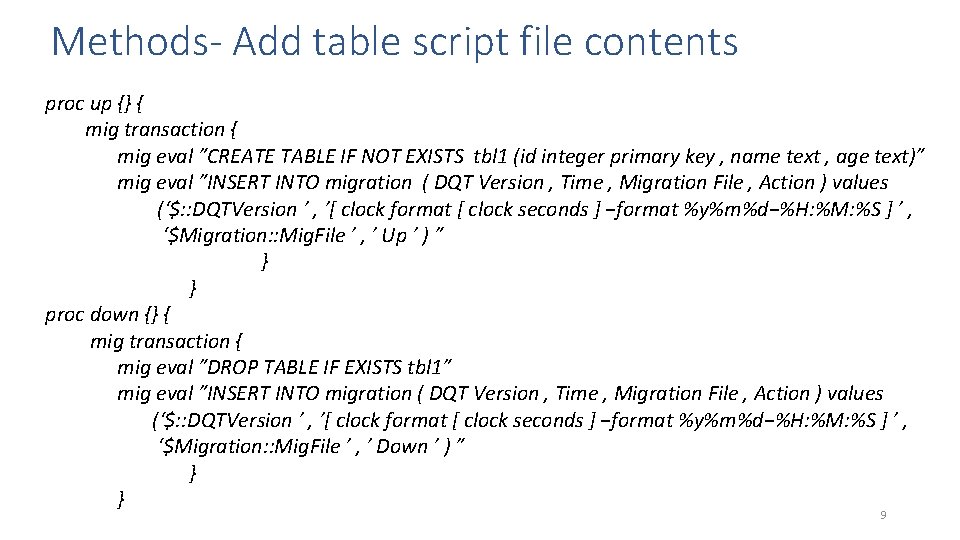
Methods- Add table script file contents proc up {} { mig transaction { mig eval ”CREATE TABLE IF NOT EXISTS tbl 1 (id integer primary key , name text , age text)” mig eval ”INSERT INTO migration ( DQT Version , Time , Migration File , Action ) values (‘$: : DQTVersion ’ , ’[ clock format [ clock seconds ] −format %y%m%d−%H: %M: %S ] ’ , ‘$Migration: : Mig. File ’ , ’ Up ’ ) ” } } proc down {} { mig transaction { mig eval ”DROP TABLE IF EXISTS tbl 1” mig eval ”INSERT INTO migration ( DQT Version , Time , Migration File , Action ) values (‘$: : DQTVersion ’ , ’[ clock format [ clock seconds ] −format %y%m%d−%H: %M: %S ] ’ , ‘$Migration: : Mig. File ’ , ’ Down ’ ) ” } } 9
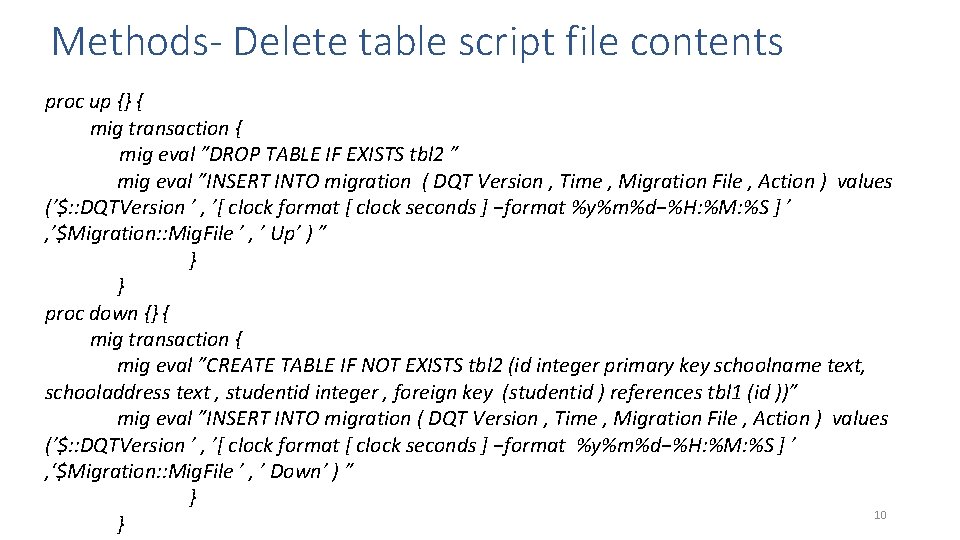
Methods- Delete table script file contents proc up {} { mig transaction { mig eval ”DROP TABLE IF EXISTS tbl 2 ” mig eval ”INSERT INTO migration ( DQT Version , Time , Migration File , Action ) values (’$: : DQTVersion ’ , ’[ clock format [ clock seconds ] −format %y%m%d−%H: %M: %S ] ’ , ’$Migration: : Mig. File ’ , ’ Up’ ) ” } } proc down {} { mig transaction { mig eval ”CREATE TABLE IF NOT EXISTS tbl 2 (id integer primary key schoolname text, schooladdress text , studentid integer , foreign key (studentid ) references tbl 1 (id ))” mig eval ”INSERT INTO migration ( DQT Version , Time , Migration File , Action ) values (’$: : DQTVersion ’ , ’[ clock format [ clock seconds ] −format %y%m%d−%H: %M: %S ] ’ , ‘$Migration: : Mig. File ’ , ’ Down’ ) ” } 10 }
Results • The migration package was developed to support database schema changes in an application developed in Health IT Lab, UMBC. • The timestamped migration files helped the database evolve easily and also allowed to track the database schema modification over time. • To reset the database to an older version , older necessary script files were run. • With application evolution, the data model underwent changes and it was handled by the package so the data model dint need to be established from scratch. • Running required migration script files helped construct expected database scenarios, and enabled data schema change without affecting the existing database. • During testing, harmony between database structure and application code could be tested using schema migration process on test database (Evolutionary 11 Database Evolution, 2016).
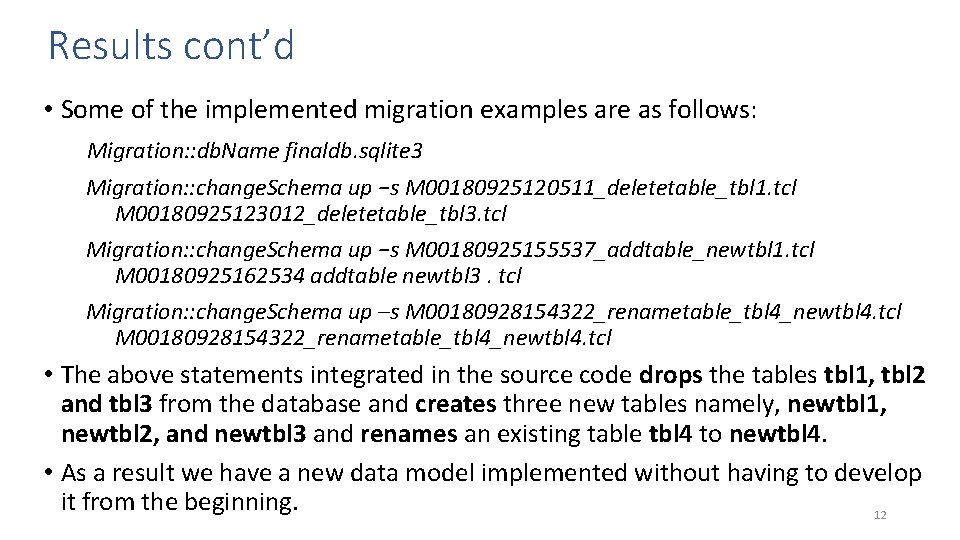
Results cont’d • Some of the implemented migration examples are as follows: Migration: : db. Name finaldb. sqlite 3 Migration: : change. Schema up −s M 00180925120511_deletetable_tbl 1. tcl M 00180925123012_deletetable_tbl 3. tcl Migration: : change. Schema up −s M 00180925155537_addtable_newtbl 1. tcl M 00180925162534 addtable newtbl 3. tcl Migration: : change. Schema up –s M 00180928154322_renametable_tbl 4_newtbl 4. tcl • The above statements integrated in the source code drops the tables tbl 1, tbl 2 and tbl 3 from the database and creates three new tables namely, newtbl 1, newtbl 2, and newtbl 3 and renames an existing table tbl 4 to newtbl 4. • As a result we have a new data model implemented without having to develop it from the beginning. 12
Limitations • Preservation of data is a concern when it comes to migration and it is not guaranteed reliable as schema changes like column deletion can affect data negatively. • In cases of large and old databases, migration can lead to unexpected problems. If there is still data introduced by old version that was not removed properly or if the relationships between the entities are not well thought before executing the migration steps , it can lead to integrity failures (Evolutionary Database Evolution, 2016). 13
Conclusion • Database Schema Migration is an essential process in agile software development. • It helps adapting database evolution by allowing the database schema to be updated to a new state or reverted to an earlier state and its evolution can be tracked. • It is time efficient and its utilization removes the need to fully redesign data models up-front with every little alterations in the database. • For system like ours which demands database structure to be compatible with the code expectations, the migration scripts allowed to tackle changes in the database structure without any failure in running the application. 14

Thank you! 15
- Slides: 15