
Tapit EX Call Accounting software for the 21
- Slides: 43
Tapit EX Call Accounting software for the 21 st Century Copyright Trisys Telecom, Inc. 2002 Trisys, Inc 215 Ridgedale Avenue Florham Park, NJ 07932 (973) 360 -2300 Main (973) 360 -2222 Fax sales@trisys. com http: //www. trisys. com
Tapit EX Call Accounting software is a 32 bit system that works with any telephone system that provides SMDR (Station Message Detail Reporting) information, helping you make valuable use of the data already available to you through your telephone system. At the termination of each incoming or outgoing call, Tapit EX stores the information from the phone system data stream on your computer hard disk. Tapit EX then lets you recall your data in your choice of report formats, providing you with important information to help you better manage your business.
Tapit EX - Minimum Requirements b b b b Pentium™ II Based PC 128 MB RAM Microsoft™ Windows 98/NT/2000/XP Professional 250 MB free disk space One RS 232 port connection to the PBX® SMDR port Printer driver must be installed on your computer. Power Management feature of your system must be disabled
Tapit EX - Single User Features b Real-time data collection b Supports all telephone systems with CDR/SMDR output capabilities b Costing of calls by DNIS, Trunk, IP Address and Incoming Direction b Caller ID, Abandoned Call, Transferred Call & DNIS Reporting ** b Reporting of Ring and Hold Time ** b Support for Client Account / Matter Code and User Authorization Codes ** b Export to Time/ Billing packages b Automatic Report Scheduler ** = When info is supplied by telephone system
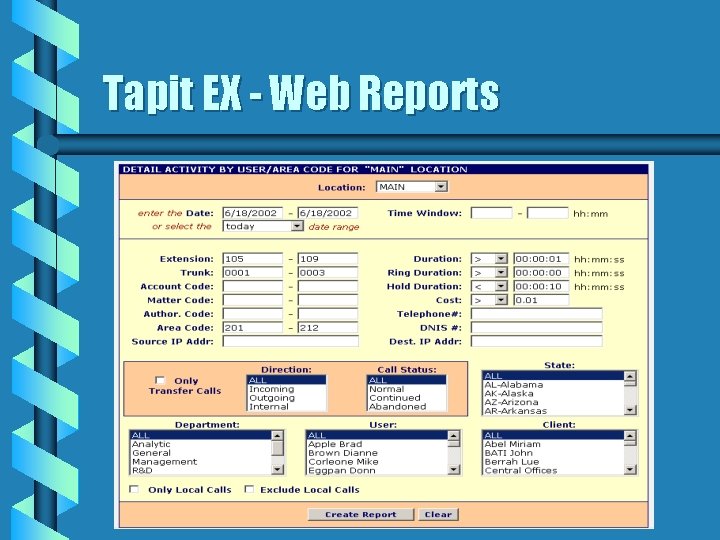
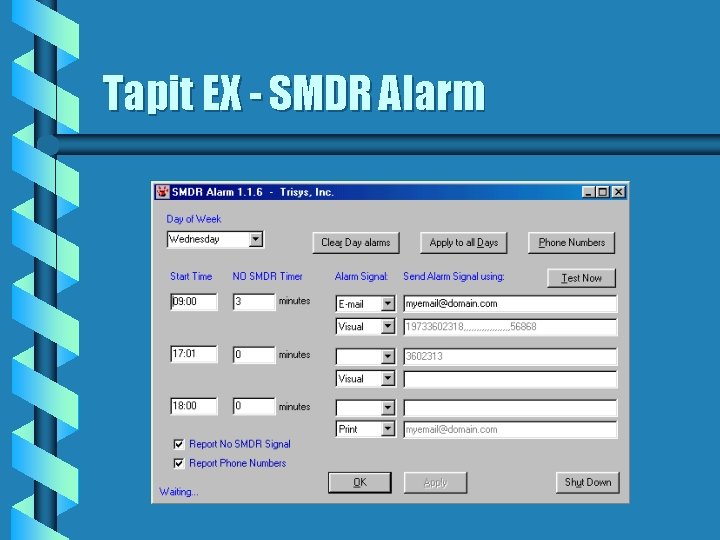
Tapit EX - Multi-user Features b b All Single User features plus: Support for up to 255 client shared database access Tapit Web Reports - Run reports from internet accessible PC No SMDR Alarm - Alerts you when SMDR data flow is interrupted
Tapit EX - Web Reports
Tapit EX - SMDR Alarm
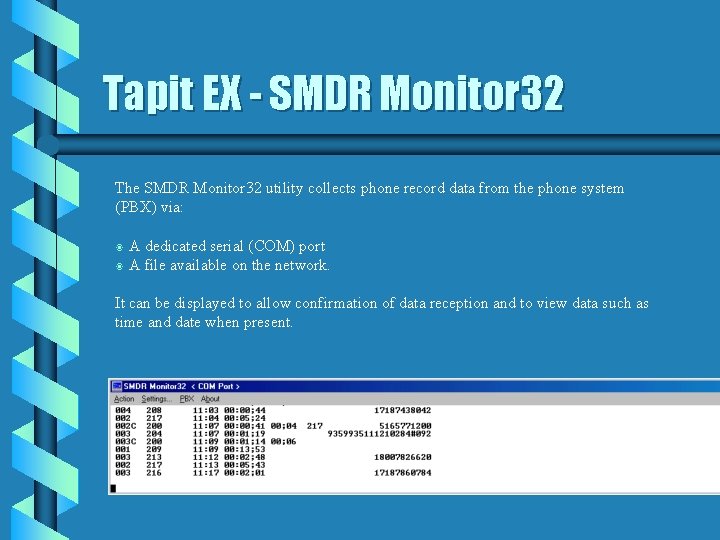
Tapit EX - SMDR Monitor 32 The SMDR Monitor 32 utility collects phone record data from the phone system (PBX) via: A dedicated serial (COM) port b A file available on the network. b It can be displayed to allow confirmation of data reception and to view data such as time and date when present.
Tapit EX - Main Menu b b b Centralized Organization Consistent between versions Easily Understood
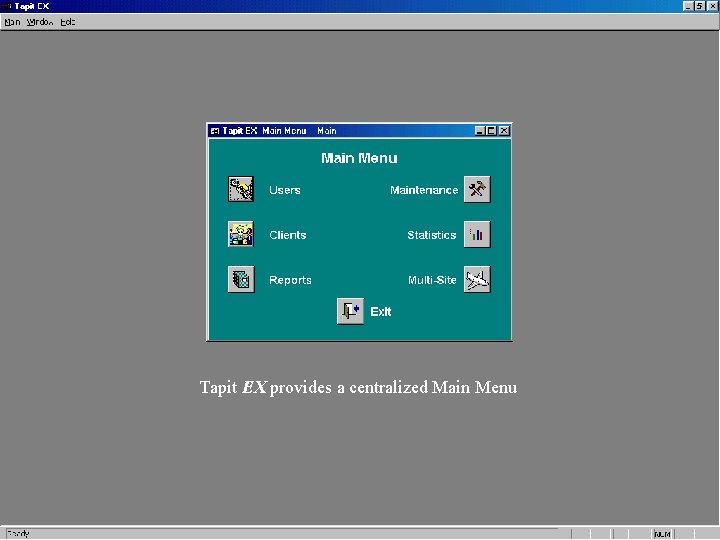
Tapit EX provides a centralized Main Menu
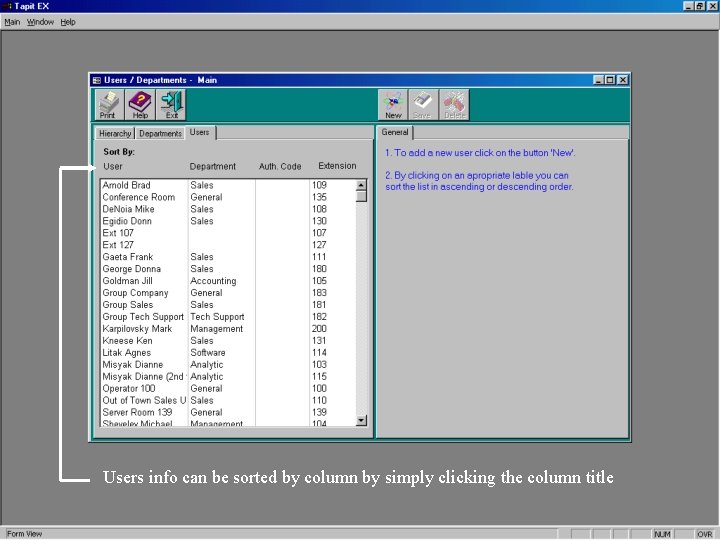
Tapit EX - Users b b b Enter users of the phone system Assign Extension(s) Assign User to Department Assign User Authorization codes, if used Input user specific surcharges when applicable
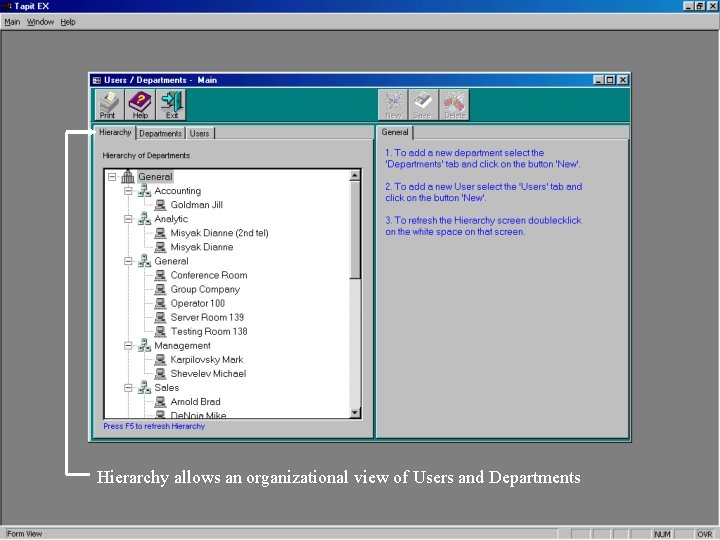
Hierarchy allows an organizational view of Users and Departments
Users info can be sorted by column by simply clicking the column title
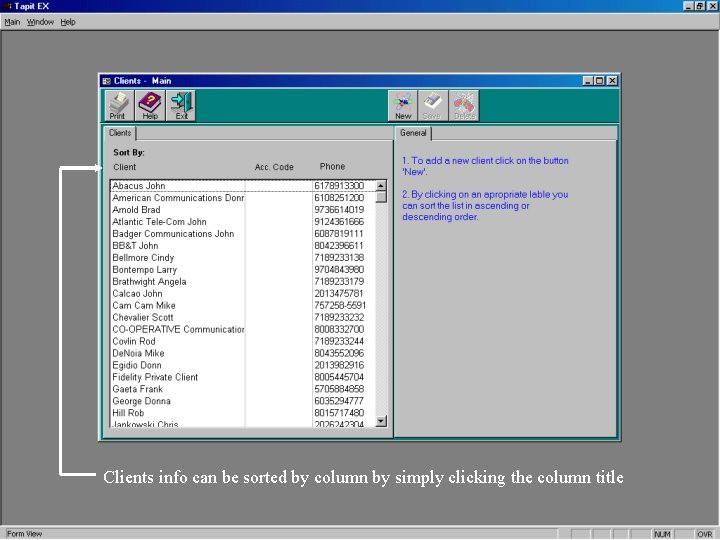
Tapit EX - Clients b b Client / Company Name Address Account Code, if used Phone Number(s)
Clients info can be sorted by column by simply clicking the column title
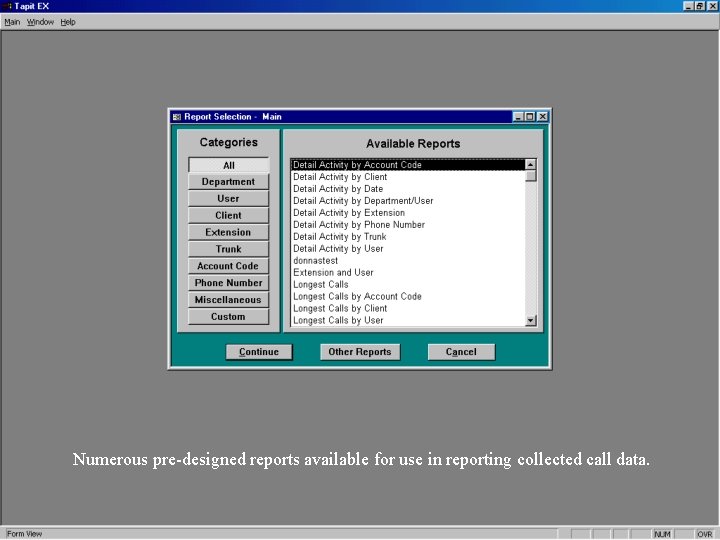
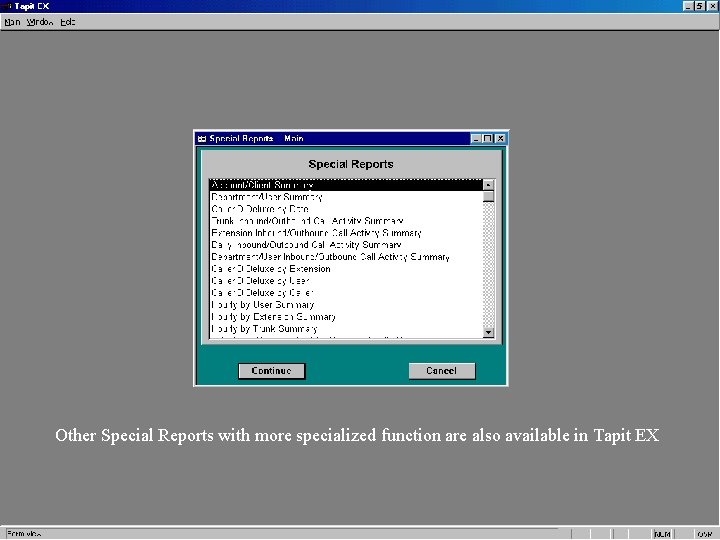
Tapit EX - Reports b b b b Many Pre-Designed Reports Grouped by Sorting Field Extreme Flexibility in Criteria Selection Abandoned and Transferred Calls ** DNIS and IP Calls ** Caller ID Deluxe - Number and Name ** Special Function Reports Custom Reports Available with Report Designer ** = When info is supplied by the telephone system
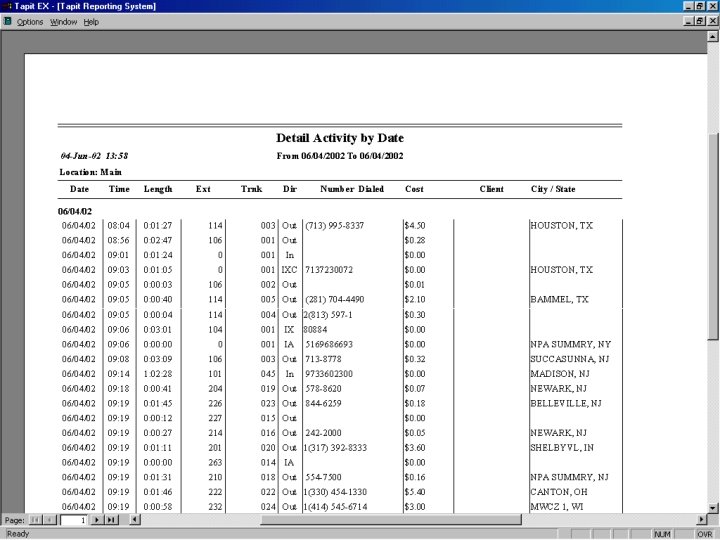
Numerous pre-designed reports available for use in reporting collected call data.
Other Special Reports with more specialized function are also available in Tapit EX
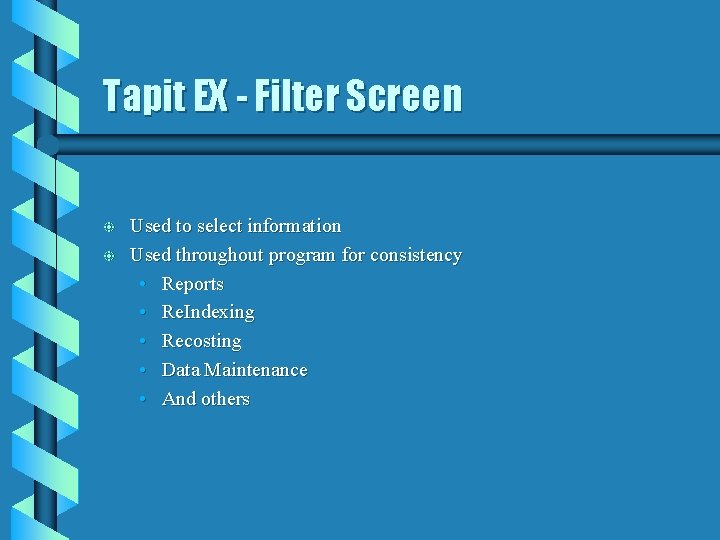
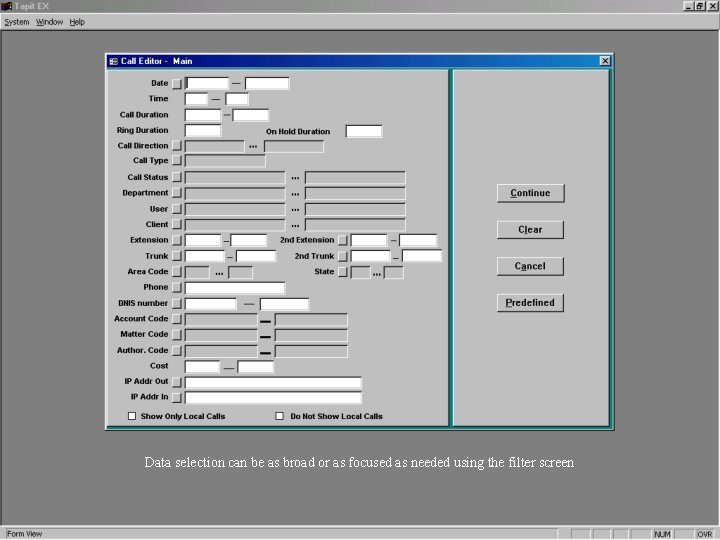
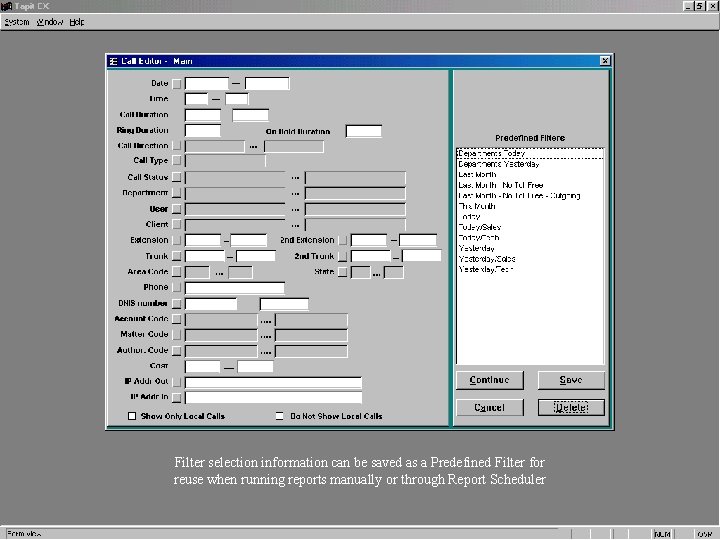
Tapit EX - Filter Screen b b Used to select information Used throughout program for consistency • Reports • Re. Indexing • Recosting • Data Maintenance • And others
Data selection can be as broad or as focused as needed using the filter screen
Filter selection information can be saved as a Predefined Filter for reuse when running reports manually or through Report Scheduler
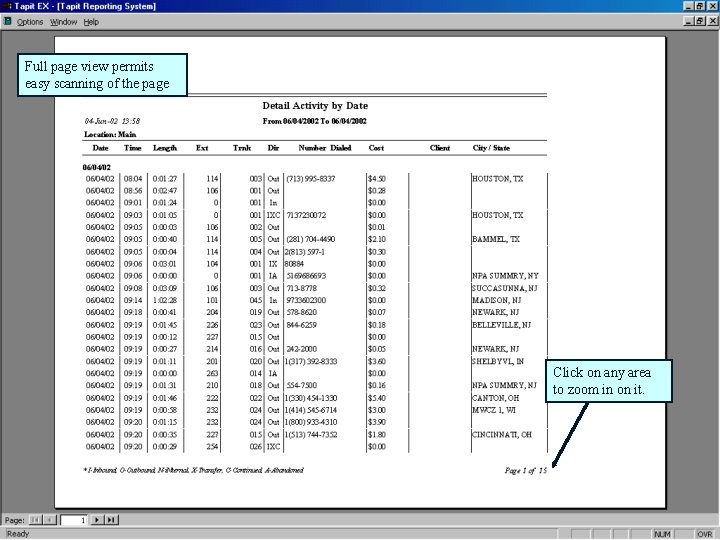
Full page view permits easy scanning of the page Click on any area to zoom in on it.
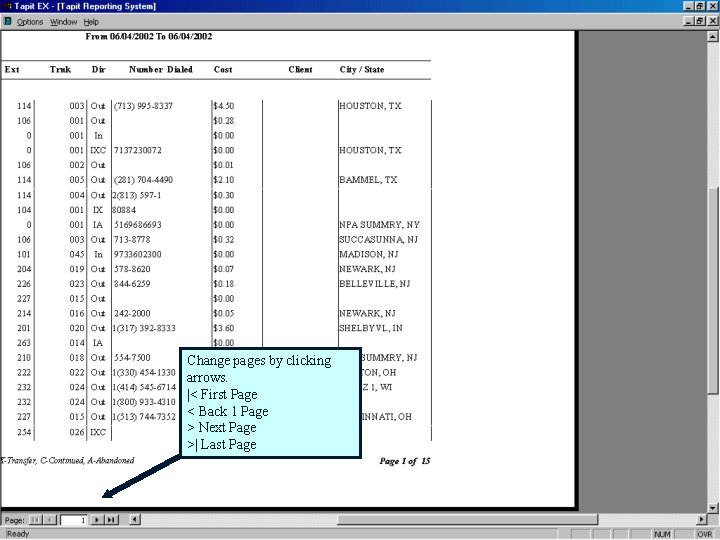
Change pages by clicking arrows. |< First Page < Back 1 Page > Next Page >| Last Page
Tapit EX - Maintenance b b b Centralized Maintenance Functions Limited to Host PC Operation Entry point to Data Maintenance
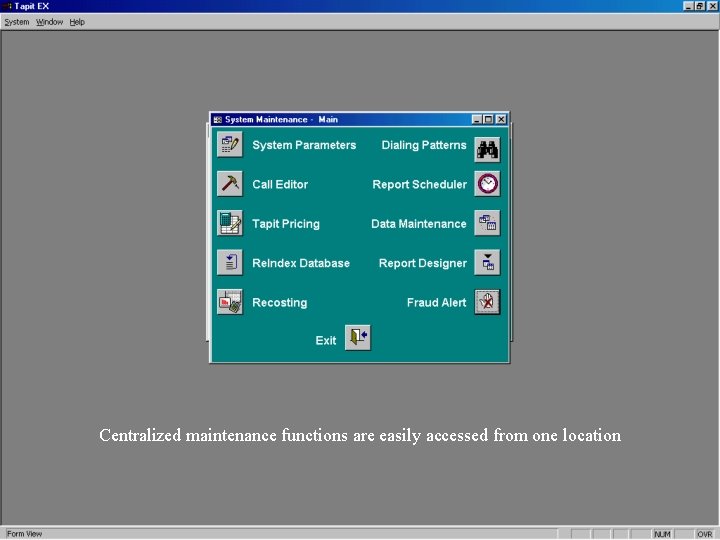
Centralized maintenance functions are easily accessed from one location
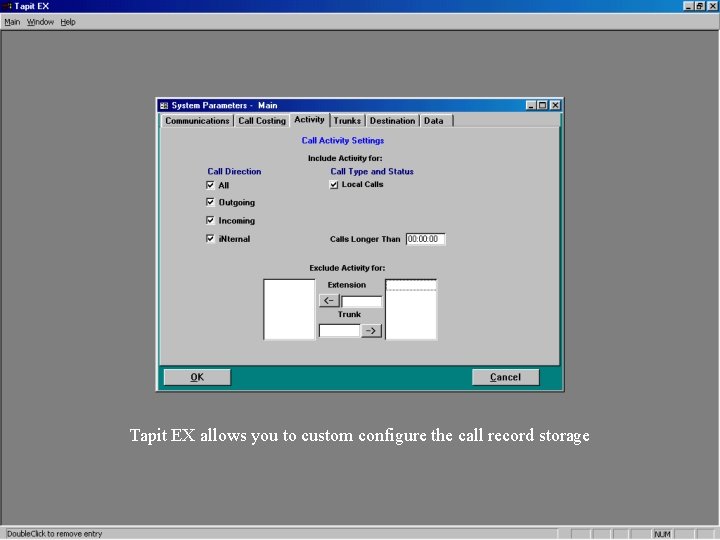
Tapit EX - System Parameters b b b Communication settings Data Source Selection Processing Time settings Call Costing settings Activity / Storage parameters Destination database access
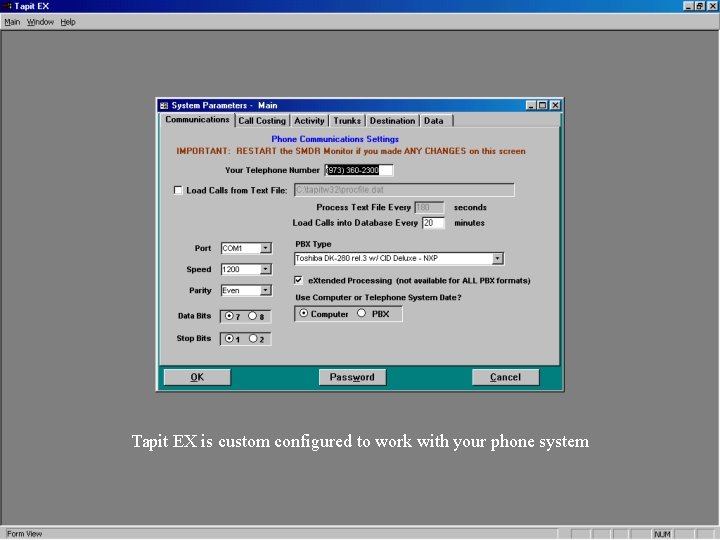
Tapit EX is custom configured to work with your phone system
Tapit EX allows you to custom configure the call record storage
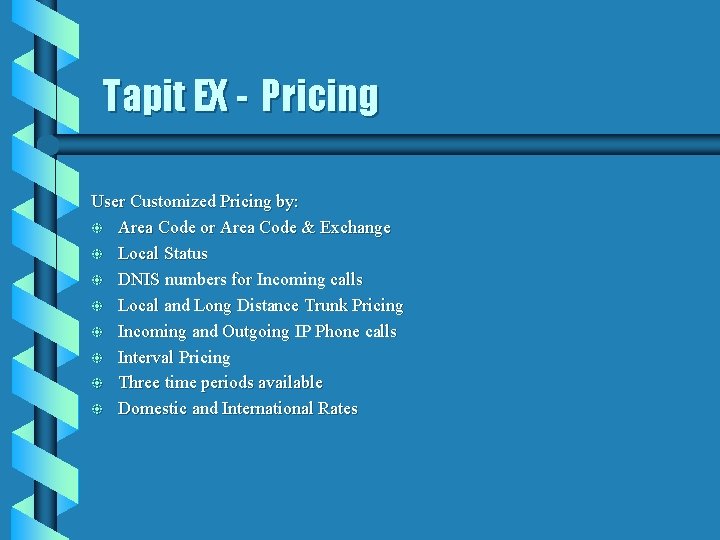
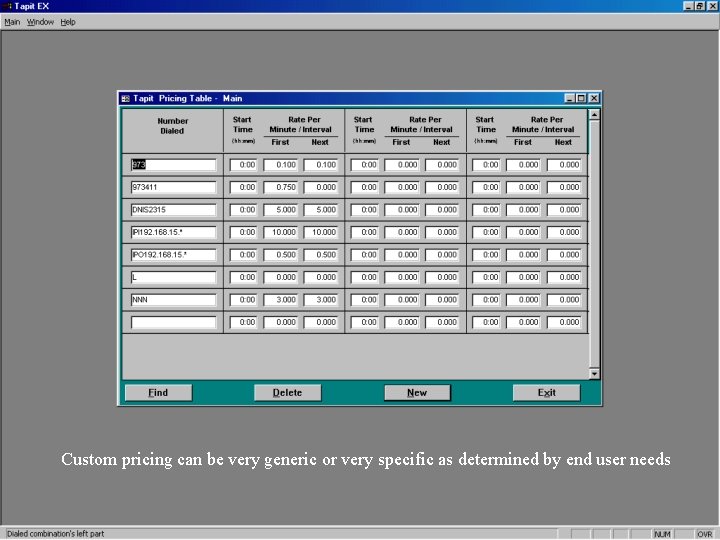
Tapit EX - Pricing User Customized Pricing by: b Area Code or Area Code & Exchange b Local Status b DNIS numbers for Incoming calls b Local and Long Distance Trunk Pricing b Incoming and Outgoing IP Phone calls b Interval Pricing b Three time periods available b Domestic and International Rates
Custom pricing can be very generic or very specific as determined by end user needs
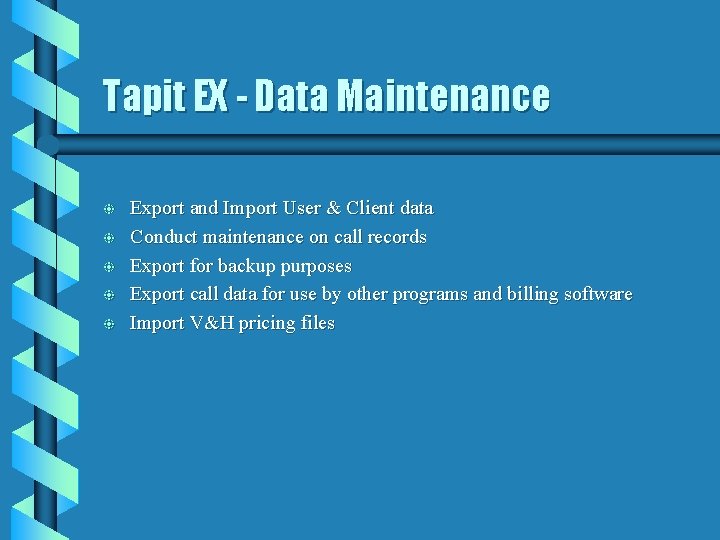
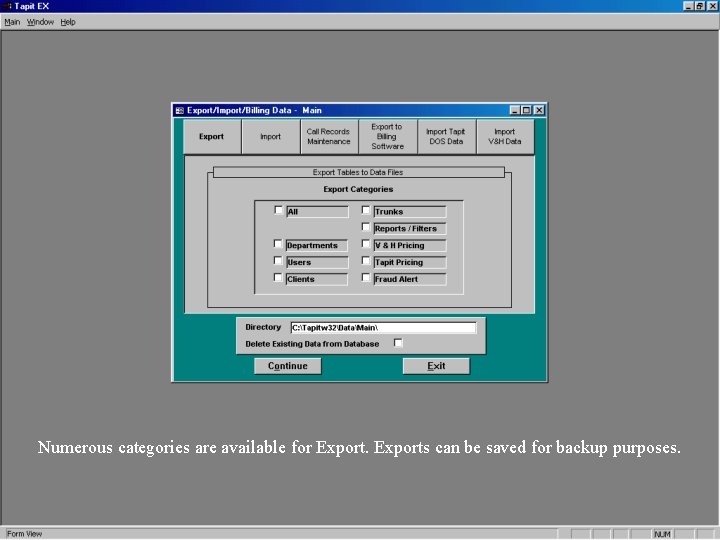
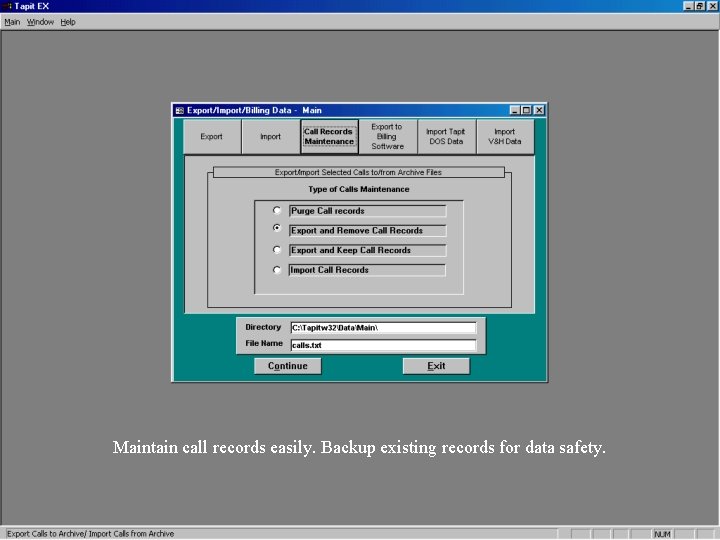
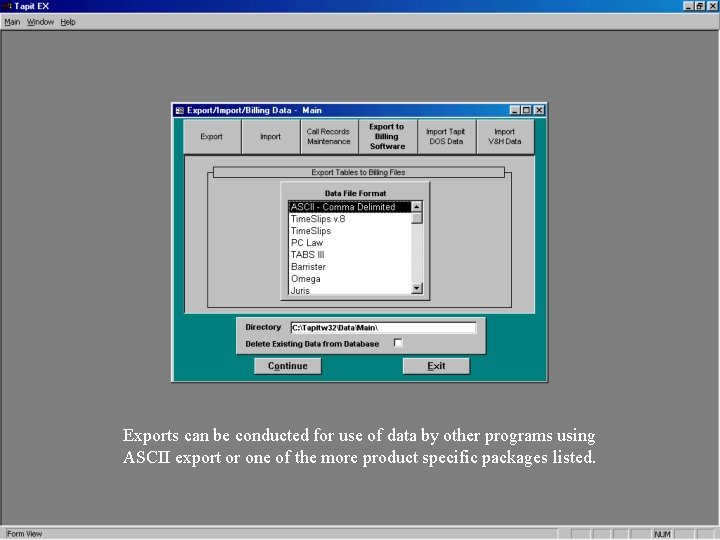
Tapit EX - Data Maintenance b b b Export and Import User & Client data Conduct maintenance on call records Export for backup purposes Export call data for use by other programs and billing software Import V&H pricing files
Numerous categories are available for Exports can be saved for backup purposes.
Maintain call records easily. Backup existing records for data safety.
Exports can be conducted for use of data by other programs using ASCII export or one of the more product specific packages listed.
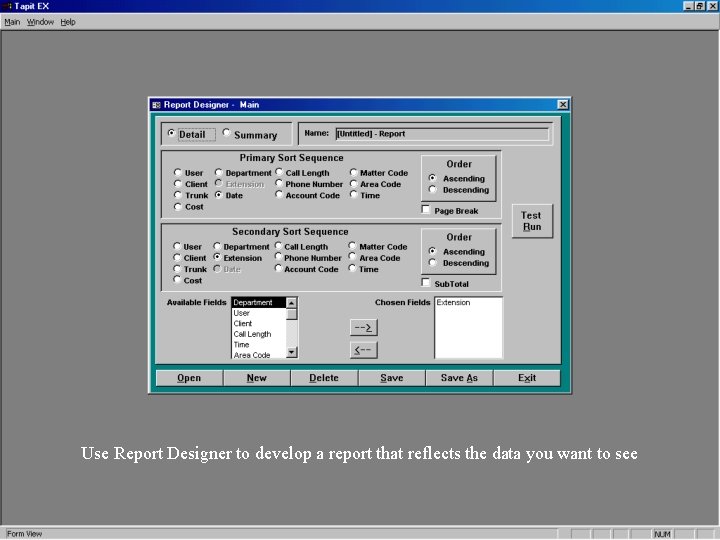
Tapit EX - Report Designer b b b Create Detailed or Summary Reports Choose Primary and Secondary Sorting Select / Order Display Fields Page Breaks when Primary Sort Sub-Totals on Secondary Sort
Use Report Designer to develop a report that reflects the data you want to see
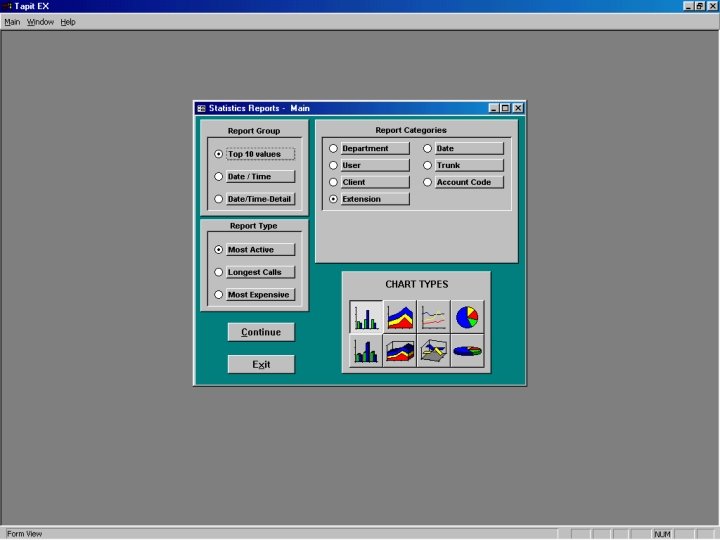
Tapit EX - Statistical Reports b b b Produce graphic reports Line, Bar and Pie charts Most Active, Longest Calls, Most Expensive Top 10 Values, Date & Time Multiple report categories
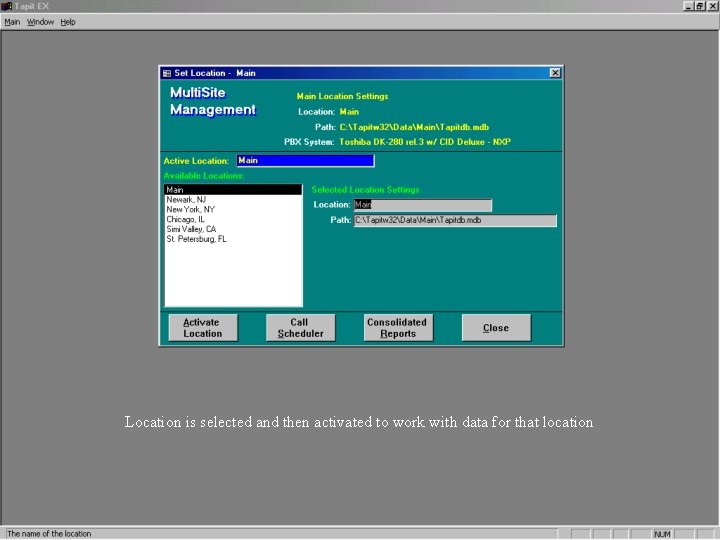
Tapit EX - Set Location b b b Remote Manager Option. This icon only appears when this module is installed Used to change locations being managed Once selected all areas of the specified location settings are available
Location is selected and then activated to work with data for that location
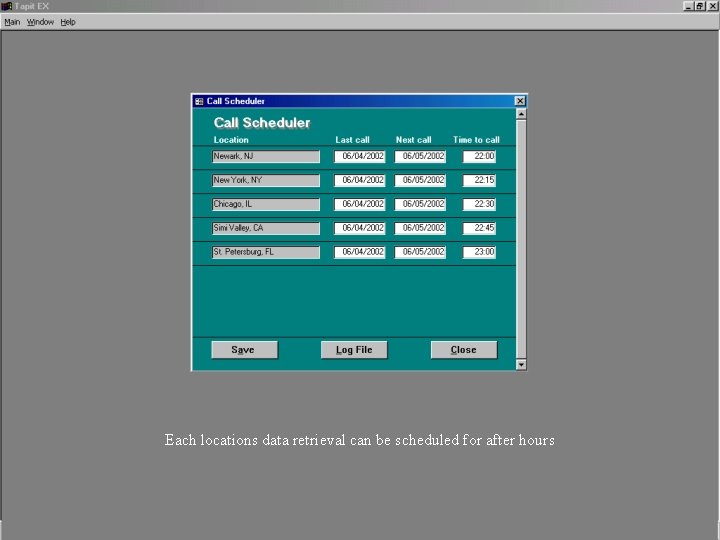
Each locations data retrieval can be scheduled for after hours
Tapit EX from Trisys, Inc. Thank you for viewing this presentation Tapit EX - Call Accounting software for the 21 st Century. Please contact us with any questions: Phone - (973) 360 -2300 Fax - (973) 360 -2222 E-Mail - sales@trisys. com Visit our website for up to the moment info at: http: //www. trisys. com