
TANGO TRAINING User Session organised by SOLEIL Controls
TANGO TRAINING User Session organised by SOLEIL Controls Group April 2003 TANGO users training : April 2003 Session
Goals • Present basic concepts – share a common vocabulary • Understand what a TANGO interface is – to get correct interfaces specifications • Show current applications – to show what the control system will actually be like TANGO users training : April 2003 Session
Audience • Users of control systems have to: – – Share common concepts and vocabulary with the Computing Services. Be trained to software tools proposed by the Control/Command group • Applications developers linked to the Control/Command Group : – – Scientists, who collect, use, process data obtained by the Control/Command group Engineers/Technicians from Equipment pools, who have to understand/monitor the behavior of their systems • Engineers from other institutes – Who wish to have a first glance at the TANGO tool developed by the ESRF/SOLEIL collaboration TANGO users training : April 2003 Session
Contributors • Alain Buteau • Majid Ounsy • Jean Chinkumo TANGO users training : April 2003 Session

Today’s Programme • Part I – what is TANGO ? – A software bus – A «computing tool» dedicated to the implementation of systems which are heterogeneous, distributed and control/command oriented – Chronology • Part II – Basic Concepts – Device – Interface • Commands • Attributes • Status • Device Server • Part III – Current high-level applications – – – Control system configuration Properties Monitoring Logging Archiving TANGO users training : April 2003 Session
- Part I What is TANGO ? TANGO users training : April 2003 Session
TANGO system: A software bus TANGO users training : April 2003 Session
A software bus • Analogy with an electronic bus because: – Each card plugged on the bus has a well-identified function – Each card is not or hardly coupled to the others – Development of each card can be decoupled • But each card – Must respect a strict and well-defined interface in order to connect to the bus TANGO users training : April 2003 Session
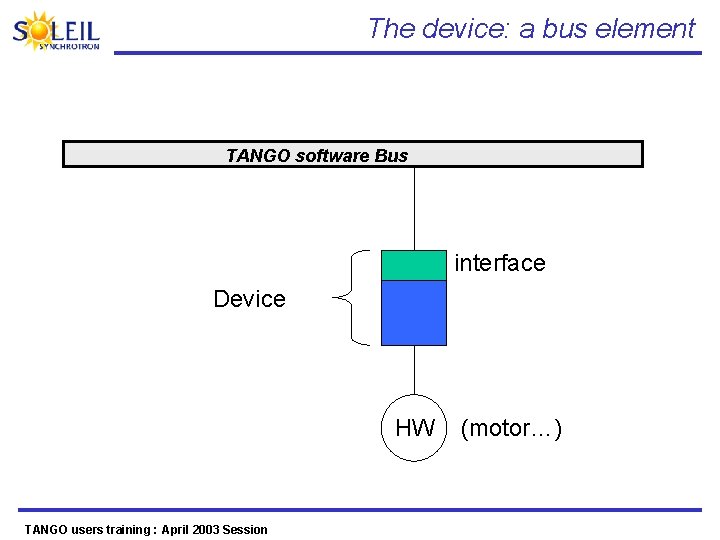
The device: a bus element TANGO software Bus interface Device HW TANGO users training : April 2003 Session (motor…)
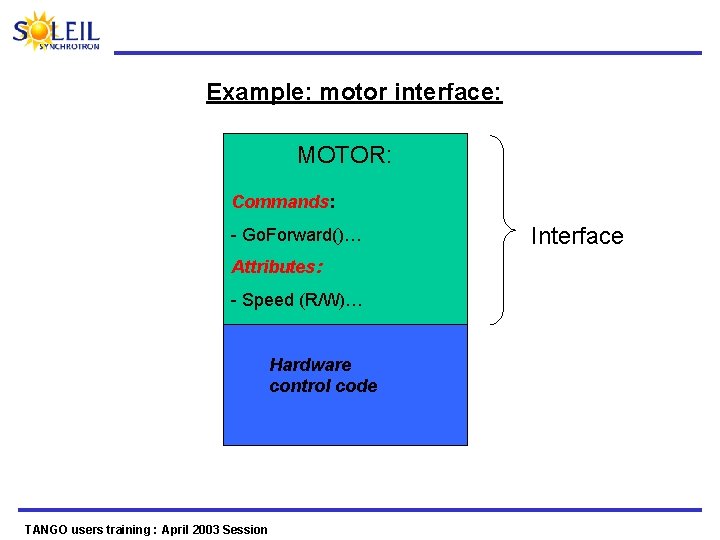
Example: motor interface: MOTOR: Commands: - Go. Forward()… Attributes: - Speed (R/W)… Hardware control code TANGO users training : April 2003 Session Interface
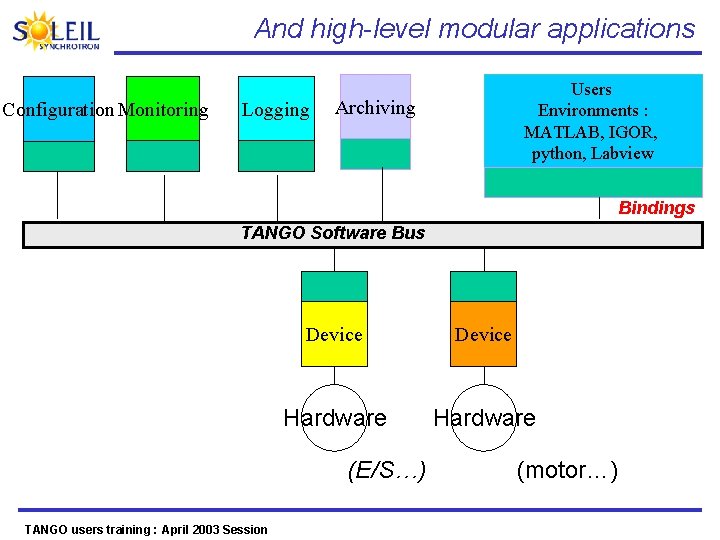
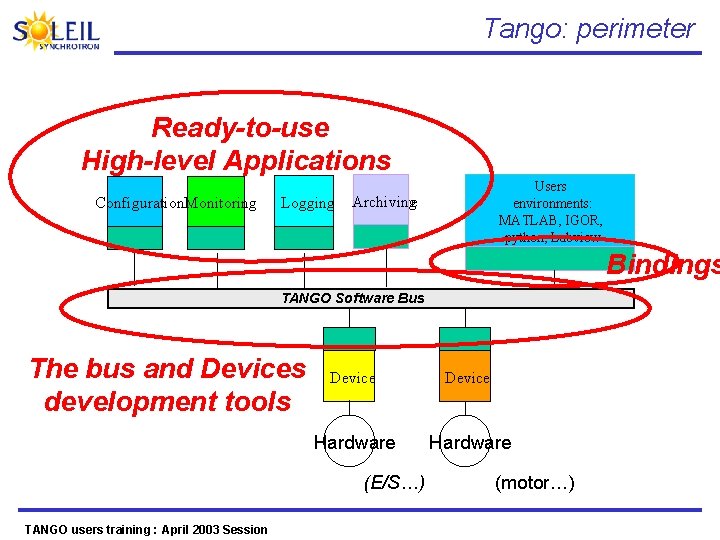
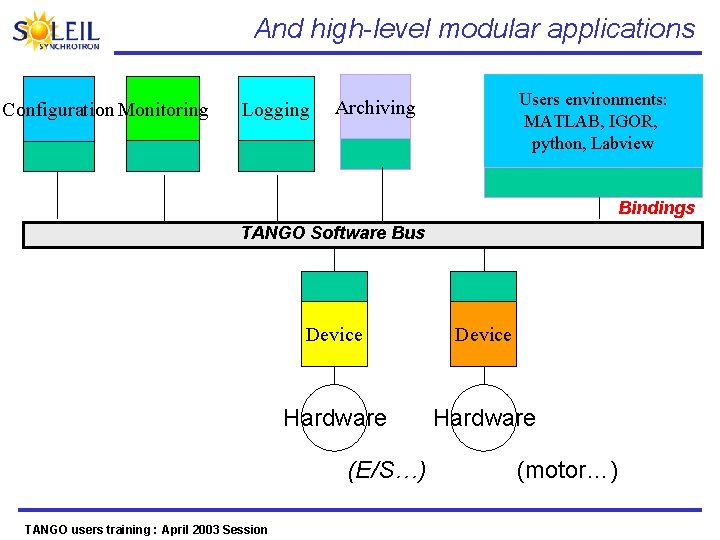
And high-level modular applications Configuration Monitoring Logging Users Environments : MATLAB, IGOR, python, Labview Archiving Bindings TANGO Software Bus Device Hardware (E/S…) TANGO users training : April 2003 Session (motor…)
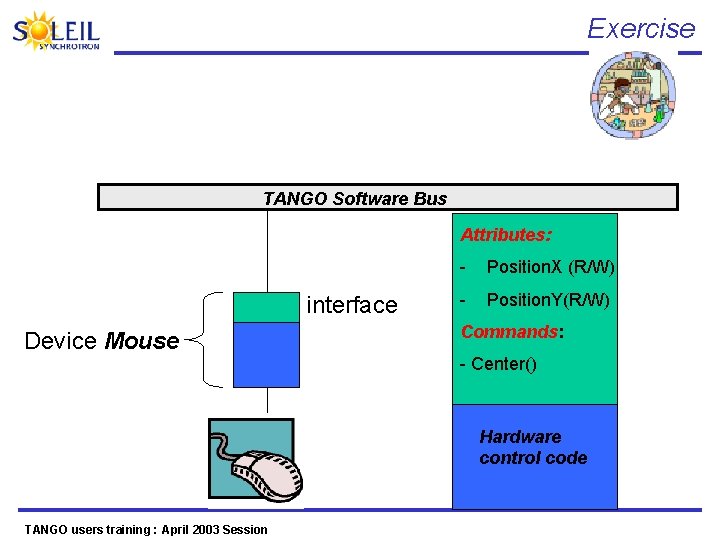
Exercise TANGO Software Bus Attributes: interface Device Mouse - Position. X (R/W) - Position. Y(R/W) Commands: - Center() Hardware control code TANGO users training : April 2003 Session

TANGO system A «computing tool» dedicated to the implementation of distributed, heterogeneous and control systems TANGO users training : April 2003 Session
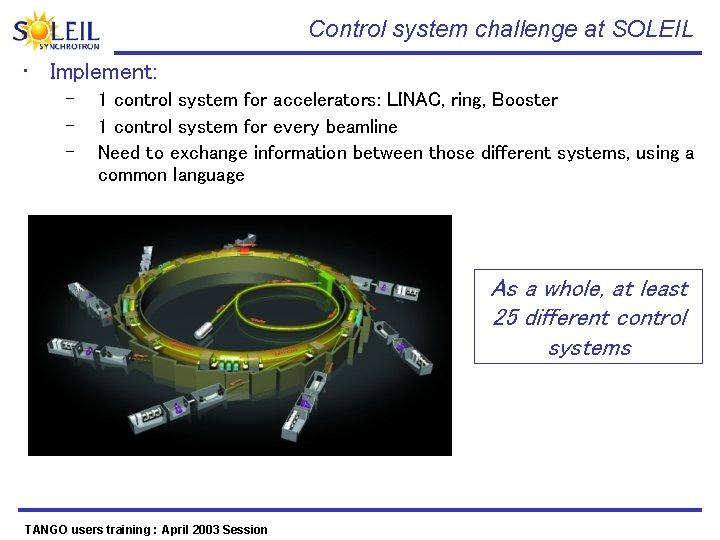
Control system challenge at SOLEIL • Implement: – – – 1 control system for accelerators: LINAC, ring, Booster 1 control system for every beamline Need to exchange information between those different systems, using a common language As a whole, at least 25 different control systems TANGO users training : April 2003 Session
Which computing tool do we need? • Distributed systems • Heterogeneous systems? • A computing tool, control/command oriented TANGO users training : April 2003 Session
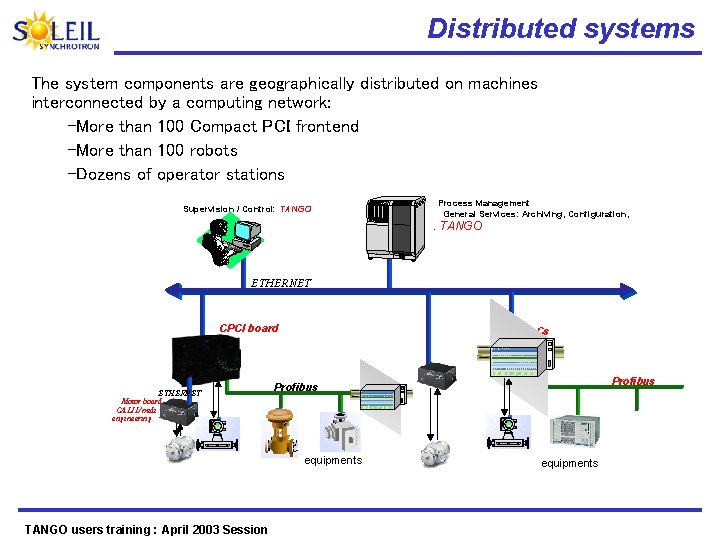
Distributed systems The system components are geographically distributed on machines interconnected by a computing network: –More than 100 Compact PCI frontend –More than 100 robots –Dozens of operator stations Process Management General Services: Archiving, Configuration, Supervision / Control: TANGO ETHERNET CPCI board ETHERNET Motor board GALIL/midi engineering PLCs equipments TANGO users training : April 2003 Session Profibus equipments
Heterogeneous systems on hardware and software levels • Slow industrial systems: robots • Fast acquisition systems • Ready for use systems: – – LINAC control/command Control software sold with equipments (Residual gas analyzers, SCIENTA analyzers) • Heterogeneous operating systems – – Scientific applications under Linux Drivers/libraries under WIN 32 or under Linux How to obtain a coherent whole from heterogeneous hardware and software? TANGO users training : April 2003 Session
A ctrl/command oriented computing tool • Beyond computing technologies to exchange information between systems Need for services specific to a control system (archiving, logging, warnings, …) TANGO users training : April 2003 Session

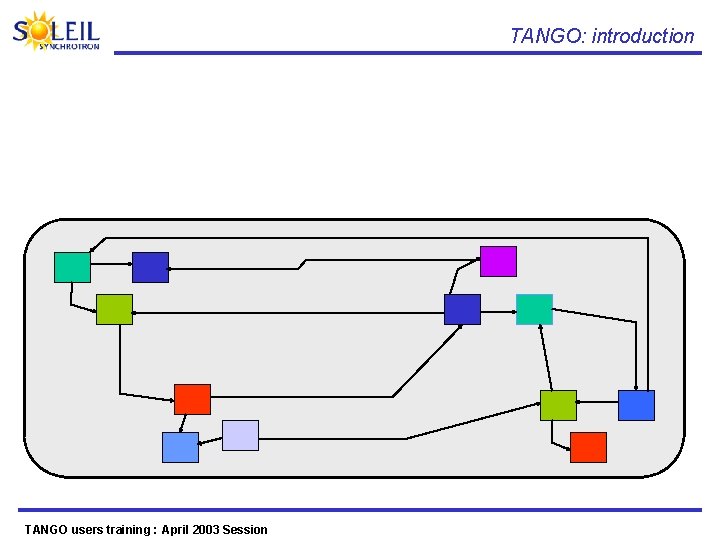
TANGO: introduction How does TANGO solve the constraints of activity distribution and of interoperability of the heterogeneous components? TANGO users training : April 2003 Session
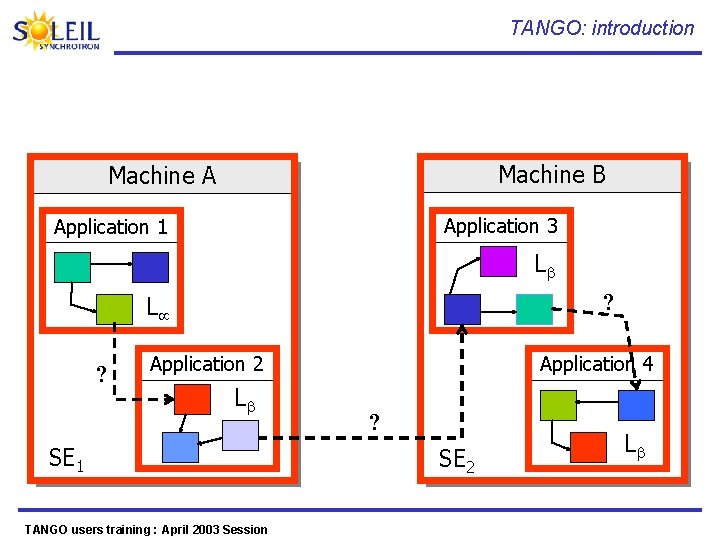
TANGO: introduction Machine B Machine A Application 3 Application 1 L ? Application 4 Application 2 L SE 1 TANGO users training : April 2003 Session ? SE 2 L
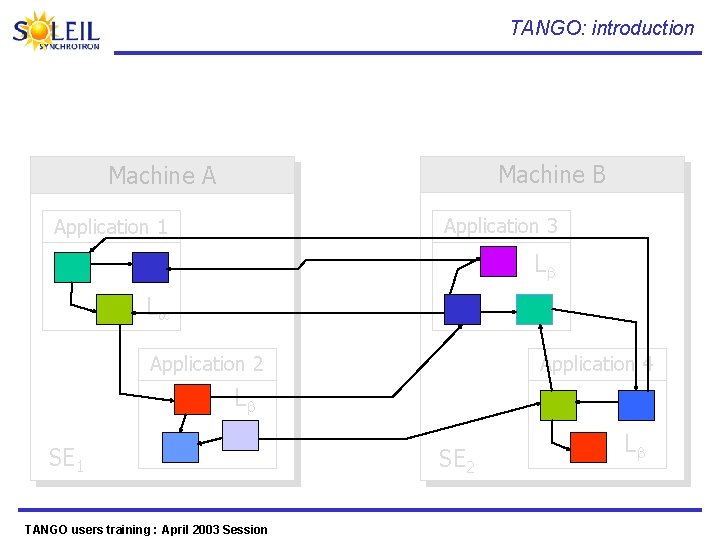
TANGO: introduction Machine B Machine A Application 3 Application 1 L L Application 2 Application 4 L SE 1 TANGO users training : April 2003 Session SE 2 L
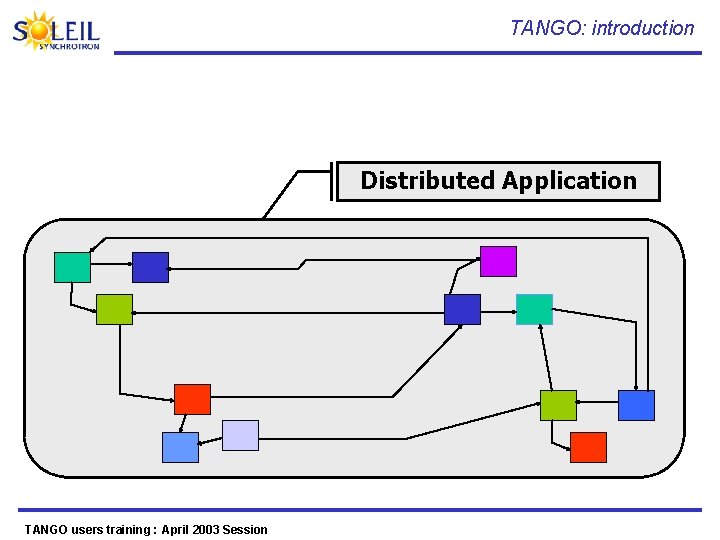
TANGO: introduction Distributed Application TANGO users training : April 2003 Session
TANGO: introduction TANGO users training : April 2003 Session
TANGO: introduction TANGO users training : April 2003 Session
TANGO: introduction TANGO users training : April 2003 Session
TANGO: introduction TANGO users training : April 2003 Session
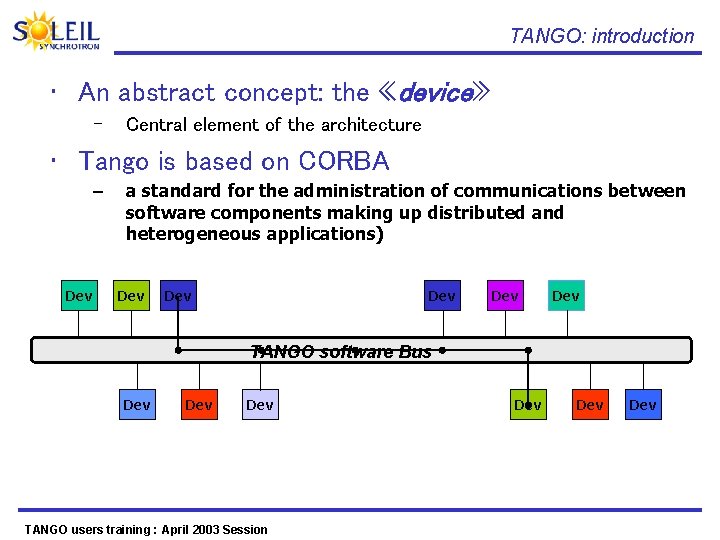
TANGO: introduction • An abstract concept: the «device» – Central element of the architecture • Tango is based on CORBA – Dev a standard for the administration of communications between software components making up distributed and heterogeneous applications) Dev Dev Dev TANGO software Bus Dev Dev TANGO users training : April 2003 Session Dev Dev
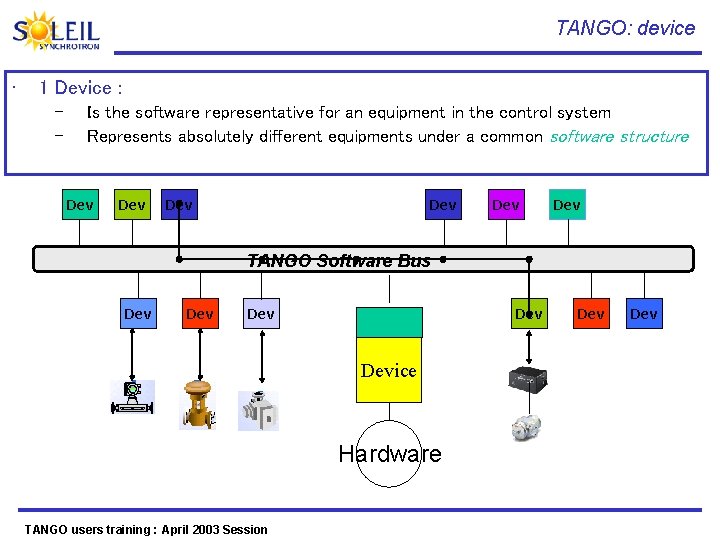
TANGO: device • 1 Device : – – Is the software representative for an equipment in the control system Represents absolutely different equipments under a common software structure Dev Dev Dev TANGO Software Bus Dev Dev Device Hardware TANGO users training : April 2003 Session Dev
TANGO Chronology TANGO users training : April 2003 Session
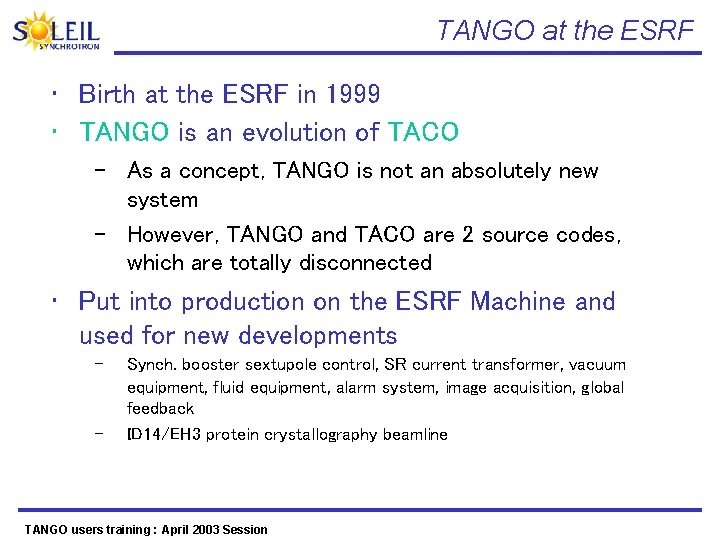
TANGO at the ESRF • Birth at the ESRF in 1999 • TANGO is an evolution of TACO – As a concept, TANGO is not an absolutely new system – However, TANGO and TACO are 2 source codes, which are totally disconnected • Put into production on the ESRF Machine and used for new developments – – Synch. booster sextupole control, SR current transformer, vacuum equipment, fluid equipment, alarm system, image acquisition, global feedback ID 14/EH 3 protein crystallography beamline TANGO users training : April 2003 Session
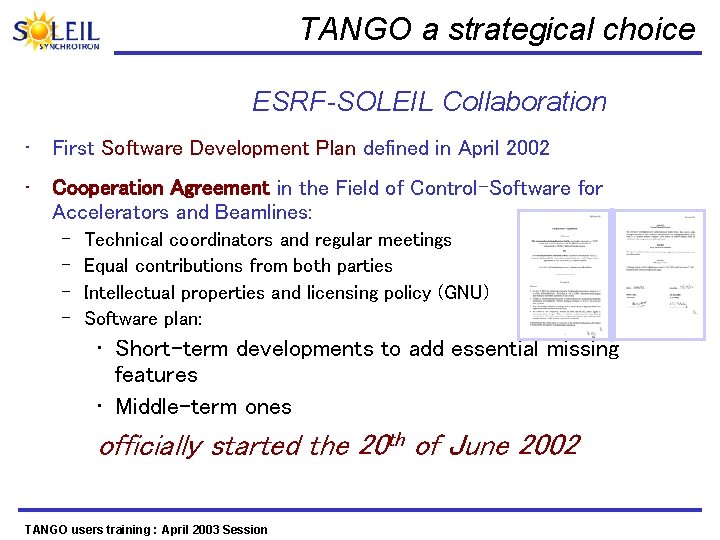
TANGO a strategical choice ESRF-SOLEIL Collaboration • First Software Development Plan defined in April 2002 • Cooperation Agreement in the Field of Control-Software for Accelerators and Beamlines: – – Technical coordinators and regular meetings Equal contributions from both parties Intellectual properties and licensing policy (GNU) Software plan: • Short-term developments to add essential missing features • Middle-term ones officially started the 20 th of June 2002 TANGO users training : April 2003 Session
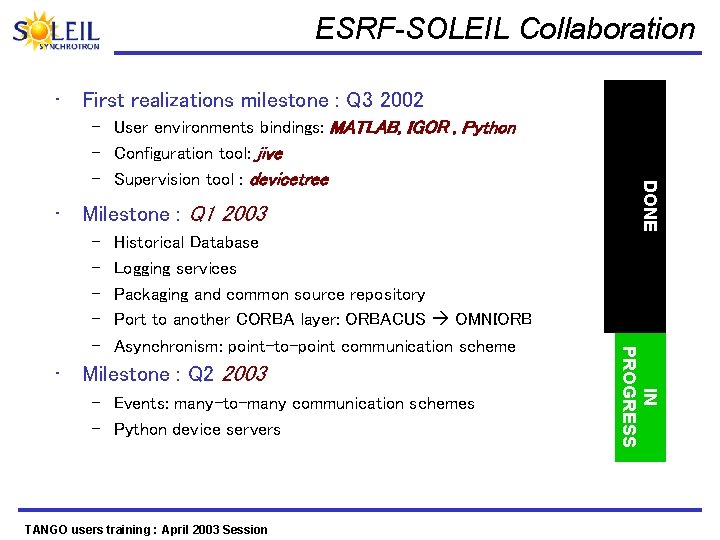
ESRF-SOLEIL Collaboration • First realizations milestone : Q 3 2002 • Milestone : Q 1 2003 Historical Database Logging services Packaging and common source repository Port to another CORBA layer: ORBACUS OMNIORB Asynchronism: point-to-point communication scheme • Milestone : Q 2 2003 – Events: many-to-many communication schemes – Python device servers TANGO users training : April 2003 Session IN PROGRESS – – – DONE – User environments bindings: MATLAB, IGOR , Python – Configuration tool: jive – Supervision tool : devicetree
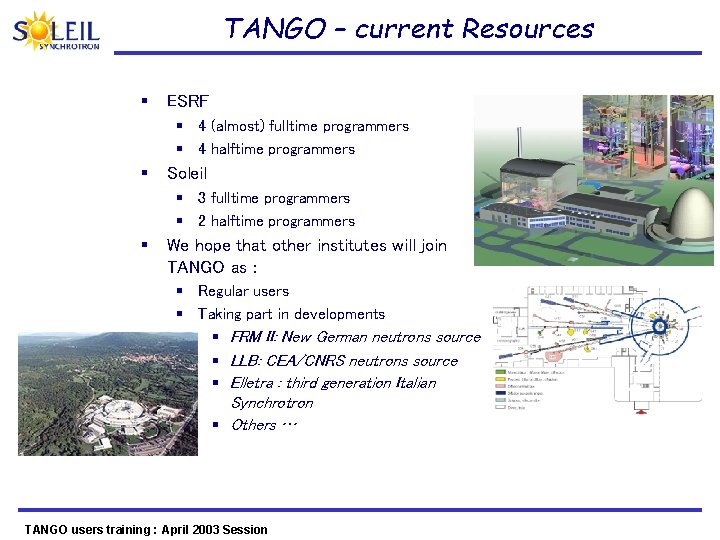
TANGO – current Resources § ESRF § 4 (almost) fulltime programmers § 4 halftime programmers § Soleil § 3 fulltime programmers § 2 halftime programmers § We hope that other institutes will join TANGO as : § Regular users § Taking part in developments § FRM II: New German neutrons source § LLB: CEA/CNRS neutrons source § Elletra : third generation Italian Synchrotron § Others … TANGO users training : April 2003 Session
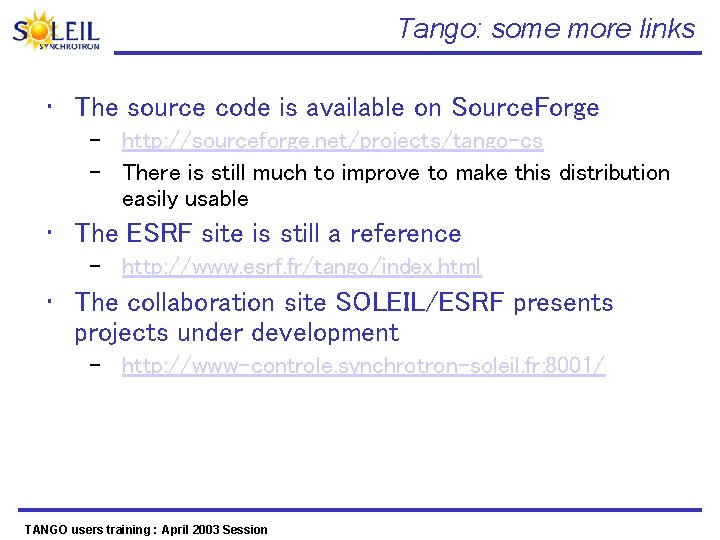
Tango: some more links • The source code is available on Source. Forge – http: //sourceforge. net/projects/tango-cs – There is still much to improve to make this distribution easily usable • The ESRF site is still a reference – http: //www. esrf. fr/tango/index. html • The collaboration site SOLEIL/ESRF presents projects under development – http: //www-controle. synchrotron-soleil. fr: 8001/ TANGO users training : April 2003 Session
- II Basic concepts TANGO users training : April 2003 Session
What is a Device ? TANGO users training : April 2003 Session
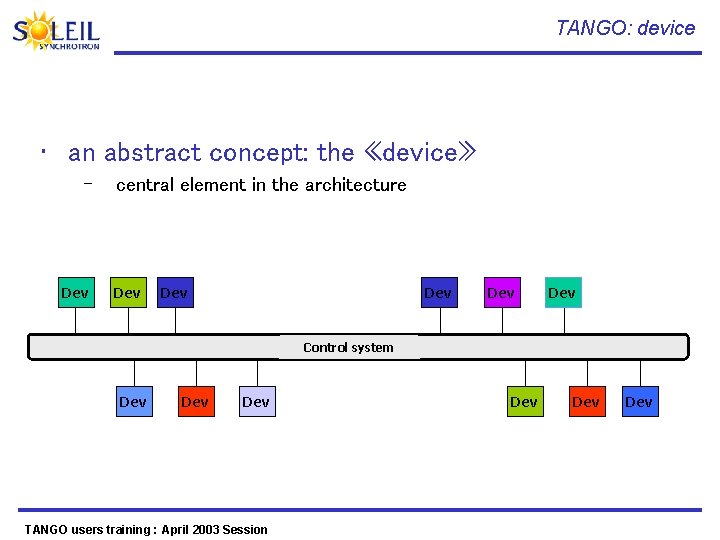
TANGO: device • an abstract concept: the «device» – Dev O central element in the architecture Dev O Dev O Application Répartie Control system Dev O TANGO users training : April 2003 Session Dev O
TANGO: device: definition • device = 1 <entity> to control – Hardware or software – «physical» device / «logical» device • device = 1 polymorphous object – 1 hardware (ex: 1 power supply) – 1 collection of equipment (ex: 1 motor + 1 coder) – 1 cluster of devices (ex: a beamline) TANGO users training : April 2003 Session
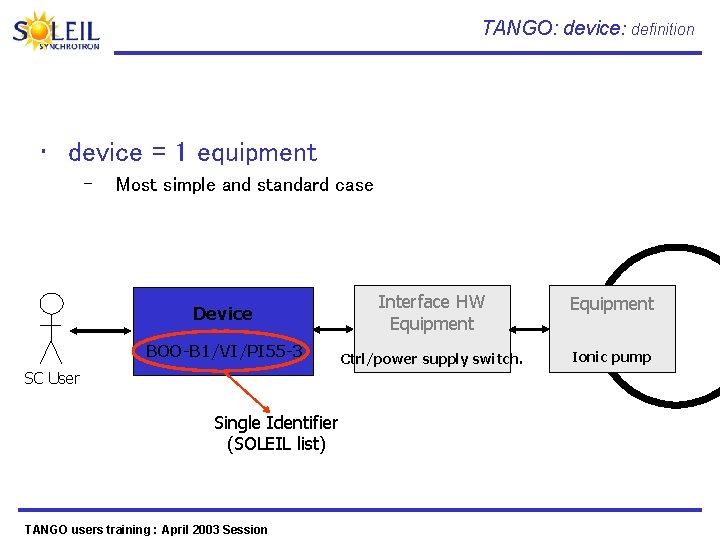
TANGO: device: definition • device = 1 equipment – Most simple and standard case Device BOO-B 1/VI/PI 55 -3 SC User Single Identifier (SOLEIL list) TANGO users training : April 2003 Session Interface HW Equipment Ctrl/power supply switch. Ionic pump
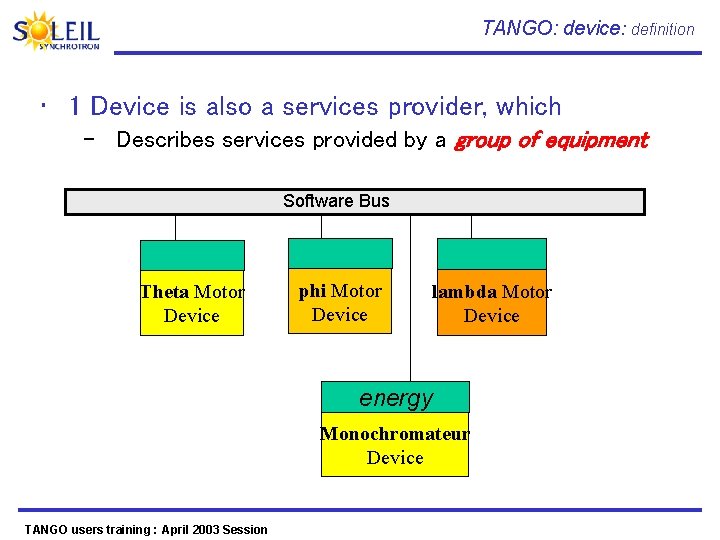
TANGO: device: definition • 1 Device is also a services provider, which – Describes services provided by a group of equipment Software Bus Theta Motor Device phi Motor Device lambda Motor Device energy Monochromateur Device TANGO users training : April 2003 Session
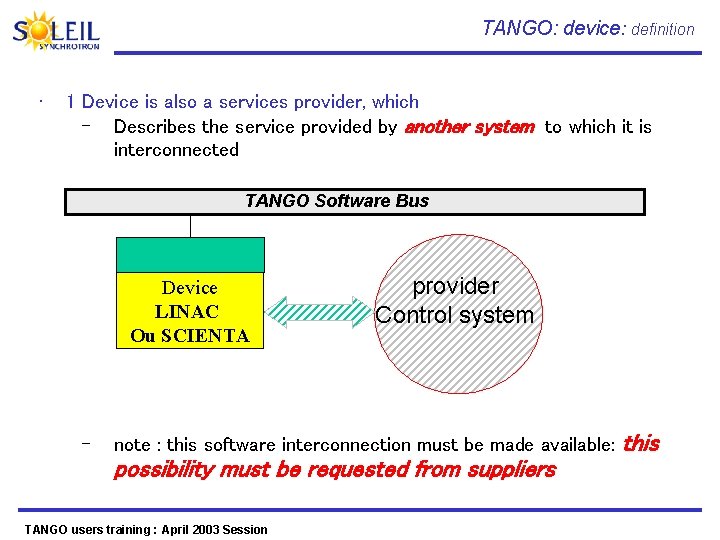
TANGO: device: definition • 1 Device is also a services provider, which – Describes the service provided by another system to which it is interconnected TANGO Software Bus Device LINAC Ou SCIENTA – provider Control system note : this software interconnection must be made available: possibility must be requested from suppliers TANGO users training : April 2003 Session this
What is an interface ? TANGO users training : April 2003 Session
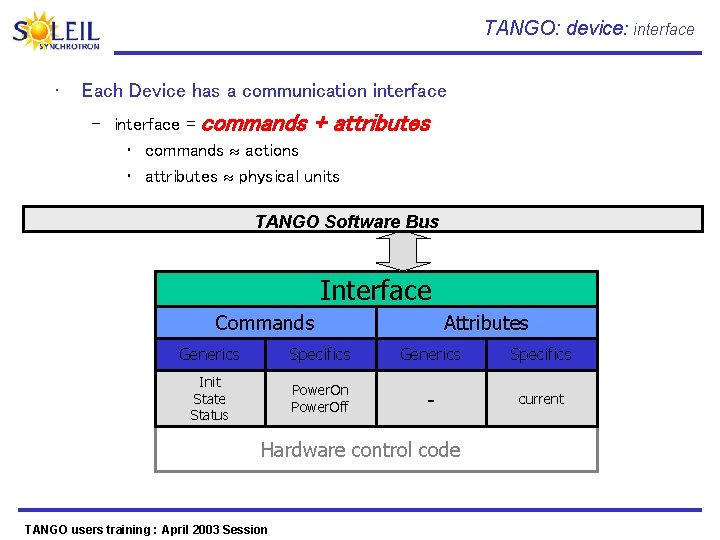
TANGO: device: interface • Each Device has a communication interface – interface = commands + attributes • commands actions • attributes physical units TANGO Software Bus Interface Commands Attributes Generics Specifics Init State Status Power. On Power. Off - current Hardware control code TANGO users training : April 2003 Session
Commands • Generics commands • Specifics commands TANGO users training : April 2003 Session
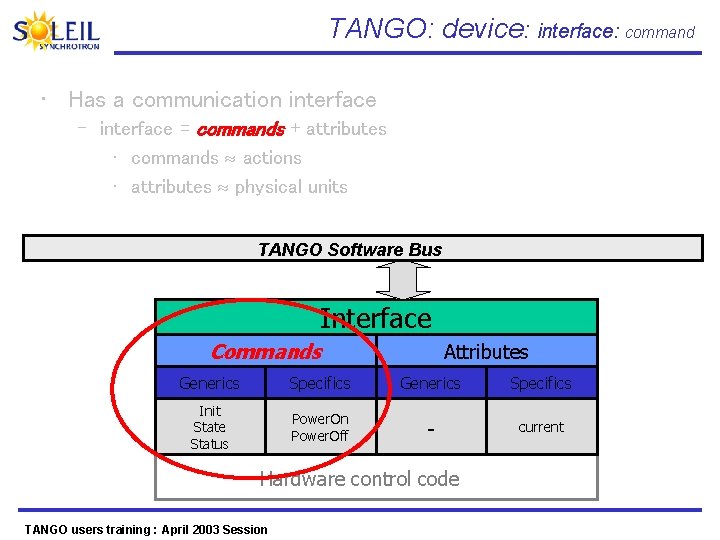
TANGO: device: interface: command • Has a communication interface – interface = commands + attributes • commands actions • attributes physical units TANGO Software Bus Interface Commands Attributes Generics Specifics Init State Status Power. On Power. Off - current Hardware control code TANGO users training : April 2003 Session
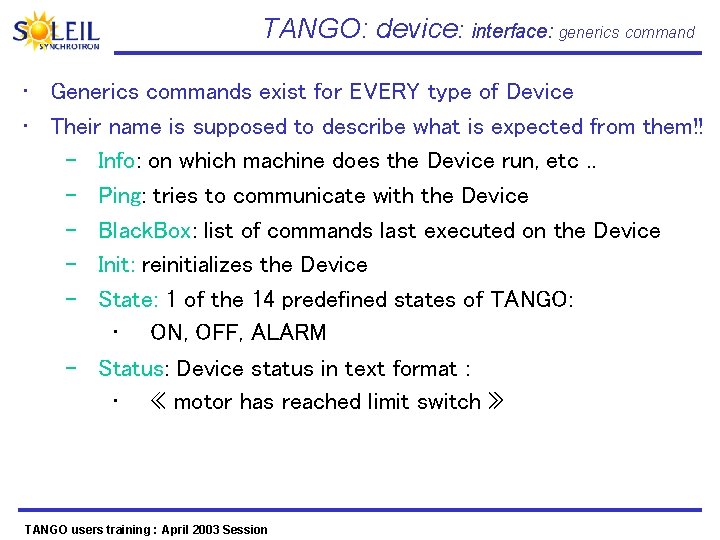
TANGO: device: interface: generics command • Generics commands exist for EVERY type of Device • Their name is supposed to describe what is expected from them!! – Info: on which machine does the Device run, etc. . – Ping: tries to communicate with the Device – Black. Box: list of commands last executed on the Device – Init: reinitializes the Device – State: 1 of the 14 predefined states of TANGO: • ON, OFF, ALARM – Status: Device status in text format : • « motor has reached limit switch » TANGO users training : April 2003 Session
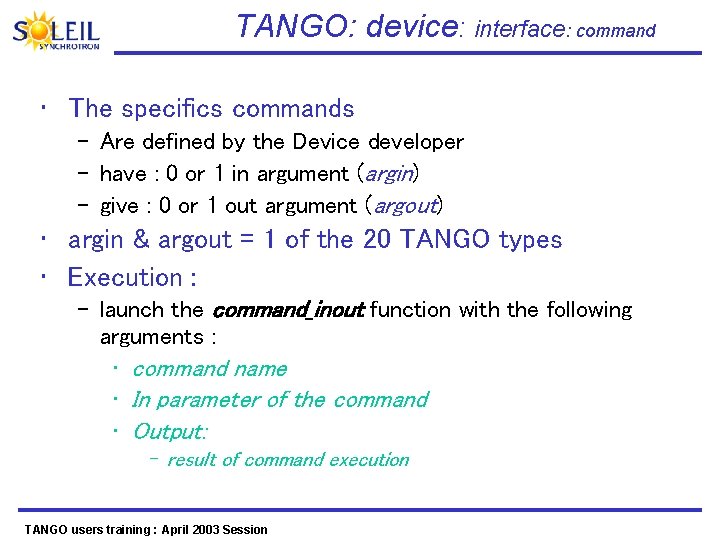
TANGO: device: interface: command • The specifics commands – Are defined by the Device developer – have : 0 or 1 in argument (argin) – give : 0 or 1 out argument (argout) • argin & argout = 1 of the 20 TANGO types • Execution : – launch the command_inout function with the following arguments : • command name • In parameter of the command • Output: – result of command execution TANGO users training : April 2003 Session
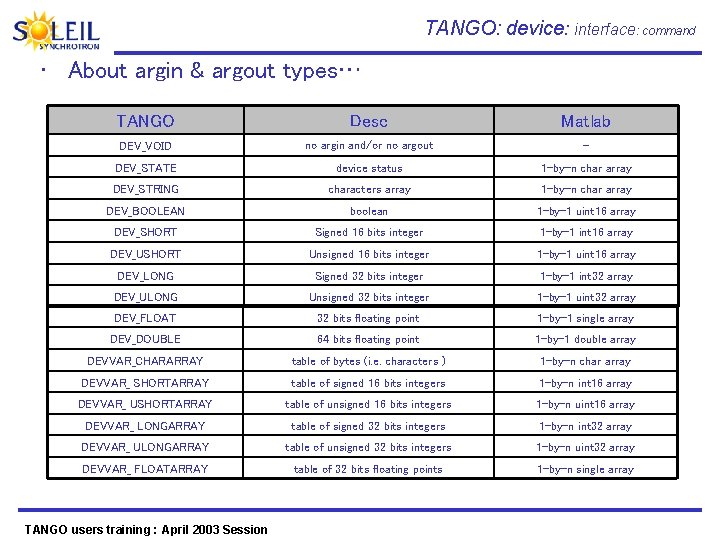
TANGO: device: interface: command • About argin & argout types… TANGO Desc Matlab DEV_VOID no argin and/or no argout - DEV_STATE device status 1 -by-n char array DEV_STRING characters array 1 -by-n char array DEV_BOOLEAN boolean 1 -by-1 uint 16 array DEV_SHORT Signed 16 bits integer 1 -by-1 int 16 array DEV_USHORT Unsigned 16 bits integer 1 -by-1 uint 16 array DEV_LONG Signed 32 bits integer 1 -by-1 int 32 array DEV_ULONG Unsigned 32 bits integer 1 -by-1 uint 32 array DEV_FLOAT 32 bits floating point 1 -by-1 single array DEV_DOUBLE 64 bits floating point 1 -by-1 double array DEVVAR_CHARARRAY table of bytes (i. e. characters ) 1 -by-n char array DEVVAR_ SHORTARRAY table of signed 16 bits integers 1 -by-n int 16 array DEVVAR_ USHORTARRAY table of unsigned 16 bits integers 1 -by-n uint 16 array DEVVAR_ LONGARRAY table of signed 32 bits integers 1 -by-n int 32 array DEVVAR_ ULONGARRAY table of unsigned 32 bits integers 1 -by-n uint 32 array DEVVAR_ FLOATARRAY table of 32 bits floating points 1 -by-n single array TANGO users training : April 2003 Session
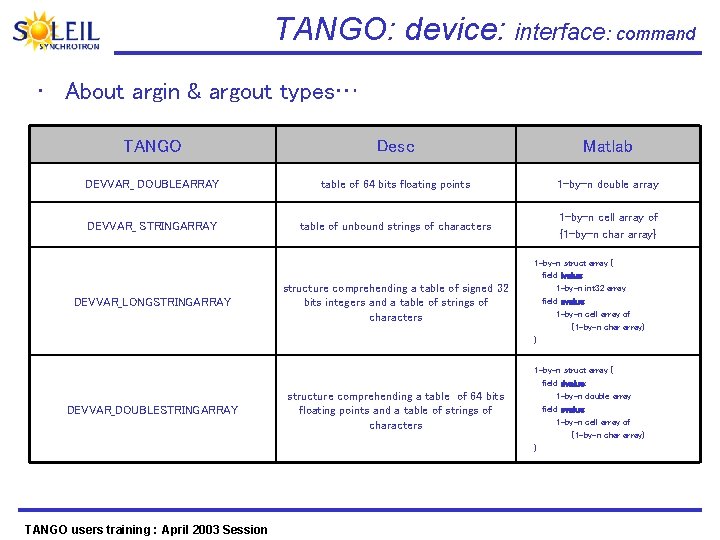
TANGO: device: interface: command • About argin & argout types… TANGO Desc Matlab DEVVAR_ DOUBLEARRAY table of 64 bits floating points 1 -by-n double array DEVVAR_ STRINGARRAY table of unbound strings of characters 1 -by-n cell array of {1 -by-n char array} DEVVAR_LONGSTRINGARRAY DEVVAR_DOUBLESTRINGARRAY TANGO users training : April 2003 Session structure comprehending a table of signed 32 bits integers and a table of strings of characters 1 -by-n struct array { field lvalue: 1 -by-n int 32 array field svalue: 1 -by-n cell array of {1 -by-n char array} } structure comprehending a table of 64 bits floating points and a table of strings of characters 1 -by-n struct array { field dvalue: 1 -by-n double array field svalue: 1 -by-n cell array of {1 -by-n char array} }
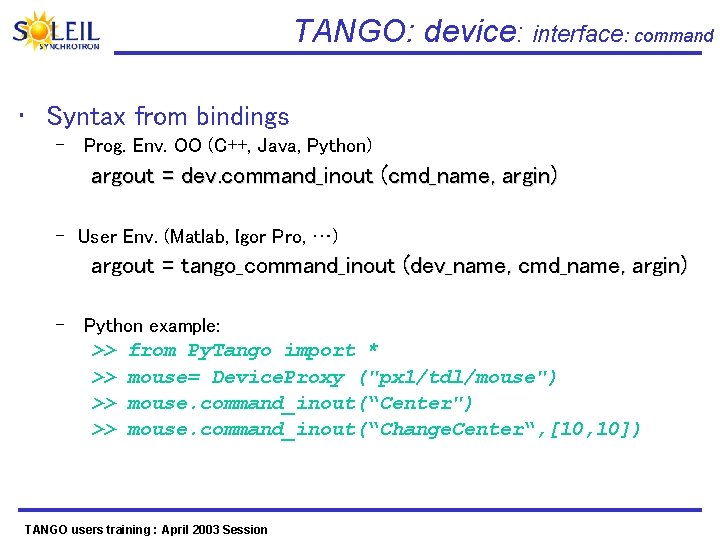
TANGO: device: interface: command • Syntax from bindings – Prog. Env. OO (C++, Java, Python) argout = dev. command_inout (cmd_name, argin) – User Env. (Matlab, Igor Pro, …) argout = tango_command_inout (dev_name, cmd_name, argin) – Python example: >> from Py. Tango import * >> mouse= Device. Proxy ("px 1/tdl/mouse") >> mouse. command_inout(“Center") >> mouse. command_inout(“Change. Center“, [10, 10]) TANGO users training : April 2003 Session
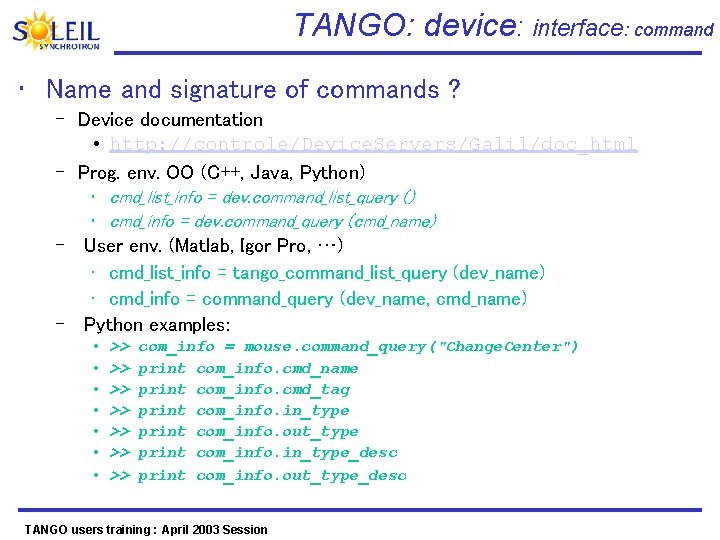
TANGO: device: interface: command • Name and signature of commands ? – Device documentation • http: //controle/Device. Servers/Galil/doc_html – Prog. env. OO (C++, Java, Python) • cmd_list_info = dev. command_list_query () • cmd_info = dev. command_query (cmd_name) – User env. (Matlab, Igor Pro, …) • cmd_list_info = tango_command_list_query (dev_name) • cmd_info = command_query (dev_name, cmd_name) – Python examples: • • >> com_info = mouse. command_query("Change. Center") >> print com_info. cmd_name >> print com_info. cmd_tag >> print com_info. in_type >> print com_info. out_type >> print com_info. in_type_desc >> print com_info. out_type_desc TANGO users training : April 2003 Session
Attributes TANGO users training : April 2003 Session
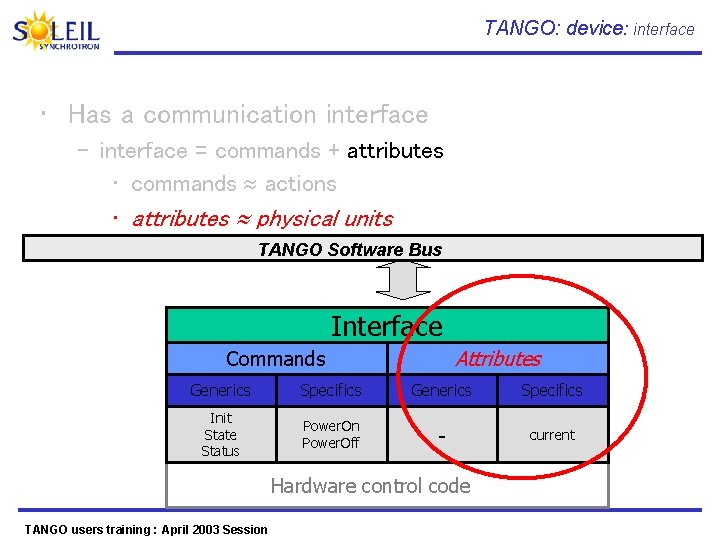
TANGO: device: interface • Has a communication interface – interface = commands + attributes • commands actions • attributes physical units TANGO Software Bus Interface Attributes Commands Generics Specifics Init State Status Power. On Power. Off - current Hardware control code TANGO users training : April 2003 Session
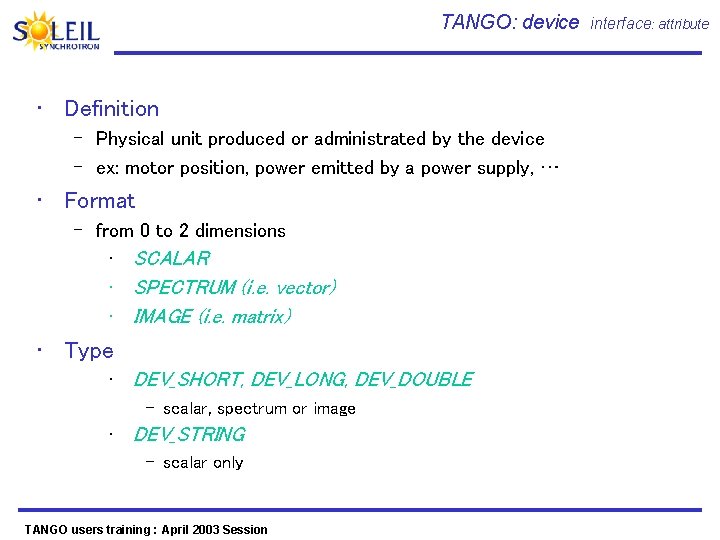
TANGO: device interface: attribute • Definition – Physical unit produced or administrated by the device – ex: motor position, power emitted by a power supply, … • Format – from 0 to 2 dimensions • SCALAR • SPECTRUM (i. e. vector) • IMAGE (i. e. matrix) • Type • DEV_SHORT, DEV_LONG, DEV_DOUBLE – scalar, spectrum or image • DEV_STRING – scalar only TANGO users training : April 2003 Session
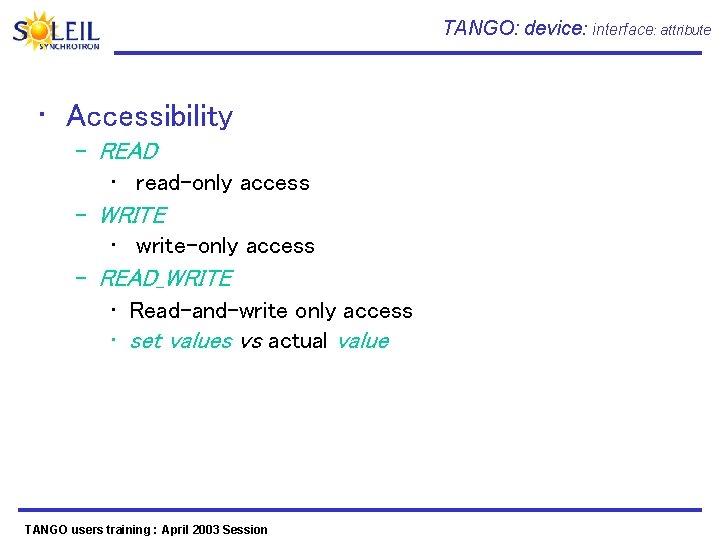
TANGO: device: interface: attribute • Accessibility – READ • read-only access – WRITE • write-only access – READ_WRITE • Read-and-write only access • set values vs actual value TANGO users training : April 2003 Session
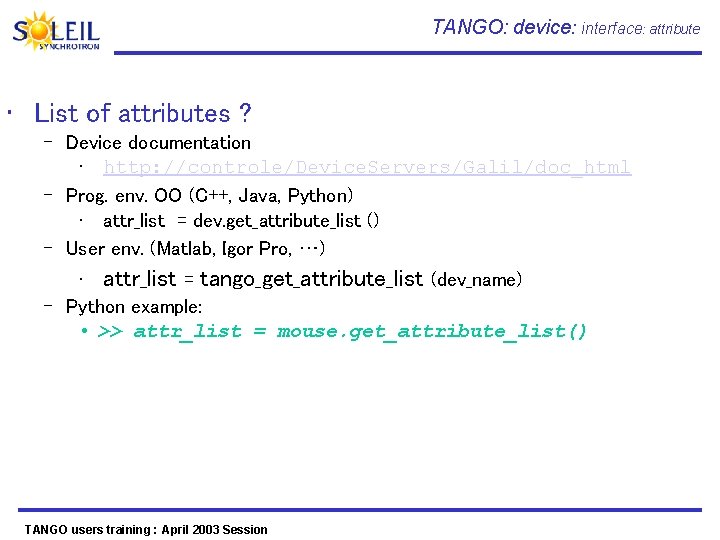
TANGO: device: interface: attribute • List of attributes ? – Device documentation • http: //controle/Device. Servers/Galil/doc_html – Prog. env. OO (C++, Java, Python) • attr_list = dev. get_attribute_list () – User env. (Matlab, Igor Pro, …) • attr_list = tango_get_attribute_list (dev_name) – Python example: • >> attr_list = mouse. get_attribute_list() TANGO users training : April 2003 Session
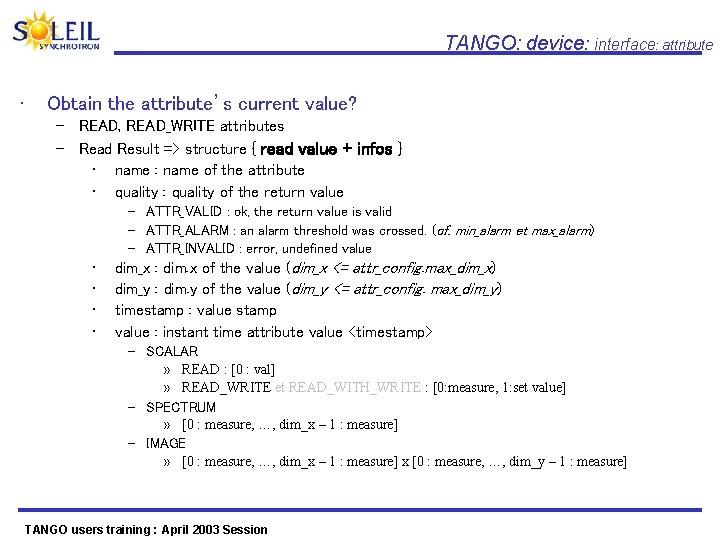
TANGO: device: interface: attribute • Obtain the attribute’s current value? – READ, READ_WRITE attributes – Read Result => structure { read value + infos } • name : name of the attribute • quality : quality of the return value – ATTR_VALID : ok, the return value is valid – ATTR_ALARM : an alarm threshold was crossed. (cf. min_alarm et max_alarm) – ATTR_INVALID : error, undefined value • • dim_x : dim. x of the value (dim_x <= attr_config. max_dim_x) dim_y : dim. y of the value (dim_y <= attr_config. max_dim_y) timestamp : value stamp value : instant time attribute value <timestamp> – SCALAR » READ : [0 : val] » READ_WRITE et READ_WITH_WRITE : [0: measure, 1: set value] – SPECTRUM » [0 : measure, …, dim_x – 1 : measure] – IMAGE » [0 : measure, …, dim_x – 1 : measure] x [0 : measure, …, dim_y – 1 : measure] TANGO users training : April 2003 Session
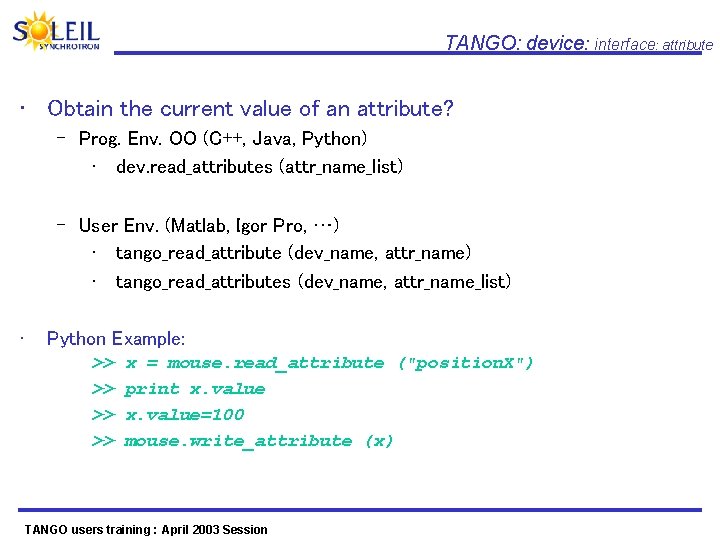
TANGO: device: interface: attribute • Obtain the current value of an attribute? – Prog. Env. OO (C++, Java, Python) • dev. read_attributes (attr_name_list) – User Env. (Matlab, Igor Pro, …) • tango_read_attribute (dev_name, attr_name) • tango_read_attributes (dev_name, attr_name_list) • Python Example: >> x = mouse. read_attribute ("position. X") >> print x. value >> x. value=100 >> mouse. write_attribute (x) TANGO users training : April 2003 Session
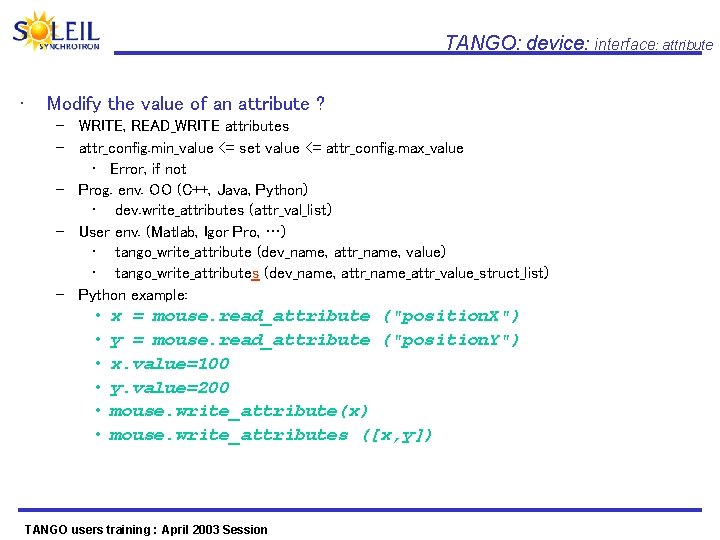
TANGO: device: interface: attribute • Modify the value of an attribute ? – WRITE, READ_WRITE attributes – attr_config. min_value <= set value <= attr_config. max_value • Error, if not – Prog. env. OO (C++, Java, Python) • dev. write_attributes (attr_val_list) – User env. (Matlab, Igor Pro, …) • tango_write_attribute (dev_name, attr_name, value) • tango_write_attributes (dev_name, attr_name_attr_value_struct_list) – Python example: • • • x = mouse. read_attribute ("position. X") y = mouse. read_attribute ("position. Y") x. value=100 y. value=200 mouse. write_attribute(x) mouse. write_attributes ([x, y]) TANGO users training : April 2003 Session
Status TANGO users training : April 2003 Session
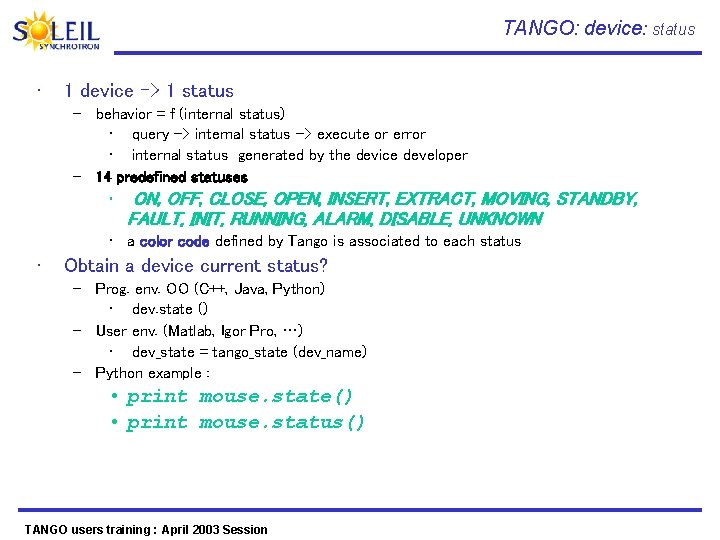
TANGO: device: status • 1 device -> 1 status – behavior = f (internal status) • query -> internal status -> execute or error • internal status generated by the device developer – 14 predefined statuses • ON, OFF, CLOSE, OPEN, INSERT, EXTRACT, MOVING, STANDBY, FAULT, INIT, RUNNING, ALARM, DISABLE, UNKNOWN • a color code defined by Tango is associated to each status • Obtain a device current status? – Prog. env. OO (C++, Java, Python) • dev. state () – User env. (Matlab, Igor Pro, …) • dev_state = tango_state (dev_name) – Python example : • print mouse. state() • print mouse. status() TANGO users training : April 2003 Session
Device. Server TANGO users training : April 2003 Session
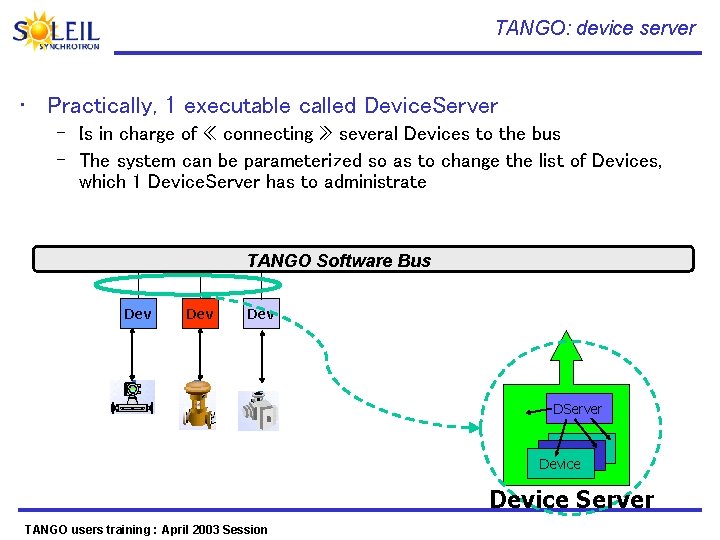
TANGO: device server • Practically, 1 executable called Device. Server – Is in charge of « connecting » several Devices to the bus – The system can be parameterized so as to change the list of Devices, which 1 Device. Server has to administrate TANGO Bus Logiciel Software TANGO Bus Dev Dev DServer Device Server TANGO users training : April 2003 Session
- Part IV Temporary conclusion on TANGO users training : April 2003 Session
Tango: perimeter Ready-to-use High-level Applications Configuration. Monitoring Logging environments Users environments: Utilisateurs: MATLAB, IGOR, python, Labview Archivage Archiving Bindings TANGO Bus Logiciel Software TANGO Bus The bus and Devices development tools Device Hardware (E/S…) TANGO users training : April 2003 Session (motor…)
TANGO: APIs and platforms • Programming APIs/Languages – – C++ (performances) Java (portability) Servers Python (scripts) Others (Matlab, Igor Pro, Lab. View) • Platforms – Linux – Windows NT/2000/XP – Sun-Solaris TANGO users training : April 2003 Session Clients
How to specify the Devices interfaces TANGO users training : April 2003 Session
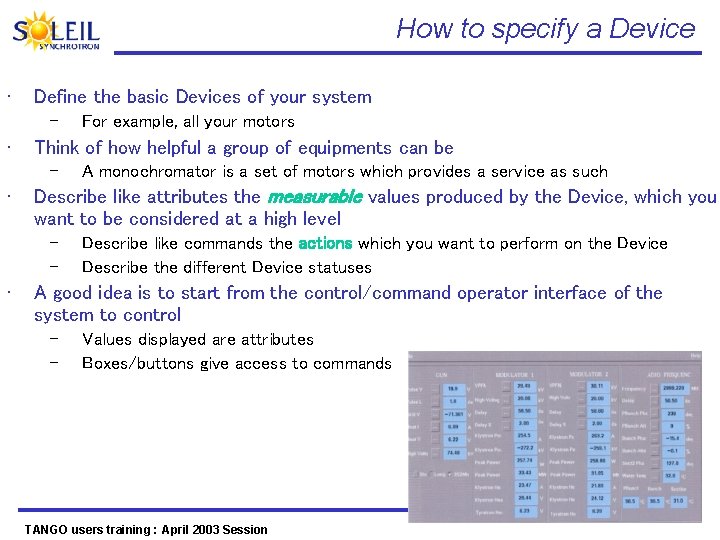
How to specify a Device • Define the basic Devices of your system – • Think of how helpful a group of equipments can be – • A monochromator is a set of motors which provides a service as such Describe like attributes the measurable values produced by the Device, which you want to be considered at a high level – – • For example, all your motors Describe like commands the actions which you want to perform on the Device Describe the different Device statuses A good idea is to start from the control/command operator interface of the system to control – – Values displayed are attributes Boxes/buttons give access to commands TANGO users training : April 2003 Session

- Part III High-level applications TANGO users training : April 2003 Session
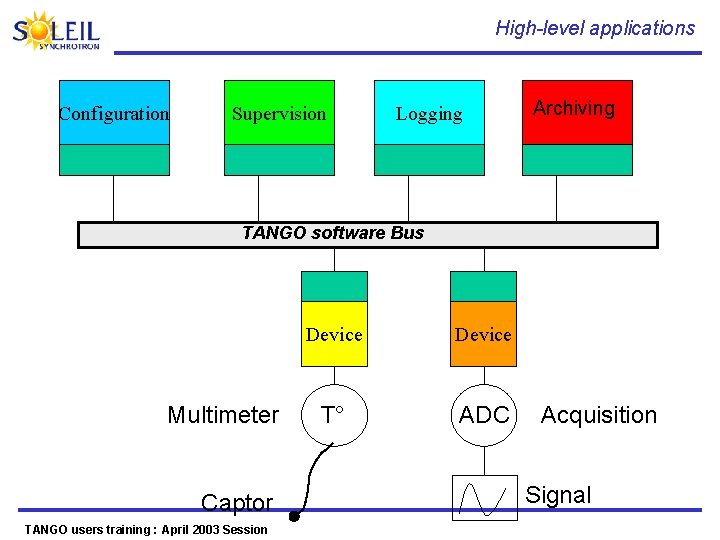
High-level applications Configuration Supervision Logging Archiving TANGO software Bus Multimeter Captor TANGO users training : April 2003 Session Device T° ADC Acquisition Signal
Configuration of the control system TANGO users training : April 2003 Session
![Configuration: needs ID Unique ens-[seg]/dom/elem. 1 my. Device Commands Attributes Statuses ens-[seg]/dom/elem. 2 several](http://slidetodoc.com/presentation_image/6bad5d4e5fd9cbfeabd2c963b9cdabea/image-72.jpg "Configuration: needs ID Unique ens-[seg]/dom/elem. 1 my. Device Commands Attributes Statuses ens-[seg]/dom/elem. 2 several")
Configuration: needs ID Unique ens-[seg]/dom/elem. 1 my. Device Commands Attributes Statuses ens-[seg]/dom/elem. 2 several of them ens-[seg]/dom/elem. 3 • Properties Needs – – TANGO users training : April 2003 Session Define equipments present in the experiment Control/Command system Parameterize equipments • Parameters linked to the Hardware (GPIB address, etc. . ) • Min and max attributes values • Alarm thresholds • Etc
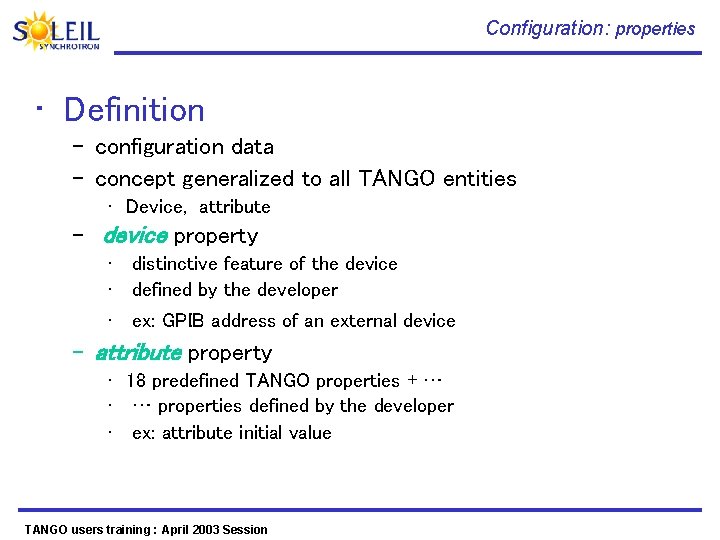
Configuration: properties • Definition – configuration data – concept generalized to all TANGO entities • Device, attribute – device property • distinctive feature of the device • defined by the developer • ex: GPIB address of an external device – attribute property • 18 predefined TANGO properties + … • … properties defined by the developer • ex: attribute initial value TANGO users training : April 2003 Session
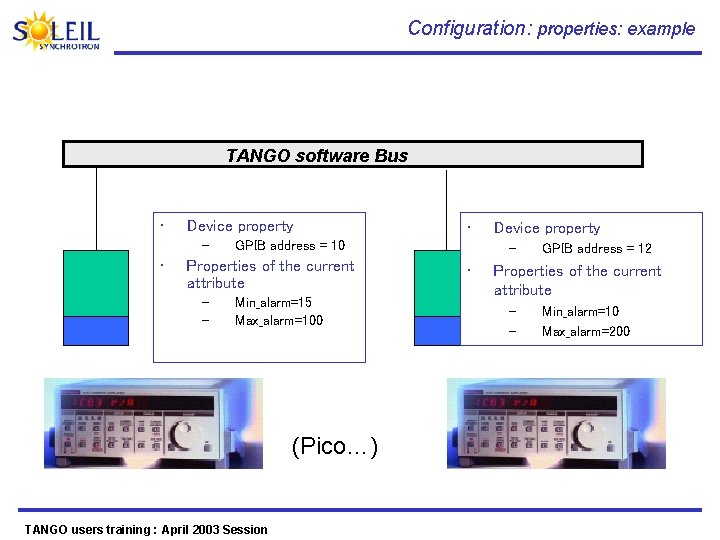
Configuration: properties: example TANGO software Bus • Device property – • GPIB address = 10 Properties of the current attribute – – • Min_alarm=15 Max_alarm=100 (Pico…) TANGO users training : April 2003 Session Device property – • GPIB address = 12 Properties of the current attribute – – Min_alarm=10 Max_alarm=200 (Pico…)
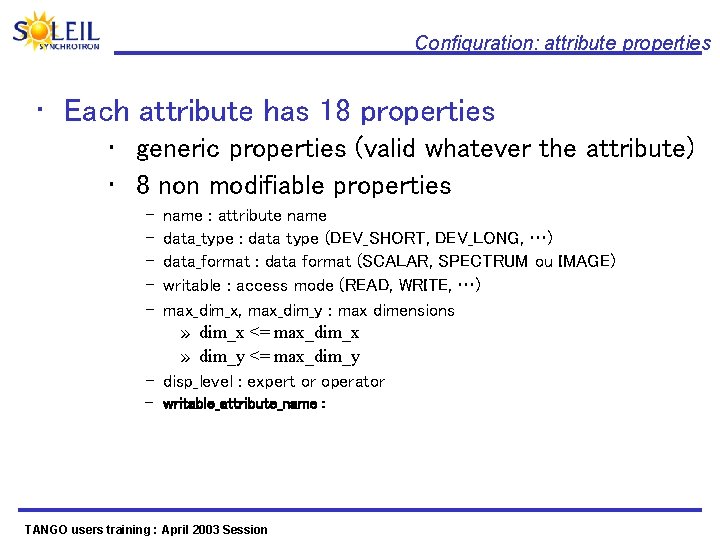
Configuration: attribute properties • Each attribute has 18 properties • generic properties (valid whatever the attribute) • 8 non modifiable properties – – – name : attribute name data_type : data type (DEV_SHORT, DEV_LONG, …) data_format : data format (SCALAR, SPECTRUM ou IMAGE) writable : access mode (READ, WRITE, …) max_dim_x, max_dim_y : max dimensions » dim_x <= max_dim_x » dim_y <= max_dim_y – disp_level : expert or operator – writable_attribute_name : TANGO users training : April 2003 Session
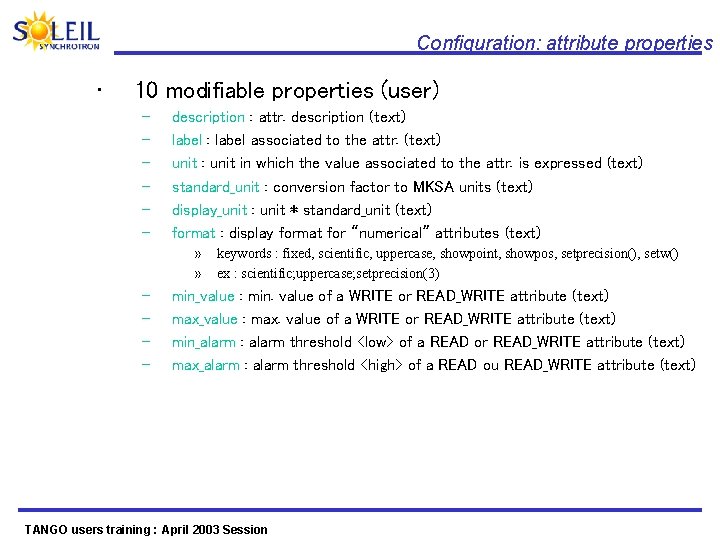
Configuration: attribute properties • 10 modifiable properties (user) – – – description : attr. description (text) label : label associated to the attr. (text) unit : unit in which the value associated to the attr. is expressed (text) standard_unit : conversion factor to MKSA units (text) display_unit : unit * standard_unit (text) format : display format for “numerical” attributes (text) » » – – keywords : fixed, scientific, uppercase, showpoint, showpos, setprecision(), setw() ex : scientific; uppercase; setprecision(3) min_value : min. value of a WRITE or READ_WRITE attribute (text) max_value : max. value of a WRITE or READ_WRITE attribute (text) min_alarm : alarm threshold <low> of a READ or READ_WRITE attribute (text) max_alarm : alarm threshold <high> of a READ ou READ_WRITE attribute (text) TANGO users training : April 2003 Session
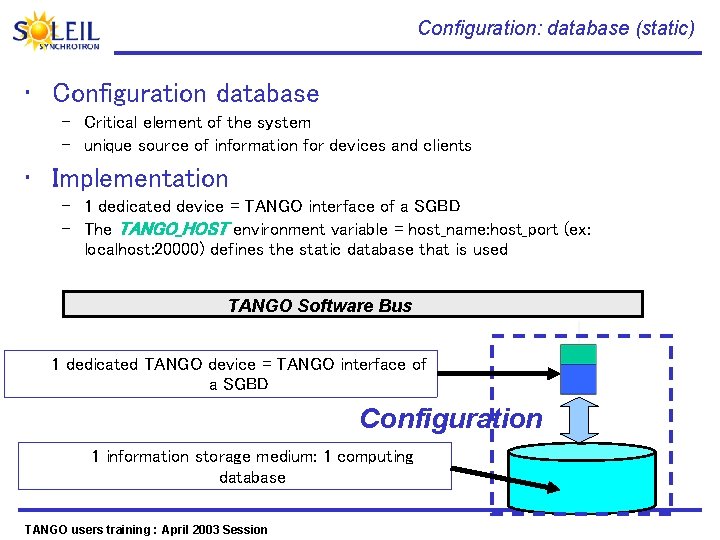
Configuration: database (static) • Configuration database – Critical element of the system – unique source of information for devices and clients • Implementation – 1 dedicated device = TANGO interface of a SGBD – The TANGO_HOST environment variable = host_name: host_port (ex: localhost: 20000) defines the static database that is used TANGO Software Bus 1 dedicated TANGO device = TANGO interface of a SGBD Configuration 1 information storage medium: 1 computing database TANGO users training : April 2003 Session
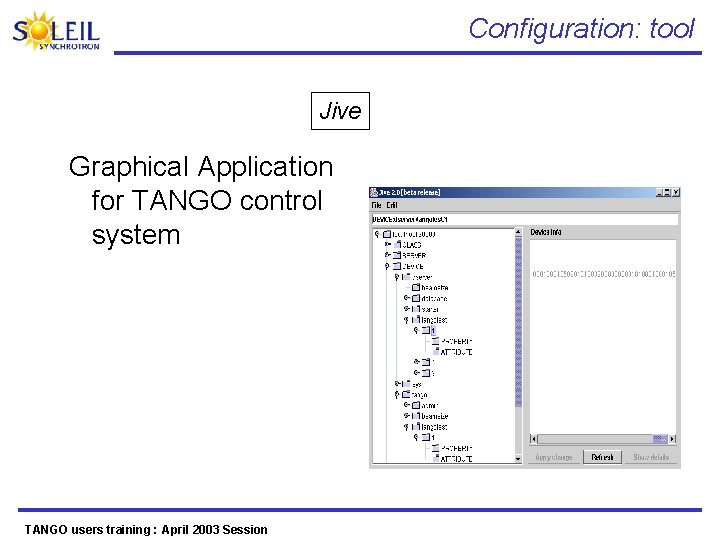
Configuration: tool Jive Graphical Application for TANGO control system TANGO users training : April 2003 Session
Exercise • Change the min_alarm and max_alarm values of the position. X Mouse attribute – – Move the mouse outside your predefined areas What’ s happening in the position. X attribute display in Device. Tree ? • Modify min_value and max_values of position. X Mouse attribute – – Modify the value of position. X attribute outside your predefined areas What’s happening ? • Start Test Device window in Jive – – Execute generic commands Check that you do have 18 defined properties for each attribute TANGO users training : April 2003 Session
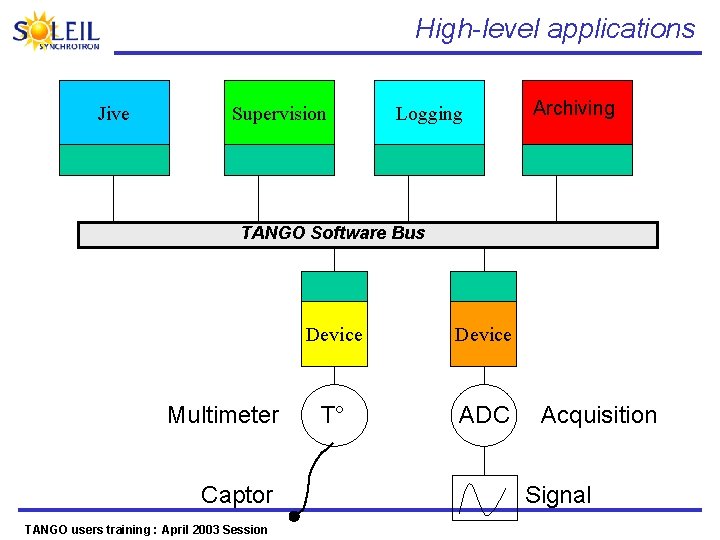
High-level applications Jive Supervision Logging Archiving TANGO Software Bus Multimeter Captor TANGO users training : April 2003 Session Device T° ADC Acquisition Signal
Supervision TANGO users training : April 2003 Session
Supervision: needs • Needs – Interact with equipments directly – Have an overview of the status of each piece of equipment – Monitor the evolution of any Device attribute TANGO users training : April 2003 Session
Supervision: tool Device. Tree Generic application to design and customize your graphical interfaces, displaying, for a set of equipment: • Supported commands (Read. Screen()) • Produced attributes : (Voltage, Temperature, etc ) TANGO users training : April 2003 Session
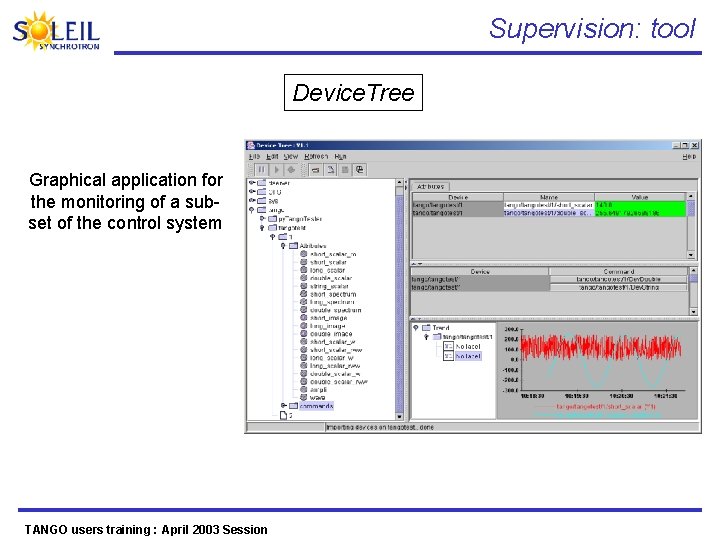
Supervision: tool Device. Tree Graphical application for the monitoring of a subset of the control system TANGO users training : April 2003 Session
Supervision: Exercise • Customize a Device. Tree panel, in adding dragand-drop attributes in the attributes table: – Position. X, Position. Y • And commands in the commands table – Center, Change. Center • Save the panel in a file • Restart Device. Tree and reload the new file TANGO users training : April 2003 Session
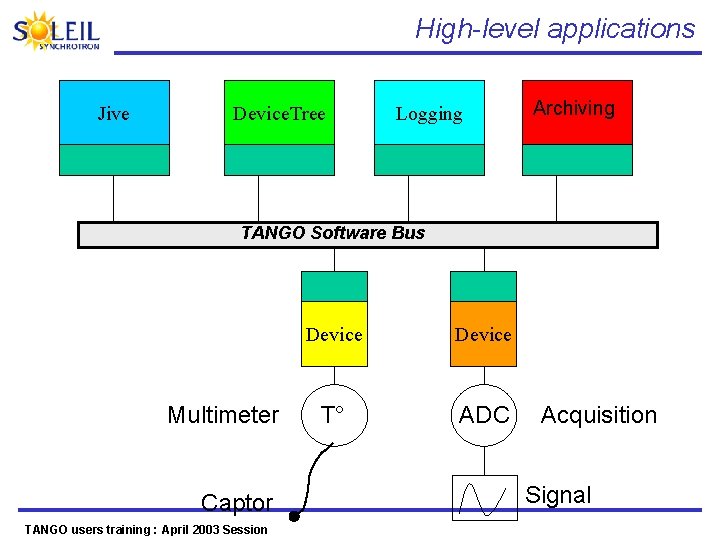
High-level applications Jive Device. Tree Logging Archiving TANGO Software Bus Multimeter Captor TANGO users training : April 2003 Session Device T° ADC Acquisition Signal
Logging TANGO users training : April 2003 Session
Logging: needs • Aims – Follow the acquisition sequencing in progress – Analyze a posteriori the actions/incidents that happened in the experimental system – Trace precisely the behavior of a part of the experimental system so as to understand potential failures TANGO users training : April 2003 Session
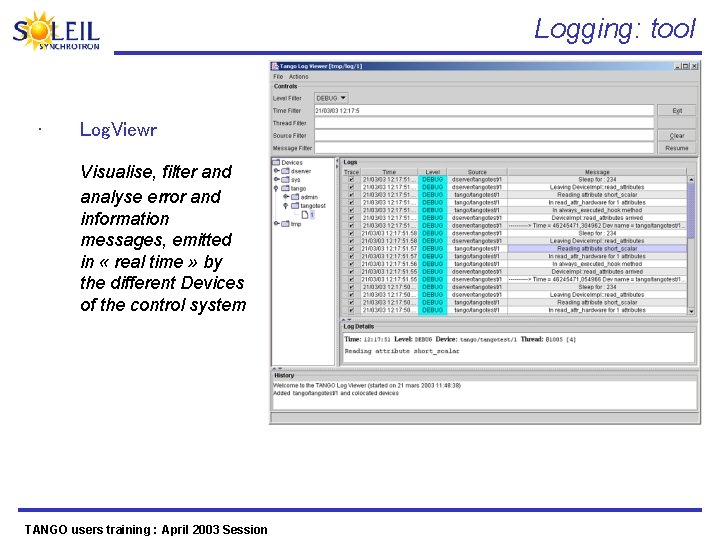
Logging: tool • Log. Viewr Visualise, filter and analyse error and information messages, emitted in « real time » by the different Devices of the control system TANGO users training : April 2003 Session
Archiving TANGO users training : April 2003 Session
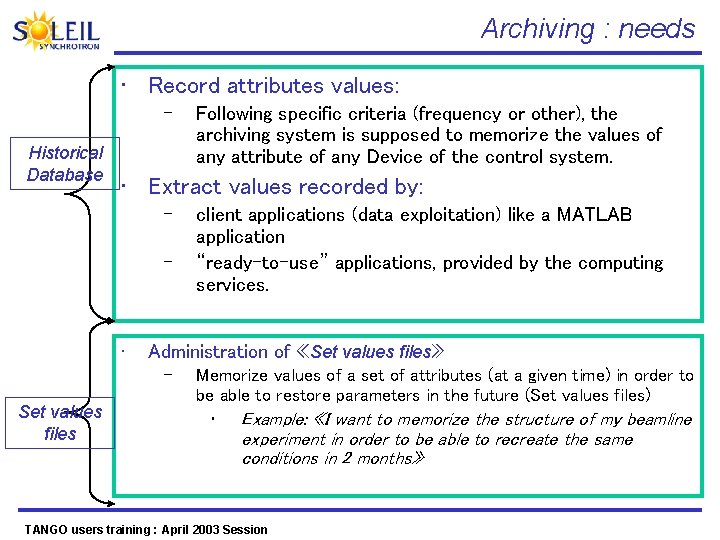
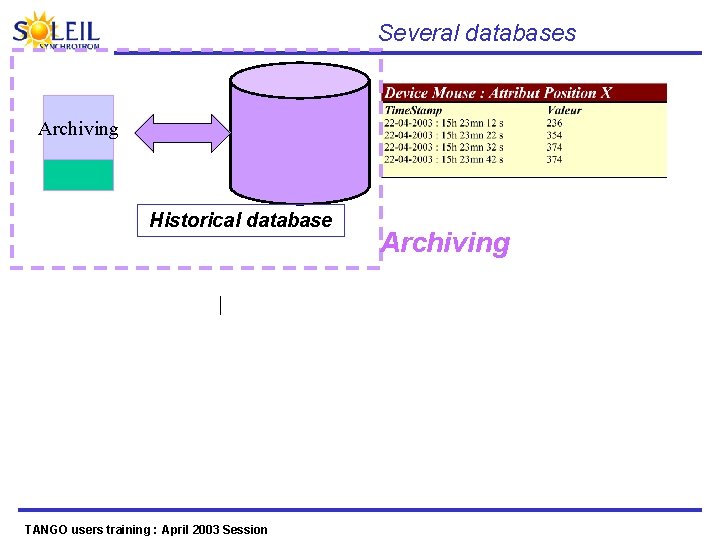
Archiving : needs • Record attributes values: – Historical Database • Extract values recorded by: – – • client applications (data exploitation) like a MATLAB application “ready-to-use” applications, provided by the computing services. Administration of «Set values files» – Set values files Following specific criteria (frequency or other), the archiving system is supposed to memorize the values of any attribute of any Device of the control system. Memorize values of a set of attributes (at a given time) in order to be able to restore parameters in the future (Set values files) • Example: «I want to memorize the structure of my beamline experiment in order to be able to recreate the same conditions in 2 months» TANGO users training : April 2003 Session
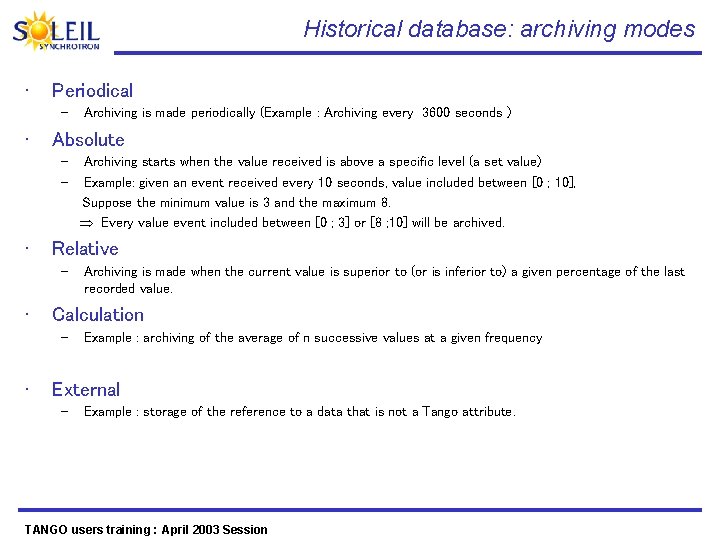
Historical database: archiving modes • Periodical – • Absolute – – • Archiving is made when the current value is superior to (or is inferior to) a given percentage of the last recorded value. Calculation – • Archiving starts when the value received is above a specific level (a set value) Example: given an event received every 10 seconds, value included between [0 ; 10], Suppose the minimum value is 3 and the maximum 8. Every value event included between [0 ; 3] or [8 ; 10] will be archived. Relative – • Archiving is made periodically (Example : Archiving every 3600 seconds ) Example : archiving of the average of n successive values at a given frequency External – Example : storage of the reference to a data that is not a Tango attribute. TANGO users training : April 2003 Session
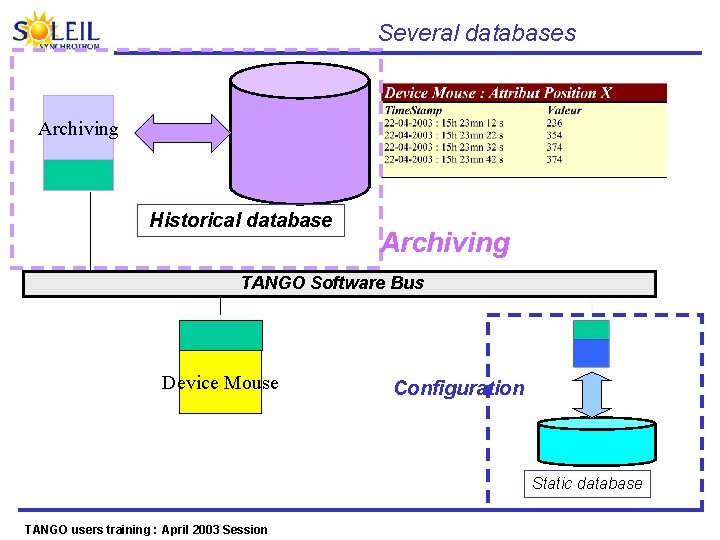
Several databases Archiving Historical database Archiving TANGO Software Bus Device Mouse Configuration Static database TANGO users training : April 2003 Session
Several databases Archiving Historical database TANGO users training : April 2003 Session Archiving
Annex : TANGO in 2 pictures TANGO users training : April 2003 Session
And high-level modular applications Configuration Monitoring Logging Users environments: MATLAB, IGOR, python, Labview Archiving Bindings TANGO Software Bus Device Hardware (E/S…) TANGO users training : April 2003 Session (motor…)
- Slides: 96