
Tamkang University 107 1 Process of Submitting ThesesDissertations
淡江大學 Tamkang University 107 -1 Process of Submitting Theses/Dissertations Tamkang University Library 華藝數位股份有限公司
Outline • Electronic Theses/Dissertations Content Form • Electronic Theses/Dissertations File Adjustment -Convert the File -Add Watermark -Add Protection of the File • Process of Submitting Theses/Dissertations • Ways of Authorizing Theses/Dissertations

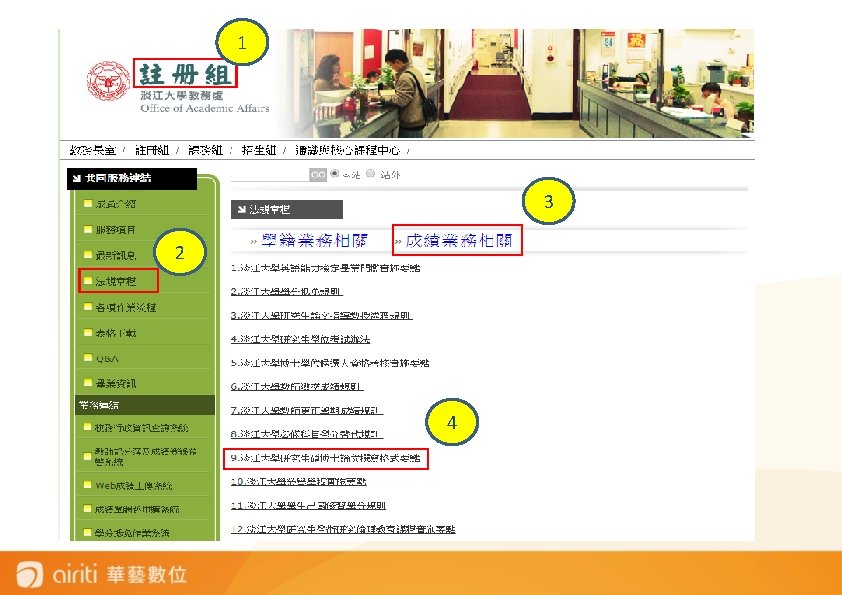
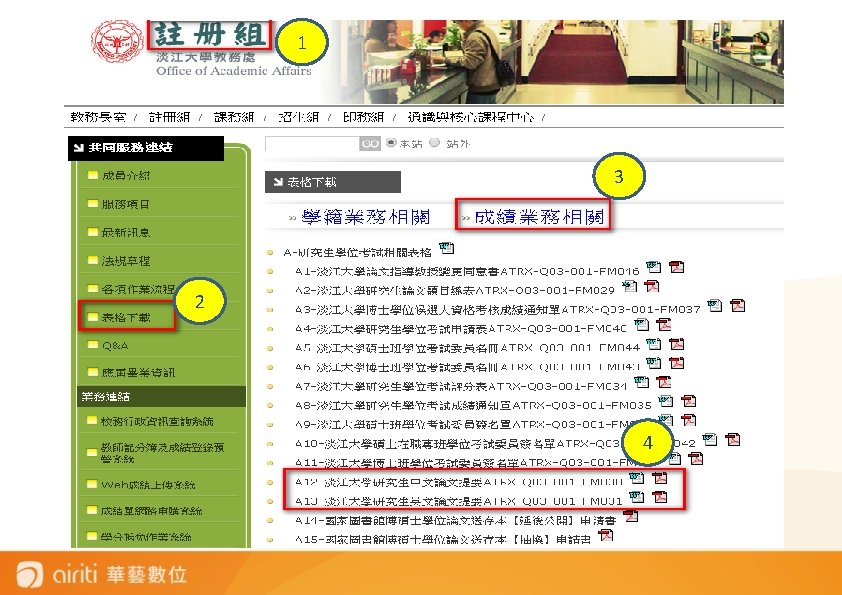
Electronic Theses/Dissertation Content Form • Title Page(Chinese) • Acknowledgement(If you have) • Theses/Dissertation Abstract (in Chinese) (Fit the required form) • Theses/Dissertation Abstract (in English) (Fit the required form) • Table of Content (with page numbers ; Includes list of figures and tables) 提醒您!重要文件下載參考! • Main Text (Every chapter) 1、教務處→註冊組→法規章程→成績業務相關→ • References 5 -56 淡江大學研究生碩博士論文撰寫格式要點. doc • Appendixes 2、教務處→註冊組→表格下載→成績業務相關→ A 12 -淡江大學研究生中文論文提要ATRX-Q 03 -001 -FM 030 A 13 -淡江大學研究生英文論文提要ATRX-Q 03 -001 -FM 031
1 3 2 4
1 3 2 4
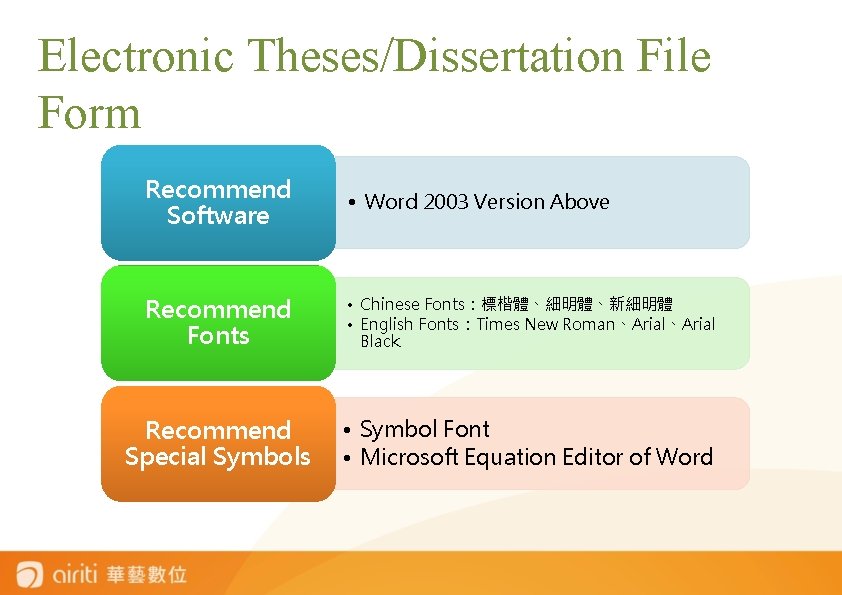
Electronic Theses/Dissertation File Form Recommend Software • Word 2003 Version Above Recommend Fonts • Chinese Fonts:標楷體、細明體、新細明體 • English Fonts:Times New Roman、Arial Black Recommend Special Symbols • Symbol Font • Microsoft Equation Editor of Word
淡大博碩士論文上傳說明會 ELECTRONIC THESES/DISSERTATIONS FILE ADJUSTMENT -Convert the File -Add Watermark -Add Protection of the File
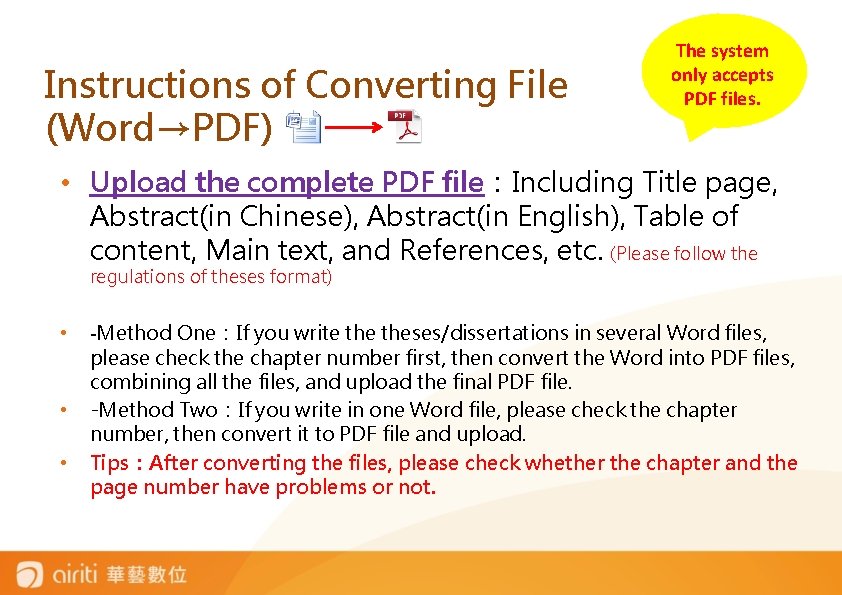
Instructions of Converting File (Word→PDF) The system only accepts PDF files. • Upload the complete PDF file:Including Title page, Abstract(in Chinese), Abstract(in English), Table of content, Main text, and References, etc. (Please follow the regulations of theses format) • • • -Method One:If you write theses/dissertations in several Word files, please check the chapter number first, then convert the Word into PDF files, combining all the files, and upload the final PDF file. -Method Two:If you write in one Word file, please check the chapter number, then convert it to PDF file and upload. Tips:After converting the files, please check whether the chapter and the page number have problems or not.
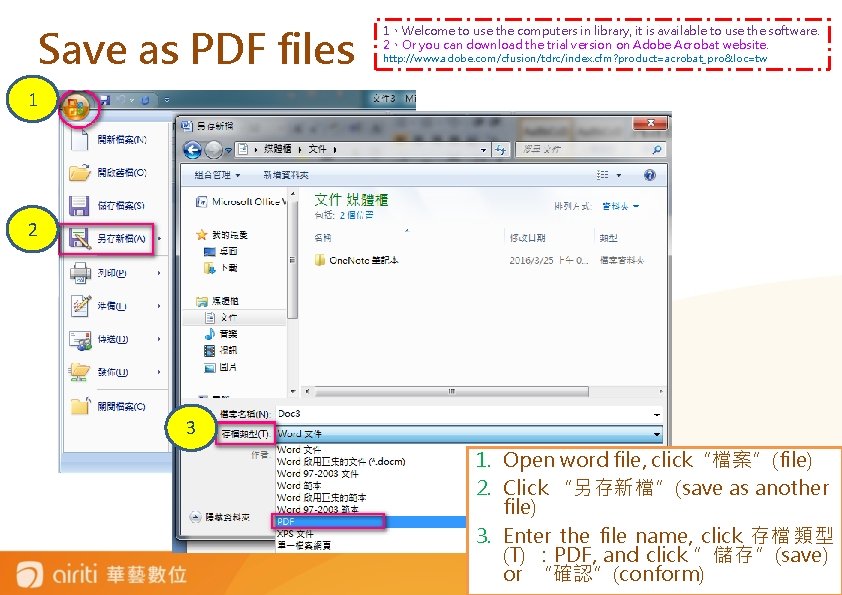
Save as PDF files 1、Welcome to use the computers in library, it is available to use the software. 2、Or you can download the trial version on Adobe Acrobat website. http: //www. adobe. com/cfusion/tdrc/index. cfm? product=acrobat_pro&loc=tw 1 2 3 1. Open word file, click“檔案”(file) 2. Click “另存新檔”(save as another file) 3. Enter the file name, click 存檔類型 (T) :PDF, and click ”儲存”(save) or “確認”(conform)
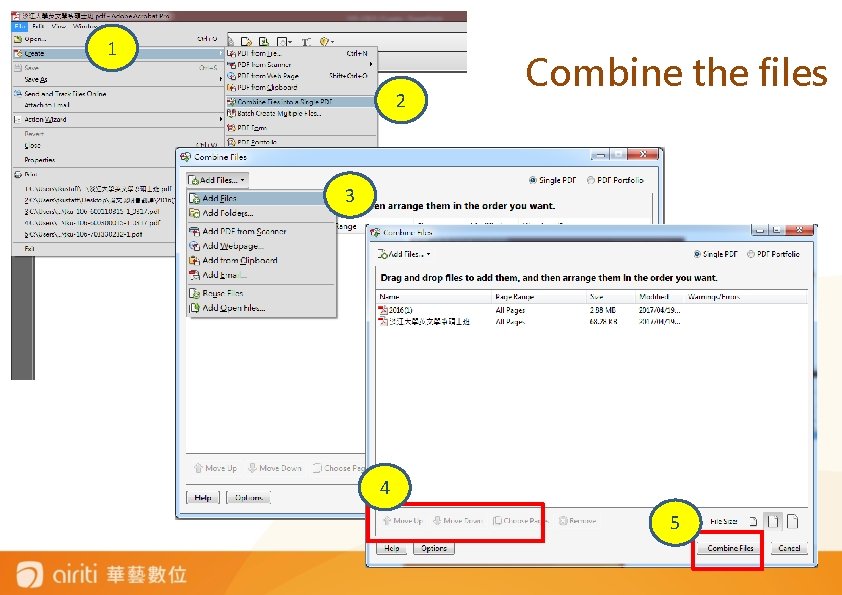
1 2 Combine the files 3 4 4 5
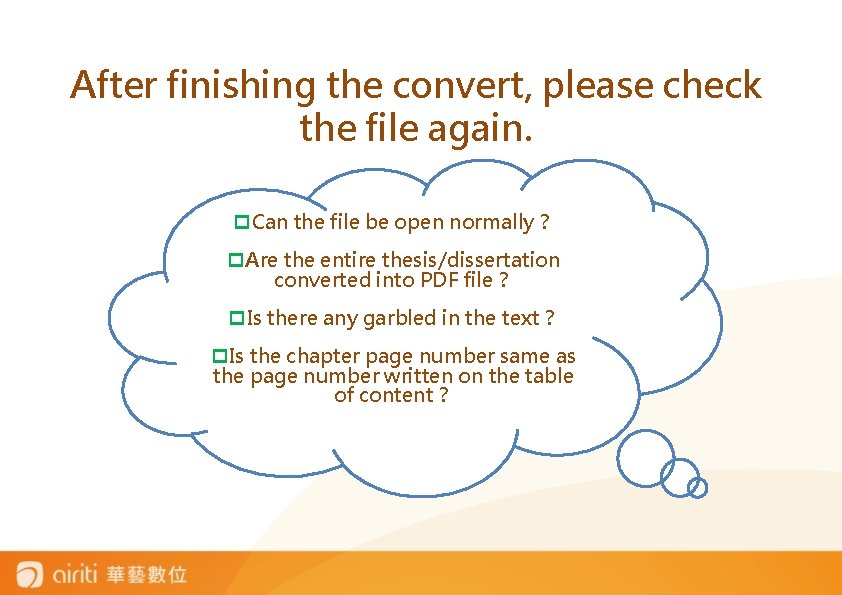
After finishing the convert, please check the file again. p. Can the file be open normally? p. Are the entire thesis/dissertation converted into PDF file? p. Is there any garbled in the text? p. Is the chapter page number same as the page number written on the table of content?
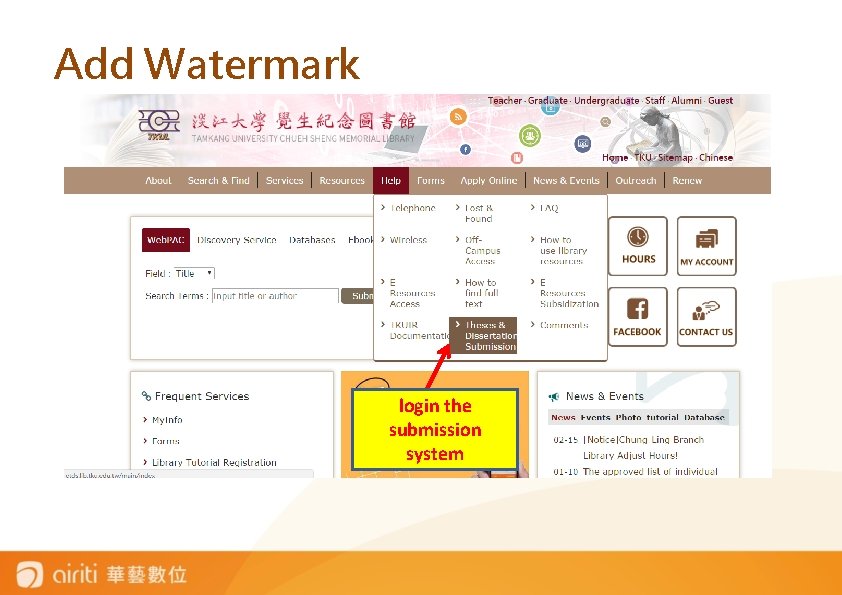
Add Watermark login the submission system
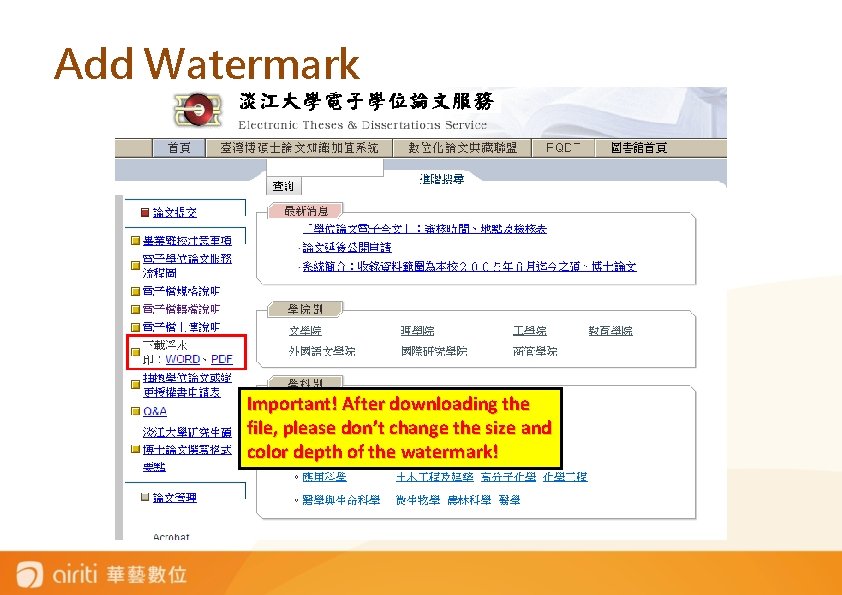
Add Watermark Important! After downloading the file, please don’t change the size and color depth of the watermark!
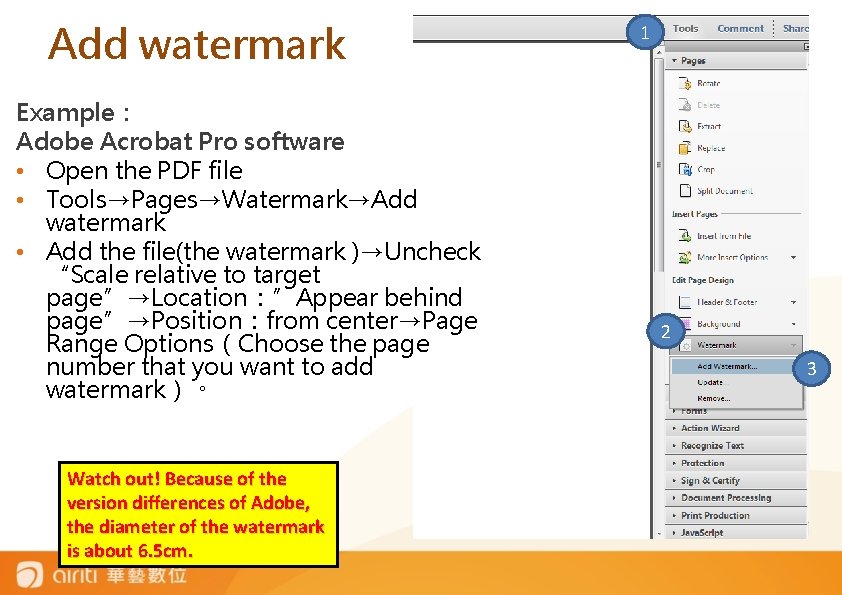
Add watermark Example: Adobe Acrobat Pro software • Open the PDF file • Tools→Pages→Watermark→Add watermark • Add the file(the watermark )→Uncheck “Scale relative to target page”→Location:”Appear behind page”→Position:from center→Page Range Options(Choose the page number that you want to add watermark)。 Watch out! Because of the version differences of Adobe, the diameter of the watermark is about 6. 5 cm. 1 2 3
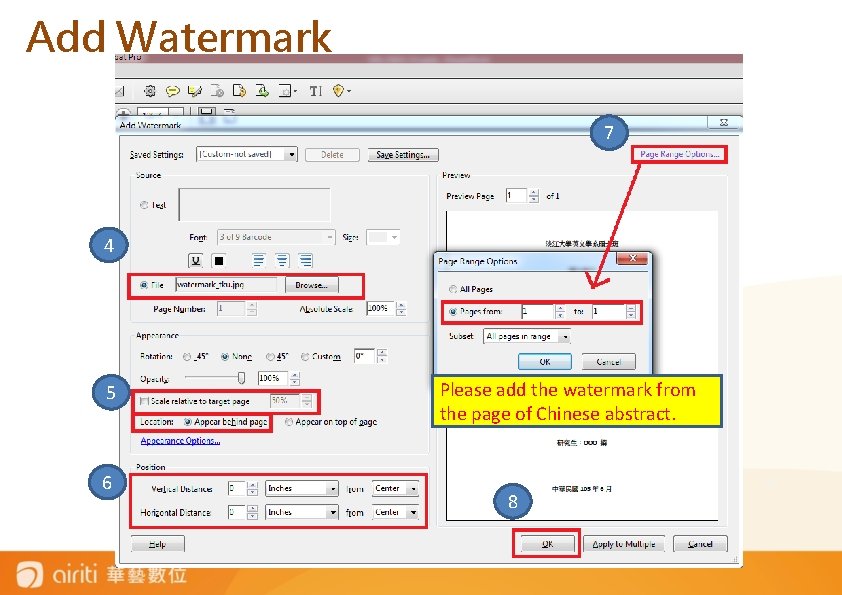
Add Watermark 7 4 5 6 Please add the watermark from the page of Chinese abstract. 8 15
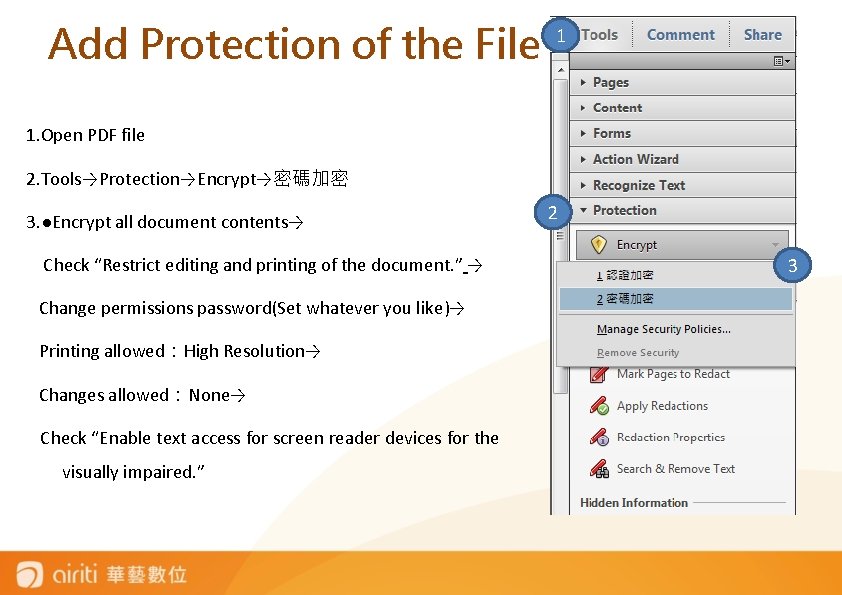
Add Protection of the File 1 1. Open PDF file 2. Tools→Protection→Encrypt→密碼加密 3. ●Encrypt all document contents→ Check “Restrict editing and printing of the document. ” → Change permissions password(Set whatever you like)→ Printing allowed:High Resolution→ Changes allowed:None→ Check “Enable text access for screen reader devices for the visually impaired. ” 2 3
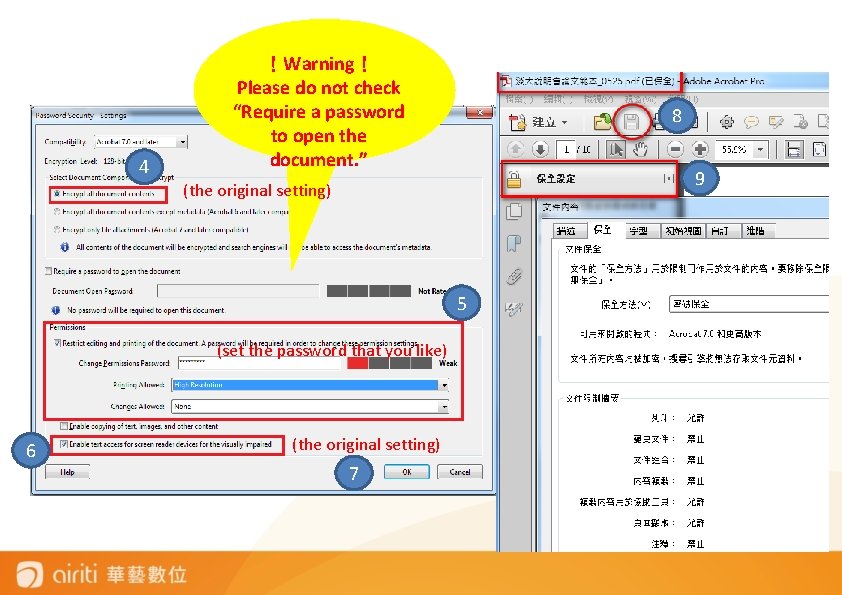
4 !Warning! Please do not check “Require a password to open the document. ” 8 9 (the original setting) 5 (set the password that you like) 6 (the original setting) 7
淡大博碩士論文上傳說明會 PROCESS OF SUBMITTING THESES/DISSERTATIONS
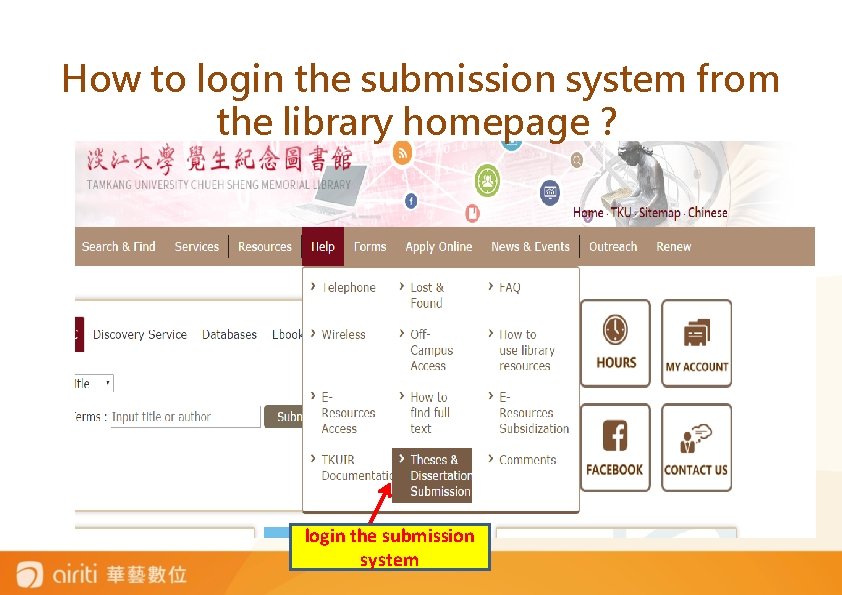
How to login the submission system from the library homepage? login the submission system
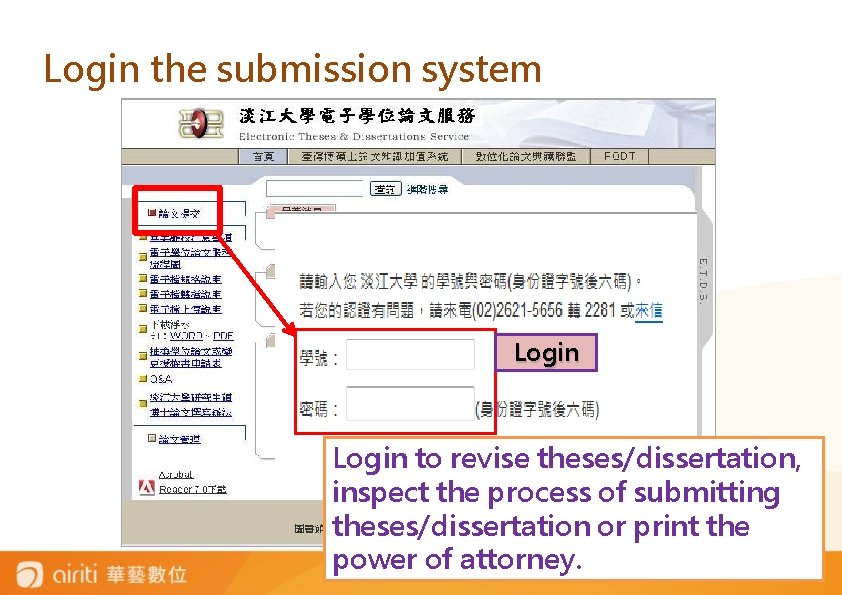
Login the submission system Login to revise theses/dissertation, inspect the process of submitting theses/dissertation or print the power of attorney.
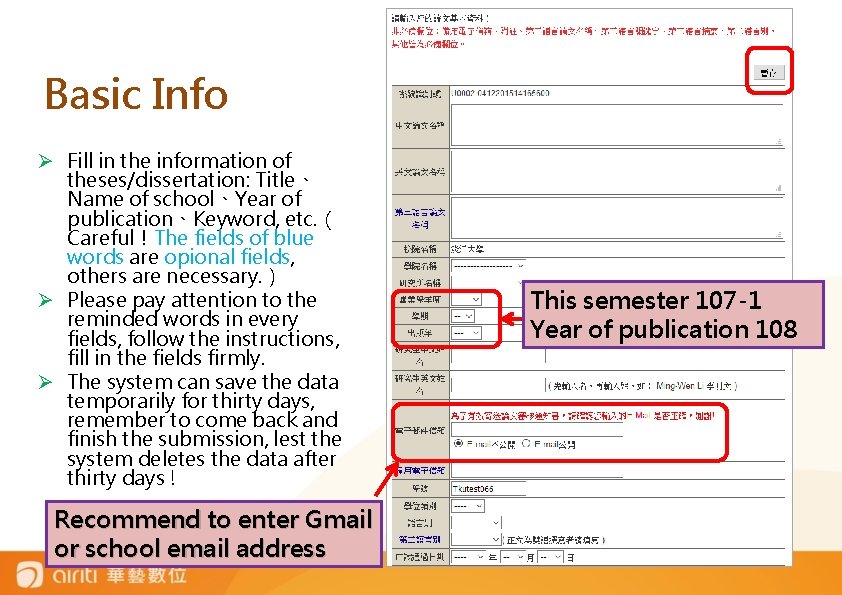
Basic Info Ø Fill in the information of theses/dissertation: Title、 Name of school、Year of publication、Keyword, etc. ( Careful!The fields of blue words are opional fields, others are necessary. ) Ø Please pay attention to the reminded words in every fields, follow the instructions, fill in the fields firmly. Ø The system can save the data temporarily for thirty days, remember to come back and finish the submission, lest the system deletes the data after thirty days ! Recommend to enter Gmail or school email address This semester 107 -1 Year of publication 108
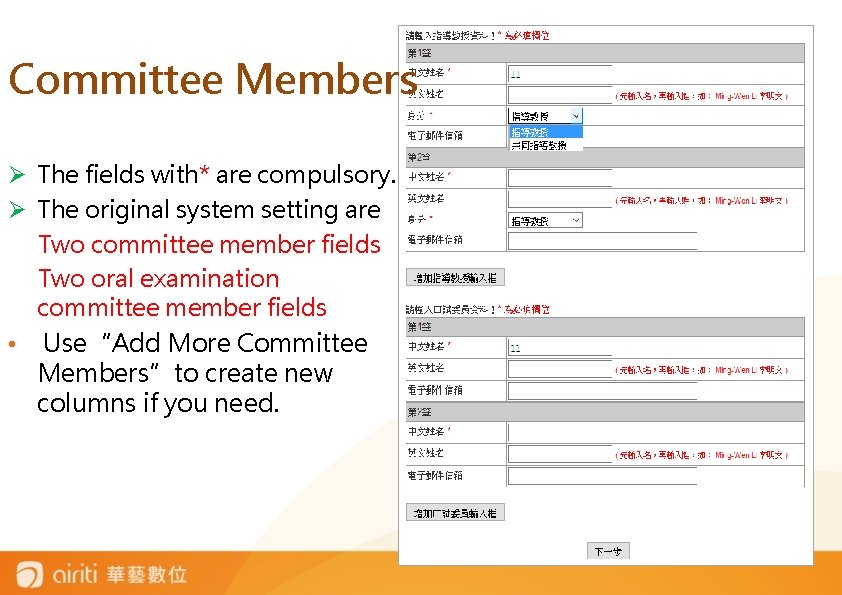
Committee Members Ø The fields with* are compulsory. Ø The original system setting are Two committee member fields Two oral examination committee member fields • Use“Add More Committee Members”to create new columns if you need.

Upload theses/Dissertation Files Ø Please read the precautions carefully first. Ø Check whether theses/dissertations have been added the watermark and protection in PDF file. Ø Click 「瀏覽」(Browse) to select the file and 「上傳 」(upload), then finish the submission. Ø Note that the system will rename the file automatically. 1 2

Check theses/Dissertation Files There are two chances to check the file.
淡大博碩士論文上傳說明會 WAYS OF AUTHORIZING THESES/DISSERTATIONS -Airiti Library online platform -Process of authorizing theses/dissertations
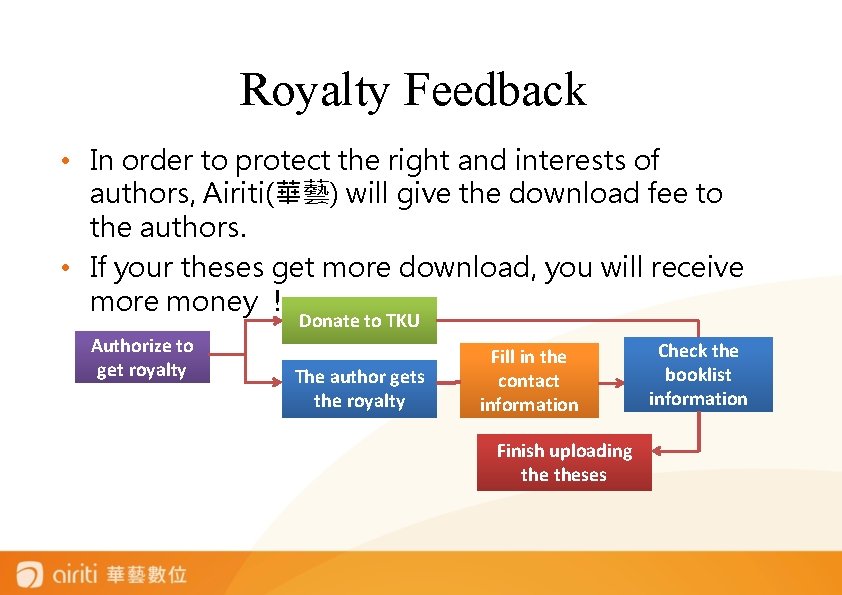
Royalty Feedback • In order to protect the right and interests of authors, Airiti(華藝) will give the download fee to the authors. • If your theses get more download, you will receive more money ! Authorize to get royalty Donate to TKU The author gets the royalty Fill in the contact information Finish uploading theses Check the booklist information
Q&A • How will the school deal with the copy rights of authors if authors authorize theses to school? • First, if students authorize their theses to school, the most important thing for the school is to protect the property rights in work of students and don’t let the knowledge of students be abused or copied. • Second, the school will cooperate with digital content industry. The students’ work can not only benefit themselves but also have an impact on domestic education and academic performance.
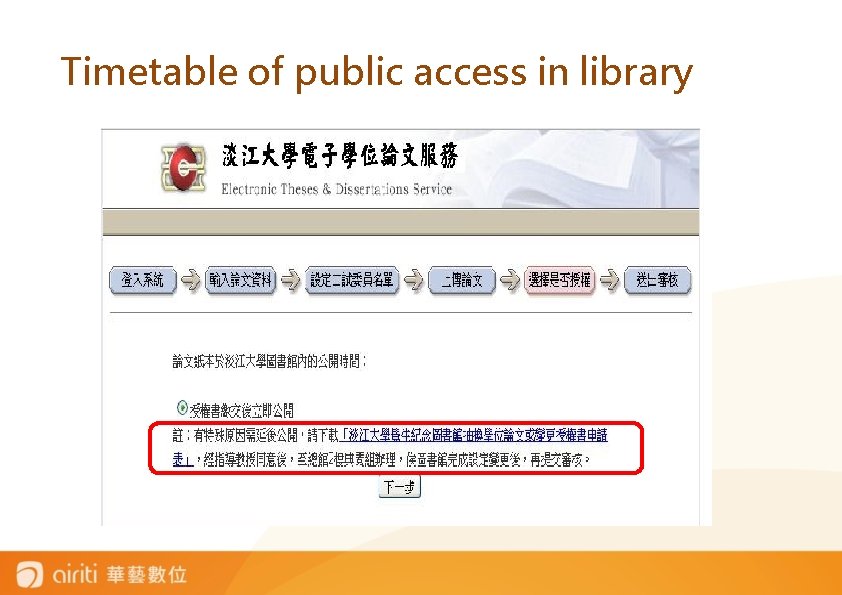
Timetable of public access in library
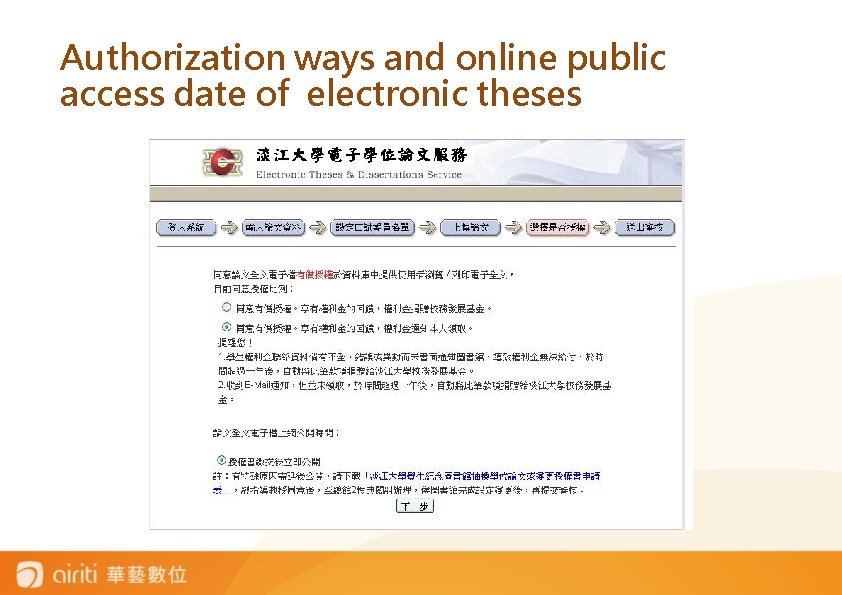
Authorization ways and online public access date of electronic theses
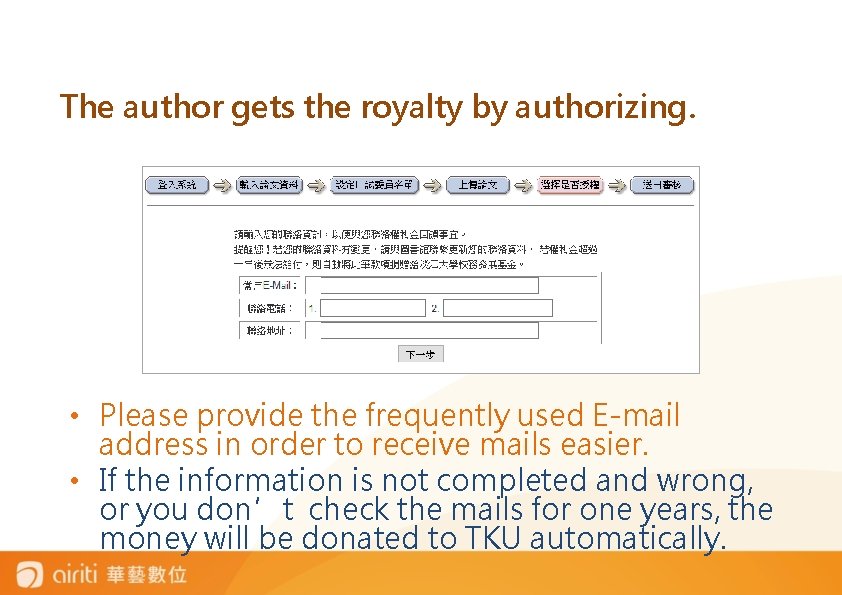
The author gets the royalty by authorizing. • Please provide the frequently used E-mail address in order to receive mails easier. • If the information is not completed and wrong, or you don’t check the mails for one years, the money will be donated to TKU automatically.
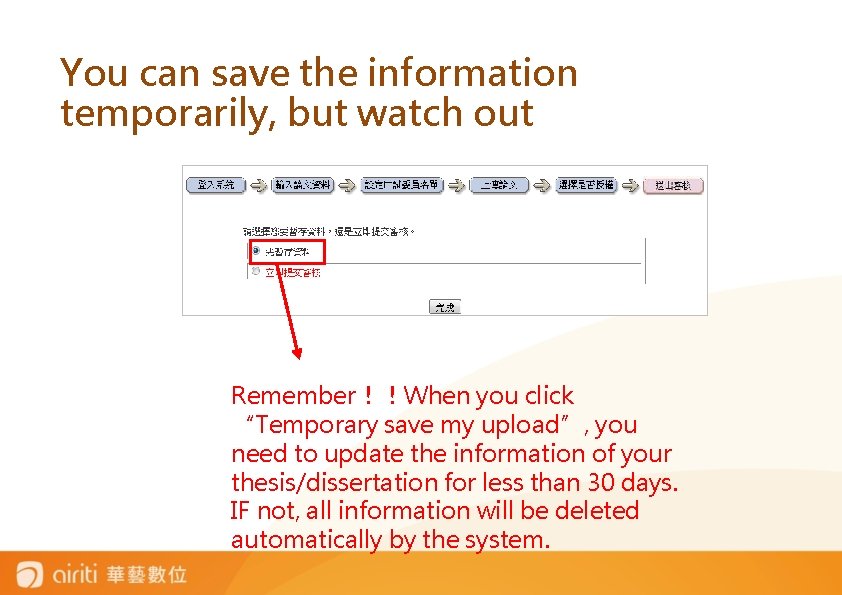
You can save the information temporarily, but watch out Remember!!When you click “Temporary save my upload”, you need to update the information of your thesis/dissertation for less than 30 days. IF not, all information will be deleted automatically by the system.
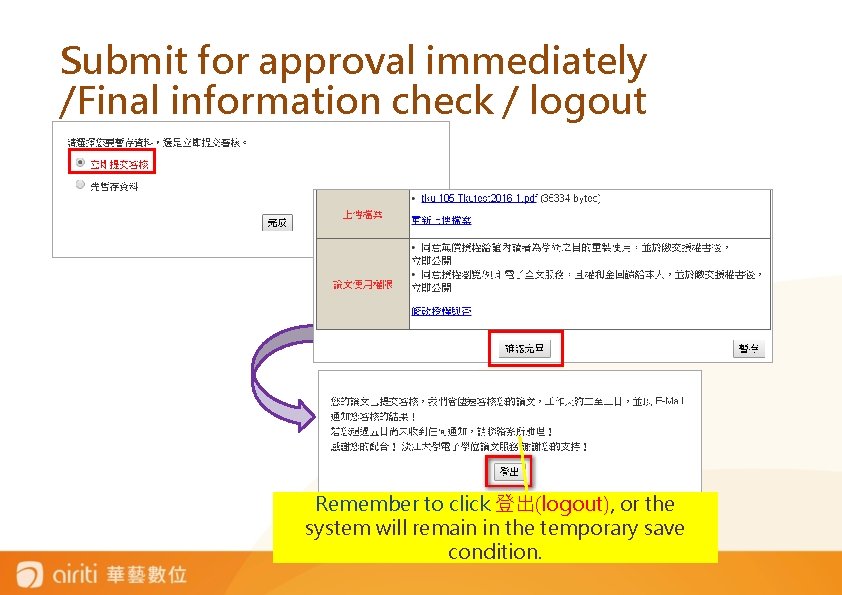
Submit for approval immediately /Final information check / logout Remember to click 登出(logout), or the system will remain in the temporary save condition.
Tips • Tamkang university only provides theses booklist information for National Central Library, but not authorizes the electronic theses contents. • If you are willing to authorize theses, you can fill in 「國家圖書館博碩士論文電子檔案上網授權書」on your own. • Send to National Central Library or calling 0223619132 extension 528。
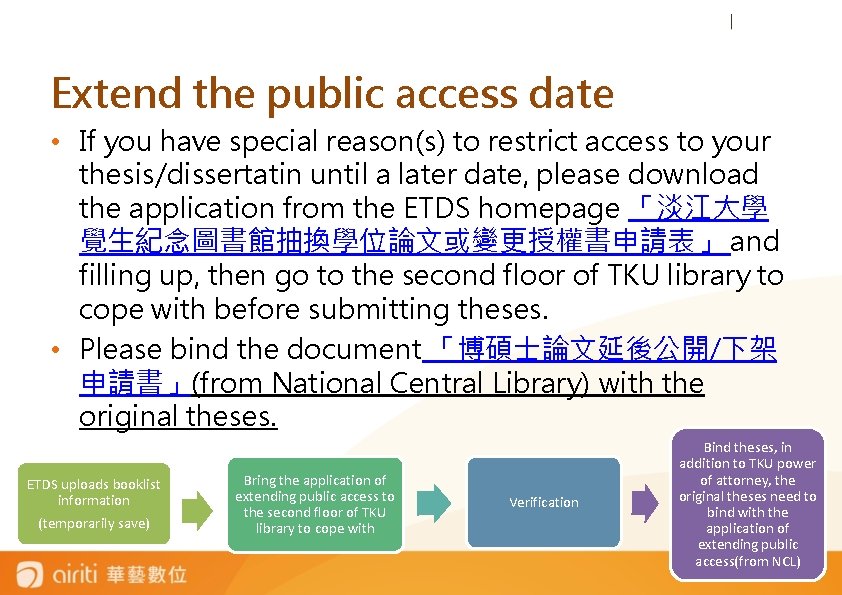
Extend the public access date • If you have special reason(s) to restrict access to your thesis/dissertatin until a later date, please download the application from the ETDS homepage 「淡江大學 覺生紀念圖書館抽換學位論文或變更授權書申請表」 and filling up, then go to the second floor of TKU library to cope with before submitting theses. • Please bind the document 「博碩士論文延後公開/下架 申請書」(from National Central Library) with the original theses. ETDS uploads booklist information (temporarily save) Bring the application of extending public access to the second floor of TKU library to cope with Verification Bind theses, in addition to TKU power of attorney, the original theses need to bind with the application of extending public access(from NCL)

Electronic Theses/Dissertations Service→The latest news 1. Verification Time and Place 2. The checklist of these/dissertations yourself) (Check theses content by 3. Download“Electronic theses service" explanation meeting Power Point 4. The related lists from National Central Library
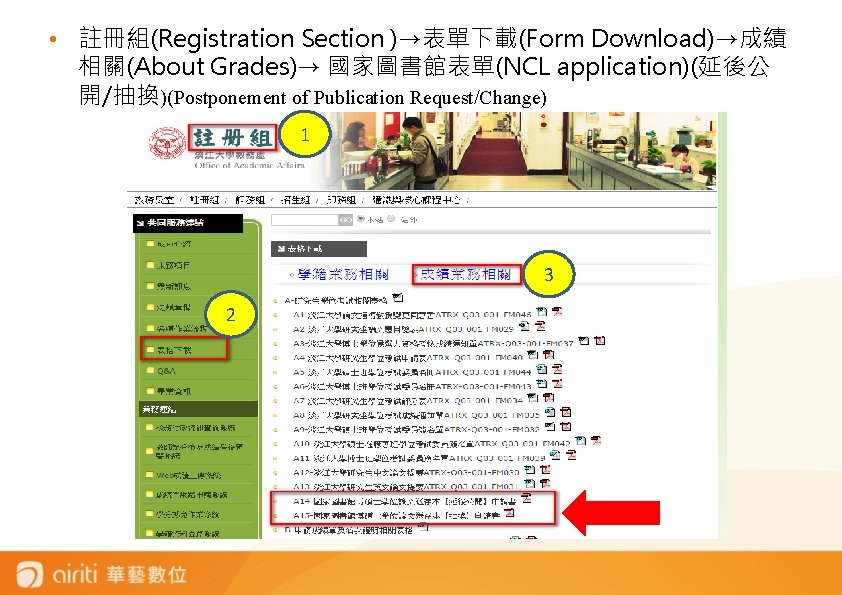
• 註冊組(Registration Section )→表單下載(Form Download)→成績 相關(About Grades)→ 國家圖書館表單(NCL application)(延後公 開/抽換)(Postponement of Publication Request/Change) 1 3 2
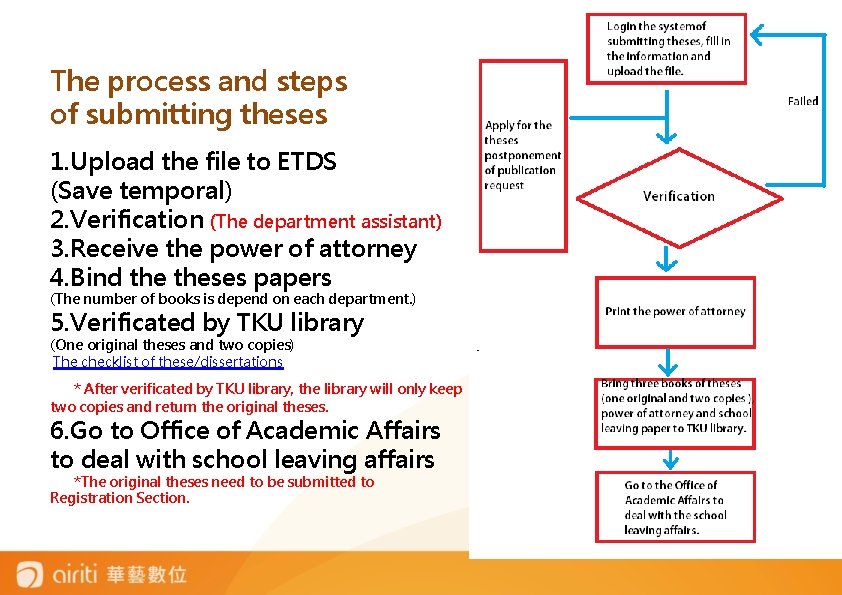
The process and steps of submitting theses 1. Upload the file to ETDS (Save temporal) 2. Verification (The department assistant) 3. Receive the power of attorney 4. Bind theses papers (The number of books is depend on each department. ) 5. Verificated by TKU library (One original theses and two copies) The checklist of these/dissertations * After verificated by TKU library, the library will only keep two copies and return the original theses. 6. Go to Office of Academic Affairs to deal with school leaving affairs *The original theses need to be submitted to Registration Section.
Reminder Please pay attention to the due date of submitting theses announced by each department and Office of Academic Affairs. 博碩士論文上傳說明會 If you have any problem, please call (02)2621 -5656 #2281

If you have any question about theses, please contact with TKU library. (02)2621 -5656 #2281 mlib@mail. tku. edu. tw
- Slides: 40